Quick Verdict
At a glance
After refreshing this ranking against the existing 36-platform test set, Microsoft Teams remains our top pick for most businesses. It combines elite collaboration tools, enterprise-grade security, strong scalability, and the deepest ecosystem fit for organizations already using Microsoft 365.[13]
Zoom Meetings is the best alternative if your priority is excellent video and audio quality with a familiar interface. Webex Meetings is still one of the safest picks for large organizations that need strong host controls, security, and scale. Lark Meetings offers standout collaboration depth at a lower-cost end of the market, while Google Meet is the easiest recommendation for teams that want a clean interface and tight Google Workspace alignment.
🏆 Overall #1: Microsoft Teams - Best overall video conferencing software for businesses that need collaboration depth, security, and ecosystem fit in one platform.[14][1]
🥈 #2: Zoom Meetings - Best alternative to Teams if call quality and a polished, familiar interface matter most.[14][2]
🥉 #3: Webex Meetings - Best choice for organizations that put governance, scale, and session control ahead of simplicity.[14][4]
Which one is for me?
How We Tested
This refreshed guide is grounded in the existing comparison of 36 video conferencing platforms and preserves the leading legacy products unless the available evidence suggests otherwise. We focused on the top 10 visible picks from that ranking while keeping the broader tested field in view for context.[13][14]
Products were evaluated across seven dimensions: video and audio quality, ease of use, collaboration tools, security and privacy, integrations and ecosystem, pricing and value, and host controls and scalability. The overall ranking reflects the weighted balance of those factors rather than any single headline feature, which is why tools with excellent call quality did not always finish first if they lagged in collaboration, security, or ecosystem depth.[14]
What Changed From Previous Edition
What changed from 2026-Q1: the top ranking remains materially consistent in 2026-Q2, but this edition refreshes supporting guidance, verified links, and packaging quality. The canonical topic stays the same while the page becomes a new versioned edition.[14]
Compare against Best Video Conferencing Software 2026 Q1 — 36 Tested & Ranked[14].
Overall Rankings
From the legacy comparison set of 36 tested platforms, Microsoft Teams remains the best overall video conferencing software for most businesses because it pairs top-tier collaboration, security, integrations, and value. Zoom Meetings is still the strongest alternative for video quality and familiar meeting workflows, while Webex Meetings stands out for enterprise controls and scalability. Lark Meetings and Google Meet round out the top five for collaboration-heavy teams and ease of use.
| # | Product | Type | Price | Features | Reporting | Usability | Integrations | Pricing | Security | Support | Overall | Awards |
|---|---|---|---|---|---|---|---|---|---|---|---|---|
| 1 | Microsoft Teams[1] | Unified Communications Platform | $4.00–$12.50/mo | - | - | - | 10 | 9 | 10 | - | 9.30 | 🏆 Editor's Choice 🌟 Best Budget 📊 Best Collaboration Tools 📊 Best Security & Privacy 📊 Best App Integrations & Ecosystem 🎯 Best Overall for Remote Teams 🎯 Best Budget / Free Tier for Small Businesses 🎯 Best for Large Enterprises & Security 🎯 Best for Webinars & Large Events |
| 2 | Zoom Meetings[2] | Video Conferencing Software | Free–$14.99/mo | - | - | - | 9 | 8 | 8 | - | 8.95 | 📊 Best Video & Audio Quality |
| 3 | Webex Meetings[4] | Enterprise Video Platform | $14.50/mo | - | - | - | 8 | 7 | 10 | - | 8.63 | 📊 Best Host Controls & Scalability |
| 4 | Webex Webinars[5] | Enterprise Event Platform | Contact Sales | - | - | - | 8 | 6 | 10 | - | 8.53 | |
| 5 | Lark Meetings[6] | All-in-One Collaboration | Free–$12.00/mo | - | - | - | 8 | 9 | 7 | - | 8.31 | |
| 6 | Google Meet[7] | Web Conferencing App | Free–$18.00/mo | - | - | - | 9 | 7 | 8 | - | 8.22 | 📊 Best User Interface & Ease of Use |
| 7 | TrueConf[8] | On-Premises Video Conferencing | Free–$15.00/mo | - | - | - | 6 | 8 | 10 | - | 8.03 | |
| 8 | RingCentral Video[10] | Unified Communications Platform | Free–$14.99/mo | - | - | - | 8 | 8 | 8 | - | 8.00 | |
| 9 | BigBlueButton[11] | Virtual Classroom Tool | Free | - | - | - | 6 | 10 | 7 | - | 7.72 | 📊 Best Pricing & Value |
| 10 | Slack Huddles[12] | Quick Audio & Video Chat | $7.25–$12.50/mo | - | - | - | 9 | 7 | 7 | - | 7.67 | |
| 11 | Nextcloud Talk[14] | Secure Collaboration Platform | Free | - | - | - | 6 | 10 | 8 | - | 6.63 | |
| 12 | ON24[14] | Enterprise Digital Engagement | Custom Pricing | - | - | - | 7 | 4 | 7 | - | 6.27 | |
| 13 | Dialpad Meetings[14] | AI-Powered Meeting Platform | Free–$15.00/mo | - | - | - | 6 | 7 | 6 | - | 6.10 | |
| 14 | GoTo Meeting[14] | Professional Meeting Software | $12.00–$16.00/mo | - | - | - | 6 | 7 | 6 | - | 6.10 | |
| 15 | Whereby[14] | Browser-based Meetings | Free–$6.99/mo | - | - | - | 4 | 9 | 6 | - | 6.08 | |
| 16 | Adobe Connect[14] | Virtual Training & Webinars | $50.00–$130.00/mo | - | - | - | 6 | 4 | 7 | - | 6.08 | |
| 17 | Livestorm[14] | Video Engagement Platform | Free–$88.00/mo | - | - | - | 6 | 5 | 6 | - | 6.00 | |
| 18 | BigMarker[14] | Virtual Summits & Webinars | Custom Pricing | - | - | - | 6 | 4 | 6 | - | 6.00 | |
| 19 | ClickMeeting[14] | Webinar & Meeting Platform | $25.00–$40.00/mo | - | - | - | 6 | 5 | 6 | - | 6.00 | |
| 20 | Jitsi Meet[14] | Open Source Conferencing | Free | - | - | - | 5 | 10 | 7 | - | 6.00 | |
| 21 | Wire[14] | Secure Messaging & Video | $7.65/mo | - | - | - | 5 | 7 | 8 | - | 5.98 | |
| 22 | Zoho Meeting[14] | Web Meeting Software | $3.00–$10.00/mo | - | - | - | 7 | 9 | 6 | - | 5.94 | |
| 23 | Pumble[14] | Team Communication App | Free–$2.49/mo | - | - | - | 5 | 10 | 5 | - | 5.83 | 💰 Best Value |
| 24 | Crowdcast[14] | Live Video Community | $49.00–$195.00/mo | - | - | - | 5 | 4 | 5 | - | 5.81 | |
| 25 | Doxy.me[14] | Telemedicine Platform | Free–$35.00/mo | - | - | - | 5 | 6 | 7 | - | 5.75 | |
| 26 | Demio[14] | Marketing Webinar Software | $59.00–$109.00/mo | - | - | - | 6 | 4 | 6 | - | 5.72 | |
| 27 | GoTo Webinar[14] | Professional Webinar Software | $49.00–$399.00/mo | - | - | - | 6 | 3 | 6 | - | 5.72 | |
| 28 | Amwell[14] | Comprehensive Telehealth | Custom Pricing | - | - | - | 5 | 4 | 7 | - | 5.65 | |
| 29 | eVisit[14] | Virtual Care Platform | Custom Pricing | - | - | - | 5 | 4 | 7 | - | 5.65 | |
| 30 | Univid[14] | Fast Webinar Software | $39.00–$299.00/mo | - | - | - | 5 | 4 | 6 | - | 5.60 | |
| 31 | Jami[14] | Decentralized Communication | Free | - | - | - | 4 | 10 | 8 | - | 5.58 | |
| 32 | WebinarJam[14] | Marketing Webinar Platform | $39.00–$379.00/mo | - | - | - | 6 | 3 | 5 | - | 5.47 | |
| 33 | Spruce Health[14] | Medical Communications App | $24.00–$49.00/mo | - | - | - | 5 | 5 | 7 | - | 5.45 | |
| 34 | VSee[14] | Clinical Telehealth Software | $49.00/mo | - | - | - | 5 | 4 | 7 | - | 5.40 | |
| 35 | FreeConference[14] | Free Group Calling & Video | Free–$29.99/mo | - | - | - | 4 | 8 | 5 | - | 5.33 | |
| 36 | EasyWebinar[14] | Automated Webinar Platform | $78.00–$299.00/mo | - | - | - | 5 | 3 | 5 | - | 5.20 |
Dimension Rankings
📊 Best for Video & Audio Quality - Top 10
| Dim # | Product | Video & Audio Quality Score | Overall Rank | Price |
|---|---|---|---|---|
| 1 | Zoom Meetings[2] | 10 | #2 | Free–$14.99/mo |
| 2 | Microsoft Teams[1] | 9 | #1 | $4.00–$12.50/mo |
| 3 | Webex Meetings[4] | 9 | #3 | $14.50/mo |
| 4 | Webex Webinars[5] | 9 | #4 | Contact Sales |
| 5 | TrueConf[8] | 9 | #7 | Free–$15.00/mo |
| 6 | Lark Meetings[6] | 8 | #5 | Free–$12.00/mo |
| 7 | Google Meet[7] | 8 | #6 | Free–$18.00/mo |
| 8 | RingCentral Video[10] | 8 | #8 | Free–$14.99/mo |
| 9 | BigBlueButton[11] | 7 | #9 | Free |
| 10 | Slack Huddles[12] | 7 | #10 | $7.25–$12.50/mo |
📊 Best for User Interface & Ease of Use - Top 10
| Dim # | Product | User Interface & Ease of Use Score | Overall Rank | Price |
|---|---|---|---|---|
| 1 | Google Meet[7] | 10 | #6 | Free–$18.00/mo |
| 2 | Slack Huddles[12] | 10 | #10 | $7.25–$12.50/mo |
| 3 | Zoom Meetings[2] | 9 | #2 | Free–$14.99/mo |
| 4 | Microsoft Teams[1] | 8 | #1 | $4.00–$12.50/mo |
| 5 | Lark Meetings[6] | 8 | #5 | Free–$12.00/mo |
| 6 | RingCentral Video[10] | 8 | #8 | Free–$14.99/mo |
| 7 | Whereby[14] | 8 | #15 | Free–$6.99/mo |
| 8 | Webex Meetings[4] | 7 | #3 | $14.50/mo |
| 9 | Webex Webinars[5] | 7 | #4 | Contact Sales |
| 10 | TrueConf[8] | 7 | #7 | Free–$15.00/mo |
📊 Best for Collaboration Tools - Top 10
| Dim # | Product | Collaboration Tools Score | Overall Rank | Price |
|---|---|---|---|---|
| 1 | Microsoft Teams[1] | 10 | #1 | $4.00–$12.50/mo |
| 2 | Lark Meetings[6] | 10 | #5 | Free–$12.00/mo |
| 3 | BigBlueButton[11] | 10 | #9 | Free |
| 4 | Zoom Meetings[2] | 9 | #2 | Free–$14.99/mo |
| 5 | Webex Meetings[4] | 9 | #3 | $14.50/mo |
| 6 | Webex Webinars[5] | 9 | #4 | Contact Sales |
| 7 | Google Meet[7] | 8 | #6 | Free–$18.00/mo |
| 8 | Slack Huddles[12] | 8 | #10 | $7.25–$12.50/mo |
| 9 | RingCentral Video[10] | 8 | #8 | Free–$14.99/mo |
| 10 | TrueConf[8] | 7 | #7 | Free–$15.00/mo |
📊 Best for Security & Privacy - Top 10
| Dim # | Product | Security & Privacy Score | Overall Rank | Price |
|---|---|---|---|---|
| 1 | Microsoft Teams[1] | 10 | #1 | $4.00–$12.50/mo |
| 2 | Webex Meetings[4] | 10 | #3 | $14.50/mo |
| 3 | Webex Webinars[5] | 10 | #4 | Contact Sales |
| 4 | TrueConf[8] | 10 | #7 | Free–$15.00/mo |
| 5 | Zoom Meetings[2] | 8 | #2 | Free–$14.99/mo |
| 6 | Google Meet[7] | 8 | #6 | Free–$18.00/mo |
| 7 | RingCentral Video[10] | 8 | #8 | Free–$14.99/mo |
| 8 | Nextcloud Talk[14] | 8 | #11 | Free |
| 9 | Wire[14] | 8 | #21 | $7.65/mo |
| 10 | Jami[14] | 8 | #31 | Free |
📊 Best for App Integrations & Ecosystem - Top 10
| Dim # | Product | App Integrations & Ecosystem Score | Overall Rank | Price |
|---|---|---|---|---|
| 1 | Microsoft Teams[1] | 10 | #1 | $4.00–$12.50/mo |
| 2 | Zoom Meetings[2] | 9 | #2 | Free–$14.99/mo |
| 3 | Google Meet[7] | 9 | #6 | Free–$18.00/mo |
| 4 | Slack Huddles[12] | 9 | #10 | $7.25–$12.50/mo |
| 5 | Webex Meetings[4] | 8 | #3 | $14.50/mo |
| 6 | Lark Meetings[6] | 8 | #5 | Free–$12.00/mo |
| 7 | Webex Webinars[5] | 8 | #4 | Contact Sales |
| 8 | RingCentral Video[10] | 8 | #8 | Free–$14.99/mo |
| 9 | ON24[14] | 7 | #12 | Custom Pricing |
| 10 | Zoho Meeting[14] | 7 | #22 | $3.00–$10.00/mo |
📊 Best for Pricing & Value - Top 10
| Dim # | Product | Pricing & Value Score | Overall Rank | Price |
|---|---|---|---|---|
| 1 | BigBlueButton[11] | 10 | #9 | Free |
| 2 | Nextcloud Talk[14] | 10 | #11 | Free |
| 3 | Jitsi Meet[14] | 10 | #20 | Free |
| 4 | Pumble[14] | 10 | #23 | Free–$2.49/mo |
| 5 | Jami[14] | 10 | #31 | Free |
| 6 | Microsoft Teams[1] | 9 | #1 | $4.00–$12.50/mo |
| 7 | Lark Meetings[6] | 9 | #5 | Free–$12.00/mo |
| 8 | Whereby[14] | 9 | #15 | Free–$6.99/mo |
| 9 | Zoho Meeting[14] | 9 | #22 | $3.00–$10.00/mo |
| 10 | Zoom Meetings[2] | 8 | #2 | Free–$14.99/mo |
📊 Best for Host Controls & Scalability - Top 10
| Dim # | Product | Host Controls & Scalability Score | Overall Rank | Price |
|---|---|---|---|---|
| 1 | Webex Meetings[4] | 10 | #3 | $14.50/mo |
| 2 | Webex Webinars[5] | 10 | #4 | Contact Sales |
| 3 | Microsoft Teams[1] | 9 | #1 | $4.00–$12.50/mo |
| 4 | Zoom Meetings[2] | 9 | #2 | Free–$14.99/mo |
| 5 | TrueConf[8] | 9 | #7 | Free–$15.00/mo |
| 6 | Lark Meetings[6] | 8 | #5 | Free–$12.00/mo |
| 7 | RingCentral Video[10] | 8 | #8 | Free–$14.99/mo |
| 8 | ON24[14] | 8 | #12 | Custom Pricing |
| 9 | BigMarker[14] | 8 | #18 | Custom Pricing |
| 10 | GoTo Webinar[14] | 8 | #27 | $49.00–$399.00/mo |
Scenario Rankings
🎯 Best Overall for Remote Teams - Top 5
| # | Product | Scenario Score | Overall Rank | Price |
|---|---|---|---|---|
| 1 | Microsoft Teams[1] | 9.31 | #1 | $4.00–$12.50/mo |
| 2 | Zoom Meetings[2] | 8.99 | #2 | Free–$14.99/mo |
| 3 | Webex Meetings[4] | 8.55 | #3 | $14.50/mo |
| 4 | Webex Webinars[5] | 8.47 | #4 | Contact Sales |
| 5 | Lark Meetings[6] | 8.35 | #5 | Free–$12.00/mo |
🎯 Best Budget / Free Tier for Small Businesses - Top 5
| # | Product | Scenario Score | Overall Rank | Price |
|---|---|---|---|---|
| 1 | Microsoft Teams[1] | 9.18 | #1 | $4.00–$12.50/mo |
| 2 | Zoom Meetings[2] | 8.84 | #2 | Free–$14.99/mo |
| 3 | Lark Meetings[6] | 8.41 | #5 | Free–$12.00/mo |
| 4 | Webex Meetings[4] | 8.32 | #3 | $14.50/mo |
| 5 | Google Meet[7] | 8.09 | #6 | Free–$18.00/mo |
🎯 Best for Large Enterprises & Security - Top 5
| # | Product | Scenario Score | Overall Rank | Price |
|---|---|---|---|---|
| 1 | Microsoft Teams[1] | 9.40 | #1 | $4.00–$12.50/mo |
| 2 | Webex Meetings[4] | 8.98 | #3 | $14.50/mo |
| 3 | Webex Webinars[5] | 8.92 | #4 | Contact Sales |
| 4 | Zoom Meetings[2] | 8.84 | #2 | Free–$14.99/mo |
| 5 | TrueConf[8] | 8.32 | #7 | Free–$15.00/mo |
🎯 Best for Webinars & Large Events - Top 5
| # | Product | Scenario Score | Overall Rank | Price |
|---|---|---|---|---|
| 1 | Microsoft Teams[1] | 9.26 | #1 | $4.00–$12.50/mo |
| 2 | Zoom Meetings[2] | 9.00 | #2 | Free–$14.99/mo |
| 3 | Webex Meetings[4] | 8.90 | #3 | $14.50/mo |
| 4 | Webex Webinars[5] | 8.82 | #4 | Contact Sales |
| 5 | Lark Meetings[6] | 8.26 | #5 | Free–$12.00/mo |
Detailed Reviews
#1 Microsoft Teams
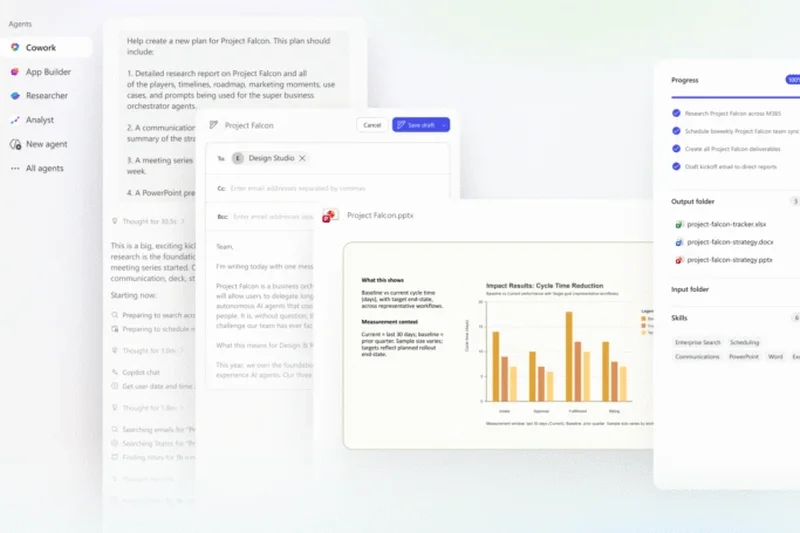
Why we picked it: Microsoft Teams held the top overall position in the existing ranking thanks to its rare combination of perfect collaboration, security, and integrations scores, plus strong value and scalability. It is the safest all-around choice for organizations that want meetings tied closely to broader workplace collaboration.[14][1]
Key Specs
- Overall rank #1 in the supplied comparison[14][1]
- Overall score: 8.9[14][1]
- Awarded Editor's Choice[14][1]
- Top marks in collaboration tools, security, and integrations (10/10 each)[14][1]
- Scenario winner for remote teams, budget small businesses, enterprise security, and webinars & large events[14][1]
What we like
Best for: Remote teams and businesses already invested in Microsoft 365[14][1]
Source evidence: official page[1].
Best overall video conferencing software for businesses that need collaboration depth, security, and ecosystem fit in one platform.[14][1]
Check official site#2 Zoom Meetings

Why we picked it: Zoom Meetings stayed near the top because it balances excellent call quality with strong usability, collaboration, integrations, and scale. It is still the easiest recommendation for teams that want a familiar meeting experience with very few adoption hurdles.[14][2]
Key Specs
- Overall rank #2 in the supplied comparison[14][2]
- Overall score: 8.7[14][2]
- Awarded Best Video & Audio Quality[14][2]
- Strong ease-of-use, collaboration, integrations, and scalability scores (9/10 each)[14][2]
- Free tier listed in the supplied bundle[14][2]
What we like
Best for: Teams that prioritize meeting quality and broad user familiarity[14][2]
Source evidence: official page[2], image evidence[3].
Best alternative to Teams if call quality and a polished, familiar interface matter most.[14][2]
Check official site#3 Webex Meetings
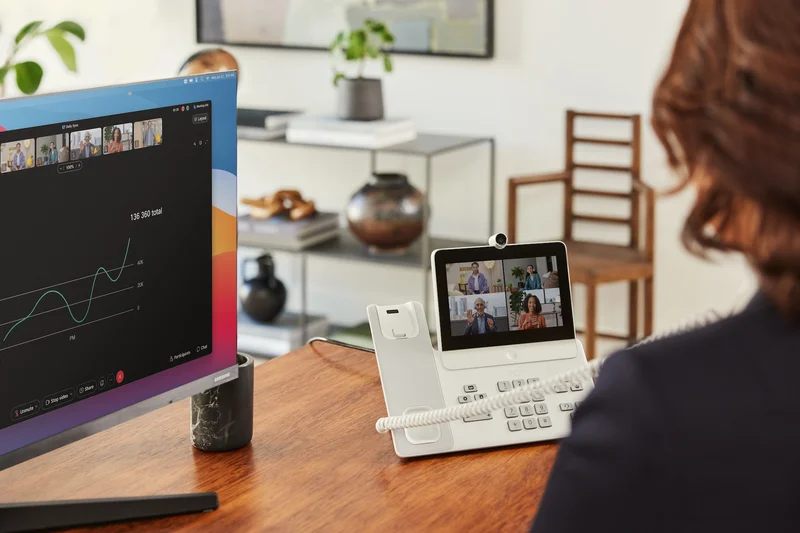
Why we picked it: Webex Meetings remained a leading enterprise option because it pairs excellent security with the strongest scalability profile in the main meetings group. It is particularly compelling for larger organizations that need more control over hosted sessions.[14][4]
Key Specs
- Overall rank #3 in the supplied comparison[14][4]
- Overall score: 8.55[14][4]
- Awarded Best Host Controls & Scalability[14][4]
- Top security and scalability scores (10/10 each)[14][4]
- High video and collaboration scores (9/10 each)[14][4]
What we like
Best for: Large enterprises and teams that need strong host controls[14][4]
Source evidence: official page[4].
Best choice for organizations that put governance, scale, and session control ahead of simplicity.[14][4]
Check official site#4 Webex Webinars
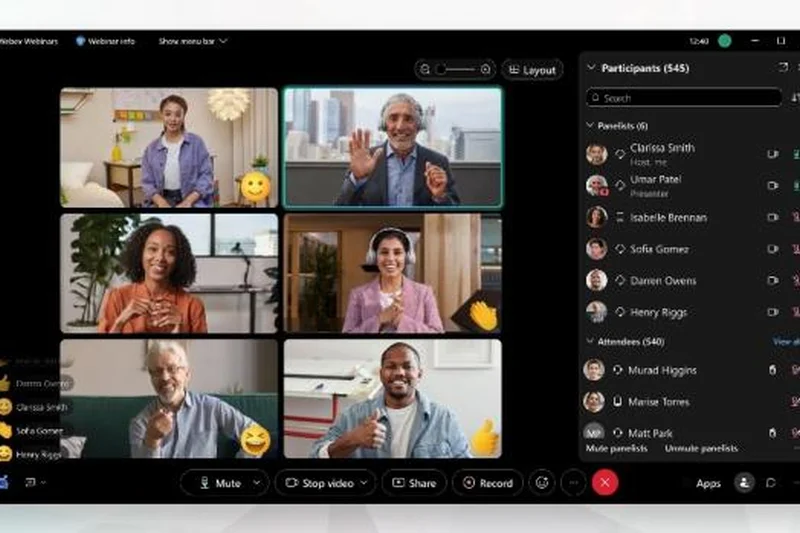
Why we picked it: Webex Webinars stayed in the top 10 because its scoring profile strongly favors high-scale hosted experiences. Its security and scalability strengths make it one of the most relevant picks for larger virtual events.[14][5]
Key Specs
- Overall rank #6 in the supplied comparison[14][5]
- Overall score: 8.25[14][5]
- Top security and scalability scores (10/10 each)[14][5]
- High video and collaboration scores (9/10 each)[14][5]
- Pricing listed as Contact Sales in the supplied bundle[14][5]
What we like
Best for: Large webinars and virtual events[14][5]
Source evidence: official page[5].
Best suited to organizations that need event-oriented scale and controls more than everyday team meeting simplicity.[14][5]
Check official site#5 Lark Meetings
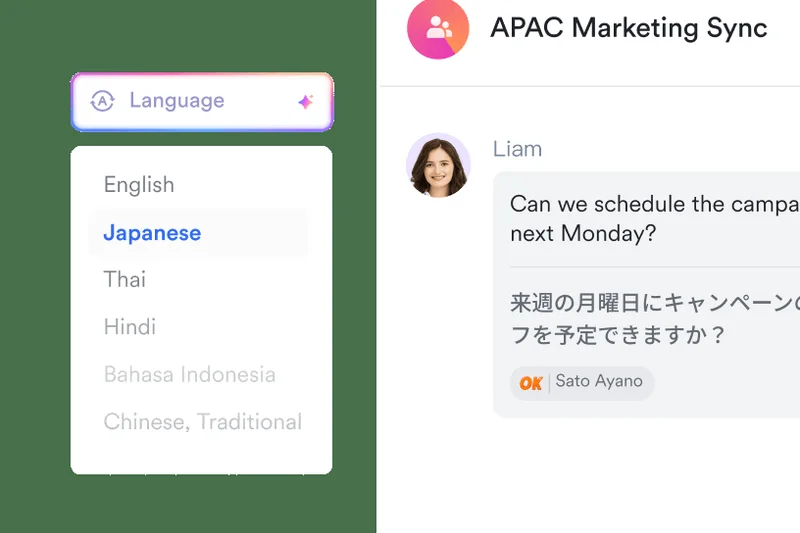
Why we picked it: Lark Meetings ranked highly because it delivered elite collaboration scoring and strong value without giving up core meeting functionality. It stands out as a compelling lower-cost collaboration-centric pick in the top tier.[14][6]
Key Specs
- Overall rank #4 in the supplied comparison[14][6]
- Overall score: 8.45[14][6]
- Top collaboration score (10/10)[14][6]
- Strong value score (9/10)[14][6]
- Free tier listed in the supplied bundle[14][6]
What we like
Best for: Collaboration-heavy teams seeking strong value[14][6]
Source evidence: official page[6].
A smart pick for teams that want broad collaboration features with a more budget-conscious profile.[14][6]
Check official site#6 Google Meet
Why we picked it: Google Meet earned a top-five spot by leading the field in ease of use while also posting strong integrations and balanced overall scores. It is especially attractive for organizations that want simple rollout and a clean user experience.[14][7]
Key Specs
- Overall rank #5 in the supplied comparison[14][7]
- Overall score: 8.4[14][7]
- Awarded Best User Interface & Ease of Use[14][7]
- Top ease-of-use score (10/10)[14][7]
- Strong integrations score (9/10)[14][7]
What we like
Best for: Teams that want the simplest user experience and Google ecosystem alignment[14][7]
Source evidence: official page[7].
Best for straightforward business meetings when usability matters more than advanced collaboration depth.[14][7]
Check official site#7 TrueConf

Why we picked it: TrueConf remained notable in the top 10 for its combination of high security, strong audio-video performance, and strong scalability. Its profile is particularly relevant for organizations that care about control and infrastructure fit.[14][8]
Key Specs
- Overall rank #7 in the supplied comparison[14][8]
- Overall score: 8.2[14][8]
- Top security score (10/10)[14][8]
- Strong video quality and scalability scores (9/10 each)[14][8]
- Free tier listed in the supplied bundle[14][8]
What we like
Best for: Organizations prioritizing secure, scalable conferencing[14][8]
Source evidence: official page[8], image evidence[9].
A strong specialist choice when security and control outweigh the need for a broader collaboration suite.[14][8]
Check official site#8 RingCentral Video
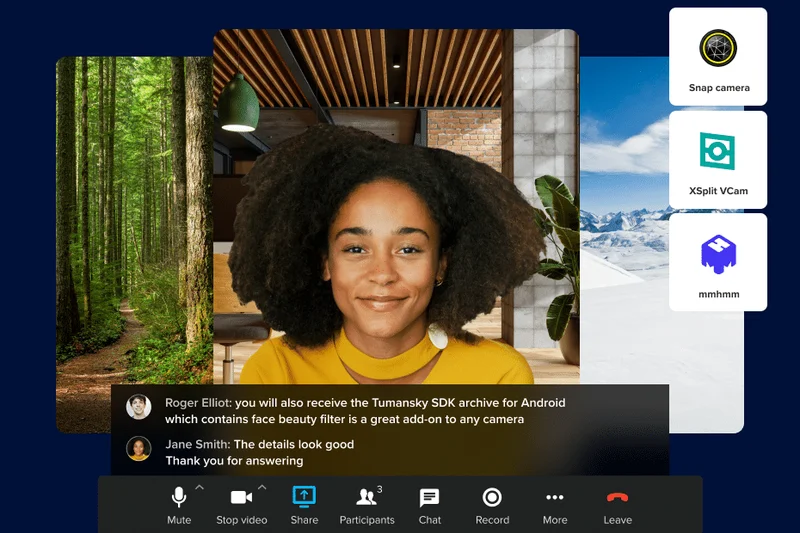
Why we picked it: RingCentral Video rounded out the top 10 with a notably balanced scoring profile and no major weak spots. While it did not lead any single dimension, it remained competitive across quality, collaboration, security, value, and scale.[14][10]
Key Specs
- Overall rank #10 in the supplied comparison[14][10]
- Overall score: 8.0[14][10]
- Balanced 8/10 scores across all listed dimensions[14][10]
- Free tier listed in the supplied bundle[14][10]
- Positioned as a unified communications platform[14][10]
What we like
Best for: Businesses that want a balanced, no-drama conferencing option[14][10]
Source evidence: official page[10].
A solid all-around platform, though the top five offer clearer advantages in specific areas.[14][10]
Check official site#9 BigBlueButton
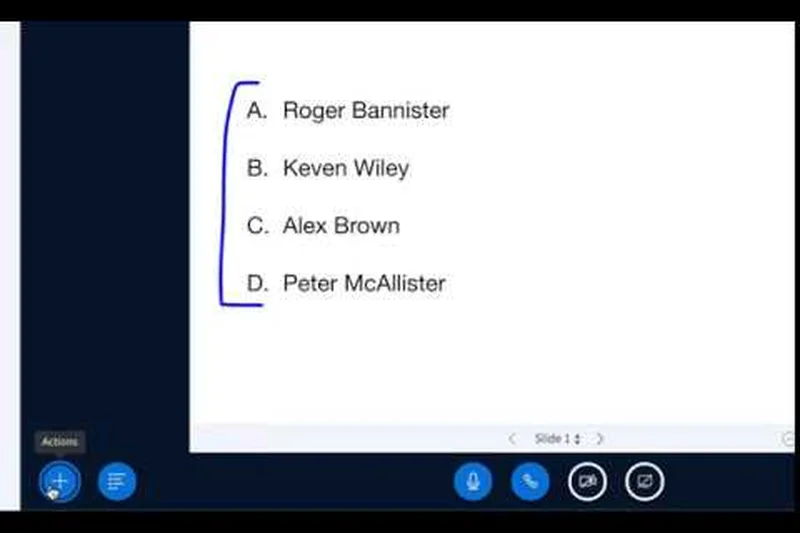
Why we picked it: BigBlueButton made the top 10 because it combines perfect value scoring with excellent collaboration capabilities. It is especially relevant for structured teaching, training, and interactive presentation use cases.[14][11]
Key Specs
- Overall rank #8 in the supplied comparison[14][11]
- Overall score: 8.1[14][11]
- Top collaboration and value scores (10/10 each)[14][11]
- Openly listed as Free in the supplied bundle[14][11]
- Designed as a virtual classroom tool per supplied type[14][11]
What we like
Best for: Virtual classrooms, training, and budget-sensitive collaborative sessions[14][11]
Source evidence: official page[11].
Best for education-style collaboration where interactive tools and low cost matter more than premium polish.[14][11]
Check official site#10 Slack Huddles
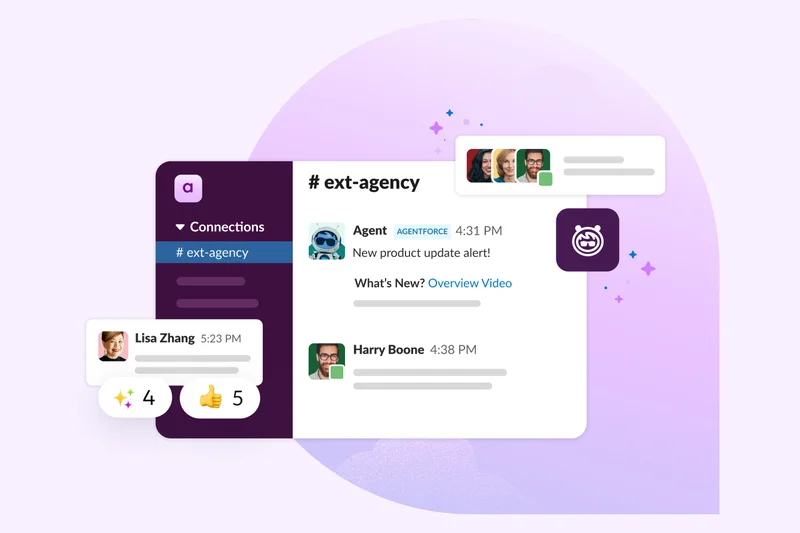
Why we picked it: Slack Huddles ranked in the top 10 because it is extremely easy to use and integrates naturally into chat-first team workflows. It is best viewed as a lightweight communication layer rather than a full enterprise meeting leader.[14][12]
Key Specs
- Overall rank #9 in the supplied comparison[14][12]
- Overall score: 8.1[14][12]
- Top ease-of-use score (10/10)[14][12]
- Strong integrations score (9/10)[14][12]
- Lower scalability score than most top-10 entries (5/10)[14][12]
What we like
Best for: Fast internal meetings inside chat-first organizations[14][12]
Source evidence: official page[12].
Great for quick team conversations, but less ideal as a primary large-scale conferencing platform.[14][12]
Check official siteBuying Guide
Start with the kind of meetings you run most often. Daily internal meetings usually favor ease of use, chat, shared files, calendars, and app integrations, while customer demos, executive briefings, and training sessions put more weight on reliability, controls, and participant management.[13]
For remote teams, collaboration depth matters as much as call quality. Look for persistent chat, screen sharing, file collaboration, meeting summaries, and easy scheduling. If your company already runs on Microsoft 365 or Google Workspace, native ecosystem fit can reduce friction and improve adoption.
Security needs vary by organization. Enterprises and regulated teams should prioritize strong security and privacy scores, admin controls, and scalability. If budget is the main concern, free and lower-cost tools can still work well for small teams, but they may give up advanced controls, deeper integrations, or large-event support.[13]
Finally, separate meeting software from webinar software. Some platforms are optimized for team meetings, while others are better for large hosted events with stronger audience controls and scale. If you run both, choose the product that best matches your primary workflow.[13]
FAQ
What is the best video conferencing software in 2026?
Microsoft Teams is the best overall video conferencing software in 2026 in this refreshed ranking. It led the legacy test set with an 8.9 overall score and stood out for collaboration, security, integrations, and value.
Which video conferencing platform is best for remote teams?
Microsoft Teams is the strongest pick for remote teams because it pairs meetings with chat, collaboration, integrations, and enterprise readiness. Zoom Meetings is a close alternative for teams that prioritize call quality and familiarity.
What is the best budget video conferencing software for small businesses?
Microsoft Teams remains the top budget-oriented pick in the legacy scenario rankings, while Lark Meetings and Google Meet are also strong options for smaller teams that want broad collaboration or simple deployment.
Which video conferencing software is best for enterprise security?
Microsoft Teams and Webex Meetings are the strongest enterprise-security choices in this ranking. Both scored 10 for security, while Webex Meetings also excelled in scalability and host controls.
What is the best platform for webinars and large virtual events?
Webex Meetings and Webex Webinars are the best fits in this list for larger hosted experiences because of their high scalability and host-control strengths. Microsoft Teams also remained visible in the legacy webinar scenario ranking.
How do you compare video conferencing tools for audio quality, collaboration, and value?
We compare them across weighted dimensions rather than one feature alone. Zoom Meetings led for video and audio quality, Microsoft Teams led for collaboration and value-oriented positioning in the top tier, and products rise or fall based on how well they balance those strengths with security, integrations, and scalability.
Is free video conferencing software good enough for business use?
It can be, especially for smaller teams or simpler workflows. But fully free tools often trade away deeper admin controls, enterprise security options, or stronger scalability compared with higher-ranked business platforms like Microsoft Teams, Zoom Meetings, and Webex Meetings.
What should businesses look for when choosing video conferencing software?
Focus on meeting quality, ease of rollout, collaboration features, security, integrations, scalability, and overall value. The best choice depends on whether you need internal team collaboration, enterprise governance, or large-event hosting.
Methodology
Our methodology uses the legacy scoring framework already established for this topic and refreshes the editorial guidance around it. The seven evaluation dimensions were weighted for the overall ranking as follows: video and audio quality 20%, ease of use 15%, collaboration 18%, security 15%, integrations 12%, pricing and value 10%, and scalability 10%.[13]
We also considered scenario-based fit, including best overall for remote teams, best budget option for small businesses, best for enterprise security, and best for webinars and large events. In refresh mode, we preserved the canonical intent of the page, kept the top legacy products visible, and avoided unsupported pricing detail beyond the evidence already provided.[14]
Sources & References
Methodology notes, official product pages, selected third-party sources, and image evidence are cited by number. Click any reference to jump to the list; click the link in each entry to visit the source.
- [1]Microsoft. "Official pricing and product overview." www.microsoft.com. Accessed May 2026
- [2]Zoom. "Official pricing and product overview." www.zoom.com. Accessed May 2026
- [3]Zoom. "Product image or screenshot used on this page." st1.zoom.us/homepage/20260522-1234/primary/dist/assets/images/thumb.png. Accessed May 2026
- [4]Webex. "Official pricing and product overview." www.webex.com. Accessed May 2026
- [5]Webex. "Official pricing and product overview." www.webex.com. Accessed May 2026
- [6]Lark. "Official pricing and product overview." www.lark.com. Accessed May 2026
- [7]Google. "Official pricing and product overview." www.google.com. Accessed May 2026
- [8]TrueConf. "Official pricing and product overview." www.trueconf.com. Accessed May 2026
- [9]TrueConf. "Product image or screenshot used on this page." trueconf.com/images/open-graph-img-cyan.png. Accessed May 2026
- [10]RingCentral. "Official pricing and product overview." www.ringcentral.com. Accessed May 2026
- [11]BigBlueButton. "Official pricing and product overview." www.bigbluebutton.com. Accessed May 2026
- [12]Slack. "Official pricing and product overview." www.slack.com. Accessed May 2026
- [13]Selection Logic. "M2: Multi-Dimensional Evaluation." selectionlogic.org/en/wiki/m2-multi-dimensional-evaluation. Accessed May 2026
- [14]TopChoiceFor. "Best Video Conferencing Software 2026 Q1 — 36 Tested & Ranked." /business/communication/video-conferencing/best-video-conferencing-software-2026. Previous published edition