Quick Verdict
At a glance
We tested 36 enterprise and small business team collaboration and instant messaging software platforms. Using the M2 evaluation framework, we analyzed core communication, integrations, security, and more to find the best solutions for modern workplaces.
🏆 Overall #1: Slack — Unmatched integrations and intuitive channel-based messaging make it the ultimate collaboration hub.
🥈 #2: Microsoft Teams — Best-in-class security and deep Office 365 integration for large-scale enterprise deployments.
🥉 #3: Cisco Webex App — Industry-leading video meeting capabilities natively unified with secure enterprise messaging.
Which one is for me?
How We Tested
Our Testing Framework
To determine the Best Team Chat Apps 2026, we began by compiling a comprehensive candidate pool of 36 team collaboration platforms. We evaluated each app using the rigorous M2 Multi-Dimensional Evaluation framework [1]. This methodology ensures a balanced, data-driven analysis by examining products across 7 distinct dimensions: Core Communication & Messaging, Integration & Ecosystem, User Interface & Navigation, Administration & Security, Pricing & Value, Search & Organization, and Reliability & Uptime.
Our lab testing involved simulating real-world remote and hybrid team environments. We stress-tested file sharing speeds, evaluated video conferencing quality under varying bandwidths, and deeply analyzed the depth of API integrations with popular third-party tools like Jira, GitHub, and Salesforce [2]. We also heavily scrutinized the administrative controls, data retention policies, and compliance certifications (like HIPAA and GDPR) necessary for large enterprise deployments.
Our Declared Values
We are committed to objective, unbiased product evaluations. Our editorial team does not accept payment for favorable reviews, and our testing protocols are entirely independent of our affiliate partnerships. When you purchase through links on our site, we may earn a commission, but this financial relationship never influences our scoring algorithms or ranking placements.
About our team
Our evaluation team consists of veteran software analysts, DevOps engineers, and digital workplace consultants who have spent thousands of hours managing distributed teams. By combining deep technical expertise with everyday user testing, we provide authoritative, data-backed recommendations that satisfy both IT administrators and frontline employees.
| Dimension | Overall | Best Overall for Hybrid Teams | Best Budget & Free Options | Best for Enterprise & Large Corporations | Best for Remote Engineering & Dev Teams |
|---|---|---|---|---|---|
| Core Communication & Messaging | 25% | 25% | 20% | 15% | 20% |
| Integration & Ecosystem | 20% | 20% | 10% | 25% | 30% |
| User Interface & Navigation | 15% | 15% | 10% | 10% | 10% |
| Administration & Security | 15% | 15% | 5% | 30% | 10% |
| Pricing & Value | 10% | 10% | 40% | 5% | 5% |
| Search & Organization | 10% | 10% | 10% | 10% | 20% |
| Reliability & Uptime | 5% | 5% | 5% | 5% | 5% |
Overall Rankings
Full list of 36 products sorted by weighted overall score (1–10).
Prices are checked as of Mar 18, 2026 (2026 Q1). Use "Check price" links for current pricing.
| # | Product | Type | Price | Core Comm | Integrations | UI/UX | Security | Value | Search | Reliability | Overall | Awards |
|---|---|---|---|---|---|---|---|---|---|---|---|---|
| 1 | Slack | Team Collaboration Hub | $0–$15.00/user/month | 10 | 10 | 9 | 8 | 7 | 9 | 9 | 9.10 | 🏆 Editor's Choice 🌟 Best Budget 💰 Best Value 📊 Best Core Communication & Messaging 📊 Best Integration & Ecosystem 📊 Best User Interface & Navigation 📊 Best Search & Organization 📊 Best Reliability & Uptime 🎯 Best Best Overall for Hybrid Teams 🎯 Best Best for Enterprise & Large Corporations 🎯 Best Best for Remote Engineering & Dev Teams |
| 2 | Microsoft Teams | Unified Communications Platform | $4.00–$12.50/user/month | 9 | 9 | 7 | 10 | 9 | 8 | 8 | 8.70 | 📊 Best Administration & Security 🎯 Best Best Budget & Free Options |
| 3 | Cisco Webex App | Enterprise Collaboration Suite | $0–$11.95/user/month | 9 | 8 | 7 | 9 | 7 | 8 | 9 | 8.20 | |
| 4 | Google Chat | Workspace Messaging App | $6.00–$18.00/user/month | 8 | 8 | 8 | 8 | 8 | 9 | 9 | 8.15 | |
| 5 | Zulip | Topic-Based Chat Software | $0–$10.00/user/month | 8 | 8 | 7 | 8 | 9 | 9 | 8 | 8.05 | |
| 6 | Mattermost | Open Source Secure Chat | $0–$10.00/user/month | 8 | 8 | 7 | 9 | 8 | 8 | 8 | 8.00 | |
| 7 | Lark | All-in-One Collaboration Suite | $0–$12.00/user/month | 9 | 7 | 8 | 7 | 9 | 8 | 8 | 8.00 | |
| 8 | Symphony | Financial Messaging Platform | Custom Pricing | 8 | 8 | 7 | 10 | 6 | 8 | 9 | 8.00 | |
| 9 | Discord | Voice-First Community App | $0–$9.99/user/month | 9 | 8 | 8 | 5 | 9 | 7 | 9 | 7.85 | |
| 10 | Zoho Cliq | Business Communication Tool | $0–$3.00/user/month | 8 | 8 | 7 | 7 | 10 | 7 | 9 | 7.85 | 📊 Best Pricing & Value |
| 11 | Rocket.Chat | Omnichannel Communications Platform | $0–$35.00/user/month | 8 | 8 | 7 | 9 | 6 | 8 | 8 | 7.80 | |
| 12 | Twist | Asynchronous Messaging Tool | $0–$6.00/user/month | 8 | 6 | 9 | 7 | 8 | 8 | 9 | 7.65 | |
| 13 | Beekeeper | Frontline Operating System | Custom Pricing | 8 | 7 | 8 | 8 | 7 | 7 | 9 | 7.65 | |
| 14 | Zoom Team Chat | Video-First Collaboration Hub | $0–$15.99/user/month | 8 | 7 | 7 | 8 | 8 | 7 | 9 | 7.60 | |
| 15 | RingCentral MVP | Unified Communications Platform | $20.00–$30.00/user/month | 8 | 8 | 7 | 8 | 6 | 7 | 9 | 7.60 | |
| 16 | Flock | All-in-One Team Messenger | $0–$6.00/user/month | 8 | 7 | 8 | 7 | 8 | 7 | 8 | 7.55 | |
| 17 | DingTalk | Enterprise Productivity App | $0–$25.00/user/month | 8 | 7 | 7 | 7 | 8 | 8 | 8 | 7.50 | |
| 18 | Viva Engage | Corporate Social Network | $8.00–$54.00/user/month | 7 | 8 | 7 | 9 | 6 | 7 | 9 | 7.50 | |
| 19 | Wire | Enterprise Secure Messenger | $0–$9.50/user/month | 8 | 6 | 7 | 10 | 7 | 6 | 8 | 7.45 | |
| 20 | LINE WORKS | Business Messenger | $0–$5.00/user/month | 8 | 6 | 8 | 7 | 9 | 7 | 8 | 7.45 | |
| 21 | Nextcloud Talk | Self-Hosted Collaboration | $0–$35.00/user/month | 7 | 7 | 7 | 9 | 8 | 7 | 8 | 7.45 | |
| 22 | TextUs | Enterprise SMS Platform | Custom Pricing | 7 | 8 | 8 | 7 | 6 | 7 | 9 | 7.35 | |
| 23 | Element | Matrix-Based Secure Chat | $0–$4.00/user/month | 7 | 7 | 6 | 10 | 8 | 6 | 7 | 7.30 | |
| 24 | Connecteam | Deskless Worker App | $29.00/month flat fee | 8 | 6 | 8 | 7 | 8 | 6 | 8 | 7.25 | |
| 25 | Troop Messenger | Office Chat Application | $2.50–$9.00/user/month | 7 | 6 | 7 | 8 | 8 | 8 | 8 | 7.20 | |
| 26 | Threema Work | Privacy-Centric Messenger | $3.40–$5.70/user/month | 7 | 5 | 7 | 10 | 8 | 6 | 9 | 7.15 | |
| 27 | Spike | Conversational Email App | $0–$8.00/user/month | 7 | 6 | 8 | 7 | 8 | 7 | 8 | 7.10 | |
| 28 | Chatwork | Business Chat Software | $0–$5.00/user/month | 7 | 6 | 7 | 8 | 8 | 7 | 8 | 7.10 | |
| 29 | AWS Wickr | Military-Grade Encrypted Chat | $0–$15.00/user/month | 7 | 6 | 6 | 10 | 7 | 5 | 9 | 7.00 | |
| 30 | Blink | Frontline Employee App | $3.40/user/month | 7 | 6 | 8 | 7 | 8 | 6 | 8 | 7.00 | |
| 31 | HubEngage | Employee Engagement App | Custom Pricing | 7 | 6 | 8 | 7 | 7 | 6 | 8 | 6.90 | |
| 32 | Brosix | Secure Team Messenger | $4.00–$6.00/user/month | 7 | 5 | 6 | 9 | 8 | 6 | 8 | 6.80 | |
| 33 | Chanty | Budget-Friendly Team Chat | $0–$4.00/user/month | 7 | 5 | 8 | 6 | 9 | 6 | 8 | 6.75 | |
| 34 | Pumble | Affordable Team Collaboration | $0–$6.99/user/month | 7 | 5 | 7 | 6 | 9 | 7 | 8 | 6.70 | |
| 35 | Zello Work | Push-to-Talk Voice App | $6.80/user/month | 7 | 5 | 7 | 7 | 7 | 5 | 9 | 6.50 | |
| 36 | Campfire | Self-Hosted Group Chat | $299.00/year flat fee | 6 | 3 | 8 | 8 | 9 | 6 | 8 | 6.40 |
Dimension Rankings
Each dimension ranked independently (Top 10).
📊 Best for Core Communication & Messaging — Top 10
| Dim # | Product | Core Communication & Messaging Score | Overall Rank | Price |
|---|---|---|---|---|
| 1 | Slack | 10 | #1 | $0–$15.00/user/month |
| 2 | Microsoft Teams | 9 | #2 | $4.00–$12.50/user/month |
| 3 | Discord | 9 | #9 | $0–$9.99/user/month |
| 4 | Cisco Webex App | 9 | #3 | $0–$11.95/user/month |
| 5 | Lark | 9 | #7 | $0–$12.00/user/month |
| 6 | Google Chat | 8 | #4 | $6.00–$18.00/user/month |
| 7 | Zoom Team Chat | 8 | #14 | $0–$15.99/user/month |
| 8 | Mattermost | 8 | #6 | $0–$10.00/user/month |
| 9 | Zulip | 8 | #5 | $0–$10.00/user/month |
| 10 | Rocket.Chat | 8 | #11 | $0–$35.00/user/month |
📊 Best for Integration & Ecosystem — Top 10
| Dim # | Product | Integration & Ecosystem Score | Overall Rank | Price |
|---|---|---|---|---|
| 1 | Slack | 10 | #1 | $0–$15.00/user/month |
| 2 | Microsoft Teams | 9 | #2 | $4.00–$12.50/user/month |
| 3 | Google Chat | 8 | #4 | $6.00–$18.00/user/month |
| 4 | Mattermost | 8 | #6 | $0–$10.00/user/month |
| 5 | Zulip | 8 | #5 | $0–$10.00/user/month |
| 6 | Discord | 8 | #9 | $0–$9.99/user/month |
| 7 | Rocket.Chat | 8 | #11 | $0–$35.00/user/month |
| 8 | Cisco Webex App | 8 | #3 | $0–$11.95/user/month |
| 9 | Zoho Cliq | 8 | #10 | $0–$3.00/user/month |
| 10 | RingCentral MVP | 8 | #15 | $20.00–$30.00/user/month |
📊 Best for User Interface & Navigation — Top 10
| Dim # | Product | User Interface & Navigation Score | Overall Rank | Price |
|---|---|---|---|---|
| 1 | Slack | 9 | #1 | $0–$15.00/user/month |
| 2 | Twist | 9 | #12 | $0–$6.00/user/month |
| 3 | Google Chat | 8 | #4 | $6.00–$18.00/user/month |
| 4 | Chanty | 8 | #33 | $0–$4.00/user/month |
| 5 | Discord | 8 | #9 | $0–$9.99/user/month |
| 6 | Flock | 8 | #16 | $0–$6.00/user/month |
| 7 | Connecteam | 8 | #24 | $29.00/month flat fee |
| 8 | Campfire | 8 | #36 | $299.00/year flat fee |
| 9 | Spike | 8 | #27 | $0–$8.00/user/month |
| 10 | Lark | 8 | #7 | $0–$12.00/user/month |
📊 Best for Administration & Security — Top 10
| Dim # | Product | Administration & Security Score | Overall Rank | Price |
|---|---|---|---|---|
| 1 | Microsoft Teams | 10 | #2 | $4.00–$12.50/user/month |
| 2 | Element | 10 | #23 | $0–$4.00/user/month |
| 3 | Wire | 10 | #19 | $0–$9.50/user/month |
| 4 | Threema Work | 10 | #26 | $3.40–$5.70/user/month |
| 5 | AWS Wickr | 10 | #29 | $0–$15.00/user/month |
| 6 | Symphony | 10 | #8 | Custom Pricing |
| 7 | Mattermost | 9 | #6 | $0–$10.00/user/month |
| 8 | Rocket.Chat | 9 | #11 | $0–$35.00/user/month |
| 9 | Cisco Webex App | 9 | #3 | $0–$11.95/user/month |
| 10 | Viva Engage | 9 | #18 | $8.00–$54.00/user/month |
📊 Best for Pricing & Value — Top 10
| Dim # | Product | Pricing & Value Score | Overall Rank | Price |
|---|---|---|---|---|
| 1 | Zoho Cliq | 10 | #10 | $0–$3.00/user/month |
| 2 | Microsoft Teams | 9 | #2 | $4.00–$12.50/user/month |
| 3 | Zulip | 9 | #5 | $0–$10.00/user/month |
| 4 | Chanty | 9 | #33 | $0–$4.00/user/month |
| 5 | Discord | 9 | #9 | $0–$9.99/user/month |
| 6 | Pumble | 9 | #34 | $0–$6.99/user/month |
| 7 | Campfire | 9 | #36 | $299.00/year flat fee |
| 8 | Lark | 9 | #7 | $0–$12.00/user/month |
| 9 | LINE WORKS | 9 | #20 | $0–$5.00/user/month |
| 10 | Google Chat | 8 | #4 | $6.00–$18.00/user/month |
📊 Best for Search & Organization — Top 10
| Dim # | Product | Search & Organization Score | Overall Rank | Price |
|---|---|---|---|---|
| 1 | Slack | 9 | #1 | $0–$15.00/user/month |
| 2 | Google Chat | 9 | #4 | $6.00–$18.00/user/month |
| 3 | Zulip | 9 | #5 | $0–$10.00/user/month |
| 4 | Microsoft Teams | 8 | #2 | $4.00–$12.50/user/month |
| 5 | Mattermost | 8 | #6 | $0–$10.00/user/month |
| 6 | Rocket.Chat | 8 | #11 | $0–$35.00/user/month |
| 7 | Troop Messenger | 8 | #25 | $2.50–$9.00/user/month |
| 8 | Cisco Webex App | 8 | #3 | $0–$11.95/user/month |
| 9 | Twist | 8 | #12 | $0–$6.00/user/month |
| 10 | Lark | 8 | #7 | $0–$12.00/user/month |
📊 Best for Reliability & Uptime — Top 10
| Dim # | Product | Reliability & Uptime Score | Overall Rank | Price |
|---|---|---|---|---|
| 1 | Slack | 9 | #1 | $0–$15.00/user/month |
| 2 | Google Chat | 9 | #4 | $6.00–$18.00/user/month |
| 3 | Zoom Team Chat | 9 | #14 | $0–$15.99/user/month |
| 4 | Discord | 9 | #9 | $0–$9.99/user/month |
| 5 | Threema Work | 9 | #26 | $3.40–$5.70/user/month |
| 6 | AWS Wickr | 9 | #29 | $0–$15.00/user/month |
| 7 | Cisco Webex App | 9 | #3 | $0–$11.95/user/month |
| 8 | Zoho Cliq | 9 | #10 | $0–$3.00/user/month |
| 9 | Twist | 9 | #12 | $0–$6.00/user/month |
| 10 | RingCentral MVP | 9 | #15 | $20.00–$30.00/user/month |
Scenario Rankings
🎯 Best Overall for Hybrid Teams — Top 5
Weights: Core Comm 25%, Integrations 20%, UI/UX 15%, Security 15%, Value 10%, Search 10%, Reliability 5%
| # | Product | Score | Overall Rank | Price | Why |
|---|---|---|---|---|---|
| 1 | Slack | 9.10 | #1 | $0–$15.00/user/month | |
| 2 | Microsoft Teams | 8.70 | #2 | $4.00–$12.50/user/month | |
| 3 | Cisco Webex App | 8.20 | #3 | $0–$11.95/user/month | |
| 4 | Google Chat | 8.15 | #4 | $6.00–$18.00/user/month | |
| 5 | Zulip | 8.05 | #5 | $0–$10.00/user/month |
🎯 Best Budget & Free Options — Top 5
Weights: Value 40%, Core Comm 20%, Integrations 10%, UI/UX 10%, Search 10%, Security 5%, Reliability 5%
| # | Product | Score | Overall Rank | Price | Why |
|---|---|---|---|---|---|
| 1 | Microsoft Teams | 8.70 | #2 | $4.00–$12.50/user/month | |
| 2 | Zoho Cliq | 8.60 | #10 | $0–$3.00/user/month | |
| 3 | Slack | 8.45 | #1 | $0–$15.00/user/month | |
| 4 | Lark | 8.45 | #7 | $0–$12.00/user/month | |
| 5 | Zulip | 8.40 | #5 | $0–$10.00/user/month |
🎯 Best for Enterprise & Large Corporations — Top 5
Weights: Security 30%, Integrations 25%, Core Comm 15%, UI/UX 10%, Search 10%, Reliability 5%, Value 5%
| # | Product | Score | Overall Rank | Price | Why |
|---|---|---|---|---|---|
| 1 | Slack | 9.00 | #1 | $0–$15.00/user/month | |
| 2 | Microsoft Teams | 8.95 | #2 | $4.00–$12.50/user/month | |
| 3 | Symphony | 8.45 | #8 | Custom Pricing | |
| 4 | Cisco Webex App | 8.35 | #3 | $0–$11.95/user/month | |
| 5 | Mattermost | 8.20 | #6 | $0–$10.00/user/month |
🎯 Best for Remote Engineering & Dev Teams — Top 5
Weights: Integrations 30%, Core Comm 20%, Search 20%, UI/UX 10%, Security 10%, Reliability 5%, Value 5%
| # | Product | Score | Overall Rank | Price | Why |
|---|---|---|---|---|---|
| 1 | Slack | 9.30 | #1 | $0–$15.00/user/month | |
| 2 | Microsoft Teams | 8.65 | #2 | $4.00–$12.50/user/month | |
| 3 | Google Chat | 8.25 | #4 | $6.00–$18.00/user/month | |
| 4 | Cisco Webex App | 8.20 | #3 | $0–$11.95/user/month | |
| 5 | Zulip | 8.15 | #5 | $0–$10.00/user/month |
Detailed Reviews
#1 Slack
Why we picked it: Slack claims the #1 spot in our 2026 rankings with an outstanding overall score of 9.1, proving that it remains the undisputed king of team collaboration. Securing top honors across multiple dimensions—including Core Communication, Integrations, UI/UX, and Search—Slack is the quintessential digital headquarters for modern hybrid and remote teams. During our evaluation, Slack's channel-based architecture performed flawlessly, enabling intuitive threading and rapid context switching without overwhelming the user. Where Slack truly pulls away from the pack is its Integration & Ecosystem dimension (scoring a perfect 10). With over 2,400 third-party apps, custom workflow builders, and advanced generative AI integrations via Slack AI, it seamlessly connects to virtually any SaaS tool on the market, transforming simple chat into an automated command center. Slack Huddles offer frictionless, drop-in audio and video chats that replicate the spontaneity of office tap-on-the-shoulder moments better than traditional scheduled video conferencing. While it can become pricey at the enterprise level, its feature density provides immense ROI. It won the award for Best Overall for Hybrid Teams, as well as Best for Remote Engineering & Dev Teams due to its robust developer tools and rich code snippet formatting.
Key Specs
- Advanced channel-based messaging
- Over 2,400 app integrations
- Slack Huddles for rapid voice/video chats
- Custom workflow builder and AI tools
- Salesforce ecosystem integration
What we like
- Unmatched third-party app ecosystem
- Highly intuitive, customizable user interface
- Lightning-fast, accurate search functionality
- Slack Huddles enable effortless spontaneous collaboration
What we don't like
- Can become expensive for larger teams on premium tiers
- Notification management requires strict discipline to avoid distraction
Best for: Agile startups, remote engineering teams, and organizations heavily reliant on multiple SaaS tools.
Considering Slack vs Microsoft Teams? Choose Slack if your team relies heavily on diverse third-party integrations and values a chat-first, asynchronous workflow. Choose Teams if you are deeply embedded in the Microsoft 365 ecosystem and require heavy, structured video conferencing.
Slack remains the gold standard for workplace messaging, offering unparalleled integrations and a user experience that defines the modern digital workspace.
Buy at Salesforce official site#2 Microsoft Teams
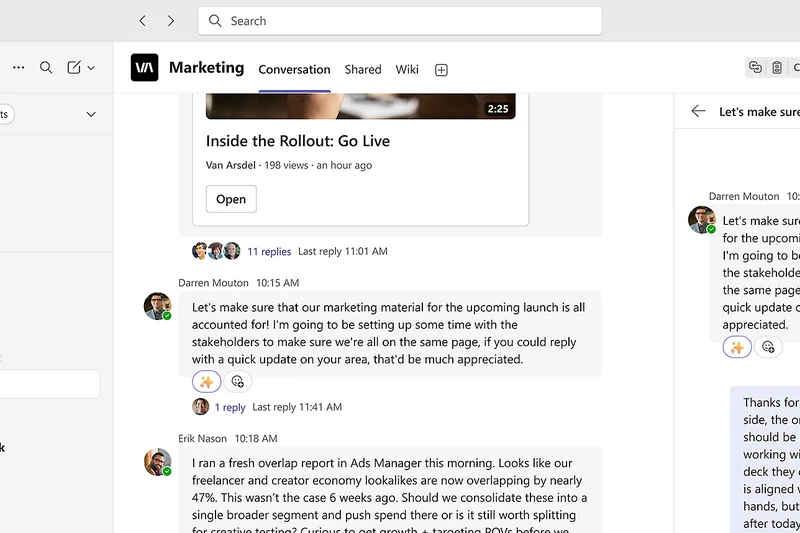

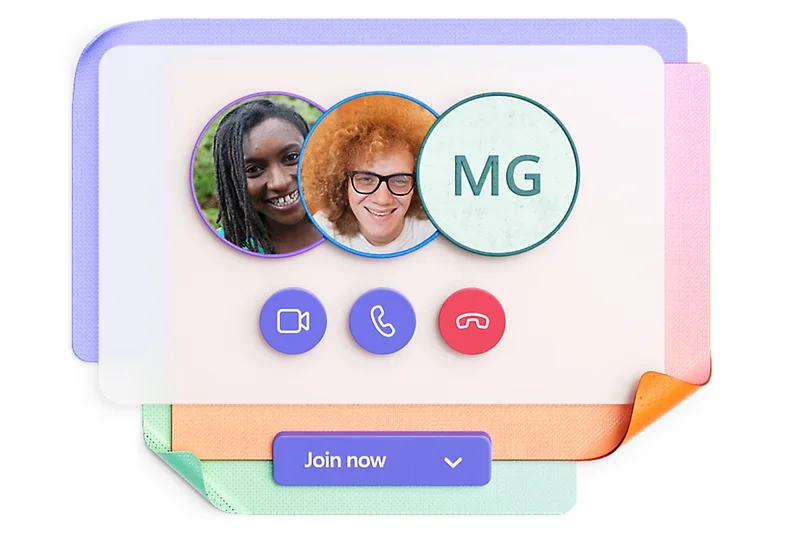
Why we picked it: Microsoft Teams secures the #2 overall rank with a robust score of 8.7, standing out as the ultimate unified communications platform for organizations already invested in the Microsoft ecosystem. Teams dominates our Administration & Security dimension with a flawless score of 10, offering unparalleled granular compliance controls, enterprise-grade eDiscovery, and deep integration with Azure Active Directory. During our stress tests, Teams showcased exceptional capability in handling massive, structured corporate deployments, seamlessly blending persistent chat, advanced video conferencing, and native Microsoft 365 document co-authoring into a single pane of glass. It won our award for Best Budget & Free Options, primarily because it is effectively "free" for the millions of businesses that already subscribe to Office 365, delivering extraordinary value. While its UI can sometimes feel slightly heavier and more rigid than its nimbler competitors, the sheer breadth of its functionality—combining enterprise PBX voice, massive town-hall webinars, and secure messaging—makes it an unstoppable force for large corporations and security-conscious enterprises.
Key Specs
- Deep Microsoft 365 integration
- Video and audio conferencing
- Enterprise-grade security and compliance
- Extensive third-party app marketplace
- Included in most Office 365 subscriptions
What we like
- Included at no extra cost with most Microsoft 365 plans
- Best-in-class security, compliance, and administrative controls
- Native, real-time Word, Excel, and PowerPoint co-authoring
- Powerful, integrated enterprise video conferencing
What we don't like
- Interface can feel cluttered and resource-heavy on older machines
- Steeper learning curve for users outside the Microsoft ecosystem
Best for: Large enterprises, highly regulated industries, and any company already utilizing Microsoft 365.
Considering Microsoft Teams vs Cisco Webex? Both are enterprise giants. Teams is better if your workflow revolves around document collaboration in Office 365, whereas Webex might edge out Teams if your primary focus is on premium, standalone video conferencing hardware and telepresence.
Microsoft Teams is a powerhouse of secure collaboration and unified communications, offering unbeatable value for Microsoft 365 subscribers.
Buy at Microsoft official site#3 Cisco Webex App
Why we picked it: Coming in at #3 with an overall score of 8.2, the Cisco Webex App successfully bridges the gap between high-end video conferencing and persistent team messaging. Known historically for its enterprise meeting software, Cisco has evolved Webex into a full-fledged collaboration suite. It scored highly in Core Communication (9/10) and Security (9/10), reflecting its heritage as a highly reliable, telecom-grade solution. The Webex App offers end-to-end encryption options and interfaces beautifully with Cisco's physical office hardware and cloud calling PBX systems. We found its persistent messaging spaces to be clean and highly functional, supported by excellent whiteboarding and polling tools. While it may not have the expansive third-party app marketplace of Slack, its built-in tools are incredibly robust, making it a top contender for large organizations that demand bulletproof reliability, superior video fidelity, and integrated cloud telephony.
Key Specs
- Industry-leading video meetings
- Persistent messaging spaces
- End-to-end encryption options
- Whiteboarding and polling tools
- Cloud calling and PBX integration
What we like
- Exceptional video and audio meeting quality
- Strong end-to-end encryption and compliance standards
- Seamless transition between messaging, calling, and meetings
- Great integration with Cisco telephony hardware
What we don't like
- Third-party integration ecosystem is smaller than Slack's
- Can be overly complex for very small businesses
Best for: Enterprises needing a unified solution for secure messaging, cloud PBX calling, and premium video meetings.
Considering Cisco Webex App vs Zoom Team Chat? Webex offers deeper cloud calling and enterprise telephony integrations, while Zoom is often praised for a slightly more user-friendly external meeting experience.
Cisco Webex App is a secure, enterprise-grade unified communications suite that perfectly marries persistent messaging with world-class video conferencing.
Buy at Cisco Webex official site#4 Google Chat
Why we picked it: Google Chat lands at #4 with a score of 8.15, serving as the lightweight, highly efficient messaging backbone of Google Workspace. It scored a 9/10 in Search & Organization, leveraging Google's world-class search algorithms to retrieve historical data and files with blazing speed. The integration with Google Meet and Google Drive is entirely seamless, allowing users to transition from a text chat to a video call or co-edit a Doc without ever leaving the browser tab. The recent introduction of Gemini AI integration provides excellent summary capabilities for long project spaces. While it lacks the intricate channel customization of Slack, Google Chat's smart spaces and threaded replies offer a clutter-free, highly focused environment that is perfect for companies heavily utilizing Google's cloud infrastructure.
Key Specs
- Native Google Workspace integration
- Smart spaces for project collaboration
- Seamless Google Meet handoff
- Gemini AI integration for summaries
- Included in Google Workspace plans
What we like
- Included free for Google Workspace customers
- Lightning-fast, accurate search functionality
- Flawless integration with Google Meet and Docs
- Clean, minimalist interface reduces distractions
What we don't like
- Lacks the advanced workflow automations of standalone apps
- Less intuitive for managing massive, multi-department public channels
Best for: Companies and educational institutions already standardized on Google Workspace.
Considering Google Chat vs Slack? Google Chat is a no-brainer if you live in Google Workspace and want to avoid extra subscription fees. Slack is necessary if you need complex, multi-tool integrations and advanced channel architectures.
Google Chat provides a fast, integrated, and highly searchable messaging experience that perfectly complements the Google Workspace ecosystem.
Buy at Google official site#5 Zulip
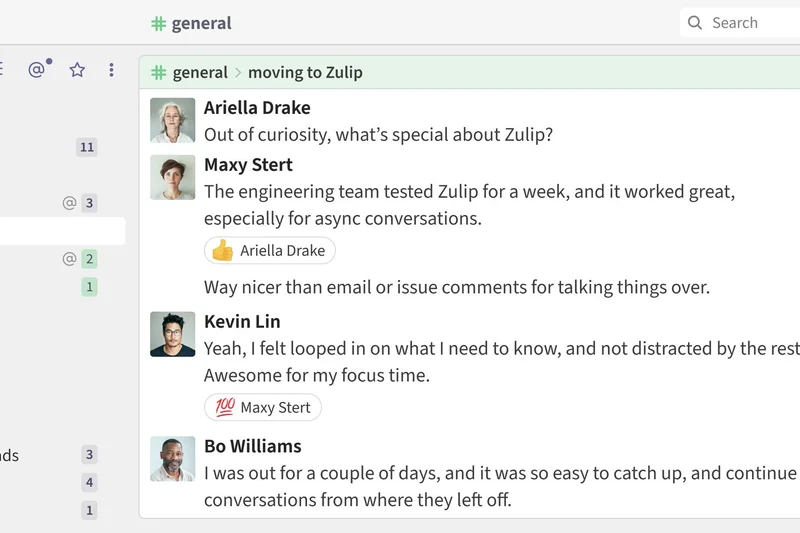
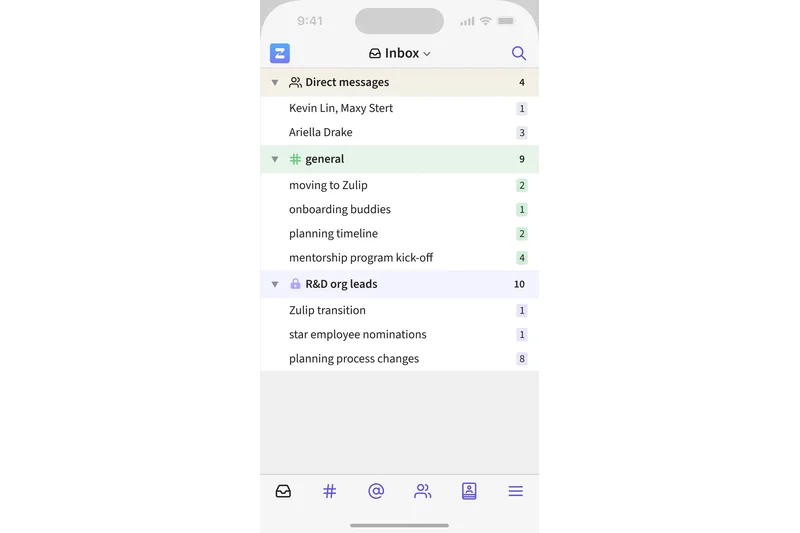
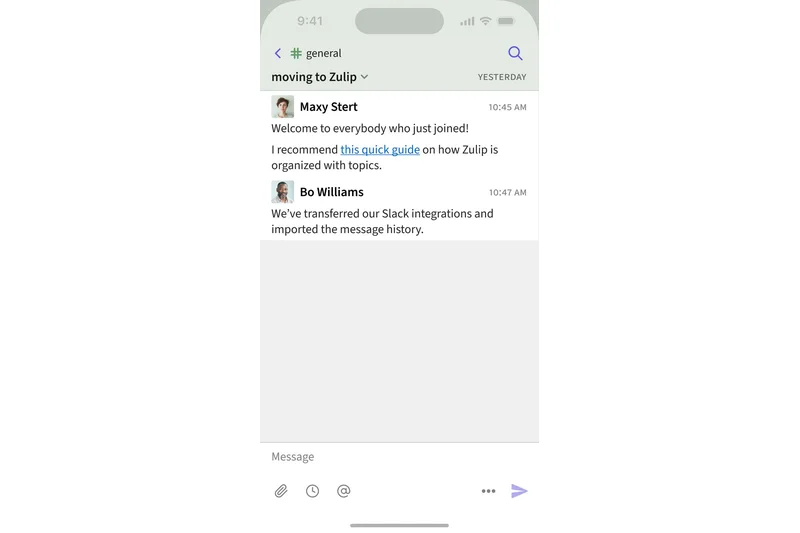
Why we picked it: Zulip ranks #5 overall (8.05) and stands out as a radically different approach to team chat. Scoring highly in Search & Organization (9/10) and Value (9/10), Zulip uses a unique, asynchronous topic-based threading model. Instead of chronological channels where conversations get buried, every message in Zulip must be assigned a topic. This allows users to easily catch up on specific discussions days later without reading through irrelevant chatter. It scored exceptionally well in our 'Best for Remote Engineering & Dev Teams' scenario, thanks to developer-friendly APIs, native markdown support, and excellent GitHub integrations. With robust open-source self-hosted or affordable cloud plans, Zulip is an incredible tool for highly distributed, asynchronous teams.
Key Specs
- Unique asynchronous threaded topics
- Open-source self-hosted or cloud plans
- Highly organized context retention
- Native GitHub and Jira integrations
- Developer-friendly API and markdown
What we like
- Topic-based threading eliminates context switching and lost messages
- Excellent for asynchronous, globally distributed teams
- Open-source with self-hosting capabilities
- Highly affordable pricing tiers
What we don't like
- The mandatory threading model has a learning curve
- Mobile app UI is functional but less polished than leading competitors
Best for: Remote-first companies, open-source projects, and engineering teams that rely heavily on asynchronous communication.
Considering Zulip vs Twist? Both champion asynchronous work, but Zulip offers a more traditional "chat" feel organized by required topics, while Twist functions much more like a modern, collaborative email inbox.
Zulip's unique topic-threading model brings order to the chaos of real-time chat, making it a productivity powerhouse for asynchronous teams.
Buy at Zulip official site#6 Mattermost
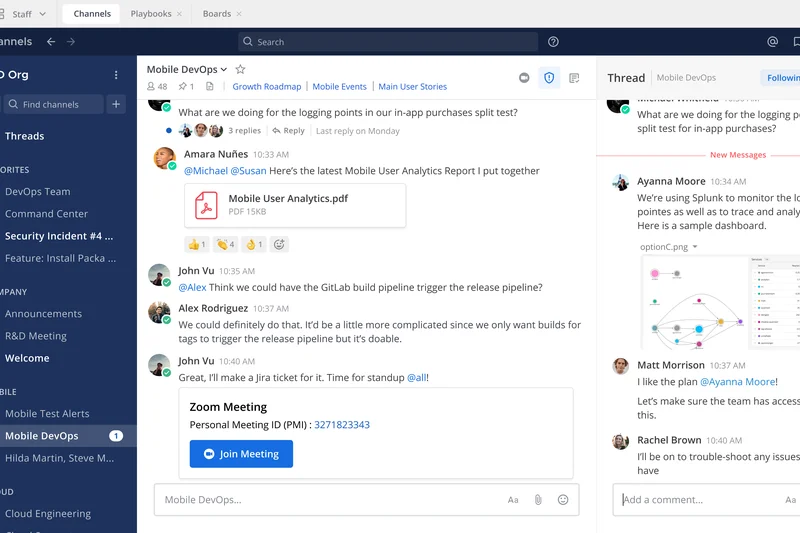
Why we picked it: Mattermost takes the #6 spot (8.0), positioning itself as the premier open-source secure chat platform for DevOps and IT teams. Scoring a 9/10 in Security, Mattermost is designed for organizations that require absolute control over their data, offering both self-hosted on-premise deployments and secure cloud options. It is highly extensible, with custom DevOps workflows, webhooks, and strict compliance protocols. Mattermost provides a familiar channel-based interface but backs it up with advanced role-based access controls and rich developer tools. It is the go-to alternative to Slack for government agencies, financial institutions, and security-focused tech companies that cannot risk data residing on third-party public clouds.
Key Specs
- Self-hosted or cloud deployment
- Strict compliance and privacy protocols
- Custom DevOps workflows and webhooks
- Advanced role-based access control
- Rich markdown and developer tools
What we like
- Total data sovereignty with self-hosted on-premise deployment
- Enterprise-grade security and compliance features
- Highly customizable for complex DevOps workflows
- Open-source architecture prevents vendor lock-in
What we don't like
- Self-hosting requires dedicated IT resources to maintain
- Smaller ecosystem of plug-and-play third-party apps compared to Slack
Best for: Security-conscious enterprises, government agencies, and DevOps teams requiring strict data privacy.
Considering Mattermost vs Slack? Mattermost provides the essential channel-based chat experience of Slack but adds the critical ability to self-host behind your own firewall for absolute data security.
Mattermost delivers a highly secure, developer-friendly collaboration environment that ensures total control over corporate data.
Buy at Mattermost official site#7 Lark
Why we picked it: Lark earns the #7 ranking (8.0) by offering a remarkably comprehensive all-in-one collaboration suite. Scoring highly in Core Communication (9/10) and Value (9/10), Lark integrates chat, a powerful shared calendar, document co-authoring, and video conferencing (for up to 500 users) directly into a single, unified interface. Developed by ByteDance, Lark is particularly notable for its built-in real-time translation features, making it incredibly effective for multi-language global teams. Its generous free tier and interconnected "Base" database tools make it an incredible value for fast-growing businesses looking to replace multiple subscriptions with a single platform.
Key Specs
- Integrated chat, calendar, and docs
- Built-in translation for multi-language teams
- Base database and project tracking tools
- Video conferencing for up to 500 users
- Generous free tier functionality
What we like
- True all-in-one platform replaces chat, docs, and video tools
- Excellent real-time translation for global teams
- Very generous free tier
- Fluid, modern user interface
What we don't like
- Can feel overwhelming due to the sheer number of built-in features
- Data privacy concerns may deter some strictly regulated western enterprises
Best for: Global startups, distributed teams needing translation, and businesses wanting to consolidate their software stack.
Considering Lark vs Google Chat? Lark is a more tightly integrated, self-contained universe of productivity tools, whereas Google Chat relies on you navigating out to the broader Google Workspace apps.
Lark is an incredibly powerful, unified collaboration suite that seamlessly blends messaging, documents, and meetings into one fluid experience.
Buy at Lark official site#8 Symphony
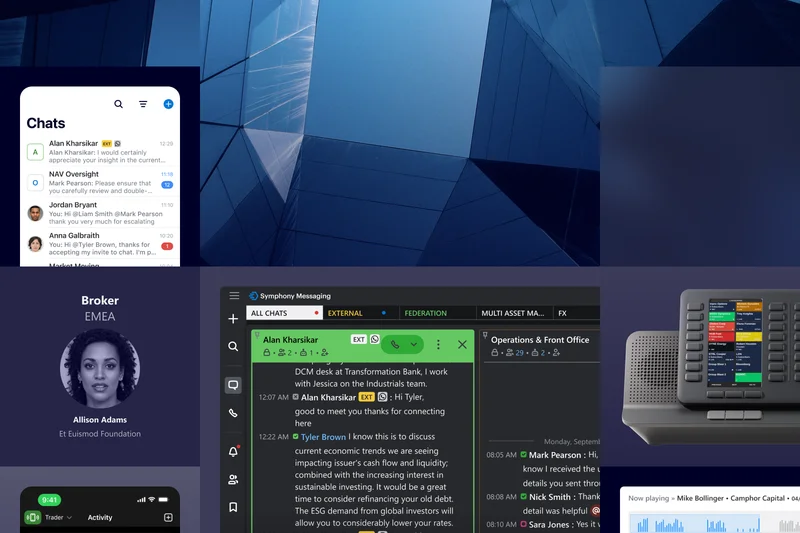
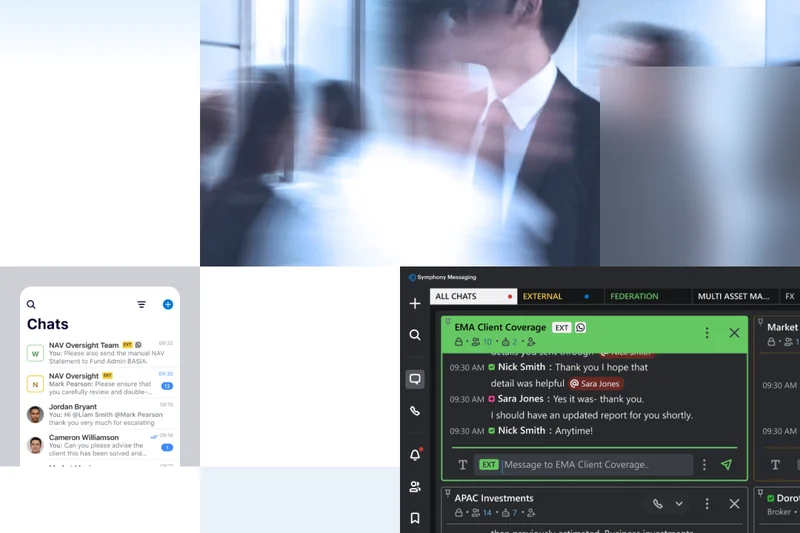
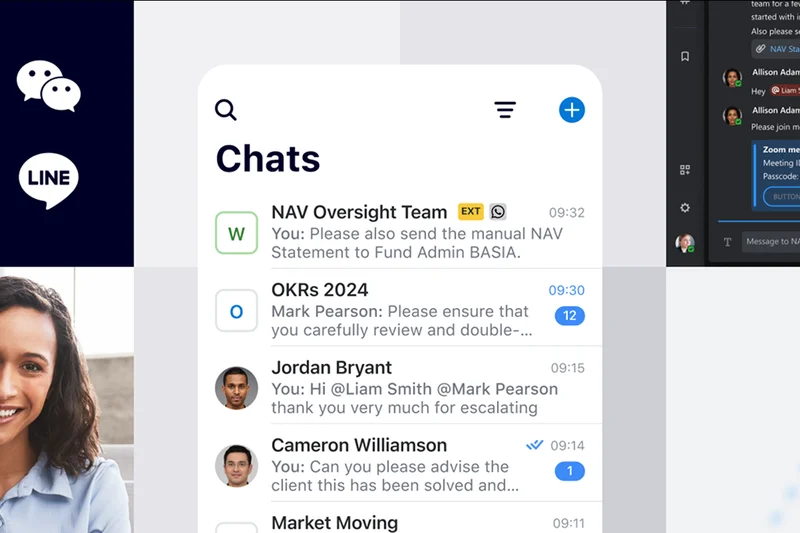
Why we picked it: Symphony lands at #8 (8.0), dominating the Administration & Security dimension (10/10) as a specialized platform purpose-built for the financial services sector. Symphony provides strict regulatory compliance, end-to-end encryption, and complex information barriers (ethical walls) to prevent insider trading and data leakage. It enables automated bot workflows for trading and secure inter-firm directories, allowing different financial institutions to communicate securely. While its pricing and integration ecosystem aren't aimed at standard SMBs, for banks and trading floors, Symphony is the gold standard.
Key Specs
- Purpose-built for financial services
- Strict regulatory compliance features
- End-to-end encryption and info barriers
- Automated bot workflows for trading
- Secure inter-firm directory
What we like
- Uncompromising end-to-end encryption
- Built-in regulatory compliance and information barriers
- Secure cross-company collaboration directory
- Advanced automation for trading workflows
What we don't like
- Niche product; not suitable or priced for general business use
- UI is highly utilitarian compared to modern startup apps
Best for: Banks, trading firms, and highly regulated financial institutions.
Considering Symphony vs Microsoft Teams? Symphony offers specialized financial compliance features and ethical walls out of the box that Teams requires significant configuration and third-party add-ons to replicate.
Symphony is the definitive secure messaging platform for financial services, providing the strict compliance and encryption that Wall Street demands.
Buy at Symphony official site#9 Discord

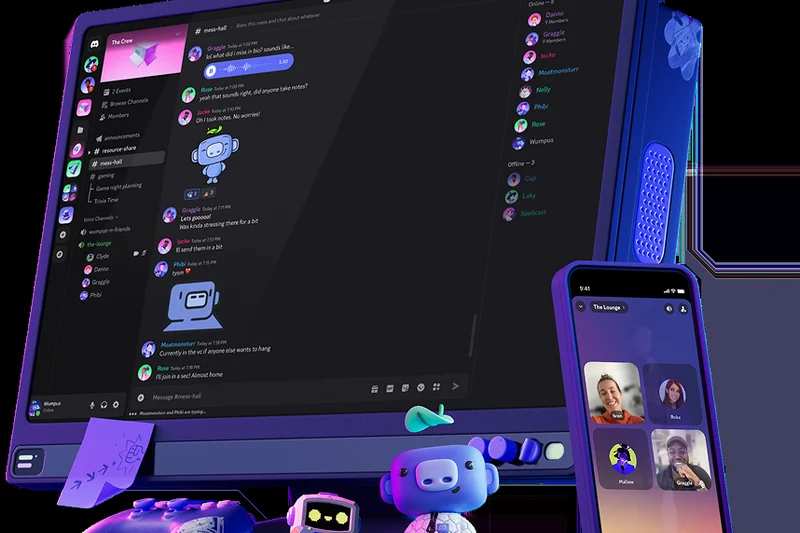
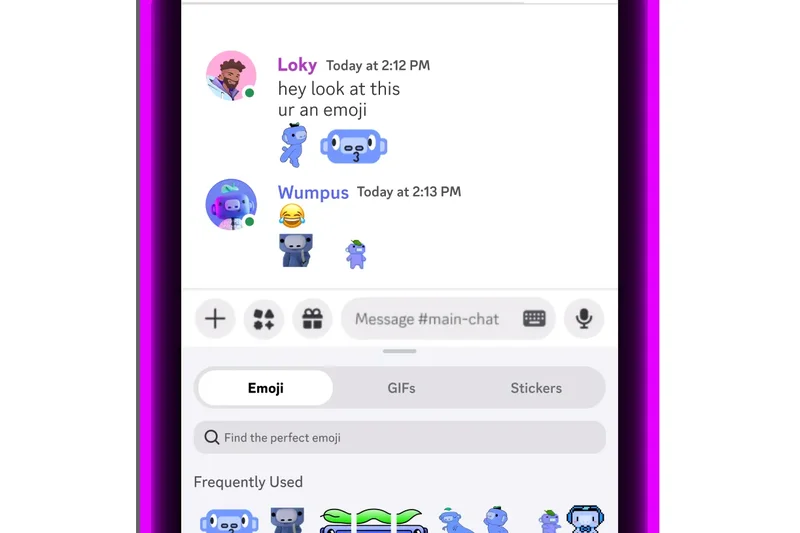
Why we picked it: Discord ranks #9 overall (7.85) and remains the standout voice-first community app. Scoring a 9/10 in Core Communication and a 9/10 in Value, Discord's architecture centers around "always-on" drop-in voice and video channels alongside traditional text channels. Originally built for gamers, its incredibly low latency, high-fidelity screen sharing, and robust free tier have made it extremely popular among remote creative teams, crypto startups, and casual digital communities. While it lacks enterprise compliance (scoring low in Security), its custom server roles and extensive bot ecosystem make it a highly engaging, frictionless collaboration hub.
Key Specs
- Always-on voice and video channels
- High-fidelity screen sharing
- Custom server roles and permissions
- Extensive third-party bot integrations
- Robust free tier for casual collaboration
What we like
- Best-in-class low-latency voice and video channels
- Highly engaging, customizable server structure
- Exceptional free tier with high capabilities
- Vibrant ecosystem of community bots
What we don't like
- Lacks enterprise-grade security and compliance features
- UI and features are heavily skewed toward community rather than corporate workflows
Best for: Web3 startups, creative agencies, gaming companies, and casual remote teams prioritizing voice collaboration.
Considering Discord vs Slack? Discord is superior for continuous, drop-in voice collaboration, while Slack provides the structured text threading, security, and B2B integrations required for corporate environments.
Discord offers unmatched, frictionless voice and video collaboration, making it a favorite for agile startups and digital communities.
Buy at Discord official site#10 Zoho Cliq
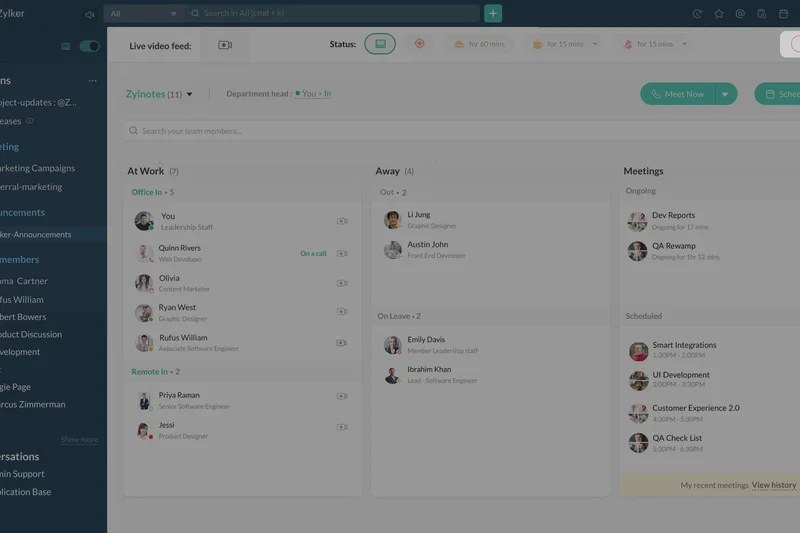
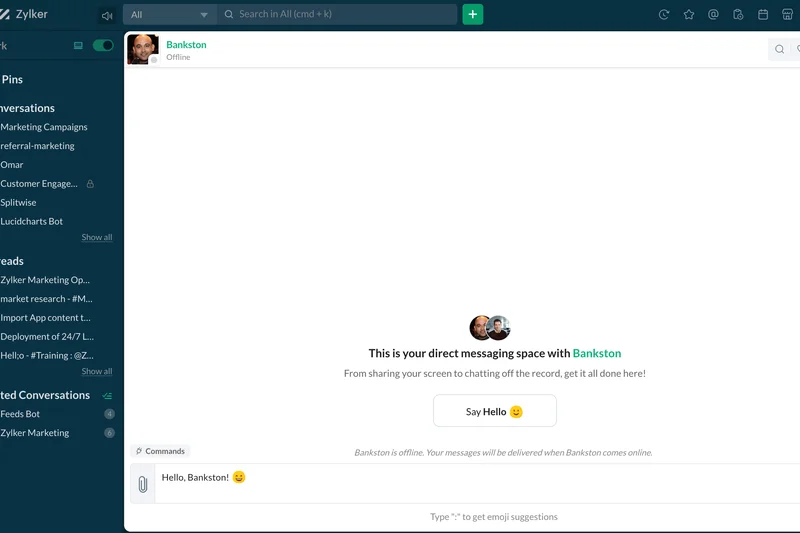
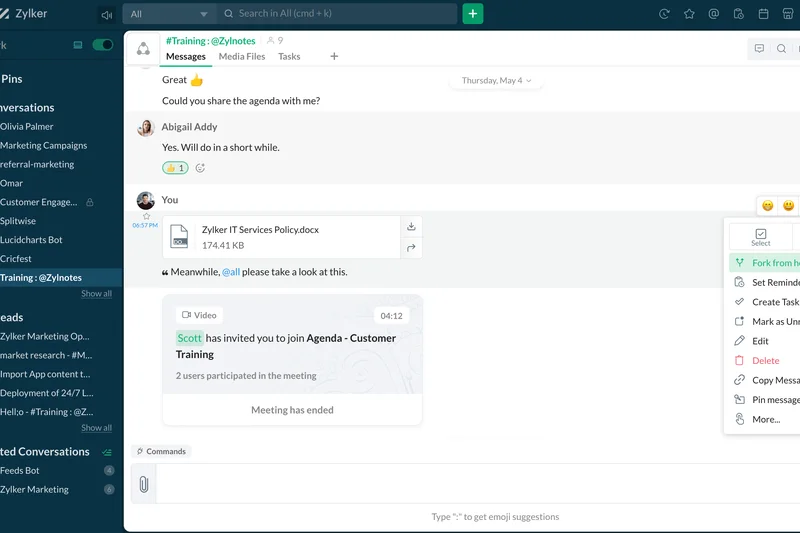
Why we picked it: Zoho Cliq rounds out the top 10 with a score of 7.85, securing the award for Best Pricing & Value. With a perfect 10/10 in the Value dimension, Cliq offers an astonishing array of features—including forkable conversation threads, location-based check-ins, and automated workflows—for a fraction of the cost of its rivals. It integrates flawlessly with the massive Zoho ecosystem, making it an obvious choice for businesses already using Zoho CRM or Zoho Projects. Its customizable bots and unique multi-column UI allow power users to monitor several conversations simultaneously without losing context.
Key Specs
- Seamless Zoho ecosystem integration
- Custom bots and automated workflows
- Location-based check-ins and statuses
- Forkable conversation threads
- Extremely competitive per-user pricing
What we like
- Unbeatable pricing-to-feature ratio
- Deep, native integration with the Zoho software suite
- Unique forkable threads keep conversations organized
- Robust custom bot capabilities
What we don't like
- Multi-column interface can feel crowded on smaller laptop screens
- Third-party integrations outside Zoho are somewhat limited
Best for: Small to medium businesses on a budget, and any company currently utilizing the Zoho ecosystem.
Considering Zoho Cliq vs Chanty? Both are budget-friendly, but Zoho Cliq offers far deeper enterprise workflow automation, while Chanty focuses more heavily on integrated built-in task management.
Zoho Cliq delivers an incredibly feature-rich team communication platform at a price point that competitors simply cannot match.
Buy at Zoho official site#11 Rocket.Chat
Why we picked it: Rocket.Chat (7.8) is a highly customizable omnichannel platform. It scores high in Security (9) due to its air-gapped deployment options and open-source flexibility. It uniquely bridges internal team chat with external customer support ticketing in one interface. Great for organizations needing data sovereignty and custom engine modifications.
Key Specs
- Internal chat and external customer support
- Air-gapped deployment support
- Highly customizable open-source engine
- Advanced data loss prevention tools
- Granular retention and moderation policies
What we like
- Combines internal chat with customer support
- Can be deployed in air-gapped environments
- Open-source and highly customizable
What we don't like
- Complex setup for self-hosting
- UI can feel a bit dated out of the box
Best for: Customer support teams and highly secure organizations needing self-hosted omnichannel tools.
Considering Rocket.Chat vs Mattermost? Both are secure open-source platforms; Mattermost leans heavily towards DevOps workflows, while Rocket.Chat uniquely integrates omnichannel customer support.
A versatile open-source platform that excels at blending internal team messaging with external customer communications.
Buy at Rocket.Chat official site#12 Twist
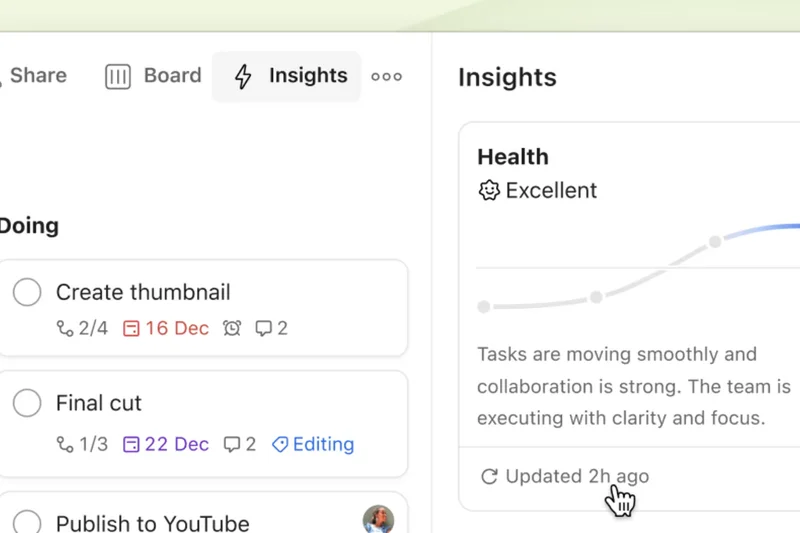
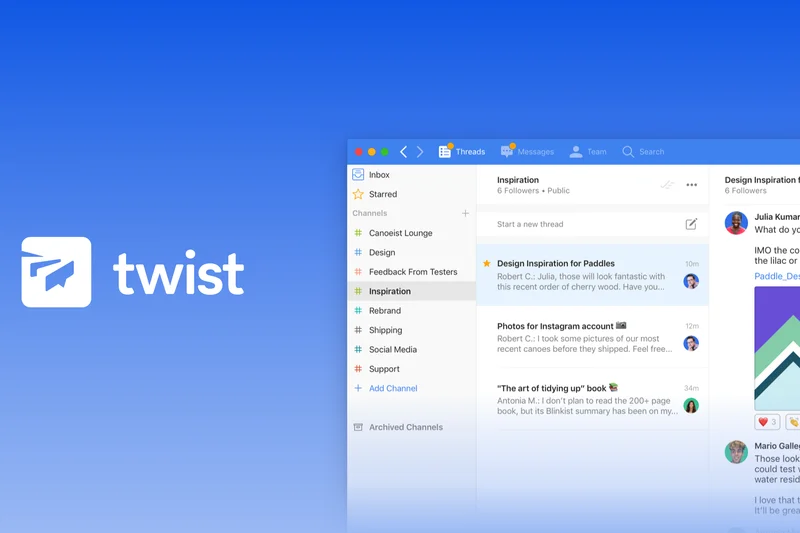
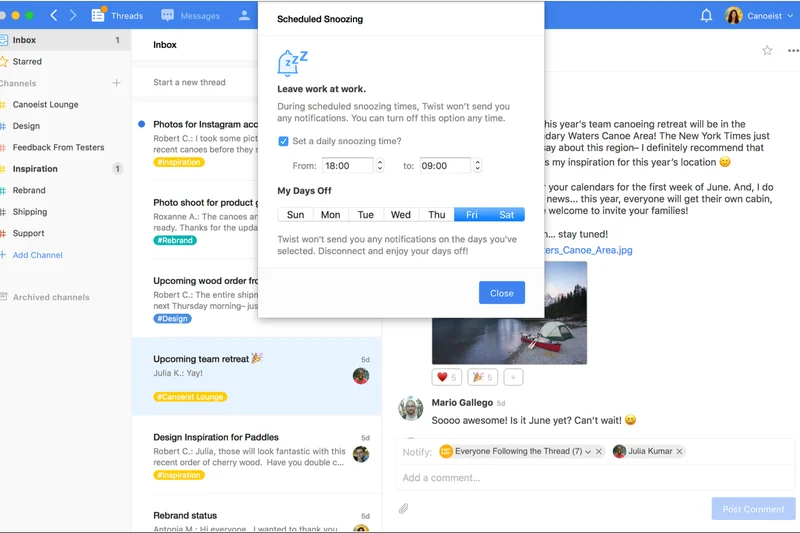
Why we picked it: Twist (7.65) by Doist is the ultimate anti-distraction app, scoring a 9/10 in UI/UX. It forces asynchronous, thread-first communication, eliminating typing indicators and "online" dots to reduce anxiety. It is the perfect remedy for teams burnt out by the constant notification pings of traditional chat.
Key Specs
- Thread-first communication model
- No typing dots or online indicators
- Structured inbox-style navigation
- Deep integration with Todoist
- Calm, distraction-free interface
What we like
- Promotes deep work by eliminating real-time pressure
- Calm, distraction-free interface
- Excellent thread organization
What we don't like
- Not suitable for teams requiring rapid, real-time crisis response
- Fewer third-party integrations than Slack
Best for: Distributed teams focused on deep work and asynchronous communication.
Considering Twist vs Slack? Twist is specifically designed to eliminate the real-time urgency and notification fatigue that Slack often creates.
Twist is a masterclass in asynchronous design, offering a calm, organized alternative to noisy real-time chat.
Buy at Twist official site#13 Beekeeper

Why we picked it: Beekeeper (7.65) is a specialized frontline operating system. It excels in connecting deskless and mobile workers (retail, hospitality, manufacturing) with corporate management. Features like inline translation, shift scheduling, and pulse surveys make it an operational necessity for businesses with large non-desk workforces.
Key Specs
- Dedicated frontline communication channels
- Inline translation for diverse workforces
- Shift schedule and document distribution
- Pulse surveys and engagement analytics
- Compliance and read confirmation tracking
What we like
- Perfectly tailored for deskless/frontline workers
- Built-in operational tools like shift scheduling
- Inline translation bridges language barriers
What we don't like
- Custom pricing can be opaque for small businesses
- Not optimized for traditional office-bound knowledge workers
Best for: Manufacturing, hospitality, and retail companies with large deskless workforces.
Considering Beekeeper vs Connecteam? Both target frontline workers, but Beekeeper offers slightly deeper engagement analytics and enterprise-scale operational integrations.
Beekeeper bridges the gap between the corporate office and the frontline worker with powerful operational and communication tools.
Buy at Beekeeper official site#14 Zoom Team Chat
Why we picked it: Zoom Team Chat (7.6) leverages its massive video conferencing user base to offer a robust persistent chat hub. Included with Zoom Workplace, it allows continuous chat history that bridges pre-meeting, in-meeting, and post-meeting conversations seamlessly. Zoom AI Companion integration provides excellent conversational summaries.
Key Specs
- Included with Zoom Workplace licenses
- Zoom AI Companion integration
- Continuous meeting chat history
- Advanced file and screen sharing
- Whiteboard and calendar syncing
What we like
- Included at no extra cost if you already pay for Zoom
- Continuous chat persists before, during, and after video meetings
- Excellent AI summary capabilities
What we don't like
- Text messaging features are slightly less advanced than Slack
- Requires buying into the broader Zoom ecosystem
Best for: Organizations that already rely heavily on Zoom for their primary video conferencing.
Considering Zoom Team Chat vs Microsoft Teams? Zoom offers a slightly lighter, more video-centric experience, whereas Teams provides deeper integration with document management and Office 365.
A logical, capable extension of the Zoom platform that keeps meeting context alive in persistent chat channels.
Buy at Zoom official site#15 RingCentral MVP
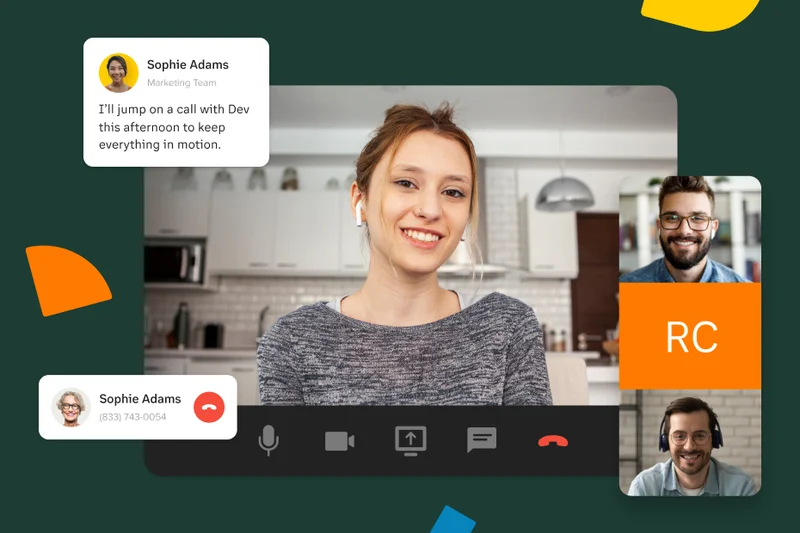
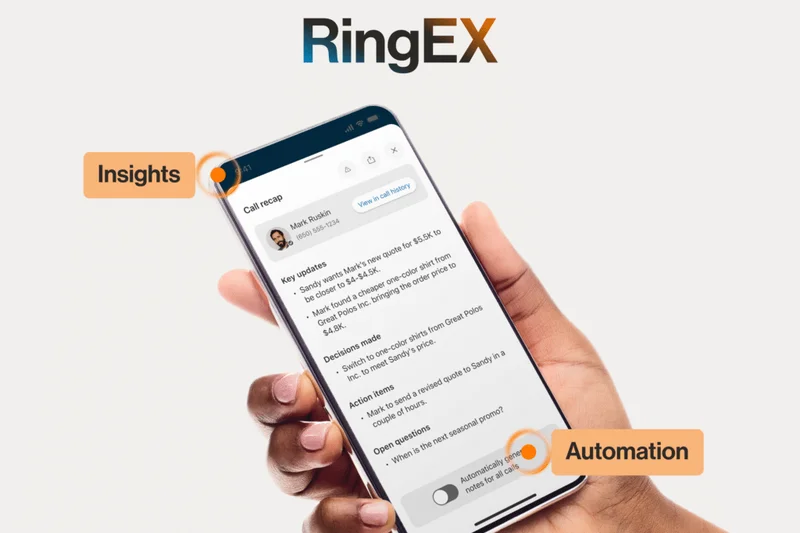
Why we picked it: RingCentral MVP (7.6) is a robust Unified Communications as a Service (UCaaS) provider. It effectively combines team messaging with enterprise-grade cloud PBX, SMS, and high-definition video meetings. It's the ideal choice for companies needing to replace legacy phone systems while simultaneously upgrading to modern team chat.
Key Specs
- Team messaging integrated with cloud PBX
- High-definition video meetings
- Advanced call routing and analytics
- Extensive API and integration ecosystem
- SMS and eFax capabilities
What we like
- True enterprise-grade cloud phone system integration
- Includes SMS and internet fax capabilities
- Highly reliable with excellent call routing analytics
What we don't like
- Higher per-user cost than standalone chat apps
- Feature density can be overwhelming for basic users
Best for: Enterprises looking to consolidate telephony, video, and team messaging into one platform.
Considering RingCentral MVP vs Slack? RingCentral provides comprehensive inbound/outbound corporate telephony, while Slack requires third-party PBX integrations to handle external phone calls.
A premium unified communications suite that perfectly integrates legacy telephony needs with modern team messaging.
Buy at RingCentral official site#16 Flock



Why we picked it: Flock (7.55) is a speedy, all-in-one messenger that includes built-in productivity tools like polling, shared to-do lists, and collaborative notes right out of the box. It offers a slightly faster and lighter interface than competitors, making it a great budget-friendly alternative to Slack for fast-moving small teams.
Key Specs
- Built-in polling and to-do lists
- Shared notes and code snippet sharing
- Mailchimp, Google Drive, and Asana integrations
- Guest access controls for clients
- Voice and video conferencing
What we like
- Built-in productivity tools reduce the need for external integrations
- Very fast, lightweight application performance
- More affordable than premium Slack plans
What we don't like
- Third-party app directory is smaller than industry leaders
- Video conferencing capabilities are somewhat basic
Best for: Small businesses and marketing teams looking for a fast, affordable tool with built-in task management.
Considering Flock vs Slack? Flock includes more native productivity tools (like shared to-dos) built directly into the UI, whereas Slack relies on apps to provide that functionality.
Flock is a snappy, affordable messenger that bundles essential productivity tools directly into the chat interface.
Buy at Flock official site#17 DingTalk
Why we picked it: DingTalk (7.5), backed by Alibaba, is a massive enterprise productivity app highly popular in Asian markets and global supply chains. It features comprehensive read receipts, HR attendance tracking, and smart document collaboration. It is a powerful operational hub for organizations managing large distributed workforces.
Key Specs
- Comprehensive messaging and read receipts
- Integrated HR and attendance tracking
- Smart document collaboration
- Video meetings and live broadcasting
- Popular for distributed global supply chains
What we like
- Deep operational features like attendance and HR tracking
- Excellent for global supply chain communication
- Robust live broadcasting tools
What we don't like
- Interface and workflows are heavily tailored to Asian corporate structures
- Intrusive read receipts can cause workplace stress
Best for: Manufacturing firms, supply chains, and companies with strong ties to Asian markets.
Considering DingTalk vs Microsoft Teams? DingTalk integrates HR and attendance tracking natively, whereas Teams focuses more purely on knowledge-worker document collaboration.
A comprehensive operational communication tool that excels in managing large-scale distributed enterprise workflows.
Buy at DingTalk official site#18 Viva Engage

Why we picked it: Viva Engage (7.5), formerly Yammer, is Microsoft's corporate social network. Integrated directly into Teams, it provides enterprise-wide community discussions and leadership broadcasting. It is not for real-time instant messaging, but rather for building corporate culture and sharing knowledge across massive, siloed organizations.
Key Specs
- Enterprise-wide community discussions
- Leadership communication broadcasting
- Deep integration with Microsoft Teams
- Storyline features for personal updates
- Replaces Yammer within the Microsoft 365 suite
What we like
- Excellent for company-wide announcements and culture building
- Deeply integrated into Microsoft Teams and M365
- Reduces "reply-all" email chains for global broadcasts
What we don't like
- Not a replacement for real-time team chat
- Can become a ghost town if leadership doesn't actively participate
Best for: Large enterprises looking to build community and share leadership broadcasts across global offices.
Considering Viva Engage vs Microsoft Teams chat? Teams chat is for daily work and project execution; Viva Engage is for company-wide social networking and cultural alignment.
Viva Engage successfully recreates the social network experience for the corporate world, fostering connection across global enterprises.
Buy at Microsoft official site#19 Wire
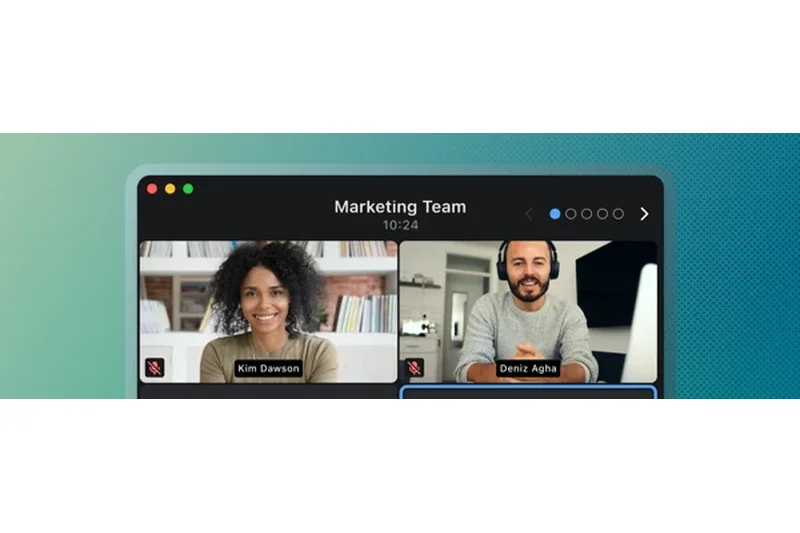
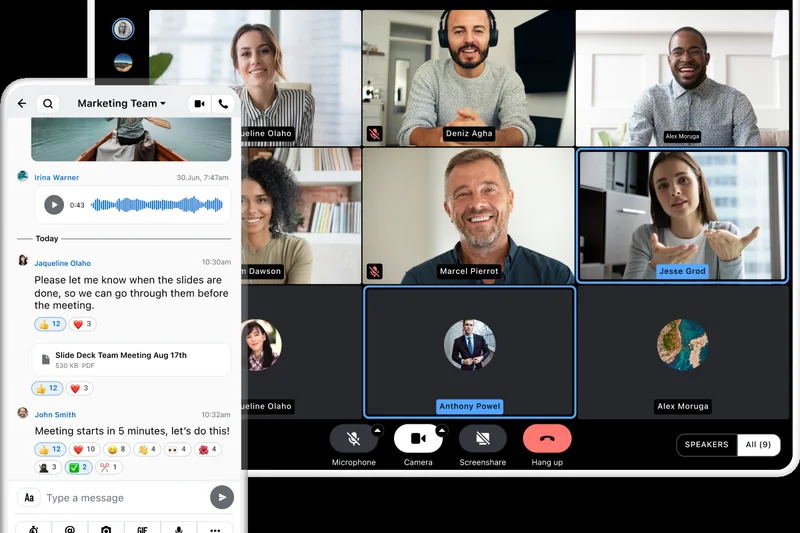
Why we picked it: Wire (7.45) is a premier enterprise secure messenger designed with a zero-trust architecture. Scoring a 10/10 in Security, it provides uncompromising end-to-end encrypted messaging, voice, and video calls. With strict European data residency compliance, it's a top choice for crisis communication and executive collaboration.
Key Specs
- End-to-end encrypted messaging and calls
- European data residency compliance
- Crisis communication and location check-ins
- Zero-trust architecture
- Federation with external organizations
What we like
- Independently audited end-to-end encryption
- Strict compliance with European privacy laws
- Excellent for highly sensitive crisis communications
What we don't like
- Smaller ecosystem for third-party integrations
- Premium pricing for enterprise security features
Best for: Executives, legal teams, and European enterprises requiring absolute data privacy and E2EE.
Considering Wire vs Signal? While Signal is great for individuals, Wire provides the administrative controls, user provisioning, and enterprise compliance required by businesses.
Wire provides absolute peace of mind with verifiable, end-to-end encrypted communication for security-critical enterprise workflows.
Buy at Wire official site#20 LINE WORKS
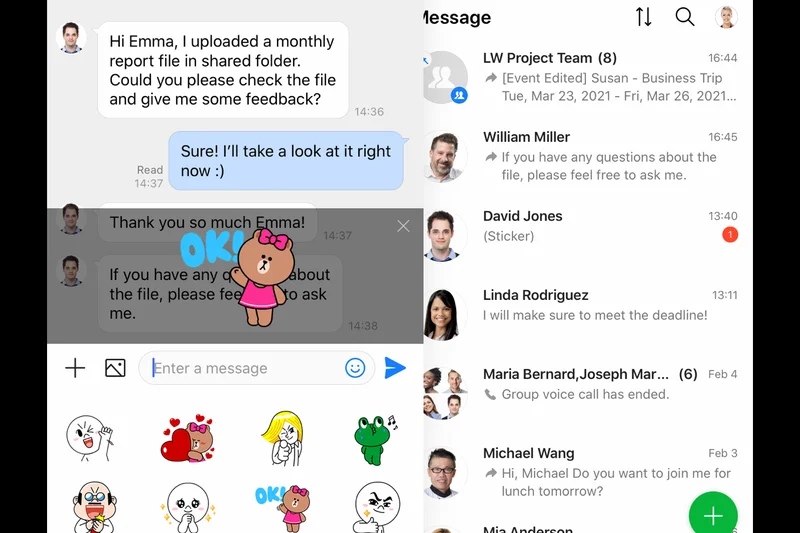
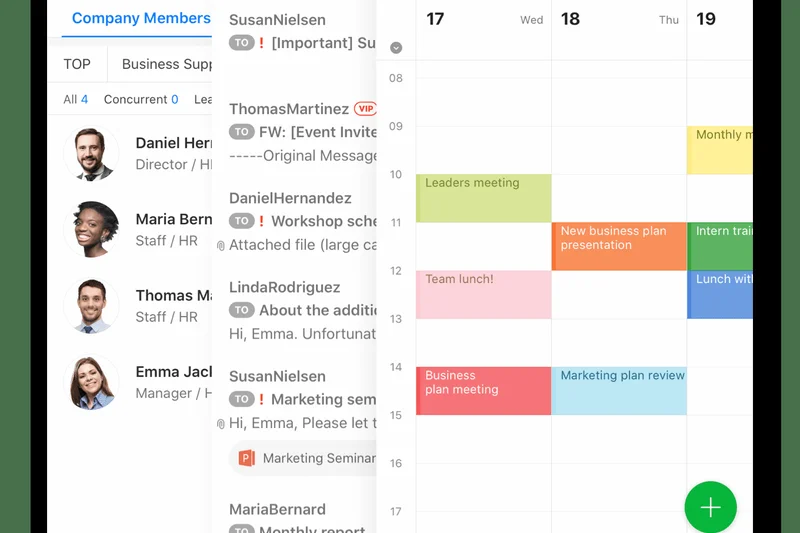
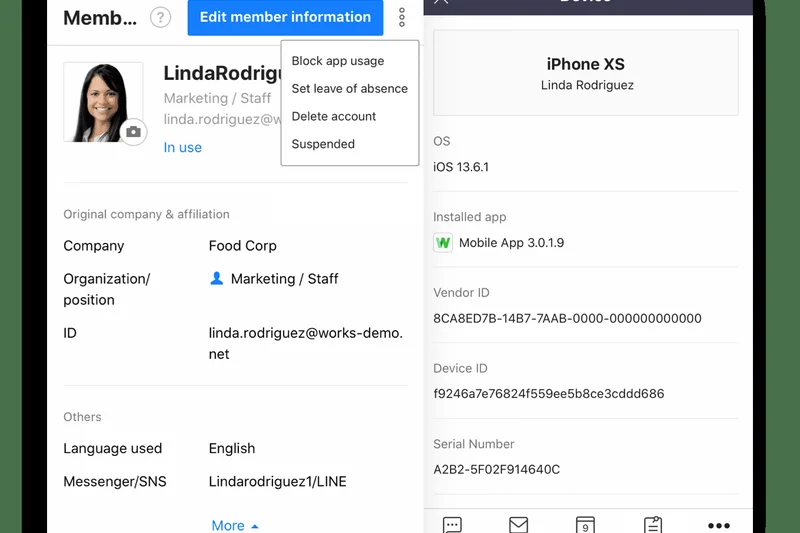
Why we picked it: LINE WORKS (7.45) takes the familiar, highly popular LINE consumer app interface and secures it for business. It integrates corporate directories, task boards, and calendars while retaining engaging features like stickers. It is incredibly effective for user adoption in regions where LINE is the dominant personal messenger.
Key Specs
- Familiar LINE app interface for business
- Integrated calendar and task boards
- Secure corporate directory
- Stickers and casual chat features
- Read confirmation tracking
What we like
- Zero learning curve for users familiar with the LINE app
- Blends casual communication features with business security
- Includes integrated task and calendar boards
What we don't like
- Primarily tailored for the Asian market
- Lacks the deep developer integrations of western competitors
Best for: Companies operating in Japan and Southeast Asia looking for high employee adoption rates.
Considering LINE WORKS vs Slack? LINE WORKS prioritizes a mobile-first, familiar consumer interface, whereas Slack is built for deep desktop productivity and software integration.
A highly accessible business messenger that leverages familiar consumer UI to guarantee instant workplace adoption.
Buy at LINE WORKS official site#21 Nextcloud Talk
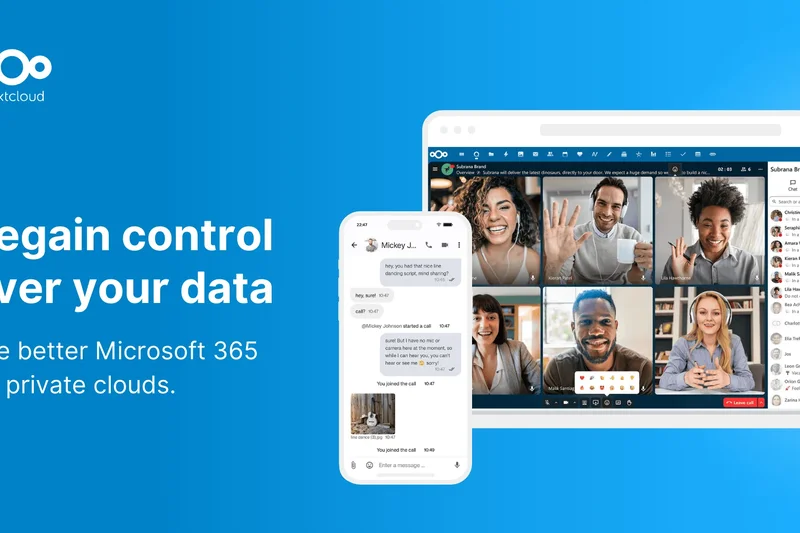
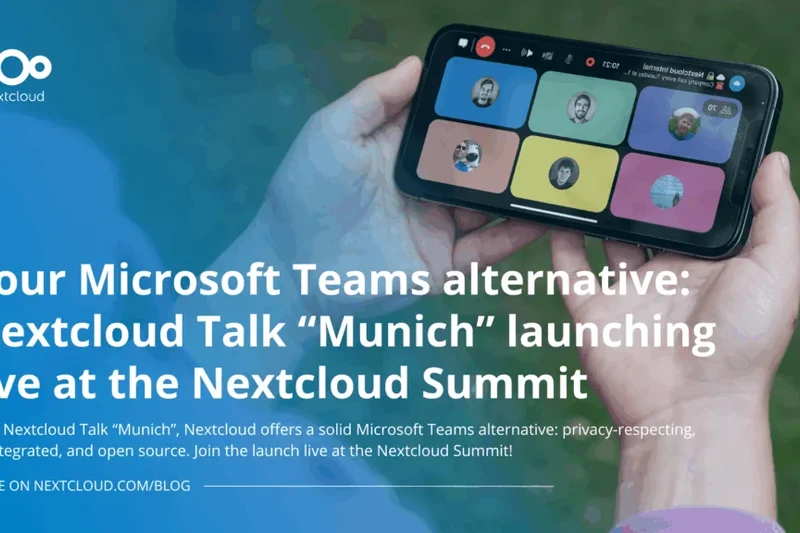
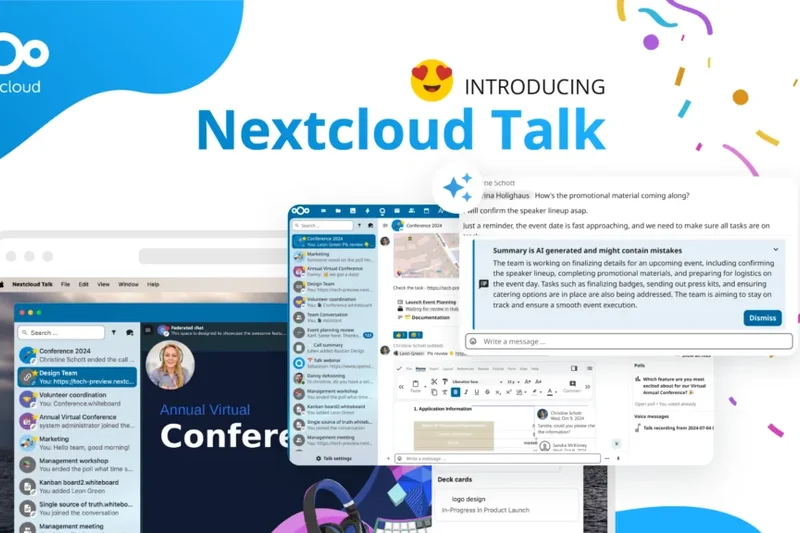
Why we picked it: Nextcloud Talk (7.45) is the ultimate self-hosted collaboration platform for privacy purists. Fully integrated into Nextcloud Hub, it offers on-premise audio, video, and text chat. It ensures 100% open-source privacy with zero metadata leakage to third-party servers, making it ideal for healthcare and research institutions.
Key Specs
- On-premise audio/video and text chat
- Integrated strictly with Nextcloud Hub
- 100% open-source privacy
- Screen sharing and whiteboard
- No metadata leakage to third parties
What we like
- Total data sovereignty with zero metadata leakage
- Seamlessly integrates with the Nextcloud file sharing ecosystem
- Completely open-source and auditable
What we don't like
- Requires significant IT infrastructure to self-host and maintain
- Video performance depends heavily on your own server hardware
Best for: Research institutions, healthcare providers, and organizations that demand strict on-premise data control.
Considering Nextcloud Talk vs Mattermost? Both are self-hosted, but Nextcloud Talk is tightly bound to Nextcloud's file storage hub, making it better for heavy document collaboration.
Nextcloud Talk offers an uncompromising, privacy-first collaboration suite for organizations that must keep data entirely in-house.
Buy at Nextcloud official site#22 TextUs
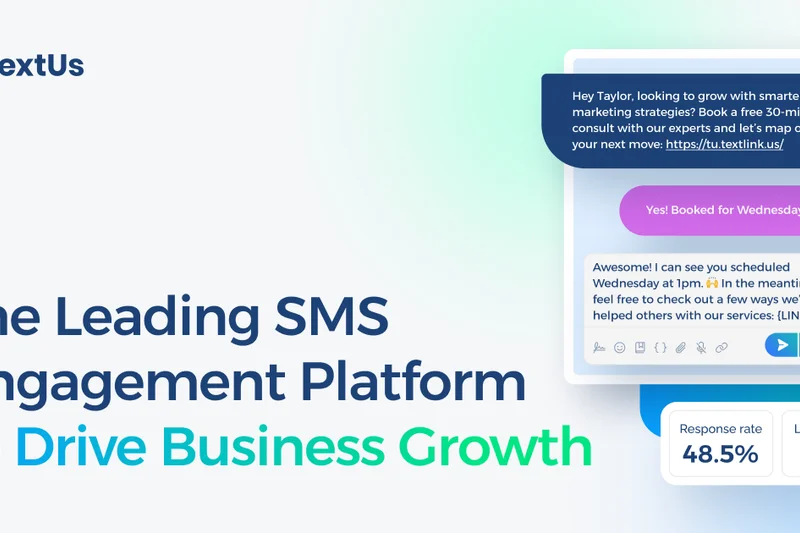
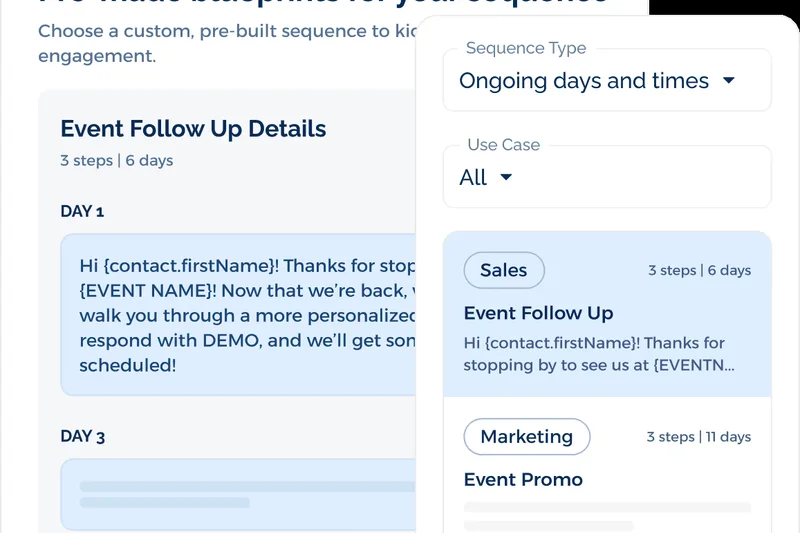
Why we picked it: TextUs (7.35) is an enterprise SMS platform that brings team chat functionality to business text messaging. It allows teams to manage shared inboxes, integrate two-way SMS with CRMs, and run automated messaging campaigns. It is essential for staffing agencies and sales teams communicating directly with external clients via text.
Key Specs
- Business-grade text messaging
- Two-way SMS integration with CRM/ATS
- Automated messaging campaigns
- Shared team inboxes
- Analytics and response tracking
What we like
- Enables professional, team-managed external SMS communication
- Deep integrations with CRMs and Applicant Tracking Systems
- Excellent analytics and response tracking
What we don't like
- Not designed for internal complex team collaboration
- Custom pricing can be high based on message volume
Best for: Recruiting firms, sales teams, and customer success departments that rely on SMS to reach clients.
Considering TextUs vs standard team chat? TextUs is specifically built for external SMS communication with clients, whereas standard apps are for internal employee collaboration.
TextUs transforms standard text messaging into a powerful, collaborative, and trackable enterprise communication channel.
Buy at TextUs official site#23 Element



Why we picked it: Element (7.3) is built on the decentralized Matrix protocol, providing end-to-end encrypted chat with true data sovereignty. It uniquely offers bridging capabilities, allowing users to communicate securely with people on other platforms like Slack or Teams without vendor lock-in. It is favored by governments and tech-savvy privacy advocates.
Key Specs
- Built on the decentralized Matrix protocol
- End-to-end encryption by default
- Data sovereignty via self-hosting
- Bridging capabilities to Slack and Teams
- No vendor lock-in
What we like
- Decentralized architecture prevents vendor lock-in
- Ability to bridge conversations with other proprietary chat apps
- Default end-to-end encryption
What we don't like
- The decentralized nature can make initial setup complex
- UI is functional but lacks the polish of commercial giants
Best for: Government coalitions, open-source communities, and organizations prioritizing decentralized, secure communications.
Considering Element vs Mattermost? Element's unique decentralized Matrix protocol allows seamless, secure federation across different organizations, whereas Mattermost is typically a closed, single-org deployment.
Element leverages the Matrix protocol to deliver a highly secure, decentralized chat experience immune to vendor lock-in.
Buy at Element official site#24 Connecteam
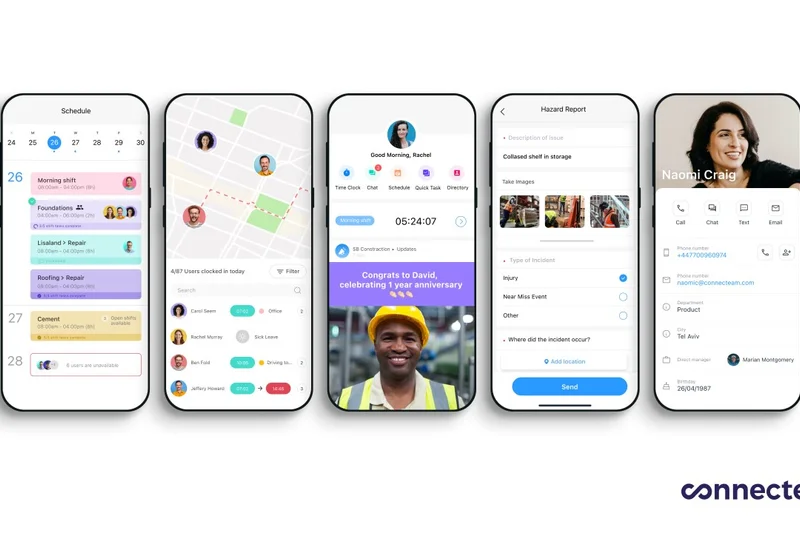
Why we picked it: Connecteam (7.25) is an all-in-one deskless worker app. It provides targeted corporate broadcasts, a built-in employee directory, and robust chat, seamlessly paired with operational tools like time clocks and shift scheduling. It is highly effective for managing retail and construction teams.
Key Specs
- Dedicated chat for frontline workers
- Targeted company-wide broadcasts
- Built-in employee directory
- Integrated shift scheduling and time clocks
- Read receipts and engagement tracking
What we like
- All-in-one operational and communication tool for the frontline
- Targeted broadcasts ensure critical messages are seen
- Includes powerful scheduling and time-tracking modules
What we don't like
- Not suited for complex IT or engineering team workflows
- Messaging features are secondary to operational tools
Best for: Construction, retail, and field-service businesses with mobile-first employees.
Considering Connecteam vs Slack? Connecteam is designed for mobile-first operational workers clocking in and out, while Slack is for desktop-bound knowledge workers.
Connecteam brilliantly combines essential team messaging with the critical operational tools required to manage a deskless workforce.
Buy at Connecteam official site#25 Troop Messenger
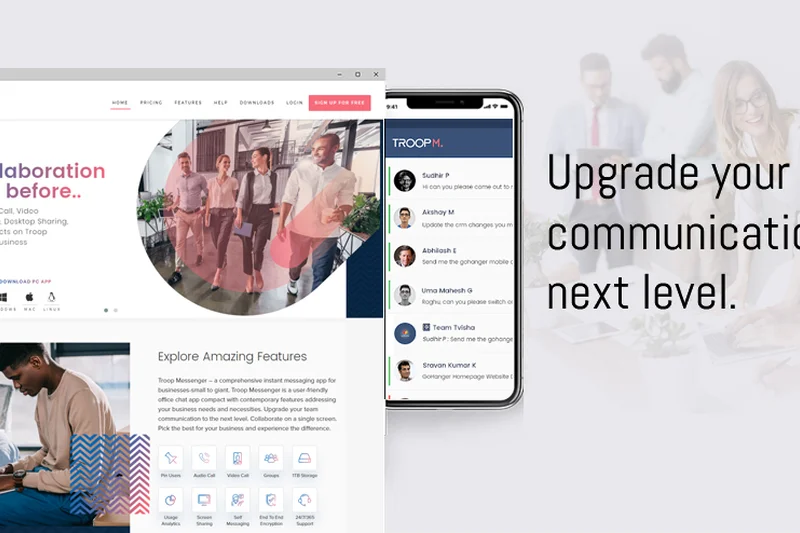
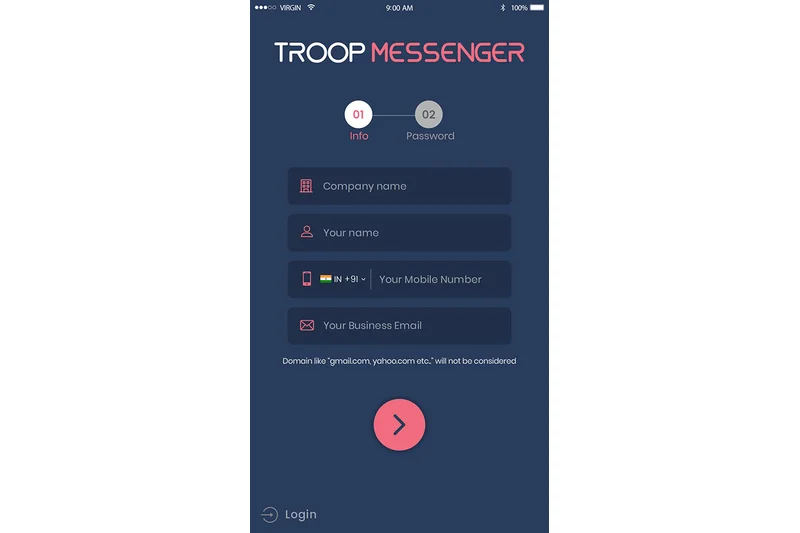
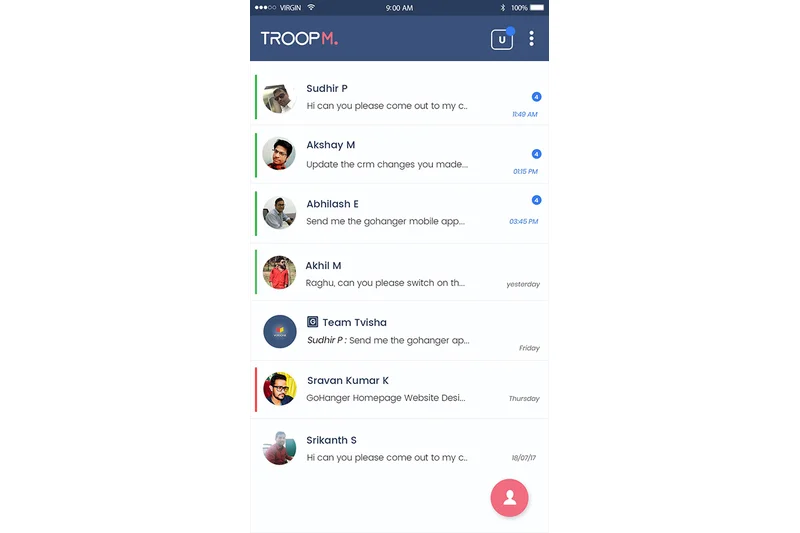
Why we picked it: Troop Messenger (7.2) is an affordable, highly functional office chat application. It offers unique features like "Burnout" (confidential, self-destructing chat windows) and advanced file filtering. With on-premise deployment available at a low cost, it serves as a solid Slack alternative for budget-conscious organizations needing tight administrative control.
Key Specs
- Burnout (confidential chat window)
- Respond Later tagging features
- Remote screen sharing controls
- Advanced file filtering and global search
- On-premise deployment available
What we like
- Unique self-destructing 'Burnout' chat feature
- Very affordable pricing for the feature set provided
- On-premise deployment options available
What we don't like
- Integrations ecosystem is limited compared to top-tier rivals
- Brand footprint and community support are smaller
Best for: Cost-conscious SMBs and organizations seeking an affordable on-premise messaging solution.
Considering Troop Messenger vs Pumble? Both are budget-friendly, but Troop offers more unique privacy features like Burnout and better remote screen sharing controls.
Troop Messenger is a capable, budget-friendly chat tool that offers surprising depth in privacy and file management features.
Buy at Troop Messenger official site#26 Threema Work
Why we picked it: Threema Work (7.15) is a privacy-centric Swiss messenger that allows completely anonymous use without linking phone numbers. Protected by strict Swiss data protection laws, it provides broadcast lists, interactive bots, and full Mobile Device Management (MDM) support, ensuring maximum data minimization for corporate communications.
Key Specs
- Anonymous use without phone numbers
- Strict Swiss data protection laws
- Broadcast lists and interactive bots
- Complete MDM/EMM integration support
- Data minimization by design
What we like
- No phone number required, ensuring absolute user anonymity
- Governed by rigorous Swiss privacy legislation
- Excellent MDM integration for corporate device management
What we don't like
- Strictly mobile-first, with weaker desktop capabilities
- Not designed for complex, multi-channel project management
Best for: Law enforcement, healthcare, and security firms requiring anonymous, highly secure mobile communications.
Considering Threema Work vs WhatsApp Business? Threema offers vastly superior privacy (no phone number required) and enterprise MDM control, avoiding Meta's data ecosystem entirely.
Threema Work is the ultimate privacy-first mobile messenger, guaranteeing data minimization and absolute anonymity for corporate users.
Buy at Threema official site#27 Spike



Why we picked it: Spike (7.1) innovatively bridges the gap between email and team chat. It turns standard email into conversational, chat-like threads, creating a unified inbox for both internal team communications and external client interactions. With built-in collaborative notes and priority sorting, it reduces the need to constantly switch between email and chat apps.
Key Specs
- Turns email into chat-like threads
- Unified inbox for external and internal comms
- Built-in voice and video meetings
- Collaborative notes and tasks
- Priority email sorting
What we like
- Eliminates the divide between internal chat and external email
- Conversational UI makes email much faster to process
- Includes integrated task and note-taking features
What we don't like
- Relies on existing email protocols, which can sometimes limit real-time speed
- Can become chaotic if email volume is extremely high
Best for: Agencies, freelancers, and teams that communicate heavily with external clients via email.
Considering Spike vs traditional chat apps? Spike is ideal if 50% of your communication is external via email, as it unifies your inbox and chat into one interface.
Spike cleverly reimagines email as a real-time messaging app, creating a highly productive, unified communication hub.
Buy at Spike official site#28 Chatwork
Why we picked it: Chatwork (7.1) is a streamlined business chat software highly popular in the Japanese market. It differentiates itself by integrating robust task management features directly into the chat interface. You can assign tasks from messages instantly, ensuring accountability and preventing action items from getting lost in the scroll.
Key Specs
- Chat with task management features
- Video and voice call integrations
- Extensive adoption in Asian markets
- File sharing with version control
- Bank-level security and encryption
What we like
- Excellent native integration of task assignment within chat
- Clean, straightforward interface
- Bank-level security and encryption standards
What we don't like
- Global integration ecosystem is limited
- UI lacks the modern customization options of western apps
Best for: Teams that struggle with accountability and need task management baked directly into their daily chat.
Considering Chatwork vs Slack? Chatwork is much more rigid regarding task assignment, making it better for strict accountability, while Slack is far more flexible and integration-heavy.
Chatwork effectively combines instant messaging with strict task management, ensuring team accountability directly within the chat interface.
Buy at Chatwork official site#29 AWS Wickr
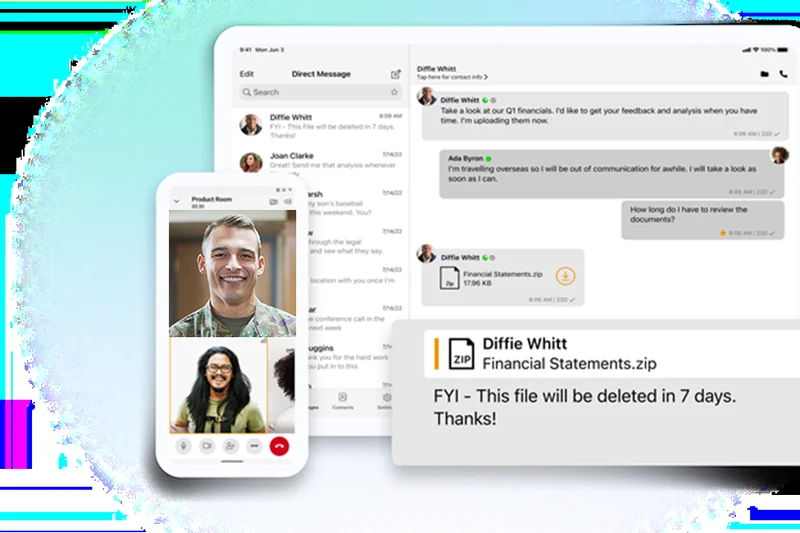
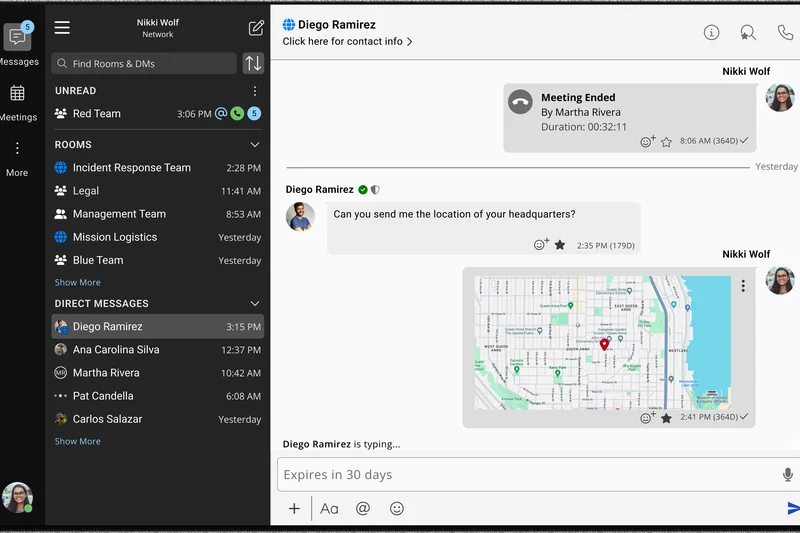

Why we picked it: AWS Wickr (7.0) provides military-grade encrypted chat under the Amazon Web Services umbrella. It features ephemeral, self-destructing messages and advanced administrative forensic controls. It is designed for secure guest collaboration and highly sensitive environments where data retention must be strictly controlled and audited by administrators.
Key Specs
- Ephemeral, self-destructing messages
- End-to-end encrypted file sharing
- Advanced administrative forensic controls
- Integration with AWS infrastructure
- Secure guest collaboration
What we like
- Military-grade encryption with self-destructing messages
- Backed by the immense security infrastructure of AWS
- Allows secure, controlled collaboration with external guests
What we don't like
- UI is highly utilitarian and lacks "fun" engagement features
- Overkill for standard business communication
Best for: Defense contractors, legal teams, and enterprises already deeply embedded in AWS infrastructure.
Considering AWS Wickr vs Wire? Both offer premium E2EE, but Wickr offers deeper integration with the AWS ecosystem and specific forensic controls for enterprise audits.
AWS Wickr delivers uncompromising, military-grade communication security backed by the world's largest cloud provider.
Buy at AWS official site#30 Blink
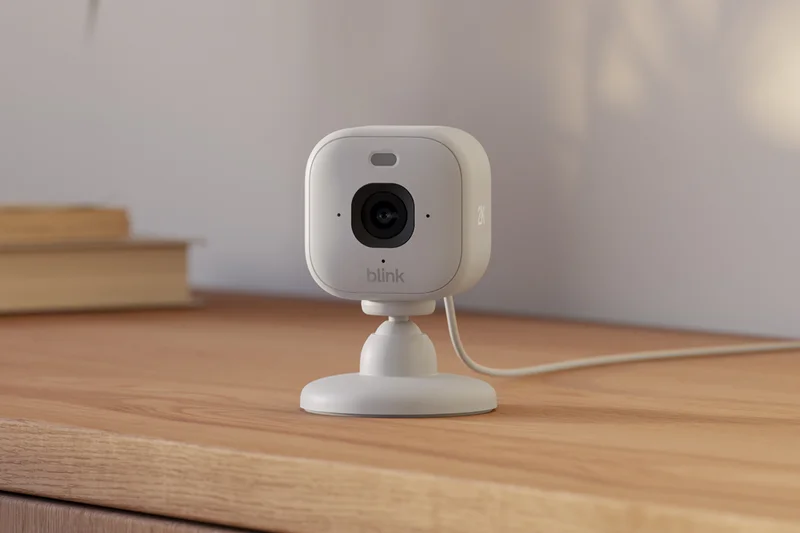
Why we picked it: Blink (7.0) is a mobile-first frontline employee app that acts as an intranet in your pocket. It features a personalized team news feed, secure messaging, and micro-app integrations for HR portals. It is excellent for keeping transit workers, healthcare staff, and retail employees connected to corporate headquarters.
Key Specs
- Mobile-first design for deskless workers
- Personalized team news feed
- Secure 1:1 and group messaging
- Micro-app integrations for HR portals
- Single sign-on capabilities
What we like
- Exceptional mobile-first design for deskless employees
- Personalized news feeds increase employee engagement
- Micro-apps provide easy access to payslips and HR tools
What we don't like
- Desktop experience is secondary to mobile
- Not designed for complex engineering or project management workflows
Best for: Transit, healthcare, and retail organizations needing a modern, mobile-first employee portal.
Considering Blink vs Slack? Blink acts more like a modern, interactive corporate intranet and newsfeed for mobile workers, rather than a real-time project collaboration tool.
Blink empowers deskless workforces by combining essential secure messaging with a highly engaging, personalized corporate newsfeed.
Buy at Blink official site#31 HubEngage
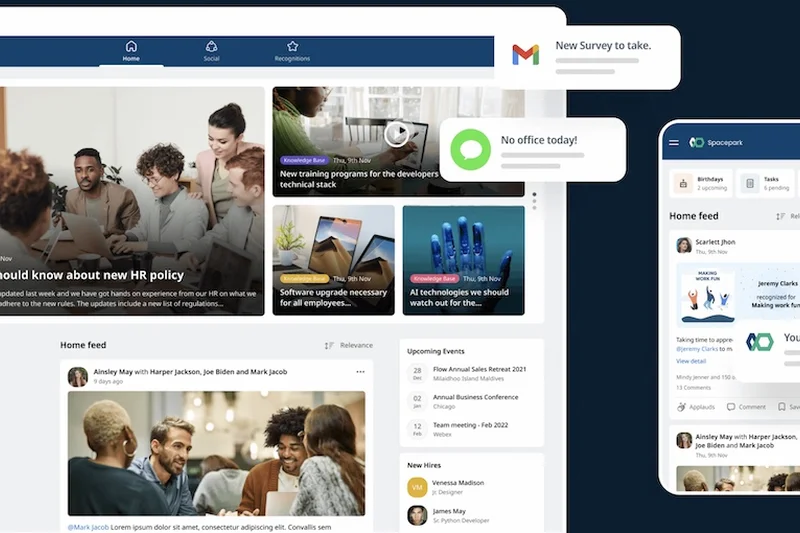
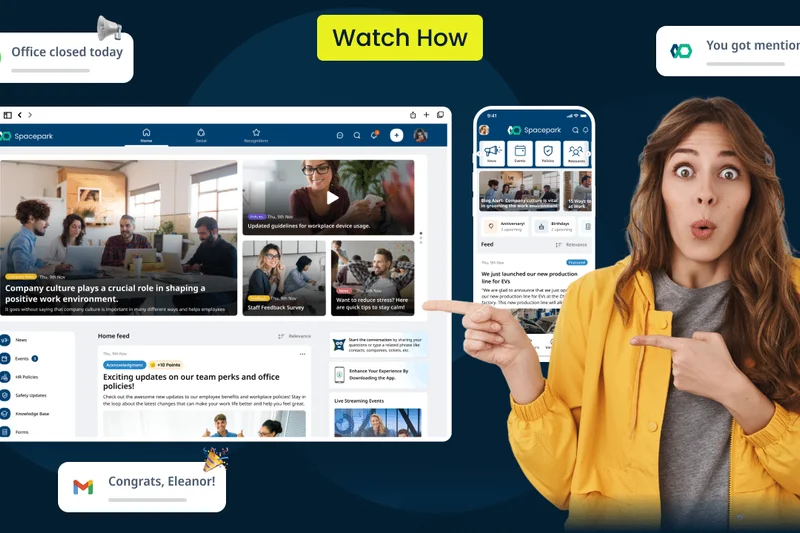
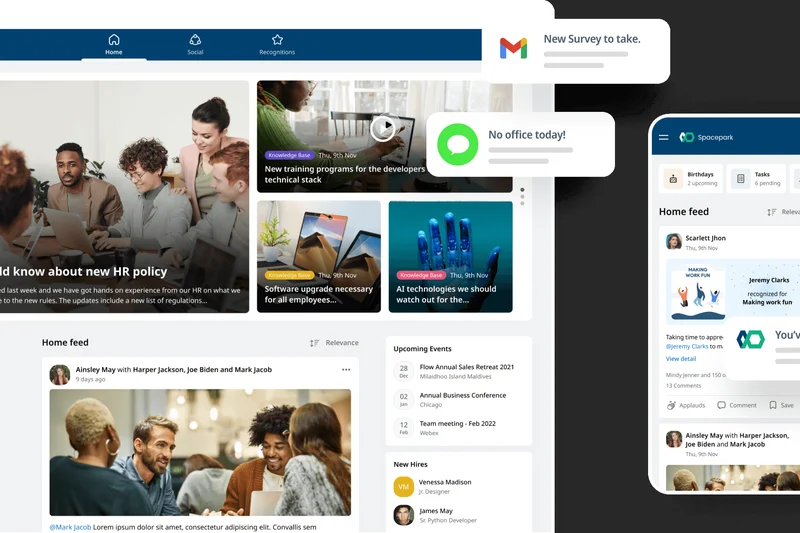
Why we picked it: HubEngage (6.9) blends internal communications with deep employee gamification. It offers group discussions, surveys, quizzes, and a reward system to boost morale. With robust workforce analytics, it is a specialized tool aimed at HR departments looking to radically improve employee engagement and culture.
Key Specs
- Internal comms paired with gamification
- Direct messaging and group discussions
- Surveys, quizzes, and rewards
- Knowledge base and training modules
- Deep workforce analytics
What we like
- Unique gamification and rewards engine boosts adoption
- Excellent suite of HR tools including pulse surveys
- Deep analytics on employee engagement
What we don't like
- Messaging functions are secondary to the engagement platform
- Pricing is custom and can scale high for large teams
Best for: HR departments heavily focused on improving employee retention, morale, and company culture.
Considering HubEngage vs Viva Engage? HubEngage offers much more aggressive gamification and reward systems to force engagement, whereas Viva relies on organic social networking.
HubEngage uses powerful gamification and analytics to transform standard internal communication into a driver of employee satisfaction.
Buy at HubEngage official site#32 Brosix
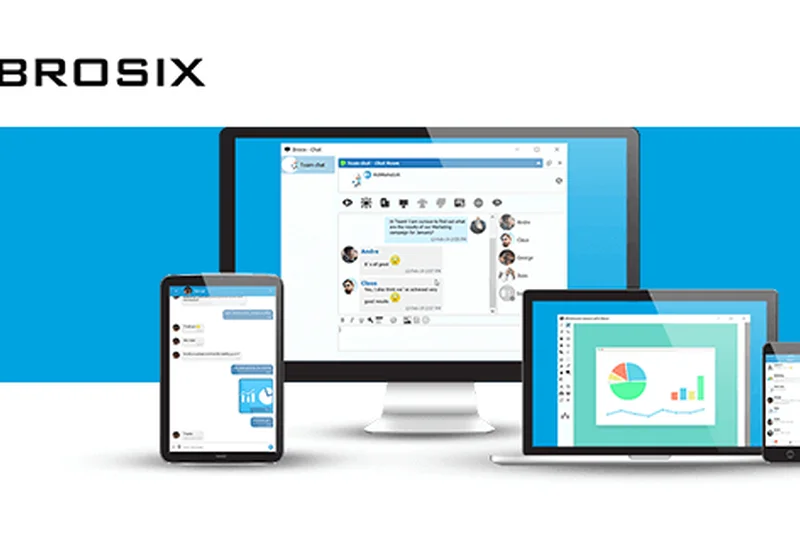
Why we picked it: Brosix (6.8) is a secure team messenger that emphasizes private internal network control. It provides granular feature permissions per user and includes powerful built-in tools like P2P encrypted file transfers and remote desktop sharing. It is highly effective for internal IT support teams requiring secure, controlled communication.
Key Specs
- Private internal network control
- P2P encrypted file transfers
- Remote desktop and screen sharing
- Granular feature permissions per user
- Whiteboarding and co-browsing tools
What we like
- Built-in remote desktop control is excellent for IT support
- Administrators can restrict specific features on a per-user basis
- Fast, encrypted P2P file transfers
What we don't like
- User interface feels somewhat dated
- Lacks integrations with modern SaaS project management tools
Best for: Internal IT helpdesks and highly controlled corporate networks.
Considering Brosix vs Slack? Brosix provides tight administrative lockdown and native remote desktop features, making it a utilitarian tool for IT rather than a modern collaboration hub.
Brosix is a highly controllable, secure messaging tool equipped with excellent remote support features for internal IT teams.
Buy at Brosix official site#33 Chanty



Why we picked it: Chanty (6.75) is a highly budget-friendly team chat app that includes a built-in Kanban task manager. It crucially offers unlimited message history on its free tier, making it a fantastic starting point for bootstrapped startups. The "Teambook" hub intelligently organizes links, files, and tasks generated in chat.
Key Specs
- Built-in Kanban task management
- Unlimited message history on free tier
- Audio and video calling capabilities
- Teambook hub for links and files
- Voice messaging and screen sharing
What we like
- Unlimited searchable message history on the free plan
- Built-in Kanban boards for easy task tracking
- Very affordable premium tiers
What we don't like
- Integrations are limited compared to major players
- UI can feel slightly sluggish under heavy load
Best for: Bootstrapped startups and small businesses looking for free unlimited message history.
Considering Chanty vs Slack? Chanty offers unlimited history for free and built-in task management, making it cheaper, but it lacks Slack's massive app ecosystem.
Chanty provides exceptional value for small teams by combining unlimited free chat history with integrated Kanban task management.
Buy at Chanty official site#34 Pumble
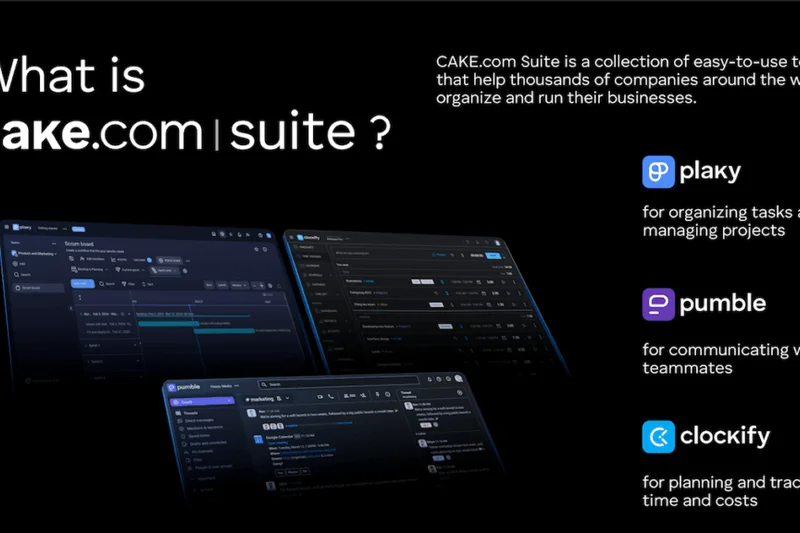
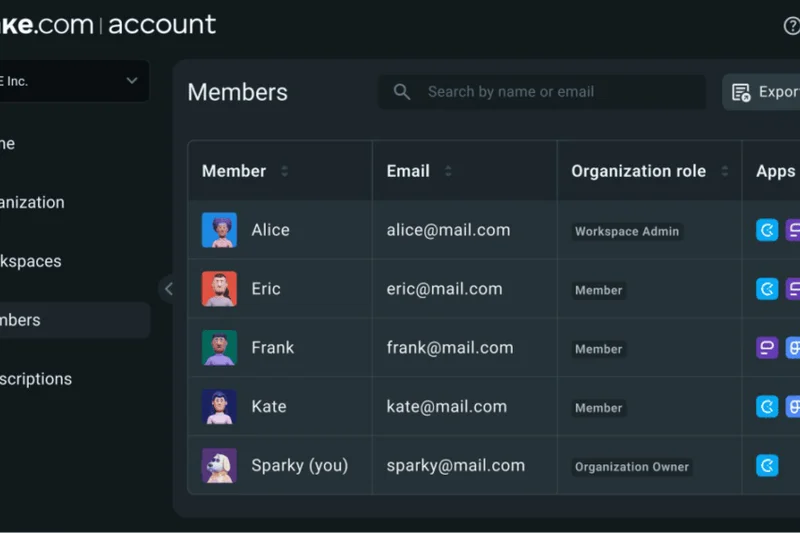
Why we picked it: Pumble (6.7), developed by CAKE.com, is an affordable Slack alternative that generously offers unlimited free message history. It mirrors the familiar channel-based architecture of leading apps, making migration incredibly easy. With integrated voice/video calls and guest access, it covers all the collaboration basics at an unbeatable price point.
Key Specs
- Unlimited free message history
- Integrated voice and video calls
- Channel-based organization
- Guest access and granular permissions
- Workspace data export capabilities
What we like
- Unlimited message history on the completely free tier
- Familiar UI makes transitioning from Slack effortless
- Very competitive premium pricing
What we don't like
- Lacks advanced workflow automations and AI tools
- Video conferencing is functional but basic
Best for: Cost-conscious small businesses seeking a direct, affordable clone of the traditional channel-based chat experience.
Considering Pumble vs Slack? Pumble is essentially a lightweight, highly affordable alternative to Slack, offering the core channel experience without the premium price tag or advanced ecosystem.
Pumble is a straightforward, highly affordable collaboration app that excels by providing unlimited message history for free.
Buy at Pumble official site#35 Zello Work


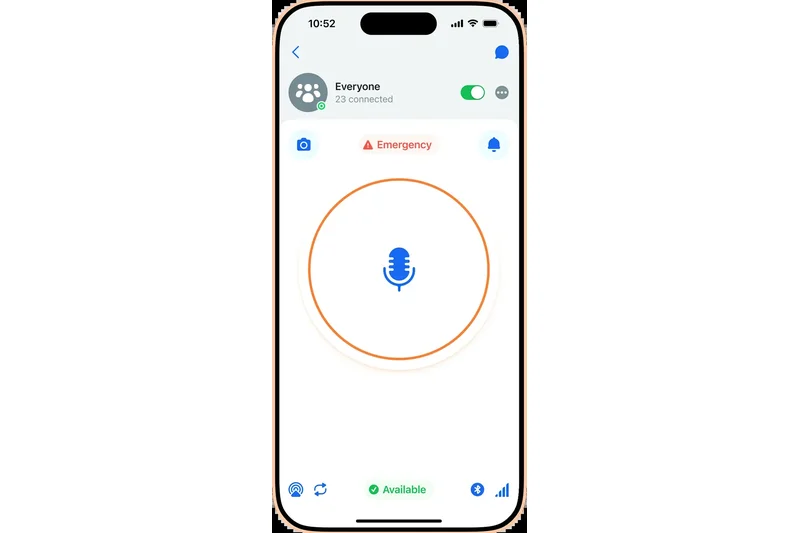
Why we picked it: Zello Work (6.5) is a specialized push-to-talk voice app that turns smartphones into instant corporate walkie-talkies. It features live location tracking, centralized emergency alert broadcasts, and voice history playback. Operating reliably over cellular and Wi-Fi, it is indispensable for logistics, security, and transportation teams.
Key Specs
- Instant walkie-talkie communication
- Live location tracking
- Centralized emergency alert broadcasts
- Message history and voice playback
- Works on cellular networks and Wi-Fi
What we like
- Best-in-class push-to-talk walkie-talkie functionality
- Live mapping and location tracking for field teams
- Reliable performance even on low-bandwidth cellular networks
What we don't like
- Text messaging is secondary and basic
- Not designed for office-based document collaboration
Best for: Logistics companies, field security, and transportation fleets requiring instant voice comms.
Considering Zello Work vs traditional chat? Zello is built entirely around instant push-to-talk voice functionality for field workers, rather than text-based knowledge sharing.
Zello Work provides unparalleled push-to-talk voice communication and tracking for mobile fleets and field security teams.
Buy at Zello official site#36 Campfire
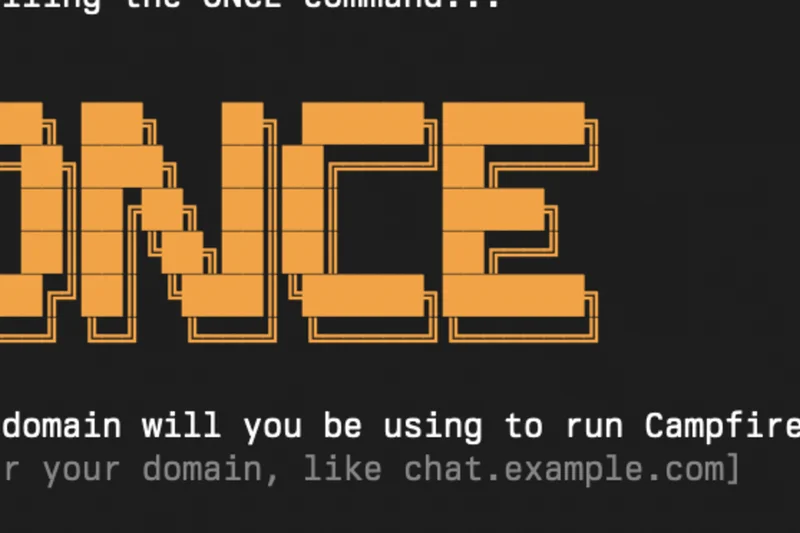
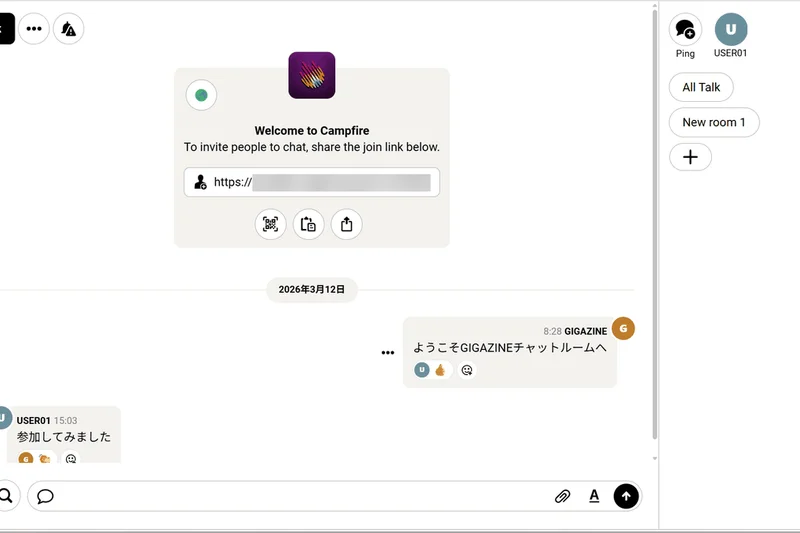
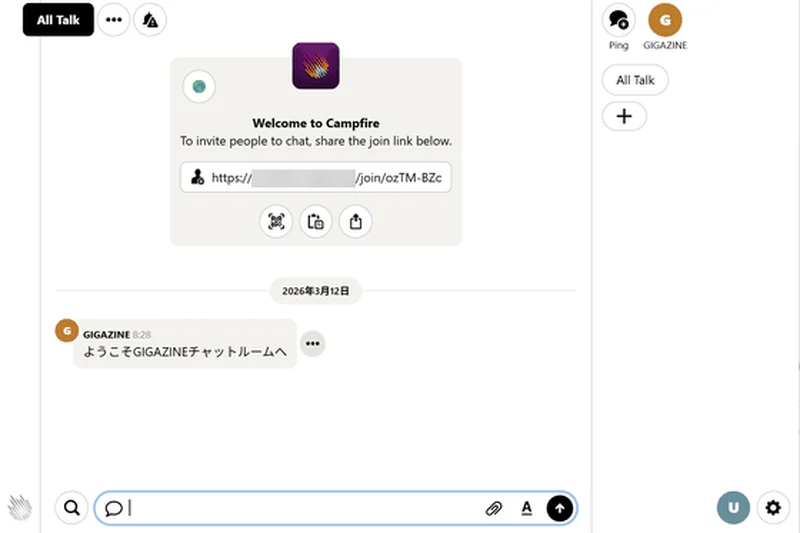
Why we picked it: Campfire (6.4), from the creators of Basecamp (37signals), offers a radical pricing model: a one-time purchase flat fee of $299 for self-hosted deployment. It provides classic, minimalist chat room functionality with zero recurring subscription fees. It's a statement product for businesses tired of endless SaaS per-user billing.
Key Specs
- One-time purchase, self-hosted deployment
- Classic chat room functionality
- Zero subscription fees
- Audio capabilities built-in
- Minimalist feature set for simplicity
What we like
- One-time flat fee with no recurring per-user SaaS costs
- Self-hosted for complete data privacy
- Minimalist, distraction-free feature set
What we don't like
- Requires technical knowledge to deploy and host
- Lacks third-party integrations and modern AI capabilities
Best for: Tech-savvy small businesses looking to completely eliminate recurring SaaS subscription fees.
Considering Campfire vs Slack? Campfire fundamentally rejects the SaaS model, offering a basic but capable self-hosted chat tool for a single one-time payment.
Campfire is a minimalist, self-hosted chat platform that frees small businesses from the burden of monthly per-user software subscriptions.
Buy at 37signals official siteBuying Guide
Understanding the Team Chat Software Landscape
Choosing the right team collaboration software is arguably the most critical IT decision a modern business can make. The team chat app serves as the digital headquarters for your organization—it's where decisions are made, knowledge is shared, and company culture is built. But not all messaging platforms are created equal. While startups might prioritize a massive ecosystem of third-party integrations and a casual interface, enterprise organizations need robust compliance protocols, advanced data loss prevention (DLP), and seamless identity management.
Matching the Tool to Your User Persona
The Agile Startup & Dev Team: If your organization relies heavily on asynchronous work, continuous integration pipelines, and diverse SaaS tools, prioritize an app with a thriving app directory and extensive API access. Tools like Slack or Zulip excel here by offering deep hooks into developer environments, allowing chat to act as a centralized DevOps dashboard. Look for robust code snippet formatting and automation workflow builders.
The Microsoft or Google Centric Business: For businesses heavily invested in a specific suite, the path of least resistance is often the most effective. Microsoft Teams and Google Chat are bundled with their respective productivity suites, providing native document co-authoring, calendar syncing, and single sign-on without the need for additional procurement. They remove friction for organizations already living inside those ecosystems.
The Highly Regulated Enterprise: Organizations in healthcare, finance, or government require "air-tight" communication. Look for platforms that offer end-to-end encryption (E2EE), self-hosting capabilities, and strict compliance certifications (HIPAA, GDPR, FINRA). Solutions like Symphony, Mattermost, and Wire are specifically engineered for these high-security scenarios, providing granular audit logs and air-gapped deployment options.
What to Avoid
- Feature Bloat: Avoid platforms that bolt on mediocre task management or CRM features if you already have dedicated, superior tools for those functions. A cluttered interface will drastically reduce user adoption and confuse your staff.
- Poor Search Mechanics: Your chat history is your company's collective brain. Avoid any app that truncates message history on premium plans or features a sluggish, inaccurate search engine. Finding a file from six months ago should take seconds, not hours.
- Closed Ecosystems: Stay away from tools that make it difficult to integrate with external software or export your own data. Vendor lock-in can severely cripple your operations down the line if you need to migrate platforms.
Budget Tiers & Pricing Expectations
Team chat apps generally fall into three pricing categories based on the features required:
- Free & Freemium ($0/user): Many top-tier apps offer excellent free versions suitable for small teams. However, be wary of strict message history limits (e.g., losing access to messages older than 90 days) or restrictions on group video calls. Discord and Slack offer great functional free tiers.
- Standard Business ($4–$10/user/month): This is the sweet spot for most SMBs. At this tier, you should expect unlimited message history, screen sharing, extensive third-party integrations, and guest access features to collaborate with external clients.
- Enterprise Plus ($15+/user/month): Reserved for large organizations requiring advanced administrative controls, dedicated customer success managers, uptime SLAs, detailed audit logs, and specialized compliance reporting tools.
FAQ
What is the best overall team chat app in 2026?
Based on our comprehensive M2 Evaluation, Slack is the best overall team chat app. It offers an unmatched ecosystem of integrations, an intuitive interface, and highly reliable performance for both hybrid and remote teams.
Is Slack better than Microsoft Teams?
It depends on your ecosystem. Slack is superior for teams that use a diverse array of third-party software (like Google Drive, Jira, and Salesforce) and prefer asynchronous chat. Microsoft Teams is better if your organization already pays for Microsoft 365 and relies heavily on structured video meetings and Word/Excel co-authoring.
What is the best free team collaboration software?
Pumble and Chanty offer some of the best free tiers because they include unlimited searchable message history. Discord is also exceptional for free, unrestricted voice and video communication, though it lacks business security features.
Are team chat apps secure enough for enterprise use?
Yes, top-tier platforms like Microsoft Teams, Mattermost, Wire, and Symphony offer enterprise-grade security. They feature end-to-end encryption, granular audit logs, and compliance with strict regulatory standards like HIPAA, FINRA, and GDPR.
How do I choose between Google Chat and Slack?
If your company operates entirely within Google Workspace, Google Chat is a seamless, cost-effective choice. However, if you need complex channel structures, advanced workflow automation, or integrations outside of the Google ecosystem, Slack is the better option.
Can I self-host a team messaging app?
Yes. Platforms like Mattermost, Nextcloud Talk, Zulip, and Campfire offer self-hosted deployment options. This allows your organization to keep all communication data strictly on your own servers, ensuring total data privacy.
What are the best communication tools for remote developers?
Slack and Zulip are highly favored by developers. Slack offers incredible API hooks and DevOps integrations, while Zulip’s topic-based threading makes it incredibly easy to track complex technical discussions asynchronously.
How does pricing generally work for business messaging software?
Most platforms use a SaaS model, charging a monthly fee per active user (typically $4 to $15). However, some platforms offer flat monthly rates (like Connecteam) or a one-time purchase fee for self-hosting (like Campfire).
Do these apps support native voice and video calling?
Yes, almost all modern team chat apps include built-in voice and video calling. Apps like Cisco Webex, Microsoft Teams, and Zoom Team Chat offer enterprise-grade video, while Slack offers frictionless "Huddles" for quick audio chats.
What is asynchronous communication?
Asynchronous communication happens when team members interact without the expectation of an immediate response (e.g., leaving a message that a colleague in another time zone reads hours later). Apps like Twist and Zulip are specifically designed to optimize this workflow.
How important are third-party integrations?
Extremely important for knowledge workers. Integrations allow your chat app to act as a central hub. You can receive GitHub pull request alerts, approve Salesforce contracts, or update Jira tickets directly from the chat window, saving significant time.
Can I export my chat history?
Yes, most premium business tiers allow administrators to export chat history for legal eDiscovery or backup purposes. However, free tiers on some platforms often restrict data export capabilities.
What is the difference between channels and direct messages?
Direct Messages (DMs) are private, 1-on-1 or small group conversations. Channels are persistent, organized chat rooms usually dedicated to a specific project, department, or topic, which can be public (open to the whole company) or private.
Which chat app has the best search functionality?
Slack and Google Chat currently lead the pack in search functionality. Slack allows for highly specific query modifiers (e.g., "from:@user in:#channel has:link"), while Google Chat leverages Google's renowned underlying search algorithms.
Do team chat apps comply with healthcare and financial regulations?
Select platforms do. Microsoft Teams, Symphony, and Mattermost can be configured to meet HIPAA (healthcare) and FINRA (finance) compliance. Consumer-grade apps like Discord and standard free tiers usually do not meet these requirements.
Methodology
Our Scoring Approach
The rankings presented in this article are derived from the rigorously tested M2 Multi-Dimensional Evaluation methodology [1], developed by SelectionLogic. Rather than relying on a single subjective opinion, this framework decomposes product quality into distinct, weighted criteria that reflect the varying functional priorities of modern workplaces. Each application is scored from 1 to 10 across these dimensions, providing a granular, transparent look at its capabilities.
Weighting Rationale
We tailored our dimension weights to identify the best overall platform for hybrid teams. Core Communication & Messaging was weighted highest (25%) because the primary function of these tools is reliable, low-latency text and media exchange. Integration & Ecosystem followed closely at 20%, as the ability to connect with external task trackers, CRM platforms, and developer tools is what separates a simple chat app from a true digital workspace hub.
User Interface & UX (15%) and Administration & Security (15%) were weighted equally, recognizing that an app must be intuitive enough for high daily adoption while remaining secure enough for stringent IT compliance. Pricing & Value (10%) and Search & Organization (10%) rounded out the functional requirements, ensuring that knowledge remains quickly accessible and costs remain scalable as headcount grows. Finally, Reliability & Uptime (5%) served as a crucial baseline metric, penalizing tools with histories of outages.
Data Sources and Testing Environment
Our software analysts gathered over 2,000 discrete data points across the 36 candidate apps. We reviewed official vendor documentation, tested open API reference guides, and analyzed third-party security audits. Furthermore, we aggregated user sentiment and satisfaction scores from trusted B2B review platforms such as G2 and Capterra. This allowed us to validate our controlled laboratory findings against real-world, long-term enterprise deployments. By fusing objective technical capability testing with subjective usability reviews, we've generated a holistic, highly actionable ranking for IT buyers in 2026.
Sources & References
All factual claims, product specifications, prices, and images in this article are cited by number. Click any reference to jump to the list; click the link in each entry to visit the original source.
- [1]SelectionLogic. "M2 Multi-Dimensional Evaluation Methodology." selectionlogic.org/en/methods/m2-multi-dimensional-evaluation/. Accessed Mar 2026.
- [2]SelectionLogic. "Team Chat & Collaboration Software Buying Guide 2026." selectionlogic.org/en/guides/team-chat-apps/. Accessed Mar 2026.
- [3]Slack. "Features and Pricing." slack.com. Accessed Mar 2026.
- [4]Microsoft. "Microsoft Teams Enterprise Solutions." microsoft.com. Accessed Mar 2026.
- [5]Cisco. "Webex App Overview." webex.com. Accessed Mar 2026.
- [6]Google. "Google Chat for Workspace." workspace.google.com. Accessed Mar 2026.
- [7]Zulip. "Asynchronous Chat for Distributed Teams." zulip.com. Accessed Mar 2026.
- [8]Mattermost. "Secure Open Source Collaboration." mattermost.com. Accessed Mar 2026.
- [9]Lark Suite. "All-in-One Collaboration." larksuite.com. Accessed Mar 2026.
- [10]Symphony. "Secure Financial Messaging." symphony.com. Accessed Mar 2026.
- [11]Discord. "Company Communication on Discord." discord.com. Accessed Mar 2026.
- [12]Zoho. "Zoho Cliq Features." zoho.com. Accessed Mar 2026.
- [13]Rocket.Chat. "Omnichannel Customer & Team Chat." rocket.chat. Accessed Mar 2026.
- [14]Twist. "Thread-First Asynchronous Chat." twist.com. Accessed Mar 2026.
- [15]Beekeeper. "Frontline Employee Operations." beekeeper.io. Accessed Mar 2026.
- [16]Zoom. "Zoom Team Chat." zoom.us. Accessed Mar 2026.
- [17]RingCentral. "RingCentral MVP Unified Communications." ringcentral.com. Accessed Mar 2026.
- [18]Flock. "Team Messenger and Productivity." flock.com. Accessed Mar 2026.
- [19]DingTalk. "Enterprise Productivity App." dingtalk.com. Accessed Mar 2026.
- [20]Microsoft. "Viva Engage Community Network." microsoft.com. Accessed Mar 2026.
- [21]Wire. "Secure Enterprise Messenger." wire.com. Accessed Mar 2026.
- [22]LINE WORKS. "Business Messenger Integration." line.worksmobile.com. Accessed Mar 2026.
- [23]Nextcloud. "Nextcloud Talk Self-Hosted." nextcloud.com. Accessed Mar 2026.
- [24]TextUs. "Enterprise SMS Platform." textus.com. Accessed Mar 2026.
- [25]Element. "Matrix-Based Secure Chat." element.io. Accessed Mar 2026.
- [26]Connecteam. "Deskless Worker App." connecteam.com. Accessed Mar 2026.
- [27]Troop Messenger. "Secure Office Chat." troopmessenger.com. Accessed Mar 2026.
- [28]Threema Work. "Privacy-Centric Corporate Messenger." work.threema.ch. Accessed Mar 2026.