Quick Verdict
At a glance
We tested 35 Video conferencing software and virtual meeting platforms to find the absolute best options for every organizational need. Microsoft Teams Essentials emerged as the overall winner due to its unparalleled integration and value, while Zoom Workplace Pro remains the benchmark for education and webinars. Enterprise users who prioritize encryption and administrative power will find Webex Meet to be the superior choice.
🏆 Overall #1: Microsoft Teams Essentials — Best-in-class value and deep ecosystem integration make it an unbeatable collaboration hub.
🥈 #2: Zoom Workplace Pro — Exceptional A/V quality and advanced webinar capabilities justify its premium standing.
🥉 #3: Webex Meet — Enterprise-grade security and host controls ideal for regulated industries.
Which one is for me?
How We Tested
Finding the most capable and secure video conferencing software goes far beyond checking a feature list. With remote and hybrid work cementing their place in 2026, we embarked on a rigorous evaluation process to identify the best Zoom alternatives. We started with an initial candidate pool of 35 platforms, analyzing their performance across varied scenarios, network conditions, and organizational sizes.
To ensure a comprehensive analysis, we adopted the M2 Multi-Dimensional Evaluation framework established by SelectionLogic[1]. This analytical approach moves beyond subjective impressions, assigning quantitative scores across seven critical dimensions. We tailored these criteria based on the comprehensive video conferencing software guide provided by SelectionLogic[2], focusing on elements like A/V quality under stress, security compliance, and ease of access.
Our Declared Values: At TopChoiceFor.com, we prioritize transparency, empirical data, and user-centric analysis. We do not accept paid placements for higher rankings. Our recommendations are the direct result of unbiased testing—we evaluate latency, measure encryption standards, and assess total cost of ownership. We aim to guide consumers and businesses alike to solutions that respect their privacy and enhance their productivity.
About our team
Our reviewers consist of enterprise IT specialists, remote collaboration experts, and seasoned tech journalists. With decades of combined experience managing digital workspaces and evaluating enterprise SaaS, the team applies rigorous benchmarking to ensure every recommendation withstands real-world stress. We are committed to maintaining a high standard of editorial integrity.
| Dimension | Overall | Best Overall Zoom Alternative | Best for Small Teams & Startups | Best for Enterprise & High Security | Best Free Zoom Alternative | Best for Education & Large Webinars |
|---|---|---|---|---|---|---|
| Video & Audio Quality | 20% | 20% | 15% | 15% | 15% | 20% |
| Collaboration Tools | 15% | 15% | 10% | 10% | 10% | 25% |
| Ease of Use & Access | 15% | 15% | 25% | 5% | 20% | 15% |
| Security & Privacy | 15% | 15% | 5% | 30% | 5% | 10% |
| Pricing & Value | 15% | 15% | 25% | 5% | 40% | 5% |
| Integrations & Ecosystem | 10% | 10% | 15% | 15% | 5% | 5% |
| Host Controls & Management | 10% | 10% | 5% | 20% | 5% | 20% |
Overall Rankings
Full list of 35 products sorted by weighted overall score (1–10).
Prices are checked as of Mar 18, 2026 (2026 Q1). Use "Check price" links for current pricing.
| # | Product | Type | Price | A/V Quality | Collaboration | Usability | Security | Value | Integrations | Management | Overall | Awards |
|---|---|---|---|---|---|---|---|---|---|---|---|---|
| 1 | Microsoft Teams Essentials | Team Collaboration Tool | $4.00/mo | 8 | 8 | 7 | 9 | 9 | 10 | 9 | 8.45 | 🏆 Editor's Choice 🌟 Best Budget 📊 Best Integrations & Ecosystem 🎯 Best Best Overall Zoom Alternative |
| 2 | Zoom Workplace Pro | Video Conferencing Platform | $13.33/mo | 9 | 9 | 8 | 8 | 7 | 9 | 9 | 8.40 | 📊 Best Video & Audio Quality 🎯 Best Best for Education & Large Webinars |
| 3 | Webex Meet | Enterprise Meeting Software | $12.00/mo | 9 | 8 | 7 | 10 | 7 | 8 | 10 | 8.40 | 📊 Best Security & Privacy 📊 Best Host Controls & Management 🎯 Best Best for Enterprise & High Security |
| 4 | BigBlueButton | Virtual Classroom Software | Free | 7 | 10 | 7 | 8 | 10 | 8 | 9 | 8.35 | 📊 Best Collaboration Tools |
| 5 | Slack Huddles (Pro) | Audio/Video Team Collaboration | $7.25/mo | 8 | 9 | 10 | 8 | 7 | 10 | 6 | 8.30 | |
| 6 | Google Workspace Business Starter (Meet) | Video Conferencing Platform | $7.00/mo | 8 | 7 | 10 | 8 | 8 | 9 | 8 | 8.25 | 📊 Best Ease of Use & Access |
| 7 | Butter Starter | Workshop Video Software | $15.00/mo | 8 | 10 | 9 | 7 | 7 | 9 | 8 | 8.25 | |
| 8 | Around by Miro | Co-creation Video Tool | Free | 8 | 9 | 9 | 7 | 10 | 8 | 5 | 8.15 | 🎯 Best Best for Small Teams & Startups 🎯 Best Best Free Zoom Alternative |
| 9 | BigMarker Plus | Webinar & Event Software | Custom Pricing | 8 | 9 | 9 | 8 | 5 | 9 | 9 | 8.05 | |
| 10 | TrueConf Server Free | Self-Hosted Video Collaboration | Free | 9 | 6 | 6 | 10 | 9 | 7 | 8 | 7.95 | |
| 11 | Pexip Enterprise Room | Enterprise Video Conferencing | Custom Pricing | 9 | 7 | 7 | 10 | 5 | 9 | 9 | 7.95 | |
| 12 | Dialpad Ai Meetings Pro | AI-Powered Meeting Platform | $15.00/mo | 8 | 8 | 9 | 8 | 7 | 8 | 7 | 7.90 | |
| 13 | Discord Nitro | Voice & Video Chat | $9.99/mo | 9 | 7 | 9 | 6 | 8 | 7 | 9 | 7.90 | |
| 14 | Demio Growth | Marketing Webinar Platform | $59.00/mo | 8 | 8 | 9 | 8 | 6 | 8 | 8 | 7.85 | |
| 15 | Nextcloud Talk | Self-Hosted Communication Tool | Free | 7 | 7 | 6 | 10 | 9 | 8 | 8 | 7.80 | |
| 16 | Airmeet Premium | Virtual Event Platform | Custom Pricing | 8 | 9 | 8 | 8 | 5 | 8 | 9 | 7.80 | |
| 17 | Livestorm Pro | Video Engagement Platform | $88.00/mo | 8 | 8 | 9 | 8 | 4 | 9 | 9 | 7.75 | |
| 18 | Doxy.me Professional | Telemedicine Software | $35.00/mo | 8 | 6 | 9 | 10 | 6 | 6 | 8 | 7.65 | |
| 19 | VSee Clinic | Telehealth Video Software | $49.00/mo | 8 | 7 | 7 | 10 | 5 | 8 | 8 | 7.55 | |
| 20 | Kudo Multilingual | Multilingual Meeting Platform | Custom Pricing | 8 | 9 | 7 | 8 | 5 | 7 | 9 | 7.55 | |
| 21 | Zoho Meeting Standard | Budget Meeting Platform | $1.00/mo | 7 | 6 | 8 | 7 | 10 | 8 | 6 | 7.45 | 💰 Best Value 📊 Best Pricing & Value |
| 22 | RingCentral Video Core | Unified Communications | $20.00/mo | 8 | 7 | 7 | 8 | 6 | 8 | 8 | 7.40 | |
| 23 | Whereby Pro | Browser-Based Video Meetings | $6.99/mo | 7 | 7 | 10 | 7 | 8 | 6 | 6 | 7.40 | |
| 24 | Kumospace Pro | Virtual Office Platform | $8.00/mo | 7 | 8 | 8 | 7 | 7 | 8 | 7 | 7.40 | |
| 25 | Brave Talk Premium | Privacy-Focused Video Calls | $7.00/mo | 7 | 6 | 9 | 10 | 7 | 5 | 7 | 7.40 | |
| 26 | Eyeson Standard | Cloud Video Conferencing | $9.00/mo | 8 | 7 | 9 | 7 | 7 | 7 | 6 | 7.40 | |
| 27 | Jitsi Meet | Open Source Conferencing | Free | 7 | 6 | 9 | 8 | 10 | 5 | 5 | 7.35 | |
| 28 | TeamViewer Meeting | Virtual Meeting Software | $5.00/mo | 7 | 7 | 7 | 9 | 8 | 6 | 7 | 7.35 | |
| 29 | GoTo Meeting Professional | Video Conferencing Platform | $12.00/mo | 8 | 7 | 7 | 8 | 6 | 7 | 8 | 7.30 | |
| 30 | ClickMeeting Live | Webinar & Meeting Platform | $25.00/mo | 8 | 8 | 8 | 7 | 5 | 7 | 8 | 7.30 | |
| 31 | Element Pro | Secure Messaging & Meetings | $5.00/mo | 7 | 6 | 6 | 10 | 8 | 6 | 7 | 7.20 | |
| 32 | Amazon Chime | Cloud Meeting Platform | $3.00/day | 7 | 6 | 7 | 9 | 7 | 7 | 7 | 7.15 | |
| 33 | Skype | Consumer Video Calling | Free | 7 | 6 | 8 | 7 | 9 | 6 | 5 | 7.00 | |
| 34 | Gather Premium | Virtual Office Platform | $7.00/mo | 7 | 8 | 8 | 6 | 7 | 6 | 6 | 6.95 | |
| 35 | FreeConferenceCall.com | Audio & Video Conferencing | Free | 6 | 6 | 7 | 6 | 10 | 5 | 7 | 6.75 |
Dimension Rankings
Each dimension ranked independently (Top 10).
📊 Best for Video & Audio Quality — Top 10
| Dim # | Product | Video & Audio Quality Score | Overall Rank | Price |
|---|---|---|---|---|
| 1 | Zoom Workplace Pro | 9 | #2 | $13.33/mo |
| 2 | Webex Meet | 9 | #3 | $12.00/mo |
| 3 | TrueConf Server Free | 9 | #10 | Free |
| 4 | Pexip Enterprise Room | 9 | #11 | Custom Pricing |
| 5 | Discord Nitro | 9 | #13 | $9.99/mo |
| 6 | Microsoft Teams Essentials | 8 | #1 | $4.00/mo |
| 7 | Google Workspace Business Starter (Meet) | 8 | #6 | $7.00/mo |
| 8 | GoTo Meeting Professional | 8 | #29 | $12.00/mo |
| 9 | RingCentral Video Core | 8 | #22 | $20.00/mo |
| 10 | Dialpad Ai Meetings Pro | 8 | #12 | $15.00/mo |
📊 Best for Collaboration Tools — Top 10
| Dim # | Product | Collaboration Tools Score | Overall Rank | Price |
|---|---|---|---|---|
| 1 | BigBlueButton | 10 | #4 | Free |
| 2 | Butter Starter | 10 | #7 | $15.00/mo |
| 3 | Zoom Workplace Pro | 9 | #2 | $13.33/mo |
| 4 | Around by Miro | 9 | #8 | Free |
| 5 | Slack Huddles (Pro) | 9 | #5 | $7.25/mo |
| 6 | Kudo Multilingual | 9 | #20 | Custom Pricing |
| 7 | BigMarker Plus | 9 | #9 | Custom Pricing |
| 8 | Airmeet Premium | 9 | #16 | Custom Pricing |
| 9 | Microsoft Teams Essentials | 8 | #1 | $4.00/mo |
| 10 | Webex Meet | 8 | #3 | $12.00/mo |
📊 Best for Ease of Use & Access — Top 10
| Dim # | Product | Ease of Use & Access Score | Overall Rank | Price |
|---|---|---|---|---|
| 1 | Google Workspace Business Starter (Meet) | 10 | #6 | $7.00/mo |
| 2 | Whereby Pro | 10 | #23 | $6.99/mo |
| 3 | Slack Huddles (Pro) | 10 | #5 | $7.25/mo |
| 4 | Dialpad Ai Meetings Pro | 9 | #12 | $15.00/mo |
| 5 | Jitsi Meet | 9 | #27 | Free |
| 6 | Livestorm Pro | 9 | #17 | $88.00/mo |
| 7 | Around by Miro | 9 | #8 | Free |
| 8 | Butter Starter | 9 | #7 | $15.00/mo |
| 9 | Brave Talk Premium | 9 | #25 | $7.00/mo |
| 10 | Discord Nitro | 9 | #13 | $9.99/mo |
📊 Best for Security & Privacy — Top 10
| Dim # | Product | Security & Privacy Score | Overall Rank | Price |
|---|---|---|---|---|
| 1 | Webex Meet | 10 | #3 | $12.00/mo |
| 2 | TrueConf Server Free | 10 | #10 | Free |
| 3 | Pexip Enterprise Room | 10 | #11 | Custom Pricing |
| 4 | Nextcloud Talk | 10 | #15 | Free |
| 5 | Element Pro | 10 | #31 | $5.00/mo |
| 6 | Brave Talk Premium | 10 | #25 | $7.00/mo |
| 7 | VSee Clinic | 10 | #19 | $49.00/mo |
| 8 | Doxy.me Professional | 10 | #18 | $35.00/mo |
| 9 | Microsoft Teams Essentials | 9 | #1 | $4.00/mo |
| 10 | TeamViewer Meeting | 9 | #28 | $5.00/mo |
📊 Best for Pricing & Value — Top 10
| Dim # | Product | Pricing & Value Score | Overall Rank | Price |
|---|---|---|---|---|
| 1 | Zoho Meeting Standard | 10 | #21 | $1.00/mo |
| 2 | Jitsi Meet | 10 | #27 | Free |
| 3 | BigBlueButton | 10 | #4 | Free |
| 4 | Around by Miro | 10 | #8 | Free |
| 5 | FreeConferenceCall.com | 10 | #35 | Free |
| 6 | Microsoft Teams Essentials | 9 | #1 | $4.00/mo |
| 7 | TrueConf Server Free | 9 | #10 | Free |
| 8 | Nextcloud Talk | 9 | #15 | Free |
| 9 | Skype | 9 | #33 | Free |
| 10 | Google Workspace Business Starter (Meet) | 8 | #6 | $7.00/mo |
📊 Best for Integrations & Ecosystem — Top 10
| Dim # | Product | Integrations & Ecosystem Score | Overall Rank | Price |
|---|---|---|---|---|
| 1 | Microsoft Teams Essentials | 10 | #1 | $4.00/mo |
| 2 | Slack Huddles (Pro) | 10 | #5 | $7.25/mo |
| 3 | Zoom Workplace Pro | 9 | #2 | $13.33/mo |
| 4 | Google Workspace Business Starter (Meet) | 9 | #6 | $7.00/mo |
| 5 | Livestorm Pro | 9 | #17 | $88.00/mo |
| 6 | Butter Starter | 9 | #7 | $15.00/mo |
| 7 | Pexip Enterprise Room | 9 | #11 | Custom Pricing |
| 8 | BigMarker Plus | 9 | #9 | Custom Pricing |
| 9 | Webex Meet | 8 | #3 | $12.00/mo |
| 10 | Zoho Meeting Standard | 8 | #21 | $1.00/mo |
📊 Best for Host Controls & Management — Top 10
| Dim # | Product | Host Controls & Management Score | Overall Rank | Price |
|---|---|---|---|---|
| 1 | Webex Meet | 10 | #3 | $12.00/mo |
| 2 | Zoom Workplace Pro | 9 | #2 | $13.33/mo |
| 3 | Microsoft Teams Essentials | 9 | #1 | $4.00/mo |
| 4 | BigBlueButton | 9 | #4 | Free |
| 5 | Livestorm Pro | 9 | #17 | $88.00/mo |
| 6 | Pexip Enterprise Room | 9 | #11 | Custom Pricing |
| 7 | Discord Nitro | 9 | #13 | $9.99/mo |
| 8 | Kudo Multilingual | 9 | #20 | Custom Pricing |
| 9 | BigMarker Plus | 9 | #9 | Custom Pricing |
| 10 | Airmeet Premium | 9 | #16 | Custom Pricing |
Scenario Rankings
🎯 Best Overall Zoom Alternative — Top 5
Weights: A/V Quality 20%, Collaboration 15%, Usability 15%, Security 15%, Value 15%, Integrations 10%, Management 10%
| # | Product | Score | Overall Rank | Price | Why |
|---|---|---|---|---|---|
| 1 | Microsoft Teams Essentials | 8.45 | #1 | $4.00/mo | |
| 2 | Zoom Workplace Pro | 8.40 | #2 | $13.33/mo | |
| 3 | Webex Meet | 8.40 | #3 | $12.00/mo | |
| 4 | BigBlueButton | 8.35 | #4 | Free | |
| 5 | Slack Huddles (Pro) | 8.30 | #5 | $7.25/mo |
🎯 Best for Small Teams & Startups — Top 5
Weights: Value 25%, Usability 25%, Integrations 15%, A/V Quality 15%, Collaboration 10%, Security 5%, Management 5%
| # | Product | Score | Overall Rank | Price | Why |
|---|---|---|---|---|---|
| 1 | Around by Miro | 8.65 | #8 | Free | |
| 2 | Google Workspace Business Starter (Meet) | 8.55 | #6 | $7.00/mo | |
| 3 | Slack Huddles (Pro) | 8.55 | #5 | $7.25/mo | |
| 4 | Microsoft Teams Essentials | 8.40 | #1 | $4.00/mo | |
| 5 | BigBlueButton | 8.35 | #4 | Free |
🎯 Best for Enterprise & High Security — Top 5
Weights: Security 30%, Management 20%, A/V Quality 15%, Integrations 15%, Collaboration 10%, Usability 5%, Value 5%
| # | Product | Score | Overall Rank | Price | Why |
|---|---|---|---|---|---|
| 1 | Webex Meet | 9.05 | #3 | $12.00/mo | |
| 2 | Microsoft Teams Essentials | 8.80 | #1 | $4.00/mo | |
| 3 | Pexip Enterprise Room | 8.80 | #11 | Custom Pricing | |
| 4 | Zoom Workplace Pro | 8.55 | #2 | $13.33/mo | |
| 5 | TrueConf Server Free | 8.35 | #10 | Free |
🎯 Best Free Zoom Alternative — Top 5
Weights: Value 40%, Usability 20%, A/V Quality 15%, Collaboration 10%, Security 5%, Integrations 5%, Management 5%
| # | Product | Score | Overall Rank | Price | Why |
|---|---|---|---|---|---|
| 1 | Around by Miro | 8.90 | #8 | Free | |
| 2 | BigBlueButton | 8.70 | #4 | Free | |
| 3 | Microsoft Teams Essentials | 8.40 | #1 | $4.00/mo | |
| 4 | Google Workspace Business Starter (Meet) | 8.35 | #6 | $7.00/mo | |
| 5 | Jitsi Meet | 8.35 | #27 | Free |
🎯 Best for Education & Large Webinars — Top 5
Weights: Collaboration 25%, A/V Quality 20%, Management 20%, Usability 15%, Security 10%, Value 5%, Integrations 5%
| # | Product | Score | Overall Rank | Price | Why |
|---|---|---|---|---|---|
| 1 | Zoom Workplace Pro | 8.65 | #2 | $13.33/mo | |
| 2 | Webex Meet | 8.60 | #3 | $12.00/mo | |
| 3 | Butter Starter | 8.55 | #7 | $15.00/mo | |
| 4 | BigMarker Plus | 8.50 | #9 | Custom Pricing | |
| 5 | BigBlueButton | 8.45 | #4 | Free |
Detailed Reviews
#1 Microsoft Teams Essentials


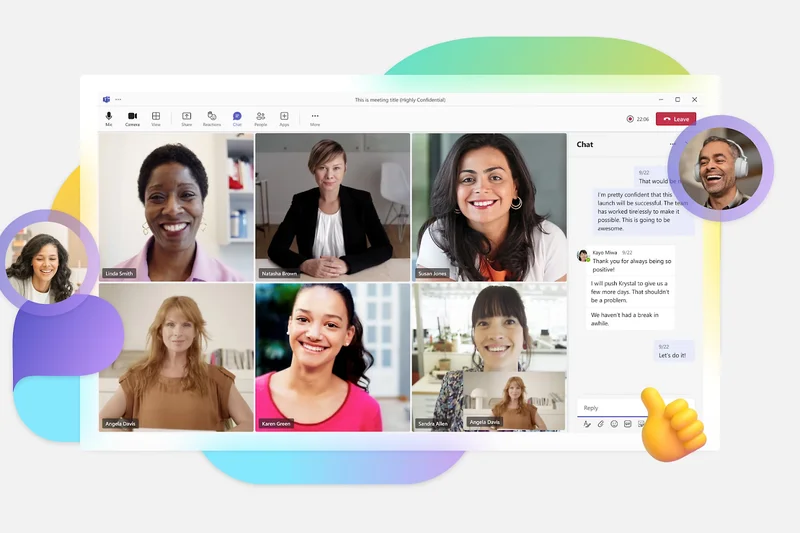
Why we picked it: Microsoft Teams Essentials takes the #1 overall spot as the premier Zoom alternative in 2026. This platform is not merely a video conferencing tool; it functions as a comprehensive team collaboration hub. In our evaluation, Teams Essentials scored an impressive 8.45 overall, bolstered by a perfect 10/10 in Integrations & Ecosystem and exceptional scores in Pricing & Value (9/10) and Security & Privacy (9/10). For a remarkably low starting price of $4.00 per month, users gain access to meetings that can host up to 300 participants and last an astonishing 30 hours. This obliterates the time constraints found on many competing platforms. The inclusion of 10GB of cloud storage per user, alongside unlimited group chat and robust file sharing, makes this an unbeatable budget choice for organizations looking to consolidate their digital workspaces. While its ease of use scored a respectable 7/10 due to the slightly heavier desktop client, the live captions available in over 30 languages and deep hooks into Microsoft 365 offset the initial learning curve. Small businesses and enterprise branches alike will appreciate the sophisticated host controls and seamless calendar syncing that make everyday collaboration virtually effortless.
Key Specs
- Up to 300 participants per meeting
- 30-hour meeting duration
- 10GB cloud storage per user
- Unlimited group chat and file sharing
- Live captions in over 30 languages
What we like
- Unbeatable price-to-feature ratio
- Massive 300-participant capacity
- Deep integration with Microsoft 365
- Generous 30-hour meeting limits
What we don't like
- Desktop app can be resource-heavy
- Interface can feel cluttered to new users
Best for: Businesses looking for a unified communication and collaboration hub on a budget.
Considering Microsoft Teams Essentials vs Zoom Workplace Pro? Teams provides better ongoing collaboration via integrated chat and file sharing, while Zoom remains superior for frictionless external guest access.
An incredibly powerful, cost-effective collaboration suite that completely overshadows basic video conferencing tools.
Buy at Microsoft official site#2 Zoom Workplace Pro
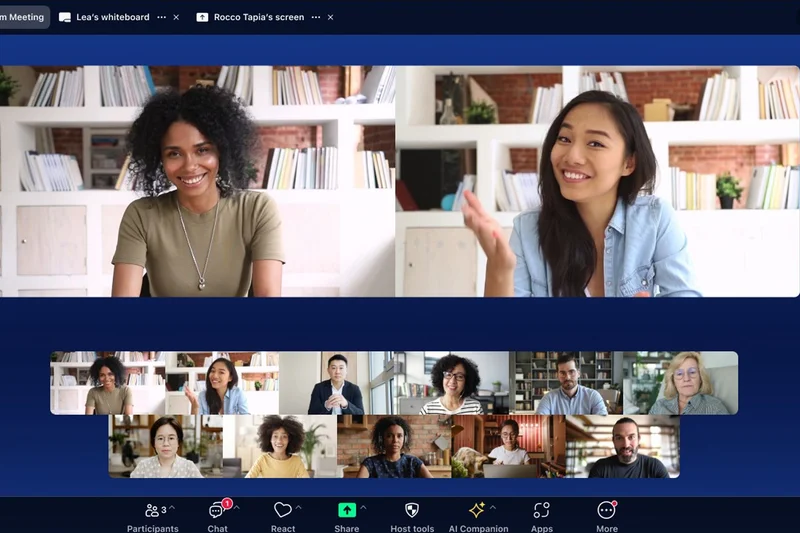
Why we picked it: Securing the #2 overall rank with a score of 8.4, Zoom Workplace Pro continues to set the gold standard for pure A/V fidelity and large-scale webinar management. In our multi-dimensional evaluation, it earned top marks for Video & Audio Quality (9/10) and Collaboration Features (9/10). Zoom has continually refined its core engine, ensuring high-definition video stability and state-of-the-art AI noise cancellation that performs admirably even on fluctuating bandwidths. At $13.33 per month, the Pro tier elevates standard meetings by allowing up to 100 participants for an uninterrupted 30 hours. The introduction of the AI Companion for automated meeting summaries significantly reduces post-meeting administrative work. Furthermore, Zoom's breakout rooms remain the most intuitive in the industry, making it an absolute powerhouse for education, complex corporate workshops, and interactive webinars. It also excels in Host Controls (9/10) and Integrations (9/10), firmly maintaining its position as the premium choice for teams that require rock-solid reliability, advanced interactive polling, and a universally understood interface.
Key Specs
- Up to 100 participants
- 30-hour maximum meeting duration
- 5GB cloud storage per user
- AI Companion for meeting summaries
- Advanced breakout rooms and live polling
What we like
- Industry-leading video and audio stability
- Exceptional breakout room functionality
- Built-in AI Companion for transcripts
- Universally recognized and easy to join
What we don't like
- Higher per-user monthly cost
- Lower cloud storage compared to competitors
Best for: Educators, webinar hosts, and organizations prioritizing flawless A/V quality.
Considering Zoom Workplace Pro vs Webex Meet? Zoom offers a slightly more intuitive user experience for external guests, whereas Webex provides tighter enterprise-grade security controls.
The enduring champion of reliable, high-fidelity video conferencing and advanced virtual event hosting.
Buy at Zoom official site#3 Webex Meet


Why we picked it: Webex Meet by Cisco claims the #3 overall rank, cementing its legacy as the ultimate video conferencing software for enterprise environments and highly regulated industries. Achieving a flawless 10/10 in both Security & Privacy and Host Controls & Management, Webex leaves no stone unturned when it comes to compliance, offering strict GDPR and HIPAA adherence along with true end-to-end encryption. The platform handles up to 200 participants for 24-hour durations, supported by a world-class network backbone that earned a 9/10 in Video & Audio Quality. Webex distinguishes itself further with its integrated Cisco AI Assistant and native Slido integration, which provides incredibly deep and interactive live polling and Q&A capabilities. While its Ease of Use (7/10) reflects a platform built for power users rather than casual hangouts, IT administrators will revel in the granular control dashboards and attendee analytics. For organizations where data sovereignty and meeting security are non-negotiable, Webex Meet at $12.00/mo represents a vital investment in secure corporate communications.
Key Specs
- Up to 200 participants
- 24-hour meeting length
- 10GB cloud storage for recordings
- Cisco AI Assistant included
- Slido integration for live polling and Q&A
What we like
- Unmatched enterprise-grade security
- Granular host controls and analytics
- Excellent Slido polling integration
- Highly stable A/V performance
What we don't like
- Steeper learning curve for new users
- Interface feels less modern than competitors
Best for: Large enterprises, healthcare providers, and government agencies requiring strict compliance.
Considering Webex Meet vs Microsoft Teams? Webex offers superior in-meeting host controls and strict security protocols, while Teams provides a more holistic ecosystem for daily file sharing and chat.
An ironclad video conferencing fortress that delivers unparalleled security and administrative oversight.
Buy at Webex official site#4 BigBlueButton
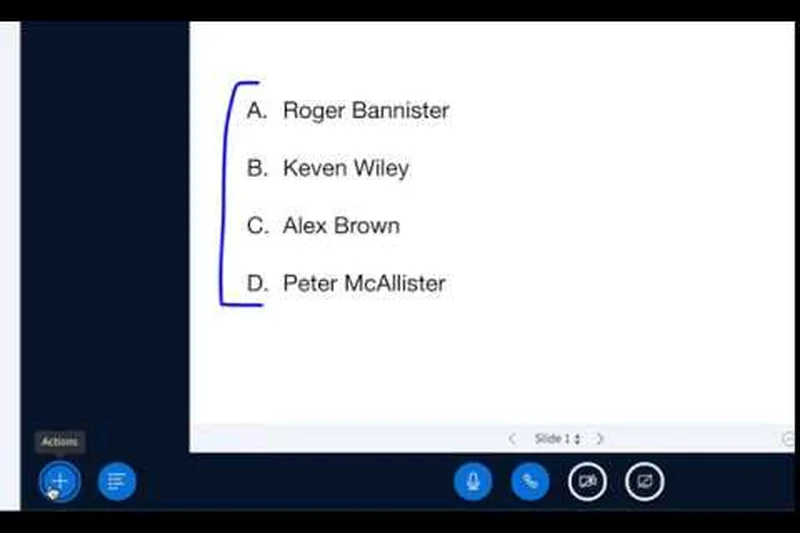
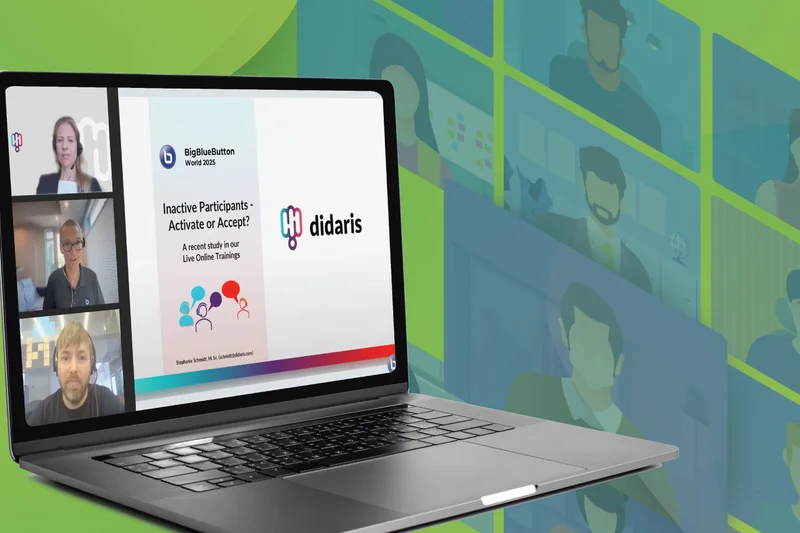
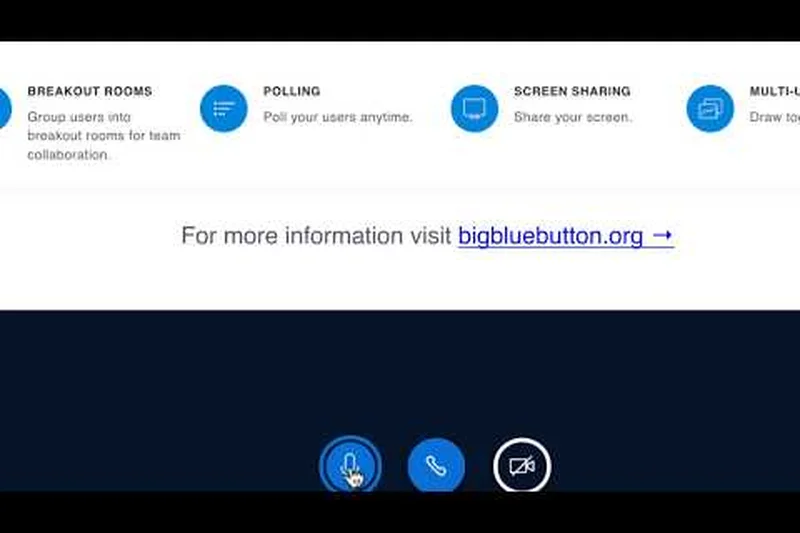
Why we picked it: Coming in at #4 overall, BigBlueButton is an extraordinary open-source solution designed explicitly for virtual classrooms and online learning. It achieved a perfect 10/10 for Collaboration Features and Pricing & Value, making it completely free to deploy and deeply integrated with major Learning Management Systems like Moodle and Canvas. While its core A/V quality (7/10) is sufficient, it truly shines with its multi-user interactive whiteboard, extensive breakout room controls, and shared notes capabilities. For educators seeking to foster engagement without paying premium subscription fees, BigBlueButton’s community-driven platform offers an unparalleled suite of pedagogical tools. The platform ensures students are participants, not just spectators.
Key Specs
- Designed specifically for online learning
- Multi-user interactive whiteboard
- Extensive breakout room controls
- LMS integration (Moodle, Canvas)
- Open source community driven
What we like
- Completely free and open-source
- Best-in-class multi-user whiteboard
- Deep integration with standard LMS platforms
- Robust breakout room features
What we don't like
- Requires technical knowledge to self-host
- A/V quality can fluctuate based on server setup
Best for: Schools, universities, and corporate training departments looking for a dedicated educational tool.
Considering BigBlueButton vs Zoom? BigBlueButton is custom-built for teaching with integrated LMS support, whereas Zoom is a general-purpose tool that is easier to deploy instantly.
The definitive open-source virtual classroom platform, combining supreme collaborative tools with zero licensing costs.
Buy at BigBlueButton official site#5 Slack Huddles (Pro)
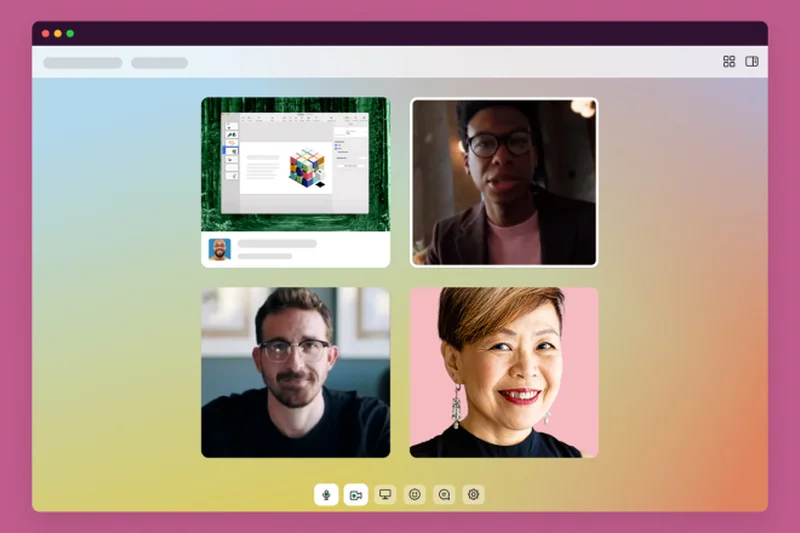
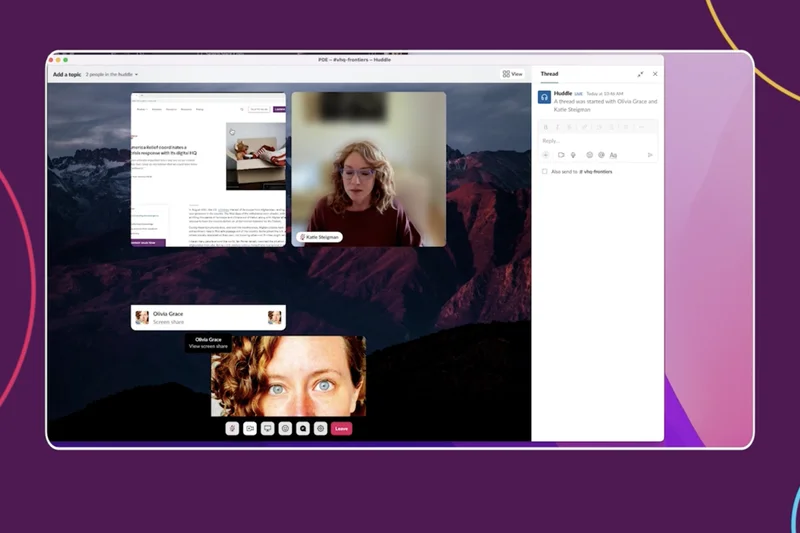
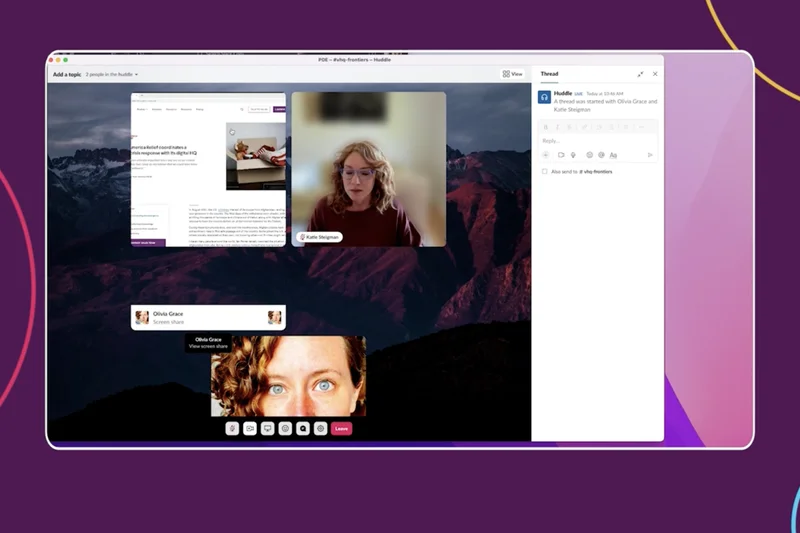
Why we picked it: Ranked #5 overall, Slack Huddles (Pro) redefines spontaneous team communication. With a perfect 10/10 in Ease of Use and Integrations, it integrates video and audio effortlessly into the existing Slack workflow. Instead of scheduling formal meetings, teams can drop into instant audio/video sessions, utilize multi-person screen sharing, and collaborate with shared drawing cursors. While it functions differently than traditional standalone video conferencing platforms, its 9/10 in Collaboration Features proves it is highly effective for rapid problem-solving. Priced within the $7.25/mo Slack Pro tier, it offers background blur, video reactions, and dedicated thread notes, making it the perfect Zoom alternative for agile, remote teams who prefer ad-hoc collaboration over calendar invites.
Key Specs
- Instant drop-in audio/video sessions
- Multi-person screen sharing
- Shared drawing and cursors
- Dedicated thread notes for Huddles
- Background blur and video reactions
What we like
- Instant, frictionless drop-in meetings
- Multi-cursor screen sharing
- Perfectly integrated into Slack channels
- Great for rapid, informal problem solving
What we don't like
- Lacks traditional host control features
- Not suited for large external webinars
Best for: Agile remote teams already utilizing Slack for their daily communication.
Considering Slack Huddles vs Microsoft Teams? Huddles offer a faster, more casual drop-in experience, while Teams is better equipped for scheduled, formal corporate meetings.
The fastest way to jump into a collaborative video or audio chat without leaving your team messaging app.
Buy at Slack official site#6 Google Workspace Business Starter (Meet)
Why we picked it: Securing the #6 spot, Google Meet is synonymous with frictionless access. Earning a perfect 10/10 for Ease of Use, it operates entirely within the browser, requiring no downloads or plugins for external guests. At $7.00/mo (bundled with Google Workspace), it allows up to 100 participants to meet for 24 hours. The platform offers live closed captions and pools 30GB of cloud storage per user. With a 9/10 in Integrations, it ties beautifully into Google Calendar and Drive. While its host controls (8/10) and collaboration features (7/10) are more streamlined than Webex or Zoom, its sheer simplicity and reliability make it a favorite for organizations prioritizing quick, hassle-free communication across devices.
Key Specs
- Up to 100 participants
- 24-hour meeting duration
- 30GB pooled cloud storage per user
- Browser-based (no download required)
- Live closed captions
What we like
- Completely frictionless browser access
- Seamless Google Workspace integration
- Excellent automated live captions
- No application downloads required
What we don't like
- Fewer advanced webinar features
- Collaboration tools are relatively basic
Best for: Organizations already invested in Google Workspace that need simple, instant video meetings.
Considering Google Meet vs Microsoft Teams? Meet provides a far simpler, web-first experience, while Teams offers more robust chat and document collaboration features within its app.
An exceptionally reliable and easy-to-use web conferencing tool that integrates flawlessly into Google’s ecosystem.
Buy at Google official site#7 Butter Starter



Why we picked it: Taking the #7 position, Butter is a specialized platform built for highly engaging workshops and creative sessions. Achieving a rare 10/10 in Collaboration Features, Butter integrates directly with tools like Miro and Google Drive natively within the meeting window. Priced at $15.00/mo, it offers unique elements like pre-loaded workshop agendas, interactive soundboards, and an advanced music player for waiting rooms. With a 9/10 for Ease of Use, facilitators can manage dynamic sessions effortlessly. It may not compete on price with budget platforms, but for creative agencies, design sprints, and remote facilitators, Butter provides an energetic, structured environment that Zoom simply cannot match.
Key Specs
- Built-in Miro and Google Drive integrations
- Pre-loaded workshop agendas
- Advanced music player for waiting rooms
- Interactive soundboards and reactions
- Automated AI summaries
What we like
- Unrivaled built-in workshop agendas
- Native Miro and Google Drive integration
- Highly engaging interface with soundboards
- Automated AI meeting summaries
What we don't like
- Premium pricing for smaller teams
- Not designed for traditional corporate webinars
Best for: Remote facilitators, creative agencies, and teams running highly interactive workshops.
Considering Butter vs Zoom? Butter is tailor-made for structured, interactive workshops with native whiteboarding, whereas Zoom is a better fit for standard corporate presentations.
A brilliantly designed, workshop-focused platform that turns boring meetings into highly interactive collaborative sessions.
Buy at Butter official site#8 Around by Miro
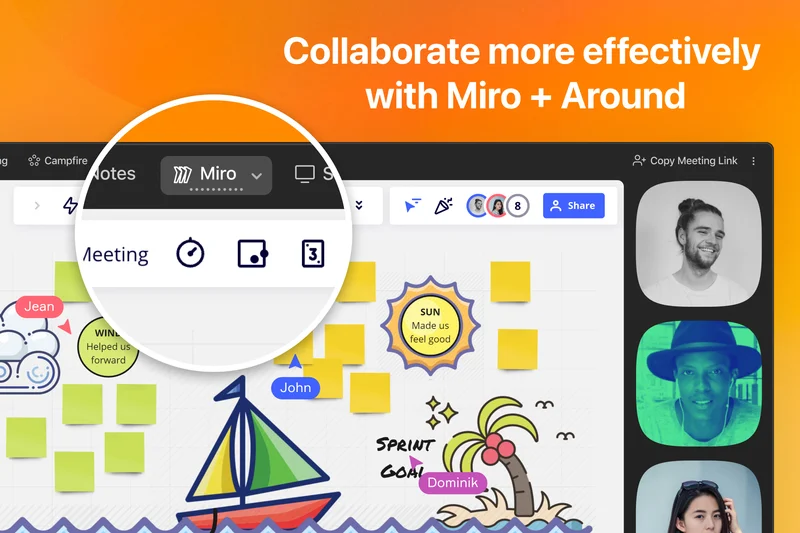
Why we picked it: Ranked #8 overall, Around by Miro is a breath of fresh air for lightweight, hybrid collaboration. It scored a 10/10 for Pricing & Value as a completely free tool, and a 9/10 for Collaboration Features and Ease of Use. Around abandons the traditional grid view in favor of floating circular video bubbles that sit unobtrusively on your desktop, allowing teams to co-create without obscuring their work. It features AI camera framing and excellent background noise suppression. As an extension of Miro, its deep integration with digital whiteboards makes it the ultimate free Zoom alternative for design and product teams who need constant, low-friction visual connectivity.
Key Specs
- Floating circular video bubbles
- AI camera framing
- Background noise suppression
- Deep integration with Miro boards
- Designed for lightweight hybrid collaboration
What we like
- Completely free to use
- Unique floating bubble interface saves screen space
- Excellent AI noise suppression
- Seamless Miro whiteboard integration
What we don't like
- Lacks traditional formal meeting controls
- Not intended for large external webinars
Best for: Product teams and designers needing unintrusive, continuous video connection while working.
Considering Around by Miro vs Google Meet? Around offers a persistent, low-profile overlay ideal for co-working, while Meet is built for standard scheduled video calls.
An innovative, free collaboration tool that uses floating video bubbles to enhance co-creation without taking over your screen.
Buy at Around official site#9 BigMarker Plus
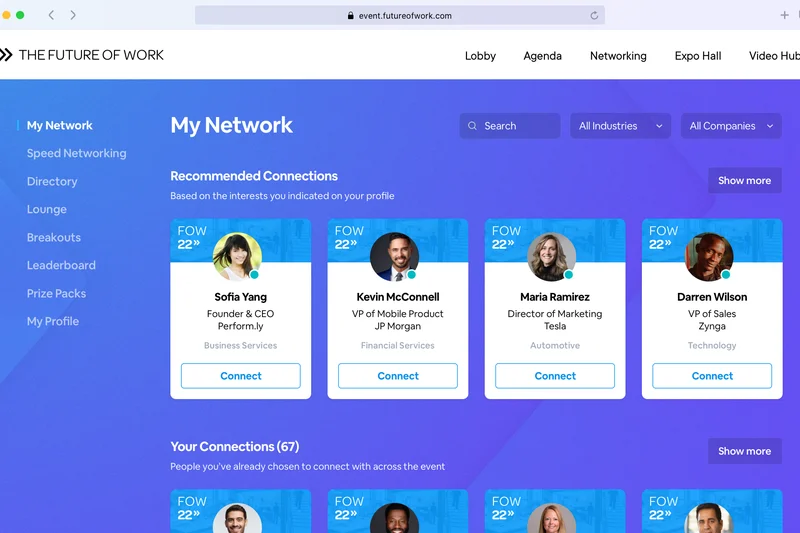
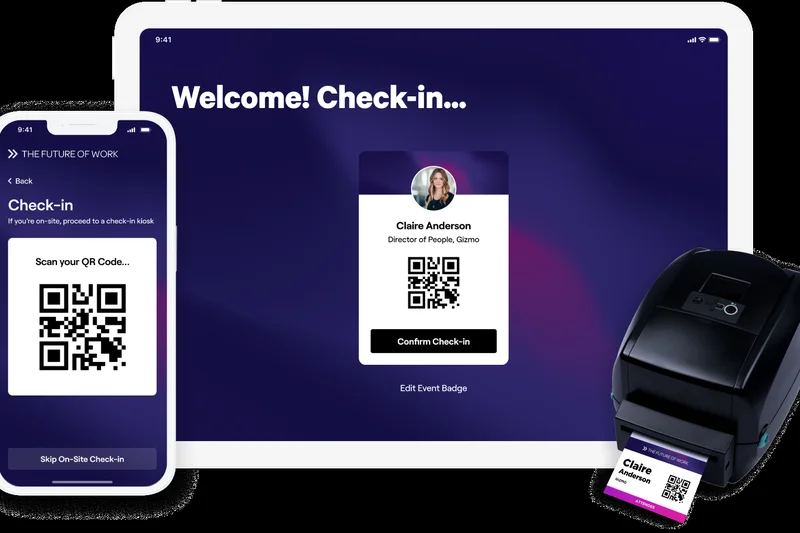
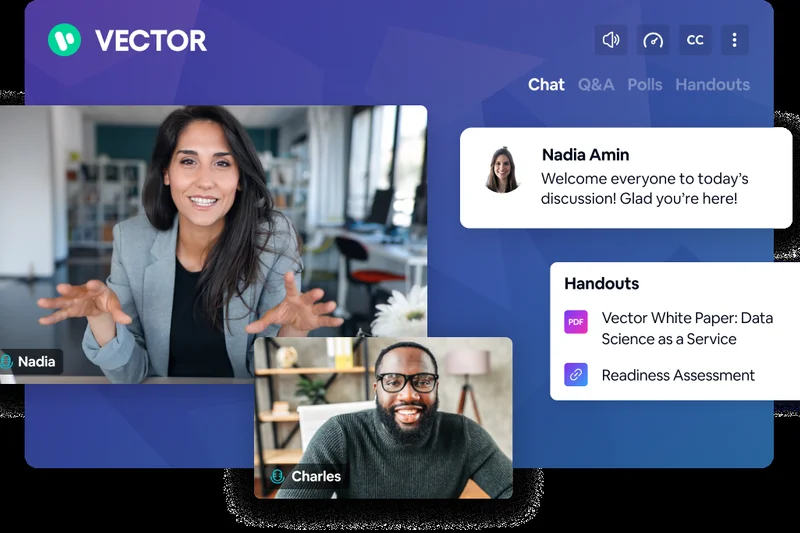
Why we picked it: At #9, BigMarker Plus is a top-tier choice for marketing-driven webinars and virtual events. Although its custom pricing requires a larger investment (yielding a 5/10 in Value), it excels with 9/10 scores across Collaboration Features, Ease of Use, Integrations, and Host Controls. BigMarker operates entirely in the browser while supporting automated and evergreen webinar formats, customizable event landing pages, and native CRM/marketing automation APIs. For businesses focused on lead generation and audience engagement, its interactive Q&A, detailed analytics, and handout distribution features make it a powerful event marketing engine rather than just a meeting tool.
Key Specs
- Browser-based webinar streaming
- Automated and evergreen webinar formats
- Customizable event landing pages
- Interactive Q&A, handouts, and polls
- Native CRM and marketing automation APIs
What we like
- Exceptional marketing and CRM integrations
- Browser-based streaming with no downloads
- Supports automated and evergreen events
- Highly customizable branding
What we don't like
- Custom pricing can be expensive
- Overkill for standard internal team meetings
Best for: Marketing teams and event organizers focused on lead generation and interactive webinars.
Considering BigMarker vs Zoom Webinars? BigMarker offers superior native marketing automation and landing page builders, whereas Zoom relies more on third-party integrations.
A premium, browser-based webinar platform packed with powerful marketing and engagement analytics.
Buy at BigMarker official site#10 TrueConf Server Free

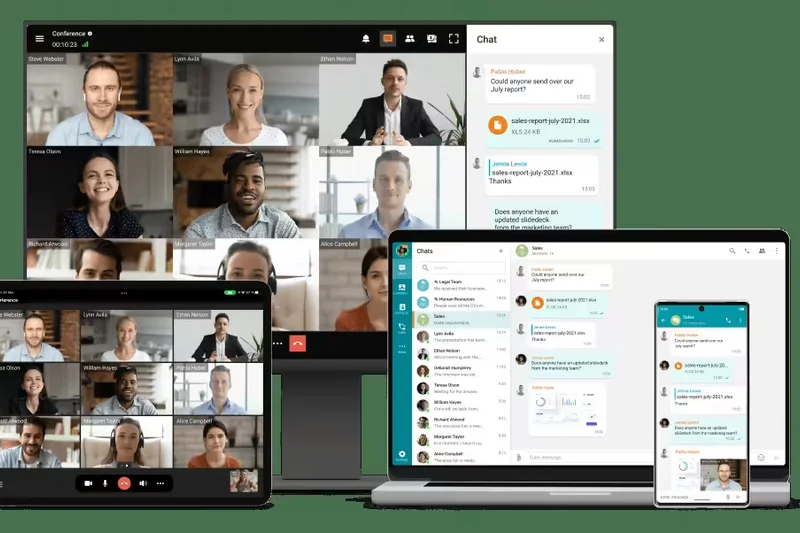
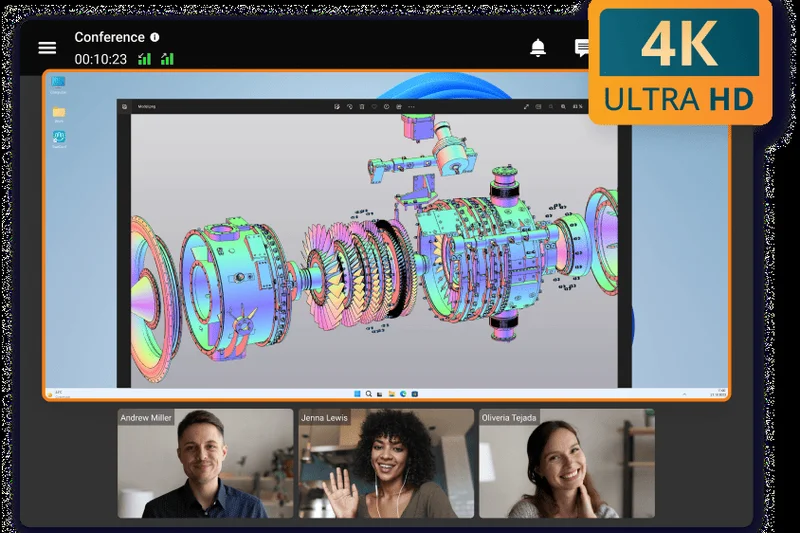
Why we picked it: Rounding out the top 10 is TrueConf Server Free, an exceptional choice for organizations prioritizing absolute data sovereignty. Scoring a perfect 10/10 in Security & Privacy and a 9/10 in Video & Audio Quality, this self-hosted solution offers 100% on-premises deployment. The free version accommodates up to 12 participants and supports stunning 4K point-to-point video calls. Uniquely, it can operate entirely offline without internet access, making it highly suitable for secure government, military, or internal corporate networks. Active Directory integration and robust host controls (8/10) ensure IT administrators retain complete authority over their communications.
Key Specs
- 100% on-premises secure deployment
- Up to 12 participants in free version
- 4K point-to-point video calls
- Works offline without internet
- Active Directory integration
What we like
- Maximum security via on-premises hosting
- Supports ultra-high 4K video resolution
- Can function entirely offline (LAN)
- Generous free tier for small secure teams
What we don't like
- Requires IT expertise to deploy and maintain
- Free tier limited to 12 participants
Best for: Security-conscious organizations requiring self-hosted, offline-capable video communications.
Considering TrueConf Server vs Webex? TrueConf provides total data sovereignty through self-hosting, whereas Webex provides cloud-based enterprise security.
The ultimate secure, self-hosted video collaboration server for teams that cannot rely on cloud infrastructure.
Buy at TrueConf official site#11 Pexip Enterprise Room

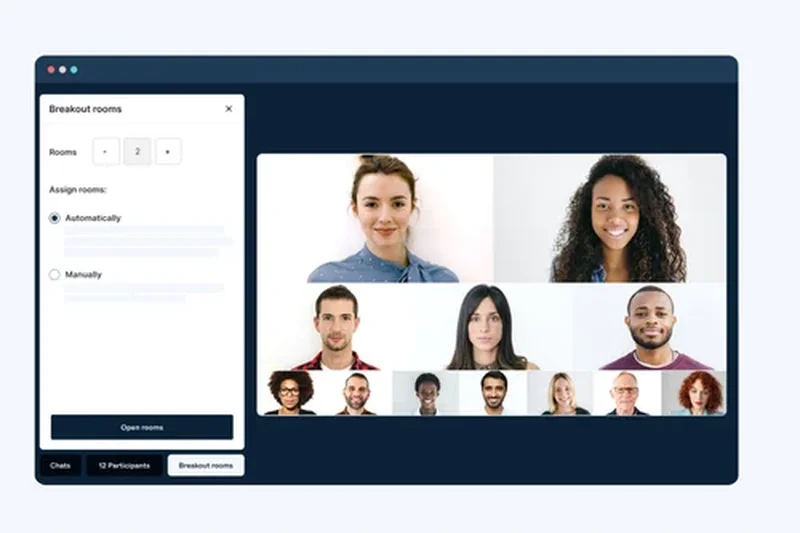
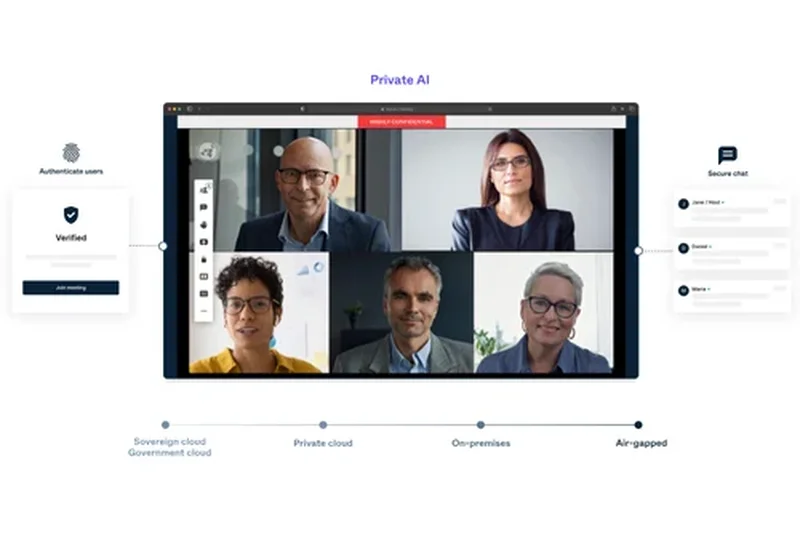
Why we picked it: Pexip offers high-security deployment options (SaaS or Self-hosted) with strict GDPR and HIPAA compliance. Scoring a 10/10 in Security, it provides unparalleled interoperability, acting as a gateway between Microsoft Teams, Google Meet, and legacy standard room systems. Ideal for complex enterprise environments.
Key Specs
- High-security deployment options (SaaS or Self-hosted)
- Interoperability with Microsoft Teams and Google Meet
- AI-enhanced video layouts
- Strict GDPR and HIPAA compliance
- Custom API integration
What we like
- Flawless interoperability across platforms
- Flexible SaaS or self-hosted deployment
- AI-enhanced video layouts
What we don't like
- Custom pricing can be prohibitive
- Complex setup requiring IT management
Best for: Large enterprises needing to bridge different video conferencing ecosystems securely.
Considering Pexip vs Webex? Pexip uniquely bridges disparate systems like Teams and Google Meet, while Webex is a standalone walled garden.
A highly secure, highly interoperable video infrastructure platform for complex corporate networks.
Buy at Pexip official site#12 Dialpad Ai Meetings Pro



Why we picked it: Dialpad stands out with its real-time AI voice transcription and automated post-meeting summaries. For $15.00/mo, it allows browser-first access with no PINs required, achieving a 9/10 in Ease of Use. It’s an excellent choice for sales and support teams wanting intelligent call insights without sacrificing simplicity.
Key Specs
- Up to 100 participants
- 5-hour meeting duration
- Real-time AI voice transcription
- Automated post-meeting summaries
- Browser-first access with no PINs required
What we like
- Outstanding real-time AI transcription
- Browser-first, PIN-free access
- Automated actionable meeting summaries
What we don't like
- 5-hour meeting limit is shorter than rivals
- Fewer native interactive webinar tools
Best for: Sales and customer success teams who rely on accurate transcriptions and post-call analytics.
Considering Dialpad vs Zoom? Dialpad has superior native voice intelligence built-in, while Zoom provides broader general-purpose meeting tools.
An AI-powered communications platform that turns every conversation into searchable, actionable text.
Buy at Dialpad official site#13 Discord Nitro
Why we picked it: Originally for gamers, Discord Nitro ($9.99/mo) offers persistent voice and video channels with up to 4K streaming quality. Scoring a 9/10 for both A/V Quality and Ease of Use, it provides low-latency global servers and robust role-based permissions. It is unmatched for community building and constant, casual connectivity.
Key Specs
- Persistent voice and video channels
- HD video streaming quality (up to 4K)
- Low latency global servers
- Custom server emojis and backgrounds
- Robust roles and permissions system
What we like
- Persistent 'always-on' audio/video rooms
- Up to 4K streaming resolution
- Unbeatable role and permission management
What we don't like
- Not seen as a 'professional' corporate tool
- Lacks traditional meeting scheduling
Best for: Web3 communities, developer teams, and online groups needing persistent collaboration spaces.
Considering Discord vs Slack Huddles? Discord offers better persistent voice channels and high-res streaming, while Slack integrates better with corporate workflows.
The premier community-focused communication platform with ultra-low latency streaming.
Buy at Discord official site#14 Demio Growth
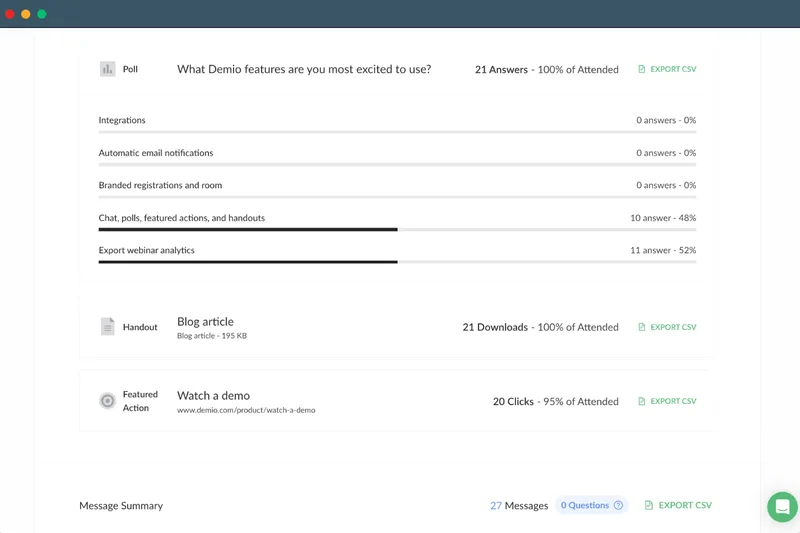
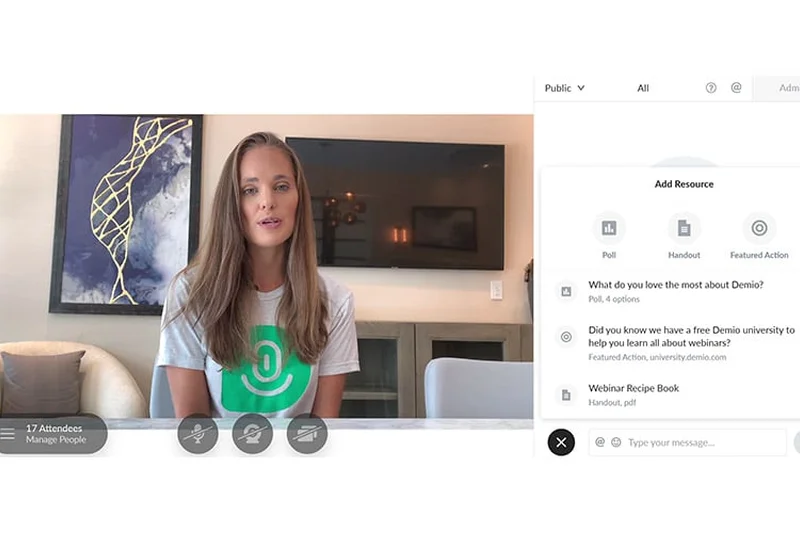
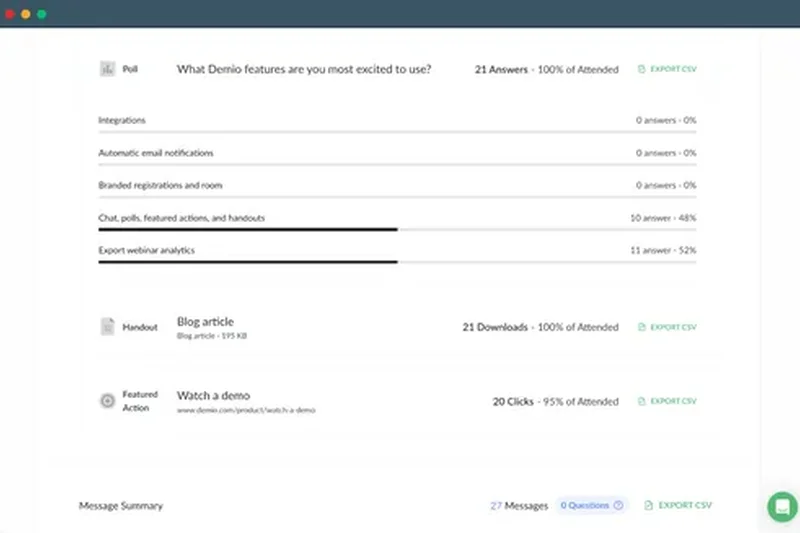
Why we picked it: Demio Growth ($59.00/mo) is a sleek, marketing-focused webinar platform. With a 9/10 in Ease of Use, it provides frictionless browser-based joining, built-in marketing funnels, and automated event capabilities. It seamlessly combines HD streaming with detailed audience engagement analytics to drive conversions.
Key Specs
- No-download frictionless attendee joining
- Built-in marketing funnels
- Automated events with live chat capabilities
- Detailed engagement analytics
- HD streaming with up to 150 attendees
What we like
- Beautiful, frictionless browser experience
- Powerful built-in marketing funnels
- Excellent automated 'evergreen' webinars
What we don't like
- Higher starting price
- Participant limits can scale costs quickly
Best for: Marketers and creators looking to build automated, high-converting webinar funnels.
Considering Demio vs BigMarker? Demio is slightly easier for beginners to set up funnels, while BigMarker offers deeper CRM integrations.
A beautifully designed webinar platform optimized for audience engagement and marketing ROI.
Buy at Demio official site#15 Nextcloud Talk
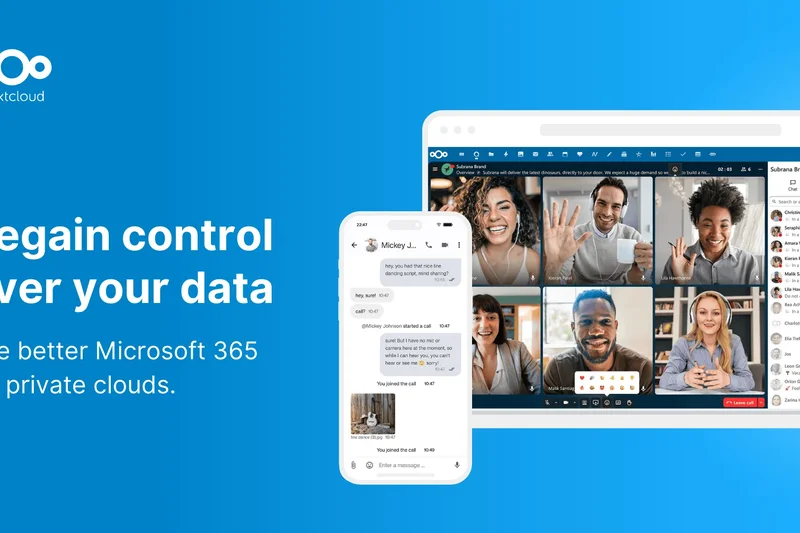
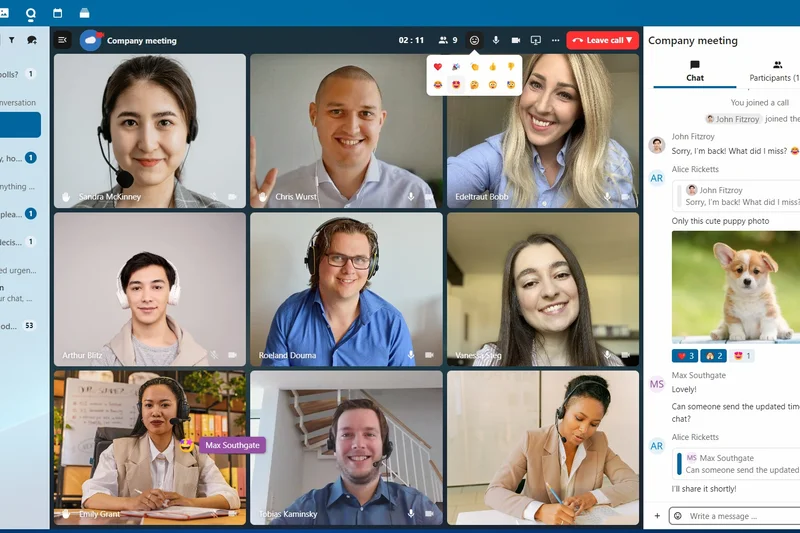
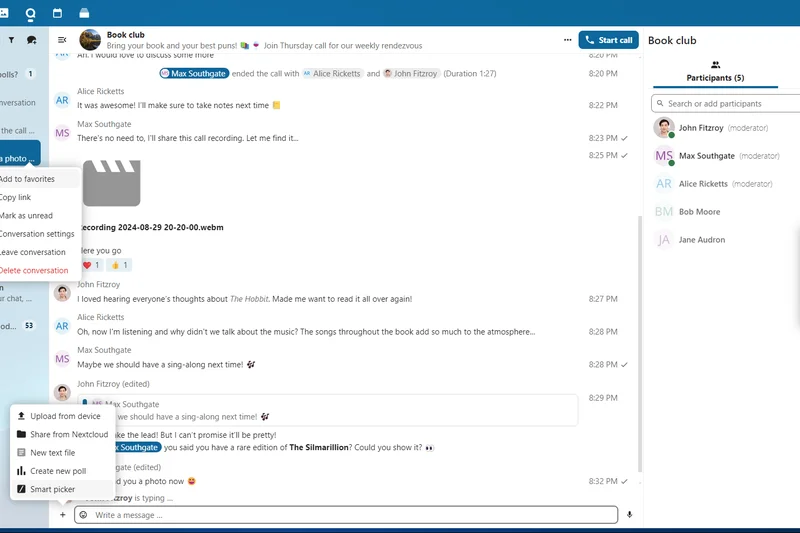
Why we picked it: As a 100% open-source and self-hosted tool, Nextcloud Talk guarantees no metadata leaks and provides end-to-end encrypted calls. Scoring 10/10 in Security and 9/10 in Value, this free platform integrates tightly with Nextcloud Files, making it a stellar option for privacy-centric organizations wanting complete control over their data.
Key Specs
- 100% open source and self-hosted
- No metadata leaks
- End-to-end encrypted calls
- Integrated with Nextcloud Files
- Whiteboard and SIP integrations
What we like
- Absolute data privacy and no metadata leaks
- Free and open-source
- Seamless integration with Nextcloud storage
What we don't like
- Requires self-hosting infrastructure
- Interface is less polished than commercial SaaS
Best for: Privacy advocates and enterprises already utilizing the Nextcloud self-hosted ecosystem.
Considering Nextcloud Talk vs Google Meet? Nextcloud guarantees data privacy via self-hosting, whereas Google Meet relies on third-party cloud trust.
A highly secure, open-source communication hub that keeps your data strictly within your own servers.
Buy at Nextcloud official site#16 Airmeet Premium
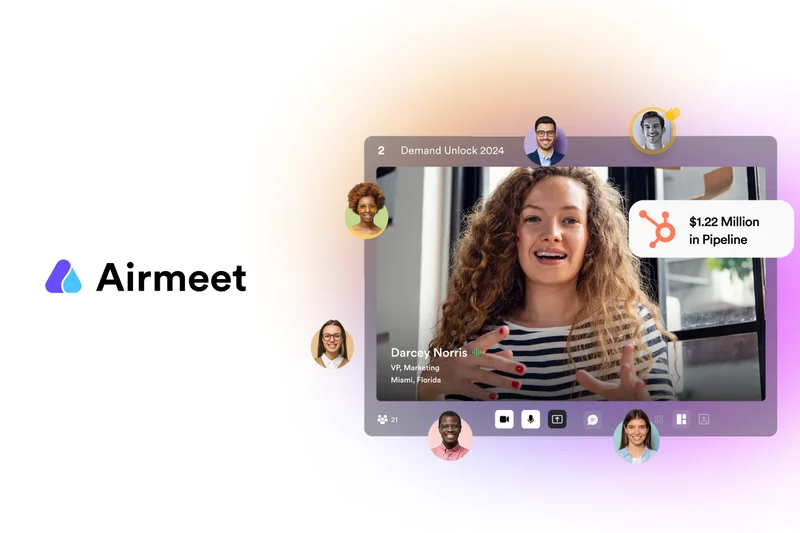
Why we picked it: Airmeet Premium is an immersive virtual event platform scoring 9/10 in Collaboration and Host Controls. It features virtual social lounges, sponsor booths, and speed networking functionality. While custom pricing applies, it is a formidable tool for hosting multi-track conferences and keeping large audiences actively engaged.
Key Specs
- Immersive virtual social lounges
- Sponsor booths and exhibit halls
- Multi-track conference management
- Speed networking functionality
- Rich audience engagement metrics
What we like
- Fantastic virtual networking lounges
- Great tools for event sponsors
- Handles multi-track conferences easily
What we don't like
- Custom pricing can be steep
- Too complex for everyday team syncs
Best for: Event organizers hosting large-scale virtual conferences, trade shows, and networking events.
Considering Airmeet vs Zoom Events? Airmeet provides a more interactive 'virtual venue' feel with social lounges, whereas Zoom is more traditional.
A comprehensive virtual event platform that replicates the networking dynamics of an in-person conference.
Buy at Airmeet official site#17 Livestorm Pro
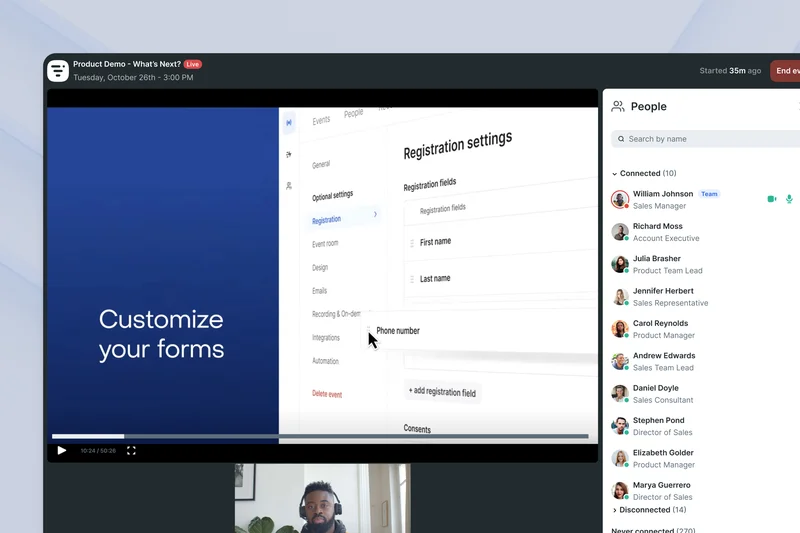
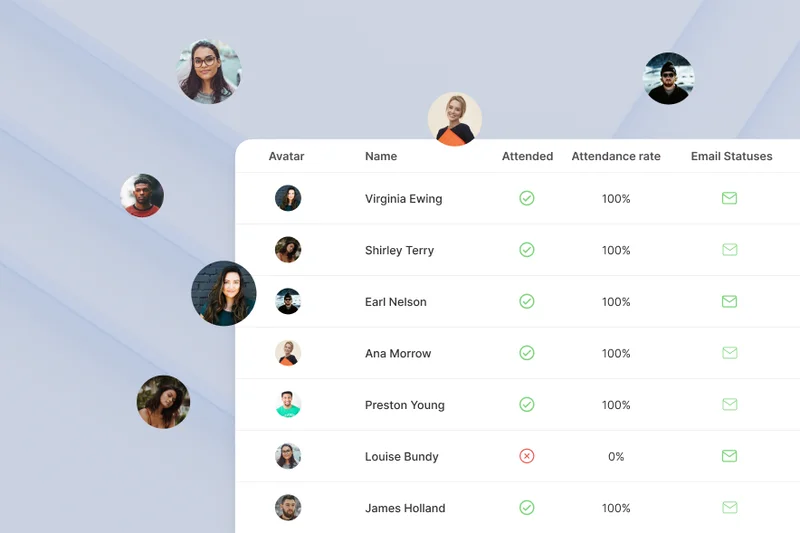
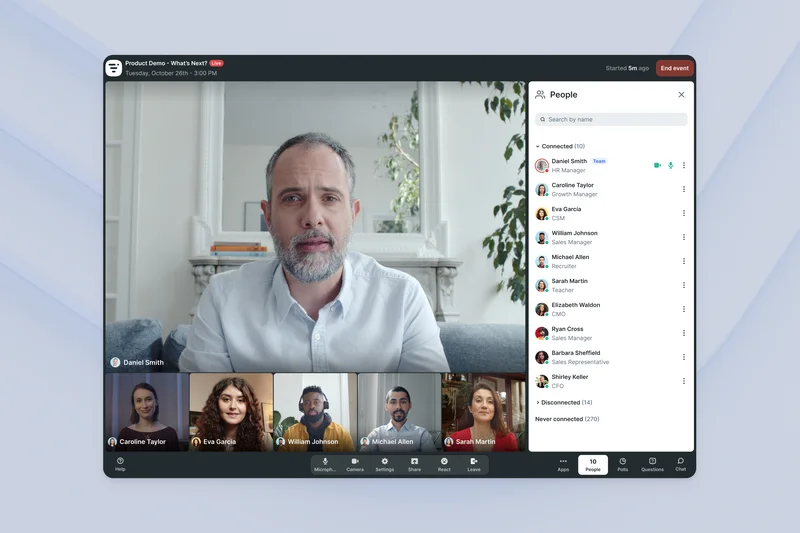
Why we picked it: For $88.00/mo, Livestorm Pro offers browser-based video engagement supporting up to 500 attendees per event. With 9/10 in Ease of Use and Integrations, it connects effortlessly to HubSpot and Salesforce. It is ideal for customer training, product demos, and webinars where robust CRM tracking is essential.
Key Specs
- Up to 100 active participants
- Up to 500 attendees per event
- Browser-based streaming
- Advanced webinar analytics
- CRM integrations (HubSpot, Salesforce)
What we like
- Flawless browser-based streaming
- Deep integrations with major CRMs
- Great for product demos and customer success
What we don't like
- Expensive monthly subscription
- Active participant limits can be restrictive
Best for: Customer success and sales teams running structured demos and training sessions.
Considering Livestorm vs Demio? Livestorm leans heavier into B2B CRM integrations, while Demio focuses on marketing automation funnels.
A powerful, browser-based engagement platform that syncs webinar data seamlessly with your CRM.
Buy at Livestorm official site#18 Doxy.me Professional
Why we picked it: A dedicated telemedicine solution, Doxy.me Professional ($35.00/mo) scores a 10/10 in Security & Privacy. It is fully HIPAA, GDPR, and PHIPA compliant, requiring no patient downloads. Custom branded waiting rooms and text/email reminders make it the undisputed leader for remote healthcare consultations.
Key Specs
- HIPAA, GDPR, PHIPA compliant
- No patient downloads required
- Custom branded clinic waiting rooms
- Text and email patient reminders
- HD video and audio transmission
What we like
- Strict global medical compliance standards
- Zero-download experience for patients
- Automated SMS/Email appointment reminders
What we don't like
- Lacks advanced team collaboration tools
- Video quality highly dependent on patient's device
Best for: Healthcare providers and private practices offering secure telehealth consultations.
Considering Doxy.me vs Zoom for Healthcare? Doxy.me is purpose-built for patient workflows with zero downloads, making it vastly simpler for clinical use.
The simplest, most compliant video consultation platform designed specifically for healthcare professionals.
Buy at Doxy.me official site#19 VSee Clinic
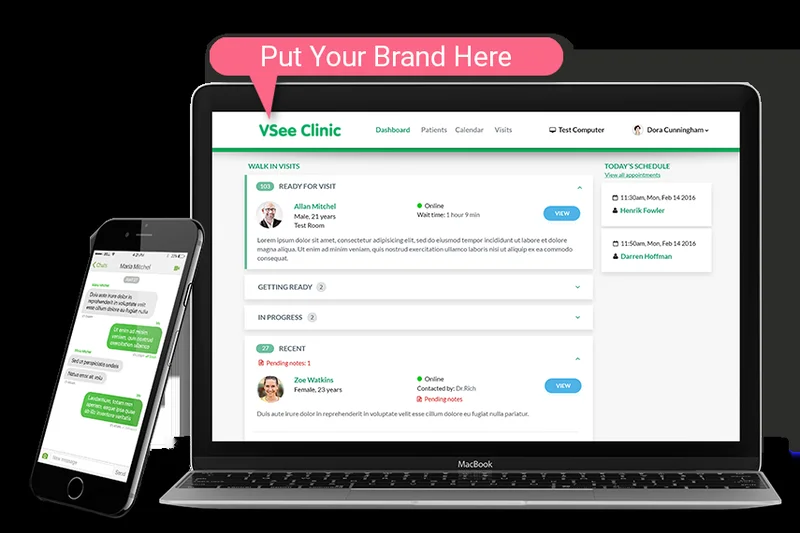

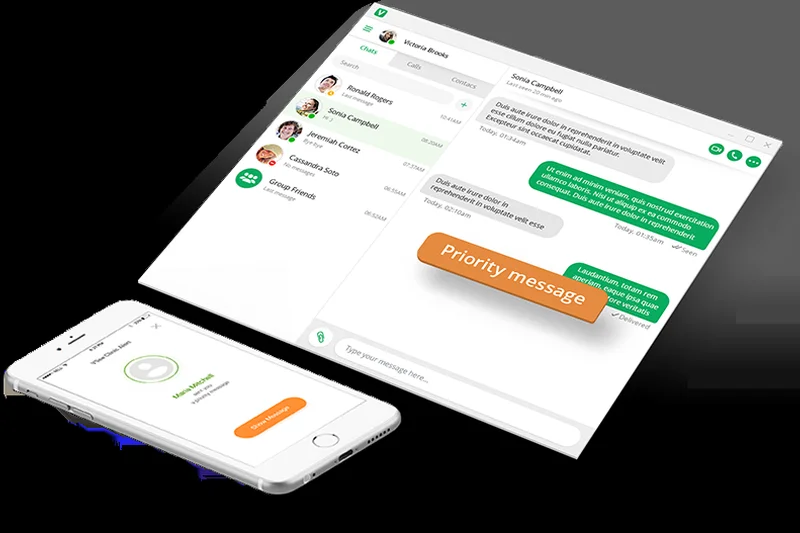
Why we picked it: Another telehealth titan, VSee Clinic ($49.00/mo) focuses on deep medical workflow integration. Scoring 10/10 in Security, it supports peripheral device streaming (like ultrasounds) and low bandwidth optimization. It is an excellent choice for specialized medical practitioners needing reliable remote diagnostics.
Key Specs
- Strict HIPAA compliance
- Integrated virtual waiting room
- Peripheral device streaming (ultrasounds, otoscopes)
- Low bandwidth optimization
- Medical workflow integration
What we like
- Supports medical peripheral streaming
- Optimized for extremely low bandwidth
- Deep clinical workflow integrations
What we don't like
- Higher cost for individual practitioners
- Interface is highly clinical and clinical-specific
Best for: Specialized remote clinics and hospitals needing to stream medical devices during calls.
Considering VSee Clinic vs Doxy.me? VSee offers advanced medical peripheral streaming, while Doxy.me focuses on simplicity and ease of access.
A high-end telehealth platform capable of handling complex remote diagnostics and low-bandwidth environments.
Buy at VSee official site#20 Kudo Multilingual

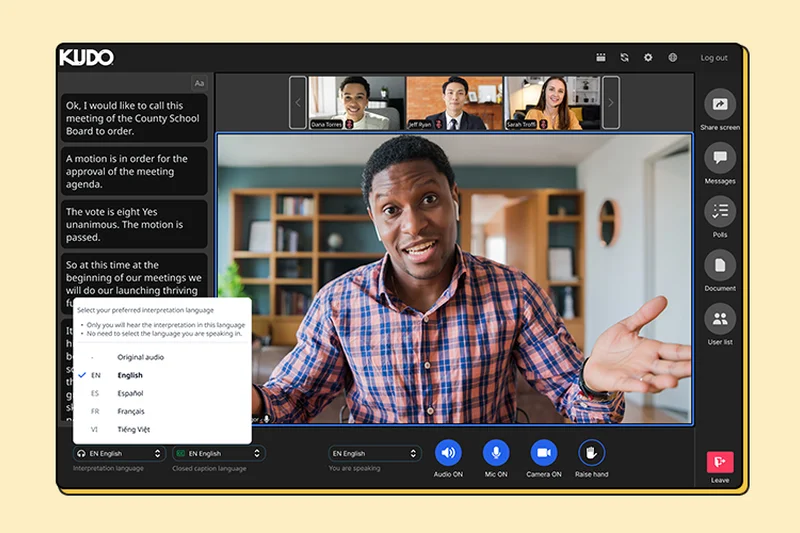
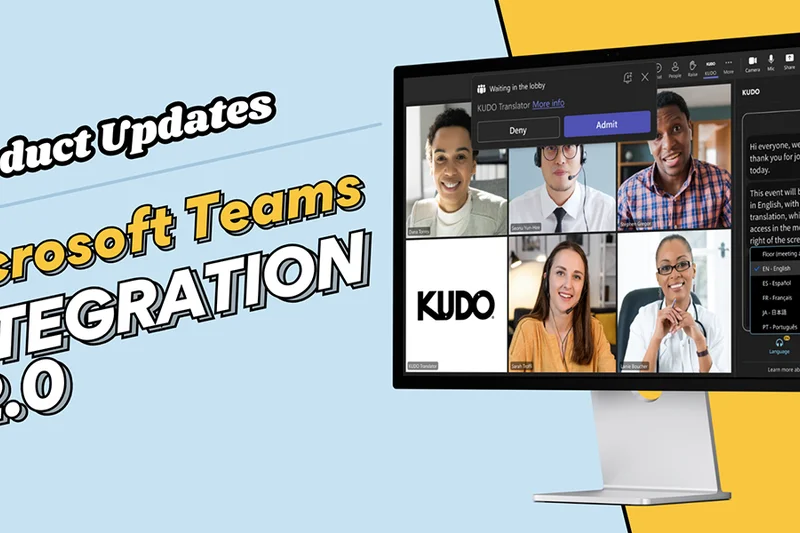
Why we picked it: Kudo addresses global communication barriers with live human interpretation and AI-powered real-time translation for over 200 languages. Scoring a 9/10 in Collaboration and Host Controls, this custom-priced platform features parliamentary-grade voting, making it essential for international NGOs and multinational corporations.
Key Specs
- Live human interpretation integration
- AI-powered real-time translation
- Over 200+ spoken and sign languages
- Language drop-down channel selection
- Parliamentary-grade voting features
What we like
- Supports live human interpreters seamlessly
- Real-time AI translation for 200+ languages
- Advanced parliamentary voting tools
What we don't like
- Custom pricing can be very high
- Overkill for standard monolingual meetings
Best for: Multinational corporations, NGOs, and global summits requiring live multilingual interpretation.
Considering Kudo vs Zoom? Kudo is built from the ground up for professional simultaneous interpretation, whereas Zoom's language features are an add-on.
The ultimate video platform for overcoming language barriers in large, formal international meetings.
Buy at Kudo official site#21 Zoho Meeting Standard
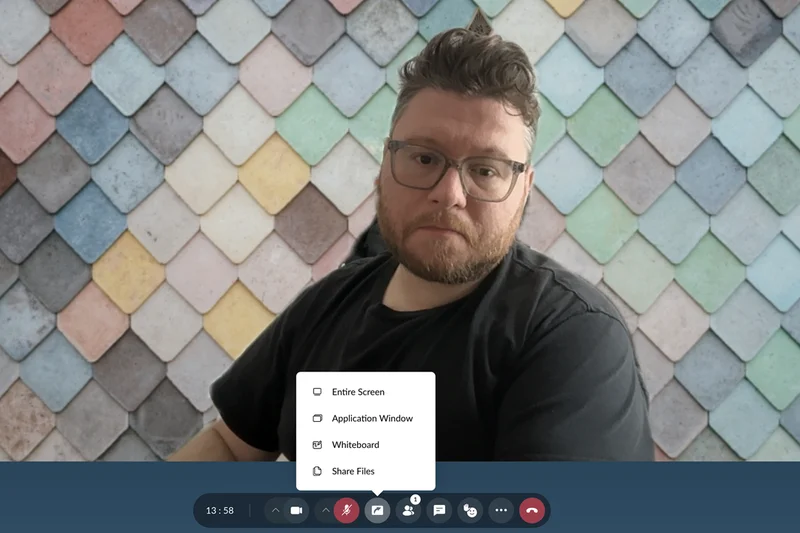

Why we picked it: At just $1.00/mo, Zoho Meeting Standard is a budget champion, earning a perfect 10/10 for Pricing & Value. It handles 24-hour durations and offers basic polling and custom backgrounds. For ultra-small teams or solo freelancers deeply embedded in the Zoho ecosystem, it is an unbeatable bargain.
Key Specs
- Up to 10 participants (tier scalable)
- 24-hour meeting duration
- Cloud recording storage for 10 meetings
- In-meeting polling and Q&A
- Custom virtual backgrounds
What we like
- Incredibly low starting price
- Generous 24-hour meeting limits
- Integrates flawlessly with Zoho CRM
What we don't like
- Base tier limited to 10 participants
- Lacks advanced A/V noise cancellation
Best for: Solo entrepreneurs and small businesses looking for the absolute lowest cost solution.
Considering Zoho Meeting vs Google Meet? Zoho offers extreme cost savings and CRM ties, while Google Meet is more versatile for external clients.
A highly affordable, no-nonsense meeting platform that provides great value for small teams.
Buy at Zoho official site#22 RingCentral Video Core
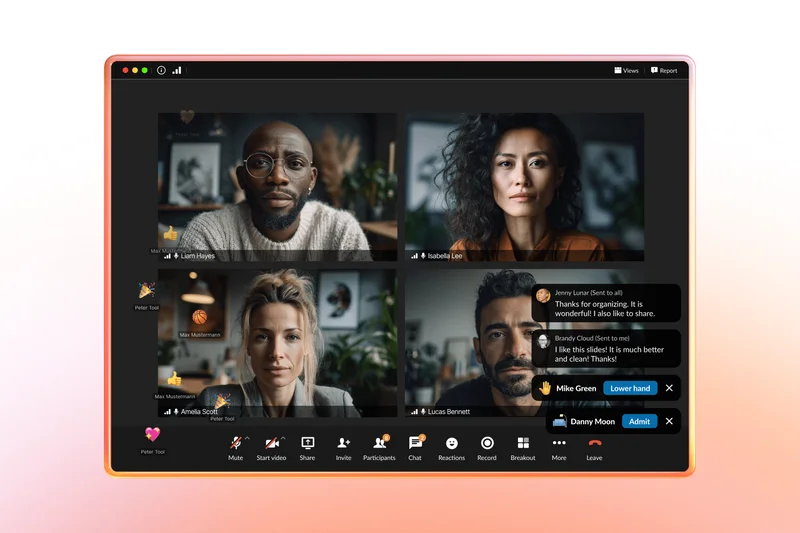
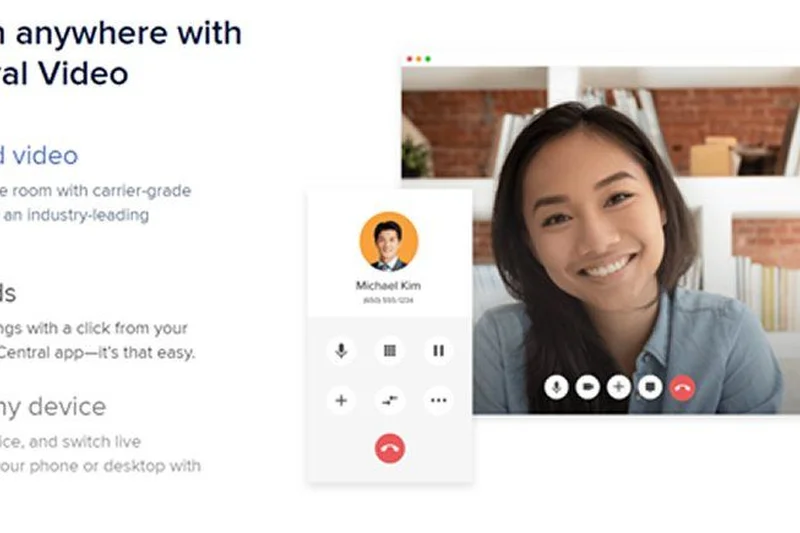
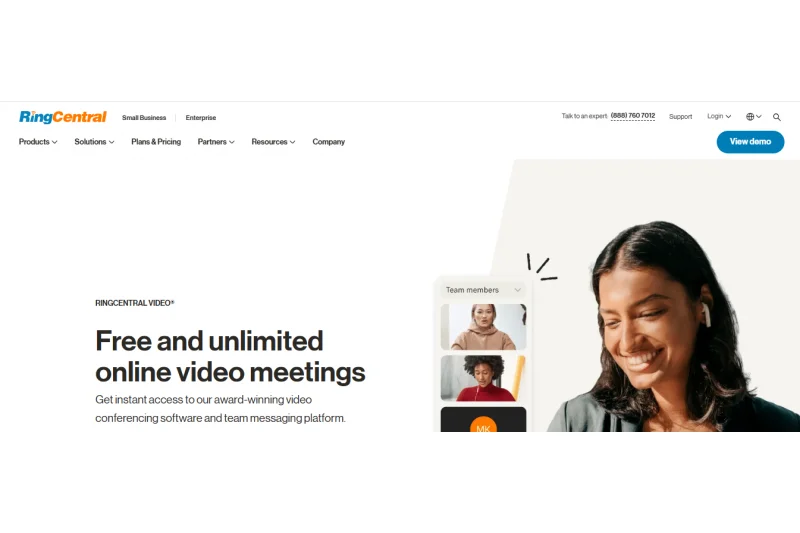
Why we picked it: For $20.00/mo, RingCentral Video Core combines up to 100 video participants with unlimited domestic VoIP calling. It serves as a unified communications hub, offering on-demand recording and AI-powered transcription. Ideal for businesses looking to replace traditional phone systems alongside adding video capabilities.
Key Specs
- Up to 100 participants per video meeting
- Unlimited domestic VoIP calling
- On-demand call and meeting recording
- AI-powered transcription and summaries
- 100 toll-free minutes included
What we like
- Includes unlimited domestic VoIP calling
- Strong unified communications features
- AI transcription and actionable summaries
What we don't like
- More expensive than standalone video tools
- Interface can be overwhelming
Best for: Companies seeking to consolidate their traditional phone lines and video software into one platform.
Considering RingCentral vs Zoom? RingCentral is superior if you need heavy VoIP phone routing alongside video, while Zoom excels at pure video conferencing.
A robust unified communications platform that perfectly blends traditional VoIP calling with modern video meetings.
Buy at RingCentral official site#23 Whereby Pro


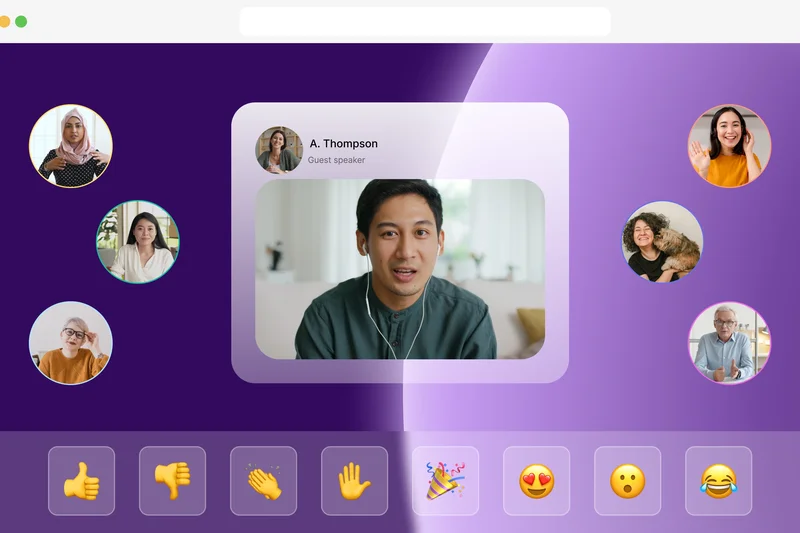
Why we picked it: Whereby Pro ($6.99/mo) boasts a 10/10 in Ease of Use. It operates entirely in the browser and offers custom room URLs, allowing guests to join instantly without downloads. With unlimited meeting durations and cloud recording, it is a favorite for creative freelancers and consultants.
Key Specs
- Up to 100 participants
- Unlimited group meeting duration
- 3 custom room URLs
- Unlimited cloud recording
- No app download required for guests
What we like
- Beautiful, intuitive browser interface
- Custom, permanent room URLs
- Zero downloads required for guests
What we don't like
- Fewer enterprise integration options
- Host controls are relatively basic
Best for: Freelancers, consultants, and small agencies wanting a beautifully designed, frictionless client experience.
Considering Whereby vs Zoom? Whereby wins on design and zero-friction browser access, while Zoom wins on massive scale and stability.
An aesthetically pleasing, ultra-simple video tool that makes meeting with external clients a breeze.
Buy at Whereby official site#24 Kumospace Pro
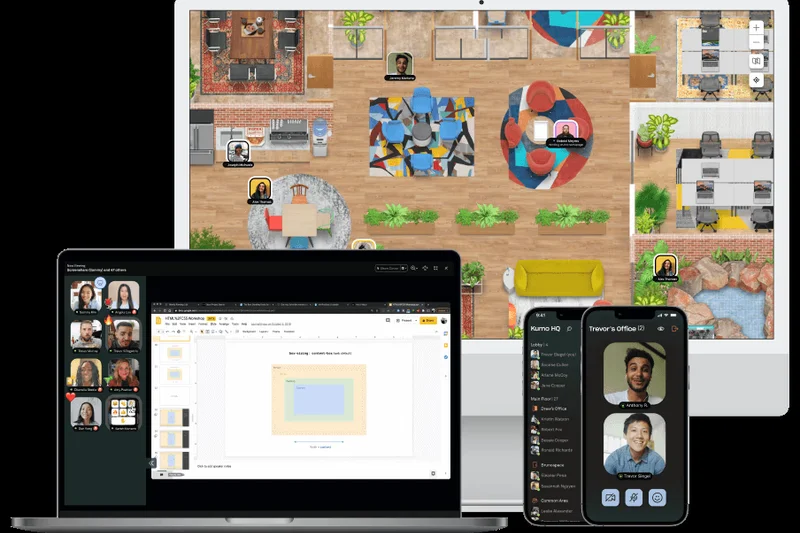
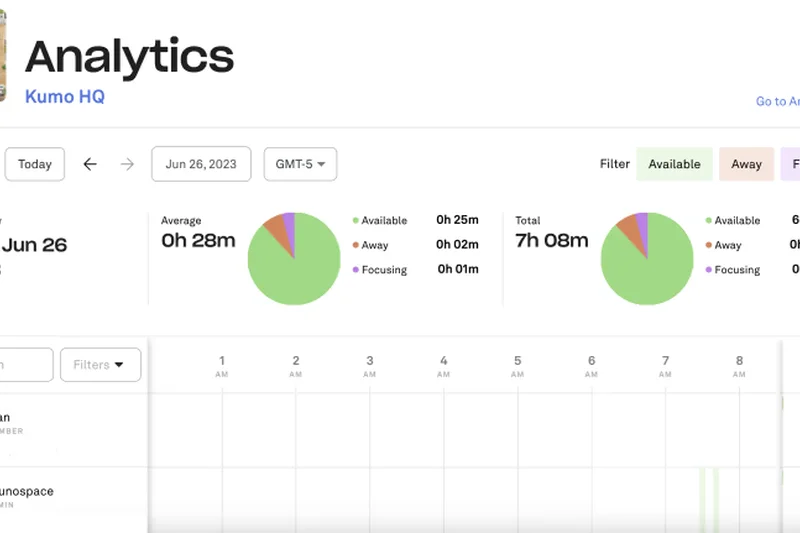

Why we picked it: Kumospace Pro ($8.00/mo) gamifies remote work by providing customizable 2D virtual offices with spatial audio and video. It scores solid 8s in Collaboration and Integrations. It is an excellent tool for remote teams trying to replicate the serendipity and casual water-cooler conversations of physical offices.
Key Specs
- Spatial audio and video
- Custom floor plans for virtual offices
- Multiple screen sharing
- Integrated apps (Google Calendar, Slack)
- SSO and advanced admin roles
What we like
- Immersive spatial audio mechanics
- Highly customizable virtual office floors
- Encourages spontaneous collaboration
What we don't like
- Can be distracting for highly focused tasks
- Not suitable for formal client pitches
Best for: Fully remote startups and digital agencies looking to build team culture and spontaneous interactions.
Considering Kumospace vs Gather? Both offer virtual 2D offices, but Kumospace feels slightly more tailored to professional corporate settings.
A fun, spatial-audio virtual office that cures remote-work loneliness and fatigue.
Buy at Kumospace official site#25 Brave Talk Premium
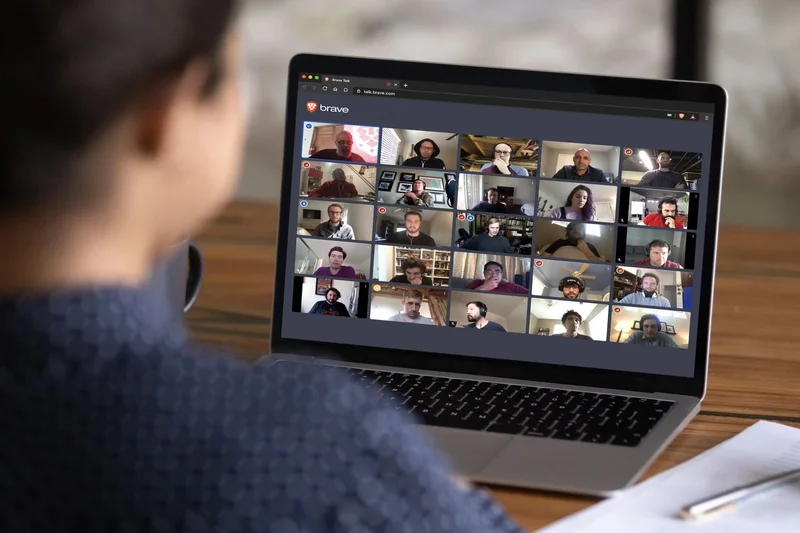
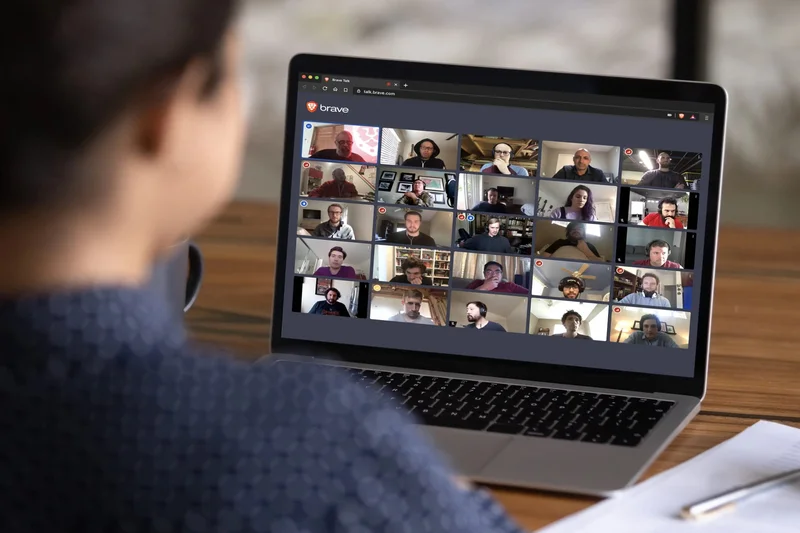

Why we picked it: Brave Talk Premium ($7.00/mo) focuses on privacy. Scoring 10/10 in Security and 9/10 in Ease of Use, it operates entirely within the browser with no user tracking or data collection. With meeting recording and waiting rooms, it is perfect for privacy advocates conducting confidential discussions.
Key Specs
- Fully browser-based inside Brave
- No user tracking or data collection
- Up to hundreds of participants
- Meeting recording capability
- Built-in host controls and waiting rooms
What we like
- Strict anti-tracking and privacy policies
- Frictionless browser-based interface
- Affordable premium tier
What we don't like
- Requires host to use the Brave browser
- Lacks deep enterprise ecosystem integrations
Best for: Journalists, privacy advocates, and professionals discussing highly sensitive topics.
Considering Brave Talk vs Google Meet? Brave Talk ensures your meeting metadata isn't harvested for advertising, unlike Google's ecosystem.
A highly secure, zero-tracking video platform for those who value absolute digital privacy.
Buy at Brave official site#26 Eyeson Standard
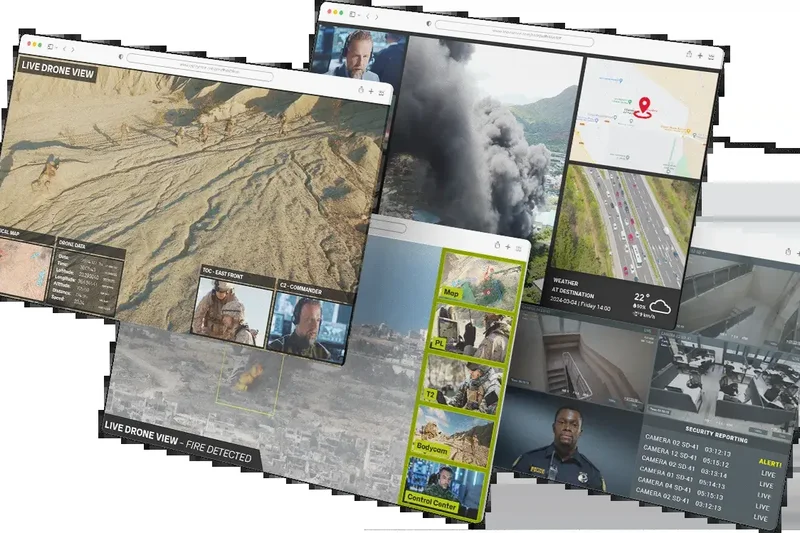

Why we picked it: Eyeson Standard ($9.00/mo) utilizes Single Stream Technology to drastically reduce bandwidth usage, earning an 8/10 in A/V Quality and 9/10 in Ease of Use. It allows up to 100 participants with dynamic layouts and live streaming options. It is highly effective for teams operating in areas with poor internet connectivity.
Key Specs
- Single Stream Technology (low bandwidth usage)
- Up to 100 participants
- No installation required
- Live streaming to YouTube/Facebook
- Dynamic video layouts
What we like
- Patented tech ensures ultra-low bandwidth usage
- No installation required
- Easy direct streaming to social media
What we don't like
- Host controls are somewhat limited
- Smaller brand presence and ecosystem
Best for: Teams with remote workers operating in regions with unstable or low-bandwidth internet.
Considering Eyeson vs Zoom? Eyeson handles poor internet connections far better due to its Single Stream cloud processing.
An innovative platform that maintains smooth video performance even on the weakest internet connections.
Buy at Eyeson official site#27 Jitsi Meet
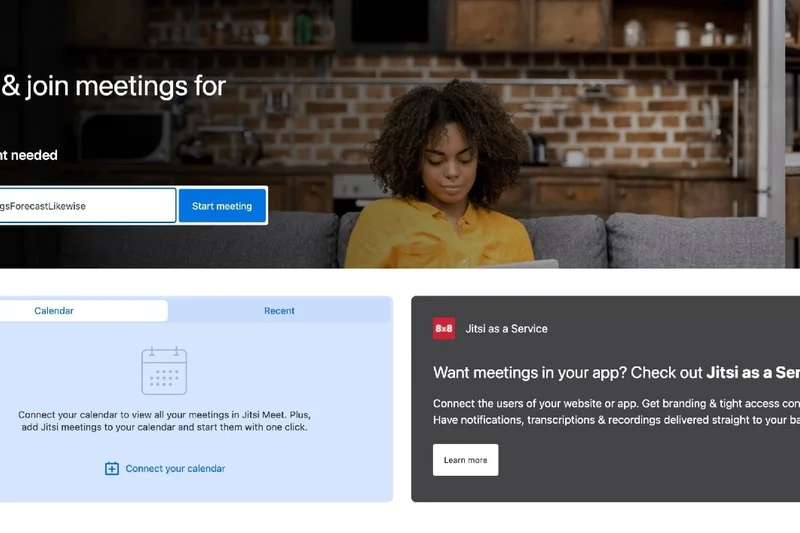
Why we picked it: Jitsi Meet is a 100% free and open-source platform, scoring a 10/10 in Value and 9/10 in Ease of Use. It requires no account creation and offers end-to-end encryption. While integrations are limited, its self-hosting options and immediate browser access make it a superb ad-hoc meeting tool.
Key Specs
- 100% Free and open source
- No account creation required
- End-to-end encryption capable
- Self-hosting available
- Integrated chat and screen sharing
What we like
- Completely free and open-source
- Zero account creation required to host or join
- End-to-end encryption support
What we don't like
- Performance can degrade with large groups
- Very basic host management tools
Best for: Tech-savvy users and privacy advocates who want a quick, secure, and free communication tool.
Considering Jitsi vs Google Meet? Jitsi requires no data-harvesting account creation and is fully open-source.
The fastest, most secure way to jump into a free video call without surrendering your personal data.
Buy at Jitsi official site#28 TeamViewer Meeting
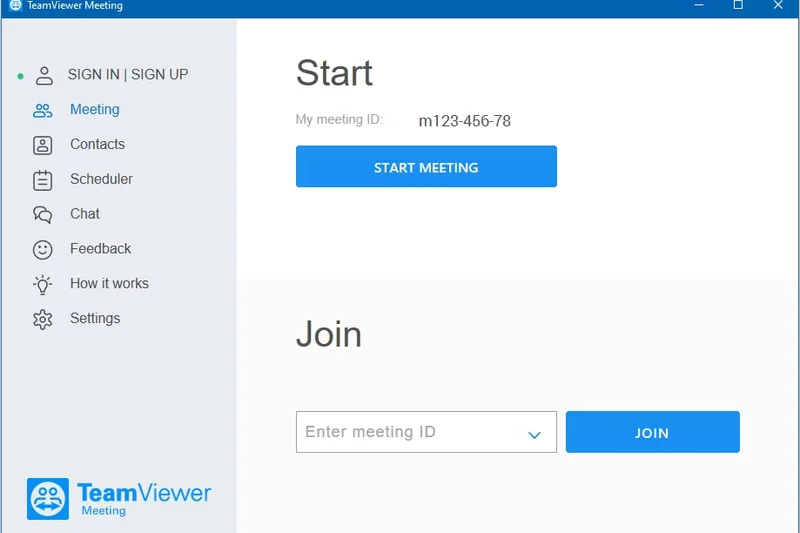
Why we picked it: Priced at $5.00/mo, TeamViewer Meeting provides secure RSA 2048 encryption (9/10 Security) and supports up to 50 participants. Its standout feature is its seamless compatibility with TeamViewer's remote desktop access, making it the perfect conferencing tool for IT support desks and technical troubleshooting teams.
Key Specs
- Up to 50 participants
- HD quality video
- Secure remote desktop access compatibility
- Session recording features
- End-to-end RSA 2048 encryption
What we like
- Ties directly into TeamViewer remote access
- High-level RSA 2048 encryption
- Very affordable pricing tier
What we don't like
- Limited to 50 participants
- Interface feels geared more toward IT support
Best for: IT helpdesks and technical support teams who need to jump from a meeting into remote troubleshooting.
Considering TeamViewer Meeting vs Zoom? TeamViewer is unbeatable for technical support requiring remote desktop control, while Zoom is better for general meetings.
A secure meeting tool that pairs perfectly with remote IT desktop management.
Buy at TeamViewer official site#29 GoTo Meeting Professional
Why we picked it: GoTo Meeting Professional ($12.00/mo) is a stalwart of reliable video conferencing. With features like Commuter mode for distraction-free mobile audio and unlimited meeting times for up to 150 participants, it scores consistently across the board. It remains a rock-solid, secure choice for traditional corporate environments.
Key Specs
- Up to 150 participants
- No time limits on meetings
- HD video and screen sharing
- Commuter mode for distraction-free audio
- SSO and end-to-end encryption
What we like
- Extremely reliable uptime
- Excellent mobile 'Commuter mode' for driving
- No restrictive time limits
What we don't like
- Interface feels a bit dated
- Value proposition is weaker compared to Microsoft Teams
Best for: Traditional businesses looking for a highly reliable, no-nonsense enterprise meeting solution.
Considering GoTo Meeting vs Webex? Both offer great corporate reliability, but Webex provides deeper administrative and security controls.
A legacy workhorse that continues to provide incredibly stable and reliable video meetings.
Buy at GoTo official site#30 ClickMeeting Live

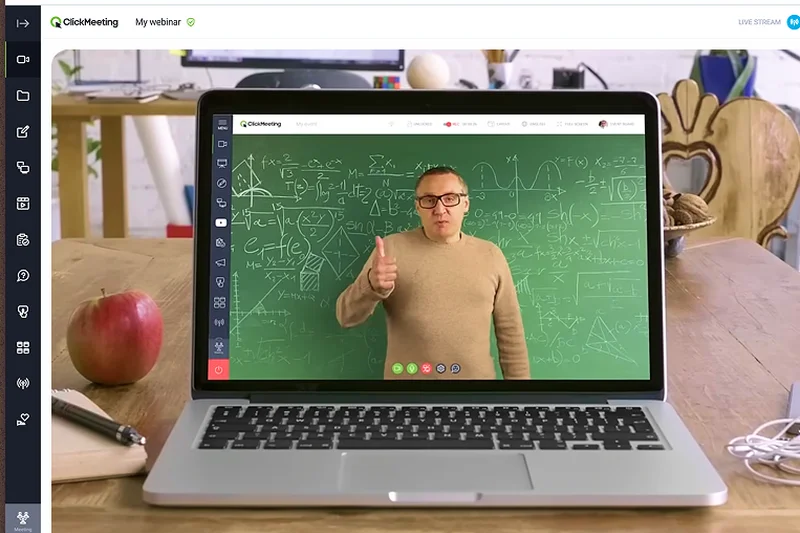

Why we picked it: ClickMeeting Live ($25.00/mo) focuses on webinars and scalable meetings. With custom branding, waiting rooms, and automated follow-up emails, it scores an 8/10 in Collaboration and Ease of Use. It serves as an excellent mid-tier bridge between standard video calls and full-scale automated marketing webinars.
Key Specs
- Up to 25 attendees (scalable)
- Custom branding and waiting rooms
- Screen sharing and presentations
- Live Q&A and polls
- Automated follow-up emails
What we like
- Great blend of meeting and webinar tools
- Customizable waiting rooms and branding
- Automated follow-up communications
What we don't like
- Base tier limits you to 25 attendees
- Price scales quickly with audience size
Best for: Educators and marketers needing versatile software that handles both team syncs and external webinars.
Considering ClickMeeting vs Zoom? ClickMeeting offers better native webinar automation tools out-of-the-box compared to Zoom's standard tier.
A highly customizable platform that bridges the gap between everyday meetings and professional webinars.
Buy at ClickMeeting official site#31 Element Pro

Why we picked it: Element Pro ($5.00/mo) is built on the Matrix open standard protocol, ensuring a decentralized infrastructure and true End-to-End Encryption (10/10 Security). It provides cross-platform voice and video chats while guaranteeing absolute data sovereignty, making it the top choice for cybersecurity firms and privacy watchdogs.
Key Specs
- Matrix open standard protocol
- True End-to-End Encryption (E2EE)
- Decentralized infrastructure
- Cross-platform voice and video chats
- Data sovereignty control
What we like
- Built on the decentralized Matrix protocol
- Absolute data sovereignty and E2EE
- Highly affordable premium tier
What we don't like
- Not intuitive for non-technical users
- A/V quality can be inconsistent based on federation
Best for: Cybersecurity teams, open-source advocates, and organizations needing decentralized communication.
Considering Element vs Slack Huddles? Element offers decentralized, encrypted sovereignty, whereas Slack is centralized and proprietary.
The premier decentralized communication platform offering unmatched encryption and data control.
Buy at Element official site#32 Amazon Chime

Why we picked it: Amazon Chime utilizes a unique pay-as-you-go pricing model ($3.00/day), scoring 9/10 in Security via deep AWS integration. It supports up to 250 attendees and features auto-call routing for scheduled meetings. It is a highly practical solution for businesses already operating heavily within the Amazon Web Services ecosystem.
Key Specs
- Pay-as-you-go pricing model
- Up to 250 attendees per meeting
- AWS security integration
- Auto-call routing for scheduled meetings
- Slack integration
What we like
- Cost-effective pay-as-you-go pricing
- Seamless integration with AWS security
- Auto-call routing is very convenient
What we don't like
- Interface is utilitarian and basic
- Collaboration features fall behind modern standards
Best for: Enterprises deeply integrated into AWS seeking a pay-as-you-go meeting tool.
Considering Amazon Chime vs Google Meet? Chime's pricing model is great for sporadic use, but Meet offers a much smoother daily user experience.
A secure, no-frills conferencing tool with a flexible pricing model backed by AWS.
Buy at Amazon official site#33 Skype
Why we picked it: Microsoft's Skype remains a viable free option for consumer calling, scoring a 9/10 in Value. Allowing up to 100 participants with live subtitles and translation, it continues to serve effectively for casual cross-border communication. However, its business capabilities are largely overshadowed by its sibling, Teams.
Key Specs
- Up to 100 participants per call
- Free video and audio calling
- Live subtitles and translation
- In-call call recording
- Phone number dialing capabilities (paid)
What we like
- Completely free for standard calling
- Excellent real-time translation features
- Familiar interface for millions of users
What we don't like
- Lacks enterprise-level management controls
- Being phased out of corporate use in favor of Teams
Best for: Freelancers and consumers needing a free, reliable tool for international video calls.
Considering Skype vs Microsoft Teams? Teams is the modern corporate standard with advanced collaboration, while Skype remains a consumer-friendly legacy app.
A legendary video calling app that still holds value for free, casual international communication.
Buy at Skype official site#34 Gather Premium



Why we picked it: Gather Premium ($7.00/mo) creates customizable 2D virtual workspaces complete with desk claims, whiteboards, and proximity-based spatial audio. It scores highly in Ease of Use and Collaboration, making remote work feel physically connected and interactive, perfect for combating remote isolation.
Key Specs
- Proximity-based spatial audio
- Customizable 2D virtual workspaces
- Desk claims and co-working areas
- Integrated whiteboards and casual games
- Seamless guest invitations
What we like
- Highly engaging spatial audio mechanics
- Fun, video-game style interface
- Greatly reduces remote work isolation
What we don't like
- Security features are relatively basic
- Not suited for formal external client meetings
Best for: Remote teams and digital agencies wanting to foster culture and spontaneous office banter.
Considering Gather vs Zoom? Gather is an always-on virtual office for team bonding, while Zoom is for structured, formal meetings.
A delightful 2D virtual office space that makes remote collaboration feel human and spontaneous.
Buy at Gather official site#35 FreeConferenceCall.com
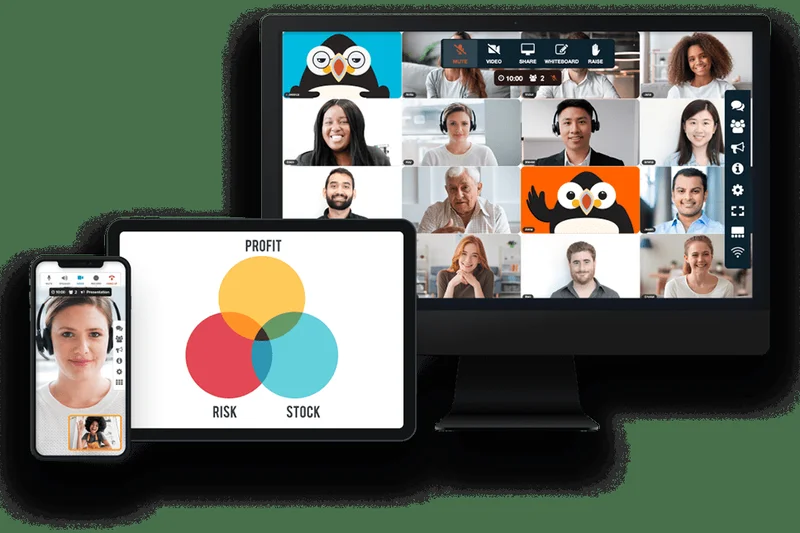


Why we picked it: Scoring a 10/10 in Value, FreeConferenceCall.com operates on a unique pay-what-you-can model. It handles up to 1,000 participants, offers free international dial-in numbers, and includes screen sharing and cloud recording. It is an extraordinary resource for non-profits and ultra-budget-conscious community groups.
Key Specs
- Up to 1,000 participants
- Free international dial-in numbers
- Screen sharing and drawing tools
- Free cloud recording
- Pay-what-you-can model
What we like
- Massive 1,000 participant capacity for free
- Extensive international dial-in numbers
- Generous free cloud recording
What we don't like
- Video quality is inferior to premium competitors
- Interface is heavily dated and clunky
Best for: Non-profits, community organizers, and anyone needing massive meeting capacities with zero budget.
Considering FreeConferenceCall vs Zoom? Zoom provides far superior video quality, but FreeConferenceCall offers massive participant caps for free.
An incredible budget resource providing massive scale and international dialing at a pay-what-you-can price.
Buy at FreeConferenceCall official siteBuying Guide
Understanding Your Video Conferencing Needs
The virtual meeting landscape of 2026 is vastly different from just a few years ago. With remote and hybrid work becoming permanent fixtures, selecting the right video conferencing platform is critical. Here is a breakdown of what to look for based on your organizational requirements.
Subsections by User Type
For Small Teams & Startups: Frictionless connectivity is key. Small businesses should prioritize sheer ease of use, generous free tiers, and competitive per-host pricing. Browser-based platforms that don't force guests to download heavy applications—like Around by Miro or Google Meet—are highly effective.
For Enterprise & High Security: Large organizations handling sensitive intellectual property or regulated data cannot compromise. Look for true end-to-end encryption (E2EE), compliance certifications (HIPAA, GDPR), and comprehensive IT administration dashboards. Platforms like Webex Meet and Pexip excel here by offering robust host controls and deep security integrations.
For Education & Webinars: Educators and webinar hosts must manage large, interactive audiences while maintaining order. Critical features include reliable breakout rooms, interactive whiteboarding, Q&A polling, and detailed engagement analytics. BigBlueButton and Zoom Workplace Pro lead the pack for these complex, large-scale sessions.
What to Avoid
When selecting a platform, be wary of solutions that gate essential security features (like meeting locks or waiting rooms) behind their most expensive enterprise tiers. Avoid platforms that force excessive client downloads on external guests, as this significantly increases the friction of joining meetings. Furthermore, carefully read the fine print on "free" tiers; 40-minute limits can severely disrupt external client consultations.
Budget Tiers
Free & Open Source: If budget is the primary barrier, there are outstanding free solutions that don't compromise on privacy. Jitsi Meet and BigBlueButton provide completely free, open-source alternatives that allow unlimited meeting time and high security.
Budget-Friendly ($1 - $8/mo): For individuals or small teams needing more reliability without enterprise costs, options like Zoho Meeting Standard or Microsoft Teams Essentials offer excellent value. You get large meeting capacities and cloud storage at a fraction of the cost of premium tools.
Premium ($12+/mo): Enterprise-grade platforms such as Zoom Workplace Pro, Webex Meet, and Dialpad Ai Meetings Pro sit in this tier. They justify the cost with advanced AI integration, massive participant capacities, rich integrations with CRMs, and superior host management controls.
FAQ
What is the best Zoom alternative for overall business use?
Based on our 2026 evaluations, Microsoft Teams Essentials is the best overall alternative. It offers unparalleled integration with Microsoft 365, generous 30-hour meeting limits, and robust collaboration features at a highly competitive price point.
Which video conferencing software offers the best free plan?
Around by Miro and Jitsi Meet are currently the top free alternatives. Around offers an innovative, unintrusive floating-bubble interface ideal for design teams, while Jitsi Meet provides a highly secure, open-source platform that requires no account creation.
How important is end-to-end encryption in virtual meetings?
For corporate environments handling intellectual property, financial data, or patient records, end-to-end encryption (E2EE) is critical. Platforms like Webex Meet, Element Pro, and TrueConf Server ensure that data cannot be intercepted or read by the service provider.
What is the difference between Microsoft Teams and Google Meet?
Microsoft Teams is a comprehensive digital workspace featuring persistent chat, file management, and task integration alongside video conferencing. Google Meet is a lighter, browser-first application focused primarily on frictionless, instant video calls within the Google Workspace.
Which platform is best for hosting large educational webinars?
Zoom Workplace Pro and BigBlueButton are industry leaders for education. BigBlueButton shines with its native Learning Management System (LMS) integrations and multi-user whiteboards, while Zoom offers rock-solid stability and the best breakout room management.
Can I join a video meeting without downloading an app?
Yes. Platforms like Google Meet, Whereby Pro, and Brave Talk Premium operate entirely within modern web browsers (Chrome, Edge, Safari). This removes the friction of forcing external guests to download software before joining.
What features should I look for to improve team collaboration?
Beyond basic screen sharing, look for platforms offering interactive digital whiteboards, multi-cursor sharing, live polling, and native integration with your project management tools. Butter Starter and Slack Huddles excel at spontaneous and structured collaboration.
Are there open-source video conferencing alternatives?
Yes. Jitsi Meet, BigBlueButton, and Nextcloud Talk are outstanding open-source platforms. They offer transparent codebases, enhanced privacy, and the ability to self-host the software on your own internal servers.
How do host controls differ between enterprise and free software?
Enterprise platforms like Webex and Zoom provide granular controls, such as forcing hard-mutes, managing waiting room admissions, analyzing attendee engagement metrics, and enforcing single sign-on (SSO). Free tools often only provide basic mute and kick functions.
What is the best way to handle background noise during a call?
Choose a platform with advanced AI noise cancellation. Zoom Workplace Pro and Microsoft Teams utilize sophisticated machine learning algorithms to filter out typing, dog barks, and sirens without degrading your voice quality.
Do video conferencing platforms offer trial periods?
Most premium platforms offer a 14- to 30-day free trial or a permanently free tier with restricted capabilities (such as Zoom's 40-minute limit or Webex's 100-participant cap). Always utilize these trials to test software under your specific network conditions.
How do integrations with tools like Slack and CRMs work?
Modern platforms use APIs to connect seamlessly. For example, you can type a command in Slack to instantly generate a Zoom link, or use platforms like Livestorm to automatically export attendee interaction data directly into Salesforce or HubSpot.
Which software provides the best tools for interactive workshops?
Butter Starter is specifically designed for workshops. It features integrated agendas, interactive soundboards, queue management for speakers, and native integrations with Miro boards, keeping participants highly engaged compared to standard grid-view calls.
What are the common limitations of free video conferencing tiers?
Free tiers typically restrict meeting durations (often capping at 40 to 60 minutes), limit the maximum number of participants, omit cloud recording capabilities, and lack advanced security controls like SSO and detailed analytics.
Methodology
To identify the top Zoom alternatives for 2026, we utilized a robust analytical methodology that calculates performance across multiple dimensions and specific use-case scenarios. Our process evaluated 35 distinct products. We collected extensive spec data, scrutinized user reviews from G2 and Capterra, and stress-tested browser vs. app performance.
Our scoring model is driven by seven core dimensions, weighted according to their overall impact on the user experience:
- Video & Audio Quality (20%): We measured high-definition video stability, low-latency audio performance, and the effectiveness of AI noise cancellation.
- Collaboration Tools (15%): Evaluated features including seamless screen sharing, interactive whiteboarding, live polling, and intuitive breakout room management.
- Ease of Use & Access (15%): We heavily weighted platforms that provide frictionless, browser-based guest joining without requiring mandatory app downloads.
- Security & Privacy (15%): We scrutinized end-to-end encryption standards, HIPAA/GDPR compliance certifications, and robust meeting lock/waiting room features.
- Pricing & Value (15%): Assessed the total cost of ownership by comparing per-host licensing, feature gating, and the generosity of free tier limitations.
- Integrations & Ecosystem (10%): Rewarded platforms that deeply connect with daily business apps such as Slack, Google Workspace, Microsoft 365, and major CRMs.
- Host Controls & Management (10%): Assessed the availability of mass muting, waiting room moderation, attendee analytics, and overall IT management capabilities.
In addition to an overall ranking, our system dynamically adjusts these weights for targeted scenarios. For instance, the "Best for Enterprise & High Security" scenario increases the weight of Security to 30% and Management to 20%, whereas the "Best Free Alternative" emphasizes Value at 40%. This ensures our recommendations are directly aligned with varying user needs.
Sources & References
All factual claims, product specifications, prices, and images in this article are cited by number. Click any reference to jump to the list; click the link in each entry to visit the original source.
- [1]SelectionLogic. "M2 Multi-Dimensional Evaluation." selectionlogic.org. Accessed Mar 2026.
- [2]SelectionLogic. "Video Conferencing Software Buying Guide." selectionlogic.org. Accessed Mar 2026.
- [3]Zapier. "The 8 best Zoom alternatives in 2026." zapier.com. Accessed Mar 2026.
- [4]Zoom. "The 7 best video conferencing software in 2025." zoom.com. Accessed Mar 2026.
- [5]PeopleLink. "The Ultimate Guide to Video Conferencing: The Digital Age of Communication." peoplelinkvc.com. Accessed Mar 2026.
- [6]Gable. "The Ultimate Video Conferencing Guide: Tips, Tools, and Best Practices for 2025." gable.to. Accessed Mar 2026.
- [7]Jabra. "8 Best Video Conferencing Platforms Ranked by Use Case." jabra.com. Accessed Mar 2026.
- [8]Indeed. "11 Video Conferencing Tools (Plus Definition and Examples)." indeed.com. Accessed Mar 2026.
- [9]CommuniCloud. "Video Conferencing Software: The Ultimate Comparison." communicloud.com. Accessed Mar 2026.
- [10]ViewSonic. "Best Video Conferencing Setup – A Complete Guide." viewsonic.com. Accessed Mar 2026.
- [11]LeadAdvisors. "Best Zoom Alternatives in 2025 (Free and Private)." leadadvisors.com. Accessed Mar 2026.
- [12]Vibe. "10 Video Conference Tips and Best Practices." vibe.us. Accessed Mar 2026.
- [13]Stanford University. "Best Practices for Effective Video Conferencing." stanford.edu. Accessed Mar 2026.
- [14]University of San Diego. "Best Practices for Effective Video Conferencing." sandiego.edu. Accessed Mar 2026.
- [15]Microsoft. "Compare Microsoft Teams Options." microsoft.com. Accessed Mar 2026.
- [16]Google. "Google Workspace - Google Meet." workspace.google.com. Accessed Mar 2026.
- [17]Cisco Webex. "Webex Pricing." webex.com. Accessed Mar 2026.
- [18]Slack. "Slack Features and Pricing." slack.com. Accessed Mar 2026.
- [19]Discord. "Discord Nitro Features." discord.com. Accessed Mar 2026.
- [20]BigBlueButton. "Open Source Virtual Classroom." bigbluebutton.org. Accessed Mar 2026.
- [21]Around. "Around by Miro - Workspace for Hybrid Teams." around.co. Accessed Mar 2026.
- [22]Butter. "Butter Starter - Workshop Software." butter.us. Accessed Mar 2026.
- [23]Dialpad. "Dialpad AI Meetings." dialpad.com. Accessed Mar 2026.
- [24]Jitsi. "Jitsi Meet Open Source Conferencing." jitsi.org. Accessed Mar 2026.
- [25]TrueConf. "TrueConf Server Free." trueconf.com. Accessed Mar 2026.
- [26]Zoho. "Zoho Meeting Plans." zoho.com. Accessed Mar 2026.