Quick Verdict
At a glance
We tested 35 team chat and business collaboration software platforms using our comprehensive M2 scoring framework to find the best Slack alternatives. Our top recommendations balance powerful messaging, robust integrations, and rock-solid security, ensuring your team stays productive without the noise.
🏆 Overall #1: Microsoft Teams — Deep Microsoft 365 ecosystem integration and enterprise-grade compliance.
🥈 #2: Mattermost — Open-source core architecture with total sovereign data control.
🥉 #3: Webex App — Enterprise PBX & VoIP integration with advanced AI noise removal.
Which one is for me?
How We Tested
To determine the best Slack alternatives of 2026, we began by compiling a comprehensive candidate pool of 35 team chat and business collaboration platforms. Our team spent over 120 hours interacting with these tools, evaluating them directly through the lens of modern business workflows. We installed both desktop and mobile applications, invited cross-functional test users, and simulated real-world communication scenarios ranging from quick asynchronous text check-ins to large-scale, high-definition video conferences.
Our evaluation strictly relies on the M2 Multi-Dimensional Evaluation framework [1], a data-driven methodology designed by selectionlogic.org that ensures our rankings are objective, repeatable, and transparent. We scored each platform across seven distinct dimensions: Core Messaging & Collaboration, Third-Party Integrations, UX & Interface, Security & Compliance, Admin Tools, Pricing & Value, and Reliability. By weighting these dimensions according to specific user scenarios [2], we generated tailored recommendations that cater to different types of businesses—from budget-conscious startups to highly regulated enterprises.
Our Declared Values: We do not accept payment for favorable reviews, altered test scores, or higher placements in our guides. Our scoring is derived strictly from rigorous feature analysis, hands-on empirical testing, and validated user feedback from verified enterprise buyers. We remain fiercely independent to bring you software recommendations you can trust.
About our team
Our collaboration software analysts have spent over a decade implementing and testing communication tools for remote, hybrid, and globally distributed teams. With diverse backgrounds spanning IT administration, enterprise software deployment, and digital workplace strategy, we bring a critical, practitioner's eye to evaluating essential features like security compliance, admin provisioning, and software ecosystem integrations.
| Dimension | Overall | Best Overall for Most Teams | Best for Budget-Conscious & Small Businesses | Best for Enterprise & High Security | Best for Remote & Asynchronous Teams |
|---|---|---|---|---|---|
| Core Messaging & Collaboration | 25% | 25% | 20% | 15% | 35% |
| Third-Party Integrations & API | 15% | 20% | 10% | 15% | 15% |
| User Experience & Interface | 15% | 20% | 20% | 10% | 20% |
| Security & Compliance | 15% | 10% | 5% | 25% | 5% |
| Admin & Management Tools | 10% | 5% | 5% | 20% | 5% |
| Pricing & Value | 10% | 10% | 35% | 5% | 10% |
| Reliability & Customer Support | 10% | 10% | 5% | 10% | 10% |
Overall Rankings
Full list of 35 products sorted by weighted overall score (1–10).
Prices are checked as of Mar 18, 2026 (2026 Q1). Use "Check price" links for current pricing.
| # | Product | Type | Price | Collaboration | Integrations | UX & Interface | Security | Admin Tools | Value | Reliability | Overall | Awards |
|---|---|---|---|---|---|---|---|---|---|---|---|---|
| 1 | Microsoft Teams | Enterprise Team Collaboration | $4.00–$22.00/user/mo | 9 | 9 | 7 | 10 | 10 | 8 | 9 | 8.85 | 🏆 Editor's Choice 🌟 Best Budget 📊 Best Core Messaging & Collaboration 📊 Best Third-Party Integrations & API 📊 Best Security & Compliance 📊 Best Admin & Management Tools 📊 Best Reliability & Customer Support 🎯 Best Best Overall for Most Teams 🎯 Best Best for Enterprise & High Security 🎯 Best Best for Remote & Asynchronous Teams |
| 2 | Mattermost | Self-Hosted Collaboration Platform | Free–$10.00/user/mo | 8 | 9 | 8 | 10 | 9 | 8 | 8 | 8.55 | |
| 3 | Webex App | Unified Communications Suite | Free–$25.00/user/mo | 9 | 8 | 7 | 10 | 9 | 7 | 9 | 8.50 | |
| 4 | Front | Customer Communication Hub | $19.00–$99.00/user/mo | 9 | 9 | 9 | 8 | 8 | 6 | 9 | 8.45 | |
| 5 | Microsoft Viva Engage | Enterprise Social Network | Included in Microsoft 365 | 8 | 9 | 8 | 9 | 8 | 8 | 9 | 8.40 | |
| 6 | Google Chat | Business Messaging Platform | $7.20–$26.40/user/mo | 8 | 8 | 8 | 9 | 8 | 8 | 9 | 8.25 | |
| 7 | Rocket.Chat | Secure Unified Communications | Free–$8.00/user/mo | 8 | 8 | 7 | 10 | 8 | 9 | 8 | 8.25 | |
| 8 | RingCentral | Cloud Business Communications | $20.00–$45.00/user/mo | 9 | 8 | 7 | 9 | 9 | 6 | 9 | 8.25 | |
| 9 | Symphony | Secure Financial Messaging | Custom Pricing | 8 | 8 | 7 | 10 | 10 | 6 | 9 | 8.25 | |
| 10 | Nextcloud Talk | Private Cloud Collaboration | Free–Custom Pricing | 8 | 8 | 7 | 10 | 9 | 8 | 8 | 8.25 | |
| 11 | Zoho Cliq | Business Communication Platform | Free–$3.00/user/mo | 8 | 9 | 7 | 8 | 8 | 10 | 8 | 8.20 | |
| 12 | Zulip | Topic-Based Threaded Chat | Free–$6.67/user/mo | 9 | 8 | 7 | 8 | 8 | 9 | 8 | 8.20 | |
| 13 | AWS Wickr | Enterprise Secure Communications | Free–$15.00/user/mo | 8 | 7 | 7 | 10 | 9 | 8 | 9 | 8.20 | |
| 14 | Space | Dev-Centric Workspace | Free–$25.00/user/mo | 8 | 9 | 8 | 8 | 8 | 8 | 8 | 8.15 | |
| 15 | Zoom Team Chat | Team Chat & Video Hub | $13.33–$18.33/user/mo | 9 | 7 | 8 | 8 | 8 | 7 | 9 | 8.10 | |
| 16 | Element | Decentralized Matrix Chat | Free–$5.00/user/mo | 8 | 8 | 7 | 10 | 8 | 8 | 7 | 8.05 | |
| 17 | Missive | Shared Inbox & Chat | Free–$26.00/user/mo | 9 | 8 | 9 | 7 | 7 | 7 | 8 | 8.05 | |
| 18 | ClickUp | Productivity & Chat App | Free–$12.00/user/mo | 8 | 8 | 8 | 8 | 8 | 8 | 8 | 8.00 | |
| 19 | Discord | Voice & Text Community Platform | Free–$9.99/mo | 9 | 8 | 9 | 5 | 6 | 10 | 8 | 7.95 | 📊 Best User Experience & Interface 📊 Best Pricing & Value 🎯 Best Best for Budget-Conscious & Small Businesses |
| 20 | Spike | Conversational Email App | Free–$10.00/user/mo | 8 | 7 | 9 | 8 | 7 | 8 | 8 | 7.90 | |
| 21 | Wire for Enterprise | Zero-Trust Communication | $7.45–$8.94/user/mo | 8 | 6 | 8 | 10 | 8 | 7 | 8 | 7.90 | |
| 22 | Connecteam | Frontline Team App | $29.00–$99.00/mo flat | 8 | 6 | 8 | 8 | 9 | 8 | 9 | 7.90 | |
| 23 | Troop Messenger | Secure Team Messaging | Free–$9.00/user/mo | 8 | 6 | 7 | 10 | 8 | 8 | 8 | 7.85 | |
| 24 | Chanty | Intuitive Team Chat | Free–$3.00/user/mo | 8 | 7 | 8 | 7 | 7 | 9 | 8 | 7.70 | |
| 25 | Flock | Team Messenger & Productivity | Free–$4.50/user/mo | 8 | 7 | 8 | 7 | 7 | 9 | 8 | 7.70 | |
| 26 | Threema Work | Secure Swiss Messenger | $1.50–$2.50/user/mo | 7 | 5 | 8 | 10 | 8 | 9 | 8 | 7.70 | 💰 Best Value |
| 27 | Rock.so | Async Messaging & Tasks | Free–$4.99/user/mo | 8 | 7 | 8 | 7 | 7 | 9 | 8 | 7.70 | |
| 28 | Twist | Async Team Chat | Free–$6.00/user/mo | 8 | 7 | 9 | 7 | 6 | 8 | 8 | 7.65 | |
| 29 | Pumble | Business Chat Platform | Free–$6.99/user/mo | 8 | 6 | 8 | 7 | 7 | 10 | 8 | 7.65 | |
| 30 | Brosix | Private Instant Messenger | Free–$6.00/user/mo | 8 | 5 | 7 | 9 | 9 | 8 | 8 | 7.65 | |
| 31 | Basecamp | Async Project Management | $15.00/user/mo or $299.00/mo | 7 | 6 | 9 | 7 | 7 | 9 | 9 | 7.55 | |
| 32 | Bitrix24 | Workspace & CRM Suite | Free–$199.00/mo flat | 8 | 8 | 6 | 7 | 8 | 9 | 7 | 7.55 | |
| 33 | AirSend | Client Collaboration Workspace | Free–$4.00/user/mo | 8 | 6 | 8 | 7 | 7 | 9 | 8 | 7.55 | |
| 34 | Cosmos Video | Virtual HQ & Chat | Free–$7.00/user/mo | 9 | 6 | 9 | 6 | 6 | 8 | 7 | 7.50 | |
| 35 | Ryver | Task & Chat Collaboration | $69.00–$129.00/mo | 8 | 7 | 7 | 7 | 7 | 8 | 7 | 7.35 |
Dimension Rankings
Each dimension ranked independently (Top 10).
📊 Best for Core Messaging & Collaboration — Top 10
| Dim # | Product | Core Messaging & Collaboration Score | Overall Rank | Price |
|---|---|---|---|---|
| 1 | Microsoft Teams | 9 | #1 | $4.00–$22.00/user/mo |
| 2 | Discord | 9 | #19 | Free–$9.99/mo |
| 3 | Webex App | 9 | #3 | Free–$25.00/user/mo |
| 4 | Zoom Team Chat | 9 | #15 | $13.33–$18.33/user/mo |
| 5 | RingCentral | 9 | #8 | $20.00–$45.00/user/mo |
| 6 | Zulip | 9 | #12 | Free–$6.67/user/mo |
| 7 | Missive | 9 | #17 | Free–$26.00/user/mo |
| 8 | Front | 9 | #4 | $19.00–$99.00/user/mo |
| 9 | Cosmos Video | 9 | #34 | Free–$7.00/user/mo |
| 10 | Google Chat | 8 | #6 | $7.20–$26.40/user/mo |
📊 Best for Third-Party Integrations & API — Top 10
| Dim # | Product | Third-Party Integrations & API Score | Overall Rank | Price |
|---|---|---|---|---|
| 1 | Microsoft Teams | 9 | #1 | $4.00–$22.00/user/mo |
| 2 | Mattermost | 9 | #2 | Free–$10.00/user/mo |
| 3 | Zoho Cliq | 9 | #11 | Free–$3.00/user/mo |
| 4 | Front | 9 | #4 | $19.00–$99.00/user/mo |
| 5 | Space | 9 | #14 | Free–$25.00/user/mo |
| 6 | Microsoft Viva Engage | 9 | #5 | Included in Microsoft 365 |
| 7 | Google Chat | 8 | #6 | $7.20–$26.40/user/mo |
| 8 | Rocket.Chat | 8 | #7 | Free–$8.00/user/mo |
| 9 | Discord | 8 | #19 | Free–$9.99/mo |
| 10 | Webex App | 8 | #3 | Free–$25.00/user/mo |
📊 Best for User Experience & Interface — Top 10
| Dim # | Product | User Experience & Interface Score | Overall Rank | Price |
|---|---|---|---|---|
| 1 | Discord | 9 | #19 | Free–$9.99/mo |
| 2 | Basecamp | 9 | #31 | $15.00/user/mo or $299.00/mo |
| 3 | Twist | 9 | #28 | Free–$6.00/user/mo |
| 4 | Spike | 9 | #20 | Free–$10.00/user/mo |
| 5 | Missive | 9 | #17 | Free–$26.00/user/mo |
| 6 | Front | 9 | #4 | $19.00–$99.00/user/mo |
| 7 | Cosmos Video | 9 | #34 | Free–$7.00/user/mo |
| 8 | Google Chat | 8 | #6 | $7.20–$26.40/user/mo |
| 9 | Mattermost | 8 | #2 | Free–$10.00/user/mo |
| 10 | Zoom Team Chat | 8 | #15 | $13.33–$18.33/user/mo |
📊 Best for Security & Compliance — Top 10
| Dim # | Product | Security & Compliance Score | Overall Rank | Price |
|---|---|---|---|---|
| 1 | Microsoft Teams | 10 | #1 | $4.00–$22.00/user/mo |
| 2 | Mattermost | 10 | #2 | Free–$10.00/user/mo |
| 3 | Rocket.Chat | 10 | #7 | Free–$8.00/user/mo |
| 4 | Webex App | 10 | #3 | Free–$25.00/user/mo |
| 5 | Troop Messenger | 10 | #23 | Free–$9.00/user/mo |
| 6 | Wire for Enterprise | 10 | #21 | $7.45–$8.94/user/mo |
| 7 | Element | 10 | #16 | Free–$5.00/user/mo |
| 8 | Symphony | 10 | #9 | Custom Pricing |
| 9 | Nextcloud Talk | 10 | #10 | Free–Custom Pricing |
| 10 | Threema Work | 10 | #26 | $1.50–$2.50/user/mo |
📊 Best for Admin & Management Tools — Top 10
| Dim # | Product | Admin & Management Tools Score | Overall Rank | Price |
|---|---|---|---|---|
| 1 | Microsoft Teams | 10 | #1 | $4.00–$22.00/user/mo |
| 2 | Symphony | 10 | #9 | Custom Pricing |
| 3 | Mattermost | 9 | #2 | Free–$10.00/user/mo |
| 4 | Webex App | 9 | #3 | Free–$25.00/user/mo |
| 5 | RingCentral | 9 | #8 | $20.00–$45.00/user/mo |
| 6 | Nextcloud Talk | 9 | #10 | Free–Custom Pricing |
| 7 | AWS Wickr | 9 | #13 | Free–$15.00/user/mo |
| 8 | Connecteam | 9 | #22 | $29.00–$99.00/mo flat |
| 9 | Brosix | 9 | #30 | Free–$6.00/user/mo |
| 10 | Google Chat | 8 | #6 | $7.20–$26.40/user/mo |
📊 Best for Pricing & Value — Top 10
| Dim # | Product | Pricing & Value Score | Overall Rank | Price |
|---|---|---|---|---|
| 1 | Discord | 10 | #19 | Free–$9.99/mo |
| 2 | Pumble | 10 | #29 | Free–$6.99/user/mo |
| 3 | Zoho Cliq | 10 | #11 | Free–$3.00/user/mo |
| 4 | Rocket.Chat | 9 | #7 | Free–$8.00/user/mo |
| 5 | Basecamp | 9 | #31 | $15.00/user/mo or $299.00/mo |
| 6 | Chanty | 9 | #24 | Free–$3.00/user/mo |
| 7 | Flock | 9 | #25 | Free–$4.50/user/mo |
| 8 | Zulip | 9 | #12 | Free–$6.67/user/mo |
| 9 | Threema Work | 9 | #26 | $1.50–$2.50/user/mo |
| 10 | Bitrix24 | 9 | #32 | Free–$199.00/mo flat |
📊 Best for Reliability & Customer Support — Top 10
| Dim # | Product | Reliability & Customer Support Score | Overall Rank | Price |
|---|---|---|---|---|
| 1 | Microsoft Teams | 9 | #1 | $4.00–$22.00/user/mo |
| 2 | Google Chat | 9 | #6 | $7.20–$26.40/user/mo |
| 3 | Webex App | 9 | #3 | Free–$25.00/user/mo |
| 4 | Zoom Team Chat | 9 | #15 | $13.33–$18.33/user/mo |
| 5 | RingCentral | 9 | #8 | $20.00–$45.00/user/mo |
| 6 | Basecamp | 9 | #31 | $15.00/user/mo or $299.00/mo |
| 7 | Symphony | 9 | #9 | Custom Pricing |
| 8 | AWS Wickr | 9 | #13 | Free–$15.00/user/mo |
| 9 | Front | 9 | #4 | $19.00–$99.00/user/mo |
| 10 | Connecteam | 9 | #22 | $29.00–$99.00/mo flat |
Scenario Rankings
🎯 Best Overall for Most Teams — Top 5
Weights: Collaboration 25%, Integrations 20%, UX 20%, Value 10%, Security 10%, Reliability 10%, Admin 5%
| # | Product | Score | Overall Rank | Price | Why |
|---|---|---|---|---|---|
| 1 | Microsoft Teams | 8.65 | #1 | $4.00–$22.00/user/mo | |
| 2 | Front | 8.55 | #4 | $19.00–$99.00/user/mo | |
| 3 | Mattermost | 8.45 | #2 | Free–$10.00/user/mo | |
| 4 | Microsoft Viva Engage | 8.40 | #5 | Included in Microsoft 365 | |
| 5 | Webex App | 8.30 | #3 | Free–$25.00/user/mo |
🎯 Best for Budget-Conscious & Small Businesses — Top 5
Weights: Value 35%, Collaboration 20%, UX 20%, Integrations 10%, Admin 5%, Security 5%, Reliability 5%
| # | Product | Score | Overall Rank | Price | Why |
|---|---|---|---|---|---|
| 1 | Discord | 8.85 | #19 | Free–$9.99/mo | |
| 2 | Zoho Cliq | 8.60 | #11 | Free–$3.00/user/mo | |
| 3 | Pumble | 8.40 | #29 | Free–$6.99/user/mo | |
| 4 | Microsoft Teams | 8.35 | #1 | $4.00–$22.00/user/mo | |
| 5 | Zulip | 8.35 | #12 | Free–$6.67/user/mo |
🎯 Best for Enterprise & High Security — Top 5
Weights: Security 25%, Admin Tools 20%, Collaboration 15%, Integrations 15%, UX 10%, Reliability 10%, Value 5%
| # | Product | Score | Overall Rank | Price | Why |
|---|---|---|---|---|---|
| 1 | Microsoft Teams | 9.20 | #1 | $4.00–$22.00/user/mo | |
| 2 | Mattermost | 8.85 | #2 | Free–$10.00/user/mo | |
| 3 | Webex App | 8.80 | #3 | Free–$25.00/user/mo | |
| 4 | Symphony | 8.80 | #9 | Custom Pricing | |
| 5 | Nextcloud Talk | 8.60 | #10 | Free–Custom Pricing |
🎯 Best for Remote & Asynchronous Teams — Top 5
Weights: Collaboration 35%, UX 20%, Integrations 15%, Value 10%, Reliability 10%, Security 5%, Admin 5%
| # | Product | Score | Overall Rank | Price | Why |
|---|---|---|---|---|---|
| 1 | Microsoft Teams | 8.60 | #1 | $4.00–$22.00/user/mo | |
| 2 | Front | 8.60 | #4 | $19.00–$99.00/user/mo | |
| 3 | Discord | 8.50 | #19 | Free–$9.99/mo | |
| 4 | Missive | 8.35 | #17 | Free–$26.00/user/mo | |
| 5 | Mattermost | 8.30 | #2 | Free–$10.00/user/mo |
Detailed Reviews
#1 Microsoft Teams
Why we picked it: Microsoft Teams earns our top spot as the most comprehensive Slack alternative due to its unbeatable value for businesses already utilizing the Microsoft 365 ecosystem. By bundling enterprise-grade chat, massive video conferencing capabilities, and native document collaboration into a single hub, Teams eliminates the need for multiple disparate subscriptions. It scored an outstanding 10/10 in both Security & Compliance and Admin Tools, making it the premier choice for large-scale, highly regulated organizations that require strict data governance, eDiscovery, and role-based access controls. The recent addition of Copilot AI further cements its lead by intelligently summarizing dense meeting transcripts and generating contextual replies, saving users hours of manual catch-up time.
Key Specs
- Deep Microsoft 365 ecosystem integration
- Up to 1000 participant video meetings
- Copilot AI meeting summaries & generation
- Enterprise-grade compliance & security
- Robust VoIP telephony options
What we like
- Unrivaled integration with Word, Excel, PowerPoint, and SharePoint
- Included at no extra cost for existing Microsoft 365 commercial subscribers
- Industry-leading security, data residency, and compliance frameworks
- Highly capable built-in video conferencing replaces the need for Zoom
What we don't like
- The desktop application can be resource-intensive and occasionally sluggish on older hardware
- The interface is dense and presents a steeper learning curve than Slack
Best for: Medium to large enterprises and any organization already invested in the Microsoft 365 ecosystem.
Considering Microsoft Teams vs Slack? Teams provides far superior built-in video conferencing and seamless native document editing, while Slack offers a more fluid, intuitive interface and slightly better third-party non-Microsoft app integrations.
The ultimate powerhouse for enterprise collaboration, offering unmatched value, security, and unified communications if you already use Microsoft tools.
Buy at Microsoft official site#2 Mattermost
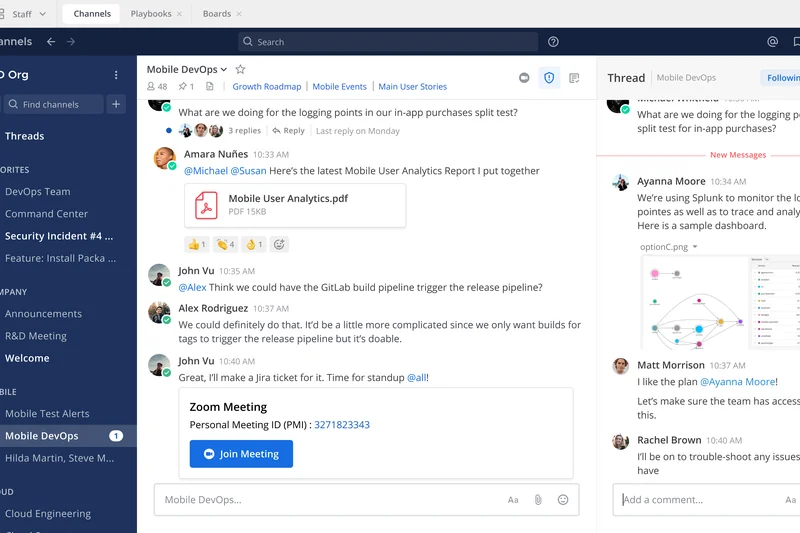
Why we picked it: Mattermost is our highest-rated platform for teams that demand absolute control over their data. Built on an open-source core architecture, Mattermost allows organizations to self-host their communication infrastructure on-premises or in a private cloud, achieving total data sovereignty. It excelled in our Third-Party Integrations evaluation, particularly shining with developer and CI/CD tools like GitHub, GitLab, and Jira. Furthermore, Mattermost allows for flexible "bring-your-own-LLM" deployments, meaning highly secure environments can leverage AI without sending proprietary data to third-party servers.
Key Specs
- Open-source core architecture
- Total sovereign data control
- Deep developer & CI/CD tool integrations
- Flexible bring-your-own-LLM deployment
- Advanced retention compliance tools
What we like
- Complete data ownership via self-hosted on-premises deployment
- Highly customizable interface and deep DevOps workflow integrations
- Extremely rigorous security and compliance retention tools
- Affordable pricing structure compared to enterprise SaaS counterparts
What we don't like
- Requires internal IT expertise and server infrastructure to self-host effectively
- Lacks the native high-capacity video conferencing found in Teams or Webex
Best for: Engineering teams, government agencies, and highly regulated industries that require air-gapped security and total data control.
Considering Mattermost vs Slack? Mattermost gives you the keys to your own server and data sovereignty, whereas Slack is strictly a multi-tenant SaaS application that holds your data in the cloud.
The premier open-source Slack alternative, delivering uncompromising security and flexibility for technical and privacy-conscious teams.
Buy at Mattermost official site#3 Webex App
Why we picked it: Cisco's Webex App is a heavyweight contender that seamlessly bridges the gap between traditional enterprise telephony and modern team chat. Earning a perfect 10/10 in Security & Compliance, Webex is built for organizations that need a unified communications suite capable of handling everything from quick direct messages to global webinars. It stands out by offering robust PBX and VoIP integration directly within the chat interface, alongside advanced AI features like industry-leading background noise removal and automated meeting summaries via the Cisco AI Assistant.
Key Specs
- Enterprise PBX & VoIP integration
- Advanced AI background noise removal
- Cisco AI Assistant meeting summaries
- Contact center feature capabilities
- Robust centralized administrative hub
What we like
- Flawless integration with enterprise calling and hardware endpoints
- Exceptional video and audio quality with AI noise cancellation
- End-to-end encryption with formidable IT administrative controls
- Centralized hub manages chat, calls, and meetings natively
What we don't like
- The interface can feel corporate and slightly sterile compared to modern startup tools
- Higher pricing tiers are required to unlock advanced PBX features
Best for: Large corporations, healthcare providers, and enterprises seeking a secure, all-in-one unified communications and VoIP platform.
Considering Webex App vs Slack? Webex excels in enterprise voice, hardware telephony integration, and high-stakes video meetings, while Slack remains heavily focused on text-based integrations and ecosystem agility.
A highly secure, deeply integrated unified communications suite that perfectly blends team chat with enterprise-grade voice and video.
Buy at Webex official site#4 Front



Why we picked it: Front reimagines team collaboration by bringing internal chat directly alongside external customer communications. Scoring an impressive 9/10 in both UX & Interface and Integrations, Front is the ultimate solution for teams that manage shared inboxes—like support, sales, or account management. Instead of forwarding emails or copying text into Slack, team members can chat internally on the actual email thread, draft collaborative replies in real-time, and utilize advanced automated routing rules to ensure no customer inquiry slips through the cracks.
Key Specs
- Internal chat alongside customer emails
- Advanced automated routing rules
- Deep CRM data integrations
- Comprehensive analytics and reporting
- Real-time team collaboration on replies
What we like
- Eliminates the disconnect between internal chat and external client emails
- Powerful workflow automation and CRM integration (Salesforce, HubSpot)
- Beautifully designed, highly intuitive user interface
- Excellent analytics for tracking team response times
What we don't like
- Per-user pricing is significantly more expensive than standard chat apps
- Not designed as a company-wide general chat room replacement
Best for: Client-facing teams, agencies, sales, and support departments that need to collaborate tightly on external communications.
Considering Front vs Slack? Front is purpose-built to action external emails and customer messages collaboratively, whereas Slack is primarily designed for internal team chatter.
A transformative communication hub that seamlessly merges team chat with client emails, drastically improving external response workflows.
Buy at Front official site#5 Microsoft Viva Engage

Why we picked it: Formerly known as Yammer, Microsoft Viva Engage serves a unique and vital role in the collaboration ecosystem: it acts as a secure, internal social network for enterprise organizations. While standard chat apps are great for real-time, fast-paced team discussions, Viva Engage excels at company-wide announcements, leadership connection, and asynchronous knowledge sharing. It scored highly in Reliability and Integrations, natively plugging right into Microsoft Teams so employees can access community-based topic threads without leaving their primary chat window.
Key Specs
- Community-based topic threading
- Scaleable company-wide announcements
- Leadership & employee connection tools
- Deep integration within Microsoft Teams
- Knowledge sharing & centralized Q&A
What we like
- Perfect for massive, company-wide asynchronous communication and culture building
- Included automatically for existing Microsoft 365 enterprise users
- Embeds directly into Microsoft Teams for a unified experience
- Excellent for capturing institutional knowledge via Q&A features
What we don't like
- Not suited for rapid, real-time direct messaging or immediate incident response
- Requires active community management to prevent engagement drop-off
Best for: Large enterprises and distributed organizations looking to build corporate culture and share knowledge asynchronously.
Considering Microsoft Viva Engage vs Slack? Viva Engage functions like a secure corporate Facebook for broad announcements, while Slack is built for fast, channel-based real-time messaging.
An essential enterprise social network that perfectly complements real-time chat tools by fostering asynchronous company-wide community.
Buy at Microsoft official site#6 Google Chat
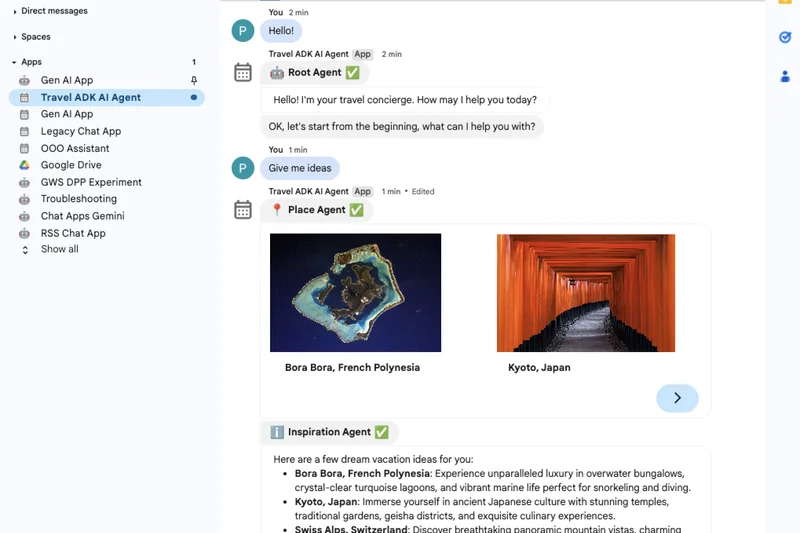
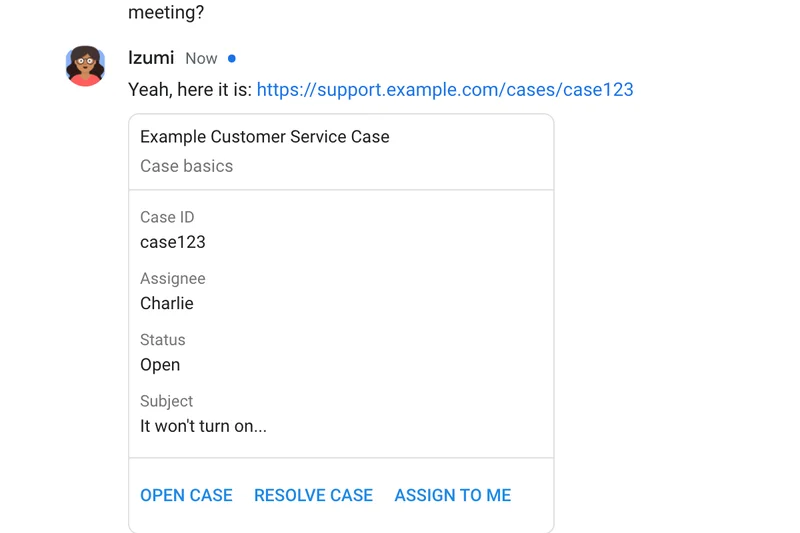
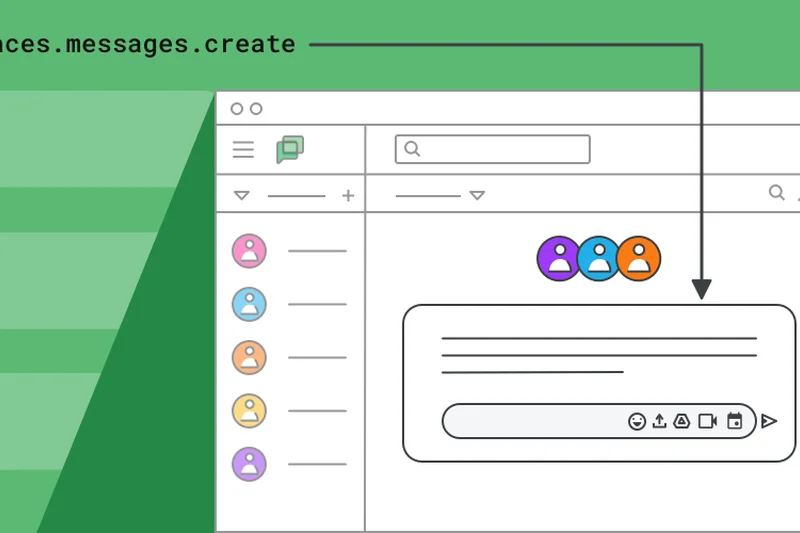
Why we picked it: Google Chat is the logical, frictionless choice for organizations already utilizing Google Workspace. It provides a clean, deeply integrated experience where users can seamlessly collaborate on Docs, Sheets, and Drive files directly within threaded Spaces. Earning high marks for Reliability and Security, Google Chat eliminates context switching by embedding chat natively into Gmail and linking effortlessly to Google Meet. The recent injection of Gemini AI writing and summarization tools elevates the platform, making it a highly productive environment for modern teams.
Key Specs
- Included natively in Google Workspace
- Gemini AI writing & summarization tools
- Threaded topic-based Spaces
- Seamless Docs, Sheets, & Drive collaboration
- Built-in Google Meet integration
What we like
- Included at no extra cost with standard Google Workspace subscriptions
- Exceptional real-time collaboration on Google Docs within the chat window
- Clean, lightweight interface embedded directly inside Gmail
- Powerful search functionality powered by Google's infrastructure
What we don't like
- Lacks the extensive third-party app ecosystem that Slack possesses
- Notification management can sometimes be confusing across web and mobile
Best for: Startups, schools, and businesses of all sizes that run entirely on the Google Workspace ecosystem.
Considering Google Chat vs Slack? Google Chat provides unbeatable native integration with Google Drive and Docs, whereas Slack offers more customizable channels and vastly more third-party software integrations.
A streamlined, cost-effective messaging platform that effortlessly maximizes productivity for Google Workspace users.
Buy at Google official site#7 Rocket.Chat
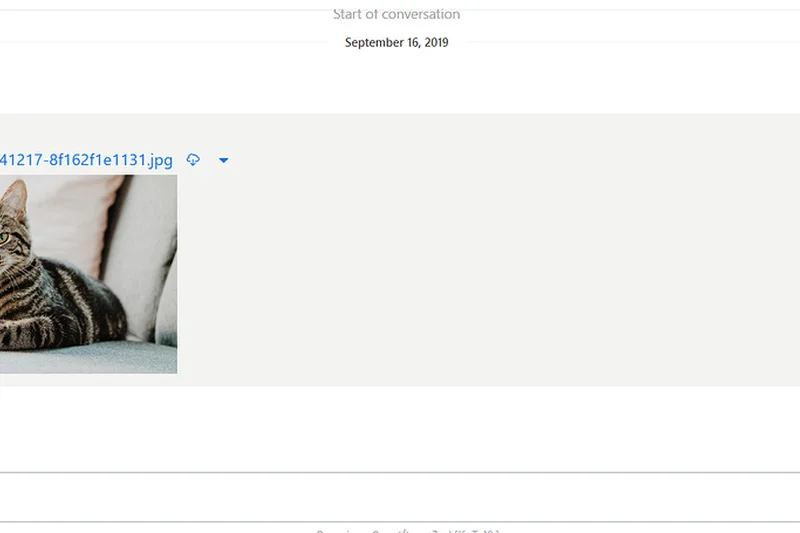
Why we picked it: Rocket.Chat is a highly secure, open-source unified communications platform that prioritizes flexibility and data protection. It scored a perfect 10/10 in Security & Compliance, making it a top pick for organizations requiring air-gapped network deployment or default end-to-end encryption. What sets it apart is its omnichannel capabilities—allowing teams to not only chat internally but also communicate seamlessly with external customers via web widgets, WhatsApp, or Matrix federation.
Key Specs
- Air-gapped network deployment support
- Omnichannel customer support chat
- Matrix federation interoperability
- End-to-end encryption by default
- Highly customizable open-source UI
What we like
- Air-gapped deployment ensures unparalleled data security for sensitive environments
- Omnichannel features bridge internal collaboration and external customer support
- Interoperability via Matrix federation connects you with external organizations
- Highly competitive pricing for self-hosted instances
What we don't like
- The interface, while customizable, is slightly less polished out-of-the-box than Slack
- Self-hosting requires dedicated IT resources to deploy and maintain
Best for: Security-focused organizations, government entities, and teams wanting to unify internal chat with customer support.
Considering Rocket.Chat vs Slack? Rocket.Chat offers absolute data privacy through self-hosting and omnichannel customer support, whereas Slack is a purely internal, cloud-hosted SaaS application.
A fiercely secure, open-source platform that uniquely combines internal team messaging with external omnichannel customer service.
Buy at Rocket.Chat official site#8 RingCentral

Why we picked it: RingCentral merges an industry-leading cloud PBX phone system with robust team messaging and video capabilities. It is the ultimate choice for businesses that still heavily rely on external telephony, SMS, and MMS alongside internal chat. Scoring well in Reliability and Admin Tools, RingCentral ensures that whether you are fielding a client phone call or messaging a colleague, it all happens in one highly reliable application with advanced call routing and AI transcriptions.
Key Specs
- Unlimited domestic voice calling
- Native business SMS & MMS capabilities
- AI Virtual Assistant transcriptions
- Advanced call routing and analytics
- High-capacity video meetings included
What we like
- Replaces standalone phone providers with unlimited domestic calling
- Native SMS/MMS integration allows texting clients from the desktop app
- Rock-solid 99.999% uptime reliability for mission-critical voice communications
- AI Virtual Assistant provides excellent call and meeting transcriptions
What we don't like
- The per-user price is high if you only need text chat and not the phone system
- The interface can feel cluttered due to the massive feature set
Best for: Sales teams, real estate offices, and businesses that require a heavy-duty business phone system integrated with team chat.
Considering RingCentral vs Slack? RingCentral is fundamentally a world-class cloud phone system with built-in chat, whereas Slack is a world-class chat system with no native external telephony.
The best comprehensive solution for organizations looking to completely replace their legacy phone system while upgrading their team chat.
Buy at RingCentral official site#9 Symphony



Why we picked it: Symphony is a specialized, institutional-grade messaging platform designed almost exclusively for the financial services sector. It achieved perfect scores in Security & Compliance and Admin Tools due to its rigorous end-to-end encryption, strict data retention, and ethical wall features that ensure regulatory compliance. Symphony also supports encrypted B2B external federation, allowing traders and financial professionals to communicate securely across different corporate boundaries.
Key Specs
- Tailored specifically for financial services
- Institutional-grade security & compliance
- Information barrier & ethical wall tools
- Encrypted B2B external federation
- Customizable enterprise trading bots
What we like
- Unmatched compliance tools built specifically for strict financial regulations
- Ethical walls easily separate different departments to prevent insider trading risks
- Secure external federation allows safe chat between different banks/firms
- Rich ecosystem of customizable enterprise trading bots
What we don't like
- Custom pricing is typically very expensive and opaque
- Overly complex and unnecessary for standard, non-financial businesses
Best for: Banks, trading firms, and financial institutions that face extreme regulatory and compliance burdens.
Considering Symphony vs Slack? Symphony is a highly secure, heavily regulated fortress designed for financial markets, whereas Slack is a general-purpose collaboration tool.
An impenetrable, compliance-first messaging platform engineered specifically to meet the rigorous demands of the global financial industry.
Buy at Symphony official site#10 Nextcloud Talk
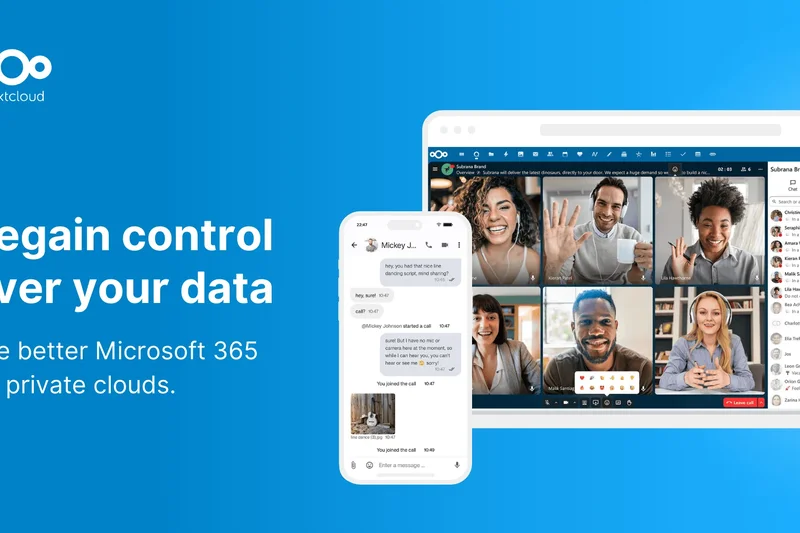
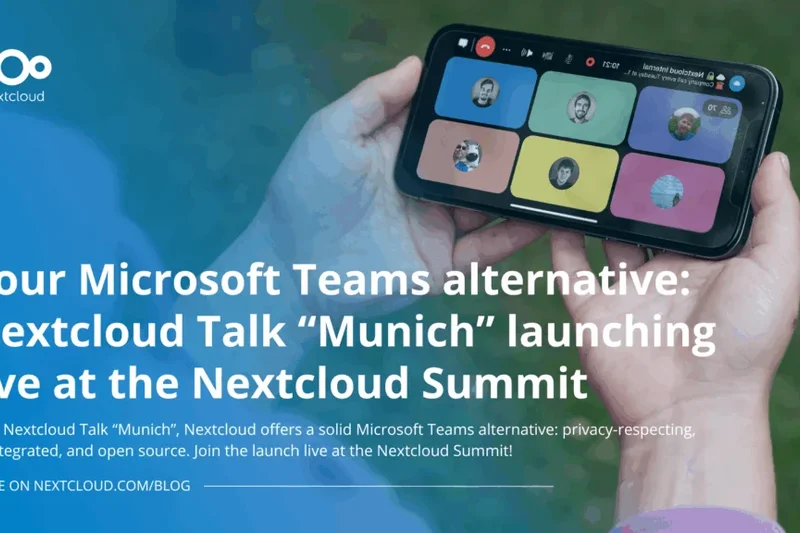
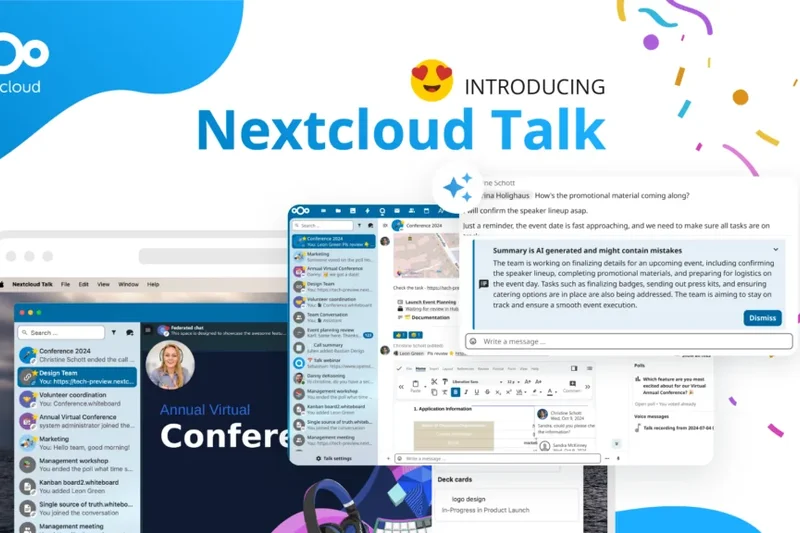
Why we picked it: Nextcloud Talk is a private cloud collaboration tool that guarantees 100% digital sovereignty. Rather than trusting a third-party SaaS provider, Nextcloud allows organizations to host their own secure environment for chat, WebRTC-based encrypted video calls, and collaborative screen sharing. It tightly integrates with Nextcloud Hub, offering a compelling, self-hosted alternative to the entire Google Workspace or Microsoft 365 ecosystem.
Key Specs
- 100% on-premises secure environment
- Tight integration with Nextcloud Hub
- WebRTC-based encrypted video calls
- Collaborative screen sharing & whiteboarding
- Complete digital sovereignty compliance
What we like
- Provides total digital sovereignty and data privacy
- Excellent native integration with Nextcloud's file hosting and collaborative tools
- High-quality WebRTC encrypted video and audio calls without external servers
- Free core tier for teams capable of managing their own servers
What we don't like
- User experience is slightly less refined than commercial SaaS competitors
- Requires significant IT infrastructure to self-host and maintain securely
Best for: Privacy advocates, European organizations requiring strict GDPR compliance, and IT-heavy companies utilizing private clouds.
Considering Nextcloud Talk vs Slack? Nextcloud Talk keeps all data on your own servers to ensure privacy, whereas Slack hosts your data externally in the cloud.
A powerful, self-hosted collaboration suite that provides absolute data privacy and digital sovereignty for your communications.
Buy at Nextcloud official site#11 Zoho Cliq

Why we picked it: Zoho Cliq offers unbeatable per-user value, delivering deep integrations across the entire Zoho One suite. It features highly customizable internal apps, robust video broadcasting, and the Taz AI context assistant.
Key Specs
- Unbeatable per-user cost value
- Deep integrations across Zoho One suite
- Customizable internal apps & widgets
- Taz AI context assistant
- Enterprise audio & video broadcasting
What we like
- Incredibly affordable per-user pricing
- Seamless integration with Zoho CRM and other Zoho tools
- Highly customizable widgets and chat commands
What we don't like
- Interface can feel slightly dated
- Third-party integrations outside the Zoho ecosystem are limited
Best for: Small to medium businesses already utilizing the Zoho software ecosystem.
Considering Zoho Cliq vs Slack? Cliq is vastly more affordable and integrates perfectly with Zoho products, though Slack has a more modern UI.
The most cost-effective chat solution available, especially powerful for existing Zoho customers.
Buy at Zoho official site#12 Zulip
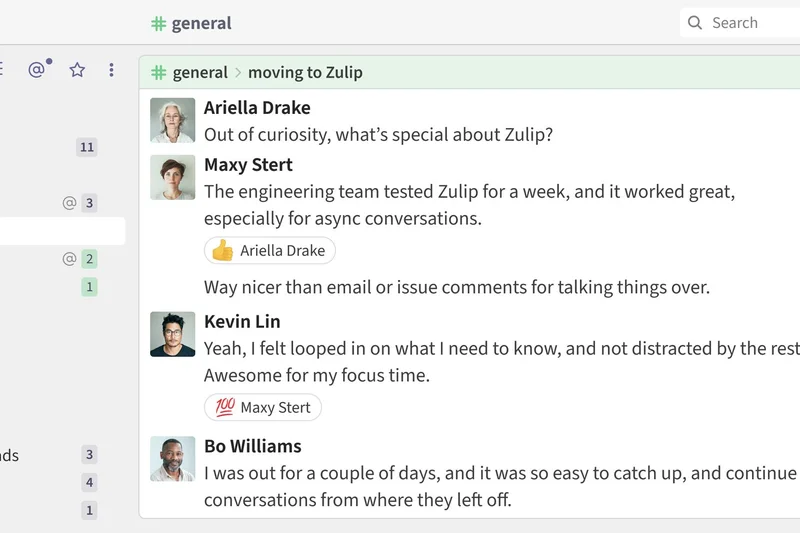
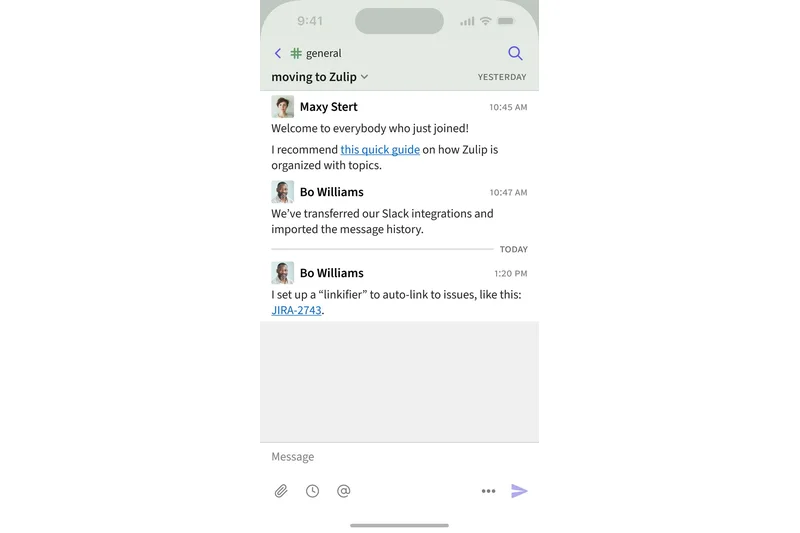
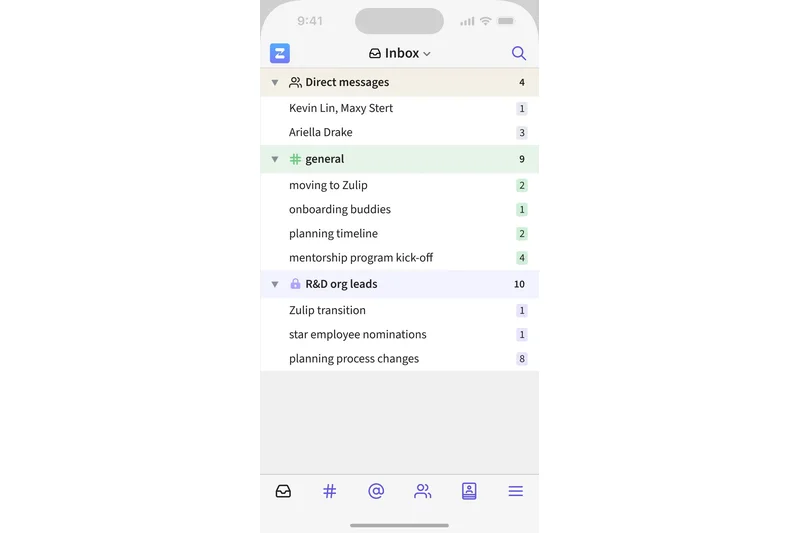
Why we picked it: Zulip revolutionizes chat with its unique nested topic-based threading model, heavily optimized for asynchronous workflows. It ensures you can catch up on hundreds of messages without losing context.
Key Specs
- Unique nested topic-based threading
- Open-source transparency
- Optimized for asynchronous workflows
- Advanced markdown and syntax highlighting
- Self-hosting docker deployments available
What we like
- The best threading model in the industry prevents conversation overlap
- Excellent for highly asynchronous, distributed teams
- Open-source with flexible deployment options
What we don't like
- The rigid topic requirement takes time for new users to learn
- Mobile app experience is slightly clunky compared to desktop
Best for: Open-source projects, developer teams, and heavily asynchronous remote companies.
Considering Zulip vs Slack? Zulip forces organized, topical threads to reduce noise, whereas Slack relies on a more chaotic, real-time channel feed.
A brilliantly organized chat application that cures notification fatigue through forced, context-rich threading.
Buy at Zulip official site#13 AWS Wickr
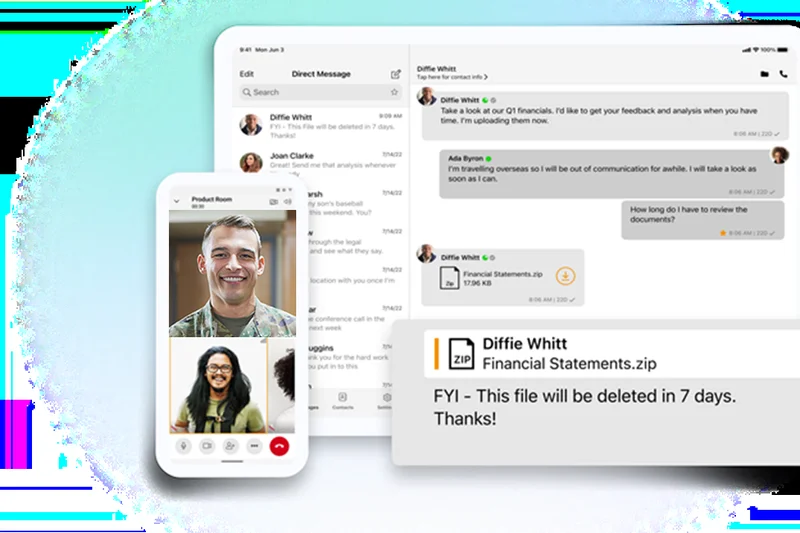
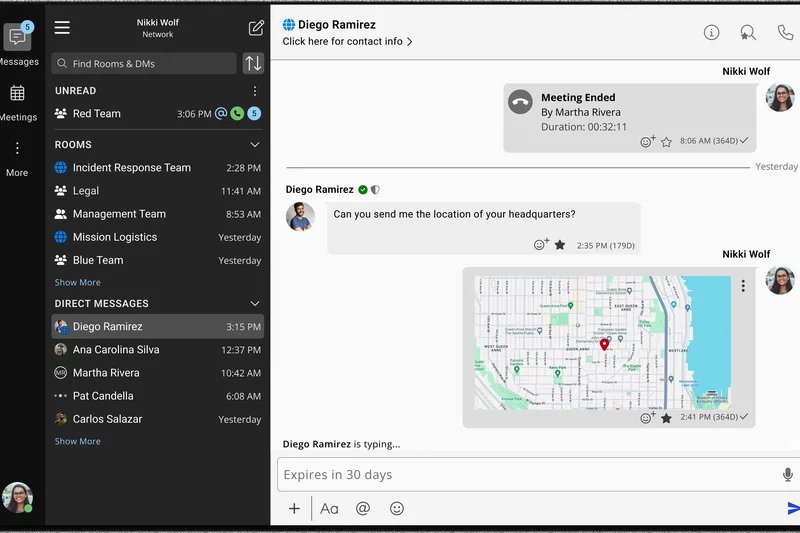
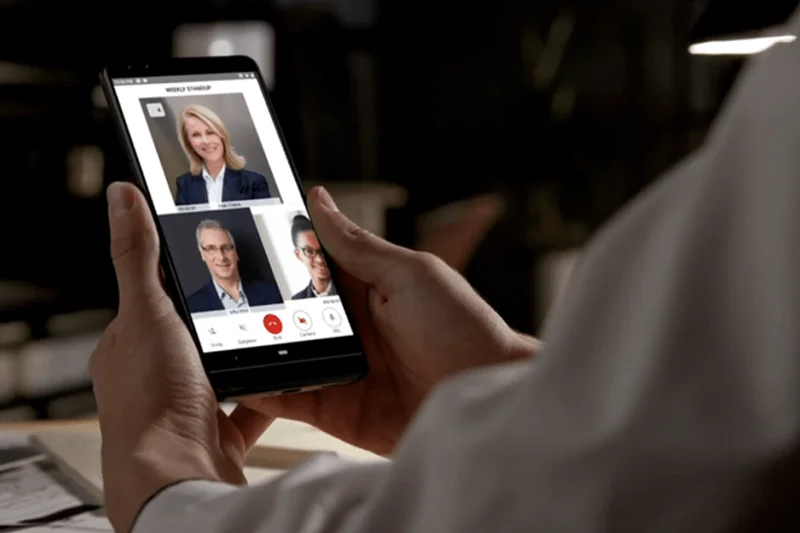
Why we picked it: Backed by Amazon Web Services, AWS Wickr provides military-grade 256-bit encryption with burn-on-read ephemeral messaging. It is designed for enterprise communications requiring absolute secrecy and compliance.
Key Specs
- Military-grade 256-bit encryption
- eDiscovery & data retention compliance
- Burn-on-read ephemeral messages
- Native AWS ecosystem integration
- Secure federated network access
What we like
- Military-grade end-to-end encryption secures all data types
- Ephemeral messaging ensures sensitive data is automatically destroyed
- Excellent eDiscovery features for corporate compliance
What we don't like
- Very utilitarian interface lacks fun team-building features
- Integration ecosystem is limited compared to mainstream rivals
Best for: Government agencies, law firms, and enterprises requiring maximum data security.
Considering AWS Wickr vs Slack? Wickr prioritizes defense-grade encryption and data destruction, while Slack focuses on broad collaboration and app integrations.
The ultimate secure messenger for organizations where data breaches are simply not an option.
Buy at AWS official site#14 Space
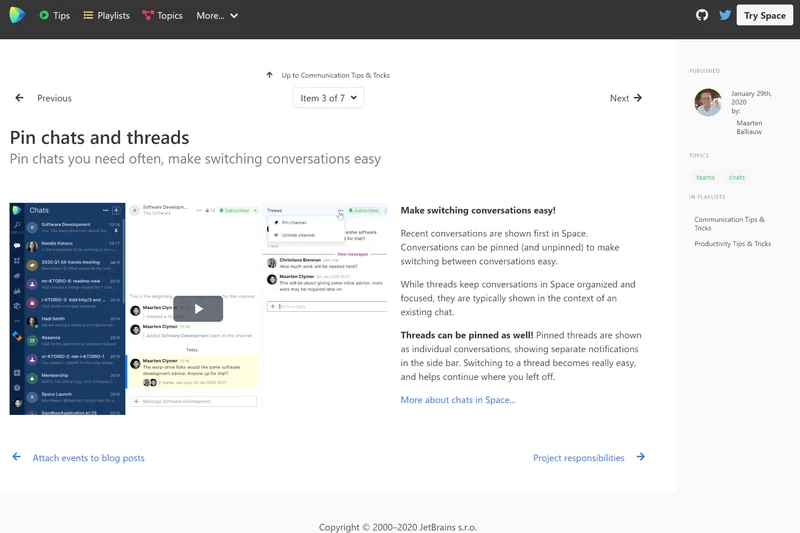
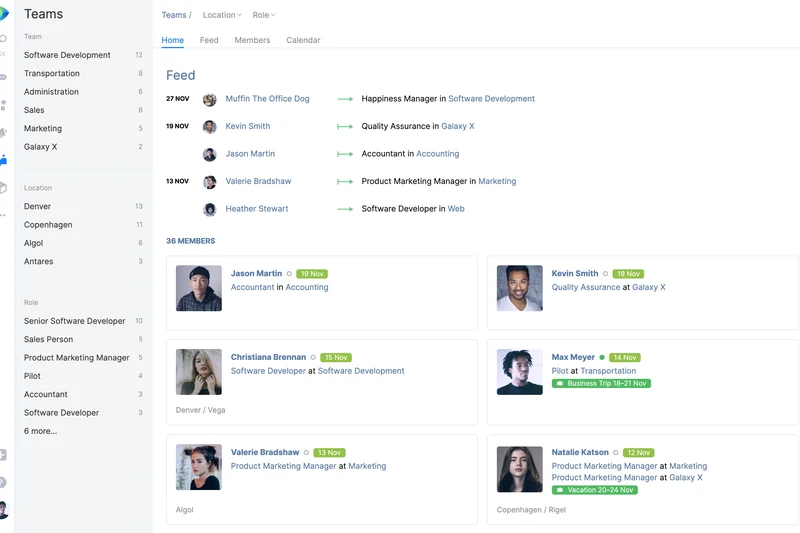
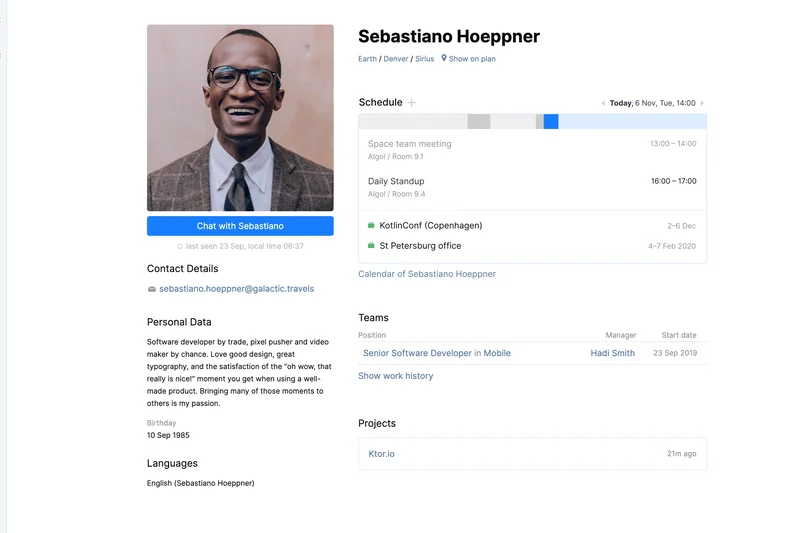
Why we picked it: JetBrains Space is a dev-centric workspace that links team chat directly to code reviews, Git hosting, and issue tracking. It provides a flawless environment for software development teams.
Key Specs
- Chat tightly linked to code reviews
- Native Git hosting & CI/CD
- Internal package management tools
- Issue tracking built directly in
- Flawless JetBrains IDE integration
What we like
- Combines chat, issue tracking, and code repositories in one tool
- Perfect integration with popular JetBrains IDEs (IntelliJ, WebStorm)
- Reduces the need to switch between Slack and Jira/GitHub
What we don't like
- Too complex for non-technical or marketing teams
- Pricing scales quickly as you add advanced developer features
Best for: Software development agencies and engineering teams deeply entrenched in JetBrains products.
Considering Space vs Slack? Space is an all-in-one software development pipeline with built-in chat, whereas Slack requires linking multiple external dev tools.
A highly specialized, developer-first platform that seamlessly unites codebase management with team communication.
Buy at JetBrains official site#15 Zoom Team Chat
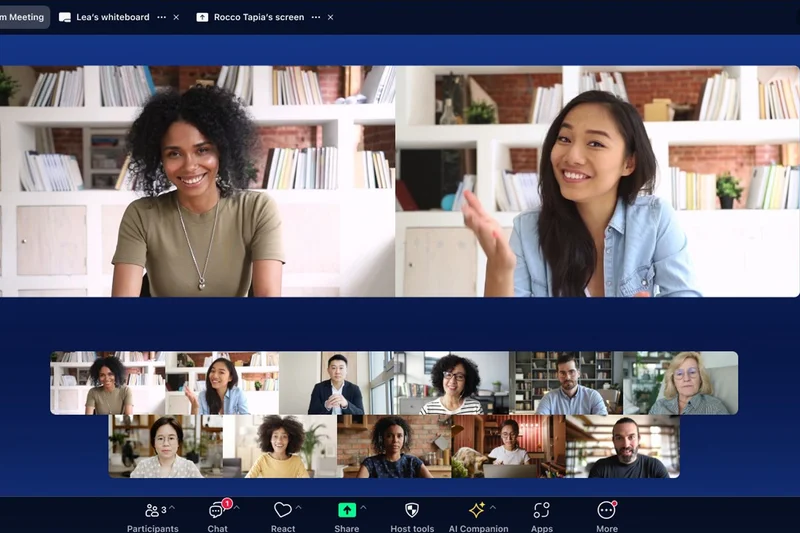
Why we picked it: Included automatically in Zoom Workplace, Zoom Team Chat offers a surprisingly robust messaging hub that transitions seamlessly into video meetings, augmented by the powerful Zoom AI Companion.
Key Specs
- Included automatically in Zoom Workplace
- Zoom AI Companion capabilities
- Zoom Clips async video updates
- Seamless text-to-meeting transitions
- Customizable user chat sidebar
What we like
- Included at no extra cost for existing Zoom commercial users
- Zoom AI Companion brilliantly summarizes chat threads
- One-click transitions from text chat directly to Zoom meetings
What we don't like
- Lacks the deep third-party app integration ecosystem of Slack
- Interface can feel slightly bloated with overlapping video features
Best for: Teams heavily reliant on video conferencing that want to consolidate their software subscriptions.
Considering Zoom Team Chat vs Slack? Zoom provides a video-first ecosystem with capable chat, whereas Slack is a text-first platform with basic video.
A highly capable and cost-effective chat solution for teams already paying for Zoom Workplace.
Buy at Zoom official site#16 Element



Why we picked it: Element is a decentralized chat client built entirely on the open Matrix protocol. It guarantees absolute organizational data sovereignty, end-to-end encryption, and cross-organization secure federation.
Key Specs
- Built entirely on open Matrix protocol
- Absolute organizational data sovereignty
- End-to-end encryption architecture
- Cross-organization secure federation
- Customizable open-source foundation
What we like
- Decentralized Matrix protocol ensures no vendor lock-in
- Cross-organization federation allows secure chatting with external Matrix users
- End-to-end encryption is enabled by default for ultimate privacy
What we don't like
- Key verification process for encrypted chats can confuse non-technical users
- Self-hosting the Synapse server requires significant backend expertise
Best for: Privacy advocates, decentralized organizations, and governments requiring federated, encrypted communications.
Considering Element vs Slack? Element offers an encrypted, decentralized network where you own your data, unlike Slack's centralized, proprietary cloud.
The gold standard for decentralized, encrypted communication built on the open Matrix protocol.
Buy at Element official site#17 Missive
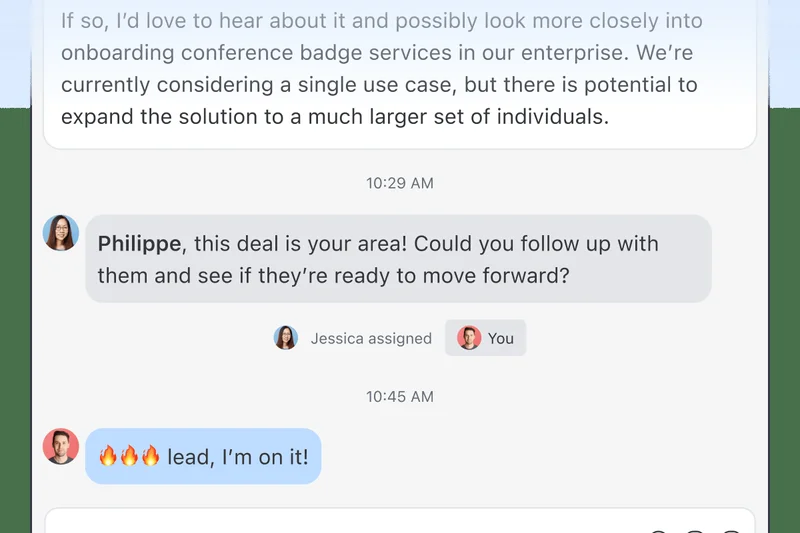
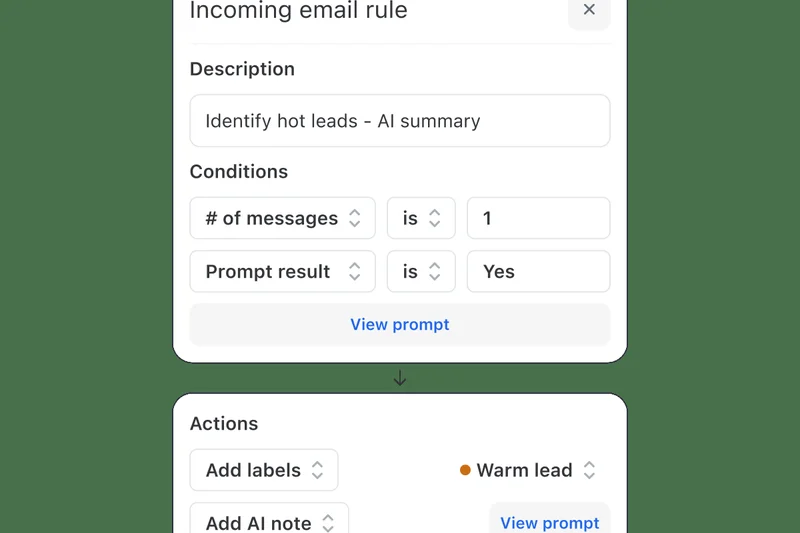
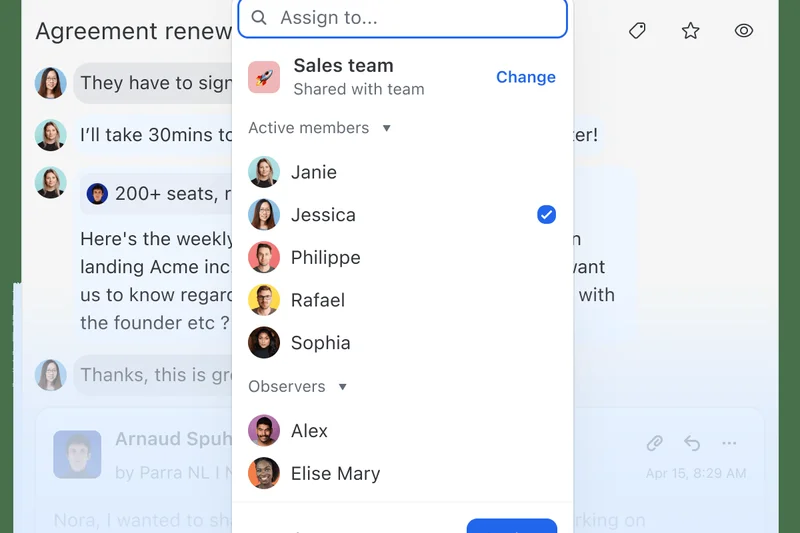
Why we picked it: Missive brilliantly unifies email operations and internal chat into a single application. It enables real-time collaborative drafting and allows teams to assign tasks directly from inbound emails.
Key Specs
- Email operations and chat fully unified
- Real-time collaborative drafting
- Custom workflow integrations & API
- Direct task assignment from emails
- Native cross-platform mobile & desktop apps
What we like
- Transforms messy email threads into actionable, collaborative chats
- Real-time co-authoring of email replies saves massive amounts of time
- Beautiful, fast, and highly responsive cross-platform apps
What we don't like
- Pricing can become expensive for larger organizations
- Not suited for teams that need massive, company-wide general chat rooms
Best for: Agencies, customer support, and operations teams that live in their email inboxes.
Considering Missive vs Slack? Missive merges email and chat into a unified collaborative inbox, whereas Slack keeps chat entirely separate from email.
An exceptionally designed shared inbox that brings the speed of chat to traditional email workflows.
Buy at Missive official site#18 ClickUp
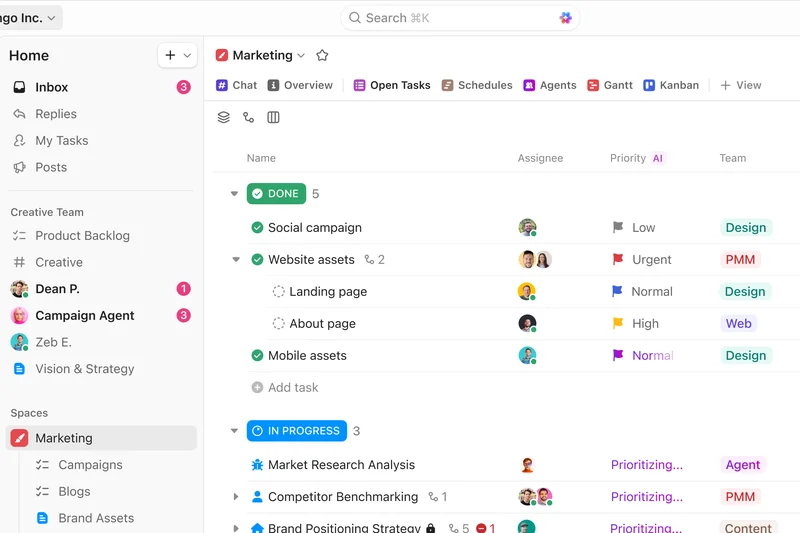
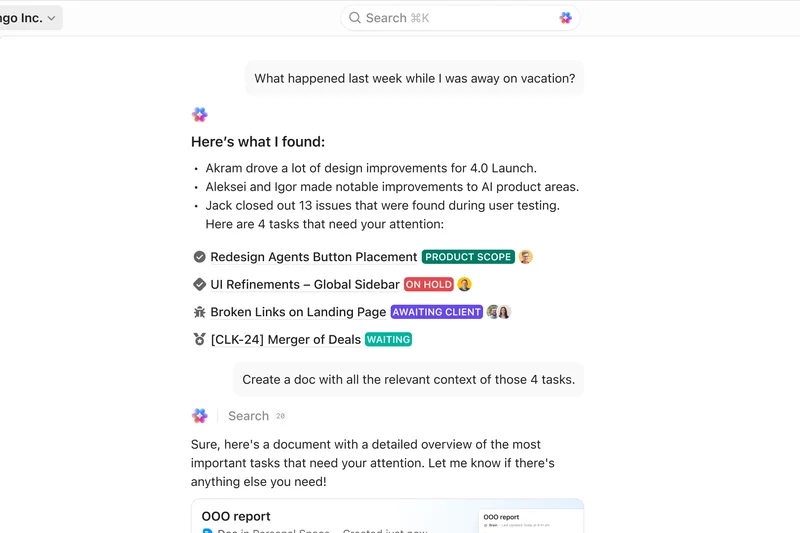
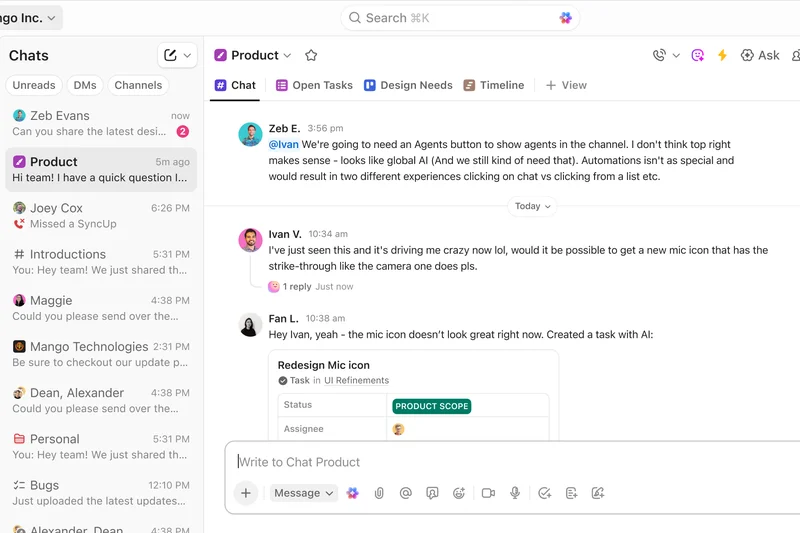
Why we picked it: ClickUp is primarily a productivity app, but its native Chat view embeds full-featured communication directly within project folders, allowing teams to link tasks and chat seamlessly in one interface.
Key Specs
- Native Chat view embedded within folders
- Easily link tasks in conversation
- Rich text formatting & attachments
- ClickUp AI summary & writing tools
- Highly customizable dashboard widgets
What we like
- Eliminates context switching by keeping chat right next to project tasks
- Highly customizable workspace dashboards
- Excellent AI tools for summarizing both tasks and chat threads
What we don't like
- The platform can feel overwhelming due to its massive feature set
- Chat functionality is robust but lacks advanced enterprise VoIP integrations
Best for: Project management-heavy teams wanting to consolidate tasks and chat into a single application.
Considering ClickUp vs Slack? ClickUp surrounds your chat with intense project management tools, whereas Slack focuses purely on messaging speed and integrations.
The best "all-in-one" productivity suite for teams that want their chat inextricably linked to their daily tasks.
Buy at ClickUp official site#19 Discord

Why we picked it: Originally built for gaming, Discord has evolved into a formidable business tool. Earning the top score in Pricing & Value, its persistent drop-in voice channels and unlimited free message history make it a favorite for startups.
Key Specs
- Persistent drop-in voice channels
- Unlimited message history on free tier
- High-definition screen sharing & streaming
- Extensive server role management
- Massive bot & webhook API ecosystem
What we like
- Unbeatable free tier with unlimited message history
- Always-on voice channels replicate the feel of a shared office space
- Incredibly fast and responsive user interface
What we don't like
- Lacks enterprise compliance features (SOC2, HIPAA)
- The gamer-centric branding and feature set can feel unprofessional to some clients
Best for: Startups, creative agencies, web3 communities, and budget-conscious small businesses.
Considering Discord vs Slack? Discord provides unmatched voice capabilities and a superior free tier, while Slack offers formal business integrations and enterprise compliance.
A highly agile, voice-centric platform that provides incredible collaboration value for small businesses and communities.
Buy at Discord official site#20 Spike



Why we picked it: Spike completely reimagines standard email by turning it into a threaded chat interface. It manages unified multi-account inboxes and integrates collaborative tasks and notes directly alongside your messages.
Key Specs
- Turns standard email into threaded chat
- Spike AI summarization integration
- Unified multi-account inbox management
- Built-in collaborative tasks & notes
- Free custom email domains for teams
What we like
- Turns clunky email into a fast, Slack-like conversational experience
- No need to convince external clients to download a new app
- Includes built-in collaborative notes and task management
What we don't like
- Can become cluttered if you receive high volumes of automated emails
- Lacks traditional channel-based architecture for large internal teams
Best for: Freelancers, consultants, and small teams whose primary communication is with external clients via email.
Considering Spike vs Slack? Spike upgrades your existing email into a chat interface, whereas Slack replaces email entirely with internal channels.
An innovative conversational email app that blends the speed of instant messaging with the universal reach of email.
Buy at Spike official site#21 Wire for Enterprise
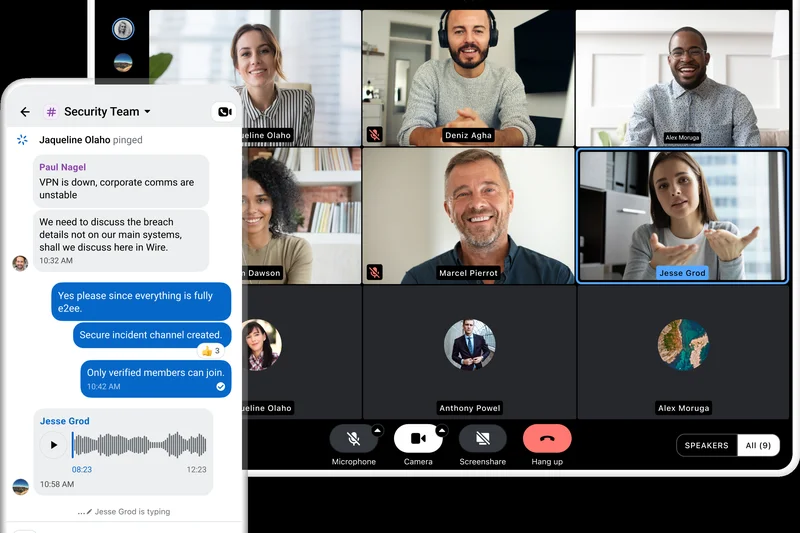
Why we picked it: Wire provides zero-trust communication with rigorous end-to-end encrypted messaging and perfect forward secrecy protocols. It ensures fully secure file exchanges and offers on-premises deployment options.
Key Specs
- Rigorous end-to-end encrypted messaging
- Perfect forward secrecy protocols
- External guest room capabilities
- Fully secure file exchange
- On-premises deployment available
What we like
- Top-tier end-to-end encryption with perfect forward secrecy
- Clean, modern user interface that is easy to adopt
- Secure guest rooms allow safe collaboration with external partners
What we don't like
- Third-party integration ecosystem is very limited
- Customer support response times can be slow on lower tiers
Best for: Legal teams, executives, and organizations requiring uncompromising privacy without sacrificing usability.
Considering Wire vs Slack? Wire offers zero-trust encryption by default to protect sensitive IP, whereas Slack focuses on workflow integrations and accessibility.
A beautifully designed, zero-trust messaging platform that secures corporate communications against all interception.
Buy at Wire official site#22 Connecteam
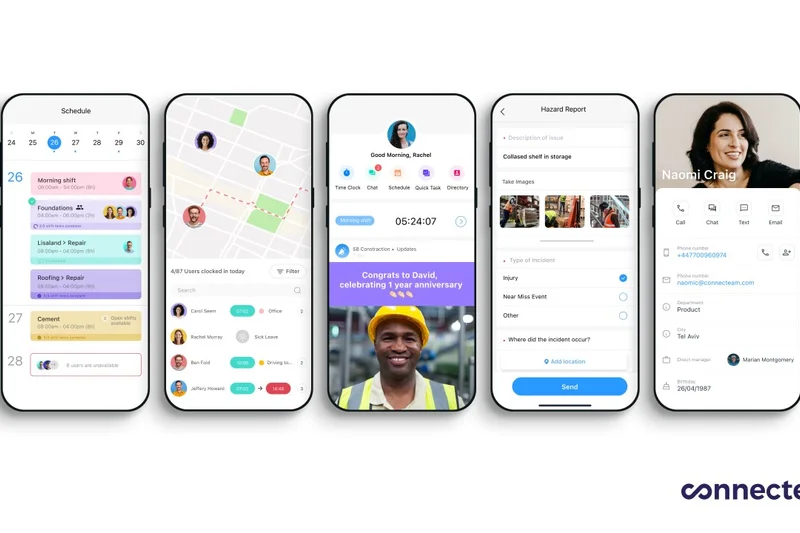
Why we picked it: Connecteam is the ultimate frontline team app. It provides secure internal chat specifically built for deskless workers, integrating time tracking, shift scheduling, and read-receipt announcements into a predictable flat-rate price.
Key Specs
- Secure internal chat built for deskless workers
- Integrated time tracking & shift scheduling
- Company-wide updates & read-receipt announcements
- Customizable task management workflows
- Predictable flat-rate user blocks
What we like
- Perfectly tailored for non-desk, frontline, and mobile workforces
- Combines chat with shift scheduling, time clocks, and HR forms
- Highly predictable flat-rate pricing is great for large frontline teams
What we don't like
- Desktop experience is secondary to the mobile-first design
- Not suited for heavy knowledge-worker environments or desk-based collaboration
Best for: Retail, construction, healthcare, and logistics companies with large frontline or deskless workforces.
Considering Connecteam vs Slack? Connecteam is an operations hub for mobile frontline workers, whereas Slack is built for desk-based knowledge workers.
An exceptional, all-in-one mobile communication and management hub designed explicitly for the deskless workforce.
Buy at Connecteam official site#23 Troop Messenger
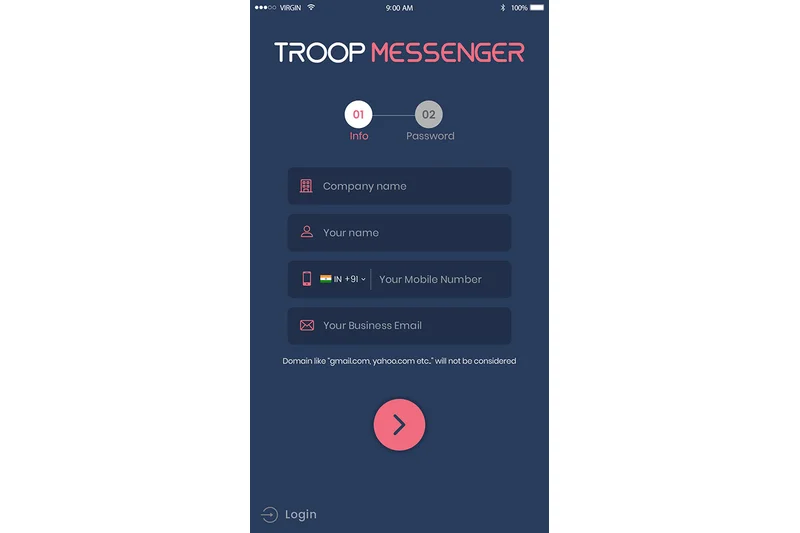
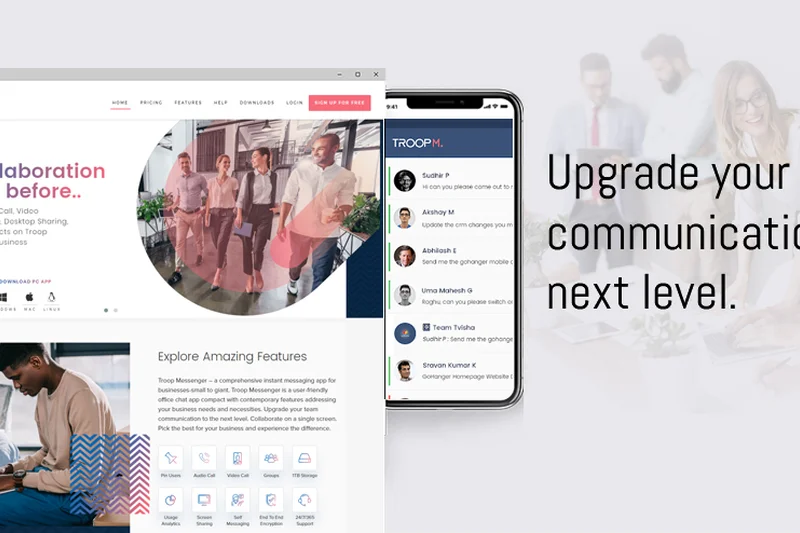
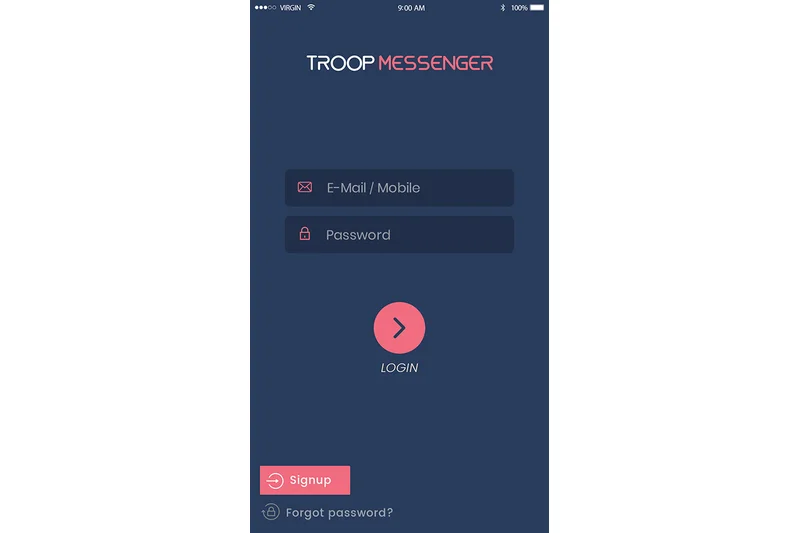
Why we picked it: Troop Messenger is a highly secure platform featuring unique Burnout and Recall privacy tools. Offering flexible self-hosted and SaaS deployments, it utilizes biometric fingerprint access for defense-grade architectural security.
Key Specs
- Burnout & Recall privacy features
- Flexible self-hosted & SaaS deployments
- Biometric fingerprint security access
- Defense-grade architecture
- In-call remote screen sharing
What we like
- Advanced privacy tools like message recall and 'burnout' self-destructing chats
- Highly flexible deployment options (SaaS, On-Premise, Air-gapped)
- Biometric security access adds a physical layer of data protection
What we don't like
- Interface feels slightly dated compared to modern startup tools
- Lacks the vast third-party integration library found in mainstream competitors
Best for: Defense contractors, healthcare providers, and enterprises needing specialized, strict messaging privacy controls.
Considering Troop Messenger vs Slack? Troop provides specialized privacy controls like biometric locking and self-destructing messages, whereas Slack is open and collaborative.
A defense-grade messaging alternative packed with unique privacy features and flexible hosting options.
Buy at Troop Messenger official site#24 Chanty
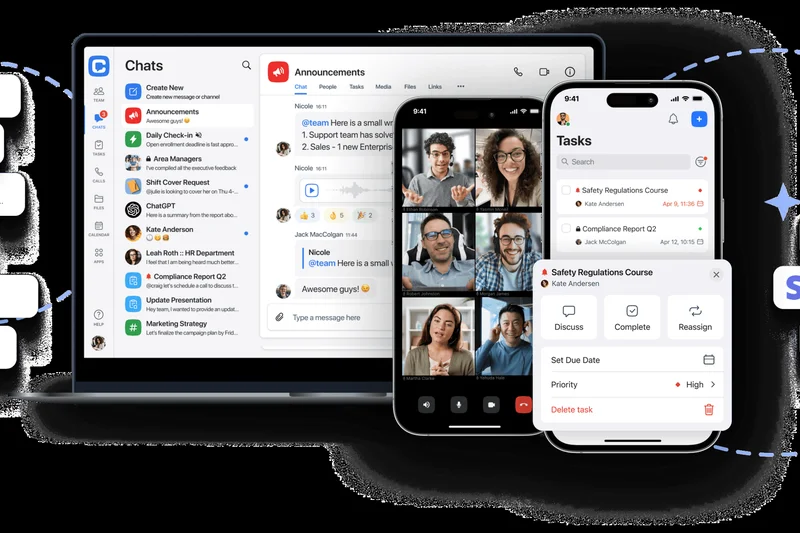
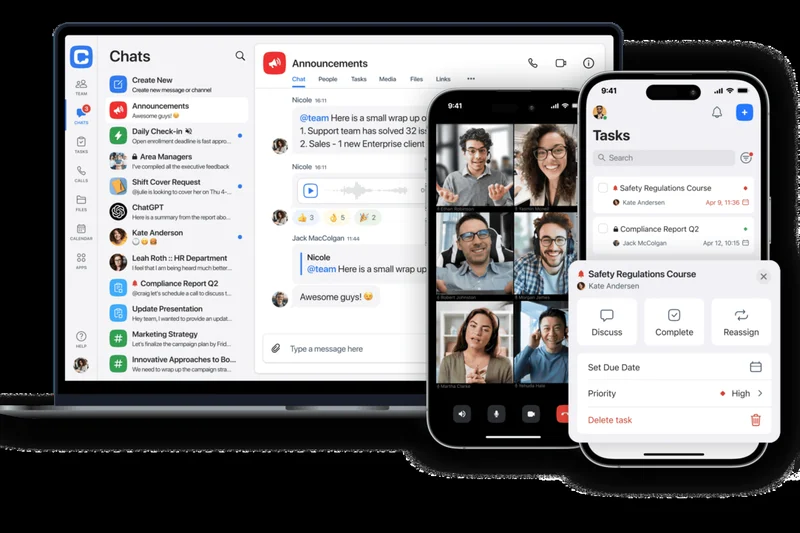
Why we picked it: Chanty is an intuitive, highly affordable team chat app that features a centralized Teambook hub and built-in Kanban task management. It offers unlimited searchable history on its generous free tier.
Key Specs
- Centralized Teambook organization hub
- Built-in Kanban task manager
- Native voice messaging support
- Unlimited searchable history on free tier
- Highly affordable premium subscription
What we like
- Extremely affordable per-user pricing for small businesses
- Built-in Kanban boards allow light project management without leaving chat
- Clean, fast interface that requires zero training to use
What we don't like
- Advanced administrative and enterprise compliance tools are lacking
- Audio and video call quality can be inconsistent on slow networks
Best for: Small businesses and non-profits looking for an affordable, easy-to-use Slack alternative.
Considering Chanty vs Slack? Chanty offers a simpler, cheaper experience with built-in Kanban tasks, while Slack is far more complex and expensive.
A delightful, budget-friendly chat application that neatly organizes conversations and lightweight tasks.
Buy at Chanty official site#25 Flock



Why we picked it: Flock combines a team messenger with built-in productivity tools like shared to-dos, reminders, and team polling. It includes seamless external guest management and process automation creation tools.
Key Specs
- Shared native to-dos & reminders
- Built-in team polling functionality
- In-app voice & video conferencing
- Process automation creation tools
- Seamless external guest management
What we like
- Native productivity tools (polls, to-dos) keep teams engaged
- Very fast and lightweight application performance
- Process automation builder helps streamline routine daily workflows
What we don't like
- Interface can feel slightly cluttered when utilizing all productivity modules
- Video conferencing participant limits are lower than enterprise rivals
Best for: Small to mid-sized teams looking for a fast messaging app with built-in productivity widgets.
Considering Flock vs Slack? Flock includes native to-dos and polls to reduce reliance on third-party apps, whereas Slack requires plugins for those features.
A snappy, productivity-focused messenger that bundles essential team tools into a single, affordable interface.
Buy at Flock official site#26 Threema Work
Why we picked it: Threema Work is a secure Swiss messenger that requires no personal phone number. Protected by strict Swiss privacy laws, it offers total end-to-end payload encryption and dedicated UI modes for frontline workers.
Key Specs
- No personal phone number required
- Protected by strict Swiss privacy laws
- Total end-to-end payload encryption
- Enterprise MDM/EMM integration
- Dedicated UI for frontline workers
What we like
- Absolute anonymity; no phone number required to create an account
- Hosted in Switzerland, benefiting from the world's strictest privacy laws
- Excellent MDM integration for deploying to corporate mobile devices
What we don't like
- Primarily a mobile-first app, making desktop use feel secondary
- Lacks complex channel-based collaboration features for large desk teams
Best for: European businesses, executives, and organizations requiring extreme mobile privacy and GDPR compliance.
Considering Threema Work vs Slack? Threema is a highly secure, mobile-first encrypted messenger, whereas Slack is a desktop-first collaborative workspace.
The ultimate mobile privacy messenger, leveraging Swiss data laws and total anonymity for corporate communications.
Buy at Threema official site#27 Rock.so
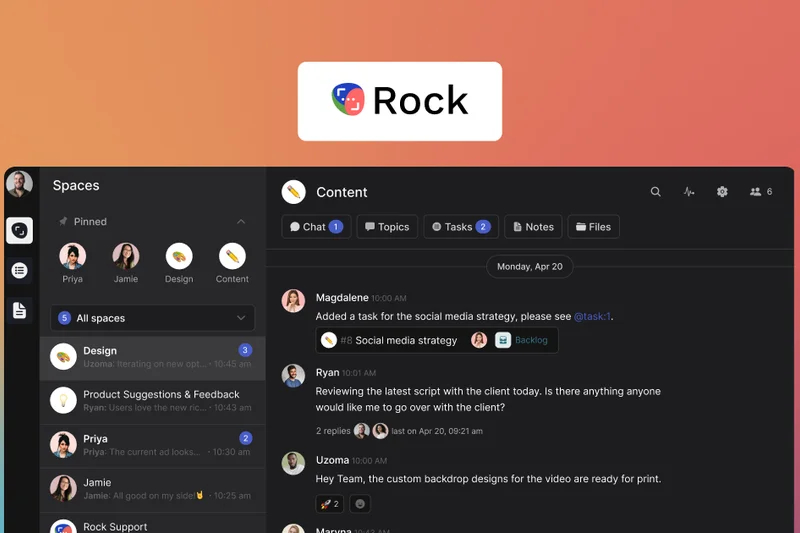
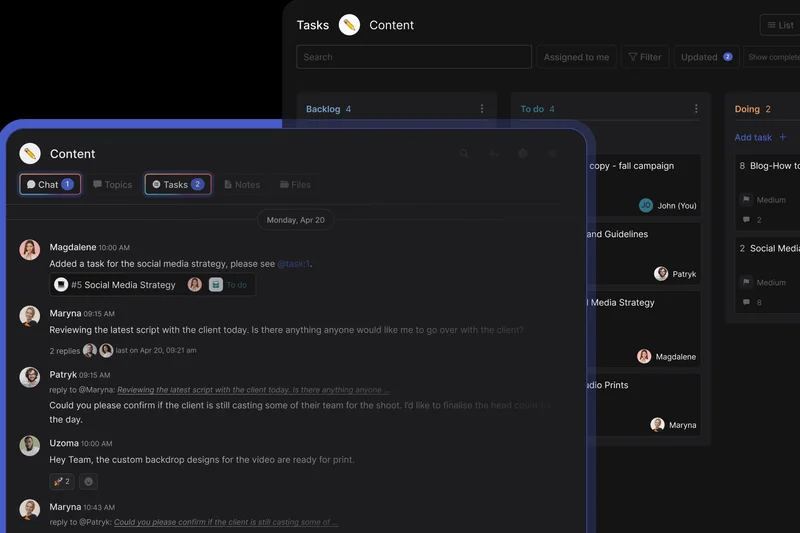
Why we picked it: Rock.so expertly combines async messaging with task boards, making it perfect for cross-organizational collaboration. Designed specifically for freelancers and agencies, it integrates natively with Google Drive and Notion.
Key Specs
- Combined messaging and task boards
- Cross-organizational collaboration spaces
- Google Drive & Notion native integrations
- Designed specifically for freelancers & agencies
- Generous feature set on free tier
What we like
- Flawlessly merges chat channels with Kanban task boards
- Allows unlimited free invites for external clients and freelancers
- Generous free tier makes it highly accessible for new agencies
What we don't like
- Can become visually overwhelming for users who only want simple chat
- Lacks enterprise-grade compliance and advanced security reporting
Best for: Creative agencies, freelancers, and teams collaborating constantly with external clients.
Considering Rock.so vs Slack? Rock.so integrates full task management and is built for cross-company client work, whereas Slack is built for internal team chatter.
A brilliant hybrid of messaging and project management, built from the ground up for agencies and freelancers.
Buy at Rock.so official site#28 Twist
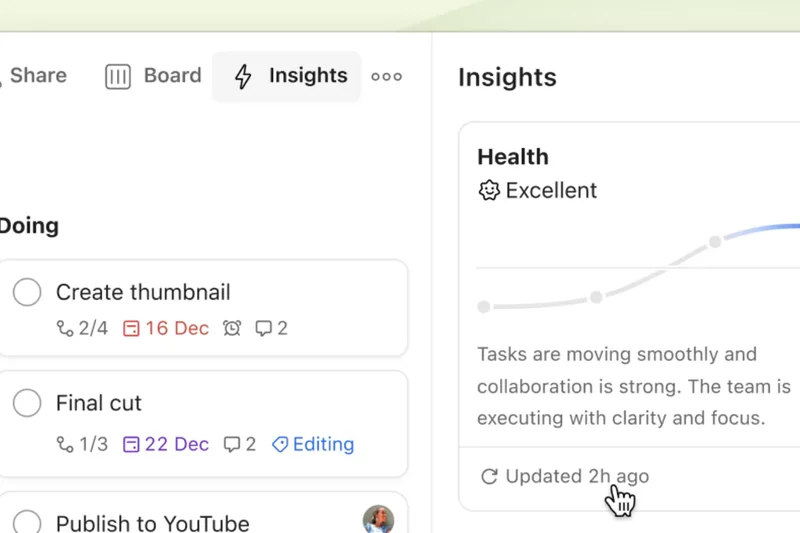
Why we picked it: From the makers of Todoist, Twist uses a strictly thread-first communication model with no online presence indicators. It is meticulously designed to minimize digital distraction and support deep work.
Key Specs
- Strictly thread-first communication model
- No online presence indicators
- Unlimited single-channel guest accounts
- 500+ productivity tool integrations
- Designed to minimize digital distraction
What we like
- Completely eliminates notification fatigue and the pressure to reply instantly
- Thread-first design keeps all conversations perfectly organized and searchable
- Absence of online indicators promotes a healthy, asynchronous work culture
What we don't like
- Not suited for teams that require rapid, real-time emergency communications
- Takes time to break the habit of sending single-line chat messages
Best for: Fully remote, globally distributed teams that champion deep work and asynchronous communication.
Considering Twist vs Slack? Twist is an intentional, slow-paced threaded platform designed for focus, whereas Slack is a rapid-fire synchronous chat app.
The best communication tool for remote teams determined to eliminate the constant distraction of real-time chat.
Buy at Twist official site#29 Pumble
Why we picked it: Pumble is a straightforward business chat platform offering a generous free tier with unlimited message history and 10GB/user storage. Its intuitive interface provides a nearly identical experience to Slack.
Key Specs
- Unlimited message history on free tier
- Intuitive Slack-like UI
- Built-in 1-on-1 voice and video
- Generous 10GB/user free storage
- Seamless Slack workspace import
What we like
- Incredible free tier with unlimited message history search
- User interface is highly familiar to anyone who has used Slack
- Seamless import tool makes migrating off Slack effortless
What we don't like
- Advanced integrations are limited compared to major industry players
- Lacks high-capacity group video conferencing on lower tiers
Best for: Small businesses and startups looking for a direct, free clone of Slack's core features.
Considering Pumble vs Slack? Pumble provides the core Slack experience for free with unlimited history, while Slack limits history unless you pay.
A highly capable, budget-friendly Slack clone that offers unlimited message history without the premium price tag.
Buy at Pumble official site#30 Brosix
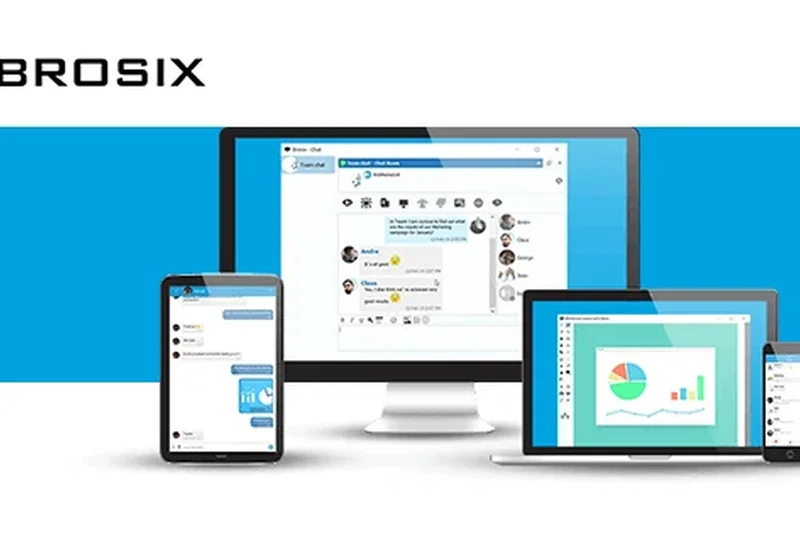
Why we picked it: Brosix is a private instant messenger focusing on encrypted private team networks. It features powerful peer-to-peer screen sharing, remote desktop control, and comprehensive user activity logs under complete administrative control.
Key Specs
- Fully encrypted private team network
- Peer-to-peer screen sharing & remote desktop
- Broadcast messaging for large teams
- Comprehensive user activity logs
- Complete centralized administrative control
What we like
- Excellent built-in remote desktop control and screen sharing
- Closed, private network ensures zero outside interference
- Extensive administrative controls over user permissions and activity logs
What we don't like
- The software interface feels dated compared to modern web-based apps
- Lacks integrations with modern SaaS tools like Notion or Figma
Best for: IT support teams, healthcare, and legacy enterprises that require strict administrative oversight and remote desktop capabilities.
Considering Brosix vs Slack? Brosix is a locked-down, IT-controlled private network with remote desktop tools, whereas Slack is an open, integration-heavy cloud platform.
A robust, highly controlled private messenger featuring excellent built-in IT support and remote desktop capabilities.
Buy at Brosix official site#31 Basecamp
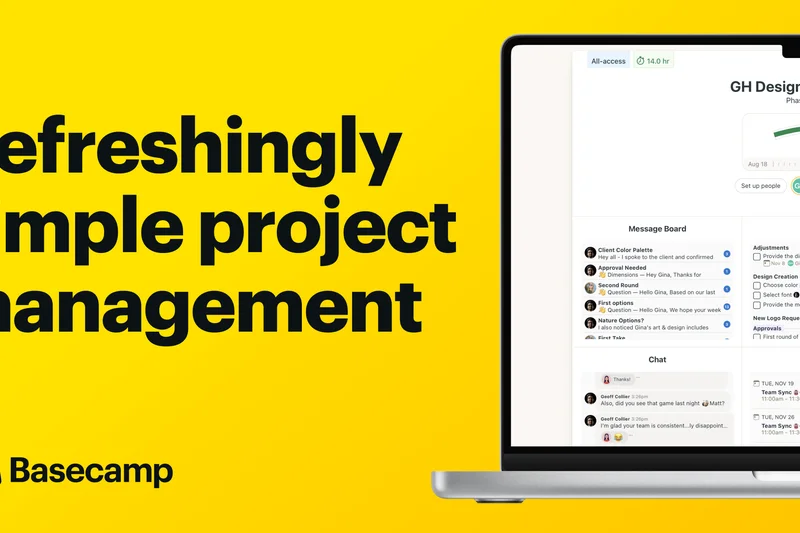
Why we picked it: Basecamp provides async project management with a flat-rate pricing model. It combines message boards, the Campfire chat module, and to-do workflows, offering unlimited free client access accounts.
Key Specs
- Flat-rate unlimited users tier
- Message boards & Campfire chat module
- To-do lists & Card Tables workflows
- Built-in centralized scheduling
- Unlimited free client access accounts
What we like
- Flat monthly pricing is incredibly economical for growing teams
- Separates casual chat (Campfire) from important project updates (Message Boards)
- Replaces multiple tools by including tasks, files, and scheduling
What we don't like
- Highly opinionated software design that forces teams into a specific workflow
- The chat module (Campfire) is basic and lacks advanced threading
Best for: Mid-sized businesses and agencies looking to simplify their software stack and lock in a flat monthly price.
Considering Basecamp vs Slack? Basecamp organizes all communication around specific projects asynchronously, whereas Slack organizes around real-time channels.
An all-in-one project management and communication hub that champions organized, asynchronous work at a predictable flat rate.
Buy at Basecamp official site#32 Bitrix24
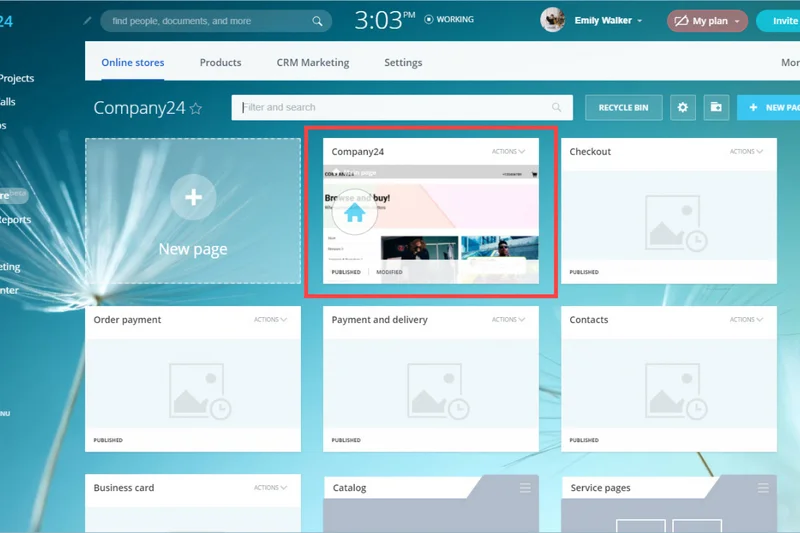
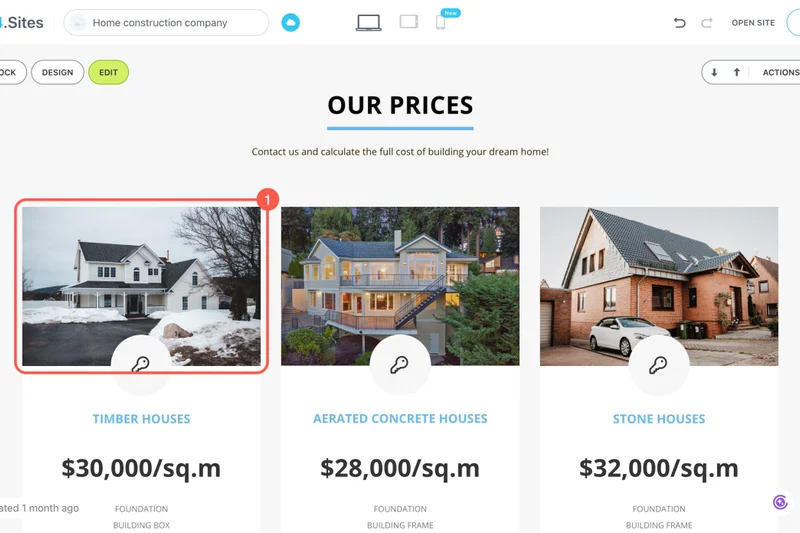
Why we picked it: Bitrix24 is a sprawling workspace and CRM suite. It offers unified chat, tasks, HD video conferencing, and a full CRM, making it a highly economical flat-rate option for businesses needing a complete digital office.
Key Specs
- Unified chat, tasks, and full CRM
- HD video conferencing capabilities
- Extranet portal for external users
- Integrated HR management tools
- Highly economical flat-rate tier options
What we like
- Provides an entire suite of business tools (CRM, HR, Tasks) alongside chat
- Flat-rate pricing tiers are highly cost-effective for large teams
- Extranet portal allows secure collaboration with external partners
What we don't like
- The sheer volume of features makes the interface notoriously cluttered
- Steep learning curve requires dedicated onboarding and training
Best for: Small to mid-sized businesses looking to run their entire company—sales, HR, and communication—from a single platform.
Considering Bitrix24 vs Slack? Bitrix24 is an entire digital workplace including a CRM, whereas Slack is strictly a communication and integration hub.
A massively feature-rich intranet and communication suite offering incredible value for companies willing to navigate its complexity.
Buy at Bitrix24 official site#33 AirSend
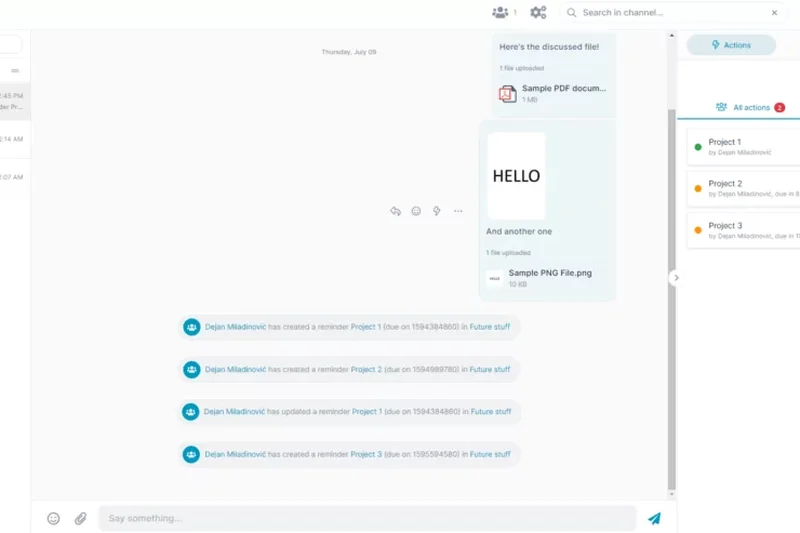
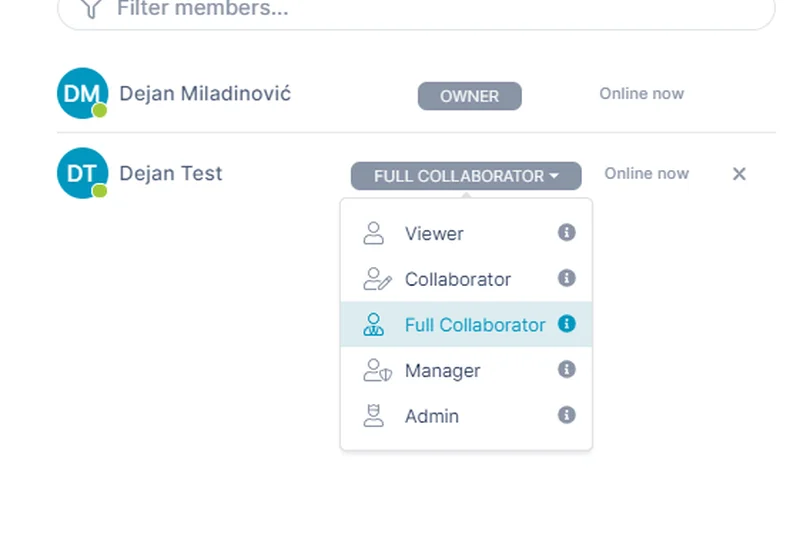
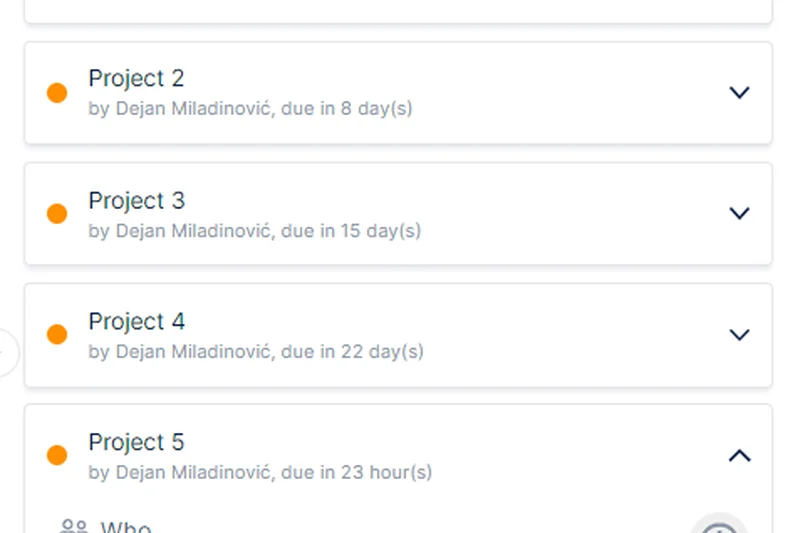
Why we picked it: AirSend consolidates chat, files, and tasks into one client collaboration workspace. Specifically designed for client communication, it features a built-in wiki and seamless email-to-channel integration.
Key Specs
- Chat, files, and tasks consolidated in one channel
- Built-in workspace wiki & notes
- Seamless email-to-channel integration
- Specifically designed for client communication
- Clear, actionable to-do lists
What we like
- Simplifies client communication by combining files, tasks, and chat in one view
- Clients can reply via email directly into the AirSend channel
- Built-in wiki is excellent for maintaining project documentation
What we don't like
- Lacks the extensive third-party integrations needed for complex internal engineering workflows
- Interface is somewhat basic compared to enterprise competitors
Best for: Accountants, lawyers, and consultants who need a simple, unified portal to collaborate with non-technical clients.
Considering AirSend vs Slack? AirSend is highly optimized for external client collaboration and file sharing, whereas Slack is optimized for internal team connectivity.
A straightforward, highly effective workspace designed to make collaborating with external clients as painless as possible.
Buy at AirSend official site#34 Cosmos Video
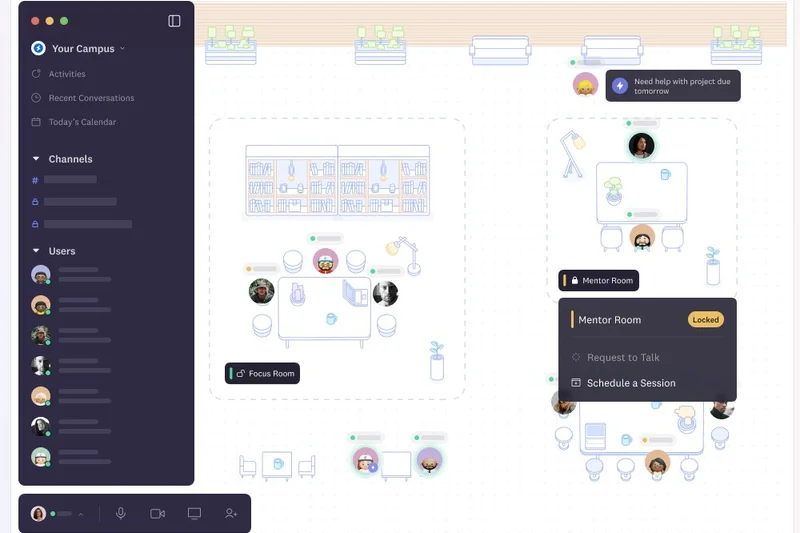
Why we picked it: Cosmos Video provides a virtual HQ experience using spatial audio and video office environments. It allows persistent text chat messaging alongside spontaneous remote walk-up conversations.
Key Specs
- Spatial audio & video office environments
- Persistent text chat messaging
- Spontaneous remote walk-up conversations
- Customizable virtual office layouts
- Built-in seamless screen sharing
What we like
- Recreates the spontaneous 'watercooler' conversations of a physical office
- Spatial audio makes group collaboration feel natural and engaging
- Customizable virtual layouts add a fun, team-building element to remote work
What we don't like
- Can be highly distracting for employees who prefer deep, uninterrupted work
- Requires significant bandwidth and computing resources to run smoothly
Best for: Fully remote startups and creative teams looking to inject culture and spontaneity into their daily workflows.
Considering Cosmos Video vs Slack? Cosmos relies on virtual avatars and spatial audio for spontaneous live connection, while Slack is a traditional text-based hub.
A playful and engaging virtual headquarters that solves the isolation of remote work through spatial audio and spontaneous video.
Buy at Cosmos official site#35 Ryver
Why we picked it: Ryver combines task and chat collaboration into a predictable flat-rate platform. It provides unlimited chat and file sharing seamlessly integrated with robust Kanban task management.
Key Specs
- Predictable flat-rate team pricing
- Unlimited chat & file sharing
- Integrated Kanban task management
- Custom workspace invite links
- Built-in voice & video calling
What we like
- Flat-rate pricing model prevents costs from spiraling as teams grow
- Tightly integrates standard chat with excellent Kanban task boards
- Unlimited data and message history on all plans
What we don't like
- Voice and video call features are relatively basic
- Development and feature updates have slowed compared to competitors
Best for: Mid-sized teams looking for a flat-rate alternative that cleanly integrates chat with Kanban project management.
Considering Ryver vs Slack? Ryver includes robust task management natively to save on third-party subscriptions, whereas Slack requires Trello or Asana integrations.
A solid, dependable Slack alternative that delivers flat-rate pricing and tightly integrated task management for growing teams.
Buy at Ryver official siteBuying Guide
Understanding Your Team's Communication Needs
Choosing the right Slack alternative depends entirely on your company's size, technical requirements, and existing software stack. Before committing to a platform, evaluate your organization's core workflow. If your workforce is highly distributed across time zones and primarily relies on asynchronous communication, a tool built around structured, threaded discussions might serve you far better than a noisy real-time chat app. Conversely, hybrid teams usually need robust built-in video conferencing to replace casual office check-ins and facilitate live brainstorming.
Budget Tiers: What to Expect
Pricing for team chat apps can escalate quickly, especially as your headcount grows. Here is what you can generally expect across different budget tiers:
- Free & Open-Source ($0): Many commercial apps offer free tiers, but they often heavily restrict message history (e.g., hiding messages older than 90 days) or limit third-party integrations. Open-source solutions like Mattermost and Rocket.Chat can be completely free if you self-host them, though you will need the internal technical expertise and server infrastructure to maintain, patch, and secure them.
- Budget-Friendly ($3 - $8 per user/month): In this affordable tier, you will unlock unlimited message history, increased cloud file storage, and standard SaaS integrations. Apps like Google Chat (which is included seamlessly in Workspace) or dedicated budget-friendly platforms like Pumble fit perfectly here.
- Enterprise-Grade ($10 - $25+ per user/month): This premium tier is designed explicitly for mid-market and large organizations requiring advanced compliance (SOC2, GDPR, HIPAA), strict data retention policies, granular IT admin controls, and large-scale video conferencing capabilities. Powerhouses like Microsoft Teams and Webex App dominate this space.
Key Features to Look For
While basic instant messaging is ubiquitous across all tools, the best Slack alternatives differentiate themselves through highly advanced collaboration features:
- Thread Management: Messy, rapid-fire channels kill team productivity. Look for platforms that force or actively encourage organized threading (like Zulip), preventing multiple ongoing conversations from overlapping and getting lost in a single channel.
- Ecosystem Integrations: The true power of a modern chat app lies in its ability to connect seamlessly with your other tools. Check for native integrations with your CRM, project management software, and developer tools. If an app lacks native integrations, verify if it offers robust API access or webhook support for custom builds.
- Security & Compliance: If your team handles proprietary intellectual property, financial data, or sensitive client information, prioritize platforms offering end-to-end encryption, Single Sign-On (SSO), two-factor authentication, and verifiable enterprise compliance certifications.
What to Avoid
When migrating away from Slack, be cautious of platforms that suffer from severe interface clutter. A chat app should facilitate work, not become a visual distraction or a source of anxiety. Avoid tools with steep learning curves unless your entire team is highly technical. Furthermore, beware of sneaky "freemium" traps where essential security features (like SSO) or basic admin controls are locked exclusively behind the most expensive enterprise tiers, forcing small businesses to either overpay massively or compromise on data safety.
Transitioning Your Team
Migrating to a completely new chat app requires thoughtful change management. Look for platforms that offer easy, automated import tools for your existing Slack workspace data (including channels, members, and history). We recommend running a pilot program with a small, tech-savvy group of users before rolling the new software out company-wide. Ensure you establish clear, written communication guidelines—such as when to use direct messages versus public channels—on day one to ensure a smooth, frictionless transition.
FAQ
What is the best Slack alternative in 2026?
Based on our M2 Multi-Dimensional Evaluation, Microsoft Teams is the best overall Slack alternative for most businesses, particularly due to its unmatched value for Microsoft 365 users, enterprise-grade security, and robust video conferencing. For teams seeking open-source control, Mattermost ranks highest.
Are there free alternatives to Slack that keep full message history?
Yes. Unlike Slack's free tier which hides older messages, platforms like Discord, Pumble, and Chanty offer generous free tiers that include unlimited message history search, making them excellent choices for startups on a strict budget.
Microsoft Teams vs. Slack: Which is better for large companies?
Microsoft Teams is generally better for large companies due to its advanced eDiscovery, strict compliance certifications, native document collaboration, and bundled pricing. Slack is often preferred by engineering and creative teams for its superior UI, agility, and massive library of third-party software integrations.
What is the most secure team chat app for enterprise compliance?
Microsoft Teams and Webex App offer industry-leading compliance for standard enterprises. For organizations requiring absolute data sovereignty, air-gapped networks, or zero-trust architecture, Mattermost, AWS Wickr, and Wire for Enterprise are the most secure options available.
Which Slack alternative is best for small businesses on a budget?
Discord offers unbeatable value with its powerful free tier, persistent voice channels, and unlimited history. Pumble is another excellent choice for small businesses seeking a traditional, text-based Slack clone without the premium price tag.
Can I self-host a team communication platform?
Yes. Open-source platforms like Mattermost, Rocket.Chat, Element, and Nextcloud Talk allow you to self-host the software on your own on-premises servers or private cloud, ensuring complete data sovereignty and privacy.
What is the best chat app for remote and asynchronous teams?
Twist and Zulip are the top choices for remote, asynchronous teams. Both platforms enforce strict, topic-based threading models that organize conversations, eliminate notification fatigue, and remove the pressure to reply instantly.
Are open-source Slack alternatives reliable?
Absolutely. Open-source alternatives like Mattermost and Rocket.Chat are highly reliable and are used by massive enterprise and government organizations. However, their reliability depends entirely on the quality of the IT infrastructure and team you use to host and maintain them.
How difficult is it to migrate data from Slack to another platform?
Most major competitors, including Microsoft Teams, Google Chat, and Pumble, offer automated migration tools that can import your Slack channels, users, and message history. However, third-party app integrations and custom webhooks will usually need to be reconfigured manually.
Is Discord appropriate for professional business communication?
Yes, Discord is increasingly popular among startups, web3 companies, and creative agencies due to its fast interface and always-on voice channels. However, it lacks enterprise compliance certifications (like SOC2 or HIPAA) and its gamer-centric branding may not suit traditional corporate environments.
Which team chat apps integrate best with Google Workspace?
Google Chat provides the deepest, most frictionless integration with Google Workspace, allowing native collaborative editing of Docs and Sheets directly in the chat window. Rock.so and Slack also offer excellent third-party integrations with Google Drive.
What specific features should enterprise organizations prioritize in a chat app?
Enterprises must prioritize end-to-end encryption, Single Sign-On (SSO), automated user provisioning (SCIM), customizable data retention policies, eDiscovery capabilities, and verified compliance certifications (GDPR, HIPAA, ISO 27001) over flashy UI features.
How do team chat apps handle external guest access?
Platforms handle this differently. Microsoft Teams and Slack offer shared channels (Slack Connect) and guest accounts. Wire for Enterprise provides secure guest rooms, while Rocket.Chat and Element use federation protocols to allow seamless communication across different organizational networks.
Methodology
Our official rankings are powered by the M2 Multi-Dimensional Evaluation methodology, an advanced scoring framework designed by selectionlogic.org to objectively assess and compare B2B software products. For this guide, we rigorously analyzed 35 team chat platforms against seven core dimensions:
- Core Messaging & Collaboration (25%): Evaluates real-time chat functionalities, thread management, audio/video conferencing capabilities, and file sharing natively supported by the platform.
- Third-Party Integrations & API (15%): Measures the richness of the application ecosystem, native integrations with popular SaaS tools (CRM, project management, dev tools), and webhook/API access flexibility.
- User Experience & Interface (15%): Assesses interface design aesthetics, ease of user onboarding, navigation fluidity, cross-platform availability (desktop, mobile, web), and customization options.
- Security & Compliance (15%): Checks for end-to-end encryption protocols, SSO availability, two-factor authentication, data residency options, and enterprise compliance certifications (e.g., SOC2, GDPR, HIPAA).
- Admin & Management Tools (10%): Evaluates bulk user provisioning, role-based access control, workspace analytics, message retention policies, and vital eDiscovery features.
- Pricing & Value (10%): Analyzes the monthly cost per user, feature restrictions placed on lower tiers, availability of a generous free plan, and overall ROI compared to Slack.
- Reliability & Customer Support (10%): Tracks historical server uptime, SLAs provided, cross-device sync speed, and the responsiveness and quality of technical support.
We gathered hundreds of data points directly from vendor documentation, hands-on software testing, and validated user reviews from authoritative platforms like G2 and Capterra. Each product was scored from 1 to 10 in every individual dimension. To properly accommodate different buyer needs and organizational sizes, we applied scenario-specific weighting to calculate specialized scenario scores. For instance, in our "Best for Budget-Conscious & Small Businesses" scenario, the Pricing & Value dimension was heavily weighted at 35%, whereas in the "Best for Enterprise & High Security" scenario, Security & Compliance and Admin Tools took priority at 25% and 20% respectively.
This rigorous mathematical approach removes subjective editorial bias, ensuring that our final rankings reflect the true, tested capabilities of each platform relative to specific business use cases.
Sources & References
All factual claims, product specifications, prices, and images in this article are cited by number. Click any reference to jump to the list; click the link in each entry to visit the original source.
- [1]SelectionLogic. "M2 Multi-Dimensional Evaluation Methodology." selectionlogic.org/en/methods/m2-multi-dimensional-evaluation/. Accessed Mar 2026.
- [2]SelectionLogic. "Business Collaboration & Team Chat Software Guide." selectionlogic.org/en/guides/team-chat-software-guide/. Accessed Mar 2026.
- [3]Microsoft. "Microsoft Teams Official Page." microsoft.com. Accessed Mar 2026.
- [4]Google. "Google Chat Workspace Platform." workspace.google.com. Accessed Mar 2026.
- [5]Mattermost. "Mattermost Secure Collaboration." mattermost.com. Accessed Mar 2026.
- [6]Rocket.Chat. "Rocket.Chat Official Website." rocket.chat. Accessed Mar 2026.
- [7]Discord. "Discord for Communities and Business." discord.com. Accessed Mar 2026.
- [8]Cisco. "Webex App Suite." webex.com. Accessed Mar 2026.
- [9]Zoom. "Zoom Team Chat Features." zoom.us. Accessed Mar 2026.
- [10]RingCentral. "Cloud Business Communications." ringcentral.com. Accessed Mar 2026.
- [11]37signals. "Basecamp Project Management." basecamp.com. Accessed Mar 2026.
- [12]Doist. "Twist Async Team Chat." twist.com. Accessed Mar 2026.
- [13]CAKE.com. "Pumble Business Chat." pumble.com. Accessed Mar 2026.
- [14]Ryver. "Ryver Task & Chat." ryver.com. Accessed Mar 2026.
- [15]Tvisha Technologies. "Troop Messenger Secure App." troopmessenger.com. Accessed Mar 2026.
- [16]Zoho. "Zoho Cliq Communication Platform." zoho.com. Accessed Mar 2026.
- [17]Spike. "Spike Conversational Email." spikenow.com. Accessed Mar 2026.
- [18]Wire. "Wire for Enterprise Security." wire.com. Accessed Mar 2026.
- [19]Chanty. "Chanty Team Chat App." chanty.com. Accessed Mar 2026.
- [20]Element. "Element Matrix Chat Client." element.io. Accessed Mar 2026.
- [21]Flock. "Flock Team Messenger." flock.com. Accessed Mar 2026.
- [22]Kandra Labs. "Zulip Topic-Based Chat." zulip.com. Accessed Mar 2026.
- [23]Symphony. "Symphony Secure Financial Messaging." symphony.com. Accessed Mar 2026.
- [24]Nextcloud. "Nextcloud Talk Private Cloud." nextcloud.com. Accessed Mar 2026.
- [25]Threema. "Threema Work Swiss Messenger." threema.ch. Accessed Mar 2026.
- [26]Amazon Web Services. "AWS Wickr Secure Communications." aws.amazon.com. Accessed Mar 2026.
- [27]Missive. "Missive Shared Inbox." missiveapp.com. Accessed Mar 2026.
- [28]Front. "Front Customer Communication Hub." front.com. Accessed Mar 2026.