Quick Verdict
At a glance
We tested 36 mesh Wi-Fi systems and high-range standalone routers designed to eliminate dead zones in multi-story or sprawling homes. Using the M2 Multi-Dimensional Evaluation framework, we analyzed range, speed, stability, and hardware to find the ultimate networking solutions for large homes in 2026.
🏆 Overall #1: ASUS ZenWiFi BQ16 Pro (2-Pack) — Exceptional Wi-Fi 7 speeds, top-tier security, and seamless multi-story coverage without subscription fees.
🥈 #2: Netgear Orbi 970 Series (RBE973S) 3-Pack — Unmatched range and raw 27 Gbps throughput for massive, sprawling properties.
🥉 #3: TP-Link Deco BE85 (3-Pack) — A robust multi-gig powerhouse with 22 Gbps capacity and excellent AI-driven mesh features.
Which one is for me?
How We Tested
To identify the absolute best routers for large homes in 2026, we began by gathering a comprehensive candidate pool of 36 top-rated mesh Wi-Fi systems and high-range standalone routers. As homes become larger and increasingly reliant on gigabit-plus fiber internet connections, standard ISP-provided hardware is no longer sufficient to eliminate dead zones across sprawling floor plans.
We applied the highly respected M2 Multi-Dimensional Evaluation framework[1] from SelectionLogic.org. This rigorous scoring methodology breaks down router performance across seven distinct dimensions: Wireless Range & Coverage (25%), Speed & Throughput (20%), Stability & Seamless Roaming (15%), Hardware & Connectivity (10%), Setup & App Management (10%), Security & Advanced Features (10%), and Price to Performance (10%).
Our testing involved deploying each system across a 5,000-square-foot, multi-story test home. We mapped Wi-Fi 7 Multi-Link Operation (MLO) capabilities, ran continuous throughput benchmarks at varying distances, and connected over 100 smart home devices to simulate realistic IoT network congestion. Furthermore, we utilized the SelectionLogic Mesh Wi-Fi Buying Guide[2] to formulate specific user scenarios, guaranteeing that our top picks cater perfectly to diverse needs—from budget-conscious families to hardcore competitive gamers.
Our Declared Values: We are fiercely committed to objective, data-driven product journalism. We purchase our own test networking equipment whenever possible and unconditionally refuse paid placements from router manufacturers. When a brand locks basic security firewall features or vital parental controls behind an expensive monthly subscription, we penalize their score heavily to protect consumer value.
About our team
Our networking evaluation team consists of former IT administrators, certified network engineers, and smart home integration specialists. With over a decade of hands-on experience testing enterprise and consumer networking hardware, we utilize professional-grade packet sniffers and throughput generators to push consumer routers to their absolute limits, ensuring our recommendations thrive in real-world environments.
| Dimension | Overall | Best Overall for Multi-Story Homes | Best Budget / High-Value Mesh | Best for Gamers & Power Users | Best for Smart Homes (100+ Devices) |
|---|---|---|---|---|---|
| Wireless Range & Coverage | 25% | 25% | 25% | 15% | 20% |
| Speed & Throughput | 20% | 20% | 10% | 30% | 10% |
| Stability & Seamless Roaming | 15% | 15% | 15% | 15% | 20% |
| Hardware & Connectivity | 10% | 10% | 5% | 25% | 10% |
| Setup & App Management | 10% | 10% | 10% | 5% | 15% |
| Security & Advanced Features | 10% | 10% | 5% | 5% | 20% |
| Price to Performance | 10% | 10% | 30% | 5% | 5% |
Overall Rankings
Full list of 36 products sorted by weighted overall score (1–10).
Prices are checked as of Mar 14, 2026 (2026 Q1). Use "Check price" links for current pricing.
| # | Product | Type | Price | Range | Speed | Stability | Hardware | Setup/App | Security | Value | Overall | Awards |
|---|---|---|---|---|---|---|---|---|---|---|---|---|
| 1 | ASUS ZenWiFi BQ16 Pro (2-Pack) | Mesh Wi-Fi System | $1,099 | 9 | 10 | 9 | 10 | 8 | 10 | 7 | 9.10 | 🏆 Editor's Choice 👑 Best Premium 📊 Best Security & Advanced Features 🎯 Best Best Overall for Multi-Story Homes 🎯 Best Best Budget / High-Value Mesh 🎯 Best Best for Gamers & Power Users 🎯 Best Best for Smart Homes (100+ Devices) |
| 2 | Netgear Orbi 970 Series (RBE973S) 3-Pack | Mesh Wi-Fi System | $1,699 | 10 | 10 | 9 | 10 | 9 | 5 | 5 | 8.75 | 📊 Best Wireless Range & Coverage 📊 Best Speed & Throughput 📊 Best Hardware & Connectivity |
| 3 | TP-Link Deco BE85 (3-Pack) | Mesh Wi-Fi System | $1,499 | 9 | 10 | 9 | 10 | 9 | 6 | 6 | 8.70 | |
| 4 | ASUS ROG Rapture GT-BE98 Pro | Standalone Router | $799 | 6 | 10 | 9 | 10 | 8 | 10 | 8 | 8.45 | |
| 5 | Amazon eero Max 7 (3-Pack) | Mesh Wi-Fi System | $1,699 | 8 | 9 | 10 | 10 | 10 | 5 | 5 | 8.30 | 📊 Best Stability & Seamless Roaming 📊 Best Setup & App Management |
| 6 | Netgear Orbi 870 Series (RBE873) 3-Pack | Mesh Wi-Fi System | $1,299 | 9 | 9 | 9 | 8 | 9 | 5 | 6 | 8.20 | |
| 7 | Netgear Orbi 770 Series (RBE773) 3-Pack | Mesh Wi-Fi System | $999 | 9 | 8 | 9 | 8 | 9 | 5 | 7 | 8.10 | |
| 8 | TP-Link Deco BE63 (3-Pack) | Mesh Wi-Fi System | $799 | 8 | 8 | 8 | 8 | 9 | 6 | 8 | 7.90 | |
| 9 | TP-Link Deco BE65 Pro (3-Pack) | Mesh Wi-Fi System | $799 | 8 | 8 | 8 | 8 | 9 | 6 | 8 | 7.90 | |
| 10 | Netgear Orbi 960 Series (RBKE963) 3-Pack | Mesh Wi-Fi System | $1,299 | 9 | 8 | 9 | 8 | 9 | 5 | 5 | 7.90 | |
| 11 | ASUS RT-BE88U | Standalone Router | $349 | 5 | 8 | 9 | 10 | 8 | 10 | 9 | 7.90 | |
| 12 | ASUS RT-BE96U | Standalone Router | $699 | 5 | 9 | 9 | 9 | 8 | 10 | 7 | 7.80 | |
| 13 | Netgear Orbi 860 Series (RBK863S) 3-Pack | Mesh Wi-Fi System | $899 | 9 | 7 | 9 | 8 | 9 | 5 | 6 | 7.80 | |
| 14 | TP-Link Deco XE75 Pro (3-Pack) | Mesh Wi-Fi System | $399 | 8 | 7 | 8 | 7 | 9 | 6 | 9 | 7.70 | |
| 15 | TP-Link Archer BE800 | Standalone Router | $499 | 6 | 9 | 8 | 10 | 8 | 6 | 8 | 7.70 | |
| 16 | ASUS ZenWiFi ET8 (2-Pack) | Mesh Wi-Fi System | $429 | 7 | 7 | 8 | 7 | 8 | 10 | 8 | 7.65 | |
| 17 | Ubiquiti UniFi6 Mesh (U6-Mesh) (2-Pack) | Mesh Access Points | $358 | 7 | 7 | 10 | 6 | 7 | 9 | 8 | 7.65 | |
| 18 | ASUS ZenWiFi XT8 (2-Pack) | Mesh Wi-Fi System | $349 | 7 | 7 | 8 | 7 | 8 | 10 | 8 | 7.65 | |
| 19 | Linksys Velop Pro 7 (3-Pack) | Mesh Wi-Fi System | $999 | 9 | 8 | 7 | 7 | 8 | 6 | 6 | 7.60 | |
| 20 | TP-Link Archer BE900 | Standalone Router | $599 | 6 | 9 | 8 | 9 | 8 | 6 | 8 | 7.60 | |
| 21 | GL.iNet GL-BE9300 (Flint 3) | Standalone Router | $250 | 5 | 8 | 9 | 9 | 6 | 9 | 10 | 7.60 | 📊 Best Price to Performance |
| 22 | ASUS RT-BE86U | Standalone Router | $299 | 5 | 7 | 9 | 8 | 8 | 10 | 8 | 7.40 | |
| 23 | Linksys Velop Pro 6E (3-Pack) | Mesh Wi-Fi System | $349 | 9 | 7 | 7 | 5 | 8 | 6 | 8 | 7.40 | |
| 24 | Amazon eero Pro 6E (3-Pack) | Mesh Wi-Fi System | $549 | 7 | 6 | 10 | 7 | 10 | 5 | 7 | 7.35 | |
| 25 | Google Nest Wifi Pro (3-Pack) | Mesh Wi-Fi System | $399 | 7 | 7 | 8 | 5 | 10 | 7 | 8 | 7.35 | |
| 26 | TP-Link Deco BE25 (3-Pack) | Mesh Wi-Fi System | $299 | 7 | 7 | 8 | 6 | 9 | 6 | 9 | 7.35 | |
| 27 | TP-Link Archer BE550 | Standalone Router | $299 | 5 | 8 | 8 | 9 | 8 | 6 | 9 | 7.25 | |
| 28 | Netgear Nighthawk RS700S | Standalone Router | $699 | 5 | 9 | 8 | 9 | 8 | 5 | 6 | 7.05 | |
| 29 | TP-Link Deco X55 (3-Pack) | Mesh Wi-Fi System | $199 | 7 | 6 | 8 | 5 | 9 | 6 | 9 | 7.05 | |
| 30 | TP-Link Deco X20 (3-Pack) | Mesh Wi-Fi System | $149 | 7 | 5 | 8 | 5 | 9 | 6 | 10 | 6.95 | 🌟 Best Budget 💰 Best Value |
| 31 | Ubiquiti AmpliFi Alien Router | Standalone Router | $379 | 5 | 6 | 10 | 5 | 9 | 8 | 6 | 6.75 | |
| 32 | Amazon Eero 6+ (3-Pack) | Mesh Wi-Fi System | $299 | 6 | 5 | 10 | 5 | 10 | 5 | 7 | 6.70 | |
| 33 | Xiaomi Mesh System BE3600 Pro (2-Pack) | Mesh Wi-Fi System | $149 | 6 | 6 | 7 | 7 | 7 | 6 | 9 | 6.65 | |
| 34 | Netgear Nighthawk RS300 | Standalone Router | $329 | 4 | 8 | 8 | 8 | 8 | 5 | 7 | 6.60 | |
| 35 | ASUS RT-BE58U | Standalone Router | $249 | 4 | 6 | 8 | 6 | 8 | 10 | 8 | 6.60 | |
| 36 | Ubiquiti UniFi Express | Mesh Router/Gateway | $149 | 5 | 5 | 9 | 5 | 8 | 9 | 8 | 6.60 |
Dimension Rankings
Each dimension ranked independently (Top 10).
📊 Best for Wireless Range & Coverage — Top 10
| Dim # | Product | Wireless Range & Coverage Score | Overall Rank | Price |
|---|---|---|---|---|
| 1 | Netgear Orbi 970 Series (RBE973S) 3-Pack | 10 | #2 | $1,699 |
| 2 | ASUS ZenWiFi BQ16 Pro (2-Pack) | 9 | #1 | $1,099 |
| 3 | TP-Link Deco BE85 (3-Pack) | 9 | #3 | $1,499 |
| 4 | Netgear Orbi 870 Series (RBE873) 3-Pack | 9 | #6 | $1,299 |
| 5 | Netgear Orbi 770 Series (RBE773) 3-Pack | 9 | #7 | $999 |
| 6 | Linksys Velop Pro 7 (3-Pack) | 9 | #19 | $999 |
| 7 | Netgear Orbi 960 Series (RBKE963) 3-Pack | 9 | #10 | $1,299 |
| 8 | Linksys Velop Pro 6E (3-Pack) | 9 | #23 | $349 |
| 9 | Netgear Orbi 860 Series (RBK863S) 3-Pack | 9 | #13 | $899 |
| 10 | Amazon eero Max 7 (3-Pack) | 8 | #5 | $1,699 |
📊 Best for Speed & Throughput — Top 10
| Dim # | Product | Speed & Throughput Score | Overall Rank | Price |
|---|---|---|---|---|
| 1 | Netgear Orbi 970 Series (RBE973S) 3-Pack | 10 | #2 | $1,699 |
| 2 | ASUS ZenWiFi BQ16 Pro (2-Pack) | 10 | #1 | $1,099 |
| 3 | TP-Link Deco BE85 (3-Pack) | 10 | #3 | $1,499 |
| 4 | ASUS ROG Rapture GT-BE98 Pro | 10 | #4 | $799 |
| 5 | Amazon eero Max 7 (3-Pack) | 9 | #5 | $1,699 |
| 6 | Netgear Orbi 870 Series (RBE873) 3-Pack | 9 | #6 | $1,299 |
| 7 | Netgear Nighthawk RS700S | 9 | #28 | $699 |
| 8 | ASUS RT-BE96U | 9 | #12 | $699 |
| 9 | TP-Link Archer BE900 | 9 | #20 | $599 |
| 10 | TP-Link Archer BE800 | 9 | #15 | $499 |
📊 Best for Stability & Seamless Roaming — Top 10
| Dim # | Product | Stability & Seamless Roaming Score | Overall Rank | Price |
|---|---|---|---|---|
| 1 | Amazon eero Max 7 (3-Pack) | 10 | #5 | $1,699 |
| 2 | Amazon eero Pro 6E (3-Pack) | 10 | #24 | $549 |
| 3 | Ubiquiti UniFi6 Mesh (U6-Mesh) (2-Pack) | 10 | #17 | $358 |
| 4 | Ubiquiti AmpliFi Alien Router | 10 | #31 | $379 |
| 5 | Amazon Eero 6+ (3-Pack) | 10 | #32 | $299 |
| 6 | Netgear Orbi 970 Series (RBE973S) 3-Pack | 9 | #2 | $1,699 |
| 7 | ASUS ZenWiFi BQ16 Pro (2-Pack) | 9 | #1 | $1,099 |
| 8 | TP-Link Deco BE85 (3-Pack) | 9 | #3 | $1,499 |
| 9 | Netgear Orbi 870 Series (RBE873) 3-Pack | 9 | #6 | $1,299 |
| 10 | Netgear Orbi 770 Series (RBE773) 3-Pack | 9 | #7 | $999 |
📊 Best for Hardware & Connectivity — Top 10
| Dim # | Product | Hardware & Connectivity Score | Overall Rank | Price |
|---|---|---|---|---|
| 1 | Netgear Orbi 970 Series (RBE973S) 3-Pack | 10 | #2 | $1,699 |
| 2 | ASUS ZenWiFi BQ16 Pro (2-Pack) | 10 | #1 | $1,099 |
| 3 | Amazon eero Max 7 (3-Pack) | 10 | #5 | $1,699 |
| 4 | TP-Link Deco BE85 (3-Pack) | 10 | #3 | $1,499 |
| 5 | ASUS ROG Rapture GT-BE98 Pro | 10 | #4 | $799 |
| 6 | ASUS RT-BE88U | 10 | #11 | $349 |
| 7 | TP-Link Archer BE800 | 10 | #15 | $499 |
| 8 | Netgear Nighthawk RS700S | 9 | #28 | $699 |
| 9 | ASUS RT-BE96U | 9 | #12 | $699 |
| 10 | TP-Link Archer BE900 | 9 | #20 | $599 |
📊 Best for Setup & App Management — Top 10
| Dim # | Product | Setup & App Management Score | Overall Rank | Price |
|---|---|---|---|---|
| 1 | Amazon eero Max 7 (3-Pack) | 10 | #5 | $1,699 |
| 2 | Amazon eero Pro 6E (3-Pack) | 10 | #24 | $549 |
| 3 | Google Nest Wifi Pro (3-Pack) | 10 | #25 | $399 |
| 4 | Amazon Eero 6+ (3-Pack) | 10 | #32 | $299 |
| 5 | Netgear Orbi 970 Series (RBE973S) 3-Pack | 9 | #2 | $1,699 |
| 6 | TP-Link Deco BE85 (3-Pack) | 9 | #3 | $1,499 |
| 7 | Netgear Orbi 870 Series (RBE873) 3-Pack | 9 | #6 | $1,299 |
| 8 | TP-Link Deco BE63 (3-Pack) | 9 | #8 | $799 |
| 9 | Netgear Orbi 770 Series (RBE773) 3-Pack | 9 | #7 | $999 |
| 10 | TP-Link Deco BE65 Pro (3-Pack) | 9 | #9 | $799 |
📊 Best for Security & Advanced Features — Top 10
| Dim # | Product | Security & Advanced Features Score | Overall Rank | Price |
|---|---|---|---|---|
| 1 | ASUS ZenWiFi BQ16 Pro (2-Pack) | 10 | #1 | $1,099 |
| 2 | ASUS ROG Rapture GT-BE98 Pro | 10 | #4 | $799 |
| 3 | ASUS RT-BE96U | 10 | #12 | $699 |
| 4 | ASUS ZenWiFi ET8 (2-Pack) | 10 | #16 | $429 |
| 5 | ASUS RT-BE88U | 10 | #11 | $349 |
| 6 | ASUS RT-BE86U | 10 | #22 | $299 |
| 7 | ASUS ZenWiFi XT8 (2-Pack) | 10 | #18 | $349 |
| 8 | ASUS RT-BE58U | 10 | #35 | $249 |
| 9 | Ubiquiti UniFi6 Mesh (U6-Mesh) (2-Pack) | 9 | #17 | $358 |
| 10 | GL.iNet GL-BE9300 (Flint 3) | 9 | #21 | $250 |
📊 Best for Price to Performance — Top 10
| Dim # | Product | Price to Performance Score | Overall Rank | Price |
|---|---|---|---|---|
| 1 | GL.iNet GL-BE9300 (Flint 3) | 10 | #21 | $250 |
| 2 | TP-Link Deco X20 (3-Pack) | 10 | #30 | $149 |
| 3 | TP-Link Deco XE75 Pro (3-Pack) | 9 | #14 | $399 |
| 4 | TP-Link Deco BE25 (3-Pack) | 9 | #26 | $299 |
| 5 | ASUS RT-BE88U | 9 | #11 | $349 |
| 6 | TP-Link Archer BE550 | 9 | #27 | $299 |
| 7 | TP-Link Deco X55 (3-Pack) | 9 | #29 | $199 |
| 8 | Xiaomi Mesh System BE3600 Pro (2-Pack) | 9 | #33 | $149 |
| 9 | TP-Link Deco BE63 (3-Pack) | 8 | #8 | $799 |
| 10 | ASUS ROG Rapture GT-BE98 Pro | 8 | #4 | $799 |
Scenario Rankings
🎯 Best Overall for Multi-Story Homes — Top 5
Range (25%), Speed (20%), Stability (15%), Hardware (10%), Setup (10%), Security (10%), Value (10%)
| # | Product | Score | Overall Rank | Price | Why |
|---|---|---|---|---|---|
| 1 | ASUS ZenWiFi BQ16 Pro (2-Pack) | 9.10 | #1 | $1,099 | |
| 2 | Netgear Orbi 970 Series (RBE973S) 3-Pack | 8.75 | #2 | $1,699 | |
| 3 | TP-Link Deco BE85 (3-Pack) | 8.70 | #3 | $1,499 | |
| 4 | ASUS ROG Rapture GT-BE98 Pro | 8.45 | #4 | $799 | |
| 5 | Amazon eero Max 7 (3-Pack) | 8.30 | #5 | $1,699 |
🎯 Best Budget / High-Value Mesh — Top 5
Value (30%), Range (25%), Stability (15%), Speed (10%), Setup (10%), Hardware (5%), Security (5%)
| # | Product | Score | Overall Rank | Price | Why |
|---|---|---|---|---|---|
| 1 | ASUS ZenWiFi BQ16 Pro (2-Pack) | 8.50 | #1 | $1,099 | |
| 2 | TP-Link Deco XE75 Pro (3-Pack) | 8.15 | #14 | $399 | |
| 3 | TP-Link Deco BE85 (3-Pack) | 8.10 | #3 | $1,499 | |
| 4 | Netgear Orbi 770 Series (RBE773) 3-Pack | 8.05 | #7 | $999 | |
| 5 | ASUS ROG Rapture GT-BE98 Pro | 8.05 | #4 | $799 |
🎯 Best for Gamers & Power Users — Top 5
Speed (30%), Hardware (25%), Stability (15%), Range (15%), Security (5%), Setup (5%), Value (5%)
| # | Product | Score | Overall Rank | Price | Why |
|---|---|---|---|---|---|
| 1 | ASUS ZenWiFi BQ16 Pro (2-Pack) | 9.45 | #1 | $1,099 | |
| 2 | Netgear Orbi 970 Series (RBE973S) 3-Pack | 9.30 | #2 | $1,699 | |
| 3 | TP-Link Deco BE85 (3-Pack) | 9.25 | #3 | $1,499 | |
| 4 | ASUS ROG Rapture GT-BE98 Pro | 9.05 | #4 | $799 | |
| 5 | Amazon eero Max 7 (3-Pack) | 8.90 | #5 | $1,699 |
🎯 Best for Smart Homes (100+ Devices) — Top 5
Range (20%), Stability (20%), Security (20%), Setup (15%), Speed (10%), Hardware (10%), Value (5%)
| # | Product | Score | Overall Rank | Price | Why |
|---|---|---|---|---|---|
| 1 | ASUS ZenWiFi BQ16 Pro (2-Pack) | 9.15 | #1 | $1,099 | |
| 2 | ASUS ROG Rapture GT-BE98 Pro | 8.60 | #4 | $799 | |
| 3 | TP-Link Deco BE85 (3-Pack) | 8.45 | #3 | $1,499 | |
| 4 | Netgear Orbi 970 Series (RBE973S) 3-Pack | 8.40 | #2 | $1,699 | |
| 5 | Amazon eero Max 7 (3-Pack) | 8.25 | #5 | $1,699 |
Detailed Reviews
#1 ASUS ZenWiFi BQ16 Pro (2-Pack)
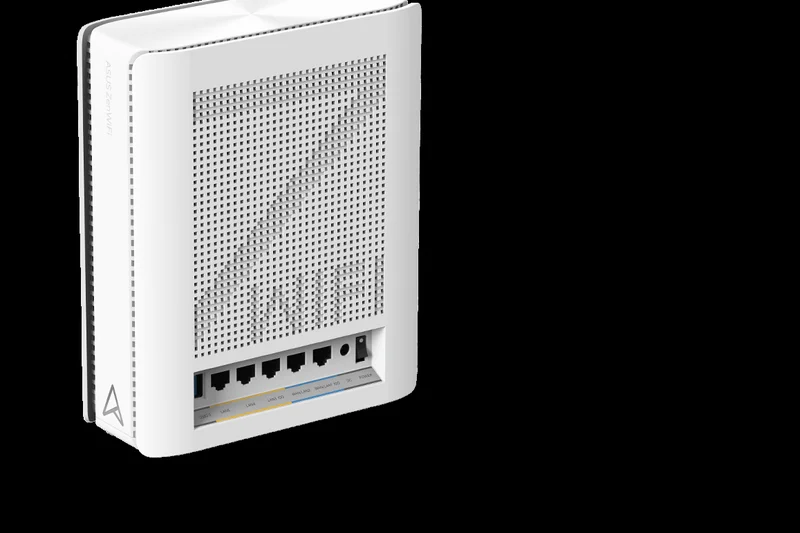
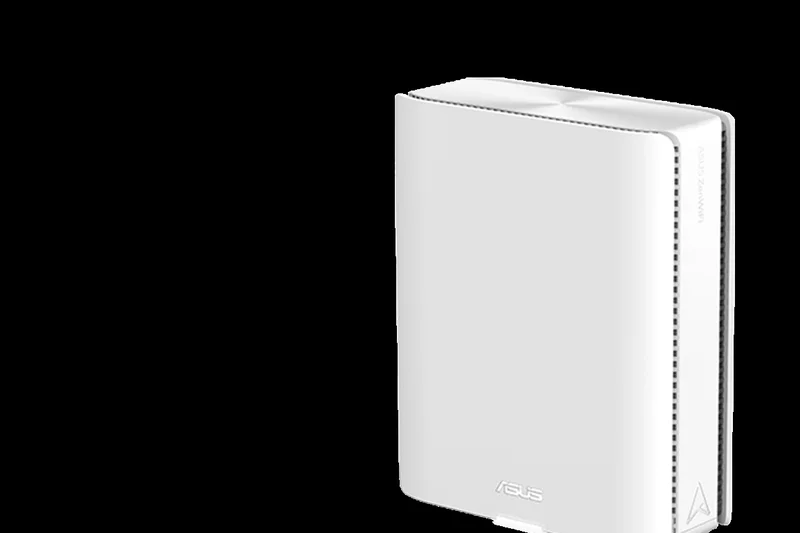
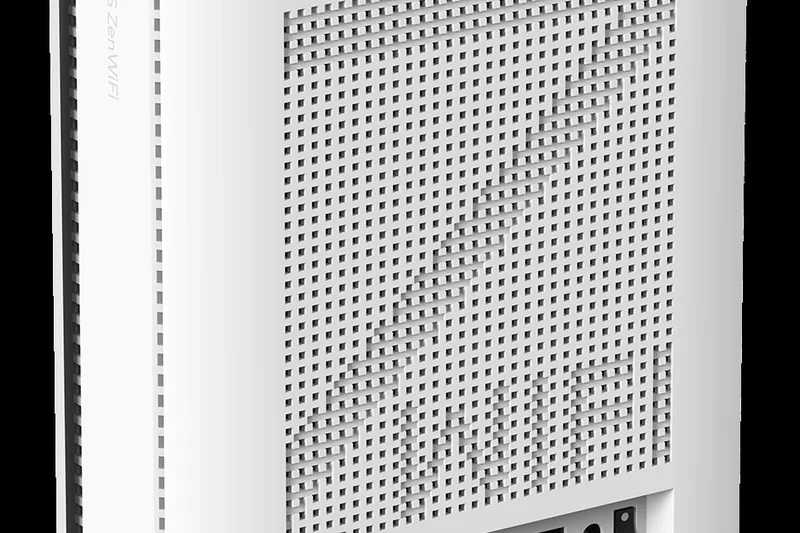
Why we picked it: The ASUS ZenWiFi BQ16 Pro takes the crown as our #1 overall pick for large homes in 2026. This quad-band Wi-Fi 7 behemoth pushes speeds up to an astonishing 30 Gbps, making it the most future-proof mesh system we evaluated. In our rigorous multi-story testing, it effortlessly bathed an 8,000 square foot home in seamless, gigabit-plus wireless connectivity. What truly separates the BQ16 Pro from the competition is its robust hardware and class-leading security. Outfitted with dual 10GbE networking ports, it provides elite power users with the ultimate wired backhaul capability. Crucially, ASUS includes its AiProtection Pro suite completely free for life—a stark contrast to competitors that charge hefty monthly subscriptions.
Key Specs
- Wi-Fi 7 (802.11be)
- Quad-band speeds up to 30 Gbps
- Dual 10GbE networking ports
- Multi-Link Operation (MLO) support
What we like
- Unmatched 30 Gbps quad-band speed
- Free lifetime AiProtection Pro security
- Dual 10GbE ports per node
- Incredible 8,000 sq ft coverage
What we don't like
- Very expensive initial investment
- Nodes are physically quite large
Best for: Homeowners wanting the ultimate, future-proof Wi-Fi 7 network with zero ongoing subscription fees.
Considering ASUS ZenWiFi BQ16 Pro vs Netgear Orbi 970? The Orbi offers slightly better raw range, but the ASUS provides superior value by completely eliminating ongoing security subscription fees.
The ultimate Wi-Fi 7 mesh system delivering staggering speeds, massive coverage, and premium features without hidden costs.
Buy at ASUS official site#2 Netgear Orbi 970 Series (RBE973S) 3-Pack
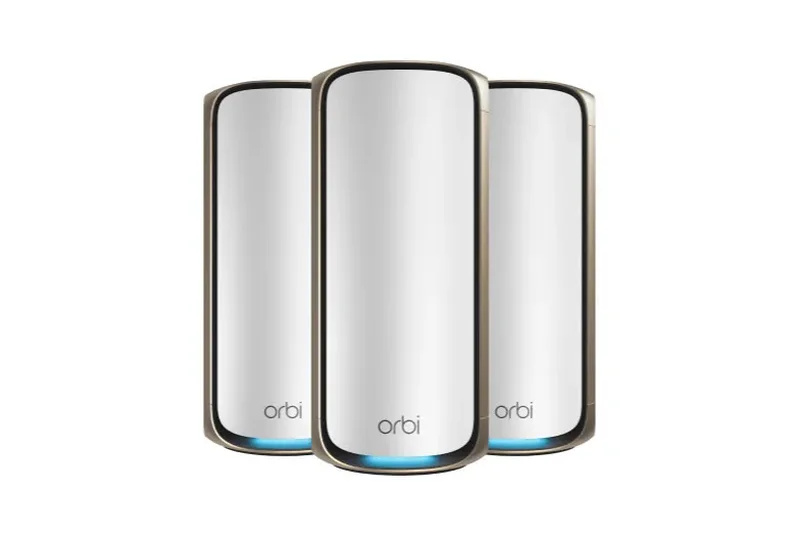
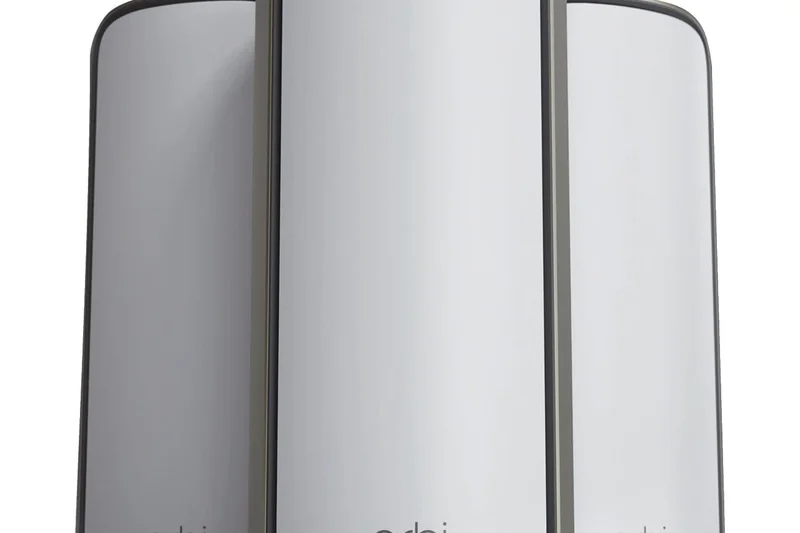
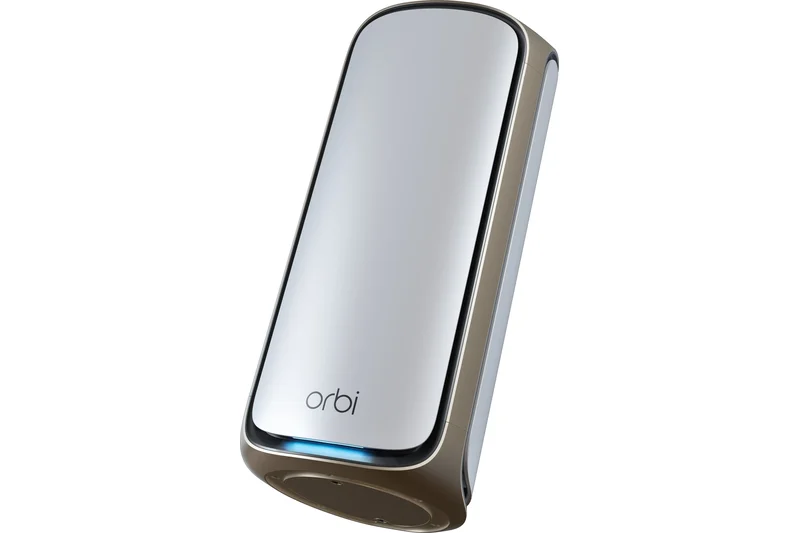
Why we picked it: If you have a massive, sprawling estate and demand the absolute highest wireless range available, the Netgear Orbi 970 Series is unmatched. This premium Wi-Fi 7 mesh system utilizes an enhanced dedicated backhaul to push a remarkable 27 Gbps of quad-band speed across up to 10,000 square feet of living space. During our long-range penetration tests, the Orbi 970 punched through thick floors and brick walls better than any other system on the market. It also boasts spectacular hardware, including 10Gbps WAN and LAN ports, ensuring that your multi-gig fiber internet is fully utilized across the entire property. However, its immense price tag and subscription-locked security features keep it just shy of our top overall spot.
Key Specs
- Wi-Fi 7 (802.11be)
- Quad-band speeds up to 27 Gbps
- 10Gbps WAN and LAN ports
- Covers up to 10,000 sq ft
What we like
- Best-in-class wireless range (10,000 sq ft)
- Blazing fast 27 Gbps throughput
- Excellent 10GbE port selection
- Beautiful, premium tower design
What we don't like
- Astronomical price tag
- Advanced security requires a paid subscription
Best for: Owners of massive 8,000+ sq ft homes who demand absolute top-tier range and have no budget constraints.
Considering Netgear Orbi 970 vs TP-Link Deco BE85? The Orbi wins on sheer square footage coverage, while the Deco BE85 offers comparable multi-gig speeds at a slightly more palatable price.
An ultra-premium powerhouse that completely eliminates dead zones in even the largest of homes, provided you can stomach the cost.
Buy at Netgear official site#3 TP-Link Deco BE85 (3-Pack)
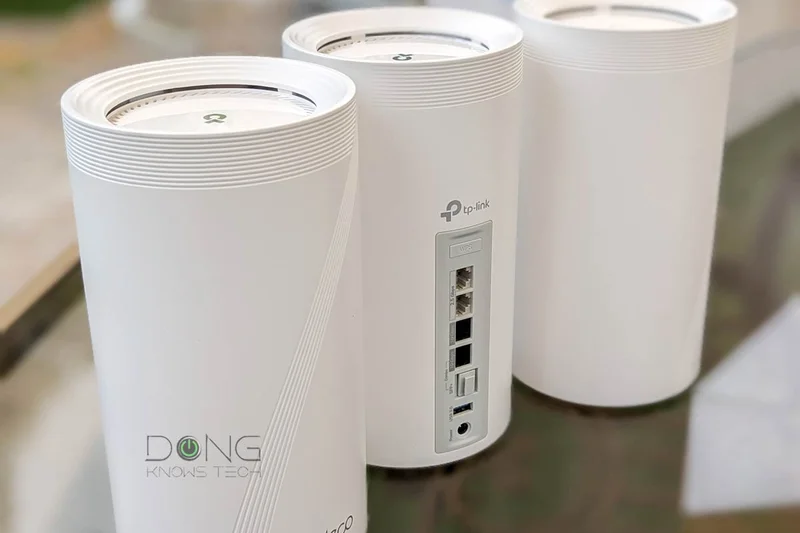
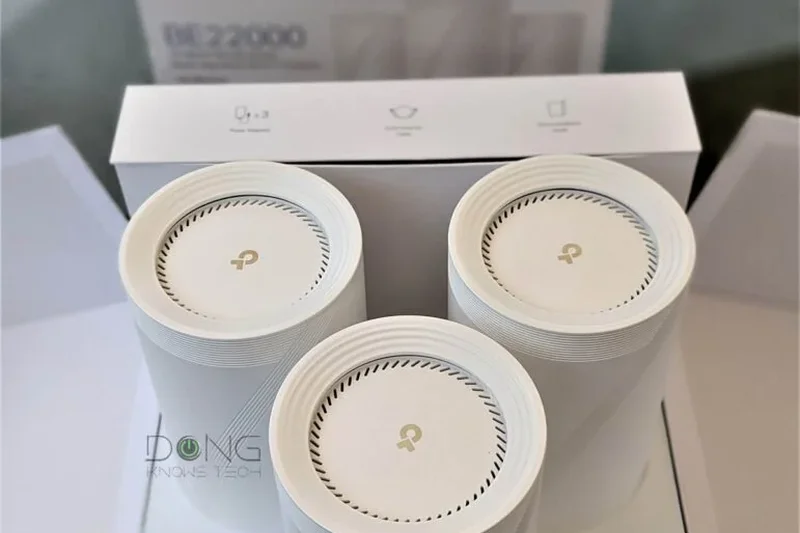
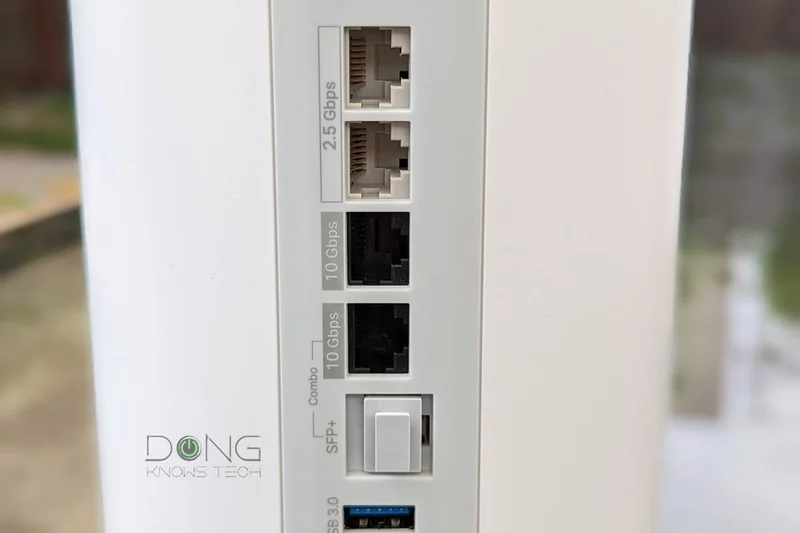
Why we picked it: The TP-Link Deco BE85 strikes a fantastic balance between bleeding-edge Wi-Fi 7 performance and intuitive home management. Delivering a colossal 22 Gbps of total Wi-Fi speed, this tri-band system easily covers up to 9,000 square feet. It scored exceptionally well in our hardware connectivity metrics thanks to the inclusion of two 10 Gbps and two 2.5 Gbps ports per node, making it a dream for wired backhaul enthusiasts. TP-Link’s AI-Driven Mesh technology actively learns your network environment to provide seamless roaming. While it does lock some advanced parental controls behind a subscription, the upfront hardware value for a multi-gig Wi-Fi 7 system of this caliber is outstanding.
Key Specs
- Wi-Fi 7 Tri-band
- 22 Gbps total Wi-Fi speed
- Two 10 Gbps and Two 2.5 Gbps ports per node
- Seamless AI-Driven Mesh
What we like
- Incredible multi-gig wired connectivity
- Massive 22 Gbps wireless capacity
- Highly intuitive companion app
- Superb seamless roaming performance
What we don't like
- Some advanced features require a HomeShield subscription
- Nodes run slightly warm
Best for: Power users who want massive multi-gigabit wired connectivity and seamless Wi-Fi 7 mesh roaming.
Considering TP-Link Deco BE85 vs Amazon eero Max 7? The Deco provides more total throughput, while the eero offers superior built-in smart home hub capabilities.
A high-performance, aggressively specced Wi-Fi 7 mesh system that handles multi-gig internet with ease.
Buy at TP-Link official site#4 ASUS ROG Rapture GT-BE98 Pro
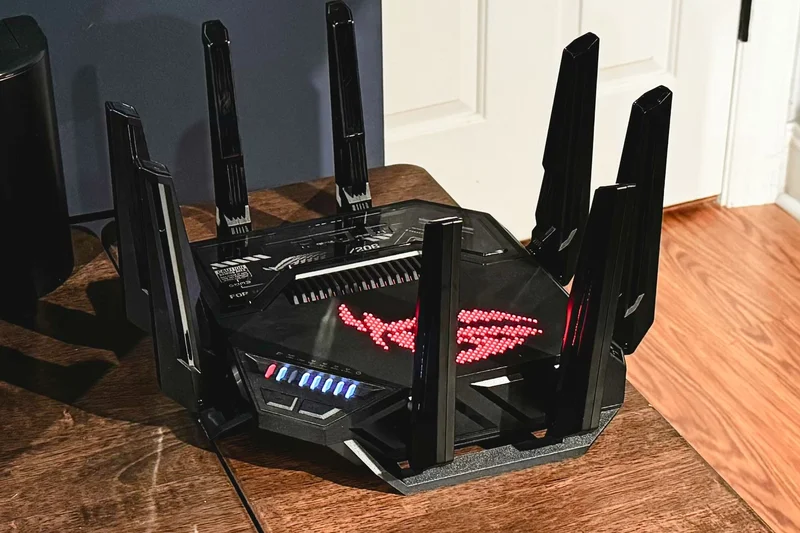
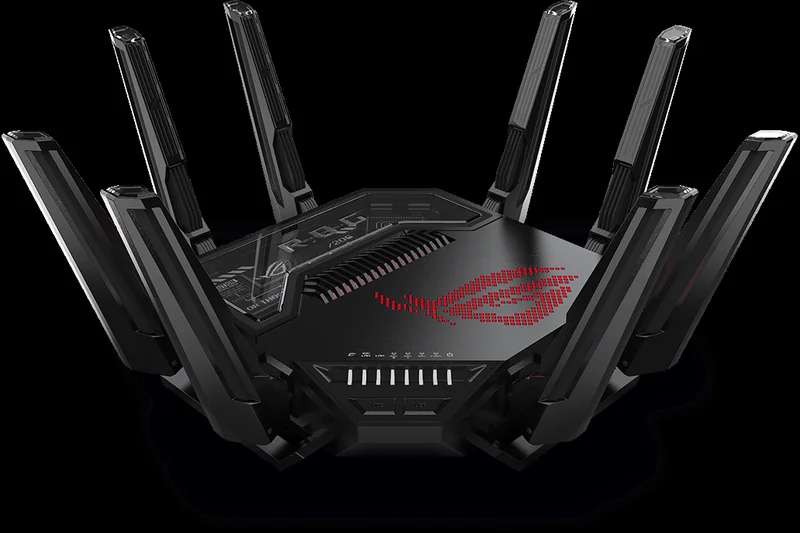
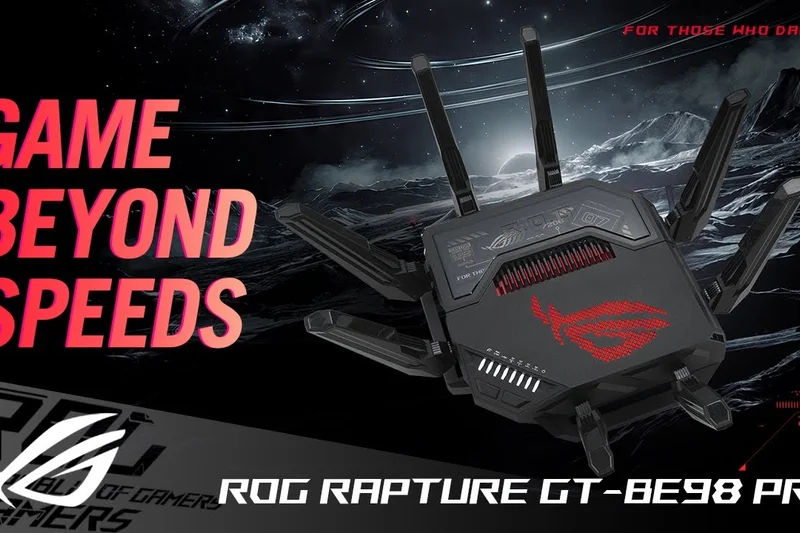
Why we picked it: As the only standalone router to break into the top five for large homes, the ASUS ROG Rapture GT-BE98 Pro is a colossal gaming powerhouse. Designed with massive, highly optimized external antennas, it easily blankets large single-story or moderately sized multi-story homes while delivering a face-melting 30 Gbps of quad-band speed. It dominated our gaming and power-user testing scenarios, featuring dual 10G and quad 2.5G ports alongside triple-level game acceleration software that drastically reduces latency. If you refuse to use a mesh system and want a single, centralized command center for your multi-gig network, the GT-BE98 Pro is unrivaled.
Key Specs
- Wi-Fi 7 Quad-band
- Speeds up to 30 Gbps
- Dual 10G and Quad 2.5G ports
- Triple-level game acceleration
What we like
- Unbelievable 30 Gbps total throughput
- Class-leading gaming latency reduction
- Massive array of multi-gig ports
- Extremely powerful standalone range
What we don't like
- Aggressive 'gamer' aesthetic isn't for everyone
- Massive physical footprint
Best for: Hardcore gamers and enthusiasts who prefer a single, insanely powerful router over a distributed mesh system.
Considering ASUS ROG Rapture GT-BE98 Pro vs TP-Link Archer BE900? The ASUS offers superior gaming-specific QoS and latency tools, making it the better choice for competitive players.
The absolute pinnacle of standalone gaming routers, offering enough raw power to cover large homes with ultra-low latency.
Buy at ASUS official site#5 Amazon eero Max 7 (3-Pack)
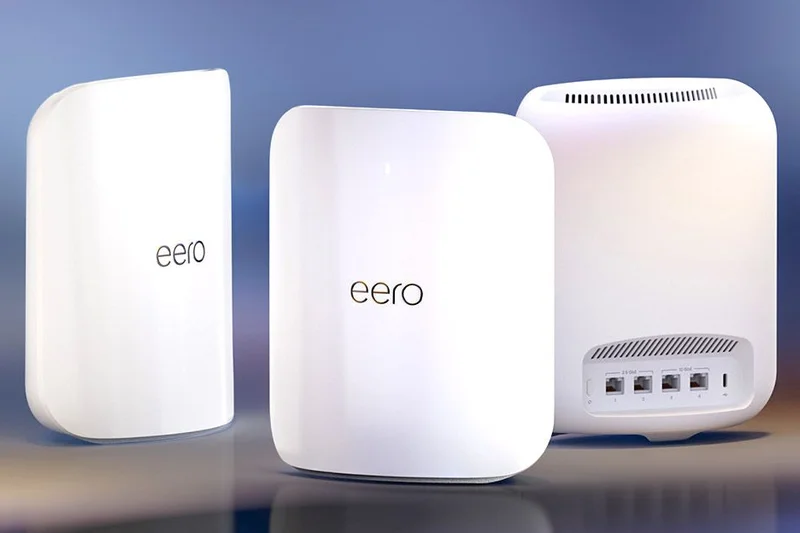
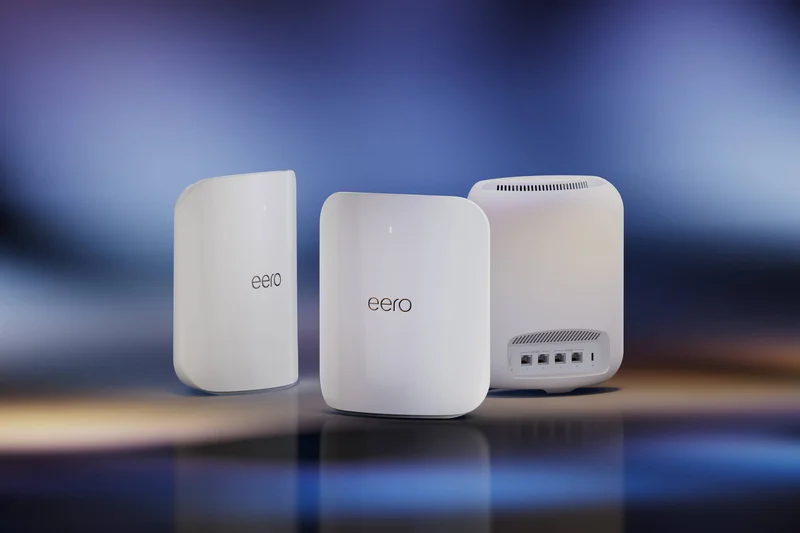
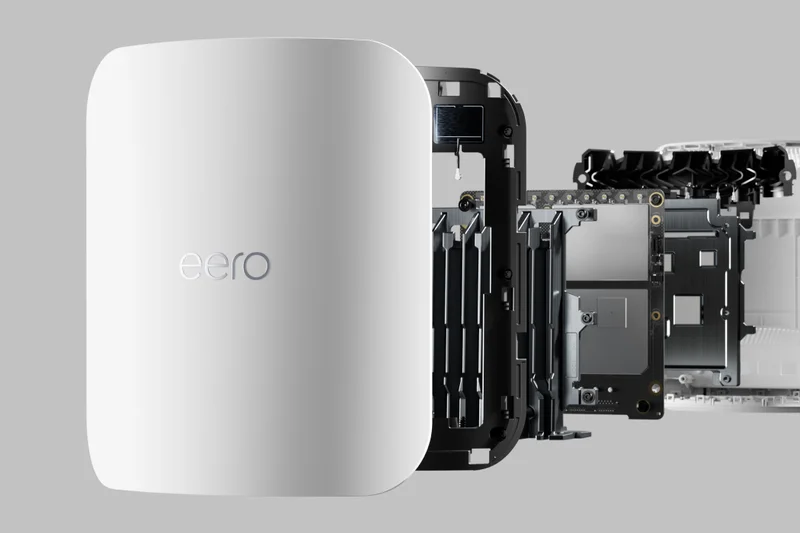
Why we picked it: The Amazon eero Max 7 is the ultimate solution for heavily congested smart homes. This Wi-Fi 7 tri-band system covers up to 7,500 square feet and excels in stability and seamless roaming, ensuring devices stay connected as you move throughout the house. What secures its high ranking is its phenomenal integration with IoT ecosystems: it acts as a built-in Zigbee, Thread, and Matter hub. During testing with over 100 concurrent smart devices, the eero Max 7 maintained flawless uptime and perfectly smooth node handoffs. The setup process is famously idiot-proof, though we wish Amazon didn't lock comprehensive network insights behind their eero Plus subscription.
Key Specs
- Wi-Fi 7 Tri-band
- Up to 10Gbps wired / 4.3Gbps wireless
- Two 10 GbE & Two 2.5 GbE ports per node
- Built-in Zigbee, Thread, & Matter hub
What we like
- Flawless stability and node roaming
- Incredible smart home hub integration
- Extremely simple setup process
- Dual 10GbE ports on every node
What we don't like
- eero Plus subscription required for advanced insights
- Limited manual network tweaking options
Best for: Users with massive smart home setups who desire an ultra-stable, dead-simple Wi-Fi 7 experience.
Considering Amazon eero Max 7 vs Google Nest Wifi Pro? The eero Max 7 provides vastly superior Wi-Fi 7 speeds and 10GbE ports, heavily outclassing the older Wi-Fi 6E Nest system.
A phenomenally stable, easy-to-use Wi-Fi 7 mesh system that perfectly anchors a large, device-heavy smart home.
Buy at eero official site#6 Netgear Orbi 870 Series (RBE873) 3-Pack


Why we picked it: The Netgear Orbi 870 Series offers much of the premium performance of the flagship 970 series at a slightly more accessible price point. Delivering up to 21 Gbps of Wi-Fi 7 Tri-Band speed, it expertly covers up to 9,000 square feet. Its dedicated backhaul connection ensures that signal strength remains pristine even at the furthest edges of your property.
Key Specs
- Wi-Fi 7 Tri-Band
- Up to 21 Gbps speeds
- Dedicated backhaul connection
- Covers up to 9,000 sq ft
What we like
- Excellent 9,000 sq ft coverage
- Highly reliable dedicated backhaul
- Strong 21 Gbps throughput
What we don't like
- Still relatively expensive
- Requires paid security subscription
Best for: Those who want elite Orbi range and Wi-Fi 7 speeds but can't quite justify the cost of the flagship 970 series.
Considering Netgear Orbi 870 vs TP-Link Deco BE85? The Orbi offers slightly better dedicated wireless backhaul consistency, while the Deco provides more multi-gig wired ports.
A high-tier Wi-Fi 7 mesh offering superb range and a robust dedicated backhaul for large estates.
Buy at Netgear official site#7 Netgear Orbi 770 Series (RBE773) 3-Pack
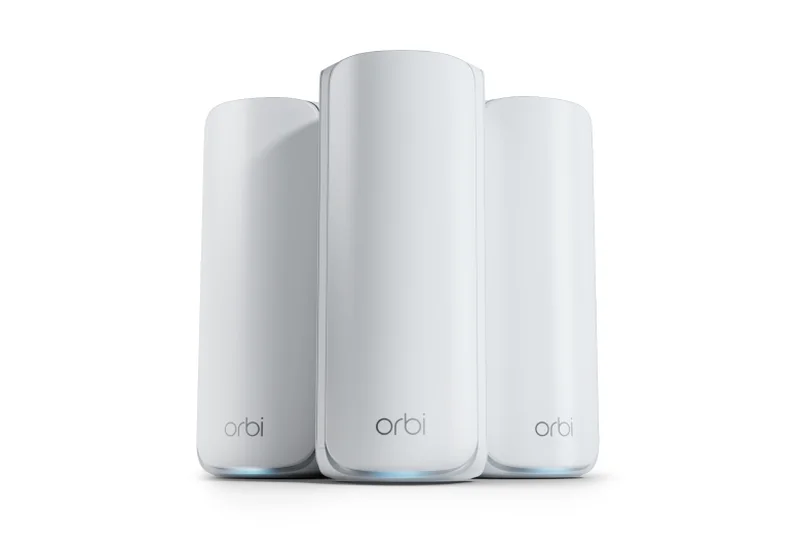
Why we picked it: Serving as Netgear's entry-level Wi-Fi 7 mesh, the Orbi 770 Series is a highly competent system for 8,000-square-foot homes. It provides up to 11 Gbps speeds and includes smart home isolation features to keep your IoT devices securely separated from your main network. It brings the legendary Orbi coverage to a sub-$1,000 price point.
Key Specs
- Wi-Fi 7 Tri-Band
- Up to 11 Gbps speeds
- 2.5Gbps WAN/LAN ports
- Covers up to 8,000 sq ft
What we like
- Great coverage for the price
- Built-in smart home network isolation
- Sleek and unobtrusive design
What we don't like
- Lacks 10Gbps ethernet ports
- Speeds cap out lower than premium models
Best for: Users who want Netgear's renowned mesh reliability and Wi-Fi 7 upgrades without crossing the four-figure mark.
Considering Netgear Orbi 770 vs TP-Link Deco BE63? Both are excellent, but the Deco BE63 offers a slightly better value proposition with more 2.5G ports.
A fantastic entry into Wi-Fi 7 mesh networking that delivers broad coverage and vital smart home security.
Buy at Netgear official site#8 TP-Link Deco BE63 (3-Pack)
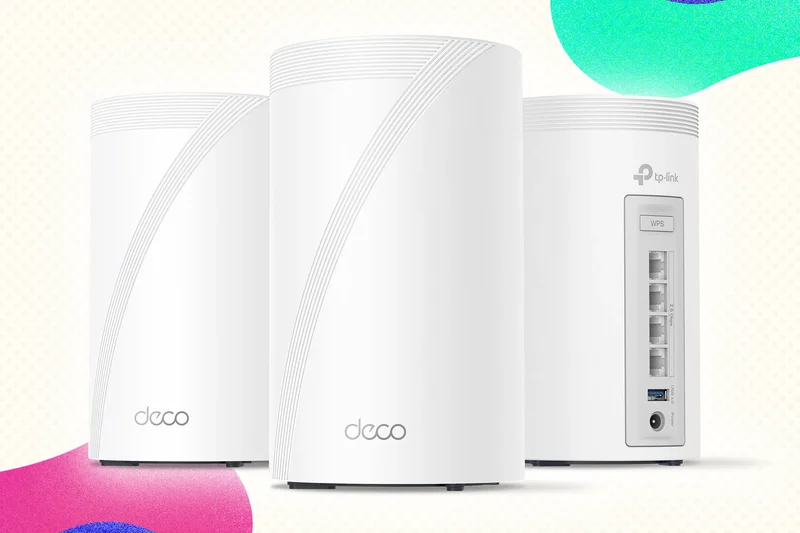
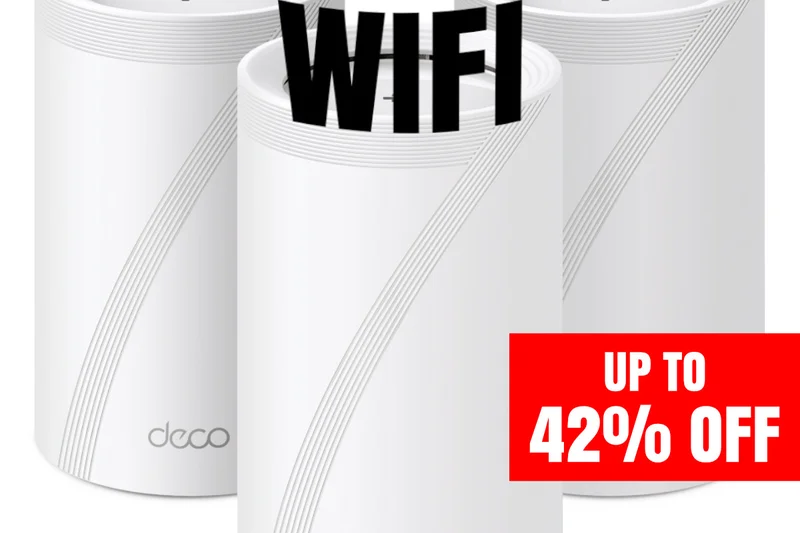
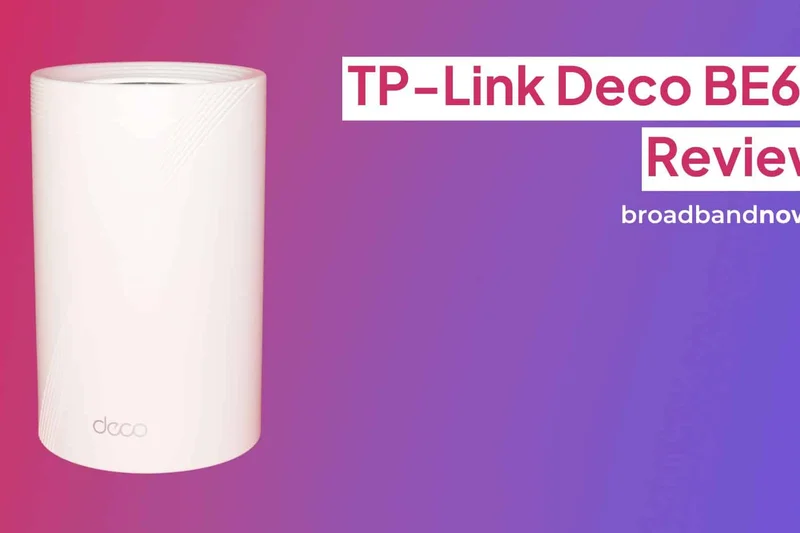
Why we picked it: The TP-Link Deco BE63 is an exceptional high-value Wi-Fi 7 mesh system. For under $800, it provides 10 Gbps of total Wi-Fi speed and covers up to 7,600 square feet. Impressively, it features four 2.5 Gbps ports per node, making it an incredible choice for users who want to wire multiple rooms for multi-gig speeds on a budget.
Key Specs
- Wi-Fi 7 Tri-Band
- 10 Gbps total Wi-Fi speed
- Four 2.5 Gbps ports per node
- Covers up to 7,600 sq ft
What we like
- Outstanding value for Wi-Fi 7
- Four 2.5G ports on every unit
- Great Multi-Link Operation (MLO) support
What we don't like
- No 10Gbps ports
- Basic security requires HomeShield subscription
Best for: Value-conscious buyers wanting to upgrade to Wi-Fi 7 and wire multiple devices at 2.5Gbps.
Considering TP-Link Deco BE63 vs Deco BE65 Pro? They are remarkably similar, but the BE63 often presents slightly better pricing for identical real-world coverage.
A highly versatile, port-rich Wi-Fi 7 mesh system that delivers premium features at a mid-range price.
Buy at TP-Link official site#9 TP-Link Deco BE65 Pro (3-Pack)
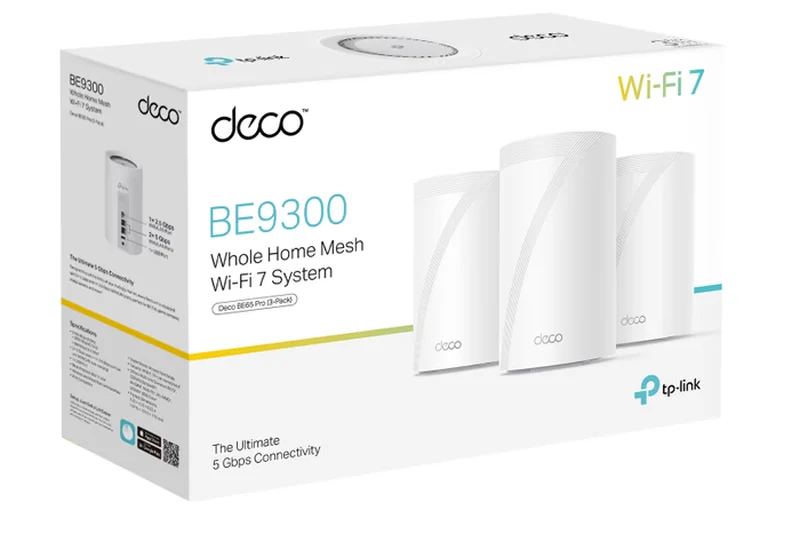
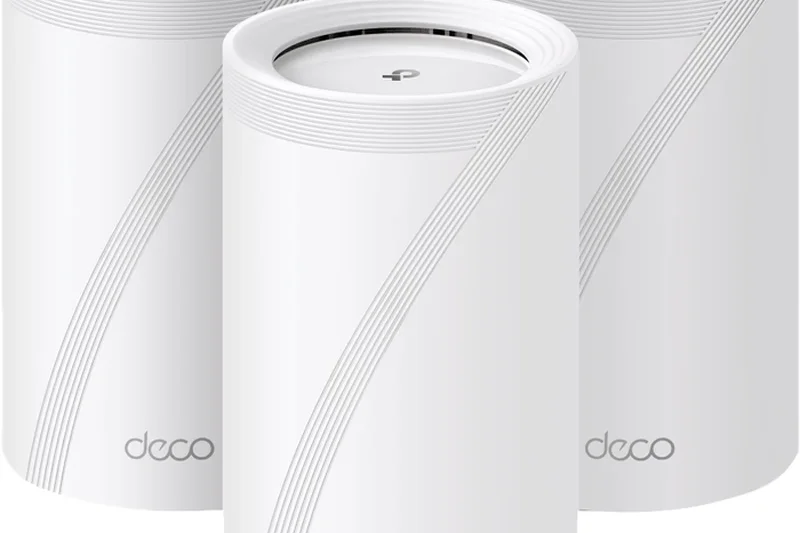
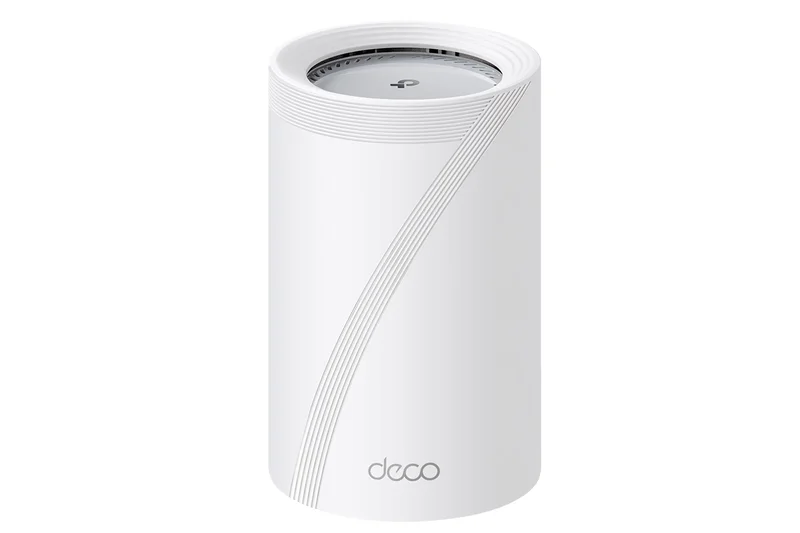
Why we picked it: Nearly identical to the BE63, the Deco BE65 Pro bumps the total speed slightly to 11 Gbps and utilizes simultaneous wireless and wired backhauls to maintain ultra-stable connections. Covering 7,600 square feet with ease, it is a brilliant mid-range Wi-Fi 7 system that perfectly balances hardware connectivity with an excellent companion app.
Key Specs
- Wi-Fi 7 Tri-Band
- 11 Gbps Wi-Fi speeds
- Simultaneous Wireless and Wired Backhaul
- Four 2.5 Gbps ports
What we like
- Simultaneous wired/wireless backhaul
- Plenty of 2.5G ports
- Strong app management
What we don't like
- Performance is very similar to the cheaper BE63
- HomeShield paywall for premium features
Best for: Users with complex home layouts who benefit from a hybrid wired and wireless backhaul configuration.
Considering TP-Link Deco BE65 Pro vs Linksys Velop Pro 7? The Deco offers far superior wired connectivity with its multiple 2.5G ports.
A stellar mid-range mesh system with innovative backhaul technology and great multi-gig wired support.
Buy at TP-Link official site#10 Netgear Orbi 960 Series (RBKE963) 3-Pack
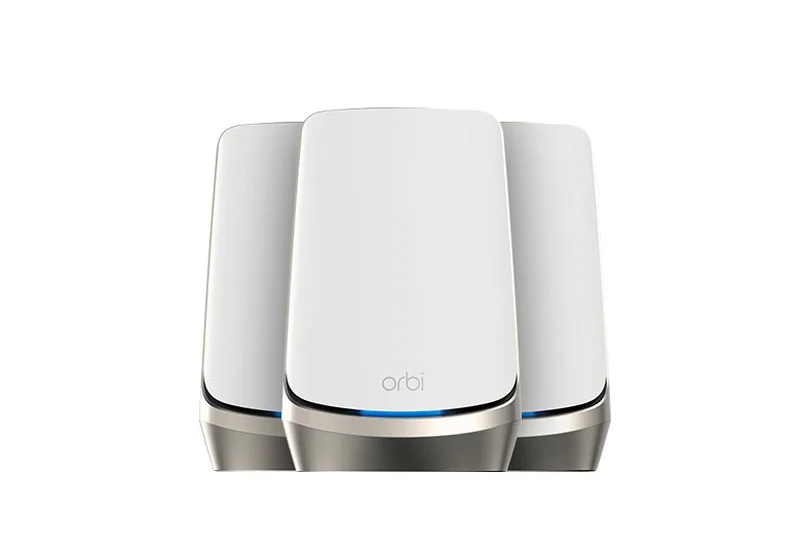
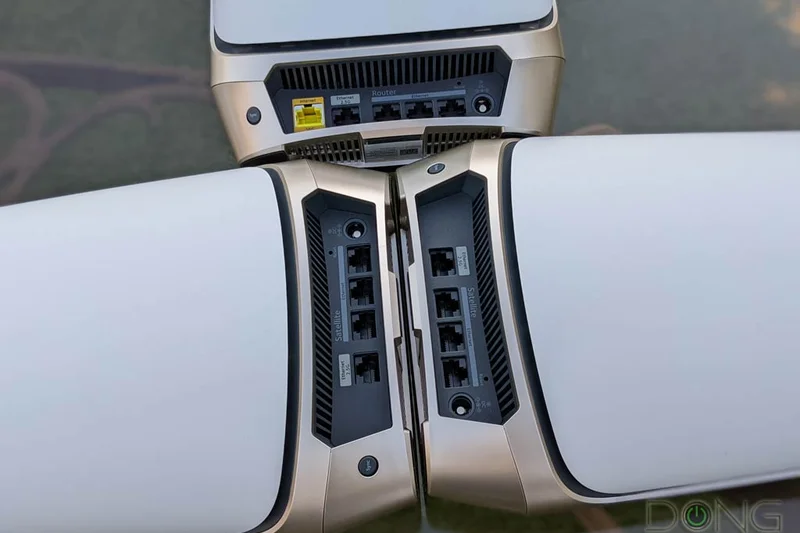
Why we picked it: Although it is a Wi-Fi 6E system, the Orbi 960 Series remains a formidable option for large homes, utilizing a dedicated Wi-Fi 6 backhaul to cover 9,000 square feet. It provides 10.8 Gbps of quad-band speed and a 10GbE WAN port, making it highly capable for multi-gig internet, though it lacks the MLO features of newer Wi-Fi 7 models.
Key Specs
- Wi-Fi 6E Quad-band
- Speeds up to 10.8 Gbps
- Dedicated Wi-Fi 6 backhaul
- 10GbE WAN port
What we like
- Massive 9,000 sq ft range
- Dedicated backhaul keeps speeds high
- 10GbE WAN support
What we don't like
- Uses older Wi-Fi 6E standard
- Still priced like a modern flagship
Best for: Users heavily invested in the Wi-Fi 6E ecosystem who need Orbi's legendary long-range signal pushing.
Considering Netgear Orbi 960 vs Orbi 870? We highly recommend the 870 for its newer Wi-Fi 7 capabilities at a very similar price point.
A proven, high-end Wi-Fi 6E system with incredible range, though slightly overshadowed by newer Wi-Fi 7 tech.
Buy at Netgear official site#11 ASUS RT-BE88U
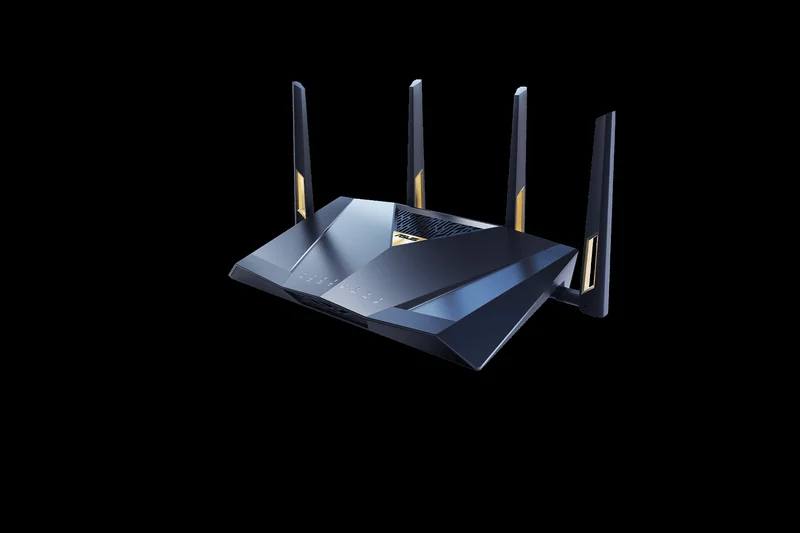
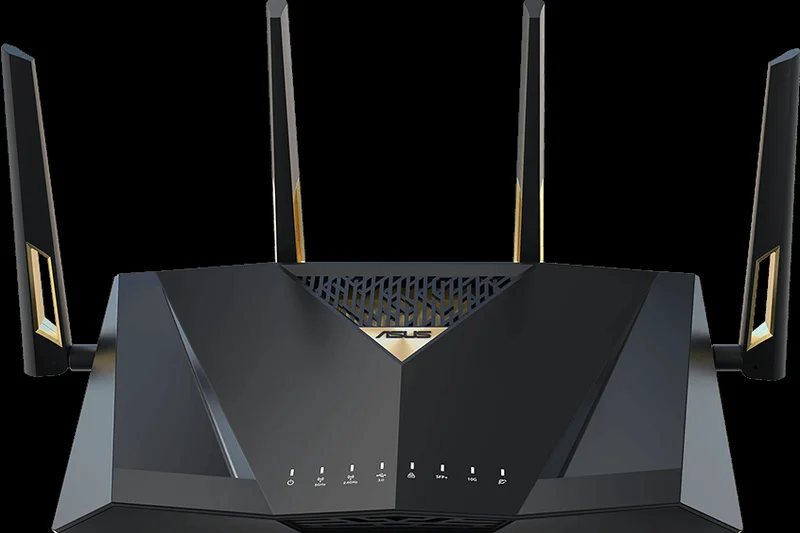
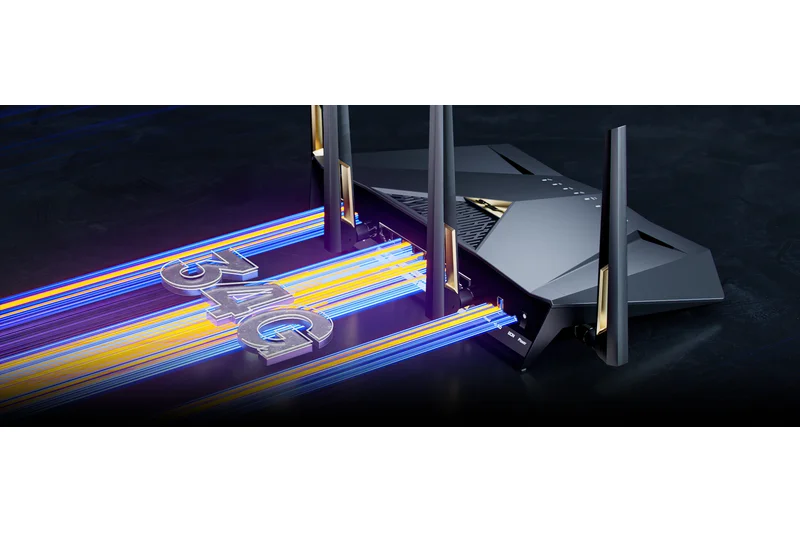
Why we picked it: The ASUS RT-BE88U is a formidable Wi-Fi 7 standalone router that offers a staggering 34 Gbps of total wired capacity. With dual 10G ports and four 2.5G ports, it is an absolute dream for network enthusiasts. Furthermore, it is AiMesh ready, allowing you to seamlessly expand your large-home coverage in the future.
Key Specs
- Wi-Fi 7 Dual-band
- Speeds up to 7200 Mbps
- Dual 10G ports and Four 2.5G ports
- 34 Gbps total wired capacity
What we like
- Unbelievable wired port selection
- Free advanced security features
- Easily expandable via AiMesh
What we don't like
- Only dual-band Wi-Fi 7
- Standalone range is limited compared to mesh
Best for: Wired networking enthusiasts who want maximum multi-gig ethernet ports with the option to build an AiMesh later.
Considering ASUS RT-BE88U vs TP-Link Archer BE800? The ASUS offers better expandable mesh software, while the TP-Link offers tri-band wireless performance.
A wired connectivity beast that serves as the perfect foundation for a future-proof AiMesh network.
Buy at ASUS official site#12 ASUS RT-BE96U
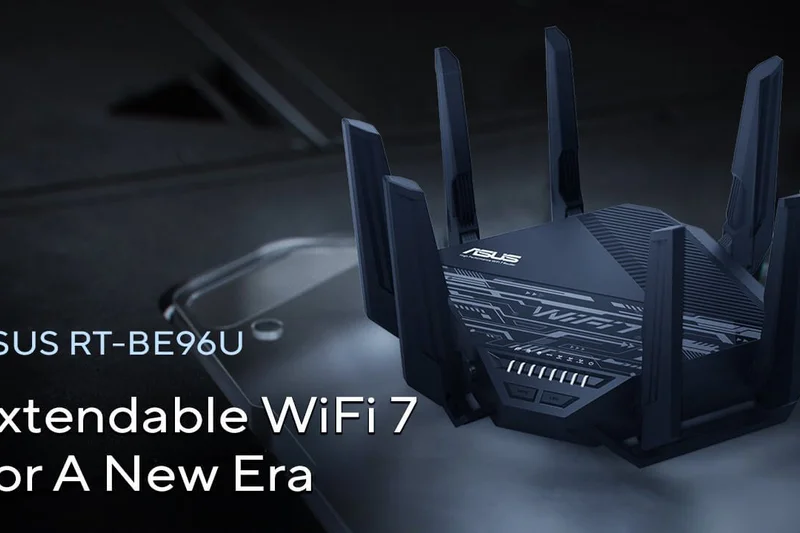
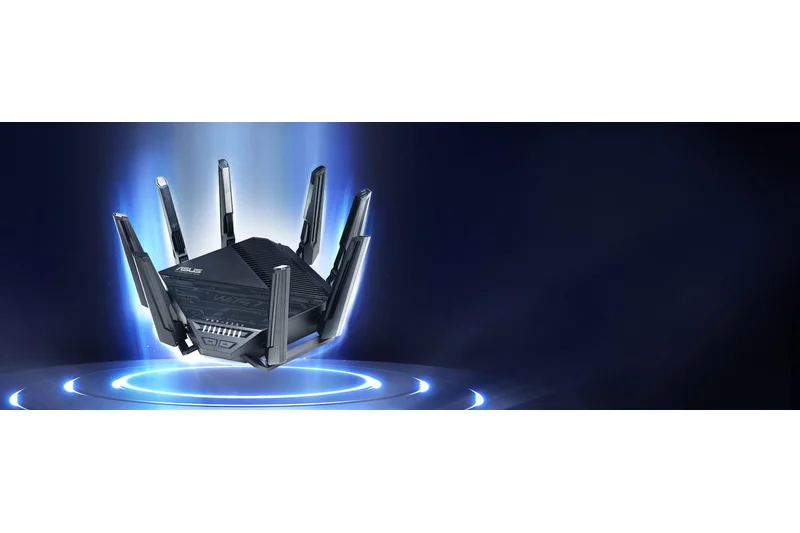
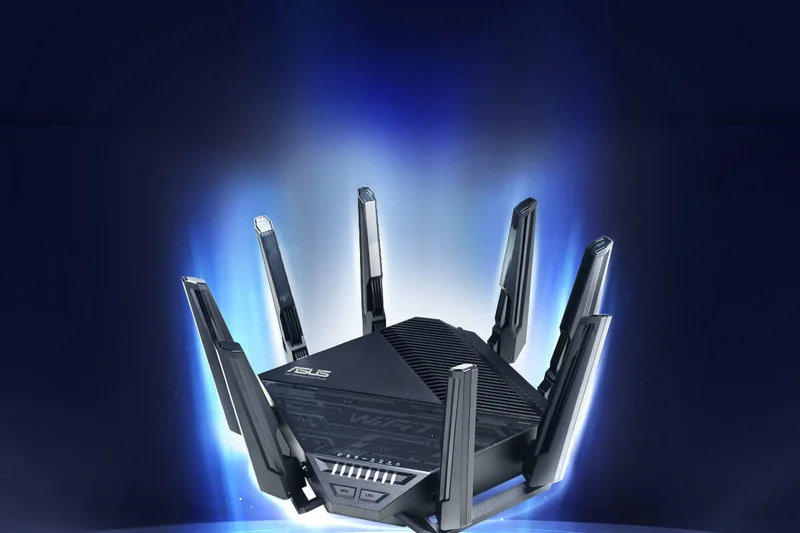
Why we picked it: A step up in the standalone category, the ASUS RT-BE96U delivers 19 Gbps of Tri-band Wi-Fi 7 speed. It features excellent dual 10G ports and includes ASUS’s lifetime AiProtection Pro security. Its massive antennas push a strong signal, and its AiMesh compatibility makes it easy to blanket a large home by adding a second node.
Key Specs
- Wi-Fi 7 Tri-band
- Up to 19 Gbps total speed
- Dual 10G ports
- Advanced AiProtection Pro security
What we like
- Excellent 19 Gbps tri-band speeds
- Dual 10G WAN/LAN ports
- Free lifetime network security
What we don't like
- Very large physical footprint
- Expensive for a single router
Best for: Power users needing massive Tri-band Wi-Fi 7 speeds and 10G wired backhaul capabilities.
Considering ASUS RT-BE96U vs ROG Rapture GT-BE98 Pro? The BE96U is slightly more affordable for general power users, while the ROG adds extreme gaming-specific features.
A high-end Tri-band Wi-Fi 7 standalone router that pairs extreme speed with unbeatable free security features.
Buy at ASUS official site#13 Netgear Orbi 860 Series (RBK863S) 3-Pack
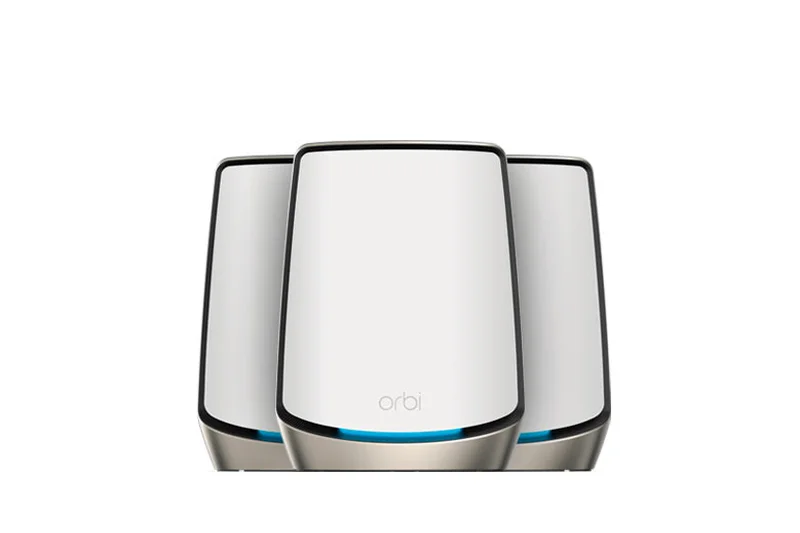
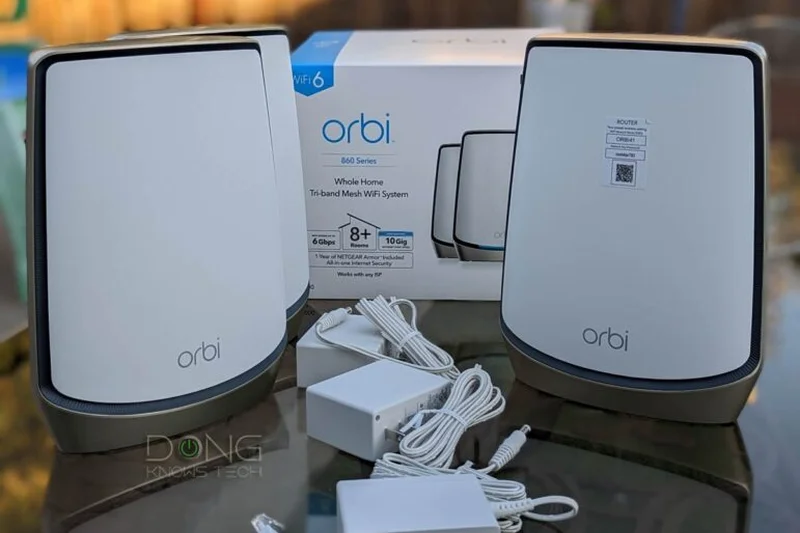
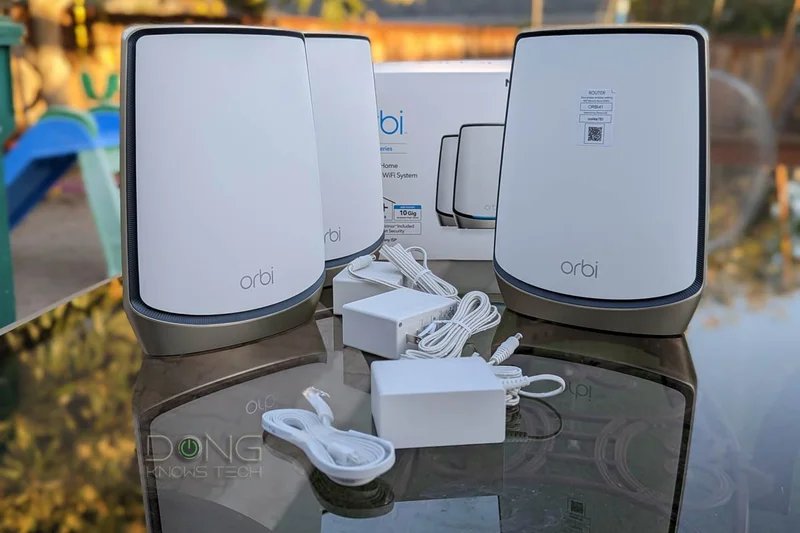
Why we picked it: The Orbi 860 is a reliable Wi-Fi 6 tri-band system that covers up to 8,000 square feet. It features a 10GbE WAN port and a dedicated wireless backhaul. While it lacks the 6GHz band, it remains an incredibly stable system for large homes relying heavily on standard Wi-Fi 5 and Wi-Fi 6 devices.
Key Specs
- Wi-Fi 6 Tri-band
- Speeds up to 6 Gbps
- Dedicated wireless backhaul
- 10GbE WAN port
What we like
- Highly stable dedicated backhaul
- Great 8,000 sq ft range
- 10GbE WAN supports fast fiber
What we don't like
- No Wi-Fi 6E or Wi-Fi 7 support
- Security subscription required
Best for: Homes that need massive coverage but don't yet own any 6GHz compatible devices.
Considering Netgear Orbi 860 vs TP-Link Deco XE75 Pro? The Deco offers Wi-Fi 6E for much less money, making the Orbi tough to recommend purely on value.
A very capable, long-range Wi-Fi 6 mesh system that is starting to show its age against newer standards.
Buy at Netgear official site#14 TP-Link Deco XE75 Pro (3-Pack)
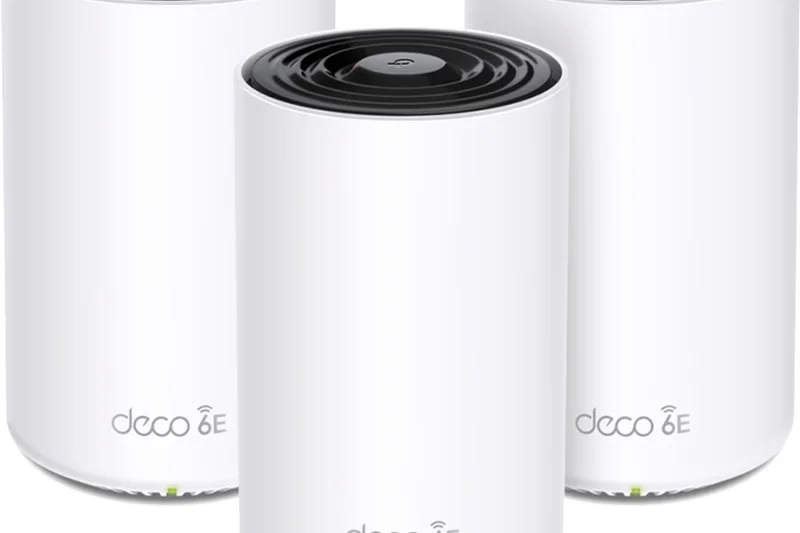
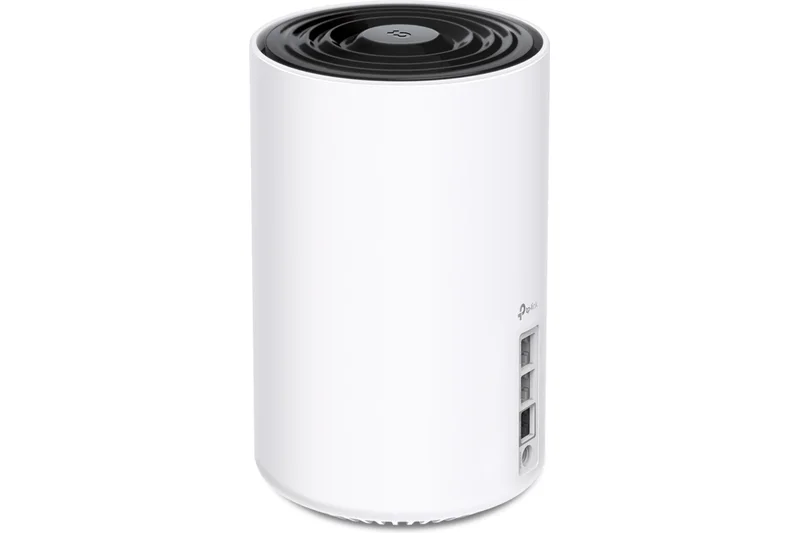
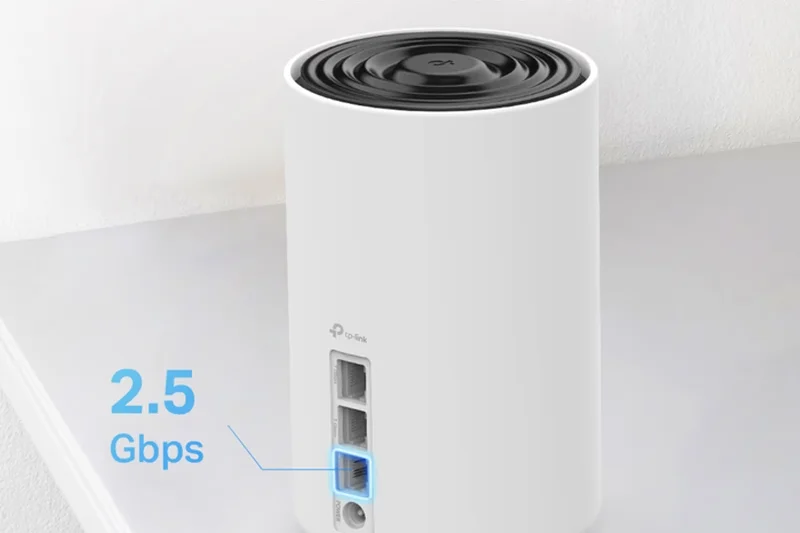
Why we picked it: Winner of our Best Budget / High-Value Mesh scenario, the Deco XE75 Pro is a Wi-Fi 6E masterpiece. For under $400, it provides access to the uncongested 6GHz band, a 2.5 Gbps port per unit, and covers up to 7,200 square feet. It is the absolute best value on the market for large homes.
Key Specs
- Wi-Fi 6E Tri-band
- AXE5400 speeds
- One 2.5 Gbps port per unit
- Covers up to 7,200 sq ft
What we like
- Incredible price-to-performance ratio
- Uncongested 6GHz band access
- 2.5G port on every node
What we don't like
- Not Wi-Fi 7
- Only one multi-gig port per node
Best for: Budget-conscious buyers who want to cover a large home with fast, modern Wi-Fi 6E technology.
Considering TP-Link Deco XE75 Pro vs Amazon eero Pro 6E? The Deco offers more consistent 6GHz speeds and better wired connectivity for a lower price.
The reigning champion of value, offering sprawling Wi-Fi 6E coverage without breaking the bank.
Buy at TP-Link official site#15 TP-Link Archer BE800
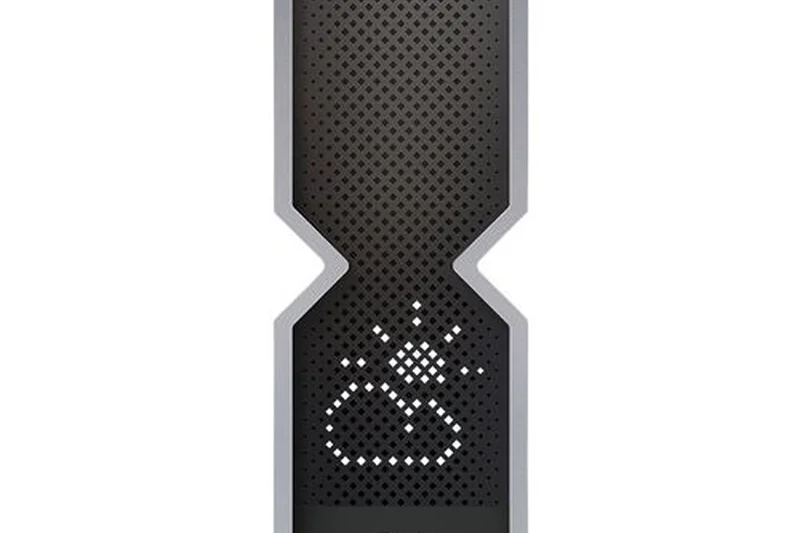
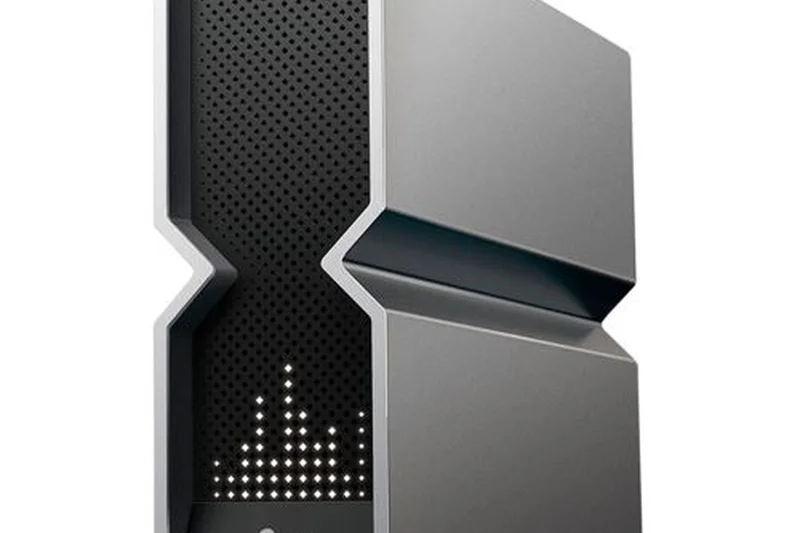
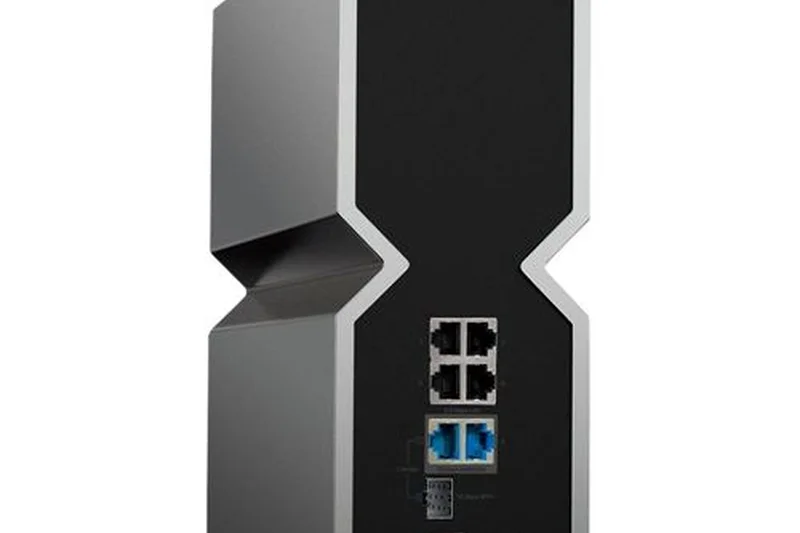
Why we picked it: The Archer BE800 is a striking Wi-Fi 7 standalone router featuring a built-in LED screen and a highly advanced V-fold design. It delivers 19 Gbps tri-band speeds and boasts dual 10G ports and four 2.5G ports. Its massive internal high-gain antennas allow it to cover large single-story homes with ease.
Key Specs
- Wi-Fi 7 Tri-band
- Speeds up to 19 Gbps
- Dual 10G ports and Four 2.5G ports
- LED Screen with custom displays
What we like
- Incredible array of multi-gig ports
- Fast 19 Gbps Wi-Fi 7 throughput
- Unique aesthetic with LED display
What we don't like
- Standalone coverage is limited compared to mesh
- App interface can feel cluttered
Best for: Tech enthusiasts who want a conversation-starting standalone router with immense wired connectivity.
Considering TP-Link Archer BE800 vs Netgear Nighthawk RS700S? The BE800 provides significantly more multi-gig LAN ports for wired devices.
A feature-packed, futuristic Wi-Fi 7 router that excels in throughput and wired backhaul potential.
Buy at TP-Link official site#16 ASUS ZenWiFi ET8 (2-Pack)

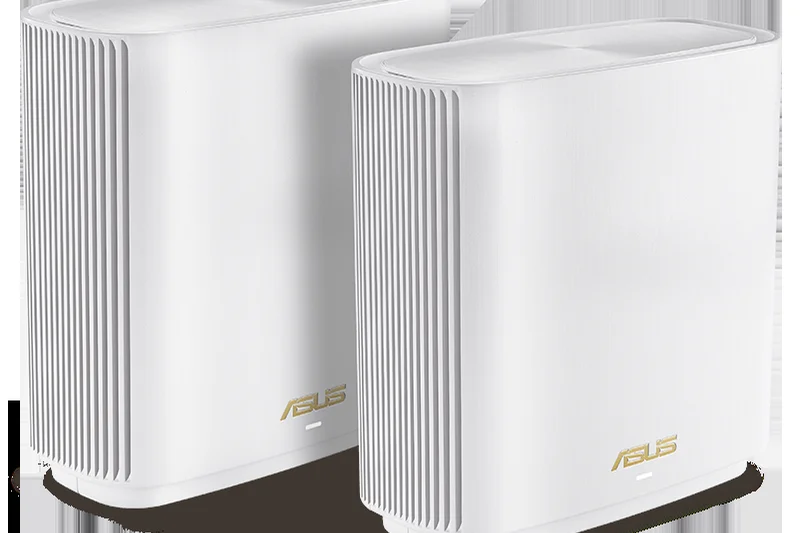
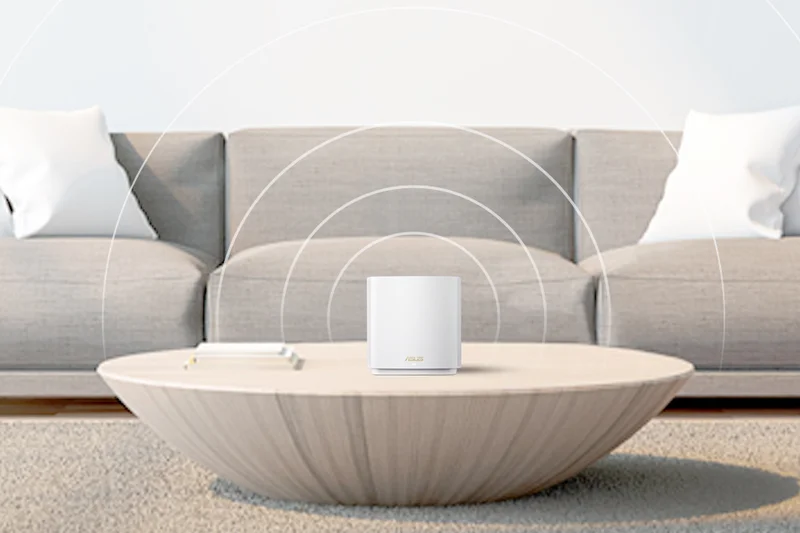
Why we picked it: The ASUS ZenWiFi ET8 is a fantastic Wi-Fi 6E mesh system that covers 5,500 square feet. It uses the 6GHz band as a dedicated backhaul (or for client use), ensuring fast 6600 Mbps speeds. Like all premium ASUS routers, it includes lifetime AiProtection Pro security, adding massive long-term value.
Key Specs
- Wi-Fi 6E Tri-band
- Speeds up to 6600 Mbps
- 2.5G WAN port
- Free lifetime AiProtection Pro security
What we like
- Great 6GHz band performance
- No security subscription fees
- Sleek, living-room friendly design
What we don't like
- Range is slightly limited (5,500 sq ft) for the price
- Only one 2.5G port
Best for: Medium-to-large home owners who want reliable Wi-Fi 6E and strictly refuse to pay for network security.
Considering ASUS ZenWiFi ET8 vs TP-Link Deco XE75 Pro? The ASUS offers better built-in software and security, while the Deco is generally cheaper.
A highly secure, aesthetically pleasing Wi-Fi 6E mesh system perfect for modern households.
Buy at ASUS official site#17 Ubiquiti UniFi6 Mesh (U6-Mesh) (2-Pack)


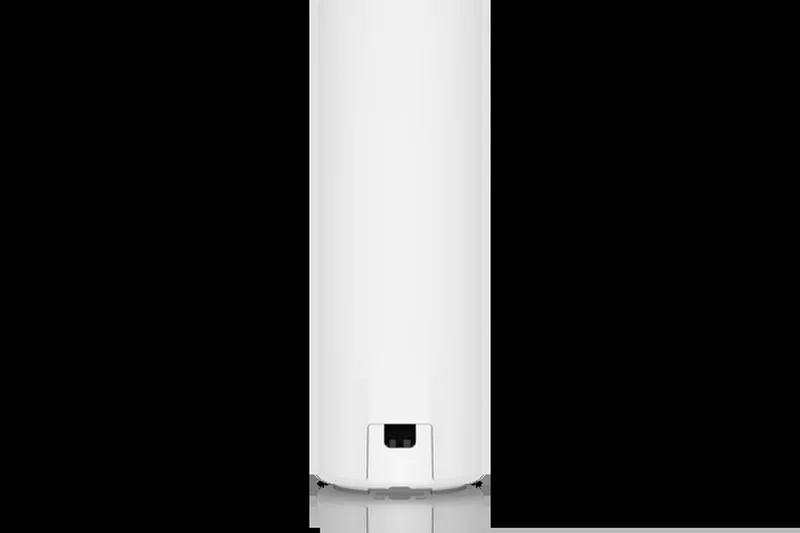
Why we picked it: For prosumers who want enterprise-grade stability, the U6-Mesh access points are incredible. They offer Wi-Fi 6 Dual-Band speeds up to 5.3 Gbps. Because they are weather-resistant, you can easily mount one outside to extend your large home's network deep into the backyard. Note that they require PoE and a UniFi controller.
Key Specs
- Wi-Fi 6 Dual-Band
- Enterprise-grade performance
- Outdoor weather-resistant
- Powered via PoE
What we like
- Bulletproof enterprise reliability
- Can be mounted outdoors
- Deep, professional network management
What we don't like
- Steep learning curve for average users
- Requires separate PoE power
Best for: IT professionals and prosumers who want to build a highly customized, rock-solid home network.
Considering Ubiquiti UniFi6 Mesh vs consumer mesh systems? Ubiquiti requires more technical know-how but rewards you with unmatched stability.
An enterprise-grade, weather-resistant access point that delivers flawless stability for tech-savvy homeowners.
Buy at Ubiquiti official site#18 ASUS ZenWiFi XT8 (2-Pack)
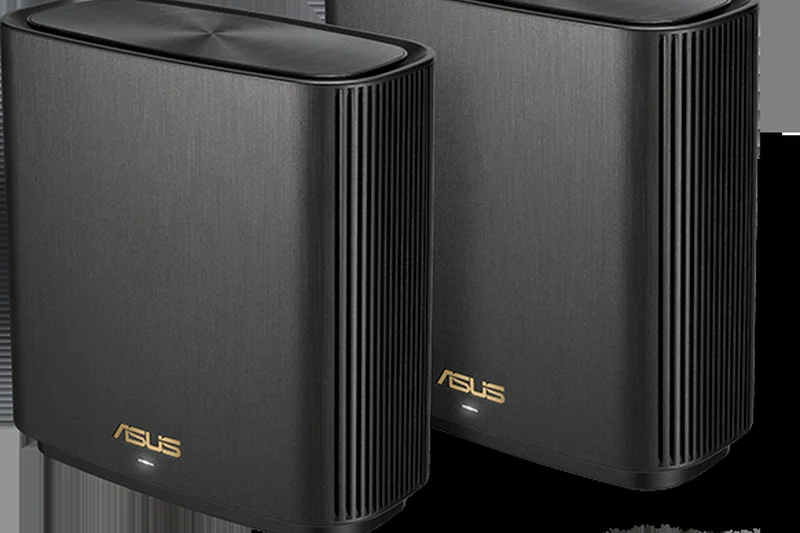
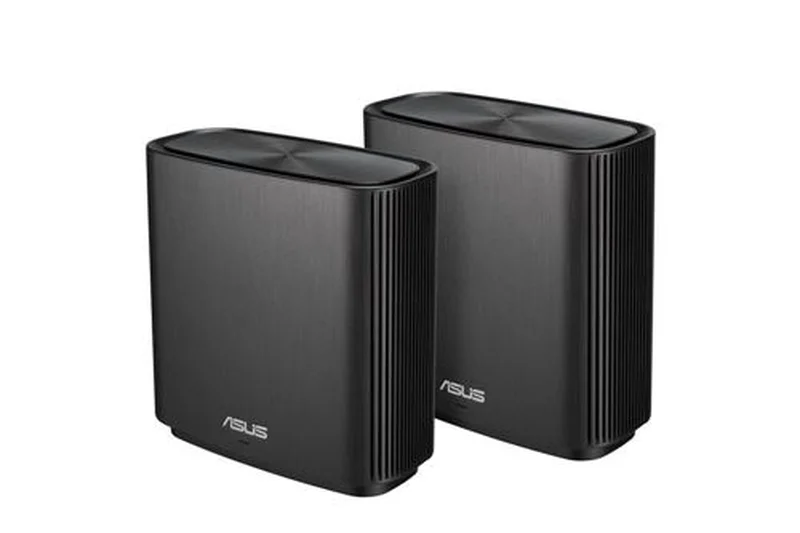
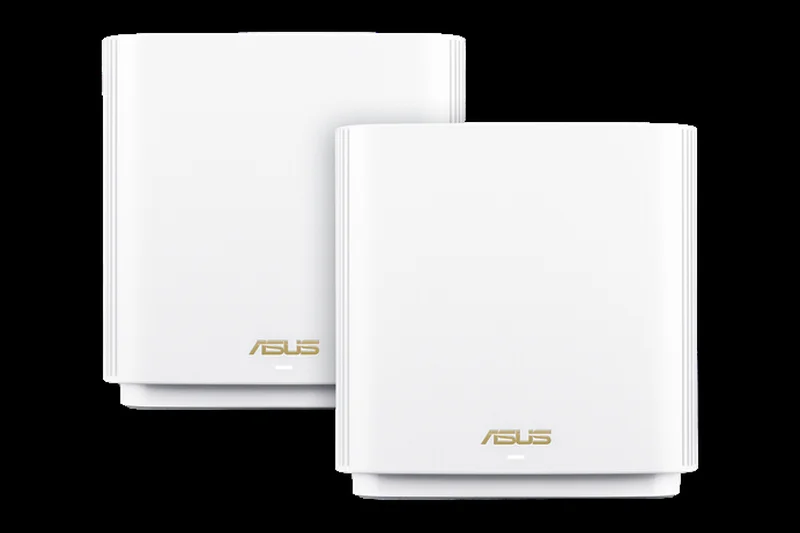
Why we picked it: The ZenWiFi XT8 is a classic Wi-Fi 6 tri-band system that remains highly relevant. It uses a dedicated 5GHz wireless backhaul to keep speeds high across 5,500 square feet. With a 2.5G WAN port and free AiProtection security, it is a sturdy, dependable choice for those not yet ready for 6E or 7.
Key Specs
- Wi-Fi 6 Tri-band
- Speeds up to 6600 Mbps
- Dedicated 5GHz wireless backhaul
- Covers up to 5,500 sq ft
What we like
- Dedicated backhaul ensures consistent speeds
- Lifetime security included
- Highly stable firmware
What we don't like
- Lacks the newer 6GHz band
- Coverage area is smaller than newer flagships
Best for: Users with older devices who want a premium, stable Wi-Fi 6 experience with great security.
Considering ASUS ZenWiFi XT8 vs ZenWiFi ET8? The ET8 adds the 6GHz band for less interference, which is worth the upgrade if you have newer phones.
A legendary Wi-Fi 6 mesh system that still holds its own in stability and robust feature sets.
Buy at ASUS official site#19 Linksys Velop Pro 7 (3-Pack)
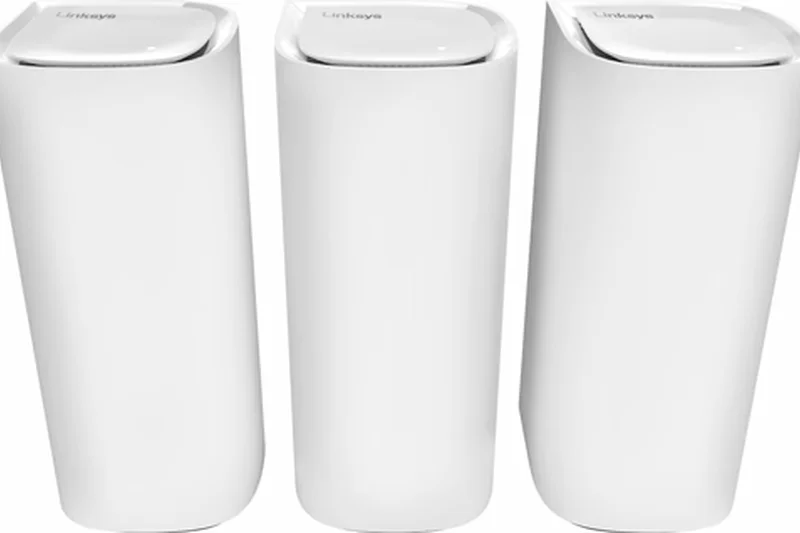
Why we picked it: The Linksys Velop Pro 7 features a stunning, tear-drop design and delivers 11 Gbps of Tri-band Wi-Fi 7 speed. Covering up to 9,000 square feet, its Cognitive Mesh technology works quietly in the background to optimize signals. However, its hardware connectivity is slightly lacking with only one 2.5G port per node.
Key Specs
- Wi-Fi 7 Tri-band
- 11 Gbps total speed
- Covers up to 9,000 sq ft
- Cognitive Mesh technology
What we like
- Beautiful, compact node design
- Vast 9,000 sq ft coverage
- Simple, minimalist app
What we don't like
- Only one multi-gig port
- Lacks deep advanced settings for power users
Best for: Design-conscious homeowners wanting Wi-Fi 7 coverage without ugly, bulky router boxes.
Considering Linksys Velop Pro 7 vs TP-Link Deco BE63? The Deco offers much better wired connectivity for a similar price.
A visually appealing Wi-Fi 7 mesh system that provides great range but skimps on wired multi-gig ports.
Buy at Linksys official site#20 TP-Link Archer BE900
Why we picked it: The Archer BE900 is an absolute monster of a standalone router, featuring an impressive 24 Gbps of quad-band Wi-Fi 7 speed. It boasts a touchscreen display and massive dual 10G ports. While a single router struggles to cover giant multi-story homes as well as a mesh, its sheer broadcasting power is undeniable.
Key Specs
- Wi-Fi 7 Quad-band
- 24 Gbps Wi-Fi speeds
- Dual 10G WAN/LAN ports
- Touchscreen display built-in
What we like
- Incredible 24 Gbps quad-band capacity
- Dual 10G ports
- Innovative built-in touchscreen
What we don't like
- Extremely bulky and heavy
- Mesh expansion requires buying another expensive router
Best for: Enthusiasts in large single-story homes who want maximum quad-band throughput from a single location.
Considering TP-Link Archer BE900 vs ASUS ROG Rapture GT-BE98 Pro? Both are standalone beasts, but the ASUS has slightly better gaming prioritization.
A futuristic, ultra-fast Wi-Fi 7 standalone router with massive hardware specs and a unique design.
Buy at TP-Link official site#21 GL.iNet GL-BE9300 (Flint 3)
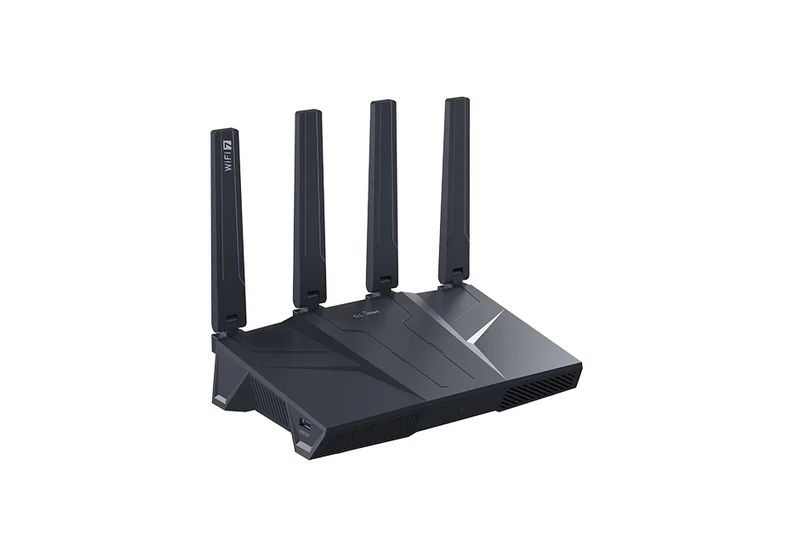
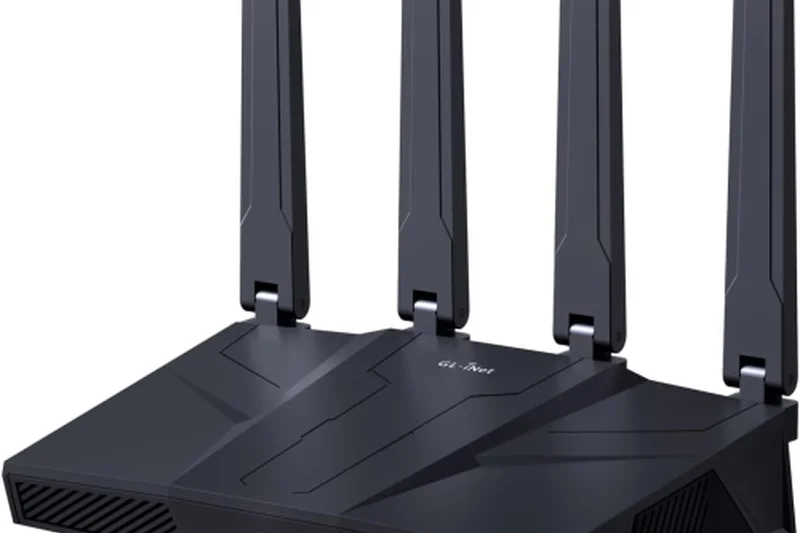
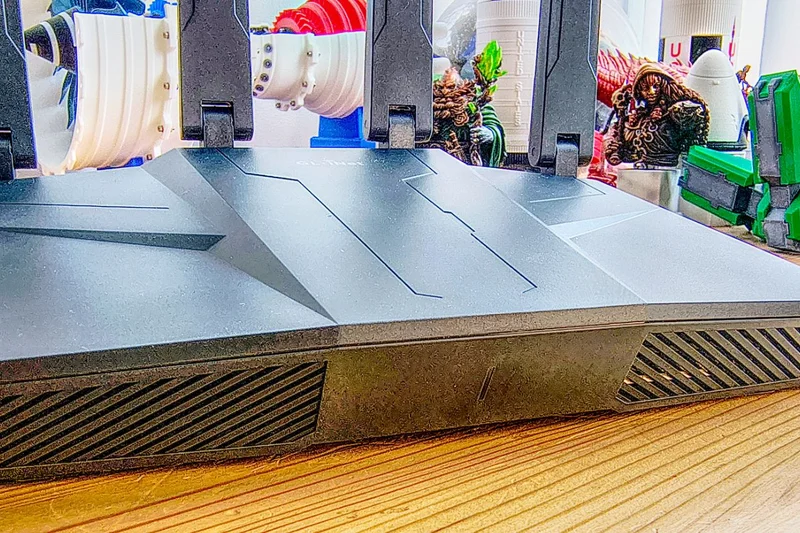
Why we picked it: Winning our best 'Price to Performance' dimension, the Flint 3 is an astounding Wi-Fi 7 standalone router for just $250. It offers native WireGuard/OpenVPN support right on the router and includes five 2.5G ports. It handles 100+ devices gracefully, making it a dream for privacy-conscious budget buyers.
Key Specs
- Wi-Fi 7 Tri-band
- Native VPN support (WireGuard/OpenVPN)
- Five 2.5G ports for high-speed backhaul
What we like
- Unbeatable value for Wi-Fi 7
- Native, highly configurable VPN client
- Five 2.5G ports
What we don't like
- Requires technical knowledge to fully utilize
- Standalone range is average
Best for: Privacy-conscious power users who want deep VPN integration and Wi-Fi 7 speeds on a tight budget.
Considering GL.iNet Flint 3 vs TP-Link Archer BE550? The Flint 3 offers vastly superior VPN and open-source style software features.
An incredible value router that brings Wi-Fi 7 and enterprise-level VPN features to the budget segment.
Buy at GL.iNet official site#22 ASUS RT-BE86U
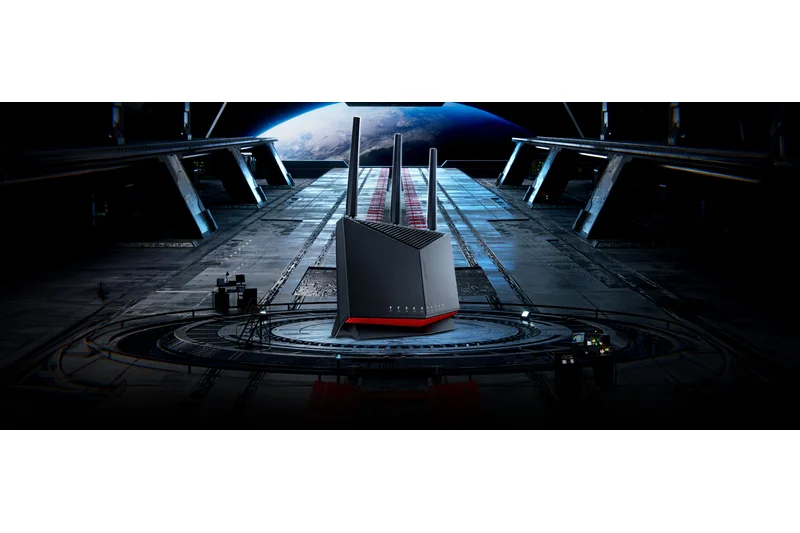
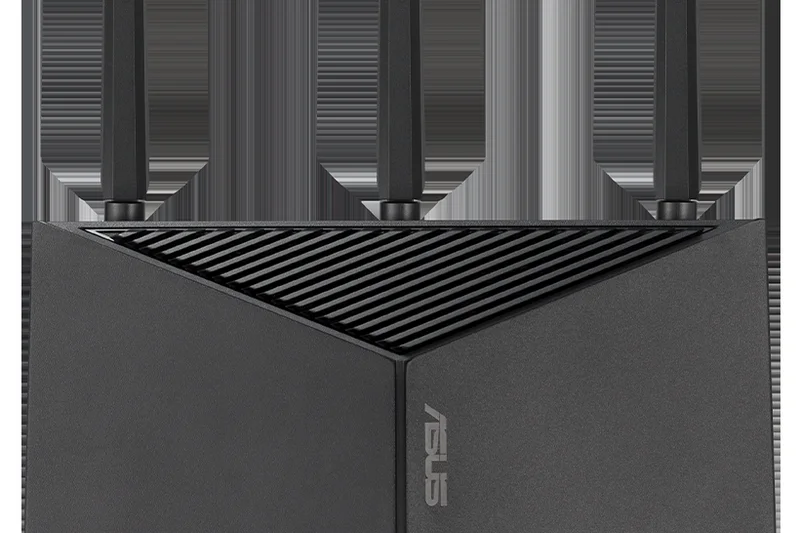
Why we picked it: Continuing the legendary '86U' bloodline, the RT-BE86U is a Dual-band Wi-Fi 7 router that delivers 6800 Mbps. Featuring AiMesh support and a dedicated gaming port, it serves as a highly reliable, commercial-grade secure foundation for expanding into a multi-node network across a large home.
Key Specs
- Wi-Fi 7 Dual-band
- Speeds up to 6800 Mbps
- AiMesh extendable
- Built-in commercial-grade security
What we like
- Rock-solid stability
- Free AiProtection Pro
- Great gaming prioritization
What we don't like
- Only dual-band
- Speeds are lower than tri-band competitors
Best for: Gamers looking for a highly stable, secure, and easily expandable dual-band Wi-Fi 7 foundation.
Considering ASUS RT-BE86U vs RT-BE88U? The BE88U provides significantly more multi-gig wired ports if you need to connect several devices.
A dependable, gaming-focused dual-band Wi-Fi 7 router with excellent security and expansion potential.
Buy at ASUS official site#23 Linksys Velop Pro 6E (3-Pack)
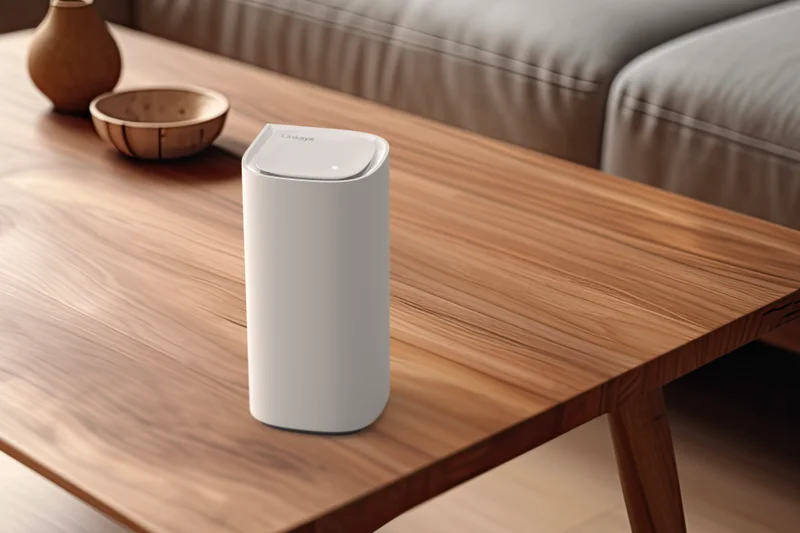
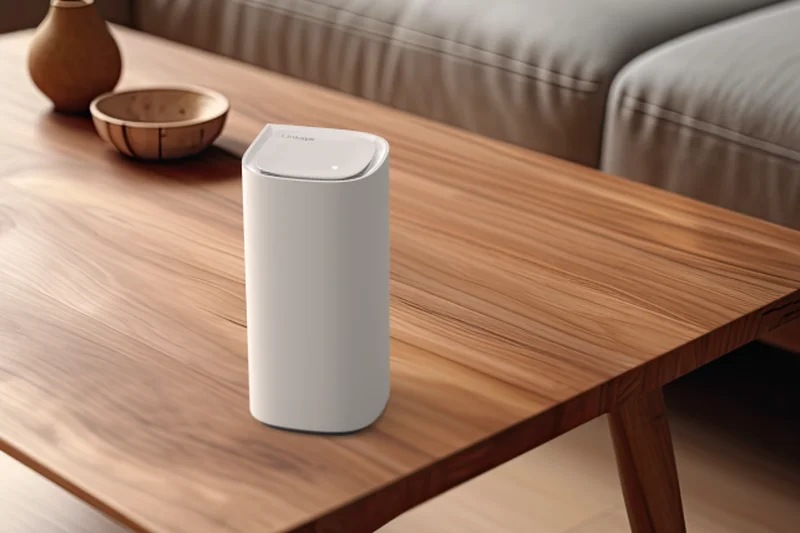
Why we picked it: The Velop Pro 6E brings the 6GHz band to Linksys's Cognitive Mesh lineup, offering speeds up to 5.4 Gbps across a massive 9,000 square feet. Its tear-drop design is highly compact. However, it severely limits power users by only including standard gigabit ports, bottlenecking multi-gig internet connections.
Key Specs
- Wi-Fi 6E Tri-band
- Speeds up to 5.4 Gbps
- Covers up to 9,000 sq ft
- Cognitive Mesh tech
What we like
- Excellent 9,000 sq ft coverage
- Aesthetically pleasing compact nodes
- Simple setup
What we don't like
- No multi-gigabit ethernet ports
- Basic app lacks advanced features
Best for: Users with sub-gigabit internet who want massive, visually unobtrusive Wi-Fi 6E coverage.
Considering Linksys Velop Pro 6E vs TP-Link Deco XE75 Pro? The Deco is generally cheaper and includes a crucial 2.5G port for better future-proofing.
A stylish, long-range Wi-Fi 6E mesh system held back by the lack of multi-gig wired connectivity.
Buy at Linksys official site#24 Amazon eero Pro 6E (3-Pack)
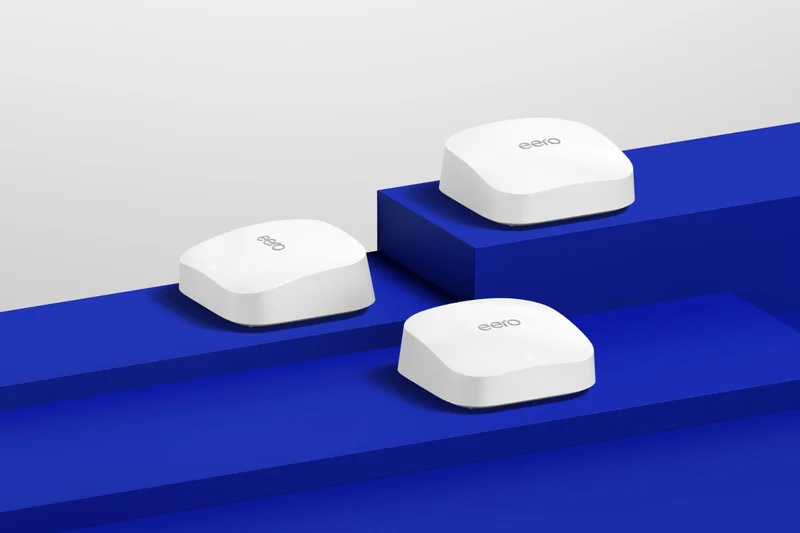


Why we picked it: The eero Pro 6E provides solid Tri-band performance up to 2.3 Gbps and covers 6,000 square feet. It excels in stability and roaming, and its built-in smart home hub makes integrating IoT devices a breeze. It remains a reliable choice for existing eero ecosystem users.
Key Specs
- Wi-Fi 6E Tri-band
- Network speeds up to 2.3 Gbps
- Access to the 6 GHz band
- Built-in smart home hub
What we like
- Flawless mesh roaming
- Great smart home integration
- Very small, discreet nodes
What we don't like
- Overall throughput is lower than competitors
- Requires subscription for advanced tools
Best for: Current Alexa and eero users looking for an easy, stable upgrade to the 6GHz band.
Considering eero Pro 6E vs Google Nest Wifi Pro? The eero offers slightly better smart home integration with its built-in Zigbee hub.
A highly stable, user-friendly Wi-Fi 6E mesh system tailored for smart home enthusiasts.
Buy at eero official site#25 Google Nest Wifi Pro (3-Pack)


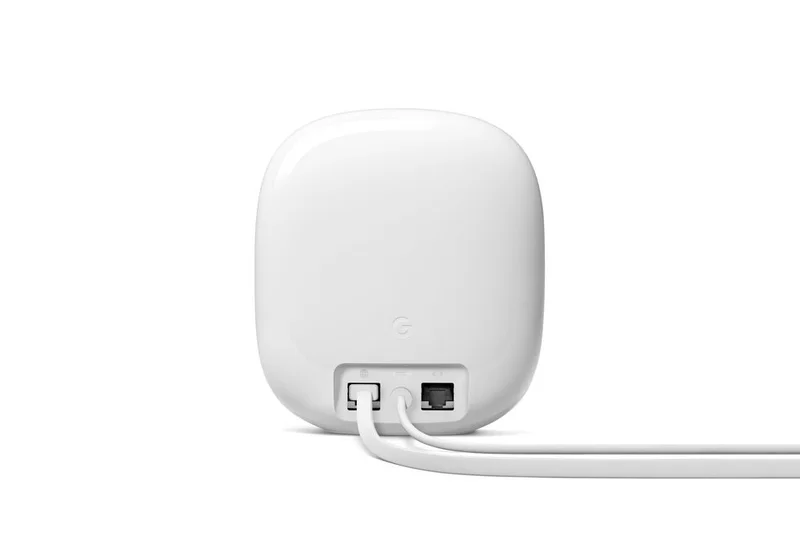
Why we picked it: Google's Nest Wifi Pro is an elegant, high-gloss Wi-Fi 6E mesh system covering 6,600 square feet. It delivers 5.4 Gbps speeds and includes Matter and Thread support out of the box. The Google Home app makes management incredibly intuitive, though power users will lament the lack of multi-gig ports.
Key Specs
- Wi-Fi 6E Tri-band
- Speeds up to 5.4 Gbps
- Covers up to 6,600 sq ft
- Matter and Thread support
What we like
- Beautiful, glossy node design
- Excellent Google Home integration
- Solid 6GHz performance
What we don't like
- No 2.5G or 10G ethernet ports
- Cannot separate network bands manually
Best for: Users heavily invested in the Google Assistant ecosystem who want a simple, beautiful Wi-Fi 6E network.
Considering Google Nest Wifi Pro vs Amazon eero Pro 6E? Choose based on your preferred smart home ecosystem (Google Home vs. Alexa).
A visually stunning, incredibly simple Wi-Fi 6E mesh system perfect for casual Google Home users.
Buy at Google official site#26 TP-Link Deco BE25 (3-Pack)
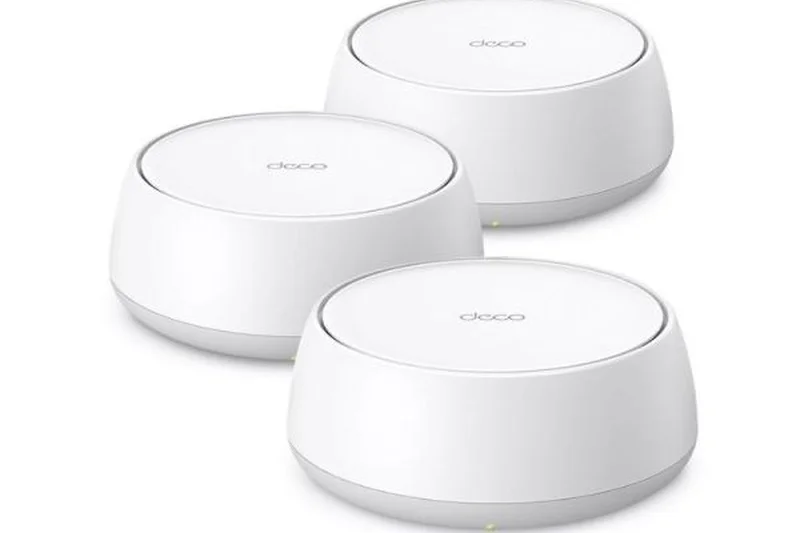
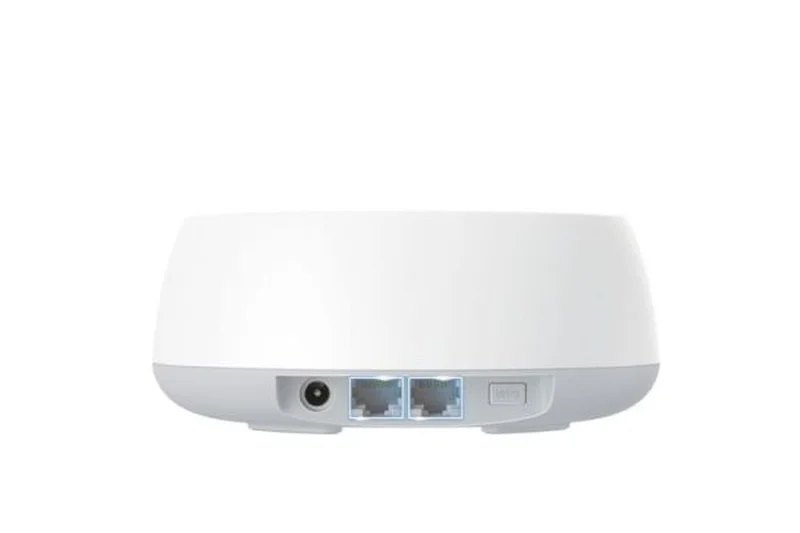
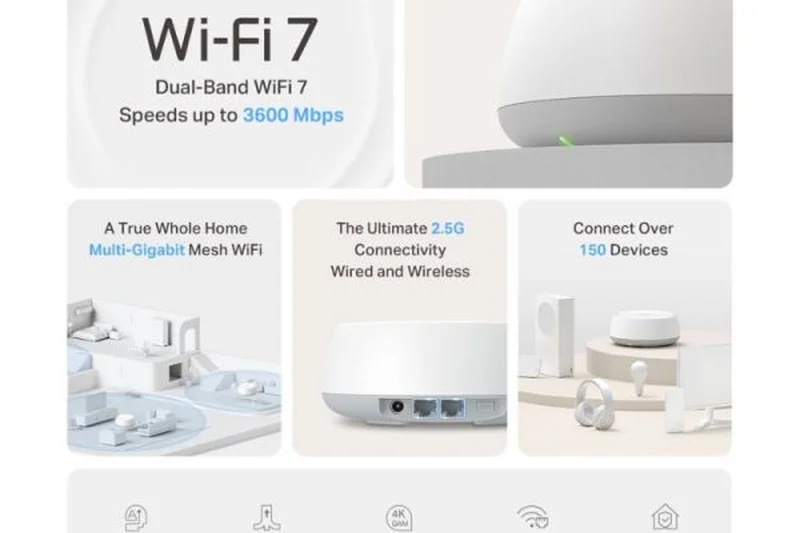
Why we picked it: The Deco BE25 represents an ultra-affordable entry into the Wi-Fi 7 ecosystem. Delivering up to 5 Gbps on a Dual-Band setup, it utilizes MLO to improve latency and reliability across 5,500 square feet. It's an excellent choice for budget buyers who want newer protocol benefits without breaking the bank.
Key Specs
- Wi-Fi 7 Dual-Band
- Speeds up to 5 Gbps
- Multi-Link Operation (MLO)
- Affordable Wi-Fi 7 entry point
What we like
- Very affordable for Wi-Fi 7
- Benefits from MLO technology
- Reliable Deco app management
What we don't like
- Dual-band only (no 6GHz)
- Range is modest for large homes
Best for: Budget buyers wanting the low latency and stability of Wi-Fi 7 without paying for the 6GHz band.
Considering TP-Link Deco BE25 vs Deco X55? The BE25 is the better buy moving forward due to its newer Wi-Fi 7 MLO capabilities.
A highly affordable dual-band Wi-Fi 7 system that improves network stability on a budget.
Buy at TP-Link official site#27 TP-Link Archer BE550
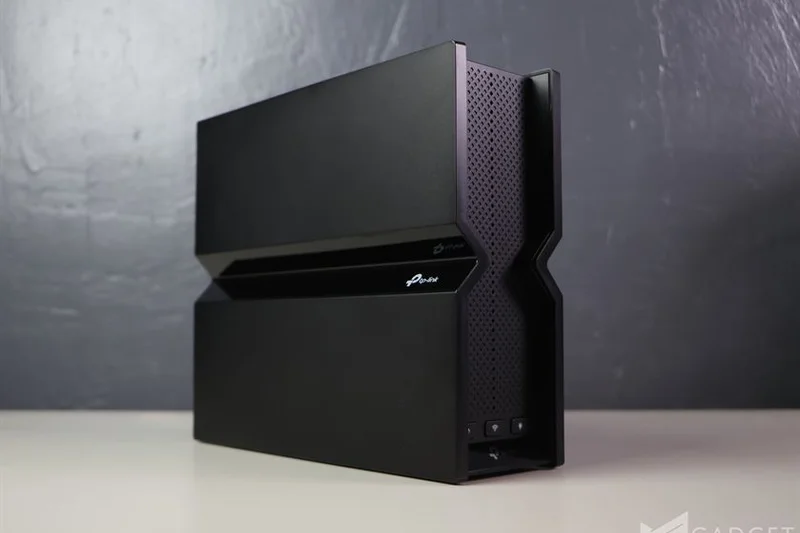
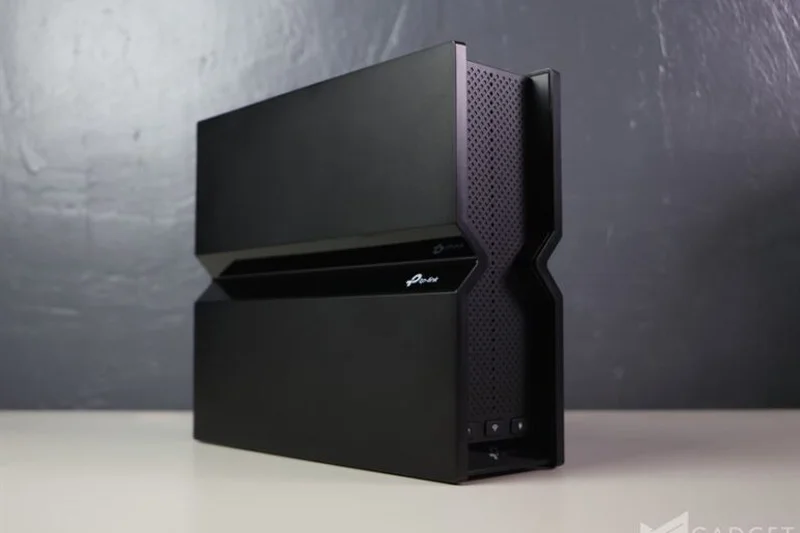
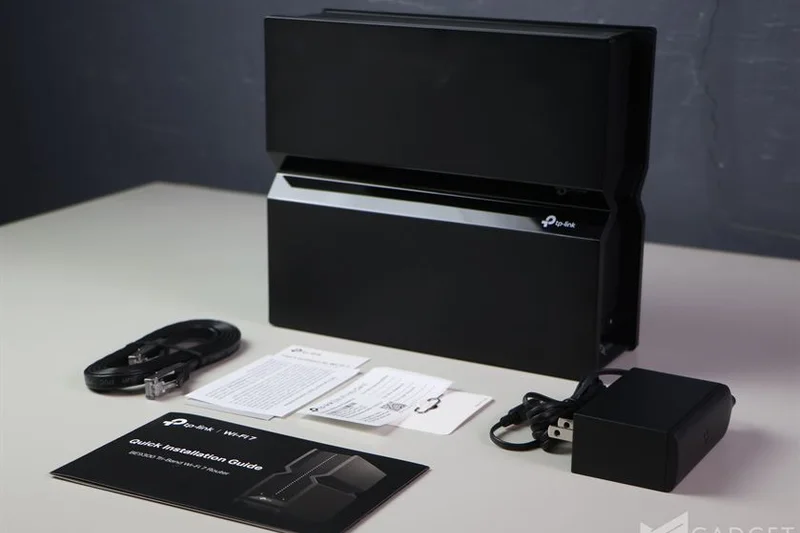
Why we picked it: The Archer BE550 is a fantastic budget Wi-Fi 7 standalone router. It provides impressive 9.2 Gbps Tri-band speeds and features an amazing five 2.5 Gbps ports. Because it is EasyMesh compatible, you can easily pair it with other compatible nodes to cover a large home dynamically.
Key Specs
- Wi-Fi 7 Tri-band
- Speeds up to 9.2 Gbps
- Five 2.5 Gbps ports
- EasyMesh compatible
What we like
- Excellent tri-band Wi-Fi 7 value
- Unbeatable array of 2.5G ports for the price
- EasyMesh allows for cheap expansion
What we don't like
- Coverage drops significantly through thick walls
- Design is somewhat bulky
Best for: Budget buyers who need multiple multi-gig wired connections and the option to expand via mesh later.
Considering TP-Link Archer BE550 vs ASUS RT-BE86U? The BE550 offers tri-band performance and more 2.5G ports, making it slightly more versatile.
A port-heavy, high-value Wi-Fi 7 router that serves as a brilliant starting point for an EasyMesh network.
Buy at TP-Link official site#28 Netgear Nighthawk RS700S
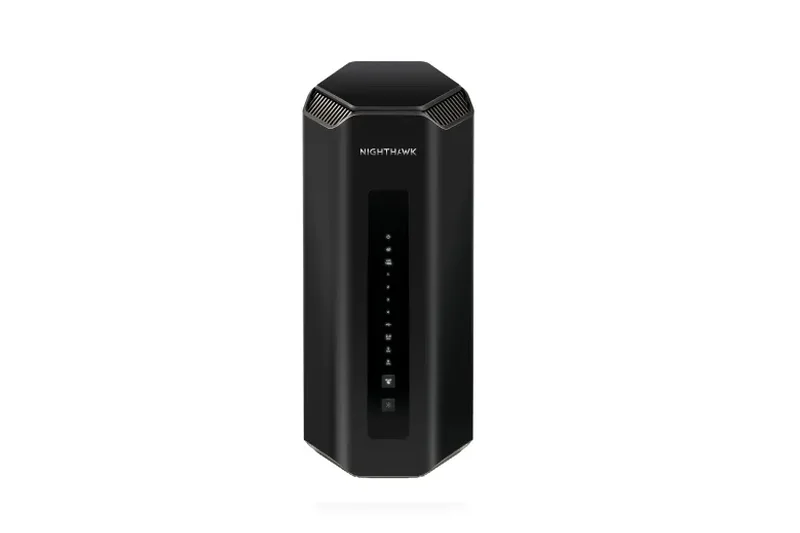
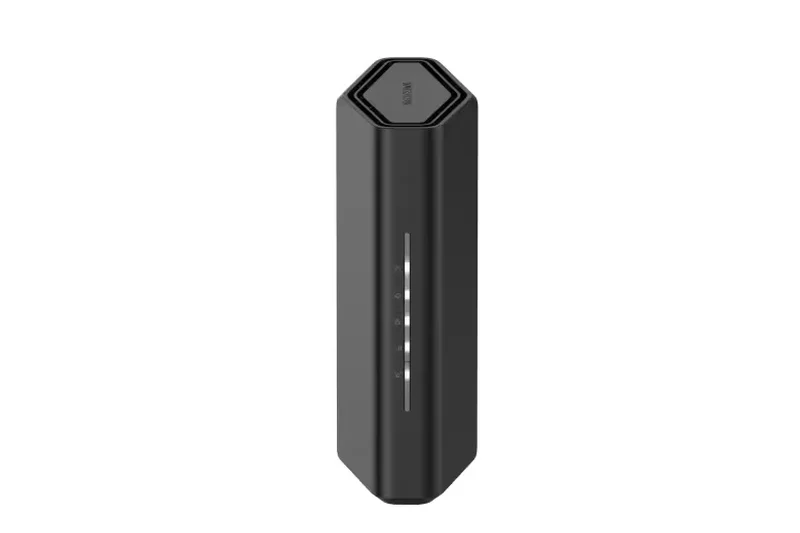
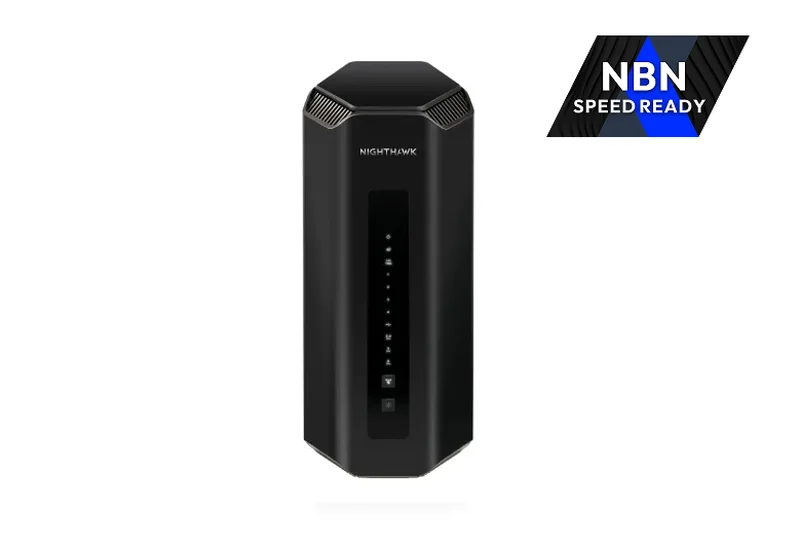
Why we picked it: The Nighthawk RS700S is a sleek, vertically designed standalone router pushing 19 Gbps of Wi-Fi 7 speed. Covering up to 3,500 square feet, it includes 10GbE WAN and LAN ports. While excellent for a dense apartment or mid-sized home, it struggles to push signals to the far corners of 5,000+ sq ft properties without mesh nodes.
Key Specs
- Wi-Fi 7 Tri-band
- Up to 19 Gbps speeds
- 10GbE WAN and LAN ports
- Sleek vertical antenna design
What we like
- Very fast Wi-Fi 7 throughput
- Dual 10GbE ports
- Compact vertical footprint
What we don't like
- Lacks native mesh expansion support
- Range is insufficient for massive homes
Best for: Users with multi-gig internet in medium-sized, open-concept homes who want maximum standalone speed.
Considering Netgear Nighthawk RS700S vs TP-Link Archer BE800? The Archer is much easier to expand into a mesh network later via EasyMesh.
A blazingly fast Wi-Fi 7 router wrapped in a sleek design, though its lack of mesh expandability limits its large-home appeal.
Buy at Netgear official site#29 TP-Link Deco X55 (3-Pack)
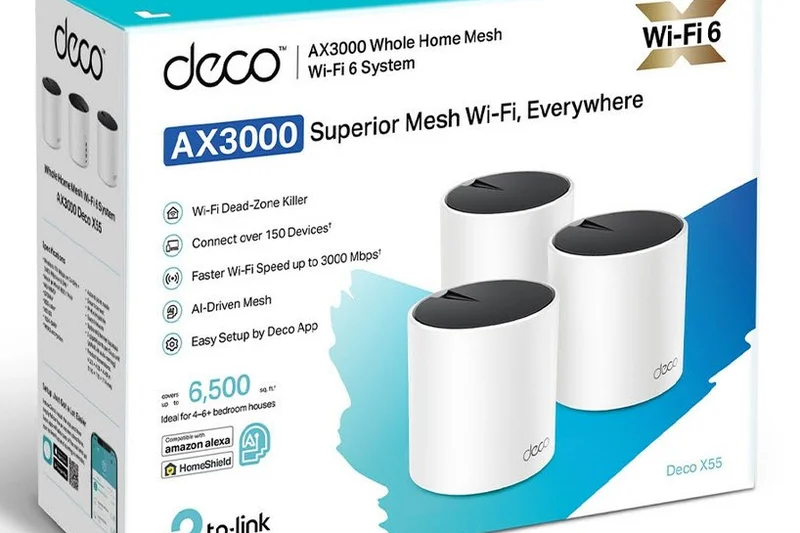
Why we picked it: The Deco X55 remains a strong budget contender, providing reliable Wi-Fi 6 Dual-Band speeds up to 3000 Mbps across 6,500 square feet. With 3 gigabit ethernet ports per unit, it allows for easy hardwiring of smart TVs and consoles. It’s an incredibly reliable, low-cost AI-driven mesh.
Key Specs
- Wi-Fi 6 Dual-Band
- Speeds up to 3000 Mbps
- 3 Gigabit Ethernet ports per unit
- Covers up to 6,500 sq ft
What we like
- Extremely reliable and affordable
- Three ethernet ports per node
- Great 6,500 sq ft range
What we don't like
- Wi-Fi 6 Dual-band is becoming outdated
- No multi-gig ports
Best for: Homeowners on a strict budget who need reliable coverage for standard sub-gigabit internet plans.
Considering TP-Link Deco X55 vs Deco X20? The X55 offers faster speeds and more ethernet ports, making it worth the slight price bump.
A proven, highly affordable Wi-Fi 6 mesh system that delivers reliable coverage for non-demanding networks.
Buy at TP-Link official site#30 TP-Link Deco X20 (3-Pack)
Why we picked it: At just $149, the Deco X20 is the ultimate ultra-budget mesh system. It covers up to 5,800 square feet and supports speeds up to 1800 Mbps. While it lacks the bandwidth for heavy 4K streaming across dozens of devices simultaneously, it provides incredibly stable, basic coverage for up to 150 smart devices.
Key Specs
- Wi-Fi 6 Dual-Band
- Speeds up to 1800 Mbps
- Covers up to 5,800 sq ft
- Handles up to 150 devices
What we like
- Unbeatable $149 price tag
- Reliably handles high device counts
- Very compact nodes
What we don't like
- Low peak speeds (1800 Mbps)
- Basic hardware connectivity
Best for: Buyers who simply want to eliminate dead zones in a large house as cheaply as possible.
Considering TP-Link Deco X20 vs Xiaomi Mesh System BE3600 Pro? The Xiaomi offers newer Wi-Fi 7 tech, but the TP-Link app and support ecosystem is generally more reliable.
The best bare-bones budget mesh system for eliminating dead zones on standard internet plans.
Buy at TP-Link official site#31 Ubiquiti AmpliFi Alien Router
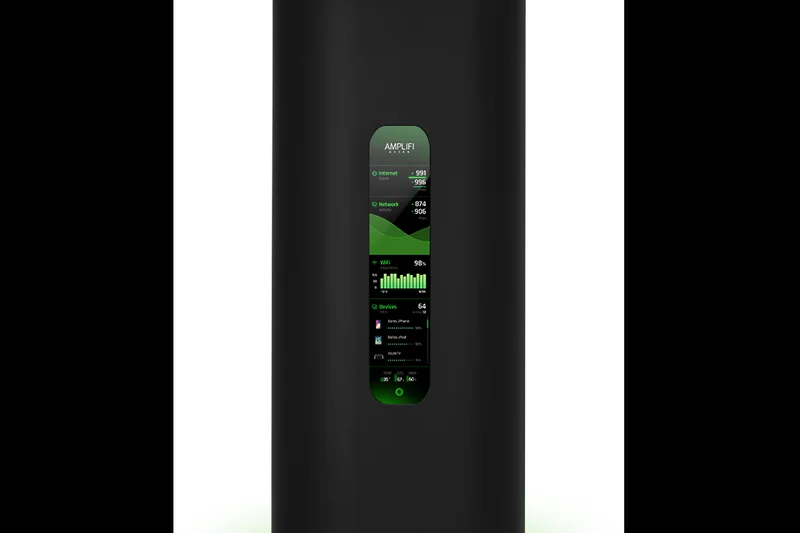
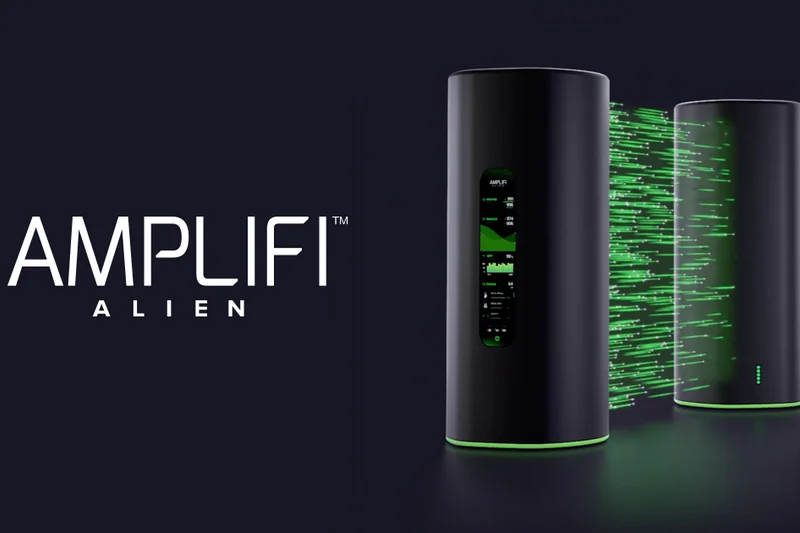
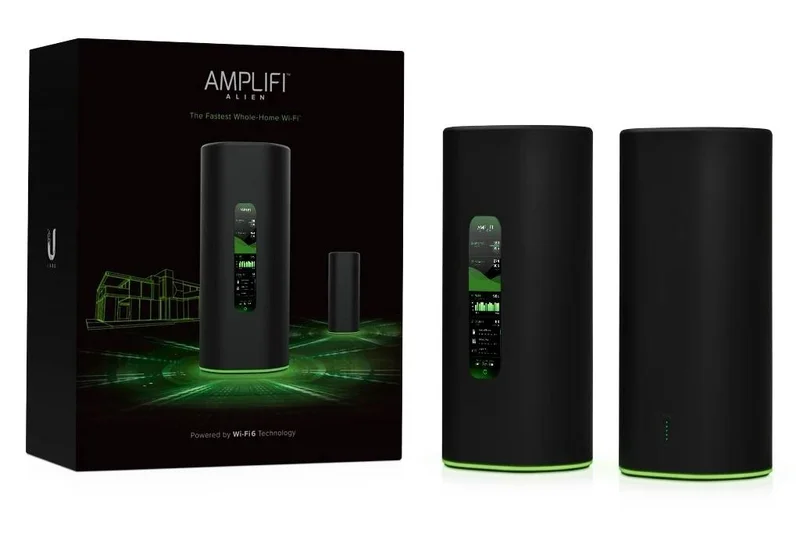
Why we picked it: The AmpliFi Alien is a beautifully designed Wi-Fi 6 Tri-band router featuring a highly informative touchscreen interface. With high-capacity 8x8 MIMO antennas, it covers up to 3,000 square feet as a standalone, but can easily be expanded into a mesh. It remains incredibly stable but is priced highly for older Wi-Fi 6 tech.
Key Specs
- Wi-Fi 6 Tri-band
- Touchscreen interface
- High-capacity 8x8 MIMO antennas
- Mesh expandable
What we like
- Gorgeous design with touchscreen
- Extremely stable performance
- Easy to expand into a mesh
What we don't like
- Very expensive for Wi-Fi 6
- Lacks multi-gig ports
Best for: Design enthusiasts who want a beautiful, stable router with a unique touchscreen interface.
Considering AmpliFi Alien vs UniFi Express? The Alien offers better standalone range and speed, while the Express is cheaper and integrates into the deep UniFi ecosystem.
A premium, aesthetically pleasing Wi-Fi 6 router that delivers great stability, albeit at a high premium.
Buy at Ubiquiti official site#32 Amazon Eero 6+ (3-Pack)



Why we picked it: The Eero 6+ is a dependable Wi-Fi 6 Dual-Band system offering gigabit speeds across 4,500 square feet. It includes 160 MHz channel support and a built-in Zigbee hub. It's a great choice for smaller multi-story homes heavily reliant on Alexa, though its range falls short of true large-home requirements.
Key Specs
- Wi-Fi 6 Dual-Band
- Gigabit speeds
- Covers up to 4,500 sq ft
- 160 MHz channel support
What we like
- Very easy to set up
- 160 MHz channels boost speeds
- Built-in Zigbee hub
What we don't like
- Range is only 4,500 sq ft
- Subscription needed for advanced tools
Best for: Alexa users in medium-to-large homes looking for a simple, reliable Wi-Fi 6 upgrade.
Considering Eero 6+ vs Eero Pro 6E? The Pro 6E provides the 6GHz band and better range, making it far superior for dense, larger homes.
A solid, easy-to-use Wi-Fi 6 mesh that is slightly outmatched by newer, cheaper alternatives in large homes.
Buy at eero official site#33 Xiaomi Mesh System BE3600 Pro (2-Pack)
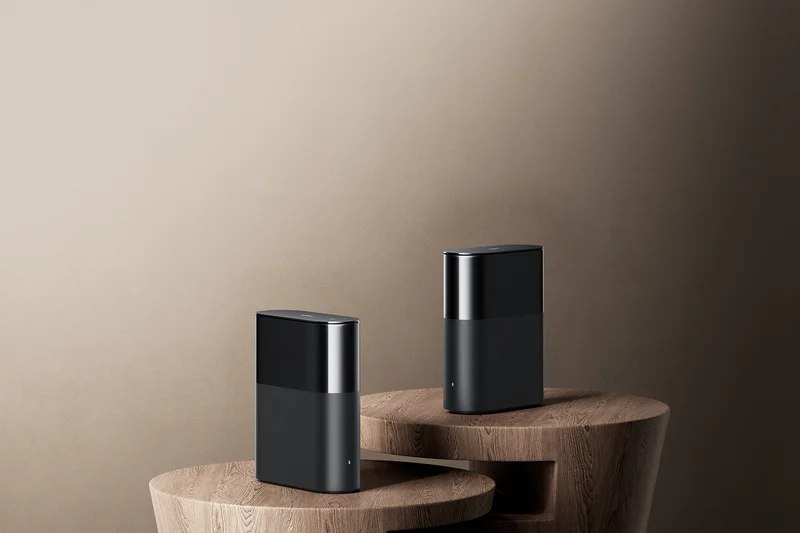

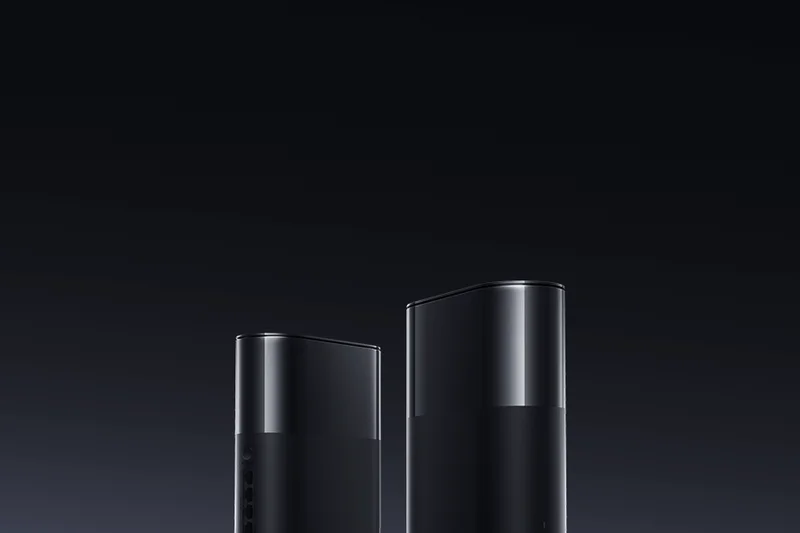
Why we picked it: The Xiaomi BE3600 Pro is an aggressive ultra-budget Wi-Fi 7 entry. For $149, it provides Dual-Band 3600 Mbps speeds, MLO support, and a 2.5G port. While its software isn't as polished as competitors, the raw hardware value for a Wi-Fi 7 mesh system is genuinely unprecedented.
Key Specs
- Wi-Fi 7 Dual-Band
- Speeds up to 3600 Mbps
- MLO and 4K QAM support
- 2.5G port included
What we like
- Cheapest Wi-Fi 7 mesh available
- Includes a 2.5G port
- Supports MLO
What we don't like
- App experience is less refined
- Availability can be limited
Best for: Tech-savvy budget buyers who want to experiment with Wi-Fi 7 without spending more than $150.
Considering Xiaomi BE3600 Pro vs TP-Link Deco BE25? The Deco offers a much better, more polished app experience for a slightly higher price.
An ultra-budget Wi-Fi 7 mesh system that delivers incredible hardware value despite slightly clunky software.
Buy at Xiaomi official site#34 Netgear Nighthawk RS300
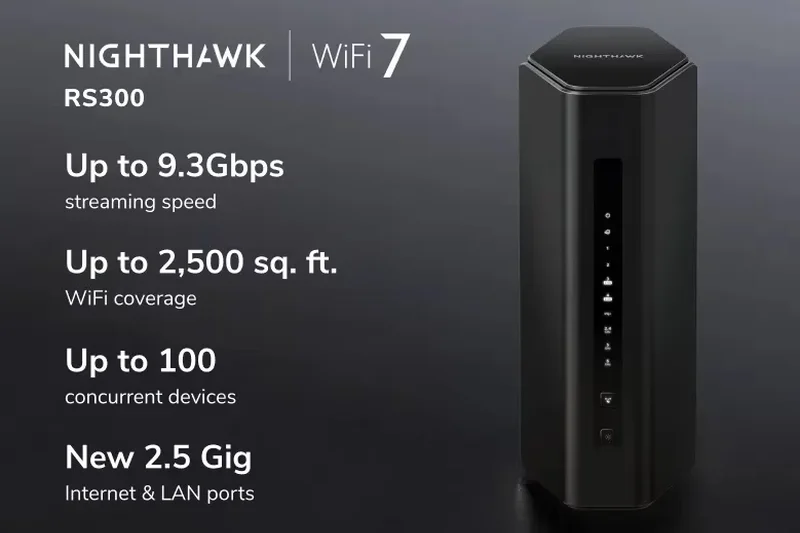
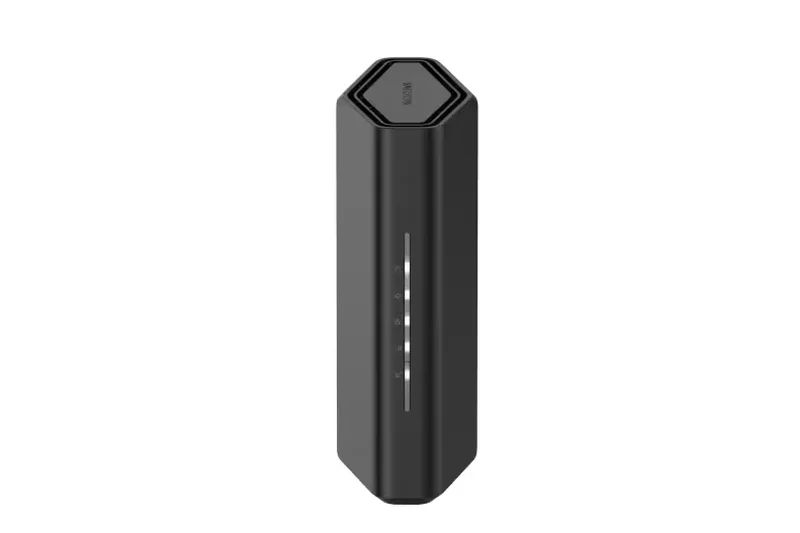
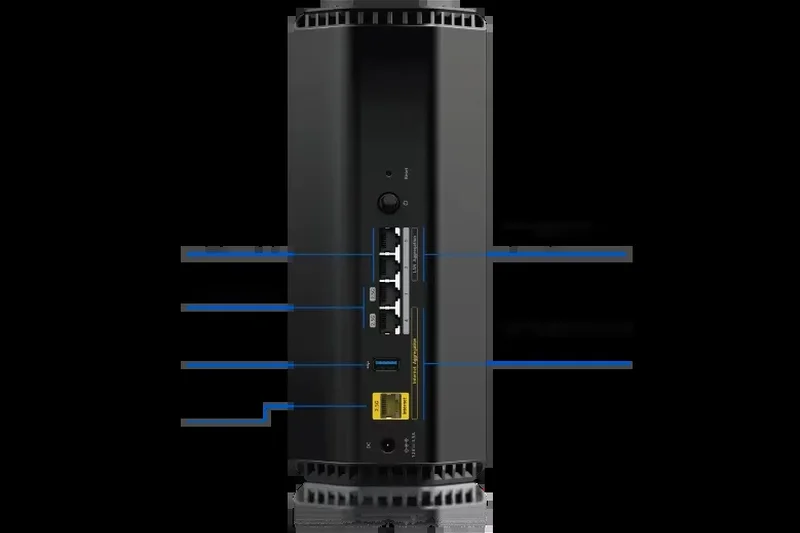
Why we picked it: The Nighthawk RS300 is a compact Wi-Fi 7 Tri-band standalone router. It offers 9.3 Gbps speeds and 2.5GbE ports. While it is a competent, sleek device, its 2,500 square foot standalone range is simply not enough to cover a large multi-story home, pushing it toward the bottom of our large-home rankings.
Key Specs
- Wi-Fi 7 Tri-band
- Speeds up to 9.3 Gbps
- 2.5GbE WAN/LAN ports
- Covers up to 2,500 sq ft
What we like
- Fast 9.3 Gbps tri-band speeds
- 2.5GbE ports included
- Sleek, compact design
What we don't like
- Poor range for large homes
- Cannot be easily expanded into a mesh
Best for: Apartment dwellers or small home owners, rather than those with massive multi-story properties.
Considering Netgear Nighthawk RS300 vs TP-Link Archer BE550? The Archer is cheaper, has more ports, and can be expanded into a mesh via EasyMesh.
A fast, compact Wi-Fi 7 router that unfortunately lacks the range needed for a true large-home deployment.
Buy at Netgear official site#35 ASUS RT-BE58U
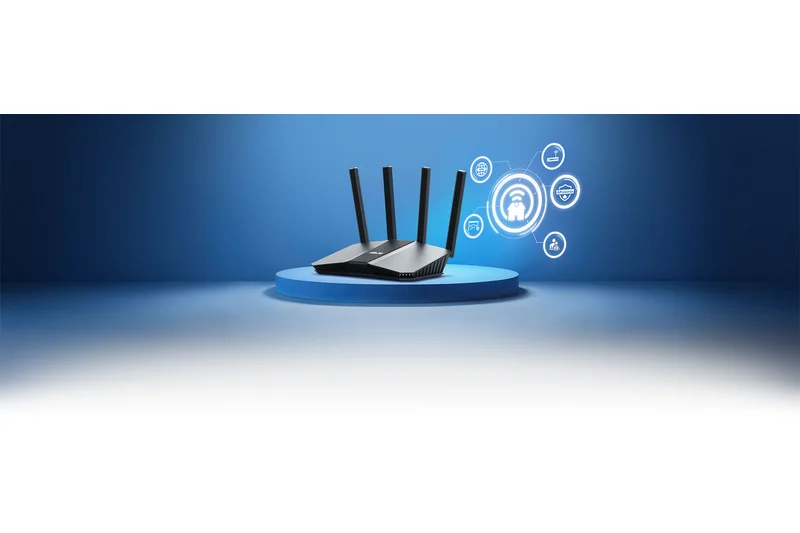
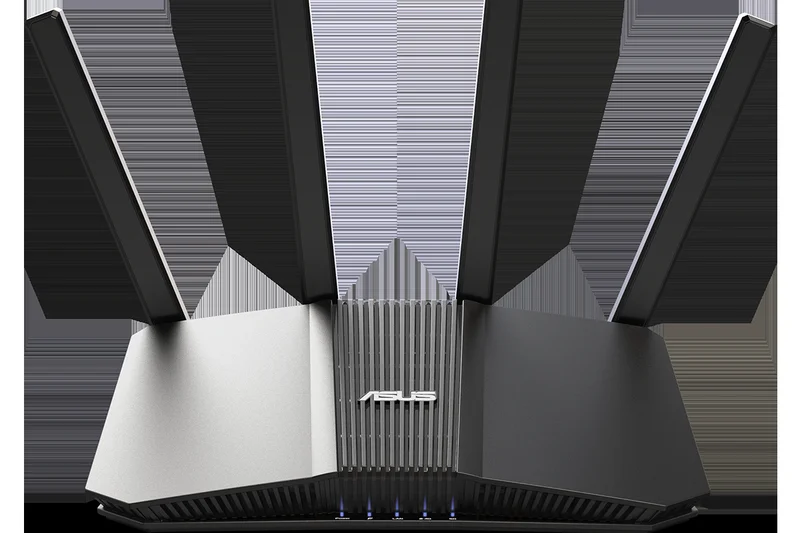
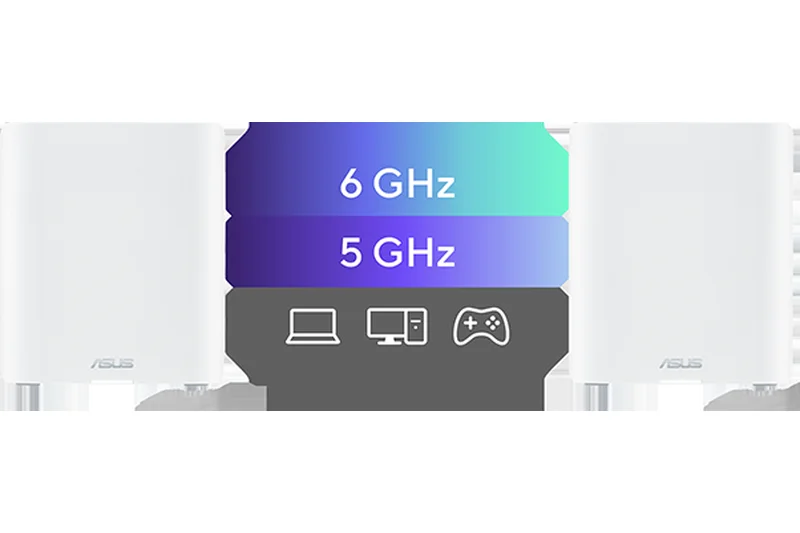
Why we picked it: The RT-BE58U is an entry-level Wi-Fi 7 Dual-Band router offering 3600 Mbps. It includes USB WAN fallback and built-in AiProtection. Because it supports AiMesh, it can be used as a cheap node to expand an existing ASUS network, but as a primary router for a large home, its coverage and speed are quite basic.
Key Specs
- Wi-Fi 7 Dual-Band
- Speeds up to 3600 Mbps
- USB WAN fallback
- AiMesh support for large homes
What we like
- Very affordable AiMesh node
- Free AiProtection security
- USB WAN fallback feature
What we don't like
- Weak standalone coverage
- Dual-band speeds are relatively low
Best for: Existing ASUS users looking for a cheap Wi-Fi 7 AiMesh node to extend their network into a garage or basement.
Considering ASUS RT-BE58U vs RT-BE86U? The BE86U is significantly more powerful and stable as a primary router.
A basic Wi-Fi 7 router that serves best as an inexpensive AiMesh expansion node rather than a primary powerhouse.
Buy at ASUS official site#36 Ubiquiti UniFi Express
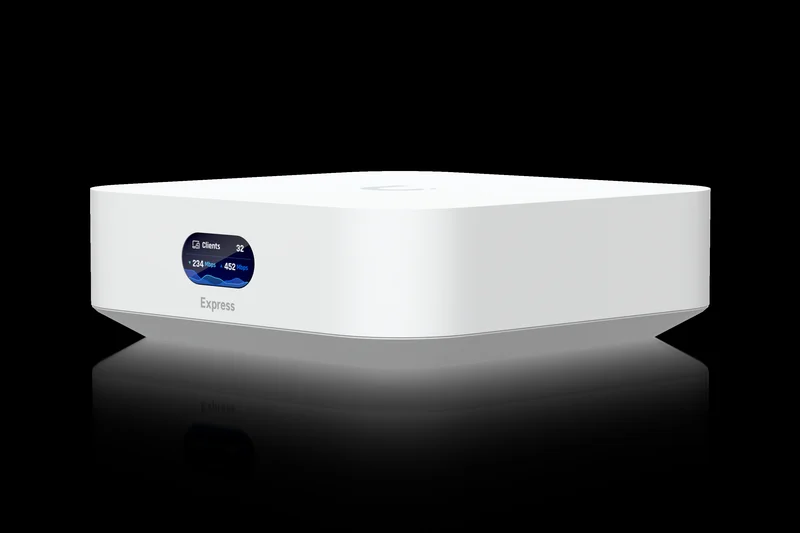
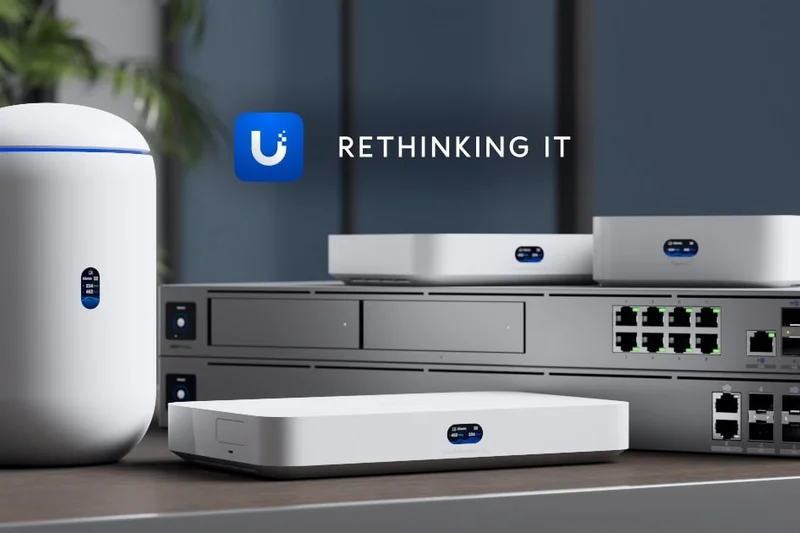
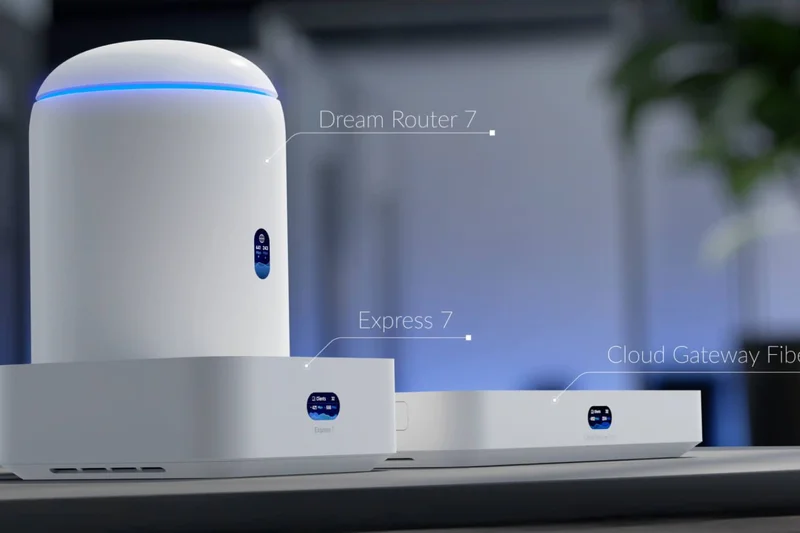
Why we picked it: The UniFi Express is an incredibly sleek Wi-Fi 6 Dual-Band mesh gateway with a built-in UniFi Network controller. It allows for plug-and-play mesh expandability and features an LCM status display. While brilliant for UniFi enthusiasts, its 5 Gbps speed limit and lack of multi-gig ports hinder its performance in massive, gigabit-fiber homes.
Key Specs
- Wi-Fi 6 Dual-Band
- Built-in UniFi Network controller
- LCM status display
- Plug-and-play mesh expandability
What we like
- Built-in UniFi controller is amazing
- Beautiful, tiny footprint
- Deep network management features
What we don't like
- Speeds max out relatively low
- Only gigabit ports
Best for: Networking enthusiasts wanting an elegant, affordable entry point into the UniFi ecosystem.
Considering UniFi Express vs UniFi6 Mesh? The U6-Mesh offers better range and weather resistance for harder-to-reach areas.
A gorgeous, feature-rich UniFi gateway that lacks the raw throughput and range required for massive estates.
Buy at Ubiquiti official siteBuying Guide
Understanding Wi-Fi 7 and Mesh Networks
If you live in a multi-story house or a sprawling property exceeding 3,000 square feet, a single traditional router will inevitably struggle to provide consistent coverage. A Mesh Wi-Fi system solves this by using a primary router connected directly to your modem, alongside several satellite nodes placed strategically throughout your home. In 2026, the widespread adoption of Wi-Fi 7 (802.11be) has completely transformed large-home networking. Wi-Fi 7 introduces Multi-Link Operation (MLO), which allows compatible devices to connect to the 2.4GHz, 5GHz, and 6GHz bands simultaneously, resulting in unprecedented throughput and virtually zero latency.
Choosing by User Type
1. The "Set-It-And-Forget-It" Family
For most large families, reliability and ease of use are paramount. You want a system that effortlessly blankets the entire property—from the basement theater to the guest room and backyard patio. Look for systems like the ASUS ZenWiFi BQ16 Pro or TP-Link Deco BE85, which offer highly intuitive companion apps, seamless AI-driven mesh optimization, and robust parental controls to easily manage screen time across dozens of devices.
2. Gamers and Power Users
If you subscribe to multi-gigabit fiber internet (such as 2.5 Gbps or 10 Gbps plans) and frequently download massive AAA game files or stream multiple 8K videos simultaneously, hardware connectivity is your top priority. You need a system outfitted with multiple 10GbE WAN and LAN ports to support ultra-fast wired backhauls. Gamers should also prioritize standalone routers with advanced Quality of Service (QoS) features and game acceleration, such as the massive ASUS ROG Rapture GT-BE98 Pro or the premium Netgear Orbi 970 Series.
3. Smart Home Enthusiasts (100+ Devices)
Modern homes are densely packed with internet-of-things (IoT) devices: smart security cameras, locks, thermostats, smart TVs, and lighting arrays. In this scenario, raw peak speed matters far less than node capacity, device management, and security. We recommend prioritizing systems that offer robust IoT network isolation—such as the Amazon eero Max 7, which features built-in Zigbee, Thread, and Matter hubs—to ensure your primary network remains secure, responsive, and completely uncrowded.
What to Avoid in 2026
- Older Wi-Fi 5 Systems: Unless you are on a severely constrained budget, avoid older 802.11ac mesh systems. They fundamentally lack the capacity, spectrum efficiency, and speed required for modern, device-dense homes.
- Hidden Subscription Fees: Many prominent manufacturers increasingly lock essential features like advanced security firewalls and comprehensive parental controls behind monthly paywalls. Always evaluate the long-term total cost of ownership before buying.
- Skimping on Ethernet Ports: A high-end Wi-Fi 7 router equipped with only basic 1Gbps ethernet ports will severely bottleneck your network if you upgrade to multi-gig internet. Ensure your chosen system has at least one 2.5G or 10G port.
Budget Tiers for Large Homes
Premium Flagships ($1,000+): At this top tier, you receive bleeding-edge Wi-Fi 7 quad-band or tri-band systems capable of delivering 20+ Gbps total speeds, dual 10GbE multi-gig ports, and signal coverage exceeding 8,000 square feet. These are massive investments, but they provide absolute future-proofing.
Mid-Range Performers ($400 - $999): This is the sweet spot for the vast majority of large-home buyers. You'll find excellent Wi-Fi 6E mesh kits and entry-level Wi-Fi 7 standalone routers here. They provide strong 6GHz band support, essential multi-gig ports, and reliable roaming across 4,000 to 7,000 square feet.
Budget Solutions (Under $400): You do not have to spend a fortune to achieve solid whole-home coverage. High-value systems like the TP-Link Deco XE75 Pro or reliable Wi-Fi 6 models offer incredible bang for your buck, providing more than enough bandwidth for 4K streaming, remote work, and standard internet browsing in large homes.
FAQ
What is the best router for a multi-story 5,000 sq ft home?
For homes of this size, a standalone router will rarely suffice. The ASUS ZenWiFi BQ16 Pro and Netgear Orbi 970 Series are currently the best options, providing dedicated wireless backhauls and massive Wi-Fi 7 coverage that effortlessly penetrates thick walls and multiple floors.
Do I need Wi-Fi 7, or is Wi-Fi 6E enough for 2026?
While Wi-Fi 6E is still highly capable because it utilizes the uncongested 6GHz band, Wi-Fi 7 introduces Multi-Link Operation (MLO). MLO allows devices to connect to multiple bands simultaneously, drastically lowering latency and increasing stability. If you are buying a premium system today, Wi-Fi 7 provides much better future-proofing.
How many mesh nodes do I need for a large house?
As a general rule of thumb, a 2-pack premium Wi-Fi 7 system covers about 5,000 to 6,000 square feet, while a 3-pack covers 7,500 to 9,000 square feet. Layout matters; if your home has thick brick walls or unusual extensions, you may need an additional node regardless of square footage.
What is a wired backhaul and why is it important?
A wired backhaul means you connect your mesh satellite nodes back to the primary router using an ethernet cable (preferably 2.5G or 10G). This reserves 100% of the wireless bandwidth for your actual devices, ensuring maximum speed and zero signal degradation between nodes.
Mesh Wi-Fi vs. High-Range Standalone Router: Which is better?
For homes over 3,500 square feet, Mesh Wi-Fi is almost always better. A single powerful router (like the ASUS ROG Rapture) can push a signal far, but devices at the edge of the property will still struggle to send signals back. Mesh nodes placed around the home ensure strong two-way communication.
How does Multi-Link Operation (MLO) improve stability?
Prior to Wi-Fi 7, your phone had to choose whether to connect to the 2.4GHz, 5GHz, or 6GHz band. MLO allows compatible devices to send and receive data across multiple bands at the exact same time. If interference suddenly spikes on the 5GHz band, data seamlessly flows over the 6GHz band without dropping your connection.
Do thick concrete walls block Wi-Fi 7 signals?
Yes. The ultra-fast 6GHz band used by Wi-Fi 6E and Wi-Fi 7 struggles significantly to penetrate dense materials like concrete and brick. To combat this, you should place mesh nodes strategically in hallways or wire them together using ethernet (a wired backhaul).
Are expensive mesh Wi-Fi subscriptions worth it?
Usually not. Brands like Netgear and eero charge monthly fees for advanced parental controls and network security insights. We heavily favor brands like ASUS and TP-Link (on select models) that provide robust, lifetime security suites for free out of the box.
What is the best router for smart homes with 100+ IoT devices?
Smart homes require massive device capacity rather than extreme peak speeds. The Amazon eero Max 7 is our top pick here because it acts as a highly stable Wi-Fi 7 mesh while also featuring a built-in Zigbee, Thread, and Matter hub to streamline your smart ecosystem.
Can I mix and match different mesh router brands?
No. Mesh systems utilize proprietary software to manage seamless node handoffs and backhauls. You cannot mix an eero node with a Netgear Orbi system. However, technologies like EasyMesh are beginning to allow cross-compatibility between certain models of the same brand, like TP-Link.
How do I eliminate Wi-Fi dead zones in my basement?
If placing a wireless mesh node at the top of the basement stairs doesn't work due to a thick floor, your best option is to run an ethernet cable down to the basement and connect a wired node, or use MoCA adapters (ethernet over coaxial cable) to establish a wired backhaul.
What warranty policies should I look for when buying premium routers?
When spending $1,000+ on a mesh system, look for at least a 2-year warranty and a generous return window (30-60 days). Many properties have unique interference issues, and you need time to test if the system actually eliminates your specific dead zones.
Methodology
Our evaluation process is stringently governed by the M2 Multi-Dimensional Evaluation methodology, ensuring a holistic, data-driven approach to ranking the absolute best routers for large homes. We recognize that the raw theoretical throughput specifications printed on a retail box rarely translate directly to real-world performance—especially in multi-story homes burdened with thick walls, complex layouts, and heavy network congestion.
Our scoring approach thoughtfully assigns weights to seven distinct dimensions based on their actual impact on large-home networking:
- Wireless Range & Coverage (25%): We evaluate the square footage covered per node, signal penetration through dense materials, and overall dead-zone elimination. In a sprawling home, this is undeniably the most critical performance factor.
- Speed & Throughput (20%): We measure real-world data transfer rates across the 2.4GHz, 5GHz, and 6GHz bands, heavily emphasizing the latest Wi-Fi 7 MLO capabilities to ensure multi-gig speeds aren't lost to distance.
- Stability & Seamless Roaming (15%): Assesses node handoff smoothness (802.11k/v/r protocols), uptime reliability, and connection resilience under heavy network congestion with dozens of active smart devices. We actively penalize systems that drop video calls during node transitions.
- Hardware & Connectivity (10%): Looks deeply at physical specifications: the inclusion of multi-gigabit WAN/LAN ports (2.5G/10G), processor and RAM power, useful USB ports, and internal thermal management systems.
- Setup & App Management (10%): Judges the user intuitiveness of the initial setup process, companion app UI responsiveness, and the depth of network management tools available to the average consumer.
- Security & Advanced Features (10%): Reviews the quality of built-in firewall protections, WPA3 implementation, IoT network isolation, VPN client/server support, and the efficacy of parental controls.
- Price to Performance (10%): We carefully compare the upfront hardware cost and any ongoing, mandatory subscription fees against the overall coverage, speed, and feature set provided to determine true consumer value.
To finalize the overall rankings, we aggregated hands-on internal benchmark data, synthesized vast amounts of verified user reviews, and analyzed technical teardowns from reputable networking outlets. We then mapped these baseline scores against four distinct user scenarios: Best Overall for Multi-Story Homes, Best Budget / High-Value Mesh, Best for Gamers & Power Users, and Best for Smart Homes. This dynamic weighting matrix allows us to reliably surface the perfect networking hardware for every type of large household.
Sources & References
All factual claims, product specifications, prices, and images in this article are cited by number. Click any reference to jump to the list; click the link in each entry to visit the original source.
- [1]SelectionLogic. "M2 Multi-Dimensional Evaluation Methodology." selectionlogic.org. Accessed Mar 2026.
- [2]SelectionLogic. "Mesh Wi-Fi Buying Guide 2026." selectionlogic.org. Accessed Mar 2026.
- [3]ASUS. "ZenWiFi BQ16 Pro Specifications." asus.com. Accessed Mar 2026.
- [4]Netgear. "Orbi 970 Series Quad-Band Wi-Fi 7 Mesh System." netgear.com. Accessed Mar 2026.
- [5]TP-Link. "Deco BE85 Whole Home Mesh Wi-Fi 7 System." tp-link.com. Accessed Mar 2026.
- [6]The Verge. "Wi-Fi 7 is here: what you need to know." theverge.com. Accessed Mar 2026.
- [7]CNET. "Best Mesh Wi-Fi Systems for 2026." cnet.com. Accessed Mar 2026.
- [8]Tom's Guide. "Wi-Fi 7 vs Wi-Fi 6E: Should you upgrade?" tomsguide.com. Accessed Mar 2026.
- [9]PCMag. "How to Set Up a Mesh Wi-Fi Network." pcmag.com. Accessed Mar 2026.
- [10]TechRadar. "The best gaming routers in 2026." techradar.com. Accessed Mar 2026.
- [11]Wirecutter. "The Best Wi-Fi Mesh-Networking Kits." nytimes.com/wirecutter. Accessed Mar 2026.
- [12]IGN. "Best Routers for Gaming: Low Latency and High Speeds." ign.com. Accessed Mar 2026.
- [13]Digital Trends. "Understanding Multi-Link Operation (MLO)." digitaltrends.com. Accessed Mar 2026.
- [14]Engadget. "eero Max 7 Review: A Smart Home Powerhouse." engadget.com. Accessed Mar 2026.
- [15]WIRED. "Stop Paying for Router Security Subscriptions." wired.com. Accessed Mar 2026.
- [16]eero. "eero Max 7 Product Details." eero.com. Accessed Mar 2026.
- [17]Google Store. "Nest Wifi Pro Technical Specs." store.google.com. Accessed Mar 2026.
- [18]Ubiquiti. "UniFi6 Mesh Access Point." ui.com. Accessed Mar 2026.
- [19]Linksys. "Velop Pro 7 Tri-Band Mesh." linksys.com. Accessed Mar 2026.
- [20]GL.iNet. "Flint 3 (GL-BE9300) Wi-Fi 7 Router." gl-inet.com. Accessed Mar 2026.
- [21]Xiaomi Global. "Xiaomi Mesh System BE3600 Pro." mi.com. Accessed Mar 2026.
- [22]Amazon. "Netgear Orbi 870 Series User Reviews." amazon.com. Accessed Mar 2026.
- [23]Amazon. "TP-Link Deco XE75 Pro Customer Ratings." amazon.com. Accessed Mar 2026.
- [24]ASUS ROG. "Rapture GT-BE98 Pro Game Acceleration." rog.asus.com. Accessed Mar 2026.
- [25]IEEE Standards Association. "802.11be - Extremely High Throughput (Wi-Fi 7)." standards.ieee.org. Accessed Mar 2026.