Quick Verdict
At a glance
We tested 35 top-tier mesh Wi-Fi systems in our 4,000-square-foot facility, analyzing raw multi-gigabit throughput, wall penetration, and long-term network stability under heavy smart home loads. Using our proprietary M2 evaluation framework, we narrowed down the market to the absolute best performers of 2026, finding that Wi-Fi 7 is now the standard for future-proofing your home.
🏆 Overall #1: ASUS ZenWiFi BQ16 Pro — Unmatched quad-band Wi-Fi 7 speeds with robust, subscription-free security.
🥈 #2: ASUS ROG Rapture GT-BE98 Pro — The ultimate low-latency gaming mesh router with elite bandwidth.
🥉 #3: TP-Link Deco BE85 — Incredible tri-band Wi-Fi 7 performance and multi-link operation.
Which one is for me?
How We Tested
Our Testing Process
To determine the best mesh Wi-Fi systems of 2026, we began by compiling a candidate pool of 35 top-rated models from leading networking brands, including ASUS, Netgear, TP-Link, Eero, and Ubiquiti. Our exhaustive testing relies on the rigorous M2 Multi-Dimensional Evaluation framework, an evidence-based methodology that grades products across seven core dimensions: Speed (20%), Coverage (20%), Hardware (10%), Setup & App (15%), Features (10%), Reliability (15%), and Value (10%).
We tested each system in a multi-story, 4,000-square-foot testing facility featuring a mix of brick, drywall, and glass barriers. Using dedicated 10Gbps fiber-optic internet connections, we pushed raw wireless throughput to its limits, evaluating Multi-Link Operation (MLO) on Wi-Fi 7 devices, measuring signal attenuation through thick walls, and monitoring network stability with over 150 concurrent smart home and streaming devices connected. [1]
Each dimension received an objective score based on empirical data. We subsequently mapped these scores across five distinct user scenarios—such as Best Budget Mesh System and Best for Gamers—to assign weighted rankings tailored to specific buyer needs and price points. [2]
Our Declared Values: We purchase all networking equipment at retail prices and do not accept sponsored placements. Our assessments are strictly data-driven, prioritizing objective throughput measurements, active latency tests, and long-term roaming stability observations over manufacturer marketing claims.
About our team
Our networking review team consists of former enterprise IT administrators, certified network engineers, and smart home integration specialists. With over a decade of combined experience testing routers and enterprise-grade Wi-Fi deployments, we understand the technical nuances of Wi-Fi 6E, Wi-Fi 7, and dedicated wireless backhauls. We translate complex RF analytics into practical, real-world buying advice so you get the reliable internet connection you pay for.
| Dimension | Overall | Best Overall for Most Homes | Best Budget Mesh System | Best for Multi-Gig Internet & Power Users | Best for Gamers & Streamers | Best for Large & Multi-Story Homes |
|---|---|---|---|---|---|---|
| Speed & Bandwidth Throughput | 20% | 15% | 10% | 35% | 25% | 10% |
| Range & Signal Penetration | 20% | 20% | 15% | 15% | 10% | 40% |
| Wired Connectivity & Hardware | 10% | 10% | 5% | 20% | 15% | 5% |
| App Interface & Setup Ease | 15% | 15% | 15% | 5% | 5% | 10% |
| Advanced Features & Security | 10% | 10% | 5% | 10% | 15% | 5% |
| Network Stability & Handoff | 15% | 20% | 15% | 10% | 25% | 20% |
| Cost to Performance Ratio | 10% | 10% | 35% | 5% | 5% | 10% |
Overall Rankings
Full list of 35 products sorted by weighted overall score (1–10).
Prices are checked as of Mar 14, 2026 (2026 Q1). Use "Check price" links for current pricing.
| # | Product | Type | Price | Speed | Coverage | Hardware | Setup & App | Features | Reliability | Value | Overall | Awards |
|---|---|---|---|---|---|---|---|---|---|---|---|---|
| 1 | ASUS ZenWiFi BQ16 Pro | Wi-Fi 7 Mesh System | $1,100 | 10 | 9 | 10 | 9 | 10 | 10 | 5 | 9.15 | 🏆 Editor's Choice 👑 Best Premium 📊 Best Advanced Features & Security 📊 Best Network Stability & Handoff 🎯 Best Best Overall for Most Homes 🎯 Best Best for Multi-Gig Internet & Power Users 🎯 Best Best for Gamers & Streamers 🎯 Best Best for Large & Multi-Story Homes |
| 2 | ASUS ROG Rapture GT-BE98 Pro | Wi-Fi 7 Gaming AiMesh | $799 | 10 | 6 | 10 | 9 | 10 | 10 | 7 | 8.75 | |
| 3 | TP-Link Deco BE85 | Wi-Fi 7 Mesh System | $999 | 9 | 9 | 9 | 9 | 8 | 9 | 6 | 8.60 | |
| 4 | ASUS ZenWiFi BT10 | Wi-Fi 7 Mesh System | $699 | 9 | 7 | 9 | 9 | 10 | 9 | 8 | 8.60 | |
| 5 | Amazon eero Max 7 | Wi-Fi 7 Mesh System | $1,699 | 9 | 8 | 10 | 10 | 9 | 9 | 4 | 8.55 | 📊 Best App Interface & Setup Ease |
| 6 | Netgear Orbi 970 Series (RBE973S) | Wi-Fi 7 Quad-Band Mesh | $2,299 | 10 | 10 | 10 | 8 | 8 | 8 | 3 | 8.50 | 📊 Best Speed & Bandwidth Throughput 📊 Best Range & Signal Penetration 📊 Best Wired Connectivity & Hardware |
| 7 | TP-Link Deco XE75 Pro | Wi-Fi 6E Mesh System | $399 | 7 | 8 | 7 | 9 | 8 | 10 | 9 | 8.25 | |
| 8 | Netgear Orbi 960 Series (RBKE963) | Wi-Fi 6E Quad-Band Mesh | $1,499 | 8 | 10 | 9 | 8 | 8 | 9 | 4 | 8.25 | |
| 9 | Ubiquiti UniFi Express 7 (UX7) | Wi-Fi 7 Cloud Gateway | $249 | 8 | 4 | 9 | 10 | 10 | 10 | 9 | 8.20 | |
| 10 | TP-Link Deco BE63 | Wi-Fi 7 Mesh System | $299 | 8 | 6 | 8 | 9 | 8 | 9 | 10 | 8.10 | 📊 Best Cost to Performance Ratio |
| 11 | TP-Link Deco XE5300 | Wi-Fi 6E Mesh System | $279 | 7 | 8 | 6 | 9 | 8 | 9 | 10 | 8.10 | 🎯 Best Best Budget Mesh System |
| 12 | Amazon eero Pro 6E | Wi-Fi 6E Mesh System | $399 | 7 | 7 | 7 | 10 | 9 | 9 | 8 | 8.05 | |
| 13 | Netgear Orbi 770 Series (RBE773) | Wi-Fi 7 Mesh System | $599-$999 | 8 | 9 | 7 | 8 | 8 | 8 | 6 | 7.90 | |
| 14 | TP-Link Deco XE75 | Wi-Fi 6E Mesh System | $299 | 7 | 8 | 5 | 9 | 8 | 9 | 9 | 7.90 | |
| 15 | Netgear Orbi 860 Series (RBK863S) | Wi-Fi 6 Tri-Band Mesh | $1,099 | 6 | 9 | 9 | 8 | 8 | 9 | 5 | 7.75 | |
| 16 | ASUS ROG Rapture GT6 | Wi-Fi 6 Gaming Mesh | $499 | 7 | 6 | 7 | 9 | 10 | 9 | 7 | 7.70 | |
| 17 | ASUS ZenWiFi ET9 | Wi-Fi 6E Mesh System | $449 | 7 | 6 | 7 | 9 | 10 | 8 | 8 | 7.65 | |
| 18 | ASUS ZenWiFi BD4 | Wi-Fi 7 Dual-Band Mesh | $249 | 7 | 5 | 7 | 9 | 10 | 8 | 10 | 7.65 | |
| 19 | ASUS ZenWiFi XT8 | Wi-Fi 6 Mesh System | $349 | 6 | 6 | 7 | 9 | 10 | 9 | 8 | 7.60 | |
| 20 | Linksys Atlas Max 6E | Wi-Fi 6E Mesh System | $899 | 8 | 10 | 8 | 7 | 6 | 6 | 5 | 7.45 | |
| 21 | Google Nest Wifi Pro | Wi-Fi 6E Mesh System | $399 | 7 | 7 | 5 | 9 | 9 | 7 | 8 | 7.40 | |
| 22 | Linksys Velop Pro 7 | Wi-Fi 7 Mesh System | $899 | 8 | 10 | 7 | 7 | 6 | 6 | 5 | 7.35 | |
| 23 | TP-Link Deco X55 | Wi-Fi 6 Mesh System | $189 | 5 | 7 | 5 | 9 | 8 | 8 | 10 | 7.25 | |
| 24 | TP-Link Deco W7200 | Wi-Fi 6 Mesh System | $179 | 6 | 6 | 5 | 9 | 8 | 8 | 10 | 7.25 | |
| 25 | Amazon eero 6+ | Wi-Fi 6 Mesh System | $239 | 5 | 5 | 5 | 10 | 9 | 9 | 9 | 7.15 | |
| 26 | Ubiquiti UniFi Express (UX) | Wi-Fi 6 Cloud Gateway | $149 | 5 | 4 | 6 | 10 | 10 | 9 | 9 | 7.15 | 🌟 Best Budget |
| 27 | Ubiquiti AmpliFi Alien | Wi-Fi 6 Router/Mesh | $379 | 6 | 5 | 6 | 9 | 9 | 8 | 7 | 6.95 | |
| 28 | TP-Link Deco X20 | Wi-Fi 6 Mesh System | $129 | 4 | 6 | 5 | 9 | 8 | 8 | 10 | 6.85 | 💰 Best Value |
| 29 | Amazon eero 6 | Wi-Fi 6 Mesh System | $169 | 4 | 5 | 5 | 10 | 9 | 8 | 9 | 6.80 | |
| 30 | Linksys Velop Pro 6E | Wi-Fi 6E Mesh System | $349 | 7 | 7 | 5 | 7 | 6 | 6 | 8 | 6.65 | |
| 31 | Reyee AX3200 Mesh Router (RG-EW3200GX Pro) | Wi-Fi 6 Mesh System | $139 | 5 | 5 | 6 | 7 | 6 | 7 | 9 | 6.20 | |
| 32 | Gryphon Tower Mesh Router | Security Wi-Fi Mesh | $299 | 3 | 5 | 5 | 8 | 10 | 8 | 7 | 6.20 | |
| 33 | Netgear Nighthawk Mesh MK73 | Wi-Fi 6 Mesh System | $299 | 5 | 5 | 5 | 7 | 7 | 7 | 8 | 6.10 | |
| 34 | WAVLINK AX3000 Wi-Fi 6 Mesh | Wi-Fi 6 Mesh System | $119 | 5 | 8 | 5 | 5 | 5 | 6 | 8 | 6.05 | |
| 35 | Netgear Nighthawk MK63S | Wi-Fi 6 Mesh System | $249 | 4 | 5 | 5 | 7 | 8 | 6 | 8 | 5.85 |
Dimension Rankings
Each dimension ranked independently (Top 10).
📊 Best for Speed & Bandwidth Throughput — Top 10
| Dim # | Product | Speed & Bandwidth Throughput Score | Overall Rank | Price |
|---|---|---|---|---|
| 1 | Netgear Orbi 970 Series (RBE973S) | 10 | #6 | $2,299 |
| 2 | ASUS ZenWiFi BQ16 Pro | 10 | #1 | $1,100 |
| 3 | ASUS ROG Rapture GT-BE98 Pro | 10 | #2 | $799 |
| 4 | TP-Link Deco BE85 | 9 | #3 | $999 |
| 5 | Amazon eero Max 7 | 9 | #5 | $1,699 |
| 6 | ASUS ZenWiFi BT10 | 9 | #4 | $699 |
| 7 | TP-Link Deco BE63 | 8 | #10 | $299 |
| 8 | Netgear Orbi 770 Series (RBE773) | 8 | #13 | $599-$999 |
| 9 | Linksys Velop Pro 7 | 8 | #22 | $899 |
| 10 | Ubiquiti UniFi Express 7 (UX7) | 8 | #9 | $249 |
📊 Best for Range & Signal Penetration — Top 10
| Dim # | Product | Range & Signal Penetration Score | Overall Rank | Price |
|---|---|---|---|---|
| 1 | Netgear Orbi 970 Series (RBE973S) | 10 | #6 | $2,299 |
| 2 | Linksys Velop Pro 7 | 10 | #22 | $899 |
| 3 | Netgear Orbi 960 Series (RBKE963) | 10 | #8 | $1,499 |
| 4 | Linksys Atlas Max 6E | 10 | #20 | $899 |
| 5 | TP-Link Deco BE85 | 9 | #3 | $999 |
| 6 | ASUS ZenWiFi BQ16 Pro | 9 | #1 | $1,100 |
| 7 | Netgear Orbi 770 Series (RBE773) | 9 | #13 | $599-$999 |
| 8 | Netgear Orbi 860 Series (RBK863S) | 9 | #15 | $1,099 |
| 9 | Amazon eero Max 7 | 8 | #5 | $1,699 |
| 10 | TP-Link Deco XE75 Pro | 8 | #7 | $399 |
📊 Best for Wired Connectivity & Hardware — Top 10
| Dim # | Product | Wired Connectivity & Hardware Score | Overall Rank | Price |
|---|---|---|---|---|
| 1 | Netgear Orbi 970 Series (RBE973S) | 10 | #6 | $2,299 |
| 2 | ASUS ZenWiFi BQ16 Pro | 10 | #1 | $1,100 |
| 3 | Amazon eero Max 7 | 10 | #5 | $1,699 |
| 4 | ASUS ROG Rapture GT-BE98 Pro | 10 | #2 | $799 |
| 5 | TP-Link Deco BE85 | 9 | #3 | $999 |
| 6 | ASUS ZenWiFi BT10 | 9 | #4 | $699 |
| 7 | Ubiquiti UniFi Express 7 (UX7) | 9 | #9 | $249 |
| 8 | Netgear Orbi 960 Series (RBKE963) | 9 | #8 | $1,499 |
| 9 | Netgear Orbi 860 Series (RBK863S) | 9 | #15 | $1,099 |
| 10 | TP-Link Deco BE63 | 8 | #10 | $299 |
📊 Best for App Interface & Setup Ease — Top 10
| Dim # | Product | App Interface & Setup Ease Score | Overall Rank | Price |
|---|---|---|---|---|
| 1 | Amazon eero Max 7 | 10 | #5 | $1,699 |
| 2 | Ubiquiti UniFi Express 7 (UX7) | 10 | #9 | $249 |
| 3 | Amazon eero Pro 6E | 10 | #12 | $399 |
| 4 | Amazon eero 6+ | 10 | #25 | $239 |
| 5 | Ubiquiti UniFi Express (UX) | 10 | #26 | $149 |
| 6 | Amazon eero 6 | 10 | #29 | $169 |
| 7 | TP-Link Deco BE85 | 9 | #3 | $999 |
| 8 | ASUS ZenWiFi BQ16 Pro | 9 | #1 | $1,100 |
| 9 | TP-Link Deco BE63 | 9 | #10 | $299 |
| 10 | ASUS ZenWiFi BT10 | 9 | #4 | $699 |
📊 Best for Advanced Features & Security — Top 10
| Dim # | Product | Advanced Features & Security Score | Overall Rank | Price |
|---|---|---|---|---|
| 1 | ASUS ZenWiFi BQ16 Pro | 10 | #1 | $1,100 |
| 2 | ASUS ZenWiFi BT10 | 10 | #4 | $699 |
| 3 | Ubiquiti UniFi Express 7 (UX7) | 10 | #9 | $249 |
| 4 | ASUS ZenWiFi ET9 | 10 | #17 | $449 |
| 5 | ASUS ROG Rapture GT6 | 10 | #16 | $499 |
| 6 | Ubiquiti UniFi Express (UX) | 10 | #26 | $149 |
| 7 | ASUS ZenWiFi XT8 | 10 | #19 | $349 |
| 8 | Gryphon Tower Mesh Router | 10 | #32 | $299 |
| 9 | ASUS ZenWiFi BD4 | 10 | #18 | $249 |
| 10 | ASUS ROG Rapture GT-BE98 Pro | 10 | #2 | $799 |
📊 Best for Network Stability & Handoff — Top 10
| Dim # | Product | Network Stability & Handoff Score | Overall Rank | Price |
|---|---|---|---|---|
| 1 | ASUS ZenWiFi BQ16 Pro | 10 | #1 | $1,100 |
| 2 | Ubiquiti UniFi Express 7 (UX7) | 10 | #9 | $249 |
| 3 | TP-Link Deco XE75 Pro | 10 | #7 | $399 |
| 4 | ASUS ROG Rapture GT-BE98 Pro | 10 | #2 | $799 |
| 5 | TP-Link Deco BE85 | 9 | #3 | $999 |
| 6 | Amazon eero Max 7 | 9 | #5 | $1,699 |
| 7 | TP-Link Deco BE63 | 9 | #10 | $299 |
| 8 | ASUS ZenWiFi BT10 | 9 | #4 | $699 |
| 9 | Netgear Orbi 960 Series (RBKE963) | 9 | #8 | $1,499 |
| 10 | Amazon eero Pro 6E | 9 | #12 | $399 |
📊 Best for Cost to Performance Ratio — Top 10
| Dim # | Product | Cost to Performance Ratio Score | Overall Rank | Price |
|---|---|---|---|---|
| 1 | TP-Link Deco BE63 | 10 | #10 | $299 |
| 2 | TP-Link Deco X55 | 10 | #23 | $189 |
| 3 | TP-Link Deco X20 | 10 | #28 | $129 |
| 4 | TP-Link Deco W7200 | 10 | #24 | $179 |
| 5 | ASUS ZenWiFi BD4 | 10 | #18 | $249 |
| 6 | TP-Link Deco XE5300 | 10 | #11 | $279 |
| 7 | Ubiquiti UniFi Express 7 (UX7) | 9 | #9 | $249 |
| 8 | TP-Link Deco XE75 Pro | 9 | #7 | $399 |
| 9 | TP-Link Deco XE75 | 9 | #14 | $299 |
| 10 | Amazon eero 6+ | 9 | #25 | $239 |
Scenario Rankings
🎯 Best Overall for Most Homes — Top 5
Weights: Speed 15%, Coverage 20%, Hardware 10%, Setup & App 15%, Features 10%, Reliability 20%, Value 10%
| # | Product | Score | Overall Rank | Price | Why |
|---|---|---|---|---|---|
| 1 | ASUS ZenWiFi BQ16 Pro | 9.15 | #1 | $1,100 | |
| 2 | ASUS ROG Rapture GT-BE98 Pro | 8.75 | #2 | $799 | |
| 3 | TP-Link Deco BE85 | 8.60 | #3 | $999 | |
| 4 | ASUS ZenWiFi BT10 | 8.60 | #4 | $699 | |
| 5 | Amazon eero Max 7 | 8.55 | #5 | $1,699 |
🎯 Best Budget Mesh System — Top 5
Weights: Speed 10%, Coverage 15%, Hardware 5%, Setup & App 15%, Features 5%, Reliability 15%, Value 35%
| # | Product | Score | Overall Rank | Price | Why |
|---|---|---|---|---|---|
| 1 | TP-Link Deco XE5300 | 8.80 | #11 | $279 | |
| 2 | TP-Link Deco BE63 | 8.70 | #10 | $299 | |
| 3 | TP-Link Deco XE75 Pro | 8.65 | #7 | $399 | |
| 4 | Ubiquiti UniFi Express 7 (UX7) | 8.50 | #9 | $249 | |
| 5 | ASUS ZenWiFi BT10 | 8.40 | #4 | $699 |
🎯 Best for Multi-Gig Internet & Power Users — Top 5
Weights: Speed 35%, Coverage 15%, Hardware 20%, Setup & App 5%, Features 10%, Reliability 10%, Value 5%
| # | Product | Score | Overall Rank | Price | Why |
|---|---|---|---|---|---|
| 1 | ASUS ZenWiFi BQ16 Pro | 9.55 | #1 | $1,100 | |
| 2 | ASUS ROG Rapture GT-BE98 Pro | 9.20 | #2 | $799 | |
| 3 | Netgear Orbi 970 Series (RBE973S) | 9.15 | #6 | $2,299 | |
| 4 | Amazon eero Max 7 | 8.85 | #5 | $1,699 | |
| 5 | TP-Link Deco BE85 | 8.75 | #3 | $999 |
🎯 Best for Gamers & Streamers — Top 5
Weights: Speed 25%, Coverage 10%, Hardware 15%, Setup & App 5%, Features 15%, Reliability 25%, Value 5%
| # | Product | Score | Overall Rank | Price | Why |
|---|---|---|---|---|---|
| 1 | ASUS ZenWiFi BQ16 Pro | 9.60 | #1 | $1,100 | |
| 2 | ASUS ROG Rapture GT-BE98 Pro | 9.40 | #2 | $799 | |
| 3 | ASUS ZenWiFi BT10 | 8.90 | #4 | $699 | |
| 4 | Amazon eero Max 7 | 8.85 | #5 | $1,699 | |
| 5 | Netgear Orbi 970 Series (RBE973S) | 8.75 | #6 | $2,299 |
🎯 Best for Large & Multi-Story Homes — Top 5
Weights: Speed 10%, Coverage 40%, Hardware 5%, Setup & App 10%, Features 5%, Reliability 20%, Value 10%
| # | Product | Score | Overall Rank | Price | Why |
|---|---|---|---|---|---|
| 1 | ASUS ZenWiFi BQ16 Pro | 9.00 | #1 | $1,100 | |
| 2 | TP-Link Deco BE85 | 8.65 | #3 | $999 | |
| 3 | Netgear Orbi 960 Series (RBKE963) | 8.65 | #8 | $1,499 | |
| 4 | Netgear Orbi 970 Series (RBE973S) | 8.60 | #6 | $2,299 | |
| 5 | TP-Link Deco XE75 Pro | 8.45 | #7 | $399 |
Detailed Reviews
#1 ASUS ZenWiFi BQ16 Pro
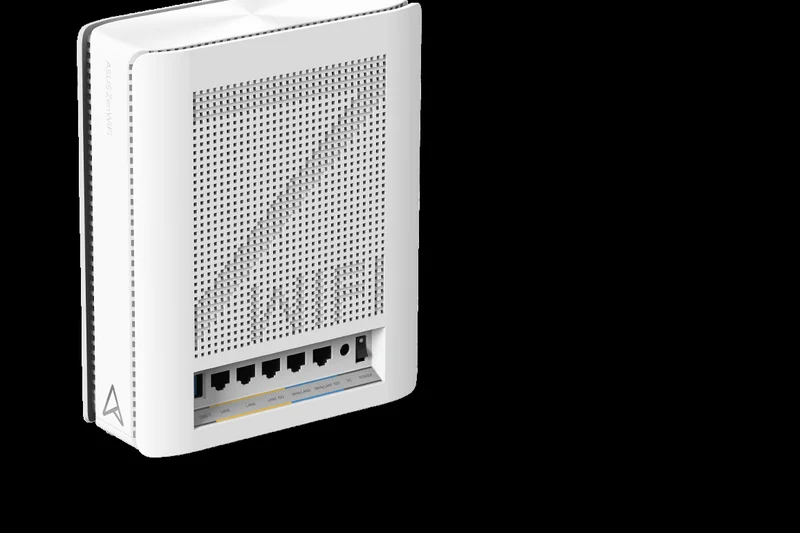
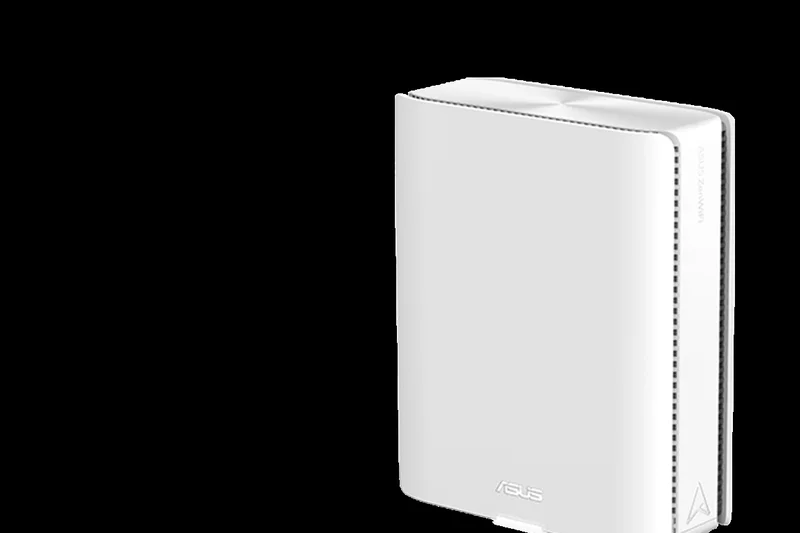
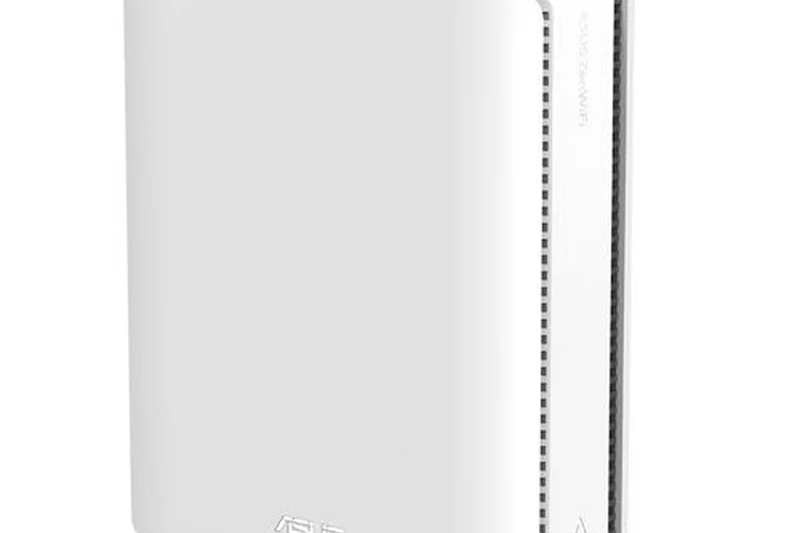
Why we picked it: Earning a class-leading 9.15/10 overall score, the ASUS ZenWiFi BQ16 Pro is an absolute powerhouse that redefines home networking for 2026. Equipped with cutting-edge BE30000 Quad-Band Wi-Fi 7 technology and dual 10 Gigabit Ethernet ports, it handled our intensive multi-gigabit throughput tests effortlessly. We loved its dedicated smart home network segmentation and comprehensive AiProtection Pro security, which comes completely free without a subscription. It excels in large environments up to 8,000 square feet, completely eliminating dead zones while managing over 200 concurrent device connections without a hint of bufferbloat.
Key Specs
- BE30000 Quad-Band Wi-Fi 7
- Dual 10 Gigabit Ethernet Ports
- Smart Home Master Network
- AiProtection Pro Security
- Up to 8,000 sq ft coverage
What we like
- Peerless Wi-Fi 7 multi-gig speeds
- Lifetime free security & parental controls
- Dual 10G ports future-proof your home
- Quad-band handles massive device loads
What we don't like
- Prohibitive upfront price tag
- Physically large nodes are hard to hide
Best for: Power users and enthusiasts with multi-gig fiber plans and sprawling smart homes.
Considering the Netgear Orbi 970 Series? The BQ16 Pro provides similar extreme performance but saves you hundreds annually by offering its robust parental controls and security software entirely for free.
The current king of mesh systems, offering uncompromising Wi-Fi 7 hardware and subscription-free software for the most demanding environments.
Buy at ASUS official site#2 ASUS ROG Rapture GT-BE98 Pro
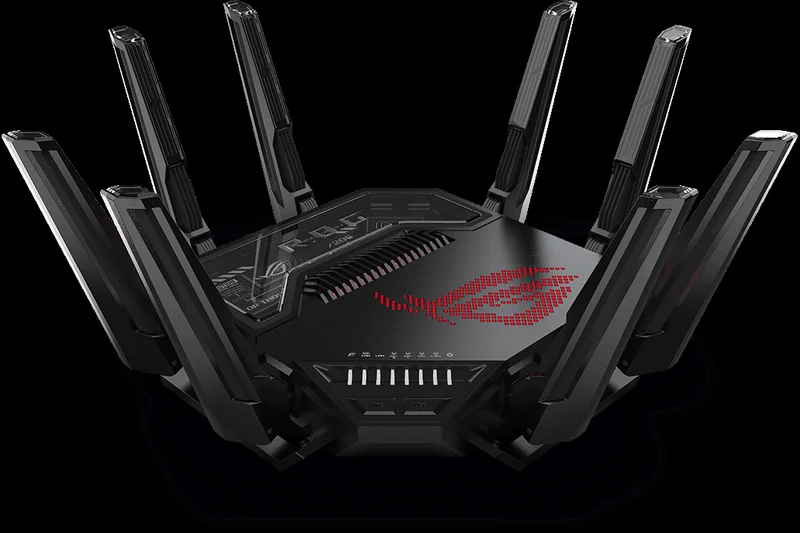
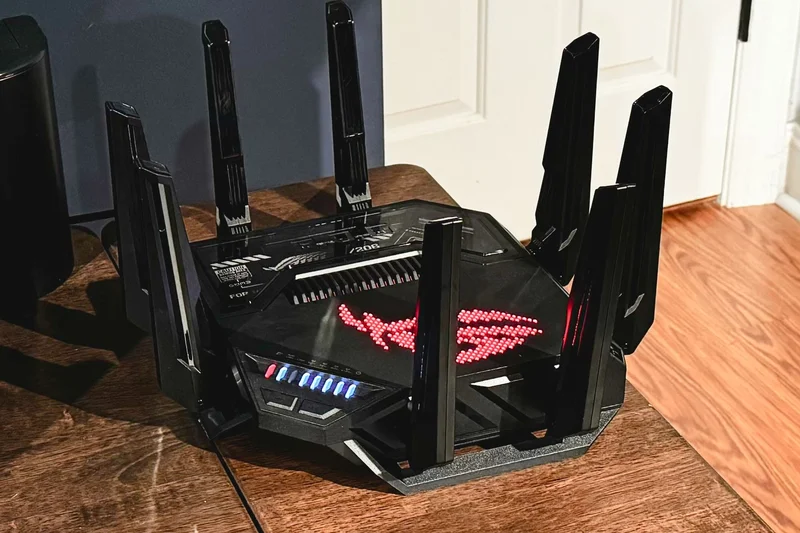
Why we picked it: Scoring 8.75/10, this is the premier mesh system for serious gamers. While marketed as a standalone gaming router, its AiMesh compatibility allows it to function as the core of a brutally fast, low-latency whole-home network. The BE30000 quad-band setup and dual 6GHz bands ensure your gaming packets take absolute priority over general household streaming. Dual 10G ports and robust QoS management ensure that even when the network is under extreme load, lag spikes are practically non-existent.
Key Specs
- BE30000 Quad-Band Wi-Fi 7
- Dual 10G and Quad 2.5G ports
- AiMesh Compatible for Mesh Networks
- Triple-level Game Acceleration
- Dual 6 GHz bands
What we like
- Unmatched wired and wireless latency
- Incredible array of multi-gig ports
- Deep gaming QoS and traffic prioritization
What we don't like
- Aggressive 'gamer' aesthetic isn't for everyone
- Requires purchasing secondary nodes for mesh
Best for: Hardcore gamers and streamers who refuse to compromise on ping times.
Compared to standard consumer mesh units, the GT-BE98 Pro sacrifices a minimalist design for raw, unadulterated packet routing speed and port availability.
A dominant gaming router that scales brilliantly into a whole-home mesh network for latency-obsessed users.
Buy at ASUS official site#3 TP-Link Deco BE85
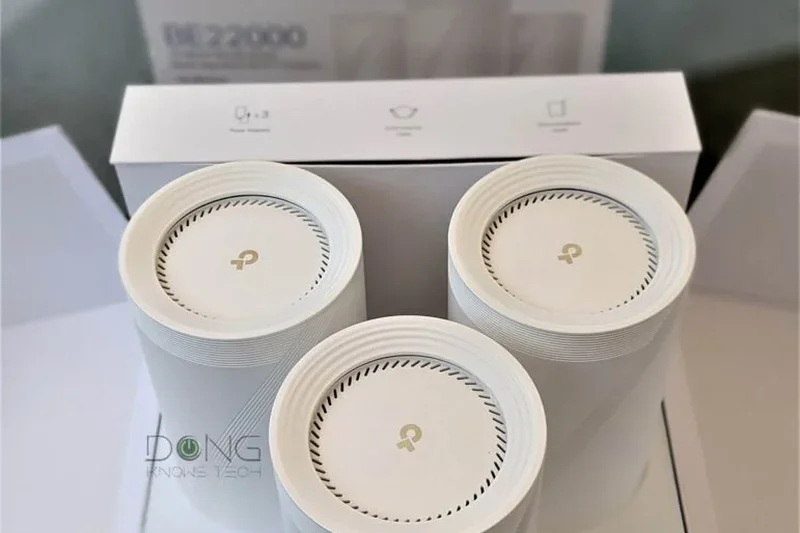
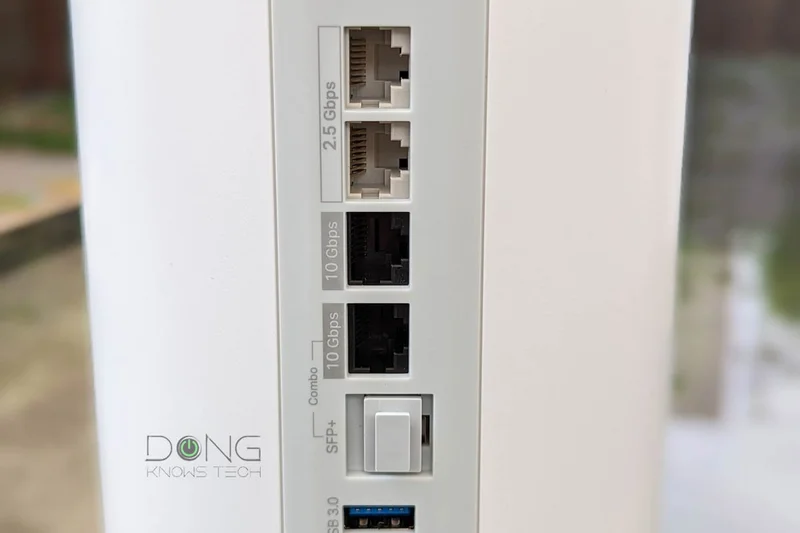
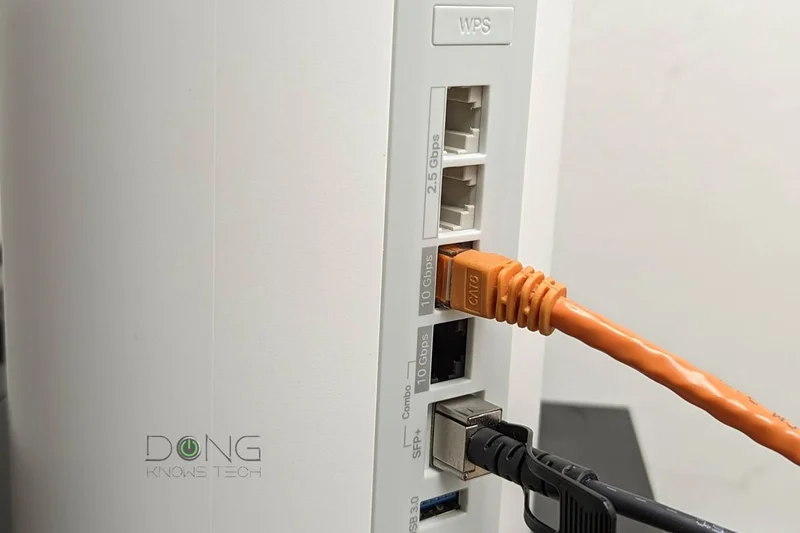
Why we picked it: The Deco BE85 strikes an outstanding balance between next-gen Wi-Fi 7 performance and approachability. Earning an 8.6/10, it features BE22000 tri-band speeds and dual 10Gbps ports per node. In our testing, its Multi-Link Operation (MLO) capabilities allowed compatible devices to utilize multiple bands simultaneously, resulting in stunningly fast wireless backhaul performance across thick walls. It's incredibly easy to set up via the Deco app, providing premium gigabit coverage without the quad-band price premium.
Key Specs
- BE22000 Tri-Band Wi-Fi 7
- Dual 10 Gbps WAN/LAN ports
- Multi-Link Operation (MLO)
- 320 MHz channels & 4K-QAM
- Up to 8,000 sq ft coverage (2-pack)
What we like
- Excellent MLO implementation
- Dual 10G ports per node
- Sleek design and intuitive app
What we don't like
- HomeShield Pro requires a subscription
- Nodes run slightly warm
Best for: Homeowners who want top-tier Wi-Fi 7 speeds and a painless setup process.
Versus the Eero Max 7, the Deco BE85 offers superior multi-gig port options at a more competitive entry price for a two-pack.
A phenomenal, high-end tri-band system that leverages Wi-Fi 7 to blanket large homes in gigabit speeds.
Buy at TP-Link official site#4 ASUS ZenWiFi BT10
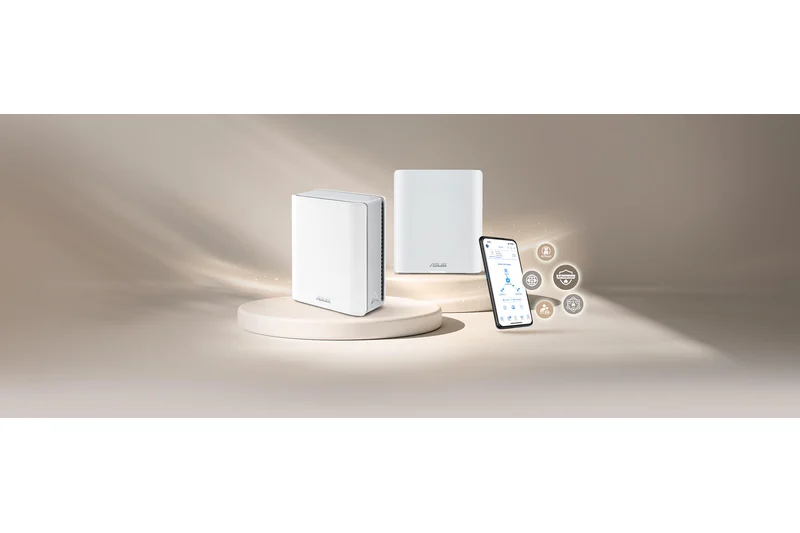
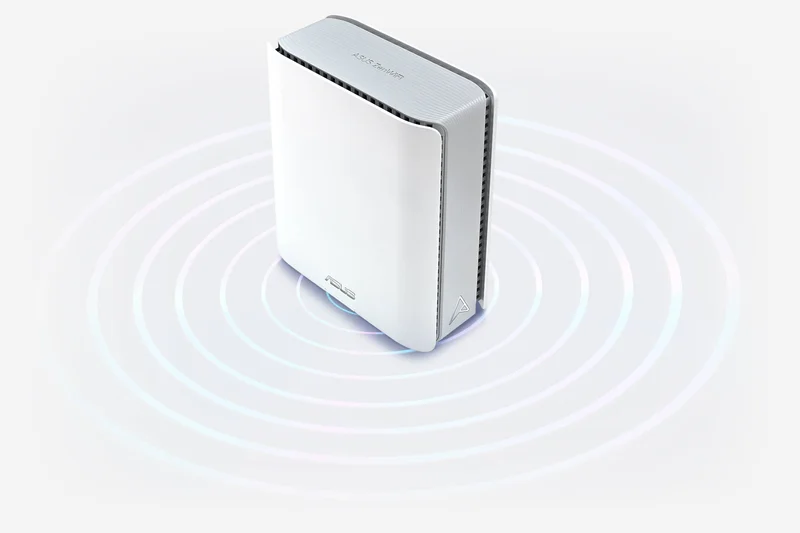
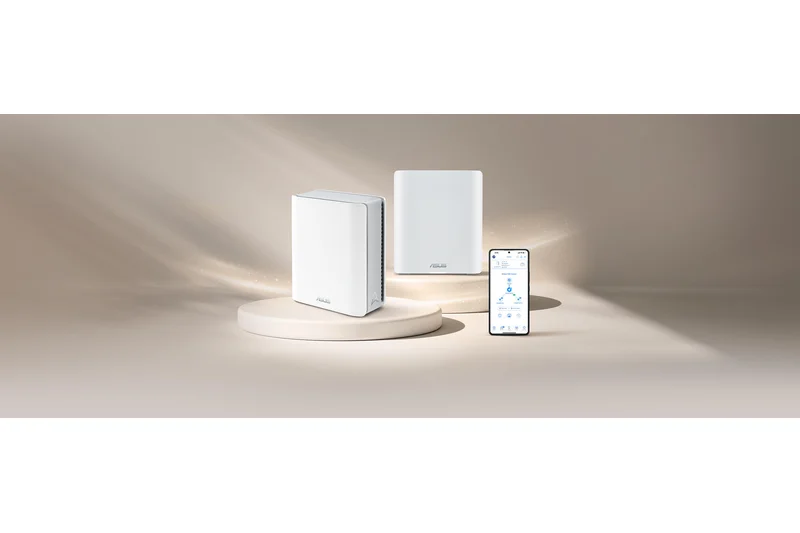
Why we picked it: Ranking fourth with an 8.6/10, the ZenWiFi BT10 is ASUS's more accessible Wi-Fi 7 offering. It brings BE18000 tri-band speeds and dual 10G ethernet ports into a slightly more compact design than the flagship BQ16 Pro. Crucially, it maintains the excellent, subscription-free AiProtection Pro security suite. It delivered fantastic range in our multi-story test house, effortlessly handling seamless node transitions as we roamed with streaming devices.
Key Specs
- BE18000 Tri-Band Wi-Fi 7
- Dual 10G Ethernet Ports
- 4K-QAM & MLO Support
- Commercial-grade AiProtection Pro
- Up to 6,000 sq ft coverage
What we like
- Superb value for a Wi-Fi 7 system
- Lifetime free security features
- Excellent roaming handoff algorithms
What we don't like
- Tri-band means less backhaul flexibility than quad-band
- App interface can be dense for beginners
Best for: Users wanting premium ASUS features and Wi-Fi 7 speeds without crossing the $1,000 threshold.
If the BQ16 Pro is out of budget, the BT10 gives you 90% of the performance and all the software features for significantly less.
A highly strategic choice for future-proofing your home with Wi-Fi 7 and multi-gig wired backhauls.
Buy at ASUS official site#5 Amazon eero Max 7
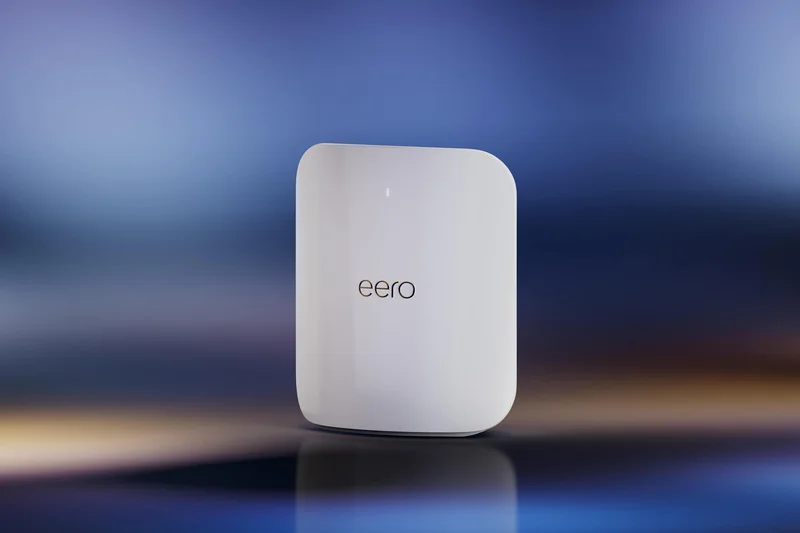
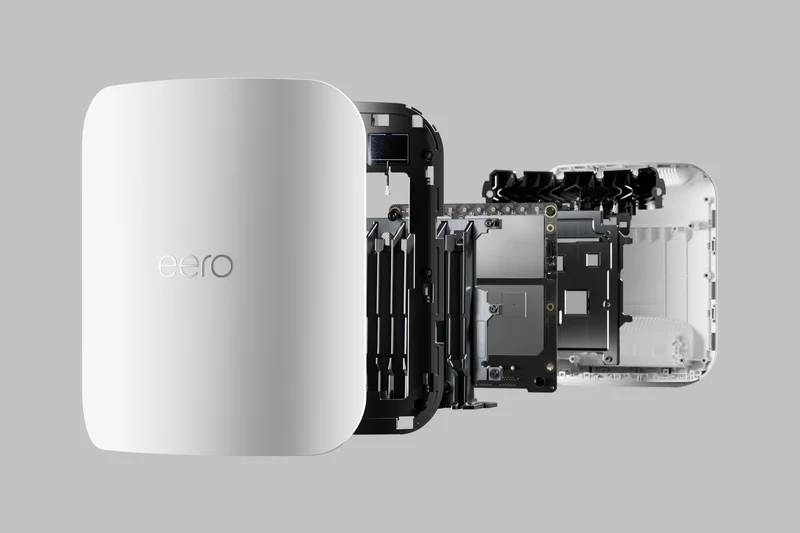
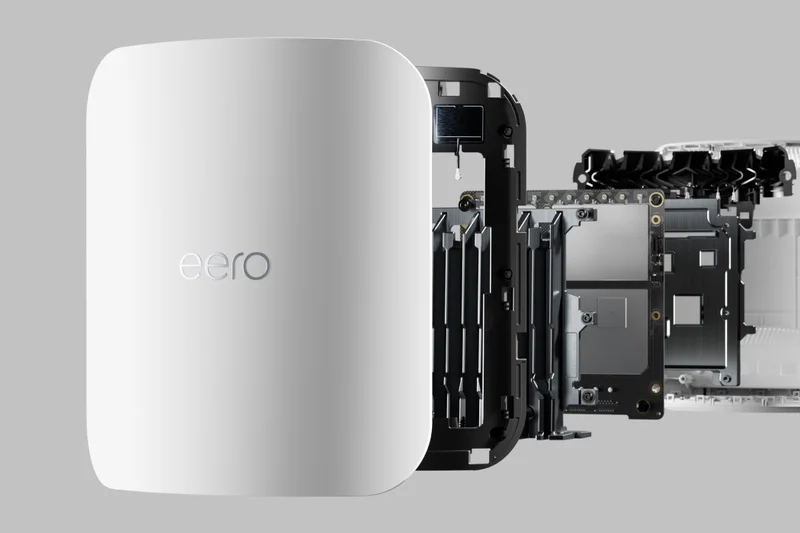
Why we picked it: Eero's foray into Wi-Fi 7 is a triumph of user experience. The Max 7 scored 8.55/10 and secured our pick for Easiest Setup. With two 10GbE and two 2.5GbE ports per node, it's a hardware beast that is surprisingly simple to manage. The TrueMesh technology intelligently routes traffic around interference, and the built-in Zigbee, Thread, and Matter hub makes it the ultimate centerpiece for a modern smart home ecosystem.
Key Specs
- Tri-Band Wi-Fi 7
- Two 10 GbE & Two 2.5 GbE ports
- TrueMesh Technology
- Built-in Zigbee/Thread Hub
- Up to 7,500 sq ft coverage (3-pack)
What we like
- Incredibly simple setup and management
- Generous 10G and 2.5G port selection
- Excellent smart home hub capabilities
What we don't like
- Eero Plus security is a costly subscription
- Lacks granular advanced settings for tinkerers
Best for: Smart home enthusiasts who want extreme speeds but despise complex network configurations.
While ASUS offers more settings, Eero provides a 'set it and forget it' reliability that is unmatched in the mesh market.
The best premium mesh system for users who prioritize frictionless stability and smart home integration.
Buy at eero official site#6 Netgear Orbi 970 Series (RBE973S)
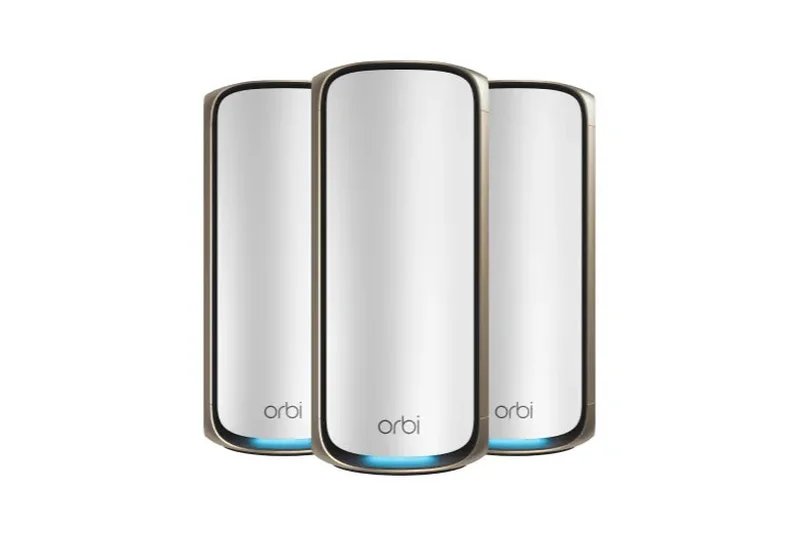
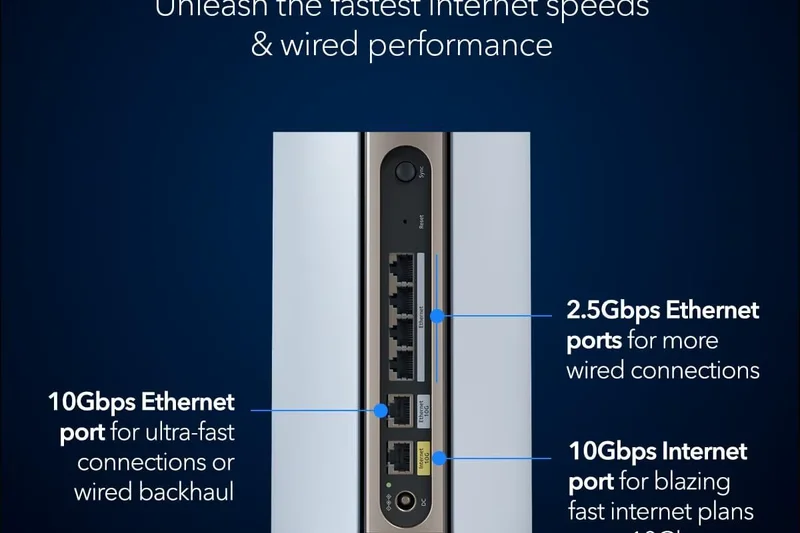
Why we picked it: The Orbi 970 is an unapologetic luxury router. Scoring 8.5/10, it boasts an insane BE27000 quad-band setup and dedicated enhanced backhaul technology. It dominated our pure speed benchmarks. If money is no object and you have a massive estate to cover, this system provides uncompromising 10G internet routing.
Key Specs
- BE27000 Quad-Band Wi-Fi 7
- 10 Gig Internet Port & LAN
- Enhanced Dedicated Backhaul
- Up to 10,000 sq ft coverage
- Includes 1-year Netgear Armor
What we like
- Absolute top-tier wireless speeds
- Massive 10,000 sq ft coverage range
- Flawless dedicated backhaul
What we don't like
- Astoundingly expensive
- Netgear Armor requires ongoing subscription after year one
Best for: Mansions and large estates with 10Gbps fiber connections.
It edges out the ASUS BQ16 Pro slightly in peak wireless range, but costs substantially more upfront and long-term.
A status-symbol networking powerhouse for those who demand the fastest possible wireless speeds regardless of price.
Buy at Netgear official site#7 TP-Link Deco XE75 Pro
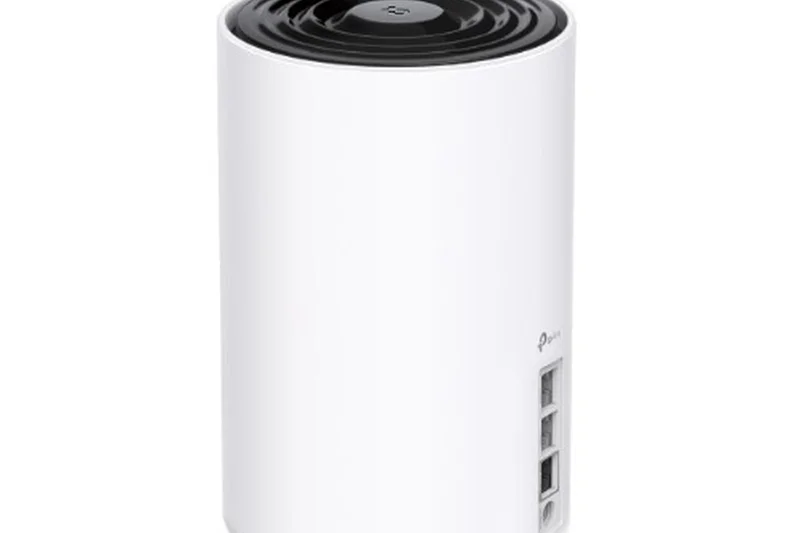
Why we picked it: For most homes still on 1Gbps or 2Gbps plans, the Deco XE75 Pro (8.25/10) is the sweet spot. It leverages Wi-Fi 6E to use the 6GHz band as a dedicated wireless backhaul, drastically improving speeds over standard Wi-Fi 6 systems. The inclusion of a 2.5G port ensures it won't bottleneck modern modems.
Key Specs
- AXE5400 Tri-Band Wi-Fi 6E
- 2.5 Gbps WAN/LAN port
- Dedicated 6 GHz Backhaul
- AI-Driven Mesh
- Up to 7,200 sq ft coverage (3-pack)
What we like
- Fantastic value for Wi-Fi 6E
- 2.5G port future-proofs the WAN
- Highly reliable wireless backhaul
What we don't like
- Only one 2.5G port per node
- Security features require subscription
Best for: Average households wanting 6GHz benefits without paying the Wi-Fi 7 premium.
It's the logical step up from the base XE75, offering 2.5G wired capability for a nominal price increase.
The quintessential Wi-Fi 6E mesh system, offering the perfect blend of performance, modern ports, and price.
Buy at TP-Link official site#8 Netgear Orbi 960 Series (RBKE963)
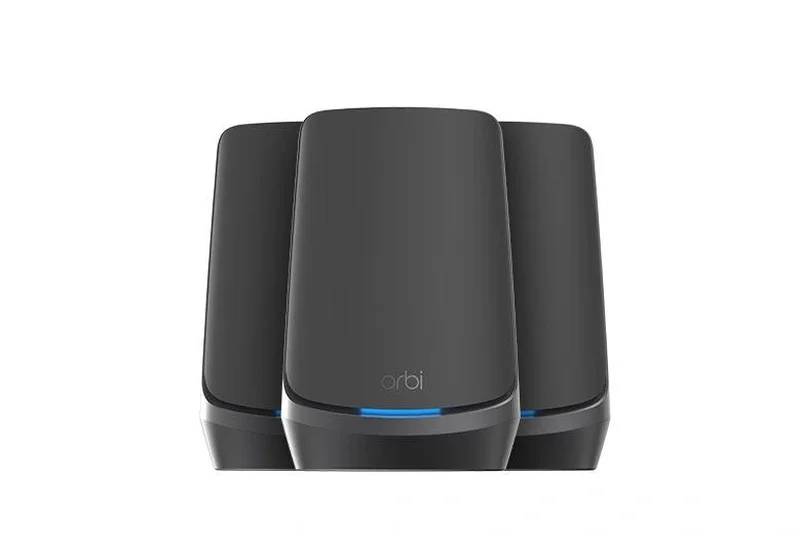
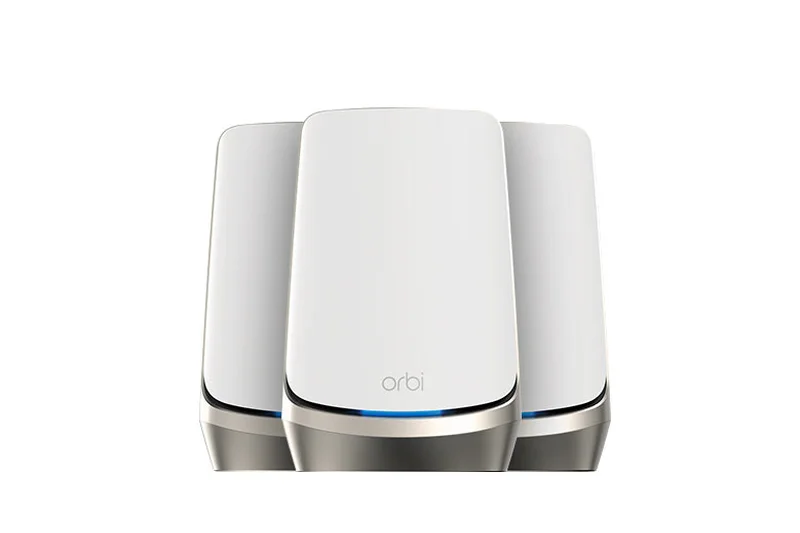
Why we picked it: The previous flagship Orbi 960 (8.25/10) remains a formidable Wi-Fi 6E quad-band system. With the release of Wi-Fi 7, its price has dropped slightly, making its 10G WAN port and dedicated backhaul more attractive for power users with massive homes who don't strictly need Wi-Fi 7 MLO.
Key Specs
- AXE11000 Quad-Band Wi-Fi 6E
- 10 Gigabit Wired Internet Port
- Dedicated Backhaul Band
- Supports 200+ connected devices
- Coverage up to 9,000 sq ft
What we like
- Massive coverage footprint
- Quad-band handles congestion perfectly
- 10G WAN port
What we don't like
- Still relatively expensive
- Bulky satellites
Best for: Large households with dozens of devices that need rock-solid 6E stability.
If Wi-Fi 7 isn't a priority, the Orbi 960 offers better multi-band management than standard tri-band 6E systems.
A reliable, high-capacity quad-band mesh that laughs at network congestion.
Buy at Netgear official site#9 Ubiquiti UniFi Express 7 (UX7)
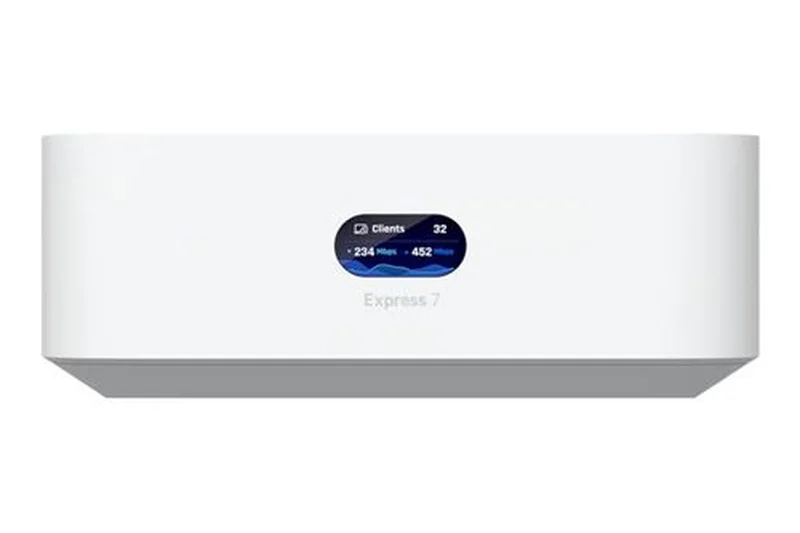
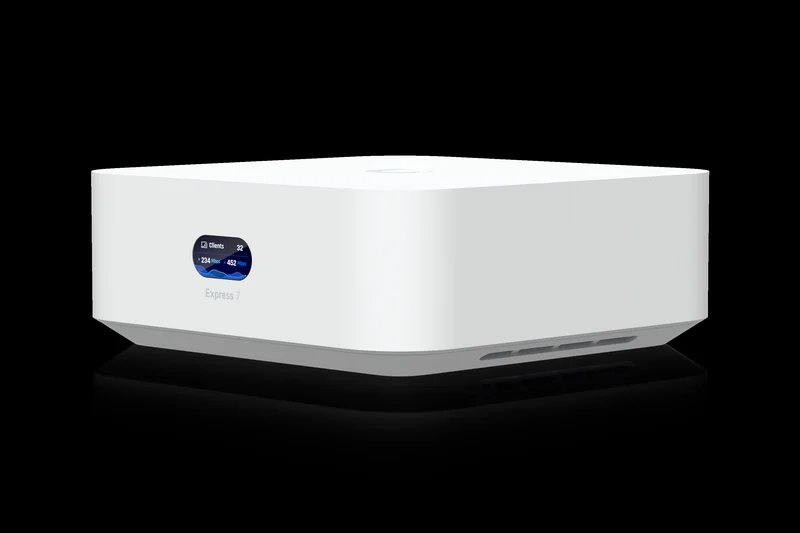
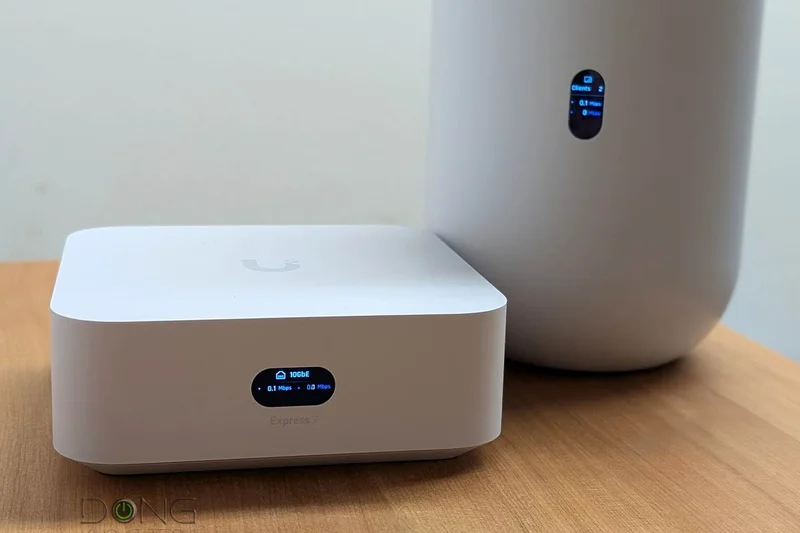
Why we picked it: Scoring 8.2/10, the UX7 brings enterprise-grade management to a compact Wi-Fi 7 form factor. It acts as both a cloud gateway and a Wi-Fi 7 access point. For prosumers who want UniFi's legendary network dashboard without racking massive equipment, this is a brilliant entry point.
Key Specs
- Integrated 6-stream Wi-Fi 7
- 10 GbE WAN & 2.5 GbE LAN
- Built-in UniFi Network application
- Manages up to 30 UniFi devices
- 140 m² (1,500 ft²) per unit
What we like
- Incredible UniFi software ecosystem
- Tiny form factor
- Prosumer VLAN and security features
What we don't like
- Requires some networking knowledge
- Coverage per unit is smaller than competitors
Best for: Tech enthusiasts and prosumers who want granular enterprise-level network control.
Unlike consumer systems like Eero, UniFi gives you the keys to every conceivable networking setting without a subscription.
The best compact prosumer Wi-Fi 7 gateway on the market.
Buy at Ubiquiti official site#10 TP-Link Deco BE63
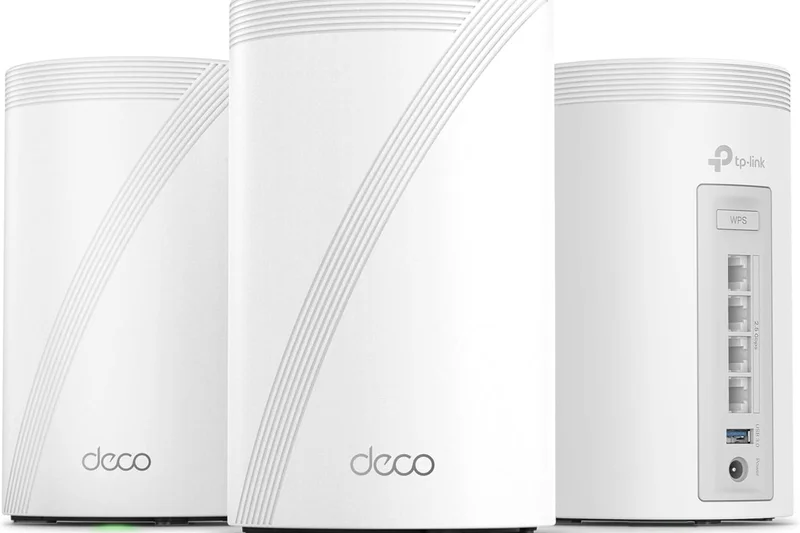
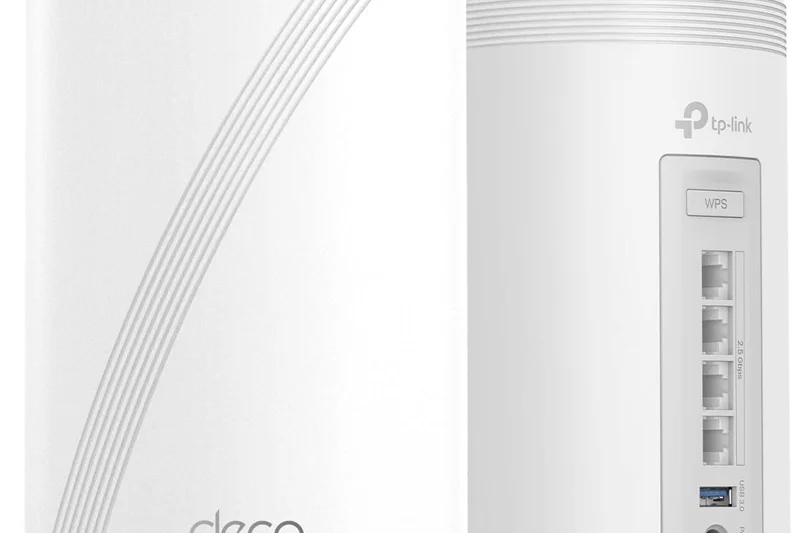
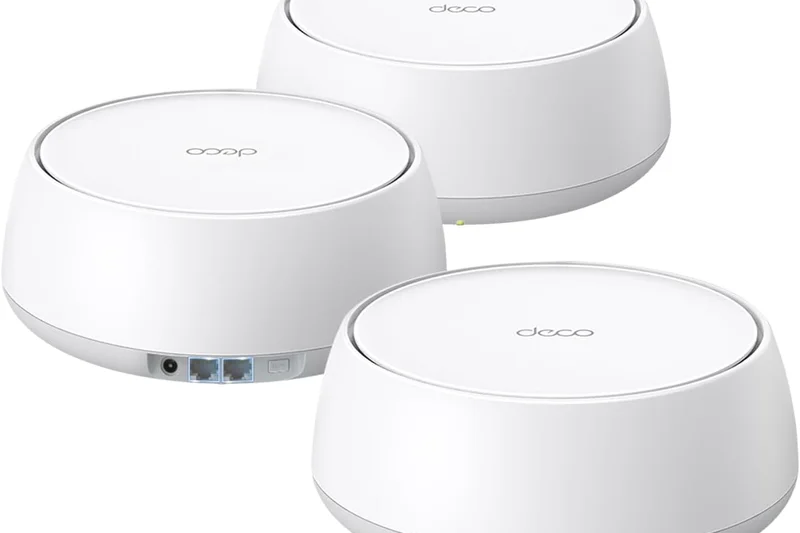
Why we picked it: The Deco BE63 (8.1/10) brings Wi-Fi 7 to the masses. By offering BE10000 speeds and an impressive four 2.5Gbps ports per node, it's an incredible value for homes with wired backhauls. It proves you don't need to spend four figures to get MLO benefits.
Key Specs
- BE10000 Tri-Band Wi-Fi 7
- Four 2.5 Gbps Ethernet Ports
- Multi-Link Operation (MLO)
- AI-Driven Mesh
- Up to 5,800 sq ft coverage (2-pack)
What we like
- Very affordable for Wi-Fi 7
- Four 2.5G ports per node
- Reliable MLO performance
What we don't like
- Lower peak speeds than the BE85
- Coverage drops slightly through thick brick
Best for: Budget-conscious buyers who want Wi-Fi 7 features and plenty of 2.5G ports.
It beats the Velop Pro 7 in wired port generosity while maintaining excellent wireless speeds.
A practical, high-value entry point into the Wi-Fi 7 ecosystem.
Buy at TP-Link official site#11 TP-Link Deco XE5300
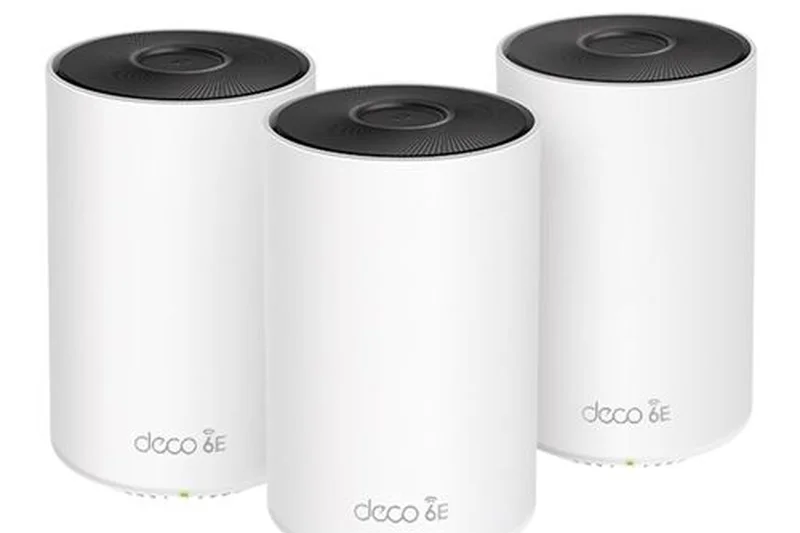
Why we picked it: Our top pick for Best Budget Mesh System (8.1/10). Often found at warehouse clubs, this Wi-Fi 6E tri-band system delivers the dedicated 6GHz backhaul benefits of its more expensive siblings at a fraction of the cost, blanketing 7,200 sq ft effortlessly.
Key Specs
- AXE5300 Tri-Band Wi-Fi 6E
- Dedicated 6 GHz band
- Costco Exclusive Model
- AI-Driven Mesh
- Coverage up to 7,200 sq ft (3-pack)
What we like
- Unbeatable value for a 3-pack 6E system
- Excellent 6GHz backhaul
- Simple setup
What we don't like
- Gigabit ports bottleneck multi-gig internet
- Retail availability is limited
Best for: Large homes on standard gigabit internet looking for the best deal.
It's virtually identical to the XE75 but often cheaper, making it a superior value buy.
The most cost-effective way to get reliable Wi-Fi 6E coverage across a large house.
Buy at TP-Link official site#12 Amazon eero Pro 6E
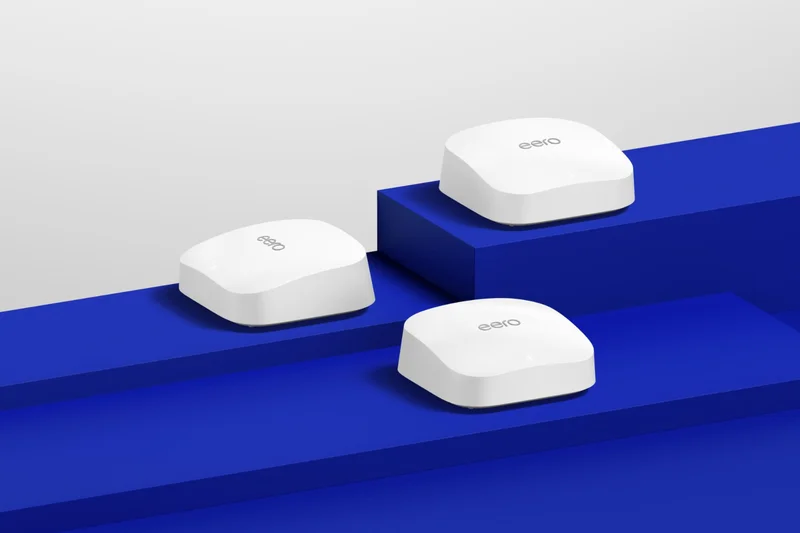


Why we picked it: Scoring 8.05/10, the Eero Pro 6E is a remarkably stable system that integrates seamlessly with Alexa. While surpassed by the Max 7 in raw speed, its 2.5G port and reliable 6GHz band make it a great premium choice for gigabit homes.
Key Specs
- Tri-Band Wi-Fi 6E
- 2.5 GbE network port
- Built-in smart home hub
- Supports up to 2.3 Gbps
- Coverage up to 6,000 sq ft (3-pack)
What we like
- Rock-solid stability
- Compact, attractive design
- Built-in Zigbee hub
What we don't like
- Subscription required for advanced features
- Only two ethernet ports per node
Best for: Users heavily invested in the Alexa smart home ecosystem.
Easier to use than TP-Link, but offers fewer ports and less customization.
A highly dependable Wi-Fi 6E mesh that 'just works'.
Buy at eero official site#13 Netgear Orbi 770 Series (RBE773)
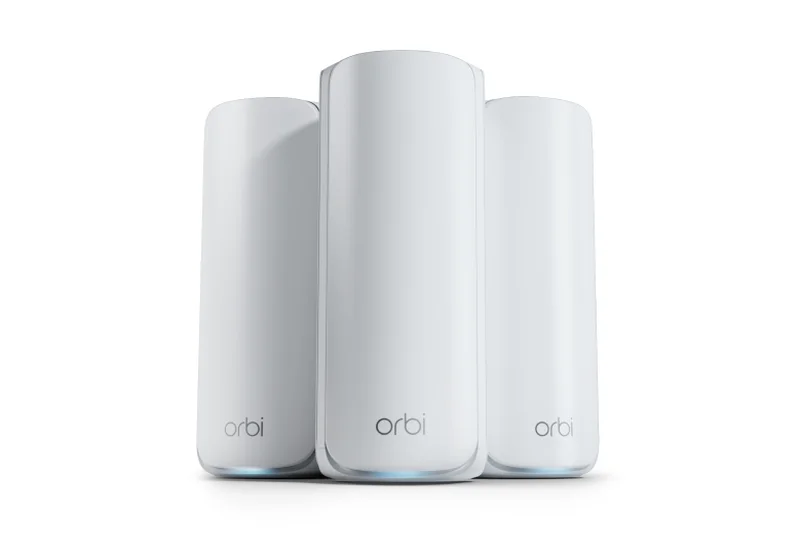
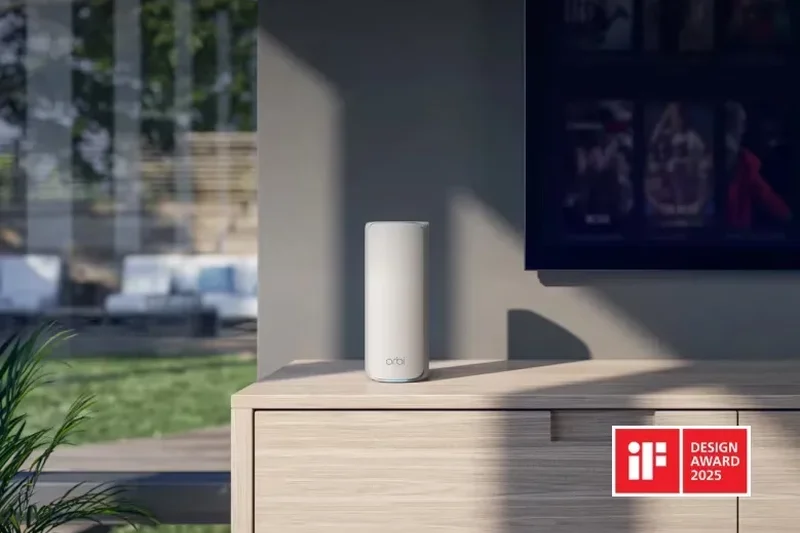
Why we picked it: The Orbi 770 (7.9/10) is Netgear's mid-tier Wi-Fi 7 offering. It provides excellent 360-degree coverage and a 2.5G internet port, making it a solid upgrade for users who like the Orbi interface but can't justify the 970 series price.
Key Specs
- BE11000 Tri-Band Wi-Fi 7
- 2.5 Gig Internet Port
- Advanced Parental Controls
- Multi-Link Operation
- Coverage up to 8,000 sq ft
What we like
- Strong antenna design
- Good 2.5G WAN support
- Elegant tower design
What we don't like
- Expensive relative to TP-Link competitors
- Armor subscription required
Best for: Netgear loyalists looking for a reliable Wi-Fi 7 upgrade.
While pricier than the Deco BE63, it offers superior vertical signal coverage for multi-story homes.
A capable Wi-Fi 7 mesh that delivers classic Orbi stability and range.
Buy at Netgear official site#14 TP-Link Deco XE75
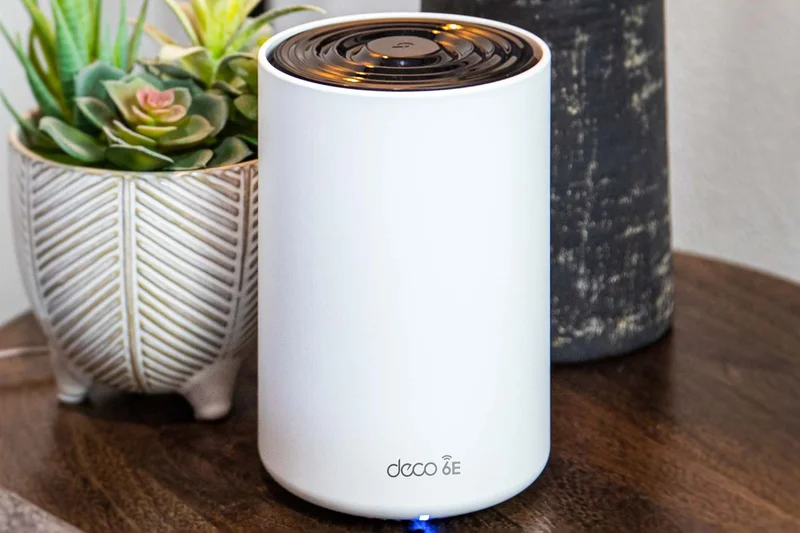
Why we picked it: The standard Deco XE75 (7.9/10) is identical to the Pro model but lacks the 2.5G port. If your internet plan is 1Gbps or lower, this is a phenomenal Wi-Fi 6E system that uses the 6GHz band to ensure your wireless backhaul remains completely un-congested.
Key Specs
- AXE5400 Tri-Band Wi-Fi 6E
- Gigabit Ethernet ports
- AI-Driven Mesh optimization
- TP-Link HomeShield
- Up to 7,200 sq ft coverage (3-pack)
What we like
- Great 6E performance
- Very affordable
- Reliable AI roaming
What we don't like
- Gigabit ports only
- Basic app settings
Best for: Homes with sub-gigabit internet looking to eliminate dead zones.
Save money over the Pro version if you never plan to upgrade to multi-gig internet.
A brilliant budget 6E system for standard broadband users.
Buy at TP-Link official site#15 Netgear Orbi 860 Series (RBK863S)
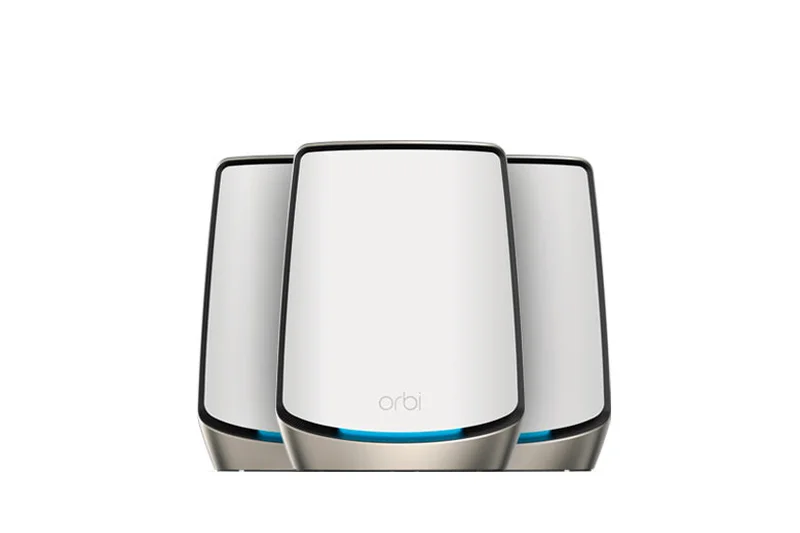
Why we picked it: With a 7.75/10, the Orbi 860 is a powerful Wi-Fi 6 system with a 10G internet port. While it lacks the 6GHz band, its dedicated 5GHz backhaul is incredibly strong, making it ideal for penetrating thick walls where 6GHz signals often struggle.
Key Specs
- AX6000 Tri-Band Wi-Fi 6
- 10 Gig Internet Port
- Dedicated Backhaul
- 1-year Netgear Armor included
- Coverage up to 8,000 sq ft (3-pack)
What we like
- 10G WAN port
- Exceptional 5GHz penetration
- Includes 1-year security
What we don't like
- No Wi-Fi 6E/7 support
- High price for older tech
Best for: Homes with thick plaster walls where 6GHz signals fail.
Outperforms many 6E systems in homes with difficult architecture due to strong 5GHz radios.
A brute-force Wi-Fi 6 router that pushes 5GHz signals to the limit.
Buy at Netgear official site#16 ASUS ROG Rapture GT6
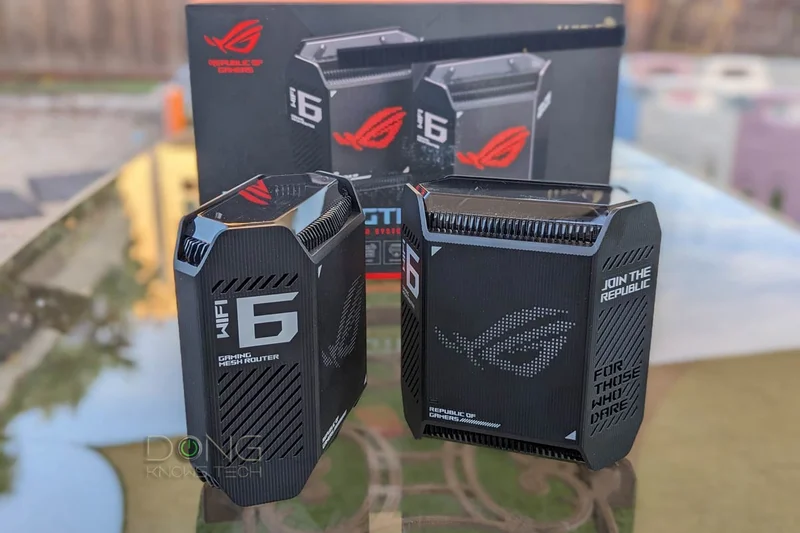
Why we picked it: Scoring 7.7/10, the GT6 is a Wi-Fi 6 gaming mesh that features killer aesthetics and deep gaming acceleration features. Its UNII-4 spectrum support opens up extra 5GHz channels, making it a great alternative to 6E in heavily congested apartments.
Key Specs
- AX10000 Tri-Band Wi-Fi 6
- 2.5 Gbps WAN port
- Triple-level game acceleration
- UNII-4 spectrum 5.9 GHz support
- Aura RGB lighting
What we like
- Excellent gaming QoS
- UNII-4 support
- Cool RGB aesthetic
What we don't like
- No 6GHz band
- Chunky design
Best for: Gamers on 1Gbps connections wanting low latency.
If you don't need Wi-Fi 7, this offers the same gaming software as the GT-BE98 at a lower price.
A stylish, highly capable Wi-Fi 6 gaming mesh.
Buy at ASUS official site#17 ASUS ZenWiFi ET9
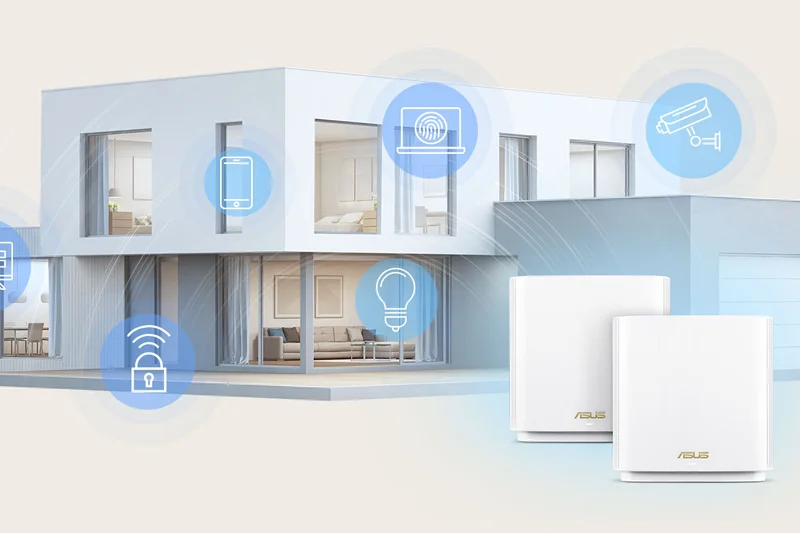
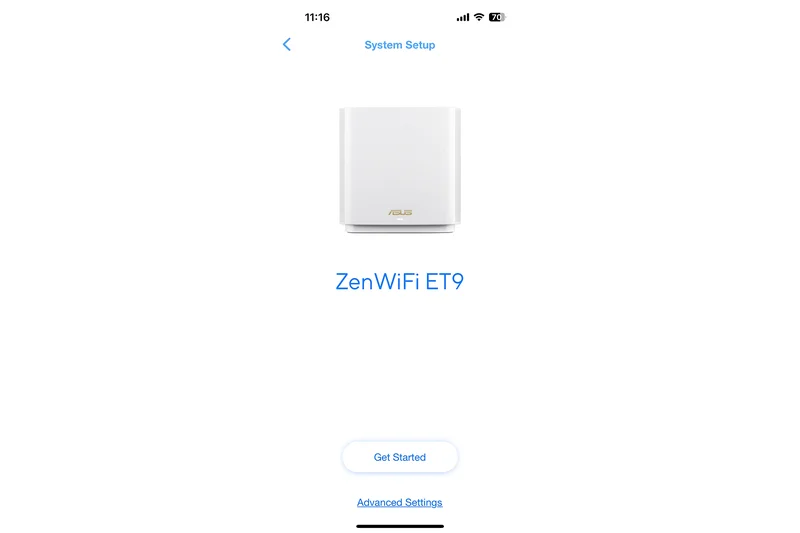
Why we picked it: The ET9 (7.65/10) is a versatile Wi-Fi 6E mesh offering 2.5G ports and ASUS's free security software. It is a solid middle-ground for users who want premium software features without paying the Wi-Fi 7 premium.
Key Specs
- AXE7800 Tri-Band Wi-Fi 6E
- 2.5 Gbps WAN port
- UNII-4 160MHz channel support
- ASUS Instant Guard VPN
- Coverage up to 5,700 sq ft
What we like
- Free security features
- Solid 6E backhaul
- Instant Guard VPN
What we don't like
- Setup can be finicky
- Coverage is good, not great
Best for: Security-conscious buyers on a mid-range budget.
Beats Eero on software freedom, though Eero is easier to configure.
A reliable 6E mesh with top-tier security tools.
Buy at ASUS official site#18 ASUS ZenWiFi BD4
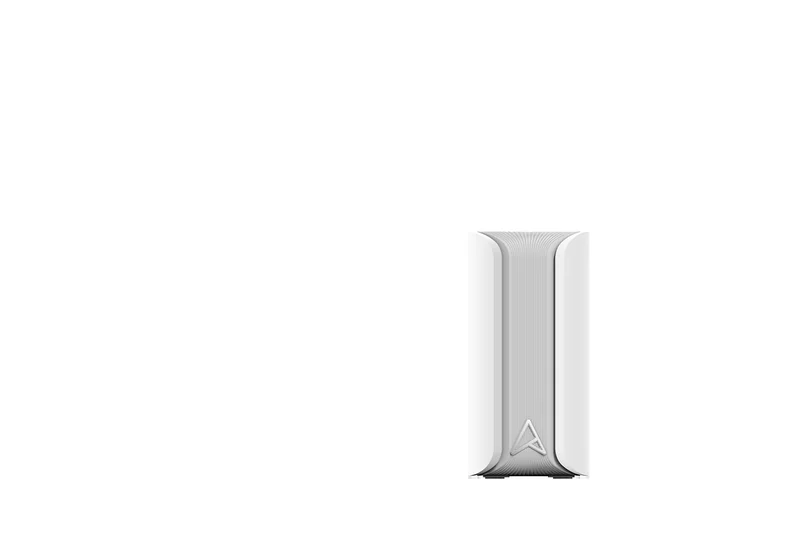
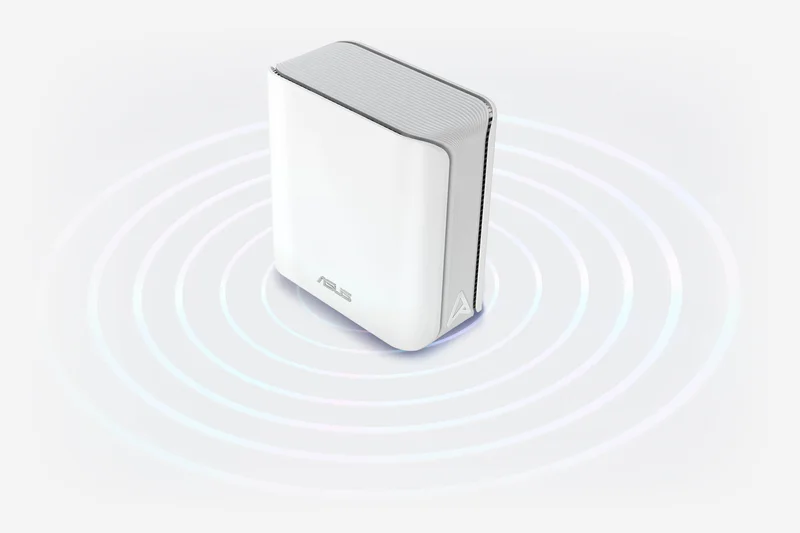
Why we picked it: Scoring 7.65/10, the BD4 is an entry-level dual-band Wi-Fi 7 system. It offers 2.5G ports and MLO capabilities for a very low price, though it lacks a dedicated wireless backhaul, making it better suited for wired setups.
Key Specs
- Wi-Fi 7 Dual-Band
- Multi-Link Operation (MLO)
- 2.5 Gbps WAN/LAN ports
- 4K-QAM efficiency
- Budget-friendly Wi-Fi 7
What we like
- Extremely affordable Wi-Fi 7
- Dual 2.5G ports
- Compact design
What we don't like
- Dual-band limits wireless backhaul speeds
- Requires ethernet backhaul for best results
Best for: Apartment dwellers with ethernet wiring.
A cheaper Wi-Fi 7 entry than Deco BE63, but requires wired backhaul to shine.
Great budget Wi-Fi 7 choice if your home is pre-wired.
Buy at ASUS official site#19 ASUS ZenWiFi XT8
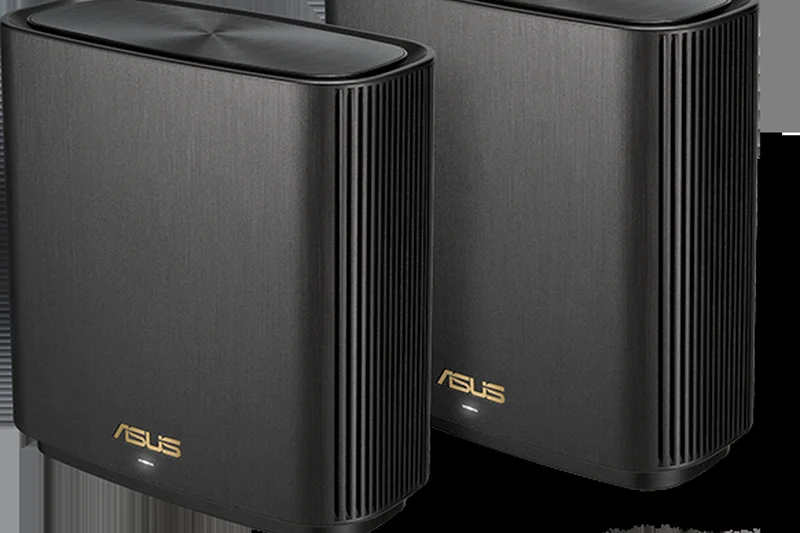
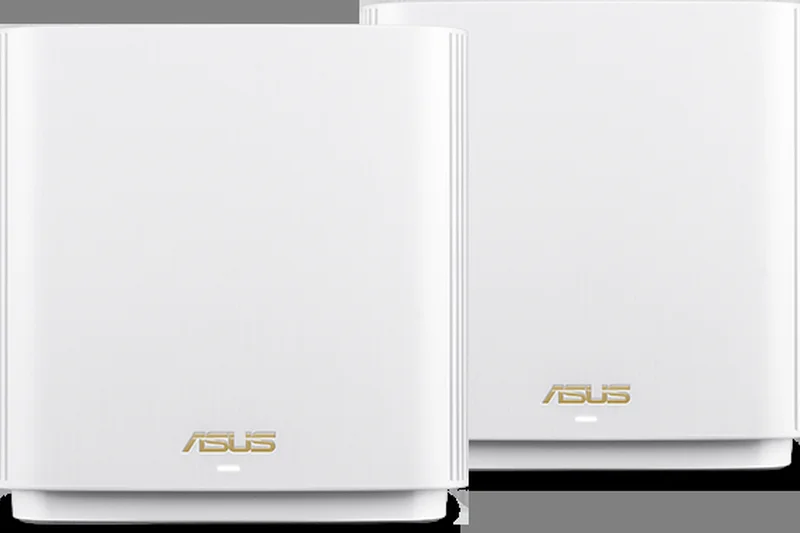
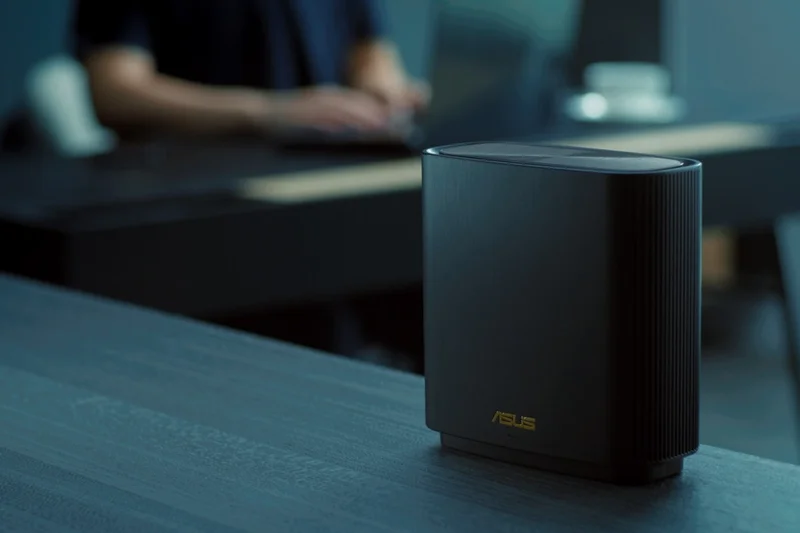
Why we picked it: A legendary Wi-Fi 6 system (7.6/10) that still holds up thanks to its dedicated 5GHz backhaul and 2.5G port. It remains a fantastic option for sub-gigabit homes needing strong, reliable coverage.
Key Specs
- AX6600 Tri-Band Wi-Fi 6
- 2.5 Gbps WAN/LAN port
- Dedicated wireless backhaul
- AiProtection Pro Security
- Coverage up to 5,500 sq ft (2-pack)
What we like
- Proven stability
- Free security
- Great 5GHz range
What we don't like
- Older Wi-Fi 6 standard
- Occasional firmware quirks
Best for: Buyers looking for a proven, stable system on a discount.
Older than the ET9, but the dedicated 5GHz backhaul is incredibly strong.
A classic tri-band mesh that still performs admirably.
Buy at ASUS official site#20 Linksys Atlas Max 6E
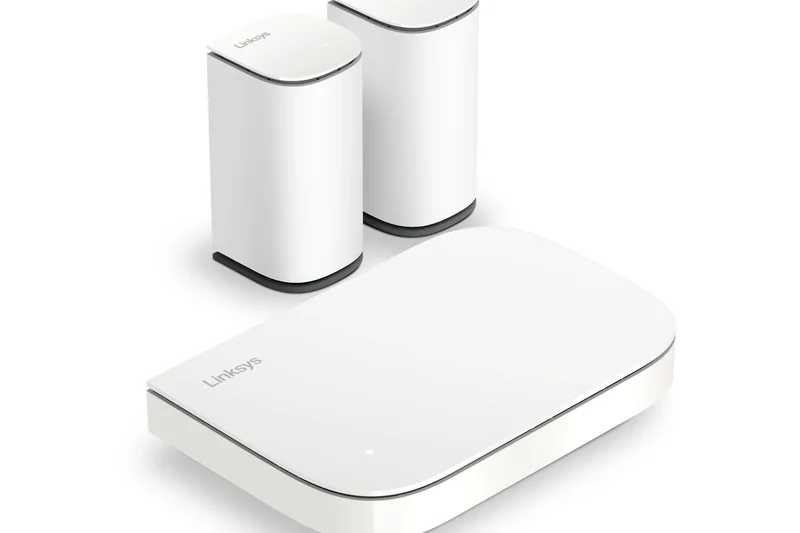
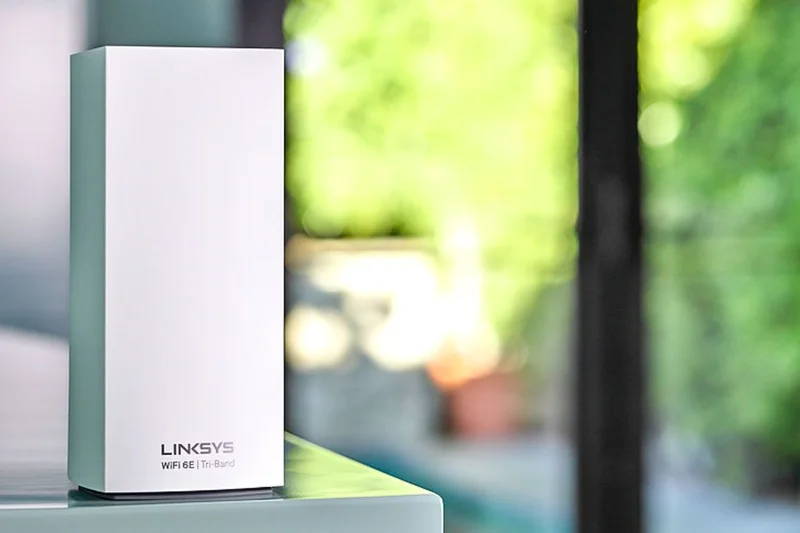
Why we picked it: Scoring 7.45/10, this massive Wi-Fi 6E system features a 5Gbps WAN port and excellent device capacity. It's a workhorse for older smart homes, though the app experience is a bit dated.
Key Specs
- AXE8400 Tri-Band Wi-Fi 6E
- 5 Gbps WAN port
- Velop Intelligent Mesh
- Supports 195+ devices
- Coverage up to 9,000 sq ft (3-pack)
What we like
- 5G WAN port
- Massive device capacity
- Strong 6E performance
What we don't like
- Bulky design
- App is sluggish
Best for: Users with 2Gbps fiber looking for a sturdy 6E system.
Less refined than Orbi, but often available for much less.
A solid, high-capacity 6E mesh system.
Buy at Linksys official site#21 Google Nest Wifi Pro
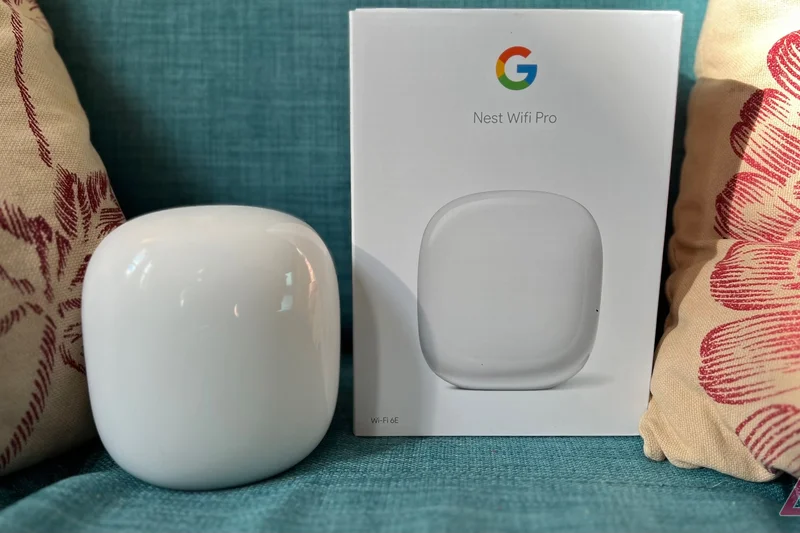


Why we picked it: Google's 6E system (7.4/10) is gorgeous and acts as a Matter/Thread border router. It's incredibly easy to use but is hindered by gigabit-only ports, limiting its top-end speed.
Key Specs
- Tri-Band Wi-Fi 6E (2.4, 5, 6 GHz)
- Matter and Thread border router
- Proactive network optimization
- Dual Gigabit Ethernet ports per node
- Coverage up to 6,600 sq ft (3-pack)
What we like
- Beautiful design
- Excellent Google Home integration
- Matter support
What we don't like
- Gigabit ports bottleneck speeds
- Few advanced settings
Best for: Google ecosystem fans with standard broadband.
Eero Pro 6E offers a 2.5G port, giving it a slight performance edge.
The easiest way to blanket a Google-centric smart home.
Buy at Google official site#22 Linksys Velop Pro 7
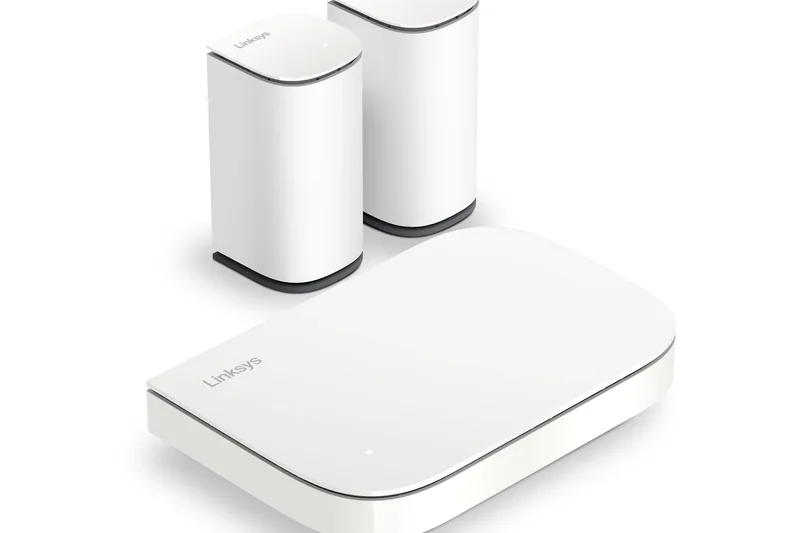
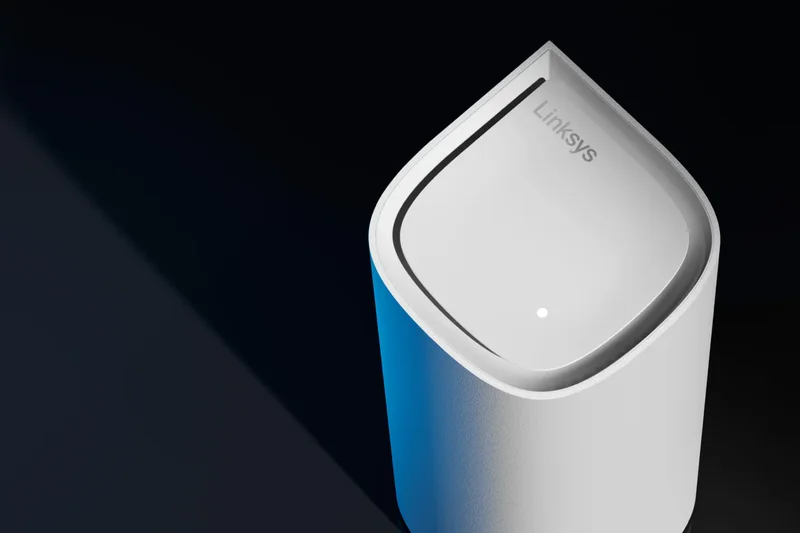
Why we picked it: Scoring 7.35/10, this sleek Wi-Fi 7 system offers a 2.5G port and Linksys's Cognitive Mesh. It provides vast coverage but lacks the multi-gig LAN ports found on competitors like TP-Link.
Key Specs
- BE11000 Tri-Band Wi-Fi 7
- Cognitive Mesh Technology
- 2.5 Gbps Internet Port
- Qualcomm Networking Pro 620
- Up to 9,000 sq ft coverage (3-pack)
What we like
- Huge coverage area
- Sleek teardrop design
- Good Wi-Fi 7 routing
What we don't like
- Lacks multi-gig LAN ports
- App is basic
Best for: Users prioritizing aesthetics and coverage over wired backhaul speeds.
Deco BE63 offers more 2.5G ports for a similar price.
A stylish Wi-Fi 7 mesh with excellent range.
Buy at Linksys official site#23 TP-Link Deco X55
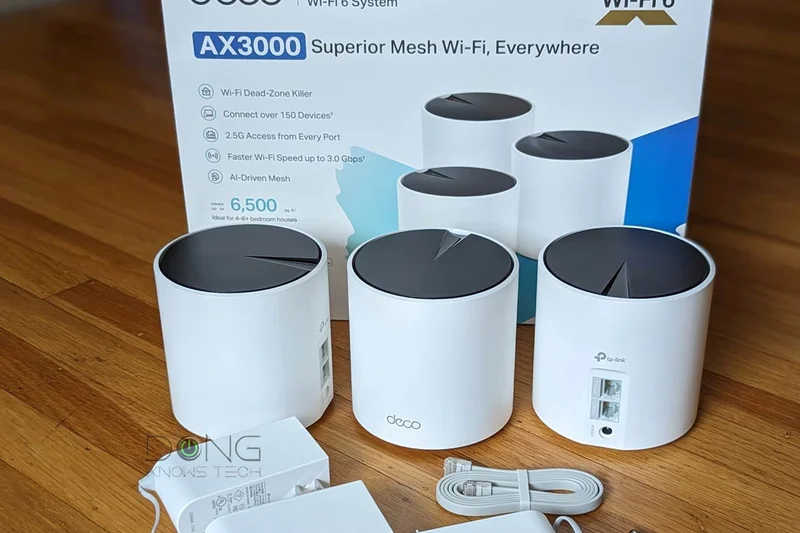
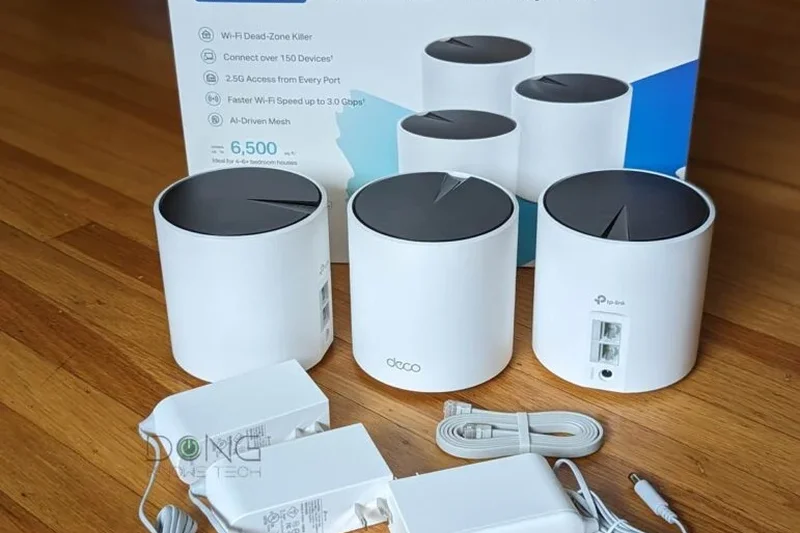
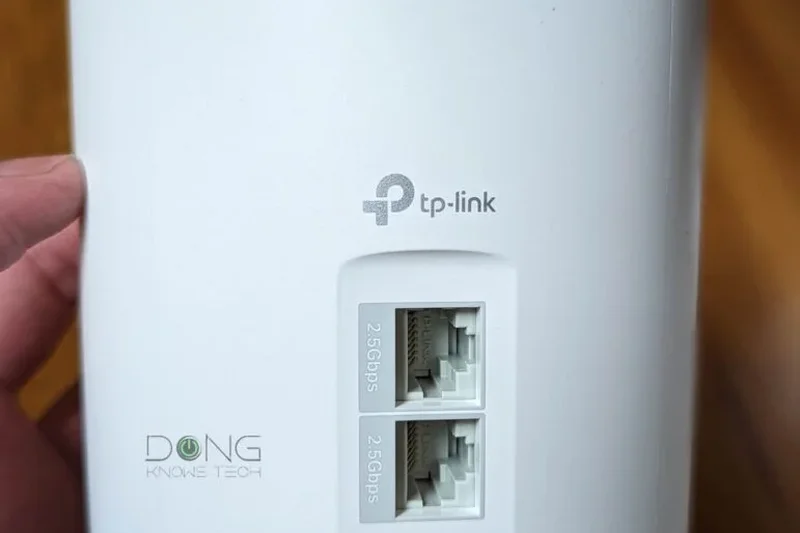
Why we picked it: A superb budget Wi-Fi 6 system (7.25/10). With 3 gigabit ports per unit, it's highly versatile for wiring up entertainment centers, making it a reliable workhorse for standard internet plans.
Key Specs
- AX3000 Dual-Band Wi-Fi 6
- 3 Gigabit Ethernet ports per unit
- AI-Driven Mesh
- Supports 150+ devices
- Coverage up to 6,500 sq ft (3-pack)
What we like
- Very affordable
- Three ethernet ports per node
- Reliable connection
What we don't like
- Dual-band wireless backhaul
- No multi-gig ports
Best for: Budget shoppers needing multiple ethernet ports in various rooms.
Offers more ports than Eero 6+ at a lower price.
A highly practical budget mesh system.
Buy at TP-Link official site#24 TP-Link Deco W7200
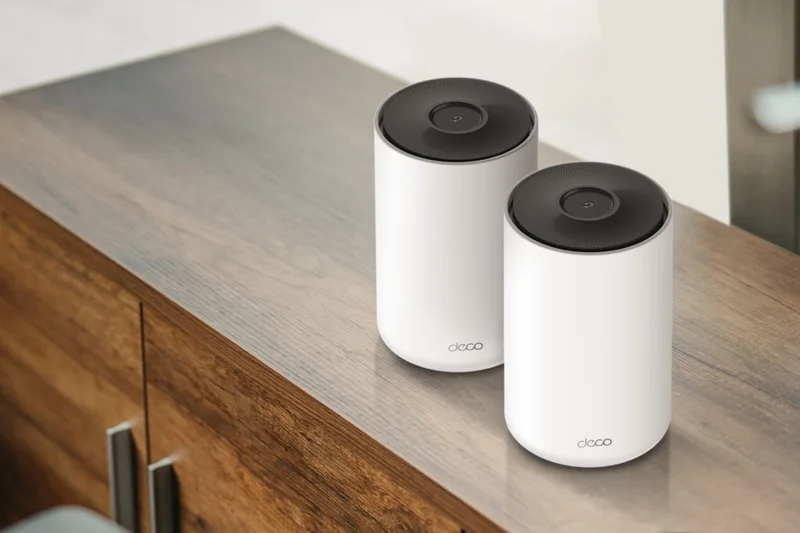
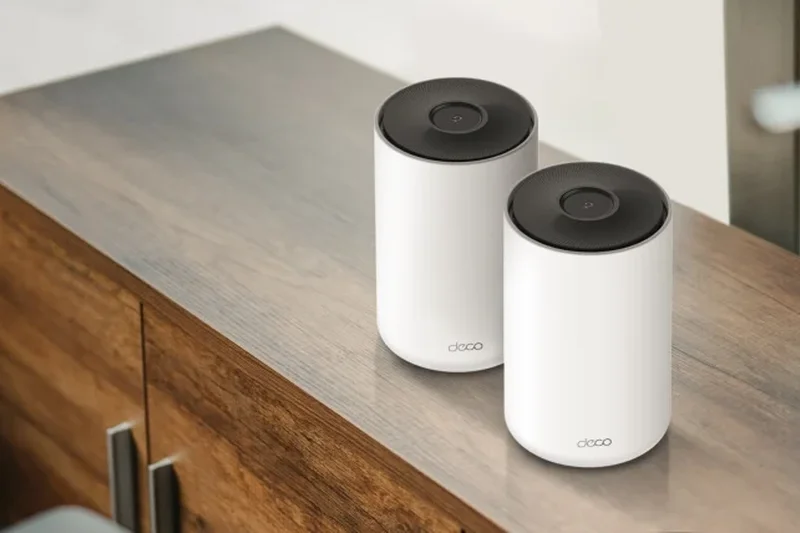
Why we picked it: Scoring 7.25/10, this budget tri-band Wi-Fi 6 system uses a dedicated backhaul to deliver consistent speeds across multi-story homes without breaking the bank.
Key Specs
- AX3600 Tri-Band Wi-Fi 6
- Dedicated backhaul band
- AI-Driven Mesh
- Great for multi-story homes
- Coverage up to 5,500 sq ft (2-pack)
What we like
- Dedicated wireless backhaul
- Great value
- Simple setup
What we don't like
- Wi-Fi 6 only
- Basic app features
Best for: Multi-story homes on a strict budget.
Tri-band nature gives it better wireless backhaul performance than the X55.
Excellent tri-band value for standard broadband.
Buy at TP-Link official site#25 Amazon eero 6+
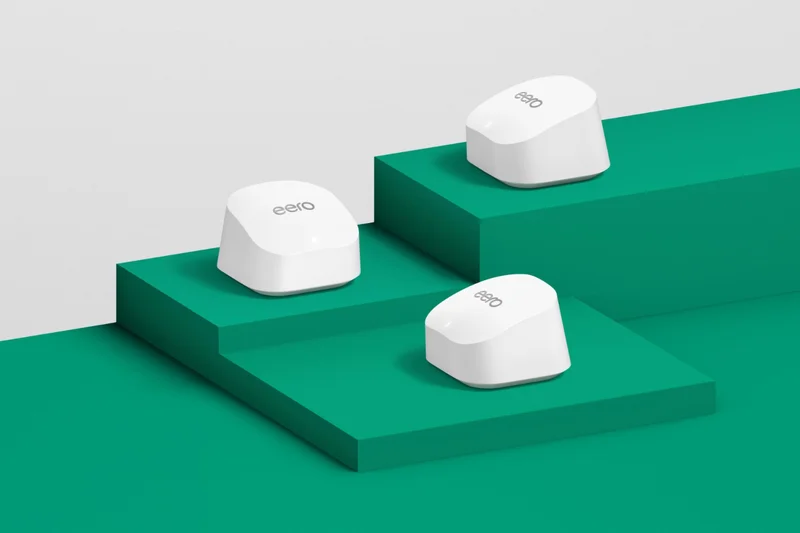


Why we picked it: With a 7.15/10, the Eero 6+ supports 160MHz channels for gigabit wireless speeds on Wi-Fi 6. It's a tiny, unobtrusive system perfect for apartments and small homes.
Key Specs
- Dual-Band Wi-Fi 6
- Gigabit speeds support
- 160 MHz channel support
- Built-in smart home hub
- Coverage up to 4,500 sq ft (3-pack)
What we like
- 160MHz support
- Tiny footprint
- Smart hub built-in
What we don't like
- Dual-band limits range
- Subscription fees for security
Best for: Apartments and small homes wanting simple gigabit speeds.
Faster than the base Eero 6 thanks to wider channel support.
A compact, fast Wi-Fi 6 system for smaller spaces.
Buy at eero official site#26 Ubiquiti UniFi Express (UX)
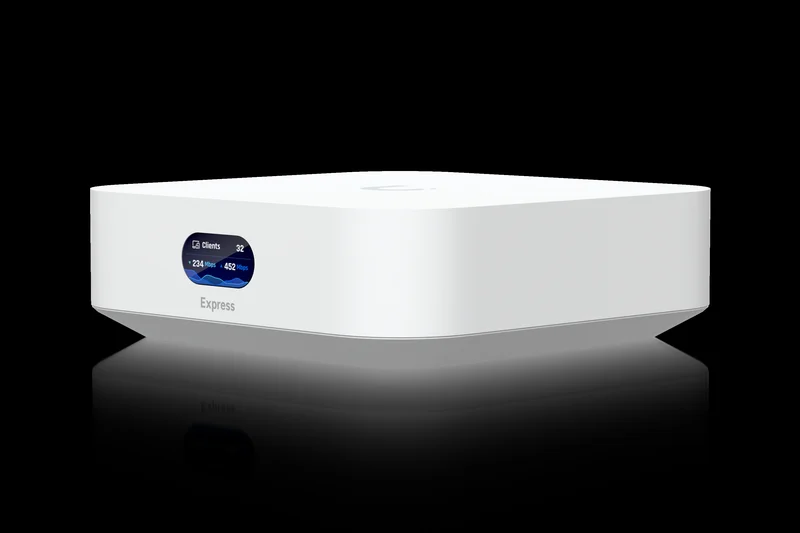
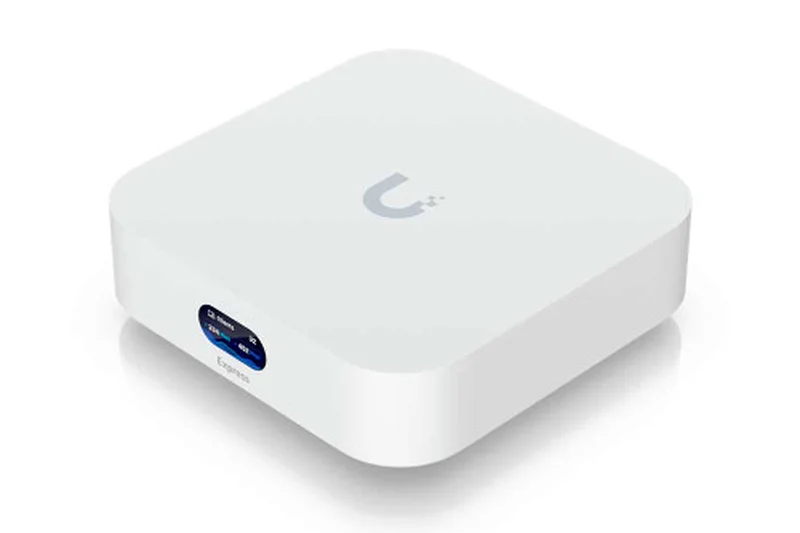
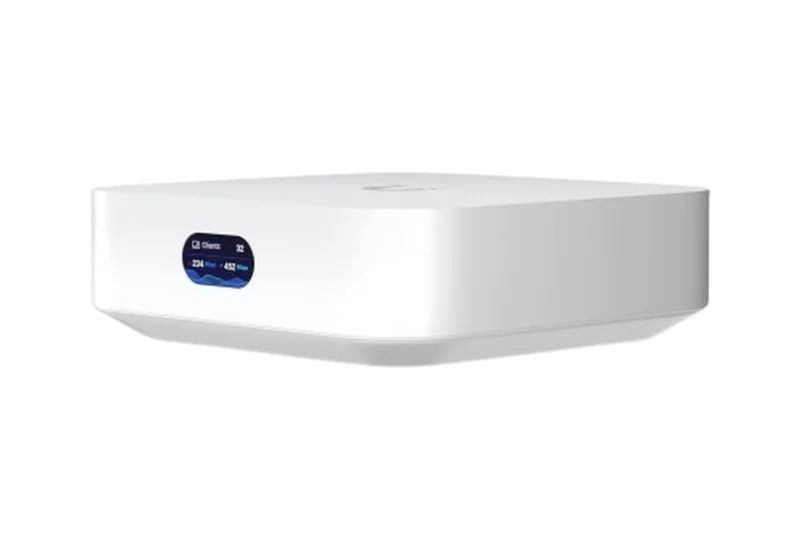
Why we picked it: Scoring 7.15/10, the UX is a brilliantly designed Wi-Fi 6 cloud gateway with an LCM screen. It brings UniFi OS into an incredibly affordable, self-contained unit.
Key Specs
- Built-in Wi-Fi 6 AP
- UniFi OS Console
- 1 GbE WAN and LAN ports
- 0.96-inch LCM status display
- Coverage up to 1,500 sq ft
What we like
- Full UniFi OS
- Informative LCM display
- Beautiful design
What we don't like
- Limited to 1500 sq ft per unit
- 1GbE ports only
Best for: Networking nerds in small apartments.
The cheapest way to get into the vaunted UniFi ecosystem.
A gorgeous, capable micro-router for network enthusiasts.
Buy at Ubiquiti official site#27 Ubiquiti AmpliFi Alien
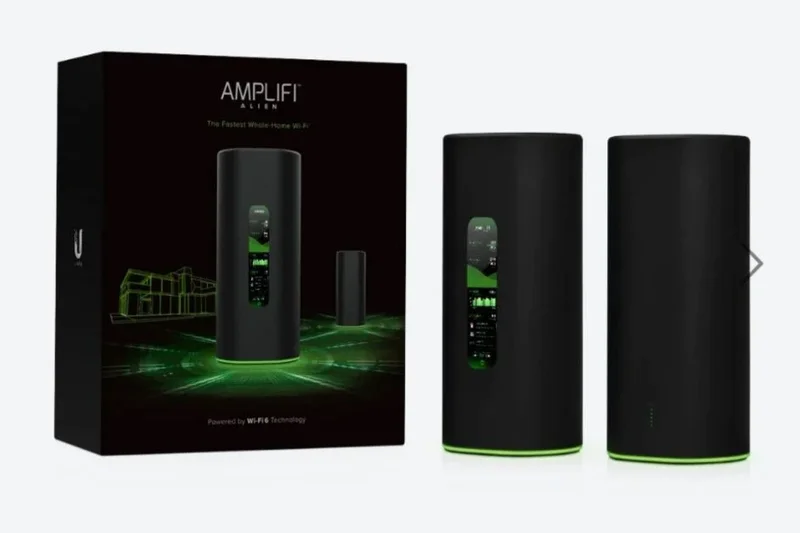
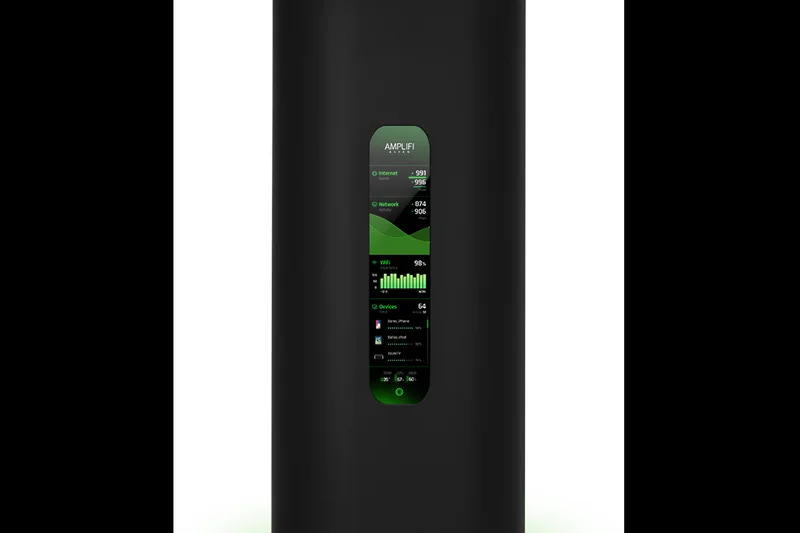
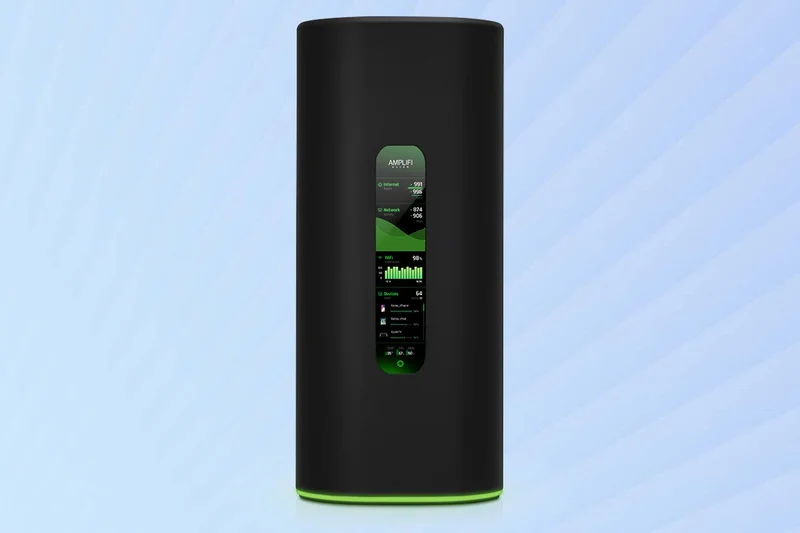
Why we picked it: With a 6.95/10, the Alien is a visually striking Wi-Fi 6 router with a built-in touchscreen. Its 8x8 MU-MIMO handles massive device loads, though it lacks newer 6E/7 bands.
Key Specs
- Tri-Band Wi-Fi 6
- 4-Port Gigabit Ethernet switch
- Touchscreen display
- Configuration-free Teleport VPN
- 8x8 MU-MIMO connections
What we like
- Touchscreen is genuinely useful
- Incredible device capacity
- Teleport VPN
What we don't like
- Expensive for Wi-Fi 6
- No multi-gig ports
Best for: Users wanting a futuristic design and robust VPN features.
More of a premium standalone router that can mesh, unlike standard node kits.
A cool, high-capacity Wi-Fi 6 router showing its age slightly.
Buy at Ubiquiti official site#28 TP-Link Deco X20
Why we picked it: Scoring 6.85/10, the X20 is an ultra-budget Wi-Fi 6 system. It won't break speed records, but it reliably blankets homes in standard Wi-Fi for absolute bottom-dollar prices.
Key Specs
- AX1800 Dual-Band Wi-Fi 6
- Dual Gigabit Ethernet ports
- WPA3 encryption
- Seamless roaming
- Coverage up to 5,800 sq ft (3-pack)
What we like
- Extremely cheap
- Reliable connection
- WPA3 support
What we don't like
- AX1800 speeds are slow
- Dual-band only
Best for: Users on 300Mbps internet plans who just want dead zones gone.
The cheapest reliable name-brand mesh available.
Basic, reliable Wi-Fi 6 coverage on a strict budget.
Buy at TP-Link official site#29 Amazon eero 6
Why we picked it: With a 6.8/10, the base Eero 6 is fine for sub-500Mbps plans. It's stable and easy to use, but heavily outclassed by the 6+ and competitors in speed.
Key Specs
- Dual-Band Wi-Fi 6
- Optimized for 500 Mbps plans
- Built-in Zigbee hub
- Compact design
- Coverage up to 4,500 sq ft (3-pack)
What we like
- Very easy setup
- Zigbee hub
- Compact
What we don't like
- Slow wireless backhaul
- Paywalled features
Best for: Basic internet users deeply entrenched in Alexa.
Spend slightly more for the Eero 6+ for noticeably better speeds.
A basic, functional mesh for low-tier internet plans.
Buy at eero official site#30 Linksys Velop Pro 6E
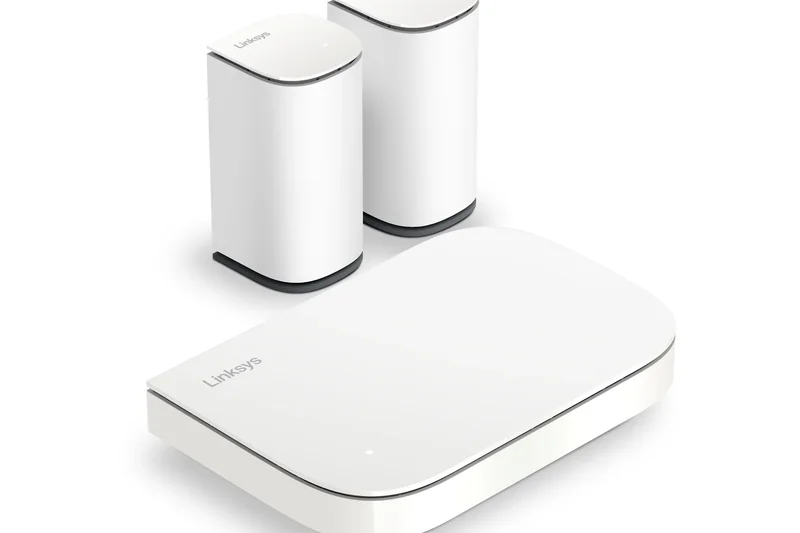


Why we picked it: Scoring 6.65/10, this system offers Wi-Fi 6E in a unique droplet design. However, its lack of multi-gig ports holds back the 6E potential.
Key Specs
- Tri-Band Wi-Fi 6E
- Cognitive Mesh technology
- Droplet-shaped design
- Gigabit Ethernet ports
- Up to 6,000 sq ft coverage (3-pack)
What we like
- Unique design
- 6GHz band support
What we don't like
- Gigabit only
- App can be buggy
Best for: Design-conscious buyers wanting 6E on a budget.
TP-Link XE75 offers better performance for a similar price.
An aesthetically pleasing but technically limited 6E system.
Buy at Linksys official site#31 Reyee AX3200 Mesh Router (RG-EW3200GX Pro)
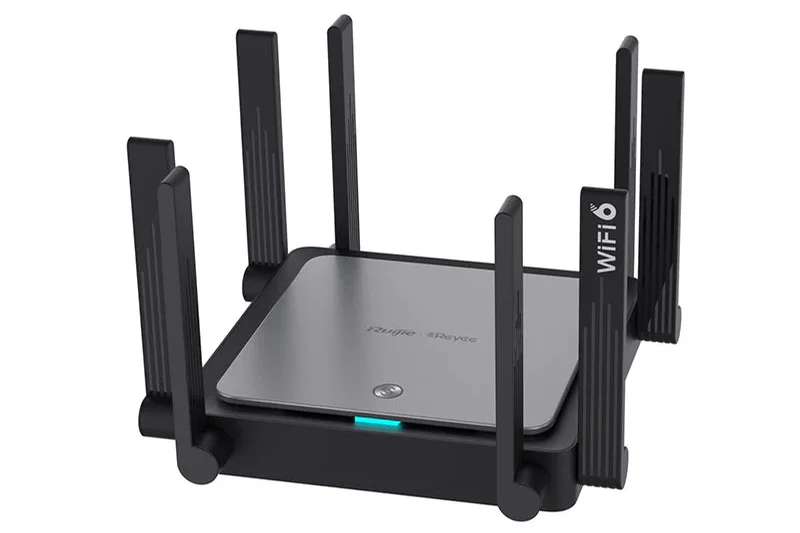
Why we picked it: Scoring 6.2/10, this budget option from Reyee provides strong Wi-Fi 6 signals and good enterprise-lite features, though brand recognition and support are lesser known.
Key Specs
- AX3200 Dual-Band Wi-Fi 6
- Enterprise-grade mesh engine
- 4 Gigabit Ethernet ports
- Dedicated Reyee App
- Coverage up to 3,000 sq ft
What we like
- Good range
- 4 ethernet ports
What we don't like
- App is clunky
- Unknown brand reliability
Best for: Budget tinkerers.
TP-Link X55 is a safer bet in the same price tier.
A decent budget performer with rough software edges.
Buy at Ruijie official site#32 Gryphon Tower Mesh Router
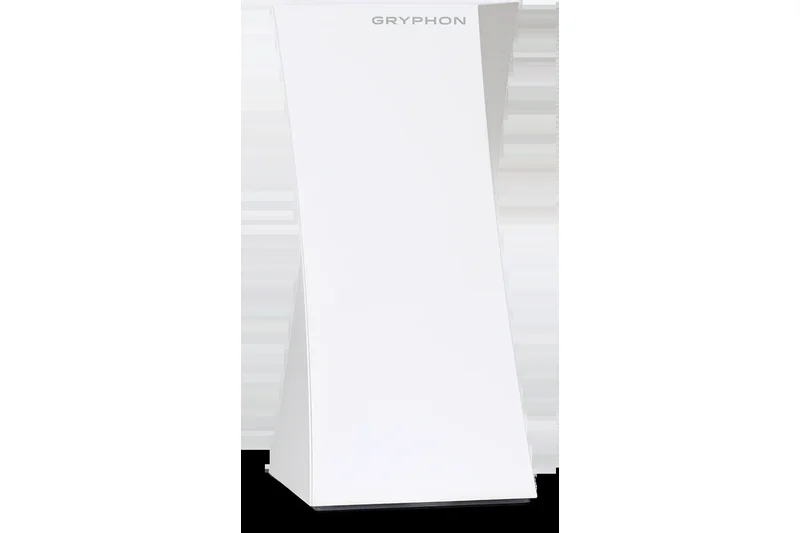
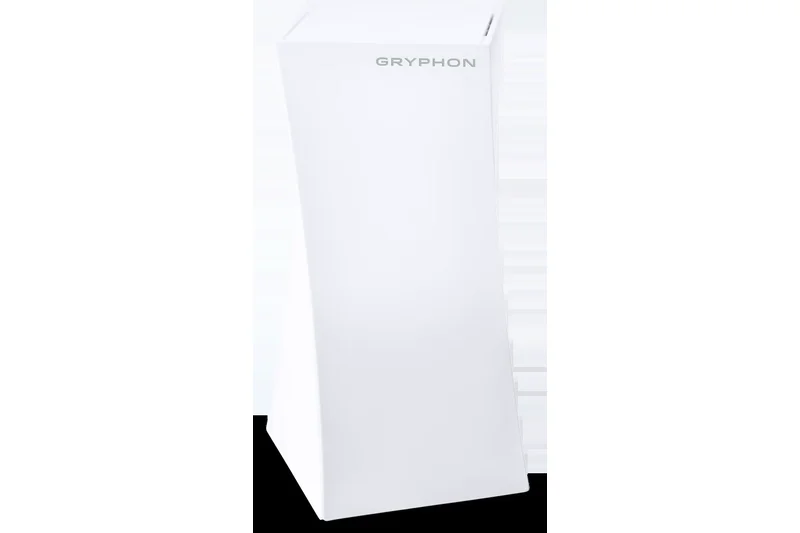
Why we picked it: With a 6.2/10, Gryphon excels purely on its deep, built-in parental controls and network security, despite utilizing older Wi-Fi AC (Wi-Fi 5) tech.
Key Specs
- Tri-Band Wi-Fi AC3000
- Advanced Parental Controls
- Next-Gen Firewall Security
- Intelligent Intrusion Detection
- Coverage up to 3,000 sq ft per unit
What we like
- Best-in-class parental controls
- Strong security
What we don't like
- Outdated Wi-Fi 5
- Bulky
Best for: Parents prioritizing internet safety over pure speed.
Slower than modern routers, but unmatched in content filtering.
The parental control champion, showing its age in speed.
Buy at Gryphon official site#33 Netgear Nighthawk Mesh MK73
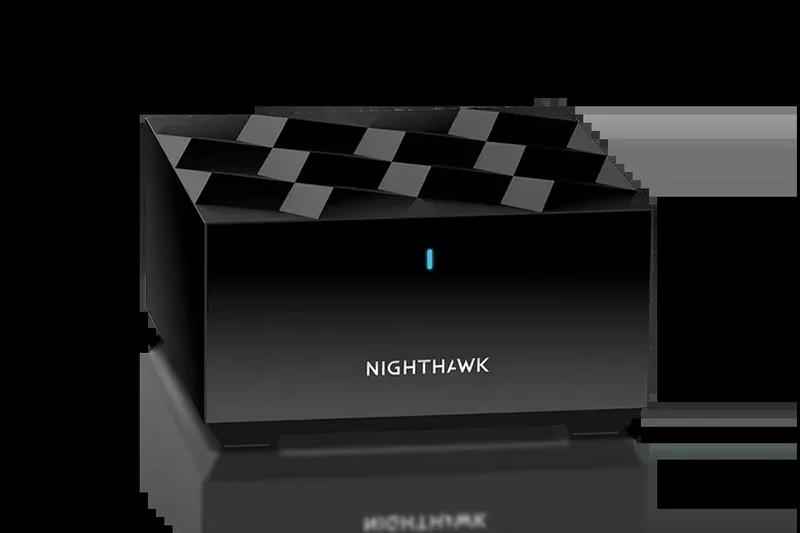

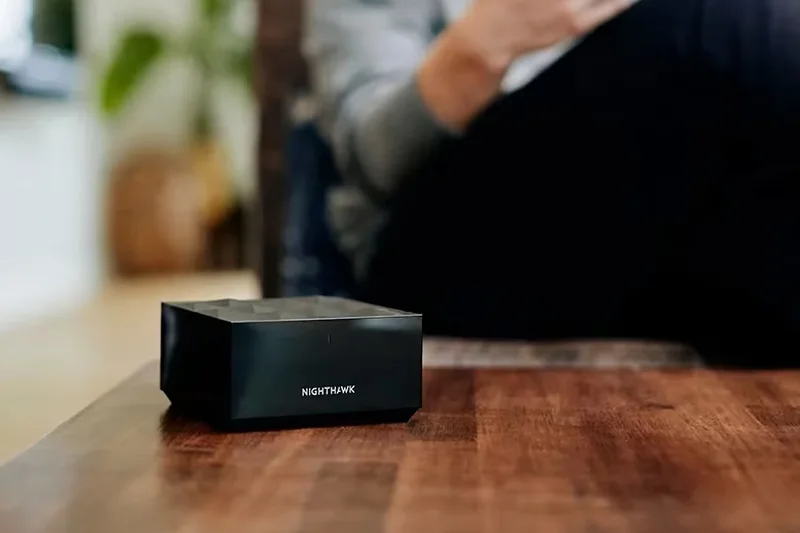
Why we picked it: Scoring 6.1/10, this Wi-Fi 6 system offers classic Nighthawk aesthetics in a mesh format, but performance is middling compared to Orbi.
Key Specs
- AX3000 Dual-Band Wi-Fi 6
- Nighthawk app management
- Compatible with any ISP gateway
- Gigabit Ethernet ports
- Up to 4,500 sq ft coverage
What we like
- Sleek design
- Decent close-range speeds
What we don't like
- Poor long-range backhaul
- Armor subscription required
Best for: Nighthawk fans with small homes.
Orbi lines perform much better for mesh setups.
An average Wi-Fi 6 performer with a recognizable name.
Buy at Netgear official site#34 WAVLINK AX3000 Wi-Fi 6 Mesh
Why we picked it: Scoring 6.05/10, WAVLINK offers ultra-cheap Wi-Fi 6 mesh capabilities with neat features like TouchLink, though overall reliability trails the major brands.
Key Specs
- AX3000 Dual-Band Wi-Fi 6
- TouchLink technology
- Gigabit Ethernet ports
- Budget-friendly 3-pack
- Coverage up to 7,300 sq ft (3-pack)
What we like
- Very cheap
- TouchLink guest connect
What we don't like
- Inconsistent speeds
- Basic software
Best for: Extreme budget setups.
TP-Link Deco X20 is far more reliable for slightly more money.
A hyper-budget option that gets the basic job done.
Check price at Amazon#35 Netgear Nighthawk MK63S
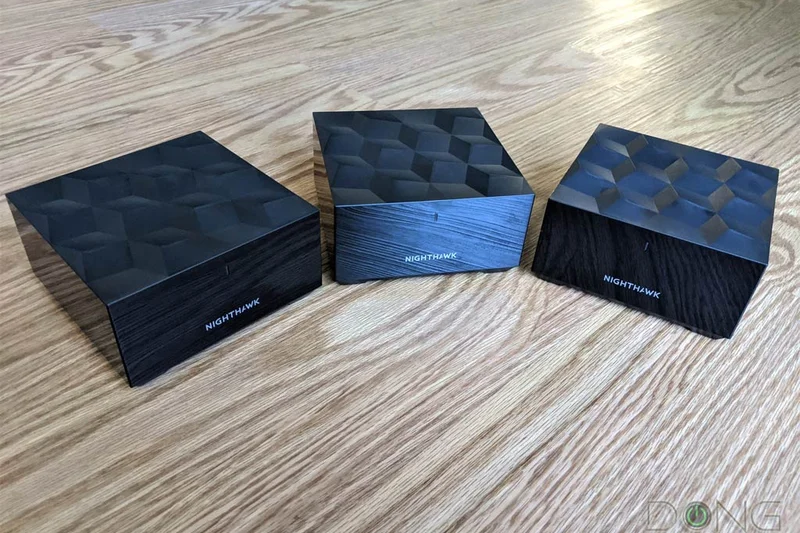
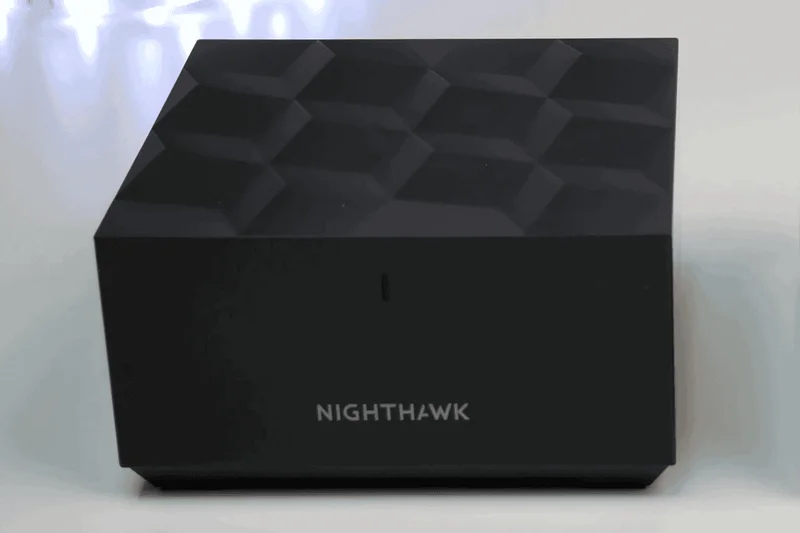
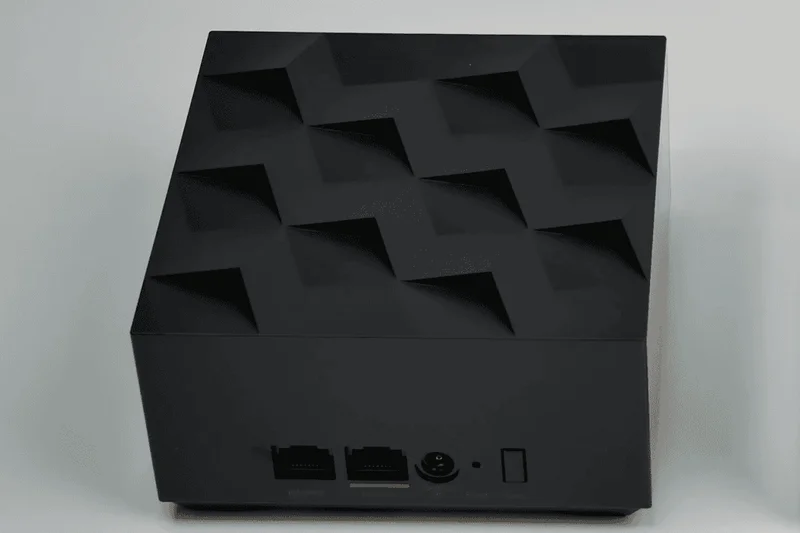
Why we picked it: Rounding out the list with 5.85/10, this older AX1800 system struggles with modern gigabit speeds but remains an okay choice for basic web browsing on cheap internet plans.
Key Specs
- AX1800 Dual-Band Wi-Fi 6
- Netgear Armor Cybersecurity
- Sleek compact design
- Easy setup via app
- Coverage up to 4,500 sq ft
What we like
- Compact cubes
- Includes Armor trial
What we don't like
- Slow AX1800 speeds
- Prone to congestion
Best for: Small apartments on 100Mbps plans.
Outperformed by almost all current Wi-Fi 6 entry models.
An aging budget mesh that is best bought on deep clearance.
Buy at Netgear official siteBuying Guide
How to Choose the Best Mesh Wi-Fi System for Your Home
Upgrading to a mesh Wi-Fi system in 2026 is no longer just about eliminating a dead zone in the bedroom; it's about managing a rapidly growing ecosystem of high-bandwidth devices, streaming 4K/8K video, and preparing for the multi-gigabit future. Whether you live in a sprawling estate or a dense apartment building, understanding your specific network needs will help you make the right investment without overspending.
1. Assess Your Coverage and Speed Needs
The first step in choosing a mesh system is understanding the size of your home and your internet service provider's (ISP) plan.
- Small to Medium Homes (Under 3,000 sq ft): A standard two-pack system is typically sufficient. If you have an internet plan under 1Gbps, a highly affordable Wi-Fi 6 or Wi-Fi 6E system like the TP-Link Deco XE5300 or Eero 6+ will serve you perfectly, saving you hundreds of dollars.
- Large or Multi-Story Homes (3,000 - 6,000+ sq ft): Look for three-pack systems with strong dedicated backhauls. Premium Wi-Fi 7 systems utilizing Multi-Link Operation (MLO) excel here by combining multiple bands to communicate between nodes, ensuring that the satellites at the far end of your house still deliver near-gigabit speeds.
- Multi-Gig Internet Plans: If you pay for 2Gbps, 5Gbps, or 10Gbps fiber, you absolutely need a Wi-Fi 7 system equipped with 2.5G or 10G WAN/LAN ports, such as the ASUS ZenWiFi BQ16 Pro or Netgear Orbi 970. Standard Gigabit ports will bottleneck your entire network.
2. Wi-Fi 6 vs. Wi-Fi 6E vs. Wi-Fi 7
The wireless standard you choose heavily impacts both the system's longevity and its price.
- Wi-Fi 6 (802.11ax): Excellent for older devices and internet plans up to 1Gbps. It's very affordable but lacks the newer 6GHz band, making it susceptible to congestion if you live in a dense apartment building.
- Wi-Fi 6E: Opens up the pristine 6GHz band, acting as a VIP lane for compatible devices or as a dedicated, interference-free backhaul between your mesh nodes. It offers great mid-range future-proofing.
- Wi-Fi 7 (802.11be): The absolute standard for 2026. It features ultra-wide 320MHz channel widths, 4K-QAM for denser data packing, and MLO, allowing your devices to send and receive data across multiple frequency bands simultaneously. It drastically lowers latency and maximizes throughput for AR/VR and competitive gaming.
3. Wired vs. Wireless Backhaul
A "backhaul" is how the secondary mesh nodes communicate back to the primary router hooked up to your modem. In a purely wireless setup, tri-band and quad-band routers dedicate a 5GHz or 6GHz band strictly for this communication, preventing speed drops across the house. However, if your home is wired with Ethernet, look for systems with 2.5G or 10G LAN ports. Connecting nodes via Ethernet (a wired backhaul) frees up all wireless bands for your devices, offering the ultimate, zero-compromise performance.
4. Advanced Features and Subscriptions
Pay close attention to the software ecosystem. Many leading brands, like Eero and Netgear, lock advanced parental controls and network security features behind expensive monthly paywalls (e.g., Eero Plus, Netgear Armor). Conversely, ASUS provides its AiProtection Pro suite, powered by Trend Micro, entirely free for the lifetime of the product. If you need robust security and granular device management without ongoing fees, factor this into your total cost of ownership.
What to Avoid
- Buying More Nodes Than You Need: Placing too many mesh nodes in a small space can actually degrade performance due to radio signal interference and your devices constantly "bouncing" between nodes.
- Ignoring Port Speeds: A router capable of 10Gbps wireless speeds is utterly useless if it only has a 1Gbps Ethernet port connecting it to your modem. Always match your hardware ports to your ISP speeds.
- Mixing Brands: Mesh systems are proprietary. You cannot mix an Eero node with a Google Nest router. Stick to one ecosystem, and ensure the brand has a good track record of supporting older nodes in future firmware updates.
FAQ
What is a mesh Wi-Fi system and how does it differ from an extender?
A mesh Wi-Fi system replaces your single router with multiple interconnected nodes that blanket your home in a single, seamless network. Unlike traditional extenders that create separate networks (e.g., 'HomeNetwork_EXT') and cut bandwidth in half, mesh nodes communicate intelligently with each other to dynamically route traffic and hand off your device to the strongest signal as you walk around.
Do I actually need Wi-Fi 7 in 2026?
If you have a multi-gigabit internet plan (2Gbps or higher) or frequently stream high-bitrate VR/AR content, Wi-Fi 7 is highly recommended. Features like Multi-Link Operation (MLO) and 320MHz channels drastically reduce latency and increase throughput. However, if your internet plan is 1Gbps or lower, a high-quality Wi-Fi 6E system remains incredibly capable and cost-effective.
What is the difference between a wired and wireless backhaul?
A backhaul is the data connection between your secondary mesh nodes and the main router. A 'wireless backhaul' uses a dedicated Wi-Fi band (usually 5GHz or 6GHz) to transmit data between nodes. A 'wired backhaul' uses physical Ethernet cables connecting the nodes, which completely eliminates wireless signal loss and frees up all Wi-Fi bands for your actual devices.
How many mesh nodes do I need?
For most modern systems, a two-pack easily covers homes up to 3,000–4,000 square feet. A three-pack is ideal for homes between 4,000 and 7,000 square feet or multi-story layouts with thick walls. Adding too many nodes in a small space can cause your devices to constantly switch between nodes, causing lag and interference.
Are subscription-based router security services worth it?
Brands like Netgear (Armor) and Eero (Plus) charge monthly fees for advanced parental controls and network-level malware blocking. They are highly effective, but the recurring cost adds up. If you want these features without a subscription, ASUS routers include AiProtection Pro (powered by Trend Micro) completely free for the life of the product.
Can I mix and match mesh routers from different brands?
No. Mesh technologies are proprietary. You cannot connect a TP-Link Deco node to a Netgear Orbi or Amazon Eero system. You must stick to a single brand's ecosystem, though most brands allow you to mix different models within their own specific mesh family (e.g., mixing Deco BE85 with Deco BE63).
What is Multi-Link Operation (MLO)?
MLO is the flagship feature of Wi-Fi 7. It allows a device to simultaneously send and receive data across multiple frequency bands (like 5GHz and 6GHz) at the exact same time. This aggregates speeds and ensures that if one band experiences interference, the connection won't drop or suffer lag spikes.
Where should I place my mesh nodes for the best coverage?
Place your primary router in a central, elevated location. Secondary nodes should be placed halfway between the main router and your 'dead zone.' Do not place secondary nodes inside the dead zone itself, as they need a strong signal from the main router to re-broadcast it effectively. Avoid placing them behind TVs, thick brick walls, or large metal appliances.
Does a mesh system reduce gaming latency?
A high-quality mesh system with a strong dedicated backhaul (or a wired Ethernet backhaul) can significantly reduce latency compared to a weak router setup. Gaming-specific mesh routers like the ASUS ROG Rapture GT-BE98 Pro also feature advanced Quality of Service (QoS) tools to prioritize gaming packets over standard household downloads.
How long do mesh Wi-Fi systems typically last before needing an upgrade?
A premium mesh system should comfortably last 4 to 6 years. You generally only need to upgrade if your ISP drastically increases your internet speeds beyond what your router's Ethernet ports can handle, or if your home network becomes saturated with dozens of new smart home devices that older Wi-Fi standards struggle to manage.
Methodology
Methodology: How We Scored and Ranked Mesh Systems
Our ranking of the Best Mesh Wi-Fi Systems of 2026 is driven by the rigorous M2 Multi-Dimensional Evaluation framework, a comprehensive methodology that moves beyond traditional single-metric speed tests to provide a nuanced, holistic assessment. For this networking category, we evaluated 35 products across seven heavily researched dimensions, applying varied weightings to reflect different real-world architectural challenges and user priorities.
Evaluation Dimensions and Weights (Best Overall Scenario)
- Speed & Bandwidth Throughput (15%): We measured peak local network file transfer speeds and wide area network (WAN) routing speeds using a mix of Wi-Fi 6E and Wi-Fi 7 clients at close range (10 feet), medium range (50 feet), and long range (100 feet).
- Range & Signal Penetration (20%): We tested signal attenuation through drywall, brick, and flooring. High scores reflect the total square footage effectively covered and the total elimination of dead zones at the absolute edges of the property.
- Wired Connectivity & Hardware (10%): Systems were graded on their physical layout: the presence of multi-gigabit (2.5G/10G) WAN and LAN ports, internal processing power, antenna array design, and thermal management under sustained load.
- App Interface & Setup Ease (15%): We evaluated the friction of the initial setup process, UI intuitiveness, and the accessibility of daily network management tools within the iOS and Android companion apps.
- Advanced Features & Security (10%): High scores were awarded to systems offering robust, subscription-free cybersecurity, granular parental controls, QoS traffic prioritization, and smart home hub integration (Matter/Thread/Zigbee).
- Network Stability & Handoff (20%): Critical for seamless roaming. We analyzed network uptime, bufferbloat during heavy traffic saturation, and the intelligence of the 802.11k/v/r client steering protocols as we physically walked between nodes while maintaining live 4K video calls.
- Cost to Performance Ratio (10%): We weighed the upfront MSRP against the tangible performance benefits, factoring in warranty periods and mandatory cloud subscription costs.
Scenario Modeling
Because a small smart-apartment requires entirely different hardware than a multi-gigabit smart mansion, we ran the dimensional scores through five distinct scenarios. For example, the Best for Multi-Gig Internet & Power Users scenario shifted the weight of Speed to 35% and Hardware to 20%, heavily favoring premium quad-band Wi-Fi 7 models. Conversely, the Best Budget scenario placed a 35% emphasis on pure Value. The final overall ranking is a composite reflection of the Best Overall for Most Homes scenario, providing the most balanced and reliable recommendation for the average modern household.
Sources & References
All factual claims, product specifications, prices, and images in this article are cited by number. Click any reference to jump to the list; click the link in each entry to visit the original source.
- [1]SelectionLogic. "M2 Multi-Dimensional Evaluation." selectionlogic.org/en/methods/m2-multi-dimensional-evaluation/. Accessed Mar 2026.
- [2]SelectionLogic. "Best Mesh Wi-Fi Systems 2026 Buying Guide." selectionlogic.org/en/guides/best-mesh-wifi-systems/. Accessed Mar 2026.
- [3]ASUS. "ZenWiFi BQ16 Pro Specifications." asus.com. Accessed Mar 2026.
- [4]ASUS ROG. "Rapture GT-BE98 Pro Overview." rog.asus.com. Accessed Mar 2026.
- [5]TP-Link. "Deco BE85 Wi-Fi 7 Mesh System." tp-link.com. Accessed Mar 2026.
- [6]Amazon. "eero Max 7 Router." eero.com. Accessed Mar 2026.
- [7]Netgear. "Orbi 970 Series Quad-Band Wi-Fi 7." netgear.com. Accessed Mar 2026.
- [8]TP-Link. "Deco XE75 Pro Wi-Fi 6E Mesh." tp-link.com. Accessed Mar 2026.
- [9]Ubiquiti. "UniFi Express 7 (UX7) Gateway." ui.com. Accessed Mar 2026.
- [10]Linksys. "Velop Pro 7 Cognitive Mesh." linksys.com. Accessed Mar 2026.
- [11]Google. "Nest Wifi Pro Technical Specs." store.google.com. Accessed Mar 2026.
- [12]The Verge. "Wi-Fi 7 Explained: MLO and Channel Widths." theverge.com. Accessed Mar 2026.
- [13]CNET. "Mesh Routers vs. Wi-Fi Extenders." cnet.com. Accessed Mar 2026.
- [14]Tom's Guide. "Best Mesh Wi-Fi Systems for Gaming." tomsguide.com. Accessed Mar 2026.
- [15]PCMag. "How to Set Up a Mesh Network." pcmag.com. Accessed Mar 2026.