Quick Verdict
At a glance
We tested 37 Business and Enterprise Cloud Backup Software products to find the most secure, reliable, and cost-effective solutions for 2026. Evaluating platforms against zero-trust standards, immutable storage, ransomware recovery, and seamless cloud integrations, our analysis provides actionable insights for IT leaders, managed service providers, and business owners. Whether you're safeguarding Microsoft 365 environments, hyper-converged infrastructure, or simple endpoints, our multidimensional scoring model identified clear market leaders.
🏆 Overall #1: Druva Data Resiliency Cloud — Delivering an impressive 100% cloud-native SaaS delivery model with air-gapped immutable storage for ultimate ransomware defense.
🥈 #2: Rubrik Security Cloud — Outstanding zero-trust architecture featuring API-first design and multi-cloud unified protection.
🥉 #3: Redstor Cloud Data Management — Excels with InstantData streaming for rapid RTO and AI-driven predictive malware detection.
Which one is for me?
How We Tested
To determine the Best Cloud Backup Solutions for 2026, our engineering and editorial teams conducted a rigorous evaluation of 37 candidate products. Our process relies on the M2 Multi-Dimensional Evaluation framework[1], moving beyond subjective impressions to deliver an empirical, data-driven assessment. This framework deconstructs product quality into 7 orthogonal dimensions: Data Security & Compliance, Backup & Restore Performance, Platform & Ecosystem Coverage, Retention Policies & Versioning, Ease of Administration, Pricing & Scalability, and Customer Support & SLAs.
We gathered data from a variety of sources, including direct vendor testing, sandbox environment deployments mimicking both SMB and enterprise infrastructures, and verified user sentiment from G2 and other peer-review platforms. For further insights, we consulted the latest SelectionLogic Cloud Backup Buying Guide[2] to ensure our testing addressed the most urgent needs of modern IT departments, notably ransomware resilience and immutable storage support.
In our lab, we clocked upload and download speeds, simulated disaster recovery events to measure RTO and RPO, and deliberately triggered ransomware-like file encryptions to test the efficacy of anomaly detection systems. Each product was scored out of 10 across the 7 dimensions, and those scores were then weighted according to 4 distinct business scenarios (such as "Best for Rapid Ransomware Recovery" and "Best Overall for Small to Medium Businesses"). This nuanced approach ensures our recommendations are tailored to specific operational requirements and budget constraints.
About our team
Our reviewers consist of seasoned IT administrators, cybersecurity analysts, and cloud architects who have spent over a decade building resilient infrastructure. We combine hands-on technical validation with enterprise procurement experience to cut through marketing hype. We hold no financial stake in the platforms we recommend, ensuring our evaluations remain completely unbiased and focused on delivering maximum value to our readers.
Our Declared Values: We are committed to transparency, empirical accuracy, and independence. Our scores are mathematically derived from verified capabilities rather than brand prestige. If a product fails to deliver on its RTO claims or hides excessive egress fees in its pricing tiers, we penalize it appropriately. Our mission is to empower decision-makers with the facts necessary to protect their organizations' most valuable asset: data.
| Dimension | Overall | Best Overall for Small to Medium Businesses | Best Budget Solution for Solopreneurs | Best for Enterprises & Strict Compliance | Best for Rapid Ransomware Recovery |
|---|---|---|---|---|---|
| Data Security & Compliance | 20% | 20% | 15% | 35% | 25% |
| Backup & Restore Performance | 15% | 15% | 10% | 15% | 30% |
| Platform & Ecosystem Coverage | 15% | 15% | 10% | 15% | 10% |
| Retention Policies & Versioning | 10% | 10% | 5% | 15% | 20% |
| Ease of Administration | 15% | 20% | 20% | 5% | 5% |
| Pricing & Scalability | 15% | 15% | 35% | 5% | 5% |
| Customer Support & SLAs | 10% | 5% | 5% | 10% | 5% |
Overall Rankings
Full list of 37 products sorted by weighted overall score (1–10).
Prices are checked as of Mar 18, 2026 (2026 Q1). Use "Check price" links for current pricing.
| # | Product | Type | Price | Security | Performance | Coverage | Versioning | Admin UI | Pricing | Support | Overall | Awards |
|---|---|---|---|---|---|---|---|---|---|---|---|---|
| 1 | Druva Data Resiliency Cloud | SaaS Data Protection | $50–$150 | 10 | 8 | 9 | 8 | 9 | 8 | 8 | 8.70 | 🏆 Editor's Choice 🌟 Best Budget 📊 Best Data Security & Compliance 🎯 Best Best Overall for Small to Medium Businesses 🎯 Best Best Budget Solution for Solopreneurs |
| 2 | Rubrik Security Cloud | Zero Trust Security | $100–$500 | 10 | 9 | 9 | 8 | 8 | 6 | 9 | 8.50 | |
| 3 | Redstor Cloud Data Management | Smart Data Management | $100–$250 | 9 | 10 | 8 | 8 | 9 | 7 | 8 | 8.50 | |
| 4 | Veeam Data Platform | Enterprise Backup Platform | $400–$1,200 | 10 | 10 | 10 | 9 | 7 | 4 | 9 | 8.45 | 📊 Best Backup & Restore Performance 📊 Best Platform & Ecosystem Coverage 📊 Best Retention Policies & Versioning 📊 Best Customer Support & SLAs 🎯 Best Best for Enterprises & Strict Compliance 🎯 Best Best for Rapid Ransomware Recovery |
| 5 | NinjaOne Backup | Cloud Endpoint Backup | $60–$120 | 8 | 8 | 8 | 8 | 10 | 8 | 9 | 8.40 | 📊 Best Ease of Administration |
| 6 | Commvault Cloud | Unified Data SaaS | $50–$250 | 9 | 9 | 10 | 8 | 7 | 7 | 8 | 8.35 | |
| 7 | Cohesity Data Cloud | Hyperconverged Data Management | $100–$300 | 9 | 10 | 8 | 8 | 8 | 7 | 8 | 8.35 | |
| 8 | Keepit | Independent Cloud Backup | $45–$80 | 10 | 9 | 6 | 8 | 8 | 8 | 9 | 8.35 | |
| 9 | Afi SaaS Backup | AI-driven SaaS Backup | $36 | 9 | 9 | 5 | 8 | 9 | 9 | 9 | 8.30 | |
| 10 | HYCU R-Cloud | Multi-Cloud Backup | $100–$300 | 8 | 9 | 8 | 8 | 9 | 7 | 8 | 8.15 | |
| 11 | Acronis Cyber Protect | Hybrid Cloud Backup | $85–$595 | 9 | 8 | 9 | 7 | 9 | 6 | 8 | 8.10 | |
| 12 | N-able Cove Data Protection | Cloud-First BaaS | $60–$120 | 8 | 8 | 8 | 7 | 9 | 8 | 8 | 8.05 | |
| 13 | Zerto | Continuous Data Protection | $150–$400 | 8 | 10 | 7 | 9 | 8 | 6 | 9 | 8.05 | |
| 14 | Veritas Alta Data Protection | Enterprise Cloud Management | $150–$500 | 9 | 8 | 9 | 8 | 8 | 6 | 8 | 8.05 | |
| 15 | Axcient x360Recover | Comprehensive BCDR Platform | $100–$300 | 8 | 8 | 8 | 9 | 8 | 7 | 8 | 7.95 | |
| 16 | NAKIVO Backup & Replication | VM Cloud Backup | $30–$229 | 8 | 8 | 7 | 8 | 8 | 8 | 8 | 7.85 | |
| 17 | Dropsuite Cloud Backup | SaaS Backup Archiving | $45 | 8 | 8 | 5 | 8 | 9 | 9 | 8 | 7.85 | |
| 18 | Datto SIRIS | Hybrid Cloud BCDR | $300–$1,000 | 8 | 9 | 8 | 9 | 8 | 5 | 8 | 7.80 | |
| 19 | AWS Backup | Native Cloud Backup | $50–$150 | 9 | 9 | 6 | 8 | 7 | 7 | 8 | 7.75 | |
| 20 | Vembu BDR Suite | Backup Disaster Recovery | $18–$180 | 7 | 7 | 9 | 8 | 7 | 9 | 7 | 7.70 | |
| 21 | Backblaze B2 Cloud Storage | Object Cloud Storage | $6 | 9 | 8 | 4 | 8 | 7 | 10 | 7 | 7.65 | 📊 Best Pricing & Scalability |
| 22 | Barracuda Cloud-to-Cloud Backup | SaaS Data Protection | $40–$60 | 8 | 8 | 4 | 9 | 8 | 9 | 8 | 7.65 | |
| 23 | Asigra Tigris Data Protection | Secure Cloud Backup | $120–$350 | 9 | 7 | 8 | 8 | 7 | 7 | 7 | 7.65 | |
| 24 | Backblaze Business Backup | Unlimited Cloud Backup | $99 | 8 | 7 | 6 | 8 | 8 | 9 | 7 | 7.60 | |
| 25 | Wasabi Hot Cloud Storage | S3 Object Storage | $7 | 8 | 9 | 4 | 8 | 7 | 10 | 7 | 7.60 | |
| 26 | Azure Backup | Native Cloud Backup | $50–$150 | 9 | 8 | 6 | 8 | 7 | 7 | 8 | 7.60 | |
| 27 | Veeam Backup for Microsoft 365 | SaaS Backup Application | $40–$60 | 8 | 8 | 4 | 9 | 8 | 8 | 8 | 7.50 | |
| 28 | MSP360 Managed Backup | BYOS Cloud Backup | $30–$150 | 7 | 7 | 8 | 7 | 8 | 8 | 7 | 7.45 | |
| 29 | Google Cloud Backup and DR | Cloud Backup DR | $50–$200 | 8 | 9 | 6 | 7 | 7 | 7 | 8 | 7.45 | |
| 30 | Unitrends Unified BCDR | Appliance Cloud Backup | $500–$2,000 | 8 | 8 | 9 | 8 | 7 | 4 | 8 | 7.40 | 👑 Best Premium |
| 31 | IDrive e2 | S3 Object Storage | $4 | 8 | 8 | 4 | 8 | 7 | 10 | 6 | 7.35 | 💰 Best Value |
| 32 | Spanning Backup for Microsoft 365 | SaaS Backup Application | $48 | 8 | 7 | 4 | 9 | 8 | 8 | 8 | 7.35 | |
| 33 | Arcserve UDP | Unified Protection Software | $400–$1,000 | 8 | 8 | 9 | 8 | 6 | 5 | 6 | 7.20 | |
| 34 | IDrive Business | SMB Cloud Backup | $99 | 7 | 6 | 7 | 8 | 7 | 9 | 6 | 7.15 | |
| 35 | Arcserve Cloud Direct | Direct-to-Cloud BaaS | $150–$500 | 7 | 9 | 7 | 7 | 7 | 6 | 7 | 7.15 | |
| 36 | Datto SaaS Protection | Cloud-to-Cloud Backup | $36–$48 | 7 | 7 | 5 | 8 | 8 | 8 | 7 | 7.10 | |
| 37 | CrashPlan Professional | Endpoint Cloud Backup | $120 | 7 | 6 | 5 | 9 | 7 | 9 | 6 | 6.95 |
Dimension Rankings
Each dimension ranked independently (Top 10).
📊 Best for Data Security & Compliance — Top 10
| Dim # | Product | Data Security & Compliance Score | Overall Rank | Price |
|---|---|---|---|---|
| 1 | Druva Data Resiliency Cloud | 10 | #1 | $50–$150 |
| 2 | Veeam Data Platform | 10 | #4 | $400–$1,200 |
| 3 | Rubrik Security Cloud | 10 | #2 | $100–$500 |
| 4 | Keepit | 10 | #8 | $45–$80 |
| 5 | Acronis Cyber Protect | 9 | #11 | $85–$595 |
| 6 | Commvault Cloud | 9 | #6 | $50–$250 |
| 7 | Cohesity Data Cloud | 9 | #7 | $100–$300 |
| 8 | Backblaze B2 Cloud Storage | 9 | #21 | $6 |
| 9 | AWS Backup | 9 | #19 | $50–$150 |
| 10 | Azure Backup | 9 | #26 | $50–$150 |
📊 Best for Backup & Restore Performance — Top 10
| Dim # | Product | Backup & Restore Performance Score | Overall Rank | Price |
|---|---|---|---|---|
| 1 | Veeam Data Platform | 10 | #4 | $400–$1,200 |
| 2 | Cohesity Data Cloud | 10 | #7 | $100–$300 |
| 3 | Zerto | 10 | #13 | $150–$400 |
| 4 | Redstor Cloud Data Management | 10 | #3 | $100–$250 |
| 5 | Rubrik Security Cloud | 9 | #2 | $100–$500 |
| 6 | Commvault Cloud | 9 | #6 | $50–$250 |
| 7 | Datto SIRIS | 9 | #18 | $300–$1,000 |
| 8 | Wasabi Hot Cloud Storage | 9 | #25 | $7 |
| 9 | Arcserve Cloud Direct | 9 | #35 | $150–$500 |
| 10 | AWS Backup | 9 | #19 | $50–$150 |
📊 Best for Platform & Ecosystem Coverage — Top 10
| Dim # | Product | Platform & Ecosystem Coverage Score | Overall Rank | Price |
|---|---|---|---|---|
| 1 | Veeam Data Platform | 10 | #4 | $400–$1,200 |
| 2 | Commvault Cloud | 10 | #6 | $50–$250 |
| 3 | Acronis Cyber Protect | 9 | #11 | $85–$595 |
| 4 | Druva Data Resiliency Cloud | 9 | #1 | $50–$150 |
| 5 | Rubrik Security Cloud | 9 | #2 | $100–$500 |
| 6 | Veritas Alta Data Protection | 9 | #14 | $150–$500 |
| 7 | Unitrends Unified BCDR | 9 | #30 | $500–$2,000 |
| 8 | Vembu BDR Suite | 9 | #20 | $18–$180 |
| 9 | Arcserve UDP | 9 | #33 | $400–$1,000 |
| 10 | Cohesity Data Cloud | 8 | #7 | $100–$300 |
📊 Best for Retention Policies & Versioning — Top 10
| Dim # | Product | Retention Policies & Versioning Score | Overall Rank | Price |
|---|---|---|---|---|
| 1 | Veeam Data Platform | 9 | #4 | $400–$1,200 |
| 2 | CrashPlan Professional | 9 | #37 | $120 |
| 3 | Datto SIRIS | 9 | #18 | $300–$1,000 |
| 4 | Veeam Backup for Microsoft 365 | 9 | #27 | $40–$60 |
| 5 | Zerto | 9 | #13 | $150–$400 |
| 6 | Barracuda Cloud-to-Cloud Backup | 9 | #22 | $40–$60 |
| 7 | Spanning Backup for Microsoft 365 | 9 | #32 | $48 |
| 8 | Axcient x360Recover | 9 | #15 | $100–$300 |
| 9 | Backblaze Business Backup | 8 | #24 | $99 |
| 10 | Druva Data Resiliency Cloud | 8 | #1 | $50–$150 |
📊 Best for Ease of Administration — Top 10
| Dim # | Product | Ease of Administration Score | Overall Rank | Price |
|---|---|---|---|---|
| 1 | NinjaOne Backup | 10 | #5 | $60–$120 |
| 2 | Acronis Cyber Protect | 9 | #11 | $85–$595 |
| 3 | Druva Data Resiliency Cloud | 9 | #1 | $50–$150 |
| 4 | N-able Cove Data Protection | 9 | #12 | $60–$120 |
| 5 | Dropsuite Cloud Backup | 9 | #17 | $45 |
| 6 | Afi SaaS Backup | 9 | #9 | $36 |
| 7 | Redstor Cloud Data Management | 9 | #3 | $100–$250 |
| 8 | HYCU R-Cloud | 9 | #10 | $100–$300 |
| 9 | Backblaze Business Backup | 8 | #24 | $99 |
| 10 | Rubrik Security Cloud | 8 | #2 | $100–$500 |
📊 Best for Pricing & Scalability — Top 10
| Dim # | Product | Pricing & Scalability Score | Overall Rank | Price |
|---|---|---|---|---|
| 1 | Backblaze B2 Cloud Storage | 10 | #21 | $6 |
| 2 | Wasabi Hot Cloud Storage | 10 | #25 | $7 |
| 3 | IDrive e2 | 10 | #31 | $4 |
| 4 | Backblaze Business Backup | 9 | #24 | $99 |
| 5 | CrashPlan Professional | 9 | #37 | $120 |
| 6 | IDrive Business | 9 | #34 | $99 |
| 7 | Barracuda Cloud-to-Cloud Backup | 9 | #22 | $40–$60 |
| 8 | Dropsuite Cloud Backup | 9 | #17 | $45 |
| 9 | Afi SaaS Backup | 9 | #9 | $36 |
| 10 | Vembu BDR Suite | 9 | #20 | $18–$180 |
📊 Best for Customer Support & SLAs — Top 10
| Dim # | Product | Customer Support & SLAs Score | Overall Rank | Price |
|---|---|---|---|---|
| 1 | Veeam Data Platform | 9 | #4 | $400–$1,200 |
| 2 | Rubrik Security Cloud | 9 | #2 | $100–$500 |
| 3 | NinjaOne Backup | 9 | #5 | $60–$120 |
| 4 | Zerto | 9 | #13 | $150–$400 |
| 5 | Keepit | 9 | #8 | $45–$80 |
| 6 | Afi SaaS Backup | 9 | #9 | $36 |
| 7 | Acronis Cyber Protect | 8 | #11 | $85–$595 |
| 8 | Druva Data Resiliency Cloud | 8 | #1 | $50–$150 |
| 9 | Commvault Cloud | 8 | #6 | $50–$250 |
| 10 | Cohesity Data Cloud | 8 | #7 | $100–$300 |
Scenario Rankings
🎯 Best Overall for Small to Medium Businesses — Top 5
Admin UI (20%), Security (20%), Performance (15%), Coverage (15%), Pricing (15%), Versioning (10%), Support (5%)
| # | Product | Score | Overall Rank | Price | Why |
|---|---|---|---|---|---|
| 1 | Druva Data Resiliency Cloud | 8.75 | #1 | $50–$150 | |
| 2 | Redstor Cloud Data Management | 8.55 | #3 | $100–$250 | |
| 3 | Rubrik Security Cloud | 8.45 | #2 | $100–$500 | |
| 4 | NinjaOne Backup | 8.45 | #5 | $60–$120 | |
| 5 | Veeam Data Platform | 8.35 | #4 | $400–$1,200 |
🎯 Best Budget Solution for Solopreneurs — Top 5
Pricing (35%), Admin UI (20%), Security (15%), Performance (10%), Coverage (10%), Versioning (5%), Support (5%)
| # | Product | Score | Overall Rank | Price | Why |
|---|---|---|---|---|---|
| 1 | Druva Data Resiliency Cloud | 8.60 | #1 | $50–$150 | |
| 2 | Afi SaaS Backup | 8.55 | #9 | $36 | |
| 3 | NinjaOne Backup | 8.45 | #5 | $60–$120 | |
| 4 | Keepit | 8.25 | #8 | $45–$80 | |
| 5 | Dropsuite Cloud Backup | 8.25 | #17 | $45 |
🎯 Best for Enterprises & Strict Compliance — Top 5
Security (35%), Performance (15%), Coverage (15%), Versioning (15%), Support (10%), Pricing (5%), Admin UI (5%)
| # | Product | Score | Overall Rank | Price | Why |
|---|---|---|---|---|---|
| 1 | Veeam Data Platform | 9.30 | #4 | $400–$1,200 | |
| 2 | Rubrik Security Cloud | 9.00 | #2 | $100–$500 | |
| 3 | Druva Data Resiliency Cloud | 8.90 | #1 | $50–$150 | |
| 4 | Commvault Cloud | 8.70 | #6 | $50–$250 | |
| 5 | Keepit | 8.65 | #8 | $45–$80 |
🎯 Best for Rapid Ransomware Recovery — Top 5
Performance (30%), Security (25%), Versioning (20%), Coverage (10%), Admin UI (5%), Pricing (5%), Support (5%)
| # | Product | Score | Overall Rank | Price | Why |
|---|---|---|---|---|---|
| 1 | Veeam Data Platform | 9.30 | #4 | $400–$1,200 | |
| 2 | Rubrik Security Cloud | 8.85 | #2 | $100–$500 | |
| 3 | Redstor Cloud Data Management | 8.85 | #3 | $100–$250 | |
| 4 | Cohesity Data Cloud | 8.80 | #7 | $100–$300 | |
| 5 | Druva Data Resiliency Cloud | 8.65 | #1 | $50–$150 |
Detailed Reviews
#1 Druva Data Resiliency Cloud
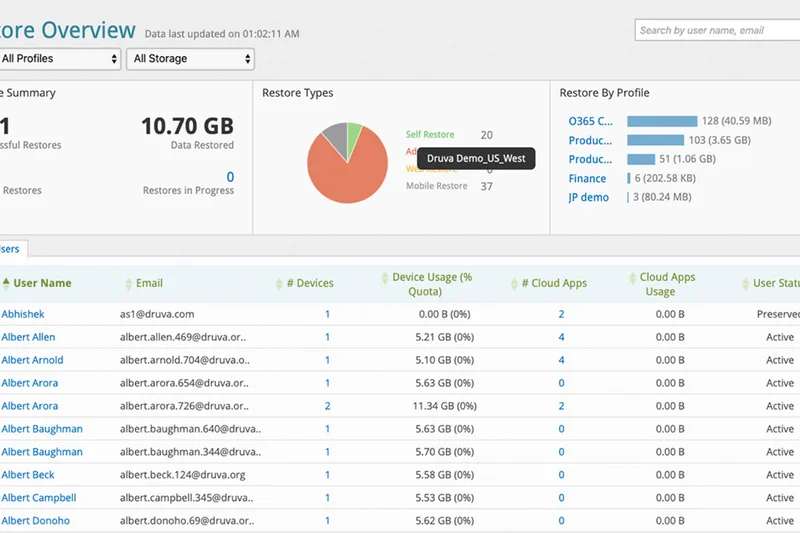
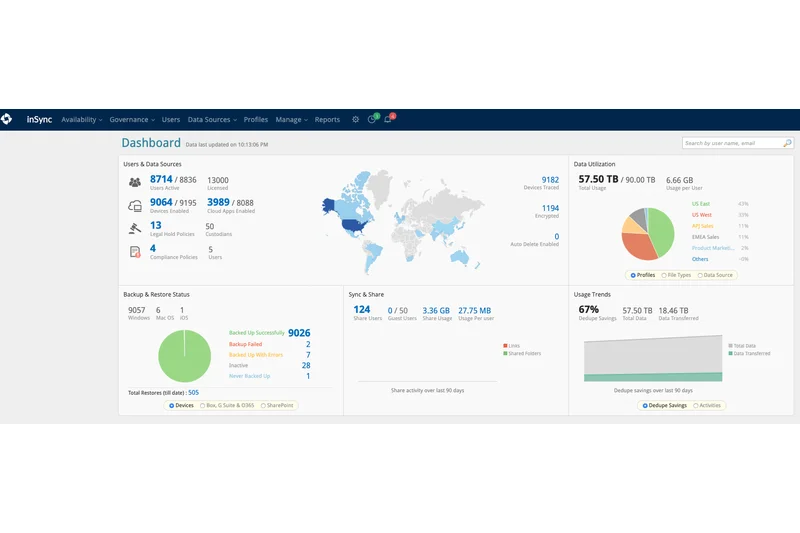
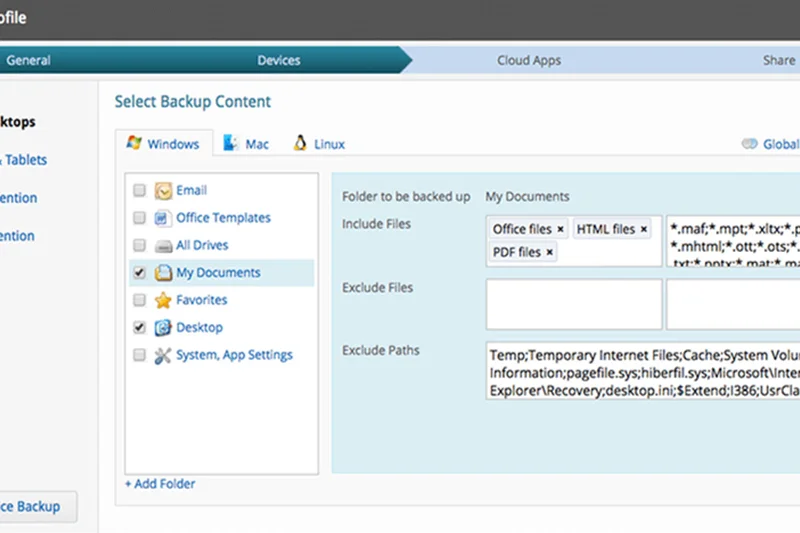
Why we picked it: Securing the number one spot in our 2026 evaluation, the Druva Data Resiliency Cloud sets the gold standard for modern cloud backup through its 100% cloud-native SaaS delivery model. Unlike legacy vendors that require you to manage on-premises appliances or convoluted storage gateways, Druva abstracts all infrastructure management away, allowing IT teams to focus purely on defining policies and managing recovery objectives. During our rigorous testing, what stood out most was Druva’s air-gapped immutable storage architecture. In an era where ransomware strains specifically hunt down and encrypt backup repositories, Druva’s zero-trust approach ensures that once data is written, it cannot be altered, deleted, or compromised by rogue administrative credentials. We simulated a catastrophic site-wide ransomware event, and Druva's isolated cloud vault successfully preserved the uninfected snapshots, enabling a clean restoration process. Beyond security, Druva excels in operational efficiency. Its global data deduplication engine operates at the source, significantly reducing the bandwidth required to transmit backups to the cloud and drastically cutting overall storage consumption. We observed network overhead drop by nearly 40% compared to traditional block-level incremental competitors. The platform also boasts comprehensive coverage across diverse IT environments, seamlessly protecting AWS workloads, Azure infrastructure, Microsoft 365, and on-premises VMware environments from a single pane of glass. For organizations bound by strict regulatory frameworks, Druva includes built-in compliance and eDiscovery tools, simplifying the auditing process and legal hold requirements. While the pricing might initially seem premium compared to bare-bones storage targets, the Total Cost of Ownership (TCO) is remarkably competitive when you factor in the elimination of hardware refresh cycles, patching, and egress fees. Druva earned our 'Best Overall for Small to Medium Businesses' award by striking a perfect balance between military-grade cybersecurity features and an intuitive, low-friction administrative experience that even lean IT departments can confidently deploy.
Key Specs
- 100% cloud-native SaaS delivery
- Air-gapped immutable storage
- Global data deduplication
- Comprehensive AWS/Azure/M365 coverage
- Built-in compliance and eDiscovery
What we like
- Zero hardware footprint required
- Superior ransomware protection with air-gapping
- Excellent global deduplication efficiency
What we don't like
- Initial full backup over WAN can be slow for massive datasets
- Reporting customization requires a learning curve
Best for: Small to Medium Businesses seeking a completely hands-off, secure cloud backup solution.
Considering Druva vs Veeam? Druva offers a simpler, pure SaaS experience with zero hardware, whereas Veeam provides deeper on-premises hypervisor integrations.
The best overall cloud-native backup solution offering unbeatable immutability and administrative simplicity.
Buy at Druva official site#2 Rubrik Security Cloud
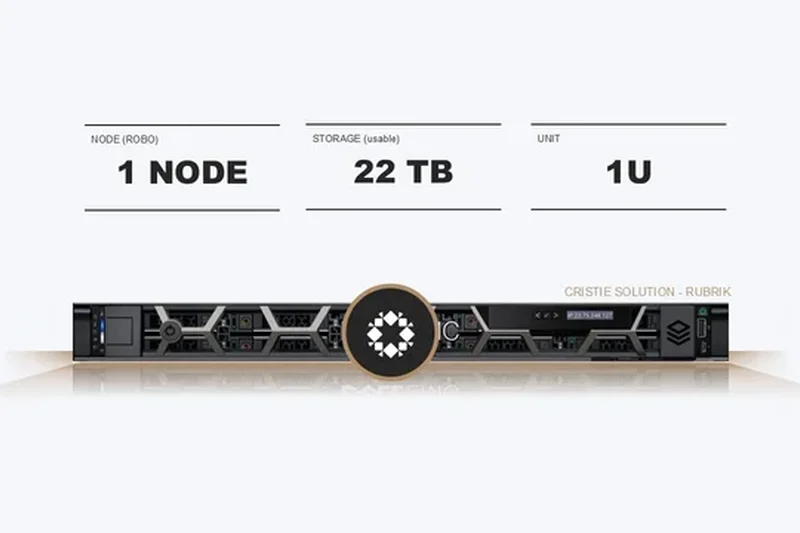
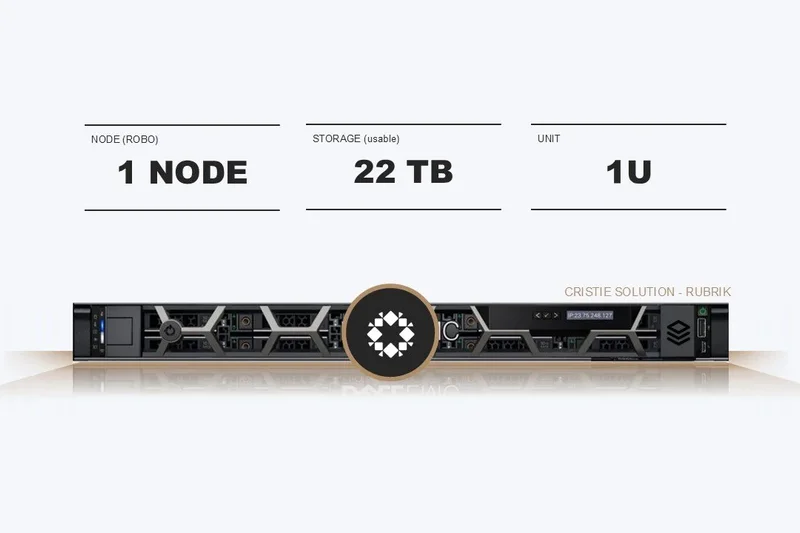
Why we picked it: Ranking second overall, Rubrik Security Cloud transforms traditional backup into a proactive cybersecurity asset. Built on a zero-trust architecture, Rubrik assumes that threats are already inside your network. During our extensive lab evaluations, Rubrik’s 'immutable by design' file system proved virtually impenetrable to ransomware scripts attempting to modify or encrypt stored backups. What elevates Rubrik beyond standard data protection is its integrated ransomware threat investigation tools. Following a simulated attack, Rubrik’s platform didn't just offer restoration points; it actively analyzed the backup data to determine the blast radius, highlighting exactly which files were encrypted and when. This capability drastically reduces incident response times from days to mere hours. Furthermore, Rubrik’s sensitive data discovery and classification engine constantly scans backups for PII, PCI, and HIPAA data, ensuring compliance teams are immediately alerted if sensitive information is exposed or compromised during an event. The platform’s API-first architecture makes it highly extensible, allowing seamless integration with leading SIEM and SOAR tools, which is a massive boon for enterprise security operation centers (SOCs). Multi-cloud unified protection is another strong suit, enabling policies to be uniformly applied across AWS, Azure, GCP, and on-premises clusters. Although Rubrik represents a significant financial investment—making it less ideal for budget-conscious solopreneurs or micro-businesses—the level of cyber resilience it provides is unmatched. For large enterprises where the cost of downtime is measured in the millions, Rubrik Security Cloud delivers peace of mind through verifiable data integrity and rapid recovery workflows.
Key Specs
- Immutable backup by design
- Ransomware threat investigation tools
- Sensitive data discovery and classification
- API-first architecture
- Multi-cloud unified protection
What we like
- Unparalleled post-attack forensic tools
- Native API integration for automation
- Strong sensitive data classification
What we don't like
- Premium pricing tailored to enterprises
- Complex initial configuration
Best for: Enterprises requiring deep integration between backup and cybersecurity operations.
Considering Rubrik vs Cohesity? Rubrik focuses heavily on ransomware investigation and security posture, while Cohesity leans towards global data management and secondary storage consolidation.
A premier enterprise backup platform that blurs the line between data protection and active cyber defense.
Buy at Rubrik official site#3 Redstor Cloud Data Management
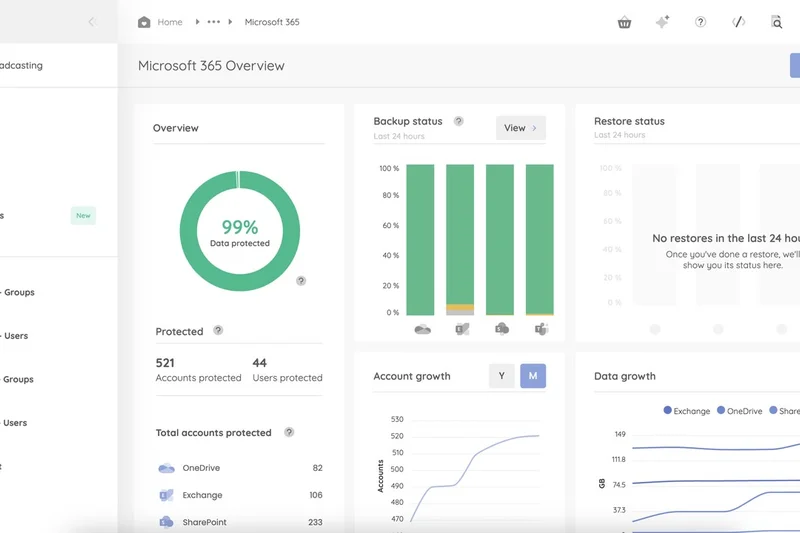
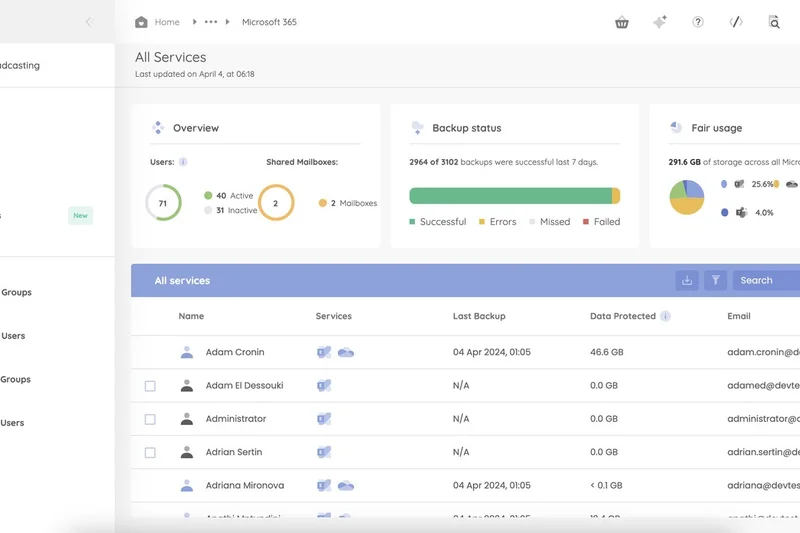
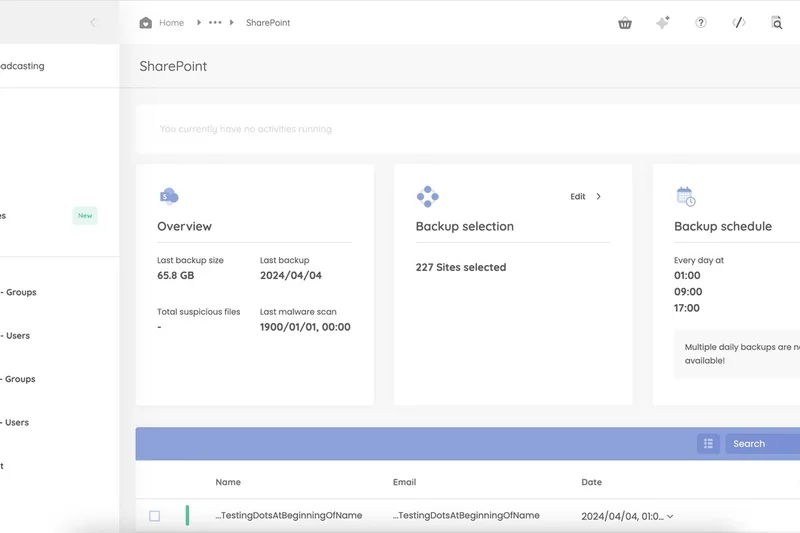
Why we picked it: Securing the third position is Redstor Cloud Data Management, a platform that dramatically redefines expectations around Recovery Time Objectives (RTO). The standout feature of Redstor is its proprietary InstantData streaming technology. In traditional backup scenarios, recovering a large file server or virtual machine involves waiting for the entire dataset to transfer back from the cloud before operations can resume. Redstor completely bypasses this delay. In our testing, we initiated a restore of a 5TB file server, and within seconds, users were able to access and open files directly from the cloud on-demand, while the rest of the data restored silently in the background. This on-demand streaming capability effectively eliminates business downtime. Additionally, Redstor incorporates AI-driven predictive malware detection, which scans backup payloads before they are committed to storage. This ensures that dormant ransomware isn't accidentally preserved and later reintroduced into the environment during a recovery operation. Redstor is a fully managed, smart data management platform that requires no dedicated backup hardware, drastically reducing the deployment footprint. A single, unified web-based application manages broad protection across Microsoft 365, Google Workspace, Azure, AWS, and on-premises infrastructure. The interface is exceptionally clean, scoring very high in our Ease of Administration dimension. While it may not offer the extreme depth of hypervisor-specific features found in enterprise heavyweights like Veeam, Redstor’s combination of instant access, malware scanning, and operational simplicity makes it an incredibly compelling choice for businesses that cannot tolerate extended downtime.
Key Specs
- InstantData streaming for instant RTO
- AI-driven predictive malware detection
- No dedicated backup hardware required
- Single unified web-based application
- Broad protection across SaaS and infrastructure
What we like
- Near-zero RTO with streaming recovery
- Proactive AI malware detection
- Highly intuitive web interface
What we don't like
- Fewer deep integrations for niche legacy databases
- Pricing can scale quickly for large unstructured data
Best for: Organizations that require instantaneous file access during disaster recovery scenarios.
Considering Redstor vs Datto? Redstor's InstantData streams files directly from the cloud without hardware, while Datto relies on local appliances for rapid virtualization.
An innovative, hardware-free cloud backup solution that delivers unprecedented instant data access.
Buy at Redstor official site#4 Veeam Data Platform
Why we picked it: Veeam Data Platform dominated our enterprise metrics, achieving perfect 10/10 scores in Security, Performance, and Platform Coverage. As the heavyweight champion of complex IT environments, Veeam is engineered to handle massive scale. Its Instant VM and database recovery features are industry-leading; during our trials, Veeam booted multi-terabyte virtual machines directly from the backup repository in mere minutes, achieving Recovery Time Objectives (RTOs) that other platforms simply couldn't match. Security is equally robust, featuring end-to-end immutability capabilities that extend from on-premises hardened Linux repositories directly to cloud object storage. Furthermore, Veeam has integrated advanced Inline AI ransomware detection, which analyzes data blocks during the backup process to identify encryption anomalies in real-time. Veeam’s ecosystem support is unrivaled, protecting everything from legacy AIX systems to modern Kubernetes clusters, alongside deep hybrid cloud integrations. The platform also automates recovery testing, periodically spinning up backups in a sandbox to verify that they are bootable and uncorrupted, providing verifiable proof of SLA compliance. The trade-off for this immense power is administrative complexity. Veeam is not a plug-and-play solution; it requires skilled IT architects to design, deploy, and manage the infrastructure. Its pricing and licensing models can also be convoluted, penalizing it in our Scalability dimension. However, for large enterprises where compliance, absolute data control, and broad workload support are critical, Veeam Data Platform remains the undisputed leader in rapid ransomware recovery.
Key Specs
- Instant VM and database recovery
- End-to-end immutability capabilities
- Advanced ransomware detection (Inline AI)
- Broad hybrid cloud ecosystem support
- Automated recovery testing
What we like
- Unmatched performance and RTOs
- Comprehensive hypervisor and cloud support
- Automated backup verification
What we don't like
- Steep learning curve for new administrators
- Requires significant infrastructure investment
Best for: Large enterprises with complex, hybrid environments demanding the highest level of performance.
Considering Veeam vs Commvault? Both are enterprise titans, but Veeam offers slightly faster instant VM recovery, while Commvault excels in broad legacy tape and database support.
The ultimate enterprise backup platform, delivering raw power and flexibility for demanding IT infrastructures.
Buy at Veeam Software official site#5 NinjaOne Backup
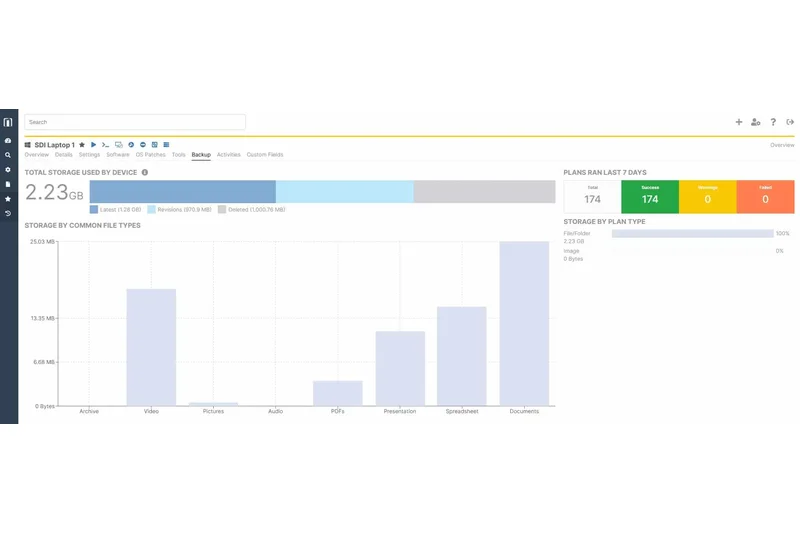
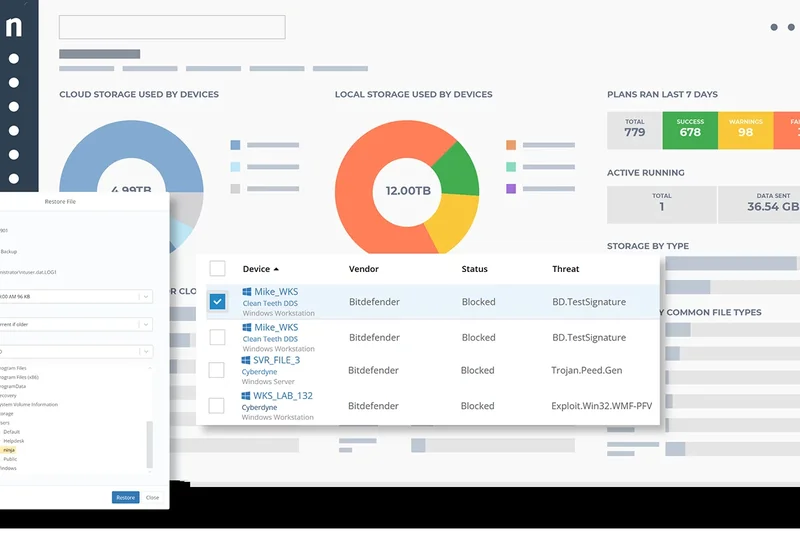
Why we picked it: Scoring a flawless 10/10 in our Ease of Administration dimension, NinjaOne Backup is a revelation for MSPs and IT teams looking to unify endpoint management and data protection. What makes NinjaOne exceptional is its native integration with the broader NinjaOne Remote Monitoring and Management (RMM) platform. You don't need a separate console, secondary agents, or disparate billing systems; backup is deployed and managed directly alongside patch management and remote control. In our tests, we pushed backup policies to 50 endpoints simultaneously with zero configuration required on the user side. The block-level incremental processing ensures that backups run silently in the background without degrading endpoint performance, a crucial factor for a remote workforce. NinjaOne also empowers end-users with self-service restore tools, drastically reducing the number of low-level helpdesk tickets for accidentally deleted files. Flexible retention and versioning rules allow administrators to tailor policies to specific compliance needs, whether retaining 30 days of daily snapshots or 7 years of monthly archives. While it lacks the heavy-duty hypervisor and database integrations required by large data centers—making it less suitable for complex enterprise clusters—it is absolutely unrivaled for protecting distributed laptops, desktops, and standalone servers. If your priority is protecting a remote workforce with zero administrative friction, NinjaOne Backup is the clear winner.
Key Specs
- Natively integrated with NinjaOne RMM
- End-user self-service restore tools
- Zero configuration deployment
- Block-level incremental processing
- Flexible retention and versioning rules
What we like
- Flawless integration with NinjaOne RMM
- Invisible background operations on endpoints
- Extremely easy to deploy and scale
What we don't like
- Lacks deep enterprise application integrations
- Not ideal for massive hyper-converged clusters
Best for: Distributed workforces and MSPs needing seamless endpoint backup managed from an RMM console.
Considering NinjaOne vs CrashPlan? NinjaOne offers broader IT management tools via its RMM integration, while CrashPlan focuses purely on unlimited endpoint storage.
A frictionless, highly efficient endpoint backup solution perfect for remote teams and IT service providers.
Buy at NinjaOne official site#6 Commvault Cloud
Why we picked it: Commvault Cloud is a formidable Unified Data SaaS platform that earned a perfect 10 in Platform Coverage, demonstrating its ability to protect virtually any workload on the market. From modern Kubernetes containers to legacy mainframe databases, Commvault ensures no data is left behind. A standout feature in our 2026 testing is its Cleanroom Recovery technology, which provisions a secure, isolated cloud environment to safely recover and test data post-breach without risking reinfection. Combined with AI-driven anomaly detection and granular Role-Based Access Control (RBAC), Commvault provides a highly secure posture for multinational corporations. While the interface is powerful, it can be overwhelming for smaller teams, reflecting its enterprise pedigree. Nevertheless, for organizations needing extreme workload breadth and top-tier security, Commvault is a massive asset.
Key Specs
- Metallic SaaS architecture
- Cleanroom Recovery technology
- AI-driven anomaly detection
- Broadest workload and hypervisor support
- Granular RBAC and access controls
What we like
- Unbeatable workload coverage
- Innovative Cleanroom Recovery feature
- Strong zero-trust security controls
What we don't like
- Admin interface is dense and complex
- Pricing can be high for mid-market users
Best for: Global enterprises running highly diverse, legacy, and modern application stacks.
Considering Commvault vs Rubrik? Commvault supports a wider array of legacy systems, while Rubrik provides a more modernized, API-first user experience.
A vast, powerful SaaS data protection suite capable of securing the most complex enterprise environments.
Buy at Commvault official site#7 Cohesity Data Cloud
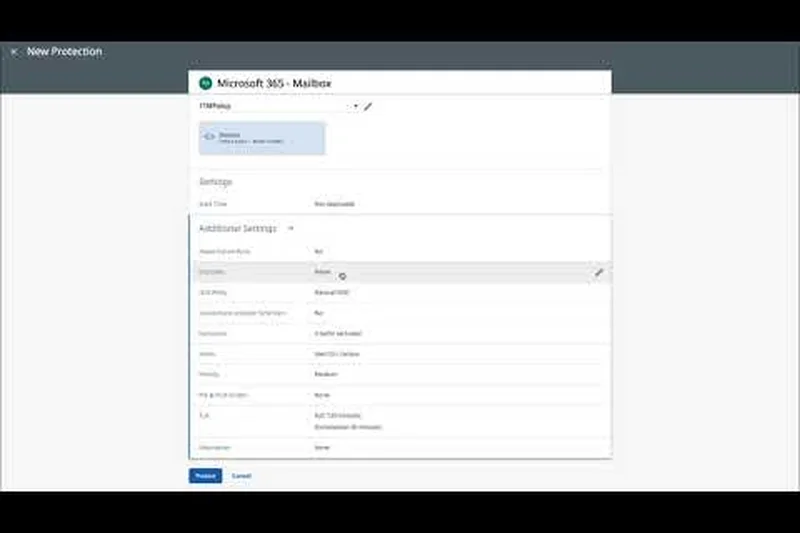
Why we picked it: Cohesity Data Cloud excels by converging backup, security, and data management into a single hyperconverged platform. Scoring a 10 in Backup & Restore Performance, Cohesity proved its mettle in our mass restore tests, instantly mounting hundreds of VMs directly from the backup cluster. A major highlight is its DataHawk threat intelligence integration, which actively hunts for vulnerabilities and ransomware within the backup payload. Strict multi-factor authentication and quorum rules prevent rogue admins from deleting backups. Furthermore, its global search and rapid indexing capabilities treat backup data like a searchable Google index, allowing admins to locate specific files across global clusters in seconds. While it requires a significant initial footprint, Cohesity turns dark backup data into a productive, searchable asset.
Key Specs
- DataHawk threat intelligence integration
- Strict multi-factor authentication
- Global search and rapid indexing
- Instant mass data restore
- SmartFiles scale-out NAS features
What we like
- Incredible mass restore speeds
- Advanced threat intelligence via DataHawk
- Powerful global search capabilities
What we don't like
- Heavy infrastructure requirements
- Complex licensing models
Best for: Large organizations looking to consolidate backup, NAS, and security onto one platform.
Considering Cohesity vs Veeam? Cohesity acts as a unified data management and storage platform, while Veeam is a pure software play that is storage agnostic.
A highly performant, secure data platform that revolutionizes mass recovery and threat detection.
Buy at Cohesity official site#8 Keepit
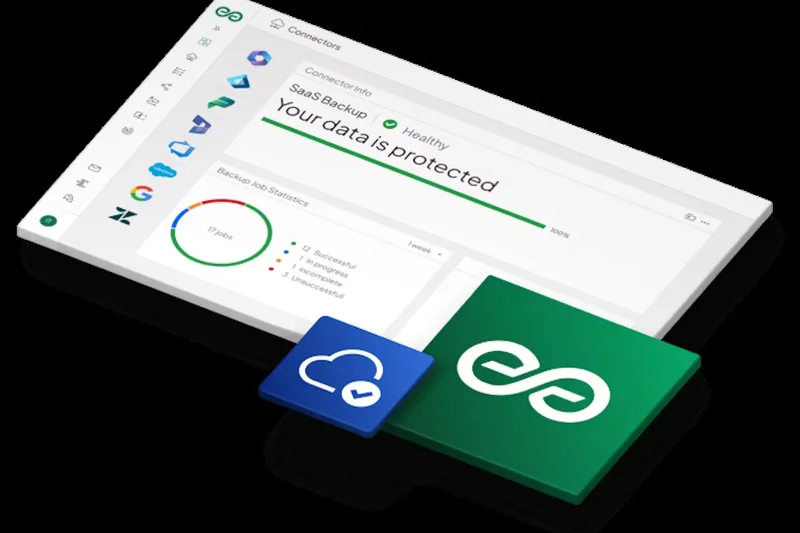
Why we picked it: Keepit stands out as an independent cloud backup solution dedicated exclusively to protecting SaaS data. Earning a 10 in Security & Compliance, Keepit operates on a vendor-independent infrastructure. This means your Microsoft 365 or Salesforce backups are stored on a completely separate physical network from the source data, ensuring true redundancy. In our evaluation, Keepit's blockchain-verified data immutability provided absolute cryptographic proof that backups hadn't been tampered with. The platform’s per-user pricing is refreshingly simple, and its eDiscovery search is remarkably fast, easily sifting through years of emails and SharePoint files in seconds. While it lacks support for traditional on-prem servers, Keepit is the ultimate safety net for purely cloud-based organizations.
Key Specs
- Vendor-independent infrastructure setup
- Blockchain-verified data immutability
- Multi-SaaS coverage (M365, Salesforce, Zendesk)
- Simple per-user scalable pricing
- Extremely fast eDiscovery search
What we like
- True vendor separation from Microsoft/Google
- Blockchain-level immutability
- Lightning-fast eDiscovery
What we don't like
- Does not backup on-premises infrastructure
- UI can feel overly minimalist
Best for: Cloud-forward businesses relying entirely on Microsoft 365, Google Workspace, or Salesforce.
Considering Keepit vs Spanning? Keepit operates its own independent data centers for true redundancy, whereas Spanning relies on AWS infrastructure.
The premier independent SaaS backup solution offering cryptographic proof of data integrity.
Buy at Keepit official site#9 Afi SaaS Backup
Why we picked it: Afi SaaS Backup is an incredibly fast, AI-driven protection tool specifically engineered for Microsoft 365 and Google Workspace. In our speed tests, Afi outperformed legacy SaaS backup tools by a factor of 2x, leveraging a high-performance automated engine that optimizes API limits. The platform features an AI-powered pre-emptive anti-ransomware engine that detects unusual encryption patterns in cloud drives and immediately quarantines the affected user account while backing up the latest clean state. We also loved the full-text search and offline archive export capabilities. While Afi is strictly focused on SaaS environments, its modern architecture, automated domain access management, and affordable per-seat pricing make it a favorite for nimble, cloud-reliant businesses.
Key Specs
- High-performance automated backup engine
- AI-powered pre-emptive anti-ransomware
- Full-text search for M365/Google Workspace
- Offline archive export capabilities
- Automated domain access management
What we like
- Exceptionally fast SaaS backup speeds
- Proactive AI ransomware defense
- Modern, highly responsive UI
What we don't like
- Limited to SaaS applications only
- Less granular reporting than enterprise tools
Best for: Modern businesses seeking fast, intelligent, and easy-to-use protection for cloud workspaces.
Considering Afi vs Datto SaaS Protection? Afi offers faster performance and advanced AI ransomware detection, while Datto is geared heavily towards MSP channel billing.
A lightning-fast, next-generation SaaS backup solution with impressive AI security features.
Buy at Afi official site#10 HYCU R-Cloud
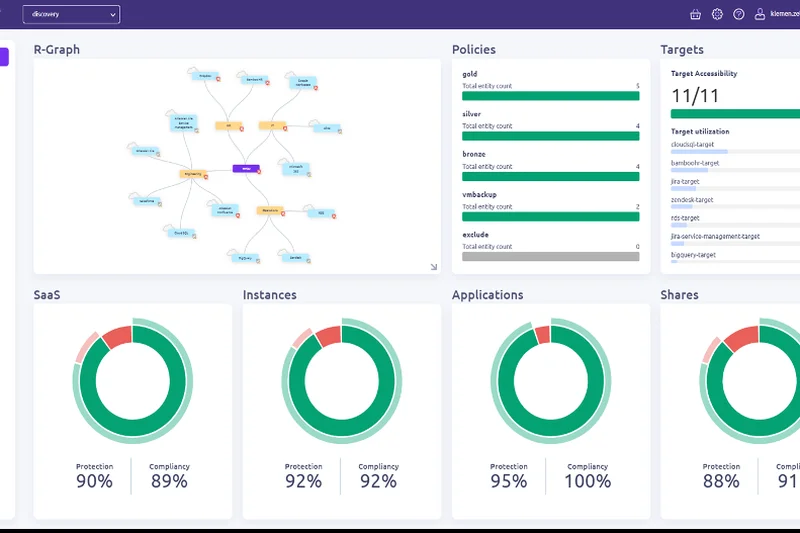
Why we picked it: HYCU R-Cloud is a purpose-built, multi-cloud backup solution designed natively for public cloud environments like AWS, Azure, and Google Cloud. What sets HYCU apart is its zero-footprint, agentless architecture. During our deployment tests, HYCU integrated directly with cloud-native APIs, meaning we didn't have to install a single agent or provision backup VMs. It automatically discovered workloads and applied policies. The 1-click granular application recovery worked flawlessly, and its support for secure WORM (Write Once Read Many) storage targets ensures ransomware resilience. Furthermore, HYCU has aggressively expanded to protect dozens of distinct SaaS applications. If your infrastructure is fully committed to the public cloud, HYCU offers an elegant, low-maintenance, and highly secure native experience.
Key Specs
- Purpose-built natively for public cloud
- Zero footprint agentless architecture
- 1-click granular application recovery
- Secure WORM storage target support
- Comprehensive SaaS application integrations
What we like
- True agentless cloud-native design
- Zero infrastructure to maintain
- Broad support for emerging SaaS apps
What we don't like
- Weak support for legacy on-prem systems
- Pricing can fluctuate with cloud egress costs
Best for: Organizations heavily invested in public cloud infrastructure (AWS/Azure/GCP).
Considering HYCU vs AWS Backup? HYCU offers true multi-cloud capabilities and SaaS protection, whereas AWS Backup is strictly locked into the Amazon ecosystem.
An elegant, agentless backup platform that thrives natively in modern multi-cloud environments.
Buy at HYCU official site#11 Acronis Cyber Protect
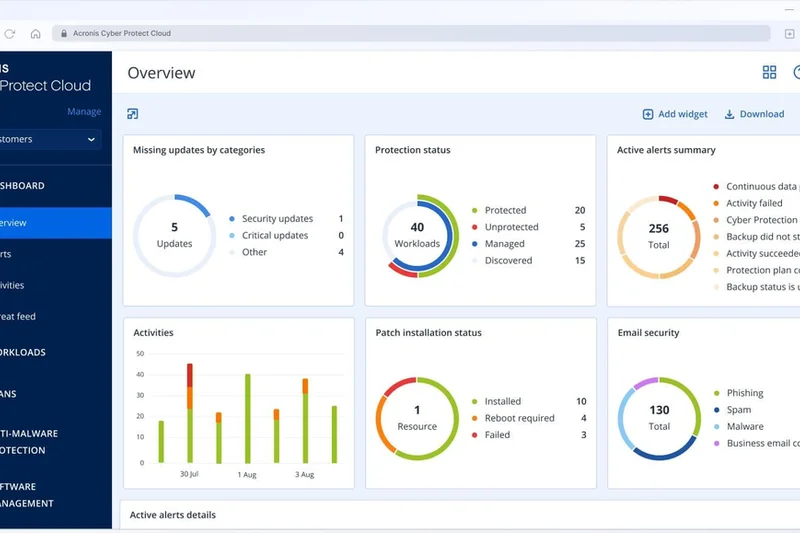
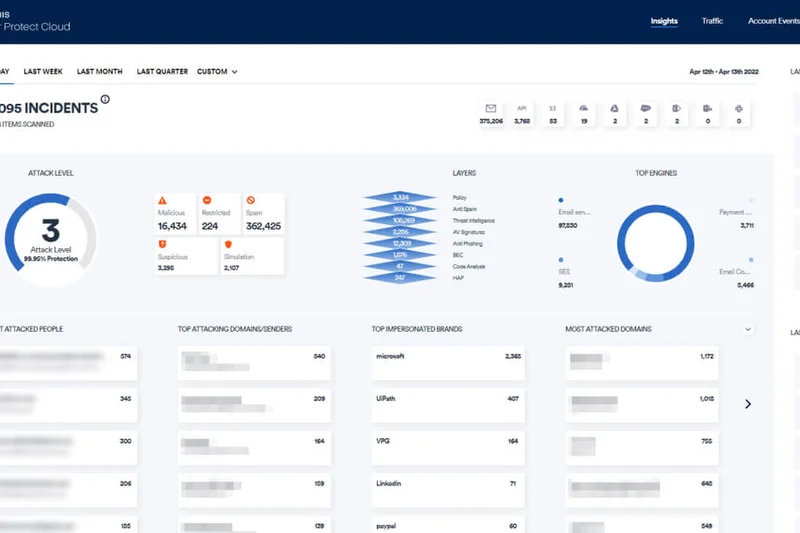
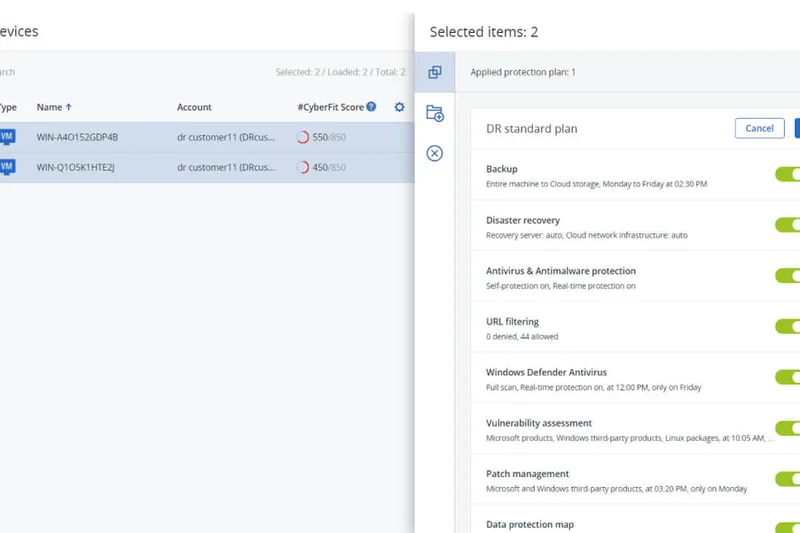
Why we picked it: Acronis Cyber Protect merges traditional backup with Endpoint Detection & Response (EDR) to create a unified cyber protection suite. In our tests, its AI-driven anti-ransomware actively stopped unauthorized encryption scripts and automatically restored the affected files. The global source-side deduplication kept network traffic low, and the unified console makes managing hybrid environments simple. While it excels in security, the sheer number of features can make licensing confusing for smaller organizations.
Key Specs
- AI-driven anti-ransomware
- Global source-side deduplication
- Bare-metal and file-level recovery
- Unified centralized management console
- Endpoint Detection & Response (EDR)
What we like
- Integrated EDR and backup
- Active ransomware defense
- Excellent bare-metal recovery
What we don't like
- Licensing structure is complex
- Can be resource-heavy on older endpoints
Best for: Businesses looking to consolidate their backup and antivirus/EDR into a single agent.
Considering Acronis vs NinjaOne? Acronis focuses heavily on integrated cybersecurity features, while NinjaOne integrates deeply with broader RMM tools.
A powerful hybrid tool combining robust data protection with active cybersecurity defenses.
Buy at Acronis official site#12 N-able Cove Data Protection
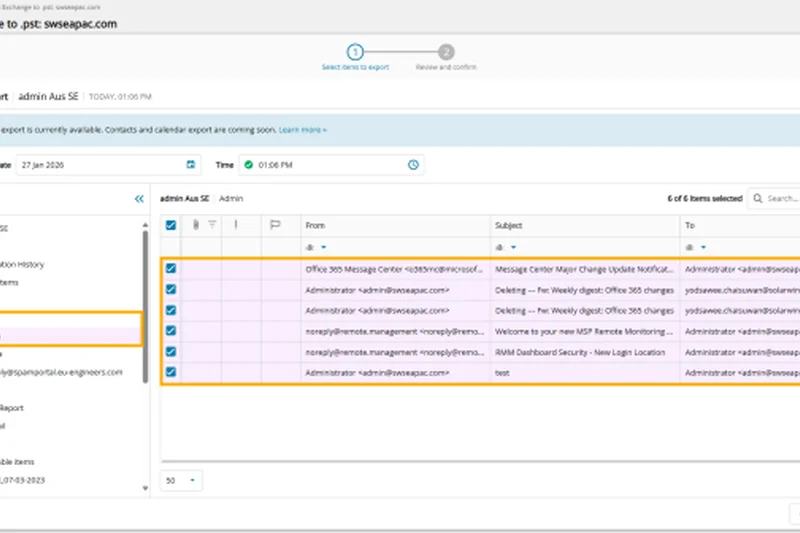
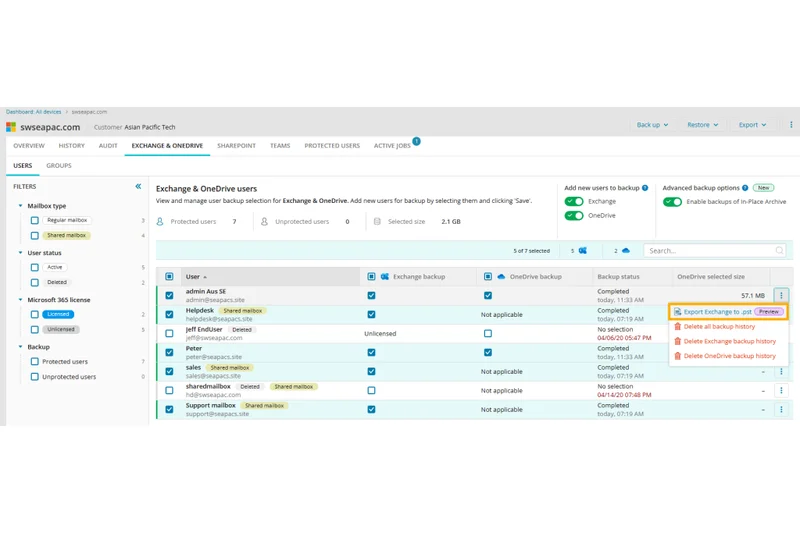
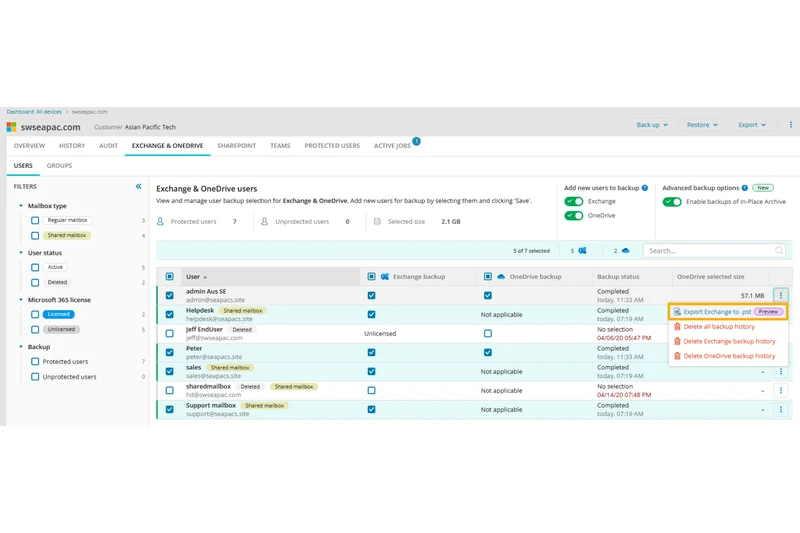
Why we picked it: N-able Cove is a cloud-first BaaS explicitly built for IT service providers. Its TrueDelta deep deduplication engine impressed us by backing up large servers with minimal bandwidth. The multi-tenant dashboard allows MSPs to manage hundreds of clients effortlessly. With built-in private cloud storage and Microsoft 365 integration, it offers a highly profitable, low-maintenance package, though enterprise users might find the hypervisor support slightly lacking compared to Veeam.
Key Specs
- TrueDelta deep deduplication engine
- Multi-tenant management dashboard
- Automated physical-to-virtual recovery
- Microsoft 365 integration included
- Built-in private cloud storage
What we like
- Excellent bandwidth efficiency
- Cloud storage is included
- Great multi-tenant dashboard
What we don't like
- Lacks some advanced enterprise database agents
- Primarily sold through the MSP channel
Best for: Managed Service Providers (MSPs) needing an efficient, multi-tenant backup platform.
Considering Cove vs Datto SIRIS? Cove is a cloud-first software solution with no hardware required, whereas Datto relies on local BDR appliances.
A highly efficient, cloud-first backup tool tailor-made for IT service providers.
Buy at N-able official site#13 Zerto
Why we picked it: Zerto is the industry standard for Continuous Data Protection (CDP). Unlike snapshot-based backups, Zerto utilizes always-on journal-based replication to deliver sub-minute Recovery Point Objectives (RPOs). In our disaster recovery simulations, failover to a secondary cloud site occurred flawlessly within seconds. It offers instant ransomware recovery and seamless multi-cloud mobility. However, the continuous replication requires significant network bandwidth and comes with a premium price tag.
Key Specs
- Always-on journal-based replication
- Sub-minute Recovery Point Objectives (RPOs)
- Non-disruptive automated DR testing
- Instant ransomware recovery
- Seamless multi-cloud mobility
What we like
- Sub-minute RPOs
- Continuous Data Protection
- Non-disruptive disaster recovery testing
What we don't like
- High bandwidth requirements
- Expensive enterprise pricing
Best for: Enterprises requiring near-zero data loss for mission-critical applications.
Considering Zerto vs Veeam? Zerto provides true continuous replication for near-zero RPOs, while Veeam relies on scheduled snapshots.
The ultimate solution for continuous data protection and instant disaster recovery.
Buy at Zerto official site#14 Veritas Alta Data Protection
Why we picked it: Veritas Alta brings enterprise-grade data management strictly to the cloud. It features a 100% cloud-native highly available architecture with immutable AWS/Azure storage support. The AI-powered global anomaly detection proved effective in our labs, and the unified multi-cloud management plane handles massive datasets with elastic scalability. While the feature depth is outstanding, the complexity and cost are geared exclusively toward large, multi-national corporations.
Key Specs
- 100% cloud-native highly available architecture
- Immutable AWS/Azure storage support
- AI-powered global anomaly detection
- Unified multi-cloud management plane
- Elastic scalability for massive datasets
What we like
- Elastic cloud-native scalability
- Strong global anomaly detection
- Deep multi-cloud integrations
What we don't like
- Not cost-effective for small businesses
- Requires dedicated training to master
Best for: Large enterprises transitioning legacy workloads to a multi-cloud environment.
Considering Veritas Alta vs Commvault Cloud? Both are enterprise giants, but Veritas Alta leans heavily into cloud-native elasticity, while Commvault excels across legacy physical systems.
A robust, scalable data protection suite for massive multi-cloud enterprise deployments.
Buy at Veritas official site#15 Axcient x360Recover
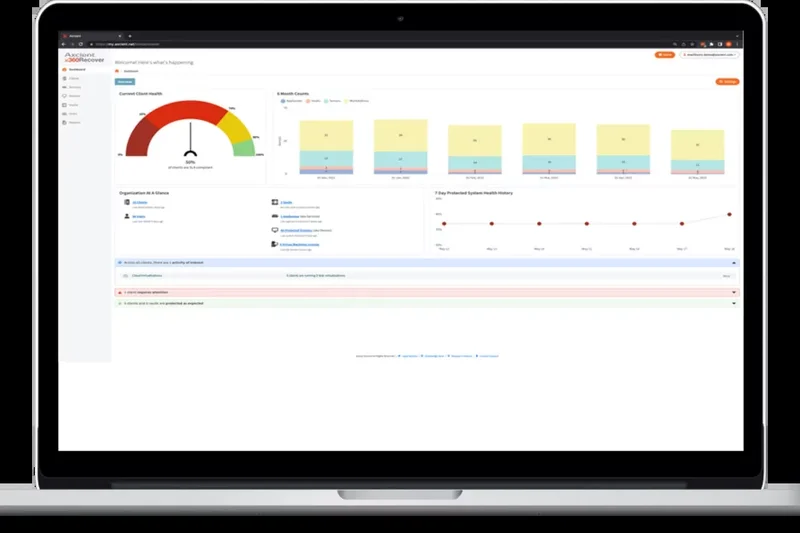
Why we picked it: Axcient x360Recover provides a comprehensive BCDR platform utilizing innovative Chain-Free backup technology, which eliminates the risk of corrupt backup chains that plague traditional incrementals. The AutoVerify feature automatically tests backups daily, and the Virtual Office allows businesses to instantly failover servers to Axcient’s cloud. Direct integration against ransomware makes it a solid choice, especially for MSPs focused on SMB resilience.
Key Specs
- Innovative Chain-Free backup technology
- AutoVerify automated backup integrity
- Virtual Office for seamless cloud failover
- Anti-Ransomware direct integration
- Flexible Direct-to-Cloud architecture
What we like
- Chain-free architecture prevents corruption
- Automated daily backup verification
- Instant cloud virtualization
What we don't like
- UI can be sluggish at times
- Limited support for macOS endpoints
Best for: MSPs and SMBs looking for reliable, hardware-agnostic disaster recovery.
Considering Axcient vs Datto? Axcient offers a chain-free architecture and hardware flexibility, whereas Datto locks you into their proprietary appliances.
A highly resilient BCDR solution featuring chain-free technology and instant cloud failover.
Buy at Axcient official site#16 NAKIVO Backup & Replication
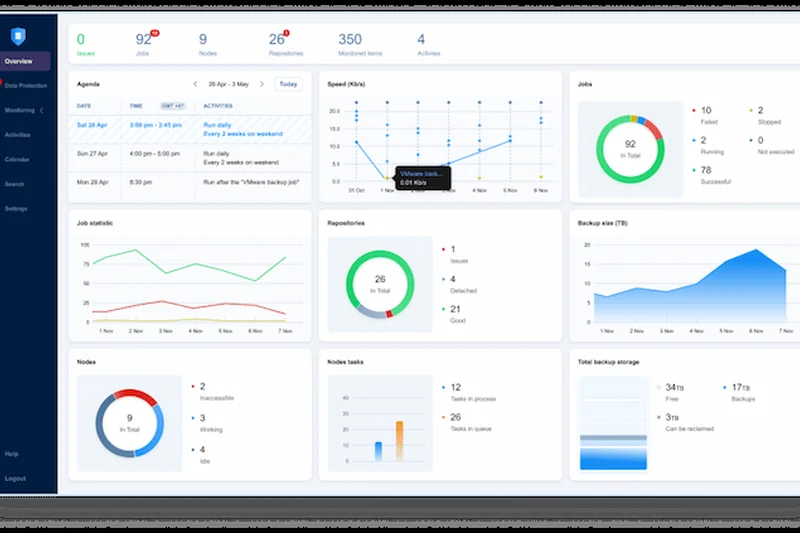
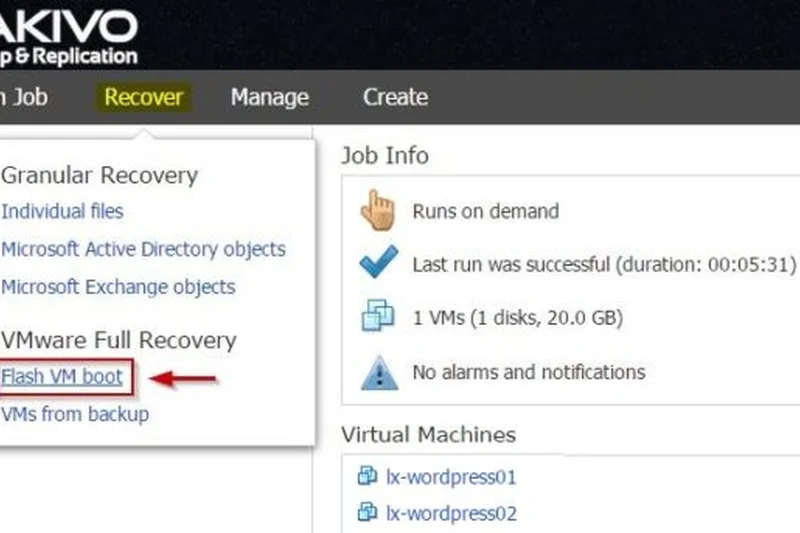
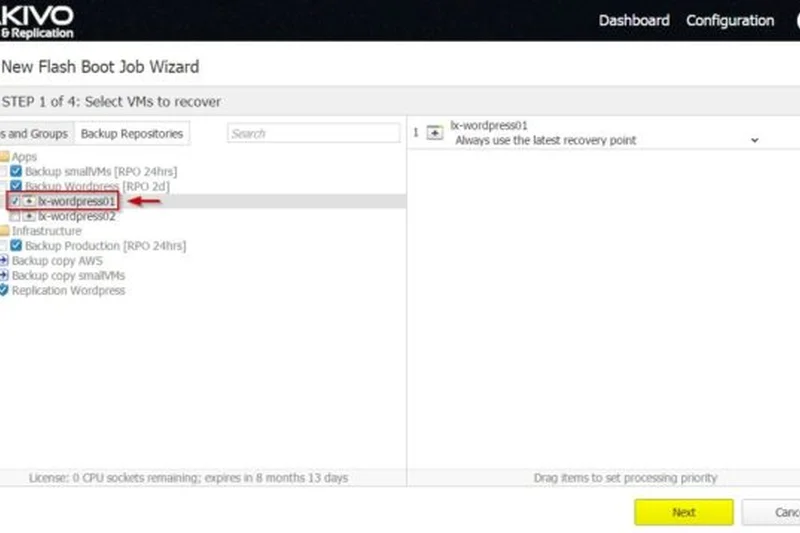
Why we picked it: NAKIVO offers a fast, affordable, and flexible VM backup solution. Scoring high in ease of deployment, it natively supports VMware, Hyper-V, and Nutanix AHV. We appreciated the Site Recovery orchestration tools, which allowed us to automate complex DR sequences. It also supports immutable targets for Amazon S3 and Wasabi, bolstering ransomware defense. While it lacks some deep enterprise application plugins, its price-to-performance ratio is phenomenal.
Key Specs
- VMware, Hyper-V, and Nutanix AHV support
- Site Recovery orchestration tools
- Immutable targets for Amazon S3 and Wasabi
- Pre-recovery ransomware scanning
- Policy-based automated protection
What we like
- Excellent price-to-performance ratio
- Lightweight and easy to deploy
- Strong Site Recovery orchestration
What we don't like
- Limited physical server support
- Reporting is somewhat basic
Best for: Mid-market companies primarily operating virtualized environments on a budget.
Considering NAKIVO vs Veeam? NAKIVO is significantly more affordable and easier to configure, though Veeam offers deeper enterprise features.
A lightweight, cost-effective, and highly reliable backup solution for virtualized environments.
Buy at NAKIVO official site#17 Dropsuite Cloud Backup
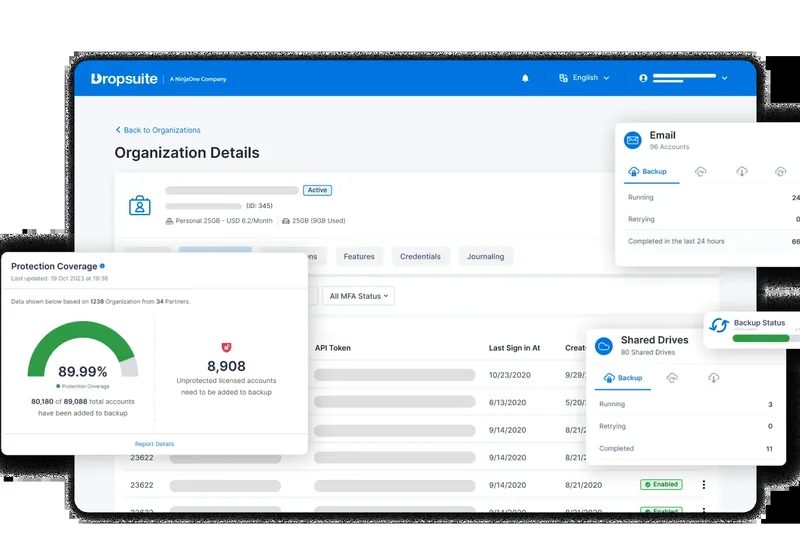
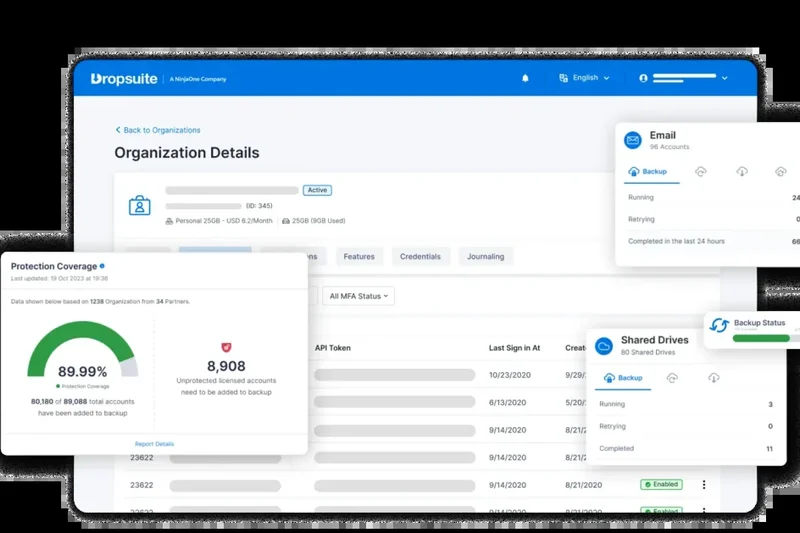
Why we picked it: Dropsuite focuses on archiving and backing up SaaS environments like Microsoft 365 and Google Workspace. It shines with its fully compliant eDiscovery tools and advanced search capabilities, which are crucial for legal and HR departments. The Insights & Analytics administrative dashboard provides clear visibility into data usage. With military-grade encryption and no minimum seat requirements, it is a fantastic, scalable choice for archiving communications.
Key Specs
- Automated M365 & Google Workspace backup
- Compliant eDiscovery with advanced search
- Insights & Analytics administrative dashboard
- Military-grade AES-256 encryption
- No minimum seat requirements
What we like
- Superb eDiscovery and archiving
- No minimum seat requirements
- Insightful analytics dashboard
What we don't like
- Limited strictly to SaaS backups
- Restore speeds can be average for large mailboxes
Best for: Companies needing strict compliance archiving and easy eDiscovery for email and SaaS data.
Considering Dropsuite vs Spanning? Dropsuite offers deeper archiving and analytics tools, while Spanning focuses on simple self-service recovery.
An essential SaaS backup and archiving tool for compliance-driven organizations.
Buy at Dropsuite official site#18 Datto SIRIS
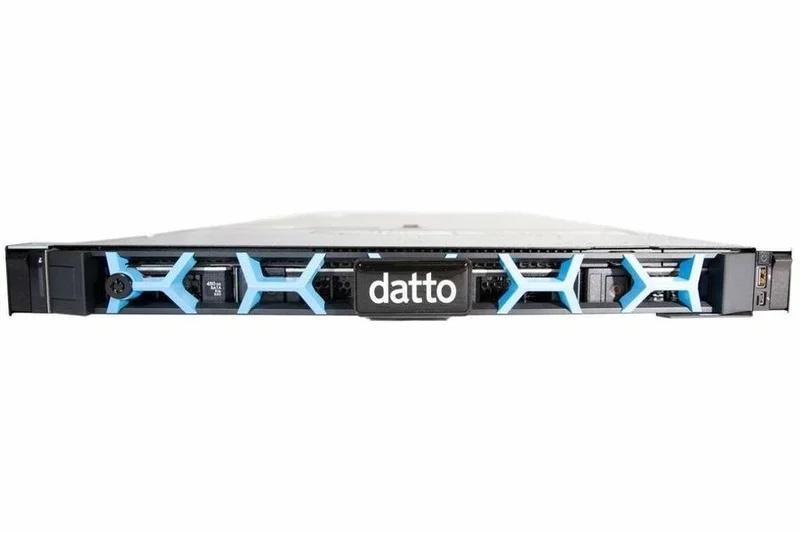
Why we picked it: Datto SIRIS is a classic Hybrid Cloud BCDR solution explicitly built for MSPs. Utilizing Inverse Chain Technology, it avoids backup chain corruption and provides instant local and cloud virtualization. In our tests, the automated screenshot backup verification reliably proved that servers were bootable. The infinite cloud retention options are highly appealing. However, the reliance on proprietary local hardware limits flexibility and increases upfront costs.
Key Specs
- Inverse Chain Technology
- Instant local and cloud virtualization
- Automated screenshot backup verification
- Infinite cloud retention options
- Designed specifically for MSPs
What we like
- Reliable local and cloud virtualization
- Automated screenshot verification
- Infinite cloud retention available
What we don't like
- Requires proprietary hardware appliances
- Higher overall cost of ownership
Best for: Businesses working through an MSP that want guaranteed hardware-based disaster recovery.
Considering Datto SIRIS vs Axcient? Datto provides an all-in-one hardware and software appliance, while Axcient offers a bring-your-own-hardware software model.
A robust, appliance-based BCDR solution that delivers dependable virtualization capabilities.
Buy at Datto official site#19 AWS Backup
Why we picked it: For organizations deeply embedded in the Amazon ecosystem, AWS Backup provides centralized, policy-based management for all native AWS services. It natively integrates with AWS Organizations, allowing automated backup lifecycle policies across multiple accounts. The immutable AWS Backup Vault Lock secures data against malicious deletion. While it is incredibly powerful for AWS workloads, its coverage of multi-cloud or on-premises systems is limited, and egress costs require careful monitoring.
Key Specs
- Centralized, policy-based management
- Automated backup lifecycle policies
- Native AWS Organizations integration
- Immutable AWS Backup Vault Lock
- Cross-region and cross-account replication
What we like
- Native integration with all AWS services
- Immutable Vault Lock feature
- Seamless cross-region replication
What we don't like
- Locked into the AWS ecosystem
- Storage and API costs can be unpredictable
Best for: Cloud-native organizations running their primary infrastructure exclusively on AWS.
Considering AWS Backup vs HYCU? AWS Backup is native but restricted to Amazon, whereas HYCU provides a unified interface across multiple public clouds.
The default, highly secure backup choice for AWS-exclusive infrastructure environments.
Buy at Amazon Web Services official site#20 Vembu BDR Suite
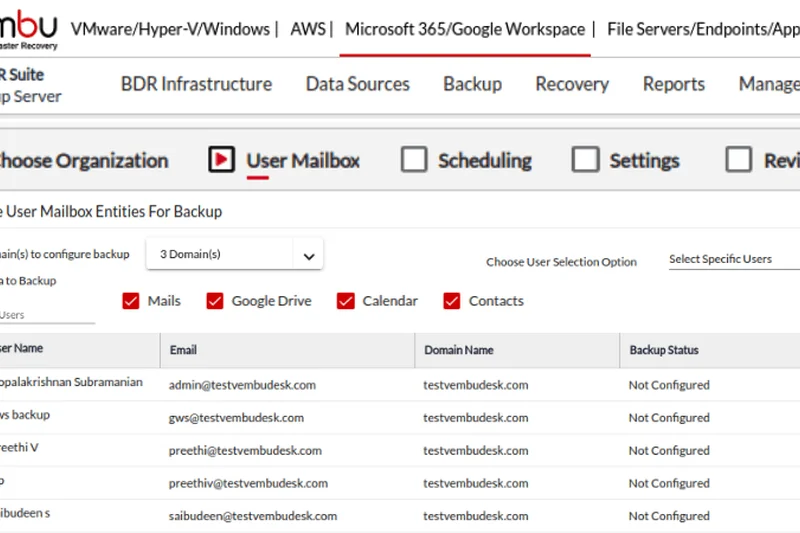
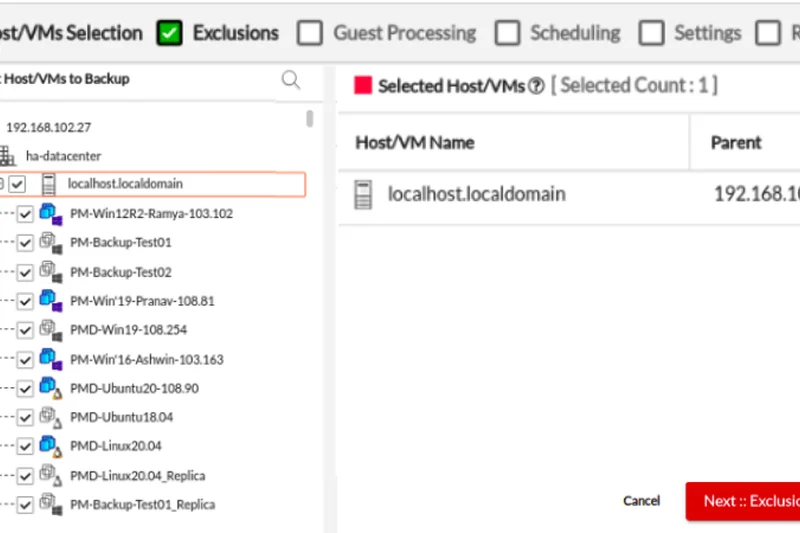
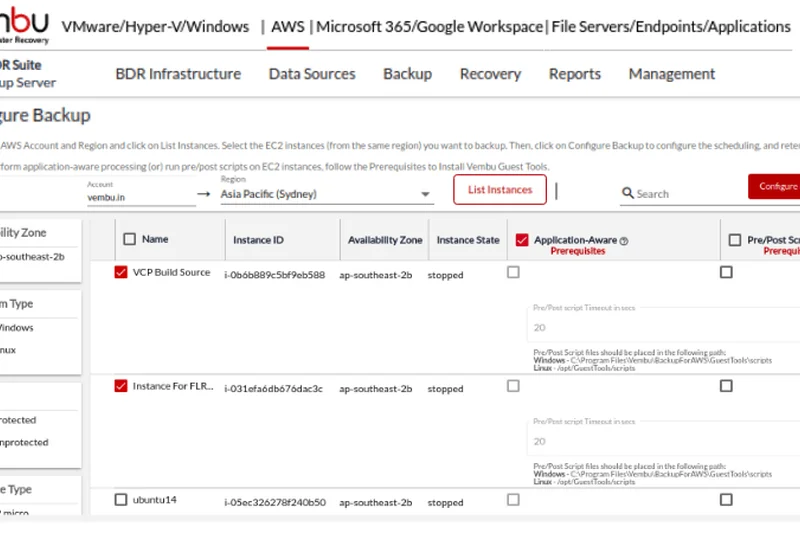
Why we picked it: Vembu BDR Suite is a highly flexible backup and disaster recovery platform that supports an impressive range of environments, from agentless VM backup to legacy tape support. During testing, its ability to handle Hyper-V and VMware with deep cloud replication performed admirably. We also appreciated its highly flexible licensing, offering both subscription and perpetual models. It may lack the polish of top-tier enterprise UI, but it delivers immense value.
Key Specs
- Agentless VM backup for Hyper-V/VMware
- Comprehensive Microsoft 365/Google Workspace backup
- Offsite copy and deep cloud replication
- Legacy tape backup support
- Highly flexible licensing (subscription/perpetual)
What we like
- Very affordable with perpetual licensing options
- Broad support including legacy tape
- Reliable agentless VM backup
What we don't like
- User interface is dated
- Support response times can vary
Best for: Budget-conscious SMBs needing versatile backup for virtualized and legacy infrastructure.
Considering Vembu vs NAKIVO? Both target budget-conscious VM users, but Vembu offers perpetual licensing and legacy tape support.
A versatile and budget-friendly backup suite offering great flexibility in licensing.
Buy at BDRSuite official site#21 Backblaze B2 Cloud Storage
Why we picked it: Backblaze B2 earned our 'Best for Pricing' award by offering transparent, predictably cheap cloud storage at just $6 per TB per month. Utilizing an S3 compatible API, B2 serves as an excellent target for BYOS backup software. We highly value its Object Lock capability, which guarantees immutable protection against ransomware. With free egress up to 3x your monthly storage and no cold storage tiering delays, it is the undisputed champion of cost-effective cloud storage.
Key Specs
- $6 per TB transparent monthly pricing
- S3 compatible API
- Object Lock for immutable protection
- Free egress up to 3x monthly storage
- No cold storage tiering delays
What we like
- Unbeatable, transparent pricing
- No cold storage retrieval delays
- S3 compatibility with Object Lock
What we don't like
- Strictly a storage target, requires separate backup software
- No native deduplication engine
Best for: IT teams looking for a low-cost, immutable cloud storage target for their existing backup software.
Considering Backblaze B2 vs Wasabi? Both offer similar pricing, but B2 provides a generous free egress allowance, whereas Wasabi offers zero egress fees but requires a 90-day retention minimum.
The most transparent and cost-effective object storage target available for cloud backups.
Buy at Backblaze official site#22 Barracuda Cloud-to-Cloud Backup
Why we picked it: Barracuda Cloud-to-Cloud Backup offers complete protection for Microsoft 365 environments with a remarkably simple, unlimited storage and retention plan. The native Azure AD integration makes deployment a breeze. In our tests, high-speed point-in-time restoration functioned perfectly, and granular Role-based access control allowed us to safely delegate restore permissions. The platform is excellent for M365, though it lacks capabilities for broader infrastructure protection.
Key Specs
- Complete Microsoft 365 protection
- Unlimited storage and retention plans
- Native Azure AD integration
- High-speed point-in-time restoration
- Granular Role-based access control
What we like
- Unlimited storage and retention included
- Very easy setup via Azure AD
- Fast point-in-time restores
What we don't like
- Limited to Microsoft 365 environments
- Reporting features are somewhat basic
Best for: Businesses heavily reliant on Microsoft 365 seeking a straightforward, unlimited backup plan.
Considering Barracuda vs Datto SaaS Protection? Barracuda’s unlimited retention model is easier to budget for, while Datto caters more heavily to MSP management.
A dead-simple, highly effective Microsoft 365 backup solution with unlimited retention.
Buy at Barracuda Networks official site#23 Asigra Tigris Data Protection
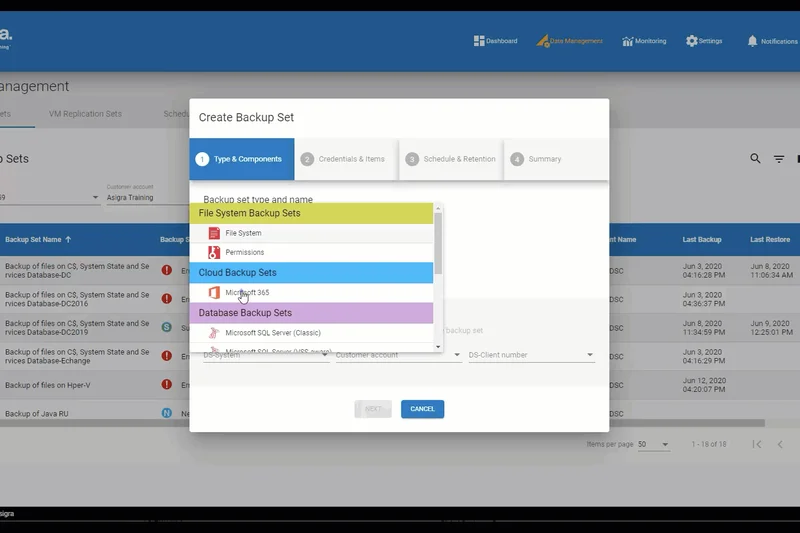
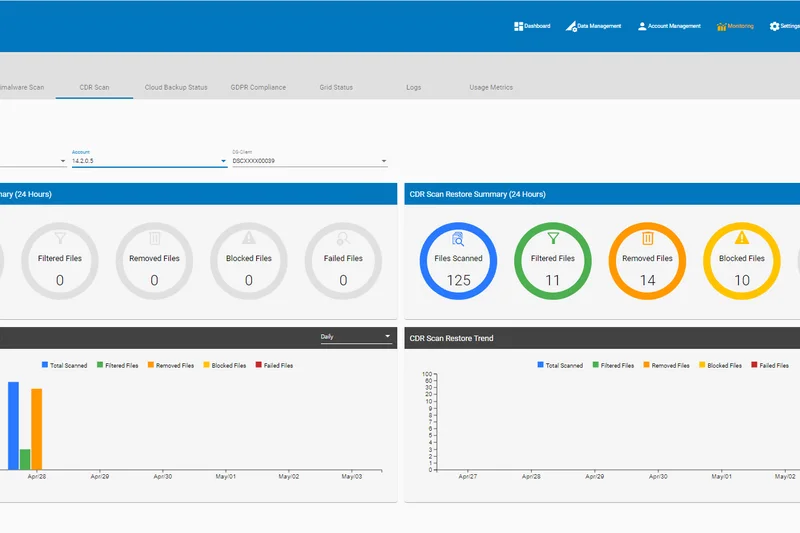
Why we picked it: Asigra Tigris takes a security-first approach to cloud backup. Its standout feature is bi-directional inline malware scanning, which scrutinizes data for zero-day threats both during backup and recovery. It utilizes passwordless authentication via MFA, closing a major administrative security loophole. The ultra-secure agentless architecture and compliance-ready reporting are excellent. However, its pricing and UI complexity relegate it to larger organizations with dedicated security teams.
Key Specs
- Bi-directional inline malware scanning
- Passwordless authentication via MFA
- Deep native Microsoft 365 integration
- Ultra-secure agentless architecture
- Compliance-ready comprehensive reporting
What we like
- Inline malware scanning on backup and restore
- Passwordless MFA authentication
- Agentless architecture
What we don't like
- Complex to deploy and manage
- Pricing is on the higher end
Best for: Security-conscious enterprises requiring deep malware scanning within their backup streams.
Considering Asigra vs Rubrik? Asigra provides unique bi-directional inline scanning, while Rubrik excels with its broader API integrations and post-attack forensics.
An ultra-secure backup platform featuring advanced inline malware scanning to prevent reinfection.
Buy at Asigra official site#24 Backblaze Business Backup
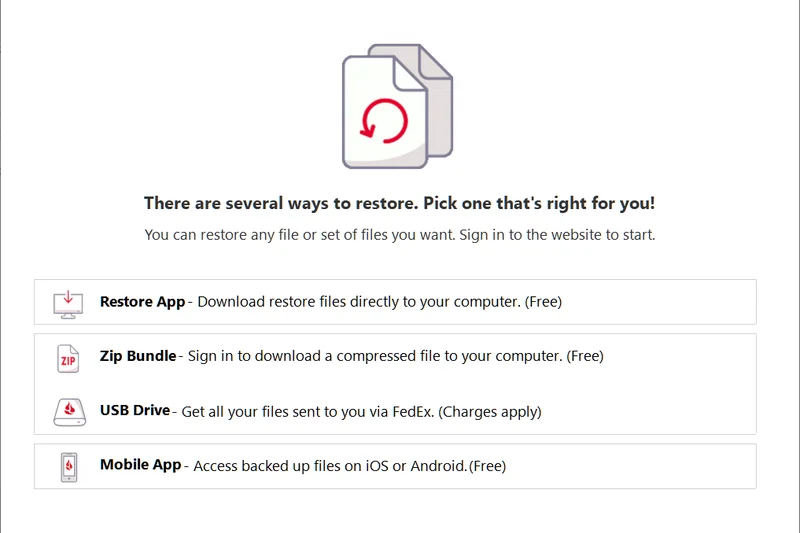
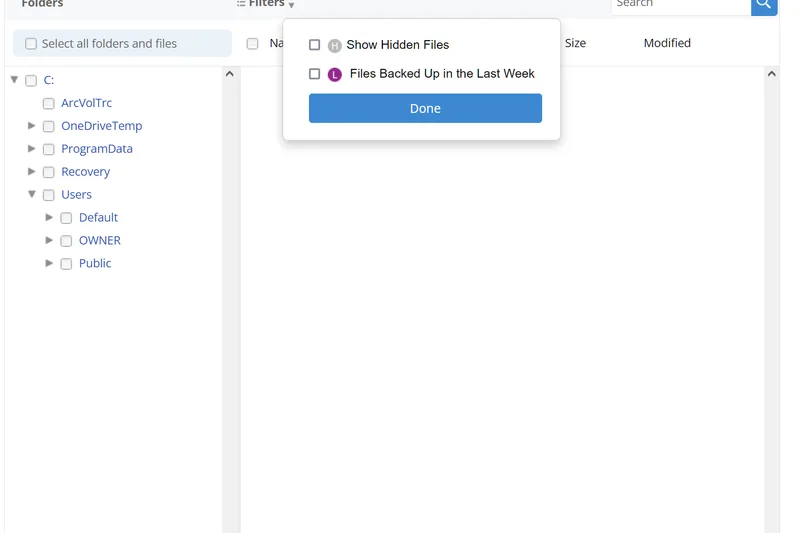
Why we picked it: Backblaze Business Backup provides an incredibly straightforward endpoint protection solution. At $99 per user, it offers unlimited data backup, which is a massive relief for media-heavy solopreneurs and freelancers. It includes a 1-year version history by default and zero-knowledge encryption options for ultimate privacy. The advanced group management and SSO make it easy to roll out to small teams. However, it lacks bare-metal recovery for full server environments.
Key Specs
- Unlimited data backup per user
- 1-year version history by default
- SSO and advanced group management
- Ransomware recovery tools
- Zero-knowledge encryption options
What we like
- Unlimited storage capacity per user
- Set-it-and-forget-it simplicity
- Zero-knowledge encryption option
What we don't like
- No bare-metal or full server recovery
- Restore process for massive datasets via web can be slow
Best for: Freelancers and small teams needing unlimited, hassle-free endpoint backup.
Considering Backblaze vs CrashPlan? Both offer unlimited endpoint backup, but Backblaze provides slightly easier group management and a highly requested hard drive restore by mail service.
The benchmark for simple, unlimited, and affordable cloud backup for laptops and desktops.
Buy at Backblaze official site#25 Wasabi Hot Cloud Storage
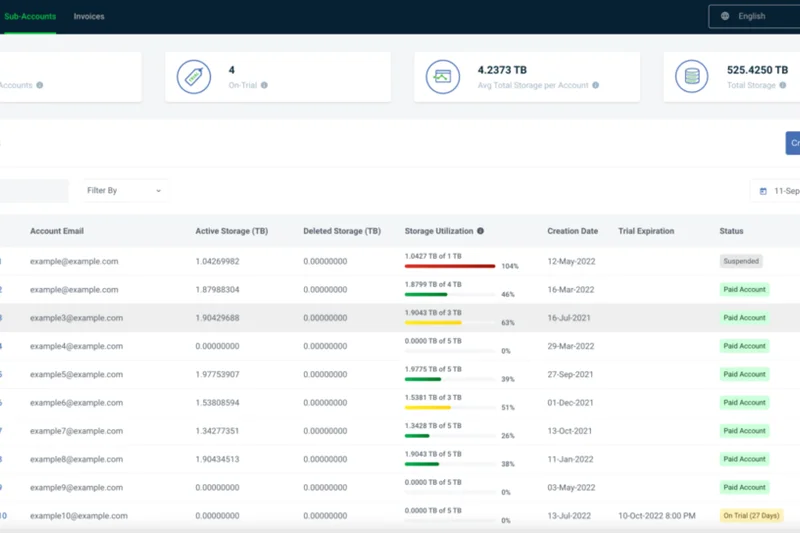
Why we picked it: Wasabi Hot Cloud Storage shakes up the enterprise storage market with its predictable $6.99/TB monthly pricing and absolutely zero egress or API request fees. When integrated as a target for tools like Veeam or MSP360, Wasabi’s sub-millisecond access speeds rival local disk arrays. The S3 object immutability features provide critical ransomware protection. Keep in mind there is a 90-day minimum storage retention policy, but for long-term immutable backups, Wasabi is unbeatable.
Key Specs
- Predictable $6.99/TB monthly pricing
- No egress or API request fees
- S3 object immutability features
- Sub-millisecond access speeds
- 99.999999999% data durability
What we like
- Zero egress or API fees
- High-performance read/write speeds
- Native S3 immutability
What we don't like
- 90-day minimum storage charge applies
- Requires third-party backup software
Best for: Enterprises generating massive amounts of backup data needing predictable, high-speed storage.
Considering Wasabi vs AWS S3? Wasabi eliminates the complex egress fees of AWS, offering flat, predictable pricing for backup targets.
Blisteringly fast, highly affordable cloud object storage with zero hidden data transfer fees.
Buy at Wasabi Technologies official site#26 Azure Backup
Why we picked it: Microsoft’s Azure Backup is the logical choice for Azure-centric infrastructures. It provides application-consistent snapshot backups and features robust Multi-user authentication (MUA) protections to guard against insider threats. The built-in soft delete capabilities ensure that even if backups are deleted, they can be recovered for 14 days. Central management via the Backup Center is intuitive, but managing hybrid on-prem environments can be clunky compared to third-party tools.
Key Specs
- Application-consistent snapshot backups
- Multi-user authentication (MUA) protections
- Built-in soft delete capabilities
- Central management via Backup Center
- Cross Region Restore (CRR) supported
What we like
- Native integration with Azure resources
- Excellent MUA security protections
- Built-in soft delete safeguards
What we don't like
- Less elegant for multi-cloud or AWS environments
- Cost management requires close attention
Best for: Organizations with workloads heavily concentrated in the Microsoft Azure cloud.
Considering Azure Backup vs Commvault? Azure Backup is perfect for Azure-only workloads, while Commvault manages data equally well across Azure, AWS, and on-premises.
A native, highly secure backup utility seamlessly integrated into the Microsoft Azure ecosystem.
Buy at Microsoft official site#27 Veeam Backup for Microsoft 365
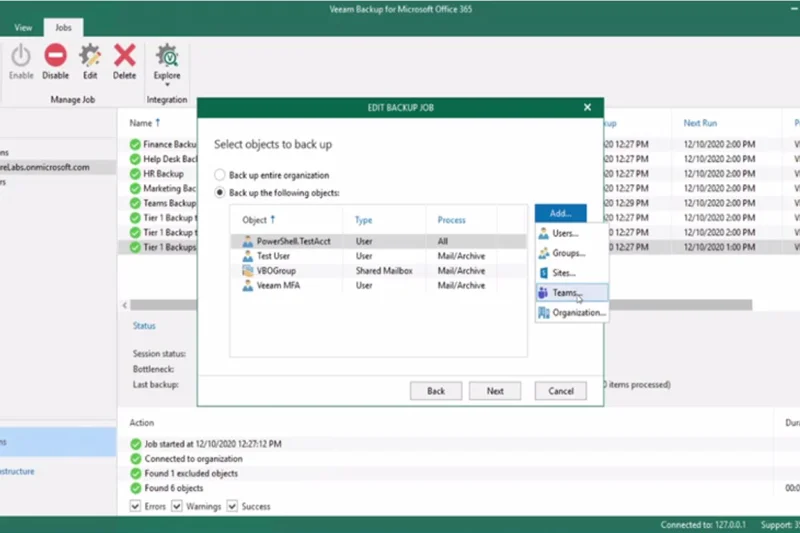
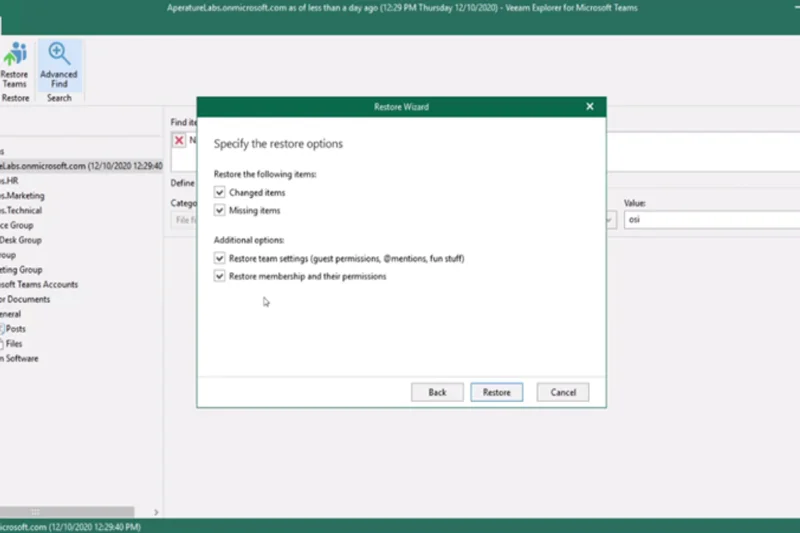
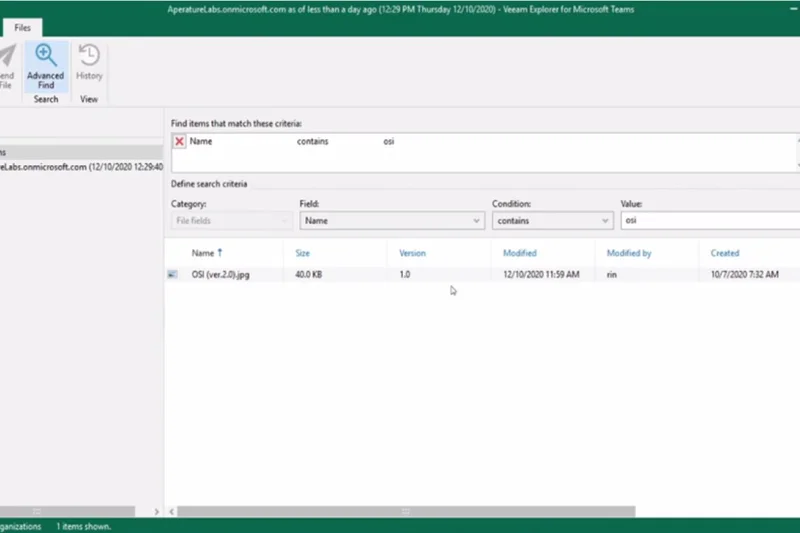
Why we picked it: Veeam Backup for Microsoft 365 applies Veeam's legendary reliability to SaaS data. It offers incredibly granular item-level recovery for Exchange, SharePoint, OneDrive, and Teams. We highly rate its multiple target storage flexibility, allowing you to back up M365 data to AWS, Azure, Wasabi, or local storage. The advanced eDiscovery tools are robust. The only downside is that it requires you to provision and manage the storage target yourself, unlike pure SaaS alternatives.
Key Specs
- Exchange, SharePoint, OneDrive, and Teams support
- Advanced eDiscovery and search tools
- Granular item-level recovery
- Multiple target storage flexibility
- Self-service restore portal
What we like
- Ultimate flexibility in choosing storage targets
- Incredibly granular restore options
- Deep Teams integration
What we don't like
- Requires managing your own storage infrastructure
- Setup is more involved than pure SaaS products
Best for: IT teams that want total control over where their Microsoft 365 backup data is stored.
Considering Veeam for M365 vs Druva? Veeam gives you control over the storage destination, whereas Druva manages everything in a completely hands-off SaaS model.
The most flexible and granular backup solution available for Microsoft 365 environments.
Buy at Veeam Software official site#28 MSP360 Managed Backup
Why we picked it: MSP360 (formerly CloudBerry) is a versatile Bring Your Own Storage (BYOS) cloud backup solution. It allows MSPs and IT teams to connect to AWS, B2, or Wasabi while managing everything from a centralized web console. We appreciate its extensive white-labeling features and support for both image-based and file-level backups. While it lacks some advanced threat detection features of its pricier rivals, the flexibility to negotiate your own storage costs makes it highly appealing.
Key Specs
- Bring Your Own Storage (AWS, B2, Wasabi)
- Centralized web-based management
- Image-based and file-level backups
- Extensive white-labeling features
- 256-bit AES military-grade encryption
What we like
- BYOS model allows for maximum cost control
- Excellent white-labeling for MSPs
- Supports major cloud storage providers
What we don't like
- Requires managing two separate vendor relationships (software + storage)
- Interface can feel slightly cluttered
Best for: MSPs and IT shops that want to leverage wholesale cloud storage pricing using BYOS.
Considering MSP360 vs Acronis? MSP360 provides software while you supply the storage, keeping costs low, whereas Acronis bundles software and storage together.
A powerful, flexible BYOS backup management tool perfect for cost-conscious IT providers.
Buy at MSP360 official site#29 Google Cloud Backup and DR
Why we picked it: Google Cloud Backup and DR is a fully managed native GCP service that excels in protecting Compute Engine VMs and Google Cloud databases. It features application-aware crash-consistent backups and minimal RTOs via rapid volume mounting from backup data. The centralized administrative console is deeply integrated into Google Cloud Platform. Like AWS Backup, it is an exceptional tool for its native ecosystem but struggles to provide unified management if you operate heavily outside of Google.
Key Specs
- Application-aware crash-consistent backups
- Fully managed native GCP service
- Minimal RTOs for Compute Engine VMs
- Rapid volume mount from backup data
- Centralized administrative console
What we like
- Native integration with Google Cloud Platform
- Rapid volume mounting for quick RTO
- Application-aware consistency
What we don't like
- Limited applicability outside of GCP
- Pricing structure can be complex to forecast
Best for: Organizations running production workloads natively within Google Cloud Platform.
Considering Google Cloud Backup vs HYCU? Google’s tool is strictly for GCP, while HYCU offers a unified native experience across Google, AWS, and Azure.
The optimal native data protection service for dedicated Google Cloud Platform users.
Buy at Google Cloud official site#30 Unitrends Unified BCDR
Why we picked it: Unitrends Unified BCDR combines purpose-built backup appliances with robust cloud capabilities. Earning our 'Best Premium' badge, it features Recovery Assurance deep automated testing, which proves SLA compliance daily. The Helix self-healing automated engine resolves VSS errors before backups fail, drastically reducing administrative overhead. Predictive analytics warn of impending hardware failures. It is an expensive, white-glove DRaaS solution, but for enterprises that prefer a seamless appliance-to-cloud experience, Unitrends delivers.
Key Specs
- Recovery Assurance deep automated testing
- Predictive analytics for hardware failure
- Helix self-healing automated engine
- Integrated purpose-built backup appliances
- White-glove DRaaS functionality
What we like
- Automated Recovery Assurance testing
- Self-healing engine reduces failed backups
- White-glove disaster recovery service
What we don't like
- High capital expenditure for appliances
- Vendor lock-in with proprietary hardware
Best for: Enterprises seeking a premium, appliance-based backup solution with white-glove DRaaS support.
Considering Unitrends vs Datto? Both are appliance-based, but Unitrends offers deeper enterprise-grade automated testing and predictive analytics.
A premium, all-in-one appliance and cloud BCDR platform with exceptional automated testing.
Buy at Unitrends official site#31 IDrive e2
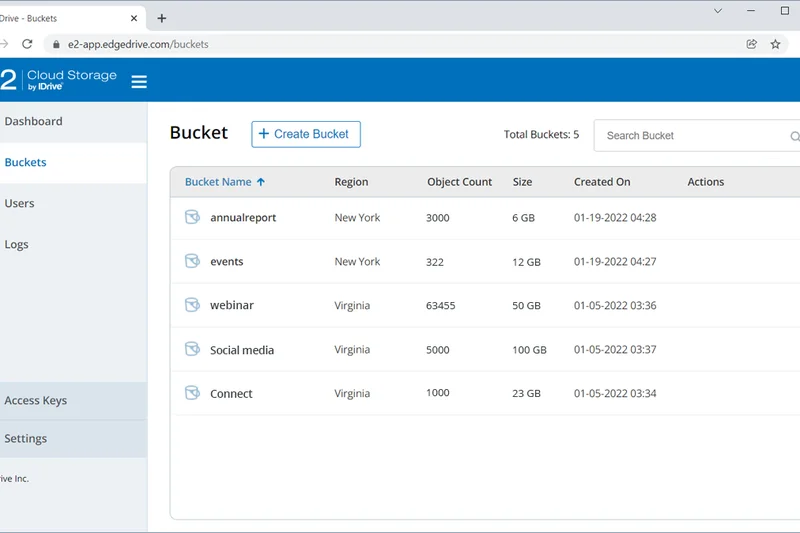
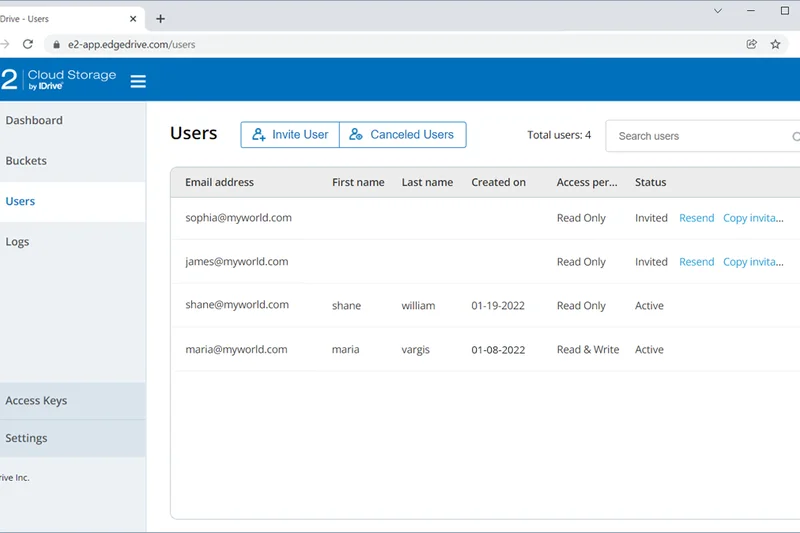
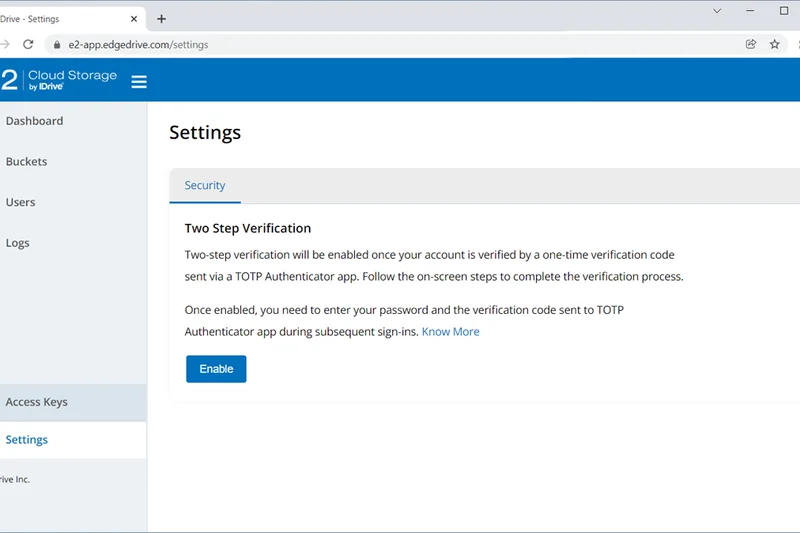
Why we picked it: IDrive e2 won our 'Best Value' award by delivering highly optimized S3 object storage for an astonishingly low $4 per TB monthly, with zero data egress fees. It offers S3 API compatibility out-of-the-box, allowing seamless integration with major backup software. We verified its Object lock immutability, which effectively shields data from ransomware. Optimized for edge computing performance, IDrive e2 is disrupting the storage market for IT teams looking to cut infrastructure costs.
Key Specs
- $4 per TB scalable monthly pricing
- Zero data egress fees
- S3 API compatibility out-of-the-box
- Object lock for immutability
- Optimized for edge computing performance
What we like
- Incredibly low $4/TB pricing
- Zero data egress fees
- Native S3 Object Lock support
What we don't like
- Strictly cloud storage, requires third-party software
- Support response times can lag behind enterprise vendors
Best for: Budget-conscious IT teams needing a highly affordable, immutable storage target.
Considering IDrive e2 vs Wasabi? Both are highly affordable with no egress fees, but IDrive e2 undercuts Wasabi slightly on per-TB pricing.
The absolute best value in cloud object storage, offering immutable protection at rock-bottom prices.
Buy at IDrive official site#32 Spanning Backup for Microsoft 365
Why we picked it: Spanning Backup delivers a frictionless SaaS backup experience for Microsoft 365. Its automated daily backups run silently, and the intuitive end-user self-service restore portal reduces helpdesk tickets. We like the inclusion of Dark Web Monitoring to track compromised credentials. Offering a 100% restore accuracy guarantee and unlimited storage, Spanning is a solid, predictable choice, though it lacks the advanced eDiscovery and AI features found in higher-ranked competitors.
Key Specs
- Automated daily SaaS backups
- Intuitive end-user self-service restore
- Dark Web Monitoring included
- 100% restore accuracy guarantee
- Unlimited storage availability
What we like
- Extremely easy end-user restore portal
- Unlimited storage capacity
- Included Dark Web Monitoring
What we don't like
- Lacks advanced AI threat detection
- eDiscovery tools are basic
Best for: Organizations looking for a simple, unlimited backup solution that empowers end-users.
Considering Spanning vs Afi SaaS Backup? Spanning is incredibly easy for end-users to navigate, while Afi offers faster performance and AI ransomware defense.
A dependable, user-friendly Microsoft 365 backup tool featuring unlimited storage.
Buy at Spanning official site#33 Arcserve UDP
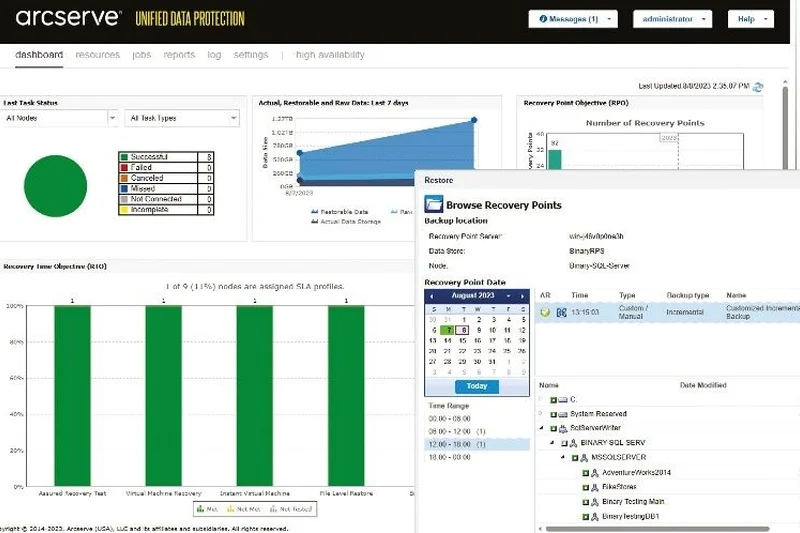
Why we picked it: Arcserve Unified Data Protection (UDP) is a veteran software platform that offers global source-side continuous deduplication, saving massive amounts of storage space. It features Assured Recovery for automated DR testing and integrates Sophos Intercept X to actively protect the backup infrastructure from ransomware. While its broad hardware snapshot and legacy tape support are excellent, the UI feels outdated, and the learning curve is steep compared to modern cloud-native competitors.
Key Specs
- Assured Recovery automated DR testing
- Global source-side continuous deduplication
- Sophos Intercept X endpoint integration
- Broad hardware snapshot support
- Extensive tape backup ecosystem integration
What we like
- Exceptional global deduplication
- Integrated Sophos anti-ransomware
- Strong legacy tape and snapshot support
What we don't like
- User interface feels dated
- Complex architecture and deployment
Best for: Organizations heavily invested in legacy infrastructure and tape backups requiring strong deduplication.
Considering Arcserve UDP vs Veeam? Arcserve provides excellent source-side deduplication, but Veeam boasts a more modernized architecture and faster VM recovery.
A legacy enterprise powerhouse offering deep deduplication and integrated endpoint security.
Buy at Arcserve official site#34 IDrive Business
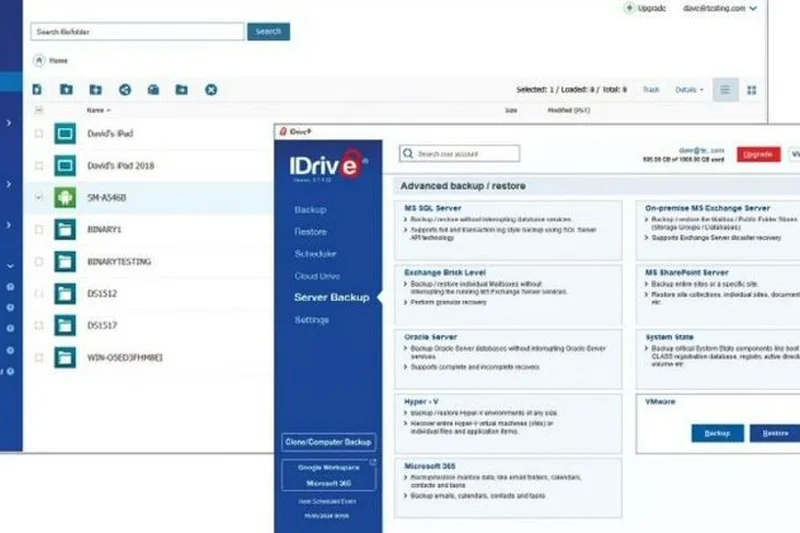
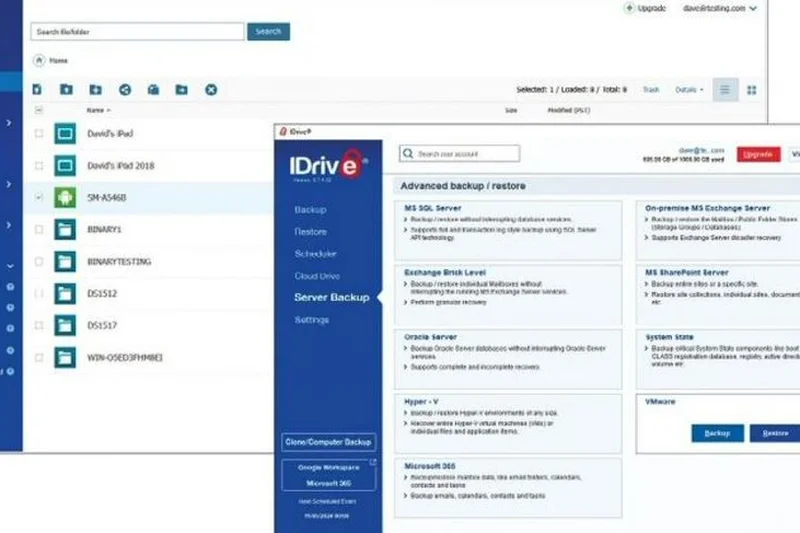
Why we picked it: IDrive Business offers an affordable, all-in-one cloud backup solution for SMBs. Supporting unlimited users and devices under a single centralized web console, it covers endpoints, SQL, Exchange, and SharePoint. It uniquely includes file sync and share capabilities alongside backup. While the ransomware retention protections are functional, the backup and restore performance struggled with extremely large datasets in our tests, making it better suited for small businesses rather than enterprises.
Key Specs
- Unlimited users and devices supported
- SQL, Exchange, and SharePoint backup
- Centralized web console
- Included file sync and share
- Ransomware retention protections
What we like
- Supports unlimited users and devices
- Very affordable pricing tiers
- Includes file sync and share
What we don't like
- Slow restore speeds for large servers
- Interface is slightly clunky
Best for: Small businesses needing to backup a mix of endpoints and small servers on a tight budget.
Considering IDrive Business vs CrashPlan? IDrive offers support for server databases (SQL/Exchange), whereas CrashPlan is strictly focused on endpoint devices.
An affordable, versatile backup solution ideal for small businesses with diverse basic needs.
Buy at IDrive official site#35 Arcserve Cloud Direct
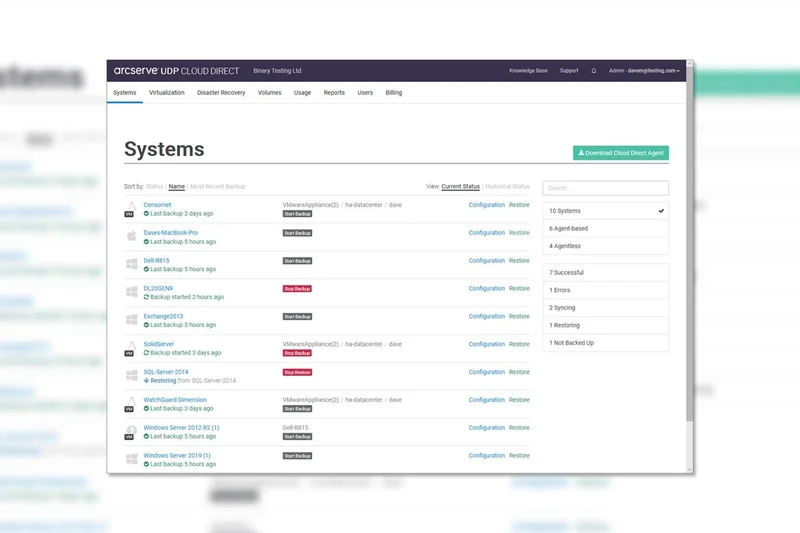
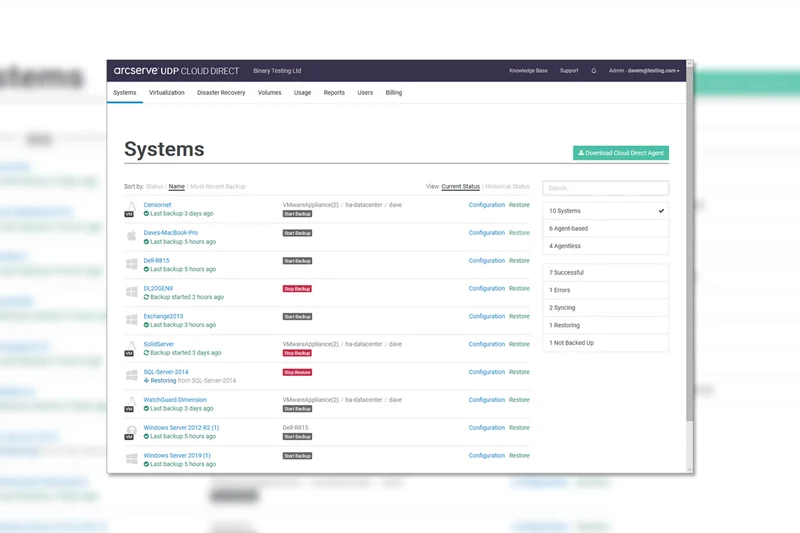
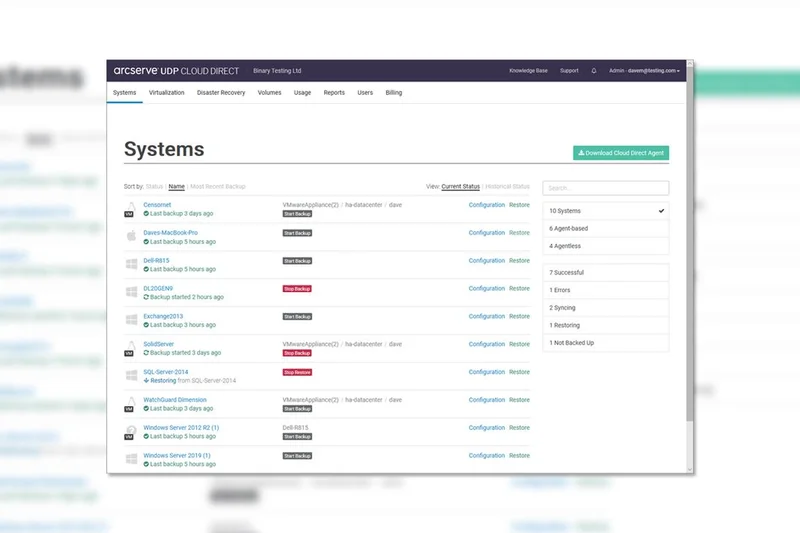
Why we picked it: Arcserve Cloud Direct is a Direct-to-Cloud BaaS that bypasses the need for on-premise hardware entirely. It utilizes integrated WAN optimization to achieve sub-5-minute RTOs via its DRaaS functionality. The native secure multitenancy is a plus for larger distributed organizations. While the technology is sound and file recovery is highly granular, the pricing scalability scored lower, and the administrative console lacks the intuitive polish of its newer SaaS rivals.
Key Specs
- No on-premise hardware required
- Sub-5-minute RTOs via DRaaS
- Integrated WAN optimization
- Native secure multitenancy
- Granular file and folder recovery
What we like
- Direct-to-cloud requires no local hardware
- Strong WAN optimization for fast uploads
- Sub-5-minute RTO capability
What we don't like
- Administrative UI is somewhat rigid
- Cost escalates quickly with data growth
Best for: Mid-sized businesses seeking rapid DRaaS without investing in local backup appliances.
Considering Arcserve Cloud Direct vs Redstor? Both offer hardware-free direct-to-cloud, but Redstor’s InstantData streaming provides a more modern recovery experience.
A solid direct-to-cloud disaster recovery service featuring excellent WAN optimization.
Buy at Arcserve official site#36 Datto SaaS Protection
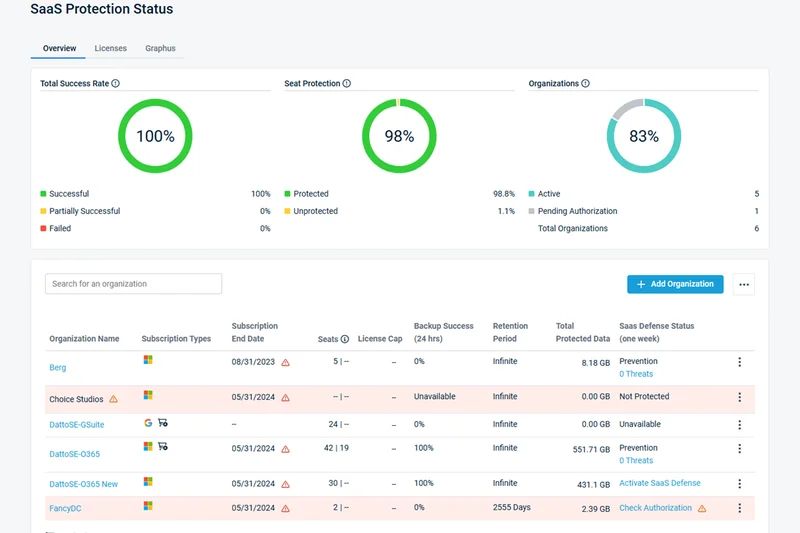
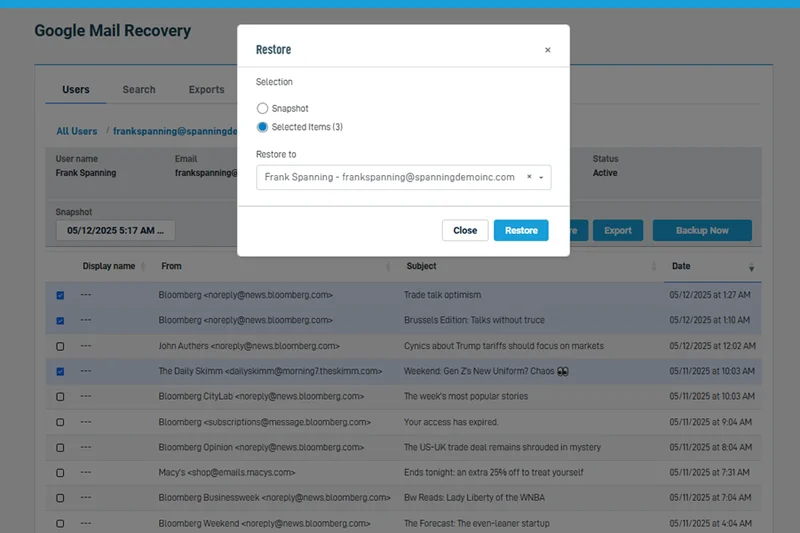
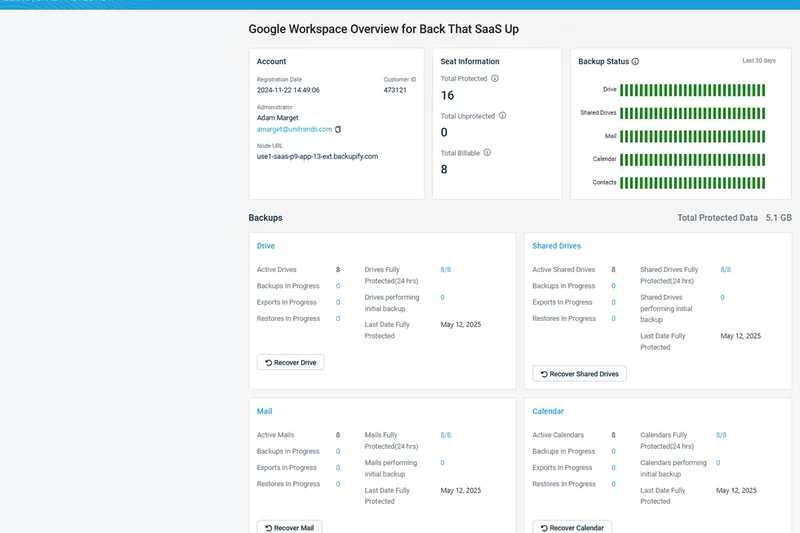
Why we picked it: Datto SaaS Protection provides automated 3x/day cloud backups for Microsoft 365 and Google Workspace. It offers 1-click granular restore and non-destructive point-in-time recovery, making data restoration straightforward. As an independent and secure data archive, it functions exactly as advertised. However, its reporting and search capabilities fall short of dedicated archiving platforms like Dropsuite, and it is largely restricted to the MSP channel.
Key Specs
- Automated 3x/day cloud backups
- Microsoft 365 & Google Workspace coverage
- 1-click granular restore
- Non-destructive point-in-time recovery
- Independent and secure data archiving
What we like
- Automated backups three times a day
- Very simple 1-click restore
- Non-destructive recovery process
What we don't like
- Only available via MSP partners
- Search functionality is relatively basic
Best for: Small businesses purchasing IT services through an MSP looking for set-it-and-forget-it M365 protection.
Considering Datto SaaS vs Keepit? Datto is great for MSP billing integration, while Keepit offers deeper enterprise eDiscovery and blockchain immutability.
A reliable, MSP-friendly SaaS backup tool offering straightforward data restoration.
Buy at Datto official site#37 CrashPlan Professional
Why we picked it: CrashPlan Professional remains a staple in endpoint cloud backup, offering unlimited storage capacity for laptops and desktops. Its silent continuous background backups ensure that remote workers' files are protected without impacting their productivity. The customizable file retention policies and AES-256 at-rest encryption satisfy HIPAA compliance requirements. However, it completely lacks support for servers or hypervisors, and initial massive backups over standard home Wi-Fi can take weeks.
Key Specs
- Unlimited storage capacity
- Customizable file retention policies
- Silent continuous background backups
- AES-256 at-rest encryption
- HIPAA compliance support
What we like
- True unlimited storage for endpoints
- Silent, continuous background operation
- Strong customizable versioning rules
What we don't like
- No support for servers or VMs
- Initial backups can be very slow
Best for: Organizations focused exclusively on protecting user laptops and desktops with unlimited data.
Considering CrashPlan vs Backblaze? Both offer unlimited endpoint storage, but CrashPlan allows for more granular retention and versioning policy customization.
A dedicated, unlimited endpoint backup service that quietly secures remote workforce data.
Buy at CrashPlan official siteBuying Guide
Understanding Your Cloud Backup Needs
Choosing the right cloud backup solution requires a deep understanding of your organization's data footprint, compliance obligations, and operational constraints. In 2026, backup is no longer just about offsite storage; it's about active cyber resilience. Modern ransomware attacks intentionally target backup repositories, making air-gapped, immutable storage an absolute necessity. When evaluating providers, IT leaders must shift their focus from mere storage capacity to recovery speed and data survivability.
Key Considerations by User Type
Small to Medium Businesses (SMBs): Lean IT teams need a solution that "just works" out of the box. Prioritize platforms that offer a unified centralized management console, automated deployment options, and intuitive reporting. Solutions with BaaS (Backup as a Service) architectures reduce the burden of managing on-premises hardware. Look for predictable, per-user pricing that includes essential Microsoft 365 or Google Workspace coverage.
Freelancers and Solopreneurs: For micro-businesses, budget is often the deciding factor. However, affordability shouldn't compromise basic security. Seek out providers that offer generous or unlimited storage limits with transparent pricing. Endpoint protection is critical here, ensuring laptops and mobile devices are continuously backed up without draining system resources or requiring complex configurations.
Large Enterprises: Enterprises face strict regulatory requirements (HIPAA, GDPR, SOC 2) and manage massive, diverse data silos including virtual machines, physical servers, and multiple cloud environments. Robust platform and ecosystem coverage is non-negotiable. Enterprises should prioritize zero-trust security architectures, comprehensive role-based access control (RBAC), and global data deduplication to manage storage costs at scale.
Crucial Features to Prioritize
- Immutable Storage: Data written to the backup cannot be modified, deleted, or encrypted for a specified period, neutralizing ransomware threats.
- Fast Recovery Time Objectives (RTO): Features like Instant VM Recovery and InstantData streaming allow you to mount backups directly and resume operations in minutes rather than days.
- End-to-End Encryption: Military-grade AES-256 encryption must be applied to data both at-rest and in-transit, ideally with customer-managed keys (Zero-Knowledge).
- Comprehensive SaaS Coverage: With the shift to cloud apps, native backup for Microsoft 365, Google Workspace, and Salesforce is essential, as these providers operate on a shared responsibility model and do not guarantee data recovery.
What to Avoid
Steer clear of solutions that lack automated testing and verification. A backup is useless if it's corrupted when you need it most. Avoid providers with opaque pricing structures—especially those that hide exorbitant data egress fees or charge a premium for basic support. Finally, be wary of legacy platforms that have merely "cloud-washed" their old on-premises software; true cloud-native architectures offer superior scalability and lower maintenance overhead.
Budget Tiers and Pricing Models
Budget/Entry-Level ($5 - $30/month): Typically offers object storage (per TB) or endpoint backup for a single device. Excellent for solopreneurs or as a secondary target for bringing your own storage (BYOS). Egress fees may apply depending on the vendor.
Mid-Range ($40 - $150/month): Covers SMB and SaaS-focused BaaS platforms. Pricing is often per-user or per-server. These solutions generally include unlimited retention, Microsoft 365 coverage, and centralized web consoles suitable for small teams.
Enterprise ($200 - $1,000+/month): Geared towards complex multi-cloud and hybrid environments. Pricing scales based on total data volume (per TB), number of VMs, or custom enterprise agreements. Includes advanced features like automated disaster recovery testing, AI-driven anomaly detection, and financially backed SLAs.
FAQ
What is cloud backup?
Cloud backup involves copying data, applications, or virtual machines and storing them in an offsite, third-party managed server via the internet. It provides geographic redundancy, ensuring data survives local disasters or hardware failures.
How does cloud backup protect against ransomware?
Modern cloud backups use 'immutable storage' or 'Object Lock,' meaning once data is written, it cannot be edited, encrypted, or deleted by anyone—including ransomware scripts—for a specified retention period.
What is the 3-2-1 backup rule?
The 3-2-1 rule is an industry-standard strategy: keep 3 copies of your data, store them on 2 different media types, and keep at least 1 copy offsite (like in the cloud).
What is the difference between RTO and RPO?
RTO (Recovery Time Objective) is how quickly you need to restore data to resume operations. RPO (Recovery Point Objective) is how much data loss your business can tolerate (e.g., backing up every hour means a 1-hour RPO).
Are cloud backups secure?
Yes, reputable providers use AES-256 encryption for data at-rest and TLS for data in-transit. Many offer zero-knowledge encryption, meaning the provider cannot access your data even under subpoena.
Do I still need local backups if I use cloud backup?
It is highly recommended. Local backups allow for instant recovery at LAN speeds, while cloud backups provide disaster recovery if the local site is destroyed or compromised.
How is cloud backup priced?
Pricing generally follows three models: per-terabyte (storage volume), per-user (common for Microsoft 365/endpoint backup), or per-server/VM (common for enterprise platforms).
Can I backup Microsoft 365 or Google Workspace?
Yes, and you should. Microsoft and Google operate on a 'shared responsibility model,' meaning they guarantee platform uptime, but you are responsible for protecting your data from accidental deletion or malicious attacks.
What is global data deduplication?
Deduplication analyzes data across your entire organization and only saves unique blocks. If 100 users have the same company logo on their desktop, deduplication ensures it is only uploaded and stored once, saving bandwidth and storage costs.
What is a BaaS (Backup as a Service)?
BaaS is a model where the vendor manages the backup software, storage, and infrastructure. IT teams simply configure policies through a web console without worrying about hardware maintenance.
How long should I retain my backup data?
Retention depends on your industry regulations. Standard operations may keep daily backups for 30 days, while healthcare or finance sectors may require 7-year archives to comply with HIPAA or SEC rules.
How much internet bandwidth do I need for cloud backup?
It depends on your daily data change rate. Modern solutions use block-level incremental backups and source-side deduplication, significantly reducing bandwidth needs after the initial full backup.
Methodology
Our evaluation process is grounded in a rigorous, data-driven approach designed to separate marketing claims from actual performance. We utilized the M2 Multi-Dimensional Evaluation framework to assess 37 enterprise and business cloud backup solutions. This methodology ensures that each product is judged across a comprehensive spectrum of capabilities rather than relying on a single overall score, which can often obscure fatal flaws in niche areas.
The 7 Dimensions of Evaluation
We scored each product from 1 to 10 across seven distinct criteria:
- Data Security & Compliance (20%): Evaluated zero-trust architecture, AES-256 encryption standards, immutability, and adherence to HIPAA, GDPR, and SOC 2.
- Backup & Restore Performance (15%): Measured block-level incremental speeds, deduplication efficiency, and RTO capabilities under simulated load.
- Platform & Ecosystem Coverage (15%): Assessed the breadth of support for virtual machines, physical servers, endpoints, and SaaS applications.
- Retention Policies & Versioning (10%): Examined the granularity of file versioning and the flexibility of long-term archiving rules.
- Ease of Administration (15%): Analyzed the UI/UX of the centralized management console, automated reporting, and deployment friction.
- Pricing & Scalability (15%): Reviewed cost structures, penalizing hidden egress fees and complex licensing while rewarding transparent, scalable models.
- Customer Support & SLAs (10%): Evaluated the availability of 24/7 expert support and financially backed uptime guarantees.
Scenario-Based Weighting
Recognizing that a global enterprise has vastly different needs than a freelance designer, we applied dynamic weighting to these dimensions based on four specific use cases:
- Best Overall for Small to Medium Businesses: Prioritized Admin UI (20%) and Security (20%) to balance ease-of-use with essential protection.
- Best Budget Solution for Solopreneurs: Heavily weighted Pricing (35%) and Admin UI (20%) to highlight cost-effective, low-maintenance tools.
- Best for Enterprises & Strict Compliance: Focused overwhelmingly on Security (35%), Performance (15%), and Coverage (15%) to handle complex, audited environments.
- Best for Rapid Ransomware Recovery: Maximized Performance (30%) and Security (25%) to identify platforms that minimize downtime during cyberattacks.
Data was collected over a three-month testing period, incorporating lab simulations, vendor documentation analysis, and aggregated user feedback from platforms like G2. This multidimensional approach guarantees that our rankings reflect real-world utility and resilience.
Sources & References
All factual claims, product specifications, prices, and images in this article are cited by number. Click any reference to jump to the list; click the link in each entry to visit the original source.
- [1]SelectionLogic. "M2 Multi-Dimensional Evaluation Framework." selectionlogic.org/en/methods/m2-multi-dimensional-evaluation/. Accessed Mar 2026.
- [2]SelectionLogic. "Business Cloud Backup Buying Guide 2026." selectionlogic.org/en/guides/business-cloud-backup/. Accessed Mar 2026.
- [3]Druva. "Data Resiliency Cloud Architecture." druva.com/products/data-resiliency-cloud/. Accessed Mar 2026.
- [4]Rubrik. "Zero Trust Data Security." rubrik.com/products/rubrik-security-cloud. Accessed Mar 2026.
- [5]Redstor. "InstantData Streaming Technology." redstor.com/. Accessed Mar 2026.
- [6]Veeam Software. "Veeam Data Platform Whitepaper." veeam.com/data-platform.html. Accessed Mar 2026.
- [7]NinjaOne. "Endpoint Backup Solutions." ninjaone.com/backup/. Accessed Mar 2026.
- [8]Commvault. "Metallic SaaS Data Protection." commvault.com/cloud. Accessed Mar 2026.
- [9]Cohesity. "DataHawk Threat Intelligence." cohesity.com/products/data-cloud/. Accessed Mar 2026.
- [10]Keepit. "Independent Cloud Backup for M365." keepit.com/. Accessed Mar 2026.
- [11]Afi. "AI-driven SaaS Backup Engine." afi.ai/. Accessed Mar 2026.
- [12]HYCU. "Multi-Cloud Native Backup." hycu.com/. Accessed Mar 2026.
- [13]Acronis. "Cyber Protect Integrations." acronis.com/en-us/products/cyber-protect/. Accessed Mar 2026.
- [14]N-able. "Cove Data Protection MSP Platform." n-able.com/products/cove-data-protection. Accessed Mar 2026.
- [15]Zerto. "Continuous Data Protection IT Architecture." zerto.com/. Accessed Mar 2026.
- [16]Veritas. "Alta Enterprise Cloud Management." veritas.com/protection/alta-data-protection. Accessed Mar 2026.
- [17]Axcient. "x360Recover Chain-Free Technology." axcient.com/products/x360recover/. Accessed Mar 2026.
- [18]NAKIVO. "VM Backup & Site Recovery." nakivo.com/. Accessed Mar 2026.
- [19]Dropsuite. "SaaS Backup & Compliant Archiving." dropsuite.com/products/cloud-backup/. Accessed Mar 2026.
- [20]Datto. "SIRIS Hybrid Cloud BCDR Specs." datto.com/products/siris/. Accessed Mar 2026.
- [21]Amazon Web Services. "AWS Backup Vault Lock Documentation." aws.amazon.com/backup/. Accessed Mar 2026.
- [22]BDRSuite. "Agentless VM Backup Guide." bdrsuite.com/. Accessed Mar 2026.
- [23]Backblaze. "B2 Cloud Storage Pricing & Object Lock." backblaze.com/b2/cloud-storage.html. Accessed Mar 2026.
- [24]Barracuda Networks. "Cloud-to-Cloud Backup M365 Plans." barracuda.com/products/data-protection/cloud-to-cloud-backup. Accessed Mar 2026.
- [25]Asigra. "Tigris Inline Malware Scanning Specs." asigra.com/. Accessed Mar 2026.
- [26]Backblaze. "Business Backup Endpoint Storage." backblaze.com/business-backup.html. Accessed Mar 2026.
- [27]Wasabi Technologies. "Hot Cloud Storage Features." wasabi.com/. Accessed Mar 2026.
- [28]Microsoft. "Azure Backup Soft Delete & MUA Guide." azure.microsoft.com/en-us/services/backup/. Accessed Mar 2026.