Quick Verdict
At a glance
We tested 35 free SaaS project management applications designed for task tracking, team collaboration, and workflow organization to determine the best options for 2026. Evaluating criteria across our M2 multi-dimensional framework—including free tier generosity, core task management, user experience, and collaboration features—we pinpointed the tools that offer the most value without forcing immediate paid upgrades.
🏆 Overall #1: Height Free — A highly adaptive PM software offering unlimited members, stellar real-time cross-functional workflows, and native chat.
🥈 #2: ClickUp Free Forever — An unmatched all-in-one work hub with deep task views and extreme flexibility for growing teams.
🥉 #3: Plane Free — An excellent open-source alternative for issue tracking and sprints with a minimal, intuitive interface.
Which one is for me?
How We Tested
To find the best free project management tools of 2026, we began by compiling a candidate pool of 35 popular and emerging platforms. Because software free tiers change frequently, we specifically focused on the actual limits enforced on non-paying users—evaluating user caps, project maximums, storage restrictions, and feature gating. A free plan is only useful if it allows a team to actually complete work without hitting a sudden paywall.
We evaluated each tool using the M2 Multi-Dimensional Evaluation framework developed by SelectionLogic[1]. Under this framework, we scored the software across seven key dimensions: Free Tier Generosity (25%), Core Task Management (20%), User Experience & Onboarding (15%), Collaboration Features (15%), Integrations & Ecosystem (10%), Scalability & Upgrade Path (10%), and Performance & Reliability (5%). Our data was further segmented into specific real-world scenarios, allowing us to accurately identify the best tools for small teams, solo freelancers, Agile developers, and scaling startups.
About our team
Our reviewers include certified Scrum Masters, agency project managers, and SaaS evaluators who have collectively managed thousands of projects. We spend weeks building actual workspaces, testing dependencies, and intentionally hitting paywalls to see exactly what happens when a team tries to scale on a free plan.
Our Declared Values: We believe a free tool is only valuable if its limitations don't immediately throttle your workflow. We heavily penalize platforms that aggressively gate essential features or restrict user counts to an unusable degree on their unpaid tiers. We do not accept payment for higher rankings, and our assessments are driven by raw data and rigorous editorial standards as outlined by SelectionLogic[2].
| Dimension | Overall | Best Overall for Small Teams | Best for Solo Freelancers | Best for Agile & Software Development | Best Free Tier for Scaling Startups |
|---|---|---|---|---|---|
| Free Tier Generosity | 25% | 25% | 20% | 15% | 10% |
| Core Task Management | 20% | 20% | 25% | 30% | 20% |
| User Experience & Onboarding | 15% | 15% | 25% | 10% | 10% |
| Collaboration Features | 15% | 15% | 5% | 20% | 15% |
| Integrations & Ecosystem | 10% | 10% | 10% | 15% | 15% |
| Scalability & Upgrade Path | 10% | 10% | 5% | 5% | 20% |
| Performance & Reliability | 5% | 5% | 10% | 5% | 10% |
Overall Rankings
Full list of 35 products sorted by weighted overall score (1–10).
Prices are checked as of Mar 18, 2026 (2026 Q1). Use "Check price" links for current pricing.
| # | Product | Type | Price | Free Tier | Task Mgmt | UX/UI | Collaboration | Integrations | Scalability | Reliability | Overall | Awards |
|---|---|---|---|---|---|---|---|---|---|---|---|---|
| 1 | Height Free | Adaptive PM Software | $0 (Free) | 9 | 8 | 9 | 9 | 8 | 8 | 9 | 8.60 | 🏆 Editor's Choice 🌟 Best Budget 💰 Best Value 🎯 Best Best Overall for Small Teams 🎯 Best Best for Solo Freelancers |
| 2 | ClickUp Free Forever | All-in-One Work Hub | $0 (Free) | 8 | 10 | 6 | 9 | 8 | 9 | 7 | 8.30 | 📊 Best Core Task Management 🎯 Best Best for Agile & Software Development 🎯 Best Best Free Tier for Scaling Startups |
| 3 | Plane Free | Open Source Issue Tracker | $0 (Free) | 10 | 8 | 9 | 7 | 6 | 8 | 8 | 8.30 | |
| 4 | Linear Free | Issue Tracking Tool | $0 (Free) | 7 | 8 | 10 | 7 | 9 | 8 | 10 | 8.10 | 📊 Best Performance & Reliability |
| 5 | Asana Personal | Task Management Tool | $0 (Free) | 8 | 7 | 9 | 8 | 10 | 6 | 9 | 8.00 | 📊 Best Integrations & Ecosystem |
| 6 | Notion Free | Workspace & Task Manager | $0 (Free) | 8 | 8 | 8 | 8 | 7 | 9 | 8 | 8.00 | |
| 7 | OpenProject Community | Open Source PM Software | $0 (Free) | 10 | 9 | 5 | 7 | 8 | 7 | 7 | 7.95 | |
| 8 | Plaky Free Forever | Visual Task Manager | $0 (Free) | 10 | 7 | 9 | 6 | 4 | 9 | 8 | 7.85 | 📊 Best Free Tier Generosity |
| 9 | Jira Free | Agile Development Tool | $0 (Free) | 8 | 9 | 5 | 7 | 9 | 8 | 8 | 7.70 | |
| 10 | Freedcamp Free | Collaboration Software | $0 (Free) | 9 | 7 | 6 | 7 | 6 | 10 | 8 | 7.60 | 📊 Best Scalability & Upgrade Path |
| 11 | Freemium GoodDay | Project Management Platform | $0 (Free) | 8 | 8 | 7 | 7 | 6 | 9 | 8 | 7.60 | |
| 12 | Trello Free | Kanban Board Software | $0 (Free) | 7 | 6 | 10 | 7 | 7 | 9 | 9 | 7.55 | 📊 Best User Experience & Onboarding |
| 13 | Miro Free | Visual Collaboration Board | $0 (Free) | 6 | 5 | 10 | 10 | 7 | 7 | 9 | 7.35 | 📊 Best Collaboration Features |
| 14 | Slite Free | Docs & Project Tool | $0 (Free) | 7 | 5 | 9 | 9 | 6 | 8 | 9 | 7.30 | |
| 15 | KanbanFlow Free | Lean Kanban Board | $0 (Free) | 9 | 8 | 6 | 5 | 4 | 9 | 9 | 7.25 | |
| 16 | Taiga Free | Agile PM Tool | $0 (Free) | 6 | 8 | 7 | 7 | 8 | 8 | 8 | 7.20 | |
| 17 | Bitrix24 Free | All-in-One Workspace | $0 (Free) | 9 | 7 | 4 | 9 | 7 | 6 | 6 | 7.20 | |
| 18 | MeisterTask Basic | Task Management App | $0 (Free) | 6 | 7 | 9 | 7 | 7 | 7 | 9 | 7.15 | |
| 19 | Airtable Free | Database PM Tool | $0 (Free) | 6 | 8 | 8 | 7 | 7 | 4 | 9 | 6.90 | |
| 20 | Paymo Free | Freelancer PM App | $0 (Free) | 6 | 7 | 8 | 6 | 6 | 9 | 8 | 6.90 | |
| 21 | Wrike Free Plan | Project Management Platform | $0 (Free) | 8 | 7 | 6 | 6 | 5 | 7 | 8 | 6.80 | |
| 22 | Taskade Free | AI Productivity Workspace | $0 (Free) | 4 | 7 | 9 | 8 | 6 | 8 | 9 | 6.80 | |
| 23 | Todoist Beginner | Personal Task Manager | $0 (Free) | 3 | 7 | 10 | 5 | 9 | 9 | 10 | 6.70 | |
| 24 | nTask Basic | Task Management Tool | $0 (Free) | 6 | 7 | 6 | 7 | 5 | 9 | 7 | 6.60 | |
| 25 | ActiveCollab Free | Project Management App | $0 (Free) | 5 | 7 | 8 | 7 | 6 | 7 | 8 | 6.60 | |
| 26 | Avaza Free | PM & Invoicing Tool | $0 (Free) | 6 | 6 | 7 | 7 | 6 | 7 | 8 | 6.50 | |
| 27 | Zenkit Base | Flexible Workspace | $0 (Free) | 5 | 7 | 8 | 6 | 6 | 7 | 8 | 6.45 | |
| 28 | Podio Free | Customizable Work Hub | $0 (Free) | 5 | 8 | 5 | 8 | 6 | 6 | 7 | 6.35 | |
| 29 | Teamwork.com Free | Client-Facing PM Tool | $0 (Free) | 5 | 6 | 7 | 7 | 6 | 6 | 8 | 6.15 | |
| 30 | Quire Free | Visual Task Management | $0 (Free) | 3 | 8 | 9 | 5 | 5 | 7 | 9 | 6.10 | |
| 31 | Redbooth Free | Team Task Manager | $0 (Free) | 3 | 7 | 7 | 8 | 5 | 7 | 8 | 6.00 | |
| 32 | TickTick Free | Task Management App | $0 (Free) | 3 | 6 | 9 | 3 | 5 | 10 | 10 | 5.75 | |
| 33 | Zoho Projects Free | Project Management Tool | $0 (Free) | 3 | 6 | 6 | 6 | 6 | 8 | 8 | 5.55 | |
| 34 | Smartsheet Free | Spreadsheet Project Management | $0 (Free) | 2 | 8 | 7 | 4 | 5 | 6 | 9 | 5.30 | |
| 35 | Monday.com Free | Work OS | $0 (Free) | 3 | 5 | 9 | 4 | 5 | 5 | 9 | 5.15 |
Dimension Rankings
Each dimension ranked independently (Top 10).
📊 Best for Free Tier Generosity — Top 10
| Dim # | Product | Free Tier Generosity Score | Overall Rank | Price |
|---|---|---|---|---|
| 1 | Plaky Free Forever | 10 | #8 | $0 (Free) |
| 2 | OpenProject Community | 10 | #7 | $0 (Free) |
| 3 | Plane Free | 10 | #3 | $0 (Free) |
| 4 | Freedcamp Free | 9 | #10 | $0 (Free) |
| 5 | KanbanFlow Free | 9 | #15 | $0 (Free) |
| 6 | Bitrix24 Free | 9 | #17 | $0 (Free) |
| 7 | Height Free | 9 | #1 | $0 (Free) |
| 8 | ClickUp Free Forever | 8 | #2 | $0 (Free) |
| 9 | Asana Personal | 8 | #5 | $0 (Free) |
| 10 | Wrike Free Plan | 8 | #21 | $0 (Free) |
📊 Best for Core Task Management — Top 10
| Dim # | Product | Core Task Management Score | Overall Rank | Price |
|---|---|---|---|---|
| 1 | ClickUp Free Forever | 10 | #2 | $0 (Free) |
| 2 | Jira Free | 9 | #9 | $0 (Free) |
| 3 | OpenProject Community | 9 | #7 | $0 (Free) |
| 4 | Notion Free | 8 | #6 | $0 (Free) |
| 5 | Airtable Free | 8 | #19 | $0 (Free) |
| 6 | Smartsheet Free | 8 | #34 | $0 (Free) |
| 7 | Freemium GoodDay | 8 | #11 | $0 (Free) |
| 8 | Linear Free | 8 | #4 | $0 (Free) |
| 9 | Plane Free | 8 | #3 | $0 (Free) |
| 10 | KanbanFlow Free | 8 | #15 | $0 (Free) |
📊 Best for User Experience & Onboarding — Top 10
| Dim # | Product | User Experience & Onboarding Score | Overall Rank | Price |
|---|---|---|---|---|
| 1 | Trello Free | 10 | #12 | $0 (Free) |
| 2 | Miro Free | 10 | #13 | $0 (Free) |
| 3 | Linear Free | 10 | #4 | $0 (Free) |
| 4 | Todoist Beginner | 10 | #23 | $0 (Free) |
| 5 | Asana Personal | 9 | #5 | $0 (Free) |
| 6 | Monday.com Free | 9 | #35 | $0 (Free) |
| 7 | Plaky Free Forever | 9 | #8 | $0 (Free) |
| 8 | Plane Free | 9 | #3 | $0 (Free) |
| 9 | MeisterTask Basic | 9 | #18 | $0 (Free) |
| 10 | Height Free | 9 | #1 | $0 (Free) |
📊 Best for Collaboration Features — Top 10
| Dim # | Product | Collaboration Features Score | Overall Rank | Price |
|---|---|---|---|---|
| 1 | Miro Free | 10 | #13 | $0 (Free) |
| 2 | ClickUp Free Forever | 9 | #2 | $0 (Free) |
| 3 | Bitrix24 Free | 9 | #17 | $0 (Free) |
| 4 | Height Free | 9 | #1 | $0 (Free) |
| 5 | Slite Free | 9 | #14 | $0 (Free) |
| 6 | Asana Personal | 8 | #5 | $0 (Free) |
| 7 | Notion Free | 8 | #6 | $0 (Free) |
| 8 | Taskade Free | 8 | #22 | $0 (Free) |
| 9 | Podio Free | 8 | #28 | $0 (Free) |
| 10 | Redbooth Free | 8 | #31 | $0 (Free) |
📊 Best for Integrations & Ecosystem — Top 10
| Dim # | Product | Integrations & Ecosystem Score | Overall Rank | Price |
|---|---|---|---|---|
| 1 | Asana Personal | 10 | #5 | $0 (Free) |
| 2 | Jira Free | 9 | #9 | $0 (Free) |
| 3 | Linear Free | 9 | #4 | $0 (Free) |
| 4 | Todoist Beginner | 9 | #23 | $0 (Free) |
| 5 | ClickUp Free Forever | 8 | #2 | $0 (Free) |
| 6 | OpenProject Community | 8 | #7 | $0 (Free) |
| 7 | Taiga Free | 8 | #16 | $0 (Free) |
| 8 | Height Free | 8 | #1 | $0 (Free) |
| 9 | Trello Free | 7 | #12 | $0 (Free) |
| 10 | Notion Free | 7 | #6 | $0 (Free) |
📊 Best for Scalability & Upgrade Path — Top 10
| Dim # | Product | Scalability & Upgrade Path Score | Overall Rank | Price |
|---|---|---|---|---|
| 1 | Freedcamp Free | 10 | #10 | $0 (Free) |
| 2 | TickTick Free | 10 | #32 | $0 (Free) |
| 3 | ClickUp Free Forever | 9 | #2 | $0 (Free) |
| 4 | Trello Free | 9 | #12 | $0 (Free) |
| 5 | Notion Free | 9 | #6 | $0 (Free) |
| 6 | Freemium GoodDay | 9 | #11 | $0 (Free) |
| 7 | Plaky Free Forever | 9 | #8 | $0 (Free) |
| 8 | KanbanFlow Free | 9 | #15 | $0 (Free) |
| 9 | nTask Basic | 9 | #24 | $0 (Free) |
| 10 | Paymo Free | 9 | #20 | $0 (Free) |
📊 Best for Performance & Reliability — Top 10
| Dim # | Product | Performance & Reliability Score | Overall Rank | Price |
|---|---|---|---|---|
| 1 | Linear Free | 10 | #4 | $0 (Free) |
| 2 | Todoist Beginner | 10 | #23 | $0 (Free) |
| 3 | TickTick Free | 10 | #32 | $0 (Free) |
| 4 | Asana Personal | 9 | #5 | $0 (Free) |
| 5 | Trello Free | 9 | #12 | $0 (Free) |
| 6 | Monday.com Free | 9 | #35 | $0 (Free) |
| 7 | Airtable Free | 9 | #19 | $0 (Free) |
| 8 | Smartsheet Free | 9 | #34 | $0 (Free) |
| 9 | Miro Free | 9 | #13 | $0 (Free) |
| 10 | KanbanFlow Free | 9 | #15 | $0 (Free) |
Scenario Rankings
🎯 Best Overall for Small Teams — Top 5
Free Tier: 25%, Task Mgmt: 20%, UX/UI: 15%, Collaboration: 15%, Integrations: 10%, Scalability: 10%, Reliability: 5%
| # | Product | Score | Overall Rank | Price | Why |
|---|---|---|---|---|---|
| 1 | Height Free | 8.60 | #1 | $0 (Free) | |
| 2 | ClickUp Free Forever | 8.30 | #2 | $0 (Free) | |
| 3 | Plane Free | 8.30 | #3 | $0 (Free) | |
| 4 | Linear Free | 8.10 | #4 | $0 (Free) | |
| 5 | Asana Personal | 8.00 | #5 | $0 (Free) |
🎯 Best for Solo Freelancers — Top 5
Free Tier: 20%, Task Mgmt: 25%, UX/UI: 25%, Collaboration: 5%, Integrations: 10%, Scalability: 5%, Reliability: 10%
| # | Product | Score | Overall Rank | Price | Why |
|---|---|---|---|---|---|
| 1 | Height Free | 8.60 | #1 | $0 (Free) | |
| 2 | Linear Free | 8.55 | #4 | $0 (Free) | |
| 3 | Plane Free | 8.40 | #3 | $0 (Free) | |
| 4 | Asana Personal | 8.20 | #5 | $0 (Free) | |
| 5 | ClickUp Free Forever | 8.00 | #2 | $0 (Free) |
🎯 Best for Agile & Software Development — Top 5
Free Tier: 15%, Task Mgmt: 30%, UX/UI: 10%, Collaboration: 20%, Integrations: 15%, Scalability: 5%, Reliability: 5%
| # | Product | Score | Overall Rank | Price | Why |
|---|---|---|---|---|---|
| 1 | ClickUp Free Forever | 8.60 | #2 | $0 (Free) | |
| 2 | Height Free | 8.50 | #1 | $0 (Free) | |
| 3 | Linear Free | 8.10 | #4 | $0 (Free) | |
| 4 | Asana Personal | 8.05 | #5 | $0 (Free) | |
| 5 | OpenProject Community | 8.00 | #7 | $0 (Free) |
🎯 Best Free Tier for Scaling Startups — Top 5
Free Tier: 10%, Task Mgmt: 20%, UX/UI: 10%, Collaboration: 15%, Integrations: 15%, Scalability: 20%, Reliability: 10%
| # | Product | Score | Overall Rank | Price | Why |
|---|---|---|---|---|---|
| 1 | ClickUp Free Forever | 8.45 | #2 | $0 (Free) | |
| 2 | Height Free | 8.45 | #1 | $0 (Free) | |
| 3 | Linear Free | 8.30 | #4 | $0 (Free) | |
| 4 | Notion Free | 8.05 | #6 | $0 (Free) | |
| 5 | Asana Personal | 7.90 | #5 | $0 (Free) |
Detailed Reviews
#1 Height Free
Why we picked it: Height Free takes our top spot by delivering a masterful blend of generous free access and sophisticated project management features. In a market where many tools heavily restrict collaboration, Height offers unlimited members and a uniquely adaptive workflow that bridges the gap between spreadsheet-style lists and chat-based communication. We were thoroughly impressed by its ability to handle real-time cross-functional workflows, making it incredibly easy for small teams and solo freelancers to orchestrate complex tasks without hitting arbitrary paywalls. Its user experience is lightning-fast, providing a seamless transition between Kanban and calendar views while natively supporting standard external integrations right out of the box. By integrating task chat directly into the core interface, Height ensures that project context is never lost in a separate messaging app.
Key Specs
- Unlimited members
- Basic task chat and lists
- Kanban and calendar views
- Standard external tool integrations
- Real-time cross-functional workflows
What we like
- Generous unlimited member policy on the free tier
- Exceptional integrated task chat keeps communication contextual
- Fast, highly responsive user interface
- Excellent flexibility for cross-functional teams
What we don't like
- Lacks some advanced reporting features found in enterprise tools
- Automations are limited compared to paid tiers
Best for: Small teams and freelancers who want a fast, collaborative workspace without per-seat fees.
Considering Height Free vs ClickUp Free Forever? Height focuses on speed and deeply integrated chat, making it feel lighter and more agile, whereas ClickUp offers a massive suite of features that can be slightly overwhelming but powerful for complex structural needs.
Height is an outstanding, highly adaptive PM tool that sets a new standard for what a free tier should offer.
Buy at Height official site#2 ClickUp Free Forever
Why we picked it: ClickUp's "Free Forever" plan remains an industry powerhouse, securing our #2 overall position and dominating the Agile Development and Scaling Startups categories. What makes ClickUp extraordinary is the sheer volume of features it packs into a zero-dollar price tag. Offering unlimited tasks and users, it acts as a true all-in-one work hub. During our testing, ClickUp excelled in core task management, providing List, Board, Gantt, and Calendar views without forcing a premium upgrade. While its 60MB storage limit requires mindful file management, the inclusion of collaborative docs, built-in chat, and 100 monthly automation actions makes it a beast for productivity. It does have a steeper learning curve due to its extensive feature set, but for teams willing to invest the setup time, the payoff is massive.
Key Specs
- Unlimited tasks and users
- 60MB storage limit
- List, Board, Gantt, and Calendar views
- 100 automation actions per month
- Built-in internal chat and collaborative docs
What we like
- Unmatched variety of task views on a free tier
- Unlimited tasks and users
- Rich built-in documentation and chat features
- Includes monthly automation allocations
What we don't like
- The 60MB storage limit fills up very quickly
- Interface can feel cluttered and overwhelming for beginners
Best for: Startups and Agile teams that need a highly customizable, feature-dense platform to scale with.
Considering ClickUp Free Forever vs Asana Personal? ClickUp gives you far more task views and unlimited users, while Asana is capped at 10 users but offers a cleaner, more intuitive onboarding experience.
ClickUp provides an unparalleled depth of features for free, provided you can navigate its complex interface and tight storage limits.
Buy at ClickUp official site#3 Plane Free
Why we picked it: Plane Free is an exceptional open-source issue tracker that has rapidly become a favorite for technical teams. Scoring highly in Free Tier Generosity, it allows for self-hosted deployment which essentially gives you complete control over your data without arbitrary limits. We loved its linear-style minimal interface, which strips away the bloat often found in legacy enterprise tools. Plane supports unlimited users and issues, making it perfect for teams running sprints, cycles, and modules. The customizable workflows and states ensure that engineering teams can tailor the board exactly to their deployment pipeline. While it may lack the broader marketing and HR templates of all-in-one hubs, its laser focus on issue tracking makes it a standout.
Key Specs
- Self-hosted deployment
- Unlimited users and issues
- Sprints, cycles, and modules
- Customizable workflows and states
- Linear-style minimal interface
What we like
- Open-source with self-hosting options for complete data control
- Unlimited users and unlimited issues
- Beautifully clean and distraction-free interface
- Excellent support for Agile cycles and sprints
What we don't like
- Requires technical knowledge to self-host effectively
- Fewer native integrations with non-developer tools
Best for: Software engineering teams looking for a fast, open-source alternative to Jira.
Considering Plane Free vs Linear Free? Both offer sleek, fast issue tracking, but Plane's open-source nature and self-hosting capability offer more control, while Linear provides a slightly more refined cloud experience out-of-the-box.
Plane is a powerful, visually striking open-source issue tracker that gives developers ultimate flexibility.
Buy at Plane official site#4 Linear Free
Why we picked it: Linear Free redefines what it means to be a fast, efficient issue tracking tool. Earning top marks for Performance & Reliability, Linear boasts a keyboard-first interface that allows power users to navigate, assign, and close issues with blazing speed. The free tier supports unlimited users and up to 250 active issues, which is sufficient for focused sprint cycles. We were highly impressed by its seamless integrations with GitHub, GitLab, and Slack, ensuring that development workflows remain tightly coupled with communication channels. While the 250 active issue limit means you have to regularly archive old tasks, the sheer speed and user experience make Linear a top-tier choice for modern development teams.
Key Specs
- Unlimited users
- Up to 250 active issues
- Custom development workflows
- GitHub, GitLab, and Slack integrations
- Fast keyboard-first interface
What we like
- Incredibly fast, keyboard-driven user experience
- Deep, native integrations with developer tools
- Beautiful UI that minimizes cognitive load
- Unlimited users on the free plan
What we don't like
- Capped at 250 active issues, requiring active archiving
- Geared almost exclusively toward software development
Best for: High-velocity software teams and solo developers who demand a frictionless, keyboard-centric workflow.
Considering Linear Free vs Jira Free? Linear is infinitely faster and more modern, focusing on streamlined issue tracking, whereas Jira offers a massive, albeit slower, ecosystem of enterprise-grade features.
Linear is the sports car of issue trackers—fast, sleek, and perfectly tuned for developers.
Buy at Linear official site#5 Asana Personal
Why we picked it: Asana Personal remains one of the most reliable and user-friendly task management tools available. It scored a perfect 10 in our Integrations & Ecosystem dimension, offering over 100 free integrations that allow it to easily slip into your existing workflow. The free tier supports up to 10 users per workspace and provides unlimited tasks, projects, and messages. We appreciate the inclusion of List, Board, and Calendar views, which cover the needs of most non-technical teams. The 100MB per file storage limit is generous compared to competitors like ClickUp. Asana's clean, intuitive interface ensures that onboarding is practically instantaneous, making it ideal for marketing, HR, and creative teams.
Key Specs
- Up to 10 users per workspace
- Unlimited tasks, projects, and messages
- List, Board, and Calendar project views
- 100MB per file storage limit
- Over 100 free integrations
What we like
- Exceptional user interface that is easy to adopt
- Massive library of over 100 free integrations
- Unlimited tasks and projects
- Generous 100MB per file upload limit
What we don't like
- Hard cap of 10 users forces upgrades for growing teams
- Lacks native Gantt charts on the free tier
Best for: Small cross-functional teams and creative agencies that prioritize ease of use and clean design.
Considering Asana Personal vs Trello Free? Asana provides better list and calendar views for project planning, while Trello is the undisputed king of purely visual Kanban board management.
Asana Personal is an incredibly polished and accessible platform for managing small team projects effectively.
Buy at Asana official site#6 Notion Free
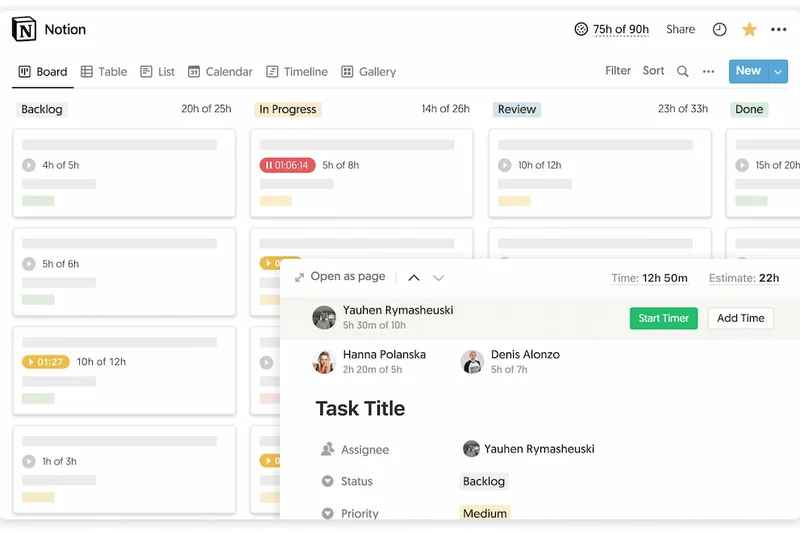

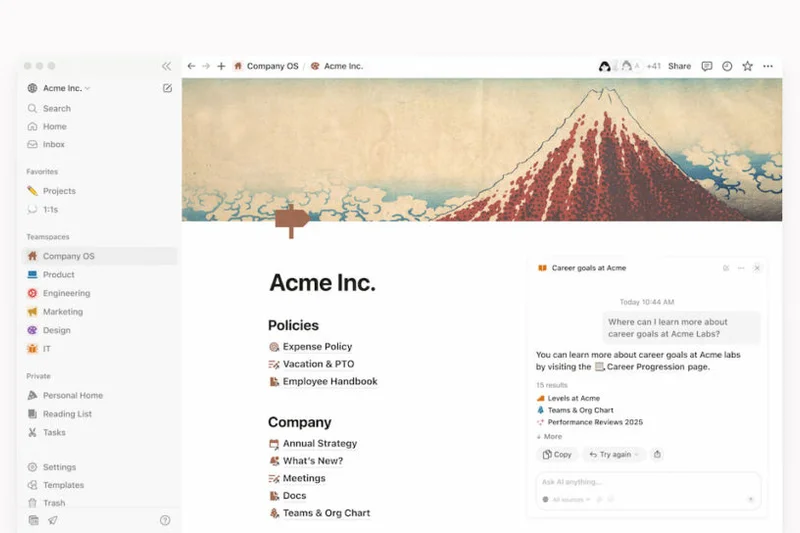
Why we picked it: Notion Free blurs the line between a document editor, database, and project manager, offering unparalleled flexibility. It shines for solo freelancers, providing unlimited blocks for individuals and allowing up to 10 guest collaborators. Its robust database capabilities let you build custom Kanban boards, lists, and calendars exactly how you want them.
Key Specs
- Unlimited blocks for individuals
- Basic page analytics
- Kanban, list, and calendar databases
- Invite up to 10 guest collaborators
- Cross-platform syncing
What we like
- Infinite customization for workspace design
- Combines wikis, docs, and project tracking
- Unlimited blocks for individual use
What we don't like
- Blank canvas design can be intimidating to set up
- Collaboration features are restricted for team scalability on the free tier
Best for: Freelancers and creators who want to build a highly customized personal productivity system.
Considering Notion Free vs Airtable Free? Notion is superior for text-heavy documentation mixed with tasks, while Airtable is much stronger for rigorous, spreadsheet-style relational databases.
Notion is a remarkably flexible workspace that lets you build your own project management system from scratch.
Buy at Notion official site#7 OpenProject Community
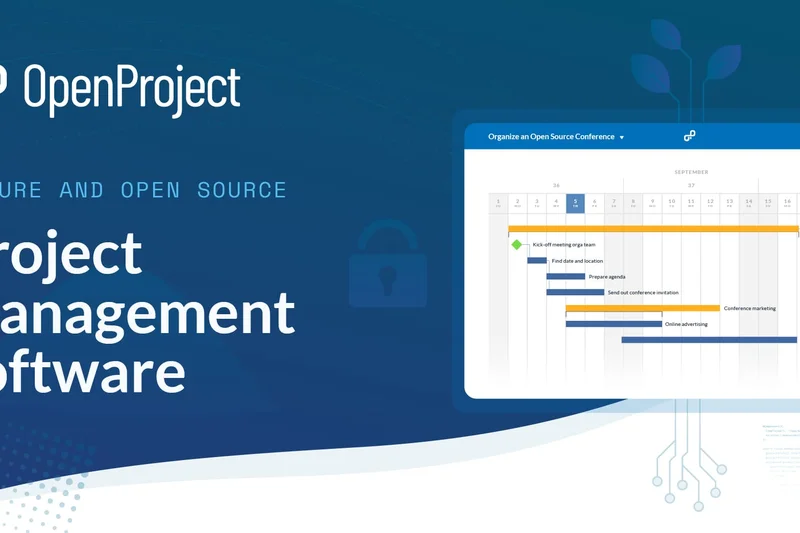
Why we picked it: OpenProject Community is a robust open-source solution that scores exceptionally high in Free Tier Generosity. By offering self-hosted deployment, it imposes no limits on users or projects. It includes advanced features rarely found in free tools, such as Gantt charts, time and cost tracking, and comprehensive issue tracking.
Key Specs
- Unlimited users and projects
- Self-hosted deployment
- Gantt charts and agile boards
- Time and cost tracking
- Issue tracking and forums
What we like
- No arbitrary user or project limits
- Includes Gantt charts and time tracking
- High data privacy through self-hosting
What we don't like
- Requires IT infrastructure and knowledge to host
- Interface feels slightly dated compared to modern SaaS
Best for: Organizations with IT resources that want a powerful, self-hosted project manager with zero ongoing software costs.
Considering OpenProject vs Jira Free? OpenProject gives you Gantt charts and unlimited users if you self-host, while Jira limits you to 10 users but is fully managed in the cloud.
OpenProject Community is a feature-rich, open-source powerhouse for teams willing to manage their own servers.
Buy at OpenProject official site#8 Plaky Free Forever
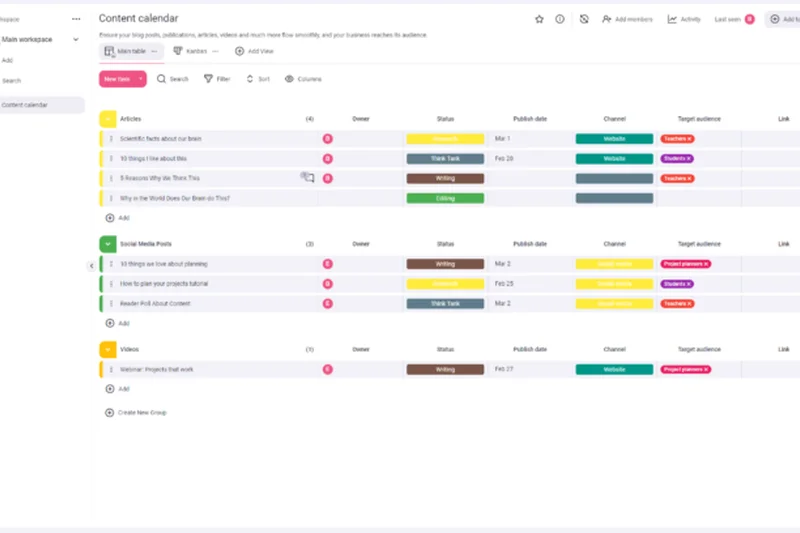
Why we picked it: Plaky's Free Forever plan stands out for offering unlimited users and unlimited projects without restrictions. It earned top marks in Free Tier Generosity, providing a highly visual task manager with customizable status fields. It is straightforward and exceptionally easy to onboard new team members.
Key Specs
- Unlimited users
- Unlimited projects and boards
- Visual overviews of statuses
- Customizable status fields
- Basic integration features
What we like
- Truly unlimited users and projects
- Very clean and intuitive visual interface
- Easy customization of task fields
What we don't like
- Lacks advanced Agile and sprint planning tools
- Integration ecosystem is currently limited
Best for: Small to medium businesses looking for a straightforward, highly visual task tracker without user caps.
Considering Plaky Free vs Trello Free? Plaky offers a bit more structure out of the box with custom fields, while Trello benefits from a massive ecosystem of Power-Ups.
Plaky is a wonderfully generous, visually appealing tool that handles basic project tracking with ease.
Buy at Plaky official site#9 Jira Free
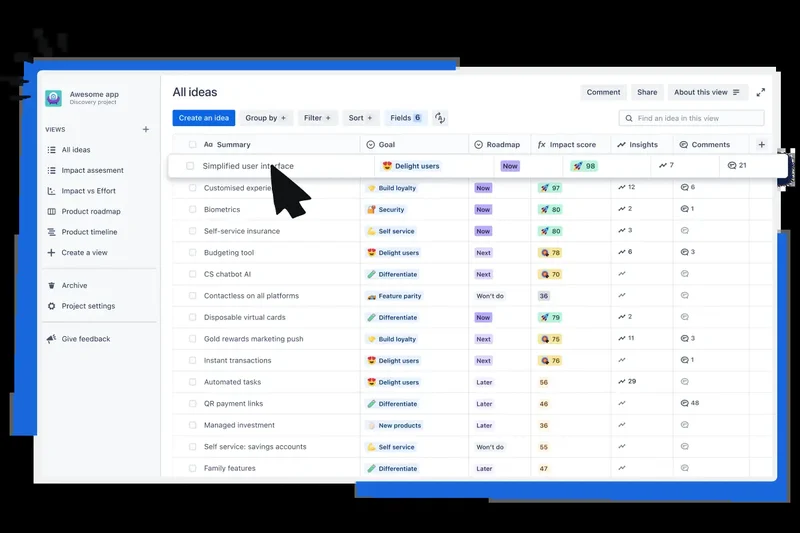
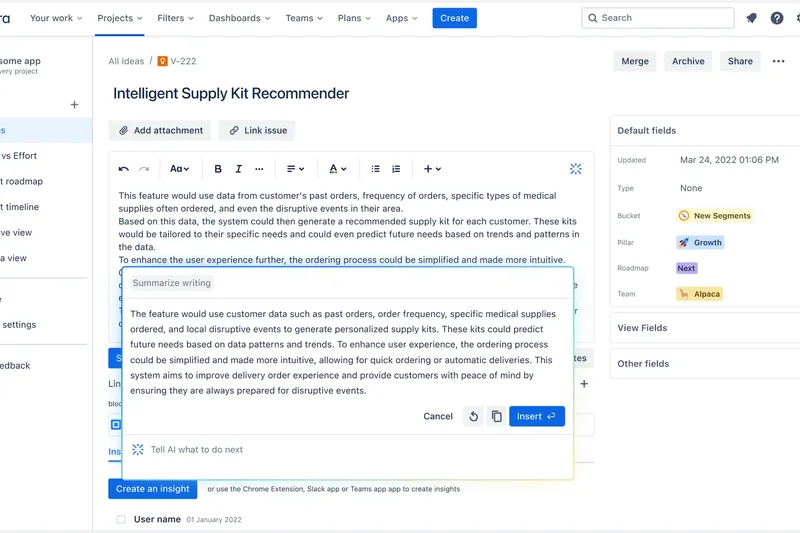
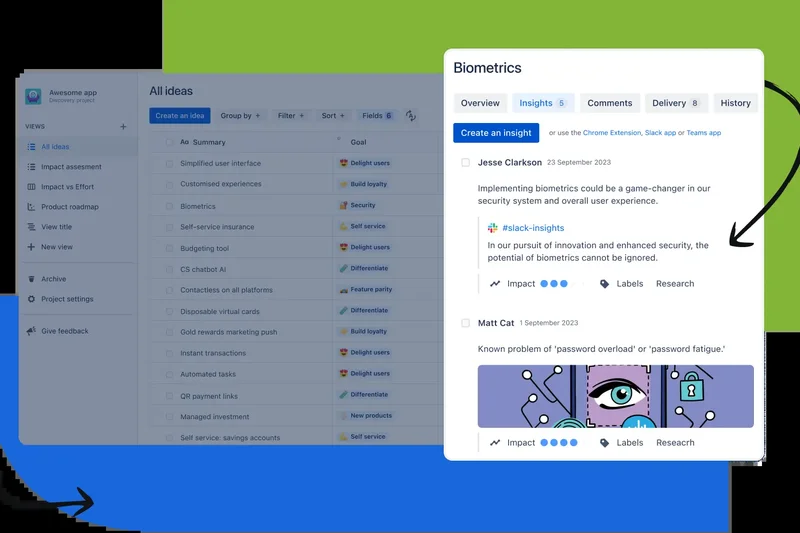
Why we picked it: Jira Free by Atlassian is the industry standard for Agile software development, providing deep backlog management, Scrum, and Kanban boards for up to 10 users. Its integration with Bitbucket and GitHub makes it indispensable for technical teams tracking bugs and deployment cycles.
Key Specs
- Up to 10 users
- Scrum and Kanban boards
- Backlog management
- Basic project roadmaps
- 2GB of file storage
What we like
- Industry-standard Agile and Scrum features
- Excellent integrations with developer tools
- Generous 2GB file storage
What we don't like
- Notoriously complex configuration and setup
- Strict 10-user limit on the free tier
Best for: Small software development teams that need robust Agile methodology support.
Considering Jira Free vs Linear Free? Jira offers a massive ecosystem and extensive customization, while Linear is much faster and simpler but lacks Jira's depth of reporting.
Jira Free gives small teams access to enterprise-grade Agile development tools at no cost.
Buy at Atlassian official site#10 Freedcamp Free
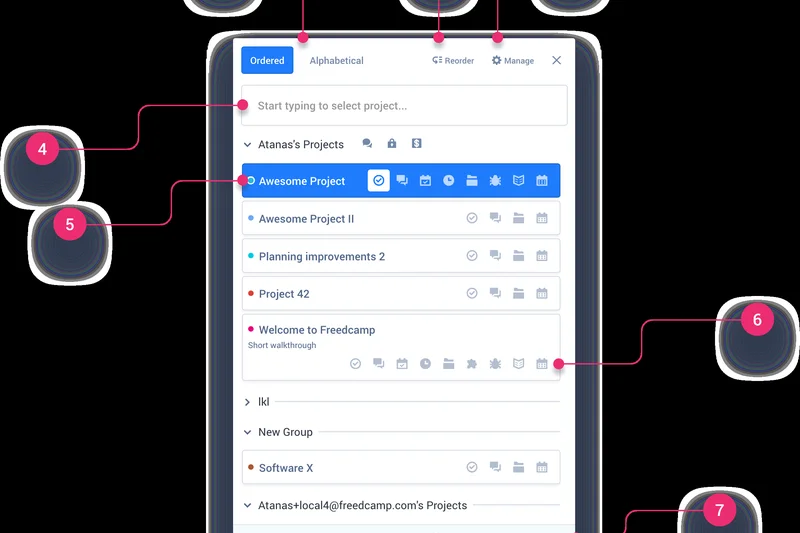
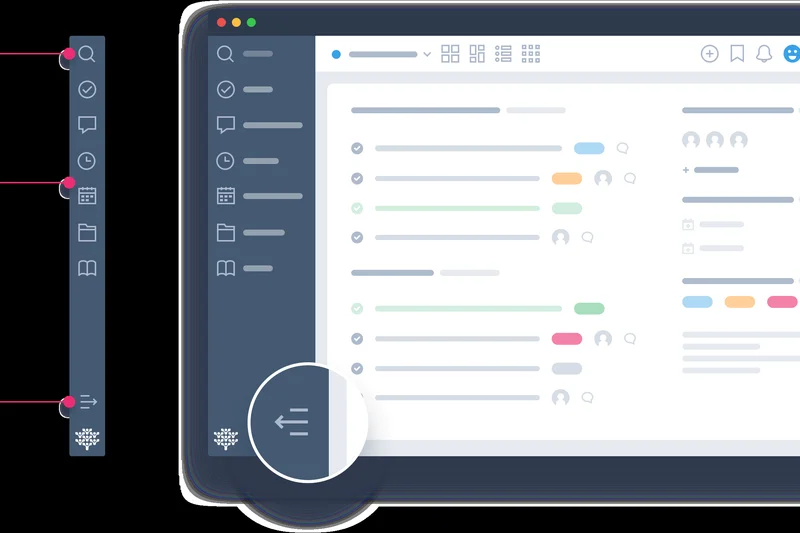
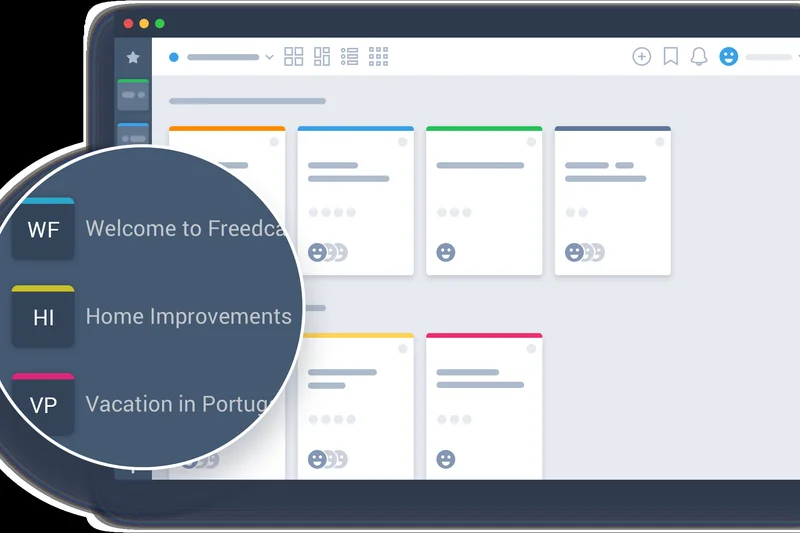
Why we picked it: Freedcamp Free is a highly scalable collaboration software that refuses to limit your team size or project count. It includes list and Kanban views, alongside basic time tracking—a rarity in free tiers. Its straightforward design makes it easy for non-technical users to adopt.
Key Specs
- Unlimited users
- Unlimited projects and tasks
- List and Kanban board views
- 10MB file size limit per upload
- Basic time tracking functionality
What we like
- Unlimited users and projects
- Includes built-in time tracking
- Very easy to scale with growing teams
What we don't like
- Strict 10MB per file upload limit
- User interface is functional but lacks modern polish
Best for: Growing teams and agencies that need to collaborate with many clients without paying per-seat licenses.
Considering Freedcamp vs Wrike Free? Freedcamp offers unlimited users and basic time tracking, while Wrike provides a more sophisticated folder structure and 2GB overall storage.
Freedcamp is a generous, highly functional project manager that scales effortlessly with unlimited users.
Buy at Freedcamp official site#11 Freemium GoodDay
Why we picked it: GoodDay offers a robust free tier supporting up to 15 users with unlimited projects. Its visual dashboards and 'action required' views make it easy to see exactly what needs attention.
Key Specs
- Up to 15 users
- Unlimited projects and tasks
- 1GB storage allowance
- Multiple views including action required
- Visual dashboards
What we like
- Supports up to 15 users
- Excellent visual dashboards
- Unique 'Action Required' task view
What we don't like
- Integration options are basic
- Steeper learning curve for advanced views
Best for: Mid-sized teams needing visual project tracking and solid storage.
Considering GoodDay vs Asana? GoodDay allows 5 more users on its free tier, but Asana offers a cleaner interface and more integrations.
GoodDay is a feature-rich platform with a generous user cap and excellent visual reporting.
Buy at GoodDay official site#12 Trello Free
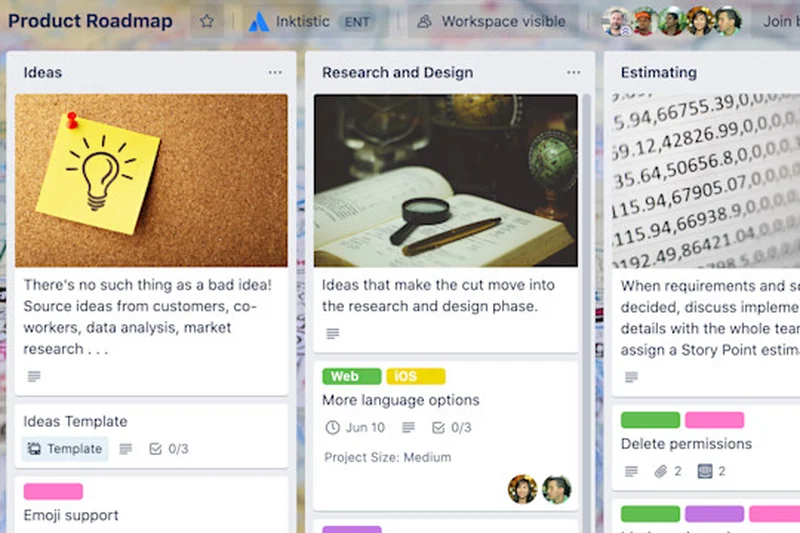
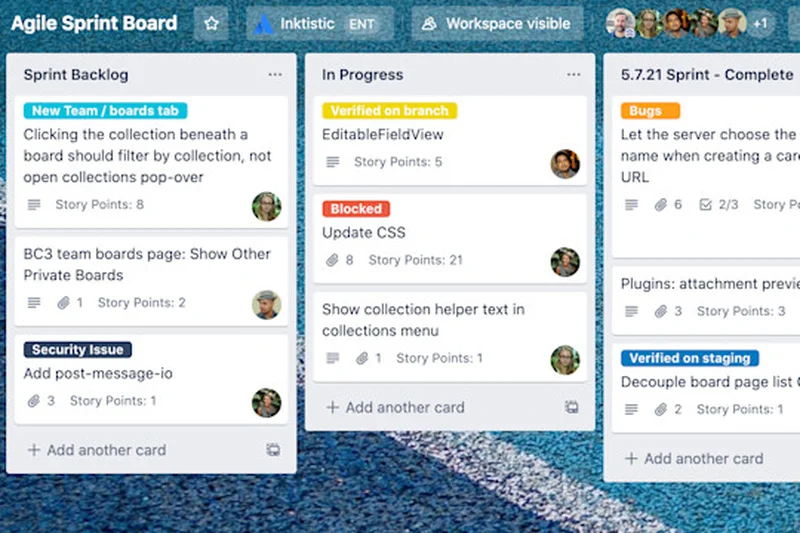
Why we picked it: Trello remains the gold standard for intuitive Kanban boards. Its free tier is incredibly generous with unlimited members, though restricted to 10 boards per workspace. The visual drag-and-drop interface is perfect for simple workflows.
Key Specs
- Up to 10 boards per workspace
- Unlimited cards and lists
- Unlimited members
- 250 Workspace automation runs per month
- 10MB per file attachment limit
What we like
- Unbeatable simplicity for Kanban workflows
- Unlimited members
- Includes basic automations (Butler)
What we don't like
- Limited to 10 boards per workspace
- 10MB file limit is restrictive for designers
Best for: Solo freelancers and small creative teams who rely heavily on visual task progression.
Considering Trello vs KanbanFlow? Trello is much more visual and customizable, while KanbanFlow includes native Pomodoro timers.
Trello's Free plan is the undisputed king of easy-to-use visual Kanban management.
Buy at Trello official site#13 Miro Free
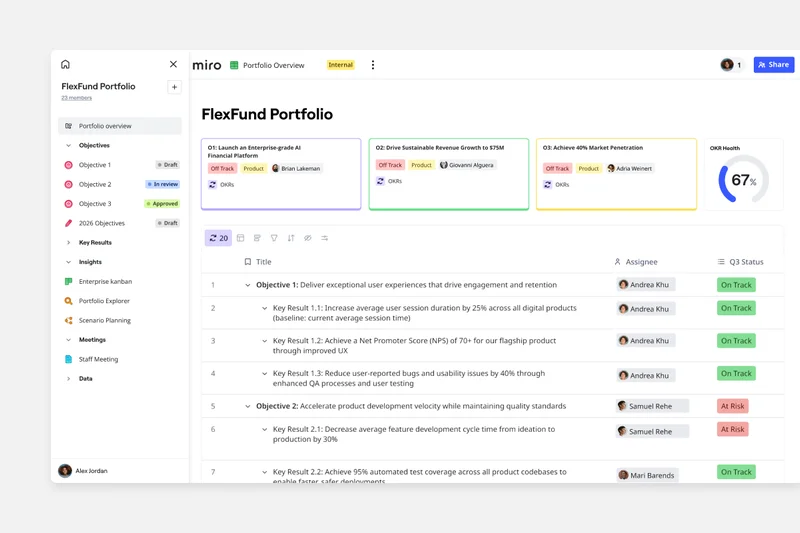
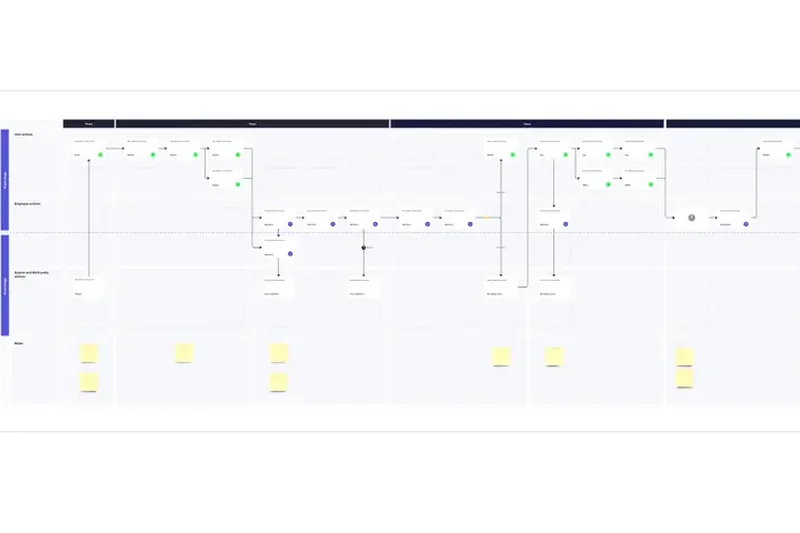
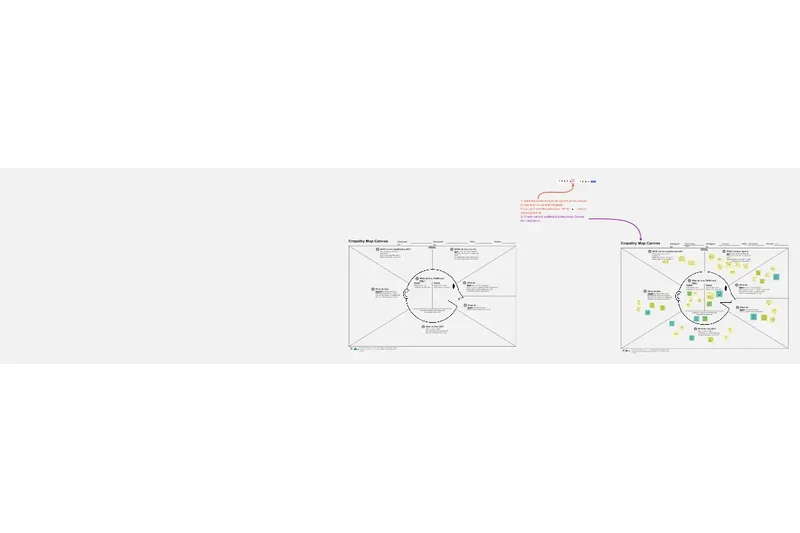
Why we picked it: Miro is a visual collaboration board that excels at brainstorming and mind mapping. The free tier allows unlimited team members to collaborate in real-time on up to 3 editable boards.
Key Specs
- Unlimited team members
- 3 editable boards
- Premade Kanban and mind map templates
- Basic external app integrations
- Real-time visual brainstorming
What we like
- Best-in-class real-time visual collaboration
- Unlimited team members
- Massive library of templates
What we don't like
- Strict limit of 3 editable boards
- Not designed for complex task dependency tracking
Best for: Design teams and agencies that need to visually brainstorm and collaborate before execution.
Considering Miro vs Taskade? Miro offers a vast infinite canvas for freeform brainstorming, while Taskade focuses on structured, nested lists and AI task generation.
Miro provides unmatched visual collaboration, though the 3-board limit requires frequent exporting.
Buy at Miro official site#14 Slite Free
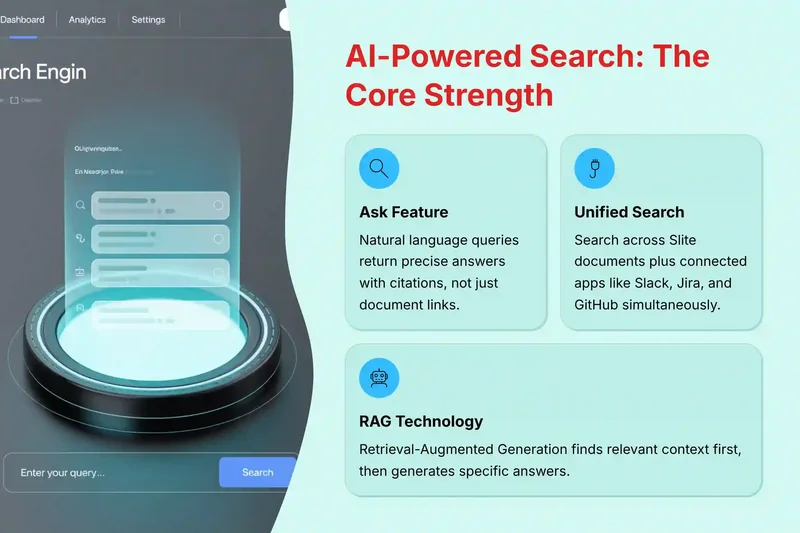
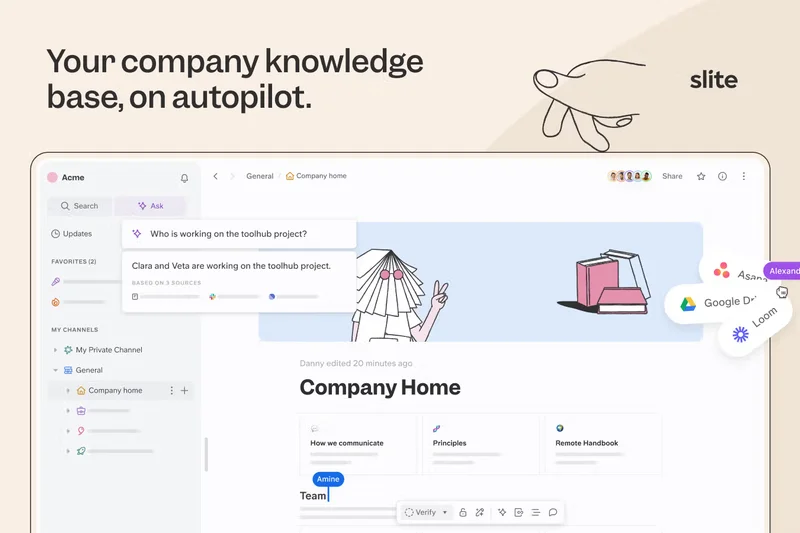
Why we picked it: Slite merges documentation with project management. Its free tier supports unlimited members and up to 50 active documents, integrating Kanban and table views directly into collaborative text.
Key Specs
- Up to 50 active documents
- Unlimited members
- AI document writing features
- Kanban and table database views
- Real-time co-editing
What we like
- Excellent document-centric project management
- Unlimited members
- Fast real-time co-editing
What we don't like
- 50 document limit is easily reached
- Lacks advanced PM features like Gantt charts
Best for: Teams that manage projects primarily through documentation, wikis, and meeting notes.
Considering Slite vs Notion? Slite offers a more structured, out-of-the-box wiki experience, whereas Notion is infinitely customizable but requires more setup.
Slite is a beautiful, doc-first tool perfect for knowledge-heavy project coordination.
Buy at Slite official site#15 KanbanFlow Free
Why we picked it: KanbanFlow is a lean, highly efficient Kanban tool that natively integrates a Pomodoro timer and basic time tracking, making it a productivity powerhouse for individuals and teams.
Key Specs
- Unlimited users and boards
- Built-in Pomodoro timer
- Basic time tracking
- Customizable board columns
- Swimlanes for task prioritization
What we like
- Native Pomodoro timer boosts focus
- Unlimited users and boards
- Very fast and lightweight interface
What we don't like
- UI looks a bit dated
- Lacks native integrations on the free tier
Best for: Individuals and developers who utilize the Pomodoro technique for deep work.
Considering KanbanFlow vs Trello? KanbanFlow focuses on lean productivity and time tracking, while Trello offers a more visual, integration-rich experience.
KanbanFlow is a fantastic, lightweight board app for teams obsessed with time management.
Buy at KanbanFlow official site#16 Taiga Free
Why we picked it: Taiga is an Agile PM tool specifically built for cross-functional teams. It offers up to 15 users on Taiga Cloud with comprehensive Scrum and Kanban methodology support.
Key Specs
- Up to 15 users on Taiga Cloud
- Unlimited public projects
- 1 private project limit
- Scrum and Kanban methodology support
- Issue tracking and epics
What we like
- Excellent support for Agile epics and issues
- Allows up to 15 users
- Open-source ethos
What we don't like
- Limited to 1 private project on the cloud
- UI is somewhat clunky
Best for: Agile software teams managing public or open-source projects.
Considering Taiga vs Jira? Taiga is simpler and more visually focused on Agile purists, while Jira offers deep enterprise customization.
Taiga is a solid Agile management platform hindered only by its strict private project limits.
Buy at Taiga official site#17 Bitrix24 Free
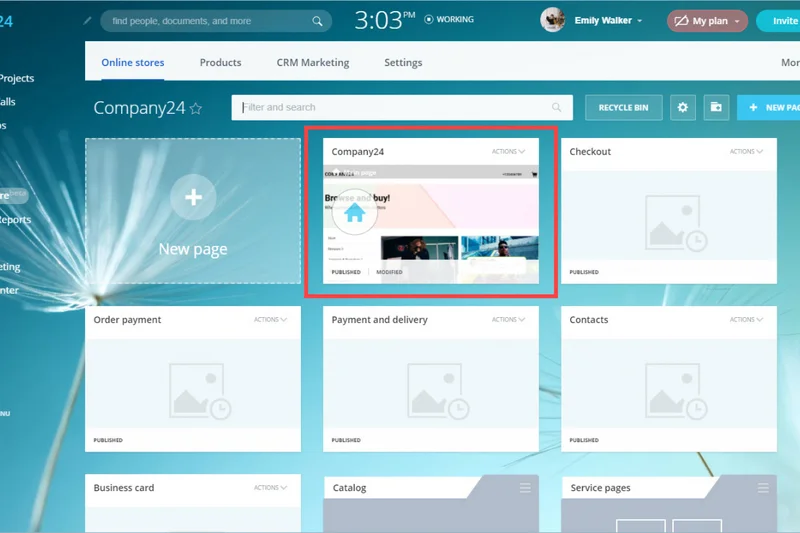
Why we picked it: Bitrix24 is an all-in-one workspace offering tasks, CRM, and internal communication. With unlimited users and 5GB of storage, it is incredibly generous for businesses needing a central hub.
Key Specs
- Unlimited users
- 5GB online storage
- Tasks, CRM, and internal communication
- Basic project time tracking
- Video calling capabilities
What we like
- Combines PM with CRM and chat
- Unlimited users and generous 5GB storage
- Includes video calling
What we don't like
- Interface is very dense and confusing
- Mobile app performance can be sluggish
Best for: Small businesses needing an entire digital office suite (CRM, chat, PM) for free.
Considering Bitrix24 vs ClickUp? Both are all-in-one hubs, but Bitrix24 leans heavily into CRM and intranet features, while ClickUp focuses strictly on deep task management.
Bitrix24 offers an overwhelming amount of value, provided you can navigate its complex interface.
Buy at Bitrix24 official site#18 MeisterTask Basic
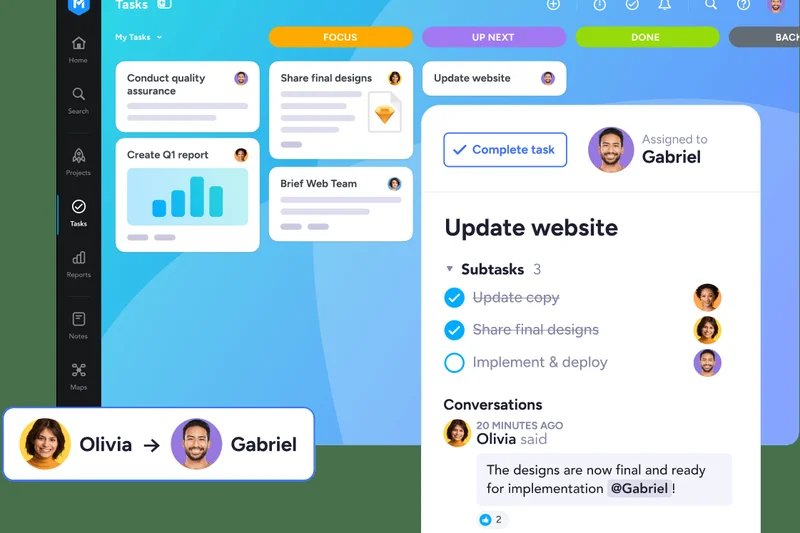
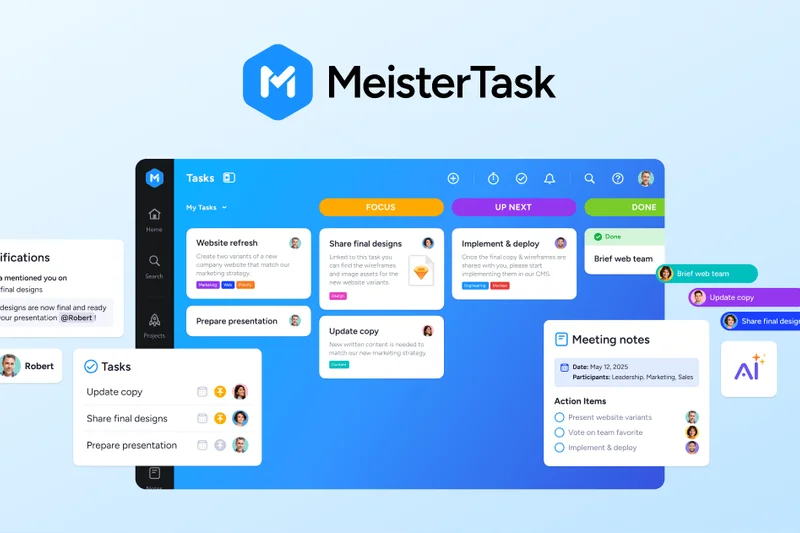
Why we picked it: MeisterTask Basic provides a beautiful, streamlined task management experience. It allows unlimited project members and customizable boards, though limited to 3 active projects.
Key Specs
- Up to 3 active projects
- Unlimited project members
- Customizable project boards
- Basic time tracking functionality
- Mac and Windows desktop apps
What we like
- Visually stunning and intuitive interface
- Unlimited members per project
- Great native desktop apps
What we don't like
- Strict 3 active project limit
- Limited reporting on the basic tier
Best for: Creative teams looking for an aesthetically pleasing alternative to Trello.
Considering MeisterTask vs Trello? MeisterTask offers a more polished native app experience, but Trello allows more boards (10 vs 3) on the free tier.
MeisterTask is a gorgeous Kanban tool that works perfectly for small-scale, highly visual projects.
Buy at MeisterLabs official site#19 Airtable Free
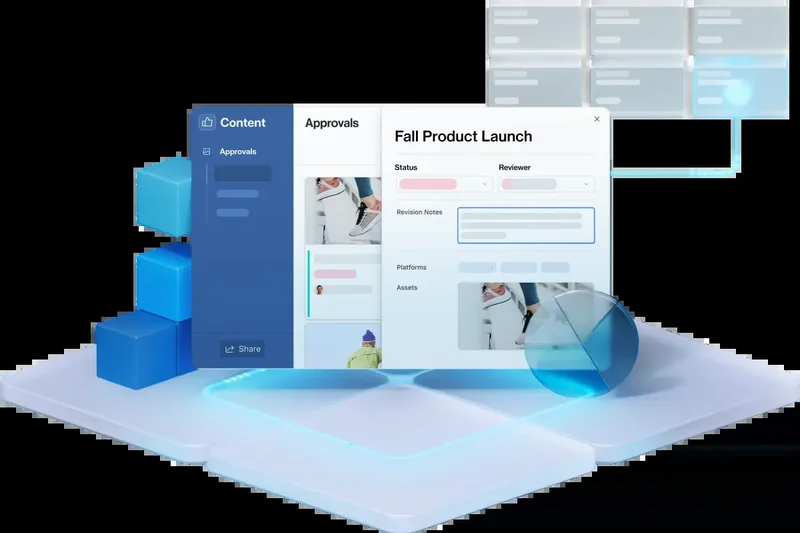
Why we picked it: Airtable is a powerful database-driven PM tool. The free tier gives you unlimited bases and 1,000 records per base, providing incredible flexibility to structure your project data.
Key Specs
- Unlimited bases
- 1,000 records per base
- Grid, Kanban, and Calendar views
- 1GB of attachments per base
- Up to 5 editors
What we like
- Unmatched relational database capabilities
- Generous 1GB attachment storage per base
- Excellent Grid, Kanban, and Calendar views
What we don't like
- Limited to 5 editors
- 1,000 records limit can be hit fast in complex projects
Best for: Data-heavy teams, content calendars, and operations managers who love spreadsheets.
Considering Airtable vs Smartsheet? Airtable is far more modern and visually appealing with strong relational links, while Smartsheet feels closer to traditional Excel.
Airtable turns project management into a highly customizable, database-driven experience.
Buy at Airtable official site#20 Paymo Free
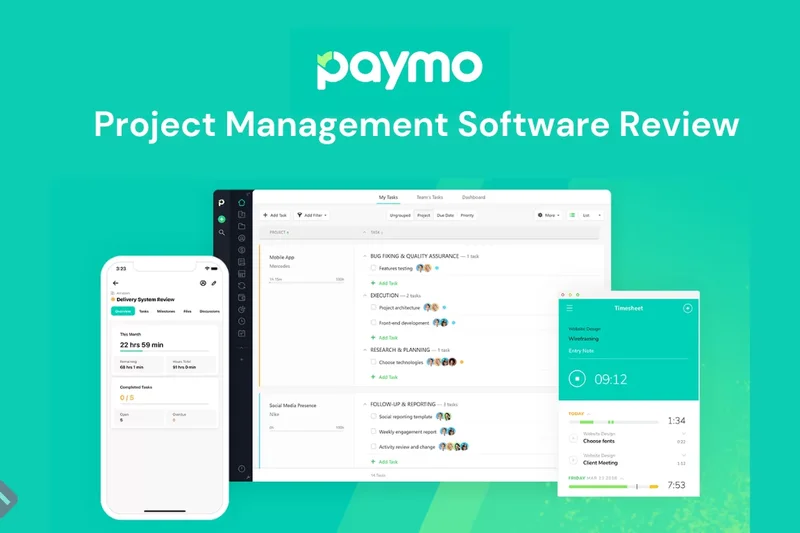
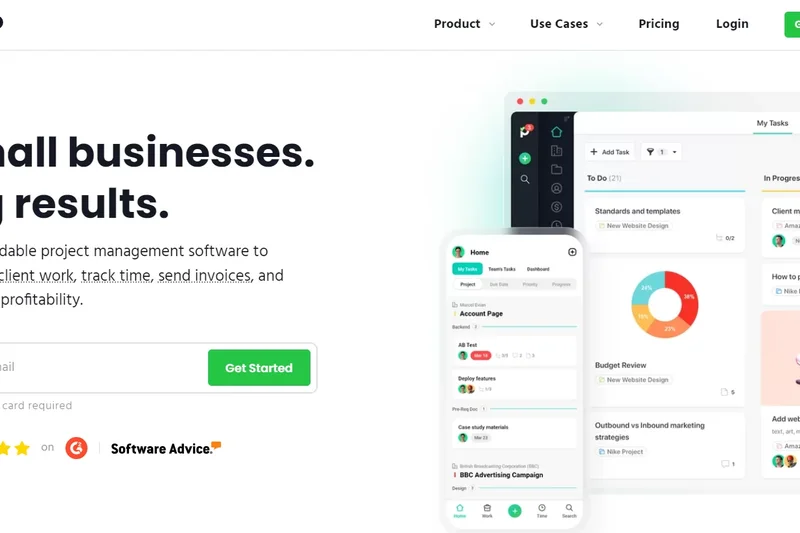
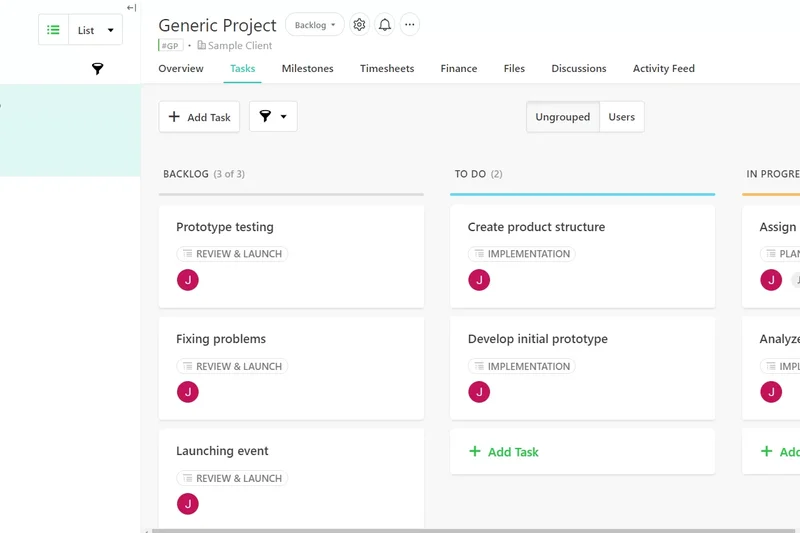
Why we picked it: Paymo caters specifically to freelancers, combining project management, native time tracking, and invoicing in one app. The free tier is limited to 1 user but allows unlimited projects.
Key Specs
- 1 user capacity
- Unlimited projects
- Native time tracking and invoicing
- Basic task views (List & Kanban)
- Client management portal
What we like
- Excellent built-in time tracking and invoicing
- Unlimited projects
- Great client management features
What we don't like
- Strictly limited to 1 user
- Lacks advanced collaboration features
Best for: Solo freelancers and consultants who need to track time and bill clients directly from their PM tool.
Considering Paymo vs Todoist? Paymo is built for billing and client management, while Todoist is purely for personal task productivity.
Paymo is the ultimate free business-in-a-box for solo service providers.
Buy at Paymo official site#21 Wrike Free Plan
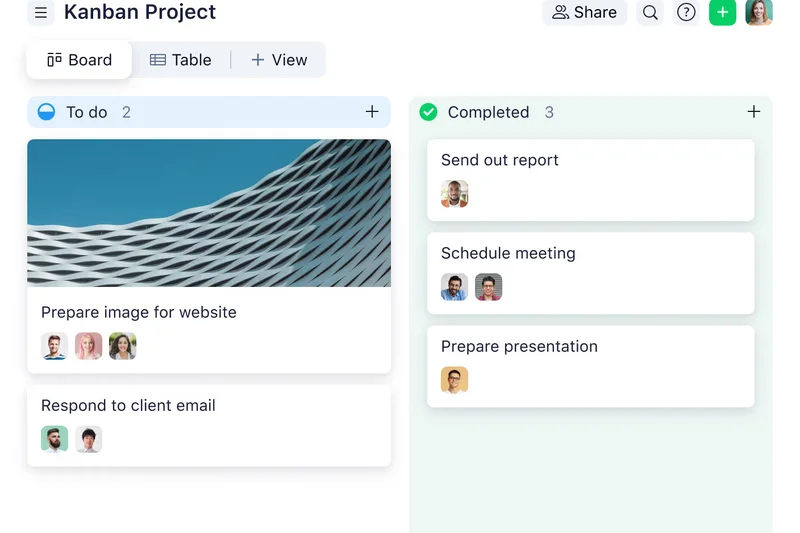
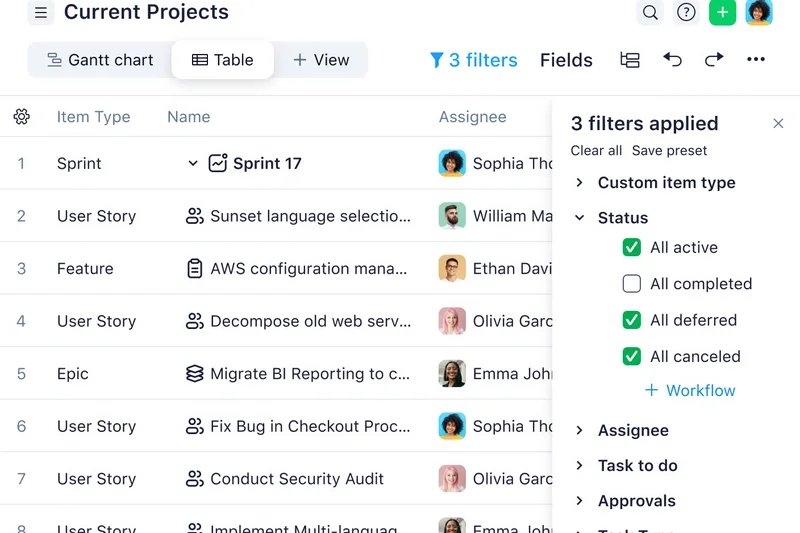
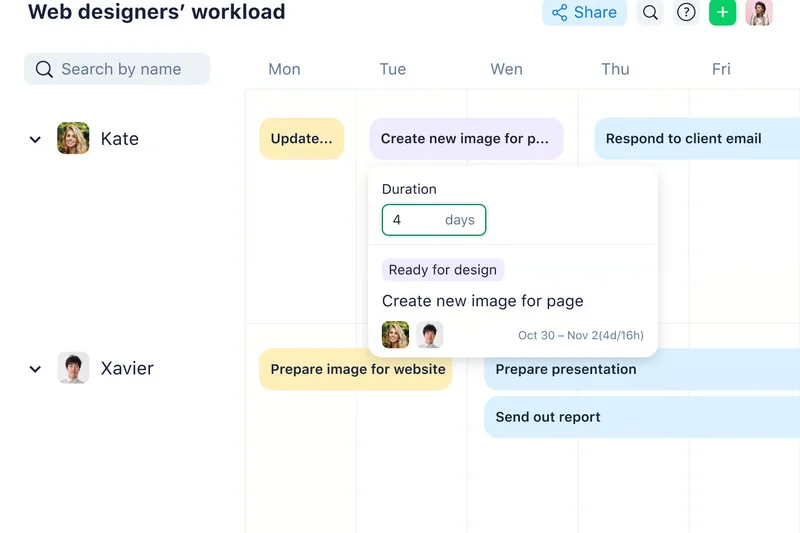
Why we picked it: Wrike's Free Plan offers unlimited users and a solid 2GB of account storage. It provides robust basic task management with subtasks and reliable cross-platform apps.
Key Specs
- Unlimited users
- 2GB overall account storage
- Kanban and Table task views
- Basic task management with subtasks
- Web, desktop, and mobile app access
What we like
- Unlimited users
- Generous 2GB overall storage
- Strong folder and subtask organization
What we don't like
- Lacks Gantt charts on the free plan
- UI can feel overly corporate and rigid
Best for: Enterprise-minded teams that want to test a structured task manager with unlimited users.
Considering Wrike vs Asana? Wrike offers unlimited users but a steeper learning curve, while Asana caps at 10 users but is much friendlier to adopt.
Wrike provides a structured, highly organized foundation for teams looking to eventually scale to enterprise tiers.
Buy at Wrike official site#22 Taskade Free
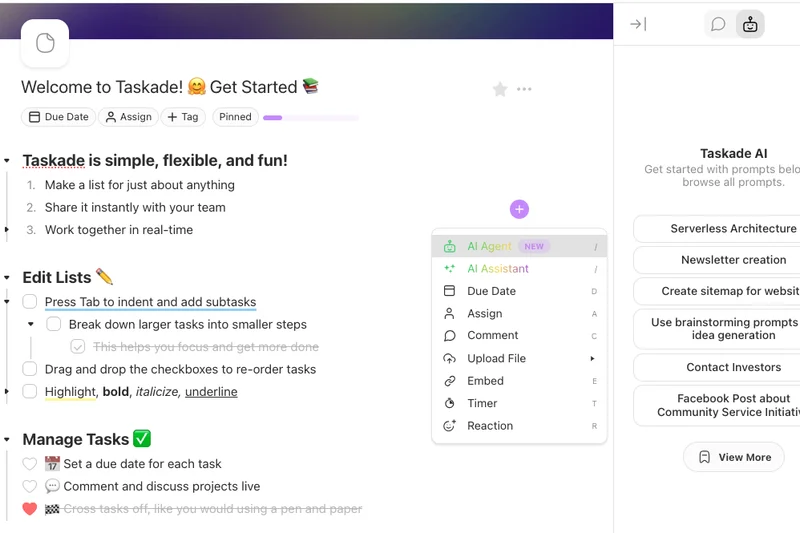
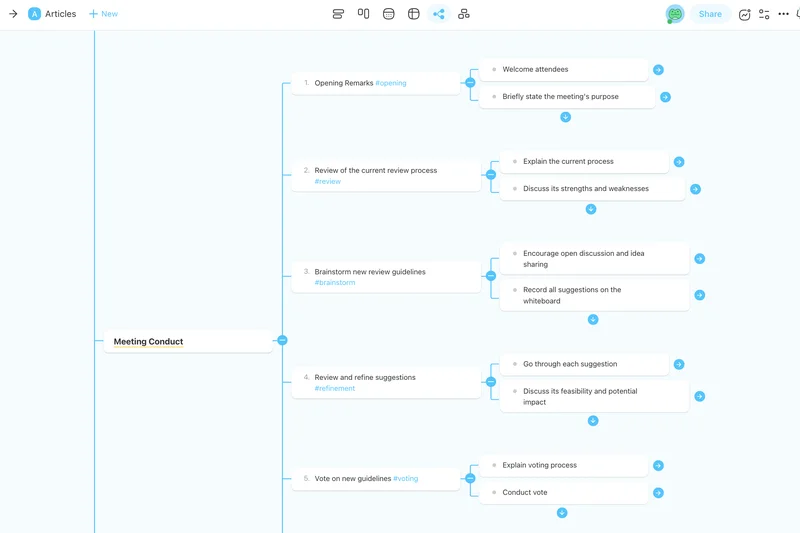
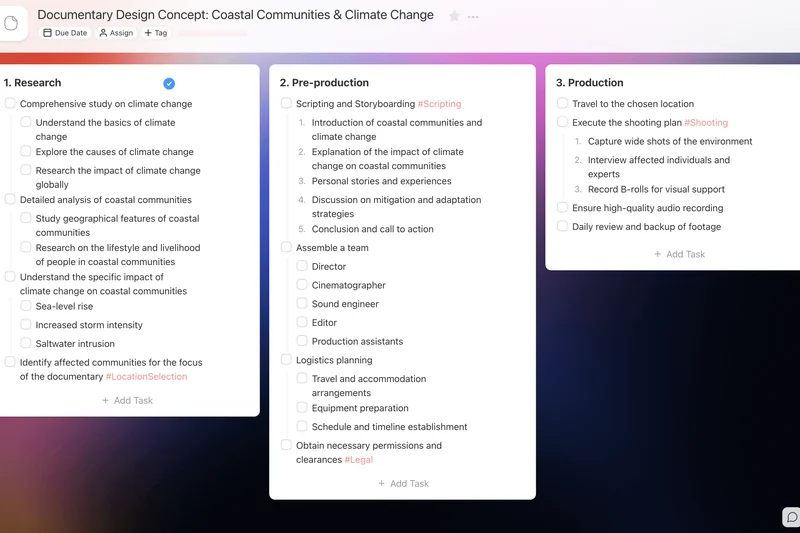
Why we picked it: Taskade leverages AI to generate outlines and tasks, operating as an innovative productivity workspace. The free tier allows up to 3 members to collaborate on mind maps and nested lists.
Key Specs
- Up to 3 members
- 1 workspace and 250MB storage
- AI task and outliner generation
- Mind maps and nested list views
- Real-time collaboration and chat
What we like
- Powerful AI task generation tools
- Excellent real-time collaboration features
- Unique nested list and mind map views
What we don't like
- Limited to 3 members on the free tier
- 250MB storage is somewhat low
Best for: Small remote teams and agencies that benefit from AI-assisted brainstorming and outlining.
Considering Taskade vs Notion? Taskade is more heavily focused on structured outlining and real-time chat, whereas Notion acts as a broader wiki.
Taskade is a forward-thinking, AI-powered outliner perfect for small, highly collaborative teams.
Buy at Taskade official site#23 Todoist Beginner
Why we picked it: Todoist remains the pinnacle of personal task management. The free Beginner plan supports up to 5 personal projects with cross-platform syncing and natural language input.
Key Specs
- Up to 5 personal projects
- Flexible list and board layouts
- Basic task filtering and priorities
- Cross-platform syncing
- Collaboration on shared projects
What we like
- Incredible natural language date parsing
- Flawless cross-platform syncing
- Clean, distraction-free interface
What we don't like
- Limited to 5 active projects
- Not designed for complex team workflows
Best for: Individuals and freelancers focused purely on personal daily productivity and task triage.
Considering Todoist vs TickTick? Todoist has a slightly cleaner UI and better integrations, while TickTick includes a native Pomodoro timer and habit tracking.
Todoist is the best personal to-do list available, though its free limits restrict complex project management.
Buy at Doist official site#24 nTask Basic
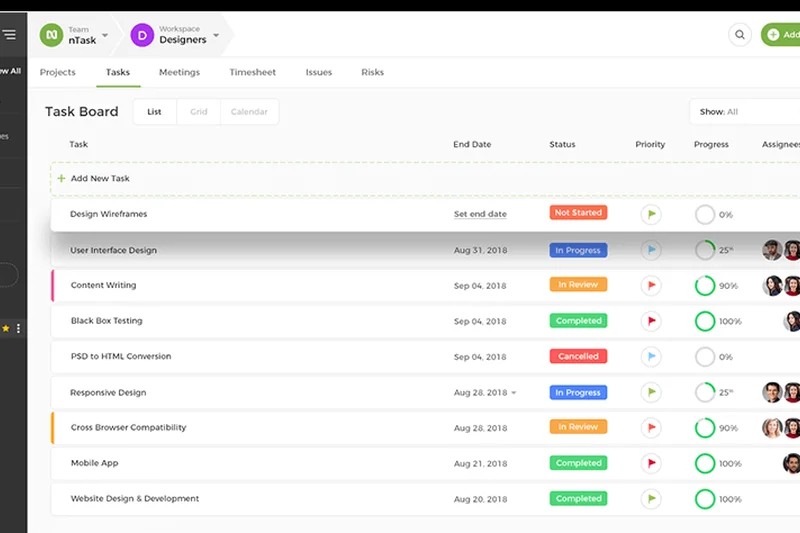
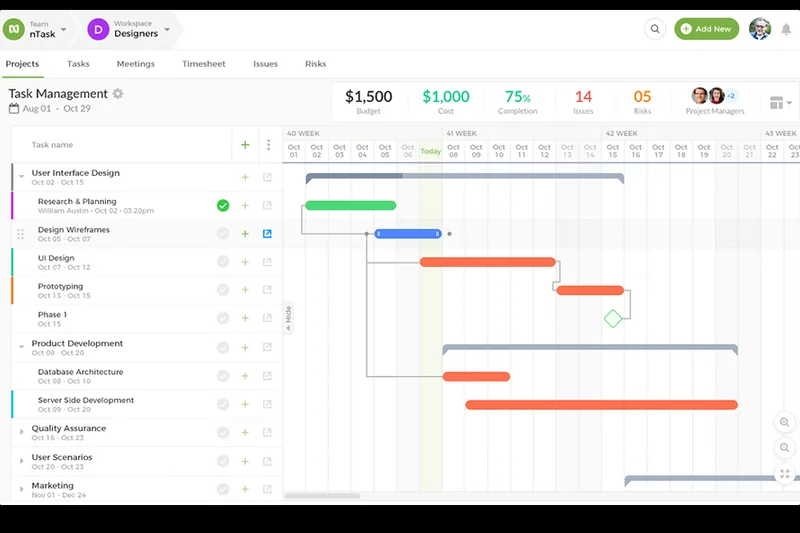
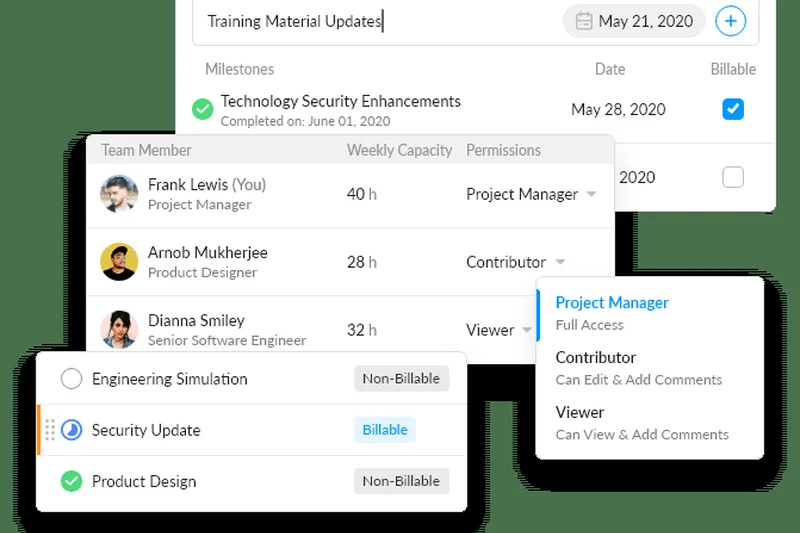
Why we picked it: nTask Basic offers unlimited tasks and workspaces for up to 5 team members. It uniquely includes basic issue tracking and timesheets in its free tier.
Key Specs
- Up to 5 team members
- Unlimited tasks and workspaces
- Timesheets and issue tracking
- 100MB storage allocation
- Basic meetings management
What we like
- Includes timesheets and meeting management
- Unlimited tasks and workspaces
- Solid basic issue tracking
What we don't like
- 100MB storage limit
- UI is functional but lacks modern polish
Best for: Small consulting teams that need to track time, manage meetings, and track tasks simultaneously.
Considering nTask vs Paymo? nTask allows 5 users for time and task tracking, whereas Paymo restricts you to just 1 user.
nTask is a practical, feature-dense tool for small teams that require integrated time and meeting management.
Buy at nTask official site#25 ActiveCollab Free
Why we picked it: ActiveCollab's free tier is designed for small teams of up to 3 members, providing unlimited projects, basic time tracking, and 1GB of storage, making it very dependable.
Key Specs
- Up to 3 members
- Unlimited projects and tasks
- Basic time tracking tools
- 1GB storage capacity
- Task dependencies and commenting
What we like
- Unlimited projects and tasks
- Solid 1GB storage capacity
- Includes basic time tracking
What we don't like
- Capped at 3 members
- Lacks integrations on the free tier
Best for: Very small creative agencies or freelance teams that need client communication and time tracking.
Considering ActiveCollab vs Basecamp? ActiveCollab offers a more structured task dependency approach, whereas Basecamp focuses heavily on message boards and chat.
ActiveCollab is a stable, well-rounded project manager restricted only by its 3-user free limit.
Buy at ActiveCollab official site#26 Avaza Free
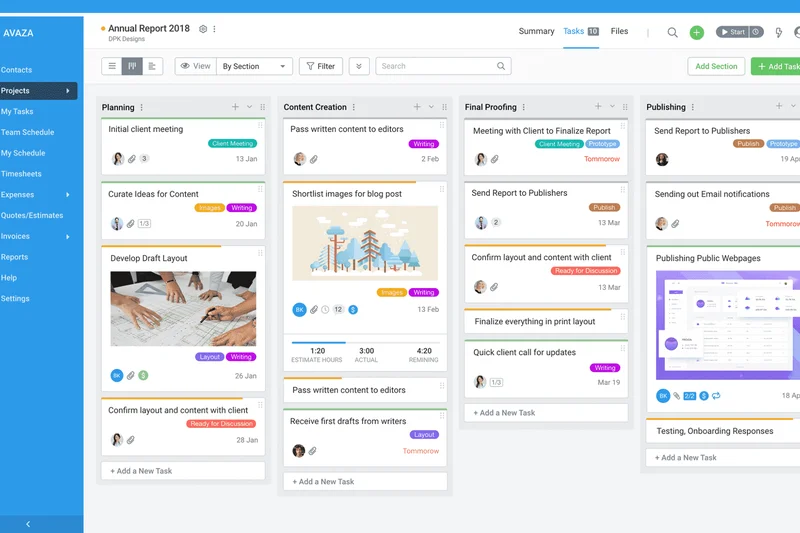
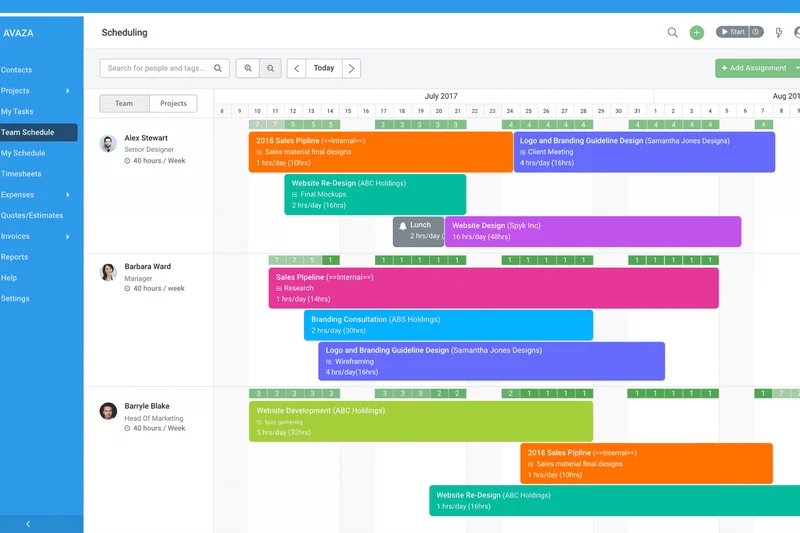
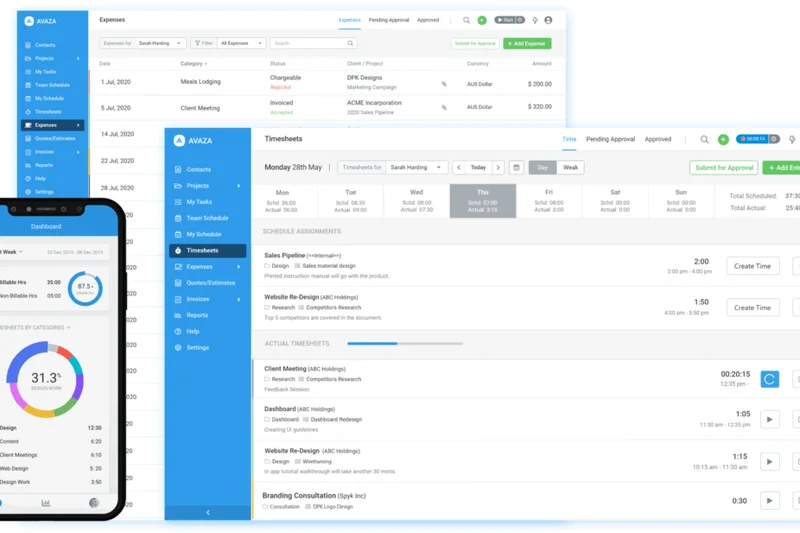
Why we picked it: Avaza combines PM with financial tools, offering unlimited free collaborators but limiting active projects to 5. It includes timesheets, expense tracking, and allows sending 5 free invoices per month.
Key Specs
- Unlimited free collaborators
- Up to 5 active projects
- Basic timesheets and expense tracking
- 100MB data storage
- Send up to 5 free invoices per month
What we like
- Excellent integration of PM and invoicing
- Unlimited free collaborators (read/comment)
- Includes expense tracking
What we don't like
- Strict 5 active project limit
- 100MB storage is very restrictive
Best for: Client-service businesses and freelancers who need project execution tied directly to billing.
Considering Avaza vs Paymo? Avaza allows unlimited collaborators for feedback, making it better for client interaction, while Paymo is strictly limited to 1 user overall.
Avaza bridges the gap between task execution and client billing smoothly, albeit with tight project limits.
Buy at Avaza official site#27 Zenkit Base
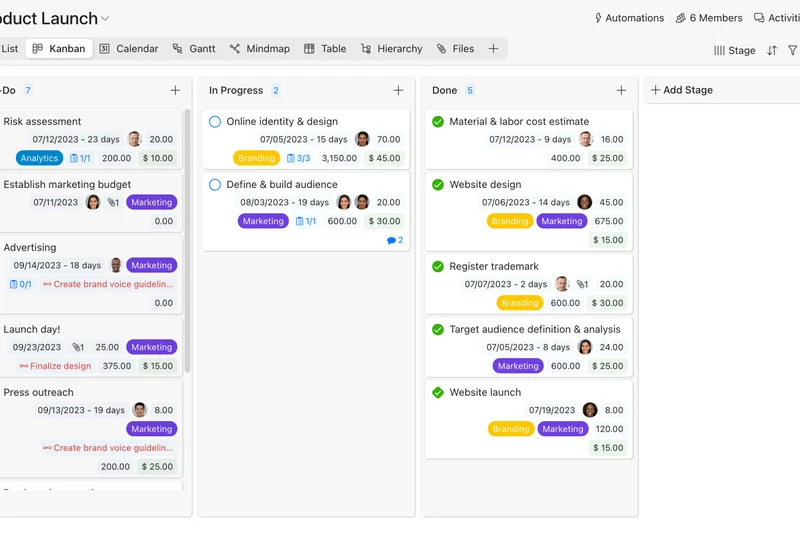
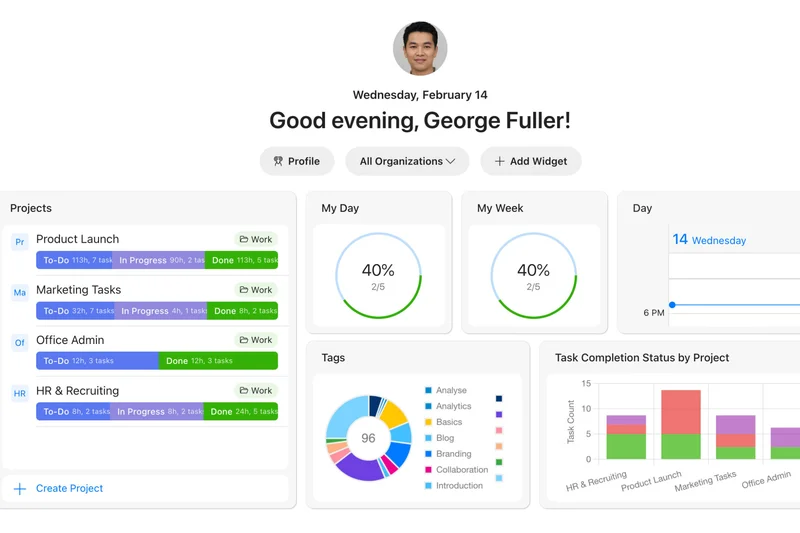
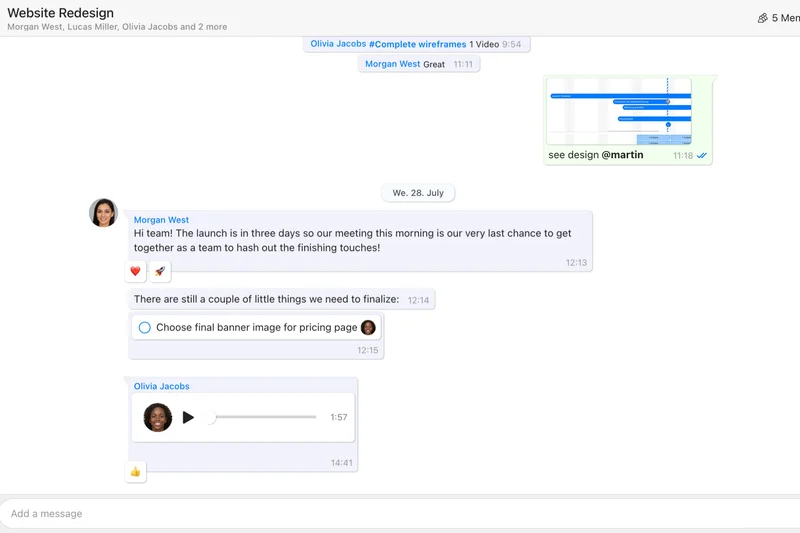
Why we picked it: Zenkit Base is a flexible workspace offering up to 3 users and 3,000 items. It supports multiple views including mind maps and Kanban boards with a generous 1GB of storage.
Key Specs
- Up to 3 users
- Up to 3,000 items or tasks
- Mind maps and Kanban boards
- 1GB storage space
- Offline synchronization
What we like
- Highly flexible data views
- Includes offline synchronization
- Generous 1GB storage
What we don't like
- Limited to 3 users
- 3,000 item limit restricts long-term usage
Best for: Small teams looking for versatile data visualization and offline capabilities.
Considering Zenkit vs Notion? Zenkit provides stronger structured data views (like mind maps), but Notion offers better document editing.
Zenkit Base is a highly flexible, multi-view platform that is great for visual thinkers.
Buy at Zenkit official site#28 Podio Free
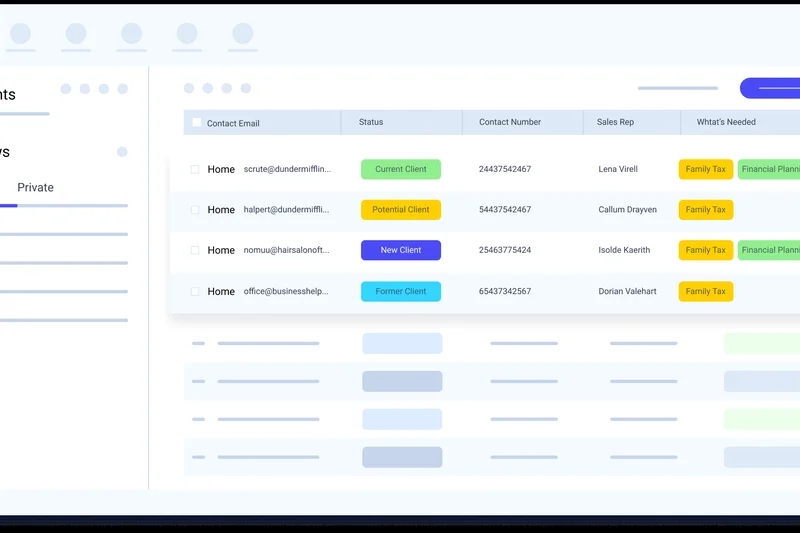
Why we picked it: Podio by Citrix allows teams to build customizable apps and workspaces. The free tier supports up to 5 employees, offering flexible task management and basic integrations.
Key Specs
- Up to 5 employee seats
- Customizable apps and workspaces
- Flexible task management features
- Basic third-party integrations
- Intranet capabilities
What we like
- Incredibly customizable app-builder interface
- Acts as a basic company intranet
- Solid integration capabilities
What we don't like
- Steep learning curve to build workspaces
- Interface feels dated
Best for: Operations teams looking to build customized workflows without coding.
Considering Podio vs Airtable? Both are highly customizable, but Airtable is far more modern and spreadsheet-oriented, while Podio feels like a legacy app builder.
Podio is a powerful workflow builder for teams of 5, though it requires time to configure.
Buy at Citrix official site#29 Teamwork.com Free
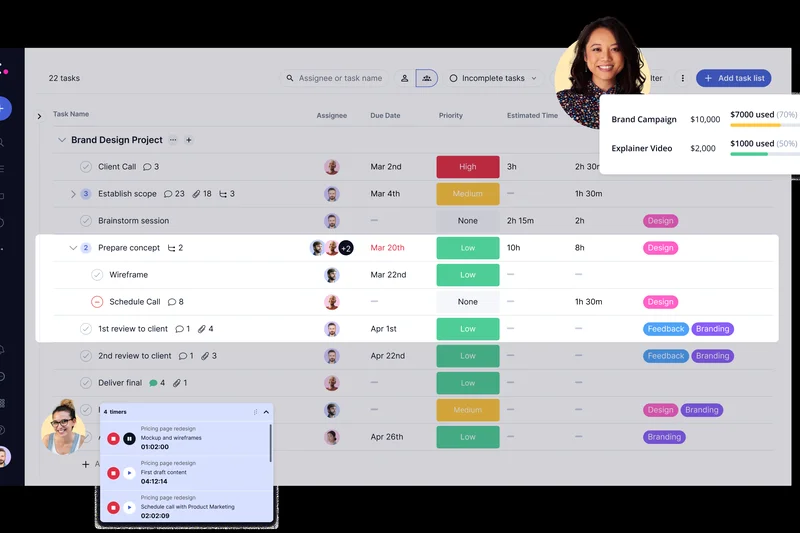
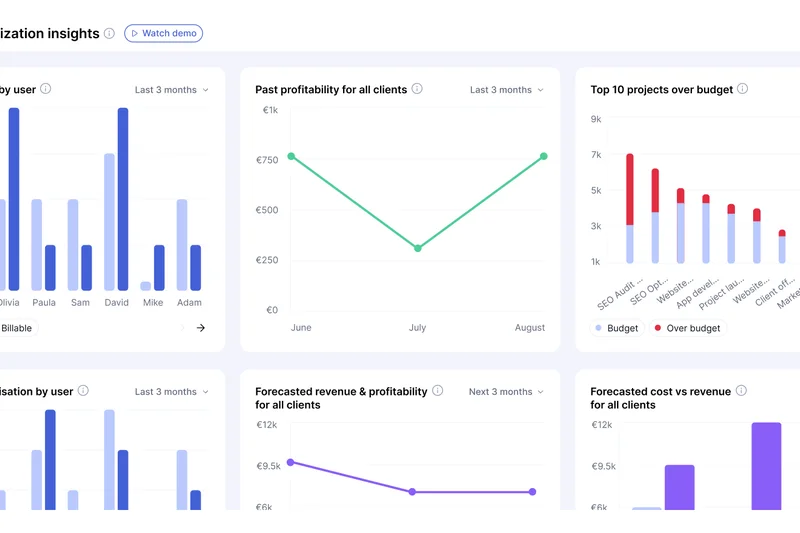
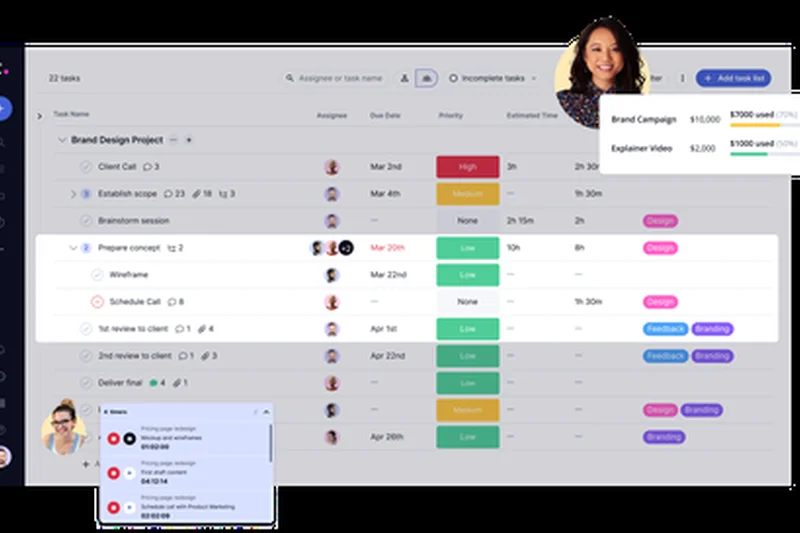
Why we picked it: Teamwork.com's free tier supports up to 5 users, focusing on client-facing project management. It includes milestones, basic time tracking, and in-app messaging.
Key Specs
- Up to 5 users
- Basic project and task management
- Milestones and in-app messaging
- 100MB storage space
- Time tracking capabilities
What we like
- Great focus on client work and milestones
- Built-in time tracking
- Strong in-app messaging
What we don't like
- Only 100MB of storage
- Feature gating pushes hard toward paid plans
Best for: Small agencies delivering milestone-based projects to clients.
Considering Teamwork vs Asana? Teamwork includes time tracking and milestone features built for agencies, whereas Asana is better for internal cross-functional teams.
Teamwork provides a solid foundation for client-facing projects, albeit with strict storage limits.
Buy at Teamwork.com official site#30 Quire Free
Why we picked it: Quire offers a unique visual task management approach focusing on infinite nested subtasks. The free tier allows 2 users and utilizes smart folders for organization.
Key Specs
- Up to 2 users
- Unlimited nested subtasks
- Basic Kanban boards
- Time tracking support
- Smart folders for organizing workflows
What we like
- Exceptional nested list structure
- Clean, distraction-free interface
- Includes basic time tracking
What we don't like
- Strictly limited to 2 users
- Lacks advanced third-party integrations
Best for: Partnerships or solo users who break projects down into deeply nested micro-tasks.
Considering Quire vs Todoist? Quire's infinite nesting is better for massive project breakdowns, while Todoist excels at daily habit and task triage.
Quire is a brilliantly designed nested-list tool limited by its 2-user free cap.
Buy at Quire official site#31 Redbooth Free
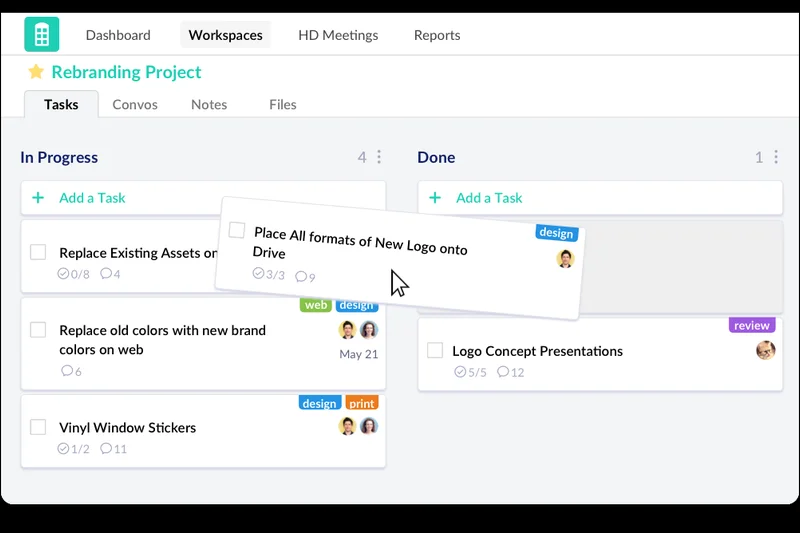
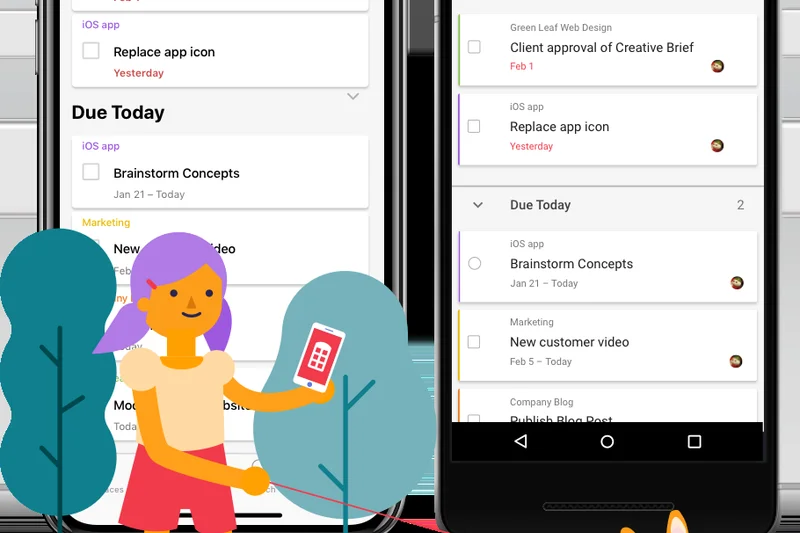
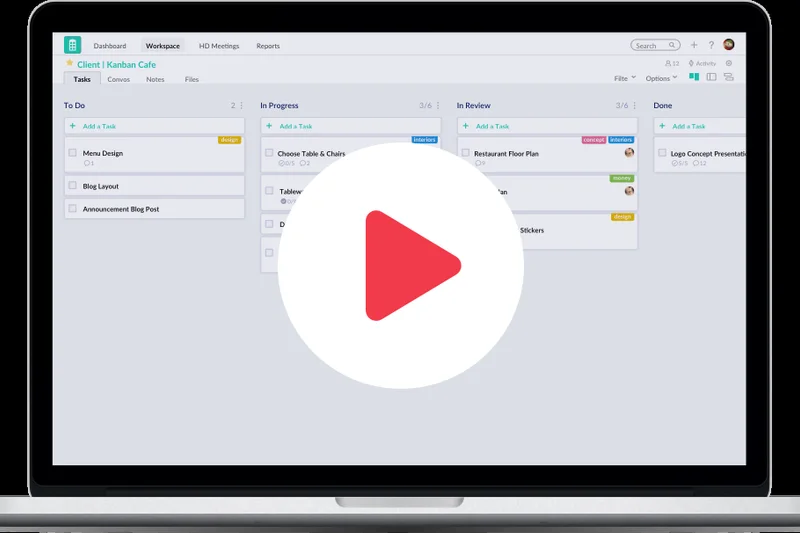
Why we picked it: Redbooth offers Gantt charts and Kanban boards for up to 2 users. Uniquely, it includes HD video meetings and 2GB of storage on the free plan.
Key Specs
- Up to 2 users
- Maximum of 2 workspaces
- Gantt charts and Kanban boards
- 2GB total storage space
- HD video meetings included
What we like
- Includes native HD video meetings
- Generous 2GB storage
- Offers Gantt charts for free
What we don't like
- Limited to only 2 users and 2 workspaces
- Interface is slightly dated
Best for: Freelance duos or partnerships needing built-in video communication and Gantt charts.
Considering Redbooth vs ClickUp? Redbooth offers integrated video calls, but ClickUp provides unlimited users and much more flexibility.
Redbooth is a niche tool offering HD meetings and Gantt charts for 2-person teams.
Buy at Redbooth official site#32 TickTick Free
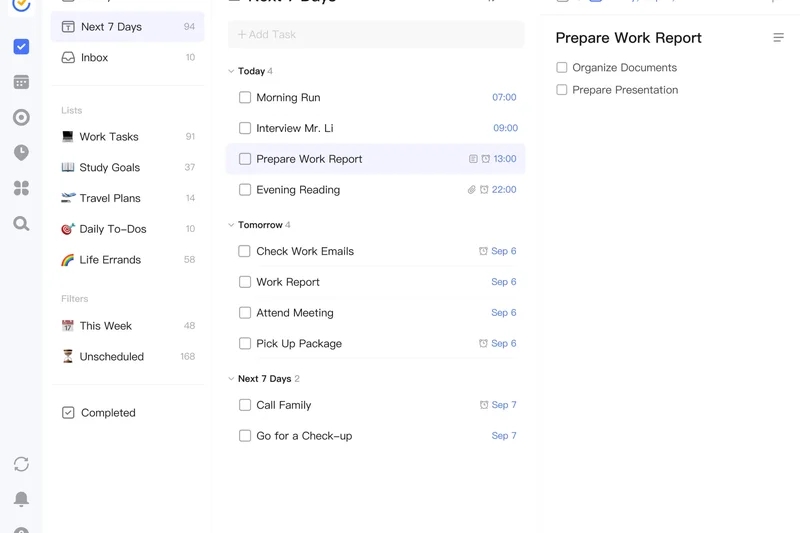
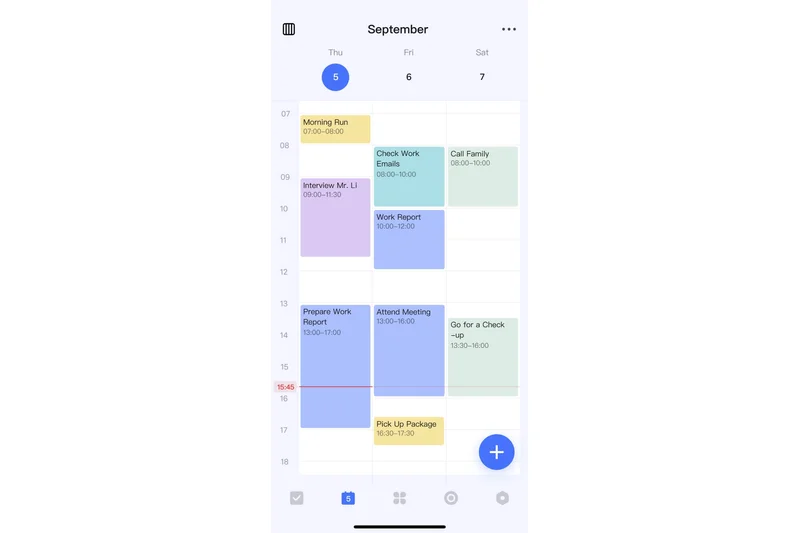
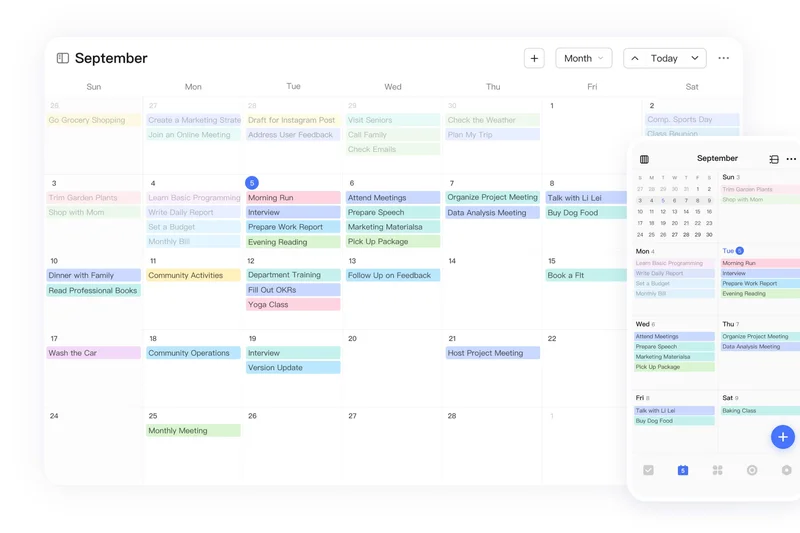
Why we picked it: TickTick is a beloved personal task manager that includes an integrated Pomodoro timer and habit tracking, making it an excellent all-around productivity app.
Key Specs
- Basic task lists and reminders
- Integrated Pomodoro timer
- Cross-platform synchronization
- Habit tracking features
- Voice input for tasks
What we like
- Built-in Pomodoro and habit tracking
- Excellent mobile apps with voice input
- Fast syncing across platforms
What we don't like
- Calendar views and custom durations are paid
- Not designed for team collaboration
Best for: Individuals looking to combine a daily to-do list with habit tracking and focus timers.
Considering TickTick vs Todoist? TickTick provides Pomodoro and habit features natively, while Todoist has superior natural language input and UI.
TickTick is an essential productivity app for individuals managing daily routines and focus.
Buy at TickTick official site#33 Zoho Projects Free
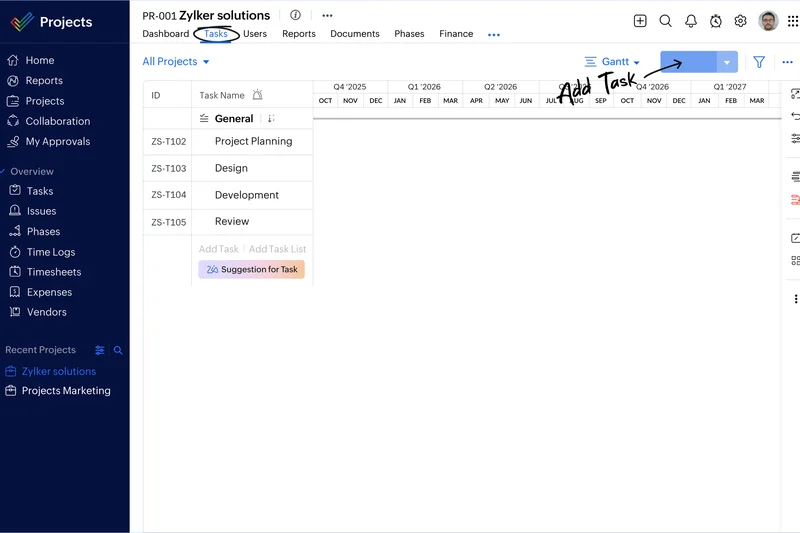
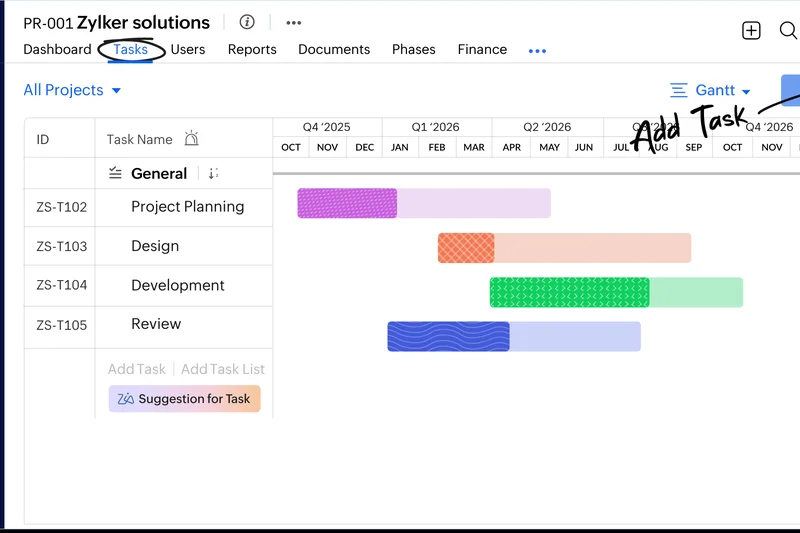
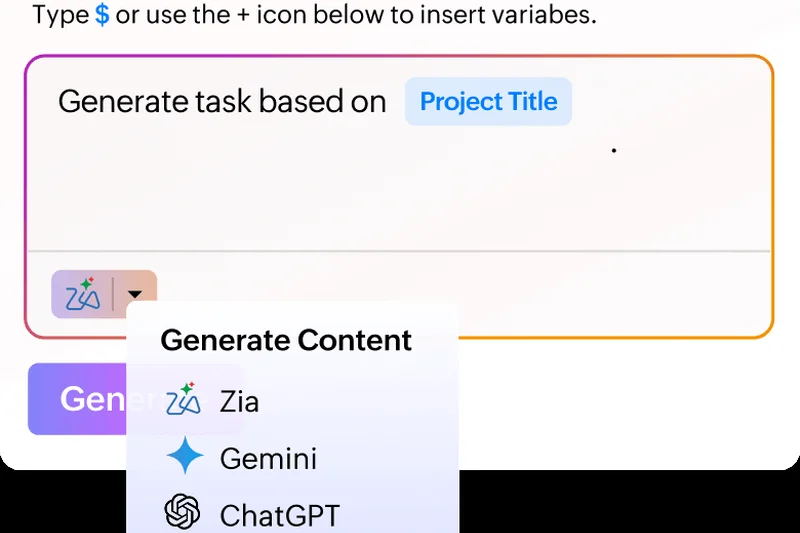
Why we picked it: Zoho Projects offers basic task management and issue tracking for up to 3 users, integrating seamlessly into the broader Zoho ecosystem.
Key Specs
- Up to 3 users
- Maximum of 2 active projects
- Task management and dependencies
- Basic issue tracking
- Seamless Zoho ecosystem integration
What we like
- Integrates perfectly with Zoho's business suite
- Includes basic issue tracking
- Solid task dependency tools
What we don't like
- Severely limited to 2 active projects
- Only supports 3 users
Best for: Very small teams already utilizing the Zoho suite for CRM and email.
Considering Zoho Projects vs Asana? Asana offers much better UI and 10 users, but Zoho Projects is beneficial if you are locked into Zoho's ecosystem.
Zoho Projects is a capable but restricted tool best suited for existing Zoho customers.
Buy at Zoho official site#34 Smartsheet Free
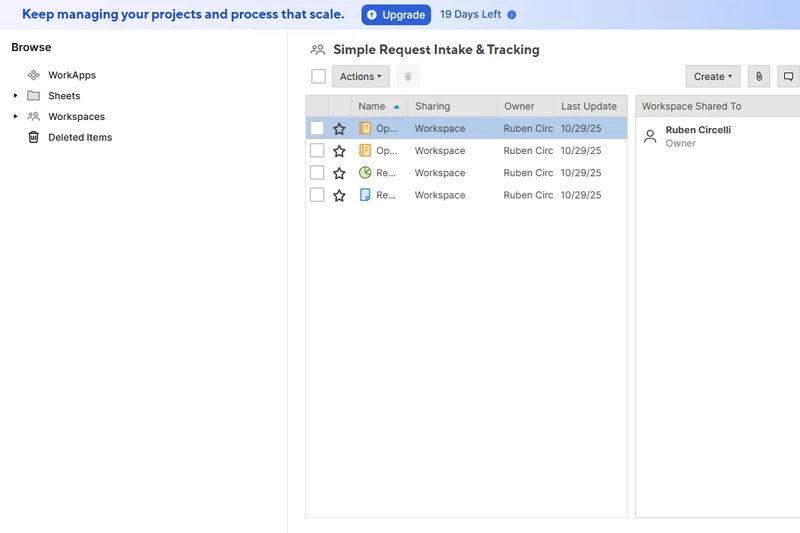
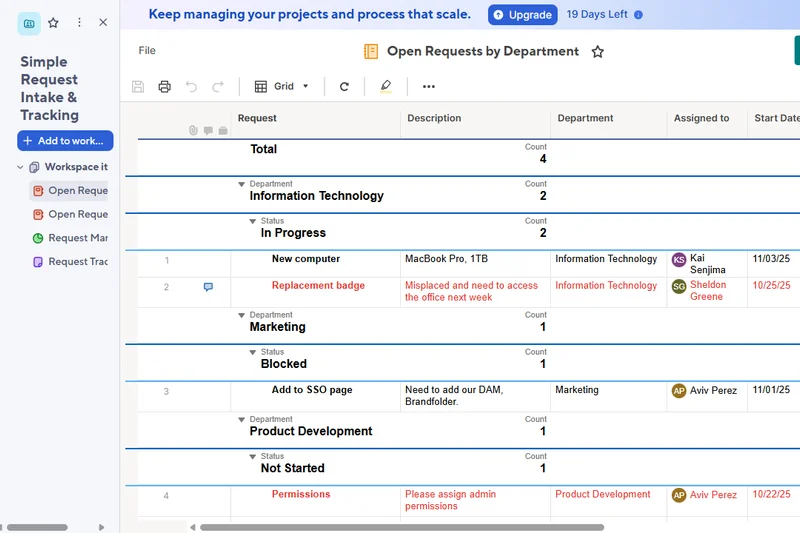
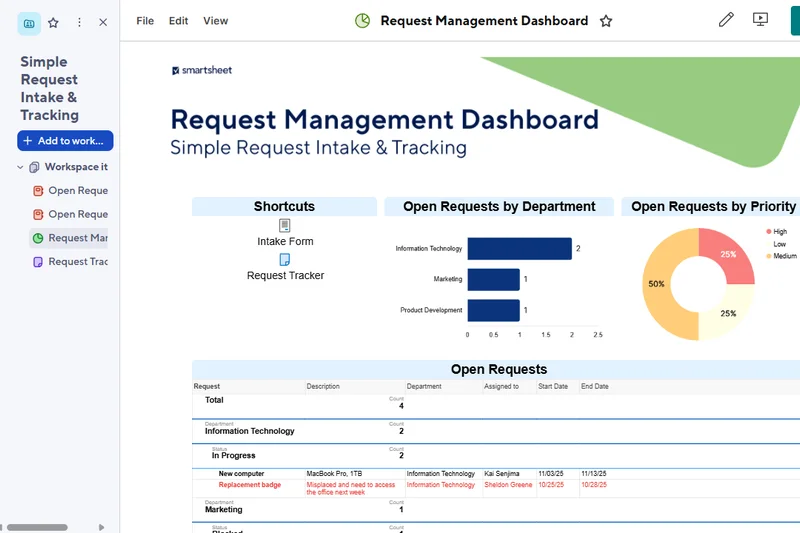
Why we picked it: Smartsheet brings project management to a spreadsheet-like interface. The free tier allows 1 user and up to 2 editors, offering Gantt, Grid, and Card views with 500MB of storage.
Key Specs
- 1 user and up to 2 editors
- Maximum of 2 sheets
- Gantt, Grid, Card, and Calendar views
- 500MB total attachment storage
- Basic automations
What we like
- Familiar spreadsheet interface
- Includes Gantt and Calendar views
- Basic automations save time
What we don't like
- Extremely restrictive 2-sheet limit
- Essentially a trial for the paid enterprise tool
Best for: Individuals who prefer Excel-style logic but need modern PM views like Gantt charts.
Considering Smartsheet vs Airtable? Both use grid layouts, but Airtable is vastly more generous on its free tier and offers superior relational databases.
Smartsheet Free is a highly restricted taste of a powerful enterprise spreadsheet tool.
Buy at Smartsheet official site#35 Monday.com Free
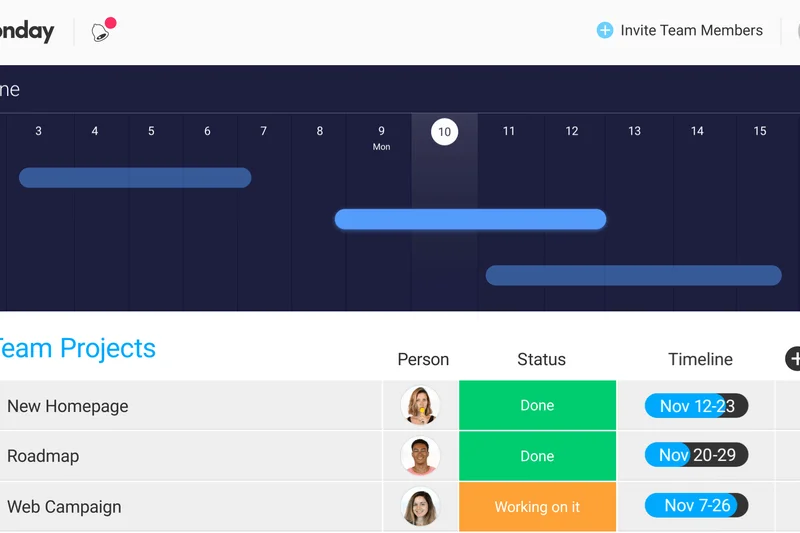
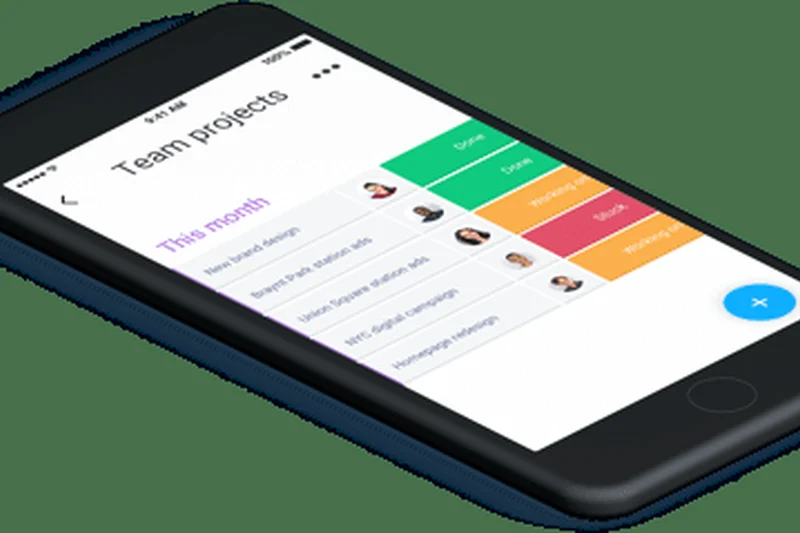
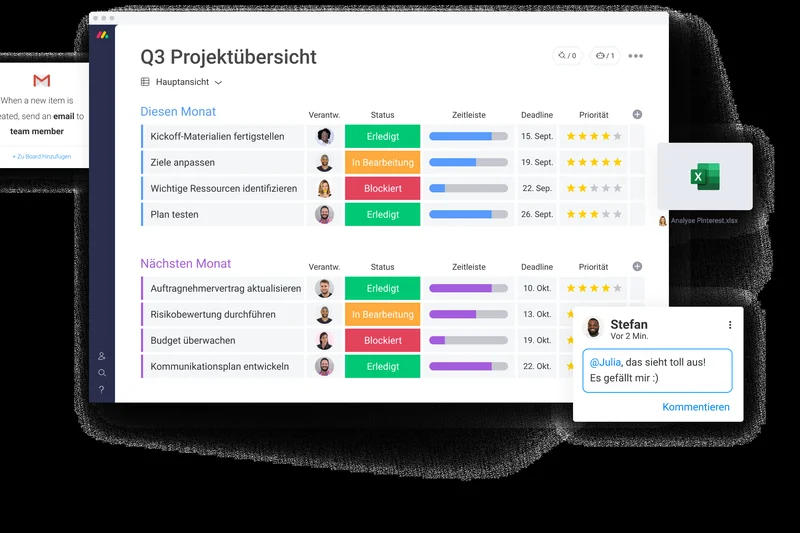
Why we picked it: Monday.com's Work OS is incredibly popular, but its free tier is heavily gated. It supports up to 2 users and 3 boards, providing access to over 200 premade templates.
Key Specs
- Up to 2 users
- Up to 3 boards
- Unlimited documents
- Over 200 premade templates
- Basic task tracking and status updates
What we like
- Beautiful, highly colorful UI
- Massive library of excellent templates
- Unlimited documents
What we don't like
- Strict 2-user limit makes it useless for real teams
- Many core views (like Timeline/Gantt) are paywalled
Best for: Freelancers or duos who want to test drive Monday's interface before upgrading.
Considering Monday.com vs ClickUp? ClickUp offers unlimited users and far more features for free, while Monday.com heavily restricts free usage to force upgrades.
Monday.com is a fantastic platform, but its free tier acts more like an extended trial than a viable long-term solution.
Buy at Monday.com official siteBuying Guide
Understanding Free Project Management Tiers
In 2026, the software landscape has shifted. While many companies offer "free forever" plans, these are often designed to funnel you toward a paid subscription as quickly as possible. The key to finding the right software is understanding exactly where the paywall exists and ensuring your current team won't hit it within the first few months. You need a tool that balances your current needs with the flexibility to grow.
What to Look For by User Type
1. Small Teams (2-10 Members)
If you're collaborating with a handful of people, your priority should be finding a generous user limit and strong collaboration features. Look for tools that allow at least 5-10 users on their free tier and offer built-in chat or document collaboration. Platforms like Height and ClickUp are exceptional here, offering unlimited members or users, enabling your entire small business to coordinate without a per-seat license fee.
2. Solo Freelancers
Freelancers prioritize personal productivity. You don't necessarily need advanced resource allocation or enterprise permissions. Instead, focus on a frictionless daily user experience, solid task management (like flexible Kanban boards or lists), and the ability to invite clients as guests without triggering a paywall. Trello and Notion are fantastic for individual task tracking due to their highly customizable and intuitive interfaces.
3. Agile & Software Development Teams
Development teams require strict Agile methodologies, robust sprint planning, and seamless code-repository integrations (such as GitHub or GitLab). Simple to-do lists won't cut it. Look for issue trackers like Plane, Linear, or Jira, which offer specialized development workflows, bug tracking, and sprint cycle management entirely for free.
4. Scaling Startups
Startups often use free tiers as an extended trial before committing to an enterprise rollout. If you plan to grow rapidly, evaluate the scalability of the tool. Pay close attention to the pricing of the first paid tier and the ease of data export. You want a platform like ClickUp or Asana that handles increasing task complexity smoothly and won't hit you with an exorbitant bill once you reach critical mass.
What to Avoid on Free Plans
- Aggressive Feature Gating: Avoid tools that block essential views (like Calendars or basic Kanban boards) behind a paywall. A good free tool should provide the core functionality needed to actually manage a project.
- Severe User Limits: Tools that restrict you to 1 or 2 users are essentially personal to-do list apps, not team collaboration tools. If your team has 5 people, a 2-user limit is useless.
- Data Hostage Situations: Ensure you can easily export your data (usually as a CSV) on the free tier. If a platform refuses to let you download your own project data without upgrading, look elsewhere.
- Microscopic Storage Limits: While you shouldn't expect terabytes of free storage, anything under 50MB total is going to be filled rapidly if you share assets. Understand the file attachment limits before committing.
When to Upgrade to a Paid Tier
Even the most generous free plans have their breaking points. You should consider upgrading when you require advanced reporting and analytics, need granular user permissions (like restricting client access to specific folders), or rely heavily on custom automations that exceed the free monthly quotas. Additionally, if your team size naturally outgrows the free user cap, the productivity gains of keeping everyone on one platform usually outweigh the cost of upgrading.
FAQ
What is the best free project management software for small teams?
For small teams, Height Free and ClickUp Free Forever are the top choices. Height offers unlimited members and an incredibly fast interface with built-in chat. ClickUp offers unlimited users and tasks alongside advanced views like Gantt charts, making it highly adaptable as your team grows.
Are 'free forever' plans actually free?
Yes, but they always come with limitations. Software providers use free tiers to acquire users, hoping you will upgrade as your team grows. You will not be charged, but you may face caps on the number of users, file storage, or access to advanced features like automations and detailed reporting.
Which free project management tool is best for Agile development?
Plane Free and Linear Free are exceptional for Agile development. Both provide specialized tools for issue tracking, sprint cycles, and deep integrations with GitHub and GitLab. Plane also offers the ability to self-host for ultimate data control.
Can I get Gantt charts for free?
Yes. While many tools lock Gantt charts behind a paywall, platforms like ClickUp, OpenProject, and Redbooth include them in their free tiers.
What is the best tool for a solo freelancer?
Notion and Trello are fantastic for freelancers. Trello provides the easiest, most visual Kanban board experience for tracking client work, while Notion offers an infinitely customizable workspace where you can blend project tracking with client notes and documentation.
How did SelectionLogic evaluate these tools?
We utilized the M2 Multi-Dimensional Evaluation framework from SelectionLogic, assessing 35 tools across seven dimensions: Free Tier Generosity, Task Management, UX/UI, Collaboration, Integrations, Scalability, and Reliability.
Why did Monday.com rank lower on the free tier list?
While Monday.com is an exceptional enterprise tool, its free tier is extremely restrictive, limiting you to just 2 users and 3 boards, and gating core features like timelines. It functions more as an extended trial than a usable free platform for a growing team.
What happens if I exceed the file storage limit on a free plan?
Typically, the software will prevent you from uploading any new files until you either delete old attachments to free up space or upgrade to a premium plan. Tools like ClickUp have a strict 60MB limit, so utilizing external links (like Google Drive) is recommended.
Are open-source project management tools really free?
Tools like OpenProject and Plane are free to download and use without user limits if you self-host them. However, you will need to pay for your own server infrastructure and have the technical knowledge to maintain and secure the software.
Which free PM tool has the best mobile app?
Linear and Todoist offer some of the fastest, most reliable native mobile experiences. Linear is highly optimized for performance, while Todoist excels in quick task capture via mobile widgets and voice input.
Can I export my data easily if I want to switch tools later?
Most reputable tools allow you to export your basic task data via CSV on their free tiers. However, always check the export limitations before committing, as some platforms restrict comprehensive API access or full workspace backups to paid plans.
Do any free PM tools include built-in time tracking?
Yes. Paymo, KanbanFlow, Freedcamp, and nTask all offer basic native time tracking on their free plans, making them excellent choices for freelancers and consultants who bill by the hour.
Methodology
Our ranking of the Best Free Project Management Tools for 2026 is driven by a rigorous, data-centric evaluation utilizing the M2 Multi-Dimensional Evaluation framework from SelectionLogic. We evaluated 35 SaaS applications against seven weighted dimensions to produce our overall and scenario-specific rankings, ensuring a comprehensive assessment of what these tools offer without requiring a credit card.
Scoring Framework & Weights
- Free Tier Generosity (25%): Evaluates the maximum number of users, active projects, file storage limits, and feature gating. This is heavily weighted because severe restrictions negate the value of a "free" tool.
- Core Task Management (20%): Assesses the availability and flexibility of task views (Kanban, lists, Gantt charts, calendars) and task dependencies.
- User Experience & Onboarding (15%): Measures interface intuitiveness, setup ease, and the availability of pre-built templates.
- Collaboration Features (15%): Evaluates in-app communication, real-time editing, file sharing capabilities, and @mention notifications.
- Integrations & Ecosystem (10%): Looks at native connections to third-party tools (Slack, Google Workspace, GitHub) on the free tier.
- Scalability & Upgrade Path (10%): Analyzes the pricing of the first paid tier, ease of data export, and performance as teams grow.
- Performance & Reliability (5%): Checks platform uptime, cross-platform syncing speed, and mobile app stability.
Scenario-Based Rankings
Because no single tool is perfect for every team, we recalculate the dimensional scores based on specific use cases:
- Small Teams: Prioritizes Free Tier Generosity (25%) and Task Management (20%) so teams can jump in quickly without paywalls.
- Solo Freelancers: Shifts weight to Task Management (25%) and UX/UI (25%) for personal productivity over team communication.
- Agile Development: Heavily weights Task Management (30%) and Collaboration (20%) to support strict sprint planning and code integrations.
- Scaling Startups: Increases the importance of Scalability (20%) and Integrations (15%) to ensure the tool acts as a viable trial before an enterprise rollout.
Data Sources
Our evaluation relies on primary hands-on testing by our editorial team. We cross-reference our findings with official pricing and feature documentation from the software providers. To ensure long-term stability metrics, we incorporate aggregated user feedback from trusted tech review platforms and uptime monitoring services. All software must have been available and updated as of Q1 2026.
Sources & References
All factual claims, product specifications, prices, and images in this article are cited by number. Click any reference to jump to the list; click the link in each entry to visit the original source.
- [1]SelectionLogic. "M2 Multi-Dimensional Evaluation." selectionlogic.org/en/methods/m2-multi-dimensional-evaluation/. Accessed Mar 2026.
- [2]SelectionLogic. "Project Management Software Guide." selectionlogic.org/en/guides/software-saas-project-management-guide/. Accessed Mar 2026.
- [3]ClickUp. "Pricing & Free Forever Plan." clickup.com/pricing. Accessed Mar 2026.
- [4]Height. "Height Pricing - Free Tier." height.app/pricing. Accessed Mar 2026.
- [5]Linear. "Linear Pricing - Free Plan." linear.app/pricing. Accessed Mar 2026.
- [6]Plane. "Plane Open Source Pricing." plane.so/pricing. Accessed Mar 2026.
- [7]Asana. "Asana Personal Plan Features." asana.com/pricing. Accessed Mar 2026.
- [8]Notion. "Notion Pricing & Free Plan." notion.so/pricing. Accessed Mar 2026.
- [9]Trello. "Trello Pricing & Power-Ups." trello.com/pricing. Accessed Mar 2026.
- [10]Miro. "Miro Visual Workspace Pricing." miro.com/pricing/. Accessed Mar 2026.
- [11]OpenProject. "OpenProject Community Edition." openproject.org/pricing/. Accessed Mar 2026.
- [12]Plaky. "Plaky Free Forever Plan." plaky.com/pricing. Accessed Mar 2026.
- [13]Atlassian Jira. "Jira Software Pricing." atlassian.com/software/jira/pricing. Accessed Mar 2026.
- [14]Freedcamp. "Freedcamp Pricing." freedcamp.com/pricing. Accessed Mar 2026.
- [15]GoodDay. "GoodDay Freemium Pricing." goodday.work/pricing. Accessed Mar 2026.
- [16]Slite. "Slite Documentation PM Pricing." slite.com/pricing. Accessed Mar 2026.
- [17]KanbanFlow. "KanbanFlow Time Tracking & Pricing." kanbanflow.com/pricing. Accessed Mar 2026.
- [18]Taiga. "Taiga Agile Project Management Pricing." taiga.io/pricing. Accessed Mar 2026.
- [19]Bitrix24. "Bitrix24 Workspace Pricing." bitrix24.com/prices/. Accessed Mar 2026.
- [20]MeisterLabs. "MeisterTask Basic Free Plan." meistertask.com/pricing. Accessed Mar 2026.
- [21]Airtable. "Airtable Free Database Pricing." airtable.com/pricing. Accessed Mar 2026.
- [22]Paymo. "Paymo App Freelancer Pricing." paymoapp.com/pricing/. Accessed Mar 2026.
- [23]Wrike. "Wrike Free Plan Limitations." wrike.com/price/. Accessed Mar 2026.
- [24]Taskade. "Taskade AI PM Workspace Pricing." taskade.com/pricing. Accessed Mar 2026.
- [25]Doist. "Todoist Beginner Plan Pricing." todoist.com/pricing. Accessed Mar 2026.
- [26]nTask. "nTask Basic Plan Information." ntaskmanager.com/pricing/. Accessed Mar 2026.
- [27]ActiveCollab. "ActiveCollab Pricing." activecollab.com/pricing. Accessed Mar 2026.
- [28]Avaza. "Avaza Free Invoicing & PM." avaza.com/pricing/. Accessed Mar 2026.