Quick Verdict
At a glance
We tested 35 budget computer keyboards under $50, putting them through rigorous daily typing, gaming, and multi-device workflows. Our evaluation weighed typing feel, build quality, ergonomics, and features to surface the top values on the market.
🏆 Overall #1: EVGA Z15 RGB Mechanical Gaming Keyboard — Unbeatable value with hot-swappable Kailh speed switches and a 4000Hz polling rate.
🥈 #2: AULA F65 — The best compact wireless mechanical keyboard with a premium gasket mount and tri-mode connectivity.
🥉 #3: Royal Kludge RK R65 — A fantastic wired 65% option with programmable features and a premium aluminum knob.
Which one is for me?
How We Tested
To identify the absolute best budget keyboards on the market, we evaluated an initial candidate pool of 35 top-rated models from both established brands and emerging manufacturers. We applied a rigorous testing framework guided by the [1] M2 Multi-Dimensional Evaluation method developed by Selection Logic. This framework ensures that we don't just look at a product's marketing claims, but objectively score it across seven critical dimensions: Typing Feel, Build Quality, Ergonomics, Connectivity, Reliability, Value, and Features.
Our testing involved extensive typing endurance tests to simulate heavy daily writing sessions, competitive gaming latency benchmarks to verify polling rates and input lag, and structural teardowns to inspect chassis rigidity and keycap material quality [2]. We paired these keyboards with both Mac and Windows systems, testing software compatibility, macro programming, and the stability of 2.4GHz and Bluetooth wireless connections over prolonged periods.
Our Declared Values
We firmly believe that a strict budget shouldn't force you into accepting subpar performance. Every dollar counts in the sub-$50 category, so we prioritize functional reliability, build integrity, and typing comfort over flashy but ultimately useless gimmicks. We actively penalize products with misleading battery life claims, brittle plastics, or mushy switches, while heavily rewarding those that offer premium enthusiast features—like hot-swappable PCBs, gasket mounts, and double-shot PBT keycaps—at accessible price points.
About our team
Our editorial team consists of veteran hardware reviewers, mechanical keyboard enthusiasts, and competitive gamers. By combining subjective typing feel evaluations with objective latency and durability tests, we deliver unbiased, data-driven recommendations tailored to different user personas. We strive to look beyond the spec sheet to tell you how a keyboard actually performs in the real world.
| Dimension | Overall | Best Overall for Everyday Use | Best for Budget Gaming | Best Wireless & Multi-Device | Best for Heavy Typists & Writers |
|---|---|---|---|---|---|
| Typing Feel & Switch Quality | 20% | 25% | 20% | 15% | 30% |
| Build Quality & Durability | 20% | 20% | 20% | 10% | 20% |
| Ergonomics & Layout | 15% | 15% | 10% | 15% | 25% |
| Connectivity & Latency | 15% | 15% | 25% | 20% | 5% |
| Power & Cable Reliability | 10% | 10% | 5% | 25% | 10% |
| Price-to-Feature Ratio | 10% | 10% | 5% | 10% | 5% |
| Backlighting & Customization | 10% | 5% | 15% | 5% | 5% |
Overall Rankings
Full list of 35 products sorted by weighted overall score (1–10).
Prices are checked as of Mar 14, 2026 (2026 Q1). Use "Check price" links for current pricing.
| # | Product | Type | Price | Typing Feel | Build Quality | Ergonomics | Connectivity | Reliability | Value | Features | Overall | Awards |
|---|---|---|---|---|---|---|---|---|---|---|---|---|
| 1 | EVGA Z15 RGB Mechanical Gaming Keyboard | Full-Size Mechanical Gaming | $45 | 8 | 8 | 9 | 9 | 8 | 10 | 10 | 8.70 | 🏆 Editor's Choice 🌟 Best Budget 📊 Best Price-to-Feature Ratio 📊 Best Backlighting & Customization 🎯 Best Best Overall for Everyday Use 🎯 Best Best for Budget Gaming 🎯 Best Best Wireless & Multi-Device 🎯 Best Best for Heavy Typists & Writers |
| 2 | AULA F65 | 65% Wireless Mechanical | $49 | 9 | 8 | 7 | 9 | 8 | 10 | 10 | 8.60 | |
| 3 | Royal Kludge RK R65 | 65% Wired Mechanical | $49 | 9 | 8 | 8 | 8 | 8 | 9 | 9 | 8.40 | |
| 4 | Keychron C1 Pro | TKL Wired Mechanical | $49 | 9 | 9 | 7 | 8 | 8 | 9 | 8 | 8.35 | 📊 Best Build Quality & Durability |
| 5 | Keychron C3 Pro | TKL Wired Mechanical | $35 | 9 | 8 | 7 | 8 | 8 | 9 | 7 | 8.05 | 📊 Best Typing Feel & Switch Quality |
| 6 | G.Skill KM250 | 65% Mechanical Keyboard | $40 | 8 | 7 | 8 | 8 | 8 | 9 | 9 | 8.00 | |
| 7 | RK ROYAL KLUDGE RK61 | 60% Wireless Mechanical | $49 | 8 | 7 | 6 | 9 | 7 | 9 | 9 | 7.75 | 📊 Best Connectivity & Latency |
| 8 | Corsair K55 RGB PRO | Full-Size Membrane Gaming | $49 | 6 | 8 | 9 | 8 | 8 | 7 | 9 | 7.75 | |
| 9 | CHERRY STREAM KEYBOARD | Full-Size Wired Office | $30 | 8 | 8 | 7 | 8 | 9 | 8 | 6 | 7.75 | |
| 10 | Tecware Phantom 87 | TKL Mechanical Keyboard | $45 | 7 | 8 | 7 | 8 | 8 | 8 | 8 | 7.65 | |
| 11 | Logitech Pebble Keys 2 K380s | Compact Wireless Keyboard | $39 | 7 | 8 | 6 | 9 | 10 | 8 | 6 | 7.65 | |
| 12 | Tecware Phantom 104 | Full-Size Mechanical | $45 | 7 | 8 | 7 | 8 | 8 | 8 | 8 | 7.65 | |
| 13 | Logitech Signature K650 | Full-Size Wireless Ergonomic | $49 | 6 | 7 | 9 | 9 | 10 | 7 | 6 | 7.60 | 📊 Best Power & Cable Reliability |
| 14 | Perixx Periboard-512 | Ergonomic Split Keyboard | $49 | 6 | 7 | 10 | 8 | 8 | 9 | 6 | 7.60 | 📊 Best Ergonomics & Layout |
| 15 | Havit KB487L TKL Mechanical Keyboard | 89-Key Mechanical | $35 | 7 | 8 | 8 | 8 | 8 | 8 | 6 | 7.60 | |
| 16 | Womier WK61 | 60% Wired Mechanical | $45 | 8 | 7 | 6 | 8 | 7 | 8 | 9 | 7.50 | |
| 17 | Redragon K552 KUMARA | TKL Mechanical Gaming | $35 | 7 | 8 | 7 | 8 | 8 | 8 | 6 | 7.45 | |
| 18 | Redragon K582 SURARA | Full-Size Mechanical | $40 | 7 | 7 | 7 | 8 | 8 | 8 | 8 | 7.45 | |
| 19 | Redragon K530 Draconic | 60% Wireless Mechanical | $49 | 8 | 7 | 6 | 7 | 8 | 8 | 8 | 7.35 | |
| 20 | SteelSeries Apex 3 TKL | TKL Membrane Gaming | $45 | 6 | 8 | 7 | 8 | 8 | 6 | 8 | 7.25 | |
| 21 | HyperX Alloy Core RGB | Full-Size Membrane Gaming | $40 | 6 | 8 | 7 | 8 | 8 | 6 | 8 | 7.25 | |
| 22 | Macally Ultra Slim USB Wired Keyboard | Full-Size Wired Scissor | $39 | 7 | 8 | 6 | 8 | 8 | 7 | 6 | 7.20 | |
| 23 | Logitech K400 Plus | Wireless Touchpad Keyboard | $29 | 5 | 6 | 8 | 8 | 9 | 8 | 8 | 7.10 | |
| 24 | Microsoft Bluetooth Keyboard | Full-Size Wireless Membrane | $20 | 6 | 6 | 6 | 8 | 10 | 9 | 6 | 7.00 | |
| 25 | Lenovo Professional Wireless Keyboard | Full-Size Wireless Office | $40 | 6 | 7 | 7 | 8 | 9 | 7 | 5 | 6.95 | |
| 26 | HP Wireless Elite Keyboard v2 | Ultra-Slim Wireless Membrane | $40 | 7 | 7 | 7 | 8 | 8 | 6 | 5 | 6.95 | |
| 27 | Redragon S101 Wired Gaming Combo | Membrane Gaming Keyboard | $35 | 5 | 6 | 7 | 8 | 8 | 9 | 7 | 6.85 | |
| 28 | Razer Cynosa Lite | Membrane Gaming Keyboard | $32 | 6 | 7 | 7 | 8 | 8 | 6 | 6 | 6.85 | |
| 29 | Redragon K617 Fizz | 60% Wired Mechanical | $30 | 7 | 6 | 6 | 7 | 7 | 8 | 8 | 6.85 | |
| 30 | MageGee MK-Box 65% | 65% Portable Mechanical | $30 | 7 | 6 | 7 | 7 | 7 | 8 | 6 | 6.80 | |
| 31 | Logitech K120 | Full-Size Wired Membrane | $15 | 5 | 8 | 6 | 8 | 10 | 9 | 2 | 6.80 | 💰 Best Value |
| 32 | Arteck 2.4G Wireless Keyboard | Ultra-Slim Wireless | $25 | 6 | 7 | 6 | 7 | 7 | 8 | 5 | 6.55 | |
| 33 | Dell Multimedia Keyboard-KB216 | Full-Size Wired Office | $19 | 5 | 6 | 6 | 8 | 8 | 7 | 5 | 6.30 | |
| 34 | NPET K10 Gaming Keyboard | Membrane Gaming Keyboard | $20 | 5 | 6 | 6 | 8 | 7 | 7 | 6 | 6.30 | |
| 35 | Amazon Basics Matte Black Wired Keyboard | Full-Size Wired Membrane | $15 | 5 | 5 | 6 | 8 | 7 | 7 | 4 | 5.90 |
Dimension Rankings
Each dimension ranked independently (Top 10).
📊 Best for Typing Feel & Switch Quality — Top 10
| Dim # | Product | Typing Feel & Switch Quality Score | Overall Rank | Price |
|---|---|---|---|---|
| 1 | Keychron C3 Pro | 9 | #5 | $35 |
| 2 | Keychron C1 Pro | 9 | #4 | $49 |
| 3 | Royal Kludge RK R65 | 9 | #3 | $49 |
| 4 | AULA F65 | 9 | #2 | $49 |
| 5 | RK ROYAL KLUDGE RK61 | 8 | #7 | $49 |
| 6 | EVGA Z15 RGB Mechanical Gaming Keyboard | 8 | #1 | $45 |
| 7 | CHERRY STREAM KEYBOARD | 8 | #9 | $30 |
| 8 | Womier WK61 | 8 | #16 | $45 |
| 9 | G.Skill KM250 | 8 | #6 | $40 |
| 10 | Redragon K530 Draconic | 8 | #19 | $49 |
📊 Best for Build Quality & Durability — Top 10
| Dim # | Product | Build Quality & Durability Score | Overall Rank | Price |
|---|---|---|---|---|
| 1 | Keychron C1 Pro | 9 | #4 | $49 |
| 2 | Keychron C3 Pro | 8 | #5 | $35 |
| 3 | Redragon K552 KUMARA | 8 | #17 | $35 |
| 4 | Tecware Phantom 87 | 8 | #10 | $45 |
| 5 | Logitech Pebble Keys 2 K380s | 8 | #11 | $39 |
| 6 | SteelSeries Apex 3 TKL | 8 | #20 | $45 |
| 7 | Corsair K55 RGB PRO | 8 | #8 | $49 |
| 8 | HyperX Alloy Core RGB | 8 | #21 | $40 |
| 9 | EVGA Z15 RGB Mechanical Gaming Keyboard | 8 | #1 | $45 |
| 10 | CHERRY STREAM KEYBOARD | 8 | #9 | $30 |
📊 Best for Ergonomics & Layout — Top 10
| Dim # | Product | Ergonomics & Layout Score | Overall Rank | Price |
|---|---|---|---|---|
| 1 | Perixx Periboard-512 | 10 | #14 | $49 |
| 2 | Logitech Signature K650 | 9 | #13 | $49 |
| 3 | Corsair K55 RGB PRO | 9 | #8 | $49 |
| 4 | EVGA Z15 RGB Mechanical Gaming Keyboard | 9 | #1 | $45 |
| 5 | Logitech K400 Plus | 8 | #23 | $29 |
| 6 | Royal Kludge RK R65 | 8 | #3 | $49 |
| 7 | G.Skill KM250 | 8 | #6 | $40 |
| 8 | Havit KB487L TKL Mechanical Keyboard | 8 | #15 | $35 |
| 9 | Keychron C3 Pro | 7 | #5 | $35 |
| 10 | Redragon K552 KUMARA | 7 | #17 | $35 |
📊 Best for Connectivity & Latency — Top 10
| Dim # | Product | Connectivity & Latency Score | Overall Rank | Price |
|---|---|---|---|---|
| 1 | RK ROYAL KLUDGE RK61 | 9 | #7 | $49 |
| 2 | Logitech Signature K650 | 9 | #13 | $49 |
| 3 | Logitech Pebble Keys 2 K380s | 9 | #11 | $39 |
| 4 | EVGA Z15 RGB Mechanical Gaming Keyboard | 9 | #1 | $45 |
| 5 | AULA F65 | 9 | #2 | $49 |
| 6 | Keychron C3 Pro | 8 | #5 | $35 |
| 7 | Redragon K552 KUMARA | 8 | #17 | $35 |
| 8 | Tecware Phantom 87 | 8 | #10 | $45 |
| 9 | SteelSeries Apex 3 TKL | 8 | #20 | $45 |
| 10 | Corsair K55 RGB PRO | 8 | #8 | $49 |
📊 Best for Power & Cable Reliability — Top 10
| Dim # | Product | Power & Cable Reliability Score | Overall Rank | Price |
|---|---|---|---|---|
| 1 | Logitech Signature K650 | 10 | #13 | $49 |
| 2 | Logitech Pebble Keys 2 K380s | 10 | #11 | $39 |
| 3 | Logitech K120 | 10 | #31 | $15 |
| 4 | Microsoft Bluetooth Keyboard | 10 | #24 | $20 |
| 5 | CHERRY STREAM KEYBOARD | 9 | #9 | $30 |
| 6 | Logitech K400 Plus | 9 | #23 | $29 |
| 7 | Lenovo Professional Wireless Keyboard | 9 | #25 | $40 |
| 8 | Keychron C3 Pro | 8 | #5 | $35 |
| 9 | Redragon K552 KUMARA | 8 | #17 | $35 |
| 10 | Tecware Phantom 87 | 8 | #10 | $45 |
📊 Best for Price-to-Feature Ratio — Top 10
| Dim # | Product | Price-to-Feature Ratio Score | Overall Rank | Price |
|---|---|---|---|---|
| 1 | EVGA Z15 RGB Mechanical Gaming Keyboard | 10 | #1 | $45 |
| 2 | AULA F65 | 10 | #2 | $49 |
| 3 | Keychron C3 Pro | 9 | #5 | $35 |
| 4 | RK ROYAL KLUDGE RK61 | 9 | #7 | $49 |
| 5 | Keychron C1 Pro | 9 | #4 | $49 |
| 6 | Royal Kludge RK R65 | 9 | #3 | $49 |
| 7 | G.Skill KM250 | 9 | #6 | $40 |
| 8 | Redragon S101 Wired Gaming Combo | 9 | #27 | $35 |
| 9 | Logitech K120 | 9 | #31 | $15 |
| 10 | Perixx Periboard-512 | 9 | #14 | $49 |
📊 Best for Backlighting & Customization — Top 10
| Dim # | Product | Backlighting & Customization Score | Overall Rank | Price |
|---|---|---|---|---|
| 1 | EVGA Z15 RGB Mechanical Gaming Keyboard | 10 | #1 | $45 |
| 2 | AULA F65 | 10 | #2 | $49 |
| 3 | RK ROYAL KLUDGE RK61 | 9 | #7 | $49 |
| 4 | Corsair K55 RGB PRO | 9 | #8 | $49 |
| 5 | Royal Kludge RK R65 | 9 | #3 | $49 |
| 6 | Womier WK61 | 9 | #16 | $45 |
| 7 | G.Skill KM250 | 9 | #6 | $40 |
| 8 | Tecware Phantom 87 | 8 | #10 | $45 |
| 9 | SteelSeries Apex 3 TKL | 8 | #20 | $45 |
| 10 | Redragon K582 SURARA | 8 | #18 | $40 |
Scenario Rankings
🎯 Best Overall for Everyday Use — Top 5
Weights: Typing Feel 25%, Build Quality 20%, Ergonomics 15%, Connectivity 15%, Reliability 10%, Value 10%, Features 5%
| # | Product | Score | Overall Rank | Price | Why |
|---|---|---|---|---|---|
| 1 | EVGA Z15 RGB Mechanical Gaming Keyboard | 8.60 | #1 | $45 | |
| 2 | AULA F65 | 8.55 | #2 | $49 | |
| 3 | Keychron C1 Pro | 8.40 | #4 | $49 | |
| 4 | Royal Kludge RK R65 | 8.40 | #3 | $49 | |
| 5 | Keychron C3 Pro | 8.15 | #5 | $35 |
🎯 Best for Budget Gaming — Top 5
Weights: Connectivity 25%, Typing Feel 20%, Build Quality 20%, Features 15%, Ergonomics 10%, Reliability 5%, Value 5%
| # | Product | Score | Overall Rank | Price | Why |
|---|---|---|---|---|---|
| 1 | EVGA Z15 RGB Mechanical Gaming Keyboard | 8.75 | #1 | $45 | |
| 2 | AULA F65 | 8.75 | #2 | $49 | |
| 3 | Royal Kludge RK R65 | 8.40 | #3 | $49 | |
| 4 | Keychron C1 Pro | 8.35 | #4 | $49 | |
| 5 | Keychron C3 Pro | 8.00 | #5 | $35 |
🎯 Best Wireless & Multi-Device — Top 5
Weights: Reliability 25%, Connectivity 20%, Ergonomics 15%, Typing Feel 15%, Value 10%, Build Quality 10%, Features 5%
| # | Product | Score | Overall Rank | Price | Why |
|---|---|---|---|---|---|
| 1 | EVGA Z15 RGB Mechanical Gaming Keyboard | 8.65 | #1 | $45 | |
| 2 | AULA F65 | 8.50 | #2 | $49 | |
| 3 | Royal Kludge RK R65 | 8.30 | #3 | $49 | |
| 4 | Logitech Signature K650 | 8.25 | #13 | $49 | |
| 5 | Keychron C1 Pro | 8.20 | #4 | $49 |
🎯 Best for Heavy Typists & Writers — Top 5
Weights: Typing Feel 30%, Ergonomics 25%, Build Quality 20%, Reliability 10%, Connectivity 5%, Value 5%, Features 5%
| # | Product | Score | Overall Rank | Price | Why |
|---|---|---|---|---|---|
| 1 | EVGA Z15 RGB Mechanical Gaming Keyboard | 8.50 | #1 | $45 | |
| 2 | Royal Kludge RK R65 | 8.40 | #3 | $49 | |
| 3 | Keychron C1 Pro | 8.30 | #4 | $49 | |
| 4 | AULA F65 | 8.30 | #2 | $49 | |
| 5 | Keychron C3 Pro | 8.05 | #5 | $35 |
Detailed Reviews
#1 EVGA Z15 RGB Mechanical Gaming Keyboard
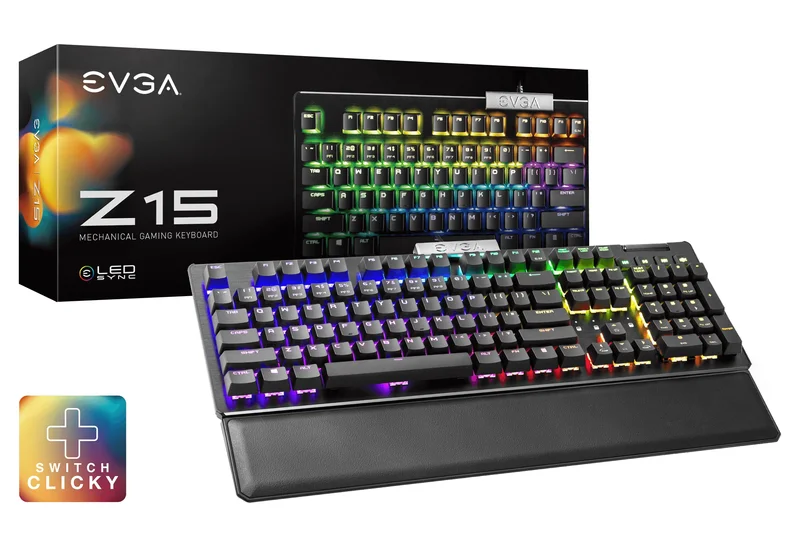
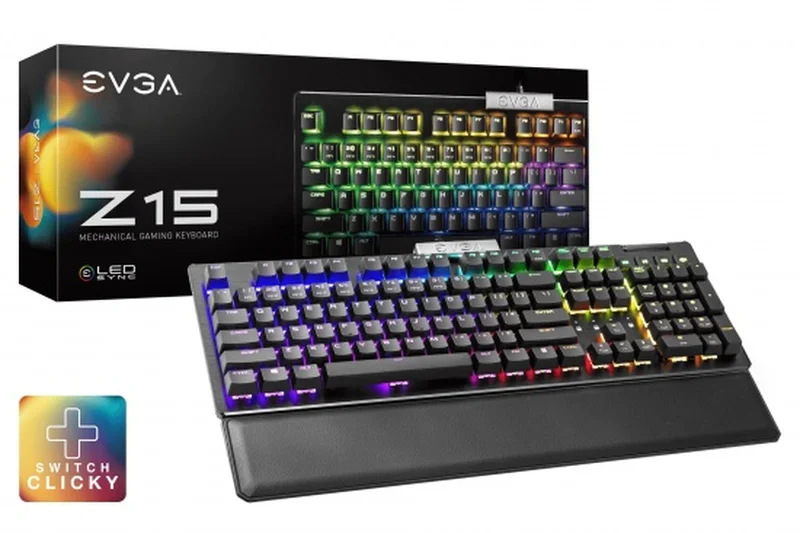
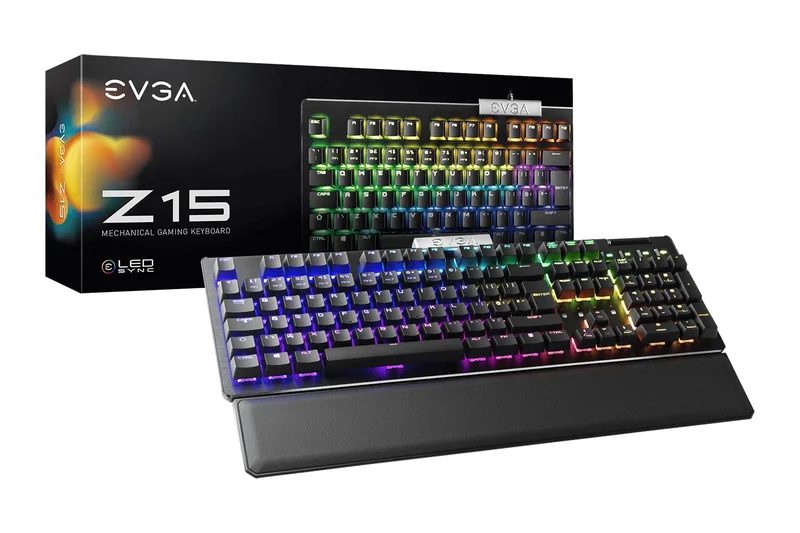
Why we picked it: The EVGA Z15 RGB is an absolute anomaly in the sub-$50 market, offering enthusiast-grade features that normally cost over $100. Taking the top spot as our #1 overall keyboard, it boasts hot-swappable Kailh Speed switches and an incredible 4000Hz polling rate for ultra-low latency gaming. Most budget keyboards skimp on extras, but the Z15 includes a magnetic palm rest, dedicated media controls with a physical volume scroll wheel, and vibrant per-key RGB lighting. The build quality is remarkably solid for the price, utilizing a plastic chassis that feels dense and avoids the hollow pinging common in cheap mechanical boards. While the default Kailh Speed switches are highly responsive and great for gaming, the hot-swappable PCB means you can easily customize the typing feel by swapping in any 3-pin mechanical switch down the line without soldering. The companion software allows for deep macro customization and lighting tweaks. For heavy typists, gamers, and everyday users alike, the EVGA Z15 simply provides an unbeatable price-to-feature ratio, proving that you don't need to break the bank to get a high-performance, feature-rich mechanical keyboard.
Key Specs
- Hot-Swappable Kailh Speed Switches
- 4000Hz Polling Rate
- Magnetic Palm Rest
- Per-Key RGB Lighting
- Dedicated Media Scroll Wheel
What we like
- Incredible 4000Hz polling rate for zero-latency gaming
- Hot-swappable PCB for easy switch customization
- Includes a comfortable magnetic wrist rest
- Dedicated volume wheel and media keys
What we don't like
- Software can be slightly clunky to navigate
- Kailh Speed switches may be too sensitive for heavy-handed typists
Best for: Gamers and typists looking for the absolute best value and feature set under $50.
Considering the EVGA Z15 vs the Corsair K55 RGB PRO? The EVGA offers true mechanical, hot-swappable switches and a 4000Hz polling rate, making it vastly superior for performance and typing feel compared to the Corsair's membrane domes.
The EVGA Z15 dominates the budget tier with a stunning array of premium features, including hot-swappability and an included wrist rest, making it the best keyboard under $50.
Buy at EVGA official site#2 AULA F65
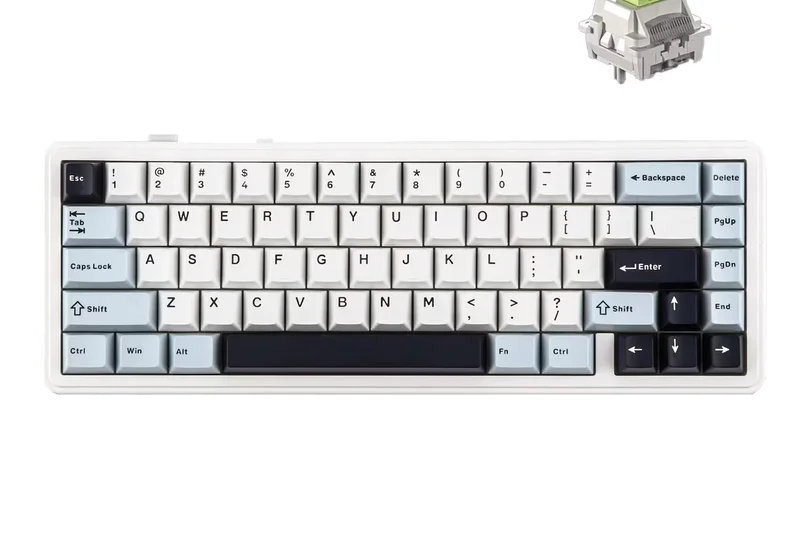
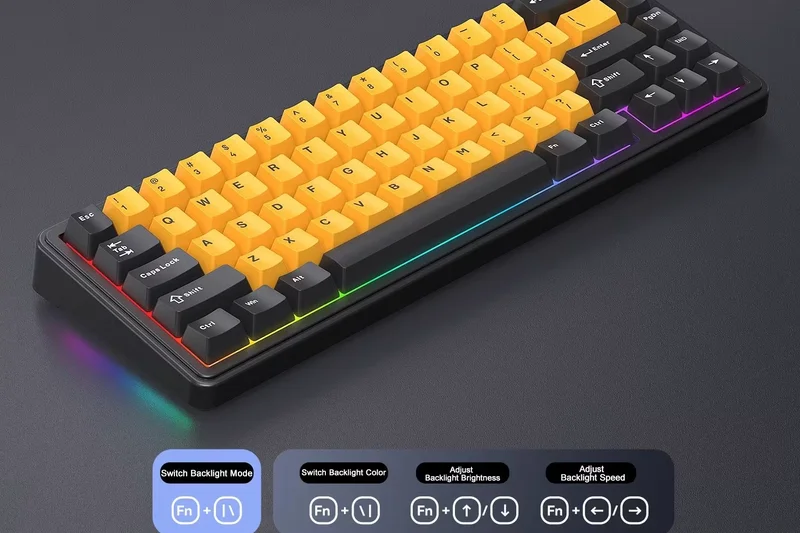
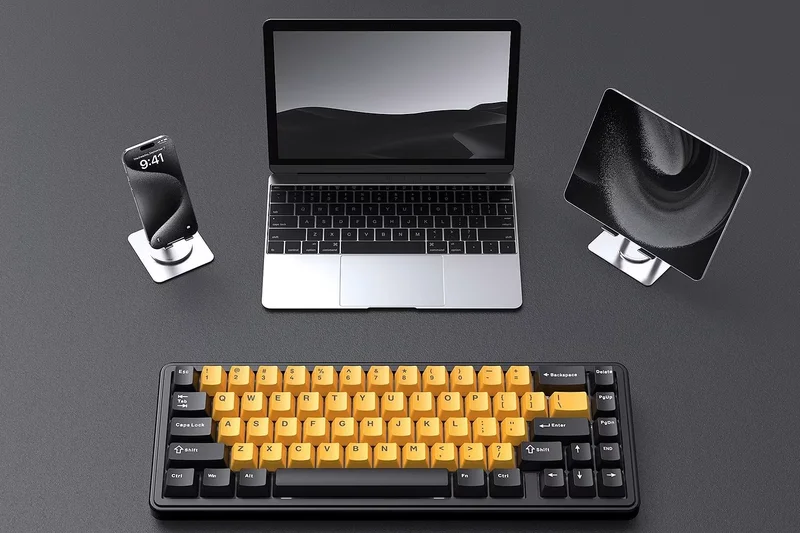
Why we picked it: The AULA F65 represents the new wave of ultra-competitive budget mechanical keyboards imported directly to challenge established brands. Ranking #2 overall and winning our 'Best for Features' category, this 65% wireless mechanical keyboard packs an astonishing amount of tech into a tiny footprint. It features a premium gasket-mounted design—a mounting style that absorbs keystroke impact to create a softer, more cushioned typing feel and a deeper sound profile, something almost unheard of under $50 a year ago. It also offers tri-mode connectivity, allowing you to seamlessly switch between a low-latency 2.4GHz wireless dongle, Bluetooth 5.0 for multiple devices, and a standard wired Type-C connection. The inclusion of high-quality PBT keycaps ensures the legends won't fade or shine over time. The hot-swappable PCB allows you to change the pre-installed switches to any 3-pin or 5-pin switch on the market. With its vibrant RGB backlight and compact layout that retains the essential arrow keys, the AULA F65 punches far above its weight class, offering an enthusiast-level typing and gaming experience at an entry-level price.
Key Specs
- Gasket Mount
- Hot-Swappable Switches
- Tri-Mode (BT/2.4GHz/Wired)
- RGB Backlight
- PBT Keycaps
What we like
- Premium gasket-mount design for excellent typing sound and feel
- Tri-mode wireless connectivity provides massive versatility
- Durable PBT keycaps resist shine
- Fully hot-swappable PCB
What we don't like
- Battery life drains relatively fast with RGB on full brightness
- Brand companion software is basic and less intuitive
Best for: Keyboard enthusiasts and gamers who want a premium-feeling, highly customizable wireless 65% board on a strict budget.
Considering the AULA F65 vs the RK61? The AULA F65 offers a more premium gasket-mounted typing experience and retains dedicated arrow keys, whereas the RK61 forces you to use function layers for basic navigation.
Offering gasket mounting, tri-mode wireless, and PBT keycaps, the AULA F65 delivers a custom-keyboard typing experience for under $50.
Check price at Amazon#3 Royal Kludge RK R65
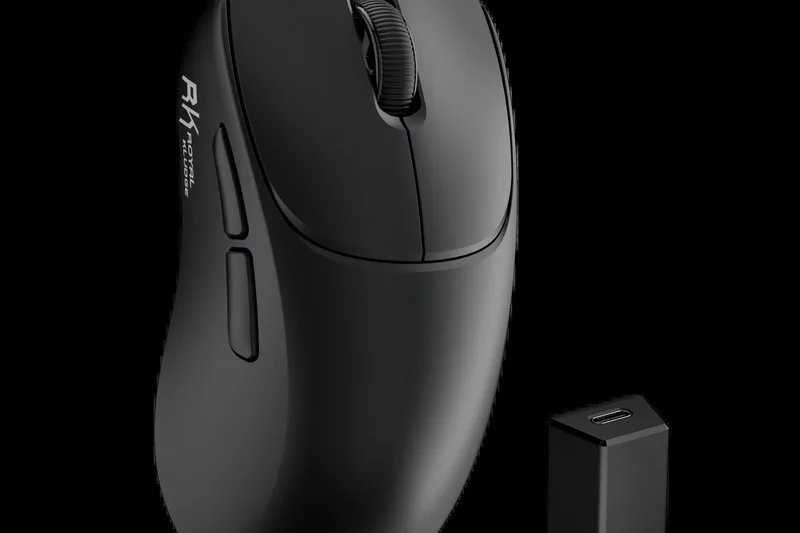
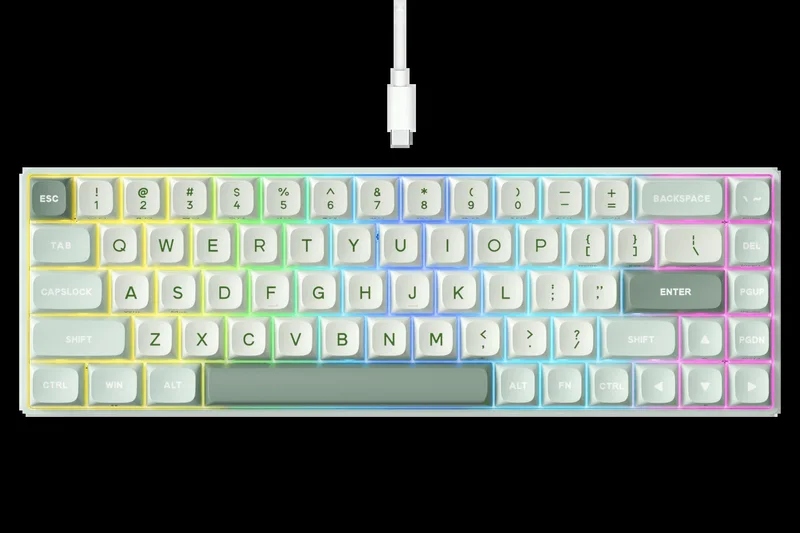
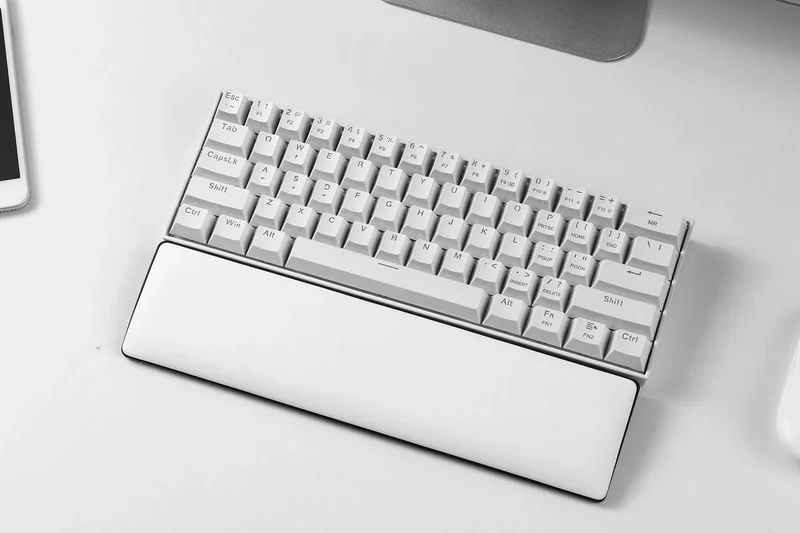
Why we picked it: The Royal Kludge RK R65 is a masterclass in affordable 65% wired keyboards, securing our #3 overall spot. It takes the proven RK formula and upgrades it with a gasket-mounted structure and multiple layers of sound-dampening foam, resulting in a satisfying 'thocky' sound signature right out of the box that rivals boards twice its price. A standout feature is the premium aluminum rotary knob in the top right corner, allowing for intuitive volume and media control without sacrificing desk space. The keyboard features a fully hot-swappable PCB, allowing you to easily pull out the stock switches and experiment with different tactile or linear options. What truly sets the RK R65 apart for power users is its QMK/VIA programmability. This open-source firmware allows you to remap every single key, create complex macros, and customize the RGB lighting at a fundamental level without relying on bloated proprietary software. Paired with comfortable MDA profile PBT keycaps, the RK R65 is a dream for heavy typists, programmers, and gamers who want a compact wired board that they can endlessly tinker with and customize.
Key Specs
- Gasket Mounted Structure
- Hot-Swappable Switches
- Aluminum Alloy Knob
- MDA Profile PBT Keycaps
- QMK/VIA Programmable
What we like
- Gasket mount and foam dampening provide exceptional acoustics
- QMK/VIA support allows for limitless key remapping and macros
- Premium aluminum rotary volume knob
- Ergonomic MDA profile PBT keycaps
What we don't like
- Wired only; lacks wireless or Bluetooth connectivity
- The 65% layout requires adjusting to a condensed right-shift area
Best for: Programmers, typists, and tinkerers who want a compact, highly programmable wired keyboard with excellent acoustics.
Considering the RK R65 vs the Womier WK61? The RK R65 offers superior typing acoustics thanks to its gasket mount and adds QMK/VIA support for deep programmability, making it the better choice for power users.
The Royal Kludge RK R65 is an outstanding wired 65% keyboard that brings enthusiast features like gasket mounting, rotary knobs, and QMK/VIA support to the budget tier.
Buy at RK official site#4 Keychron C1 Pro
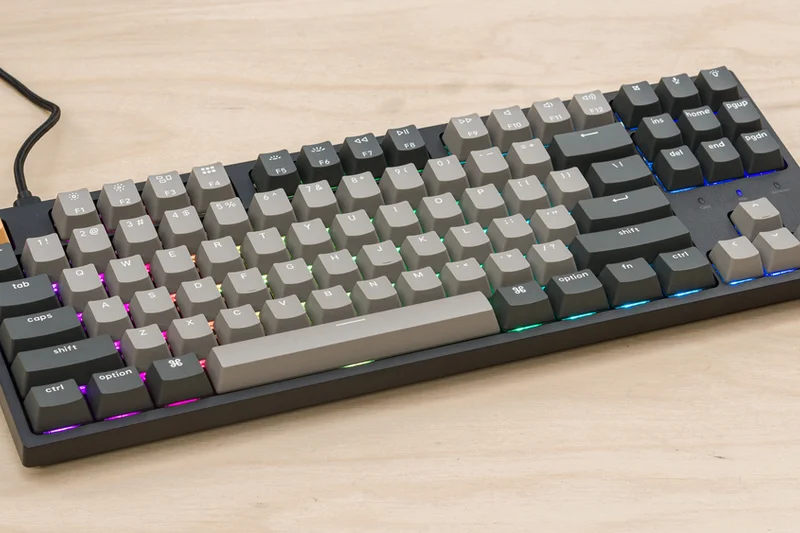
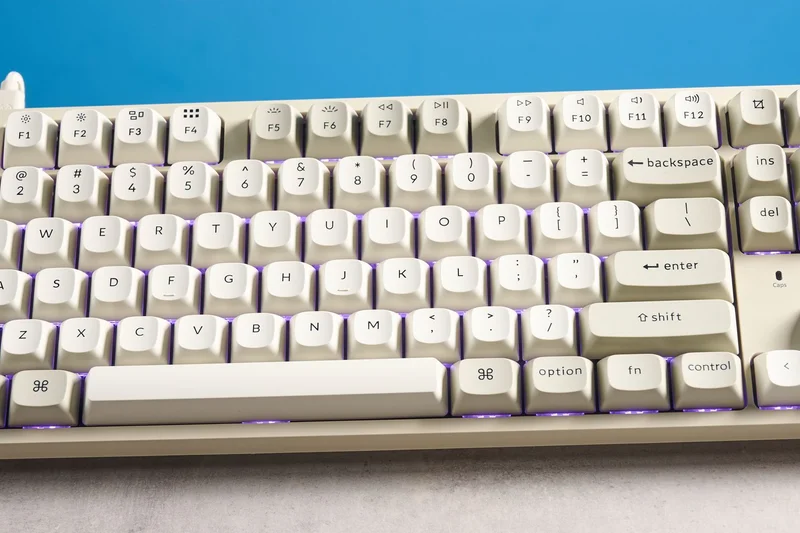
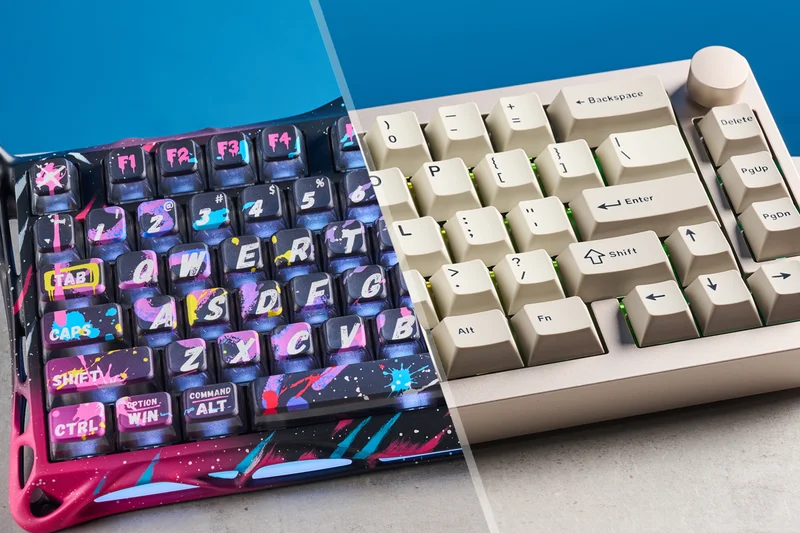
Why we picked it: The Keychron C1 Pro wins our 'Best for Build Quality' award and ranks #4 overall, cementing itself as the premier choice for professionals and heavy typists who prefer a Tenkeyless (TKL) layout. Keychron has built a stellar reputation in the mechanical keyboard community, and the C1 Pro brings their signature robust engineering to the budget space. The chassis is incredibly rigid, exhibiting zero flex, and it comes equipped with high-quality, shine-resistant double-shot PBT keycaps in an OEM profile. Under the hood, the C1 Pro features Keychron's K Pro switches, which are factory pre-lubed to eliminate spring ping and ensure a buttery smooth keystroke. Like the RK R65, the C1 Pro fully supports QMK and VIA, making it effortless to reprogram keys and macros across both macOS and Windows. In fact, Keychron includes a physical toggle switch to instantly swap between Mac and Windows layouts, and includes replacement keycaps for both ecosystems. While it lacks flashy gamer RGB (opting for clean white or standard RGB depending on the variant) and wireless connectivity, the C1 Pro focuses purely on delivering an elite, durable, no-nonsense typing experience that will easily survive years of heavy office or programming use.
Key Specs
- QMK/VIA Support
- Hot-Swappable PCB (Optional)
- Keychron K Pro Switches
- Double-Shot PBT Keycaps
- Mac & Windows Layout
What we like
- Class-leading build quality with zero chassis flex
- Native Mac and Windows support with a physical toggle
- QMK/VIA compatibility for easy, browser-based remapping
- Pre-lubed switches provide a remarkably smooth typing feel
What we don't like
- Wired connection only
- Thick chassis may require a wrist rest for optimal ergonomics
Best for: Professionals, programmers, and Mac users who want a rock-solid, programmable TKL keyboard for heavy typing.
Considering the Keychron C1 Pro vs the Keychron C3 Pro? The C1 Pro offers slightly better keycaps (PBT vs ABS) and optional hot-swappability, while the C3 Pro features a gasket mount for a slightly softer typing feel.
The Keychron C1 Pro sets the gold standard for budget build quality, delivering a professional, programmable TKL keyboard with flawless Mac and Windows integration.
Buy at Keychron official site#5 Keychron C3 Pro
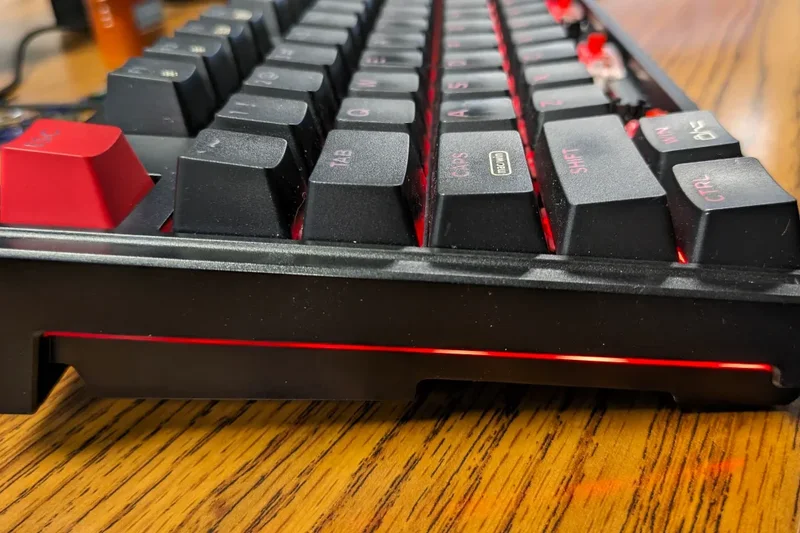

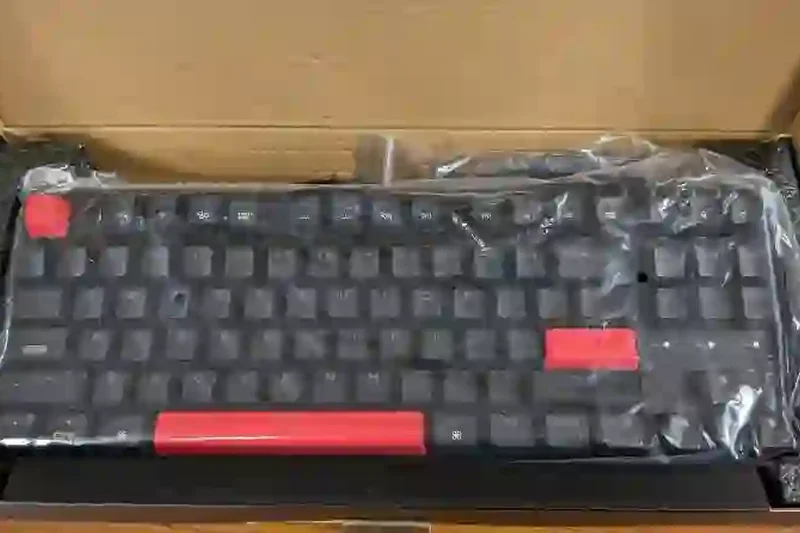
Why we picked it: Securing the #5 overall spot and winning our 'Best for Typing Feel' award, the Keychron C3 Pro is a masterclass in cost-effective keyboard engineering. Keychron managed to bring a true gasket-mounted design—previously reserved for premium custom boards—down to an incredibly accessible $35 price point. This mounting style, combined with internal sound-absorbing foam, gives the C3 Pro a uniquely soft, cushioned bottom-out and a muted, deep sound profile that is a joy to type on for hours. It features a traditional Tenkeyless (TKL) layout and utilizes Keychron's proprietary pre-lubed mechanical switches, which are remarkably smooth and consistent right out of the box. Impressively, even at this price, it features a 1000Hz polling rate, making it fully capable of handling competitive gaming without input lag. It also supports QMK/VIA software, allowing users to easily remap keys and create macros through a web browser without installing bloatware. The main compromise to hit this price point is the use of standard ABS keycaps and a non-hot-swappable PCB, but the out-of-the-box typing experience is so refined that most users won't feel the need to change a thing.
Key Specs
- Gasket Mount Design
- QMK/VIA Programmable
- Pre-Lubed Mechanical Switches
- 1000 Hz Polling Rate
- Sound-Absorbing Foam
What we like
- Unbeatable typing feel for $35 thanks to gasket mounting and foam
- QMK/VIA support allows for easy, universal key remapping
- 1000Hz polling rate makes it surprisingly capable for gaming
- Pre-lubed switches are very smooth
What we don't like
- Keycaps are ABS plastic and will shine over time
- PCB is not hot-swappable, so you cannot easily change switches later
Best for: Writers, coders, and casual gamers who want the absolute best typing feel available under $40.
Considering the Keychron C3 Pro vs the Redragon K552? The C3 Pro blows the K552 out of the water in terms of acoustics, typing feel, and programmability, though the Redragon has a slightly heavier metal-reinforced frame.
The Keychron C3 Pro redefines what a $35 keyboard can feel like, offering a gasket-mounted typing experience and QMK/VIA support that shames boards twice its price.
Buy at Keychron official site#6 G.Skill KM250
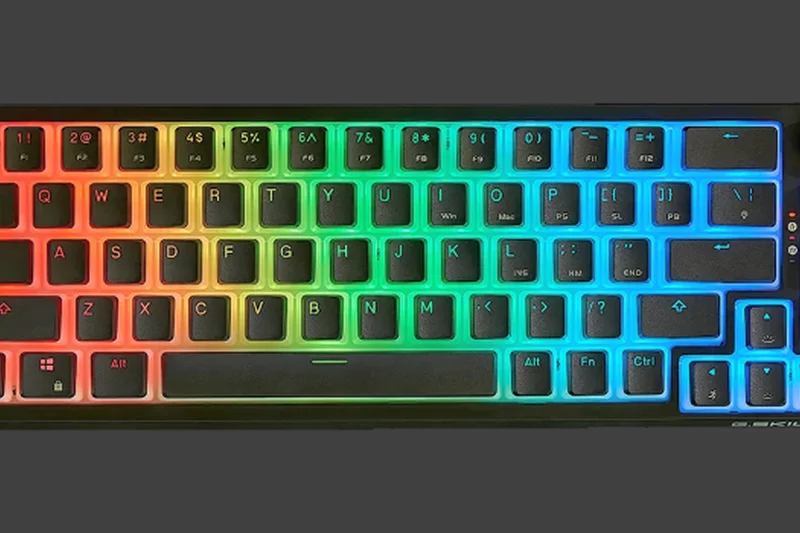
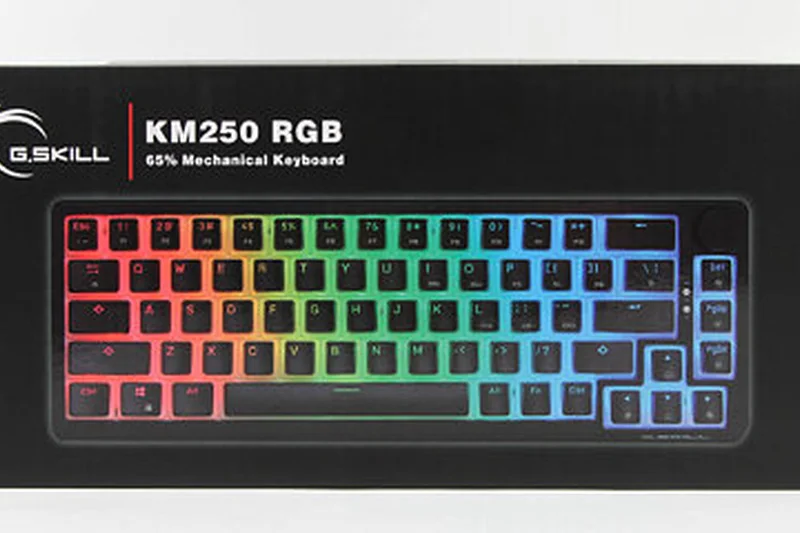
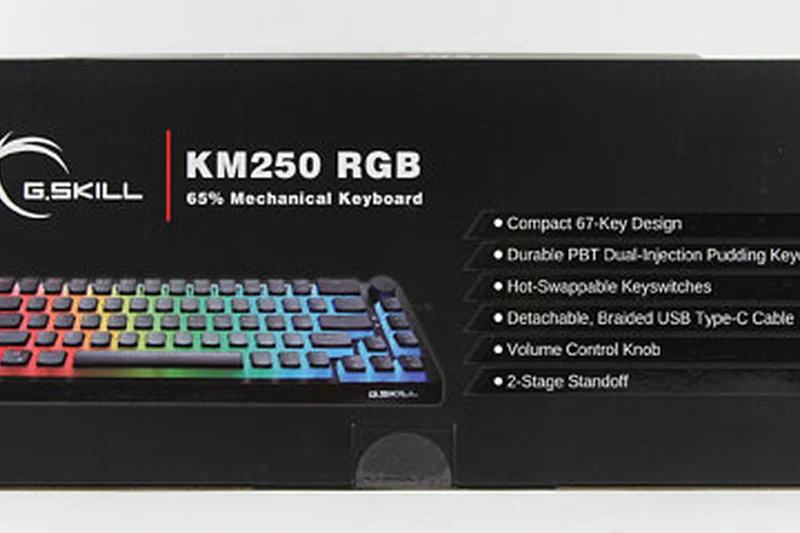
Why we picked it: The G.Skill KM250 is a surprisingly robust and stylish entry into the budget 65% mechanical keyboard market. It immediately catches the eye with its dual-layer PBT pudding keycaps, which allow the vibrant per-key RGB backlighting to diffuse beautifully through the translucent lower halves of the keys. Beyond aesthetics, the KM250 is built for practical performance. It features hot-swappable Kailh Red linear switches, providing a smooth, fast actuation that is excellent for gaming and quiet enough for office environments. The 67-key layout strikes a great balance, retaining the dedicated arrow keys that are often lost on 60% models. Additionally, G.Skill managed to include a dedicated volume knob in the top right corner—a highly requested feature that adds significant daily utility. While the chassis is entirely plastic, it feels sturdy and well-constructed. The main drawback is the reliance on a wired USB-C connection and the lack of advanced programmability like QMK/VIA, but for users who want a stunning, ready-to-use hot-swappable keyboard with great lighting and a volume knob, the KM250 is a top-tier choice.
Key Specs
- 67-Key Compact Layout
- Hot-Swappable Kailh Red Switches
- PBT Pudding Keycaps
- Dedicated Volume Knob
- Per-Key RGB Backlighting
What we like
- PBT pudding keycaps make the RGB lighting look spectacular
- Hot-swappable PCB with reliable Kailh switches
- Includes a dedicated volume control knob
- Compact 65% layout retains essential arrow keys
What we don't like
- Wired connection only
- Lacks advanced macro programming software
Best for: Gamers and setup enthusiasts who want maximum RGB aesthetics, hot-swappable switches, and a volume knob in a compact form.
Considering the G.Skill KM250 vs the Womier WK61? Both feature pudding keycaps and heavy RGB, but the KM250's 65% layout with arrow keys and a dedicated volume knob makes it much more practical for daily use.
The G.Skill KM250 is a visually striking, hot-swappable 65% keyboard that provides great linear switches and a handy volume knob for an excellent price.
Buy at G.Skill official site#7 RK ROYAL KLUDGE RK61
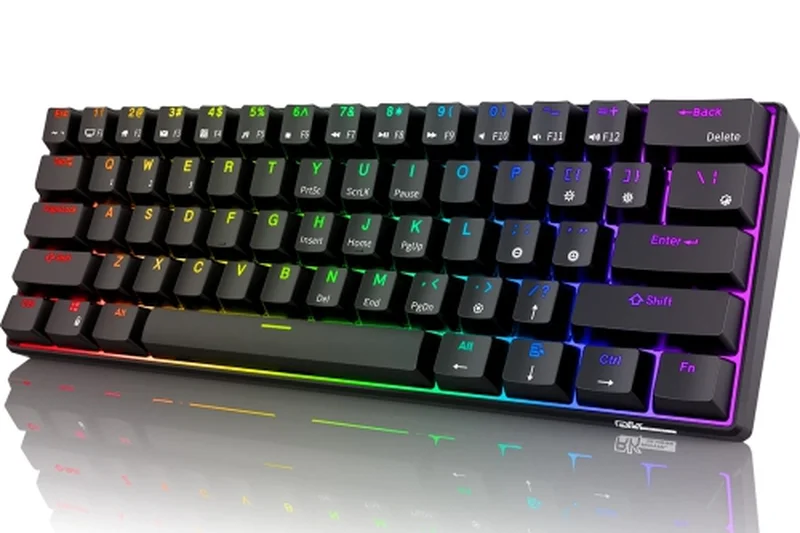
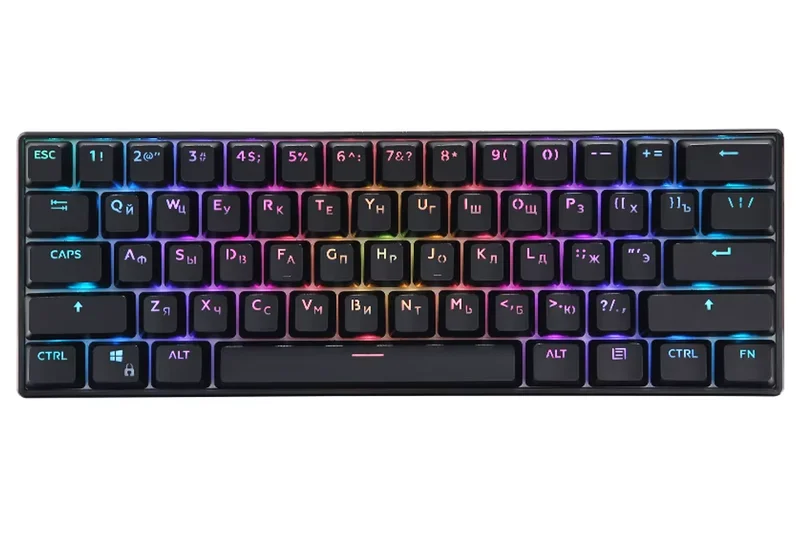
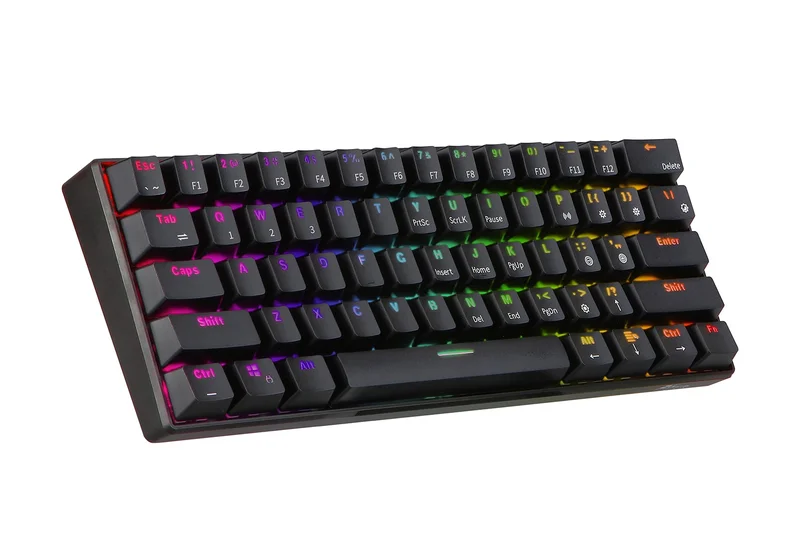
Why we picked it: Winning our 'Best for Connectivity' award, the RK ROYAL KLUDGE RK61 is a legendary budget 60% mechanical keyboard that has continually evolved to stay relevant. Its biggest selling point is its flawless tri-mode connectivity. You can connect it via a low-latency 2.4GHz USB dongle for gaming, use Bluetooth 5.0 to pair and seamlessly switch between up to three devices (like a PC, Mac, and iPad), or use the included USB-C cable for a stable wired connection while charging. The ultra-compact 61-key layout takes up virtually zero desk space, making it highly portable and perfect for minimalist setups, though it does force you to use function (Fn) key combinations for arrow keys and the F-row. The RK61 also features a hot-swappable PCB, allowing you to easily swap out the stock switches for any 3-pin or 5-pin mechanical switches without soldering. While the battery life takes a hit if you run the RGB backlighting at maximum brightness, the sheer versatility, portability, and customization potential of the RK61 make it a staple recommendation for anyone needing a wireless 60% board.
Key Specs
- Hot-Swappable Switches
- Tri-Mode (Bluetooth/2.4GHz/Wired)
- Ultra-Compact 61-Key Layout
- Single Color or RGB Backlit
- Mac & Windows Compatible
What we like
- Excellent tri-mode wireless connectivity (2.4GHz and Bluetooth)
- Hot-swappable PCB for easy switch upgrades
- Ultra-compact footprint is perfect for small desks and travel
- Seamless compatibility with both Mac and Windows
What we don't like
- 60% layout lacks dedicated arrow keys, requiring Fn combinations
- Battery life is mediocre when RGB lighting is active
Best for: Students, travelers, and minimalists who need a highly portable, multi-device wireless keyboard with hot-swappable switches.
Considering the RK61 vs the Redragon K530? The RK61 offers a 2.4GHz dongle in addition to Bluetooth, giving it much lower latency for gaming than the Bluetooth-only K530.
The RK ROYAL KLUDGE RK61 remains the undisputed king of budget 60% wireless keyboards, offering unbeatable multi-device connectivity and a hot-swappable PCB.
Buy at RK official site#8 Corsair K55 RGB PRO
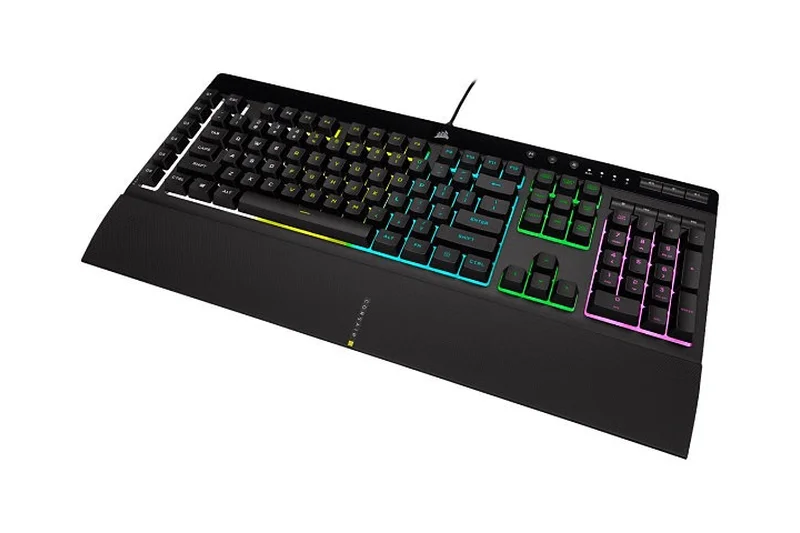
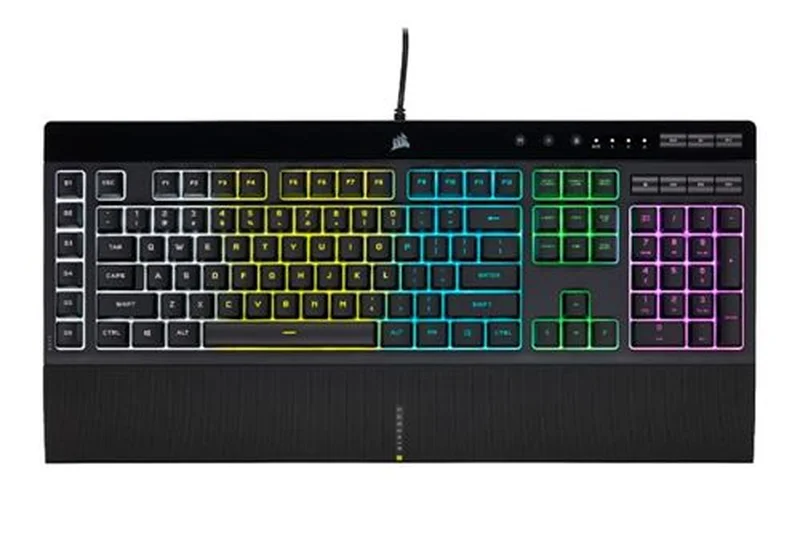
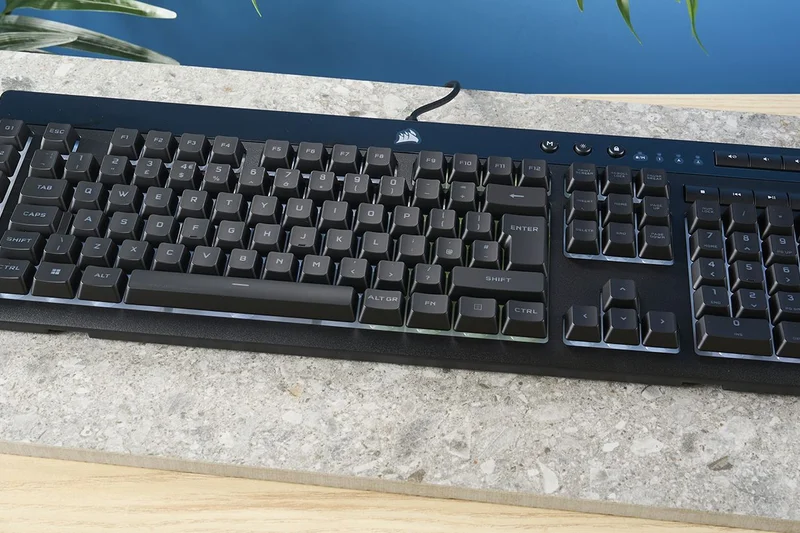
Why we picked it: If you strongly prefer a full-size layout, dedicated media controls, and membrane switches over mechanical ones, the Corsair K55 RGB PRO is the best option under $50. It features high-quality rubber dome switches that provide a quiet, soft typing experience, which is ideal for shared spaces or late-night gaming sessions where clicking noises are disruptive. The K55 RGB PRO is packed with features, including six dedicated, programmable macro keys on the left side, which uniquely integrate with Elgato Stream Deck software—a massive boon for streamers and content creators. It also boasts IP42 dust and spill resistance, protecting it from accidental desk spills. The keyboard comes with a detachable, textured palm rest that significantly improves ergonomics during long sessions. While it lacks the per-key customization and raw durability of mechanical switches, Corsair's iCUE software allows for impressive 5-zone RGB lighting customization and robust system integration. For those who want a quiet, feature-heavy gaming keyboard from a premium brand without the mechanical price tag, the K55 is highly capable.
Key Specs
- 5-Zone RGB Backlighting
- 6 Dedicated Macro Keys
- IP42 Dust and Spill Resistance
- Detachable Palm Rest
- Elgato Stream Deck Integration
What we like
- Quiet, comfortable membrane switches are great for shared spaces
- Six dedicated macro keys with Elgato Stream Deck integration
- Includes a comfortable detachable palm rest
- IP42 spill resistance provides peace of mind
What we don't like
- Membrane domes lack the speed and durability of mechanical switches
- 5-zone RGB isn't as customizable as per-key lighting
Best for: Streamers, casual gamers, and office workers who want a quiet, full-size, spill-resistant keyboard with dedicated macro keys.
Considering the Corsair K55 RGB PRO vs the HyperX Alloy Core RGB? The Corsair offers dedicated macro keys, Elgato integration, and a wrist rest, making it vastly superior for productivity and streaming, though the HyperX has slightly brighter LEDs.
The Corsair K55 RGB PRO is the best budget membrane gaming keyboard on the market, offering quiet keystrokes, robust macro capabilities, and spill resistance.
Buy at Corsair official site#9 CHERRY STREAM KEYBOARD
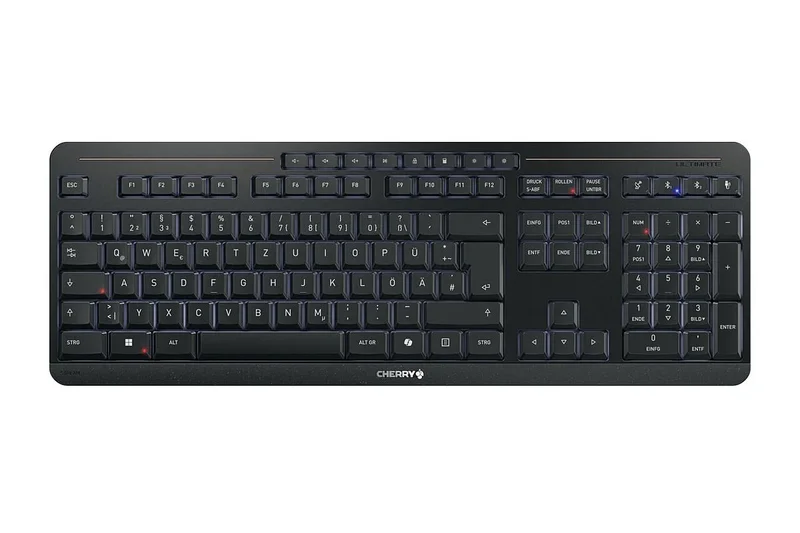
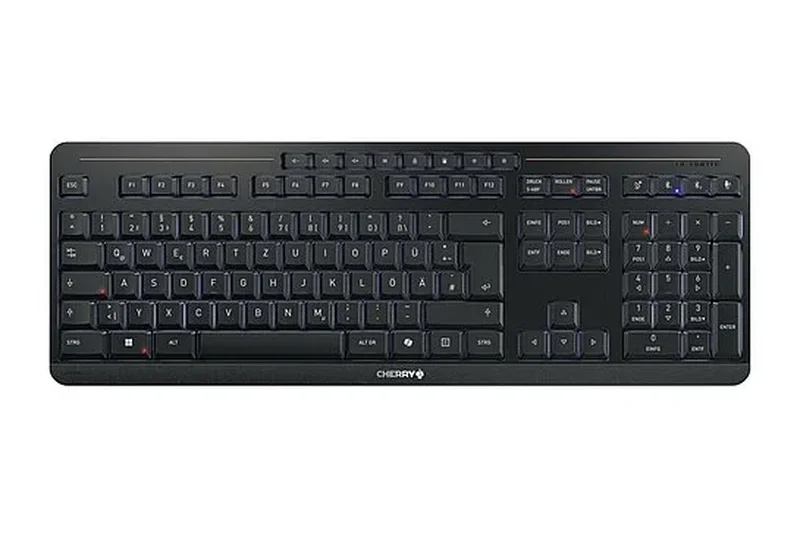
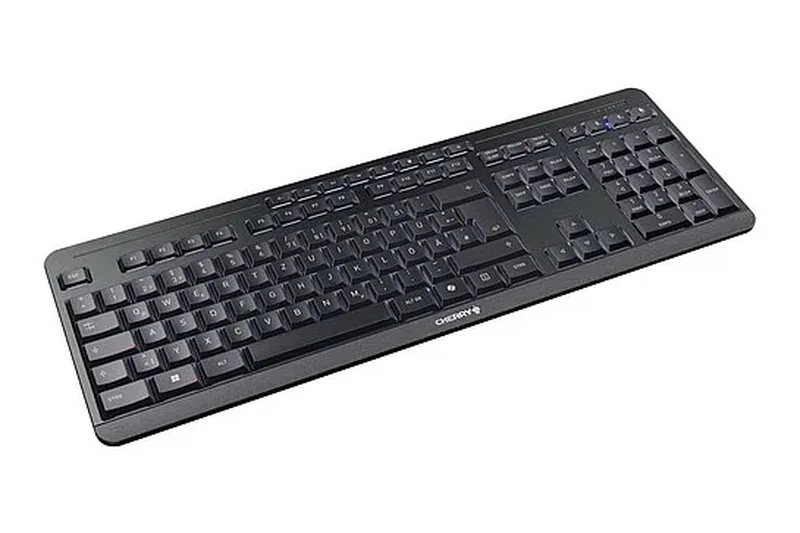
Why we picked it: For users who type thousands of words a day and despise the noise of mechanical keyboards, the CHERRY STREAM KEYBOARD is a godsend. Built by the legendary switch manufacturer Cherry, this full-size wired office keyboard uses their proprietary SX scissor-switch technology. The result is an incredibly fast, tactile, and whisper-quiet typing experience that mimics the feel of a premium laptop keyboard but with better travel and stability. Despite its slim, unassuming plastic exterior, the Stream Keyboard features an integrated metal plate inside the chassis, giving it excellent torsional rigidity and preventing any flex while typing. It includes 10 convenient multimedia hotkeys along the top edge and features a spill-resistant design to survive minor coffee accidents at the desk. There is no backlighting or gaming software here; this is a pure, unadulterated productivity tool. It sits completely flat or can be angled slightly with its sturdy kickstands. If your primary goal is maximizing typing speed and minimizing office noise for under $30, the Cherry Stream is peerless.
Key Specs
- CHERRY SX Scissor Mechanism
- Extremely Quiet Keystrokes
- 10 Multimedia Hotkeys
- Integrated Metal Plate
- Spill-Resistant
What we like
- Cherry SX scissor switches provide an incredibly fast, quiet typing feel
- Integrated metal plate ensures a sturdy, flex-free build
- Spill-resistant design is great for office environments
- Highly affordable price point for pure productivity
What we don't like
- No backlighting whatsoever
- Wired connection only; no wireless options
Best for: Office workers, heavy writers, and fast touch-typists who want a silent, low-profile keyboard with excellent build quality.
Considering the CHERRY STREAM vs the Logitech K120? The Cherry Stream's scissor switches offer vastly superior stability, speed, and tactility compared to the K120's basic rubber domes.
The CHERRY STREAM KEYBOARD is the ultimate budget productivity workhorse, offering whisper-quiet, laptop-style scissor switches backed by a rigid metal plate.
Buy at CHERRY official site#10 Tecware Phantom 87
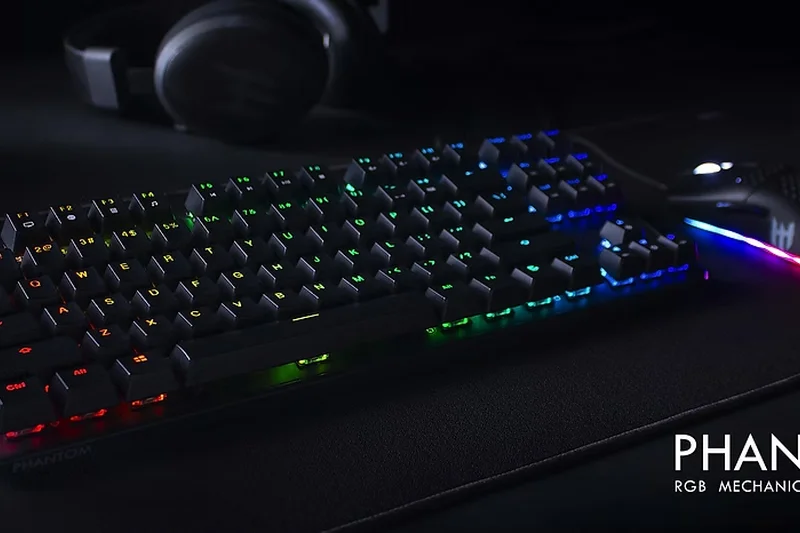
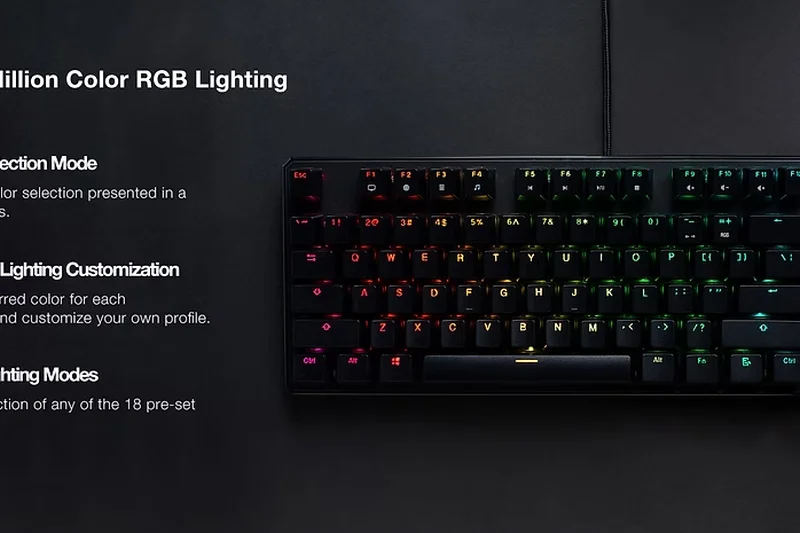
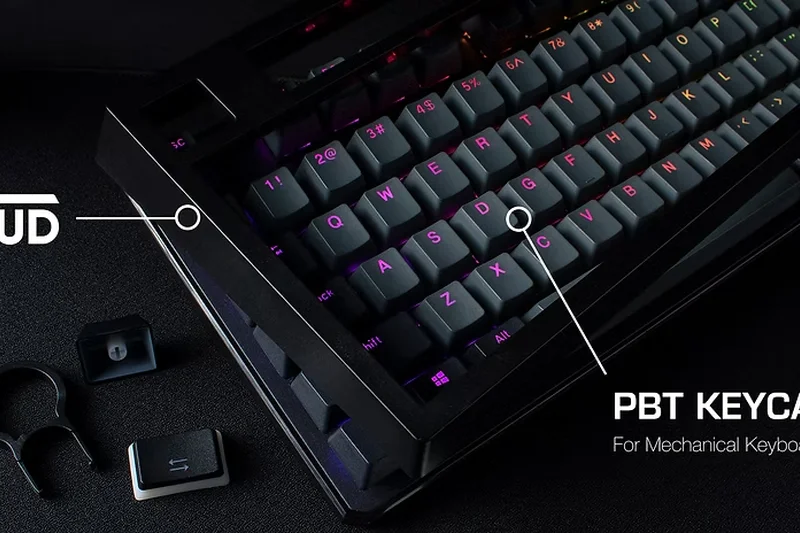
Why we picked it: The Tecware Phantom 87 has been a staple in the budget mechanical keyboard community for years, and it continues to hold its ground due to its bulletproof build and excellent value. It features a heavy, solid plastic chassis with a metal backplate that eliminates flex, and it comes standard with double-shot ABS keycaps that resist fading. The keyboard utilizes Outemu mechanical switches (available in Red, Blue, or Brown) and features a hot-swappable PCB. However, note that it uses Outemu sockets, meaning it is only hot-swappable with other Outemu or Akko switches with thin pins, not standard Cherry/Gateron switches. The per-key RGB backlighting is incredibly bright and customizable via onboard controls or Tecware's software. With full N-key rollover and a 1000Hz polling rate, the Phantom 87 performs flawlessly in fast-paced gaming scenarios. While its design is a bit dated compared to modern gasket-mounted boards, its proven durability, bright RGB, and solid typing feel make it a reliable, heavy-duty TKL choice.
Key Specs
- Outemu Mechanical Switches
- RGB Backlighting
- Hot-Swappable PCB
- Double-Shot ABS Keycaps
- N-Key Rollover
What we like
- Incredibly sturdy build quality with a metal backplate
- Bright, vibrant per-key RGB backlighting
- Double-shot keycaps ensure legends never fade
- Excellent gaming performance with N-key rollover
What we don't like
- Hot-swap sockets are limited primarily to Outemu switches
- Thick, somewhat dated chassis design
Best for: Budget gamers who want a heavy, durable TKL mechanical keyboard with bright RGB and basic hot-swappability.
Considering the Tecware Phantom 87 vs the Redragon K552? The Phantom 87 offers a cleaner aesthetic, better RGB software, and slightly more reliable double-shot keycaps, giving it the edge for a few dollars more.
The Tecware Phantom 87 is a tank of a budget keyboard, delivering reliable Outemu switches, bright RGB, and a rock-solid TKL frame for gaming.
Buy at Tecware official site#11 Logitech Pebble Keys 2 K380s
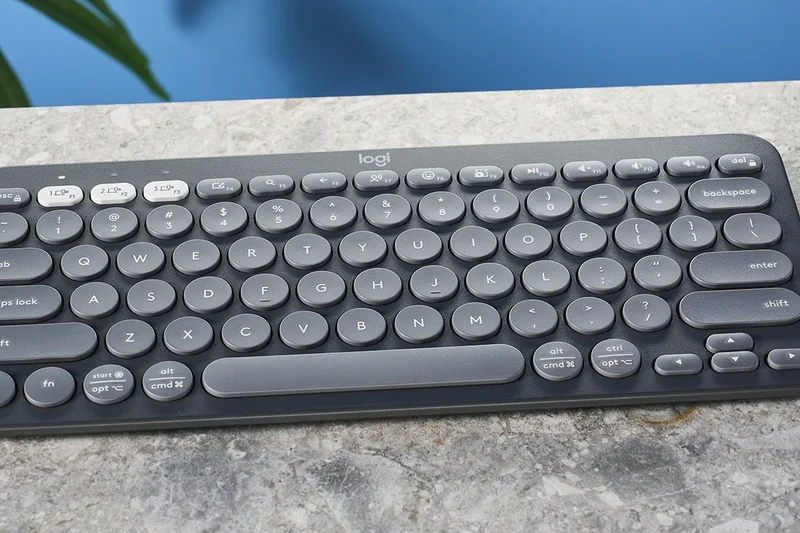
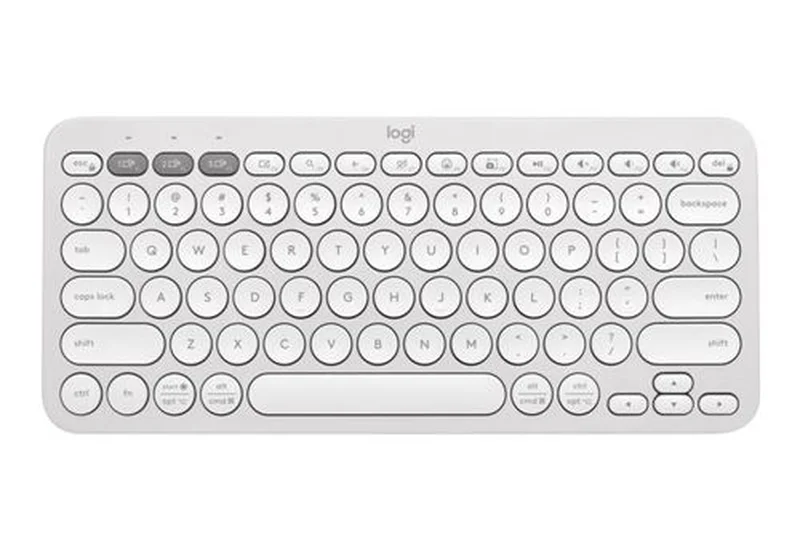
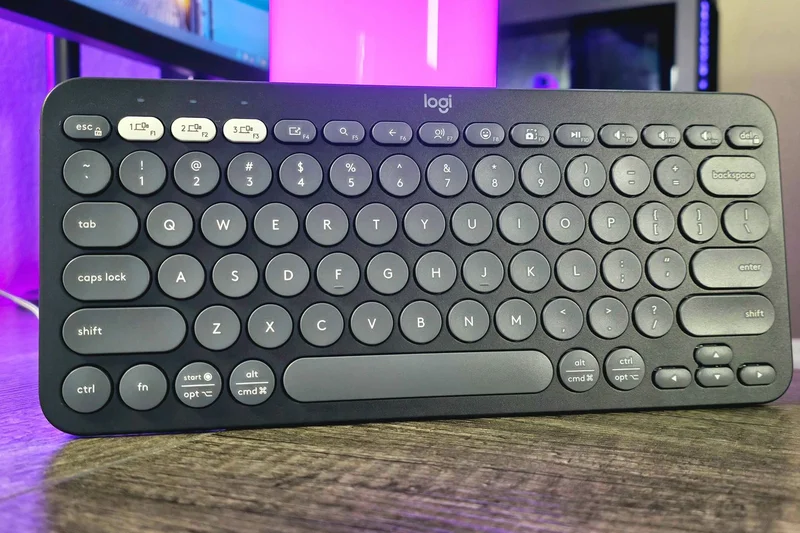
Why we picked it: The Logitech Pebble Keys 2 K380s is the ultimate budget keyboard for mobile professionals and students. This ultra-slim, compact wireless keyboard uses low-profile scissor switches that provide a quiet, snappy typing experience. Its standout feature is the Easy-Switch button system, allowing you to instantly toggle between three paired Bluetooth devices (e.g., your laptop, iPad, and smartphone). Powered by two AAA batteries, it boasts an incredible 36-month battery life. It’s lightweight and easy to toss into a backpack.
Key Specs
- Ultra-Slim Profile
- Easy-Switch up to 3 Devices
- Bluetooth Connectivity
- 36-Month Battery Life
- Scissor Key Switches
What we like
- Flawless multi-device switching via Bluetooth
- Unbelievable 36-month battery life
- Highly portable and lightweight design
- Quiet, comfortable circular keys
What we don't like
- No backlighting
- Circular keys take a brief adjustment period
Best for: Students and travelers who need a reliable, multi-device keyboard for on-the-go typing.
Considering the K380s vs the Arteck 2.4G? The Logitech offers multi-device Bluetooth switching and far superior battery life, while the Arteck uses a dedicated USB dongle.
The Logitech Pebble Keys 2 K380s is the undisputed champion of portable, multi-device Bluetooth typing on a budget.
Buy at Logitech official site#12 Tecware Phantom 104
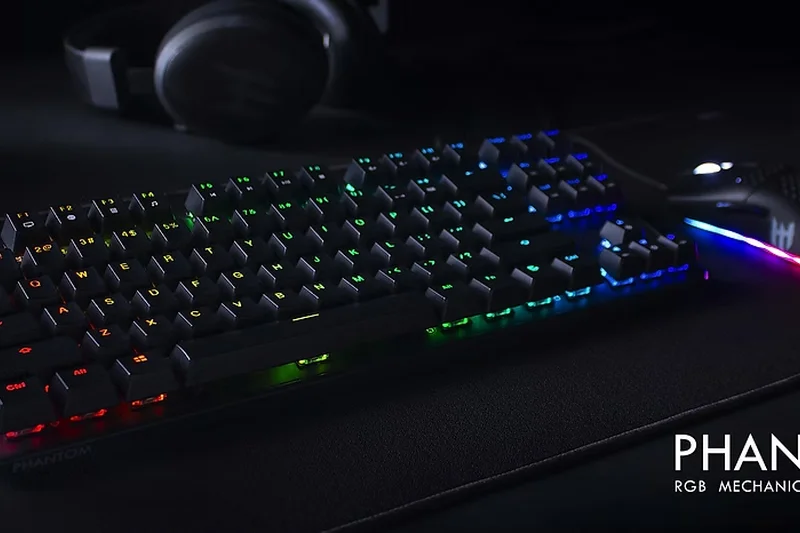
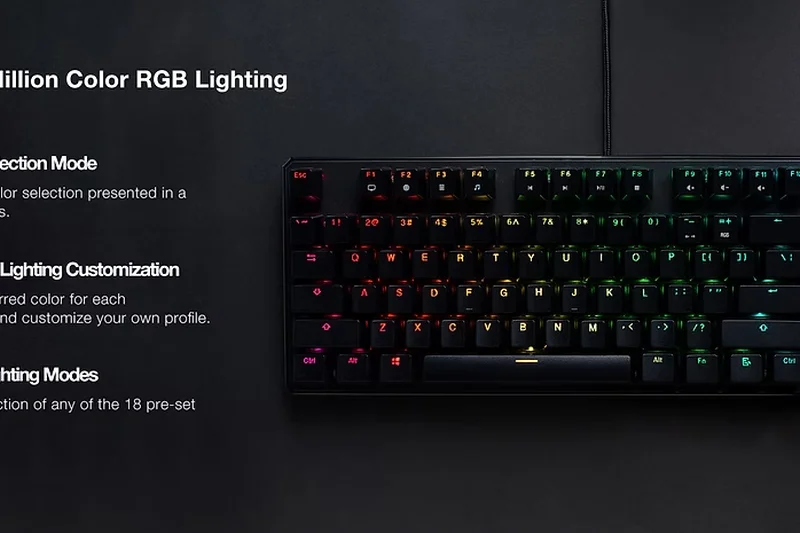
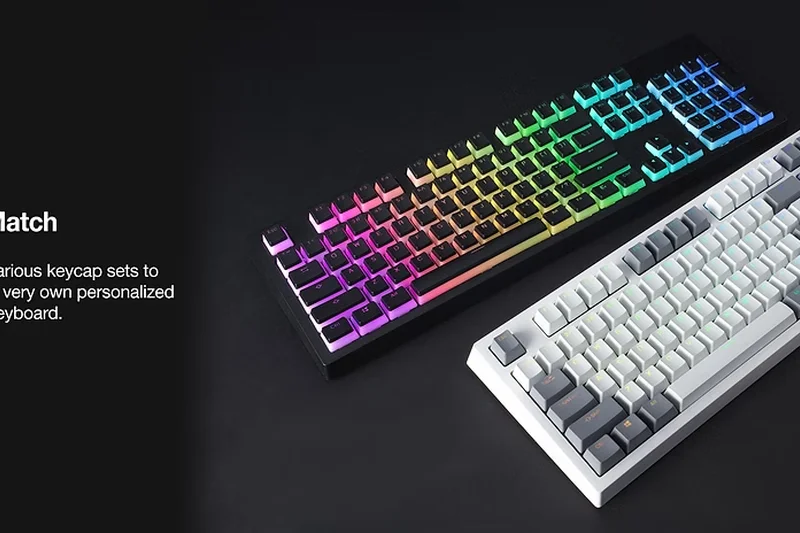
Why we picked it: The Tecware Phantom 104 is simply the full-size version of the highly praised Phantom 87. It offers the exact same robust features: a heavy plastic chassis reinforced with a metal backplate, per-key RGB lighting, and double-shot ABS keycaps. If you need a number pad for data entry or specific gaming macros, the 104-key version provides it without significantly raising the price. It features the same Outemu hot-swap sockets, allowing for limited switch customization. It’s a heavy, durable workhorse that excels in both gaming and office environments.
Key Specs
- 104-Key Layout
- Outemu Mechanical Switches
- Per-Key RGB Customization
- Double-Walled ABS Keycaps
- Sound Dampening Foam
What we like
- Full 104-key layout with dedicated number pad
- Heavy, durable construction with a metal plate
- Vibrant per-key RGB lighting
- Internal sound dampening foam reduces ping
What we don't like
- Limited hot-swap compatibility (Outemu pins only)
- Takes up significant desk space
Best for: Users who require a number pad and want a durable, heavy-duty mechanical keyboard with bright RGB.
Considering the Phantom 104 vs the Redragon K582? The Phantom 104 offers slightly better out-of-the-box acoustics due to internal foam dampening.
The Tecware Phantom 104 brings tank-like durability and bright RGB to a full-size mechanical layout, perfect for users who demand a numpad.
Buy at Tecware official site#13 Logitech Signature K650
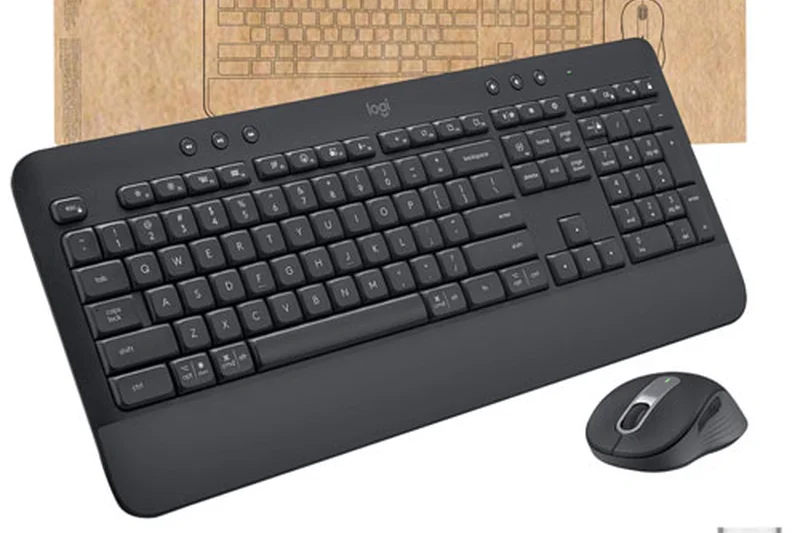
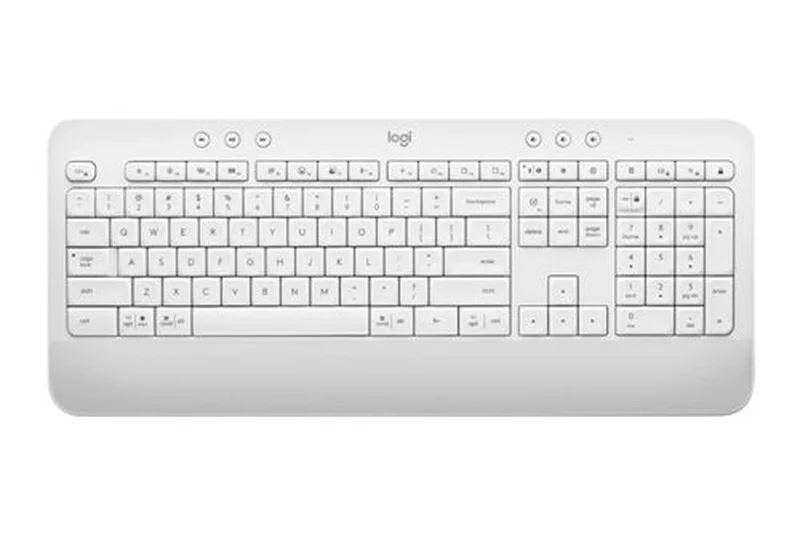
Why we picked it: Winning our 'Best for Reliability' metric, the Logitech Signature K650 is a phenomenal wireless ergonomic keyboard for the office. It features a built-in soft-touch palm rest and deep-cushioned rubber dome switches that provide a quiet, comfortable typing experience meant to reduce wrist strain over 8-hour workdays. It connects via Bluetooth or the included Logi Bolt USB receiver, ensuring a rock-solid, lag-free connection. With a staggering 36-month battery life on two AA batteries and a spill-resistant design, it’s a plug-and-play productivity tool that you will rarely have to think about maintaining.
Key Specs
- Integrated Palm Rest
- Bluetooth or Logi Bolt USB
- Up to 36-Month Battery Life
- Quiet Rubber Dome Switches
- Spill-Resistant
What we like
- Integrated palm rest promotes excellent ergonomic posture
- Massive 36-month battery life
- Dual connectivity options (Bluetooth and Logi Bolt)
- Spill-resistant and easy to clean
What we don't like
- Rubber dome keys feel slightly mushy compared to mechanical/scissor switches
- Large footprint is not portable
Best for: Office workers seeking a reliable, ergonomic wireless keyboard that minimizes wrist fatigue.
Considering the K650 vs the Lenovo Professional Wireless? The K650 offers superior ergonomics with its integrated wrist rest and better dual-wireless connectivity.
The Logitech Signature K650 is an ergonomic, zero-maintenance wireless office keyboard with industry-leading battery life and connectivity.
Buy at Logitech official site#14 Perixx Periboard-512
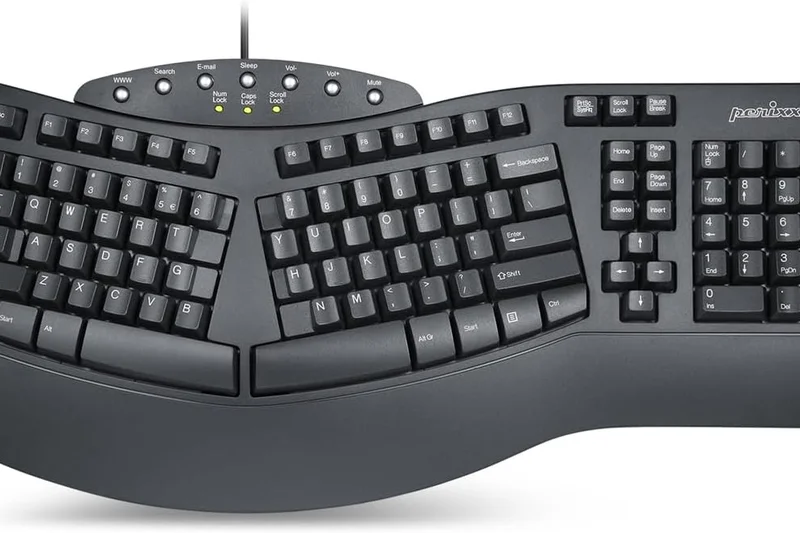
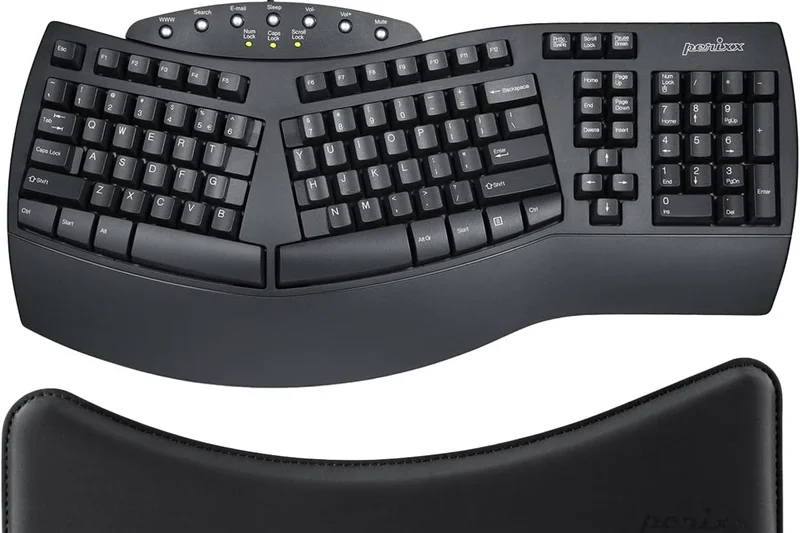
Why we picked it: Winning our 'Best for Ergonomics' category, the Perixx Periboard-512 brings true 3D split-ergonomic design to the budget tier. For typists suffering from RSI or carpal tunnel, the split key zones and angled 3D wave design naturally align your wrists and forearms, significantly reducing strain. The integrated palm rest provides ample support, and the tactile membrane keys require a satisfying, definitive press to actuate. It connects via a simple, reliable wired USB connection. While it takes time to relearn touch typing on a split layout, the ergonomic benefits are unmatched at this price point.
Key Specs
- 3-D Split Key Design
- Integrated Palm Rest
- 7 Multimedia Keys
- Tactile Keystrokes
- Wired USB Connection
What we like
- True 3D split layout vastly improves wrist and forearm posture
- Large, integrated palm rest for support
- Tactile keys provide good feedback
- Affordable entry point into serious ergonomic keyboards
What we don't like
- Steep learning curve for standard touch-typists
- Bulky design requires a lot of desk space
Best for: Typists experiencing wrist pain or RSI who want an affordable, medically-minded ergonomic layout.
Considering the Periboard-512 vs the Logitech K650? The Perixx offers true split-key 3D ergonomics for posture correction, while the K650 is a standard flat layout with a wrist rest.
The Perixx Periboard-512 is the most effective budget solution for wrist pain, offering a true split-ergonomic design that promotes healthy typing posture.
Buy at Perixx official site#15 Havit KB487L TKL Mechanical Keyboard
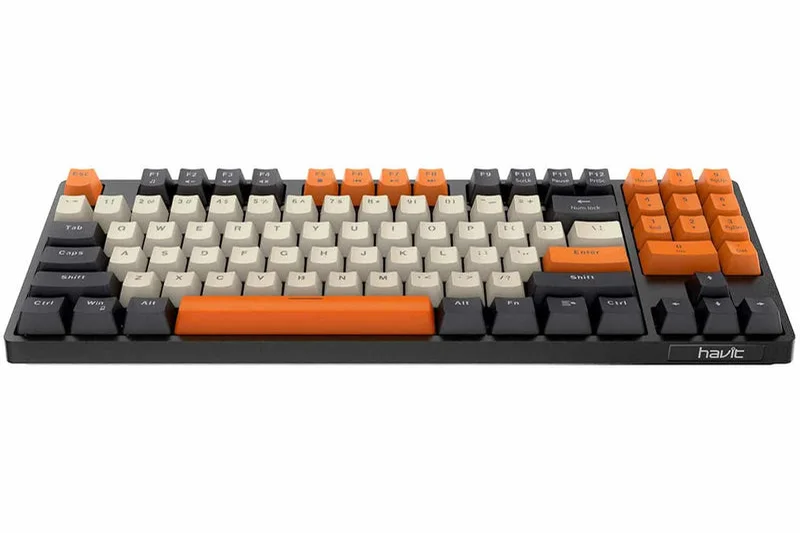
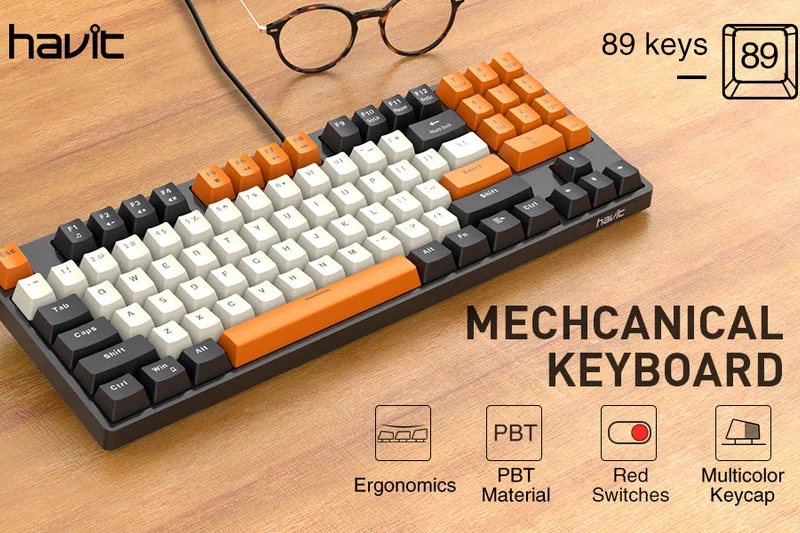
Why we picked it: The Havit KB487L is a uniquely designed 89-key mechanical keyboard that manages to squeeze a number pad into a Tenkeyless-sized footprint. It achieves this by combining the navigation cluster (Insert, Delete, etc.) and the numpad, toggled via the Num Lock key. It features high-quality PBT keycaps with a distinctive black, white, and orange colorway that stands out on any desk. Equipped with linear red switches, it offers a smooth, quiet typing experience ideal for both gaming and office use. It’s a clever space-saving solution for users who want TKL dimensions but can't live without a numpad.
Key Specs
- 89-Key Layout with Numpad
- PBT Keycaps
- Linear Red Switches
- Unique Color Theme
- Ergonomic Design
What we like
- Innovative 89-key layout retains a numpad in a compact size
- Durable PBT keycaps with a striking color scheme
- Smooth linear red switches are great for gaming
- Excellent build quality for the price
What we don't like
- No backlighting
- Shared numpad/navigation keys take getting used to
Best for: Users with limited desk space who still require a dedicated number pad for data entry.
Considering the Havit KB487L vs a standard TKL like the Phantom 87? The Havit uniquely includes a numpad in the same physical footprint, though it sacrifices dedicated navigation keys to do so.
The Havit KB487L is a clever and colorful mechanical keyboard that brilliantly compresses a number pad into a space-saving TKL footprint.
Buy at Havit official site#16 Womier WK61
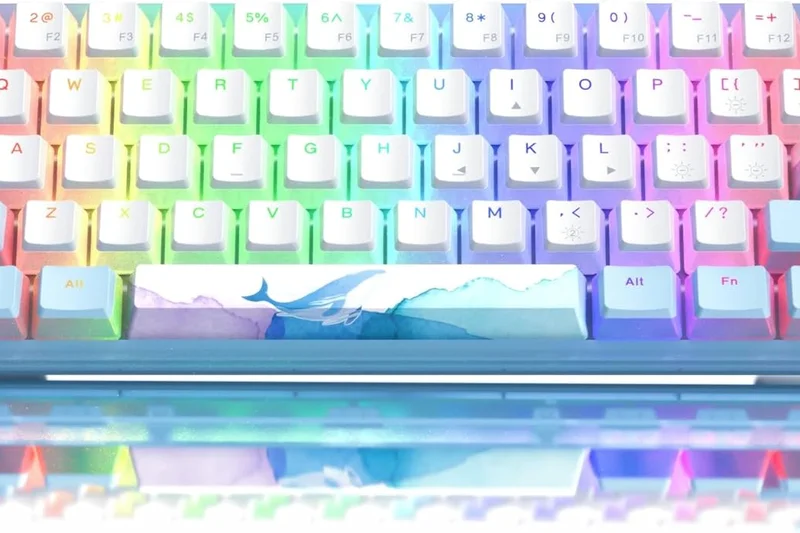

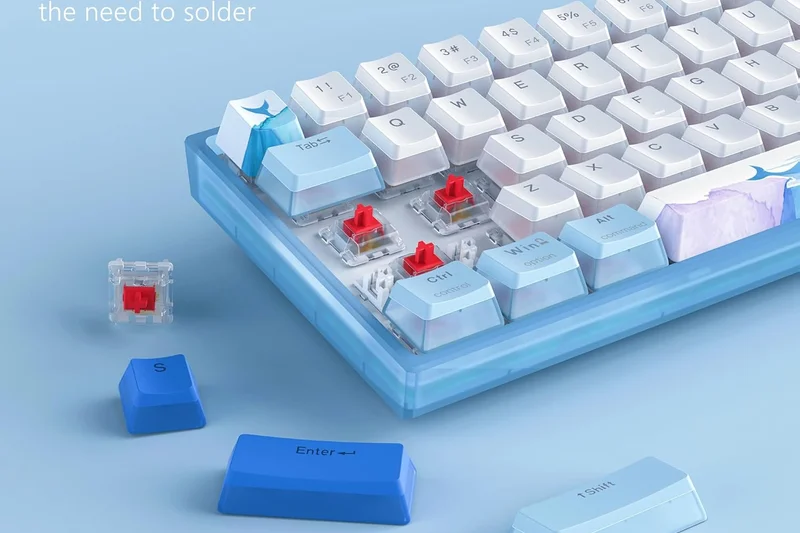
Why we picked it: The Womier WK61 is an aesthetic powerhouse in the 60% category. It features a stunning translucent acrylic base and comes out of the box with PBT pudding keycaps, resulting in the brightest, most vibrant RGB glow of any keyboard on this list. Performance-wise, it doesn't slouch either; it includes a hot-swappable PCB and comes with factory pre-lubed linear switches that sound and feel surprisingly premium. It operates strictly via a wired Type-C connection. If you want a compact keyboard that serves as a dazzling centerpiece for your gaming setup while still offering hot-swap capability, the WK61 is a fantastic choice.
Key Specs
- Hot-Swappable PCB
- Pre-Lubed Linear Switches
- PBT Pudding Keycaps
- Full RGB Backlight
- Translucent Acrylic Base
What we like
- Translucent acrylic case and pudding keycaps create incredible RGB diffusion
- Hot-swappable PCB for easy switch mods
- Pre-lubed switches provide a smooth out-of-the-box feel
- Sturdy, weighty feel despite the acrylic build
What we don't like
- 60% layout removes dedicated arrow keys
- Wired connection only
Best for: RGB enthusiasts and gamers who want a visually stunning, hot-swappable 60% keyboard for their setup.
Considering the Womier WK61 vs the RK61? The Womier offers vastly superior RGB lighting and pre-lubed switches, but the RK61 provides wireless tri-mode connectivity.
The Womier WK61 is a visually spectacular 60% mechanical keyboard, combining a translucent acrylic case, pudding keycaps, and hot-swappable switches.
Buy at Womier official site#17 Redragon K552 KUMARA

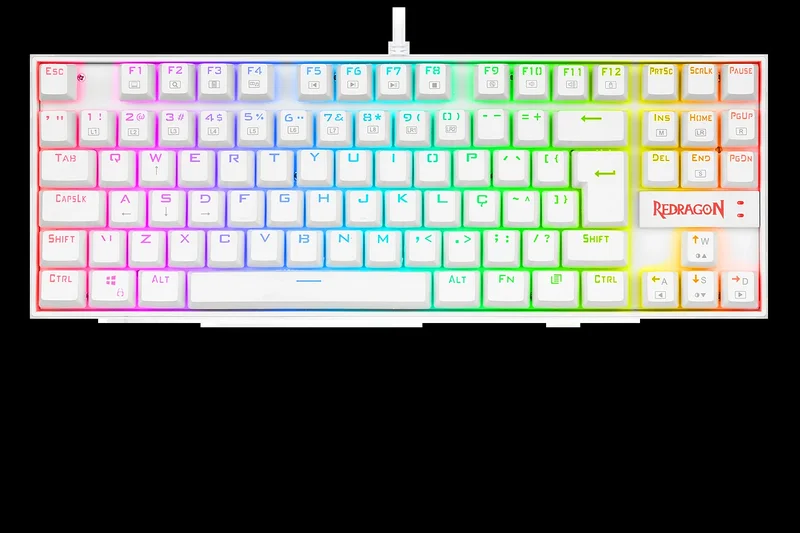
Why we picked it: The Redragon K552 KUMARA is perhaps the most famous budget mechanical keyboard in the world. It is unapologetically rugged, featuring a metal-alloy and ABS plastic construction that feels like it could survive a drop off a building. It comes equipped with Outemu mechanical switches (often Cherry MX Blue equivalents), providing a loud, highly tactile, and clicky typing experience that retro mechanical keyboard fans love. It’s an 87-key TKL board with a splash-proof design and solid red LED (or RGB) backlighting. While the switches are loud and pingy compared to modern pre-lubed boards, the K552's legendary durability makes it an incredibly safe buy for budget gamers.
Key Specs
- Cherry MX Blue Equivalent Switches
- Red LED Backlighting
- 87-Key Compact Design
- Metal-ABS Construction
- Splash-Proof
What we like
- Legendary, tank-like metal-alloy construction
- Highly tactile, clicky switches are satisfying for heavy typists
- Splash-proof design protects against spills
- Extremely affordable and reliable
What we don't like
- Blue equivalent switches are very loud and can be disruptive
- Keycaps feel a bit thin and hollow
Best for: Budget gamers and typists who want a loud, clicky, virtually indestructible TKL mechanical keyboard.
Considering the K552 vs the Keychron C3 Pro? The C3 Pro offers a vastly superior, quieter typing feel with gasket mounting, but the K552 has a heavier, more rugged metal-reinforced chassis.
The Redragon K552 KUMARA is a classic budget mechanical keyboard renowned for its indestructible metal-alloy build and loud, clicky tactile feedback.
Buy at Redragon official site#18 Redragon K582 SURARA
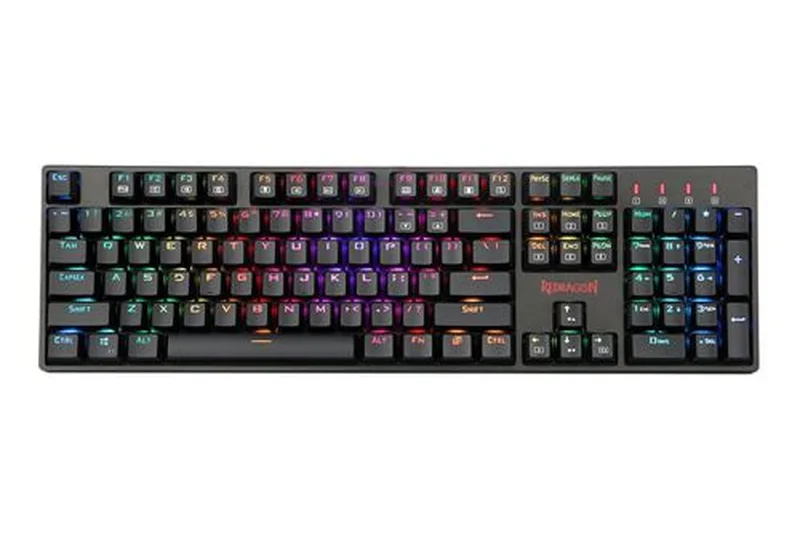
Why we picked it: The Redragon K582 SURARA is an excellent full-size mechanical keyboard tailored for fast-paced gaming. Unlike the clicky K552, the K582 comes with OUTEMU Red linear switches, which require only 50 grams of actuation force and have no tactile bump, making them ideal for rapid double-tapping in competitive shooters. It features a full 104-key layout, vibrant and customizable RGB backlighting with 18 distinct modes, and full N-key rollover. The double injection ABS keycaps ensure the letters won't wear off, and the overall frame is sturdy and heavy enough to stay planted on your desk during intense gaming sessions.
Key Specs
- 104-Key Layout
- OUTEMU Red Linear Switches
- Dynamic RGB Backlight
- N-Key Rollover
- Double Injection ABS Keycaps
What we like
- Smooth, linear red switches are perfect for fast gaming
- Full 104-key layout with dedicated numpad
- Vibrant, highly customizable RGB backlighting
- Durable double-injection keycaps
What we don't like
- Non-detachable USB cable
- Linear switches may lead to more typos for heavy typists
Best for: Gamers who want a reliable, full-size mechanical keyboard with fast linear switches and bright RGB.
Considering the K582 vs the Tecware Phantom 104? Both are excellent full-size boards, but the Phantom 104 offers a slightly more subdued aesthetic and a metal backplate, while the K582 leans heavier into aggressive gaming design.
The Redragon K582 SURARA provides smooth linear switches and dynamic RGB in a sturdy full-size package, making it an excellent dedicated gaming board.
Buy at Redragon official site#19 Redragon K530 Draconic
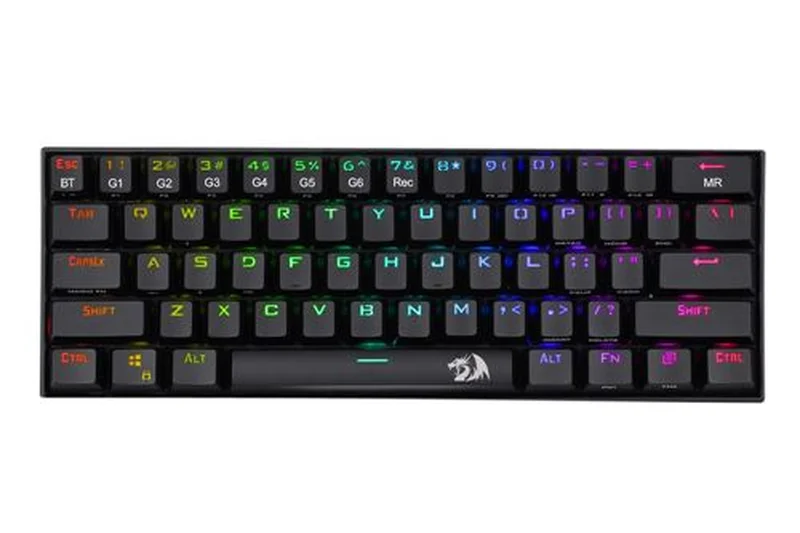
Why we picked it: The Redragon K530 Draconic was one of the first budget 60% wireless mechanical keyboards to gain massive popularity. It features Bluetooth 5.0 connectivity, allowing you to pair and switch between three devices. It utilizes a hot-swappable PCB with tactile Brown switches, offering a great middle-ground between typing feedback and gaming speed. The 3000mAh battery provides solid longevity even with the RGB backlighting engaged. While it lacks the 2.4GHz dongle found in newer competitors like the RK61, the Draconic remains a very sturdy, reliable, and tactile wireless 60% option.
Key Specs
- Bluetooth 5.0
- Hot-Swappable Brown Switches
- RGB Backlighting
- 3000mAh Battery
- Tactile Typing Feel
What we like
- Hot-swappable PCB for easy switch replacement
- Reliable Bluetooth 5.0 multi-device pairing
- Large 3000mAh battery for extended wireless use
- Tactile brown switches offer a great balance for typing and gaming
What we don't like
- Lacks a 2.4GHz wireless dongle for ultra-low latency gaming
- 60% layout removes dedicated arrow keys
Best for: Users who want a wireless, hot-swappable 60% keyboard with tactile switches for mixed typing and casual gaming.
Considering the K530 Draconic vs the RK61? The K530 has a larger battery and solid brown switches, but the RK61 includes a 2.4GHz dongle which makes it much better for latency-sensitive gaming.
The Redragon K530 Draconic is a solid, tactile 60% wireless mechanical keyboard featuring a large battery and reliable Bluetooth multi-device switching.
Buy at Redragon official site#20 SteelSeries Apex 3 TKL
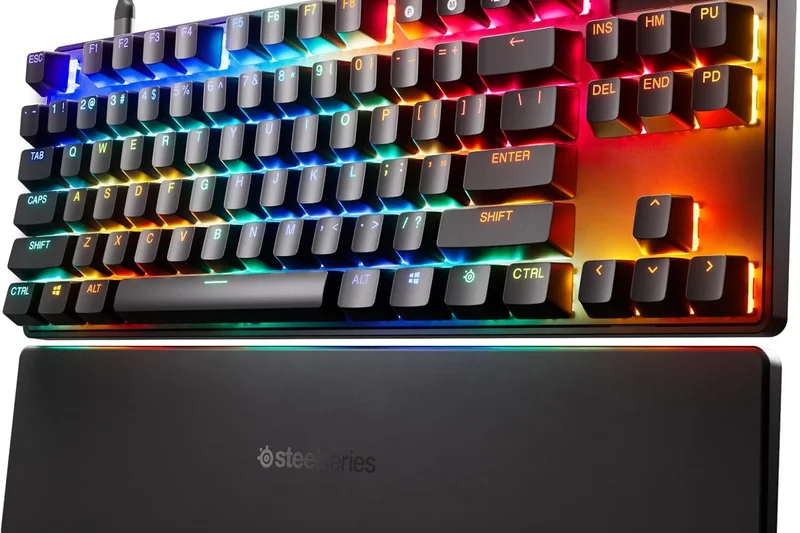
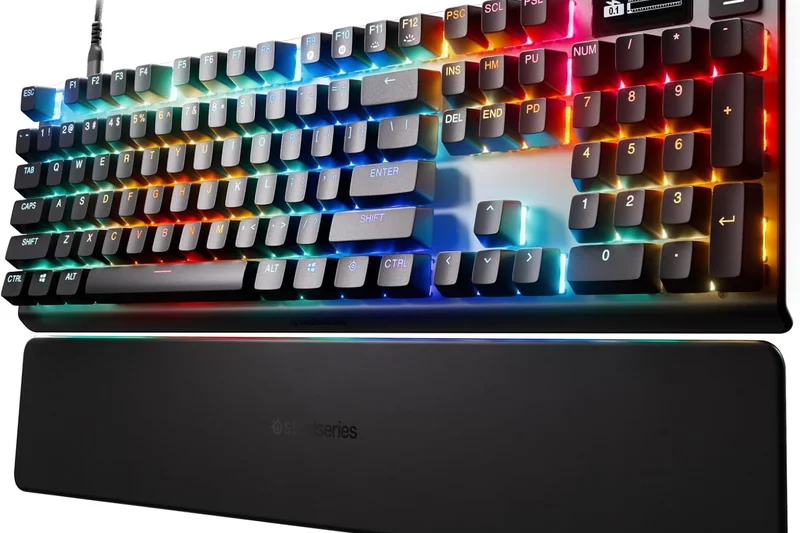
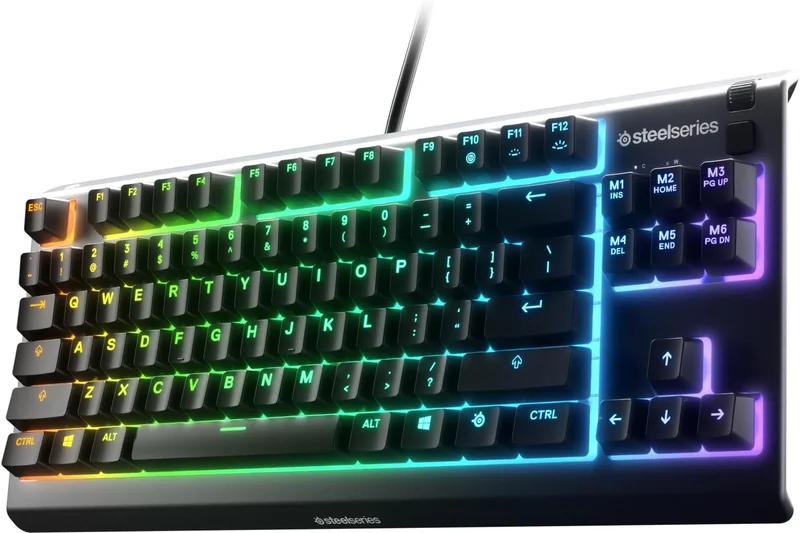
Why we picked it: The SteelSeries Apex 3 TKL is a premium-feeling membrane keyboard designed specifically for gamers who prefer a whisper-quiet keystroke and a smaller footprint. It features "Whisper Quiet Gaming Switches" (high-quality rubber domes) that actuate smoothly and silently. A major selling point is its IP32 water and dust resistance, making it highly durable against accidental spills. It features an 8-zone RGB illumination system that integrates beautifully with SteelSeries Engine software, and includes dedicated multimedia controls and a clickable volume roller. It's the perfect board for gamers communicating on open mics who need silence.
Key Specs
- Whisper Quiet Gaming Switches
- IP32 Water & Dust Resistant
- 8-Zone RGB Illumination
- Dedicated Multimedia Controls
- Gaming-Grade Anti-Ghosting
What we like
- Whisper-quiet membrane switches are great for streamers and late-night gamers
- IP32 water and dust resistance
- Excellent SteelSeries Engine software integration
- Dedicated volume roller and media keys in a TKL form factor
What we don't like
- Membrane switches lack the crisp tactility of mechanical boards
- RGB is zone-based, not per-key
Best for: Streamers and gamers in shared spaces who need a silent, spill-resistant TKL keyboard with good software support.
Considering the Apex 3 TKL vs the Corsair K55 RGB PRO? The Apex 3 offers a much smaller TKL footprint, saving desk space, while the Corsair is a massive full-size board with extra macro keys.
The SteelSeries Apex 3 TKL delivers silent gaming performance, spill resistance, and a convenient volume roller in a space-saving membrane design.
Buy at SteelSeries official site#21 HyperX Alloy Core RGB
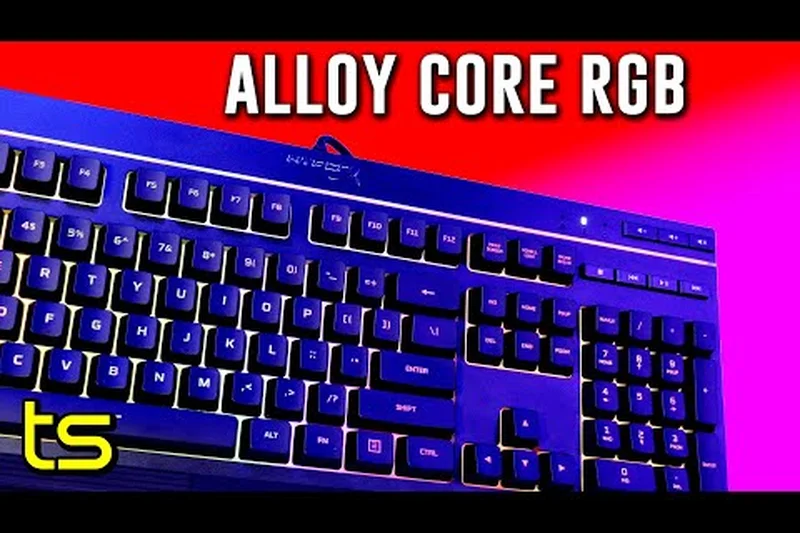
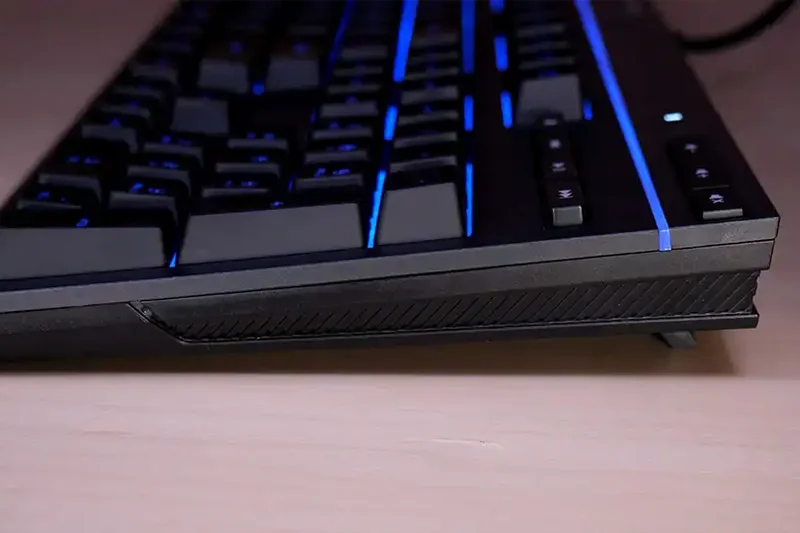
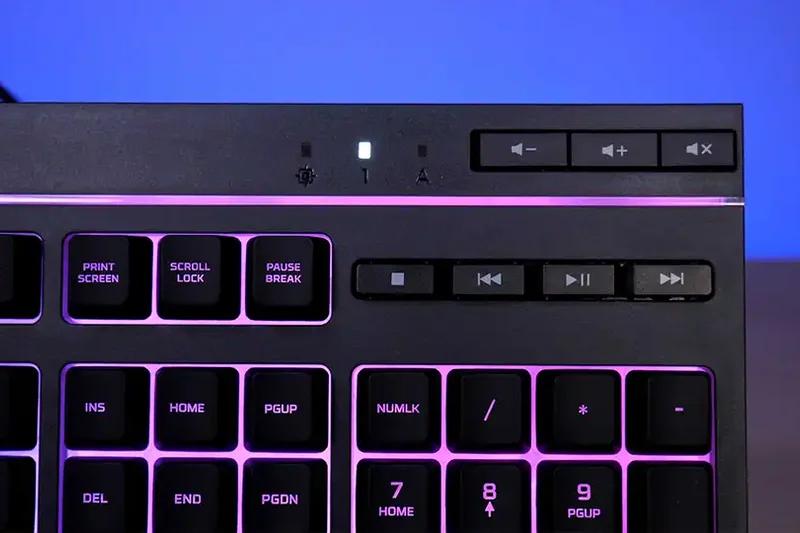
Why we picked it: The HyperX Alloy Core RGB is another high-quality membrane gaming keyboard that focuses on vibrant aesthetics and quiet operation. It features a signature radiant light bar across the top and 5-zone RGB customization that looks incredibly smooth and premium. The keys are soft, quiet, and tactile, and the board is tested to resist spills of up to 120ml of liquid. It features dedicated media controls and quick-access buttons for lighting and "Game Mode" (which disables the Windows key). It’s a very sturdy, attractive, and reliable full-size option for casual gamers.
Key Specs
- Signature Light Bar
- 5-Zone RGB Customization
- Spill-Resistant up to 120ml
- Quiet Responsive Keys
- Dedicated Media Controls
What we like
- Stunning RGB light bar and 5-zone customization
- Quiet and soft keys are comfortable for long sessions
- Durable, spill-resistant design
- Dedicated media and lighting control buttons
What we don't like
- Membrane keys can feel a bit mushy compared to mechanical switches
- Non-detachable, non-braided cable
Best for: Casual gamers who prioritize bright, smooth RGB aesthetics and quiet typing over mechanical switch performance.
Considering the HyperX Alloy Core vs the Corsair K55? The HyperX has a slightly more premium-looking RGB light bar, but the Corsair offers dedicated macro keys and a wrist rest.
The HyperX Alloy Core RGB is a visually striking, spill-resistant membrane keyboard that provides quiet keystrokes and dedicated media controls.
Buy at HyperX official site#22 Macally Ultra Slim USB Wired Keyboard
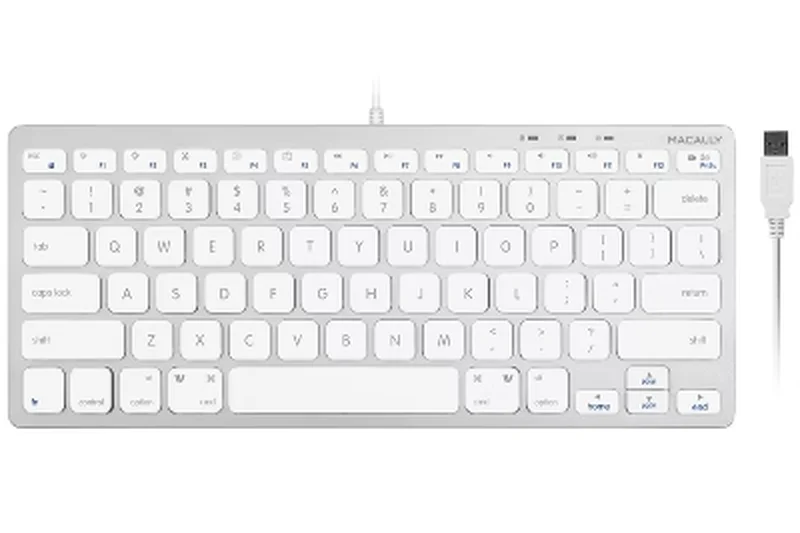
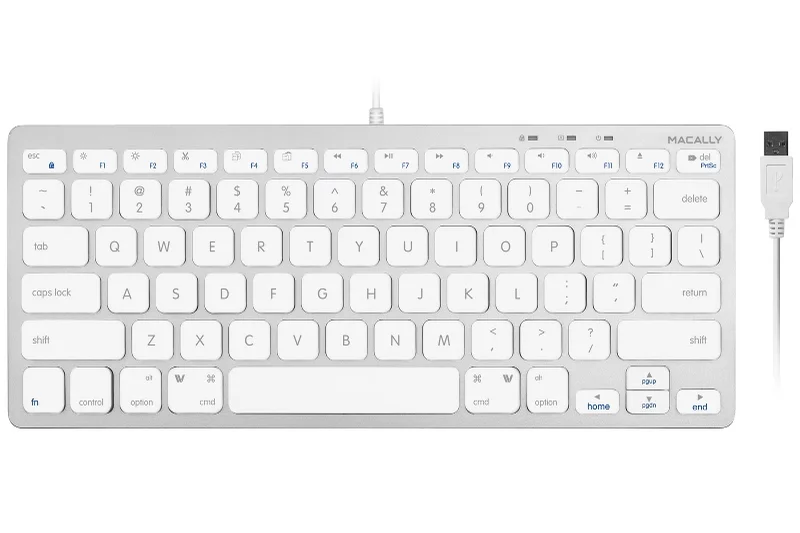
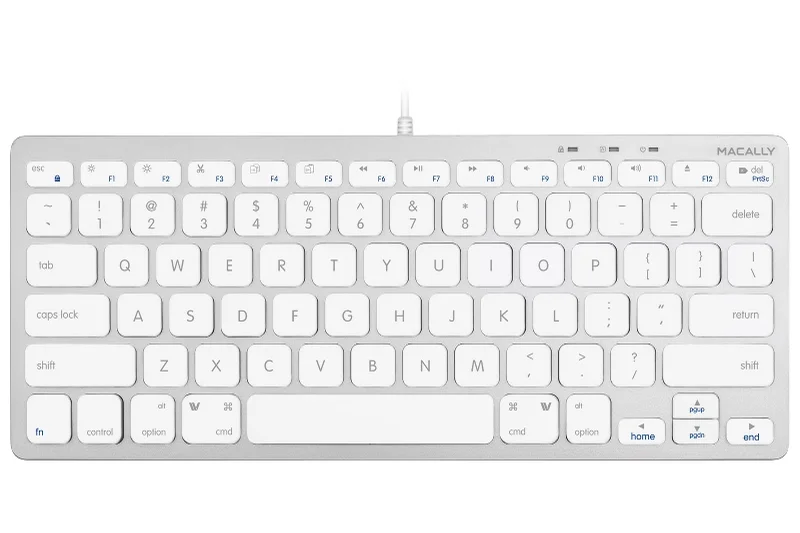
Why we picked it: The Macally Ultra Slim USB Wired Keyboard is designed explicitly for Mac users looking for an affordable alternative to the Apple Magic Keyboard. It features an ultra-slim, low-profile aluminum-style body with 104 full-size keys, including a numeric keypad. It utilizes high-quality scissor-switch mechanisms that provide short travel and a snappy, responsive feel. The layout includes 16 dedicated Apple shortcut keys (brightness, volume, Mission Control, etc.), ensuring seamless integration with macOS. It’s plug-and-play via USB, requiring no batteries or charging, making it a highly reliable daily driver for iMac and Mac Mini users.
Key Specs
- 104-Key Full-Size Layout
- Ultra-Slim Aluminum Body
- 16 Mac Shortcut Keys
- Scissor-Switch Keycaps
- Plug and Play USB
What we like
- Ultra-slim, premium-looking design matches Apple aesthetics
- Scissor switches provide a snappy, fast typing experience
- Includes 16 dedicated Mac OS shortcut keys
- Reliable wired connection requires no batteries
What we don't like
- Not optimized for Windows users
- Keys have very short travel, which may not suit heavy typists
Best for: Mac users who want a slim, wired alternative to the Magic Keyboard with a full number pad.
Considering the Macally Ultra Slim vs the Cherry Stream? Both use scissor switches, but the Macally is specifically mapped and styled for macOS, while the Cherry Stream is geared towards Windows.
The Macally Ultra Slim is an excellent, budget-friendly wired alternative to the Apple Magic Keyboard, offering snappy scissor switches and dedicated Mac shortcuts.
Buy at Macally official site#23 Logitech K400 Plus
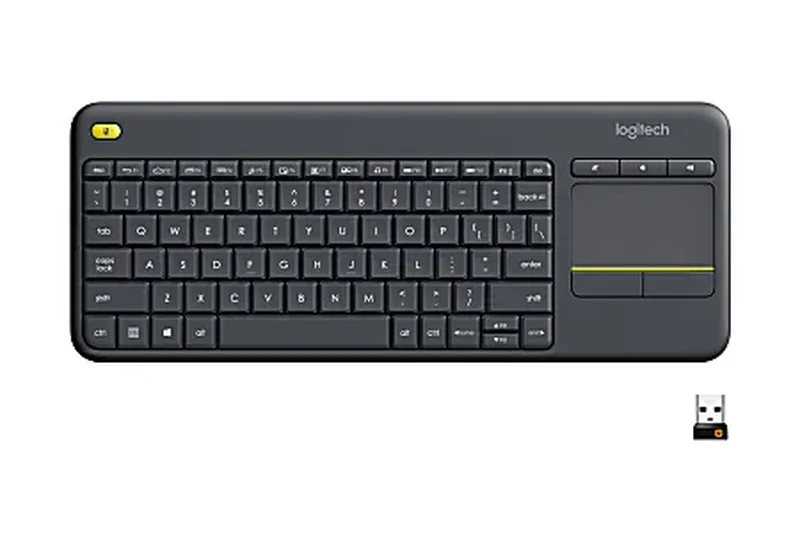
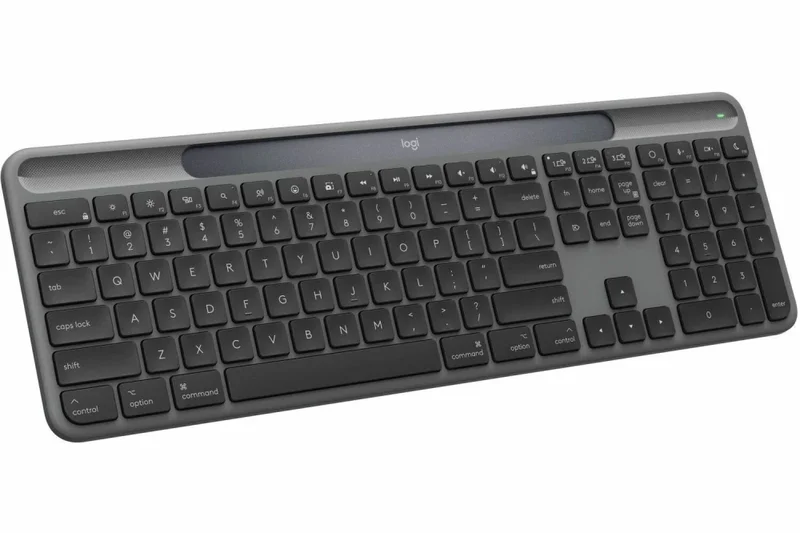
Why we picked it: The Logitech K400 Plus is a specialized wireless keyboard designed primarily for navigating media center PCs and Smart TVs from the couch. It features an integrated 3.5-inch touchpad on the right side, eliminating the need for a separate mouse. It connects via Logitech's unifying 2.4GHz USB receiver, providing a reliable 33-foot wireless range. The keys are quiet and feature easy-access media and volume controls. Powered by two AA batteries, it boasts an 18-month battery life. While it's not designed for typing essays, it is the absolute best budget tool for living room HTPC navigation.
Key Specs
- Integrated 3.5-inch Touchpad
- 18-Month Battery Life
- 33-Foot Wireless Range
- Plug-and-Play USB Unifying Receiver
- Quiet Media-Friendly Keys
What we like
- Integrated touchpad is perfect for couch and smart TV navigation
- Excellent 33-foot wireless range
- 18-month battery life
- Lightweight and durable enough to survive couch drops
What we don't like
- Keys are small and slightly mushy, not ideal for heavy typing
- Touchpad is basic and lacks advanced multi-touch gestures
Best for: Home theater PC (HTPC) and Smart TV users who need a single wireless device to control navigation from the couch.
Considering the K400 Plus vs the Microsoft Bluetooth Keyboard? The K400 Plus features an integrated touchpad for mouse control, making it vastly superior for couch use.
The Logitech K400 Plus is the ultimate living room keyboard, combining reliable wireless range with an integrated touchpad for effortless media navigation.
Buy at Logitech official site#24 Microsoft Bluetooth Keyboard
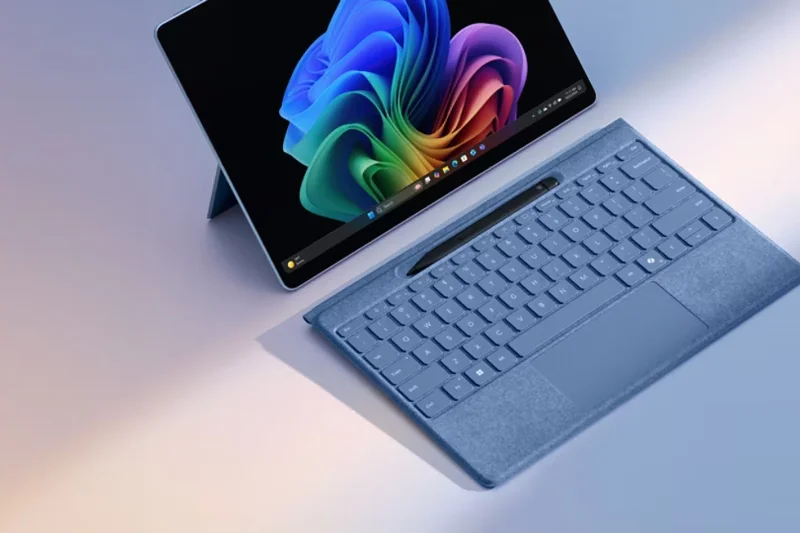
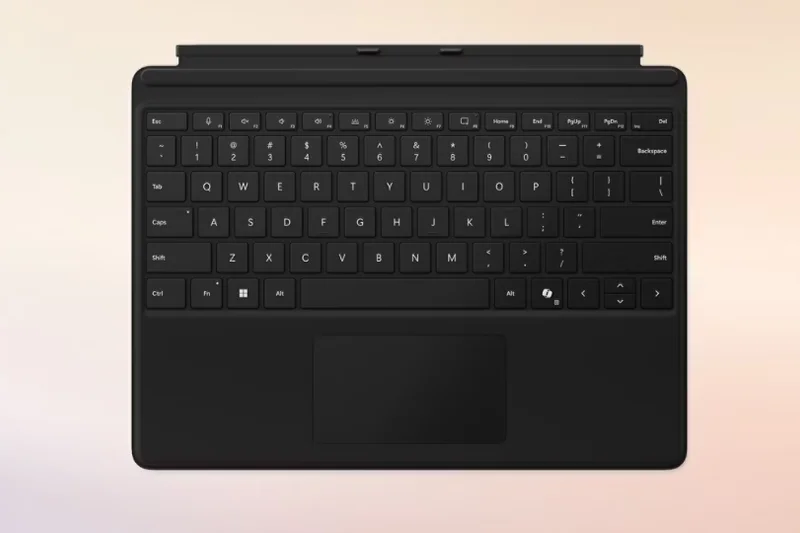
Why we picked it: The Microsoft Bluetooth Keyboard is a sleek, minimalist full-size membrane keyboard designed to blend seamlessly into modern office environments. It features Bluetooth 5.0 for a fast, reliable connection to Windows laptops and desktops without taking up a USB port. The design is notably slim, and the keys are quiet and well-spaced. It includes dedicated shortcut keys for Office 365, media controls, and an Emoji key. Powered by two AAA batteries, it offers up to 3 years of battery life. It is a highly dependable, no-frills tool for general productivity.
Key Specs
- Bluetooth 5.0
- Dedicated Office 365 Key
- Emoji Key
- Slim Design
- Up to 3-Year Battery Life
What we like
- Clean, minimalist aesthetic looks great on any desk
- Reliable Bluetooth 5.0 connectivity frees up USB ports
- Incredible 3-year battery life
- Dedicated Office 365 and Emoji shortcut keys
What we don't like
- Membrane keys offer minimal tactile feedback
- No backlighting
Best for: Windows users looking for a clean, reliable, and long-lasting wireless keyboard for general office productivity.
Considering the Microsoft Bluetooth Keyboard vs the Logitech Signature K650? The Microsoft board is slimmer and more minimalist, but the Logitech K650 offers vastly superior ergonomics with its wrist rest.
The Microsoft Bluetooth Keyboard is a sleek, reliable, and energy-efficient wireless option that integrates perfectly into any Windows-based office setup.
Buy at Microsoft official site#25 Lenovo Professional Wireless Keyboard
Why we picked it: The Lenovo Professional Wireless Keyboard brings the renowned typing feel of Lenovo's ThinkPad laptops to a full-size desktop format. It uses high-quality, low-profile island-style keys that provide a firm, tactile bump and excellent stability. It connects via a 2.4GHz nano USB receiver, ensuring zero lag or interference in busy office environments. The keyboard is spill-resistant and features dedicated media keys. With a 24-month battery life, it is a highly durable and comfortable option for professionals who appreciate Lenovo's signature keyboard engineering.
Key Specs
- Low-Profile Keys
- Dedicated Media Keys
- Spill-Resistant
- 2.4GHz Nano Receiver
- 24-Month Battery Life
What we like
- Excellent typing feel reminiscent of Lenovo ThinkPad laptops
- Reliable 2.4GHz wireless connection
- Spill-resistant design
- 24-month battery life on standard batteries
What we don't like
- Requires a USB-A port for the dongle (no Bluetooth)
- Design is highly utilitarian and somewhat plain
Best for: Professionals and touch-typists who want a durable, low-profile wireless keyboard with Lenovo's signature tactile feel.
Considering the Lenovo Professional vs the HP Wireless Elite v2? The Lenovo offers a slightly firmer, more tactile key press, while the HP is even slimmer.
The Lenovo Professional Wireless Keyboard delivers rock-solid 2.4GHz connectivity and a fantastic, tactile typing experience ideal for heavy office use.
Buy at Lenovo official site#26 HP Wireless Elite Keyboard v2
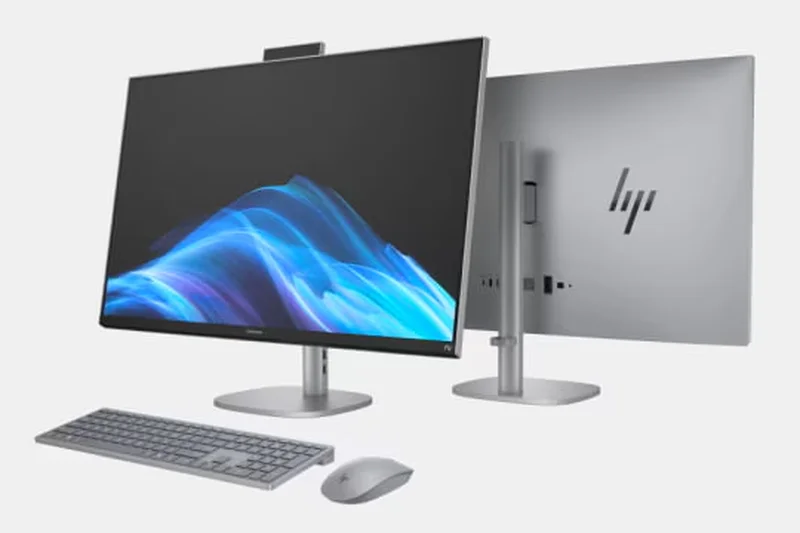
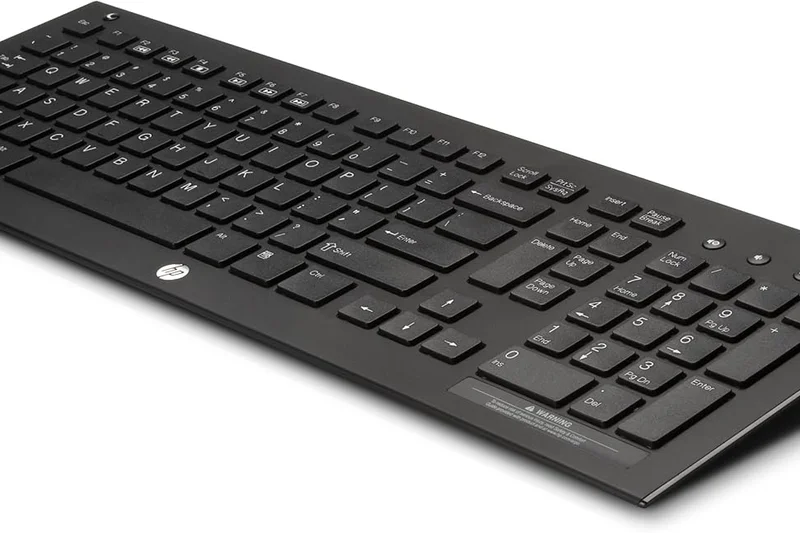
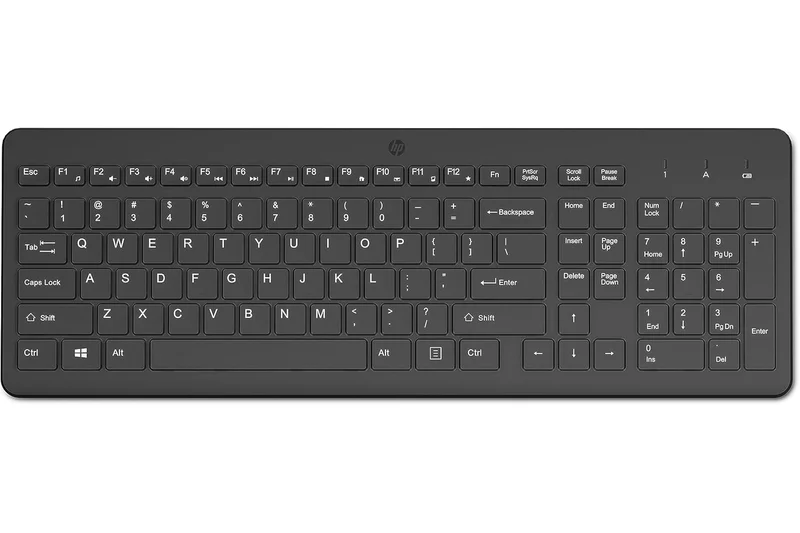
Why we picked it: The HP Wireless Elite Keyboard v2 is a surprisingly premium-feeling ultra-slim keyboard. It utilizes high-end scissor-style keys that provide a very quiet, responsive, and short-travel typing experience. Despite its incredibly thin profile, it features adjustable height legs to find a comfortable typing angle. It connects via a reliable 2.4GHz wireless dongle and features fast-access hotkeys for volume and media control. If you love the feel of premium laptop keyboards and want an ultra-thin profile that looks sophisticated on a modern desk, this is a top contender.
Key Specs
- Scissor-Style Keys
- Adjustable Height
- 2.4GHz Wireless Connection
- Fast-Access Hotkeys
- Quiet Typing
What we like
- Ultra-slim, sophisticated design
- High-quality scissor keys provide a fast, laptop-like typing feel
- Adjustable height legs (rare on ultra-slim boards)
- Reliable 2.4GHz connection
What we don't like
- Glossy plastic sections attract fingerprints
- No Bluetooth connectivity, relies entirely on the USB dongle
Best for: Users who want an ultra-thin, stylish wireless keyboard with fast, quiet scissor switches.
Considering the HP Wireless Elite v2 vs the Macally Ultra Slim? The HP offers wireless freedom via a 2.4GHz dongle, whereas the Macally is strictly wired via USB.
The HP Wireless Elite Keyboard v2 combines an ultra-slim, elegant aesthetic with snappy, quiet scissor switches for a premium typing experience.
Buy at HP official site#27 Redragon S101 Wired Gaming Combo
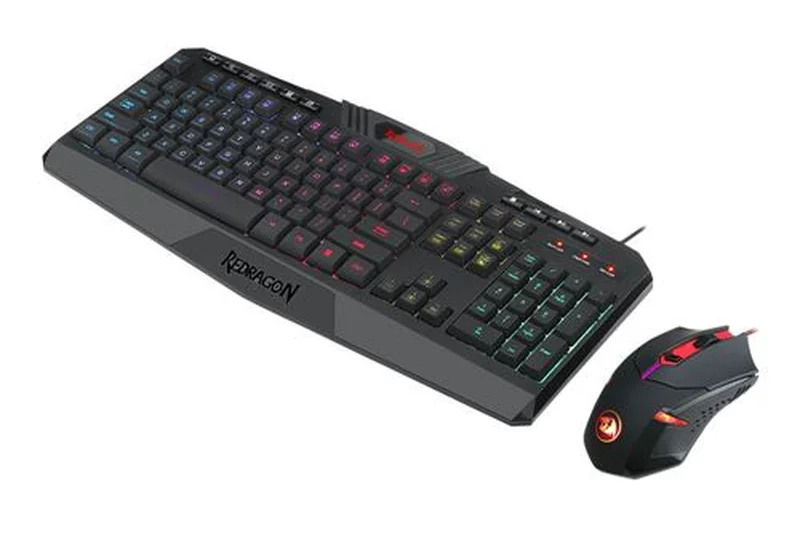
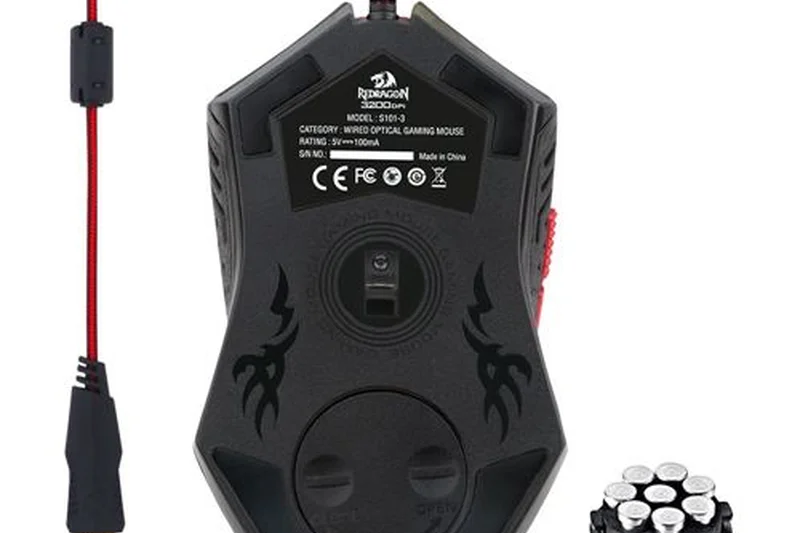
Why we picked it: The Redragon S101 Wired Gaming Combo represents the ultimate starter kit for budget PC gamers. For under $40, you get both a solid membrane gaming keyboard and an ergonomic 3200 DPI gaming mouse. The keyboard features a standard 104-key layout with 10 dedicated multimedia keys and vibrant RGB backlighting. While it uses membrane domes, it incorporates 26-key anti-ghosting to ensure that multiple simultaneous key presses register accurately during gaming. It's built tough, with a wrist rest integrated into the chassis. It’s an unbeatable value bundle for a first-time PC build.
Key Specs
- 114 Keys Total
- 26-Key Anti-Ghosting
- 10 Dedicated Multimedia Keys
- RGB Backlighting
- Includes 3200 DPI Gaming Mouse
What we like
- Incredible value: includes both a gaming keyboard and mouse
- 26-key anti-ghosting is excellent for a membrane board
- Includes dedicated multimedia keys and integrated wrist rest
- Bright RGB backlighting
What we don't like
- Membrane keys feel slightly mushy
- Included mouse is fairly basic, though functional
Best for: First-time PC gamers or buyers on a strict budget who need both a keyboard and a mouse in one package.
Considering the S101 Combo vs the Corsair K55? The Corsair K55 is a superior standalone keyboard with better macros and software, but the S101 includes a functional gaming mouse for less money.
The Redragon S101 Combo is the perfect starter kit, offering a feature-rich membrane gaming keyboard and a capable mouse at an unbeatable price.
Buy at Redragon official site#28 Razer Cynosa Lite
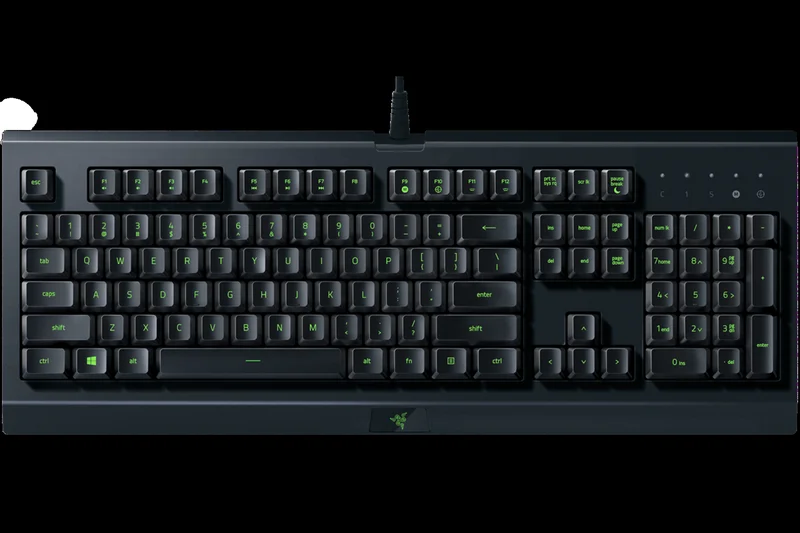
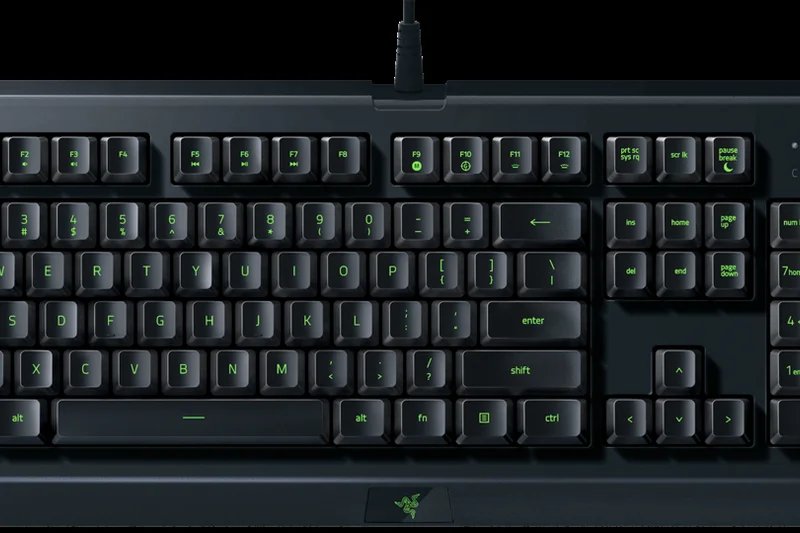
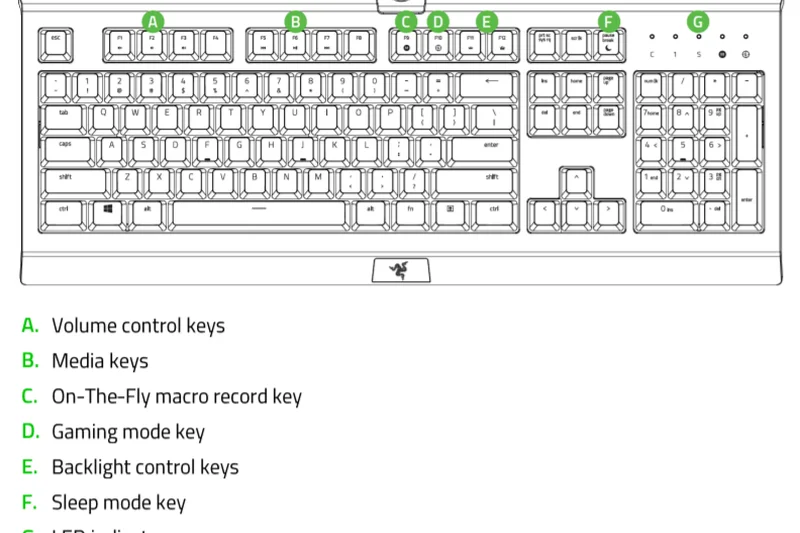
Why we picked it: The Razer Cynosa Lite brings Razer's premium brand ecosystem to a highly accessible price point. It features soft-cushioned, gaming-grade membrane keys that are incredibly quiet and comfortable for long sessions. The board supports 10-key rollover and is fully programmable using Razer's powerful Synapse 3 software, allowing you to remap keys and assign complex macros. It features a single-zone Razer Chroma RGB backlight and a spill-resistant design. If you want access to Razer's software and a reliable, quiet membrane gaming experience, the Cynosa Lite is a solid entry point.
Key Specs
- Soft Cushioned Gaming-Grade Keys
- Single Zone Razer Chroma RGB
- Spill-Resistant Design
- 10-Key Rollover
- Fully Programmable Keys
What we like
- Access to Razer Synapse 3 software for deep macro programming
- Soft-cushioned keys are very quiet and comfortable
- Spill-resistant design
- Clean, minimalist gamer aesthetic
What we don't like
- Single-zone RGB is very dim compared to competitors
- Membrane keys lack mechanical tactility
Best for: Budget-conscious gamers who want to enter the Razer ecosystem and utilize the Synapse macro software.
Considering the Razer Cynosa Lite vs the HyperX Alloy Core RGB? The HyperX has significantly brighter and better-looking RGB, but the Razer offers superior macro programming via Synapse 3.
The Razer Cynosa Lite is a quiet, spill-resistant membrane keyboard that provides affordable access to Razer's excellent Synapse programming software.
Buy at Razer official site#29 Redragon K617 Fizz
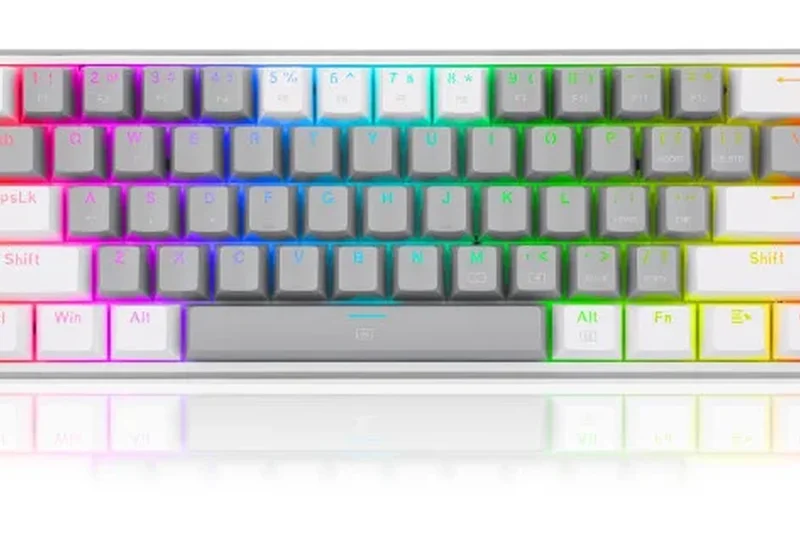
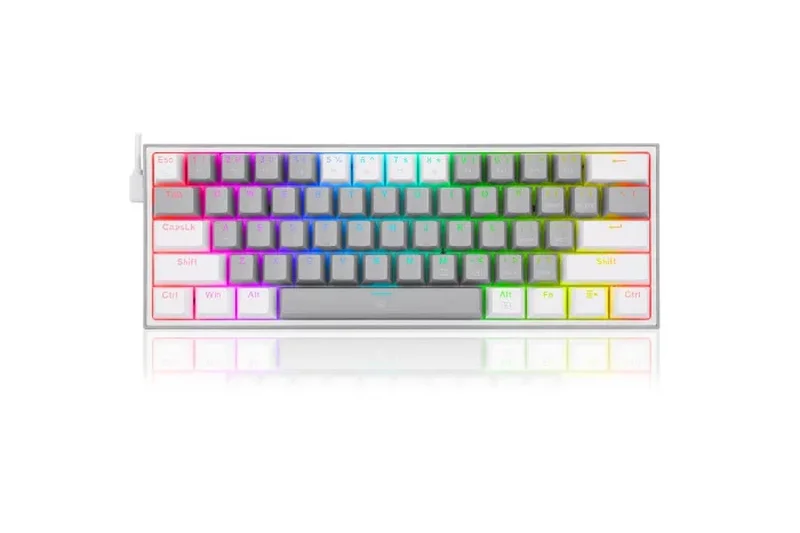
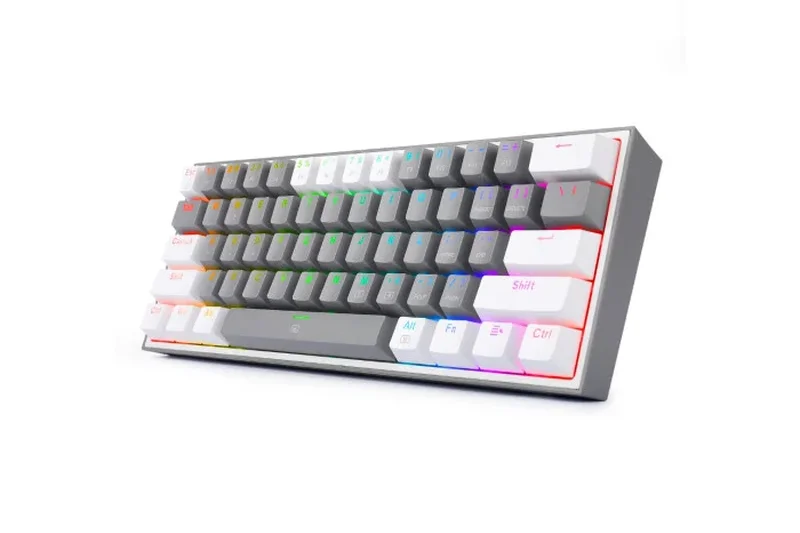
Why we picked it: The Redragon K617 Fizz is a highly portable, wired 60% mechanical keyboard that has gained a massive following for its striking two-tone mixed color keycaps. It utilizes hot-swappable Red linear switches, providing a smooth, fast actuation that is excellent for rhythm games and FPS shooters. It connects via a detachable USB-C cable, making it very easy to pack for travel or LAN parties. The vibrant RGB backlighting can be customized via Redragon's software. It’s an aggressive, stylish, and highly capable wired 60% board.
Key Specs
- 61-Key Ultra-Compact Layout
- Hot-Swappable Red Switches
- Vibrant RGB Backlighting
- Detachable Type-C Cable
- Mixed Color Keycaps
What we like
- Striking two-tone keycap aesthetic out of the box
- Hot-swappable PCB allows for switch customization
- Detachable USB-C cable increases portability
- Smooth linear red switches are great for fast gaming
What we don't like
- 60% layout requires Fn layers for arrow keys
- Hot-swap sockets only accept Outemu-style thin pins
Best for: FPS gamers and travelers who want a striking, ultra-compact wired mechanical keyboard with smooth linear switches.
Considering the K617 Fizz vs the RK61? The Fizz is strictly wired and features a unique two-tone aesthetic, while the RK61 offers tri-mode wireless connectivity.
The Redragon K617 Fizz is a stylish, ultra-compact 60% mechanical keyboard that offers smooth linear switches and great portability via its detachable USB-C cable.
Buy at Redragon official site#30 MageGee MK-Box 65%
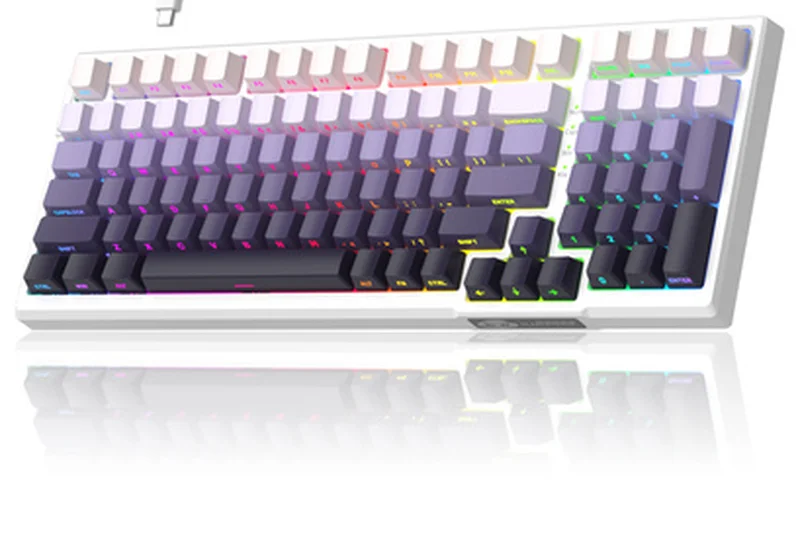
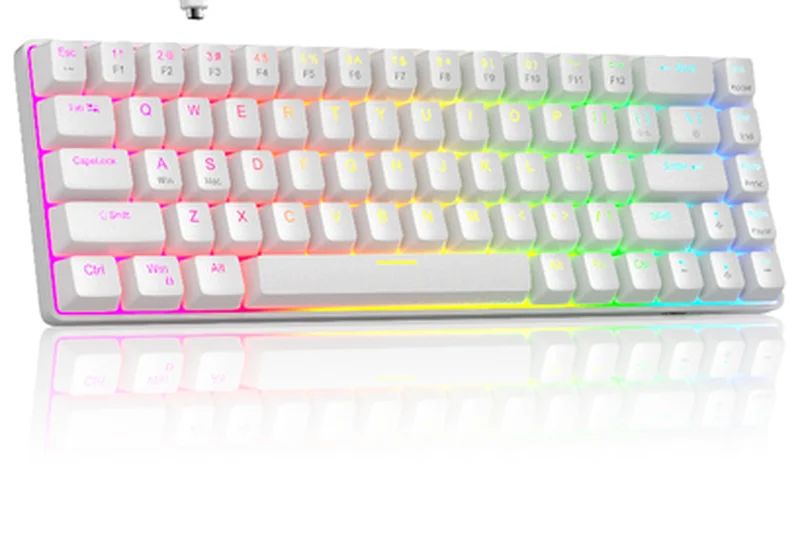
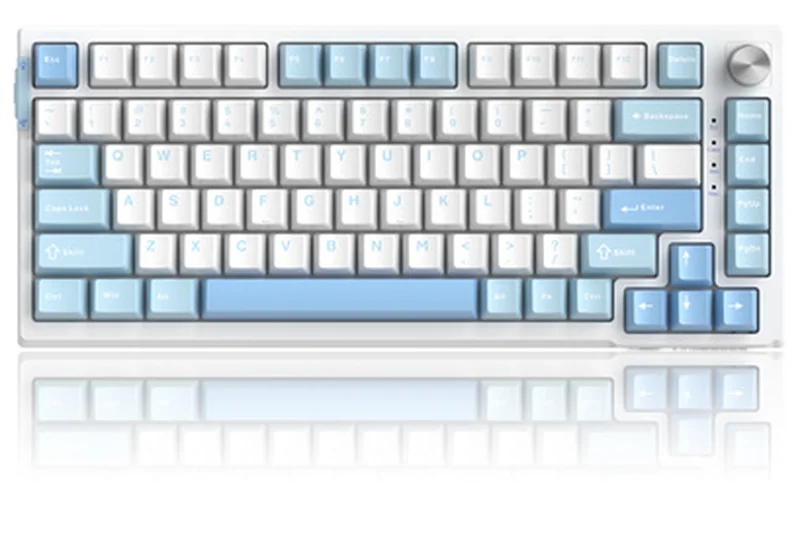
Why we picked it: The MageGee MK-Box is an ultra-budget 65% mechanical keyboard that offers surprising quality for around $30. It features a 68-key layout that crucially retains the dedicated arrow keys, making it much more practical for daily typing than a true 60% board. You can choose between Blue (clicky), Red (linear), or Brown (tactile) switches depending on your preference. It features a classic LED backlight (often single color, like ice blue) and a detachable USB-C cable. While it lacks hot-swappability and advanced software, its compact size, dedicated arrow keys, and solid mechanical feel make it an excellent entry-level option.
Key Specs
- 68-Key Compact Layout
- Blue/Red/Brown Switch Options
- Classic LED/RGB Backlighting
- Detachable Type-C Cable
- Full Keys Anti-Ghosting
What we like
- 65% layout retains essential arrow keys for easier navigation
- Very affordable entry point to true mechanical switches
- Detachable USB-C cable
- Sturdy, compact frame
What we don't like
- Not hot-swappable
- Backlighting is often single-color depending on the specific model
Best for: Users on an extreme budget who want a compact mechanical keyboard that still retains dedicated arrow keys.
Considering the MageGee MK-Box vs the Redragon K617 Fizz? The MageGee includes dedicated arrow keys (65% layout), making it much easier to use for general typing than the 60% Fizz.
The MageGee MK-Box 65% is an ultra-affordable mechanical keyboard that provides a compact footprint without sacrificing dedicated arrow keys.
Buy at MageGee official site#31 Logitech K120
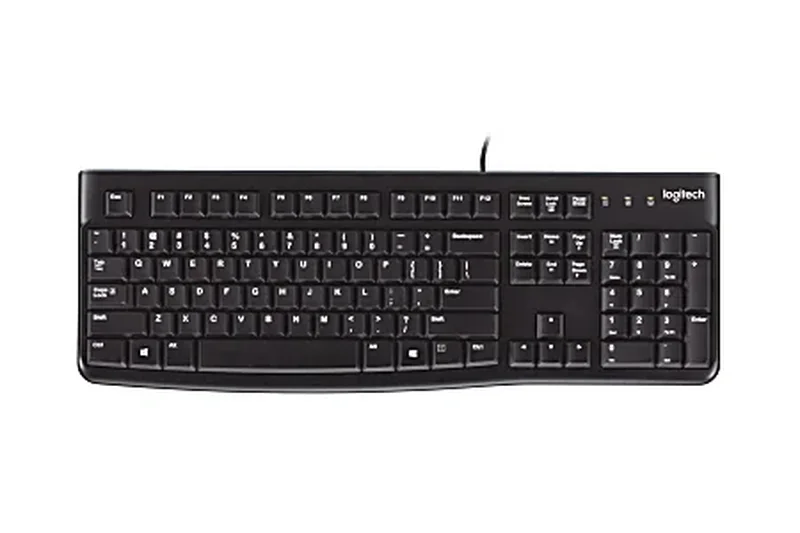
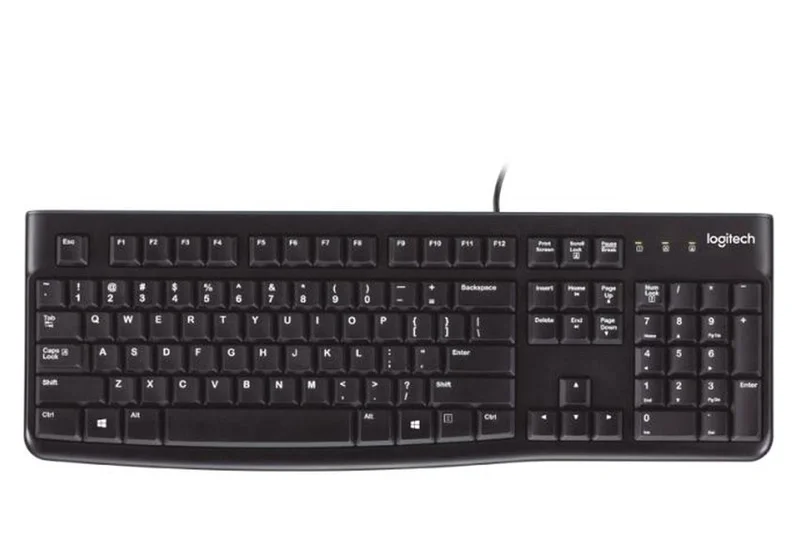
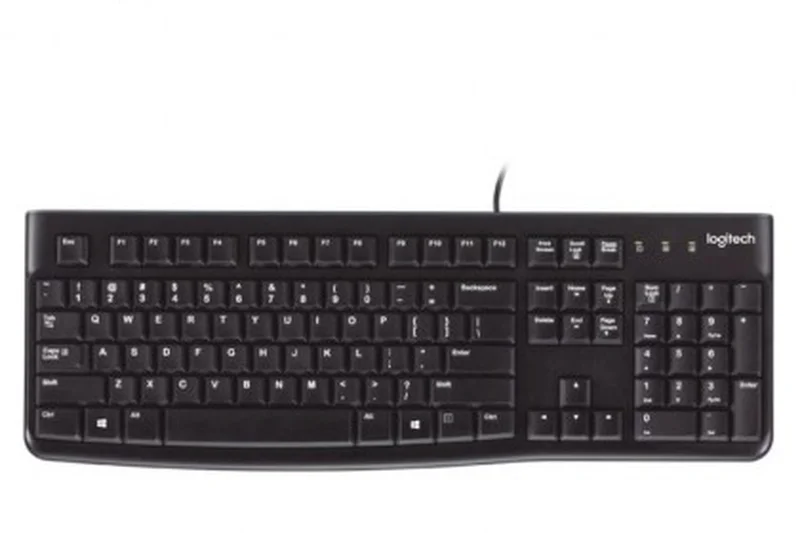
Why we picked it: Winning our 'Best Value' award, the Logitech K120 is the definition of a dependable, no-nonsense office keyboard. Priced around $15, it is a wired, full-size membrane keyboard that simply works. It features a spill-resistant design, durable keys tested to withstand up to 10 million keystrokes, and a curved space bar for resting comfort. The typing experience is quiet and surprisingly tactile for a basic rubber dome board. It requires no software; just plug the USB cord in and start typing. For schools, large offices, or anyone who just needs a cheap keyboard that won't break, the K120 is legendary.
Key Specs
- Plug-and-Play USB
- Spill-Resistant Design
- Durable Keys (10M Keystrokes)
- Curved Space Bar
- Quiet Typing
What we like
- Incredibly cheap and universally reliable
- Spill-resistant and highly durable design
- Quiet, comfortable typing feel
- True plug-and-play simplicity
What we don't like
- Completely utilitarian design with no extra features
- No media keys or backlighting
Best for: Anyone who needs a functional, indestructible wired keyboard for the absolute lowest price possible.
Considering the Logitech K120 vs the Dell KB216? The K120 offers standard, deeper travel keys which are more durable, while the Dell uses flatter chiclet-style keys.
The Logitech K120 is the undisputed king of extreme budget keyboards, offering immortal reliability, spill resistance, and quiet typing for around $15.
Buy at Logitech official site#32 Arteck 2.4G Wireless Keyboard
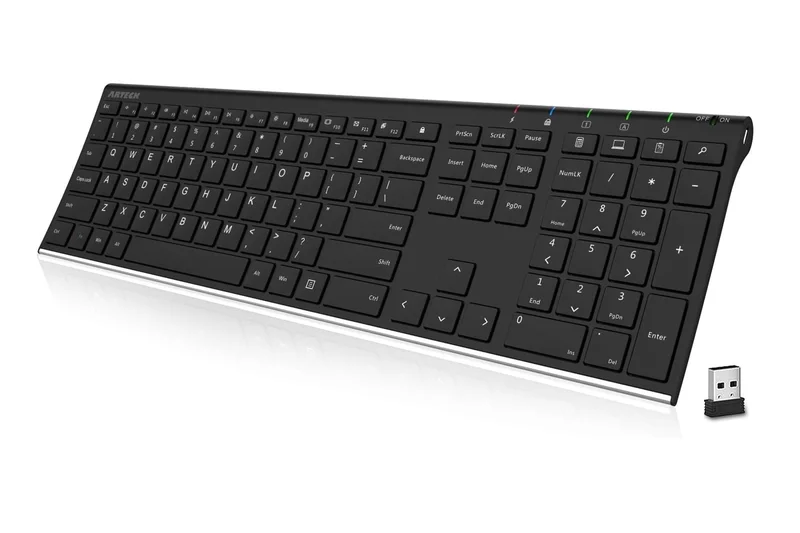
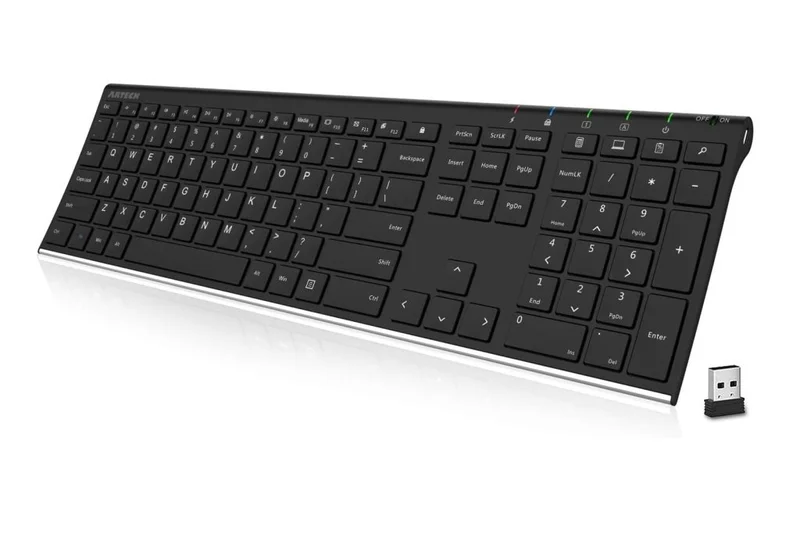
Why we picked it: The Arteck 2.4G Wireless Keyboard is a remarkably sleek, ultra-slim keyboard built on a stainless steel chassis. It utilizes low-profile scissor-switch keys that provide a whisper-quiet, laptop-like typing experience. It connects via a 2.4G USB nano receiver for a stable, lag-free connection. Notably, it features a built-in rechargeable lithium battery that lasts up to 6 months on a single charge, eliminating the need to swap AA batteries. For its sub-$30 price, the stainless steel build gives it a premium weight and rigidity that plastic competitors simply cannot match.
Key Specs
- Stainless Steel Build
- Rechargeable Lithium Battery
- Up to 6-Month Battery Life
- Scissor-Switch Keys
- Whisper-Quiet Typing
What we like
- Stainless steel chassis provides a rigid, premium feel
- Built-in rechargeable battery lasts up to 6 months
- Whisper-quiet scissor switches
- Ultra-slim and aesthetically pleasing
What we don't like
- Keys have very short travel and feel a bit stiff initially
- Uses Micro-USB for charging rather than Type-C
Best for: Users who want an ultra-slim, rechargeable wireless keyboard with a premium metal feel for a very low price.
Considering the Arteck 2.4G vs the HP Wireless Elite v2? The Arteck features a heavier stainless steel build and a built-in rechargeable battery, while the HP uses AAA batteries.
The Arteck 2.4G Wireless Keyboard delivers incredible value, combining a rigid stainless steel frame, rechargeable battery, and quiet scissor switches.
Check price at Amazon#33 Dell Multimedia Keyboard-KB216
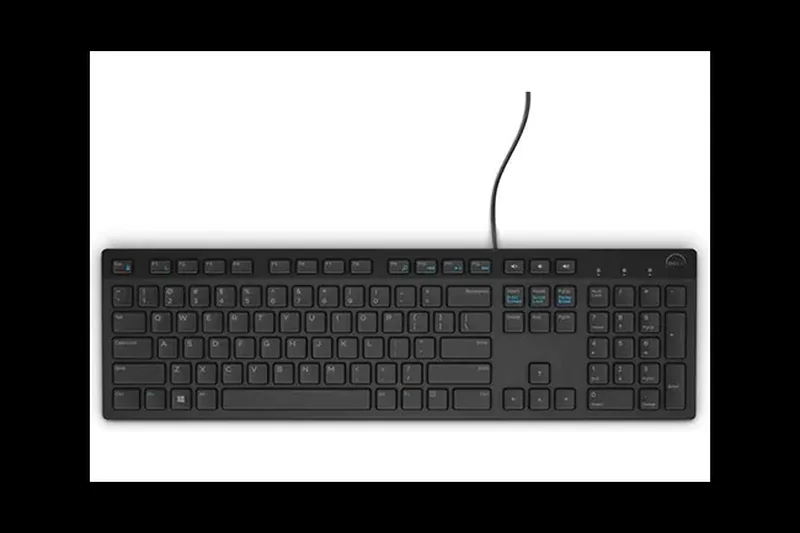
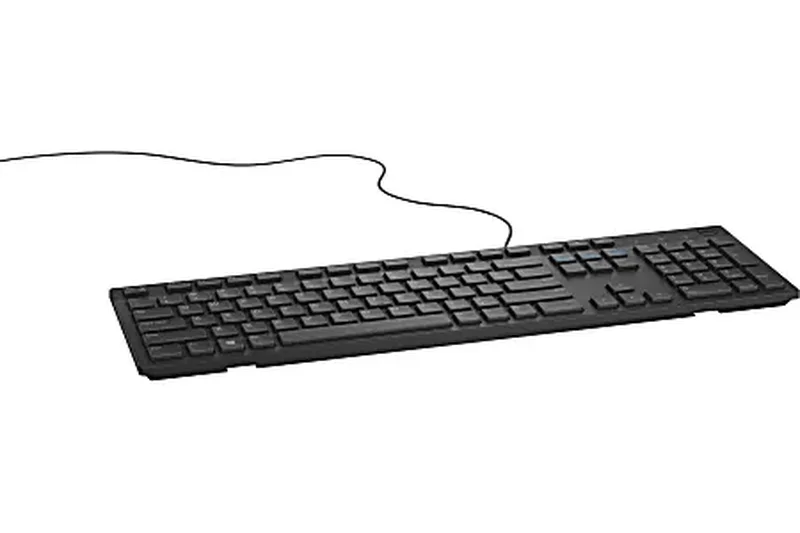
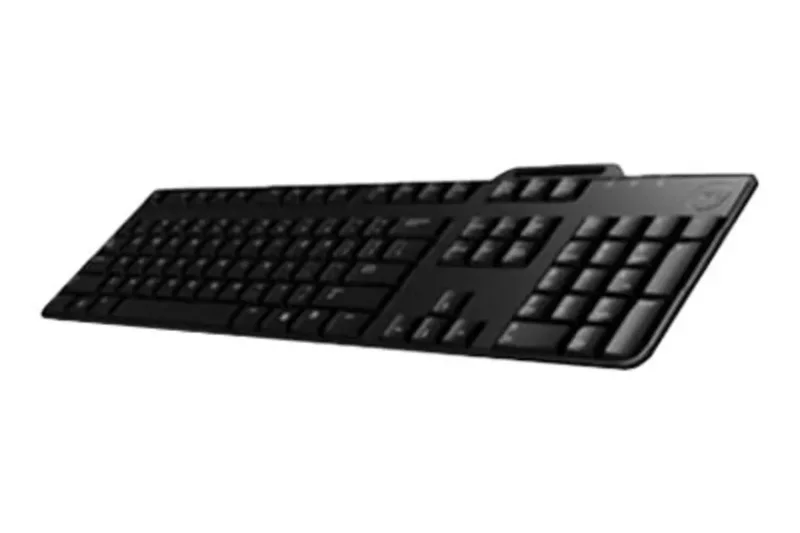
Why we picked it: The Dell KB216 is a staple of corporate offices worldwide, and for good reason. It is a highly affordable, wired full-size keyboard that utilizes low-profile, chiclet-style keys. These keys provide a quiet, soft typing experience that reduces finger travel. Despite its basic appearance, it includes dedicated multimedia keys for volume and playback control, which is a nice bonus at this price. It also features a spill-resistant design to survive minor desk accidents. It is simple, reliable, and comfortable for basic data entry.
Key Specs
- Chiclet-Style Keys
- Full-Sized Layout
- Quiet Rubber Dome Switches
- Dedicated Multimedia Keys
- Spill-Resistant
What we like
- Low-profile chiclet keys are quiet and comfortable
- Includes dedicated multimedia keys
- Spill-resistant design
- Very affordable and reliable
What we don't like
- Build quality is entirely lightweight plastic
- Key travel is very short and lacks tactility
Best for: Office workers who prefer flat, chiclet-style keys over standard deep-travel keys on a strict budget.
Considering the Dell KB216 vs the Logitech K120? The Dell offers dedicated media keys and a low-profile chiclet design, while the K120 has traditional deeper keys.
The Dell KB216 is a solid, ultra-budget office keyboard that provides quiet, laptop-style chiclet keys and handy multimedia controls.
Buy at Dell official site#34 NPET K10 Gaming Keyboard
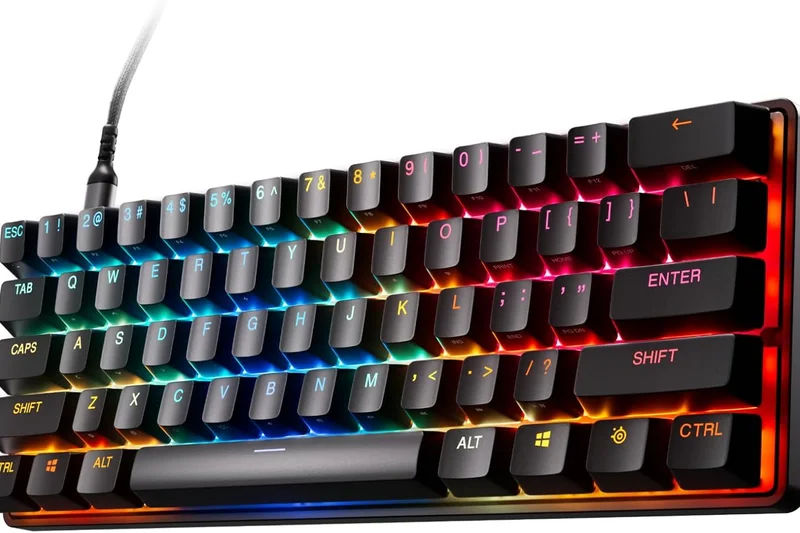
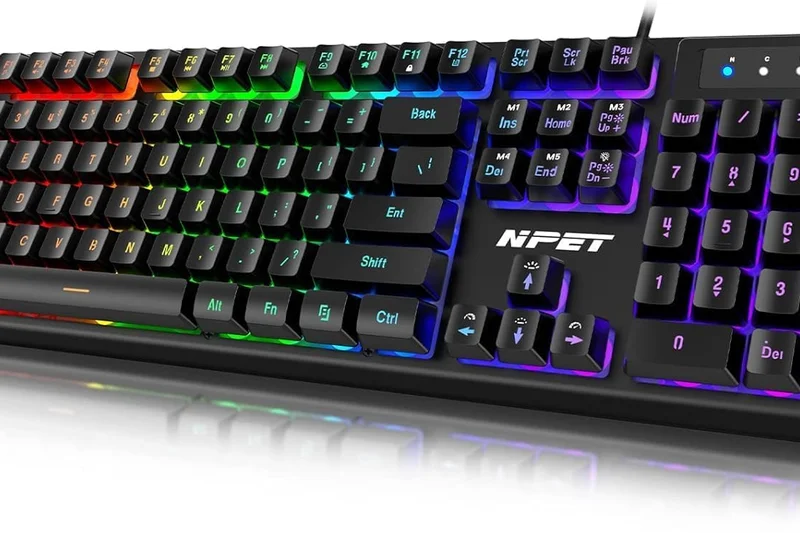
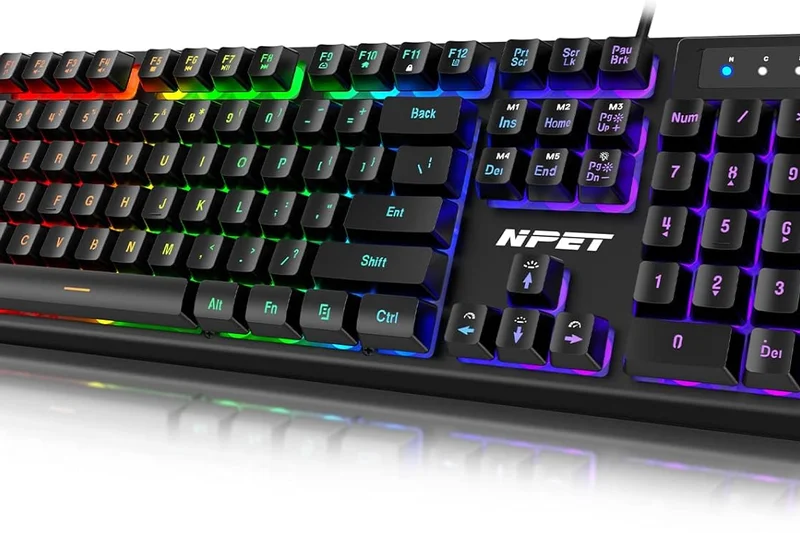
Why we picked it: The NPET K10 is a highly popular entry-level membrane gaming keyboard known for its unique floating keycap design and heavy steel base. The floating design mimics the look of high-end mechanical keyboards and makes cleaning out dust and crumbs incredibly easy. It features bright, multi-colored LED backlighting, 26-key anti-ghosting, and UV-coated keycaps that resist fading. The internal metal plate gives it a surprising amount of weight and rigidity, preventing it from sliding around during gaming. It's a fantastic, flashy first keyboard for kids or extreme budget gamers.
Key Specs
- 104-Key Standard Layout
- LED Backlighting
- Spill-Resistant
- 26-Key Anti-Ghosting
- UV Coated Keycaps
What we like
- Floating keycap design looks great and is easy to clean
- Heavy metal base prevents sliding and flex
- 26-key anti-ghosting is excellent for gaming
- Very bright LED backlighting
What we don't like
- Membrane keys are slightly mushy and lack a satisfying click
- Backlighting is "rainbow" style and not true customizable RGB
Best for: Young gamers or extreme budget buyers who want a flashy, heavy keyboard that looks mechanical.
Considering the NPET K10 vs the Razer Cynosa Lite? The NPET has a heavier metal base and a floating keycap design, but the Razer offers vastly superior macro programming software.
The NPET K10 is a heavy, durable membrane gaming keyboard that offers bright lights, anti-ghosting, and a mechanical-style floating keycap design.
Check price at Amazon#35 Amazon Basics Matte Black Wired Keyboard
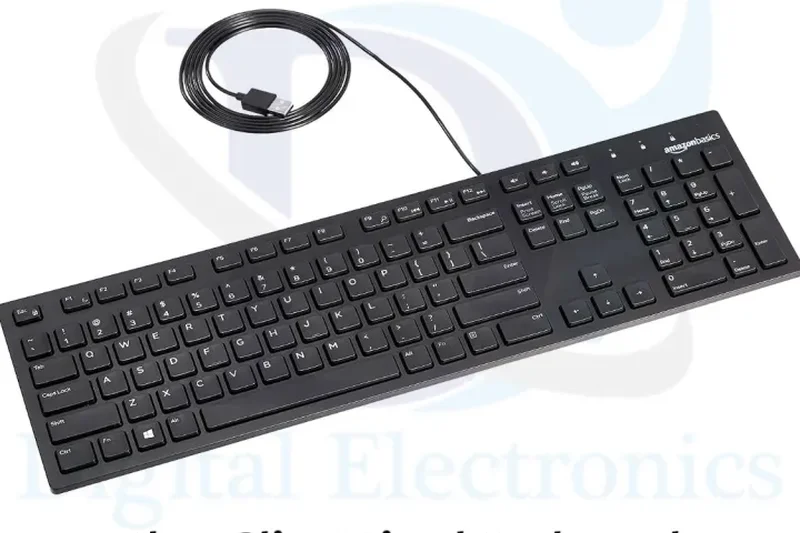
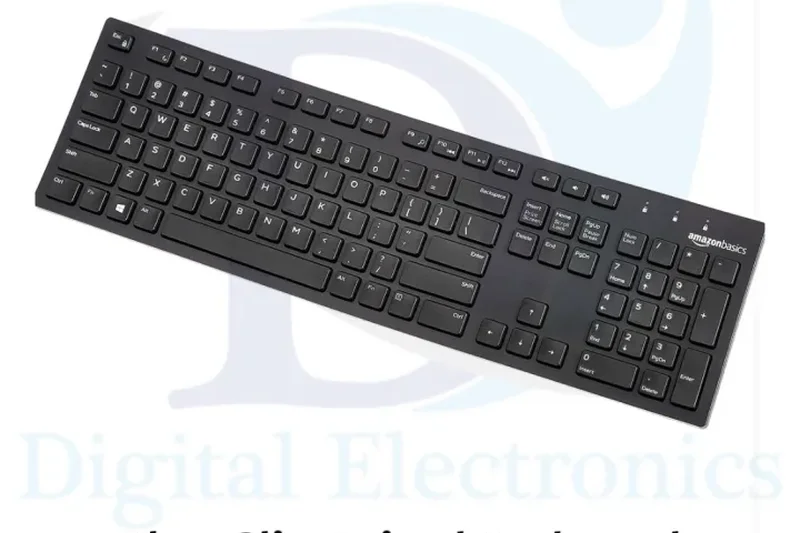
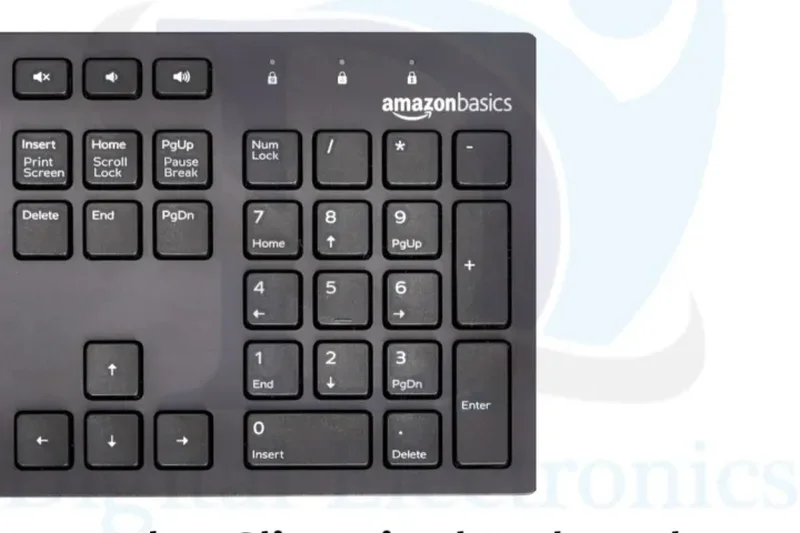
Why we picked it: The Amazon Basics Wired Keyboard is exactly what it sounds like: a completely no-frills, highly affordable, full-size membrane keyboard. It features a matte black finish, low-profile chiclet keys, and simple hotkeys for volume and media control. It is plug-and-play via a standard USB connection. While it lacks the ultimate durability reputation of the Logitech K120, it is often available for a few dollars less and provides a flatter, more modern-looking key profile. It is perfectly adequate for light home use, quick data entry, or as an emergency backup keyboard.
Key Specs
- Matte Black Finish
- Low-Profile Chiclet Keys
- Hotkeys for Media/Volume
- Plug and Play USB
- Quiet Keystrokes
What we like
- Extremely affordable
- Low-profile chiclet keys are quiet
- Includes basic hotkeys for volume
- Plug-and-play simplicity
What we don't like
- Build quality feels very light and hollow
- Key action is somewhat stiff and mushy
Best for: Buyers who need a temporary, backup, or ultra-cheap keyboard for light, infrequent use.
Considering the Amazon Basics vs the Logitech K120? Spend the extra couple of dollars on the Logitech K120; it offers significantly better key stability and proven long-term durability.
The Amazon Basics Wired Keyboard is an ultra-cheap, functional chiclet keyboard that serves well as a backup or light-use home option.
Check price at AmazonBuying Guide
Understanding Your Keyboard Needs by User Type
When shopping for a keyboard under $50, the sheer volume of options can be overwhelming. The best way to narrow down your choices is to identify your primary use case. If you are an office worker or student, you'll likely want a full-size or compact keyboard that offers a quiet typing experience, reliable wireless connectivity, and ergonomic features like a built-in wrist rest to prevent fatigue. Conversely, if you are a gamer, your priority should be wired performance or high-speed 2.4GHz wireless, mechanical switches with low actuation force, and N-key rollover to ensure every keypress registers during intense action. For programmers and heavy writers, typing feel is king; you should look for mechanical keyboards with tactile switches (like Browns) or high-quality scissor switches that provide crisp feedback without bottoming out harshly.
Membrane vs. Mechanical vs. Scissor Switches
The switch type is the defining characteristic of any keyboard. Membrane keyboards are generally the most affordable and quietest. They use a rubber dome beneath the keys, which can feel somewhat "mushy" but is highly resistant to spills and dust. Mechanical keyboards use individual physical switches for every key. They offer vastly superior durability, speed, and tactile feedback, but are traditionally more expensive and louder. However, recent years have seen a massive influx of excellent mechanical options under $50. Finally, Scissor switches are low-profile mechanisms found on laptops and slim desktop keyboards. They offer short travel distances and a snappy response, making them ideal for minimalists and fast touch-typists.
Form Factors: Full-Size, TKL, and 60%/65%
Keyboards come in several standard sizes. A Full-Size (100%) keyboard includes a dedicated number pad, navigation keys, and a function row, making it perfect for data entry and general office work. A Tenkeyless (TKL or 80%) keyboard chops off the number pad, saving significant desk space and allowing your mouse to be positioned closer to your natural shoulder width, which improves ergonomic posture. Compact layouts (60% and 65%) remove the function row and navigation cluster entirely (65% models usually keep the arrow keys). These are incredibly popular among gamers and enthusiasts who want maximum desk space and portability, though they rely heavily on function (Fn) key layers to access missing keys.
Wired vs. Wireless in the Budget Tier
In the sub-$50 price bracket, choosing between wired and wireless involves some trade-offs. Wired keyboards provide the best value for performance. You never have to worry about charging, and they offer zero-latency inputs, which is critical for gaming. They also often feature brighter RGB lighting since battery life isn't a concern. Wireless keyboards in this tier usually offer Bluetooth (great for switching between a laptop, tablet, and phone) or a 2.4GHz USB dongle (better for low-latency desktop use). While budget wireless options from major brands like Logitech are incredibly reliable and boast multi-year battery lives (often using AA batteries), budget wireless mechanical keyboards with rechargeable lithium-ion batteries and RGB backlighting may only last a few days between charges.
What to Avoid in Sub-$50 Keyboards
While there are many hidden gems in the budget category, there are also plenty of traps. Avoid keyboards that advertise "mechanical-feel" switches; these are almost always standard membrane rubber domes trying to masquerade as higher-end mechanical switches, offering the worst of both worlds. Be wary of unbranded wireless keyboards with very low battery capacities (under 1000mAh), as they will constantly die on you. Finally, check the keycap material if possible. Cheap laser-etched ABS plastic keycaps will quickly wear down and become shiny and slippery after a few months of heavy use. Whenever possible, look for "Double-shot" keycaps or PBT material, which resists wear and oil from your fingers.
FAQ
What is the best keyboard under $50?
Overall, the EVGA Z15 RGB Mechanical Gaming Keyboard is the best choice under $50. It offers unprecedented features for the price, including hot-swappable Kailh speed switches, a 4000Hz polling rate, a magnetic palm rest, and a dedicated volume scroll wheel. If you prefer a wireless option, the AULA F65 is an outstanding tri-mode wireless mechanical keyboard with a premium gasket mount.
Are cheap mechanical keyboards worth it?
Absolutely. Over the past few years, the gap in quality between budget and premium mechanical keyboards has narrowed significantly. Keyboards from brands like Keychron, Royal Kludge, and AULA now offer enthusiast-grade features like gasket mounting, pre-lubed switches, and double-shot PBT keycaps for under $50. They are vastly superior in durability and feel compared to membrane keyboards.
Which switch type is best for office work?
For office environments, you want to avoid "clicky" switches (like Cherry MX Blues) as the sharp clicking noise will annoy your coworkers. Instead, look for "tactile" switches (like Browns) which offer a silent bump for typing feedback, or "linear" switches (like Reds) which are smooth and quiet. Alternatively, high-quality scissor switches (found on the CHERRY STREAM) are virtually silent and excellent for the office.
What is the difference between TKL and 60% keyboards?
A Tenkeyless (TKL or 80%) keyboard chops off the number pad on the right side but retains the dedicated arrow keys, navigation cluster, and function (F1-F12) row. A 60% keyboard goes further, removing the arrow keys, navigation cluster, and F-row to create an ultra-compact rectangle. On a 60% board, you must hold a Function (Fn) key and press other keys to access arrows and F-keys.
Is a wireless keyboard under $50 reliable for gaming?
It depends on the type of wireless connection. If the keyboard uses Bluetooth, it will likely have too much input lag (latency) for fast-paced competitive gaming. However, budget keyboards that include a dedicated 2.4GHz USB wireless dongle (like the RK ROYAL KLUDGE RK61 or AULA F65) offer incredibly low latency that is virtually indistinguishable from a wired connection, making them perfectly fine for gaming.
What are the key build quality compromises in budget keyboards?
Sub-$50 keyboards often compromise on the chassis material, using lightweight ABS plastic instead of aluminum, which can result in a hollow sound or deck flex. They may also use laser-etched ABS keycaps that become shiny and slippery over time, rather than durable PBT keycaps. Finally, budget wireless models often have smaller batteries, requiring more frequent charging if you use RGB backlighting.
Are hot-swappable switches common under $50?
They are becoming increasingly common. Keyboards like the EVGA Z15, RK61, and Womier WK61 feature hot-swappable PCBs. This means you can use a small tool to pull the mechanical switches out of the board and push new ones in without needing to use a soldering iron. It's a fantastic feature that allows you to easily upgrade or repair your keyboard in the future.
How long do wireless keyboard batteries typically last?
This varies wildly by type. Basic wireless office keyboards that use AA or AAA batteries (like the Logitech K650 or K380s) without backlighting can last anywhere from 18 to 36 months. However, wireless mechanical gaming keyboards with rechargeable lithium-ion batteries and bright RGB backlighting (like the RK61) may only last 10 to 40 hours with the lights on, requiring weekly or daily charging.
Can I get a good ergonomic keyboard for less than $50?
Yes, but options are limited. The Perixx Periboard-512 is an excellent choice under $50, offering a true 3D split-key design that naturally aligns your wrists. Alternatively, the Logitech Signature K650 offers a more traditional layout but includes an excellent built-in palm rest and deep, comfortable keys that reduce fatigue.
What is N-key rollover and why does it matter?
N-key rollover (NKRO) means that the keyboard can accurately register every single key being pressed simultaneously. On cheap membrane keyboards, pressing 3 or 4 keys at once might cause "ghosting," where the keyboard fails to register additional inputs. NKRO is crucial for gamers who frequently press multiple movement and action keys at the exact same time.
Do budget keyboards have good companion software?
It varies. Mainstream brands like Razer (Cynosa Lite) and Corsair (K55) have excellent, highly polished software (Synapse and iCUE) for setting up complex macros and lighting. Some budget mechanical brands like Keychron and Royal Kludge use QMK/VIA, which is an open-source, browser-based configurator beloved by enthusiasts. Cheaper off-brand boards often have clunky, unintuitive proprietary software, or none at all.
How do membrane keyboards compare to mechanical switches?
Membrane keyboards use a continuous rubber dome sheet beneath the keys. They are cheap, quiet, and highly spill-resistant, but they require you to "bottom out" the key to register a press, which can feel mushy and fatiguing. Mechanical keyboards use individual physical switches with springs. They actuate halfway down the press, are much more durable, and provide a crisp, highly tactile typing experience.
Are ABS keycaps worse than PBT keycaps?
Generally, yes. ABS (Acrylonitrile Butadiene Styrene) plastic is cheaper and easier to mold, but it is prone to wearing down and developing a greasy-looking "shine" after a few months of use. PBT (Polybutylene Terephthalate) plastic is thicker, more durable, has a slightly textured feel, and will never develop that shiny, slippery wear. Under $50, finding a keyboard with PBT keycaps (like the Keychron C1 Pro) is a major bonus.
What is a gasket mount keyboard?
A gasket mount keyboard places pieces of rubber or silicone (gaskets) between the internal circuit board/plate and the outer plastic case. This isolates the internal components, allowing the board to flex slightly when you type. It absorbs the harsh impact of keystrokes, resulting in a softer, more comfortable typing feel and a deeper, more muted sound profile. The Keychron C3 Pro and AULA F65 feature this design.
What is the best way to clean a budget mechanical keyboard?
First, unplug the keyboard. Use a keycap puller to gently remove all the keycaps. You can wash the keycaps in a bowl of warm, slightly soapy water; just ensure they are 100% dry before putting them back on. While the keycaps are off, use a can of compressed air to blow dust and crumbs out from between the exposed mechanical switches. Do not use liquids directly on the keyboard's internal plate.
Methodology
How We Score and Rank Keyboards
Our scoring methodology utilizes a multi-dimensional framework to ensure every keyboard is evaluated fairly across its intended use cases. We break down the performance into seven core dimensions, each weighted according to its overall impact on the user experience:
- Typing Feel & Switch Quality (20%): We assess the tactility, actuation force, key travel, and overall responsiveness. We prioritize models that offer crisp feedback and reduce finger fatigue, penalizing mushy or wobbly keys.
- Build Quality & Durability (20%): We look for heavy, rigid frames, chassis flex resistance, and durable keycap materials (like double-shot PBT). Budget keyboards shouldn't feel cheap or hollow.
- Ergonomics & Layout (15%): Comfort is paramount. We evaluate typing angle adjustability, included wrist rests, and intuitive layouts that don't force awkward stretching.
- Connectivity & Latency (15%): A dropped input is unacceptable. We test wired polling rates, Bluetooth stability, multi-device switching speed, and 2.4GHz dongle interference.
- Power & Cable Reliability (10%): We measure battery life for wireless models and assess cable quality (braided, detachable USB-C) for wired models.
- Price-to-Feature Ratio (10%): We analyze how many premium features (hot-swappability, volume knobs, macro keys) are crammed into the strict $50 limit.
- Backlighting & Customization (10%): We evaluate the brightness and color accuracy of RGB/LED backlighting, as well as the usability of companion software for macros and remapping.
Scenario-Based Rankings
Because the "best" keyboard is subjective, we calculate dynamic rankings based on four distinct user scenarios:
1. Best Overall for Everyday Use: Balances all dimensions to find a comfortable, reliable, well-built keyboard perfect for a standard home or office environment.
2. Best for Budget Gaming: Shifts the weighting heavily toward Connectivity (25%), Build Quality (20%), and Features (15%). Low latency, N-key rollover, and responsive switches are crucial here.
3. Best Wireless & Multi-Device: Prioritizes Reliability (25%) and Connectivity (20%). Battery life, fast Bluetooth pairing, and the ability to seamlessly switch between a PC, Mac, and tablet take the front seat.
4. Best for Heavy Typists & Writers: Focuses almost entirely on Typing Feel (30%) and Ergonomics (25%). We strip away the flashy gimmicks to reward pure tactile feedback, switch stability, and wrist comfort for those writing thousands of words daily.
By compiling data from hands-on testing, Amazon user ratings, and long-term durability reports, our algorithms generate an objective, nuanced ranking that helps you find the perfect keyboard for your specific workflow and budget.
Sources & References
All factual claims, product specifications, prices, and images in this article are cited by number. Click any reference to jump to the list; click the link in each entry to visit the original source.
- [1]Selection Logic. "M2 Multi-Dimensional Evaluation." selectionlogic.org/en/methods/m2-multi-dimensional-evaluation/. Accessed Mar 2026.
- [2]Selection Logic. "Keyboard Buying Guide." selectionlogic.org/guides/keyboard-buying-guide. Accessed Mar 2026.
- [3]EVGA. "EVGA Z15 RGB Mechanical Gaming Keyboard." evga.com. Accessed Mar 2026.
- [4]Amazon. "AULA F65 Wireless Mechanical Keyboard." amazon.com. Accessed Mar 2026.
- [5]Royal Kludge. "RK R65 Mechanical Keyboard." rkgamingstore.com. Accessed Mar 2026.
- [6]Keychron. "Keychron C1 Pro QMK/VIA Wired Mechanical Keyboard." keychron.com. Accessed Mar 2026.
- [7]Keychron. "Keychron C3 Pro QMK/VIA Wired Mechanical Keyboard." keychron.com. Accessed Mar 2026.
- [8]G.Skill. "KM250 RGB Mechanical Keyboard." gskill.com. Accessed Mar 2026.
- [9]Royal Kludge. "RK61 60% Wireless Mechanical Keyboard." rkgamingstore.com. Accessed Mar 2026.
- [10]Corsair. "K55 RGB PRO Gaming Keyboard." corsair.com. Accessed Mar 2026.
- [11]CHERRY. "CHERRY STREAM KEYBOARD." cherry-world.com. Accessed Mar 2026.
- [12]Tecware. "Phantom 87 Mechanical Keyboard." tecware.co. Accessed Mar 2026.
- [13]Logitech. "Pebble Keys 2 K380s." logitech.com. Accessed Mar 2026.
- [14]Tecware. "Phantom 104 Mechanical Keyboard." tecware.co. Accessed Mar 2026.
- [15]Logitech. "Signature K650 Wireless Ergonomic Keyboard." logitech.com. Accessed Mar 2026.
- [16]Perixx. "Periboard-512 Ergonomic Split Keyboard." perixx.com. Accessed Mar 2026.
- [17]Havit. "KB487L TKL Mechanical Keyboard." prohavit.com. Accessed Mar 2026.
- [18]Womier. "WK61 60% Mechanical Keyboard." womierkeyboard.com. Accessed Mar 2026.
- [19]Redragon. "K552 KUMARA Mechanical Gaming Keyboard." redragonshop.com. Accessed Mar 2026.
- [20]Redragon. "K582 SURARA Mechanical Gaming Keyboard." redragonshop.com. Accessed Mar 2026.
- [21]Redragon. "K530 Draconic 60% Wireless Mechanical Keyboard." redragonshop.com. Accessed Mar 2026.
- [22]SteelSeries. "Apex 3 TKL Gaming Keyboard." steelseries.com. Accessed Mar 2026.
- [23]HyperX. "Alloy Core RGB Membrane Gaming Keyboard." hyperx.com. Accessed Mar 2026.
- [24]Macally. "Ultra Slim USB Wired Keyboard." macally.com. Accessed Mar 2026.
- [25]Logitech. "K400 Plus Wireless Touchpad Keyboard." logitech.com. Accessed Mar 2026.
- [26]Microsoft. "Bluetooth Keyboard." microsoft.com. Accessed Mar 2026.
- [27]Lenovo. "Professional Wireless Keyboard." lenovo.com. Accessed Mar 2026.
- [28]HP. "Wireless Elite Keyboard v2." hp.com. Accessed Mar 2026.
- [29]Redragon. "S101 Wired Gaming Combo." redragonshop.com. Accessed Mar 2026.
- [30]Razer. "Cynosa Lite Gaming Keyboard." razer.com. Accessed Mar 2026.