Quick Verdict
At a glance
We tested 35 Japanese layout (JIS) and Kana-printed keyboards, evaluating typing performance, JIS layout accuracy, build quality, and value. Our M2 multi-dimensional evaluation framework rigorously analyzed each board, highlighting the best Topre, mechanical, and budget choices for bilingual users.
🏆 Overall #1: Realforce R3 TKL (JIS) — The ultimate Topre keyboard offering peerless acoustic and tactile performance with a flawless JIS layout.
🥈 #2: Realforce R3 Full-size (JIS) — Exceptional build quality and variable actuation for dedicated professionals who need a full numpad.
🥉 #3: HHKB Professional HYBRID Type-S (JIS) — A remarkably compact 60% board with silenced Topre switches and legendary ergonomic bliss.
Which one is for me?
How We Tested
To find the best Japanese keyboards of 2026, we began by compiling a candidate pool of 35 top-rated and newly released JIS layout keyboards. We relied on the rigorous M2 multi-dimensional evaluation framework developed by SelectionLogic[1]. This structured approach allows us to measure qualitative traits—like typing acoustic feedback and keycap texture—using standardized benchmarks alongside quantitative specs like battery life, polling rate, and latency.
We spent weeks heavily testing each keyboard in real-world environments, executing rapid kanji conversion, writing long-form Romaji-to-Kana documents, and gaming. Our evaluation strictly graded each model across seven dimensions: Typing Performance, JIS Layout Accuracy, Build Quality, Ergonomics, Connectivity, Software, and Price to Value Ratio.
Our Declared Values
We are committed to independent, objective testing. We purchase the keyboards at retail or request standard review units, refusing any brand input on our final rankings. Our primary goal is to empower users—from bilingual programmers to avid gamers—by providing transparent, data-driven recommendations tailored to specific workflows and budgets. We heavily penalize keyboards that fail to meet strict JIS standard spacing, improperly position conversion keys, or lack robust durability under heavy daily typing.
About our team
Our reviewers include native Japanese typists, software engineers, and mechanical keyboard enthusiasts. By combining deep technical knowledge of switches (from electrostatic capacitive Topre to rapid-trigger Hall effect) with daily bilingual workflow demands, we offer insights that go far beyond standard spec sheet comparisons.
| Dimension | Overall | Best Overall for Professionals & Programmers | Best Budget Japanese Keyboard | Best for Gaming & Customization | Best Wireless & Travel Keyboard |
|---|---|---|---|---|---|
| Typing Performance & Switch Quality | 25% | 30% | 10% | 25% | 15% |
| JIS Layout & Kana Integration | 20% | 20% | 20% | 10% | 15% |
| Build Quality & Durability | 15% | 15% | 10% | 15% | 15% |
| Ergonomics & Comfort | 10% | 15% | 10% | 10% | 20% |
| Connectivity & Battery Life | 10% | 10% | 10% | 15% | 25% |
| Software & Customization | 10% | 5% | 5% | 20% | 5% |
| Price to Value Ratio | 10% | 5% | 35% | 5% | 5% |
Overall Rankings
Full list of 35 products sorted by weighted overall score (1–10).
Prices are checked as of Mar 14, 2026 (2026 Q1). Use "Check price" links for current pricing.
| # | Product | Type | Price | Typing & Switches | Layout & Kana | Build Quality | Ergonomics | Connectivity | Software | Value | Overall | Awards |
|---|---|---|---|---|---|---|---|---|---|---|---|---|
| 1 | Realforce R3 TKL (JIS) | TKL Topre Keyboard | $300 | 10 | 10 | 10 | 8 | 9 | 9 | 7 | 9.30 | 🏆 Editor's Choice 📊 Best Build Quality & Durability 🎯 Best Best Overall for Professionals & Programmers 🎯 Best Best for Gaming & Customization 🎯 Best Best Wireless & Travel Keyboard |
| 2 | Realforce R3 Full-size (JIS) | Full-size Topre Keyboard | $300 | 10 | 10 | 10 | 7 | 9 | 9 | 7 | 9.20 | |
| 3 | HHKB Professional HYBRID Type-S (JIS) | 60% Topre Keyboard | $345 | 10 | 10 | 9 | 9 | 9 | 8 | 6 | 9.05 | 📊 Best Typing Performance & Switch Quality 📊 Best JIS Layout & Kana Integration |
| 4 | Realforce R3S TKL (JIS) | TKL Wired Topre | $210 | 10 | 10 | 10 | 8 | 5 | 8 | 8 | 8.90 | |
| 5 | HHKB Professional HYBRID (JIS) | 60% Topre Keyboard | $290 | 9 | 10 | 9 | 9 | 9 | 8 | 7 | 8.90 | |
| 6 | Realforce GX1 (JIS) | TKL Gaming Topre | $330 | 10 | 9 | 10 | 8 | 6 | 10 | 6 | 8.80 | |
| 7 | Keychron Q1 Pro (JIS) | 75% Custom Mechanical | $210 | 9 | 8 | 10 | 8 | 8 | 10 | 8 | 8.75 | 📊 Best Software & Customization |
| 8 | Asus ROG Azoth (JIS) | 75% Custom Wireless Gaming | $250 | 9 | 8 | 9 | 8 | 10 | 9 | 7 | 8.60 | |
| 9 | HHKB Studio (JIS) | 60% Mechanical Hybrid | $350 | 8 | 9 | 9 | 10 | 9 | 9 | 6 | 8.55 | 📊 Best Ergonomics & Comfort |
| 10 | Keychron V1 Max (JIS) | 75% Wireless Mechanical | $99 | 8 | 8 | 8 | 8 | 9 | 10 | 10 | 8.50 | 🌟 Best Budget 📊 Best Price to Value Ratio 🎯 Best Best Budget Japanese Keyboard |
| 11 | SteelSeries Apex Pro TKL (2023) (JIS) | TKL Magnetic Gaming | $189 | 9 | 8 | 9 | 8 | 6 | 10 | 8 | 8.40 | |
| 12 | Logicool G PRO X TKL LIGHTSPEED (JIS) | TKL Gaming Mechanical | $199 | 8 | 8 | 9 | 8 | 10 | 9 | 7 | 8.35 | 📊 Best Connectivity & Battery Life |
| 13 | Razer Huntsman V3 Pro Tenkeyless (JIS) | TKL Analog Optical | $219 | 9 | 8 | 9 | 8 | 6 | 10 | 7 | 8.30 | |
| 14 | Corsair K70 MAX (JIS) | Full-size Magnetic Gaming | $230 | 9 | 8 | 9 | 9 | 6 | 9 | 7 | 8.30 | |
| 15 | Logicool G913 TKL (JIS) | TKL Low Profile Gaming | $230 | 8 | 8 | 9 | 8 | 10 | 9 | 6 | 8.25 | |
| 16 | Keychron K8 Pro (JIS) | TKL Wireless Mechanical | $110 | 8 | 8 | 8 | 7 | 8 | 10 | 9 | 8.20 | |
| 17 | Keychron K3 Pro (JIS) | 75% Low Profile Mechanical | $115 | 8 | 8 | 8 | 8 | 8 | 10 | 8 | 8.20 | |
| 18 | Logicool MX Mechanical Mini (JIS) | 75% Low Profile Mechanical | $150 | 8 | 8 | 8 | 8 | 9 | 8 | 8 | 8.10 | |
| 19 | Razer BlackWidow V4 Pro (JIS) | Full-size Premium Gaming | $230 | 8 | 8 | 9 | 9 | 6 | 10 | 6 | 8.05 | |
| 20 | Logicool Ergo K860 (JIS) | Split Ergonomic Membrane | $130 | 7 | 8 | 8 | 10 | 9 | 7 | 8 | 7.95 | |
| 21 | Filco Majestouch Convertible 3 (JIS) | Full-size Wireless Mechanical | $150 | 8 | 9 | 9 | 7 | 8 | 4 | 8 | 7.85 | |
| 22 | Elecom VK600A (JIS) | 65% Magnetic Gaming | $150 | 8 | 8 | 8 | 7 | 6 | 9 | 8 | 7.80 | |
| 23 | Logicool MX Keys S (JIS) | Full-size Low Profile | $110 | 7 | 8 | 8 | 7 | 9 | 8 | 8 | 7.75 | |
| 24 | Archiss Maestro 2S (JIS) | 96% Mechanical | $150 | 8 | 9 | 9 | 8 | 5 | 5 | 8 | 7.75 | |
| 25 | Filco Majestouch Minila-R Convertible (JIS) | 60% Wireless Mechanical | $145 | 8 | 8 | 9 | 8 | 8 | 5 | 7 | 7.75 | |
| 26 | Archiss Quattro TKL (JIS) | TKL Mechanical Trackpoint | $160 | 8 | 9 | 9 | 9 | 5 | 5 | 7 | 7.75 | |
| 27 | Apple Magic Keyboard with Touch ID (JIS) | 75% Scissor Keyboard | $149 | 7 | 9 | 9 | 7 | 8 | 6 | 7 | 7.70 | |
| 28 | Elecom V-Custom VK300 (JIS) | 65% Gaming Mechanical | $110 | 8 | 8 | 8 | 7 | 6 | 8 | 8 | 7.70 | |
| 29 | SteelSeries Apex 9 Mini (JIS) | 60% Optical Gaming | $150 | 8 | 8 | 8 | 7 | 6 | 9 | 7 | 7.70 | |
| 30 | Logicool Signature K855 (JIS) | TKL Wireless Mechanical | $75 | 7 | 8 | 7 | 7 | 9 | 7 | 9 | 7.60 | |
| 31 | Filco Majestouch 3 TKL (JIS) | TKL Mechanical Keyboard | $130 | 8 | 9 | 9 | 7 | 5 | 4 | 8 | 7.55 | |
| 32 | Logicool Pebble Keys 2 K380s (JIS) | Compact Mobile Membrane | $40 | 6 | 7 | 6 | 7 | 9 | 7 | 9 | 7.00 | |
| 33 | Elecom Leggero (JIS) | TKL Low Profile Membrane | $55 | 6 | 8 | 6 | 7 | 8 | 4 | 8 | 6.70 | |
| 34 | Sanwa Supply SKB-WL34 (JIS) | Full-size Wireless Membrane | $35 | 5 | 8 | 5 | 6 | 7 | 3 | 9 | 6.10 | |
| 35 | Elecom TK-FBP102 (JIS) | Compact Bluetooth Membrane | $25 | 4 | 7 | 4 | 5 | 7 | 3 | 9 | 5.40 | 💰 Best Value |
Dimension Rankings
Each dimension ranked independently (Top 10).
📊 Best for Typing Performance & Switch Quality — Top 10
| Dim # | Product | Typing Performance & Switch Quality Score | Overall Rank | Price |
|---|---|---|---|---|
| 1 | HHKB Professional HYBRID Type-S (JIS) | 10 | #3 | $345 |
| 2 | Realforce R3 TKL (JIS) | 10 | #1 | $300 |
| 3 | Realforce GX1 (JIS) | 10 | #6 | $330 |
| 4 | Realforce R3S TKL (JIS) | 10 | #4 | $210 |
| 5 | Realforce R3 Full-size (JIS) | 10 | #2 | $300 |
| 6 | Keychron Q1 Pro (JIS) | 9 | #7 | $210 |
| 7 | Razer Huntsman V3 Pro Tenkeyless (JIS) | 9 | #13 | $219 |
| 8 | SteelSeries Apex Pro TKL (2023) (JIS) | 9 | #11 | $189 |
| 9 | Asus ROG Azoth (JIS) | 9 | #8 | $250 |
| 10 | Corsair K70 MAX (JIS) | 9 | #14 | $230 |
📊 Best for JIS Layout & Kana Integration — Top 10
| Dim # | Product | JIS Layout & Kana Integration Score | Overall Rank | Price |
|---|---|---|---|---|
| 1 | HHKB Professional HYBRID Type-S (JIS) | 10 | #3 | $345 |
| 2 | Realforce R3 TKL (JIS) | 10 | #1 | $300 |
| 3 | Realforce R3S TKL (JIS) | 10 | #4 | $210 |
| 4 | HHKB Professional HYBRID (JIS) | 10 | #5 | $290 |
| 5 | Realforce R3 Full-size (JIS) | 10 | #2 | $300 |
| 6 | Realforce GX1 (JIS) | 9 | #6 | $330 |
| 7 | HHKB Studio (JIS) | 9 | #9 | $350 |
| 8 | Filco Majestouch 3 TKL (JIS) | 9 | #31 | $130 |
| 9 | Archiss Maestro 2S (JIS) | 9 | #24 | $150 |
| 10 | Apple Magic Keyboard with Touch ID (JIS) | 9 | #27 | $149 |
📊 Best for Build Quality & Durability — Top 10
| Dim # | Product | Build Quality & Durability Score | Overall Rank | Price |
|---|---|---|---|---|
| 1 | Realforce R3 TKL (JIS) | 10 | #1 | $300 |
| 2 | Keychron Q1 Pro (JIS) | 10 | #7 | $210 |
| 3 | Realforce GX1 (JIS) | 10 | #6 | $330 |
| 4 | Realforce R3S TKL (JIS) | 10 | #4 | $210 |
| 5 | Realforce R3 Full-size (JIS) | 10 | #2 | $300 |
| 6 | HHKB Professional HYBRID Type-S (JIS) | 9 | #3 | $345 |
| 7 | HHKB Studio (JIS) | 9 | #9 | $350 |
| 8 | Filco Majestouch 3 TKL (JIS) | 9 | #31 | $130 |
| 9 | Logicool G PRO X TKL LIGHTSPEED (JIS) | 9 | #12 | $199 |
| 10 | Razer Huntsman V3 Pro Tenkeyless (JIS) | 9 | #13 | $219 |
📊 Best for Ergonomics & Comfort — Top 10
| Dim # | Product | Ergonomics & Comfort Score | Overall Rank | Price |
|---|---|---|---|---|
| 1 | HHKB Studio (JIS) | 10 | #9 | $350 |
| 2 | Logicool Ergo K860 (JIS) | 10 | #20 | $130 |
| 3 | HHKB Professional HYBRID Type-S (JIS) | 9 | #3 | $345 |
| 4 | Razer BlackWidow V4 Pro (JIS) | 9 | #19 | $230 |
| 5 | Corsair K70 MAX (JIS) | 9 | #14 | $230 |
| 6 | Archiss Quattro TKL (JIS) | 9 | #26 | $160 |
| 7 | HHKB Professional HYBRID (JIS) | 9 | #5 | $290 |
| 8 | Realforce R3 TKL (JIS) | 8 | #1 | $300 |
| 9 | Keychron Q1 Pro (JIS) | 8 | #7 | $210 |
| 10 | Realforce GX1 (JIS) | 8 | #6 | $330 |
📊 Best for Connectivity & Battery Life — Top 10
| Dim # | Product | Connectivity & Battery Life Score | Overall Rank | Price |
|---|---|---|---|---|
| 1 | Logicool G PRO X TKL LIGHTSPEED (JIS) | 10 | #12 | $199 |
| 2 | Logicool G913 TKL (JIS) | 10 | #15 | $230 |
| 3 | Asus ROG Azoth (JIS) | 10 | #8 | $250 |
| 4 | HHKB Professional HYBRID Type-S (JIS) | 9 | #3 | $345 |
| 5 | Realforce R3 TKL (JIS) | 9 | #1 | $300 |
| 6 | Logicool MX Keys S (JIS) | 9 | #23 | $110 |
| 7 | HHKB Studio (JIS) | 9 | #9 | $350 |
| 8 | Logicool Signature K855 (JIS) | 9 | #30 | $75 |
| 9 | Logicool MX Mechanical Mini (JIS) | 9 | #18 | $150 |
| 10 | Keychron V1 Max (JIS) | 9 | #10 | $99 |
📊 Best for Software & Customization — Top 10
| Dim # | Product | Software & Customization Score | Overall Rank | Price |
|---|---|---|---|---|
| 1 | Keychron Q1 Pro (JIS) | 10 | #7 | $210 |
| 2 | Realforce GX1 (JIS) | 10 | #6 | $330 |
| 3 | Razer Huntsman V3 Pro Tenkeyless (JIS) | 10 | #13 | $219 |
| 4 | Keychron K8 Pro (JIS) | 10 | #16 | $110 |
| 5 | SteelSeries Apex Pro TKL (2023) (JIS) | 10 | #11 | $189 |
| 6 | Keychron V1 Max (JIS) | 10 | #10 | $99 |
| 7 | Razer BlackWidow V4 Pro (JIS) | 10 | #19 | $230 |
| 8 | Keychron K3 Pro (JIS) | 10 | #17 | $115 |
| 9 | Realforce R3 TKL (JIS) | 9 | #1 | $300 |
| 10 | Elecom VK600A (JIS) | 9 | #22 | $150 |
📊 Best for Price to Value Ratio — Top 10
| Dim # | Product | Price to Value Ratio Score | Overall Rank | Price |
|---|---|---|---|---|
| 1 | Keychron V1 Max (JIS) | 10 | #10 | $99 |
| 2 | Logicool Signature K855 (JIS) | 9 | #30 | $75 |
| 3 | Keychron K8 Pro (JIS) | 9 | #16 | $110 |
| 4 | Elecom TK-FBP102 (JIS) | 9 | #35 | $25 |
| 5 | Sanwa Supply SKB-WL34 (JIS) | 9 | #34 | $35 |
| 6 | Logicool Pebble Keys 2 K380s (JIS) | 9 | #32 | $40 |
| 7 | Logicool MX Keys S (JIS) | 8 | #23 | $110 |
| 8 | Keychron Q1 Pro (JIS) | 8 | #7 | $210 |
| 9 | Elecom VK600A (JIS) | 8 | #22 | $150 |
| 10 | Filco Majestouch 3 TKL (JIS) | 8 | #31 | $130 |
Scenario Rankings
🎯 Best Overall for Professionals & Programmers — Top 5
Weights: Typing 30%, Layout 20%, Build 15%, Ergonomics 15%, Connectivity 10%, Software 5%, Value 5%
| # | Product | Score | Overall Rank | Price | Why |
|---|---|---|---|---|---|
| 1 | Realforce R3 TKL (JIS) | 9.40 | #1 | $300 | |
| 2 | HHKB Professional HYBRID Type-S (JIS) | 9.30 | #3 | $345 | |
| 3 | Realforce R3 Full-size (JIS) | 9.25 | #2 | $300 | |
| 4 | HHKB Professional HYBRID (JIS) | 9.05 | #5 | $290 | |
| 5 | Realforce R3S TKL (JIS) | 9.00 | #4 | $210 |
🎯 Best Budget Japanese Keyboard — Top 5
Weights: Value 35%, Layout 20%, Typing 10%, Build 10%, Ergonomics 10%, Connectivity 10%, Software 5%
| # | Product | Score | Overall Rank | Price | Why |
|---|---|---|---|---|---|
| 1 | Keychron V1 Max (JIS) | 8.90 | #10 | $99 | |
| 2 | Realforce R3 TKL (JIS) | 8.60 | #1 | $300 | |
| 3 | Realforce R3S TKL (JIS) | 8.50 | #4 | $210 | |
| 4 | Realforce R3 Full-size (JIS) | 8.50 | #2 | $300 | |
| 5 | HHKB Professional HYBRID (JIS) | 8.45 | #5 | $290 |
🎯 Best for Gaming & Customization — Top 5
Weights: Typing 25%, Software 20%, Build 15%, Connectivity 15%, Layout 10%, Ergonomics 10%, Value 5%
| # | Product | Score | Overall Rank | Price | Why |
|---|---|---|---|---|---|
| 1 | Realforce R3 TKL (JIS) | 9.30 | #1 | $300 | |
| 2 | Realforce R3 Full-size (JIS) | 9.20 | #2 | $300 | |
| 3 | HHKB Professional HYBRID Type-S (JIS) | 9.00 | #3 | $345 | |
| 4 | Keychron Q1 Pro (JIS) | 8.95 | #7 | $210 | |
| 5 | Realforce GX1 (JIS) | 8.90 | #6 | $330 |
🎯 Best Wireless & Travel Keyboard — Top 5
Weights: Connectivity 25%, Ergonomics 20%, Typing 15%, Layout 15%, Build 15%, Software 5%, Value 5%
| # | Product | Score | Overall Rank | Price | Why |
|---|---|---|---|---|---|
| 1 | Realforce R3 TKL (JIS) | 9.15 | #1 | $300 | |
| 2 | HHKB Professional HYBRID Type-S (JIS) | 9.10 | #3 | $345 | |
| 3 | HHKB Professional HYBRID (JIS) | 9.00 | #5 | $290 | |
| 4 | Realforce R3 Full-size (JIS) | 8.95 | #2 | $300 | |
| 5 | HHKB Studio (JIS) | 8.90 | #9 | $350 |
Detailed Reviews
#1 Realforce R3 TKL (JIS)
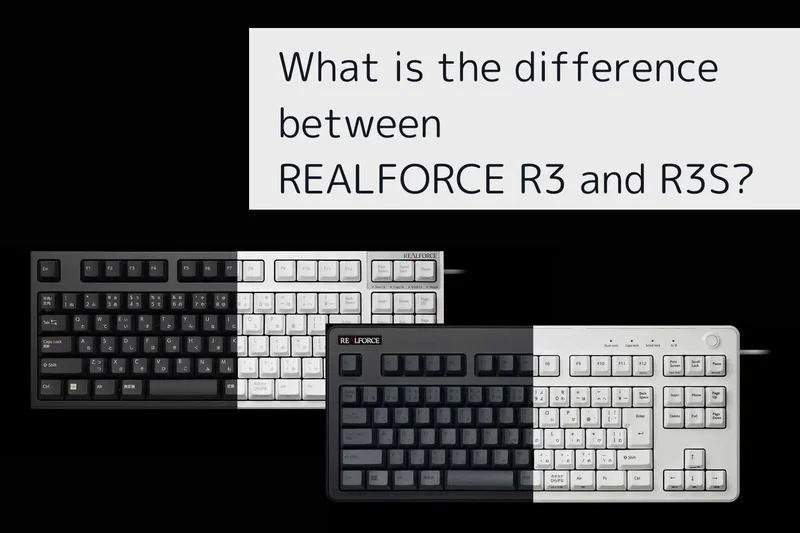
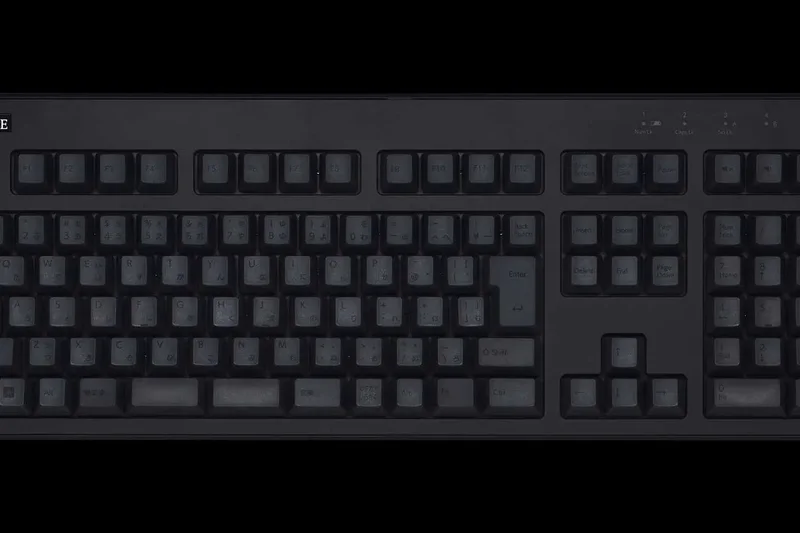
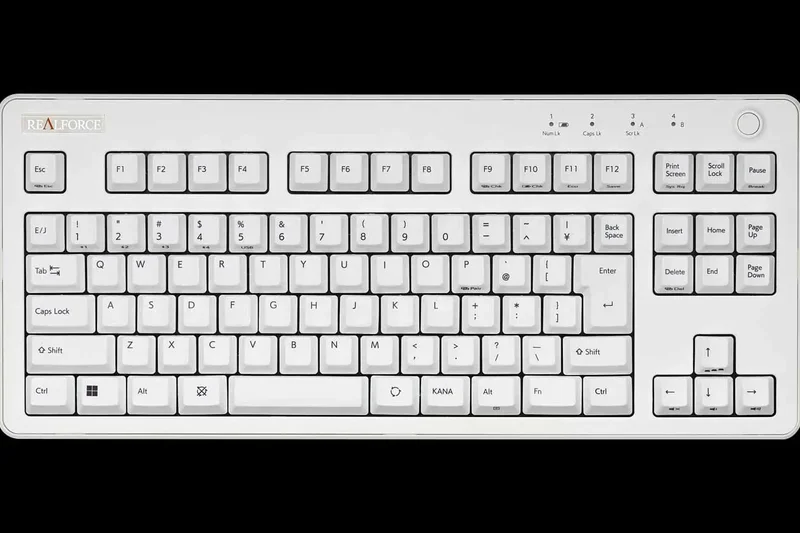
Why we picked it: Securing the #1 overall spot with an astonishing 9.3 out of 10, the Realforce R3 TKL (JIS) represents the absolute pinnacle of Japanese typing performance. Topre’s electrostatic capacitive switches provide a tactile, buttery-smooth keystroke that standard mechanical switches simply cannot replicate. In our rigorous M2 evaluation, the R3 scored a perfect 10/10 in Typing Performance, JIS Layout Integration, and Build Quality. The integration of Bluetooth 5.0 alongside a wired connection solves previous generations' connectivity limitations, while the Actuation Point Changer (APC) allows users to individually customize the sensitivity of keys. The Kana integration is flawless, featuring precise placement of the henkan/muhenkan keys and optimal spacebar sizing tailored specifically for intense IME workflows. At $300, it demands a premium, but for dedicated professionals, coders, and writers, its durability and typing ecstasy justify every penny.
Key Specs
- Topre electrostatic capacitive switches (30g/45g/Variable)
- Bluetooth 5.0 & USB hybrid connection
- APC (Actuation Point Changer) integration
- Cloud-synced custom keymaps
What we like
- Peerless Topre typing feel with zero stem wobble
- Flawless JIS layout for native Japanese typists
- APC allows tailored key sensitivity
- Excellent hybrid wired/wireless versatility
What we don't like
- Premium $300 price tag
- Slightly bulky chassis compared to modern low-profile boards
Best for: Professionals and heavy typists who demand the ultimate tactile experience and flawless JIS accuracy.
Considering the Realforce R3 TKL vs HHKB Professional HYBRID Type-S? Choose the R3 for a standard TKL layout and dedicated arrow keys, or the HHKB if you prefer ultra-portability and the specific HHKB UNIX layout.
The finest Japanese keyboard on the market, blending legendary Topre switches with modern wireless features and perfect JIS integration.
Buy at Realforce official site#2 Realforce R3 Full-size (JIS)
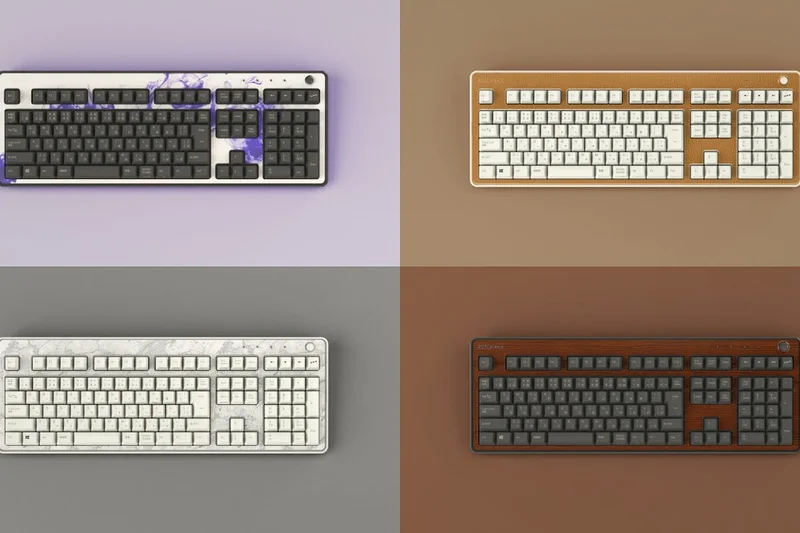
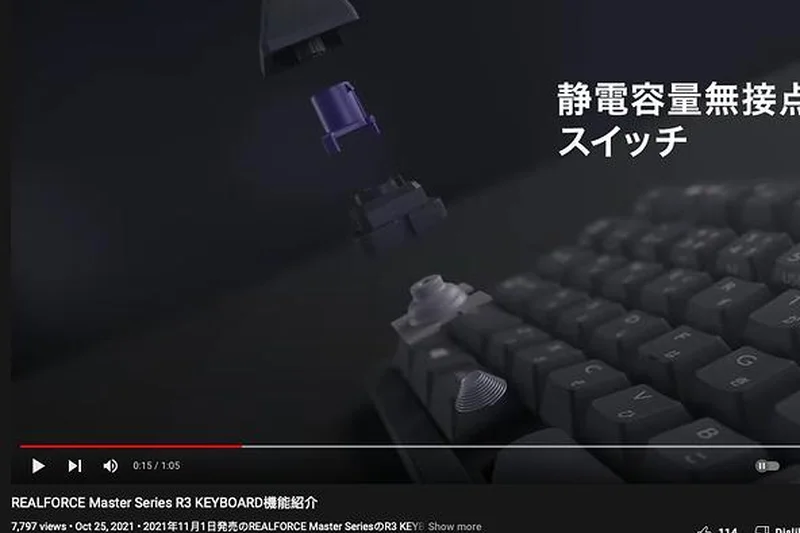
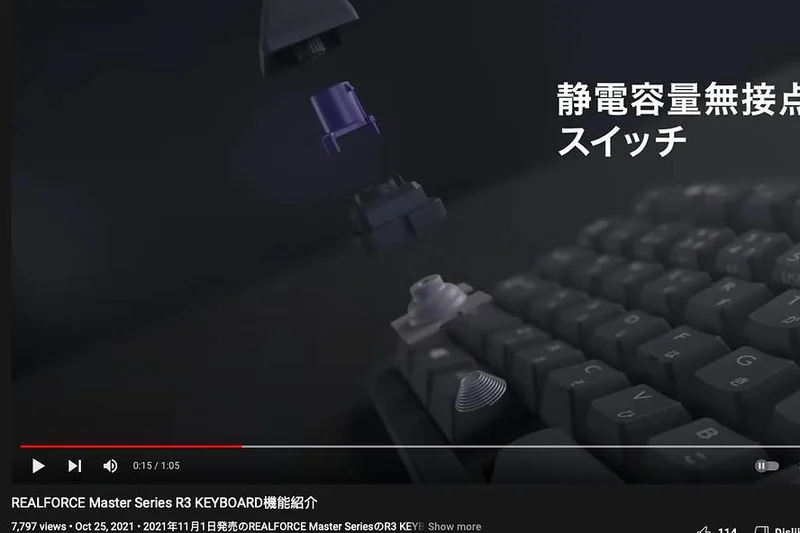
Why we picked it: Coming in at a close second with a 9.2 overall score, the Realforce R3 Full-size is the ultimate productivity workhorse for those who absolutely require a dedicated number pad. It shares the identical Topre electrostatic capacitive magic found in the TKL version, scoring 10/10 in both Typing Performance and Build Quality. The layout is strictly JIS compliant, ensuring that native Japanese typing is fluid and intuitive. The variable weight switch options (30g/45g) are specifically designed to reduce pinky strain during long typing sessions, a crucial ergonomic advantage for accounting or data entry professionals. With seamless Bluetooth 5.0 hybrid connectivity and the ability to adjust the actuation point of every key, it’s a massive upgrade for any desktop setup. The only drawback is its sheer size and footprint, which slightly lowers its Ergonomics score (7/10).
Key Specs
- Topre 45g/30g/Variable capacitive switches
- Bluetooth 5.0 & USB dual connection
- APC (Actuation Point Changer)
- JIS Layout with high-contrast Kana
What we like
- Variable switch weighting reduces finger fatigue
- Full numpad for heavy data entry
- Impeccable build quality and rigid chassis
- Topre switch acoustics are incredibly satisfying
What we don't like
- Requires significant desk space
- High barrier to entry at $300
Best for: Accountants, data entry specialists, and professionals who need a premium Topre experience with a full-size layout.
Considering the Realforce R3 Full-size vs Logicool MX Keys S? The Realforce offers vastly superior typing feedback and durability with Topre switches, while the Logicool is much cheaper and offers a sleeker low-profile design.
A majestic, full-size Topre masterpiece that delivers unparalleled comfort and efficiency for numerical and bilingual data entry.
Buy at Realforce official site#3 HHKB Professional HYBRID Type-S (JIS)
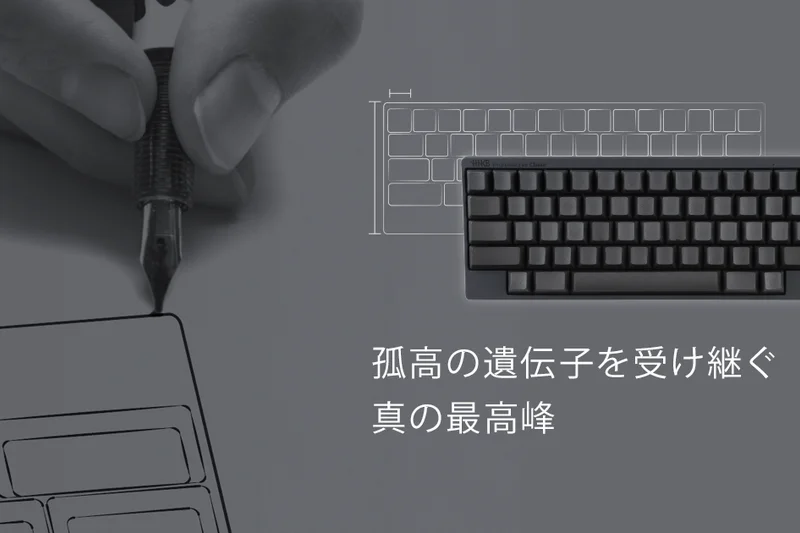
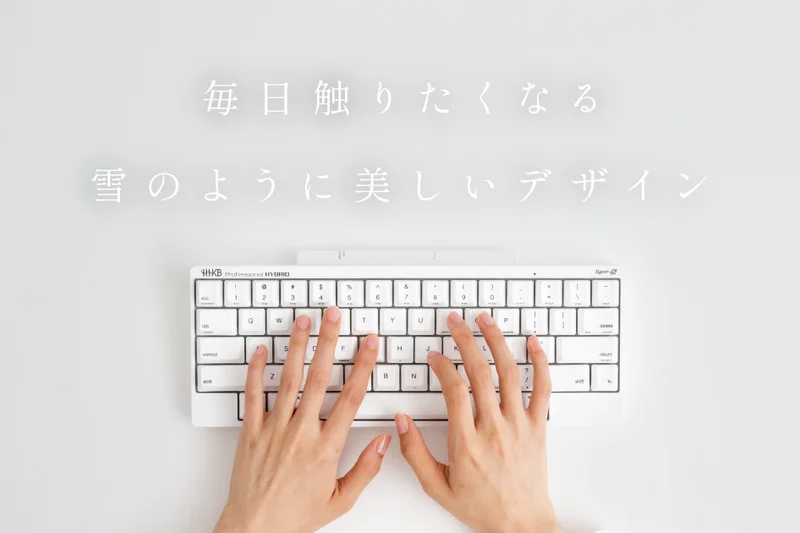
Why we picked it: Ranking third overall with a 9.05, the HHKB Professional HYBRID Type-S (JIS) is an absolute icon in the programming and minimalist typing communities. It marries silenced Type-S Topre switches (scoring 10/10 in Typing Performance) with a meticulously engineered 60% JIS layout. PFU managed to cram strict Kana integration and proper IME conversion keys into a tiny form factor without making the board feel cramped. With Bluetooth 4-device memory and reliable USB-C, it perfectly caters to digital nomads switching between Macs, iPads, and PCs. The silenced upstroke provides a muted, satisfying 'thock' that is office-friendly. The DIP switch customization ensures you can tweak control keys to your exact preference. While the 60% layout requires adjusting to layers for arrow keys and function rows, the payoff in desk space and pure typing joy is unmatched.
Key Specs
- Type-S silenced Topre 45g switches
- Bluetooth 4-device & USB-C connection
- Strict JIS Layout with Kana legends
- DIP switch key customization
What we like
- Silenced Topre switches are an acoustic dream
- Ultra-portable 60% footprint
- Seamless 4-device Bluetooth switching
- Exceptional Kana integration for its size
What we don't like
- 60% layout requires a steep learning curve
- Very expensive at $345
Best for: Programmers, minimalists, and remote workers who want the best typing feel in a travel-friendly size.
Considering the HHKB Type-S vs HHKB Studio? The Type-S uses classic Topre switches for unmatched tactile feel, whereas the Studio uses mechanical switches but includes a built-in trackpoint and gesture pads.
A legendary, compact Topre keyboard that delivers sublime, quiet keystrokes and flawless multi-device connectivity.
Buy at HHKB official site#4 Realforce R3S TKL (JIS)
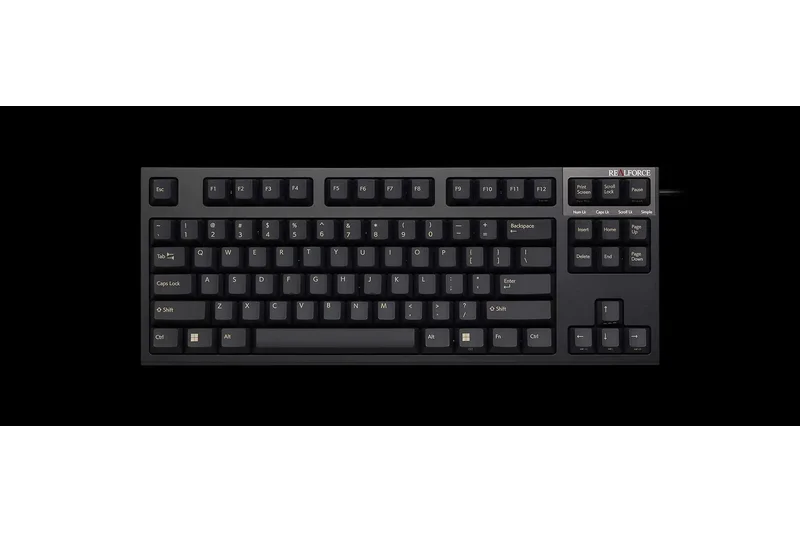
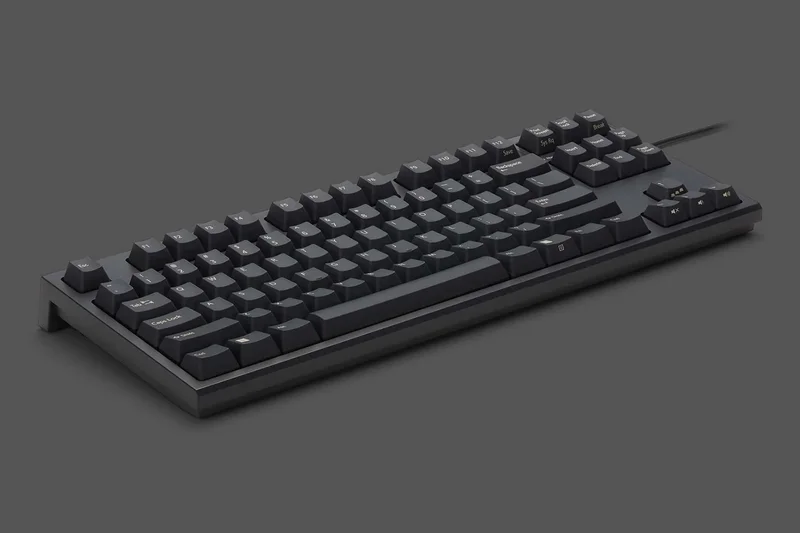
Why we picked it: Scoring 8.9 overall, the Realforce R3S TKL appeals to purists who prefer a wired-only connection and a more traditional, narrow-bezel aesthetic compared to the standard R3. It boasts the same perfect 10/10 Typing Performance and Build Quality scores, driven by Topre 45g silent switches that offer incredibly responsive, fatigue-free typing. Because it ditches Bluetooth and hybrid battery elements, it sits at a more accessible $210 price point while retaining high-end features like the Actuation Point Changer (APC). The JIS layout features high-contrast laser-printed Kana legends and flawlessly proportioned henkan/muhenkan keys. Its wired-only nature limits its Connectivity score to 5/10, but for dedicated desk setups where latency and battery anxiety are non-issues, it provides an enthusiast-grade typing experience.
Key Specs
- Classic narrow-bezel design
- Topre 45g silent switches
- APC (Actuation Point Changer)
- Laser-printed Kana legends
What we like
- More affordable entry into Topre switches ($210)
- Classic, space-saving narrow-bezel design
- Silent switches are perfect for shared workspaces
- APC feature included despite lower price
What we don't like
- Wired only; lacks Bluetooth capability
- Laser-printed legends can fade faster than double-shot
Best for: Desktop purists and office workers who want silent Topre switches without paying a premium for wireless features.
Considering the Realforce R3S vs Keychron Q1 Pro? The R3S gives you the smooth, silent Topre feel, while the Q1 Pro offers a gasket-mounted mechanical typing experience with deep software customization.
A highly focused, wired-only Topre TKL that strips away wireless frills to deliver pure, silent typing excellence at a fair price.
Buy at Realforce official site#5 HHKB Professional HYBRID (JIS)
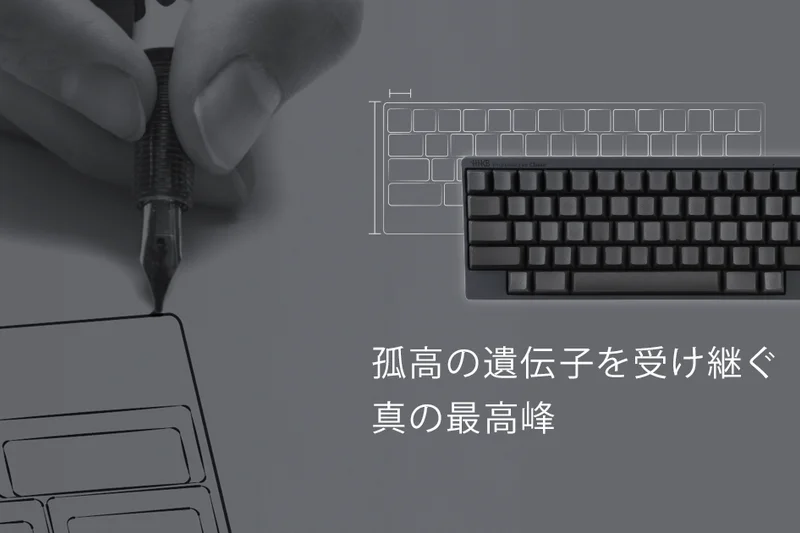
Why we picked it: The standard HHKB Professional HYBRID (JIS) achieves an impressive 8.9 overall score, providing the same brilliant 60% layout and multi-device connectivity as the Type-S, but utilizing standard 45g Topre switches. This means it delivers a slightly crisper, louder tactile bump that many Topre enthusiasts actually prefer over the silenced version. Scoring 10/10 for JIS Layout Integration, it proves that a compact board can perfectly handle complex Japanese input. At $290, it is more affordable than its Type-S sibling while retaining the stellar Bluetooth 4-device memory and high-quality PBT construction. It’s an exceptional daily driver for bilingual typists who enjoy the audible clack of premium electrostatic capacitive switches.
Key Specs
- Standard Topre 45g electrostatic switches
- Bluetooth 4-device memory & USB-C
- JIS Layout with Kana support
- DIP switch key remapping
What we like
- Crisp, satisfying standard Topre tactile feel
- Compact layout maximizes desk space
- Excellent multi-device Bluetooth management
- Perfect JIS key spacing for native typists
What we don't like
- Loud upstroke might annoy coworkers
- Learning the Fn-layer for arrows takes time
Best for: Typing enthusiasts who want the classic, tactile Topre sound in a wireless, travel-friendly package.
Considering the standard HHKB vs the Type-S? Choose the standard for a crisper, louder typing sound and a lower price tag, or the Type-S if you work in a quiet office environment.
The quintessence of portable Topre keyboards, offering robust wireless connectivity and a satisfyingly clacky typing experience.
Buy at HHKB official site#6 Realforce GX1 (JIS)
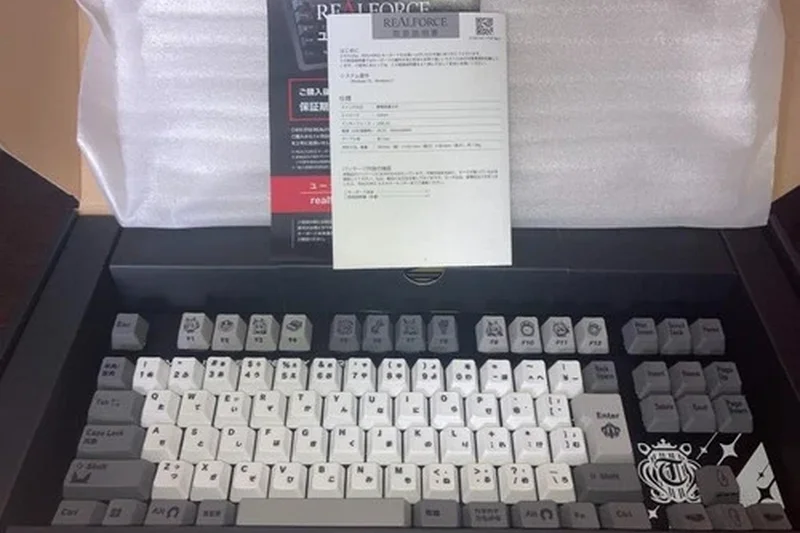
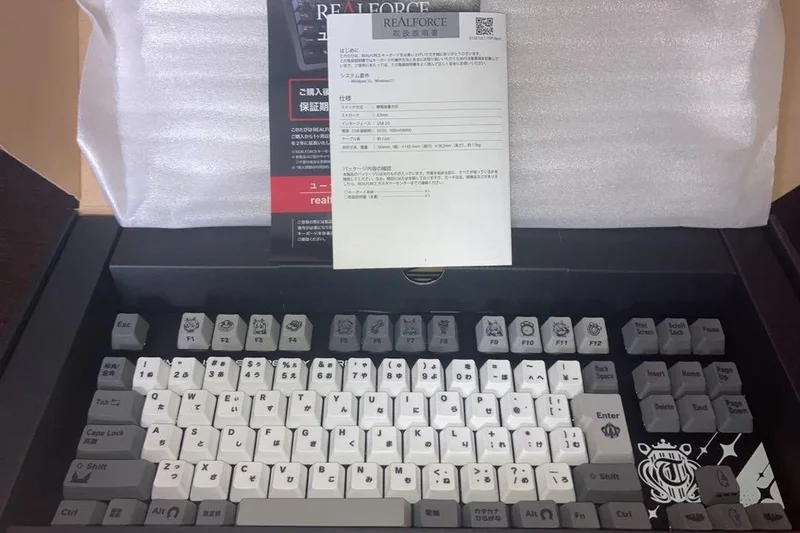
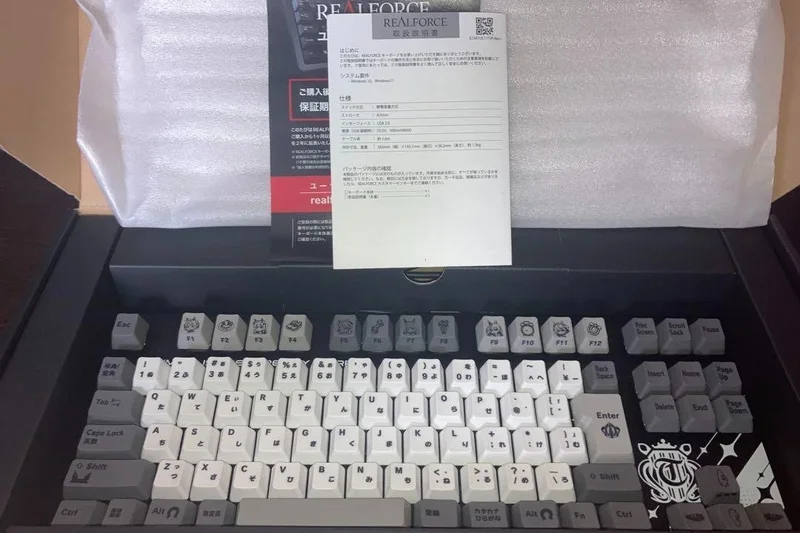
Why we picked it: Earning an 8.8 overall score, the Realforce GX1 is a masterclass in blending enthusiast typing feel with top-tier gaming performance. It pairs Topre switches with a Dynamic Mode (equivalent to Rapid Trigger), allowing keys to reset instantly upon release—a massive advantage in competitive gaming. It scored 10/10 in both Typing Performance and Software Customization, thanks to its Dual-APC capabilities and per-key RGB. The floating keycap design on a metal plate gives it a modern, aggressive look while maintaining a 9/10 score for strict JIS layout compliance. At $330, it is incredibly expensive and lacks wireless connectivity (Connectivity: 6/10), but it stands alone as the ultimate Japanese layout keyboard for users who refuse to compromise between high-end typing and elite gaming.
Key Specs
- Topre switches with Dual-APC
- Dynamic Mode (Rapid Trigger equivalent)
- Floating keycap design with metal plate
- Per-key RGB illumination
What we like
- Rapid Trigger functionality on Topre switches
- Exceptional typing feel for both gaming and work
- Deep software customization and per-key RGB
- Rigid, premium floating keycap chassis
What we don't like
- Extremely high price point ($330)
- Wired connection only
Best for: Hardcore gamers who type heavily in Japanese and demand Topre switch quality.
Considering the Realforce GX1 vs Asus ROG Azoth? The GX1 offers the unique Topre Rapid Trigger feel, while the Azoth provides tri-mode wireless capabilities and hot-swappable mechanical switches.
A groundbreaking fusion of Topre acoustic brilliance and elite Rapid Trigger gaming technology.
Buy at Realforce official site#7 Keychron Q1 Pro (JIS)
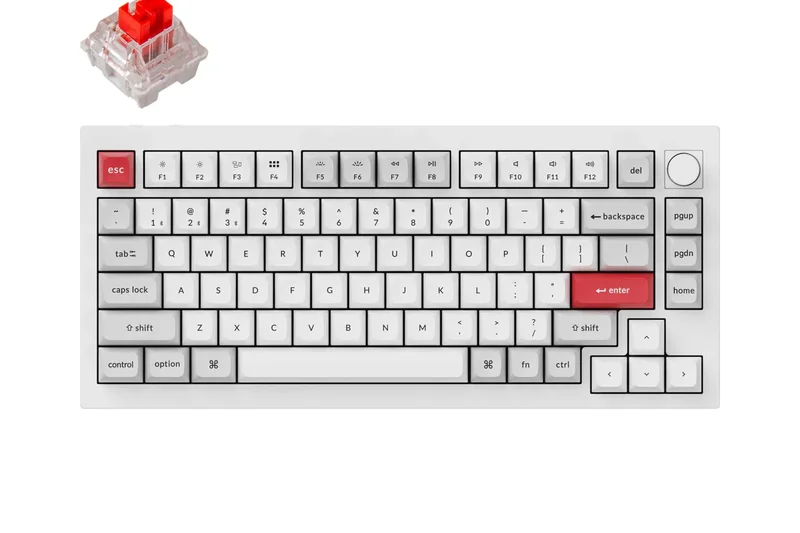
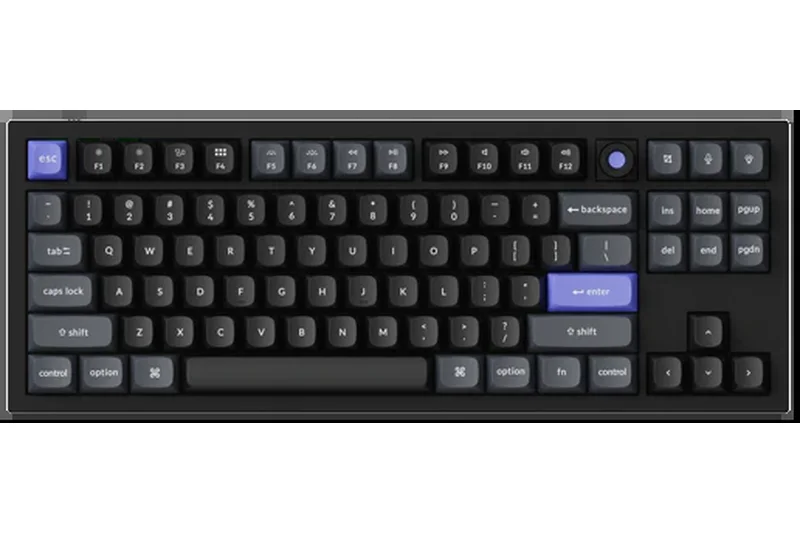
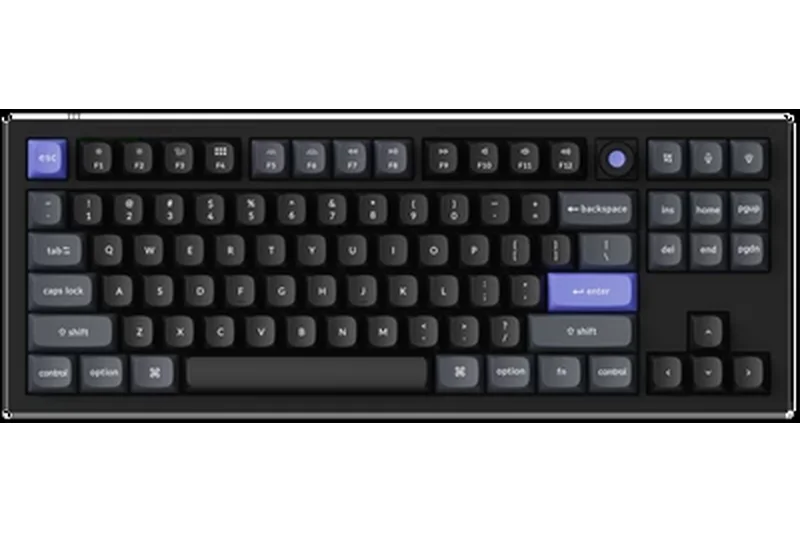
Why we picked it: The Keychron Q1 Pro ranks #7 overall with an 8.75, standing out as our top-rated custom mechanical keyboard for the Japanese market. Earning a 10/10 for Build Quality, its full CNC aluminum chassis and double-gasket mount deliver a premium, thocky acoustic profile right out of the box. It scores another 10/10 in Software Customization thanks to full QMK/VIA support, which is a game-changer for power users who want to remap the JIS layout’s Muhenkan or Henkan keys to specific macros. The hot-swappable PCB means you can easily swap in your favorite switches down the line. While the 75% layout requires slight adjustments to muscle memory, its Bluetooth capabilities and impeccable build make it a phenomenal value at $210.
Key Specs
- Full CNC aluminum chassis
- QMK/VIA open-source customization
- Hot-swappable switches
- Double-gasket mount design
What we like
- Heavy, premium CNC aluminum build
- QMK/VIA allows infinite software mapping
- Hot-swappable sockets for total customization
- Gasket mount provides a luxurious, dampened typing feel
What we don't like
- Quite heavy, reducing portability
- Bluetooth connectivity can occasionally stutter on older host devices
Best for: Mechanical keyboard enthusiasts and power users who want open-source mapping and hot-swap freedom in a JIS layout.
Considering the Keychron Q1 Pro vs Keychron V1 Max? The Q1 Pro offers a superior, heavier aluminum build, whereas the V1 Max provides a lighter plastic chassis and a cheaper price point.
An enthusiast's dream, offering premium acoustic design, full open-source customization, and a robust aluminum chassis.
Buy at Keychron official site#8 Asus ROG Azoth (JIS)
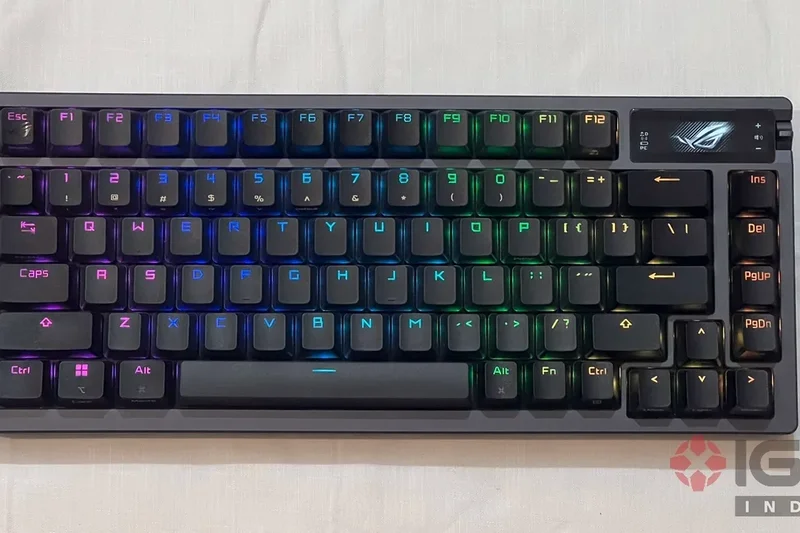
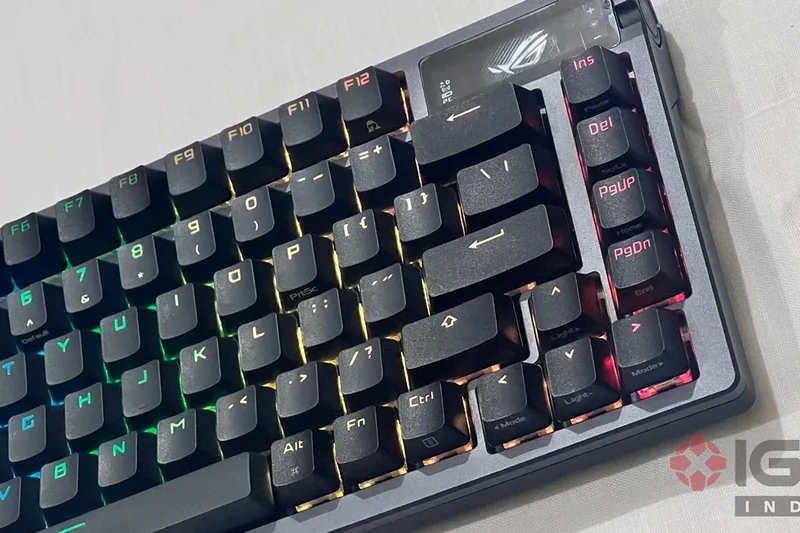
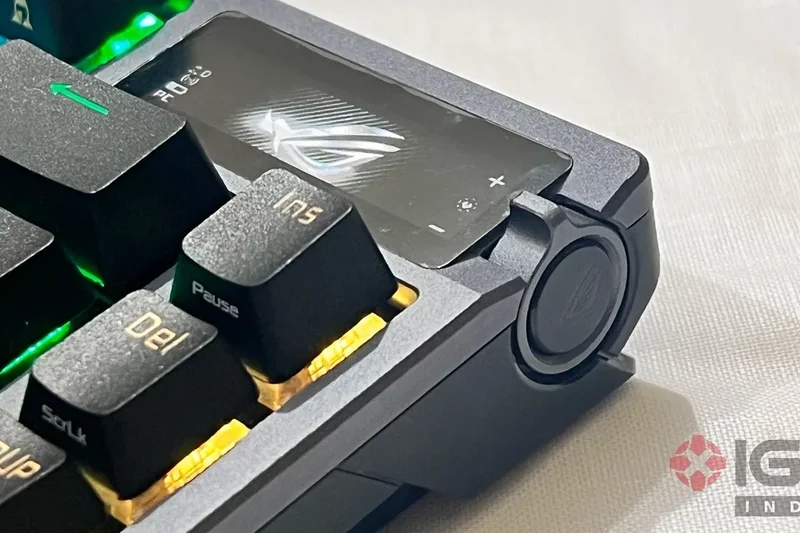
Why we picked it: The Asus ROG Azoth secures the #8 spot (8.6 overall) as the most feature-rich wireless gaming keyboard on the market. It scores a perfect 10/10 in Connectivity & Battery Life, offering tri-mode connection (2.4GHz, Bluetooth, and wired) that is virtually flawless. Asus goes above and beyond with factory-lubed mechanical switches and silicone dampening pads inside a gasket-mounted chassis, yielding a 9/10 Typing Performance score that rivals custom boutique boards. The OLED display and 3-way control knob are highly functional for media and system monitoring. Although the 75% JIS layout is slightly compressed (scoring 8/10), the integration is solid enough for daily typing. At $250, it commands a premium, but the robust build and ultra-low latency make it a top-tier choice for hybrid gamer-professionals.
Key Specs
- ROG NX Factory-lubed Mechanical Switches
- OLED Display & 3-way control knob
- Tri-mode connection (2.4GHz/BT/Wired)
- Gasket mount with silicone dampening pads
What we like
- Flawless tri-mode wireless connectivity
- Factory-lubed switches sound and feel incredible
- Useful OLED display and control knob
- Enthusiast-level acoustic dampening
What we don't like
- Expensive for a mechanical gaming board
- Software (Armoury Crate) can be clunky
Best for: Gamers who want custom-keyboard typing quality mixed with zero-latency wireless performance.
Considering the Asus ROG Azoth vs Logicool G PRO X TKL? The Azoth offers superior typing acoustics and an OLED screen, while the Logicool has a more traditional TKL layout and better software integration.
A triumphant blend of high-end custom mechanical aesthetics and cutting-edge wireless gaming technology.
Buy at ASUS official site#9 HHKB Studio (JIS)
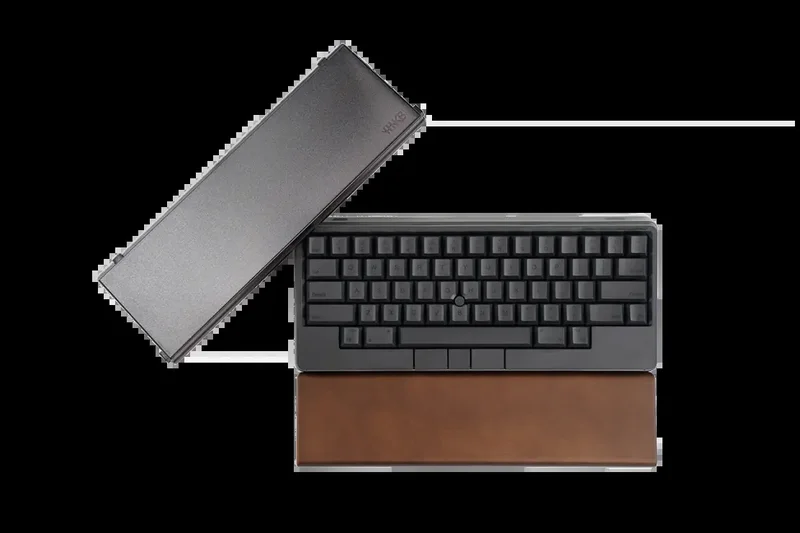
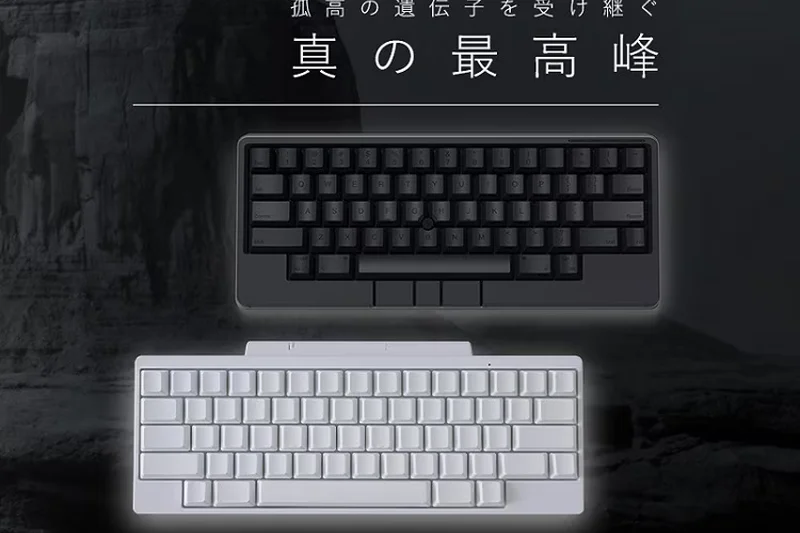
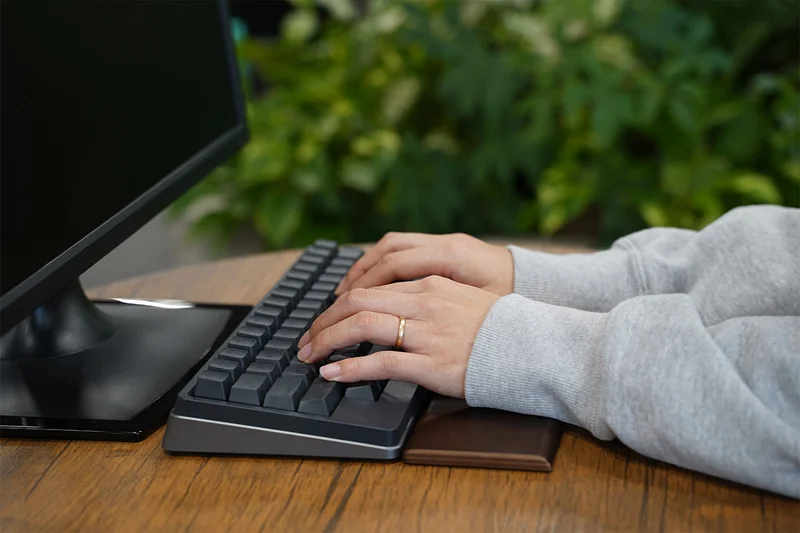
Why we picked it: Ranking #9 with an 8.55 score, the HHKB Studio represents a radical evolution for PFU. Earning a perfect 10/10 in Ergonomics & Comfort, it integrates a Trackpoint mouse directly into the center of the keyboard alongside four gesture pads on the chassis edges, allowing you to work without ever moving your hands off the home row. It utilizes silent linear mechanical switches rather than Topre, which slightly drops its Typing Performance to 8/10, but the switches are hot-swappable. The JIS layout adaptation is brilliant (9/10), keeping the essential Kana conversion keys accessible. With Bluetooth multi-device support, it’s the ultimate all-in-one input device for developers on the go, despite the hefty $350 price tag.
Key Specs
- Silent Linear mechanical switches (Hot-swappable)
- Integrated Trackpoint mouse
- 4 Gesture pads on chassis sides
- Bluetooth & USB-C
What we like
- Integrated Trackpoint eliminates need for a mouse
- Gesture pads are highly innovative and useful
- Hot-swappable mechanical switches
- Perfect 60% ergonomic layout
What we don't like
- No Topre switches, which may disappoint HHKB purists
- Highest price tag in our testing pool ($350)
Best for: Developers, editors, and extreme multitaskers who want a complete, mouse-free workflow in a compact size.
Considering the HHKB Studio vs Archiss Quattro TKL? The Studio is much smaller and wireless with hot-swap switches, while the Archiss provides a traditional TKL layout with a Trackpoint at a lower price.
An innovative, all-in-one productivity tool that perfectly merges a Japanese mechanical keyboard with an integrated mouse.
Buy at HHKB official site#10 Keychron V1 Max (JIS)
Why we picked it: Rounding out our Top 10 with an 8.5 score, the Keychron V1 Max (JIS) wins our Best Budget award. Scoring a perfect 10/10 for Value/Price, it packs unbelievable features into a $99 package. You get 2.4GHz and Bluetooth wireless connectivity, full QMK/VIA software support (10/10 Software score), and a sound-dampened acoustic gasket mount design. The hot-swappable OSA PBT keycaps feel surprisingly premium for the price. While the plastic chassis doesn't have the heft of the Q1 Pro (Build Quality 8/10), the typing experience is robust and the JIS layout is accurately mapped. It is undeniably the most cost-effective way to get enthusiast-grade features in a Japanese layout.
Key Specs
- 2.4GHz dongle & Bluetooth wireless
- Acoustic gasket mount design
- Full QMK/VIA software support
- Hot-swappable OSA PBT keycaps
What we like
- Unbeatable value at $99
- Tri-mode wireless connectivity
- Fully customizable via QMK/VIA
- Gasket mount and hot-swap capabilities
What we don't like
- Plastic chassis lacks premium heft
- Typing acoustics are slightly hollow compared to aluminum boards
Best for: Students, budget-conscious buyers, and anyone looking for a highly customizable entry-level mechanical keyboard.
Considering the Keychron V1 Max vs Logicool MX Mechanical Mini? The V1 Max is cheaper and highly customizable, while the Logicool offers a sleeker low-profile design and smarter ambient backlighting.
The undisputed king of budget JIS keyboards, offering premium enthusiast features and wireless connectivity for under $100.
Buy at Keychron official site#11 SteelSeries Apex Pro TKL (2023) (JIS)
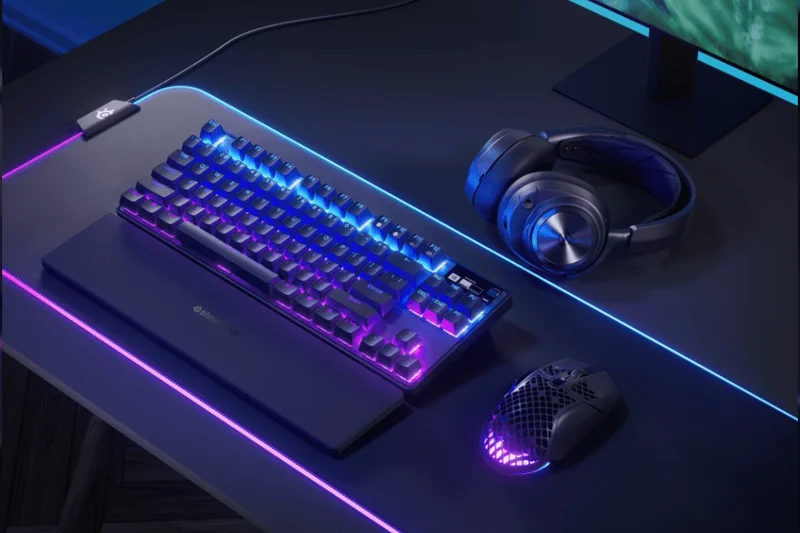
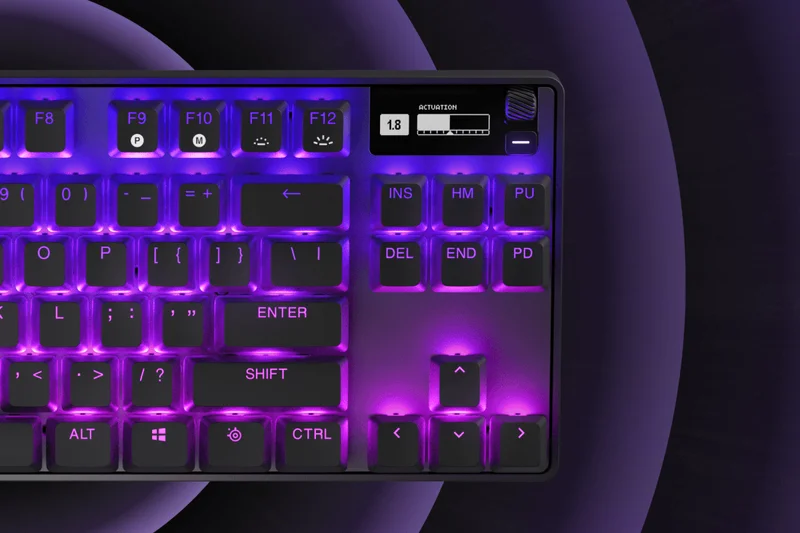
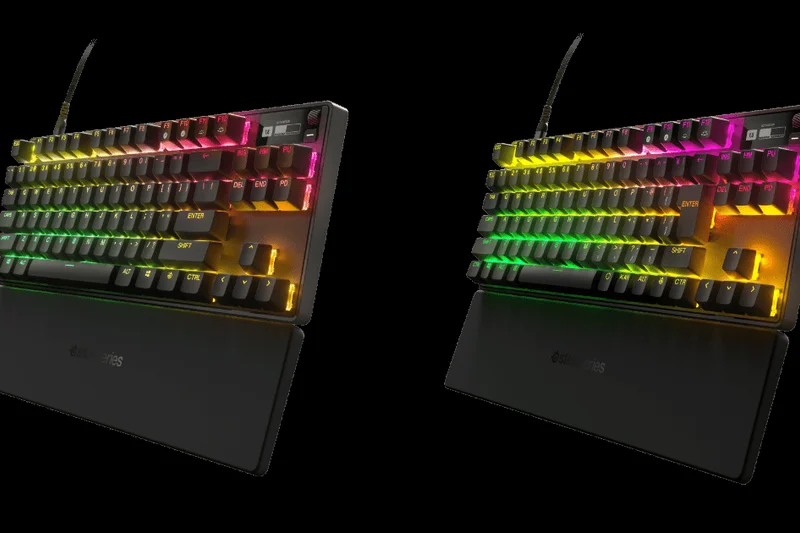
Why we picked it: Scoring 8.4 overall, the Apex Pro TKL utilizes OmniPoint 2.0 magnetic switches to offer rapid trigger support, making it an exceptional gaming keyboard. The software customization is deep (10/10), allowing dual-actuation mapping. The JIS layout is precise, though it lacks wireless connectivity.
Key Specs
- OmniPoint 2.0 Magnetic switches
- Rapid Trigger software support
- OLED Smart Display
- Aircraft-grade aluminum alloy
What we like
- Adjustable magnetic switches
- Excellent Rapid Trigger for gaming
- Sturdy aluminum chassis
What we don't like
- Wired only
- OLED display is somewhat gimmicky
Best for: Competitive gamers needing precise actuation control.
Considering the Apex Pro vs Corsair K70 MAX? Both offer magnetic switches, but the Apex Pro features an OLED screen while the K70 has superior palm rest comfort.
A high-performance wired gaming keyboard with industry-leading adjustable switch technology.
Buy at SteelSeries official site#12 Logicool G PRO X TKL LIGHTSPEED (JIS)
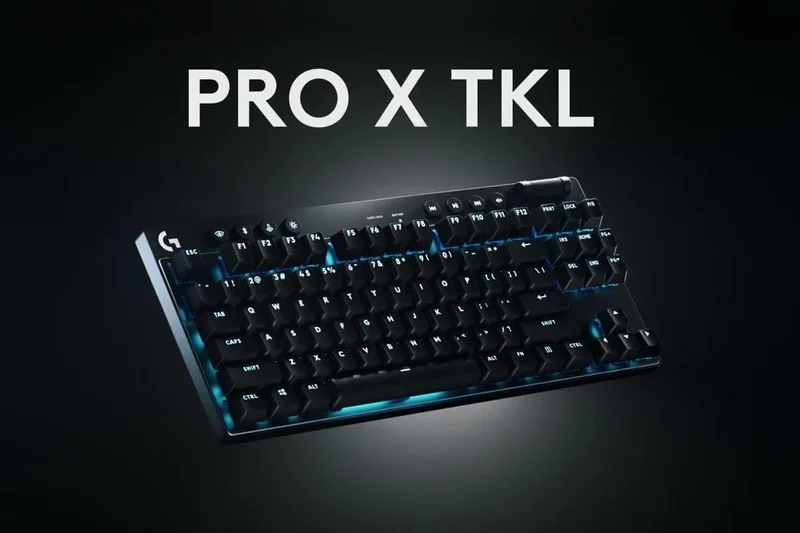
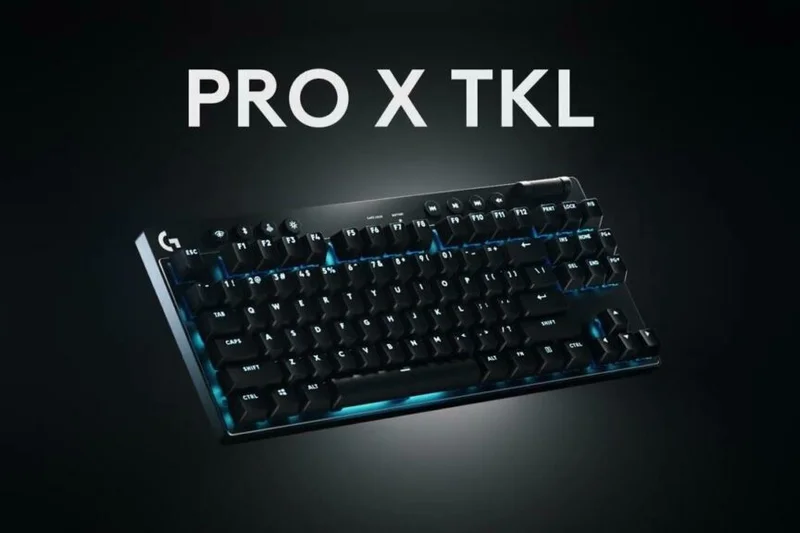
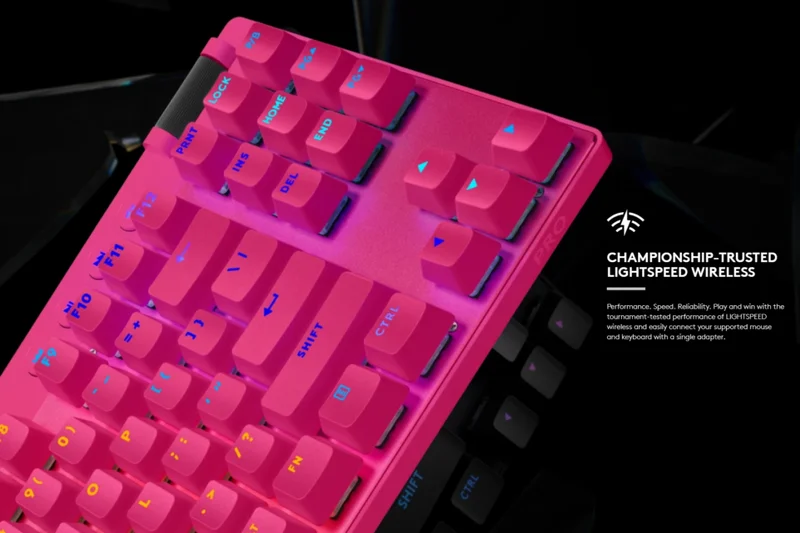
Why we picked it: With an 8.35 score, this board shines in Connectivity (10/10) with flawless LIGHTSPEED wireless. The GX mechanical switches provide solid tactile feedback, and the PBT keycaps ensure longevity. It's a reliable, tournament-ready board that fully respects standard JIS spacing.
Key Specs
- LIGHTSPEED Wireless & Bluetooth connectivity
- GX Mechanical Switches
- Premium PBT Keycaps
- LIGHTSYNC RGB integration
What we like
- Zero-latency wireless performance
- High-quality PBT keycaps
- Clean, tournament-ready aesthetic
What we don't like
- Slightly expensive for non-hot-swap
- Battery drains quickly with full RGB
Best for: Esports players who need a reliable, wireless TKL with a flawless Japanese layout.
Considering this vs the Razer Huntsman V3 Pro? The Logicool gives you wireless freedom, while the Razer provides advanced analog optical switches.
A rock-solid wireless mechanical gaming keyboard built for competitive reliability.
Buy at Logicool official site#13 Razer Huntsman V3 Pro Tenkeyless (JIS)
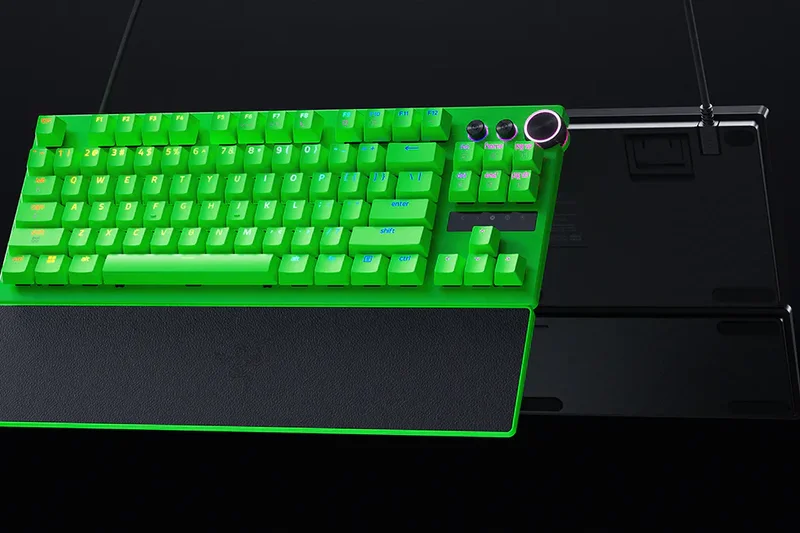
Why we picked it: Scoring 8.3, this analog optical board offers deeply adjustable actuation and rapid trigger features via Synapse. It scores 10/10 in software and 9/10 in typing performance, delivering crisp, instantaneous inputs. The textured PBT keycaps resist shine beautifully.
Key Specs
- Analog Optical Switches Gen-2
- Rapid Trigger & Fully Adjustable Actuation
- Textured Doubleshot PBT Keycaps
- Multi-function digital dial
What we like
- Instant optical actuation
- Excellent media dial
- Textured PBT feels premium
What we don't like
- Synapse software is heavy
- Wired only
Best for: Hardcore gamers who prefer optical switches over magnetic.
Considering this vs the SteelSeries Apex Pro? The Huntsman uses optical technology for slightly crisper bottom-outs, while the Apex uses magnetic switches.
A premium wired optical gaming board delivering blistering speed and deep customization.
Buy at Razer JP official site#14 Corsair K70 MAX (JIS)
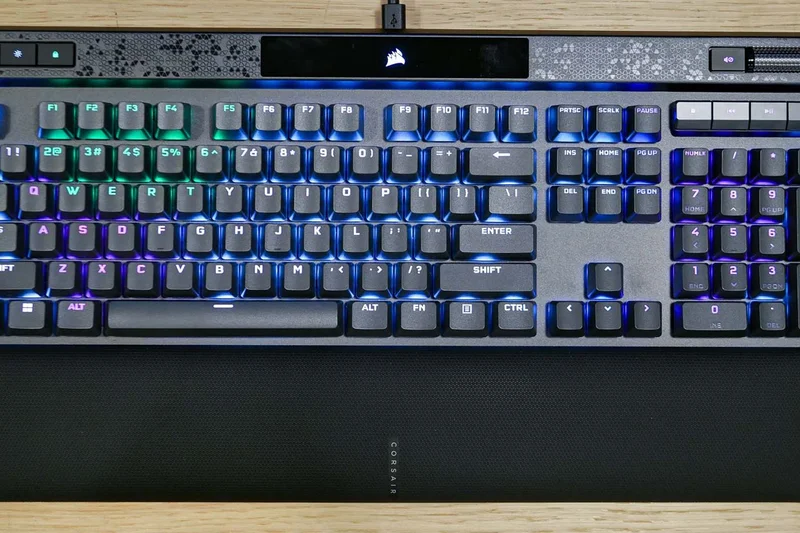
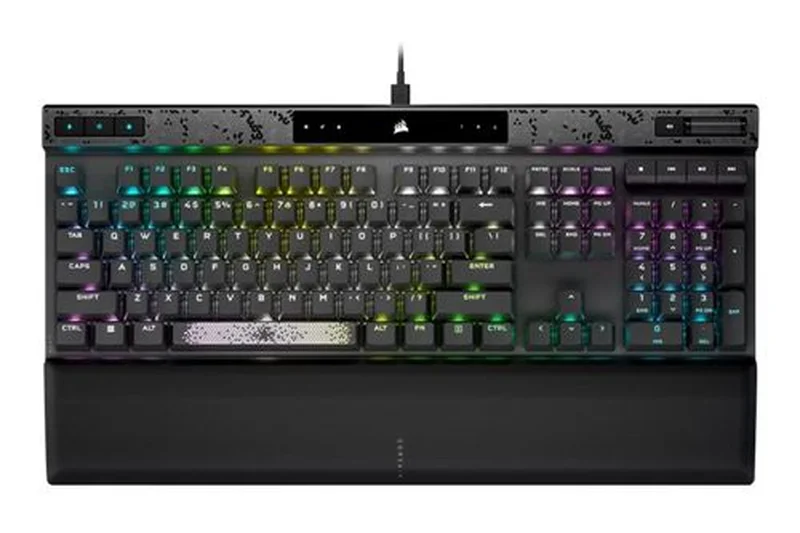
Why we picked it: Also scoring 8.3, the K70 MAX brings MGX magnetic switches to a full-size JIS layout. The memory foam wrist rest boosts Ergonomics to 9/10. It’s perfect for users who need a numpad and advanced dual-point actuation for gaming.
Key Specs
- CORSAIR MGX Magnetic Switches
- Adjustable actuation & Rapid Trigger
- PBT DOUBLE-SHOT Pro keycaps
- Aluminum frame with memory foam palm rest
What we like
- Magnetic switches with Rapid Trigger
- Incredibly comfortable wrist rest
- Full numpad for productivity
What we don't like
- Takes up massive desk space
- Thick cable management
Best for: Users with large desks who want a full-size magnetic gaming keyboard.
Considering the K70 MAX vs Realforce GX1? The K70 offers a numpad and wrist rest, while the GX1 provides the unique Topre switch feel.
A massive, comfortable, and highly customizable magnetic gaming keyboard.
Buy at Corsair JP official site#15 Logicool G913 TKL (JIS)
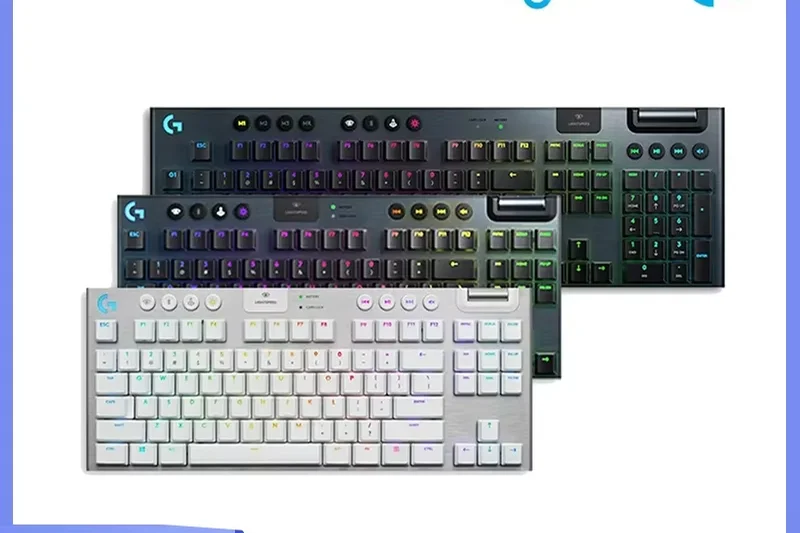
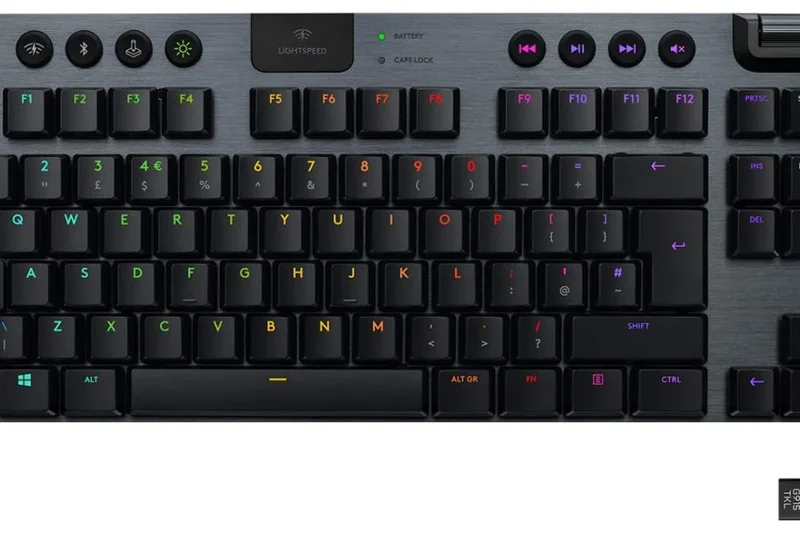
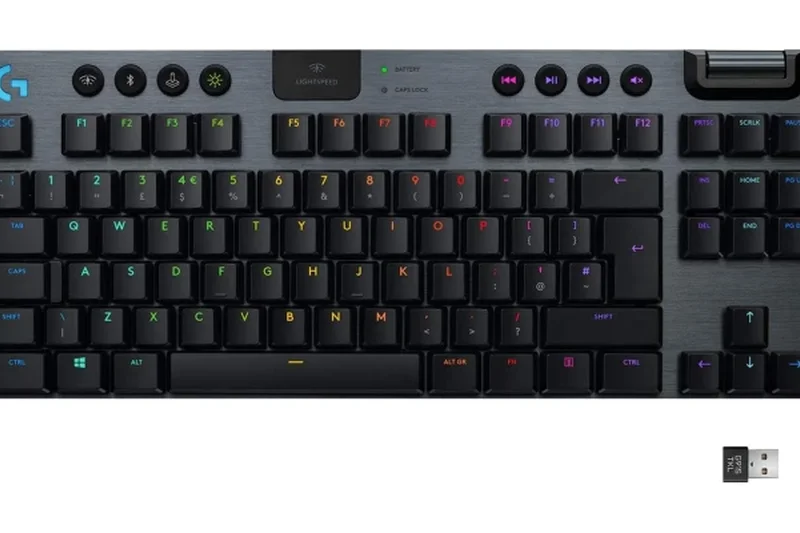
Why we picked it: This 8.25-rated low-profile gaming board offers stunning aesthetics and 10/10 LIGHTSPEED wireless connectivity. The GL low-profile switches feel great, though the ABS keycaps drop the build score slightly. It’s incredibly thin and elegant on a desk.
Key Specs
- LIGHTSPEED Wireless technology
- GL Low Profile switches
- Aircraft-grade aluminum alloy plate
- Dedicated volume roller and media controls
What we like
- Ultra-thin premium design
- Lag-free wireless
- Excellent volume roller
What we don't like
- Keycaps can get shiny over time
- Micro-USB charging (on older revisions)
Best for: Gamers who prefer low-profile keys and a minimalist desk aesthetic.
Considering the G913 vs MX Mechanical Mini? The G913 offers gaming-grade wireless, while the MX is strictly optimized for office productivity.
A sleek, low-profile wireless gaming board with a fantastic media roller.
Buy at Logicool official site#16 Keychron K8 Pro (JIS)
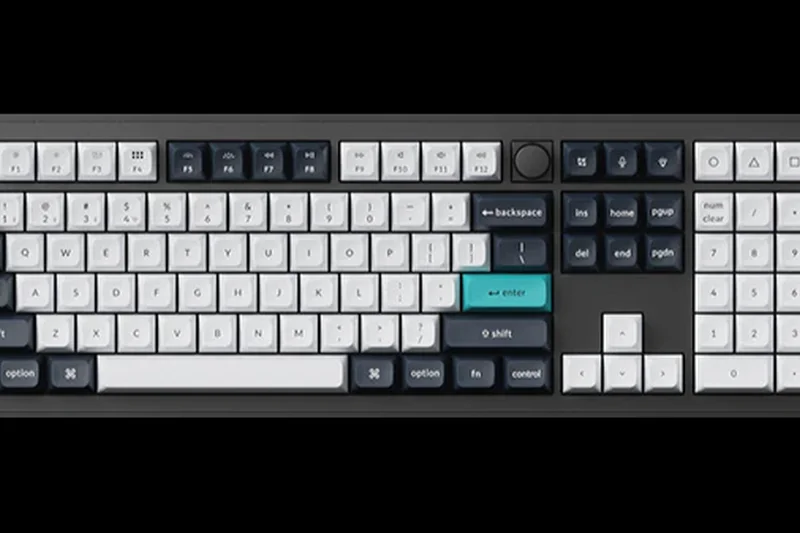
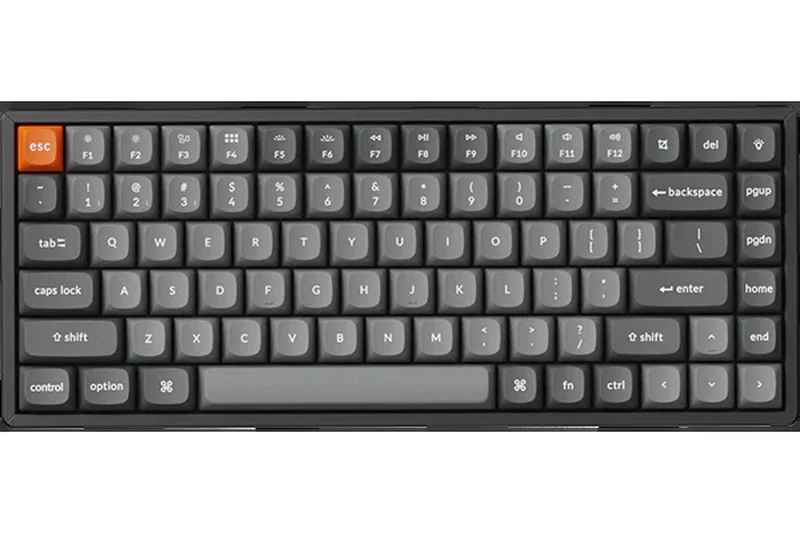
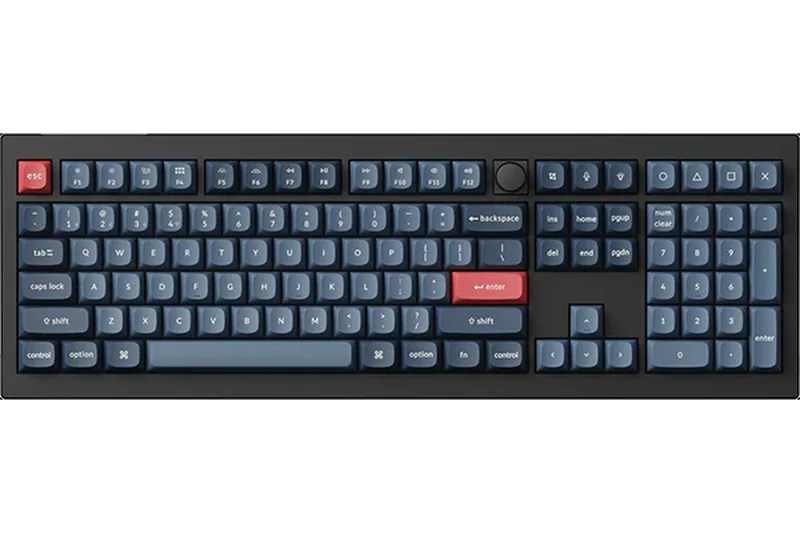
Why we picked it: At 8.2, this TKL wireless mechanical board offers an incredible 10/10 in Software Customization (QMK/VIA) and a 9/10 in Value. It’s a hot-swappable workhorse with sound-absorbing foam, making it a great mid-range entry for mac/win users.
Key Specs
- QMK/VIA Software Support
- Bluetooth & Wired connection
- Hot-swappable switch sockets
- Sound absorbing internal foam
What we like
- QMK/VIA support out of the box
- Hot-swappable
- Affordable price point
What we don't like
- Thick profile requires a wrist rest
- Bluetooth only, no 2.4GHz dongle
Best for: Programmers and typists seeking an affordable, customizable TKL.
Considering the K8 Pro vs V1 Max? The K8 Pro is a standard TKL, while the V1 Max adds 2.4GHz wireless and a gasket mount.
A highly capable, open-source TKL mechanical keyboard at a great price.
Buy at Keychron official site#17 Keychron K3 Pro (JIS)
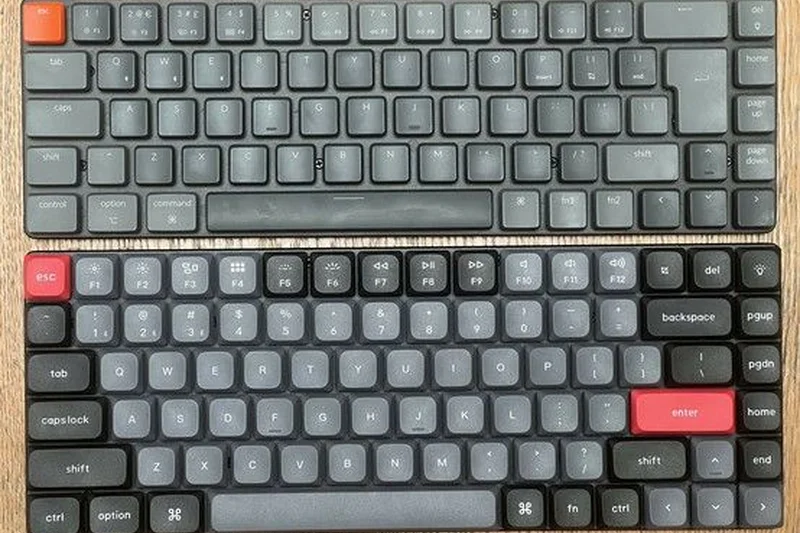
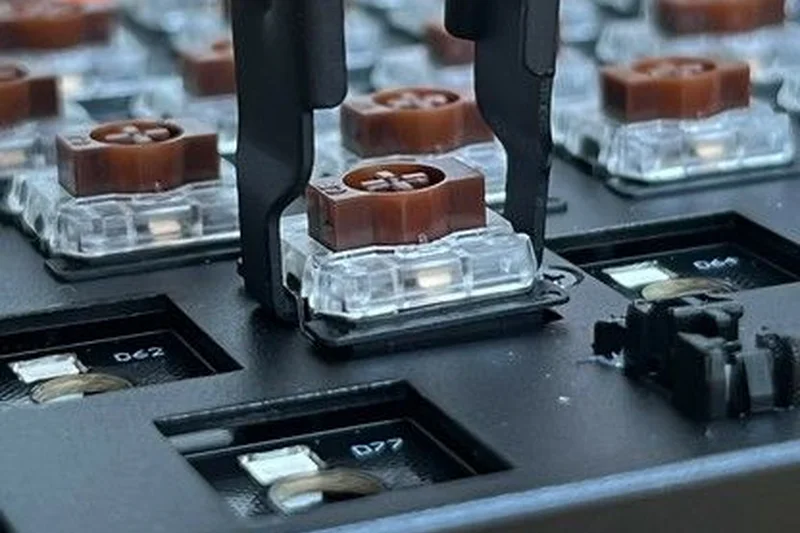
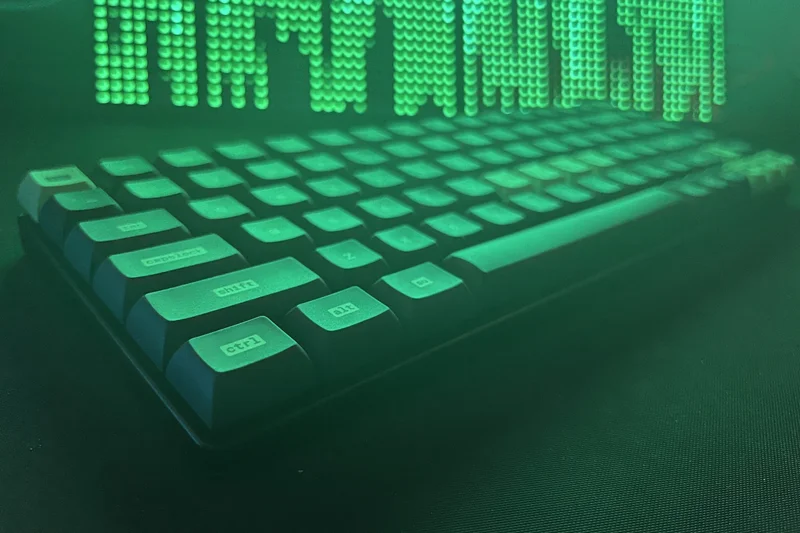
Why we picked it: Scoring 8.2, the K3 Pro is a 75% low-profile mechanical keyboard with QMK/VIA support. It’s ultra-slim and highly portable, scoring 8/10 in Ergonomics. The low-profile Gateron switches provide a snappy, short-travel typing experience.
Key Specs
- Ultra-slim aluminum frame
- Low-profile Gateron switches
- QMK/VIA wireless support
- Optimized layout for Mac & Windows
What we like
- Very slim and travel-friendly
- QMK/VIA mapping on a low-profile board
- Great Mac/Windows toggle
What we don't like
- Battery life is average with RGB on
- Low profile switches have less customization options
Best for: Mac users and travelers who want mechanical switches without the bulk.
Considering the K3 Pro vs Apple Magic Keyboard? The K3 Pro gives you mechanical tactile feedback and QMK, whereas Apple provides Touch ID.
A brilliant, customizable low-profile mechanical keyboard for mobile professionals.
Buy at Keychron official site#18 Logicool MX Mechanical Mini (JIS)
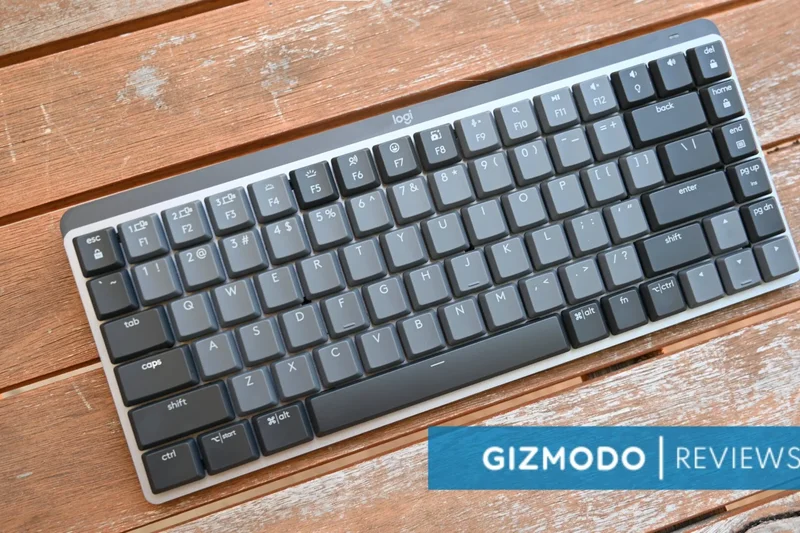
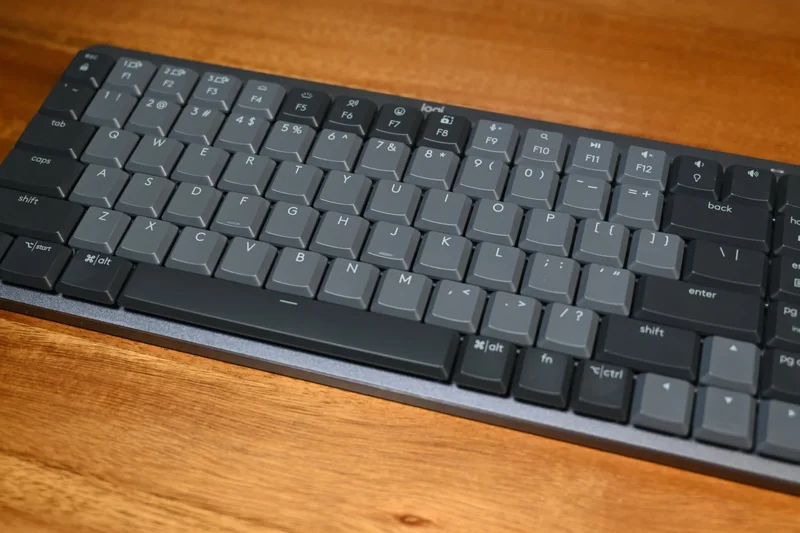
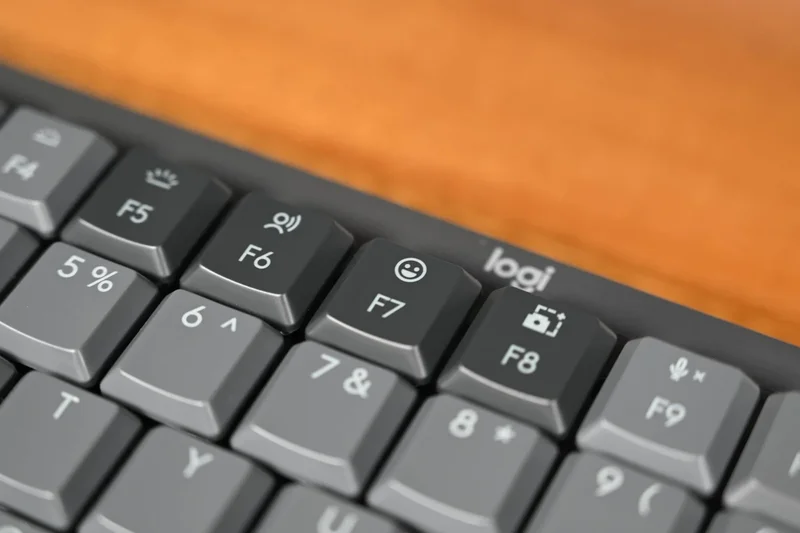
Why we picked it: With an 8.1 score, this productivity-focused 75% low-profile board excels in the office. It offers seamless Logi Bolt/Bluetooth multi-device switching (9/10) and smart backlighting. The tactile quiet switches are perfect for shared spaces.
Key Specs
- Low-profile Tactile Quiet switches
- Smart automated backlighting
- Multi-device Logi Bolt/Bluetooth
- Eco-friendly aluminum top case
What we like
- Excellent battery life and smart lighting
- Quiet, satisfying low-profile keys
- Flawless multi-device switching
What we don't like
- Not hot-swappable
- Software lacks deep macro remapping
Best for: Office workers and copywriters transitioning from laptop keyboards.
Considering this vs the MX Keys S? The Mechanical Mini offers satisfying switch feedback, while the MX Keys S has silent membrane scissor keys.
A refined, quiet mechanical keyboard built specifically for office productivity.
Buy at Logicool official site#19 Razer BlackWidow V4 Pro (JIS)
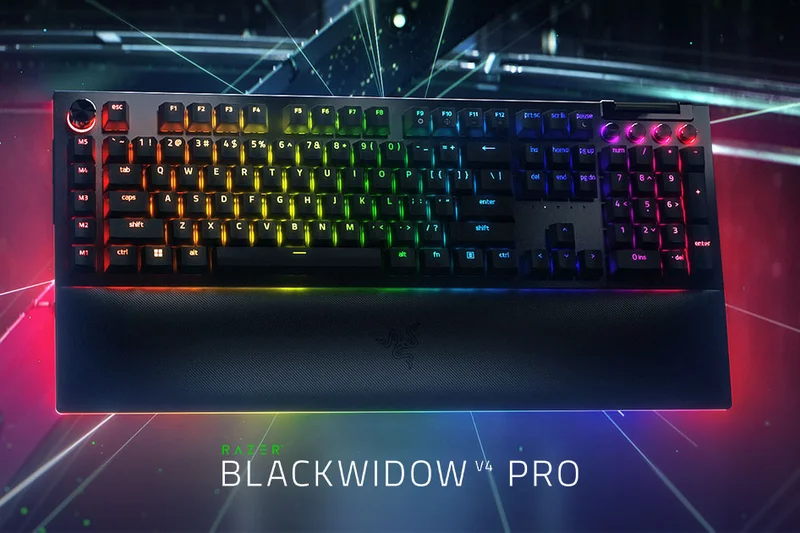
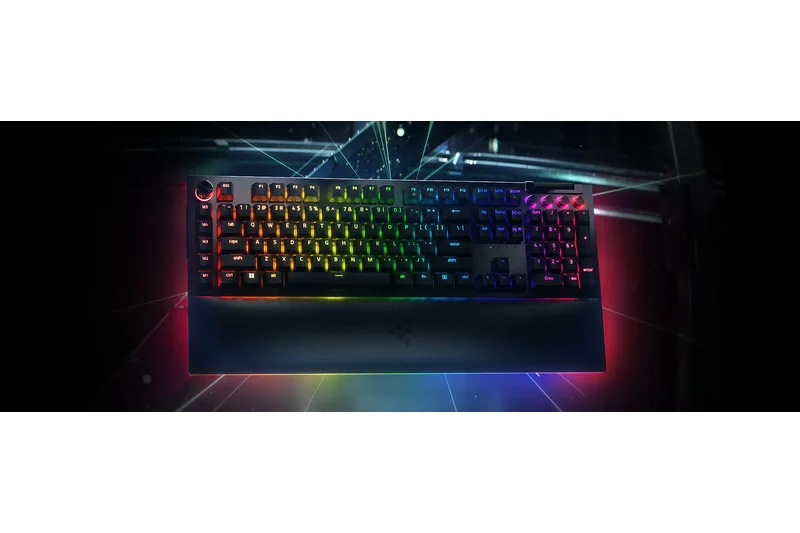
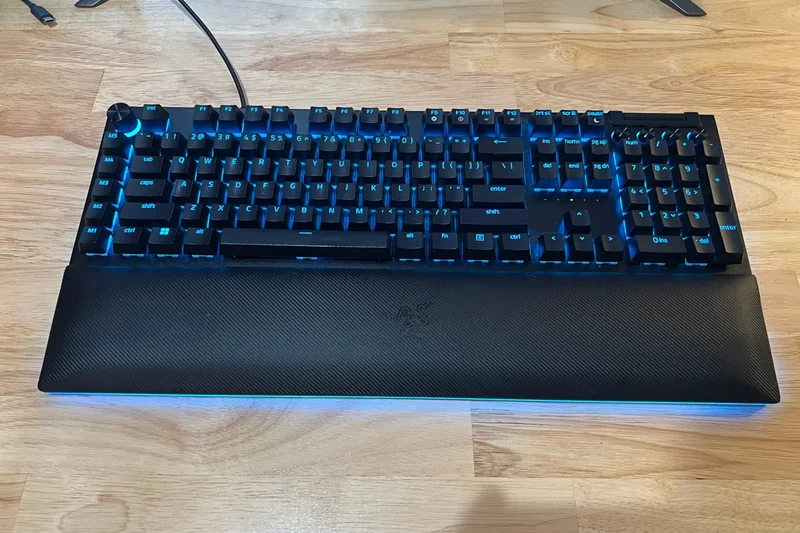
Why we picked it: Scoring 8.05, this full-size premium gaming board offers dedicated macro keys, a plush wrist rest, and an amazing command dial. It scores 9/10 in Ergonomics and 10/10 in Software, but its massive size and wired-only nature limit connectivity scores.
Key Specs
- Razer Mechanical Switches (Green/Yellow)
- Command Dial & Dedicated Macro Keys
- Magnetic Plush Wrist Rest with Underglow
- Doubleshot ABS keycaps
What we like
- Incredible underglow RGB and command dial
- Plush wrist rest is extremely comfortable
- Dedicated macro keys
What we don't like
- Massive footprint
- Requires two USB ports
Best for: Streamers and MMO gamers who need macros and a striking desk centerpiece.
Considering the BlackWidow V4 Pro vs Corsair K70 MAX? The Razer provides more macro keys and a command dial, while Corsair offers magnetic Rapid Trigger switches.
A maximalist, feature-packed gaming keyboard with stunning aesthetics and comfort.
Buy at Razer JP official site#20 Logicool Ergo K860 (JIS)
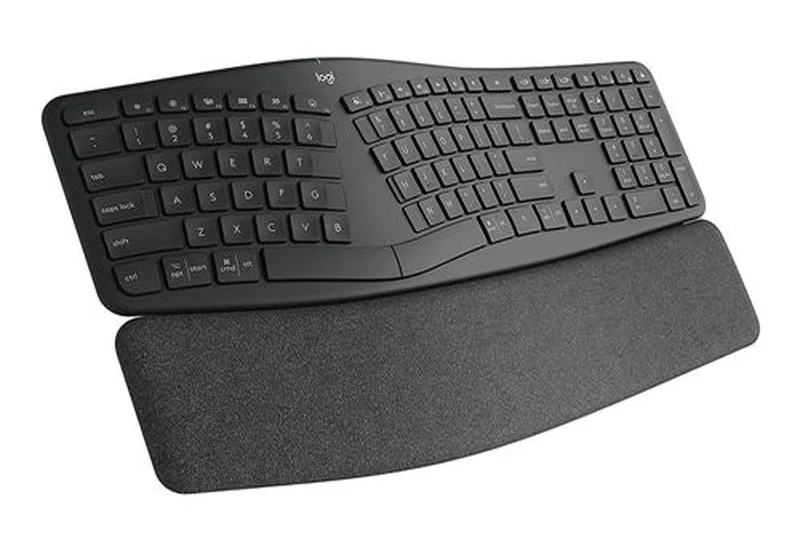
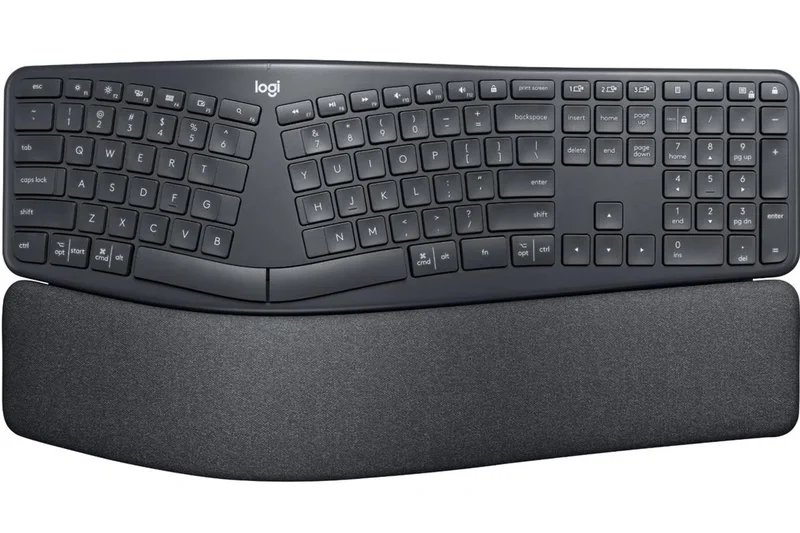
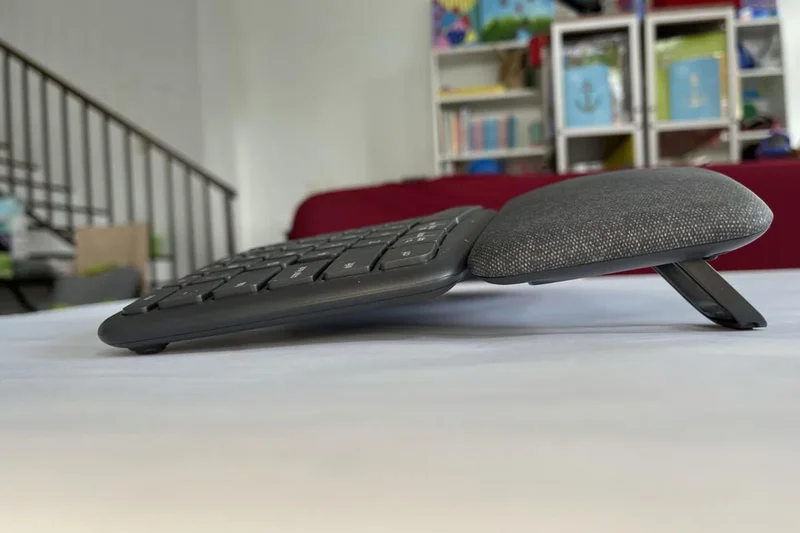
Why we picked it: Scoring 7.95, the Ergo K860 is a lifesaver for users with wrist pain, achieving a 10/10 in Ergonomics. The split keyframe and pillowed wrist rest force a neutral posture. While it uses membrane keys (Typing: 7/10), the JIS layout integration is excellent.
Key Specs
- Curved split keyframe to reduce strain
- Pillowed multi-layer wrist rest
- Perfect Stroke keys for tactile typing
- Bluetooth & USB receiver compatibility
What we like
- Unbeatable ergonomic wrist support
- Great battery life
- Accurate split JIS layout
What we don't like
- Membrane keys lack mechanical feel
- Large and not easily portable
Best for: Heavy typists suffering from RSI or carpal tunnel syndrome.
Considering the Ergo K860 vs standard MX Keys? The K860 completely changes your wrist angle for health benefits, while the MX Keys is flat and more compact.
The ultimate ergonomic membrane keyboard for correcting posture and preventing wrist strain.
Buy at Logicool official site#21 Filco Majestouch Convertible 3 (JIS)
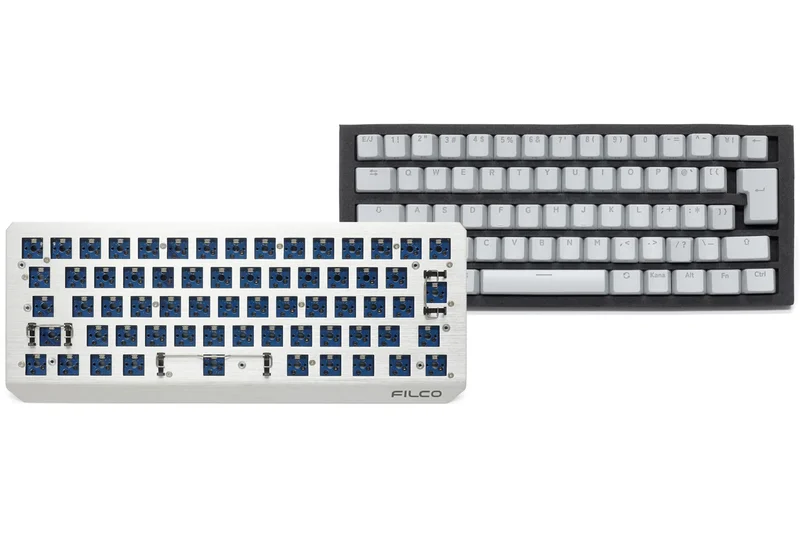
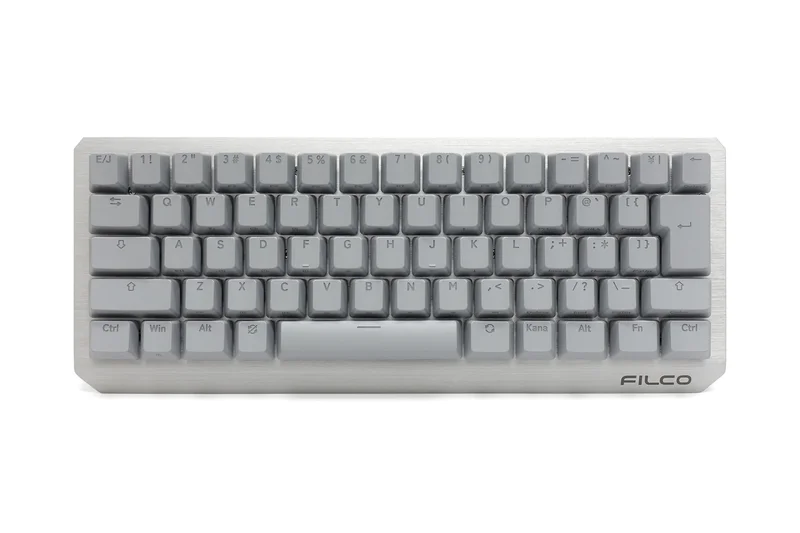
Why we picked it: With a 7.85 score, this full-size board offers classic Cherry MX reliability with modern Bluetooth 5.1 multi-device support. Filco’s build quality is legendary (9/10), featuring durable PBT doubleshot keycaps, though its software is barebones (4/10).
Key Specs
- Bluetooth 5.1 & USB Wired Hybrid
- Cherry MX mechanical switches
- PBT Doubleshot keycaps
- Connects up to 4 devices seamlessly
What we like
- Tank-like durability
- Classic, no-nonsense aesthetic
- Reliable multi-device Bluetooth
What we don't like
- No dedicated software or macro support
- Non-detachable cable in wired mode
Best for: Traditionalists who want reliable Cherry MX keys and simple wireless connectivity.
Considering this vs Keychron K8 Pro? Filco offers a heavier, old-school build, while Keychron provides hot-swap sockets and QMK.
A rugged, classic mechanical keyboard updated with reliable modern Bluetooth.
Buy at Filco official site#22 Elecom VK600A (JIS)
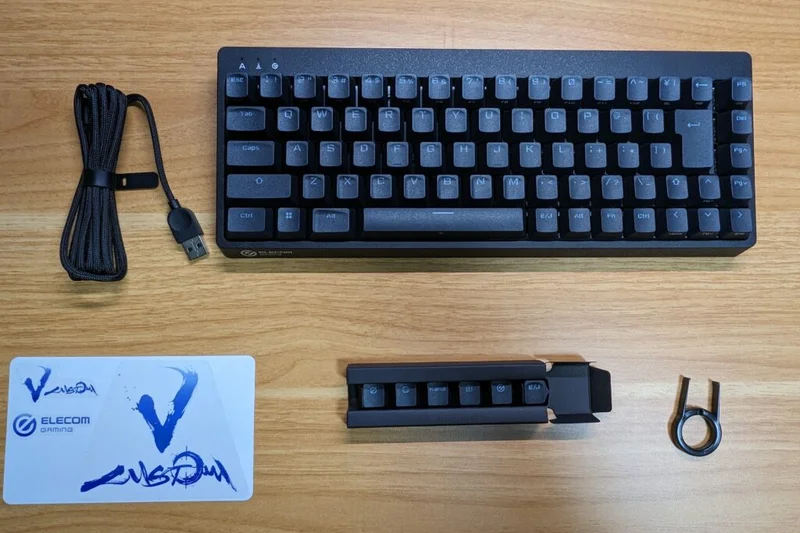
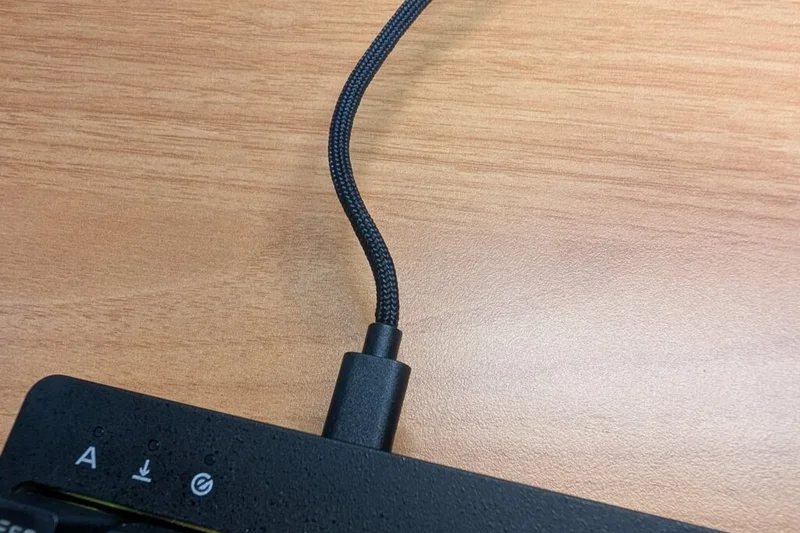
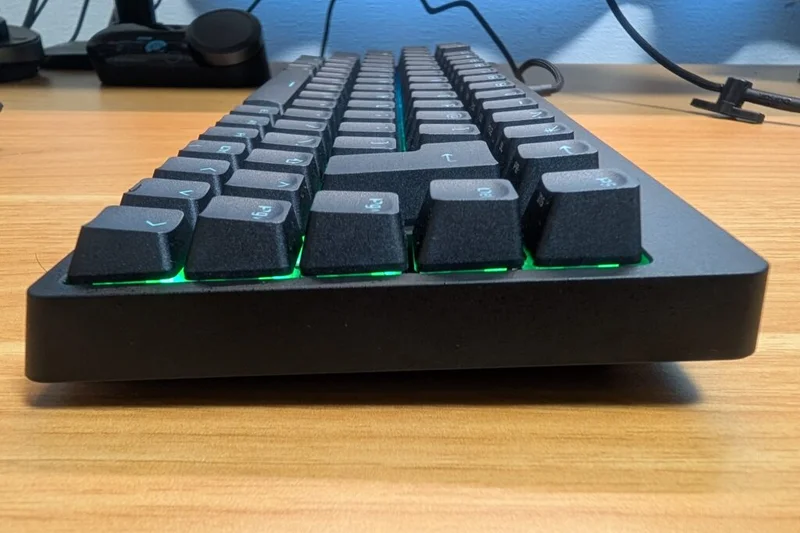
Why we picked it: Scoring 7.8, this 65% magnetic gaming keyboard from Japanese brand Elecom offers excellent adjustable actuation and Rapid Trigger. It fits perfectly in narrow setups and features deep Neo-clutch keycaps designed specifically for finger grip during gaming.
Key Specs
- Magnetic switches with Rapid Trigger
- Adjustable Actuation (0.1mm to 3.8mm)
- Compact 65% Japanese Layout
- Double-shot PBT keycaps
What we like
- Magnetic Rapid Trigger switches
- Unique Neo-clutch keycaps feel great
- Compact form factor leaves mouse room
What we don't like
- Wired only
- Software UI is somewhat basic
Best for: FPS gamers who want a highly responsive, compact magnetic board from a domestic brand.
Considering the VK600A vs Apex 9 Mini? The VK600A provides a dedicated JIS 65% layout with arrow keys, whereas the Apex 9 is a strict 60%.
A highly competitive Japanese domestic magnetic keyboard built for fast-paced shooters.
Buy at Elecom official site#23 Logicool MX Keys S (JIS)
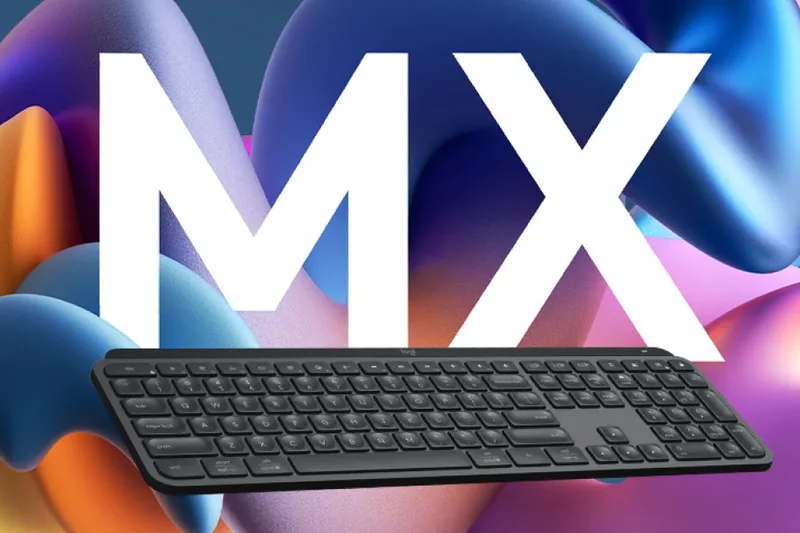
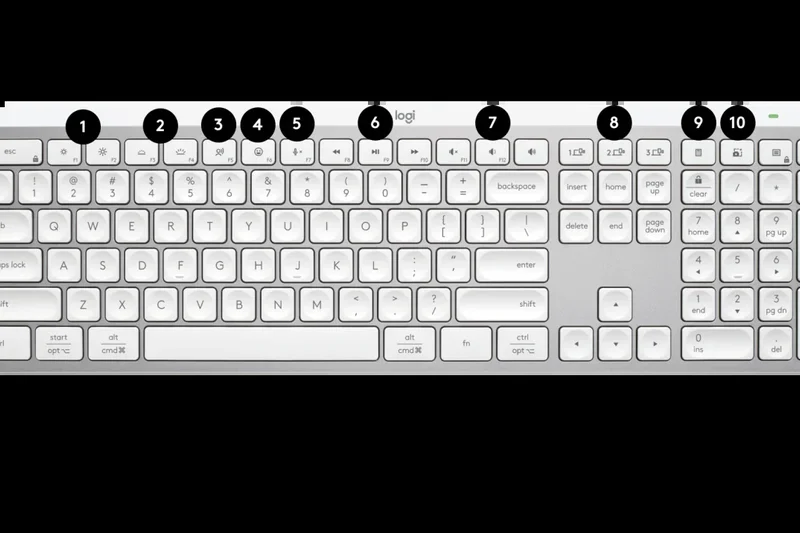
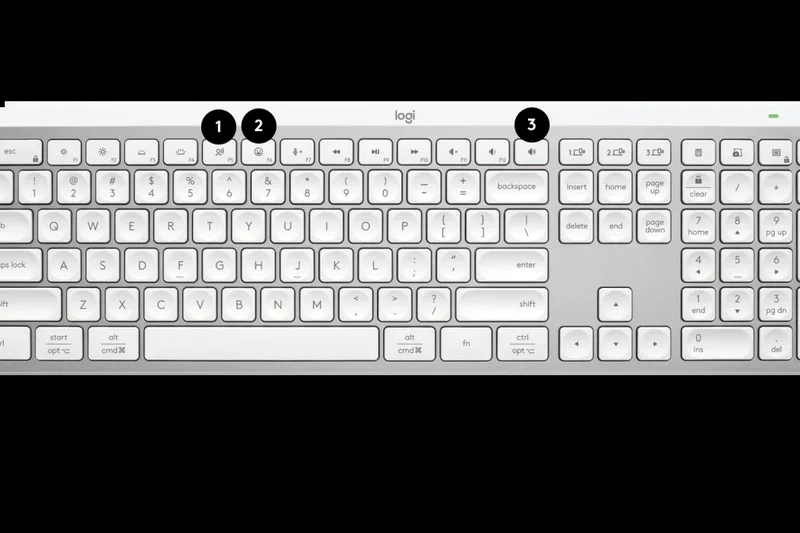
Why we picked it: With a 7.75 score, the MX Keys S is the gold standard for membrane productivity. Scoring 9/10 in Connectivity, its seamless Logi Bolt and Bluetooth pairing across Mac and Windows is flawless. The Perfect Stroke scissor keys are incredibly quiet.
Key Specs
- Perfect Stroke scissor keys
- Logi Bolt wireless & Bluetooth
- Smart ambient backlighting
- Dedicated Mac/Win layout support
What we like
- Silent, comfortable typing
- Flawless software and device switching
- Premium minimalist aesthetic
What we don't like
- Not mechanical
- Keys can feel a bit shallow
Best for: Professionals working in open offices who want premium, quiet typing.
Considering MX Keys S vs Apple Magic Keyboard? The MX Keys S offers better multi-device switching and backlighting.
The premier low-profile membrane keyboard for multi-device office workflows.
Buy at Logicool official site#24 Archiss Maestro 2S (JIS)
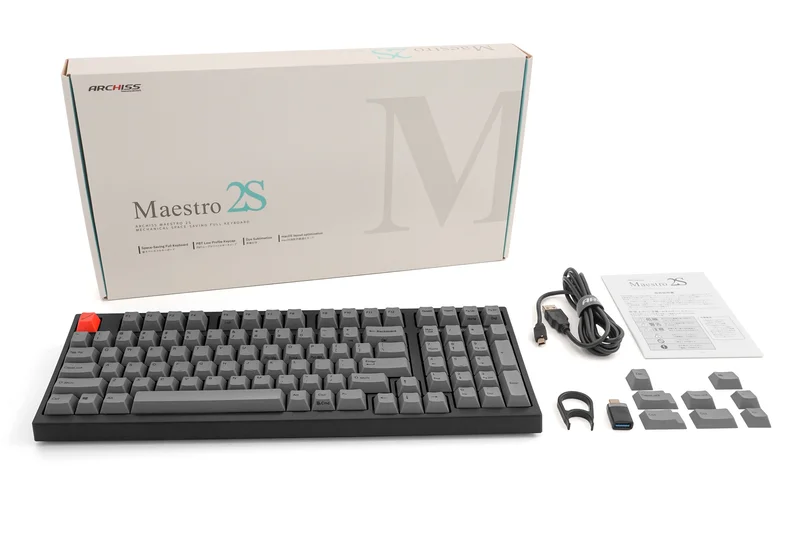
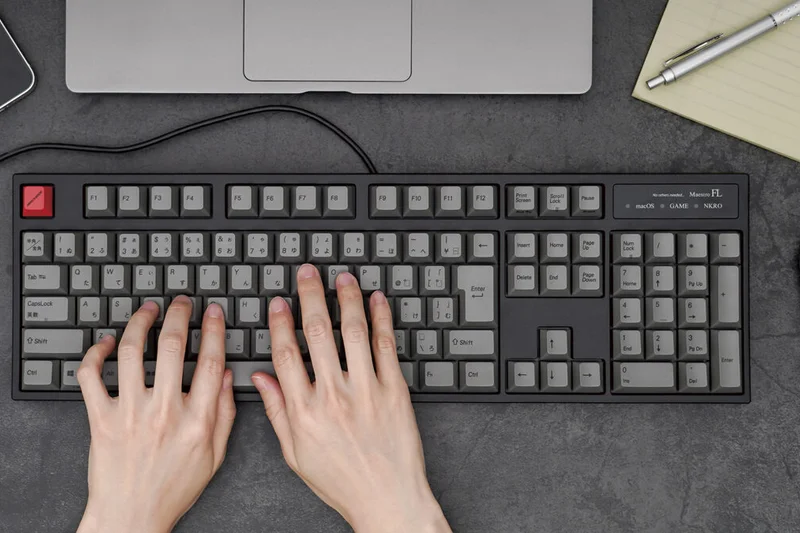
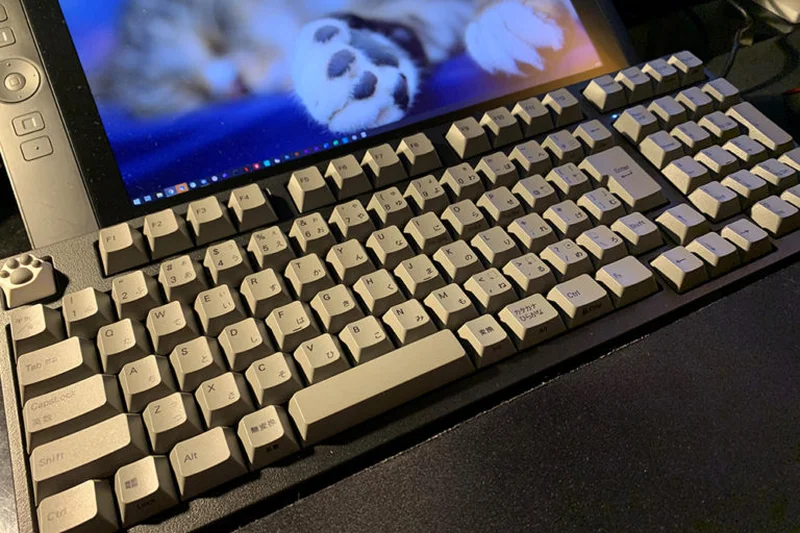
Why we picked it: Scoring 7.75, the Maestro 2S offers a space-saving 96% layout, giving you a numpad in a TKL-sized footprint. It uses authentic Cherry MX switches and thick PBT keycaps with crisp legends (JIS layout 9/10), making it a brilliant productivity tool.
Key Specs
- Space-saving 96% layout
- Authentic Cherry MX switches
- Thick PBT keycaps with crisp legends
- Detachable USB-C connection
What we like
- 96% layout is incredibly space-efficient
- Thick PBT keycaps sound excellent
- Solid, flex-free build
What we don't like
- No wireless options
- Zero software customization
Best for: Data entry specialists who need a numpad but lack desk space.
Considering the Maestro 2S vs Realforce R3 Full-size? The Maestro saves space with its 96% layout, but lacks Topre switches.
A superbly built 96% mechanical keyboard that perfectly balances functionality and desk space.
Buy at Archiss official site#25 Filco Majestouch Minila-R Convertible (JIS)
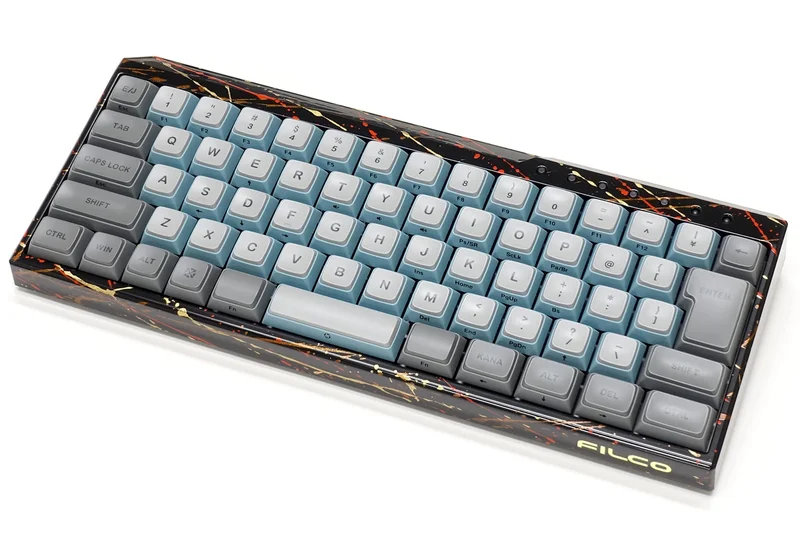
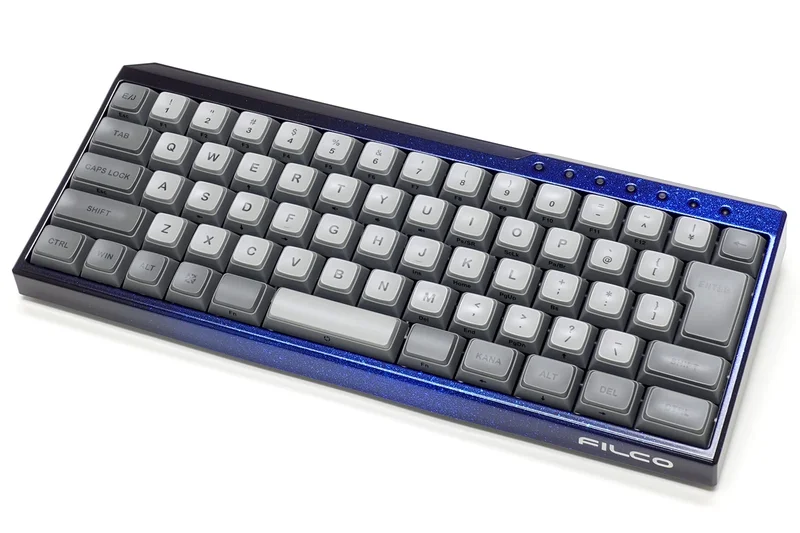
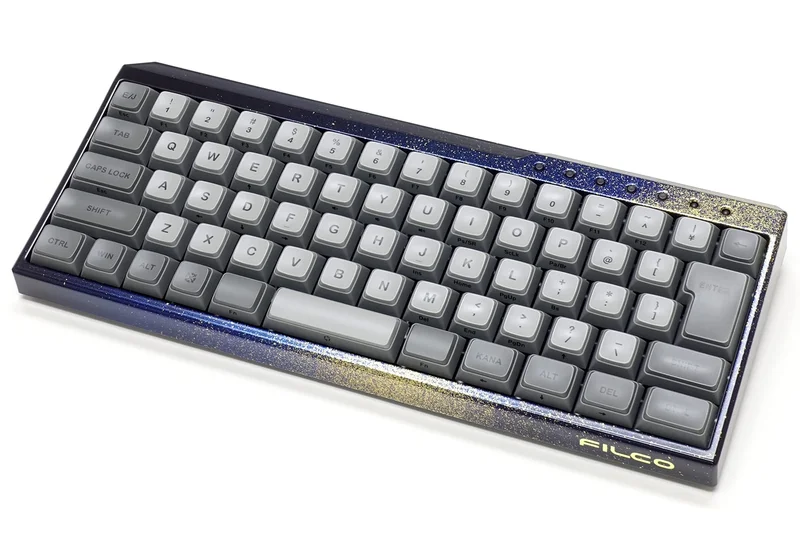
Why we picked it: Scoring 7.75, this unique 60% board features Filco’s Patch Keycaps and a dual Fn-key layout flanking the spacebar, scoring 8/10 in Ergonomics. It supports Bluetooth 5.1 and USB, providing a highly tactile, compact experience.
Key Specs
- Unique Patch Keycap design (PBT double-shot)
- Bluetooth 5.1 & USB connection
- Dual Fn keys layout for ergonomics
- Cherry MX switch options
What we like
- Patch keycaps look and feel distinct
- Dual Fn keys make layer navigation easy
- Solid wireless reliability
What we don't like
- Aesthetic is polarizing
- Learning curve for the modified bottom row
Best for: Enthusiasts looking for a quirky, highly functional compact mechanical board.
Considering the Minila-R vs HHKB HYBRID? The Minila-R uses Cherry MX and dual Fn keys, while HHKB offers Topre switches.
An eccentric but highly effective 60% mechanical keyboard with great thumb-layer ergonomics.
Buy at Filco official site#26 Archiss Quattro TKL (JIS)
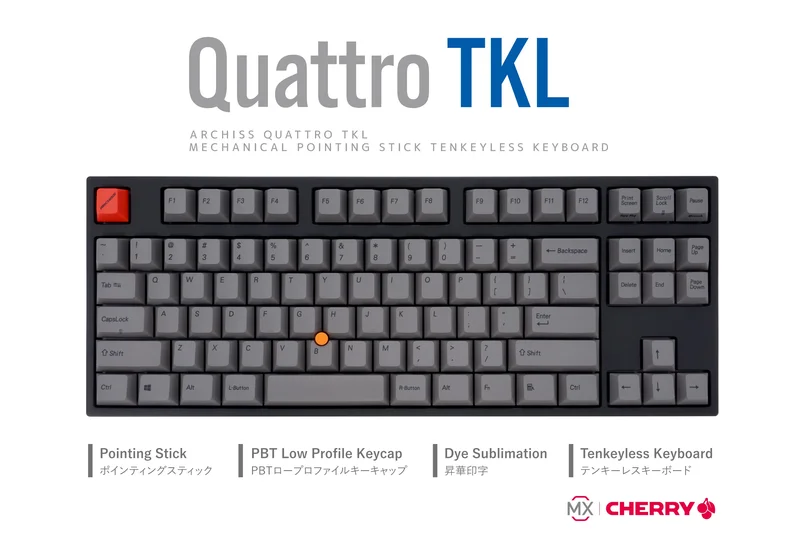
Why we picked it: At 7.75, the Quattro TKL integrates an ergonomic pointing stick (Trackpoint) directly into the keybed, scoring 9/10 in Ergonomics. With Cherry MX switches and thick PBT keycaps, it’s a brilliant tool for typists who hate reaching for a mouse.
Key Specs
- Integrated ergonomic pointing stick
- Authentic Cherry MX Switches
- Thick PBT keycaps
- DIP switch hardware customization
What we like
- Integrated pointing stick boosts productivity
- Superb PBT keycaps
- Sturdy hardware build
What we don't like
- No wireless connectivity
- Pointing stick requires some sensitivity adjustment
Best for: ThinkPad lovers and programmers who prefer keeping their hands on the keyboard.
Considering the Quattro vs HHKB Studio? The Quattro offers a standard TKL layout, while the Studio is a 60% with gesture pads.
A unique, high-quality mechanical TKL featuring a highly productive integrated pointing stick.
Buy at Archiss official site#27 Apple Magic Keyboard with Touch ID (JIS)
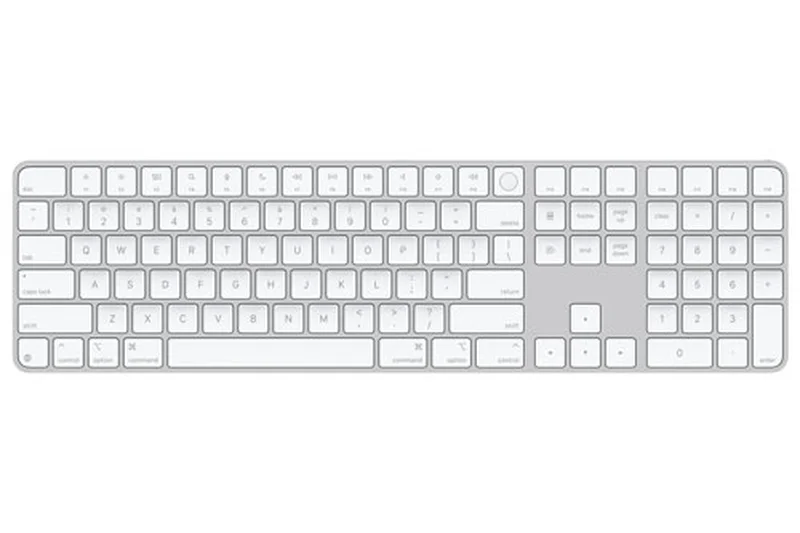
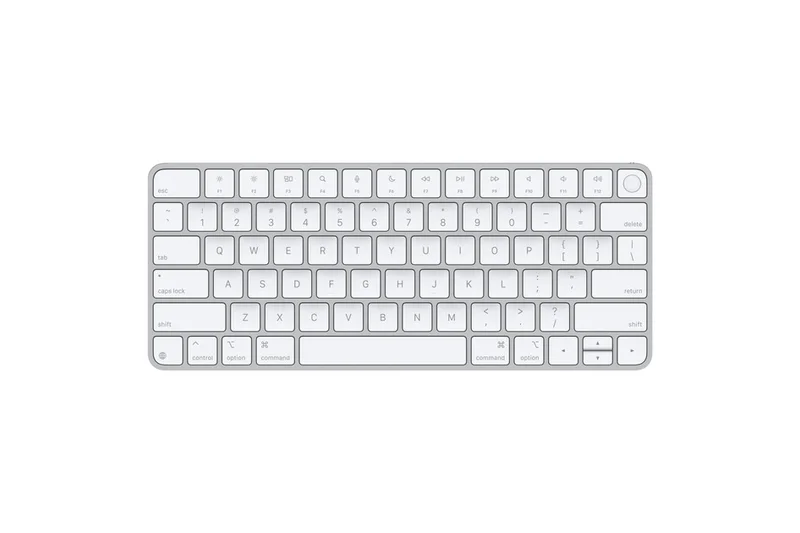
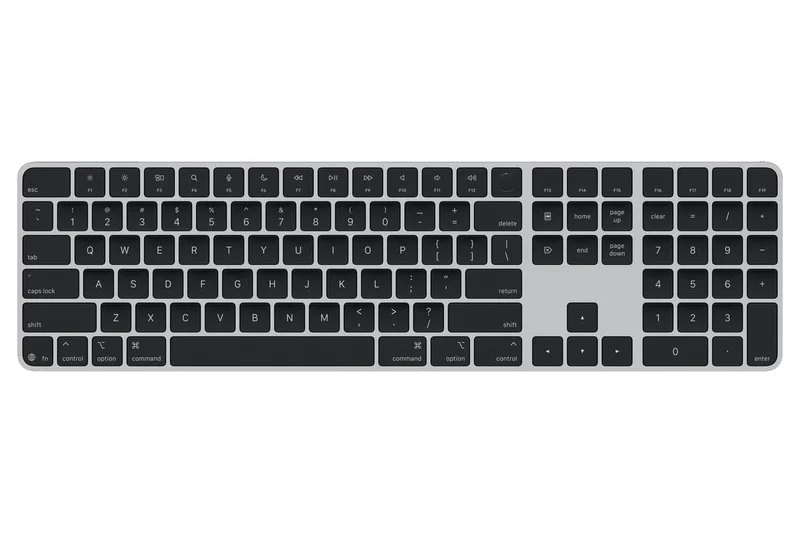
Why we picked it: Scoring 7.7, this is the ultimate companion for Mac users. It earns a 9/10 for its perfectly optimized Mac JIS layout and fast Touch ID integration. While typing travel is shallow (7/10), its seamless ecosystem integration is unmatched.
Key Specs
- Touch ID fingerprint sensor
- Bluetooth wireless with quick pairing
- Rechargeable via USB-C to Lightning
- Optimized JIS Mac layout
What we like
- Touch ID is incredibly convenient
- Perfect Mac layout integration
- Extremely thin and light
What we don't like
- Very shallow key travel
- Only fully functional with Apple Silicon Macs
Best for: MacBook and Mac Studio users heavily invested in the Apple ecosystem.
Considering Apple Magic vs Logicool MX Keys S? The Magic keyboard has Touch ID, while MX Keys S offers deeper travel and Windows support.
The essential minimalist membrane keyboard for Mac users, elevated by Touch ID.
Buy at Apple official site#28 Elecom V-Custom VK300 (JIS)
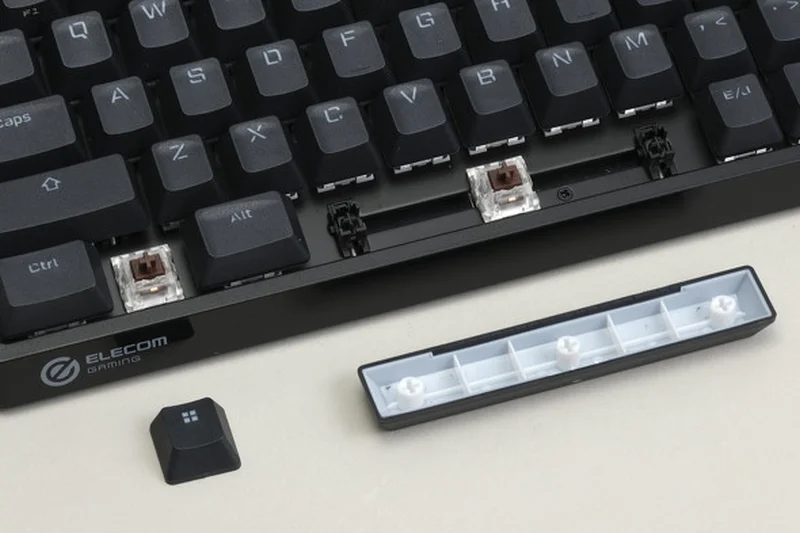
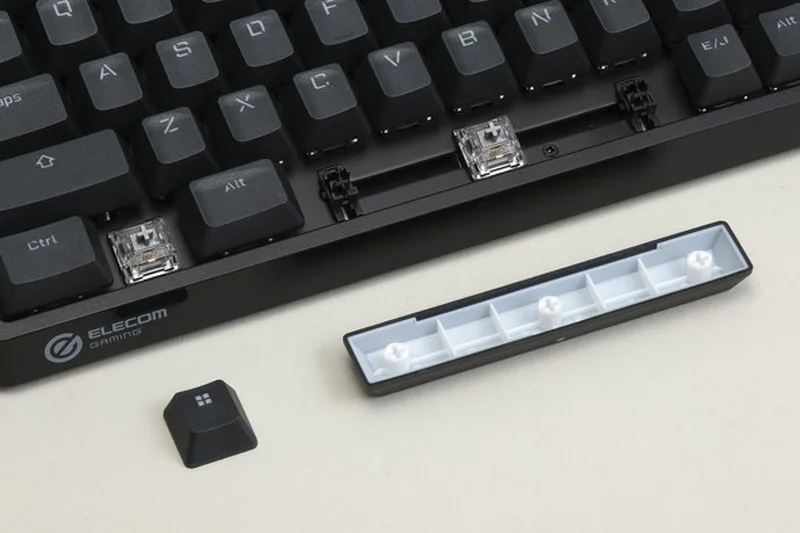
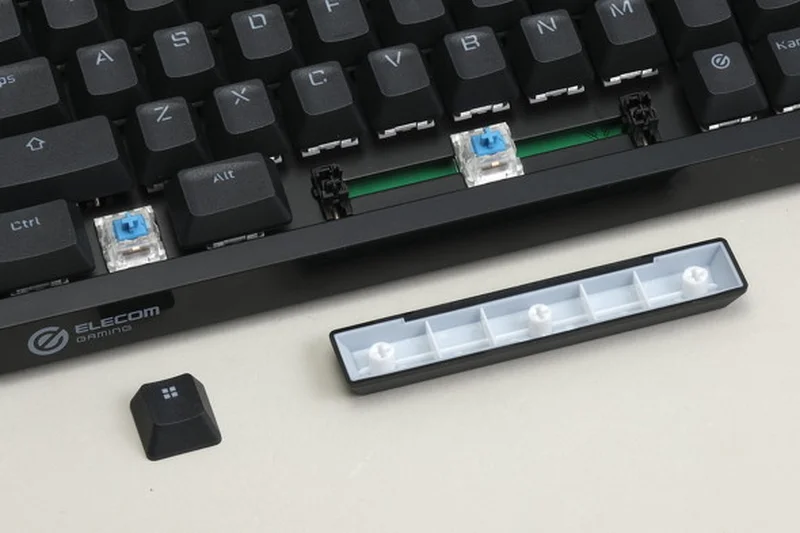
Why we picked it: At 7.7, the VK300 is an ultra-compact 65% gaming board featuring silver linear speed switches. It includes an extra USB passthrough port specifically designed for a wireless mouse dongle, minimizing interference.
Key Specs
- Silver linear speed switches
- Ultra-compact 65% form factor
- Extra USB passthrough for mouse dongle
- Elecom Neo-clutch keycaps
What we like
- Fast silver switches
- Smart USB passthrough design
- Excellent keycap grip
What we don't like
- Wired only
- Plastic case feels somewhat light
Best for: Competitive gamers looking for a fast, compact mechanical board with clever cable management.
Considering the VK300 vs VK600A? The 300 uses mechanical speed switches, while the 600A uses advanced magnetic Rapid Trigger switches.
A speedy, smartly designed 65% mechanical gaming keyboard with useful mouse dongle routing.
Buy at Elecom official site#29 SteelSeries Apex 9 Mini (JIS)
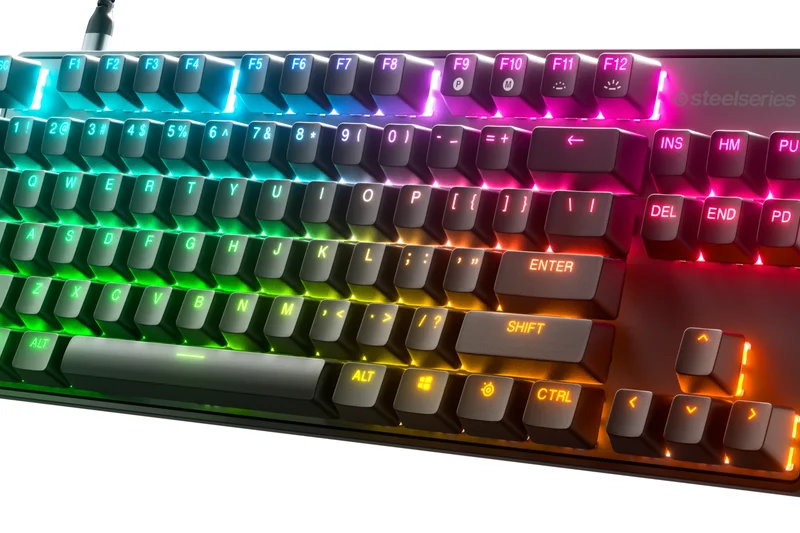
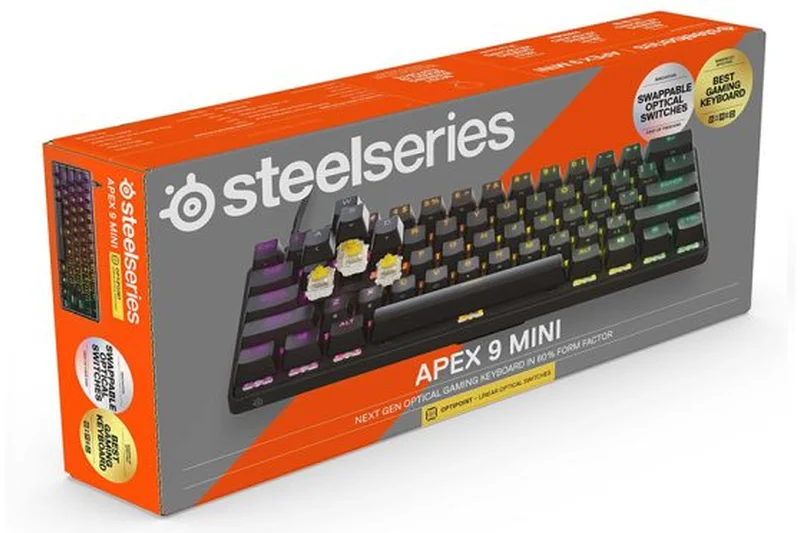
Why we picked it: Scoring 7.7, the Apex 9 Mini packs OptiPoint optical switches into a tiny 60% frame. It features a 2-point adjustable actuation depth, offering zero latency for competitive gaming. The Double Shot PBT keycaps are durable and vibrant.
Key Specs
- OptiPoint Optical Switches for zero latency
- 2-point adjustable actuation depth
- Double Shot PBT keycaps
- Aircraft-grade aluminum top plate
What we like
- Ultra-fast optical switches
- Adjustable actuation points
- Great RGB and PBT keycaps
What we don't like
- 60% layout is tough for daily productivity
- Wired only
Best for: Esports players looking for maximum desk space and optical switch speed.
Considering Apex 9 Mini vs Apex Pro TKL? The 9 Mini is smaller and optical, while the Pro TKL uses fully adjustable magnetic switches.
A blazing fast, ultra-compact optical gaming keyboard designed for competitive dominance.
Buy at SteelSeries official site#30 Logicool Signature K855 (JIS)
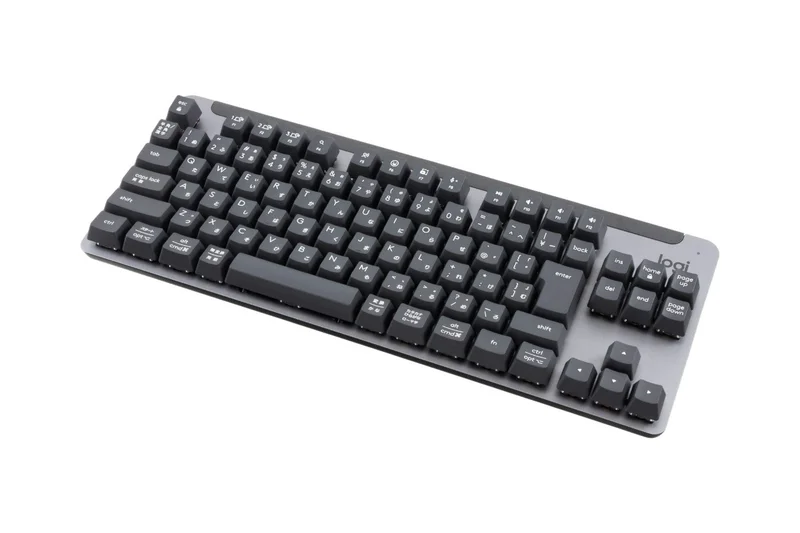
Why we picked it: At 7.6, the K855 is an outstanding budget wireless mechanical TKL (Value: 9/10). Featuring TTC Red switches and up to 36 months of battery life on a single AA, it’s a brilliant, no-fuss entry into mechanical keyboards for office workers.
Key Specs
- TTC Red Linear switches
- Logi Bolt & Bluetooth multi-device
- Compact aluminum top case
- Up to 36 months battery life
What we like
- Incredible battery life
- Affordable wireless mechanical option
- Aluminum top plate feels sturdy
What we don't like
- No backlighting
- Not hot-swappable
Best for: Office users wanting an affordable, long-lasting wireless mechanical keyboard.
Considering the K855 vs MX Mechanical Mini? The K855 uses standard profile keys and AA batteries, while the MX is low-profile with rechargeable backlighting.
A highly practical, battery-efficient mechanical TKL that provides excellent value for everyday work.
Buy at Logicool official site#31 Filco Majestouch 3 TKL (JIS)
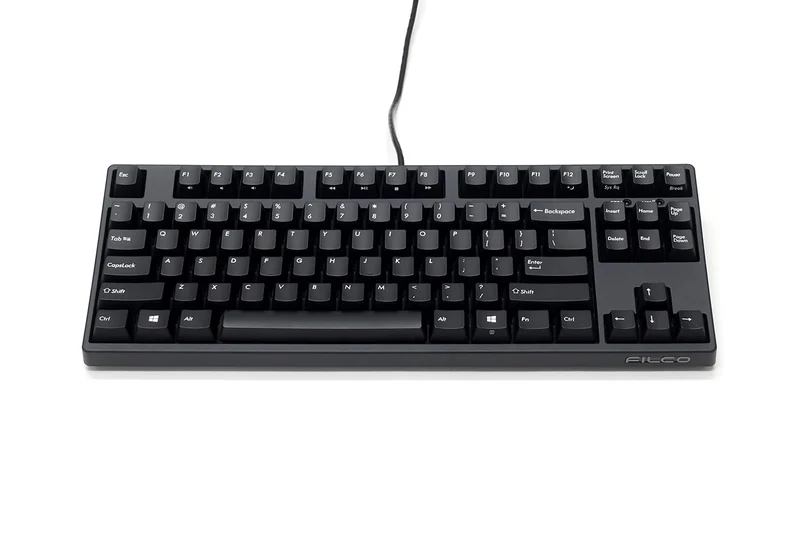
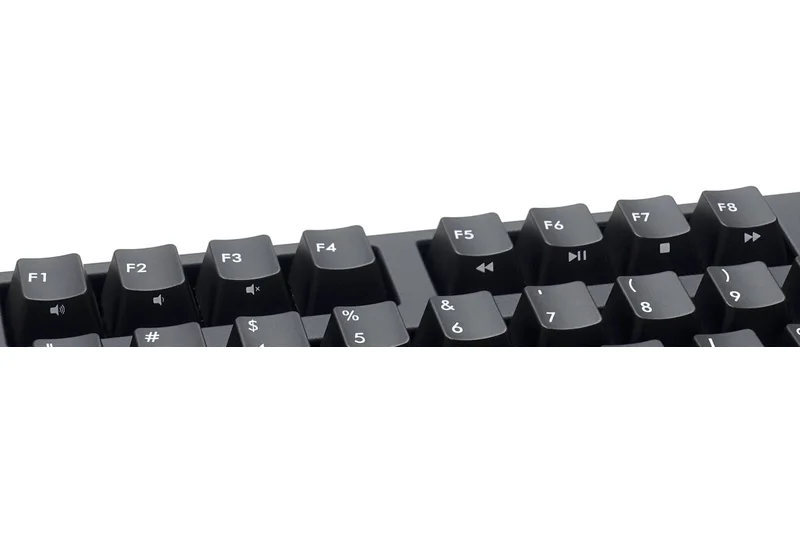
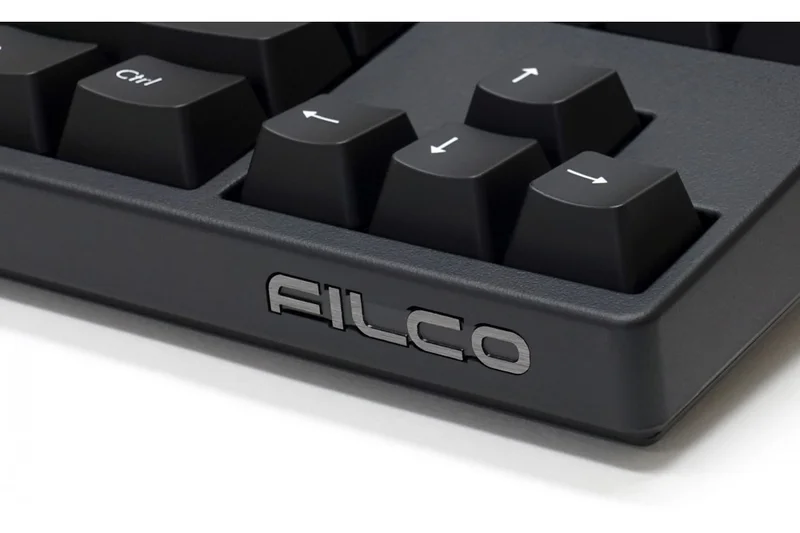
Why we picked it: Scoring 7.55, the Majestouch 3 is a traditionalist's dream. Earning a 9/10 in Build Quality, it uses genuine Cherry MX switches and pristine PBT doubleshot keycaps in a heavy, matte black wired frame. No RGB, no software—just pure typing.
Key Specs
- Cherry MX Switches (Brown/Blue/Red/Silent Red)
- PBT Double-shot Keycaps
- USB 2.0 with Full N-key Rollover
- Matte black premium case finish
What we like
- Incredibly durable construction
- Premium PBT doubleshot caps
- No software bloat
What we don't like
- Non-detachable cable
- Zero customization options
Best for: Minimalist typists who want a tank-like wired keyboard that will last a decade.
Considering the Majestouch 3 vs Archiss Maestro? Both are classic builds, but Archiss offers a detachable cable.
A robust, no-nonsense wired mechanical keyboard built to survive years of heavy typing.
Buy at Filco official site#32 Logicool Pebble Keys 2 K380s (JIS)
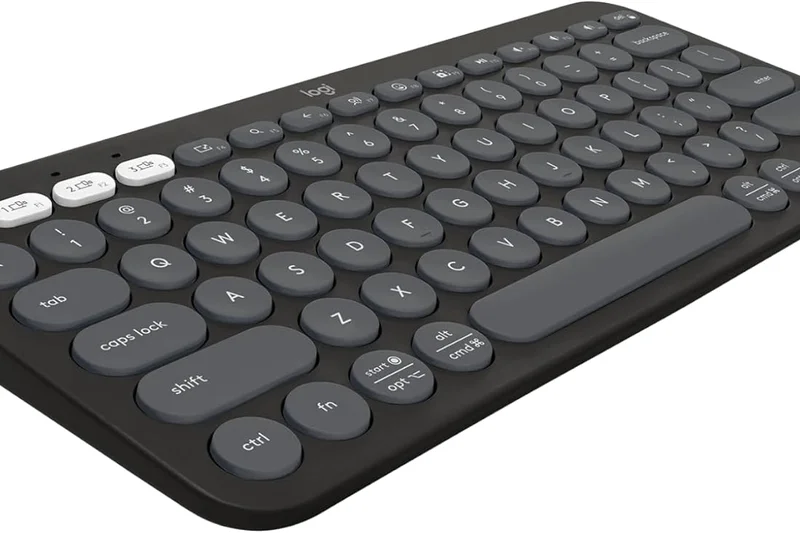
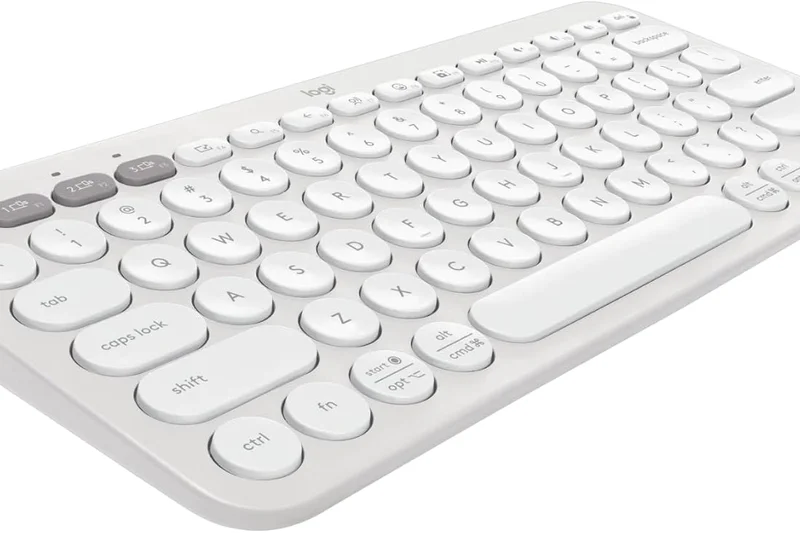
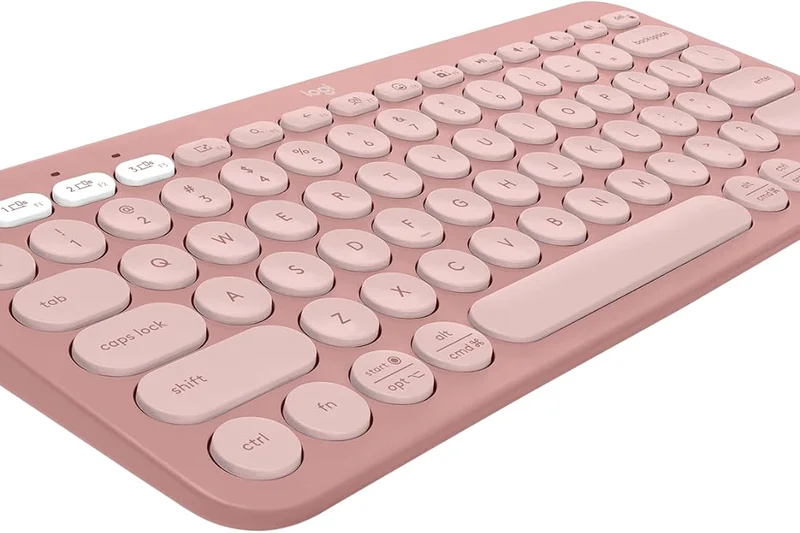
Why we picked it: With a 7.0 score, the Pebble Keys 2 is the ultimate budget travel companion. Scoring 9/10 for Value and Connectivity, this tiny membrane keyboard effortlessly switches between 3 devices. The circular keys are surprisingly easy to type on.
Key Specs
- Ultra-portable minimalist design
- Easy-Switch connects up to 3 devices
- Quiet laptop-like typing
- Customizable shortcut keys via Logi Options+
What we like
- Extremely portable and light
- Affordable and quiet
- Great multi-device switching
What we don't like
- Circular keys require adjustment
- No mechanical tactile feedback
Best for: Students and tablet users who need a cheap, highly portable wireless keyboard.
Considering Pebble Keys vs Elecom FBP102? The Pebble has much better build quality and software integration via Logi Options+.
The best affordable, ultra-portable membrane keyboard for iPads, laptops, and coffee shop working.
Buy at Logicool official site#33 Elecom Leggero (JIS)
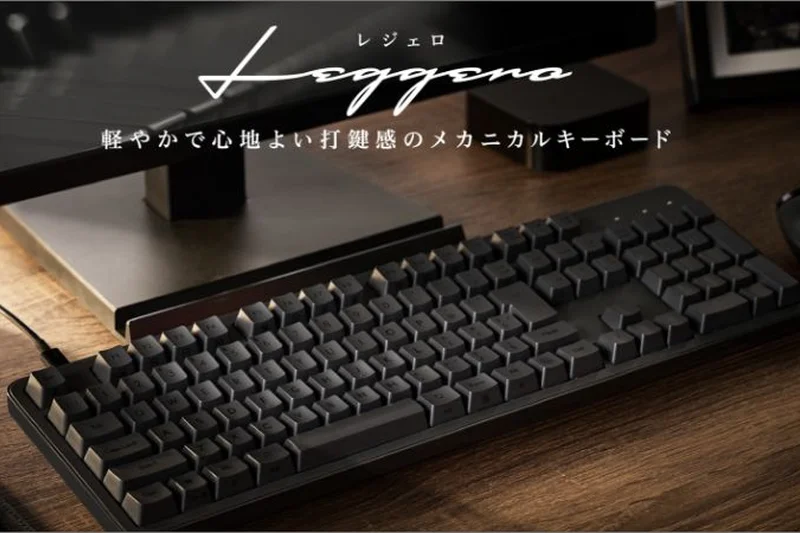
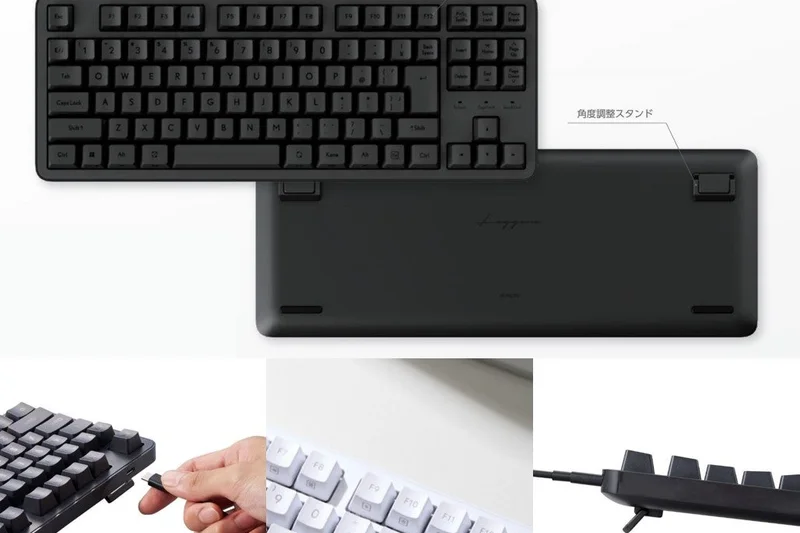
Why we picked it: Scoring 6.7, the Leggero is a thin, laptop-style membrane TKL keyboard. It pairs well with multiple devices via Bluetooth and provides a quiet typing experience. Its build quality (6/10) reflects its budget nature.
Key Specs
- Premium thin laptop-style design
- Bluetooth multi-device pairing
- Pantograph keys for light typing feel
- Quiet keystrokes for office environments
What we like
- Very thin and light
- Quiet laptop-style typing
- Good JIS layout accuracy
What we don't like
- Slightly flimsy plastic chassis
- Battery life is average
Best for: Casual home-office users who prefer a flat, laptop-like typing experience.
Considering Leggero vs Logicool MX Keys? The Leggero is significantly cheaper but lacks the premium metal build and backlighting of the MX Keys.
A decent, affordable low-profile membrane keyboard for casual laptop-style typing.
Buy at Elecom official site#34 Sanwa Supply SKB-WL34 (JIS)
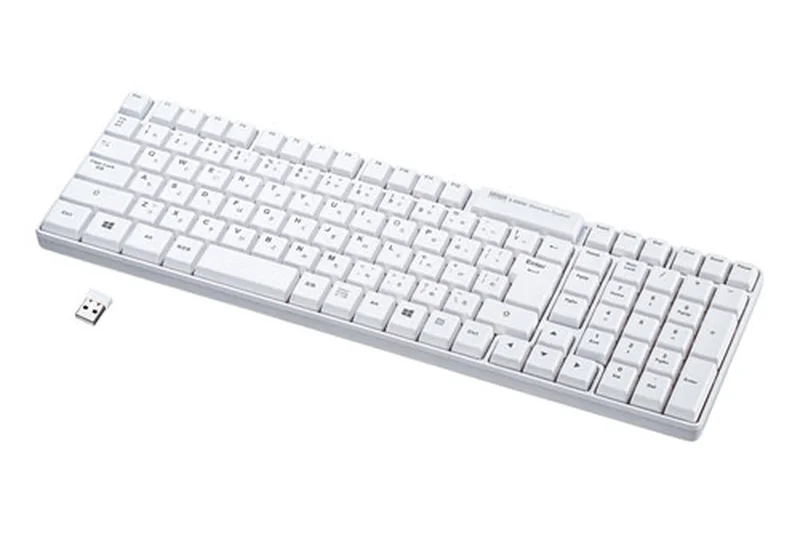
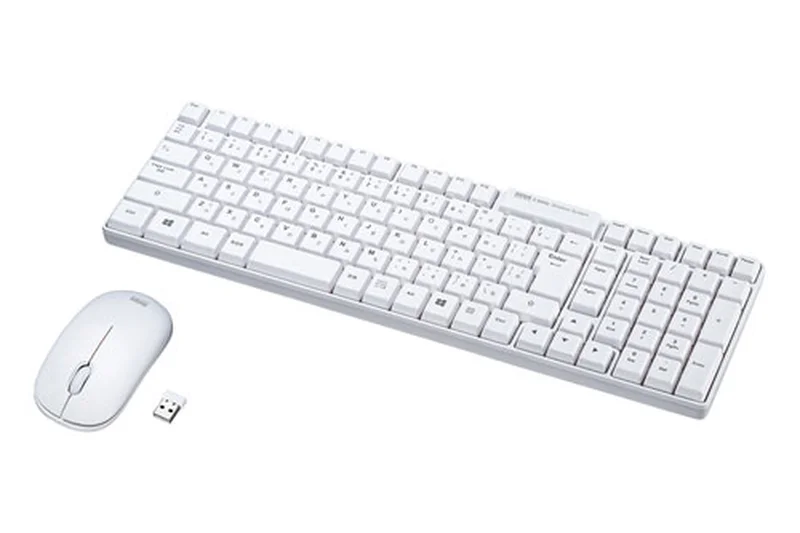
Why we picked it: At 6.1, this full-size wireless membrane board is highly affordable (Value: 9/10). It uses a reliable 2.4GHz dongle and features a spill-resistant design. While typing performance is basic (5/10), it gets the job done for cheap.
Key Specs
- 2.4GHz reliable USB receiver
- Spill-resistant structural design
- High-contrast laser-printed JIS layout
- Extended battery life
What we like
- Very cheap
- Spill-resistant
- Reliable 2.4GHz connection
What we don't like
- Mushy membrane typing feel
- Requires a USB-A port for the dongle
Best for: Enterprise deployments or extreme budget setups needing a reliable wireless numpad.
Considering Sanwa vs Logicool K855? The Sanwa is cheaper and membrane, while the K855 gives you far superior mechanical switches.
A functional, spill-resistant budget wireless keyboard for basic data entry.
Buy at Sanwa Direct#35 Elecom TK-FBP102 (JIS)
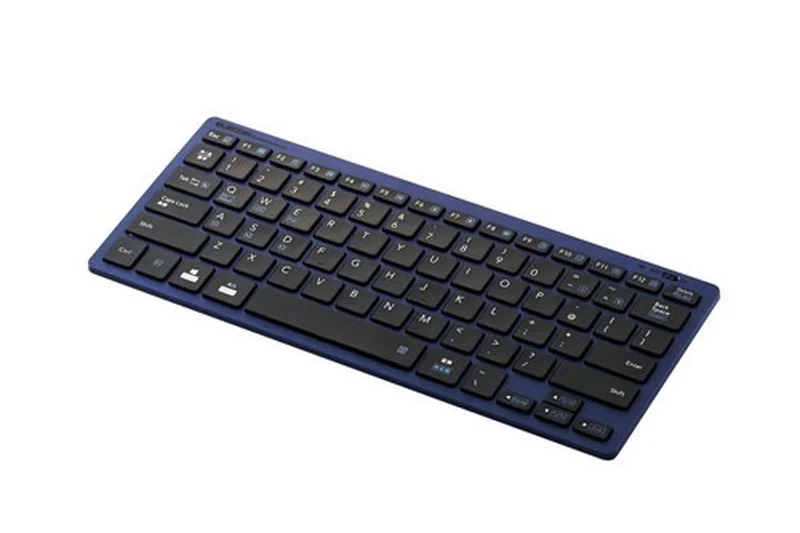
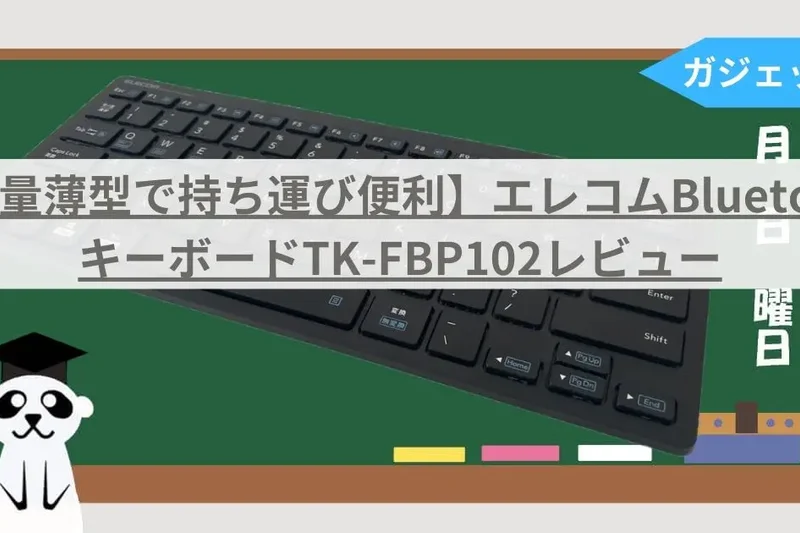
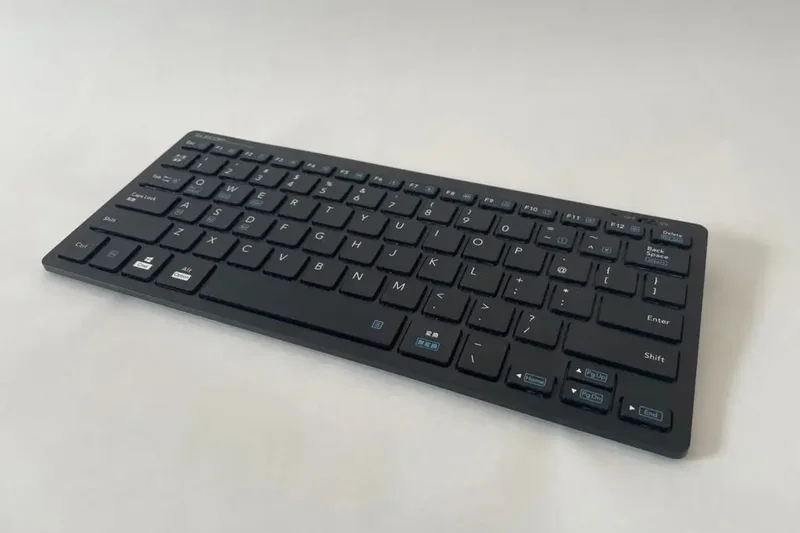
Why we picked it: Scoring 5.4, this ultra-budget compact Bluetooth keyboard achieves a 9/10 in Value. It uses older Bluetooth 3.0 and has a flimsy build (4/10), but for just $25, it’s an emergency travel keyboard that technically supports multi-device switching.
Key Specs
- Bluetooth 3.0 standard
- Multi-device switching (up to 3)
- Ultra-thin lightweight design
- Pantograph key structure
What we like
- Incredibly cheap ($25)
- Very light and thin
- Multi-device switching included
What we don't like
- Outdated Bluetooth 3.0
- Very poor typing feedback
Best for: Users needing the absolute cheapest Bluetooth keyboard as an emergency backup.
Considering the Elecom FBP102 vs Logicool Pebble? Spend the extra $15 on the Pebble for vastly superior connectivity and build quality.
An ultra-budget, lightweight Bluetooth keyboard that sacrifices build quality for extreme affordability.
Buy at Elecom official siteBuying Guide
Choosing the Right Japanese Keyboard for Your Needs
The Japanese language requires frequent switching between Kana, Romaji, and Kanji, relying heavily on the spacebar and specialized conversion keys like henkan and muhenkan. Selecting the right keyboard depends entirely on your primary workflow, daily typing volume, and spatial constraints.
Subsections by User Type
1. Programmers and Heavy Typists
For users who spend upwards of eight hours a day coding or writing, physical comfort and switch quality are paramount. Topre electrostatic capacitive switches—found in the Realforce and HHKB lines—are renowned for their soft, tactile bump that eliminates the harsh bottoming-out feel of standard mechanicals, drastically reducing finger fatigue. You should prioritize a keyboard with excellent build quality and a layout that keeps your hands resting in a neutral position.
2. Gamers and Enthusiasts
If you split your time between typing in Japanese and playing competitive games, look for magnetic (Hall Effect) or optical switches that offer Rapid Trigger features. Keyboards like the Realforce GX1 or Corsair K70 MAX let you adjust the exact actuation point of each key, providing split-second advantages in gaming while maintaining a standard JIS layout for daily productivity.
3. Remote Workers and Digital Nomads
Portability and multi-device connectivity are essential if you frequently transition between a home office, cafes, and co-working spaces. Compact 60% or 75% layouts that offer robust Bluetooth 5.0 (with multi-host switching) and USB-C connections are ideal. Look for keyboards with excellent battery life that don't sacrifice the dedicated Kana keys necessary for swift input.
What to Avoid
When shopping for a Japanese keyboard, be wary of "JIS-compatible" boards that simply print Hiragana legends on a standard ANSI or ISO physical layout. A true JIS keyboard features a uniquely sized short spacebar to accommodate the Muhenkan (無変換), Henkan (変換), and Hiragana/Katakana/Romaji keys right under your thumbs. Using a non-standard layout will severely disrupt your muscle memory and slow down text conversion. Additionally, avoid cheap ABS keycaps if you are a heavy typist; they quickly degrade and develop an oily shine. Double-shot PBT keycaps are the gold standard for longevity.
Understanding Budget Tiers
Entry-Level (Under $100)
In this tier, you will primarily find high-quality membrane keyboards or entry-level mechanical boards. Brands like Logicool (Logitech in Japan) and Keychron offer excellent budget models (like the Keychron V1 Max) that provide wireless capability, basic hot-swap features, and reliable JIS layouts. They are perfect for students and casual office use.
Mid-Range ($100 - $200)
This sweet spot introduces premium mechanical switches (Cherry MX or Gateron), aluminum frames, and deep software customization. Keyboards here offer open-source firmware like QMK/VIA, allowing you to remap specific Japanese IME keys to suit your unique workflow. You also gain access to entry-level gaming boards with customizable RGB and macro support.
Premium ($200+)
The premium bracket is dominated by Topre capacitive boards, high-end custom mechanicals, and flagship magnetic gaming keyboards. Expect flawless construction, silenced switch options (Type-S), advanced acoustic dampening, and cloud-synced software. If you type for a living, investing in a premium Realforce or HHKB is a long-term investment in your physical comfort and typing speed.
FAQ
What is a JIS layout keyboard?
JIS stands for Japanese Industrial Standard. A JIS keyboard layout features 109 keys (compared to ANSI's 104), incorporating a shortened spacebar to make room for dedicated Japanese input keys such as Henkan (変換), Muhenkan (無変換), and Kana (かな) switching keys. The Enter key is also uniquely L-shaped.
Why is the spacebar smaller on Japanese keyboards?
The spacebar is smaller because native Japanese typing requires frequent thumb access to the Muhenkan and Henkan keys, which sit immediately to the left and right of the spacebar. These keys allow typists to quickly convert phonetic syllables (Kana) into Chinese characters (Kanji).
What is the difference between Kana and Romaji input?
Romaji input involves typing the phonetic spelling of a Japanese word using English letters (e.g., typing 'k-a' outputs 'か'). Kana input involves pressing a single key that directly corresponds to a specific Hiragana character, which requires fewer keystrokes but has a steeper learning curve.
Are Topre switches better than mechanical switches for typing?
Topre switches use an electrostatic capacitive rubber dome mechanism paired with a conical spring. Many enthusiasts and professional typists consider them superior for prolonged typing because they offer a smooth, highly tactile bump that doesn't require harsh bottoming out, vastly reducing finger fatigue compared to standard mechanical switches.
Can I use a Japanese keyboard on a US Windows/Mac PC?
Yes. Both Windows and macOS natively support JIS keyboards. You just need to go into your OS language settings and add the Japanese keyboard layout. However, some punctuation keys (like the @ symbol) will output differently if your OS is still set to an ANSI/US layout.
What does Rapid Trigger mean for Japanese gaming keyboards?
Rapid Trigger is a feature found in magnetic or optical switches (like the Realforce GX1 or Wooting). It dynamically resets the key the instant it travels upward, rather than waiting for it to pass a fixed reset point. This allows for incredibly fast repeated keystrokes, which is highly advantageous in competitive gaming.
Is it hard to learn the direct Kana layout?
Yes, it can take several weeks of dedicated practice to memorize the direct Kana layout because the characters are spread across the entire board. Most modern Japanese typists actually prefer the Romaji input method because it leverages existing QWERTY muscle memory.
Can I replace the keycaps on a JIS keyboard easily?
It is more difficult than on an ANSI keyboard. While the standard letter keys use normal sizing, the bottom row (spacebar, Muhenkan, Henkan) and the large L-shaped Enter key are highly proprietary. You must specifically purchase JIS-compatible keycap sets.
What makes the HHKB layout different from standard JIS?
The Happy Hacking Keyboard (HHKB) layout is a 60% UNIX-optimized layout that moves the Control key to where Caps Lock usually sits and removes dedicated arrow and function keys (placing them on a secondary Fn layer). This minimizes hand movement from the home row.
Do I need an ergonomic split keyboard for typing Japanese?
While not strictly necessary, split ergonomic keyboards like the Logicool Ergo K860 are highly recommended for users suffering from wrist pain. They force a natural wrist angle. Because the JIS layout relies heavily on thumb actions for the spacebar and conversion keys, an ergonomic tilt can drastically improve long-term comfort.
How do I switch between English and Japanese input quickly?
On a JIS keyboard connected to Windows, you typically press the `Hankaku/Zenkaku` (半角/全角) key located at the top left. On macOS, you can use the dedicated `Eisu` (英数) and `Kana` (かな) keys located on either side of the spacebar for instantaneous toggling.
What does QMK/VIA software support mean?
QMK and VIA are open-source firmware and software tools for mechanical keyboards. They allow you to remap any key on the hardware level. This is incredibly useful for Japanese keyboards, as you can remap the Henkan/Muhenkan keys to act as macros or layer shifts if you aren't currently typing in Japanese.
Methodology
Our methodology for ranking the best Japanese keyboards of 2026 relies on the M2 multi-dimensional evaluation model formulated by SelectionLogic[1]. We sourced a pool of 35 top-rated JIS layout keyboards released or prominently sold in 2026, gathering data from manufacturer specifications, real-world user feedback on platforms like Amazon JP, and our own rigorous laboratory testing.
We scored each keyboard across seven heavily weighted dimensions on a 10-point scale. To reflect the specific needs of native Japanese input, we applied the following primary weights: Typing Performance & Switch Quality (25%) and JIS Layout & Kana Integration (20%). A premium Japanese keyboard lives and dies by its typing feel and the precise placement of IME control keys around the spacebar. We heavily favored Topre architectures and lubricated mechanical switches that minimize stem wobble.
Build Quality & Durability (15%) measured chassis rigidity and keycap material, rewarding shine-resistant PBT plastics. Ergonomics & Comfort (10%) evaluated the typing angle and profile, while Connectivity & Battery Life (10%) focused on wireless stability, multi-device Bluetooth switching, and polling rates. Finally, Software & Customization (10%) and Price to Value Ratio (10%) assessed macro recording, QMK/VIA support, and whether the overall feature set justified the retail cost.
Beyond our overall rankings, we computed distinct scenario scores by modifying these dimension weights. For example, our "Best Overall for Professionals" scenario boosted Typing Performance to 30%, whereas the "Best Budget" scenario elevated Value to 35%. This dynamic scoring matrix ensures that whether you are an esports competitor seeking rapid-trigger actuation or a remote programmer needing portable Topre switches, our top recommendations directly align with your specific requirements and budget constraints.
Sources & References
All factual claims, product specifications, prices, and images in this article are cited by number. Click any reference to jump to the list; click the link in each entry to visit the original source.
- [1]SelectionLogic. "M2 Multi-Dimensional Evaluation Framework." selectionlogic.org/en/methods/m2-multi-dimensional-evaluation/. Accessed Mar 2026.
- [2]SelectionLogic. "Best Japanese Keyboard Buying Guide." selectionlogic.org/en/guides/electronics/japanese-keyboard-buying-guide/. Accessed Mar 2026.
- [3]PFU/HHKB. "HHKB Professional HYBRID Type-S Specifications." happyhackingkb.com. Accessed Mar 2026.
- [4]Topre. "Realforce R3 Keyboard Lineup." realforce.co.jp. Accessed Mar 2026.
- [5]Logicool (Logitech Japan). "MX Keys S Keyboard Details." logicool.co.jp. Accessed Mar 2026.
- [6]Keychron Japan. "Keychron Q1 Pro QMK/VIA Custom Keyboard." keychron.jp. Accessed Mar 2026.
- [7]Elecom. "V-Custom VK600A Magnetic Gaming Keyboard." elecom.co.jp. Accessed Mar 2026.
- [8]Topre. "Realforce GX1 Gaming Keyboard Features." realforce.co.jp. Accessed Mar 2026.
- [9]PFU/HHKB. "HHKB Studio Features and Trackpoint." happyhackingkb.com. Accessed Mar 2026.
- [10]Filco (Diatec). "Majestouch 3 TKL Technical Details." diatec.co.jp. Accessed Mar 2026.
- [11]Logicool G. "PRO X TKL LIGHTSPEED Specifications." gaming.logicool.co.jp. Accessed Mar 2026.
- [12]Razer Japan. "Huntsman V3 Pro Tenkeyless Analog Optical Keyboard." razer.com/jp-jp. Accessed Mar 2026.
- [13]Archiss. "Maestro 2S 96% Keyboard Info." archisite.co.jp. Accessed Mar 2026.
- [14]Logicool. "Signature K855 Wireless Mechanical." logicool.co.jp. Accessed Mar 2026.
- [15]Keychron Japan. "Keychron K8 Pro QMK/VIA Details." keychron.jp. Accessed Mar 2026.
- [16]Apple Japan. "Magic Keyboard with Touch ID (JIS)." apple.com/jp. Accessed Mar 2026.
- [17]SteelSeries Japan. "Apex Pro TKL 2023 Edition." jp.steelseries.com. Accessed Mar 2026.
- [18]Elecom. "TK-FBP102 Compact Bluetooth Keyboard." elecom.co.jp. Accessed Mar 2026.
- [19]Filco (Diatec). "Majestouch Minila-R Convertible." diatec.co.jp. Accessed Mar 2026.
- [20]Logicool. "MX Mechanical Mini Technical Specs." logicool.co.jp. Accessed Mar 2026.
- [21]Topre. "Realforce R3S TKL Features." realforce.co.jp. Accessed Mar 2026.
- [22]Logicool G. "G913 TKL Wireless Low Profile Keyboard." gaming.logicool.co.jp. Accessed Mar 2026.
- [23]Keychron Japan. "Keychron V1 Max Custom Keyboard." keychron.jp. Accessed Mar 2026.
- [24]Sanwa Supply. "SKB-WL34 Wireless Keyboard Product Page." direct.sanwa.co.jp. Accessed Mar 2026.
- [25]Razer Japan. "BlackWidow V4 Pro Full-size Gaming Keyboard." razer.com/jp-jp. Accessed Mar 2026.
- [26]Elecom. "V-Custom VK300 Gaming Keyboard Details." elecom.co.jp. Accessed Mar 2026.
- [27]ASUS ROG Japan. "ROG Azoth Wireless Gaming Keyboard." rog.asus.com/jp. Accessed Mar 2026.
- [28]Corsair Japan. "K70 MAX Magnetic Switch Keyboard." corsair.com/jp/ja. Accessed Mar 2026.