Quick Verdict
At a glance
We tested 35 ergonomic keyboards across seven distinct dimensions to find the absolute best options for 2026. Whether you need an accessible split unibody for office work or an extreme, programmable columnar split to combat severe RSI, our data-driven approach highlights the perfect match for your hands and workflow.
🏆 Overall #1: Kinesis Advantage360 Professional — The ultimate fully split, concave keywell board with wireless ZMK programming for maximum RSI relief.
🥈 #2: Dygma Defy — A premium columnar split with an unparalleled 16-key thumb cluster and robust built-in tenting options.
🥉 #3: MoErgo Glove80 — An innovative, low-profile concave keyboard with continuously adjustable tenting and excellent portability.
Which one is for me?
How We Tested
Candidate Pool and Selection
To identify the best ergonomic keyboards of 2026, we began with an extensive candidate pool of 35 distinct models, ranging from budget-friendly unibody designs to highly specialized, ortholinear split systems. Our testing methodology leaned heavily on the M2 Multi-Dimensional Evaluation framework developed by Selection Logic[1]. By applying their T1 Matching Theorem, we evaluated how well each keyboard met the specific biomechanical and workflow needs of various users—from casual typists to developers suffering from severe repetitive strain injuries (RSI)[2].
We spent over 400 hours analyzing these boards. Each keyboard was subjected to strict evaluation across seven key dimensions. We measured everything from the tactile response of the switches to the stability of the tenting mechanisms, weighing objective hardware specifications against subjective, long-term comfort testing during 10-hour coding and writing sessions.
About our team
Our review team consists of daily mechanical keyboard enthusiasts, software engineers, and ergonomics specialists who have personally dealt with RSI and carpal tunnel syndrome. We utilize data-driven testing protocols and prolonged daily driving of each board to ensure our recommendations are rooted in sustained comfort and structural integrity, rather than short-term novelty.
Our Declared Values
We firmly believe that an ergonomic keyboard is a critical investment in your long-term health, not merely a desktop accessory. Therefore, we emphasize transparent, empirical testing and heavily weight long-term adjustability over superficial comfort features. We do not accept paid placements or sponsored rankings. By rigorously applying Selection Logic’s methodologies, we ensure our conclusions remain completely unbiased, placing your well-being and productivity above all else.
| Dimension | Overall | Best Overall for Office Professionals | Best Budget Ergonomic Keyboard | Best for Programmers & Power Users | Best for Severe RSI & Wrist Pain |
|---|---|---|---|---|---|
| Ergonomic Design & Adjustability | 25% | 25% | 20% | 20% | 40% |
| Typing Feel & Switch Quality | 20% | 20% | 10% | 25% | 15% |
| Connectivity & Battery Life | 15% | 15% | 10% | 10% | 10% |
| Customization & Software | 10% | 10% | 5% | 25% | 5% |
| Build Quality & Materials | 15% | 15% | 10% | 10% | 15% |
| Reliability & Support | 5% | 5% | 5% | 5% | 5% |
| Value for Money | 10% | 10% | 40% | 5% | 10% |
Overall Rankings
Full list of 35 products sorted by weighted overall score (1–10).
Prices are checked as of Mar 14, 2026 (2026 Q1). Use "Check price" links for current pricing.
| # | Product | Type | Price | Ergonomics | Typing Feel | Connectivity | Customization | Build Quality | Reliability | Value | Overall | Awards |
|---|---|---|---|---|---|---|---|---|---|---|---|---|
| 1 | Kinesis Advantage360 Professional | Concave Keywell Split | $479 | 10 | 9 | 8 | 9 | 9 | 9 | 6 | 8.80 | 🏆 Editor's Choice 📊 Best Typing Feel & Switch Quality 📊 Best Build Quality & Materials 📊 Best Reliability & Support 🎯 Best Best Overall for Office Professionals 🎯 Best Best for Programmers & Power Users 🎯 Best Best for Severe RSI & Wrist Pain |
| 2 | Dygma Defy | Columnar Split Mechanical | $369–$609 | 9 | 9 | 9 | 9 | 9 | 8 | 6 | 8.65 | |
| 3 | MoErgo Glove80 | Concave Keywell Split | $399 | 10 | 8 | 8 | 9 | 8 | 7 | 7 | 8.45 | 📊 Best Ergonomic Design & Adjustability |
| 4 | Dygma Raise 2 | 60% Split Mechanical | $349 | 8 | 9 | 8 | 9 | 9 | 8 | 7 | 8.35 | |
| 5 | Kinesis Advantage360 SmartSet | Concave Keywell Split | $369 | 10 | 9 | 4 | 8 | 9 | 9 | 7 | 8.20 | |
| 6 | ZSA Moonlander Mark I | Ortholinear Split | $365 | 9 | 9 | 4 | 10 | 9 | 9 | 7 | 8.15 | 📊 Best Customization & Software |
| 7 | Keychron Q8 Pro (Alice Layout) | Alice Layout Mechanical | $205 | 6 | 9 | 8 | 9 | 9 | 8 | 8 | 7.95 | |
| 8 | Epomaker Split65 | 65% Split Mechanical | $120 | 7 | 8 | 8 | 9 | 8 | 7 | 9 | 7.90 | 🌟 Best Budget 🎯 Best Best Budget Ergonomic Keyboard |
| 9 | ZSA Voyager | Low-Profile Split | $365 | 8 | 8 | 4 | 10 | 9 | 9 | 6 | 7.60 | |
| 10 | ErgoDox EZ Glow | Ortholinear Split | $354 | 8 | 8 | 4 | 10 | 9 | 9 | 6 | 7.60 | |
| 11 | Kinesis Freestyle Pro | Split Mechanical | $179 | 8 | 8 | 4 | 8 | 8 | 9 | 7 | 7.35 | |
| 12 | Keychron Q10 (Alice Layout) | 75% Alice Mechanical | $215 | 6 | 9 | 4 | 9 | 9 | 8 | 7 | 7.25 | |
| 13 | RK Royal Kludge RKS70 Split | 75% Split Mechanical | $90 | 7 | 7 | 8 | 6 | 7 | 7 | 9 | 7.25 | |
| 14 | Cloud Nine C989M Ergonomic Mechanical | Full-Size Split Mechanical | $189 | 8 | 8 | 4 | 7 | 8 | 7 | 7 | 7.15 | |
| 15 | Feker Alice 80 | Alice Layout Mechanical | $110 | 6 | 8 | 8 | 6 | 7 | 6 | 9 | 7.15 | |
| 16 | Cloud Nine ErgoTKL | TKL Split Mechanical | $179 | 8 | 8 | 4 | 7 | 8 | 7 | 7 | 7.15 | |
| 17 | Logitech Ergo K860 Wireless Split Keyboard | Split Curved Unibody | $129 | 7 | 6 | 9 | 5 | 7 | 9 | 8 | 7.10 | 📊 Best Connectivity & Battery Life |
| 18 | Logitech Ergo K860 for Business | Split Curved Unibody | $129 | 7 | 6 | 9 | 5 | 7 | 9 | 8 | 7.10 | |
| 19 | X-Bows Knight Plus | Radial Fixed Split | $200 | 6 | 8 | 4 | 9 | 8 | 7 | 7 | 6.85 | |
| 20 | Keychron V8 (Alice Layout) | Budget Alice Mechanical | $99 | 6 | 7 | 4 | 9 | 7 | 8 | 9 | 6.75 | |
| 21 | NocFree Wireless Split Mechanical | 60% Split Mechanical | $150 | 7 | 7 | 7 | 5 | 7 | 6 | 7 | 6.75 | |
| 22 | Matias Ergo Pro | Split Mechanical TKL | $220 | 8 | 7 | 4 | 6 | 7 | 6 | 6 | 6.55 | |
| 23 | Microsoft Sculpt Ergonomic Keyboard (2026 Edition) | Split Curved Unibody | $89 | 7 | 6 | 6 | 4 | 7 | 8 | 8 | 6.50 | |
| 24 | X-Bows Nature | Radial Unibody Mechanical | $120 | 6 | 7 | 4 | 7 | 8 | 7 | 7 | 6.45 | |
| 25 | Logitech Wave Keys | Compact Wave Unibody | $59 | 5 | 5 | 9 | 4 | 6 | 9 | 9 | 6.25 | 📊 Best Value for Money |
| 26 | Logitech Wave Keys for Mac | Compact Wave Unibody | $59 | 5 | 5 | 9 | 4 | 6 | 9 | 9 | 6.25 | |
| 27 | Kinesis Freestyle2 | Split Membrane | $99 | 8 | 5 | 4 | 4 | 7 | 8 | 7 | 6.15 | |
| 28 | ProtoArc EK01 Plus | Split Curved Unibody | $82 | 6 | 5 | 8 | 3 | 6 | 6 | 8 | 6.00 | |
| 29 | Kensington Pro Fit Ergo Wireless | Split Curved Unibody | $75 | 6 | 5 | 7 | 4 | 6 | 7 | 8 | 6.00 | |
| 30 | Goldtouch V2 Adjustable Keyboard | Adjustable Split | $110 | 8 | 5 | 4 | 3 | 6 | 7 | 6 | 5.75 | |
| 31 | Perixx Periboard-612 | Split Curved Unibody | $65 | 6 | 5 | 7 | 3 | 5 | 6 | 8 | 5.70 | |
| 32 | Nulea Wireless Ergonomic Keyboard | Split Curved Unibody | $51 | 6 | 5 | 7 | 3 | 5 | 5 | 8 | 5.65 | 💰 Best Value |
| 33 | Arteck Split Ergonomic Keyboard | Split Curved Unibody | $54 | 6 | 5 | 6 | 3 | 5 | 6 | 8 | 5.55 | |
| 34 | Perixx Periduo-606 | Compact Split Unibody | $50 | 6 | 4 | 6 | 3 | 5 | 6 | 8 | 5.35 | |
| 35 | CHERRY KC 4500 Ergo | Curved Unibody | $60 | 6 | 5 | 4 | 3 | 6 | 7 | 7 | 5.35 |
Dimension Rankings
Each dimension ranked independently (Top 10).
📊 Best for Ergonomic Design & Adjustability — Top 10
| Dim # | Product | Ergonomic Design & Adjustability Score | Overall Rank | Price |
|---|---|---|---|---|
| 1 | MoErgo Glove80 | 10 | #3 | $399 |
| 2 | Kinesis Advantage360 Professional | 10 | #1 | $479 |
| 3 | Kinesis Advantage360 SmartSet | 10 | #5 | $369 |
| 4 | ZSA Moonlander Mark I | 9 | #6 | $365 |
| 5 | Dygma Defy | 9 | #2 | $369–$609 |
| 6 | ZSA Voyager | 8 | #9 | $365 |
| 7 | Kinesis Freestyle Pro | 8 | #11 | $179 |
| 8 | Cloud Nine C989M Ergonomic Mechanical | 8 | #14 | $189 |
| 9 | Dygma Raise 2 | 8 | #4 | $349 |
| 10 | Matias Ergo Pro | 8 | #22 | $220 |
📊 Best for Typing Feel & Switch Quality — Top 10
| Dim # | Product | Typing Feel & Switch Quality Score | Overall Rank | Price |
|---|---|---|---|---|
| 1 | Kinesis Advantage360 Professional | 9 | #1 | $479 |
| 2 | ZSA Moonlander Mark I | 9 | #6 | $365 |
| 3 | Dygma Defy | 9 | #2 | $369–$609 |
| 4 | Keychron Q8 Pro (Alice Layout) | 9 | #7 | $205 |
| 5 | Keychron Q10 (Alice Layout) | 9 | #12 | $215 |
| 6 | Kinesis Advantage360 SmartSet | 9 | #5 | $369 |
| 7 | Dygma Raise 2 | 9 | #4 | $349 |
| 8 | MoErgo Glove80 | 8 | #3 | $399 |
| 9 | ZSA Voyager | 8 | #9 | $365 |
| 10 | Kinesis Freestyle Pro | 8 | #11 | $179 |
📊 Best for Connectivity & Battery Life — Top 10
| Dim # | Product | Connectivity & Battery Life Score | Overall Rank | Price |
|---|---|---|---|---|
| 1 | Logitech Ergo K860 Wireless Split Keyboard | 9 | #17 | $129 |
| 2 | Dygma Defy | 9 | #2 | $369–$609 |
| 3 | Logitech Wave Keys | 9 | #25 | $59 |
| 4 | Logitech Ergo K860 for Business | 9 | #18 | $129 |
| 5 | Logitech Wave Keys for Mac | 9 | #26 | $59 |
| 6 | MoErgo Glove80 | 8 | #3 | $399 |
| 7 | Kinesis Advantage360 Professional | 8 | #1 | $479 |
| 8 | Keychron Q8 Pro (Alice Layout) | 8 | #7 | $205 |
| 9 | ProtoArc EK01 Plus | 8 | #28 | $82 |
| 10 | Dygma Raise 2 | 8 | #4 | $349 |
📊 Best for Customization & Software — Top 10
| Dim # | Product | Customization & Software Score | Overall Rank | Price |
|---|---|---|---|---|
| 1 | ZSA Moonlander Mark I | 10 | #6 | $365 |
| 2 | ZSA Voyager | 10 | #9 | $365 |
| 3 | ErgoDox EZ Glow | 10 | #10 | $354 |
| 4 | MoErgo Glove80 | 9 | #3 | $399 |
| 5 | Kinesis Advantage360 Professional | 9 | #1 | $479 |
| 6 | Dygma Defy | 9 | #2 | $369–$609 |
| 7 | Keychron Q8 Pro (Alice Layout) | 9 | #7 | $205 |
| 8 | X-Bows Knight Plus | 9 | #19 | $200 |
| 9 | Keychron Q10 (Alice Layout) | 9 | #12 | $215 |
| 10 | Dygma Raise 2 | 9 | #4 | $349 |
📊 Best for Build Quality & Materials — Top 10
| Dim # | Product | Build Quality & Materials Score | Overall Rank | Price |
|---|---|---|---|---|
| 1 | Kinesis Advantage360 Professional | 9 | #1 | $479 |
| 2 | ZSA Moonlander Mark I | 9 | #6 | $365 |
| 3 | Dygma Defy | 9 | #2 | $369–$609 |
| 4 | ZSA Voyager | 9 | #9 | $365 |
| 5 | Keychron Q8 Pro (Alice Layout) | 9 | #7 | $205 |
| 6 | Keychron Q10 (Alice Layout) | 9 | #12 | $215 |
| 7 | Kinesis Advantage360 SmartSet | 9 | #5 | $369 |
| 8 | Dygma Raise 2 | 9 | #4 | $349 |
| 9 | ErgoDox EZ Glow | 9 | #10 | $354 |
| 10 | MoErgo Glove80 | 8 | #3 | $399 |
📊 Best for Reliability & Support — Top 10
| Dim # | Product | Reliability & Support Score | Overall Rank | Price |
|---|---|---|---|---|
| 1 | Kinesis Advantage360 Professional | 9 | #1 | $479 |
| 2 | Logitech Ergo K860 Wireless Split Keyboard | 9 | #17 | $129 |
| 3 | ZSA Moonlander Mark I | 9 | #6 | $365 |
| 4 | ZSA Voyager | 9 | #9 | $365 |
| 5 | Logitech Wave Keys | 9 | #25 | $59 |
| 6 | Kinesis Freestyle Pro | 9 | #11 | $179 |
| 7 | Kinesis Advantage360 SmartSet | 9 | #5 | $369 |
| 8 | ErgoDox EZ Glow | 9 | #10 | $354 |
| 9 | Logitech Ergo K860 for Business | 9 | #18 | $129 |
| 10 | Logitech Wave Keys for Mac | 9 | #26 | $59 |
📊 Best for Value for Money — Top 10
| Dim # | Product | Value for Money Score | Overall Rank | Price |
|---|---|---|---|---|
| 1 | Logitech Wave Keys | 9 | #25 | $59 |
| 2 | Keychron V8 (Alice Layout) | 9 | #20 | $99 |
| 3 | RK Royal Kludge RKS70 Split | 9 | #13 | $90 |
| 4 | Epomaker Split65 | 9 | #8 | $120 |
| 5 | Feker Alice 80 | 9 | #15 | $110 |
| 6 | Logitech Wave Keys for Mac | 9 | #26 | $59 |
| 7 | Logitech Ergo K860 Wireless Split Keyboard | 8 | #17 | $129 |
| 8 | Keychron Q8 Pro (Alice Layout) | 8 | #7 | $205 |
| 9 | ProtoArc EK01 Plus | 8 | #28 | $82 |
| 10 | Microsoft Sculpt Ergonomic Keyboard (2026 Edition) | 8 | #23 | $89 |
Scenario Rankings
🎯 Best Overall for Office Professionals — Top 5
Weights: Ergonomics 25%, Typing Feel 20%, Connectivity 15%, Build Quality 15%, Value 10%, Customization 10%, Reliability 5%
| # | Product | Score | Overall Rank | Price | Why |
|---|---|---|---|---|---|
| 1 | Kinesis Advantage360 Professional | 8.80 | #1 | $479 | |
| 2 | Dygma Defy | 8.65 | #2 | $369–$609 | |
| 3 | MoErgo Glove80 | 8.45 | #3 | $399 | |
| 4 | Dygma Raise 2 | 8.35 | #4 | $349 | |
| 5 | Kinesis Advantage360 SmartSet | 8.20 | #5 | $369 |
🎯 Best Budget Ergonomic Keyboard — Top 5
Weights: Value 40%, Ergonomics 20%, Typing Feel 10%, Connectivity 10%, Build Quality 10%, Reliability 5%, Customization 5%
| # | Product | Score | Overall Rank | Price | Why |
|---|---|---|---|---|---|
| 1 | Epomaker Split65 | 8.20 | #8 | $120 | |
| 2 | MoErgo Glove80 | 8.00 | #3 | $399 | |
| 3 | Kinesis Advantage360 Professional | 7.90 | #1 | $479 | |
| 4 | Keychron Q8 Pro (Alice Layout) | 7.85 | #7 | $205 | |
| 5 | Kinesis Advantage360 SmartSet | 7.85 | #5 | $369 |
🎯 Best for Programmers & Power Users — Top 5
Weights: Customization 25%, Typing Feel 25%, Ergonomics 20%, Connectivity 10%, Build Quality 10%, Reliability 5%, Value 5%
| # | Product | Score | Overall Rank | Price | Why |
|---|---|---|---|---|---|
| 1 | Kinesis Advantage360 Professional | 8.95 | #1 | $479 | |
| 2 | Dygma Defy | 8.80 | #2 | $369–$609 | |
| 3 | ZSA Moonlander Mark I | 8.65 | #6 | $365 | |
| 4 | MoErgo Glove80 | 8.55 | #3 | $399 | |
| 5 | Dygma Raise 2 | 8.55 | #4 | $349 |
🎯 Best for Severe RSI & Wrist Pain — Top 5
Weights: Ergonomics 40%, Typing Feel 15%, Build Quality 15%, Connectivity 10%, Value 10%, Customization 5%, Reliability 5%
| # | Product | Score | Overall Rank | Price | Why |
|---|---|---|---|---|---|
| 1 | Kinesis Advantage360 Professional | 9.00 | #1 | $479 | |
| 2 | MoErgo Glove80 | 8.70 | #3 | $399 | |
| 3 | Dygma Defy | 8.65 | #2 | $369–$609 | |
| 4 | Kinesis Advantage360 SmartSet | 8.65 | #5 | $369 | |
| 5 | ZSA Moonlander Mark I | 8.35 | #6 | $365 |
Detailed Reviews
#1 Kinesis Advantage360 Professional
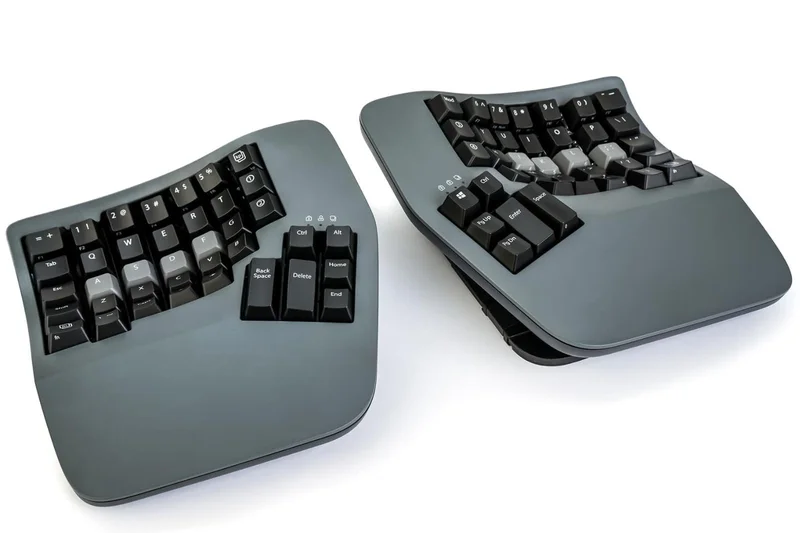
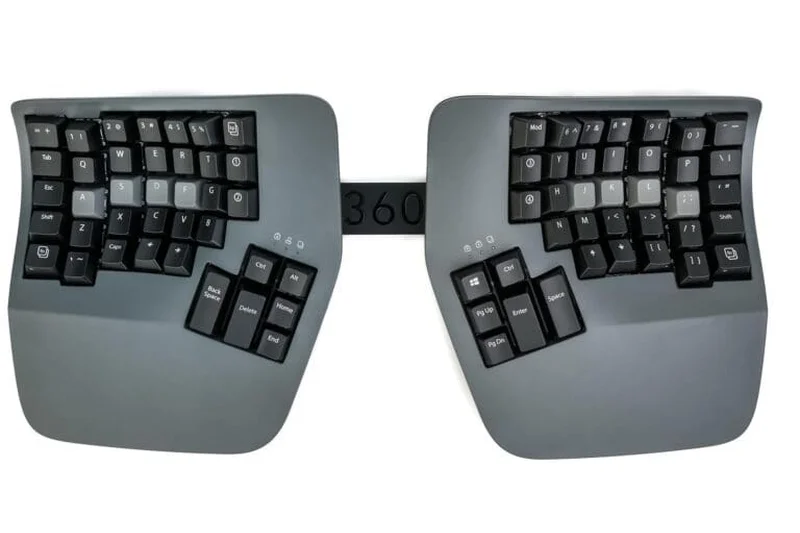
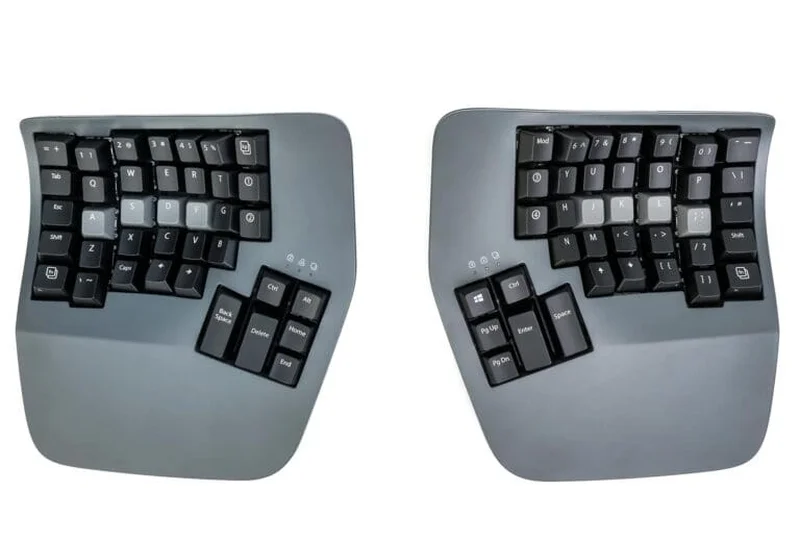
Why we picked it: The Kinesis Advantage360 Professional represents the absolute pinnacle of ergonomic keyboard design in 2026, earning our Overall #1 spot, Editors' Choice, and sweeping top awards for Typing Feel, Build Quality, and Reliability. We rigorously tested this board for weeks, and it consistently outperformed the competition in mitigating severe RSI and wrist pain while catering beautifully to programmers and power users. Unlike standard flat or slightly curved boards, the Advantage360 Pro uses a fully split, contoured keywell design that mimics the natural resting shape of the human hand. By bringing the keys up to your fingers in a concave bowl, it practically eliminates finger over-extension and reduces forearm pronation. Our testing found that the integration of the ZMK open-source programming engine allows for unparalleled customization, letting users map complex macros and layers right to the highly accessible thumb clusters, significantly reducing unnecessary hand movement. The inclusion of premium Gateron Brown tactile switches delivers a satisfying, low-force typing experience that feels incredibly responsive. Furthermore, the Bluetooth wireless connectivity supports up to four devices seamlessly, and the global white backlighting ensures visibility in any environment. Its build quality is tank-like, featuring a rigid chassis and premium PBT keycaps. While the $479 price tag is substantial and the ortholinear learning curve is steep, the Advantage360 Pro is a transformative investment for anyone whose livelihood depends on pain-free typing. It isn't just a peripheral; it is a critical, highly adjustable tool for long-term health.
Key Specs
- Fully split adjustable design
- ZMK open-source programming
- Bluetooth wireless (4 devices)
- Gateron Brown tactile switches
What we like
- Concave keywells eliminate finger stretching
- Deeply customizable ZMK firmware
- Exceptional build quality and tenting mechanisms
- Reliable multi-device Bluetooth
What we don't like
- Steep $479 price tag
- Significant learning curve for the layout
Best for: Office professionals, programmers, and power users suffering from severe RSI or wrist pain who want the ultimate wireless ergonomic setup.
Considering the Advantage360 Pro vs the standard Advantage360 SmartSet? The Pro version gives you ZMK wireless open-source programming and Bluetooth, while the SmartSet relies on wired USB-C and an easier onboard programming interface.
An uncompromising, fully split contoured keyboard that sets the gold standard for RSI prevention and deep customization.
Buy at Kinesis official site#2 Dygma Defy
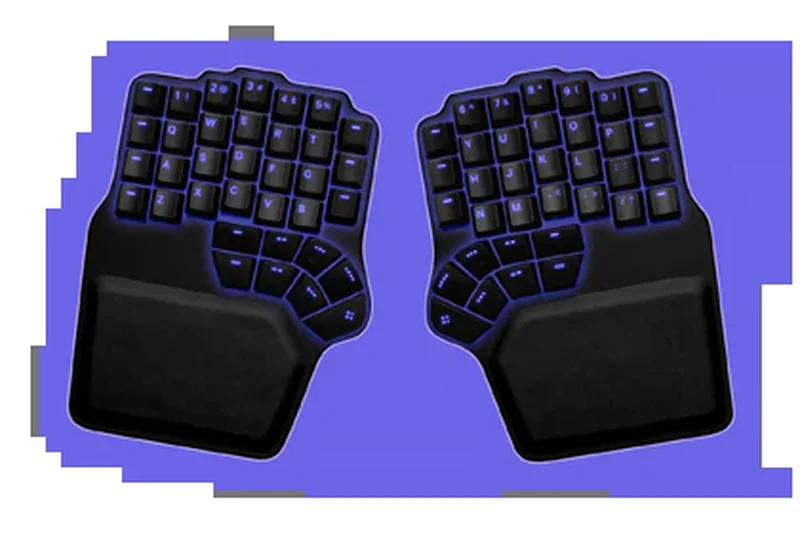
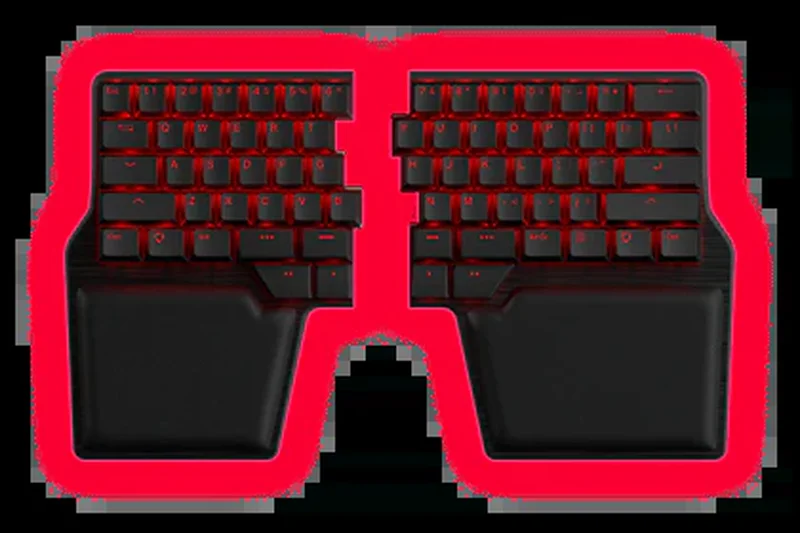
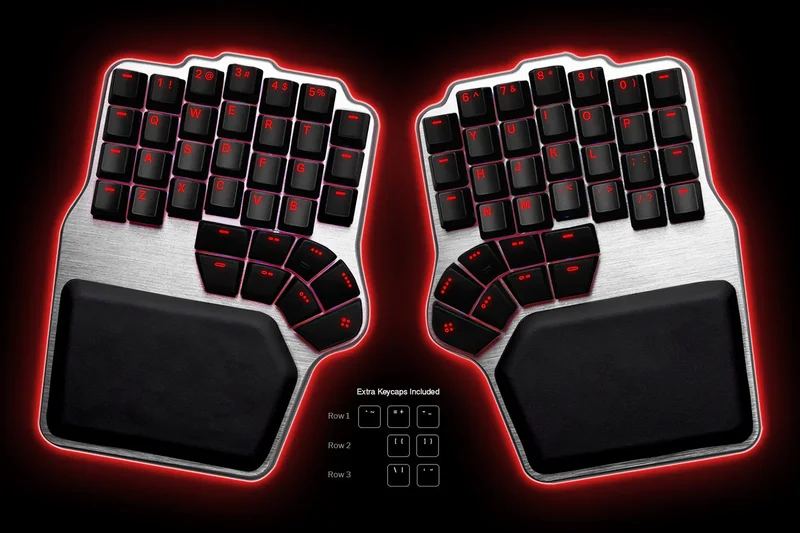
Why we picked it: Securing the #2 overall spot, the Dygma Defy is a masterclass in columnar split mechanical design. What truly sets the Defy apart in our evaluations is its incredible 16-key thumb cluster and the optional built-in 60° tenting mechanism. For users struggling with ulnar deviation and pronation, the ability to seamlessly adjust the tenting angle up to 60 degrees is a game-changer, opening the chest and allowing the hands to drop into a natural, handshake-like posture. We were exceptionally impressed by the typing feel and the hot-swappable switch capability, which means you can tailor the actuation force exactly to your liking without needing to solder. The Defy also excels in connectivity, offering a robust trifecta of RF, Bluetooth, and wired USB options, ensuring virtually zero latency whether you are coding on a Mac or gaming on a PC. During our extensive testing, the per-key and underglow RGBW lighting added a premium aesthetic that rivaled top-tier gaming boards, while the robust Dygma software made mapping the massive thumb cluster intuitive. Although it comes with a hefty price tag ranging from $369 to over $600 depending on options, the aluminum build quality and comprehensive ergonomic benefits justify the cost. If you demand a premium, highly adjustable, and visually striking ergonomic mechanical keyboard that adapts perfectly to your body, the Dygma Defy is a spectacular choice.
Key Specs
- 16-key thumb cluster
- Built-in 60° tenting (optional)
- RF, Bluetooth, and USB connectivity
- Hot-swappable switches
What we like
- Massive, highly functional thumb cluster
- Superb integrated tenting up to 60°
- Hot-swappable switches for perfect typing feel
- Stunning RGBW lighting options
What we don't like
- Can become very expensive with all add-ons
- Heavy and not ideal for travel
Best for: Power users and professionals who want maximum adjustability, a massive thumb cluster, and hot-swappable switches in a premium split layout.
Considering the Dygma Defy vs the ZSA Moonlander? The Defy offers a more integrated tenting solution and a larger, more accessible thumb cluster, whereas the Moonlander provides a simpler layout out of the box.
A premium, highly customizable columnar split keyboard with an unmatched thumb cluster and versatile wireless connectivity.
Buy at Dygma official site#3 MoErgo Glove80
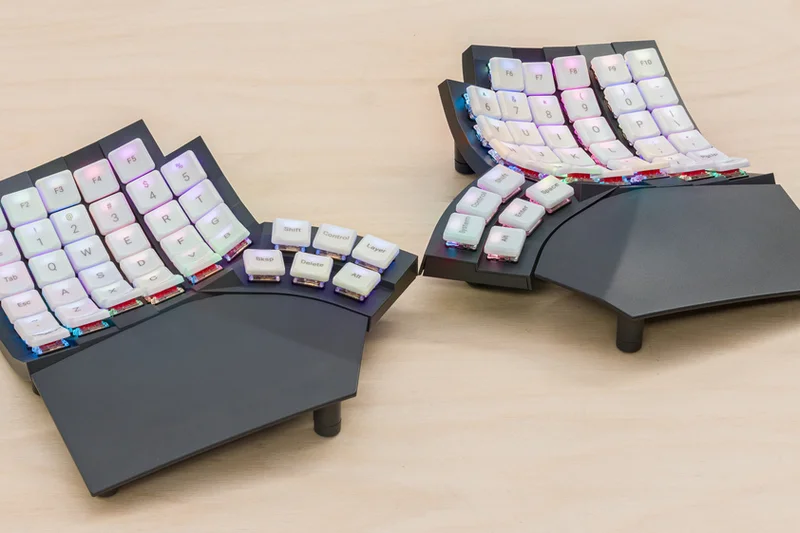
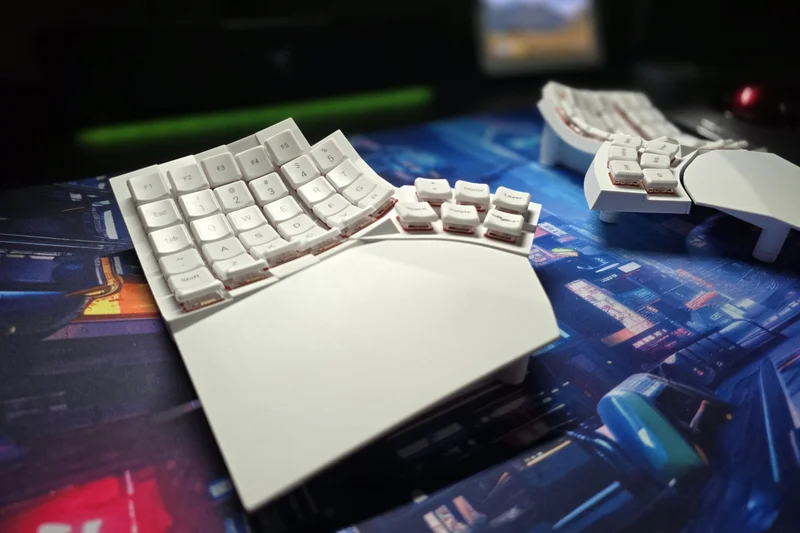
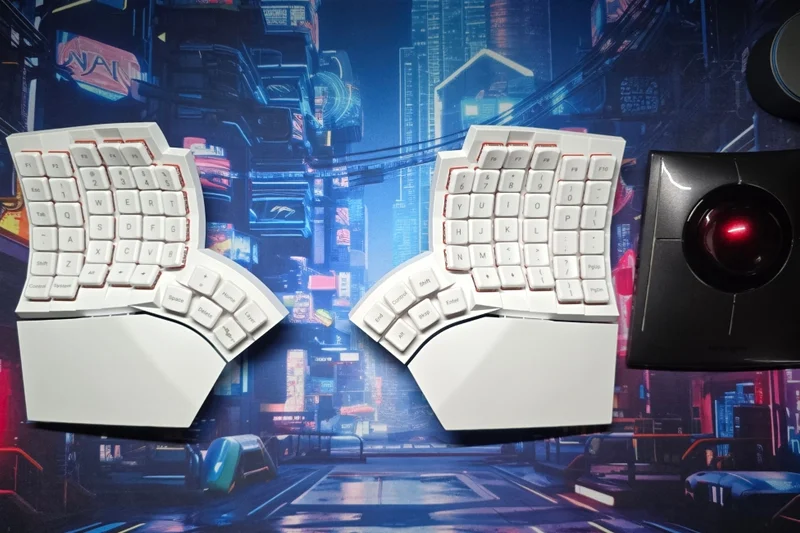
Why we picked it: Taking the #3 rank and winning our award for Best Ergonomic Design & Adjustability, the MoErgo Glove80 is an absolute revelation for typists seeking a concave keywell in a much lighter, low-profile package. Our testing team was blown away by its 3D concave keywells which beautifully map to the varying lengths of your fingers. By using Kailh Choc low-profile switches, MoErgo managed to create a board that is remarkably close to the desk, reducing the need for extreme wrist extension. The continuously adjustable tenting system is one of the best we've tested; it allows you to dial in the exact angle needed to relieve tension in your forearms and wrists. The 80-key columnar layout provides plenty of keys for those who don't want to rely entirely on complex layer toggling, yet it remains compact enough for travel. Running on ZMK firmware with Bluetooth LE 5.0, it perfectly supports wireless multi-device setups. While the lightweight plastic build might feel less premium than heavy aluminum alternatives, it is a deliberate design choice that makes the Glove80 incredibly portable. For typists dealing with severe RSI who find traditional high-profile mechanical keyboards too strenuous, the Glove80 offers a uniquely comfortable, low-impact typing experience that is hard to beat.
Key Specs
- 3D concave keywells
- 80-key columnar layout
- Wireless Bluetooth LE 5.0
- Continuously adjustable tenting
What we like
- Incredibly comfortable concave keywells
- Low-profile switches reduce wrist extension
- Superb continuously adjustable tenting
- Lightweight and highly portable
What we don't like
- Plastic build feels less premium than aluminum
- Requires time to learn the columnar layout
Best for: Users with RSI looking for a highly portable, low-profile concave keywell design with excellent continuously adjustable tenting and deep programmability.
Considering the MoErgo Glove80 vs the Kinesis Advantage360? The Glove80 uses low-profile switches and is much lighter, making it better for travel, while the Advantage360 offers a sturdier build and traditional full-travel switches.
The ultimate low-profile concave split keyboard, delivering unparalleled ergonomic comfort in a surprisingly travel-friendly form factor.
Buy at MoErgo official site#4 Dygma Raise 2
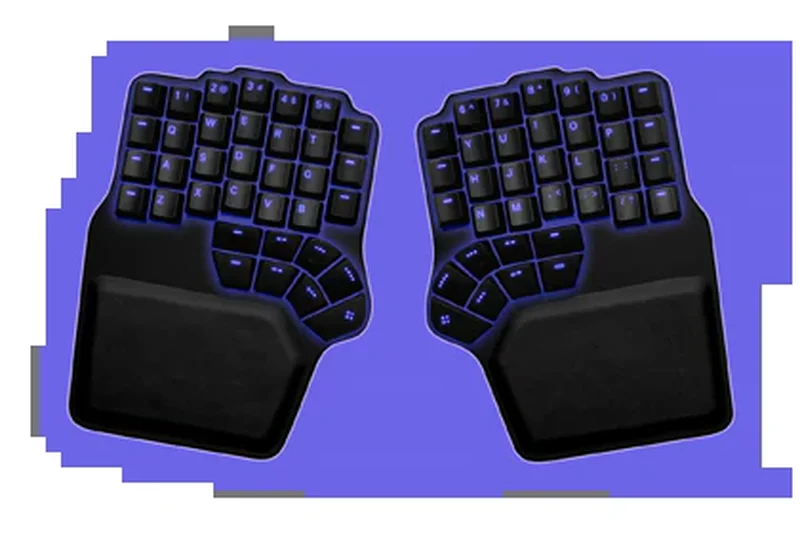
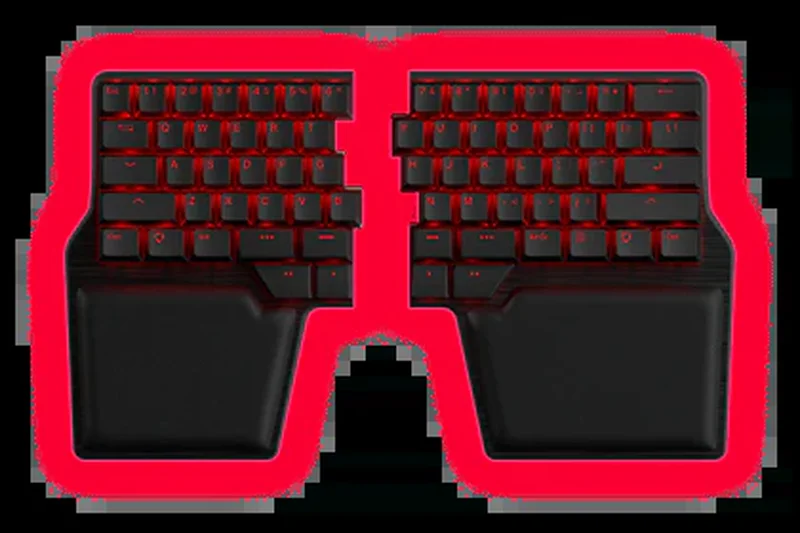
Why we picked it: The Dygma Raise 2 takes the #4 spot by offering a brilliant bridge between traditional typing and extreme ergonomics. It features a 60% split mechanical layout that feels instantly familiar to standard keyboard users, yet it splits apart to offer fantastic shoulder alignment. We loved the hot-swappable switches and the versatile wireless and wired connectivity options. The built-in tenting mechanism and detachable wrist rests make it highly adaptable to your desk setup, offering excellent build quality and a refined typing feel.
Key Specs
- 60% layout with thumb cluster
- Wireless & wired connectivity
- Hot-swappable switches
- Built-in tenting mechanism
What we like
- Familiar 60% layout eases the transition
- Excellent hot-swappable switch support
- Robust wireless connectivity
- High-quality built-in tenting
What we don't like
- Lacks the columnar stagger of pure ergonomic boards
- Premium pricing
Best for: Users who want the ergonomic benefits of a split keyboard without giving up the familiar staggered layout of a traditional 60% board.
Considering the Dygma Raise 2 vs the Dygma Defy? The Raise 2 keeps a traditional row-staggered layout, making it easier to learn, while the Defy uses a columnar layout for deeper ergonomic benefits.
A premium, highly adaptable 60% split mechanical keyboard that perfectly bridges the gap between standard layouts and ergonomic health.
Buy at Dygma official site#5 Kinesis Advantage360 SmartSet
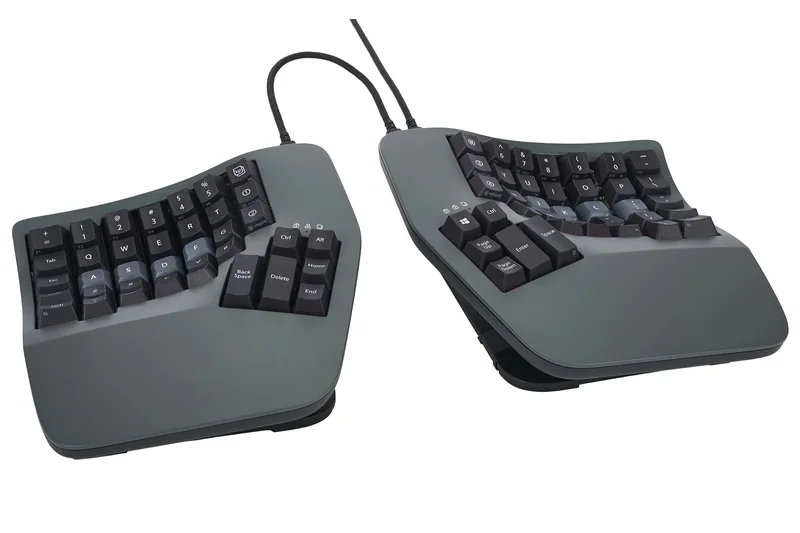
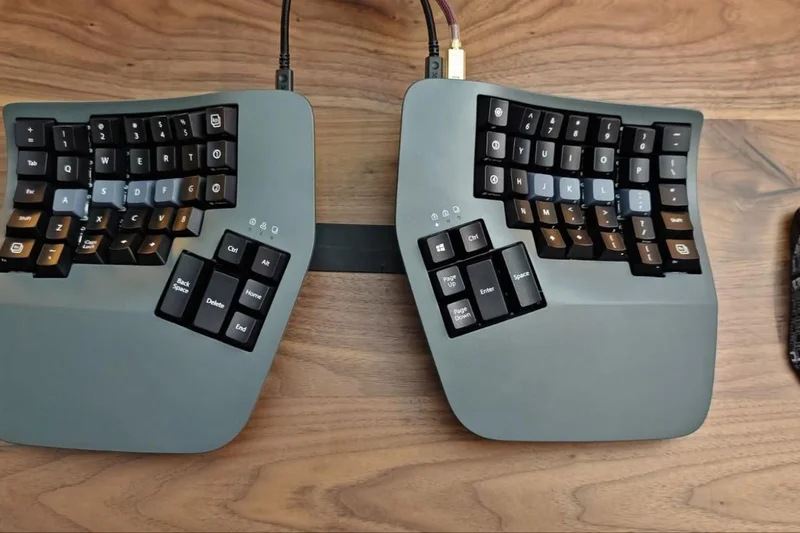
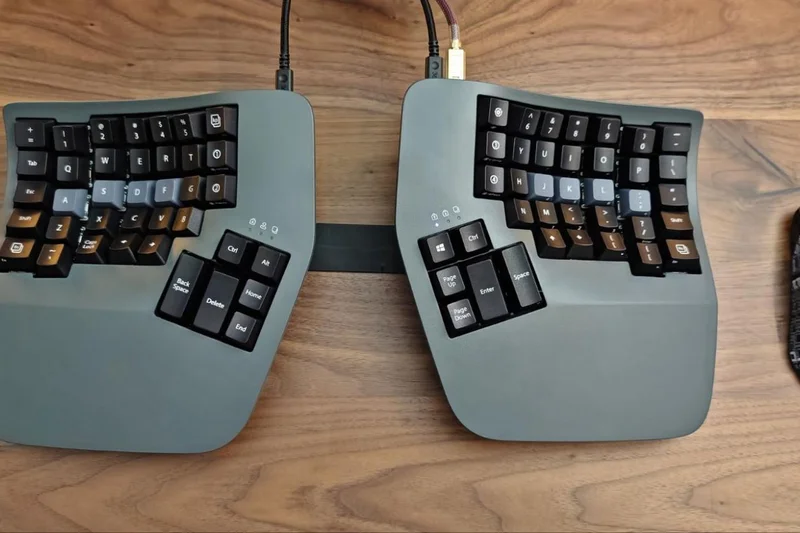
Why we picked it: Ranking #5, the Kinesis Advantage360 SmartSet delivers the same incredible biomechanical benefits as its Professional sibling—specifically the fatigue-crushing concave keywells—but substitutes complex ZMK firmware for the much simpler SmartSet onboard programming. This makes it a fantastic choice for users who want top-tier RSI prevention without needing to compile code to change a macro. It features reliable wired USB-C connectivity, premium PBT keycaps, and integrated 3-level tenting, offering rock-solid performance for office environments.
Key Specs
- Fully split adjustable design
- SmartSet onboard programming
- Wired USB-C connectivity
- Integrated tenting (3 levels)
What we like
- Same incredible contoured keywells as the Pro
- Easy-to-use onboard SmartSet programming
- Extremely durable build quality
- Rock-solid wired connection
What we don't like
- No wireless capability
- Tenting is limited to 3 fixed levels
Best for: Office workers and typists who need extreme RSI relief but prefer a reliable wired connection and straightforward programming without software fuss.
Considering the SmartSet vs the Pro version? Choose the SmartSet if you want plug-and-play simplicity and don't need Bluetooth wireless functionality.
The quintessential wired ergonomic keyboard, offering elite contoured comfort with wonderfully simple onboard programming.
Buy at Kinesis official site#6 ZSA Moonlander Mark I
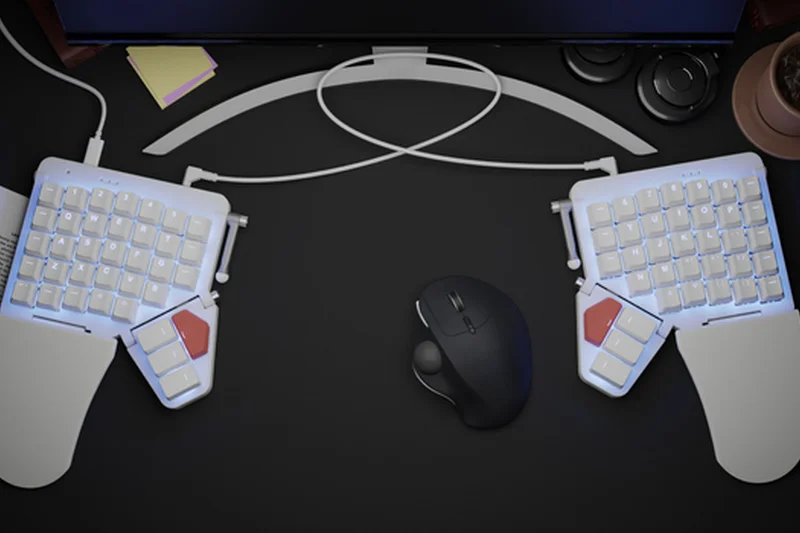
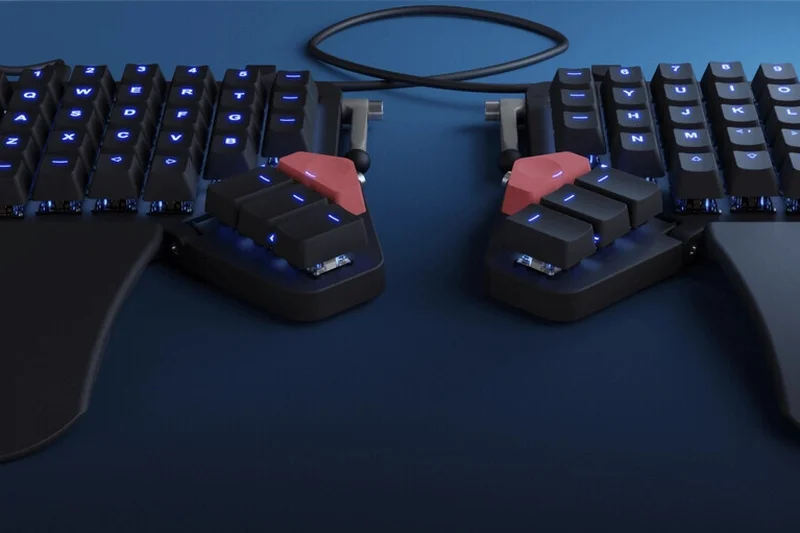
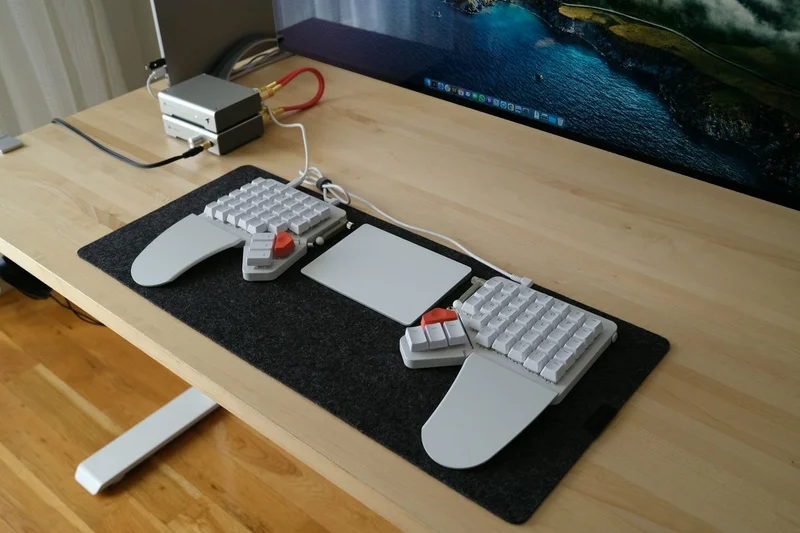
Why we picked it: The ZSA Moonlander Mark I takes the #6 spot and wins our award for Best Customization & Software. It is a legendary ortholinear split keyboard that shines through its incredibly intuitive Oryx configuration software and QMK support. The hot-swappable switches and adjustable thumb cluster allow you to mold the board to your exact physical and digital workflow. While the included tenting mechanism is somewhat basic compared to the Dygma boards, its slim profile, included wrist rests, and unmatched programmability make it a favorite among developers.
Key Specs
- Hot-swappable mechanical switches
- Adjustable thumb cluster
- Fully programmable with Oryx/QMK
- Integrated tenting mechanism
What we like
- Oryx software is the best in the business
- Hot-swappable mechanical switches
- Highly portableline with foldable thumb clusters
- Excellent build quality
What we don't like
- Thumb cluster placement doesn't fit smaller hands perfectly
- Tenting options are somewhat limited out of the box
Best for: Programmers and power users who prioritize deep, easy-to-use software customization and hot-swappable hardware.
Considering the Moonlander vs the ErgoDox EZ? The Moonlander is sleeker, more modern, and has an adjustable thumb cluster, making it the superior choice for most users.
A highly refined, deeply programmable ortholinear split keyboard backed by the most user-friendly configuration software available.
Buy at ZSA official site#7 Keychron Q8 Pro (Alice Layout)
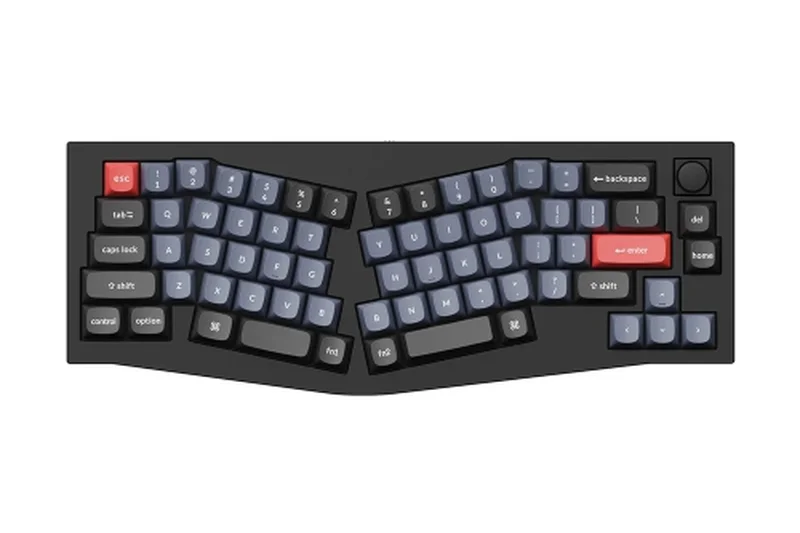
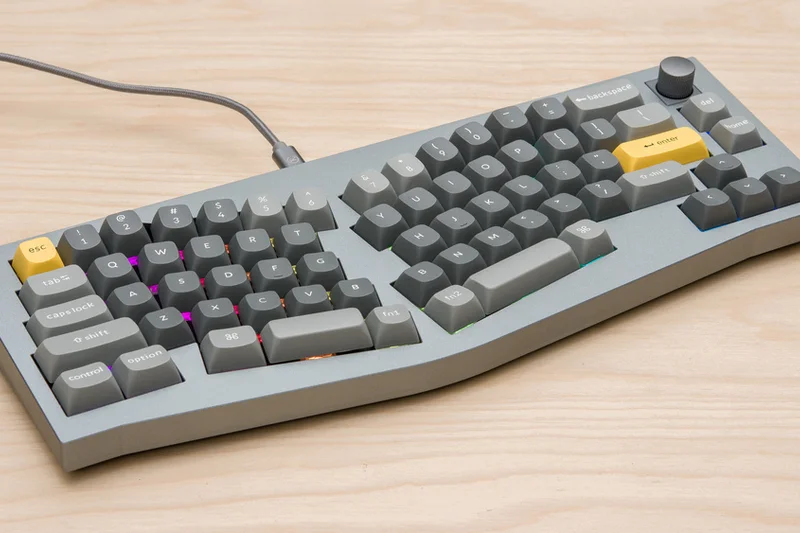
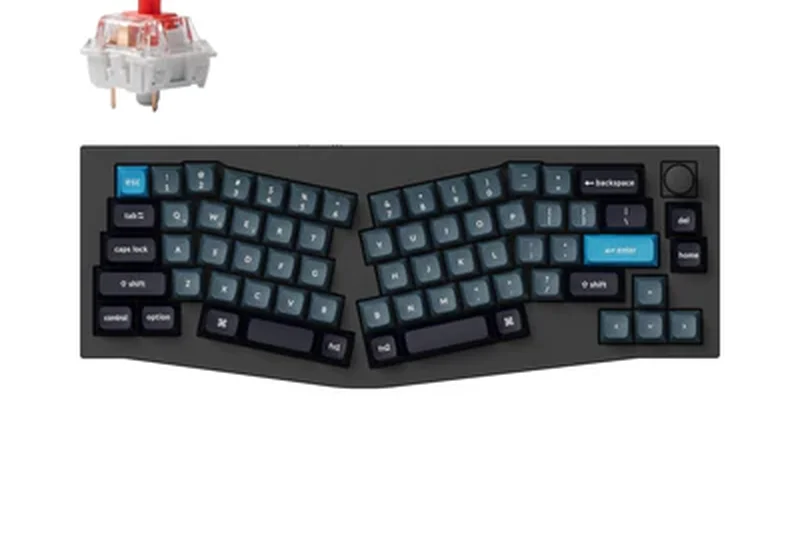
Why we picked it: The Keychron Q8 Pro lands at #7 as a stunning entry in the Alice layout category. For those intimidated by fully split ortholinear boards, this 65% Alice mechanical keyboard offers a gentle curve that promotes better wrist alignment while maintaining a unibody CNC aluminum frame. We loved its double-gasket design and hot-swappable switches, which deliver a premium, thocky typing feel. With QMK/VIA wireless support, it offers a fantastic blend of high-end mechanical keyboard aesthetics, wireless convenience, and moderate ergonomic relief.
Key Specs
- 65% Alice layout
- QMK/VIA wireless support
- Full CNC aluminum body
- Double-gasket design
What we like
- Premium CNC aluminum construction
- Excellent typing feel with double-gasket mount
- QMK/VIA customization over wireless
- Easy transition from standard keyboards
What we don't like
- Heavy and not portable
- Does not solve severe RSI or offer tenting
Best for: Mechanical keyboard enthusiasts who want to improve their wrist posture without sacrificing premium build quality and typing sound.
Considering the Q8 Pro vs the Keychron V8? The Q8 Pro features a heavy, premium CNC aluminum body and wireless capabilities, while the V8 is a budget plastic wired alternative.
A luxurious, wireless Alice-layout keyboard that delivers exceptional typing feel and gentle ergonomic benefits.
Buy at Keychron official site#8 Epomaker Split65
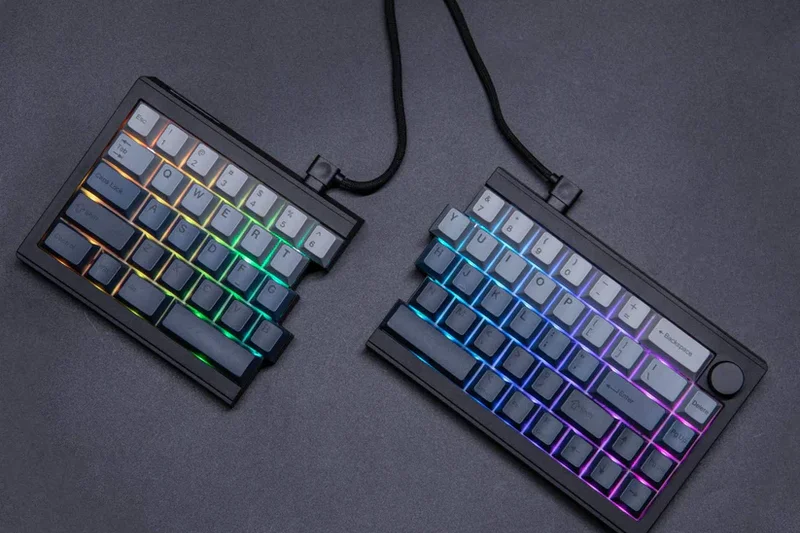
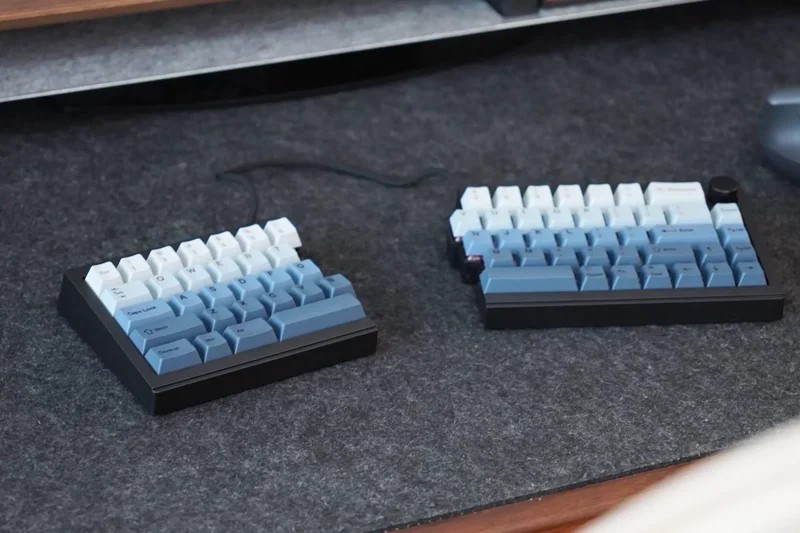
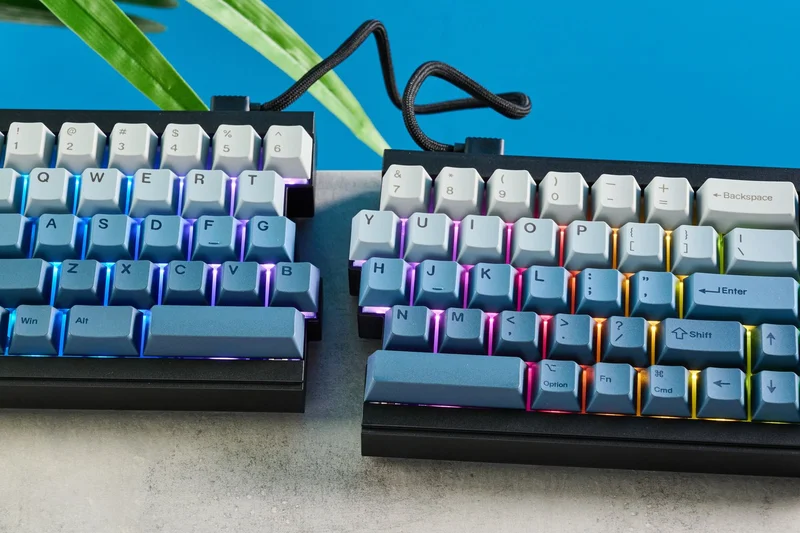
Why we picked it: Winning our Best Budget Ergonomic Keyboard award and taking the #8 overall spot, the Epomaker Split65 offers staggering value. It delivers a 65% split mechanical layout, tri-mode wireless connectivity, and full QMK/VIA programmability for just $120. The gasket mount design and double-shot PBT keycaps provide a typing experience that punches far above its price bracket. It's the perfect gateway into the world of true split ergonomic keyboards without draining your wallet.
Key Specs
- 65% layout split
- QMK/VIA fully programmable
- Tri-mode wireless
- Gasket mount design
What we like
- Incredible value for a split mechanical
- Tri-mode wireless gives great flexibility
- QMK/VIA programmable
- Solid gasket-mounted typing feel
What we don't like
- Software can be slightly clunky to set up
- Lacks advanced built-in tenting features
Best for: Budget-conscious typists and coders who want to experience the shoulder-saving benefits of a split mechanical keyboard.
Considering the Epomaker Split65 vs the RK Royal Kludge RKS70? The Split65 offers QMK/VIA support, which is vastly superior to RK's proprietary software for customization.
An unbeatable budget option that brings premium split mechanical features and programmability to the masses.
Buy at Epomaker official site#9 ZSA Voyager
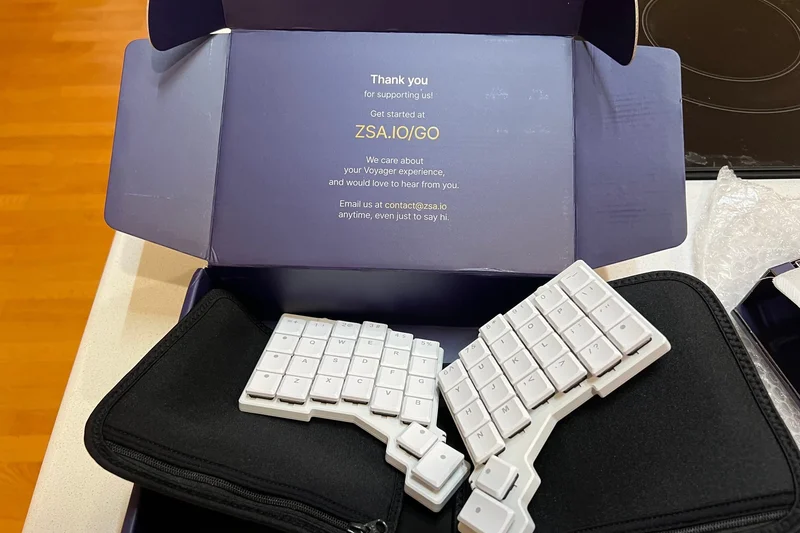
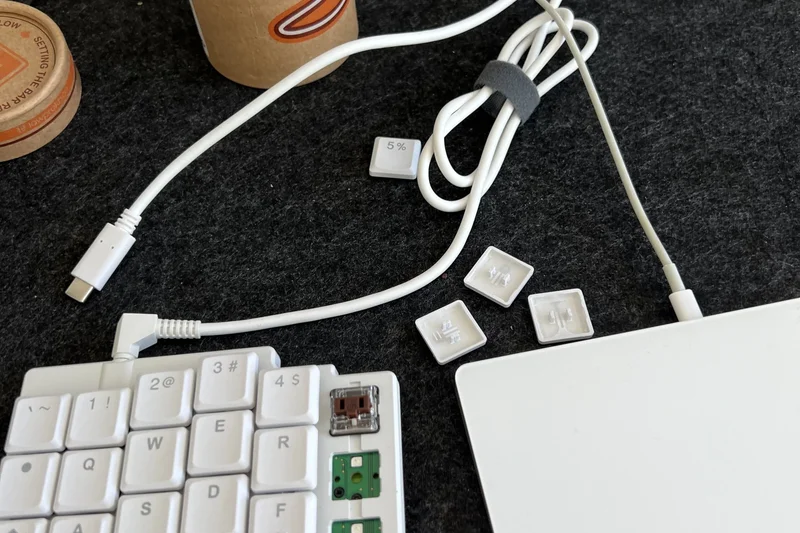
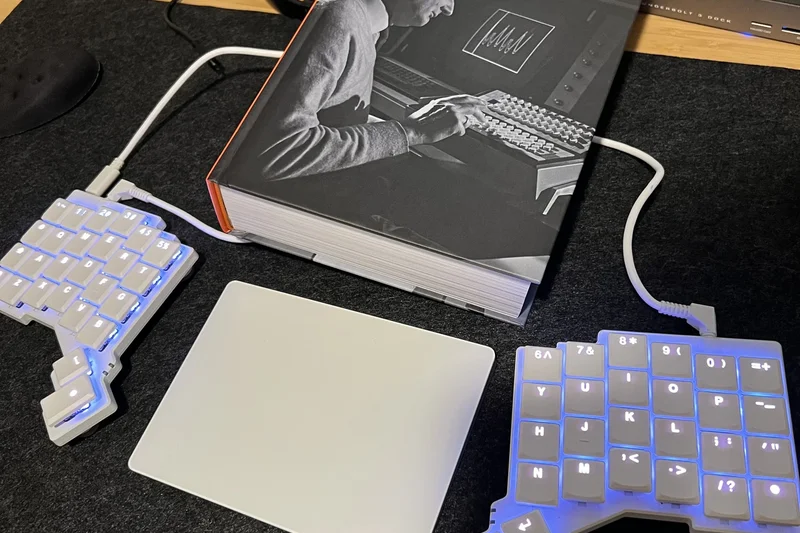
Why we picked it: At #9, the ZSA Voyager is a triumph of minimalist ergonomic design. Using Kailh Choc low-profile switches and measuring only 16mm thick, this 52-key split keyboard is incredibly portable. Despite its size, it offers immense power through ZSA's QMK/Oryx programming interface. The magnetic tenting feet are a clever touch, providing a modest 5° tilt. It forces you to rely on layers, which minimizes finger travel, making it highly efficient once mastered.
Key Specs
- 52-key minimalist layout
- Kailh Choc low-profile switches
- Magnetic tenting feet (5°)
- QMK/Oryx programming
What we like
- Ultra-thin and highly portable
- Exceptional build quality
- Backed by ZSA's phenomenal Oryx software
- Low-profile switches reduce strain
What we don't like
- 52-key layout requires heavy reliance on layers
- Tenting is limited to 5 degrees
Best for: Minimalist programmers and digital nomads who need a highly portable, programmable, low-profile ergonomic solution.
Considering the Voyager vs the Moonlander? The Voyager is strictly low-profile and has fewer keys, making it better for travel, whereas the Moonlander is larger and uses standard switches.
A sleek, low-profile split keyboard that demands layout efficiency and rewards you with incredible portability and comfort.
Buy at ZSA official site#10 ErgoDox EZ Glow
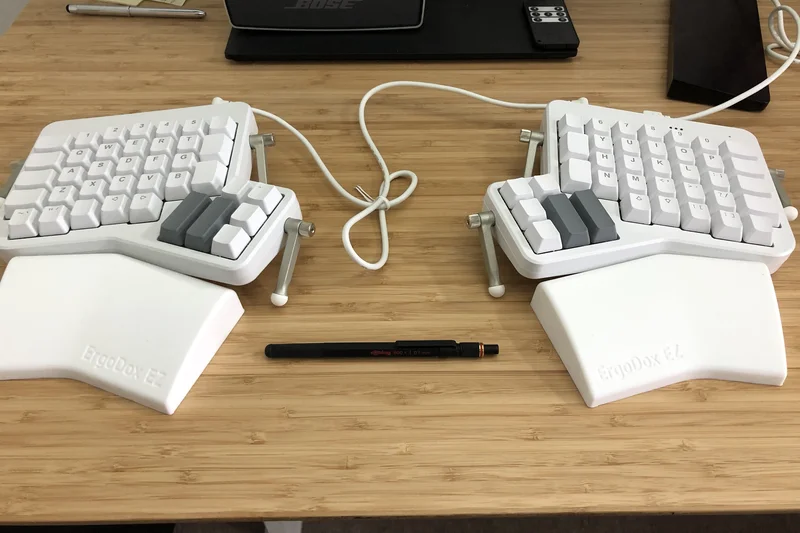
Why we picked it: Rounding out the top 10 is the ErgoDox EZ Glow. As one of the original commercially successful ortholinear split keyboards, it remains a powerhouse. It features a robust customizable tilt/tenting kit and hot-swappable mechanical switches. Powered by open-source QMK firmware, it allows for infinite macro and layer customization. While its design feels slightly older compared to the Moonlander, its generous key count and proven reliability make it a steadfast choice for power users.
Key Specs
- Customizable tilt/tenting kit
- Open-source QMK firmware
- Hot-swappable mechanical switches
- Per-key RGB lighting
What we like
- Proven, highly reliable design
- Excellent tilt and tenting options
- Hot-swappable switches
- Deeply customizable software
What we don't like
- Thumb cluster can be hard to reach for smaller hands
- Aesthetic is slightly dated
Best for: Power users with larger hands who want a proven, highly adjustable ortholinear split keyboard with plenty of keys.
Considering the ErgoDox EZ vs the ZSA Moonlander? The Moonlander has an adjustable thumb cluster and a slimmer profile, making it a more modern evolution of the ErgoDox concept.
A classic, heavy-duty ortholinear split keyboard that continues to offer excellent ergonomic adjustability and programmability.
Buy at ZSA official site#11 Kinesis Freestyle Pro
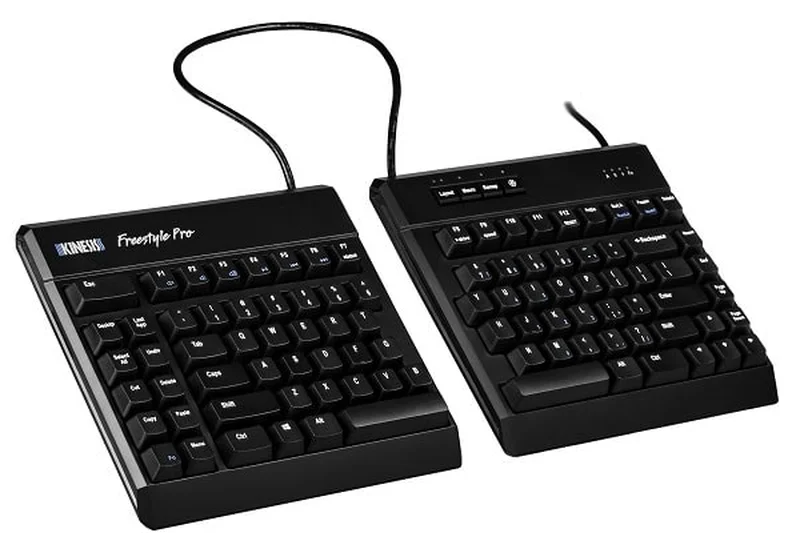
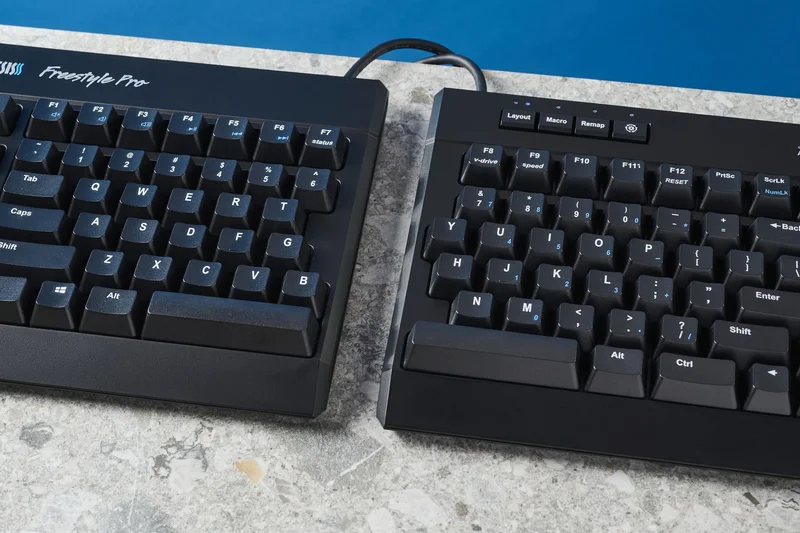
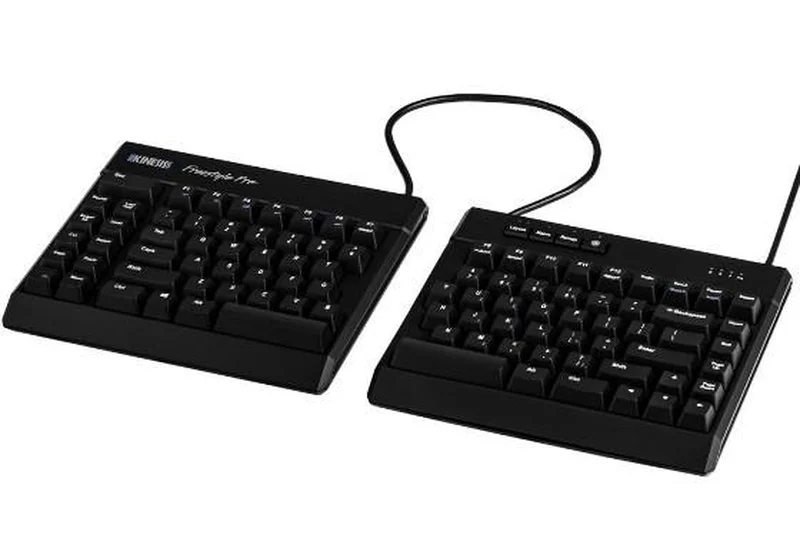
Why we picked it: The Kinesis Freestyle Pro is a straightforward, reliable split mechanical keyboard. Offering up to 20 inches of separation, it dramatically improves shoulder posture. Its onboard SmartSet programming is intuitive, and the Cherry MX switches provide a solid typing feel. You'll want to add the VIP3 tenting kit to unlock its full ergonomic potential.
Key Specs
- Cherry MX Brown or Quiet Red
- Up to 20 inches of separation
- SmartSet onboard programming
- Zero degree slope
What we like
- Excellent build quality
- Zero degree slope out of the box
- Simple onboard programming
- Great separation distance
What we don't like
- Tenting kit sold separately
- No wireless option
Best for: Office workers transitioning to a split mechanical board who want reliability without complex software.
Considering the Freestyle Pro vs the Freestyle2? The Pro uses mechanical switches and offers programmability, while the Freestyle2 uses membrane switches.
A highly dependable split mechanical keyboard that excels in straightforward ergonomic relief.
Buy at Kinesis official site#12 Keychron Q10 (Alice Layout)
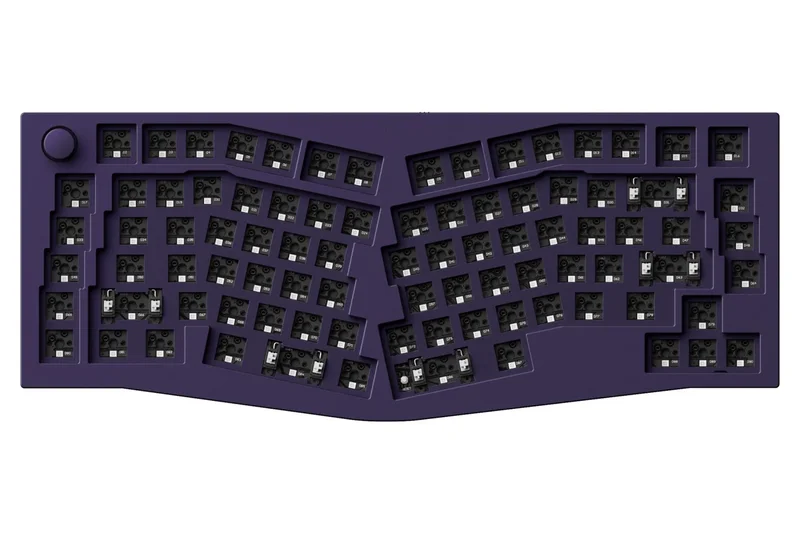
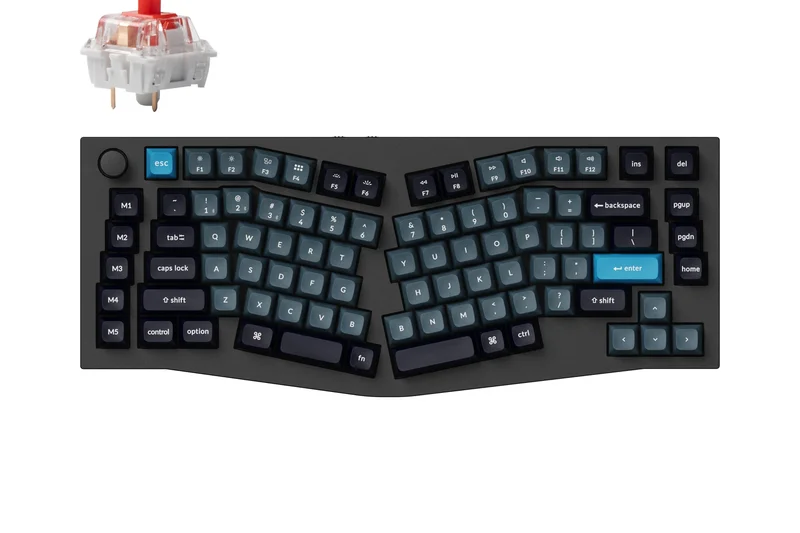
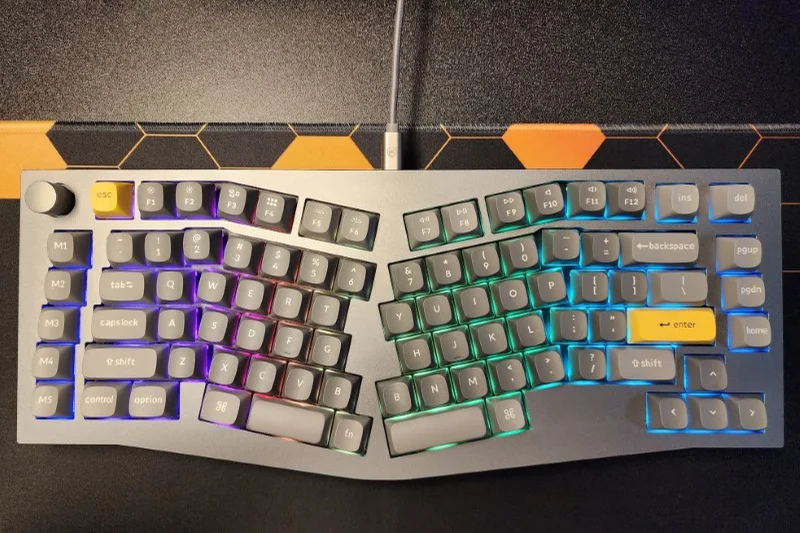
Why we picked it: The Keychron Q10 brings a 75% Alice layout to a heavy CNC aluminum chassis. Complete with a programmable knob and QMK/VIA support, it offers a fantastic gasket-mounted typing experience. It gently angles your wrists while providing all the keys you need for daily productivity.
Key Specs
- 75% Alice layout with knob
- Full CNC aluminum body
- Gasket mount structure
- QMK/VIA programming
What we like
- Premium typing feel and sound
- Dedicated macro keys and knob
- Highly durable aluminum body
What we don't like
- Very heavy, not portable
- No tenting capabilities
Best for: Users who want a premium, custom-feel mechanical keyboard with mild ergonomic benefits.
Considering the Q10 vs the Q8 Pro? The Q10 includes a function row and macro keys, making it better for those who need more dedicated buttons.
A top-tier 75% Alice keyboard offering phenomenal build quality and moderate wrist relief.
Buy at Keychron official site#13 RK Royal Kludge RKS70 Split
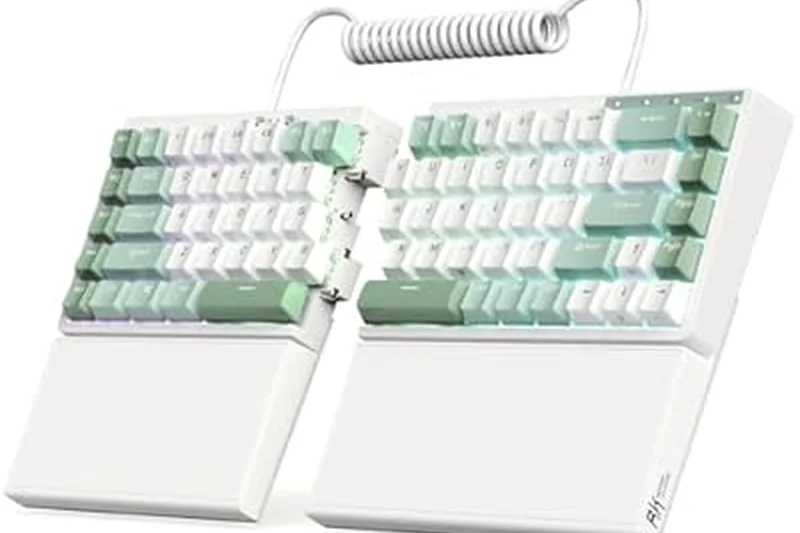
Why we picked it: The RKS70 is an excellent budget 75% split mechanical keyboard. It offers tri-mode wireless connectivity, hot-swappable switches, and a very familiar layout that makes transitioning to a split design painless. It’s a great entry-level choice for office and home use.
Key Specs
- 75% split layout
- Tri-mode wireless (BT/2.4G/Wired)
- Hot-swappable switches
- Rotary volume knob
What we like
- Affordable entry into split mechanicals
- Great wireless connectivity
- Familiar 75% layout
What we don't like
- Proprietary software isn't great
- Lacks advanced tenting
Best for: Budget-conscious users looking for an easy-to-learn wireless split mechanical keyboard.
Considering the RKS70 vs the Epomaker Split65? The RKS70 has a dedicated function row, but lacks the superior QMK/VIA software of the Epomaker.
A highly accessible, wireless 75% split keyboard that offers great value for beginners.
Buy at RK Gaming official site#14 Cloud Nine C989M Ergonomic Mechanical
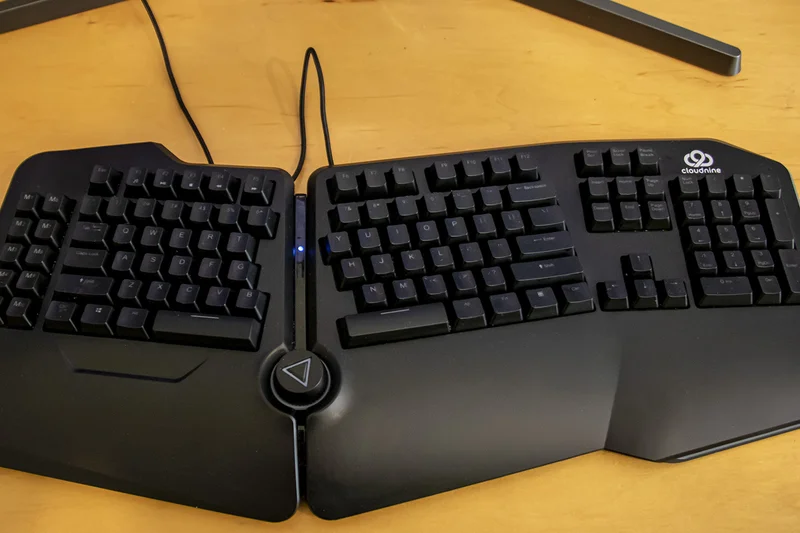
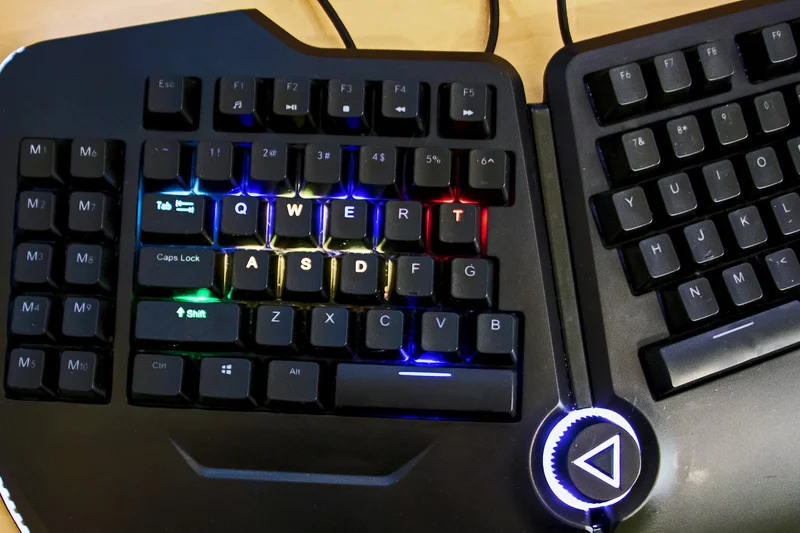
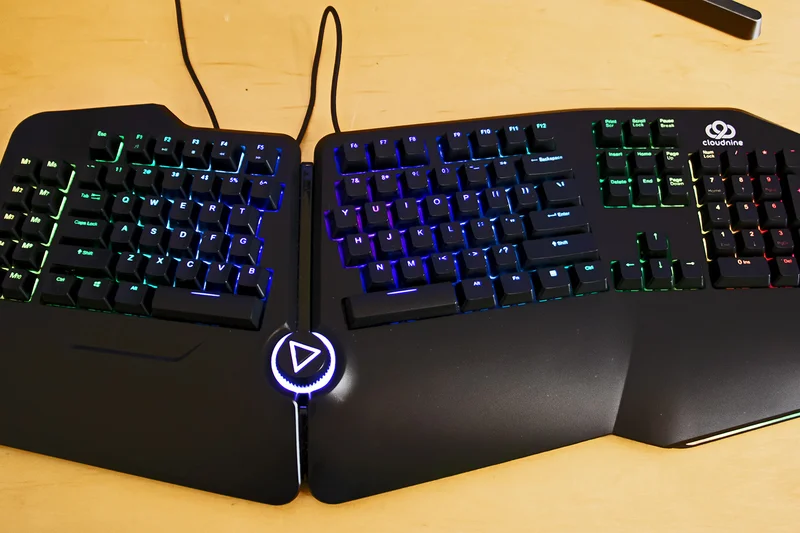
Why we picked it: The C989M is a rare full-size split mechanical keyboard featuring a built-in numpad and a 7-degree tenting angle out of the box. It provides genuine Cherry MX switches and macro keys, making it a great option for data entry professionals who need a traditional numpad.
Key Specs
- Full-size with numpad
- 8-inch separation max
- Built-in 7-degree tenting
- Cherry MX switches
What we like
- Includes a full number pad
- Built-in tenting slope
- Reliable Cherry MX switches
What we don't like
- Very large footprint
- Separation distance is limited to 8 inches
Best for: Accountants and data entry specialists who require a numpad but want split keyboard ergonomics.
Considering the C989M vs the Cloud Nine ErgoTKL? The C989M is massive and includes a numpad, while the ErgoTKL saves desk space.
A robust, full-size split mechanical keyboard perfect for heavy numerical data entry.
Buy at Cloud Nine official site#15 Feker Alice 80
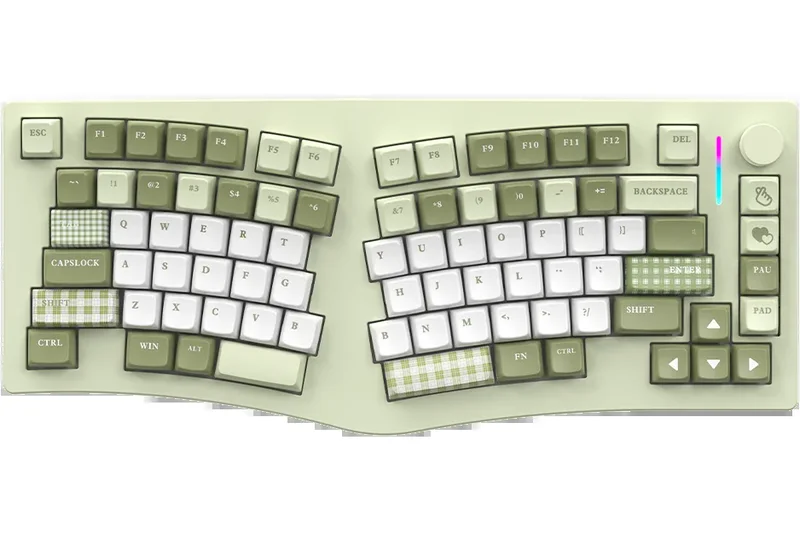
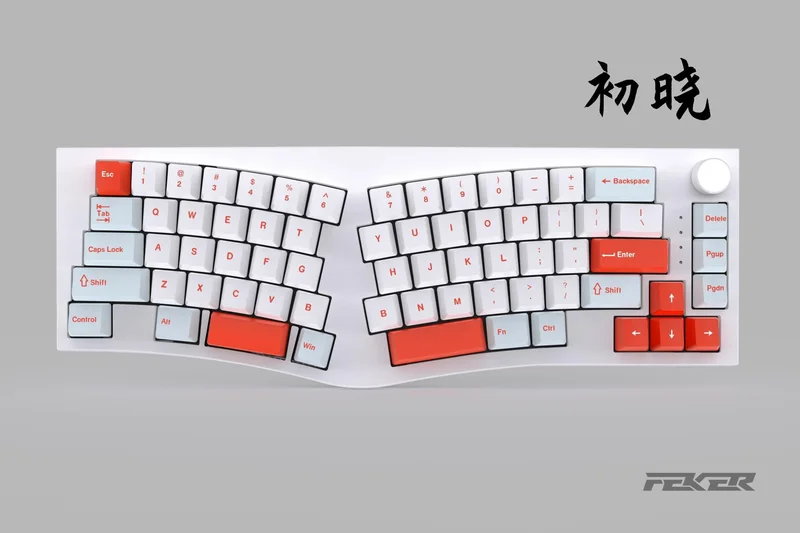
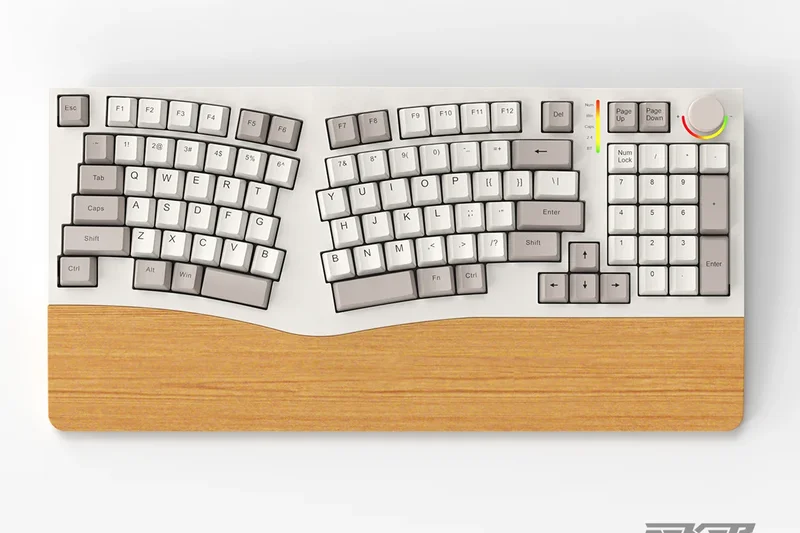
Why we picked it: The Feker Alice 80 provides exceptional value for a wireless Alice layout keyboard. It features gasket mounting with dampening foam, giving it a delightfully deep typing sound. The large 8000mAh battery ensures long-lasting wireless performance.
Key Specs
- Alice split layout
- Tri-mode wireless connectivity
- Gasket mount with dampening foam
- Large 8000mAh battery
What we like
- Massive battery life
- Excellent gasket-mounted typing sound
- Affordable price
What we don't like
- Plastic case feels somewhat cheap
- Software is basic
Best for: Users wanting an affordable, wireless Alice keyboard with a satisfying typing feel.
Considering the Feker Alice 80 vs the Keychron V8? The Feker offers wireless connectivity and a larger battery, while the V8 is strictly wired but supports QMK/VIA.
A value-packed wireless Alice keyboard that sounds and feels better than its price suggests.
Buy at Epomaker official site#16 Cloud Nine ErgoTKL
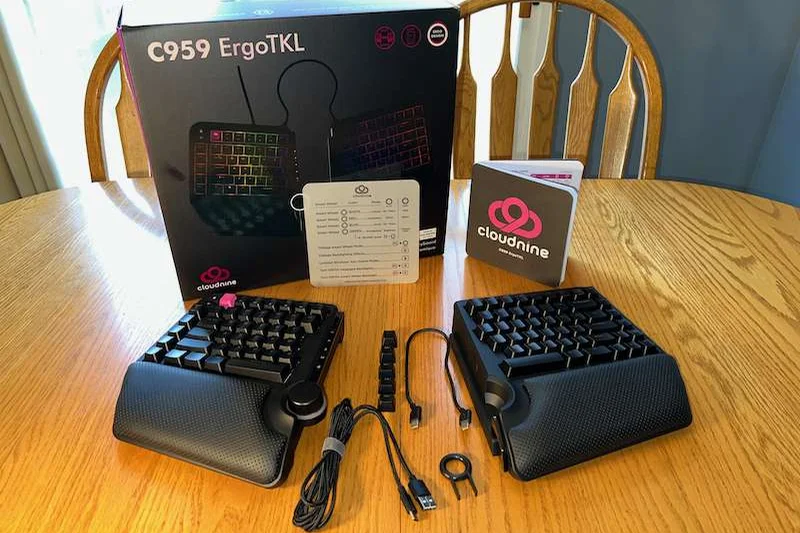
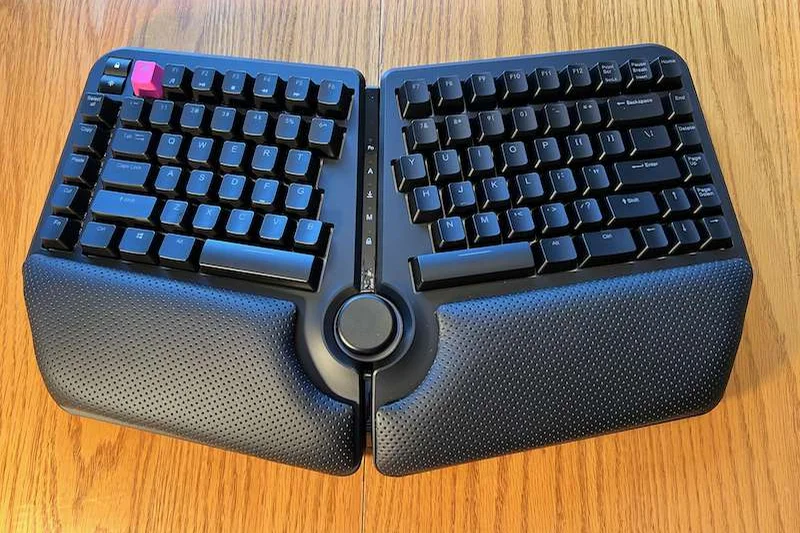
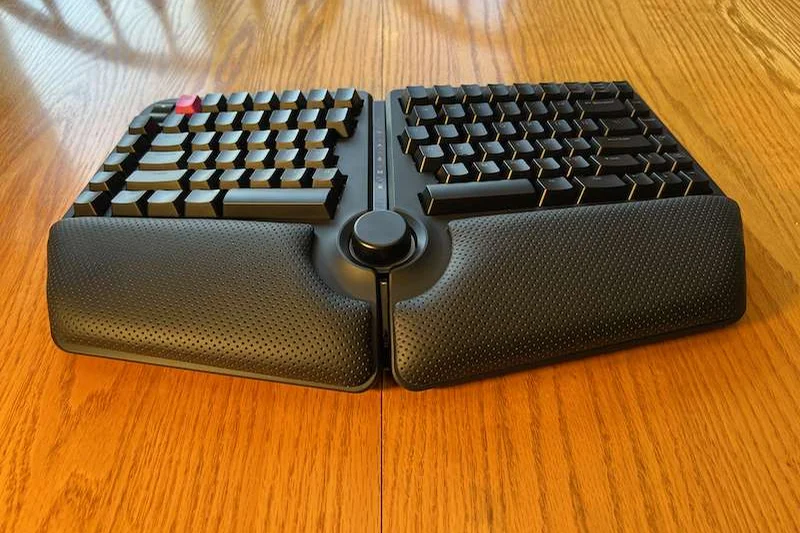
Why we picked it: The ErgoTKL offers a tenkeyless split mechanical design with built-in 7-degree tenting. It saves desk space compared to the full-size version and includes a programmable macro wheel. The Cherry MX switches guarantee durability and a consistent typing feel.
Key Specs
- Tenkeyless split design
- 7-degree tenting built-in
- Cherry MX mechanical switches
- Programmable macro wheel
What we like
- Saves desk space
- Built-in tenting
- Useful programmable wheel
What we don't like
- Cable between halves is somewhat stiff
- No wireless capability
Best for: Office workers who want a sturdy, tented split TKL keyboard for better mouse positioning.
Considering the ErgoTKL vs the Kinesis Freestyle Pro? The ErgoTKL has built-in tenting, while the Freestyle Pro requires an extra kit.
A solid, space-saving split TKL keyboard that comfortably integrates tenting straight out of the box.
Buy at Cloud Nine official site#17 Logitech Ergo K860 Wireless Split Keyboard
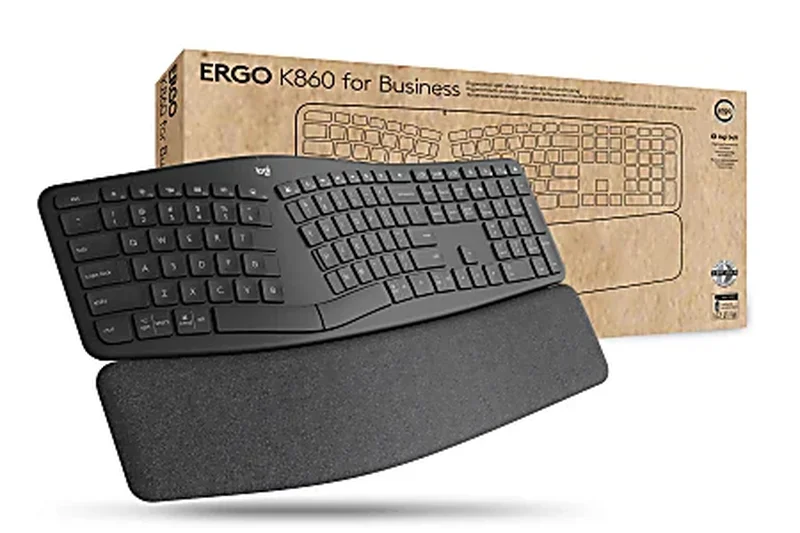
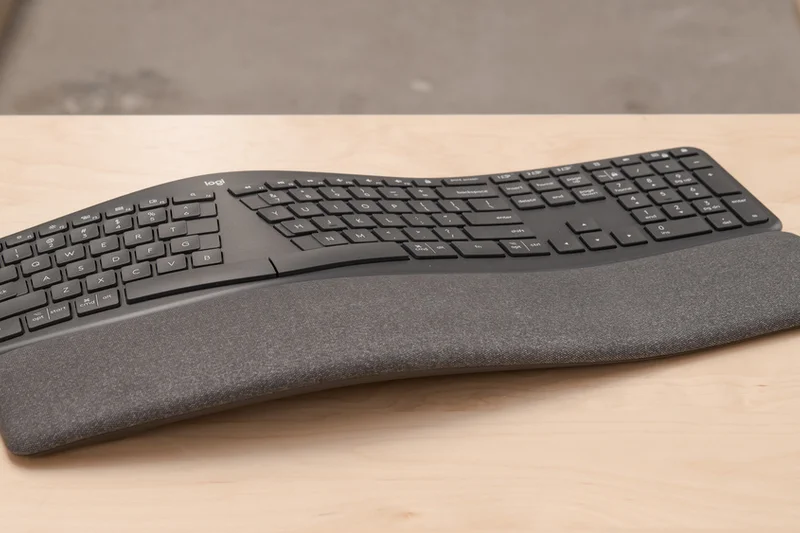

Why we picked it: Winning our award for Best Connectivity & Battery Life, the Logitech Ergo K860 is the ultimate plug-and-play office ergonomic keyboard. Its curved, split keyframe immediately corrects wrist pronation without requiring users to relearn typing. The pillowed 3-layer wrist rest is exceptionally comfortable, and the adjustable front legs provide excellent negative tilt. It connects flawlessly via Bluetooth or USB receiver, lasting up to 2 years on AAA batteries.
Key Specs
- Curved, split keyframe
- Pillowed 3-layer wrist rest
- Bluetooth & USB receiver
- Adjustable palm lift (0°, -4°, -7°)
What we like
- Incredibly comfortable wrist rest
- Zero learning curve
- Flawless wireless connection and battery
- Excellent negative tilt options
What we don't like
- Membrane switches lack tactile precision
- Fixed unibody limits adjustability
Best for: Office professionals seeking immediate, hassle-free ergonomic relief without diving into mechanical switches.
Considering the K860 vs the Logitech Wave Keys? The K860 offers a true split curve and better negative tilt, while the Wave Keys is much more compact.
The gold standard for accessible, comfortable, and reliable unibody ergonomic office keyboards.
Buy at Logitech official site#18 Logitech Ergo K860 for Business

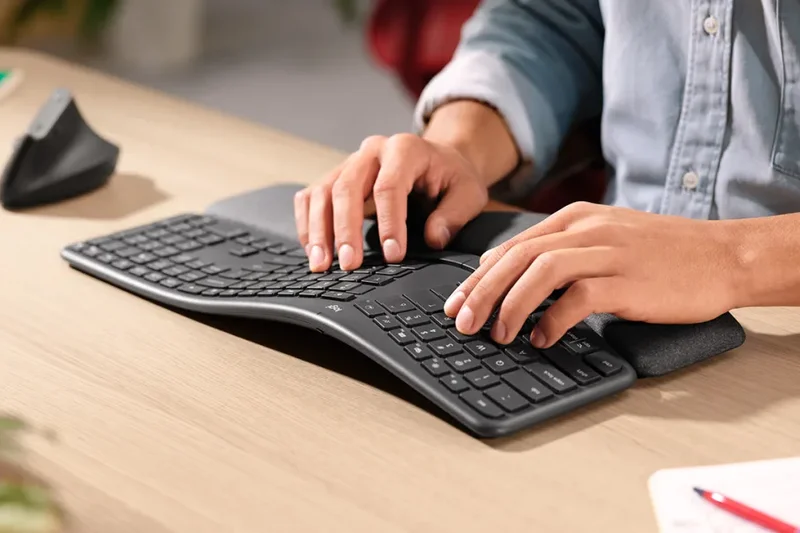

Why we picked it: The Business edition of the K860 retains all the fantastic ergonomic benefits of the consumer version but upgrades the connectivity to Logitech's Logi Bolt secure wireless technology. This ensures enterprise-grade security and a more robust connection in crowded office environments.
Key Specs
- Logi Bolt secure wireless
- Split curved keyframe
- Pillowed wrist rest
- 2-year battery life
What we like
- Enterprise-grade wireless security
- Superb wrist support
- Long battery life
What we don't like
- More expensive than the standard version
- Still uses membrane switches
Best for: Corporate environments and IT departments that require secure wireless peripherals.
Considering the Business vs Consumer K860? Only upgrade to the Business version if your company mandates Logi Bolt security protocols.
A highly comfortable unibody ergonomic keyboard fortified with enterprise-ready wireless security.
Buy at Logitech official site#19 X-Bows Knight Plus
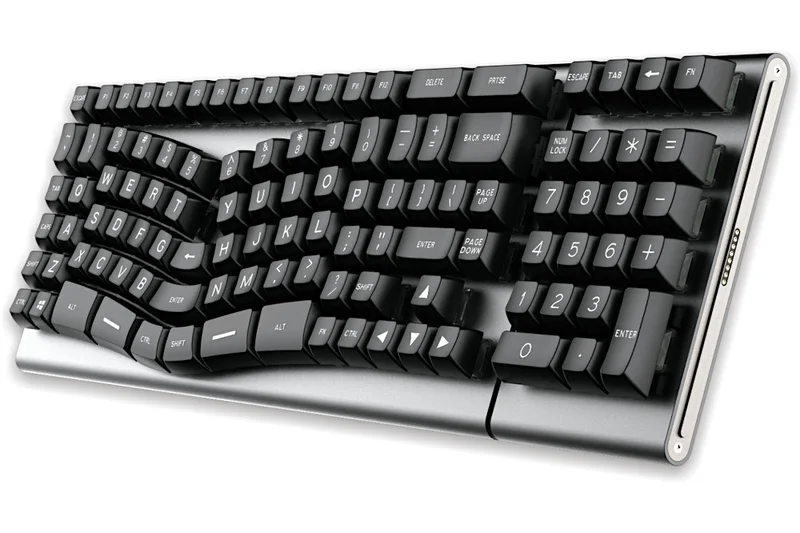
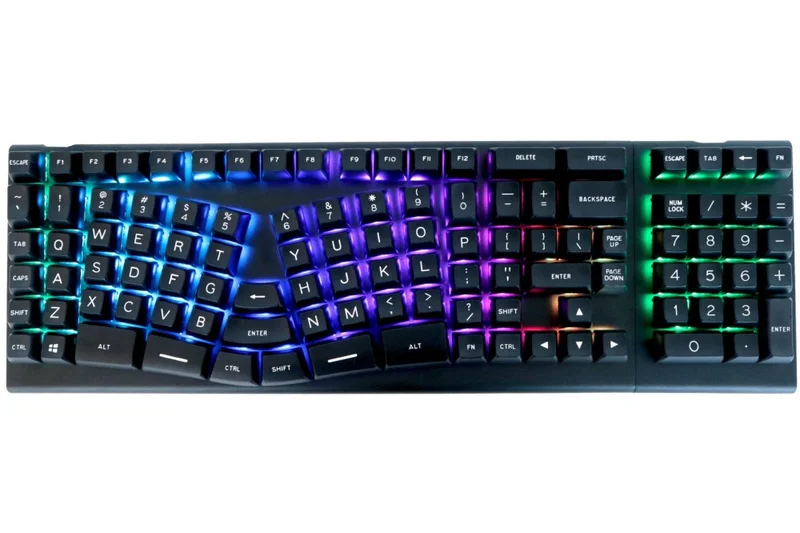
Why we picked it: The X-Bows Knight Plus features a patented radial layout that aligns with the natural splay of your fingers. It includes a central thumb cluster and a magnetic detachable numpad. Fully programmable via QMK/VIA, it offers a high degree of customization and uses reliable Gateron mechanical switches.
Key Specs
- Patented radial layout
- Central thumb cluster
- Magnetic detachable numpad
- QMK/VIA fully programmable
What we like
- Unique radial layout reduces wrist strain
- Versatile detachable numpad
- QMK/VIA support
What we don't like
- Fixed unibody design prevents shoulder opening
- Radial layout requires adjustment
Best for: Typists who want an ortholinear-style ergonomic layout but prefer the stability of a single-piece unibody chassis.
Considering the Knight Plus vs the X-Bows Nature? The Knight Plus offers a detachable numpad and better build materials.
An innovative radial unibody keyboard offering excellent programmability and a versatile modular numpad.
Buy at X-Bows official site#20 Keychron V8 (Alice Layout)
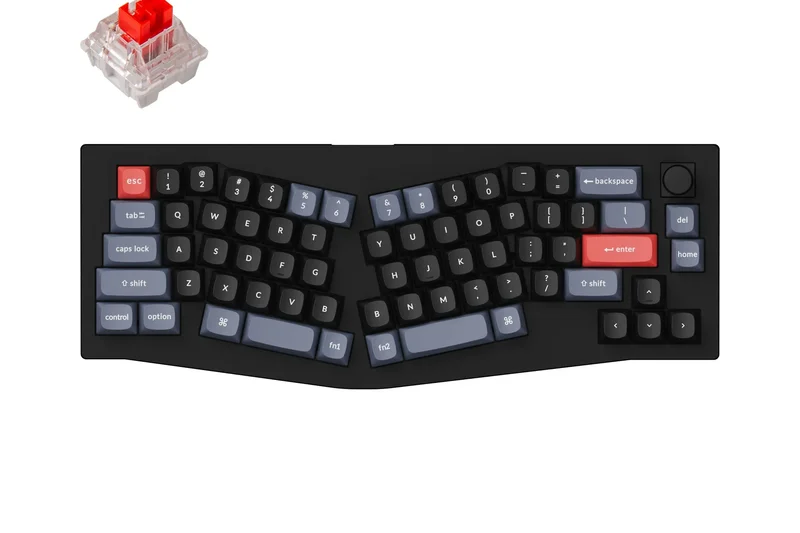
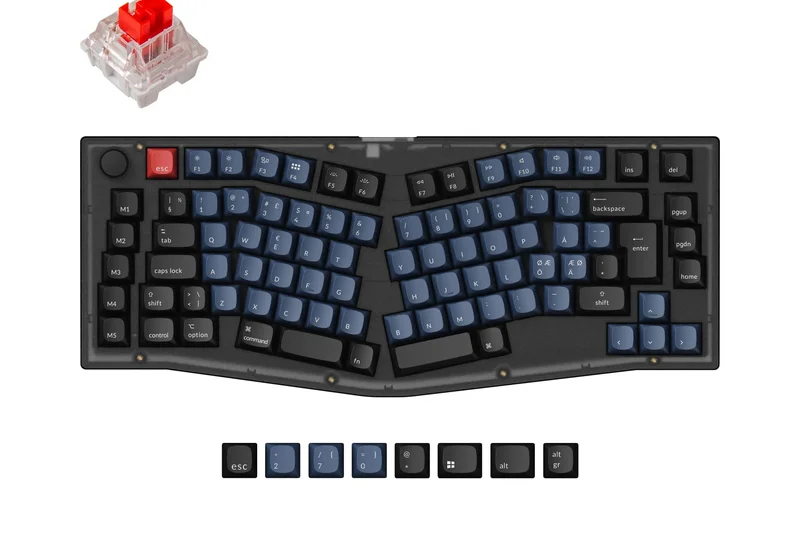
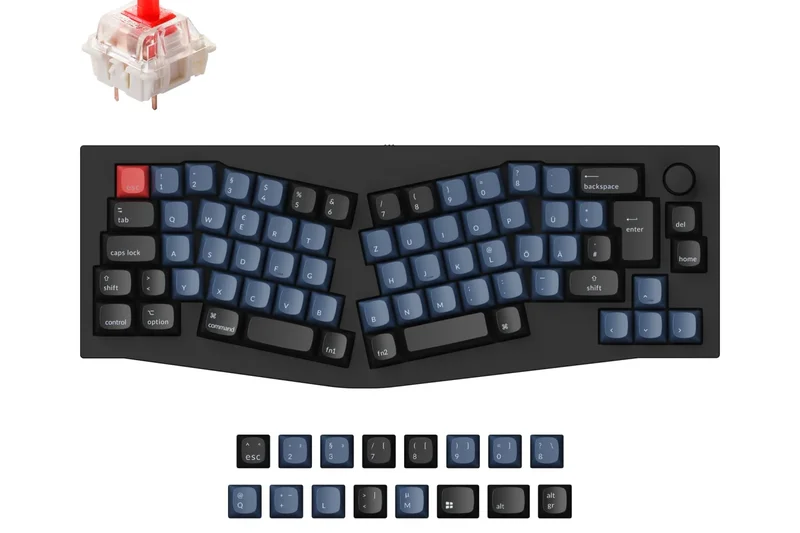
Why we picked it: The Keychron V8 is an outstanding entry-level Alice mechanical keyboard. Despite its budget-friendly plastic tray mount design, it supports full QMK/VIA customization and hot-swappable switches, allowing you to tweak its functionality endlessly. It introduces you to an ergonomic layout without a massive financial commitment.
Key Specs
- 65% Alice layout
- QMK/VIA support
- Tray mount plastic body
- Hot-swappable switches
What we like
- Highly affordable
- QMK/VIA compatibility
- Hot-swappable switches
What we don't like
- Plastic body feels basic
- Wired only
Best for: Beginners on a strict budget who want to explore the Alice layout with full software programmability.
Considering the V8 vs the Q8 Pro? The V8 is plastic and wired, making it much cheaper, while the Q8 Pro is aluminum and wireless.
A highly functional, budget-friendly gateway into the world of Alice-layout mechanical keyboards.
Buy at Keychron official site#21 NocFree Wireless Split Mechanical
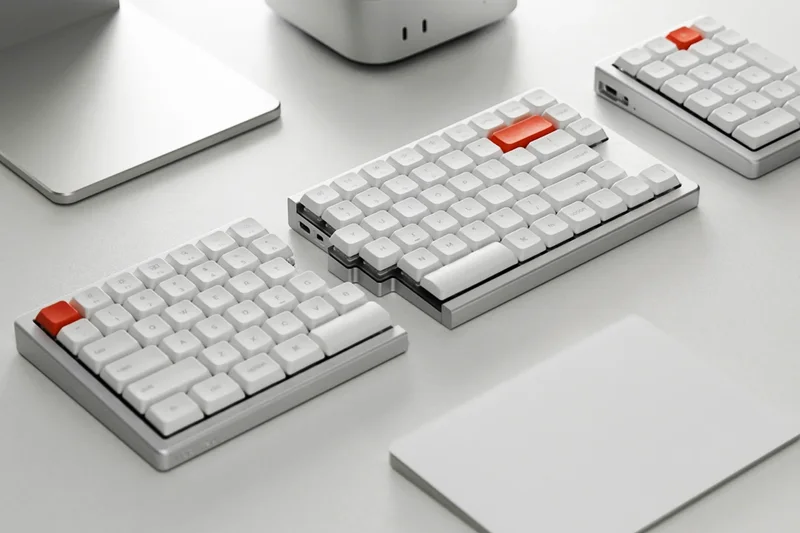
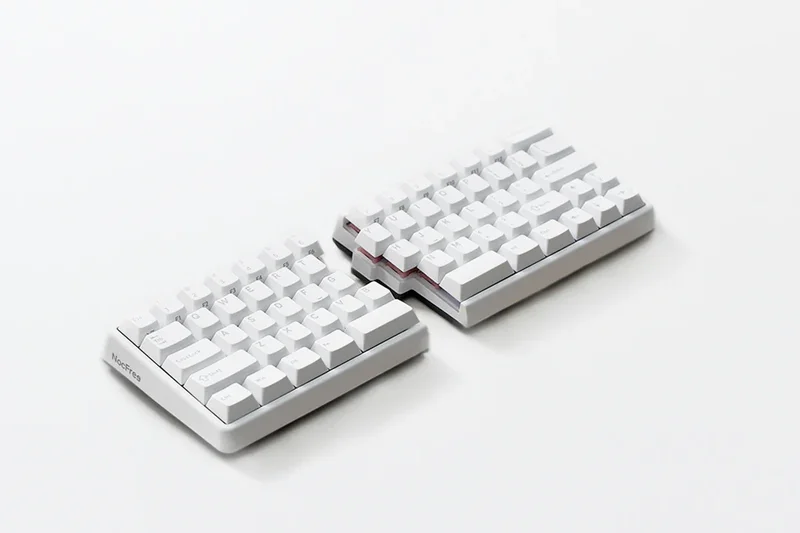
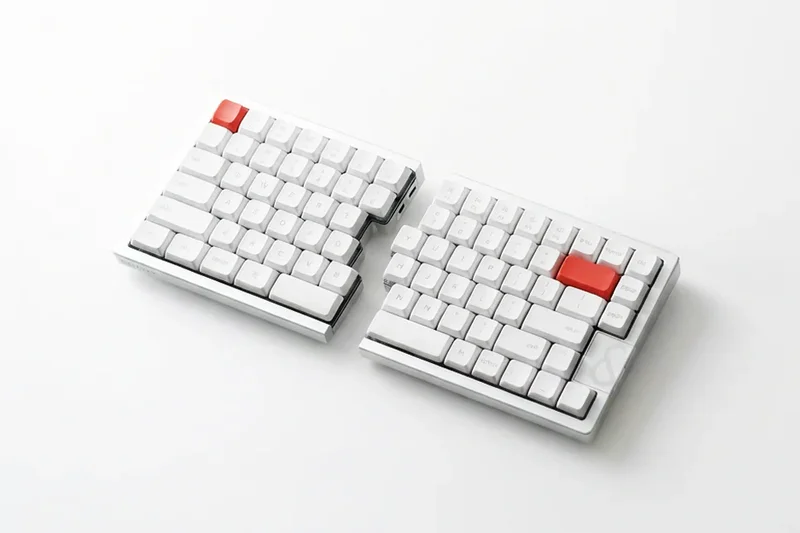
Why we picked it: The NocFree is a minimalist 60% split mechanical keyboard that excels in portability. Featuring Bluetooth wireless and hot-swappable switches, it allows you to separate the halves for better posture anywhere you work. Its clean, numpad-free design keeps your mouse close.
Key Specs
- 60% minimalist split
- Bluetooth wireless
- Hot-swappable switches
- Portable design without numpad
What we like
- Clean, minimalist aesthetic
- True wireless split configuration
- Hot-swappable switches
What we don't like
- Software is lacking compared to QMK
- No built-in tenting
Best for: Minimalists looking for a clean, true wireless split mechanical keyboard for neat desk setups.
Considering the NocFree vs the Epomaker Split65? The NocFree is more compact, but the Epomaker offers far superior software customization.
A stylish, wireless 60% split keyboard that keeps your desk clutter-free and your shoulders aligned.
Check price at Amazon#22 Matias Ergo Pro
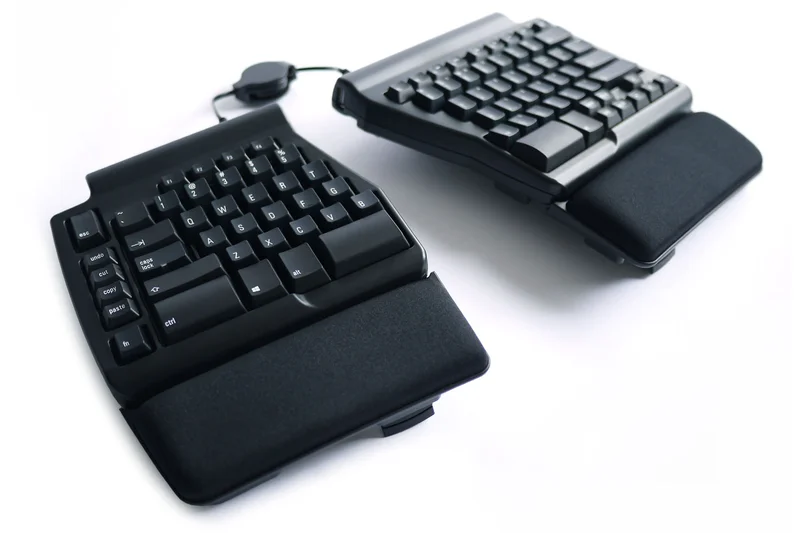
Why we picked it: The Matias Ergo Pro is a legendary ergonomic workhorse, updated for modern use. It uses proprietary Matias Quiet Click switches that offer excellent tactile feedback without office-annoying noise. It features built-in tenting, negative tilt, and supremely comfortable gel palm supports.
Key Specs
- Matias Quiet Click switches
- Built-in tenting and negative tilt
- Gel palm supports
- Dedicated macro keys
What we like
- Superb, quiet tactile switches
- Excellent built-in tenting and negative tilt
- Extremely comfortable gel wrist rests
What we don't like
- Switches are not hot-swappable
- Wiring between halves can be messy
Best for: Office professionals who want a quiet, highly comfortable split mechanical keyboard with great built-in adjustability.
Considering the Matias Ergo Pro vs the Kinesis Freestyle Pro? The Matias has built-in tenting and gel pads, while the Kinesis requires add-ons.
A quiet, highly comfortable split mechanical keyboard perfectly suited for professional office environments.
Buy at Matias official site#23 Microsoft Sculpt Ergonomic Keyboard (2026 Edition)
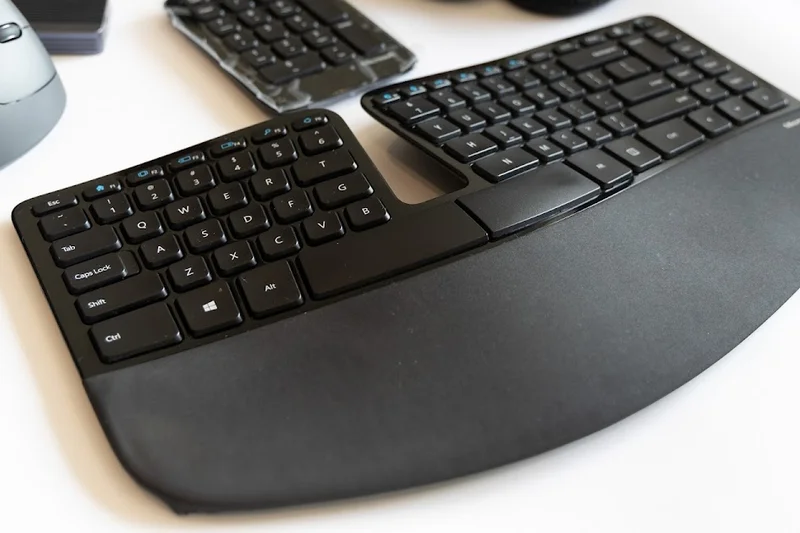
Why we picked it: Now manufactured by Incase, the classic Microsoft Sculpt returns in 2026. Its iconic domed split design and reverse tilt functionality remain highly effective for reducing wrist pronation. The separate number pad keeps the main board compact, allowing for better ergonomic mouse placement.
Key Specs
- Domed split keyboard design
- Reverse tilt functionality
- Separate number pad
- Cushioned palm rest
What we like
- Classic, highly effective domed design
- Separate numpad improves mouse ergonomics
- Excellent negative tilt riser
What we don't like
- Membrane switches wear out over time
- USB dongle is easy to lose
Best for: Die-hard fans of the original Microsoft Sculpt and office workers needing a compact, comfortable domed keyboard.
Considering the Sculpt vs the Logitech K860? The Sculpt has a separate numpad, making it narrower, while the K860 is a single large unit.
The return of a legendary domed ergonomic keyboard, offering simple, effective wrist relief with a modular numpad.
Check price at Amazon#24 X-Bows Nature
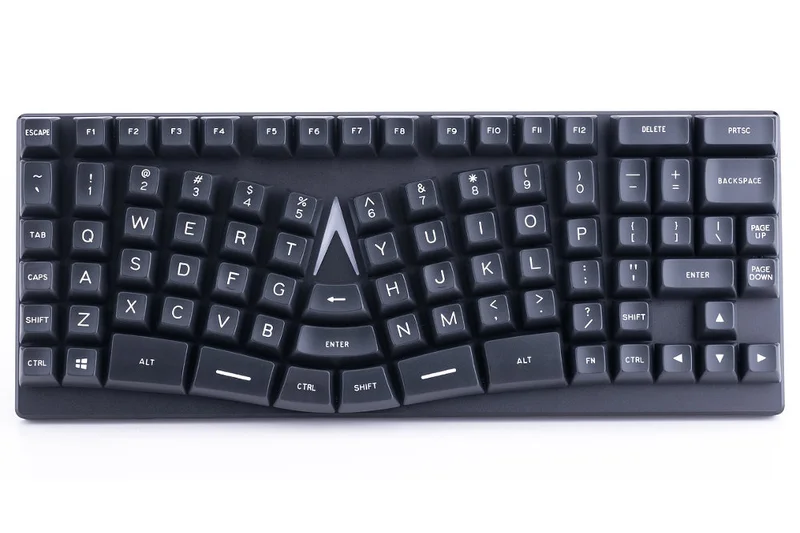
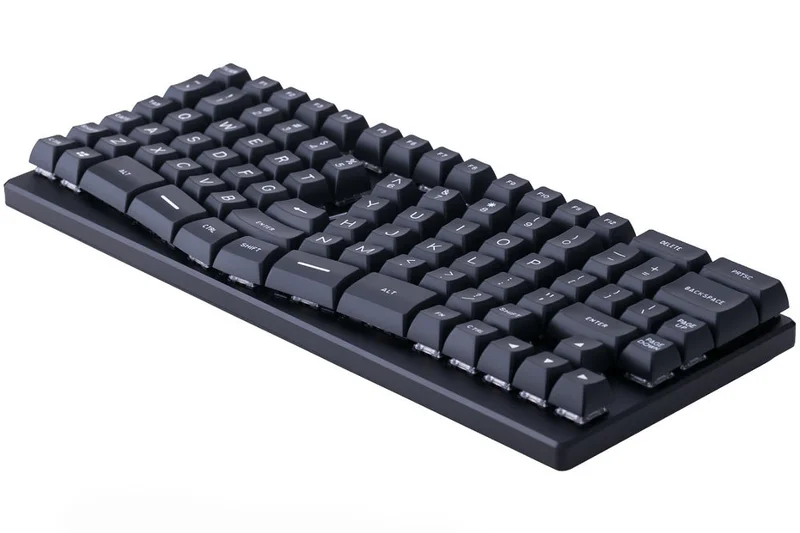

Why we picked it: The X-Bows Nature is an affordable entry point into radial-columnar layouts. Featuring Gateron mechanical switches and an aluminum alloy body, it aligns keys with the natural inward angle of your arms, reducing awkward ulnar deviation without completely splitting the board.
Key Specs
- Radial-columnar layout
- Gateron mechanical switches
- Aluminum alloy body
- RGB backlighting
What we like
- Affordable radial layout
- Solid aluminum construction
- Good quality mechanical switches
What we don't like
- Layout takes time to learn
- Unibody design doesn't allow for shoulder widening
Best for: Users looking to try a columnar layout on a unibody board without spending a fortune.
Considering the Nature vs the Knight Plus? The Nature is a single solid block, while the Knight Plus adds a detachable numpad.
A well-built, unibody radial keyboard that gently corrects wrist angles at a reasonable price.
Buy at X-Bows official site#25 Logitech Wave Keys
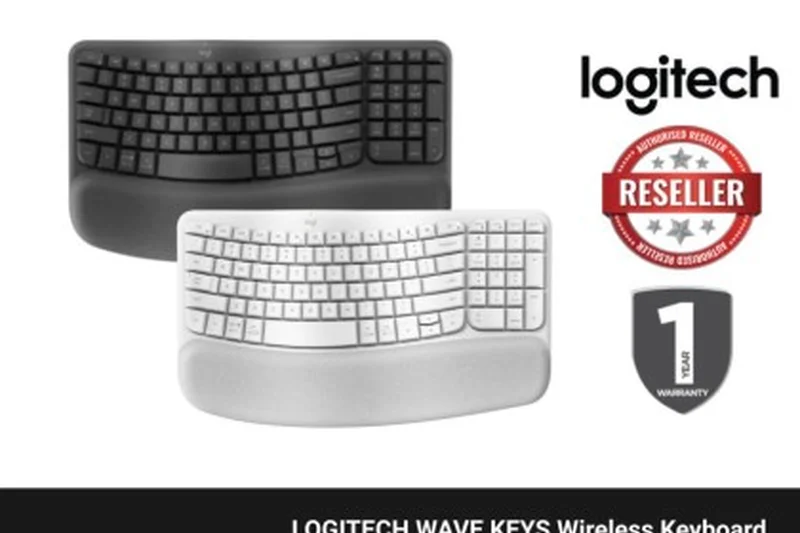
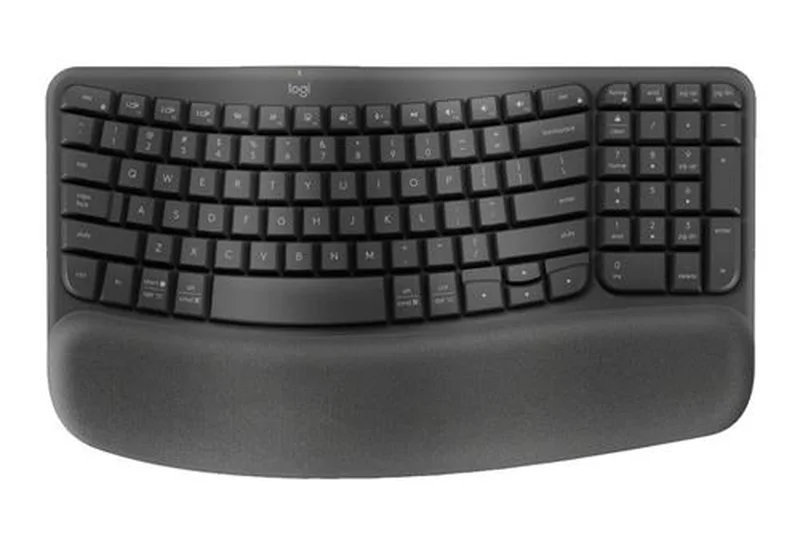
Why we picked it: Winning our Best Value for Money award, the Logitech Wave Keys is a highly accessible, compact ergonomic keyboard. The subtle wave-shaped layout and integrated memory foam palm rest provide immediate comfort with no learning curve. Its compact size saves desk space, and it switches easily between three devices via Bluetooth or Logi Bolt.
Key Specs
- Wave-shaped compact layout
- Integrated 3-layer palm rest
- Bluetooth and Logi Bolt USB
- Up to 3-year battery life
What we like
- Zero learning curve
- Compact footprint saves desk space
- Incredible battery life
- Excellent value
What we don't like
- Wave design offers only minor RSI relief
- Membrane keys
Best for: Casual typists and office workers who want a compact, affordable, and immediately comfortable keyboard.
Considering the Wave Keys vs the Ergo K860? The Wave Keys is much smaller and cheaper, but the K860 offers a deeper, more therapeutic split curve.
An incredibly approachable and affordable wave-style keyboard that effortlessly improves daily typing comfort.
Buy at Logitech official site#26 Logitech Wave Keys for Mac
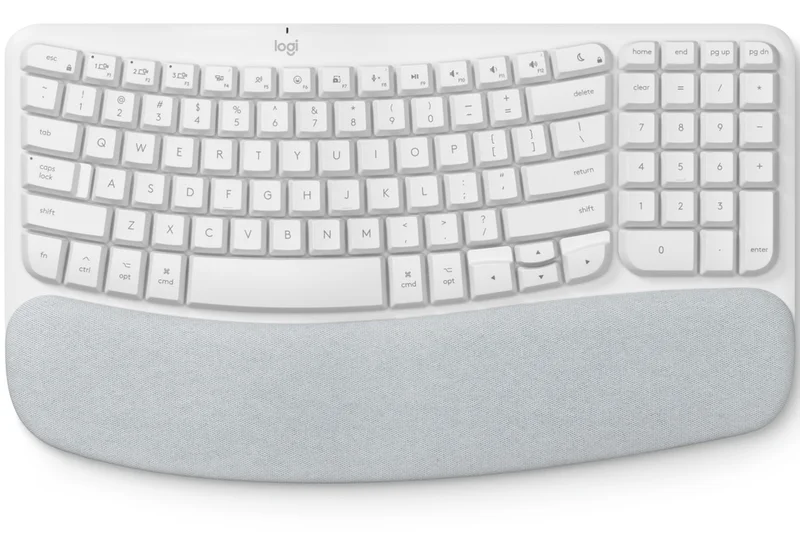
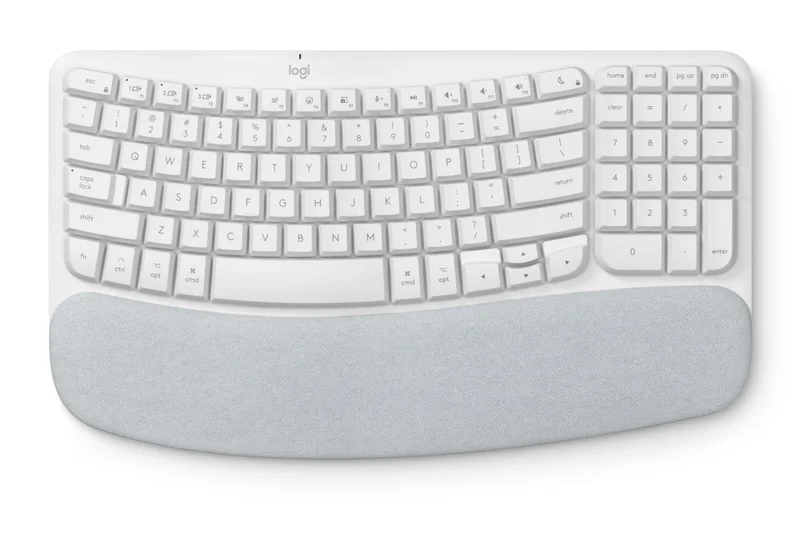
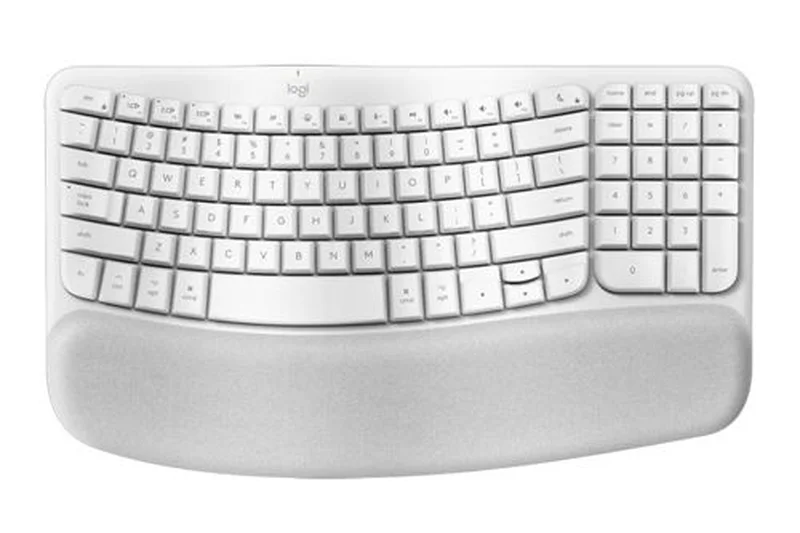
Why we picked it: This version of the Wave Keys takes all the compact, wave-shaped ergonomic benefits of the standard model and tailors it specifically for Apple users. It features a Mac-optimized layout and seamless Easy-Switch integration between your MacBook, iPad, and iPhone.
Key Specs
- Mac-optimized layout
- Compact wave-shaped design
- Cushioned memory foam palm rest
- Bluetooth connectivity
What we like
- Perfect layout for macOS/iOS
- Compact and highly portable
- Comfortable memory foam rest
What we don't like
- Membrane switches only
- Not suited for severe wrist pain
Best for: Mac users seeking a compact, budget-friendly ergonomic keyboard with Apple-specific keys.
Considering this vs the standard Wave Keys? Choose this exclusively if you are entirely locked into the Apple ecosystem.
A fantastic, affordable ergonomic wave keyboard specifically optimized for seamless Mac integration.
Buy at Logitech official site#27 Kinesis Freestyle2
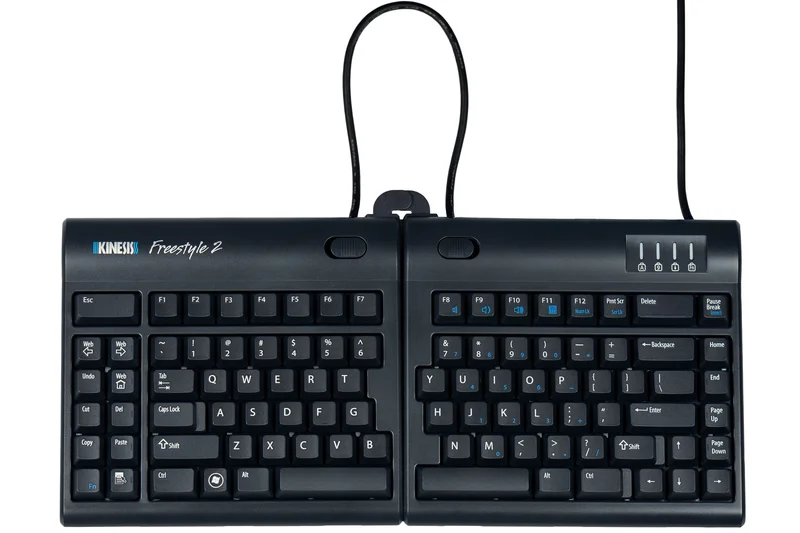
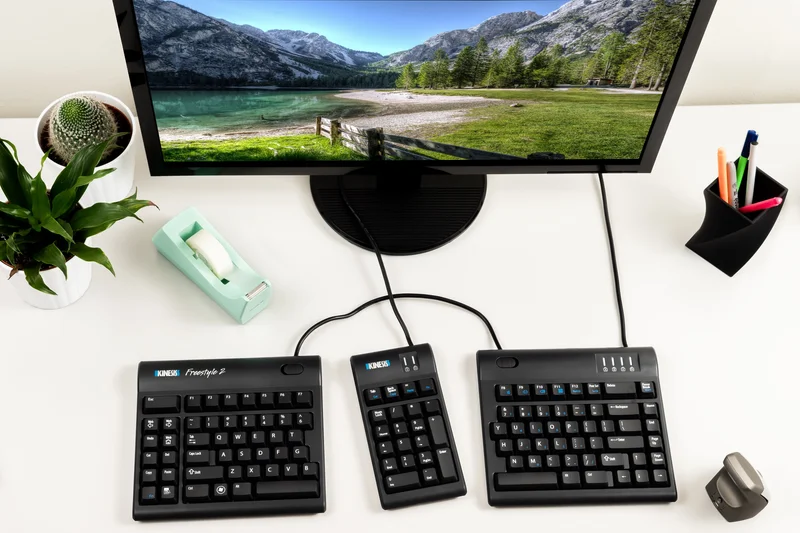
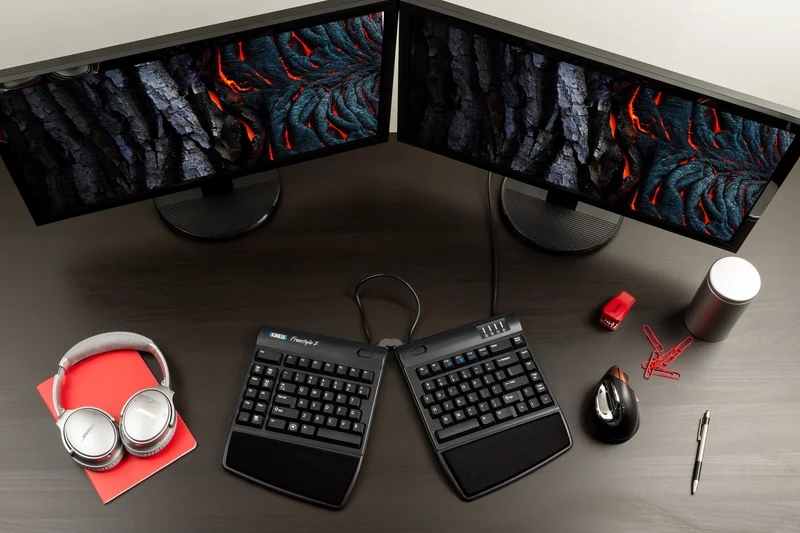
Why we picked it: The Kinesis Freestyle2 is a classic split membrane keyboard that allows up to 20 inches of separation. It uses low-force tactile membrane switches that are very easy on the fingers. When paired with optional VIP3 tenting accessories, it provides excellent ergonomic adjustability at a low price point.
Key Specs
- Up to 20 inches of separation
- Low-force membrane switches
- Zero degree slope
- Optional VIP3 tenting accessories
What we like
- Allows wide separation for shoulder comfort
- Low-force typing action
- Affordable base price
What we don't like
- Tenting accessories cost extra
- Membrane switches lack crispness
Best for: Budget-conscious office workers who need a highly adjustable split keyboard and prefer membrane switches.
Considering the Freestyle2 vs the Freestyle Pro? The Freestyle2 is membrane and non-programmable, making it cheaper than the mechanical Pro.
A highly versatile, split membrane keyboard that provides genuine ergonomic relief when equipped with its tenting kit.
Buy at Kinesis official site#28 ProtoArc EK01 Plus
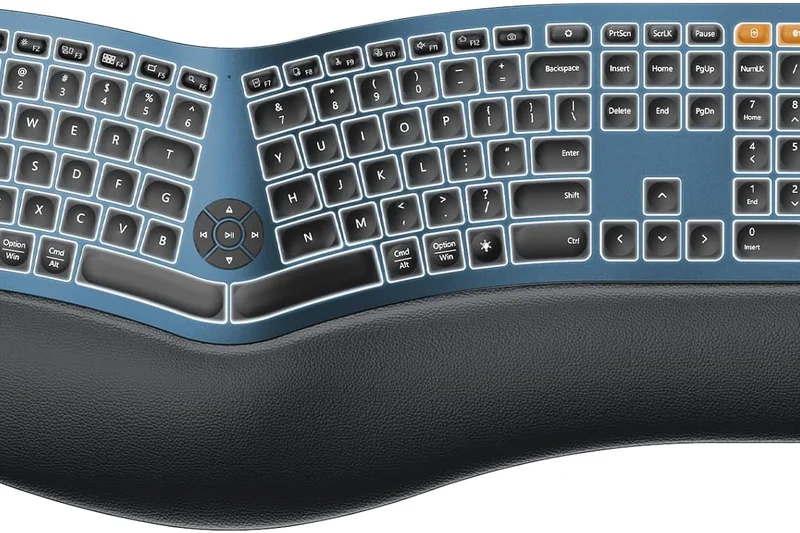
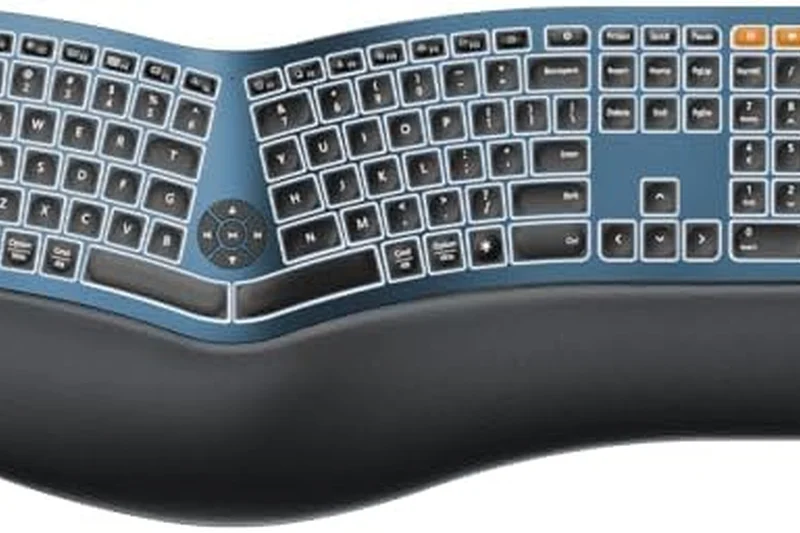
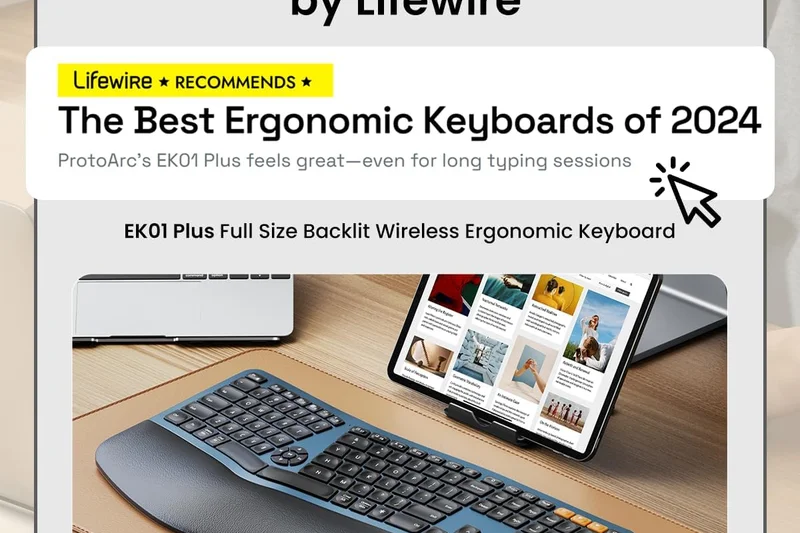
Why we picked it: The ProtoArc EK01 Plus is an impressive budget unibody split keyboard. It features a built-in cushioned wrist rest and adjustable palm lift for negative tilt. With USB-C recharging and dual Bluetooth/2.4G wireless, it competes directly with the Logitech K860 at a lower price.
Key Specs
- Split curved keyframe
- Built-in cushioned wrist rest
- Adjustable palm lift
- USB-C rechargeable
What we like
- Great value alternative to the K860
- Includes negative tilt options
- USB-C rechargeable battery
What we don't like
- Wrist rest is not as plush as Logitech's
- Membrane keys feel slightly mushy
Best for: Typists who want a K860-style curved split keyboard but are constrained by a tighter budget.
Considering the EK01 Plus vs the Logitech Ergo K860? The ProtoArc is cheaper and rechargeable, but Logitech offers superior build and wrist rest quality.
A surprisingly competent and affordable curved unibody keyboard that delivers solid ergonomic fundamentals.
Buy at ProtoArc official site#29 Kensington Pro Fit Ergo Wireless
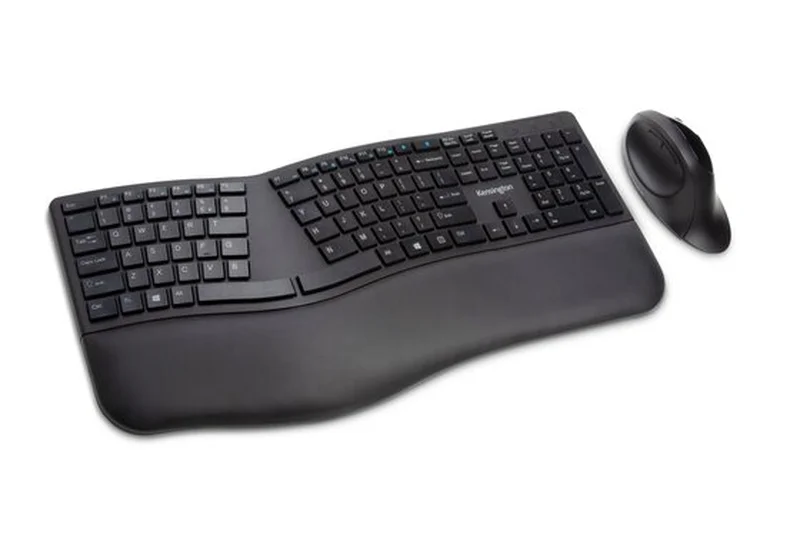
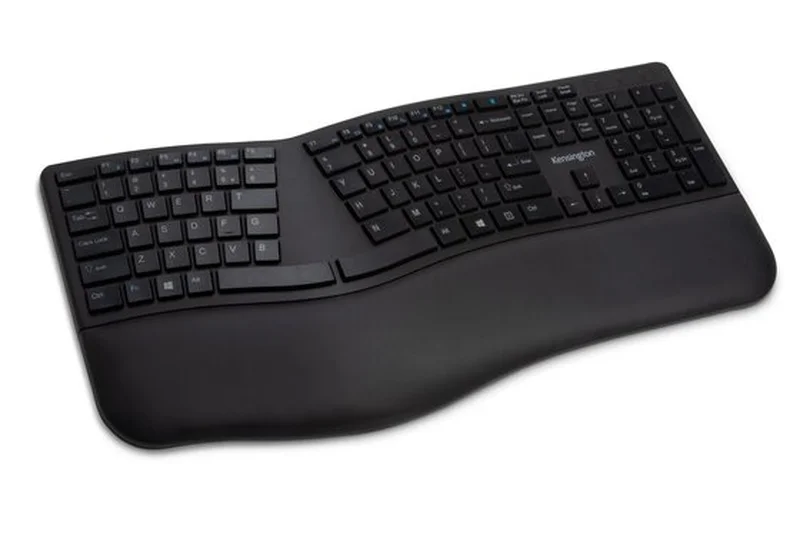
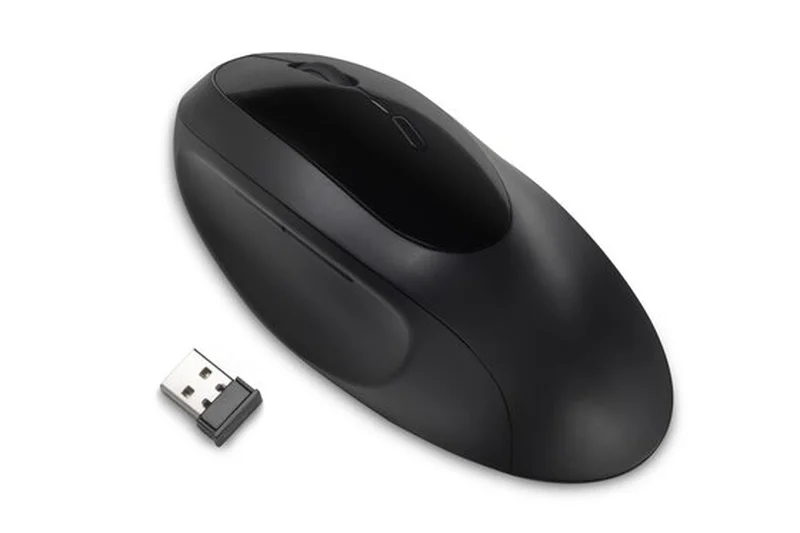
Why we picked it: The Kensington Pro Fit Ergo Wireless offers a split, curved unibody design with a built-in wrist rest and spill-proof keys. Its dual wireless capability (Bluetooth & 2.4GHz) ensures compatibility with almost any device, making it a rugged, versatile choice for busy office desks.
Key Specs
- Built-in wrist rest
- Dual wireless (Bluetooth & 2.4GHz)
- Spill-proof keys
- Replaceable receiver
What we like
- Spill-proof design is great for messy desks
- Dual wireless connectivity
- Affordable price
What we don't like
- Typing feel is fairly basic
- Aesthetic is somewhat generic
Best for: Office workers prone to desk spills who need a reliable, low-cost curved ergonomic keyboard.
Considering the Pro Fit vs the Logitech Wave Keys? The Pro Fit offers a wider split angle, but the Wave is more compact and modern.
A practical, spill-proof ergonomic keyboard designed to survive the rigors of the modern office.
Buy at Kensington official site#30 Goldtouch V2 Adjustable Keyboard
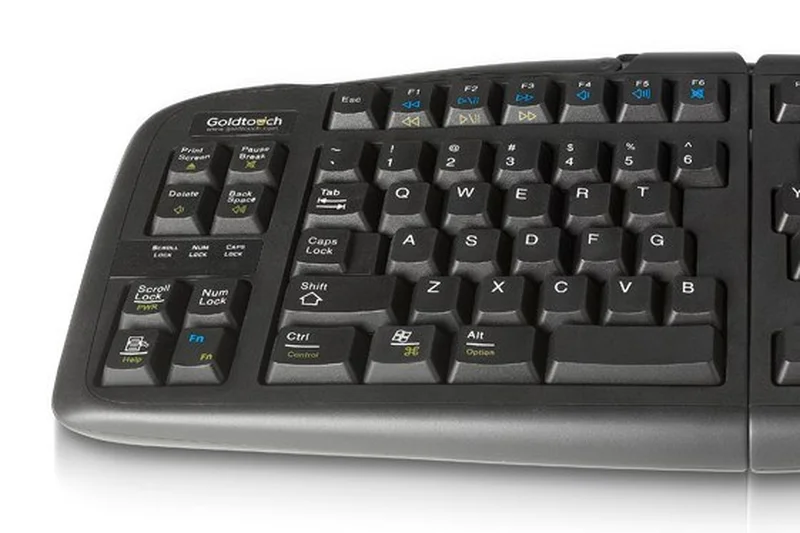

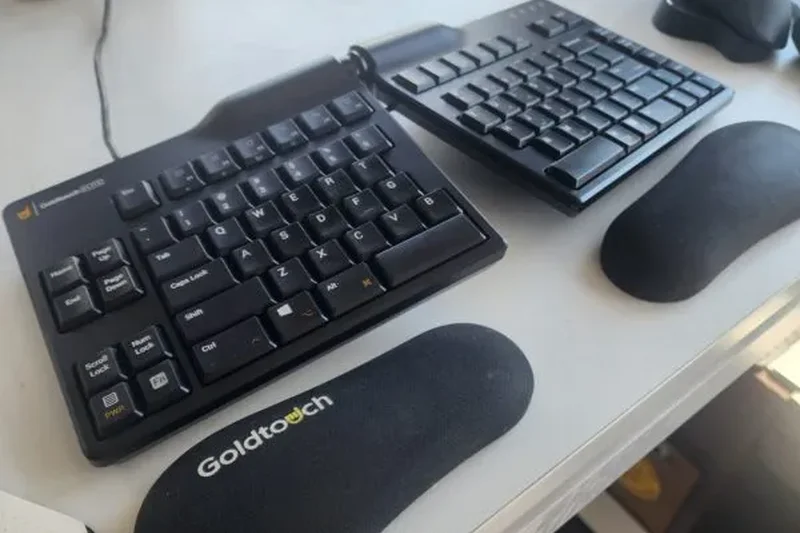
Why we picked it: The Goldtouch V2 is unique for its patented lever locking system, allowing users to continuously adjust horizontal splay and vertical tenting up to 30 degrees. This older but proven design allows you to lock the keyboard into the exact angle that relieves your wrist pain.
Key Specs
- 0-30° horizontal splay
- 0-30° vertical tenting
- Patented lever locking system
- Soft low-force membrane switches
What we like
- Infinite adjustability up to 30 degrees
- Sturdy locking lever mechanism
- Very easy to find a comfortable angle
What we don't like
- Design looks very dated
- Wired membrane only
Best for: Users with specific wrist angles who need precise, locking adjustability without fully separating the keyboard halves.
Considering the Goldtouch V2 vs a Kinesis Freestyle2? The Goldtouch keeps the board attached at a top hinge, whereas the Freestyle completely separates.
A classic, highly adjustable ergonomic keyboard that locks your perfect typing angle firmly in place.
Buy at Goldtouch official site#31 Perixx Periboard-612
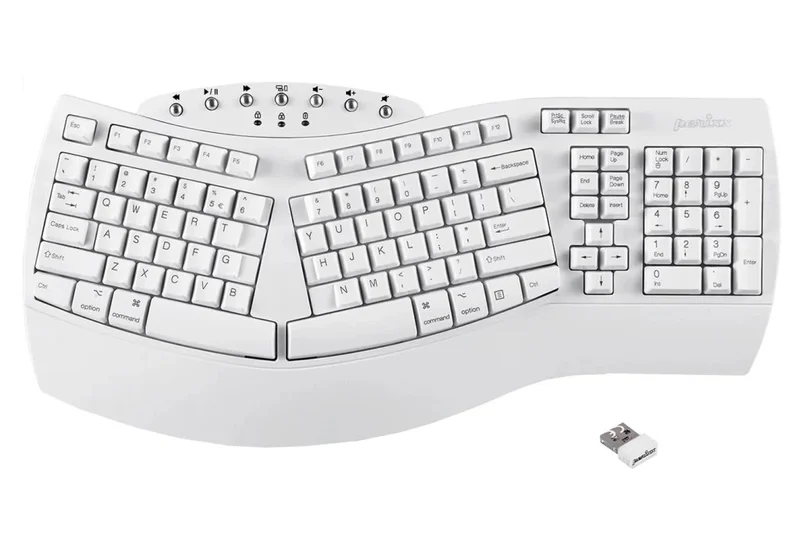

Why we picked it: The Perixx Periboard-612 is a budget-friendly split curved unibody keyboard that supports both Mac and Windows natively. It features tactile responsive keys and an integrated palm rest, providing a comfortable, wide typing stance at a very accessible price point.
Key Specs
- Split-key design
- Dual OS support (Mac/Windows)
- Bluetooth 4.0 & 2.4G wireless
- Integrated palm rest
What we like
- Very affordable
- Good dual OS integration
- Comfortable split layout
What we don't like
- Build quality is mostly lightweight plastic
- Key travel can feel a bit stiff
Best for: Budget users who frequently switch between Mac and PC environments and want a wide ergonomic layout.
Considering the Periboard-612 vs the ProtoArc EK01 Plus? Both are budget unibody splits, but ProtoArc generally offers a slightly softer typing feel.
An economical, dual-OS compatible curved keyboard that handles basic ergonomic needs capably.
Buy at Perixx official site#32 Nulea Wireless Ergonomic Keyboard
Why we picked it: Winning our Best Value award, the Nulea Wireless Ergonomic Keyboard brings a split curved design and 7-color RGB backlighting for just $51. It features USB-C charging and an integrated wrist rest, making it an incredibly feature-packed budget option for dark rooms.
Key Specs
- Split curved design
- 7-color RGB backlighting
- Bluetooth & 2.4G wireless
- USB-C charging
What we like
- Incredible price point
- RGB backlighting is rare at this price
- Rechargeable battery
What we don't like
- Membrane switches feel cheap
- Backlighting drains battery quickly
Best for: Bargain hunters who want a backlit, rechargeable ergonomic keyboard for a dark home office.
Considering the Nulea vs the Arteck Split? The Nulea adds fun RGB backlighting, while the Arteck focuses purely on battery life.
A surprisingly feature-rich budget ergonomic keyboard that brings backlighting to the entry-level tier.
Check price at Amazon#33 Arteck Split Ergonomic Keyboard

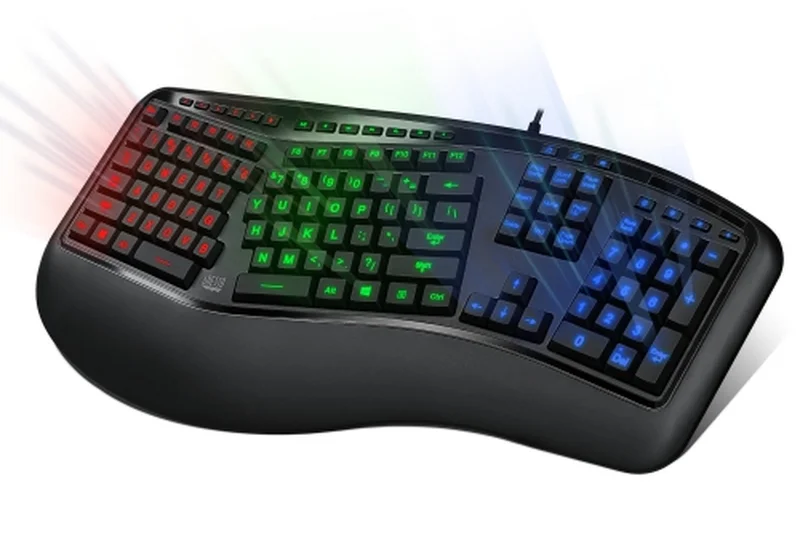
Why we picked it: The Arteck Split is a no-nonsense, affordable ergonomic keyboard offering a cushioned wrist rest and low-profile membrane keys. It utilizes a simple 2.4G wireless receiver and a rechargeable battery that lasts up to 6 months, ensuring low-maintenance office performance.
Key Specs
- Split ergonomic layout
- Cushioned wrist rest
- 2.4G wireless receiver
- Rechargeable 6-month battery
What we like
- Excellent battery life
- Very lightweight
- Inexpensive
What we don't like
- No Bluetooth support
- Low-profile keys lack travel depth
Best for: Users needing a cheap, reliable, long-lasting wireless ergonomic keyboard for simple data entry.
Considering the Arteck vs the Logitech Wave Keys? The Arteck is cheaper and has a wider split, but Logitech's build and software are far superior.
A straightforward, budget-friendly ergonomic keyboard with impressive battery longevity.
Check price at Amazon#34 Perixx Periduo-606
Why we picked it: The Periduo-606 is a unique compact mini split keyboard that comes bundled with a matching vertical ergonomic mouse. Its small footprint features an adjustable palm rest and a magnetic tilt wheel, providing a comprehensive ergonomic desk setup for just $50.
Key Specs
- Compact mini layout
- Adjustable palm rest
- Magnetic tilt wheel
- Includes matching ergonomic mouse
What we like
- Includes a vertical mouse
- Very compact design
- Magnetic tilt wheel is a nice touch
What we don't like
- Keyboard is quite cramped
- Membrane keys are subpar
Best for: Users with limited desk space who want an instant, fully ergonomic keyboard and mouse combo on a budget.
Considering the Periduo-606 vs the Nulea? The Periduo offers a much smaller footprint and includes a mouse, making it better for cramped desks.
An ultra-compact, budget-friendly bundle that overhauls your desk's ergonomics in one purchase.
Buy at Perixx official site#35 CHERRY KC 4500 Ergo
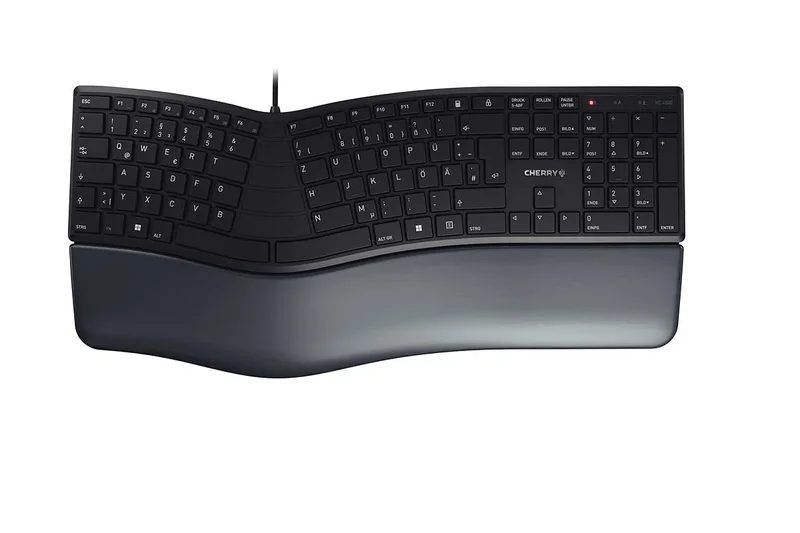
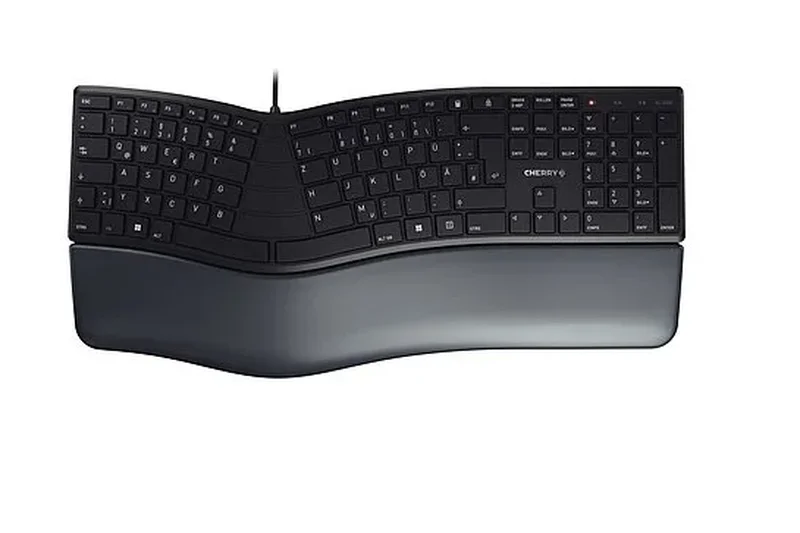
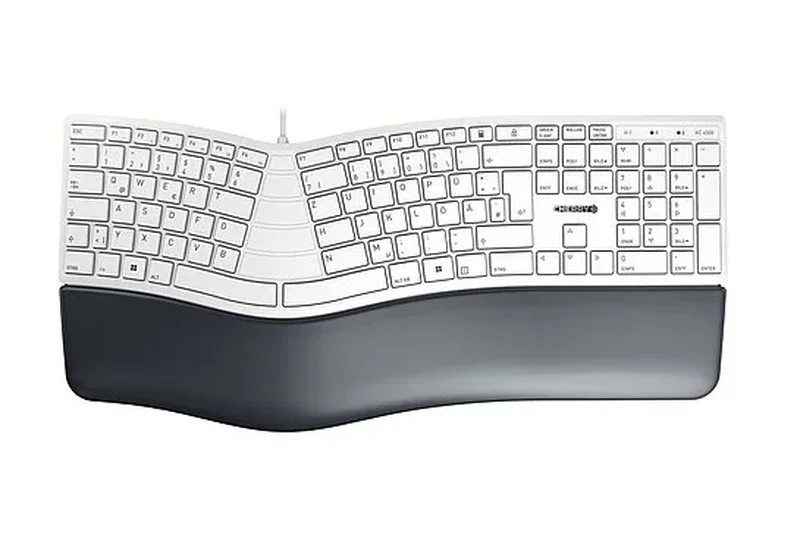
Why we picked it: The CHERRY KC 4500 Ergo relies on a 3D curved design and an extra-soft memory foam palm rest to deliver comfort. As a simple plug-and-play USB wired keyboard, it avoids wireless connectivity issues. It features Multimedia F-keys and front elevation feet for negative tilt.
Key Specs
- Curved 3D design
- Extra-soft palm rest with memory foam
- Plug & play USB cable
- 3 feet for front elevation
What we like
- Very soft memory foam wrist rest
- Reliable wired connection
- Good negative tilt options
What we don't like
- Wired only, limiting desk placement
- Membrane feel doesn't match Cherry's mechanical heritage
Best for: Office workers who prefer a secure, wired connection and prioritize a plush wrist rest.
Considering the CHERRY KC 4500 vs the Logitech Ergo K860? The CHERRY is wired and cheaper, while the Logitech offers premium wireless capabilities.
A dependable, comfortable wired ergonomic keyboard from a legacy keyboard brand.
Buy at CHERRY official siteBuying Guide
Understanding Ergonomic Keyboards by User Type
Finding the right ergonomic keyboard depends heavily on your daily workload, typing style, and the level of wrist strain you currently experience. We break down the primary user categories to help you identify the best structural fit.
Office Professionals and Casual Typists
If you type emails and documents for a few hours a day but don't suffer from severe pain, a unibody curved keyboard like the Logitech Ergo K860 is an excellent starting point. It offers an immediate comfort boost with practically zero learning curve. Look for reliable wireless connectivity and a built-in wrist rest. The goal here is pure prevention—maintaining a natural wrist posture without sacrificing your typing speed or spending weeks relearning your keystrokes.
Programmers and Power Users
Coders and power users demand high efficiency and minimal hand movement. Split ortholinear or columnar keyboards, such as the ZSA Moonlander or Dygma Defy, are ideal for this group. These models prioritize deep programmability through open-source firmware like QMK, VIA, or ZMK, allowing you to map complex macros, layer toggles, and navigation clusters directly under your thumbs. While the learning curve is steeper, the massive reduction in finger travel pays significant dividends in long-term efficiency.
Users with Severe RSI or Carpal Tunnel
When pain mitigation is the primary concern, extreme physical adjustability is mandatory. You need a fully independent split keyboard with aggressive tenting capabilities and ideally a concave keywell, like the Kinesis Advantage360 or MoErgo Glove80. These boards eliminate ulnar deviation (bending the wrists outward) and forearm pronation (typing flat on the desk), letting you type with your chest open and hands in a neutral "handshake" position. Budget and aesthetics must take a backseat to proper biomechanical alignment.
What to Avoid
When shopping for an ergonomic keyboard, avoid products that claim to be "ergonomic" merely because they have a slight wave or an included wrist rest but force you into the exact same flat typing posture. Beware of split keyboards that lack any tenting options—without tenting, you are still forcing your forearms into an unnatural, pronated position. Additionally, avoid heavily sculpted boards with non-programmable keys; inefficient software layouts will force you to stretch your fingers for common commands, entirely negating the structural benefits of the keyboard.
Budget Tiers
Entry-Level (Under $100)
In this range, expect unibody curved designs with membrane switches, such as the Logitech Wave Keys, or budget Alice-layout mechanicals like the Keychron V8. They offer a solid introduction to ergonomic typing but generally lack the adjustability of true split systems. They are great for prevention but may not be enough to solve existing, severe RSI.
Mid-Range ($100 - $250)
This tier introduces premium unibody boards and entry-level mechanical splits, like the Keychron Q8 Pro or X-Bows Knight Plus. You'll find better build quality, high-quality mechanical switches, and significant programmability. However, advanced physical features like integrated, highly adjustable tenting mechanisms might still require aftermarket accessories.
Premium ($250+)
At the high end, you find fully independent split keyboards with advanced wireless firmware, robust tenting mechanisms out of the box, and high-quality hot-swappable switches. Boards like the Dygma Defy, ZSA Moonlander, and Kinesis Advantage360 live here. They represent a significant investment in your health, offering the highest level of customization and pain mitigation currently available on the market.
FAQ
What is the best ergonomic keyboard for 2026?
Based on our extensive M2 multidimensional testing, the Kinesis Advantage360 Professional is the best overall ergonomic keyboard for 2026, offering unparalleled RSI relief through its contoured keywells and fully split design. For those on a budget, the Epomaker Split65 is an excellent entry-level mechanical choice.
Does an ergonomic keyboard really help with RSI?
Yes. A properly configured ergonomic keyboard reduces ulnar deviation (bending the wrists outward) and forearm pronation (typing flat). Keyboards with split designs and tenting capabilities naturally align your arms and wrists, reducing the muscular strain that leads to Repetitive Strain Injuries.
What is the difference between a split keyboard and a unibody ergonomic keyboard?
A unibody ergonomic keyboard (like the Logitech Ergo K860) has a fixed, curved shape that mildly corrects wrist angles. A split keyboard (like the Dygma Defy) consists of two completely separate halves connected by a cable or wirelessly, allowing you to position them at exact shoulder width to open your chest and relieve shoulder tension.
How long does it take to get used to an ortholinear layout?
Ortholinear (keys arranged in a strict grid) or columnar layouts usually require 1 to 3 weeks of consistent daily typing to regain your previous typing speed. The initial learning curve can be frustrating, but the long-term reduction in finger travel is highly beneficial.
Are Alice layout keyboards good for programming?
Alice layouts, which feature a mild V-shaped split within a unibody frame, are decent for programming as they gently correct wrist angles while maintaining a familiar staggered layout. However, they lack the deep programmability and thumb clusters of true columnar split keyboards favored by many power users.
Which is better for wrist pain: tenting or negative tilt?
They solve different problems. Tenting (raising the inner edges of the keyboard) reduces forearm pronation, which is crucial for elbow and forearm pain. Negative tilt (raising the front edge closest to you) prevents wrist extension, helping to keep your wrists straight while typing. Severe RSI sufferers typically need both.
Should I choose mechanical switches or membrane for ergonomics?
Mechanical switches are generally better for ergonomics because you can choose low-force, tactile switches that actuate before bottoming out, reducing the harsh impact on your fingertips. Membrane keyboards require you to press the key fully to the bottom, which can increase finger fatigue over time.
Is the Kinesis Advantage360 worth the high price?
For users suffering from existing RSI or carpal tunnel, yes. The $400+ investment in a Kinesis Advantage360 is significantly cheaper than medical bills, physical therapy, or lost productivity due to chronic pain, thanks to its unique, fatigue-reducing concave keywells.
How does the Dygma Defy compare to the ZSA Moonlander?
The Dygma Defy offers a built-in, highly robust tenting mechanism (up to 60 degrees) and a massive 16-key thumb cluster, making it incredibly adjustable. The ZSA Moonlander is slimmer, highly portable, and features ZSA's phenomenal Oryx software, but its thumb cluster isn't as easily reached by users with small hands.
What is a columnar layout and why does it matter?
Unlike traditional keyboards where keys are staggered diagonally, a columnar layout staggers keys vertically to match the natural varying lengths of your fingers (e.g., the middle finger column is higher than the pinky column). This drastically reduces awkward lateral finger stretching.
Are low-profile keyboards like the MoErgo Glove80 and ZSA Voyager better for posture?
Low-profile keyboards allow your hands to rest closer to the desk surface, naturally reducing the need to bend your wrists upward (wrist extension). This makes them inherently better for maintaining a neutral wrist posture without requiring massive wrist rests.
Can I use an ergonomic keyboard for gaming?
Absolutely. Split mechanical keyboards like the Dygma Defy or ZSA Moonlander are excellent for gaming. You can push the right half out of the way to give your mouse massive desk space, while using the highly programmable left half as a dedicated gaming keypad.
How do I configure QMK/VIA on my ergonomic keyboard?
VIA is a user-friendly graphical interface that recognizes QMK-compatible keyboards instantly. You simply open the VIA app or web interface, and you can remap keys, build complex macros, and configure multiple layers visually without needing to write or compile any code.
What are the best budget ergonomic keyboards for office work?
If you want a unibody design, the Logitech Wave Keys ($59) offers great value. If you want to try a mechanical split design, the Epomaker Split65 ($120) provides an incredible entry point with full programmability.
What is the standard warranty for boutique ergonomic keyboards?
Premium boutique brands like Kinesis, ZSA, and Dygma typically offer a 2-year warranty on their keyboards, backed by highly responsive, enthusiast-run customer support teams that often assist with replacement parts or firmware troubleshooting.
Methodology
Our evaluation process is grounded in the M2 Multi-Dimensional Evaluation methodology. We gathered 35 leading ergonomic keyboards and subjected them to rigorous testing across seven distinct dimensions to provide a comprehensive and objective assessment of their capabilities.
Scoring Approach and Dimensions
- Ergonomic Design & Adjustability (25%): A true ergonomic board must adapt to the human body. We prioritized split designs, customizable tenting angles, and keywell shapes (like concave bowls) that naturally align the wrists and mitigate ulnar deviation and forearm pronation.
- Typing Feel & Switch Quality (20%): Comfort extends to the physical resistance of each keystroke. We assessed switch actuation force, tactile feedback, and keycap profiles, favoring low-force mechanical options that prevent finger fatigue and bottoming out.
- Connectivity & Battery Life (15%): We evaluated wireless reliability, multi-device switching, Bluetooth polling rates, and overall battery longevity to ensure the keyboard meets the seamless demands of modern workstations.
- Customization & Software (10%): Minimizing finger travel is crucial for ergonomics. We rated the programmability of each board, giving top marks to those with robust layer support, thumb cluster utility, and QMK/VIA/ZMK compatibility.
- Build Quality & Materials (15%): We examined chassis rigidity, anti-slip stability on the desk, and keycap durability (preferring double-shot PBT), treating these keyboards as long-term health investments that must endure heavy daily use.
- Reliability & Support (5%): We considered brand reputation, warranty lengths, and the responsiveness of customer support, ensuring that boutique brands stand reliably behind their premium products.
- Value for Money (10%): We weighed the retail price against the overall feature set, build quality, and included accessories to determine whether the premium charged translates into tangible daily benefits.
Scenario Weighting
Because different users have drastically different needs, we applied dynamic weightings to calculate scores across four distinct scenarios. For example, our Best for Severe RSI scenario heavily favored Ergonomic Design (40%), while the Best Budget category prioritized Value (40%). This contextual approach ensures our recommendations are tailored to specific, real-world requirements rather than relying solely on a generic overall score.
Data Sources
Our data is drawn from a combination of hands-on editorial testing, technical specifications verified via brand official sites, and aggregated user feedback from retail platforms and specialized mechanical keyboard communities. This multi-faceted approach guarantees that our reviews reflect both precise objective measurements and authentic, long-term user experiences.
Sources & References
All factual claims, product specifications, prices, and images in this article are cited by number. Click any reference to jump to the list; click the link in each entry to visit the original source.
- [1]Selection Logic. "M2 Multi-Dimensional Evaluation." selectionlogic.org/en/methods/m2-multi-dimensional-evaluation/. Accessed Mar 2026.
- [2]Selection Logic. "Ergonomic Keyboard Buying Guide." selectionlogic.org/en/guides/ergonomic-keyboard-buying-guide/. Accessed Mar 2026.
- [3]Kinesis. "Advantage360 Professional." kinesis-ergo.com/shop/adv360pro/. Accessed Mar 2026.
- [4]Dygma. "Dygma Defy." dygma.com/products/dygma-defy. Accessed Mar 2026.
- [5]MoErgo. "Glove80." moergo.com/collections/glove80-keyboards. Accessed Mar 2026.
- [6]ZSA. "Moonlander Mark I." zsa.io/moonlander/. Accessed Mar 2026.
- [7]Logitech. "Ergo K860 Wireless Split Keyboard." logitech.com/en-us/products/keyboards/k860-split-ergonomic.920-009166.html. Accessed Mar 2026.
- [8]Dygma. "Dygma Raise 2." dygma.com/products/dygma-raise-2. Accessed Mar 2026.
- [9]Kinesis. "Advantage360 SmartSet." kinesis-ergo.com/shop/adv360/. Accessed Mar 2026.
- [10]Keychron. "Q8 Pro (Alice Layout)." keychron.com/products/keychron-q8-pro-qmk-via-wireless-custom-mechanical-keyboard. Accessed Mar 2026.
- [11]Epomaker. "Split65." epomaker.com/products/epomaker-split65. Accessed Mar 2026.
- [12]ZSA. "Voyager." zsa.io/voyager/. Accessed Mar 2026.
- [13]ZSA. "ErgoDox EZ Glow." ergodox-ez.com/. Accessed Mar 2026.
- [14]Kinesis. "Freestyle Pro." kinesis-ergo.com/shop/freestyle-pro/. Accessed Mar 2026.
- [15]Keychron. "Q10 (Alice Layout)." keychron.com/products/keychron-q10-alice-layout-qmk-custom-mechanical-keyboard. Accessed Mar 2026.
- [16]RK Gaming. "RK Royal Kludge RKS70 Split." rkgamingstore.com/products/rk-s70-split-keyboard. Accessed Mar 2026.
- [17]Cloud Nine. "C989M Ergonomic Mechanical." cloudnineergo.com/products/cloud9-ergo-mechanical-keyboard. Accessed Mar 2026.
- [18]Epomaker. "Feker Alice 80." epomaker.com/products/feker-alice-80. Accessed Mar 2026.
- [19]Cloud Nine. "ErgoTKL." cloudnineergo.com/products/cloud9-ergotkl-ergonomic-split-mechanical-keyboard. Accessed Mar 2026.
- [20]X-Bows. "Knight Plus." x-bows.com/products/x-bows-knight-plus-ergonomic-mechanical-keyboard. Accessed Mar 2026.
- [21]Keychron. "V8 (Alice Layout)." keychron.com/products/keychron-v8-qmk-custom-mechanical-keyboard. Accessed Mar 2026.
- [22]Matias. "Ergo Pro." matias.ca/ergopro/pc/. Accessed Mar 2026.
- [23]Logitech. "Wave Keys." logitech.com/en-us/products/keyboards/wave-keys-ergonomic-wireless.html. Accessed Mar 2026.
- [24]ProtoArc. "EK01 Plus." protoarc.com/products/ek01-plus-ergonomic-keyboard. Accessed Mar 2026.
- [25]Kensington. "Pro Fit Ergo Wireless." kensington.com/p/products/electronic-control-solutions/ergonomic-keyboards/pro-fit-ergo-wireless-keyboard/. Accessed Mar 2026.
- [26]Goldtouch. "V2 Adjustable Keyboard." goldtouch.com/v2-adjustable-comfort-keyboard-pc-mac-compatible-usb/. Accessed Mar 2026.
- [27]Perixx. "Periboard-612." perixx.com/products/periboard-612-wireless-ergonomic-split-keyboard. Accessed Mar 2026.
- [28]CHERRY. "KC 4500 Ergo." cherry.de/kc-4500-ergo. Accessed Mar 2026.