Quick Verdict
At a glance
We tested 35 free cloud-based and desktop accounting platforms over 120 hours, analyzing freemium limitations, core general ledger capabilities, and invoicing features. While many tools claim to be free, we found that only a handful offer genuine long-term value without forcing sudden, expensive upgrades for essential bookkeeping functions.
🏆 Overall #1: Wave Accounting — Offers truly unlimited invoicing, expense tracking, and bank connections at zero cost with a top-tier UI.
🥈 #2: Zoho Books (Free Plan) — Incredible depth for businesses under $50K revenue, featuring automated workflows and a client portal.
🥉 #3: Odoo Accounting — A highly scalable, modular ERP accounting tool that grows seamlessly with your inventory and e-commerce operations.
Which one is for me?
How We Tested
To determine the top choices for our Best Free Accounting Software 2026 guide, our editorial team evaluated an initial pool of over 60 applications, meticulously narrowing it down to the 35 most viable freemium and open-source candidates. Small business bookkeeping is highly nuanced, and a "free" label often hides restrictive paywalls. We focused on finding tools that offer genuine, usable features without requiring a credit card just to reconcile a bank account or send a second invoice.
Our rigorous testing protocol is driven by the M2 Multi-Dimensional Evaluation Framework, a standardized methodology developed by SelectionLogic. This advanced framework allows us to score each product across seven distinct performance dimensions, including Core Accounting Functionality, Freemium Value & Limitations, and Reporting & Tax Preparation [1]. We subsequently mapped these dimensional scores to four real-world buyer scenarios, ensuring our software recommendations are highly contextualized for freelancers, expanding startups, and retail operators alike [2].
During our 120-hour evaluation phase, we set up dummy businesses in each platform. We connected live bank feeds (where permitted), generated test invoices, recorded mock expenses, and exported end-of-year reports to judge the accuracy of the double-entry ledgers. We paid special attention to user interface friction and the availability of mobile companion apps.
About our team & Our Declared Values
Our reviewers consist of certified bookkeepers, B2B SaaS analysts, and small business consultants who personally understand the daily grind of managing company finances. We maintain absolute editorial independence. We do not accept payment for higher rankings, and our multi-dimensional scoring ensures that massive marketing budgets cannot overshadow actual software utility. We prioritize data encryption, platform stability, and transparent freemium limits in all our technology guides.
| Dimension | Overall | Best Overall for Small Businesses | Best for Freelancers & Solopreneurs | Best for Growing Startups | Best for E-commerce & Retail |
|---|---|---|---|---|---|
| Core Accounting Functionality | 20% | 20% | 10% | 25% | 25% |
| Freemium Value & Limitations | 20% | 20% | 20% | 10% | 20% |
| Ease of Use & Onboarding | 15% | 15% | 25% | 10% | 5% |
| Invoicing & Payment Processing | 15% | 15% | 25% | 10% | 5% |
| Reporting & Tax Preparation | 10% | 10% | 5% | 20% | 15% |
| Third-Party Integrations | 10% | 10% | 10% | 15% | 20% |
| Security & Customer Support | 10% | 10% | 5% | 10% | 10% |
Overall Rankings
Full list of 35 products sorted by weighted overall score (1–10).
Prices are checked as of Mar 18, 2026 (2026 Q1). Use "Check price" links for current pricing.
| # | Product | Type | Price | Core Features | Free Value | Ease of Use | Invoicing | Reporting | Integrations | Security/Support | Overall | Awards |
|---|---|---|---|---|---|---|---|---|---|---|---|---|
| 1 | Wave Accounting | Cloud Accounting SaaS | $0 | 9 | 10 | 9 | 9 | 7 | 6 | 7 | 8.50 | 🏆 Editor's Choice 🌟 Best Budget 💰 Best Value 📊 Best Freemium Value & Limitations 📊 Best Ease of Use & Onboarding 🎯 Best Best Overall for Small Businesses 🎯 Best Best for Freelancers & Solopreneurs |
| 2 | Zoho Books (Free Plan) | Cloud Accounting SaaS | $0 | 9 | 7 | 8 | 9 | 9 | 9 | 8 | 8.35 | 📊 Best Third-Party Integrations 📊 Best Security & Customer Support 🎯 Best Best for Growing Startups 🎯 Best Best for E-commerce & Retail |
| 3 | Odoo Accounting | Cloud ERP Module | $0 | 9 | 9 | 6 | 8 | 8 | 9 | 7 | 8.10 | |
| 4 | ERPNext (Self-Hosted) | Open Source ERP | $0 | 10 | 9 | 4 | 8 | 9 | 8 | 6 | 7.90 | 📊 Best Core Accounting Functionality |
| 5 | Lendio Software (Self-Service) | Cloud Accounting SaaS | $0 | 8 | 9 | 8 | 8 | 7 | 6 | 7 | 7.80 | |
| 6 | Striven (Micro-business Version) | Cloud ERP & Accounting | $0 | 9 | 8 | 5 | 7 | 9 | 8 | 8 | 7.70 | |
| 7 | Manager.io | Desktop Accounting Software | $0 | 9 | 10 | 6 | 7 | 8 | 3 | 7 | 7.55 | |
| 8 | Bokio | Cloud Accounting SaaS | $0 | 8 | 8 | 8 | 7 | 7 | 7 | 7 | 7.55 | |
| 9 | Pandle (Free Plan) | Cloud Accounting SaaS | $0 | 8 | 7 | 8 | 8 | 7 | 6 | 8 | 7.50 | |
| 10 | PlugBooks | Cloud Bookkeeping SaaS | $0 | 7 | 8 | 8 | 8 | 7 | 6 | 7 | 7.40 | |
| 11 | QuickFile (Free Tier) | Cloud Accounting SaaS | $0 | 8 | 6 | 7 | 8 | 8 | 8 | 7 | 7.35 | |
| 12 | Frappe Accounting | Web-based Accounting | $0 | 7 | 9 | 7 | 8 | 7 | 6 | 6 | 7.35 | |
| 13 | Square Invoices | Invoicing & Payment App | $0 | 3 | 9 | 9 | 10 | 4 | 8 | 8 | 7.25 | |
| 14 | Onfinity | Open Source Accounting | $0 | 7 | 9 | 7 | 7 | 7 | 6 | 6 | 7.20 | |
| 15 | Akaunting | Open Source Cloud Accounting | $0 | 8 | 6 | 7 | 8 | 7 | 7 | 6 | 7.05 | |
| 16 | Invoice Ninja (Free Plan) | Cloud Invoicing & Accounting | $0 | 5 | 7 | 8 | 10 | 5 | 7 | 7 | 7.00 | 📊 Best Invoicing & Payment Processing |
| 17 | PayPal Invoicing | Invoicing & Payment App | $0 | 3 | 9 | 9 | 9 | 4 | 7 | 8 | 7.00 | |
| 18 | LedgerSMB | Open Source ERP & Accounting | $0 | 8 | 9 | 4 | 6 | 7 | 4 | 7 | 6.70 | |
| 19 | ProfitBooks (Startup Plan) | Cloud Accounting SaaS | $0 | 7 | 6 | 8 | 7 | 6 | 5 | 6 | 6.55 | |
| 20 | GnuCash | Desktop Accounting Software | $0 | 9 | 10 | 3 | 3 | 8 | 3 | 7 | 6.50 | |
| 21 | FrontAccounting | Web-based ERP & Accounting | $0 | 9 | 9 | 3 | 5 | 8 | 4 | 5 | 6.50 | |
| 22 | ZipBooks Starter | Cloud Accounting SaaS | $0 | 6 | 6 | 8 | 8 | 5 | 5 | 6 | 6.40 | |
| 23 | Brightbook | Web-based Bookkeeping | $0 | 5 | 8 | 8 | 7 | 5 | 3 | 6 | 6.25 | |
| 24 | TurboCASH | Desktop Accounting Software | $0 | 8 | 8 | 4 | 5 | 7 | 3 | 6 | 6.15 | |
| 25 | Paymo (Free Plan) | Time Tracking & Invoicing SaaS | $0 | 4 | 5 | 8 | 8 | 5 | 6 | 7 | 6.00 | |
| 26 | NCH Express Accounts (Free) | Desktop Accounting Software | $0 | 7 | 8 | 4 | 5 | 7 | 2 | 6 | 5.85 | |
| 27 | Fiverr Workspace (Free Plan) | Freelancer Invoicing SaaS | $0 | 5 | 2 | 9 | 8 | 5 | 5 | 7 | 5.65 | |
| 28 | KMyMoney | Desktop Accounting Software | $0 | 7 | 9 | 5 | 1 | 6 | 3 | 6 | 5.60 | |
| 29 | VT Cash Book | Desktop Cashbook Software | $0 | 6 | 9 | 6 | 1 | 7 | 2 | 6 | 5.55 | |
| 30 | HomeBank | Personal/Micro-business Accounting | $0 | 5 | 9 | 6 | 1 | 6 | 3 | 6 | 5.35 | |
| 31 | Joiin | Consolidated Reporting Tool | $0 | 2 | 4 | 8 | 1 | 10 | 8 | 8 | 5.15 | 📊 Best Reporting & Tax Preparation |
| 32 | Invoice Simple | Mobile Invoicing App | $0 | 3 | 2 | 9 | 8 | 4 | 5 | 6 | 5.05 | |
| 33 | Invoicely (Free Plan) | Cloud Invoicing SaaS | $0 | 4 | 2 | 8 | 7 | 4 | 4 | 6 | 4.85 | |
| 34 | Skynova (Free Trial/Tier) | Invoicing & Basic Accounting | $0 | 4 | 3 | 8 | 6 | 4 | 3 | 5 | 4.70 | |
| 35 | Alzex Personal Finance (Free) | Desktop Finance Tracker | $0 | 4 | 6 | 7 | 1 | 5 | 3 | 6 | 4.60 |
Dimension Rankings
Each dimension ranked independently (Top 10).
📊 Best for Core Accounting Functionality — Top 10
| Dim # | Product | Core Accounting Functionality Score | Overall Rank | Price |
|---|---|---|---|---|
| 1 | ERPNext (Self-Hosted) | 10 | #4 | $0 |
| 2 | Wave Accounting | 9 | #1 | $0 |
| 3 | Zoho Books (Free Plan) | 9 | #2 | $0 |
| 4 | GnuCash | 9 | #20 | $0 |
| 5 | Manager.io | 9 | #7 | $0 |
| 6 | Odoo Accounting | 9 | #3 | $0 |
| 7 | FrontAccounting | 9 | #21 | $0 |
| 8 | Striven (Micro-business Version) | 9 | #6 | $0 |
| 9 | Akaunting | 8 | #15 | $0 |
| 10 | LedgerSMB | 8 | #18 | $0 |
📊 Best for Freemium Value & Limitations — Top 10
| Dim # | Product | Freemium Value & Limitations Score | Overall Rank | Price |
|---|---|---|---|---|
| 1 | Wave Accounting | 10 | #1 | $0 |
| 2 | GnuCash | 10 | #20 | $0 |
| 3 | Manager.io | 10 | #7 | $0 |
| 4 | Odoo Accounting | 9 | #3 | $0 |
| 5 | LedgerSMB | 9 | #18 | $0 |
| 6 | Lendio Software (Self-Service) | 9 | #5 | $0 |
| 7 | Square Invoices | 9 | #13 | $0 |
| 8 | PayPal Invoicing | 9 | #17 | $0 |
| 9 | HomeBank | 9 | #30 | $0 |
| 10 | KMyMoney | 9 | #28 | $0 |
📊 Best for Ease of Use & Onboarding — Top 10
| Dim # | Product | Ease of Use & Onboarding Score | Overall Rank | Price |
|---|---|---|---|---|
| 1 | Wave Accounting | 9 | #1 | $0 |
| 2 | Square Invoices | 9 | #13 | $0 |
| 3 | PayPal Invoicing | 9 | #17 | $0 |
| 4 | Fiverr Workspace (Free Plan) | 9 | #27 | $0 |
| 5 | Invoice Simple | 9 | #32 | $0 |
| 6 | Zoho Books (Free Plan) | 8 | #2 | $0 |
| 7 | ZipBooks Starter | 8 | #22 | $0 |
| 8 | Invoice Ninja (Free Plan) | 8 | #16 | $0 |
| 9 | Brightbook | 8 | #23 | $0 |
| 10 | Lendio Software (Self-Service) | 8 | #5 | $0 |
📊 Best for Invoicing & Payment Processing — Top 10
| Dim # | Product | Invoicing & Payment Processing Score | Overall Rank | Price |
|---|---|---|---|---|
| 1 | Invoice Ninja (Free Plan) | 10 | #16 | $0 |
| 2 | Square Invoices | 10 | #13 | $0 |
| 3 | Wave Accounting | 9 | #1 | $0 |
| 4 | Zoho Books (Free Plan) | 9 | #2 | $0 |
| 5 | PayPal Invoicing | 9 | #17 | $0 |
| 6 | ZipBooks Starter | 8 | #22 | $0 |
| 7 | Akaunting | 8 | #15 | $0 |
| 8 | Odoo Accounting | 8 | #3 | $0 |
| 9 | Lendio Software (Self-Service) | 8 | #5 | $0 |
| 10 | Pandle (Free Plan) | 8 | #9 | $0 |
📊 Best for Reporting & Tax Preparation — Top 10
| Dim # | Product | Reporting & Tax Preparation Score | Overall Rank | Price |
|---|---|---|---|---|
| 1 | Joiin | 10 | #31 | $0 |
| 2 | Zoho Books (Free Plan) | 9 | #2 | $0 |
| 3 | Striven (Micro-business Version) | 9 | #6 | $0 |
| 4 | ERPNext (Self-Hosted) | 9 | #4 | $0 |
| 5 | GnuCash | 8 | #20 | $0 |
| 6 | Manager.io | 8 | #7 | $0 |
| 7 | Odoo Accounting | 8 | #3 | $0 |
| 8 | FrontAccounting | 8 | #21 | $0 |
| 9 | QuickFile (Free Tier) | 8 | #11 | $0 |
| 10 | Wave Accounting | 7 | #1 | $0 |
📊 Best for Third-Party Integrations — Top 10
| Dim # | Product | Third-Party Integrations Score | Overall Rank | Price |
|---|---|---|---|---|
| 1 | Zoho Books (Free Plan) | 9 | #2 | $0 |
| 2 | Odoo Accounting | 9 | #3 | $0 |
| 3 | Square Invoices | 8 | #13 | $0 |
| 4 | QuickFile (Free Tier) | 8 | #11 | $0 |
| 5 | Striven (Micro-business Version) | 8 | #6 | $0 |
| 6 | ERPNext (Self-Hosted) | 8 | #4 | $0 |
| 7 | Joiin | 8 | #31 | $0 |
| 8 | Akaunting | 7 | #15 | $0 |
| 9 | Invoice Ninja (Free Plan) | 7 | #16 | $0 |
| 10 | PayPal Invoicing | 7 | #17 | $0 |
📊 Best for Security & Customer Support — Top 10
| Dim # | Product | Security & Customer Support Score | Overall Rank | Price |
|---|---|---|---|---|
| 1 | Zoho Books (Free Plan) | 8 | #2 | $0 |
| 2 | Square Invoices | 8 | #13 | $0 |
| 3 | PayPal Invoicing | 8 | #17 | $0 |
| 4 | Pandle (Free Plan) | 8 | #9 | $0 |
| 5 | Striven (Micro-business Version) | 8 | #6 | $0 |
| 6 | Joiin | 8 | #31 | $0 |
| 7 | Wave Accounting | 7 | #1 | $0 |
| 8 | GnuCash | 7 | #20 | $0 |
| 9 | Manager.io | 7 | #7 | $0 |
| 10 | Odoo Accounting | 7 | #3 | $0 |
Scenario Rankings
🎯 Best Overall for Small Businesses — Top 5
Weights: Core Features 20%, Freemium Value 20%, Ease of Use 15%, Invoicing 15%, Reporting 10%, Integrations 10%, Security/Support 10%
| # | Product | Score | Overall Rank | Price | Why |
|---|---|---|---|---|---|
| 1 | Wave Accounting | 8.50 | #1 | $0 | |
| 2 | Zoho Books (Free Plan) | 8.35 | #2 | $0 | |
| 3 | Odoo Accounting | 8.10 | #3 | $0 | |
| 4 | ERPNext (Self-Hosted) | 7.90 | #4 | $0 | |
| 5 | Lendio Software (Self-Service) | 7.80 | #5 | $0 |
🎯 Best for Freelancers & Solopreneurs — Top 5
Weights: Invoicing 25%, Ease of Use 25%, Freemium Value 20%, Core Features 10%, Integrations 10%, Reporting 5%, Security/Support 5%
| # | Product | Score | Overall Rank | Price | Why |
|---|---|---|---|---|---|
| 1 | Wave Accounting | 8.70 | #1 | $0 | |
| 2 | Zoho Books (Free Plan) | 8.30 | #2 | $0 | |
| 3 | Square Invoices | 8.25 | #13 | $0 | |
| 4 | Lendio Software (Self-Service) | 7.90 | #5 | $0 | |
| 5 | PayPal Invoicing | 7.90 | #17 | $0 |
🎯 Best for Growing Startups — Top 5
Weights: Core Features 25%, Reporting 20%, Integrations 15%, Invoicing 10%, Ease of Use 10%, Freemium Value 10%, Security/Support 10%
| # | Product | Score | Overall Rank | Price | Why |
|---|---|---|---|---|---|
| 1 | Zoho Books (Free Plan) | 8.60 | #2 | $0 | |
| 2 | Odoo Accounting | 8.20 | #3 | $0 | |
| 3 | ERPNext (Self-Hosted) | 8.20 | #4 | $0 | |
| 4 | Wave Accounting | 8.05 | #1 | $0 | |
| 5 | Striven (Micro-business Version) | 8.05 | #6 | $0 |
🎯 Best for E-commerce & Retail — Top 5
Weights: Core Features 25%, Integrations 20%, Freemium Value 20%, Reporting 15%, Security/Support 10%, Invoicing 5%, Ease of Use 5%
| # | Product | Score | Overall Rank | Price | Why |
|---|---|---|---|---|---|
| 1 | Zoho Books (Free Plan) | 8.45 | #2 | $0 | |
| 2 | Odoo Accounting | 8.45 | #3 | $0 | |
| 3 | ERPNext (Self-Hosted) | 8.45 | #4 | $0 | |
| 4 | Striven (Micro-business Version) | 8.20 | #6 | $0 | |
| 5 | Wave Accounting | 8.10 | #1 | $0 |
Detailed Reviews
#1 Wave Accounting
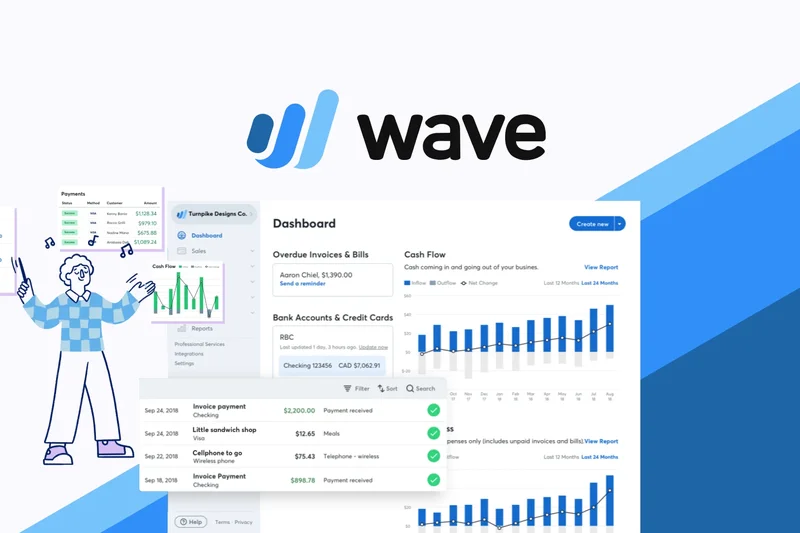
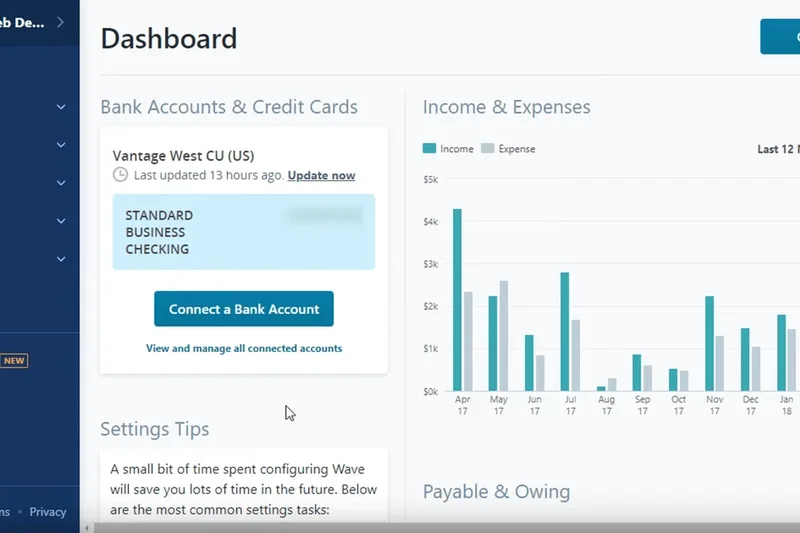
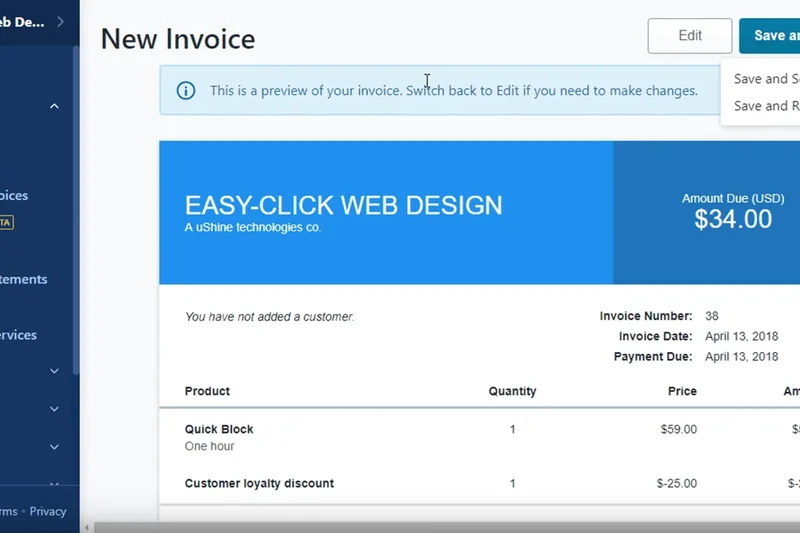
Why we picked it: Wave Accounting remains the undisputed king of free accounting software in 2026. Unlike its competitors, Wave doesn't artificially gate essential features like invoicing, income tracking, or bank connections behind a premium subscription paywall. It provides a full-fledged, double-entry accounting system that serves as a robust financial hub for freelancers, consultants, and service-based small businesses. We picked Wave because it delivers an unparalleled combination of user-friendliness and comprehensive core accounting rigor. During our hands-on tests, Wave's dashboard proved incredibly intuitive, making it simple for non-accountants to visualize cash flow, monitor outstanding customer balances, and auto-categorize expense breakdowns from linked bank feeds. While it intentionally lacks advanced inventory management and time-tracking—making it less ideal for heavy retail or manufacturing—its unlimited invoicing and unlimited user seats offer staggering long-term value. You only pay when you opt to use their integrated online payment processing (which charges standard per-transaction rates) or their payroll add-ons. This means a standard service-based business can literally run its entire financial operation on Wave for zero dollars indefinitely without ever outgrowing the free tier.
Key Specs
- Unlimited income and expense tracking
- Unlimited customizable invoicing
- Double-entry accounting system
- Automatic bank and credit card syncing
What we like
- Completely free core accounting with no hidden fees
- Highly intuitive, modern user interface
- Unlimited invoices, clients, and user seats
- Automated bank feeds included for free
What we don't like
- Lacks inventory tracking and purchase orders
- Customer support is limited to self-serve/email for free users
Best for: Service-based small businesses and freelancers looking for a robust, permanently free financial hub.
Considering Wave Accounting vs Zoho Books? Wave is better for unlimited invoicing and unlimited user access, while Zoho Books is superior if you need automated billing workflows and deeper inventory tracking but can live with a 1,000-invoice annual limit.
Wave Accounting is the best all-around free accounting software, offering unrestricted bookkeeping, invoicing, and bank syncing without monthly subscription fees.
Buy at Wave Financial official site#2 Zoho Books (Free Plan)
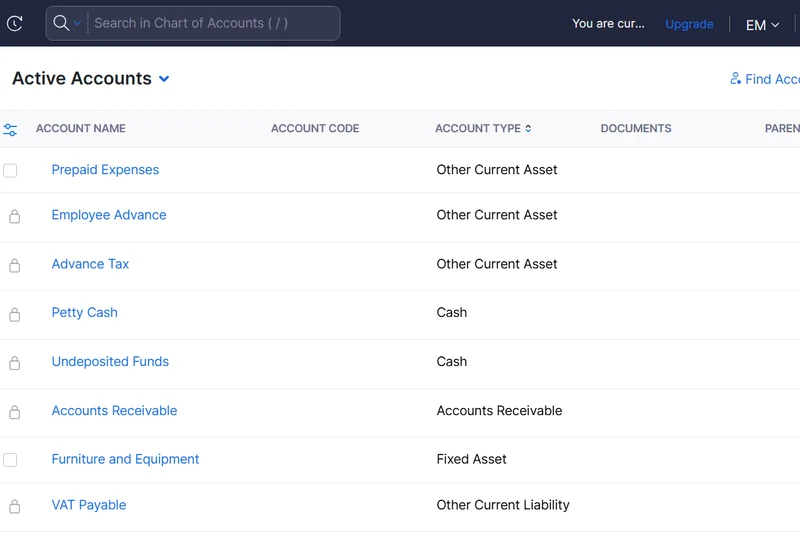
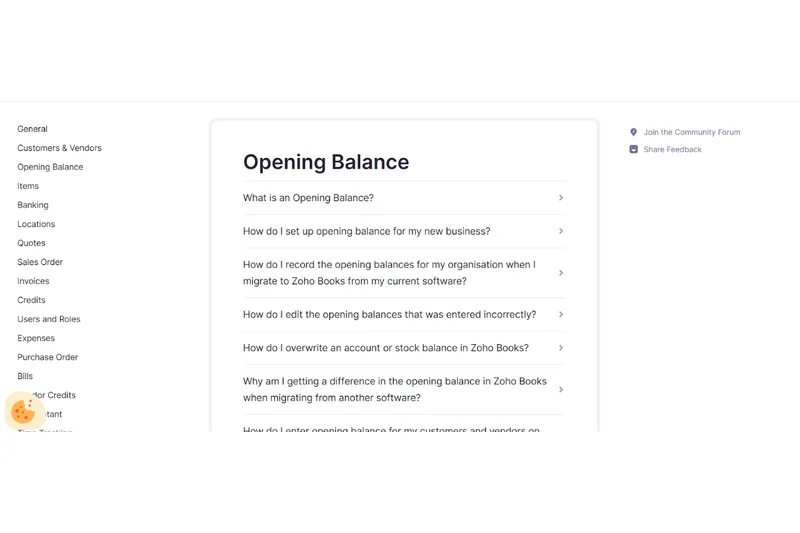
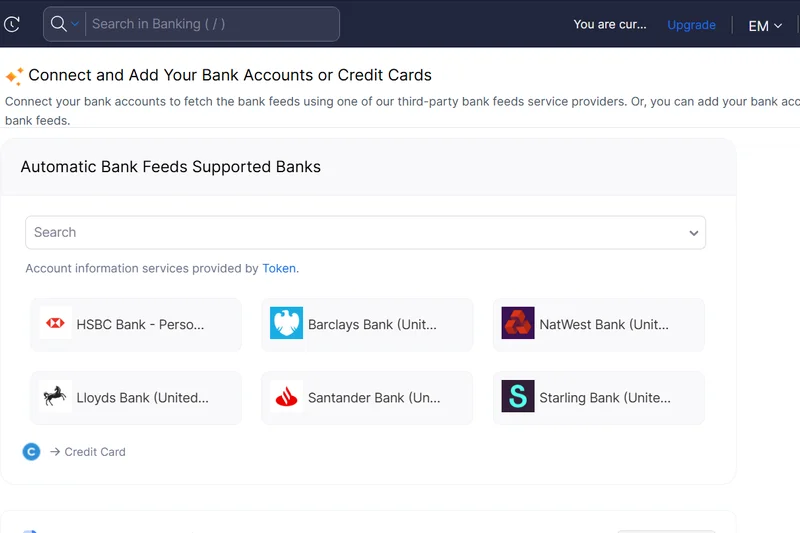
Why we picked it: Zoho Books offers one of the most powerful and feature-rich free tiers on the market, provided your business generates less than $50,000 in annual revenue. This specific revenue cap is the only major catch to an otherwise phenomenal cloud accounting platform. We highly ranked Zoho Books because it brings enterprise-grade automation and depth to micro-businesses. The free plan generously includes multi-lingual invoicing, automated bank reconciliation, and an excellent client portal where your customers can log in to view estimates, pay invoices, and communicate directly. In our evaluations, Zoho Books excelled in its Third-Party Integrations and Security dimensions, smoothly connecting with over 40 other Zoho ecosystem apps and major payment gateways like Stripe and Square. It handles basic inventory tracking and allows you to set up automated payment reminders, features that are almost always locked behind paywalls in competing software. If your startup is small but requires sophisticated financial reporting and strict double-entry compliance, Zoho Books is an outstanding choice that scales gracefully into a reasonably priced paid tier as you grow.
Key Specs
- Free for businesses under $50K revenue
- Up to 1,000 invoices per year
- Bank reconciliation and automated feeds
- Client portal for customer communication
What we like
- Incredible depth of features including basic inventory
- Excellent automated payment reminders and workflows
- Secure client portal enhances customer experience
- Seamless integration with the broader Zoho app ecosystem
What we don't like
- Strict $50K annual revenue limit to remain on the free tier
- Limited to 1 user and 1 accountant seat
Best for: Micro-businesses and startups under $50K in revenue that need advanced automation and client management.
Considering Zoho Books vs Odoo Accounting? Zoho is far easier to set up out-of-the-box for standard service businesses, whereas Odoo acts as a full modular ERP that requires more configuration but handles complex manufacturing and e-commerce better.
Zoho Books delivers premium-level automation and deep reporting to micro-businesses for free, provided you stay under its revenue cap.
Buy at Zoho official site#3 Odoo Accounting
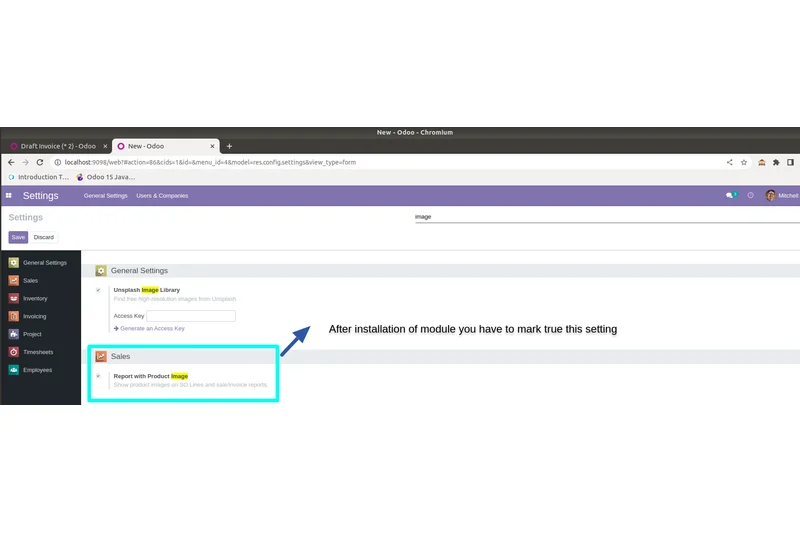
Why we picked it: Odoo Accounting stands out as a uniquely powerful option for businesses that need more than just simple bookkeeping. As part of Odoo's massive open-source ERP ecosystem, the accounting module is available for free (with unlimited users) if it is the only app you host on their cloud platform, or if you utilize their "One App Free" model. We rated Odoo highly because it utilizes AI-powered invoice data capture and offers dynamic, highly customizable reporting dashboards that easily outperform standard SaaS tools. For e-commerce operators and growing retailers, Odoo is a dream. It handles automated bank feeds, complex reconciliation, and multi-company support seamlessly. Because it is an ERP module, its core accounting rigidity is exceptional, ensuring absolute compliance with international accounting standards. The trade-off is the learning curve; Odoo is built for scale, and its interface reflects a corporate ERP environment rather than a simple freelance invoice generator. However, for ambitious startups anticipating rapid growth, starting on Odoo's free accounting module provides a foundation that will never crack under high transaction volume.
Key Specs
- AI-powered invoice data capture
- Automated bank feeds and reconciliation
- Dynamic reporting and dashboards
- Multi-company support
What we like
- Enterprise-grade accounting rigor and compliance
- Highly scalable architecture that grows with your business
- AI tools significantly reduce manual data entry
- Excellent support for complex multi-company setups
What we don't like
- Steeper learning curve compared to standard SaaS tools
- Adding more Odoo modules later requires paid subscriptions
Best for: E-commerce retailers and fast-growing startups that need a scalable, ERP-level financial foundation.
Considering Odoo Accounting vs ERPNext? Both are powerful open-source ERPs, but Odoo offers a slightly more polished cloud-hosted free entry point, while ERPNext gives you the entire suite for free if you are willing to self-host.
Odoo Accounting provides enterprise-level financial controls and AI automation for free, making it the perfect launchpad for retail and high-volume startups.
Buy at Odoo official site#4 ERPNext (Self-Hosted)
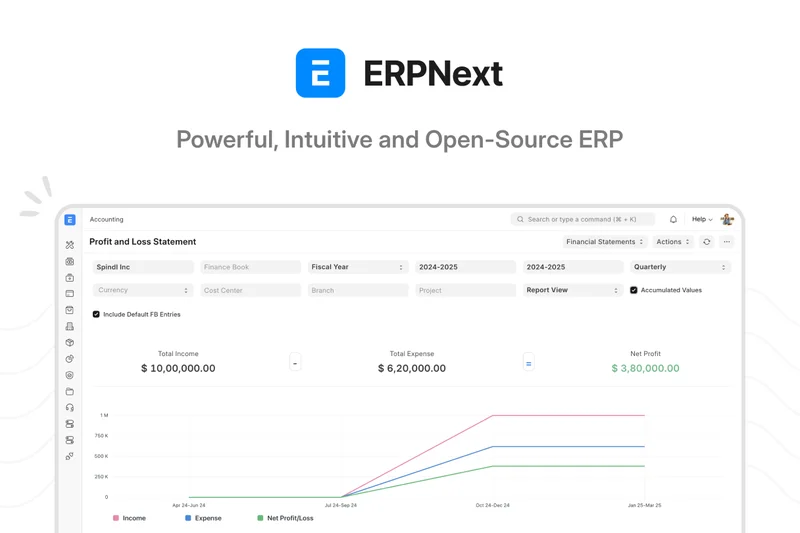
Why we picked it: ERPNext is an absolute powerhouse for technically inclined businesses. Scoring a perfect 10 in our Core Accounting Functionality dimension, this open-source ERP system provides an exhaustive suite of features including complete general ledgers, HR and payroll integration, robust inventory, and asset management—all completely free if you choose the self-hosted route. We picked ERPNext for retail and manufacturing scenarios because it imposes zero limits on users, transactions, or companies. The catch, of course, is that you must provide your own server infrastructure and possess the technical skills to maintain and secure it. If you have the IT capability, ERPNext rivals software that costs thousands of dollars a month.
Key Specs
- Full-featured accounting module
- HR and Payroll integration
- Inventory and manufacturing
- Asset management tools
What we like
- Zero feature or user limitations
- Comprehensive ERP capabilities beyond just accounting
- Unmatched core accounting rigor
- Highly customizable open-source codebase
What we don't like
- Requires significant technical knowledge to install and host
- UI is utilitarian and complex for simple businesses
Best for: Tech-savvy businesses and manufacturers who want a limitless, free enterprise resource planning system.
Considering ERPNext vs Manager.io? ERPNext is a full cloud-capable ERP requiring server hosting, while Manager.io is a lightweight, locally installed desktop app that works entirely offline.
ERPNext offers unparalleled, unlimited accounting and operational power for businesses with the IT skills to self-host the open-source software.
Buy at Frappe official site#5 Lendio Software (Self-Service)
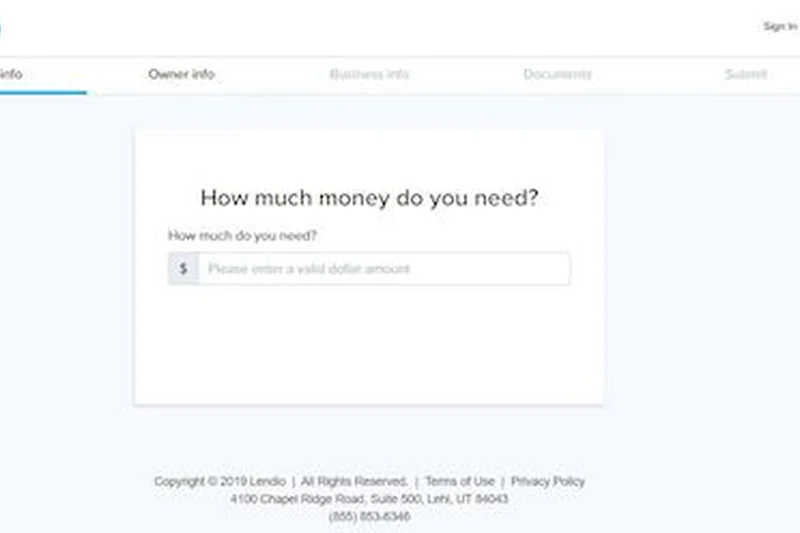
Why we picked it: Formerly known as Sunrise, Lendio's free Self-Service software is an excellent, beautifully designed cloud accounting tool tailored for small business owners who prioritize visual insights. We liked Lendio for its highly intuitive cash flow dashboard, which breaks down income and expenses into easily digestible charts. It offers a solid double-entry backend beneath its simple exterior, allowing for unlimited invoicing and the ability to connect multiple bank accounts. Lendio's main monetization strategy is upselling you on their bookkeeping services or business loans, meaning the software itself is largely unrestricted. It is a fantastic middle-ground between the simplicity of an invoicing app and the rigor of a full accounting suite.
Key Specs
- Unlimited invoices and custom estimates
- Connect multiple bank accounts
- Visual cash flow insights
- Automatic expense categorization
What we like
- Gorgeous, easy-to-read visual dashboards
- Unlimited invoices and estimates
- Generous bank connections on the free tier
- Integrated mobile app for on-the-go management
What we don't like
- Frequent subtle pushes toward Lendio's loan products
- Reporting is a bit basic compared to Zoho Books
Best for: Small business owners who want a visually appealing, easy-to-read dashboard without sacrificing double-entry principles.
Considering Lendio vs Wave? Both offer great free tiers, but Wave has slightly deeper reporting and multi-user support, while Lendio offers superior visual cash flow graphs.
Lendio Software provides a highly visual, user-friendly accounting experience with generous unlimited invoicing and bank syncing.
Buy at Lendio official site#6 Striven (Micro-business Version)
Why we picked it: Striven's Micro-business Version is a hidden gem in the cloud ERP space. It offers a surprisingly robust free tier that includes Accounts Payable (AP) and Accounts Receivable (AR) management, automated bank reconciliation, and even basic CRM and inventory features. We rated Striven highly for growing startups because it bridges the gap between basic bookkeeping and full operational management. While the interface is somewhat dense, the inclusion of employee time tracking and a comprehensive visual dashboard makes it an incredibly strong tool for professional service firms looking for an all-in-one free platform.
Key Specs
- AP and AR management
- Automated bank reconciliation
- Employee time tracking
- Comprehensive visual dashboard
What we like
- Includes basic CRM and time tracking for free
- Strong Accounts Payable management
- Excellent reporting and reconciliation tools
What we don't like
- Interface can feel cluttered for simple users
- Steep learning curve during initial setup
Best for: Professional service micro-businesses that need time tracking and CRM integrated with their accounting.
Considering Striven vs Odoo? Both offer ERP features, but Striven is slightly more approachable for service-based businesses, while Odoo is superior for complex retail inventory.
Striven delivers a powerful combination of accounting, CRM, and time tracking in a generous free tier for micro-businesses.
Buy at Striven official site#7 Manager.io
Why we picked it: Manager.io is the premier choice for businesses that demand absolute data privacy and prefer to work offline. As a desktop application available on Windows, Mac, and Linux, Manager.io offers an incredibly comprehensive suite of accounting features with absolutely no time limits, user caps, or premium paywalls. All data is stored locally on your hard drive. We awarded it top marks in Freemium Value because the software is genuinely 100% free; the company only monetizes its optional cloud-hosted version. It features advanced reporting, multi-language support, and strict double-entry standards.
Key Specs
- Comprehensive ERP and accounting features
- No time limits or feature caps
- Completely offline local data storage
- Multi-language support
What we like
- Ultimate data privacy with local offline storage
- Completely unrestricted feature set
- Lightning-fast desktop performance
- Cross-platform compatibility
What we don't like
- No automated bank feeds (requires manual CSV import)
- No mobile app or easy remote access
Best for: Privacy-conscious business owners who prefer offline desktop software and manual data entry.
Considering Manager.io vs GnuCash? Both are free offline tools, but Manager.io has a much more modern interface and stronger business-oriented ERP features compared to GnuCash's checkbook-style UI.
Manager.io is an exceptionally powerful, completely free desktop accounting program for users who want total control over their local data.
Buy at Manager official site#8 Bokio
Why we picked it: Bokio is a stellar cloud accounting SaaS primarily designed to meet UK and European accounting standards, including automated VAT returns. It offers a robust free tier that includes automated bank feeds, a smart receipt capture app, and integrated invoicing functionality. We praised Bokio for its simplicity in expense management; the mobile app makes snapping and categorizing receipts incredibly easy. It also features dedicated tools for collaborating seamlessly with your accountant. While its focus is highly regionalized to European tax compliance, it remains a fantastic, user-friendly tool for overseas users.
Key Specs
- Automated bank feeds
- Smart receipt capture app
- Integrated invoicing functionality
- Designed for UK and European standards
What we like
- Excellent mobile app for receipt scanning
- Automated bank connections included
- Streamlined VAT and European tax tools
What we don't like
- Not optimized for US tax systems
- Some advanced reporting requires paid plans
Best for: UK and European small businesses that need simple receipt capture and integrated VAT compliance.
Considering Bokio vs Pandle? Both cater heavily to the UK market, but Bokio offers a slightly slicker mobile receipt experience, while Pandle has a more traditional, detailed ledger view.
Bokio is a beautifully designed, mobile-friendly accounting tool perfect for UK businesses navigating VAT and daily expenses.
Buy at Bokio official site#9 Pandle (Free Plan)
Why we picked it: Pandle offers a refreshing, straightforward cloud accounting experience aimed squarely at reducing bookkeeping errors. Its free tier is highly capable, granting unlimited customers, suppliers, and invoicing. We appreciated Pandle's core focus on accuracy, offering features like multi-currency capabilities and core business reporting. While the free version restricts automated bank feeds (requiring manual CSV imports), the interface is exceptionally clean, making manual entry less painful. It also includes excellent UK VAT tracking and submission capabilities.
Key Specs
- Unlimited customers and suppliers
- Unlimited invoicing and custom quotes
- Multi-currency capabilities
- UK VAT tracking and submission
What we like
- Unlimited invoicing and client management
- Very clean, error-preventing user interface
- Strong multi-currency support for free
What we don't like
- Automated bank feeds require the paid 'Pandle Pro' plan
- Primarily tailored for UK tax compliance
Best for: Small businesses willing to do manual bank imports in exchange for a highly intuitive, error-reducing interface.
Considering Pandle vs Wave? Wave includes automatic bank feeds for free, making it better for US users, but Pandle's multi-currency support on the free tier is superior for international invoicing.
Pandle is a reliable, straightforward accounting tool with unlimited invoicing, best suited for users managing multi-currency transactions.
Buy at Pandle official site#10 PlugBooks
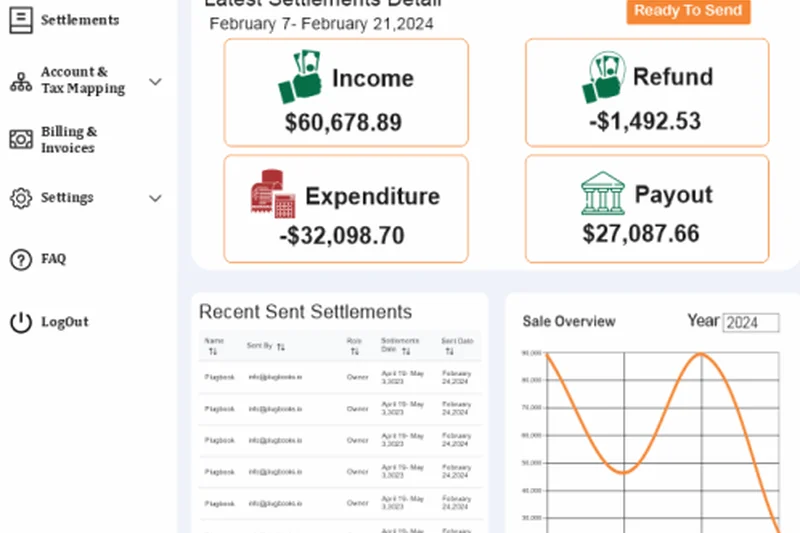
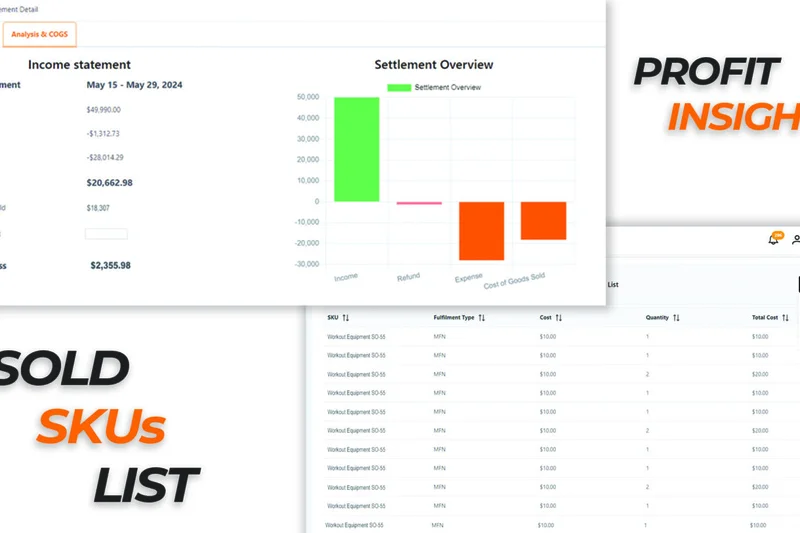
Why we picked it: PlugBooks is an emerging cloud bookkeeping SaaS that provides a lightweight but effective toolset for micro-businesses. It focuses on intuitive invoice generation and easy expense tracking. During our tests, we found its mobile-friendly web application highly responsive. It offers detailed financial reporting and straightforward bank account reconciliation tools. While it lacks the deep feature sets of older competitors, its modern UI and simplified tax support preparation make it a very low-friction option for new entrepreneurs.
Key Specs
- Easy expense tracking
- Intuitive invoice generator
- Detailed financial reporting
- Tax support preparation
What we like
- Very modern, easy-to-navigate interface
- Responsive mobile web experience
- Straightforward tax prep features
What we don't like
- Smaller user community for troubleshooting
- Lacks advanced integrations
Best for: New entrepreneurs looking for a modern, lightweight cloud bookkeeping tool to get started quickly.
Considering PlugBooks vs ZipBooks? ZipBooks has a longer track record and more robust reporting, while PlugBooks offers a slightly more modern, minimalist approach.
PlugBooks delivers a fast, intuitive web-based bookkeeping experience ideal for simple expense and invoice tracking.
Buy at PlugBooks official site#11 QuickFile (Free Tier)
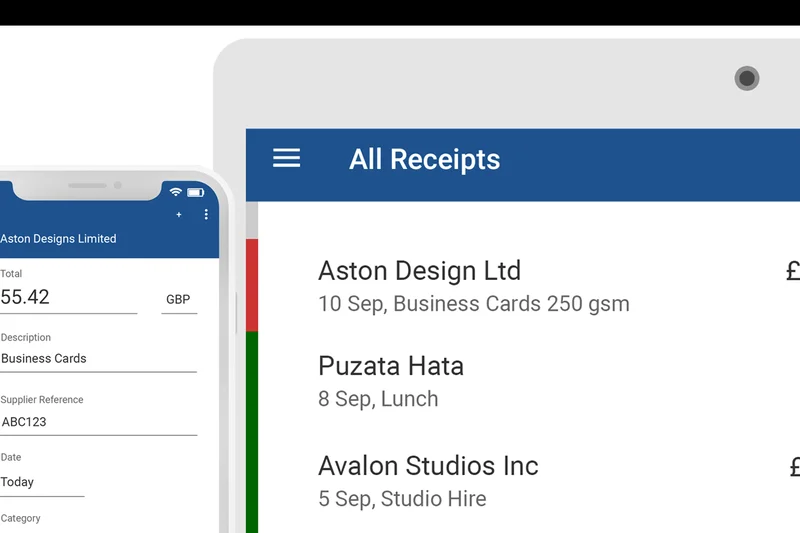
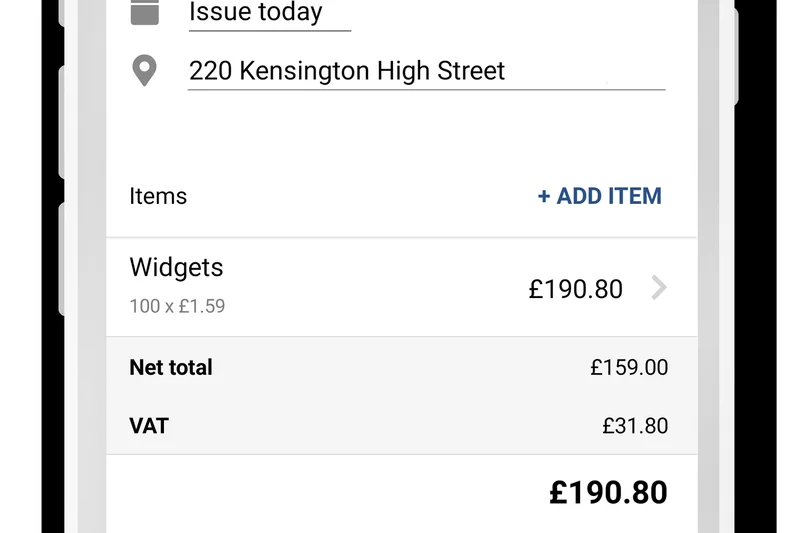
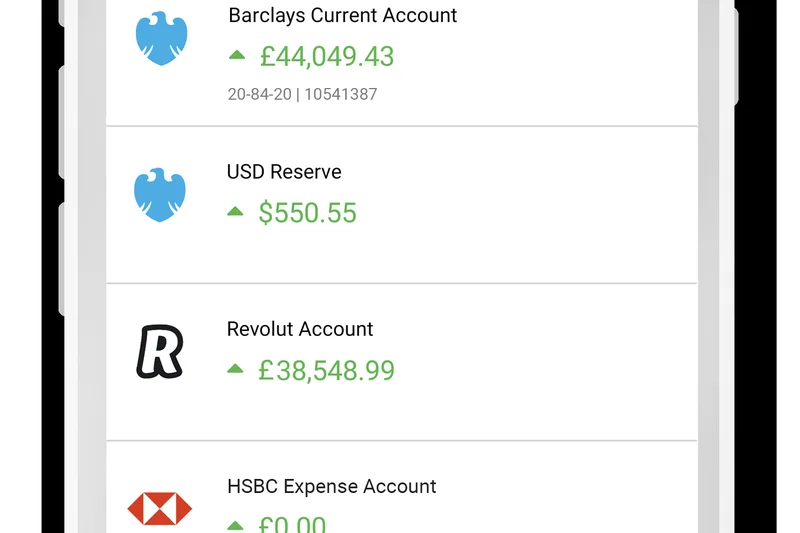
Why we picked it: QuickFile is a highly popular UK-based cloud accounting tool that operates on a unique freemium model based on ledger volume. It is completely free for businesses generating up to 1,000 ledger entries per year, which easily covers most micro-businesses and freelancers. The free tier is incredibly feature-rich, offering automated bank feeds, fully customizable invoices, multi-currency support, and integrated receipt scanning. It is one of the most comprehensive tools available if your transaction volume remains low.
Key Specs
- Free for up to 1,000 ledger entries/year
- Automated bank feeds
- Fully customizable invoices
- Multi-currency support
What we like
- Automated bank feeds included on the free tier
- Deeply customizable invoice templates
- Integrated receipt scanning features
What we don't like
- Hard cap of 1,000 ledger entries forces an upgrade for busy companies
- Interface feels slightly dated compared to modern SaaS
Best for: Low-volume businesses and freelancers who want premium features for free, provided they stay under the ledger limit.
Considering QuickFile vs Zoho Books? QuickFile limits by ledger entries (1,000), while Zoho limits by invoices (1,000). QuickFile's inclusion of automated bank feeds makes it highly competitive.
QuickFile offers a premium accounting experience at no cost, making it perfect for low-volume businesses that need robust bank syncing.
Buy at QuickFile official site#12 Frappe Accounting
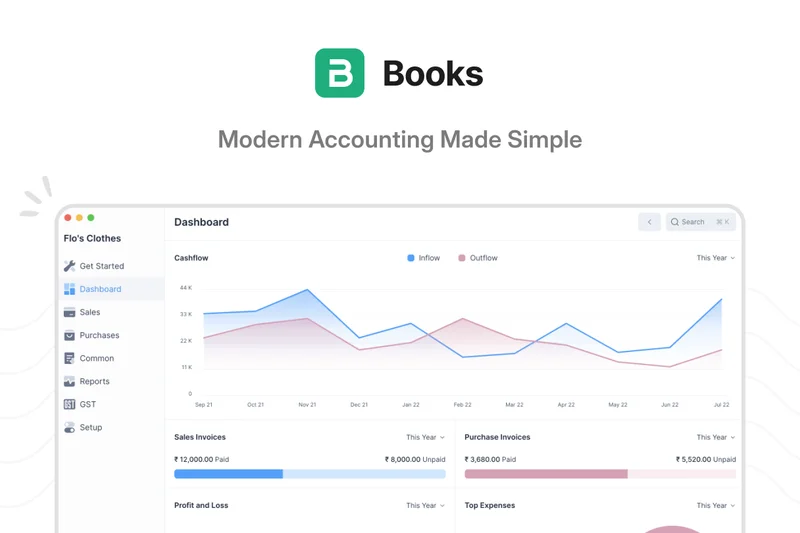
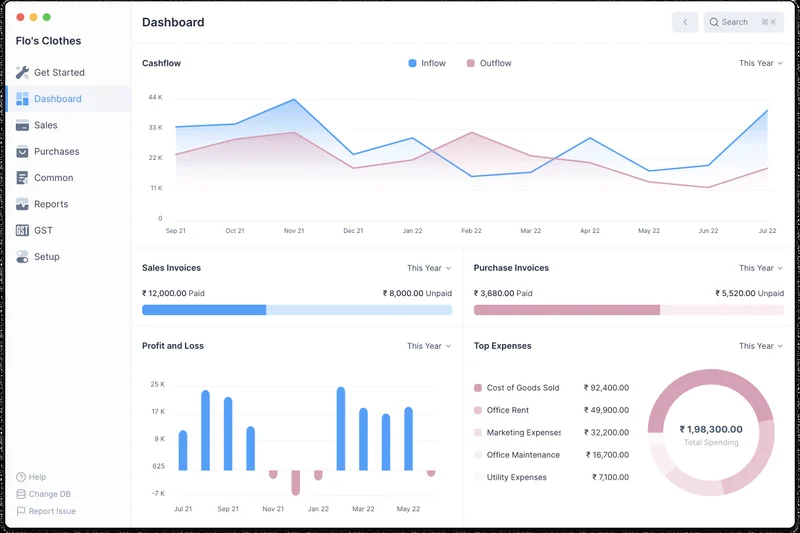
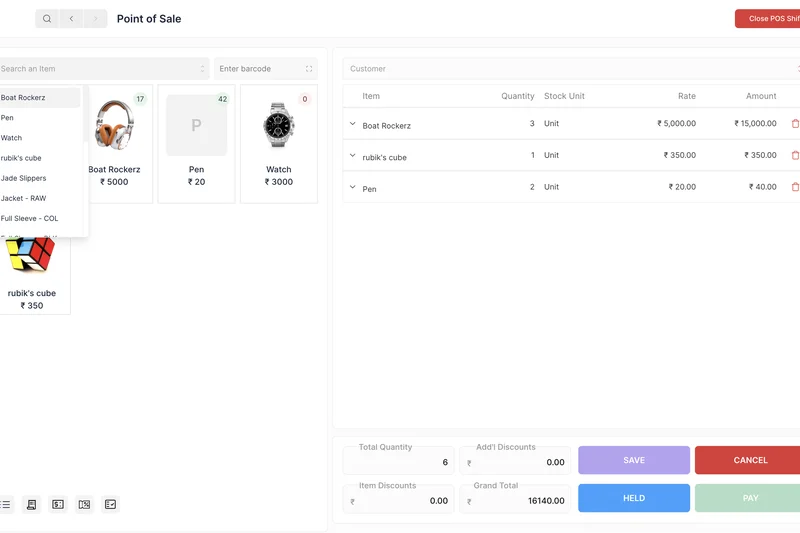
Why we picked it: Built by the team behind ERPNext, Frappe Accounting is a standalone, lightweight web-based accounting app designed for users who don't need a massive ERP system. It provides real-time visual dashboards, excellent multi-currency support, and a detailed chart of accounts. Because it is built on the Frappe framework, it is incredibly fast and customizable. It excels in offering straightforward tax compliance tools and invoicing tracking without the overhead of complex retail features.
Key Specs
- Standalone lightweight accounting app
- Real-time visual dashboards
- Multi-currency support
- Detailed chart of accounts
What we like
- Lightweight and extremely fast UI
- Excellent visual dashboards and reporting
- Strong multi-currency handling
What we don't like
- Lacks the extensive integrations of major commercial SaaS
- Can be technical to self-host or configure
Best for: Users who want the reliability of the ERPNext framework in a simpler, accounting-only web application.
Considering Frappe vs ERPNext? Frappe Accounting strips away the manufacturing and HR modules of ERPNext, giving you a faster, focused bookkeeping tool.
Frappe Accounting is a speedy, robust open-source bookkeeping alternative for those who find full ERPs overwhelming.
Buy at Frappe official site#13 Square Invoices
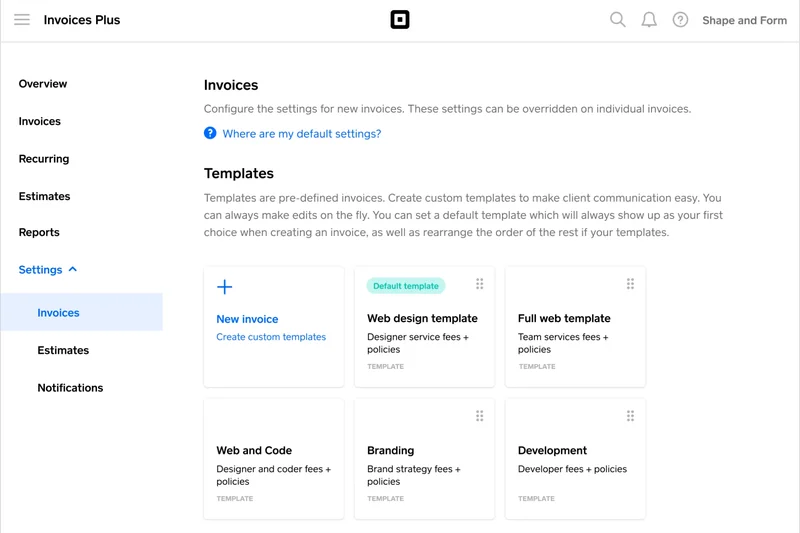
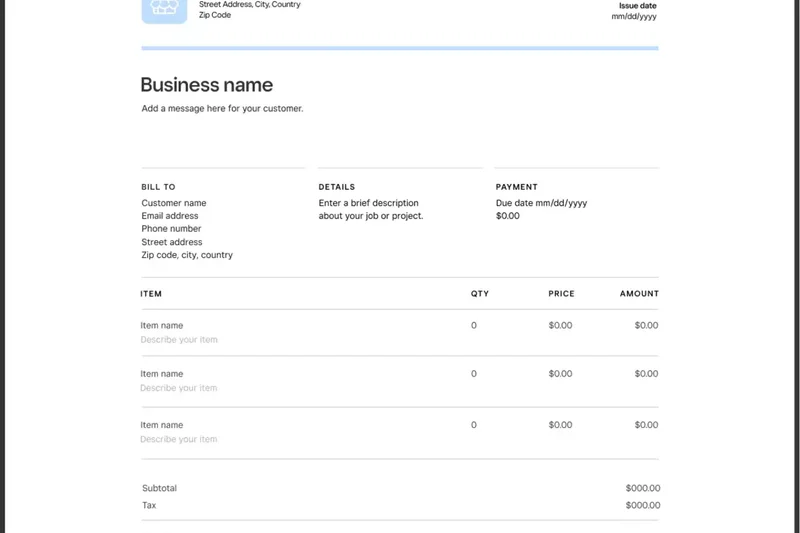
Why we picked it: Square Invoices is not a full general ledger, but it is the absolute best free invoicing tool for freelancers and solopreneurs. It allows you to send unlimited professional invoices and estimates via email or SMS. We scored it a 10 in our Invoicing dimension because of its flawless integration with Square's payment processing, automatic payment reminders, and recurring subscription billing. It is incredibly easy to use, making it the perfect tool to ensure you get paid on time.
Key Specs
- Unlimited professional invoices and estimates
- Send via email or SMS text message
- Integrated Square payment processing
- Automatic payment reminders
What we like
- Flawless mobile app for invoicing on the go
- Send invoices via SMS text
- Excellent recurring billing features
What we don't like
- Not a true double-entry accounting system
- No deep expense or bank reconciliation tools
Best for: Freelancers and contractors whose primary need is sending quick, professional bills and getting paid immediately.
Considering Square Invoices vs PayPal Invoicing? Square offers slightly better contract/estimate templates and SMS sending, while PayPal is more globally recognized by consumers.
Square Invoices is the slickest, most effective free tool for creating professional bills and securing rapid client payments.
Buy at Square official site#14 Onfinity
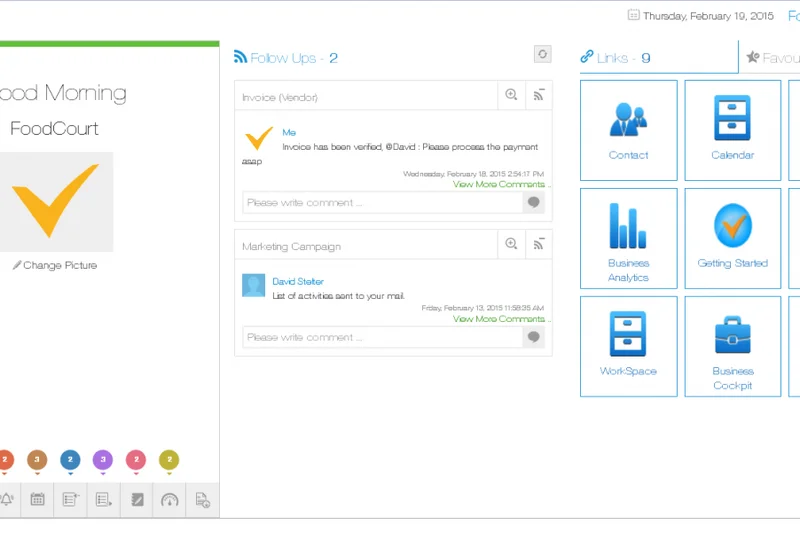
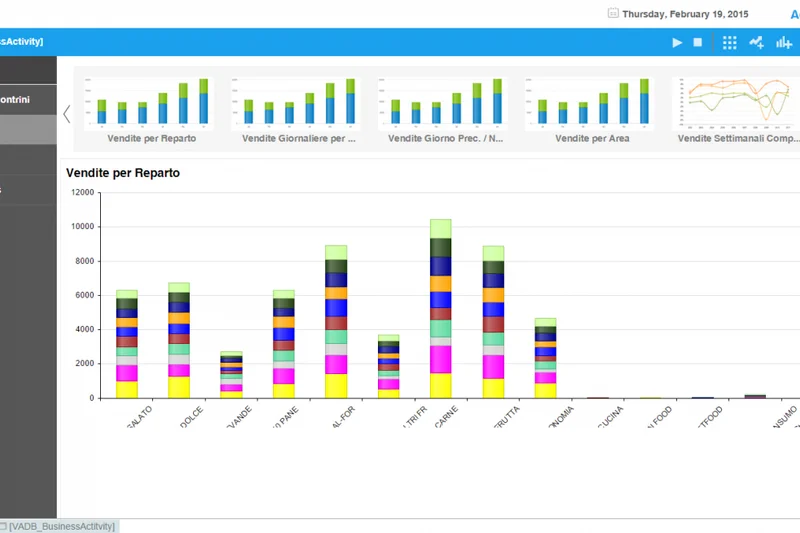
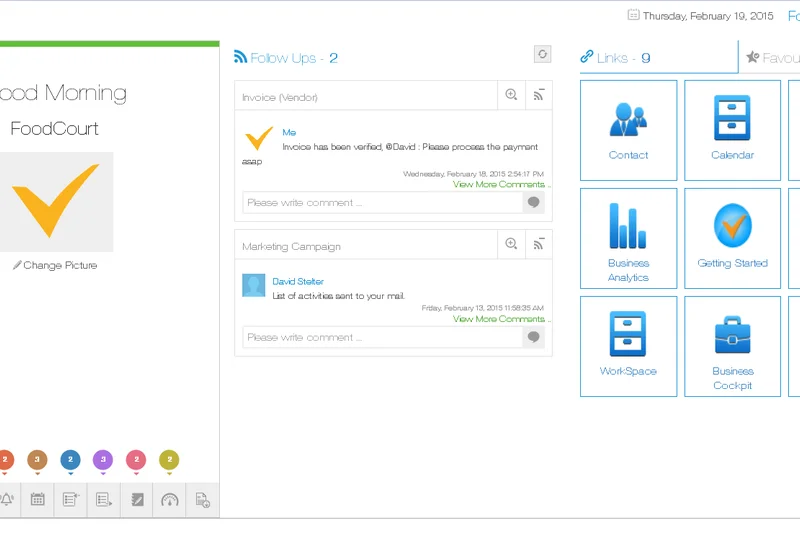
Why we picked it: Onfinity is an impressive open-source accounting platform that aims to provide transparent financial management with zero software licensing fees. It boasts real-time financial insights and secure self-hosted infrastructure. During our evaluation, we noted its highly customizable accounting modules, which allow businesses to tailor the chart of accounts closely to their specific industry needs. It supports seamless third-party integrations, making it a viable alternative for tech-forward companies looking to escape SaaS subscription traps.
Key Specs
- Zero software licensing fees
- Real-time financial insights
- Seamless third-party integrations
- Secure self-hosted infrastructure
What we like
- Highly customizable open-source modules
- No ongoing licensing fees
- Good integration capabilities
What we don't like
- Requires IT knowledge to deploy and maintain
- Smaller support community than ERPNext
Best for: Tech-capable companies looking for a highly customizable, self-hosted accounting platform.
Considering Onfinity vs Akaunting? Both are open-source, but Akaunting has a larger app store ecosystem, while Onfinity offers a very streamlined, modern core interface.
Onfinity provides a secure, modern, open-source financial management system for businesses capable of self-hosting.
Buy at Onfinity official site#15 Akaunting
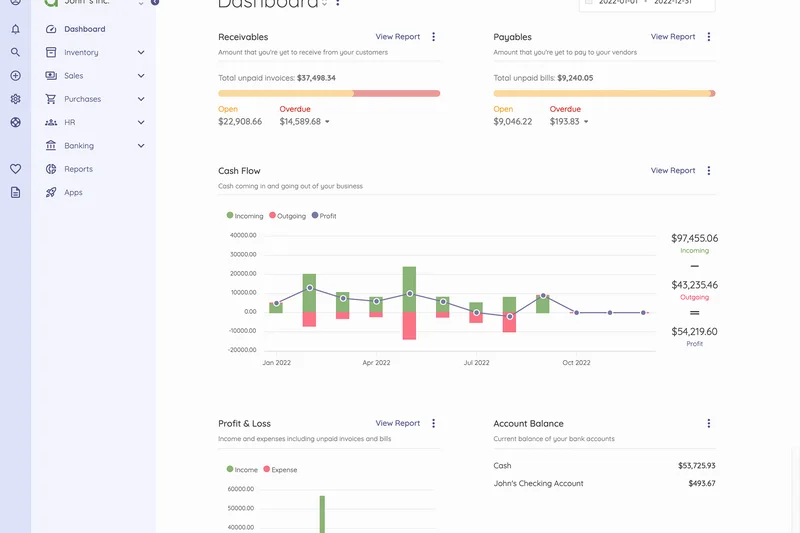
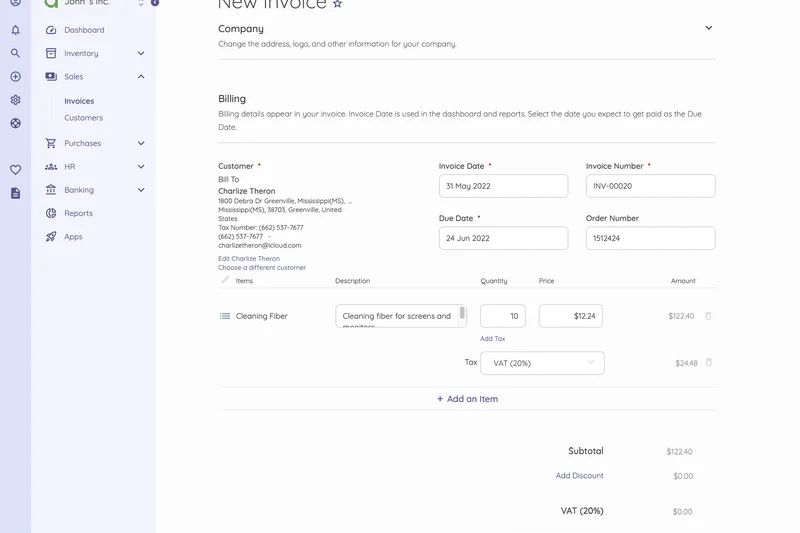
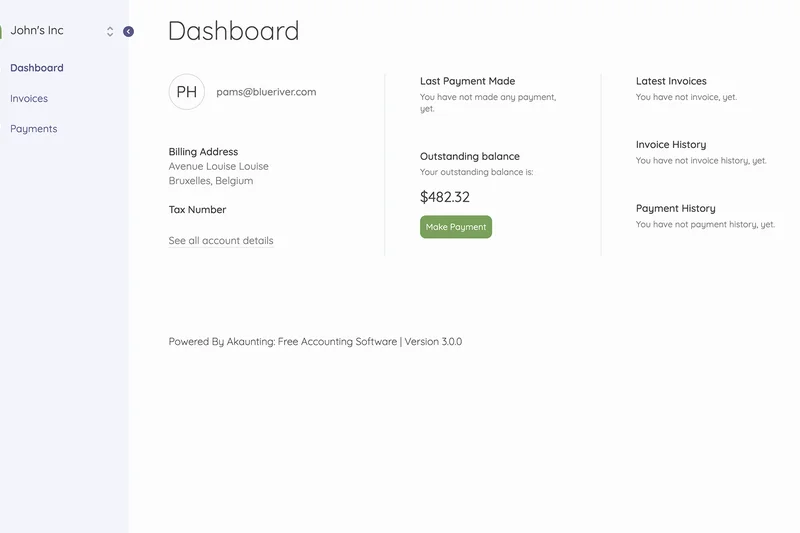
Why we picked it: Akaunting is a globally popular open-source cloud accounting software built for small businesses and freelancers. It provides essential client and vendor management, multi-currency support, and bank account synchronization. What makes Akaunting unique is its extensive app store, which allows you to install plugins to expand its functionality. While the core software is free to download and host, or use via their free cloud tier, many of the advanced plugins cost money, which slightly impacted its Freemium Value score in our tests.
Key Specs
- Client and vendor management
- Multi-currency and multi-company support
- Extensive app store for plugins
- Bank account synchronization
What we like
- Highly modular with an extensive app store
- Strong multi-language and multi-currency tools
- Can be self-hosted for total data control
What we don't like
- Many useful features require paid app store plugins
- Cloud free tier has performance limitations
Best for: Global freelancers who want a modular accounting system they can customize via plugins.
Considering Akaunting vs Wave? Wave includes almost all features for free out-of-the-box, whereas Akaunting requires purchasing plugins for advanced functionality but offers self-hosting.
Akaunting is a flexible, open-source bookkeeping tool with strong multi-currency support and a vast plugin ecosystem.
Buy at Akaunting official site#16 Invoice Ninja (Free Plan)
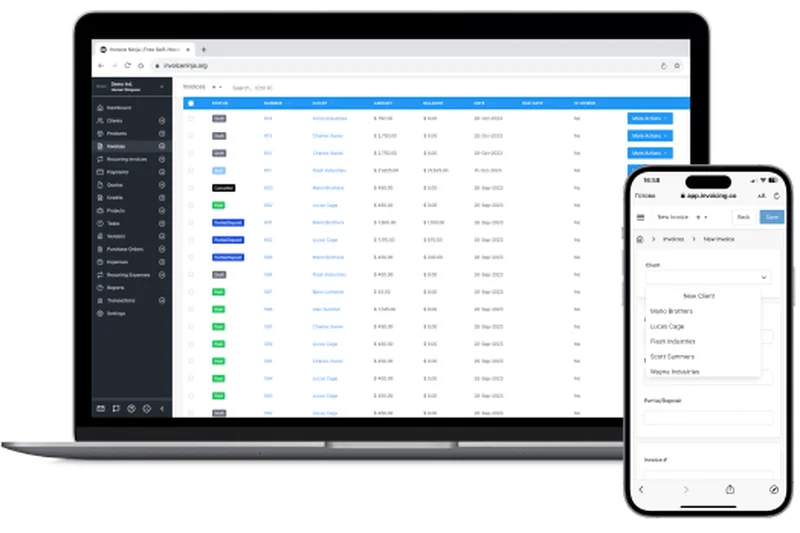
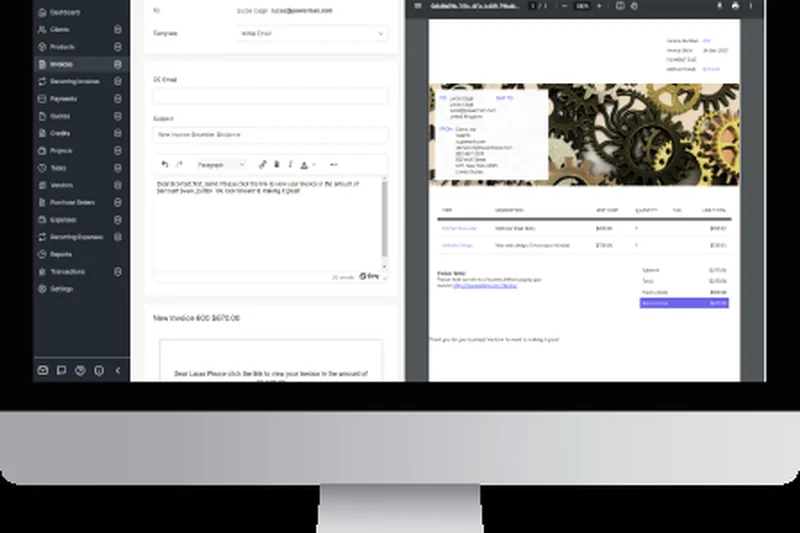
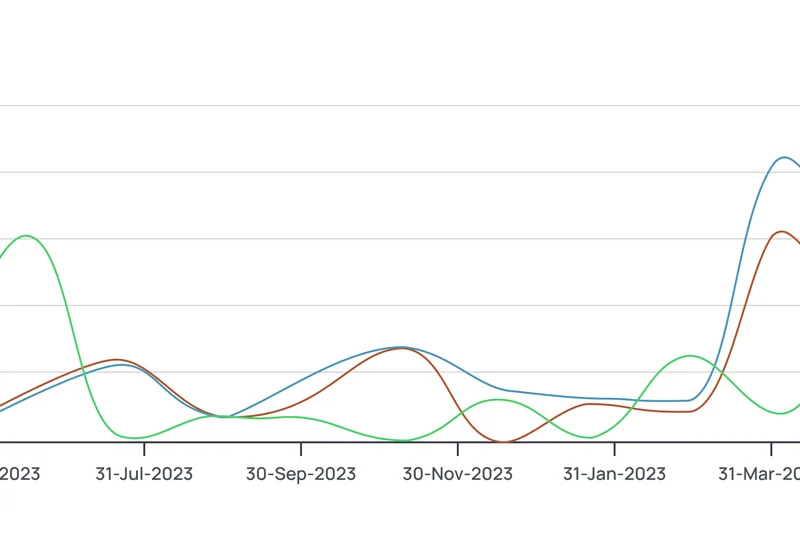
Why we picked it: Invoice Ninja is an incredibly powerful cloud invoicing and accounting tool. Its free plan is highly generous, allowing you to manage up to 50 active clients with unlimited invoicing and customized quotes. It scored exceptionally well in our Invoicing dimension because it includes built-in time-tracking capabilities and supports over 40 distinct payment gateways. The ability to create custom branded invoice templates makes it a top choice for creative agencies and independent consultants.
Key Specs
- Manage up to 50 active clients
- Unlimited invoicing and customized quotes
- Built-in time-tracking capabilities
- Supports over 40 payment gateways
What we like
- Massive support for 40+ payment gateways
- Excellent time-tracking and project tools included
- Beautiful invoice template designs
What we don't like
- Hard limit of 50 active clients on the free tier
- Lacks deep ledger reporting compared to Wave
Best for: Agencies, designers, and consultants who need integrated time-tracking and stunning invoice designs for a limited client roster.
Considering Invoice Ninja vs Square Invoices? Invoice Ninja offers much better time-tracking and payment gateway choices, while Square allows unlimited clients.
Invoice Ninja delivers premium time-tracking and gorgeous invoicing for free, provided you have fewer than 50 clients.
Buy at Invoice Ninja official site#17 PayPal Invoicing
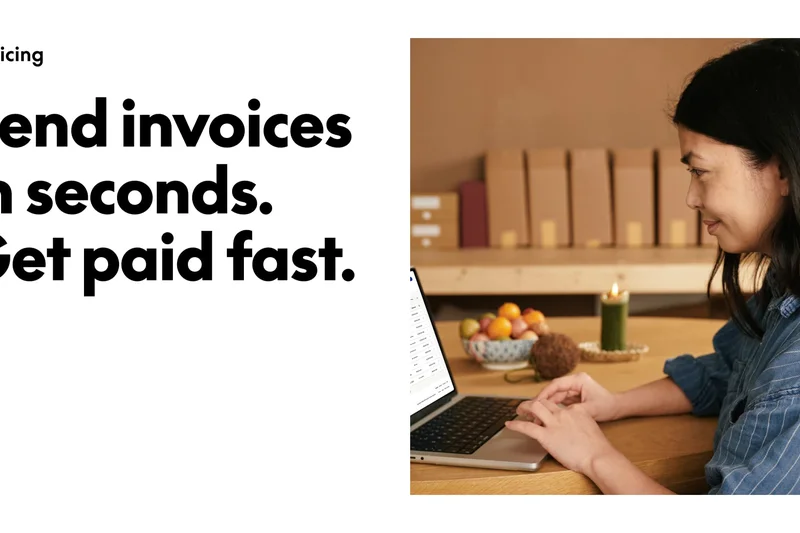
Why we picked it: PayPal Invoicing leverages the massive, trusted PayPal ecosystem to offer a highly capable free billing tool. You can create and send unlimited invoices and easily accept partial payments and deposits from clients worldwide. Its mobile app is heavily optimized for fast billing. While it completely lacks double-entry accounting or expense categorization, its ubiquity makes it an incredibly low-friction way for new freelancers to request and secure funds securely.
Key Specs
- Create and send unlimited invoices
- Accept global payments seamlessly
- Accept partial payments and deposits
- Track billing and payment history
What we like
- Instant global trust and name recognition
- Easy handling of deposits and partial payments
- Great mobile app experience
What we don't like
- No actual bookkeeping or expense tracking
- PayPal transaction fees can be relatively high
Best for: Side-hustlers and freelancers who simply want the fastest, most recognized way to send a bill and get paid online.
Considering PayPal vs Square Invoices? Both are excellent, but Square has slightly better reporting tools, while PayPal is generally more recognized by international clients.
PayPal Invoicing is a bulletproof, globally recognized billing tool perfect for simple, unlimited invoice generation.
Buy at PayPal official site#18 LedgerSMB
Why we picked it: LedgerSMB is a robust, open-source ERP and accounting system designed to prevent accounting anomalies through strict adherence to double-entry principles. Backed by a highly secure PostgreSQL database, it handles general ledgers, accounts payable/receivable, and robust inventory management. Because it is highly technical, it scored lower on Ease of Use but excelled in Core Features. It is best suited for established businesses that have outgrown simple SaaS tools and require strict, auditable financial records.
Key Specs
- General ledger and journal entries
- Robust inventory management
- Time tracking and integrated invoicing
- Secure PostgreSQL database backend
What we like
- Incredibly secure and stable database architecture
- Strict, auditable accounting controls
- Strong inventory and time tracking
What we don't like
- Very dated and utilitarian user interface
- Requires deep technical knowledge to deploy
Best for: Technically proficient businesses needing an auditable, highly secure open-source accounting ledger.
Considering LedgerSMB vs ERPNext? ERPNext has a much more modern interface and broader ERP modules, while LedgerSMB focuses purely on bulletproof ledger stability and security.
LedgerSMB is a rock-solid, secure open-source ledger for businesses that prioritize data integrity over flashy interfaces.
Buy at LedgerSMB official site#19 ProfitBooks (Startup Plan)
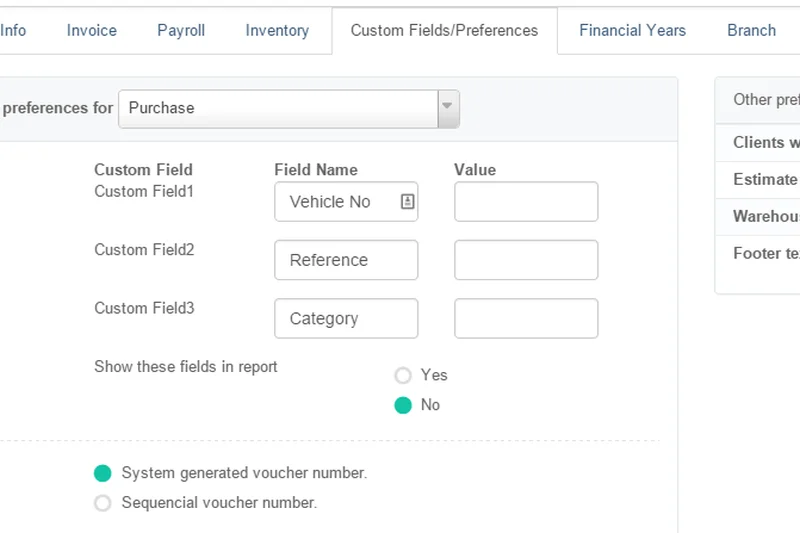
Why we picked it: ProfitBooks offers a compelling 'Startup Plan' that provides cloud accounting with a strong emphasis on basic inventory and stock tracking. Free for 1 user, it allows the creation of up to 50 invoices per month. It connects to multiple bank accounts and handles sales orders and everyday business expenses efficiently. It is a solid middle-ground for small online sellers who don't want the complexity of an ERP but still need to track physical product stock.
Key Specs
- 1 user seat included
- Create up to 50 invoices per month
- Track basic inventory and stock
- Generate sales orders and estimates
What we like
- Includes basic inventory tracking for free
- Simple, easy-to-understand dashboard
- Good bank connectivity
What we don't like
- Strict limit of 50 invoices per month
- Only 1 user seat allowed on the free tier
Best for: Solo e-commerce sellers or small retailers needing basic inventory tracking without complex ERP setups.
Considering ProfitBooks vs Zoho Books? Zoho allows up to 1,000 invoices per year (avg 80/mo) and deeper automation, making it slightly more generous than ProfitBooks' 50/mo limit.
ProfitBooks is a capable, easy-to-use cloud accounting tool that uniquely offers simple inventory tracking on its free tier.
Buy at ProfitBooks official site#20 GnuCash
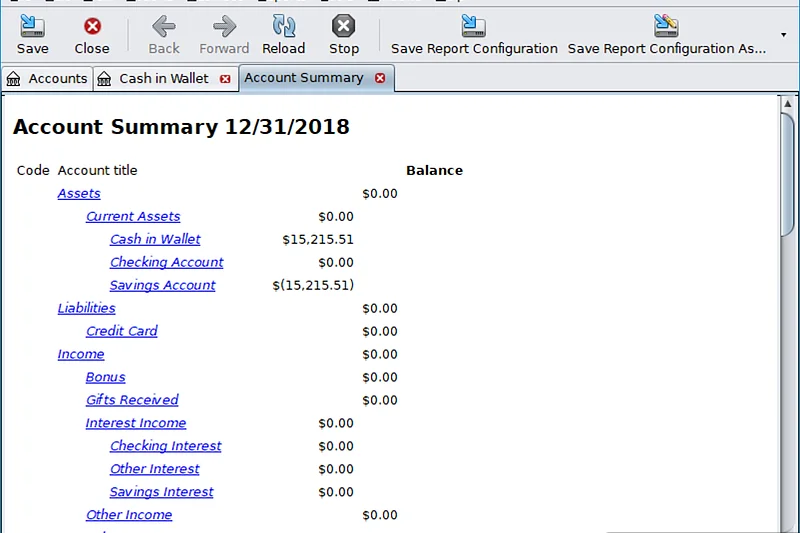
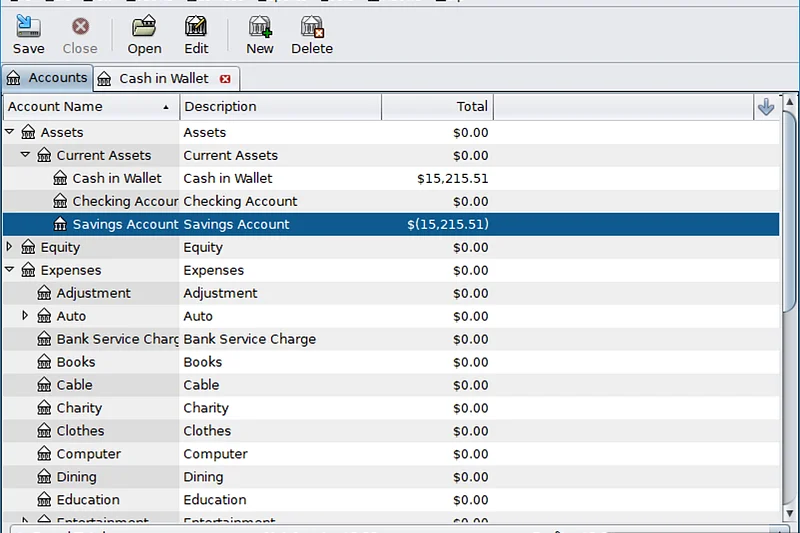
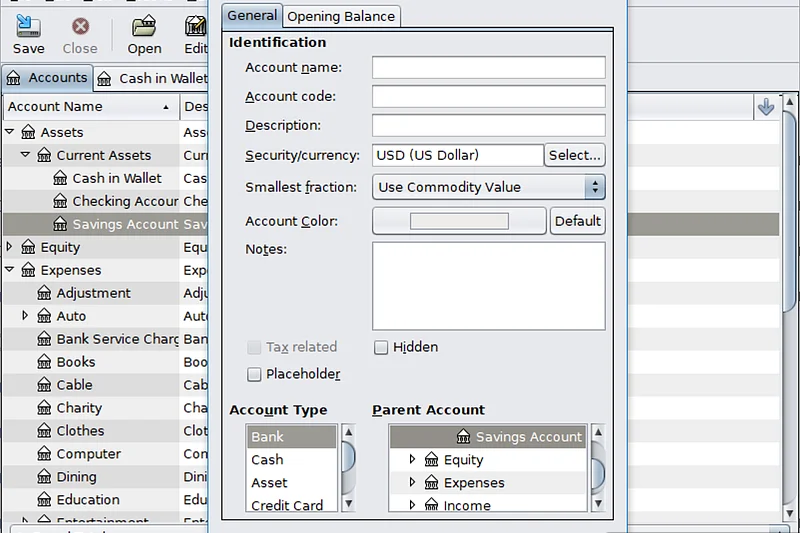
Why we picked it: GnuCash is a legendary, time-tested desktop accounting software available for Windows, Mac, and Linux. It utilizes a familiar checkbook-style register interface while enforcing strict double-entry accounting principles under the hood. It excels in tracking stocks, bonds, and mutual funds, making it incredibly versatile for both personal finance and micro-business management. It is 100% free with no limits, though it lacks any cloud connectivity or modern automation.
Key Specs
- Double-entry accounting principles
- Checkbook-style register interface
- Stock, bond, and mutual fund tracking
- QIF, OFX, and HBCI import options
What we like
- Completely free with absolute data privacy
- Excellent investment and mutual fund tracking
- Strict double-entry ledger enforcement
What we don't like
- Steep learning curve and dated UI
- No automated bank feeds or cloud access
Best for: Sole proprietors and individuals who want secure, offline desktop accounting with investment tracking capabilities.
Considering GnuCash vs Manager.io? Both are free desktop tools, but Manager.io is much easier to use for standard invoicing, while GnuCash is better for complex investment tracking.
GnuCash remains a powerful, privacy-first offline desktop accounting tool, albeit with a dated interface and learning curve.
Buy at GnuCash official site#21 FrontAccounting
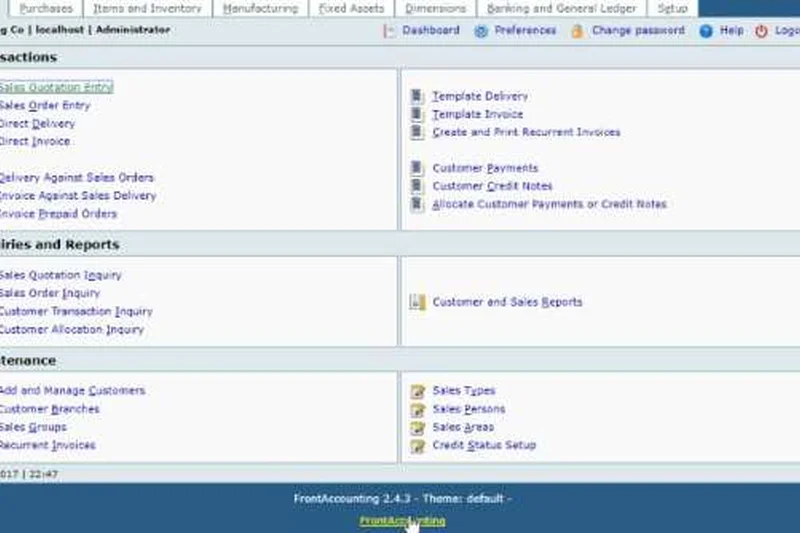
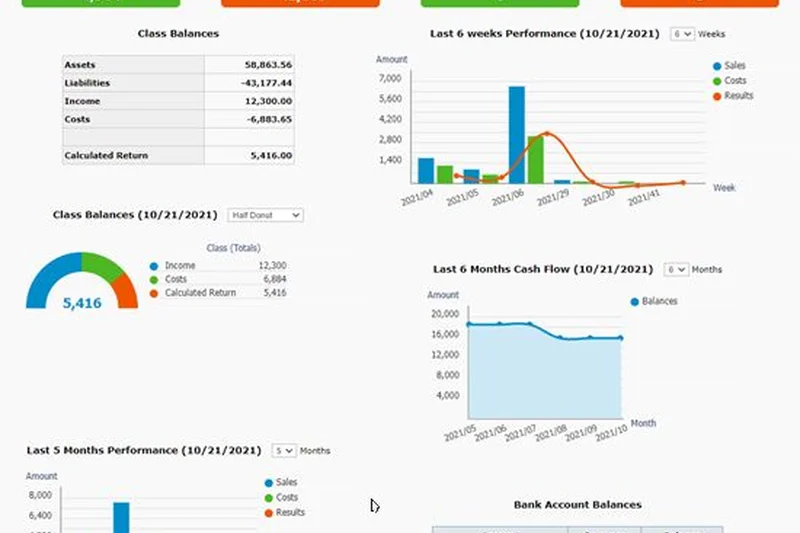
Why we picked it: FrontAccounting is a fast, web-based open-source ERP and accounting system. It features a multi-company architecture and handles advanced general ledgers, purchase orders, and manufacturing tracking. As a self-hosted PHP/MySQL platform, it requires a web server to run. While the interface is heavily dated, the sheer speed and lack of restrictions make it an appealing choice for legacy businesses or IT professionals managing multiple small enterprise entities.
Key Specs
- Multi-company architecture
- Inventory and manufacturing tracking
- Advanced General Ledger and reporting
- Self-hosted PHP/MySQL platform
What we like
- Very fast, lightweight web performance
- Handles multi-company setups effortlessly
- Comprehensive purchasing and manufacturing tools
What we don't like
- UI looks like a 1990s web application
- Requires web hosting and technical setup
Best for: IT administrators looking for a fast, lightweight, open-source multi-company accounting web app.
Considering FrontAccounting vs ERPNext? ERPNext is vastly more modern and feature-rich, while FrontAccounting is much lighter and requires fewer server resources to run.
FrontAccounting provides highly capable multi-company ledgers in a very fast, albeit visually dated, open-source package.
Buy at FrontAccounting official site#22 ZipBooks Starter
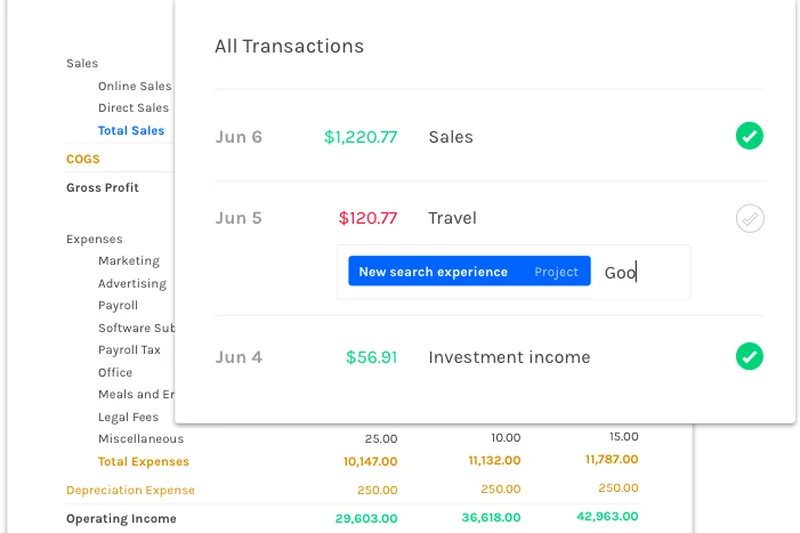
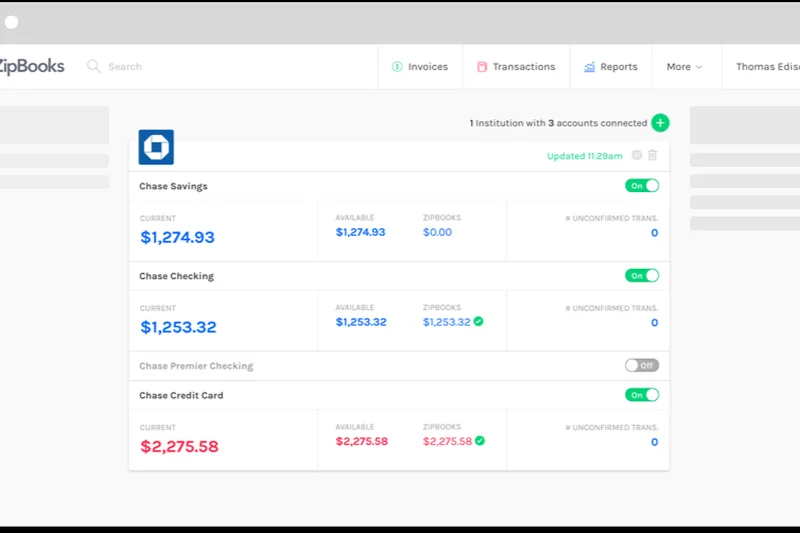
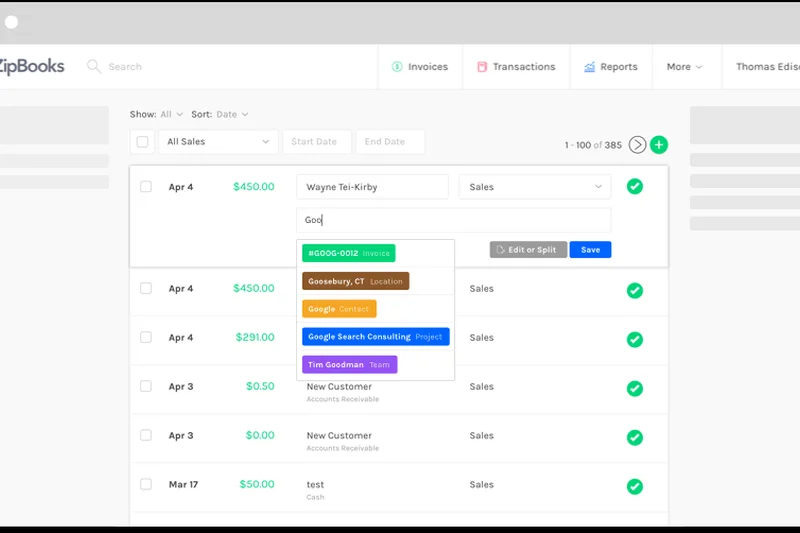
Why we picked it: ZipBooks Starter is a highly polished cloud accounting SaaS that offers unlimited invoices and vendor management for free. It allows you to connect 1 bank account and integrates seamlessly with Square and PayPal. The platform stands out for its auto-categorization of expenses and basic, cleanly designed P&L reports. It’s an excellent choice for modern freelancers who want a beautiful UI and basic bank syncing without paying a monthly fee.
Key Specs
- Unlimited invoices and vendors
- Connect 1 bank account
- Square and PayPal integration
- Auto-categorization of expenses
What we like
- Beautiful, modern, and intuitive interface
- Unlimited invoicing and vendor tracking
- Includes basic bank connection for free
What we don't like
- Free tier limited to only 1 bank account connection
- Reporting is somewhat basic
Best for: Freelancers and consultants who only use a single business bank account and want a beautiful, simple invoicing tool.
Considering ZipBooks vs Wave? Wave allows unlimited bank connections for free, whereas ZipBooks caps you at 1, making Wave the more scalable option.
ZipBooks Starter is a beautifully designed, user-friendly accounting tool perfect for solopreneurs with simple banking needs.
Buy at ZipBooks official site#23 Brightbook
Why we picked it: Brightbook is a web-based bookkeeping system designed specifically to strip away accounting jargon, making it incredibly friendly for creative freelancers. It offers an always-free core toolset with multi-user login support, which is rare. You can send invoices in multiple currencies and track basic expenses. While it relies on manual QIF file imports rather than live bank feeds, its simplicity and approachable language make it a comforting tool for the math-averse.
Key Specs
- Invoices and statements in multiple currencies
- Bank transaction imports via QIF format
- Multi-user login support without extra fees
- Always-free core toolset
What we like
- No accounting jargon; very easy to understand
- Multi-user access is completely free
- Good multi-currency invoicing
What we don't like
- No automated bank feeds
- Interface and feature set are very basic
Best for: Creative freelancers and non-numbers people who want a totally jargon-free, straightforward bookkeeping system.
Considering Brightbook vs Wave? Wave is more powerful and has automated feeds, but Brightbook is less intimidating for those who panic at the word 'ledger'.
Brightbook is a uniquely simple, jargon-free accounting tool that provides unlimited multi-user access for freelancers.
Buy at Brightbook official site#24 TurboCASH
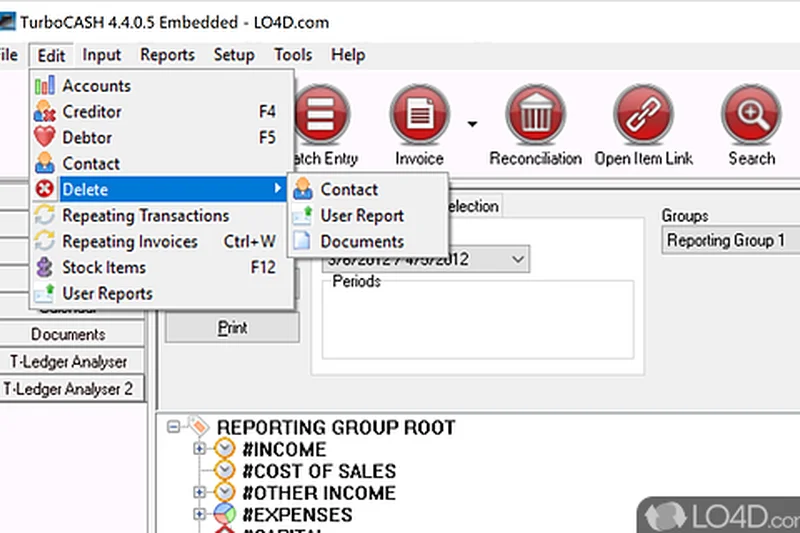
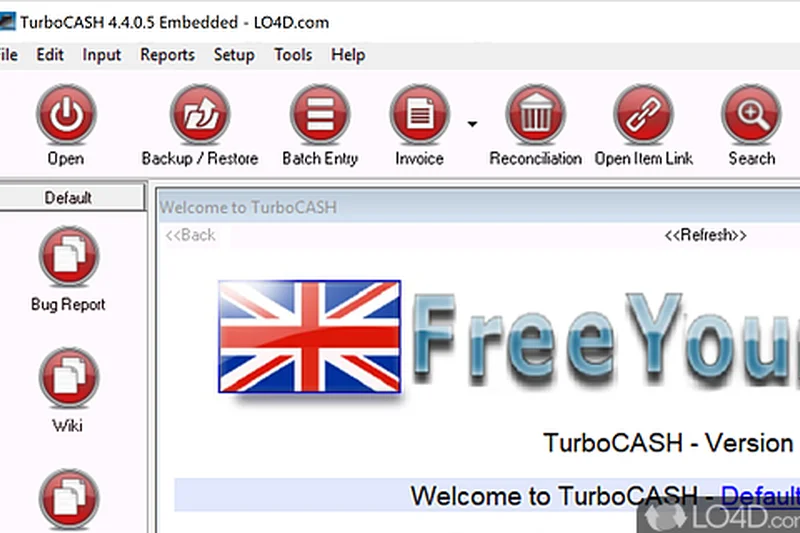
Why we picked it: TurboCASH is a long-standing desktop accounting software popular among growing SMEs in international markets. It provides full double-entry bookkeeping, multi-currency support, and comprehensive debtors and creditors management. Generating trial balances and P&L reports is straightforward. While the free desktop version lacks modern cloud collaboration features, it is a robust, mature software package capable of handling high-volume ledger accounting securely offline.
Key Specs
- Full double-entry bookkeeping
- Debtors and creditors management
- Multi-currency support
- Trial balance and P&L reports
What we like
- Mature, stable, and highly capable ledger
- Excellent debtor/creditor management
- Free offline operation ensures privacy
What we don't like
- Dated desktop UI design
- Lacks automated cloud integrations
Best for: Traditional SMEs who want a stable, privacy-focused offline desktop ledger for serious double-entry bookkeeping.
Considering TurboCASH vs Manager.io? Manager.io has a much cleaner interface and cross-platform support, while TurboCASH feels more like legacy enterprise software.
TurboCASH delivers serious, traditional double-entry bookkeeping capabilities in a free, offline desktop application.
Buy at TurboCASH official site#25 Paymo (Free Plan)
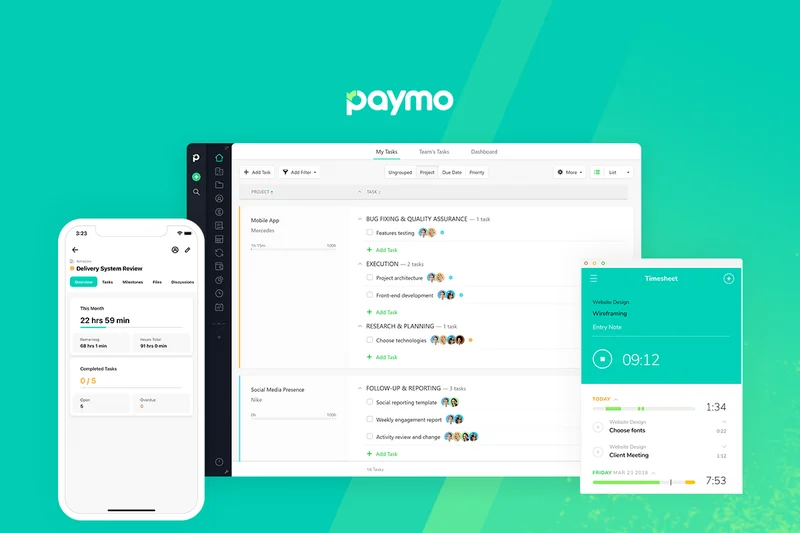
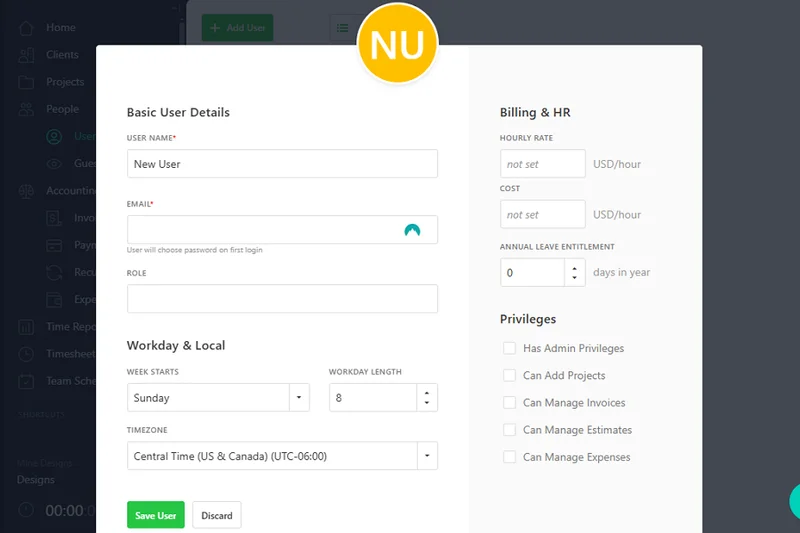
Why we picked it: Paymo is a project management and time-tracking SaaS that includes a highly capable invoicing module. Its free plan is restricted to 1 user and a limit of 50 tasks/projects, but it excels at turning tracked hours directly into professional estimates and invoices. With desktop, web, and mobile apps available, it seamlessly integrates the workflow of doing the work and billing for it. It is ideal for highly focused independent contractors.
Key Specs
- 1 user seat maximum
- Limit of 50 tasks/projects
- Native time tracking and timesheets
- Estimate and invoice generation
What we like
- Excellent native time-tracking integrated with billing
- Great desktop and mobile companion apps
- Solid online payment gateway options
What we don't like
- Strict limits on tasks (50) and users (1)
- Not a full general ledger accounting system
Best for: Solo contractors and designers whose primary billing method is hourly time-tracking.
Considering Paymo vs Invoice Ninja? Invoice Ninja offers more payment gateways and clients, while Paymo offers superior overall project and task management.
Paymo's free tier is an excellent unified solution for solopreneurs needing time-tracking, project management, and invoicing in one place.
Buy at Paymo official site#26 NCH Express Accounts (Free)
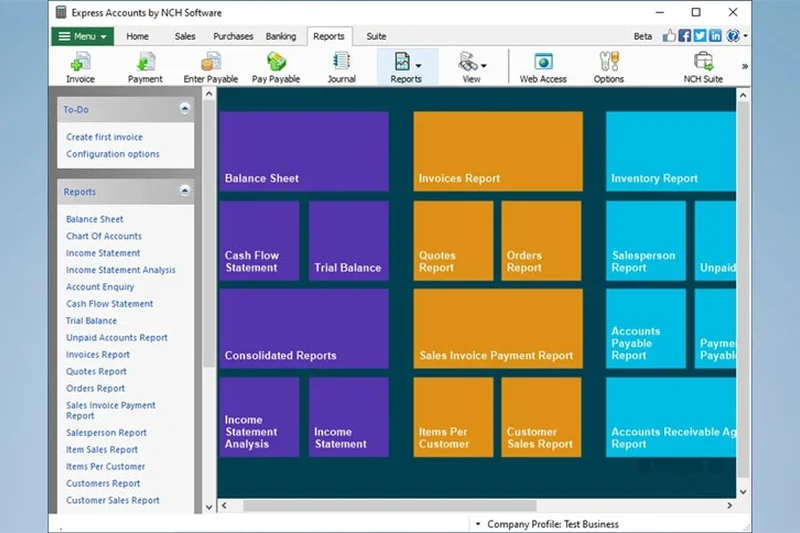
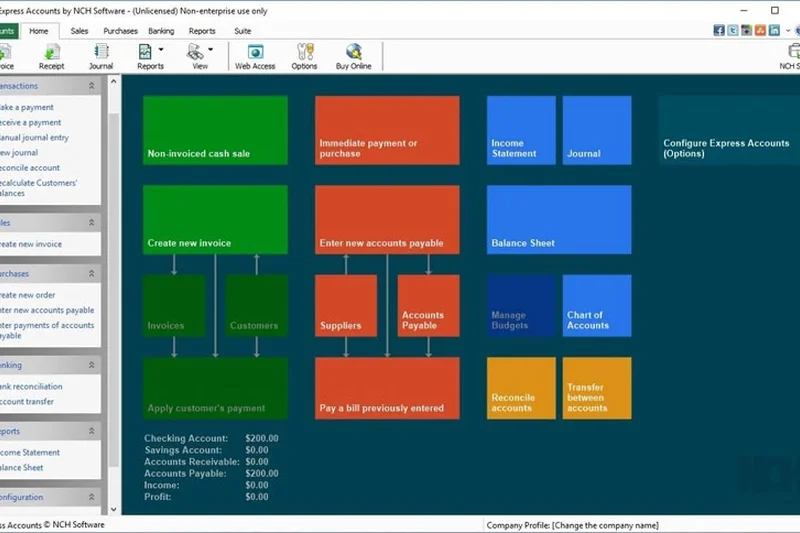
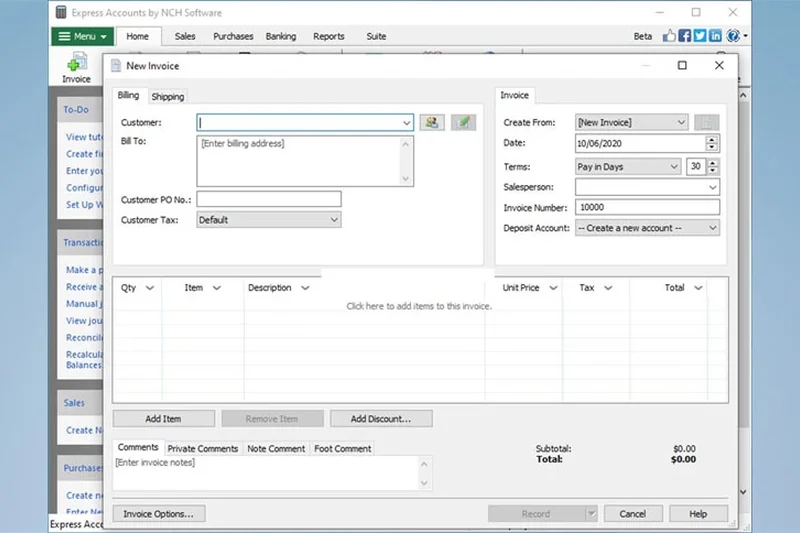
Why we picked it: NCH Express Accounts offers a free version of its desktop accounting software specifically licensed for micro-businesses with under 5 employees. It allows you to track sales, manage accounts payable, and automatically record recurring orders. Functioning entirely offline, it generates over 20 standard financial reports. While NCH frequently prompts users to upgrade to its paid suite, the free application provides a reliable, traditional offline accounting experience.
Key Specs
- Track sales and accounts receivable
- Automatically record recurring orders
- Generate over 20 financial reports
- Ideal for micro-businesses under 5 employees
What we like
- Good variety of built-in financial reports
- Simple, traditional offline desktop interface
- Capable accounts payable management
What we don't like
- Free version is only legal for businesses under 5 employees
- Aggressive upselling for other NCH software
Best for: Very small micro-businesses looking for basic, traditional desktop accounting software without cloud reliance.
Considering NCH Express vs Manager.io? Manager.io is completely unrestricted and lacks the aggressive upsells found in NCH Express Accounts.
NCH Express Accounts is a functional, basic offline desktop ledger for micro-businesses, though hampered by upsell prompts.
Buy at NCH Software official site#27 Fiverr Workspace (Free Plan)
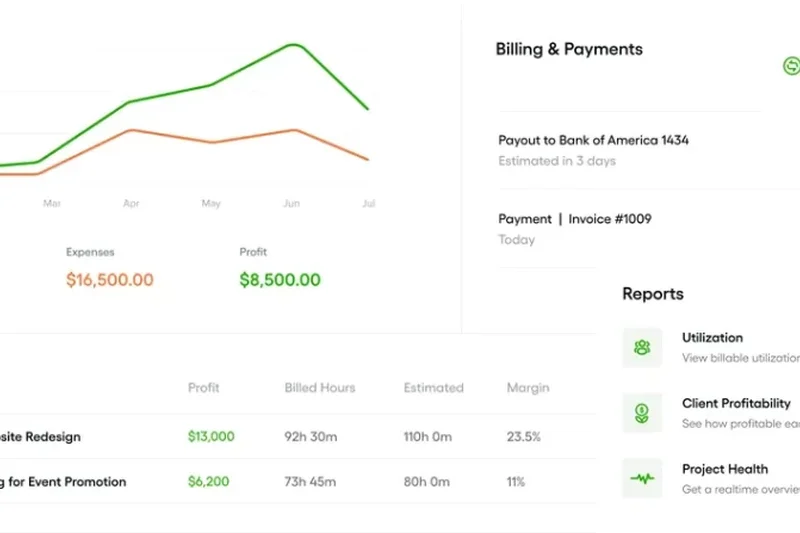
Why we picked it: Formerly AND.CO, Fiverr Workspace offers a free tier tailored exclusively for freelancers. It uniquely provides ready-to-use freelance contracts alongside time tracking and automated invoicing. You can connect 1 bank account to track business expenses. However, the free plan is severely crippled by a strict 1 active client limit, functioning more as an extended trial for new freelancers until they land their second gig.
Key Specs
- 1 active client limit
- Ready-to-use freelancer contracts
- Business expense tracking
- Automated invoicing
What we like
- Includes excellent freelance contract templates
- Very slick, freelancer-focused dashboard
- Integrated time tracking and task management
What we don't like
- Severely restricted by a 1 active client limit
- Basically requires a paid upgrade as soon as you grow
Best for: Brand new freelancers working with a single major anchor client who need contract and invoicing templates.
Considering Fiverr Workspace vs Square Invoices? Square allows unlimited clients for free, making it vastly superior for freelancers with multiple customers.
Fiverr Workspace has great freelance features, but its 1-client limit makes the free tier mostly a stepping stone.
Buy at Fiverr official site#28 KMyMoney
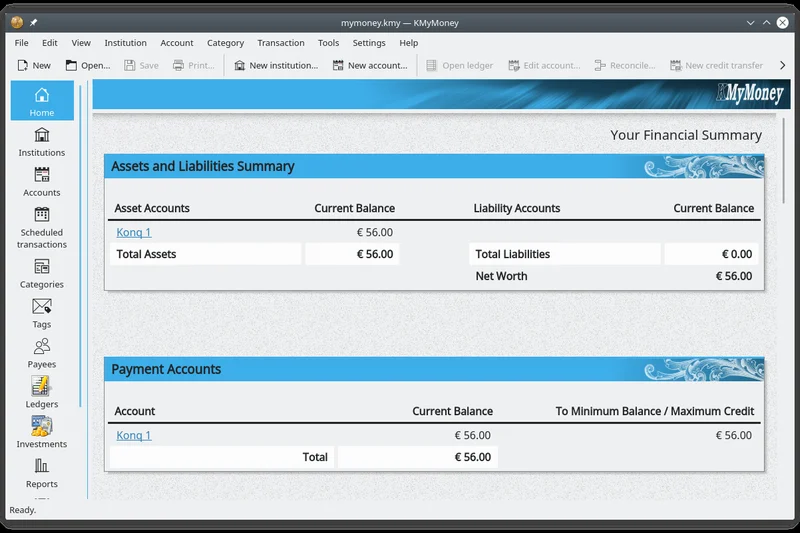
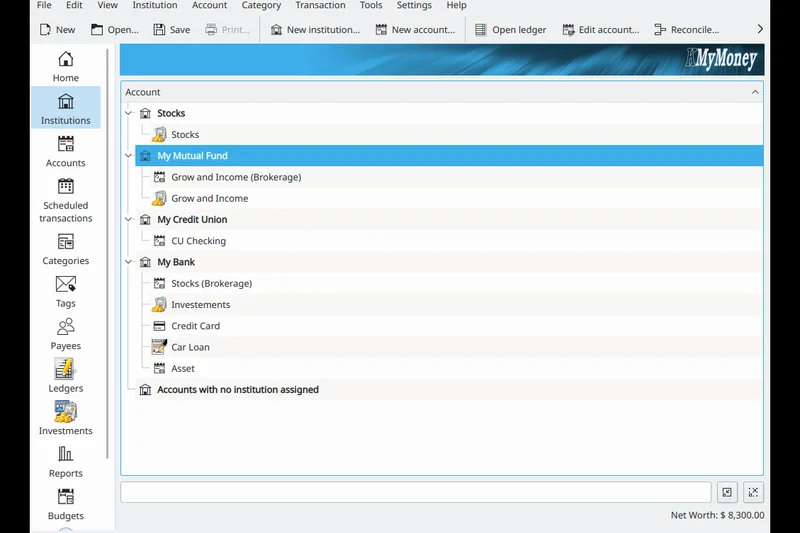
Why we picked it: KMyMoney is a KDE-built desktop software that bridges the gap between personal finance tracking and strict double-entry business accounting. It uses a very familiar, Quicken-like personal finance UI but ensures all transactions balance perfectly. It offers seamless QIF and OFX importing and robust investment tracking. It is completely free, secure, and stores all data locally, making it great for side-hustlers who mix personal and business tracking.
Key Specs
- Strict double-entry accounting principles
- Familiar personal finance UI
- Seamless QIF and OFX importing
- Secure offline local data storage
What we like
- Very familiar, easy-to-use Quicken-style UI
- Strict double-entry ensures accuracy
- Great for mixing personal and small business finances
What we don't like
- Lacks built-in professional invoicing tools
- No mobile or cloud access
Best for: Side-hustlers looking for a desktop tool that manages both personal investments and simple business ledgers.
Considering KMyMoney vs GnuCash? KMyMoney has a much friendlier, modern interface for personal finance users compared to the utilitarian GnuCash.
KMyMoney is an excellent, free offline tracker that cleverly disguises strict double-entry accounting behind a friendly personal finance interface.
Buy at KDE official site#29 VT Cash Book
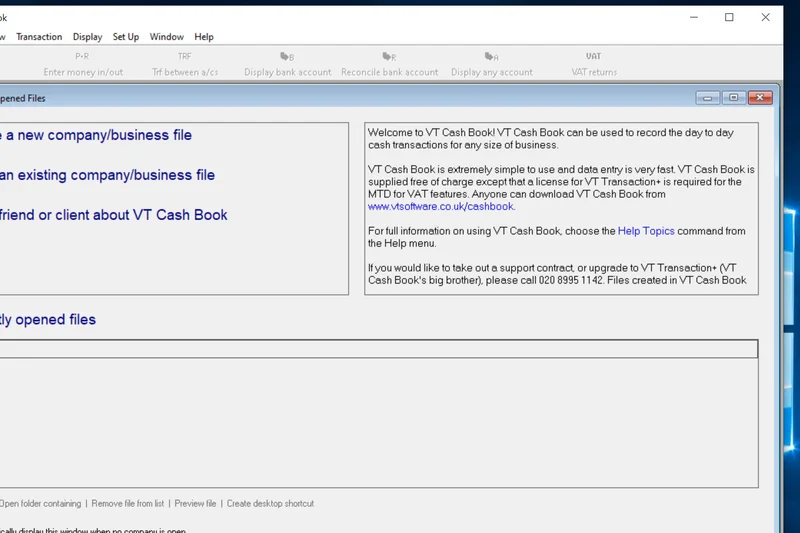
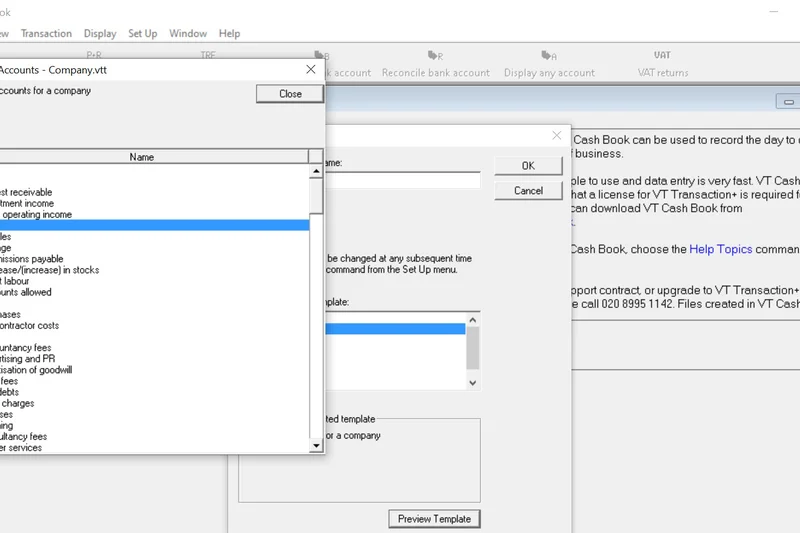
Why we picked it: VT Cash Book is an incredibly stripped-down, lightning-fast desktop cashbook software popular in the UK. It mimics a fast, spreadsheet-like data entry system, making recording receipts and payments almost instantaneous. It handles simple bank reconciliation and generates quick P&L and balance sheets. It lacks invoicing entirely, functioning purely as an offline record-keeping tool for accountants and extremely simple micro-businesses.
Key Specs
- Fast, spreadsheet-like data entry
- Simple bank reconciliation
- Manage multiple bank accounts
- Complete offline functionality
What we like
- Incredibly fast, keyboard-driven data entry
- Very simple to use and understand
- Generates clean P&L and balance sheets
What we don't like
- No invoicing or billing features whatsoever
- Looks and feels like a basic spreadsheet program
Best for: Old-school bookkeepers who want the fastest possible offline data entry for raw cashbook recording.
Considering VT Cash Book vs Excel? VT Cash Book provides actual accounting structure and reconciliation tools that raw Excel lacks, preventing formula errors.
VT Cash Book is an ultra-fast, spreadsheet-style offline record keeper, completely free but devoid of modern invoicing features.
Buy at VT Software official site#30 HomeBank
Why we picked it: HomeBank is primarily a personal finance and micro-business budget tracker available on desktop platforms. It features automatic duplicate transaction detection upon importing OFX or CSV files from your bank, and auto-assigns categories to save time. Its visual charts and dynamic reporting are excellent for keeping track of annual and monthly budgets. While it lacks business invoicing, it is a highly effective, free expense monitor.
Key Specs
- Import from OFX, QIF, and CSV
- Duplicate transaction detection
- Dynamic reporting and visual charts
- Annual and monthly budget tracking
What we like
- Great duplicate detection during imports
- Excellent visual budgeting charts
- Fast, lightweight cross-platform desktop app
What we don't like
- Geared more toward personal finance than business
- No invoicing or professional billing tools
Best for: Individuals and micro-businesses who solely need to track expenses and stick to a strict monthly budget offline.
Considering HomeBank vs KMyMoney? Both track personal/business expenses, but KMyMoney enforces strict double-entry accounting, whereas HomeBank is a simpler cash-flow tracker.
HomeBank is a fast, free desktop application excellent for visual budget tracking and simple offline expense categorization.
Buy at HomeBank official site#31 Joiin
Why we picked it: Joiin is not a standalone accounting ledger; rather, it is a brilliant consolidated reporting tool that integrates with existing platforms (like Xero or QuickBooks). However, we included it because its free trial/tier offers unprecedented value for managing complex multi-currency consolidations and inter-company eliminations. It generates automated KPI reports and custom dashboards. For holding companies or businesses with multiple SaaS entities, Joiin is an invaluable bolt-on reporting engine.
Key Specs
- Connect multiple SaaS entities
- Multi-currency consolidation
- Inter-company eliminations
- Automated KPI reporting
What we like
- Unmatched multi-company financial consolidation
- Beautiful automated KPI dashboards
- Handles complex multi-currency eliminations easily
What we don't like
- Not a standalone accounting system
- Free tier is restrictive; primarily a paid platform
Best for: Holding companies or serial entrepreneurs who need to consolidate reports from multiple different accounting SaaS accounts.
Considering Joiin vs standard SaaS reporting? Joiin sits on top of your existing tools to combine them into one master dashboard, saving hours of Excel manipulation.
Joiin is a highly specialized, top-tier reporting engine for businesses that need to consolidate finances across multiple entities.
Buy at Joiin official site#32 Invoice Simple
Why we picked it: Invoice Simple is a highly rated mobile invoicing app that does exactly what its name promises. It allows users to generate professional PDF invoices and quick estimates entirely on the go from a smartphone. It syncs automatically across devices and provides read receipts so you know when a client has viewed your bill. The free tier limits the number of invoices, making it restrictive long-term, but its sheer ease of use on mobile is phenomenal.
Key Specs
- Generate invoices on the go
- PDF invoice generation and export
- Read receipts for emailed invoices
- Sync automatically across devices
What we like
- Incredibly easy-to-use mobile app
- Helpful read receipts for sent invoices
- Generates clean, professional PDFs instantly
What we don't like
- Free tier has strict limits on invoice creation
- Lacks true accounting and ledger features
Best for: Contractors and tradespeople who need to instantly generate a professional PDF estimate or invoice directly from a job site.
Considering Invoice Simple vs Square Invoices? Square offers unlimited invoices for free, whereas Invoice Simple restricts volume, making Square the better long-term free choice.
Invoice Simple is a wonderfully fast mobile billing app, though its free tier restrictions limit its long-term viability.
Buy at Invoice Simple official site#33 Invoicely (Free Plan)
Why we picked it: Invoicely is a cloud invoicing SaaS with a free plan that allows 1 user to send up to 5 invoices per month. It supports multiple currencies and allows you to accept online payments natively via PayPal. It includes a self-serve client dashboard and basic financial reporting. However, the 5-invoice monthly limit severely impacts its freemium value score, relegating it to a tool suitable only for very infrequent billers.
Key Specs
- 5 invoices per month
- Support for multiple currencies
- Accept online payments via PayPal
- Self-serve client dashboard
What we like
- Clean client dashboard portal
- Easy integration with PayPal
- Supports multi-currency billing
What we don't like
- Extremely restrictive 5 invoices per month limit
- Watermarked invoices on the free plan
Best for: Hobbyists or freelancers who only bill clients a few times a year and want a simple web interface.
Considering Invoicely vs Invoice Ninja? Invoice Ninja offers unlimited invoicing for up to 50 clients, making it vastly superior to Invoicely's 5-invoice monthly limit.
Invoicely provides a clean billing dashboard, but its strict 5-invoice monthly limit makes it unusable for active businesses.
Buy at Invoicely official site#34 Skynova (Free Trial/Tier)
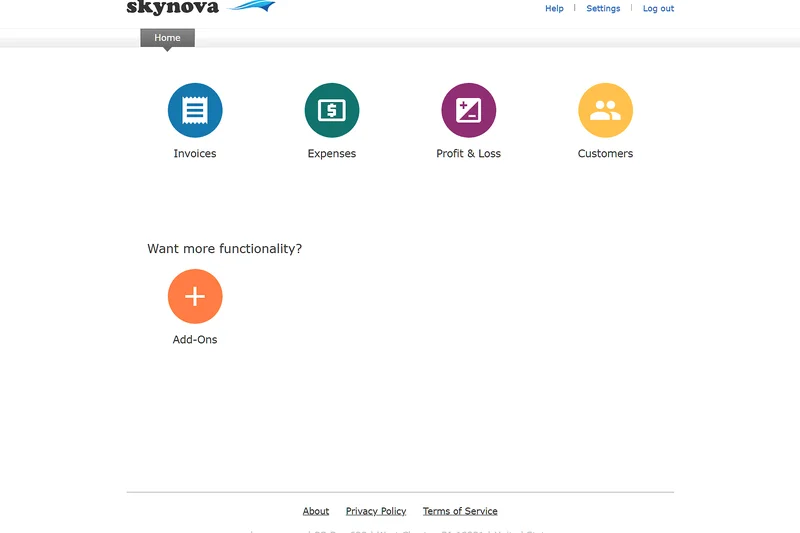
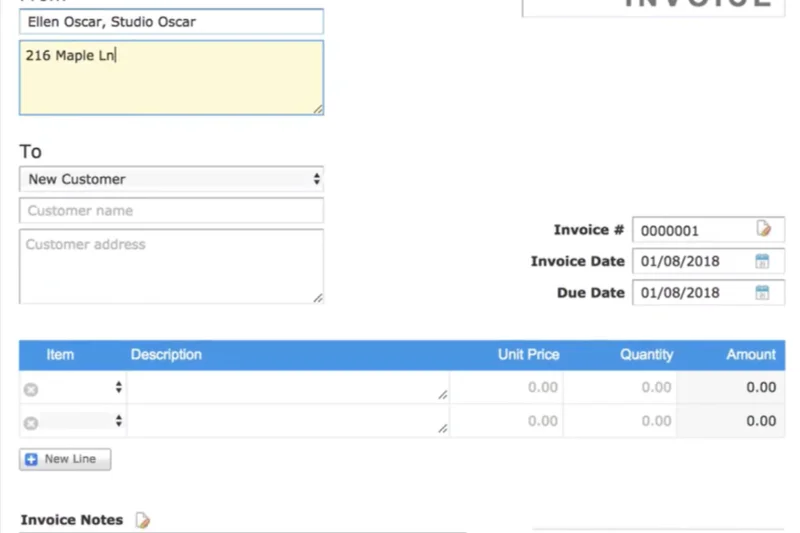
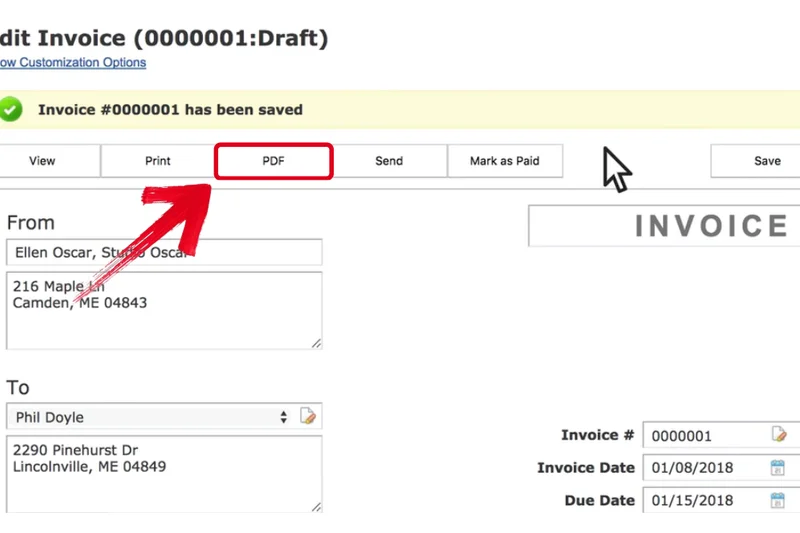
Why we picked it: Skynova offers an incredibly simple, intuitive web interface focused purely on basic invoicing and expense tracking. It features easy-to-use templates and modular accounting capabilities, allowing you to download clean PDF financial reports. While the UI is foolproof, the platform heavily gates its features behind a paywall after a trial period, meaning the truly "free" long-term utility is very low compared to robust freemium competitors.
Key Specs
- Easy-to-use invoice templates
- Track business expenses
- Simple, intuitive user interface
- Downloadable PDF financial reports
What we like
- Very beginner-friendly web interface
- Clean and simple invoice templates
- Modular approach to feature selection
What we don't like
- Highly restricted outside of the trial period
- Lacks automated bank feeds or deep ledgers
Best for: Beginners who want a temporary, dead-simple web interface to print a few PDF invoices.
Considering Skynova vs Wave? Wave is entirely free forever with vastly more features, whereas Skynova pushes users toward paid plans quickly.
Skynova is an easy-to-use billing tool, but aggressive paywalls reduce its value as a long-term free accounting solution.
Buy at Skynova official site#35 Alzex Personal Finance (Free)
Why we picked it: Alzex Personal Finance is a desktop finance tracker that offers a portable USB version, allowing you to carry your financial data in your pocket. It is excellent for family and personal budget tracking, allowing you to set up recurring transactions and categorize income easily. It features a clear visual reporting interface. As a business tool, it is severely lacking, but for offline personal micro-budgeting, it is reliable and portable.
Key Specs
- USB portable version available
- Family and personal budget tracking
- Recurring transactions setup
- Categorize income and expenses
What we like
- Unique portable USB installation option
- Good visual reporting for personal budgets
- Handles recurring transactions well
What we don't like
- Not designed for business accounting
- No professional invoicing capabilities
Best for: Individuals wanting a portable, USB-driven personal finance and budget tracker.
Considering Alzex vs HomeBank? Both are great for personal budgets, but Alzex's portable USB capability offers unique offline flexibility.
Alzex is a neat, portable desktop finance tracker, though it lacks the features required for actual small business accounting.
Buy at Alzex official siteBuying Guide
How to Choose the Right Free Accounting Software
Selecting the best free accounting software depends entirely on the size of your operation, your transaction volume, and your industry. While the term "free" is attractive, the vast majority of software vendors use freemium models that restrict the number of invoices you can send, the number of clients you can save, or the depth of your financial reports. Understanding your specific needs will prevent you from hitting an expensive paywall just as your business starts to scale.
Assess Your Business Persona
Freelancers and Solopreneurs: If you run a service-based solo operation, your primary needs are likely sending professional invoices, tracking deductible expenses, and accepting online payments. You don't necessarily need a complex double-entry ledger. Tools like Square Invoices, PayPal Invoicing, or Fiverr Workspace are incredibly user-friendly and focus entirely on getting you paid quickly without bogging you down in accounting jargon or complex charts of accounts.
Micro-Businesses and Startups: If you have a few employees, contractors, or significant operational overhead, you need a true double-entry accounting system to ensure your books are balanced and tax-ready. Wave Accounting and Zoho Books are top-tier choices here. They provide comprehensive general ledgers, automated bank reconciliation, and standard financial reports (like Profit & Loss and Balance Sheets) that your CPA will demand at year-end.
E-commerce and Retail: Product-based businesses have the hardest time finding capable free software because inventory tracking and Cost of Goods Sold (COGS) calculations are usually premium features. For these use cases, open-source ERP systems like Odoo Accounting or ERPNext are highly recommended. They require more setup time but offer limitless scalability and deep integrations with storefront platforms like Shopify and WooCommerce.
What to Watch Out For (The "Catch" with Free Software)
When evaluating zero-dollar tiers, always read the fine print. Many platforms impose hidden limitations that will force a paid upgrade sooner than you anticipate:
- Invoice Limits: Some platforms limit you to 5 or 10 invoices a month. If you bill frequently, this is an immediate dealbreaker.
- Client & Vendor Limits: A tool might offer unlimited invoicing but restrict you to only saving 5 active clients in your CRM database.
- Bank Feed Restrictions: Automated bank feeds save hours of manual data entry. Some "free" tools force you to manually upload CSV files from your bank unless you pay for a premium subscription.
- Customer Support Constraints: The vast majority of free accounting tools do not offer live chat or phone support. If your books get messy or an integration breaks, you will have to rely on community forums or email tickets that take days to resolve.
Freemium vs. Open-Source vs. Desktop
There are three main categories of free accounting tools available in 2026:
- Freemium Cloud SaaS: (e.g., Wave, Zoho Books). Hosted in the cloud, accessible anywhere, and beautifully designed. Vendors monetize these platforms through payment processing transaction fees or premium add-ons like integrated payroll and advanced receipt scanning.
- Open-Source Software: (e.g., Akaunting, ERPNext). Completely free and without feature limits, but you often have to host them yourself on a local server or pay for managed cloud hosting. They offer incredible power and customization but require technical IT know-how to maintain.
- Desktop Software: (e.g., Manager.io, GnuCash). These are installed locally on your PC or Mac. Your financial data remains entirely offline and highly secure, and there are never any monthly subscription fees. However, you lose the convenience of automated cloud syncing and mobile app access.
Budgeting for the Future Upgrade
Even if you start with a free tool, it is wise to look at the pricing of the vendor's premium tiers. If your business grows to $100K in revenue or you hire five employees, you will likely outgrow the free plan's constraints. Ensure that the jump from "Free" to "Pro" isn't exorbitantly expensive. A reasonable upgrade path typically costs between $15 to $30 per month and unlocks advanced reporting, multi-currency support, tax filing integrations, and dedicated user roles for your staff.
FAQ
What is the best truly free accounting software for a small business?
Based on our 2026 evaluations, Wave Accounting is the best overall truly free software. Unlike competitors that cap usage, Wave offers unlimited invoicing, unlimited expense tracking, unlimited user seats, and automated bank feeds at absolutely zero monthly cost.
Is Wave Accounting really free forever?
Yes. Wave does not charge a monthly subscription fee for its core accounting and invoicing software. The company makes its money only if you choose to use their integrated credit card processing (which charges standard per-transaction fees) or their premium add-on for employee payroll.
What is the catch with free accounting software?
Many "free" plans are actually highly restrictive freemium teasers. Common catches include hard caps on the number of invoices you can send per month (e.g., Invoicely limits you to 5), limits on saved clients, lack of automated bank feeds, and zero access to human customer support.
Which free accounting software is best for independent contractors and freelancers?
For freelancers whose main priority is billing clients, Square Invoices is phenomenal due to its slick mobile app and unlimited invoicing. If you need time-tracking integrated with your billing, Invoice Ninja's free tier is an excellent alternative.
What is the difference between open-source and freemium accounting tools?
Freemium tools (like Zoho Books) are hosted in the cloud by a vendor who gives you basic access for free, hoping you'll pay for upgrades. Open-source tools (like ERPNext or Akaunting) are completely unrestricted and free, but you usually have to possess the technical skills to host and maintain the software on your own server.
Which free tool is best for managing inventory and e-commerce?
Standard free SaaS tools lack inventory features. For retail and e-commerce, Odoo Accounting (using their One App Free model) or the self-hosted version of ERPNext are the best choices, as they provide enterprise-grade inventory tracking and COGS calculations.
Does free accounting software connect to my bank account?
It depends on the platform. Wave Accounting and Zoho Books include automated live bank feeds for free. However, tools like Pandle or Manager.io require you to manually download and import CSV or QIF files from your bank portal.
Do I need double-entry accounting for my small business?
If you are a solo freelancer just tracking basic income and expenses for Schedule C taxes, simple cash-flow trackers or invoicing apps may suffice. However, if you have inventory, employees, loans, or plan to seek investment, you absolutely need strict double-entry accounting (like Wave or Zoho) to generate accurate Balance Sheets.
Are free accounting platforms secure enough for financial data?
Yes, major cloud platforms like Wave and Zoho use the same 256-bit encryption and secure bank API tokens as paid software like QuickBooks. If you are extremely privacy-conscious, you can use offline desktop software like Manager.io or GnuCash to keep your data off the internet entirely.
Can I run payroll through free accounting software?
Generally, no. Payroll involves complex, constantly changing local tax laws and real-time tax remittance. Even platforms with completely free accounting modules, like Wave or Zoho, charge a premium monthly fee to access their automated payroll processing features.
How easy is it to export data if I want to switch to QuickBooks or Xero later?
Most reputable free software allows you to easily export your general ledger, customer lists, and chart of accounts to standard CSV or Excel files. You can then hand these files to your accountant to import into paid tools like QuickBooks Online when your business scales.
Do these platforms help with annual tax preparation?
While they do not file taxes for you like TurboTax, tools like Wave, Zoho Books, and ZipBooks will automatically generate the exact reports (Profit & Loss, Trial Balance) that your CPA needs to quickly and accurately file your business taxes, saving you hundreds in accountant hourly fees.
Methodology
Our scoring algorithm is rooted in the SelectionLogic M2 Multi-Dimensional Evaluation framework. This ensures our ratings are strictly data-driven and prevents any single flashy marketing feature from unfairly skewing a product's overall rank. For our primary "Best Overall for Small Businesses" scenario, we distributed our evaluation weights as follows:
- Core Accounting Functionality (20%): We assessed the robustness of the general ledger, strict double-entry accounting enforcement, bank reconciliation accuracy, and manual journal entry capabilities to ensure standard bookkeeping compliance.
- Freemium Value & Limitations (20%): We analyzed the true, long-term cost of the "free" tier. We heavily scrutinized user seat limits, monthly invoice caps, client maximums, and hidden transaction fees to find the most generous zero-dollar platforms.
- Ease of Use & Onboarding (15%): Because small business owners aren't usually trained CPAs, we evaluated the intuition of the user interface, the simplicity of the initial setup wizards, and the overall functionality of the iOS and Android mobile apps.
- Invoicing & Payment Processing (15%): We tested the ability to create highly customizable, professional invoices, set up automated recurring billing schedules, and seamlessly accept online credit card or ACH payments.
- Reporting & Tax Preparation (10%): We looked at the depth of out-of-the-box financial statements, such as P&L, balance sheets, and cash flow reports, as well as how easily that data could be securely exported for an accountant during tax season.
- Third-Party Integrations (10%): We reviewed the ecosystem of available connections, rewarding software that easily synced with external payroll systems, CRMs, popular e-commerce platforms, and major global financial institutions.
- Security & Customer Support (10%): We graded bank-level data encryption standards, compliance protocols, platform uptime, and the responsiveness of customer support (or community forums) specifically available to free-tier users.
By adjusting these underlying dimensional weights, our algorithm generated tailored rankings for specialized business personas. For example, our "E-commerce & Retail" scenario shifts heavy 20% weight to Third-Party Integrations and 25% to Core Features, while our "Freelancers & Solopreneurs" scenario prioritizes Ease of Use (25%) and Invoicing (25%) over deep reporting ledgers.
Sources & References
All factual claims, product specifications, prices, and images in this article are cited by number. Click any reference to jump to the list; click the link in each entry to visit the original source.
- [1]SelectionLogic. "M2 Multi-Dimensional Evaluation Framework." selectionlogic.org/m2. Accessed Mar 2026.
- [2]SelectionLogic. "Free Accounting Software Buying Guide 2026." selectionlogic.org/free-accounting. Accessed Mar 2026.
- [3]Wave Financial. "Wave Accounting Features & Pricing." waveapps.com/pricing. Accessed Mar 2026.
- [4]Zoho. "Zoho Books Free Plan Details." zoho.com/books. Accessed Mar 2026.
- [5]Odoo. "Odoo Accounting Features." odoo.com/accounting. Accessed Mar 2026.
- [6]Frappe Technologies. "ERPNext Open Source ERP." erpnext.com. Accessed Mar 2026.
- [7]Lendio. "Lendio Software (formerly Sunrise) Overview." lendio.com/software. Accessed Mar 2026.
- [8]Striven. "Striven ERP Pricing & Micro-business." striven.com/pricing. Accessed Mar 2026.
- [9]Manager.io. "Free Desktop Accounting." manager.io. Accessed Mar 2026.
- [10]Bokio. "Bokio Free Accounting Software UK." bokio.co.uk. Accessed Mar 2026.
- [11]Pandle. "Pandle Free Cloud Accounting." pandle.com. Accessed Mar 2026.
- [12]PlugBooks. "PlugBooks Features." plugbooks.io. Accessed Mar 2026.
- [13]QuickFile. "QuickFile Pricing & Free Tier." quickfile.co.uk/pricing. Accessed Mar 2026.
- [14]Frappe. "Frappe Accounting Web App." frappe.io/accounting. Accessed Mar 2026.
- [15]Square. "Square Invoices Features." squareup.com/invoices. Accessed Mar 2026.
- [16]Onfinity. "Onfinity Open Source Financials." onfinity.io. Accessed Mar 2026.
- [17]Akaunting. "Akaunting Free Cloud Software." akaunting.com. Accessed Mar 2026.
- [18]Invoice Ninja. "Invoice Ninja Pricing." invoiceninja.com/pricing. Accessed Mar 2026.
- [19]PayPal. "PayPal Business Invoicing." paypal.com/invoicing. Accessed Mar 2026.
- [20]LedgerSMB. "LedgerSMB Open Source ERP." ledgersmb.org. Accessed Mar 2026.
- [21]ProfitBooks. "ProfitBooks Free Startup Plan." profitbooks.net. Accessed Mar 2026.
- [22]GnuCash. "GnuCash Free Accounting." gnucash.org. Accessed Mar 2026.
- [23]FrontAccounting. "FrontAccounting Features." frontaccounting.com. Accessed Mar 2026.
- [24]ZipBooks. "ZipBooks Free Starter Plan." zipbooks.com/pricing. Accessed Mar 2026.
- [25]Brightbook. "Brightbook Free Bookkeeping." mybrightbook.com. Accessed Mar 2026.
- [26]TurboCASH. "TurboCASH Desktop Edition." turbocash.net. Accessed Mar 2026.
- [27]Paymo. "Paymo Free Plan Details." paymoapp.com/pricing. Accessed Mar 2026.
- [28]Fiverr Workspace. "Workspace Pricing (formerly AND.CO)." workspace.fiverr.com. Accessed Mar 2026.
- [29]KMyMoney. "KMyMoney Desktop Tracker." kmymoney.org. Accessed Mar 2026.
- [30]Joiin. "Joiin Consolidated Reporting." joiin.co. Accessed Mar 2026.