Quick Verdict
At a glance
We tested 35 password managers across 7 dimensions—Security, Usability, Compatibility, Features, Reliability, Value, and Support—to find the best digital vaults for every type of user. Our top picks stand out for their flawless zero-knowledge encryption architectures, seamless cross-platform syncing, and intuitive auto-fill capabilities.
🏆 Overall #1: 1Password Families — The ultimate balance of uncompromised security, intuitive sharing, and broad platform compatibility for households.
🥈 #2: 1Password Individual — The gold standard for personal credential management, featuring advanced Watchtower breach alerts and a unique Secret Key defense.
🥉 #3: Bitwarden Premium — The absolute best value in the industry, offering an open-source, fully audited, and highly secure vault for just $10 a year.
Which one is for me?
How We Tested
Our Testing Process
To determine the best password managers of 2026, we began with a candidate pool of 35 distinct software solutions, ranging from premium enterprise-grade tools to free, open-source projects. We evaluated these applications across seven core dimensions: Security & Encryption Standards, Usability & Auto-Fill Performance, Cross-Platform Compatibility & Sync, Feature Set & Extras, Reliability & Independent Audits, Pricing & Free Tier Utility, and Customer Support & Recovery Options.
Our scoring framework adheres strictly to the M2 Multi-Dimensional Evaluation methodology developed by Selection Logic [1]. This approach prevents us from assigning arbitrary overall scores based purely on subjective feeling; instead, we calculate fit scores tailored to specific use cases. Each dimension is weighted according to the scenario—for example, our "Best Free or Budget" ranking weighs "Value" at 35%, while the "Best for Power Users" heavily prioritizes "Security" (30%) and "Features" (25%) [2].
During the testing phase, we installed each password manager across Windows 11, macOS, iOS, Android, and major browsers (Chrome, Firefox, Safari). We generated minimum 20-character passwords, tested auto-capture and auto-fill across 50 complex web forms, and evaluated the speed of cloud synchronization. We also scrutinized technical whitepapers, bug bounty programs, and third-party security audit histories to assess each provider's underlying zero-knowledge architecture.
About our team
Our cybersecurity analysts and software reviewers have spent thousands of hours testing encryption tools, VPNs, and privacy software. We buy our own subscriptions, run isolated testing environments, and maintain strict independence from the brands we cover.
Our Declared Values
We believe digital security is a fundamental right. We do not accept payment for favorable reviews, and our rankings are strictly data-driven. Any affiliate links on our site do not influence the scores generated by our multi-dimensional evaluation model.
| Dimension | Overall | Best Overall Password Manager for Everyday Users | Best Free or Budget Password Manager | Best Password Manager for Families & Sharing | Best for Power Users & Advanced Security |
|---|---|---|---|---|---|
| Security & Encryption Standards | 25% | 20% | 20% | 15% | 30% |
| Usability & Auto-Fill Performance | 15% | 20% | 10% | 20% | 5% |
| Cross-Platform Compatibility & Sync | 15% | 20% | 15% | 15% | 10% |
| Feature Set & Extras | 15% | 10% | 5% | 20% | 25% |
| Architecture & Independent Audits | 10% | 10% | 10% | 10% | 20% |
| Pricing & Free Tier Utility | 10% | 10% | 35% | 15% | 5% |
| Customer Support & Recovery Options | 10% | 10% | 5% | 5% | 5% |
Overall Rankings
Full list of 35 products sorted by weighted overall score (1–10).
Prices are checked as of Mar 18, 2026 (2026 Q1). Use "Check price" links for current pricing.
| # | Product | Type | Price | Security | Usability | Compatibility | Features | Reliability | Value | Support | Overall | Awards |
|---|---|---|---|---|---|---|---|---|---|---|---|---|
| 1 | 1Password Families | Family Password Manager | $59.88 | 9 | 9 | 9 | 8 | 9 | 8 | 9 | 8.75 | 🏆 Editor's Choice 🌟 Best Budget 🎯 Best Best Overall Password Manager for Everyday Users 🎯 Best Best Password Manager for Families & Sharing |
| 2 | 1Password Individual | Premium Password Manager | $35.88 | 9 | 9 | 9 | 8 | 9 | 7 | 9 | 8.65 | 📊 Best Security & Encryption Standards 📊 Best Usability & Auto-Fill Performance 📊 Best Cross-Platform Compatibility & Sync 📊 Best Architecture & Independent Audits 📊 Best Customer Support & Recovery Options |
| 3 | Bitwarden Premium | Premium Password Manager | $10.00 | 9 | 7 | 9 | 8 | 9 | 10 | 8 | 8.55 | 📊 Best Pricing & Free Tier Utility 🎯 Best Best Free or Budget Password Manager |
| 4 | Dashlane Friends & Family | Family Password Manager | $89.88 | 9 | 9 | 9 | 9 | 8 | 6 | 8 | 8.50 | |
| 5 | Proton Pass Family | Family Password Manager | $59.88 | 9 | 8 | 8 | 9 | 9 | 8 | 8 | 8.50 | 🎯 Best Best for Power Users & Advanced Security |
| 6 | Bitwarden Families | Family Password Manager | $40.00 | 9 | 7 | 9 | 8 | 9 | 9 | 8 | 8.45 | |
| 7 | NordPass Premium | Premium Password Manager | $35.88 | 9 | 9 | 9 | 8 | 8 | 7 | 8 | 8.45 | |
| 8 | NordPass Family | Family Password Manager | $71.88 | 9 | 9 | 9 | 8 | 8 | 7 | 8 | 8.45 | |
| 9 | Dashlane Premium | Premium Password Manager | $59.88 | 9 | 9 | 9 | 9 | 8 | 5 | 8 | 8.40 | 📊 Best Feature Set & Extras |
| 10 | Proton Pass Plus | Premium Password Manager | $35.88 | 9 | 8 | 8 | 9 | 9 | 7 | 8 | 8.40 | |
| 11 | Keeper Unlimited | Premium Password Manager | $34.99 | 9 | 8 | 9 | 8 | 8 | 7 | 8 | 8.30 | |
| 12 | Keeper Family | Family Password Manager | $74.99 | 9 | 8 | 9 | 8 | 8 | 6 | 8 | 8.20 | |
| 13 | Enpass Individual | Premium Password Manager | $23.99 | 9 | 8 | 9 | 7 | 8 | 8 | 7 | 8.15 | |
| 14 | Proton Pass Free | Free Password Manager | $0 | 9 | 8 | 8 | 7 | 9 | 9 | 6 | 8.10 | 💰 Best Value |
| 15 | Zoho Vault Standard | Premium Password Manager | $10.80 | 9 | 7 | 8 | 8 | 8 | 8 | 8 | 8.10 | |
| 16 | Bitwarden Free | Free Password Manager | $0 | 9 | 7 | 9 | 6 | 9 | 10 | 6 | 8.05 | |
| 17 | RoboForm Everywhere | Premium Password Manager | $23.88 | 8 | 9 | 9 | 7 | 8 | 8 | 7 | 8.05 | |
| 18 | Vaultwarden | Self-Hosted Vault | $0 | 9 | 7 | 9 | 8 | 9 | 10 | 3 | 8.05 | |
| 19 | Passbolt Community | Open-Source Manager | $0 | 9 | 7 | 8 | 8 | 9 | 9 | 4 | 7.90 | |
| 20 | Norton Password Manager | Free Password Manager | $0 | 8 | 8 | 8 | 6 | 8 | 9 | 7 | 7.70 | |
| 21 | Apple Passwords | Built-in OS Vault | $0 | 9 | 9 | 5 | 5 | 9 | 9 | 8 | 7.70 | |
| 22 | Google Password Manager | Built-in OS Vault | $0 | 8 | 9 | 7 | 5 | 9 | 9 | 7 | 7.65 | |
| 23 | Bitdefender Password Manager | Premium Password Manager | $29.99 | 8 | 8 | 8 | 6 | 8 | 7 | 7 | 7.50 | |
| 24 | LogMeOnce Ultimate | Premium Password Manager | $39.00 | 8 | 6 | 8 | 9 | 7 | 6 | 7 | 7.45 | |
| 25 | Sticky Password Premium | Premium Password Manager | $29.99 | 8 | 7 | 8 | 7 | 7 | 7 | 6 | 7.30 | |
| 26 | LogMeOnce Premium | Free Password Manager | $0 | 8 | 6 | 8 | 7 | 7 | 9 | 5 | 7.25 | |
| 27 | LastPass Families | Family Password Manager | $48.00 | 7 | 8 | 9 | 8 | 4 | 7 | 6 | 7.20 | |
| 28 | NordPass Free | Free Password Manager | $0 | 9 | 9 | 5 | 5 | 8 | 6 | 6 | 7.10 | |
| 29 | LastPass Premium | Premium Password Manager | $36.00 | 7 | 8 | 9 | 8 | 4 | 6 | 6 | 7.10 | |
| 30 | KeePassXC | Open-Source Manager | $0 | 9 | 5 | 6 | 6 | 9 | 10 | 4 | 7.10 | |
| 31 | Avira Password Manager Pro | Premium Password Manager | $31.99 | 7 | 7 | 8 | 7 | 7 | 6 | 6 | 6.95 | |
| 32 | RoboForm Free | Free Password Manager | $0 | 8 | 8 | 5 | 5 | 8 | 7 | 5 | 6.70 | |
| 33 | True Key by McAfee | Premium Password Manager | $19.99 | 7 | 6 | 7 | 6 | 7 | 6 | 6 | 6.50 | |
| 34 | Password Safe | Open-Source Manager | $0 | 9 | 4 | 4 | 4 | 9 | 9 | 3 | 6.15 | |
| 35 | LastPass Free | Free Password Manager | $0 | 7 | 8 | 5 | 5 | 4 | 5 | 4 | 5.75 |
Dimension Rankings
Each dimension ranked independently (Top 10).
📊 Best for Security & Encryption Standards — Top 10
| Dim # | Product | Security & Encryption Standards Score | Overall Rank | Price |
|---|---|---|---|---|
| 1 | 1Password Individual | 9 | #2 | $35.88 |
| 2 | 1Password Families | 9 | #1 | $59.88 |
| 3 | Bitwarden Premium | 9 | #3 | $10.00 |
| 4 | Bitwarden Free | 9 | #16 | $0 |
| 5 | Bitwarden Families | 9 | #6 | $40.00 |
| 6 | NordPass Premium | 9 | #7 | $35.88 |
| 7 | NordPass Free | 9 | #28 | $0 |
| 8 | NordPass Family | 9 | #8 | $71.88 |
| 9 | Dashlane Premium | 9 | #9 | $59.88 |
| 10 | Dashlane Friends & Family | 9 | #4 | $89.88 |
📊 Best for Usability & Auto-Fill Performance — Top 10
| Dim # | Product | Usability & Auto-Fill Performance Score | Overall Rank | Price |
|---|---|---|---|---|
| 1 | 1Password Individual | 9 | #2 | $35.88 |
| 2 | 1Password Families | 9 | #1 | $59.88 |
| 3 | NordPass Premium | 9 | #7 | $35.88 |
| 4 | NordPass Free | 9 | #28 | $0 |
| 5 | NordPass Family | 9 | #8 | $71.88 |
| 6 | Dashlane Premium | 9 | #9 | $59.88 |
| 7 | Dashlane Friends & Family | 9 | #4 | $89.88 |
| 8 | RoboForm Everywhere | 9 | #17 | $23.88 |
| 9 | Apple Passwords | 9 | #21 | $0 |
| 10 | Google Password Manager | 9 | #22 | $0 |
📊 Best for Cross-Platform Compatibility & Sync — Top 10
| Dim # | Product | Cross-Platform Compatibility & Sync Score | Overall Rank | Price |
|---|---|---|---|---|
| 1 | 1Password Individual | 9 | #2 | $35.88 |
| 2 | 1Password Families | 9 | #1 | $59.88 |
| 3 | Bitwarden Premium | 9 | #3 | $10.00 |
| 4 | Bitwarden Free | 9 | #16 | $0 |
| 5 | Bitwarden Families | 9 | #6 | $40.00 |
| 6 | NordPass Premium | 9 | #7 | $35.88 |
| 7 | NordPass Family | 9 | #8 | $71.88 |
| 8 | Dashlane Premium | 9 | #9 | $59.88 |
| 9 | Dashlane Friends & Family | 9 | #4 | $89.88 |
| 10 | Keeper Unlimited | 9 | #11 | $34.99 |
📊 Best for Feature Set & Extras — Top 10
| Dim # | Product | Feature Set & Extras Score | Overall Rank | Price |
|---|---|---|---|---|
| 1 | Dashlane Premium | 9 | #9 | $59.88 |
| 2 | Dashlane Friends & Family | 9 | #4 | $89.88 |
| 3 | Proton Pass Plus | 9 | #10 | $35.88 |
| 4 | Proton Pass Family | 9 | #5 | $59.88 |
| 5 | LogMeOnce Ultimate | 9 | #24 | $39.00 |
| 6 | 1Password Individual | 8 | #2 | $35.88 |
| 7 | 1Password Families | 8 | #1 | $59.88 |
| 8 | Bitwarden Premium | 8 | #3 | $10.00 |
| 9 | Bitwarden Families | 8 | #6 | $40.00 |
| 10 | NordPass Premium | 8 | #7 | $35.88 |
📊 Best for Architecture & Independent Audits — Top 10
| Dim # | Product | Architecture & Independent Audits Score | Overall Rank | Price |
|---|---|---|---|---|
| 1 | 1Password Individual | 9 | #2 | $35.88 |
| 2 | 1Password Families | 9 | #1 | $59.88 |
| 3 | Bitwarden Premium | 9 | #3 | $10.00 |
| 4 | Bitwarden Free | 9 | #16 | $0 |
| 5 | Bitwarden Families | 9 | #6 | $40.00 |
| 6 | Proton Pass Plus | 9 | #10 | $35.88 |
| 7 | Proton Pass Free | 9 | #14 | $0 |
| 8 | Proton Pass Family | 9 | #5 | $59.88 |
| 9 | KeePassXC | 9 | #30 | $0 |
| 10 | Apple Passwords | 9 | #21 | $0 |
📊 Best for Pricing & Free Tier Utility — Top 10
| Dim # | Product | Pricing & Free Tier Utility Score | Overall Rank | Price |
|---|---|---|---|---|
| 1 | Bitwarden Premium | 10 | #3 | $10.00 |
| 2 | Bitwarden Free | 10 | #16 | $0 |
| 3 | KeePassXC | 10 | #30 | $0 |
| 4 | Vaultwarden | 10 | #18 | $0 |
| 5 | Bitwarden Families | 9 | #6 | $40.00 |
| 6 | Proton Pass Free | 9 | #14 | $0 |
| 7 | LogMeOnce Premium | 9 | #26 | $0 |
| 8 | Norton Password Manager | 9 | #20 | $0 |
| 9 | Apple Passwords | 9 | #21 | $0 |
| 10 | Google Password Manager | 9 | #22 | $0 |
📊 Best for Customer Support & Recovery Options — Top 10
| Dim # | Product | Customer Support & Recovery Options Score | Overall Rank | Price |
|---|---|---|---|---|
| 1 | 1Password Individual | 9 | #2 | $35.88 |
| 2 | 1Password Families | 9 | #1 | $59.88 |
| 3 | Bitwarden Premium | 8 | #3 | $10.00 |
| 4 | Bitwarden Families | 8 | #6 | $40.00 |
| 5 | NordPass Premium | 8 | #7 | $35.88 |
| 6 | NordPass Family | 8 | #8 | $71.88 |
| 7 | Dashlane Premium | 8 | #9 | $59.88 |
| 8 | Dashlane Friends & Family | 8 | #4 | $89.88 |
| 9 | Proton Pass Plus | 8 | #10 | $35.88 |
| 10 | Proton Pass Family | 8 | #5 | $59.88 |
Scenario Rankings
🎯 Best Overall Password Manager for Everyday Users — Top 5
Weights: Usability 20%, Compatibility 20%, Security 20%, Features 10%, Reliability 10%, Value 10%, Support 10%
| # | Product | Score | Overall Rank | Price | Why |
|---|---|---|---|---|---|
| 1 | 1Password Families | 8.80 | #1 | $59.88 | |
| 2 | 1Password Individual | 8.70 | #2 | $35.88 | |
| 3 | Bitwarden Premium | 8.50 | #3 | $10.00 | |
| 4 | NordPass Premium | 8.50 | #7 | $35.88 | |
| 5 | NordPass Family | 8.50 | #8 | $71.88 |
🎯 Best Free or Budget Password Manager — Top 5
Weights: Value 35%, Security 20%, Compatibility 15%, Usability 10%, Reliability 10%, Features 5%, Support 5%
| # | Product | Score | Overall Rank | Price | Why |
|---|---|---|---|---|---|
| 1 | Bitwarden Premium | 9.05 | #3 | $10.00 | |
| 2 | Bitwarden Free | 8.85 | #16 | $0 | |
| 3 | Vaultwarden | 8.80 | #18 | $0 | |
| 4 | Bitwarden Families | 8.70 | #6 | $40.00 | |
| 5 | 1Password Families | 8.60 | #1 | $59.88 |
🎯 Best Password Manager for Families & Sharing — Top 5
Weights: Usability 20%, Features 20%, Security 15%, Compatibility 15%, Value 15%, Reliability 10%, Support 5%
| # | Product | Score | Overall Rank | Price | Why |
|---|---|---|---|---|---|
| 1 | 1Password Families | 8.65 | #1 | $59.88 | |
| 2 | 1Password Individual | 8.50 | #2 | $35.88 | |
| 3 | Bitwarden Premium | 8.50 | #3 | $10.00 | |
| 4 | Proton Pass Family | 8.45 | #5 | $59.88 | |
| 5 | Dashlane Friends & Family | 8.40 | #4 | $89.88 |
🎯 Best for Power Users & Advanced Security — Top 5
Weights: Security 30%, Features 25%, Reliability 20%, Compatibility 10%, Usability 5%, Value 5%, Support 5%
| # | Product | Score | Overall Rank | Price | Why |
|---|---|---|---|---|---|
| 1 | Proton Pass Family | 8.75 | #5 | $59.88 | |
| 2 | 1Password Families | 8.70 | #1 | $59.88 | |
| 3 | Proton Pass Plus | 8.70 | #10 | $35.88 | |
| 4 | 1Password Individual | 8.65 | #2 | $35.88 | |
| 5 | Bitwarden Premium | 8.65 | #3 | $10.00 |
Detailed Reviews
#1 1Password Families
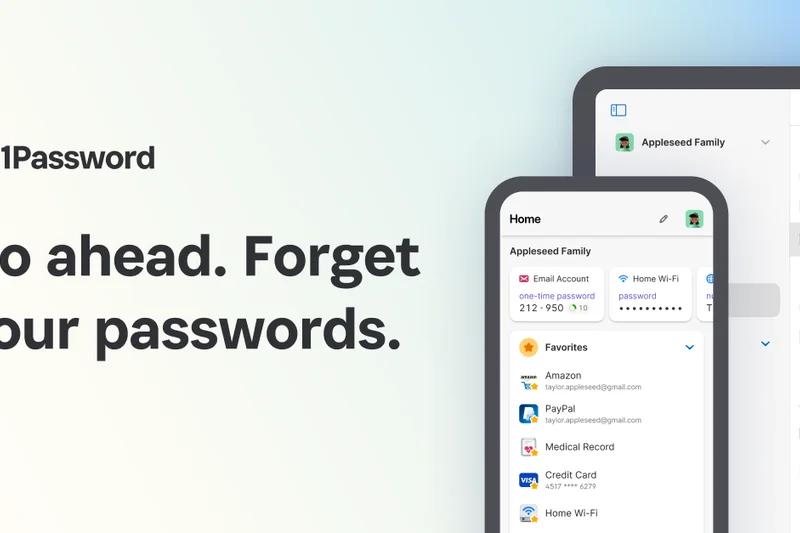
Why we picked it: 1Password Families claims the top spot across our overall rankings and family-specific scenarios because it masters the delicate balance between impenetrable security and everyday usability. Protecting a household means catering to varying levels of tech literacy—from children logging into school portals to grandparents managing healthcare accounts. 1Password achieves this beautifully through an incredibly intuitive interface and robust shared vaults. The inclusion of an account recovery feature is a massive safeguard; if a family member forgets their master password, the family organizer can restore their access without compromising the zero-knowledge architecture. Security-wise, 1Password remains an industry titan. It fortifies standard AES-256 encryption with a 34-character Secret Key, adding a localized layer of defense that makes remote brute-force attacks mathematically impossible. You also get passkey support across all compatible devices, keeping your family at the cutting edge of passwordless logins. The Watchtower dashboard is a brilliant educational tool for the whole family, proactively scanning for weak, reused, or compromised credentials. At under $60 a year for five users (with cheap add-ons for more), the value proposition is undeniably strong, making it our definitive recommendation for securing your household's digital life.
Key Specs
- Includes 5 family members (with option to add more)
- Shared vaults for streaming services and household bills
- Account recovery feature for locked-out family members
- Passkey support across all compatible devices
What we like
- Flawless cross-device sync and auto-fill
- Secret Key adds unparalleled account defense
- Excellent administrative controls and recovery options
What we don't like
- No free tier available
- Slightly steeper learning curve for advanced settings
Best for: Households needing a perfect blend of high security, shared access, and account recovery for non-tech-savvy members.
Considering 1Password Families vs Dashlane Friends & Family? 1Password offers a slightly more intuitive vault-sharing system and unique Secret Key protection, while Dashlane includes a built-in VPN for an extra cost.
The absolute best password manager for securing a household, combining military-grade encryption with family-friendly recovery features.
Buy at 1Password official site#2 1Password Individual
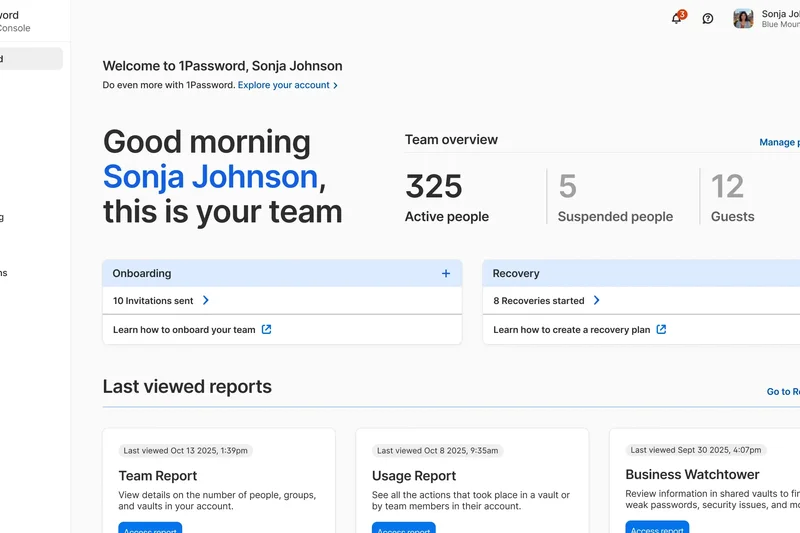
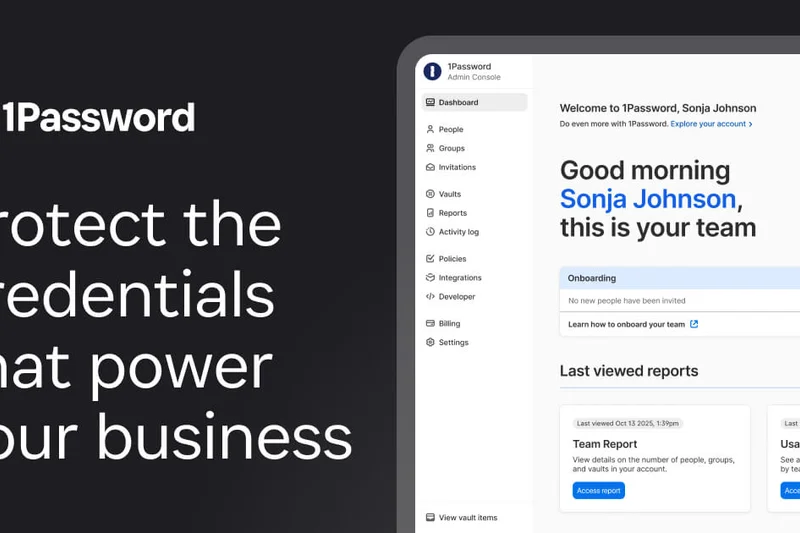
Why we picked it: For individuals who want an uncompromised, premium password management experience, 1Password Individual is virtually flawless. It dominates our testing in usability, auto-fill reliability, and platform compatibility. The proprietary Secret Key—a 34-character code required alongside your master password when logging into a new device—provides a layer of security that sets it apart from competitors, rendering server-side breaches practically useless to attackers. Furthermore, features like Travel Mode, which removes selected vaults from your device when crossing borders, highlight 1Password's commitment to profound privacy. Its Watchtower dashboard is arguably the best in the business, integrating with "Have I Been Pwned" to provide real-time alerts if any of your credentials are exposed in a data breach. The app's transition into the passkey era has been seamless, allowing you to store and manage passkeys right alongside traditional passwords across Windows, macOS, iOS, and Android. While it lacks a free tier, the polish, support responsiveness, and peace of mind it delivers more than justify the $35.88 annual price tag.
Key Specs
- AES-256 encryption with zero-knowledge architecture
- Unique Secret Key for multi-layered account defense
- Watchtower dashboard for credential breach monitoring
- Travel Mode removes selected vaults during border crossings
What we like
- Industry-leading auto-fill performance
- Unmatched security architecture with Secret Key
- Proactive, real-time breach monitoring
What we don't like
- No free version
- Lacks secure file storage limits compared to rivals
Best for: Everyday individuals and professionals who prioritize top-tier security, polished apps, and flawless auto-fill.
Considering 1Password Individual vs Bitwarden Premium? 1Password offers a smoother interface and better auto-fill, whereas Bitwarden is significantly cheaper and open-source.
A masterpiece of digital security that provides individuals with an impenetrable, user-friendly vault.
Buy at 1Password official site#3 Bitwarden Premium
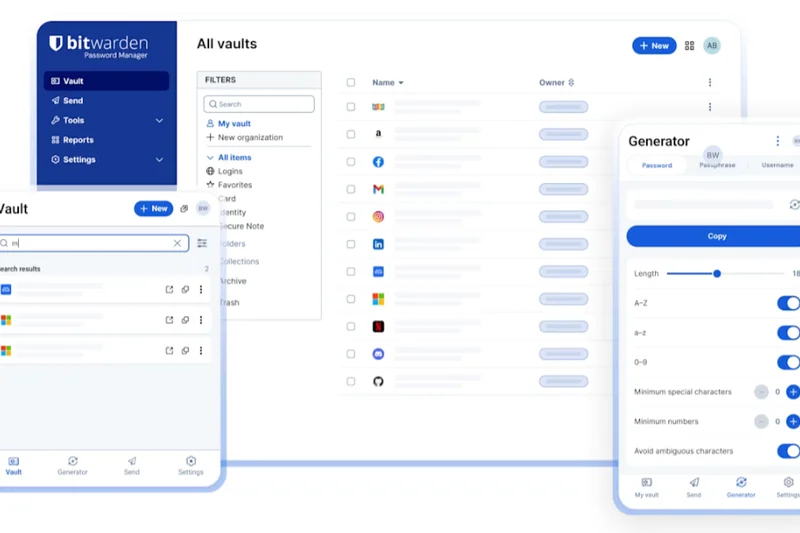
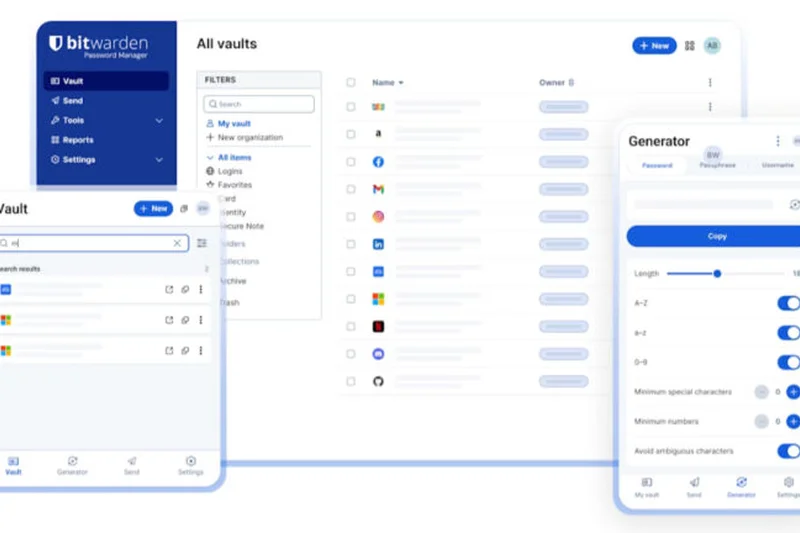
Why we picked it: Bitwarden Premium is the undisputed king of value in the password management space. For a mere $10 per year, it provides a feature-rich, deeply secure, and open-source platform that rivals competitors charging four times as much. Transparency is Bitwarden’s greatest asset; its open-source codebase is regularly subjected to rigorous third-party security audits, ensuring that its zero-knowledge AES-256 bit encryption holds up to intense scrutiny. Power users and privacy advocates revere Bitwarden for its robust 2FA support, which includes seamless integration with hardware keys like YubiKey and FIDO U2F, as well as an integrated TOTP authenticator directly within the app. While its user interface is slightly more utilitarian and its auto-fill functionality can occasionally require an extra click compared to 1Password or Dashlane, the sheer utility it provides is staggering. You receive 1GB of encrypted file storage, comprehensive vault health reports that flag weak or reused passwords, and cross-device sync that is consistently lightning-fast. For users who want enterprise-grade security on a tight budget, Bitwarden Premium is untouchable.
Key Specs
- Open-source transparency with third-party security audits
- Integrated TOTP authenticator within the app
- Advanced two-factor authentication including YubiKey/FIDO
- Vault health reports for weak or reused passwords
What we like
- Incredible price-to-performance ratio ($10/year)
- Fully open-source and regularly audited
- Advanced 2FA hardware key support
What we don't like
- Interface feels a bit utilitarian
- Auto-fill isn't as seamless as premium rivals
Best for: Budget-conscious users, open-source enthusiasts, and power users wanting advanced 2FA hardware support.
Considering Bitwarden Premium vs NordPass Premium? Bitwarden gives you open-source transparency and a lower price tag, while NordPass offers a more modern interface and XChaCha20 encryption.
The best value in password management, offering audited, open-source security for just $10 a year.
Buy at Bitwarden official site#4 Dashlane Friends & Family
Why we picked it: Dashlane Friends & Family takes the concept of a group plan to the extreme, supporting up to 10 separate members on a single subscription for $89.88 a year. This makes it an incredibly cost-effective solution for large, extended families or close friend groups. Each of the 10 users gets their own private, encrypted vault, completely invisible to the others, along with a secure dashboard to seamlessly share streaming logins or household Wi-Fi codes. Dashlane shines in its feature set. The plan manager gets access to a built-in VPN for secure public Wi-Fi browsing, and all members benefit from real-time dark web monitoring, compromise alerts, and AI-powered phishing protection. Dashlane's patented zero-knowledge architecture ensures that even with 10 users pinging the servers, no unencrypted data ever leaves the local devices. Its auto-fill engine is among the most aggressive and accurate we've tested, handling complex multi-page login forms with ease. It's a premium offering with a premium price, but the per-user value for a group of 10 is phenomenal.
Key Specs
- Supports up to 10 separate members on one plan
- Private, encrypted vaults for every individual
- VPN access provided for the plan manager
- Advanced phishing alerts for all members
What we like
- Supports up to 10 users (double the industry average)
- Includes a built-in VPN for the manager
- Exceptional dark-web monitoring tools
What we don't like
- High upfront annual cost
- VPN is only available to the plan manager
Best for: Large households or extended friend groups looking to split the cost of a premium security suite.
Considering Dashlane Friends & Family vs 1Password Families? Dashlane covers 10 users and includes a VPN, while 1Password covers 5 users but offers better account recovery tools.
A powerhouse family plan that secures up to 10 users with top-tier auto-fill and dark web monitoring.
Buy at Dashlane official site#5 Proton Pass Family
Why we picked it: Proton Pass Family is an exceptional choice for privacy-centric households, merging rigorous Swiss privacy jurisdiction with an open-source codebase. For $59.88 a year, it covers up to 6 separate users, allowing them to create multiple customized vaults and securely share credentials without friction. What truly elevates Proton Pass above standard password managers is its integration of "hide-my-email" aliases. Every family member gets unlimited email aliases, allowing them to sign up for online services without exposing their real email addresses, profoundly reducing tracking and spam. Built by the team behind ProtonMail, the security architecture is impeccable. It features advanced hardware key 2FA support and the Proton Sentinel system, which uses AI to detect and block sophisticated account takeover attempts. While the interface is slightly newer and occasionally less refined than legacy competitors, the combination of robust password management, comprehensive health reporting, and best-in-class email masking makes it the top pick for power users securing their families.
Key Specs
- Includes up to 6 separate users
- Unlimited secure sharing across multiple vaults
- Unlimited email aliases for all family members
- Advanced hardware key 2FA support
What we like
- Unlimited email aliases for privacy
- Based in Switzerland with strong privacy laws
- Open-source and highly secure
What we don't like
- Relatively new platform with some missing niche features
- Support channels can be slow
Best for: Privacy-focused households that want integrated email masking alongside open-source password management.
Considering Proton Pass Family vs Bitwarden Families? Proton Pass offers unlimited email aliases for better privacy, while Bitwarden offers a longer track record and cheaper pricing.
The ultimate privacy bundle for families, combining strict Swiss data protection with unlimited email aliases.
Buy at Proton official site#6 Bitwarden Families
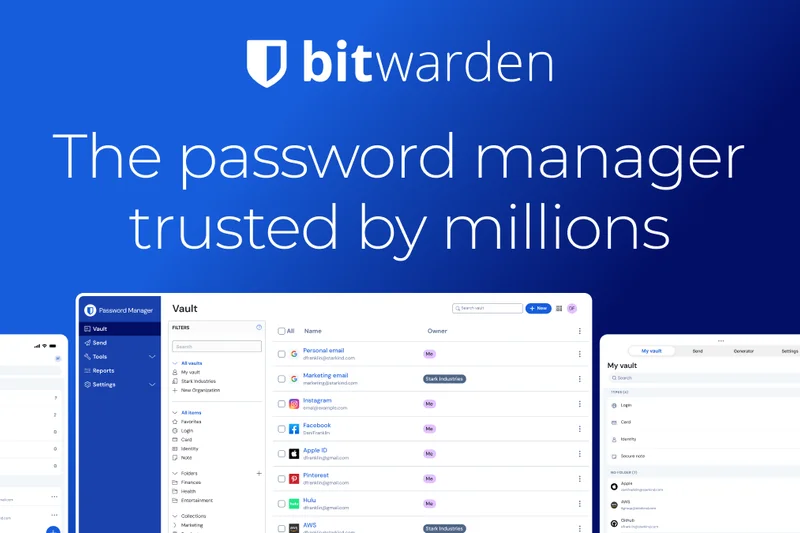
Why we picked it: Bitwarden Families brings the unmatched value of Bitwarden's open-source architecture to the household level. For just $40 a year, up to 6 family members get all the benefits of Bitwarden Premium, including advanced 2FA options, integrated authenticators, and vault health reports. The unlimited secure sharing collections make it easy to manage who has access to the Netflix password versus the bank account. It also includes an emergency access feature, ensuring you aren't locked out of critical data in a crisis. While the UI lacks the polish of 1Password, the transparency and price point are unbeatable for budget-conscious families.
Key Specs
- Accounts for up to 6 family members
- Unlimited secure sharing collections
- 1GB of shared encrypted file storage
- Emergency access for trusted contacts
What we like
- Extremely affordable for 6 users
- Open-source and fully audited
- Granular sharing permissions
What we don't like
- UI is less intuitive for non-tech-savvy relatives
- Folder organization can feel clunky
Best for: Budget-conscious households that want open-source transparency and secure sharing.
Considering Bitwarden Families vs 1Password Families? Bitwarden is cheaper and open-source, but 1Password has a much friendlier interface for children and older adults.
A highly affordable, heavily audited open-source password manager perfect for tech-adjacent families.
Buy at Bitwarden official site#7 NordPass Premium
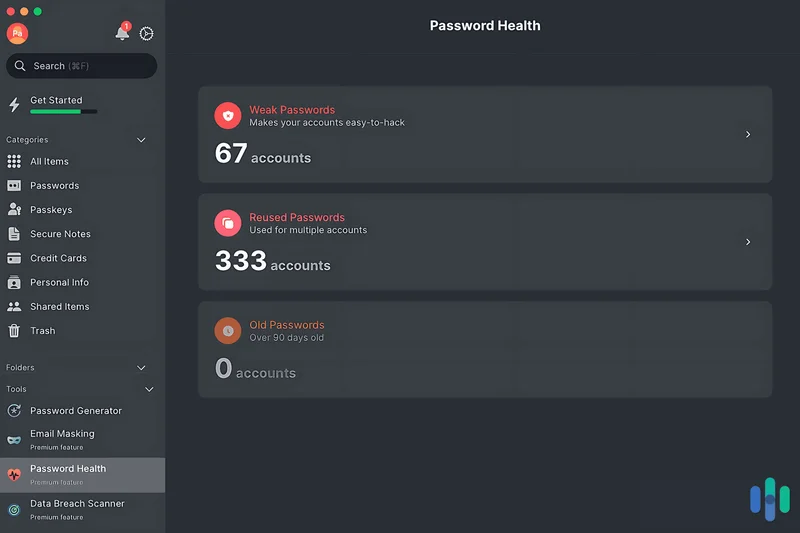
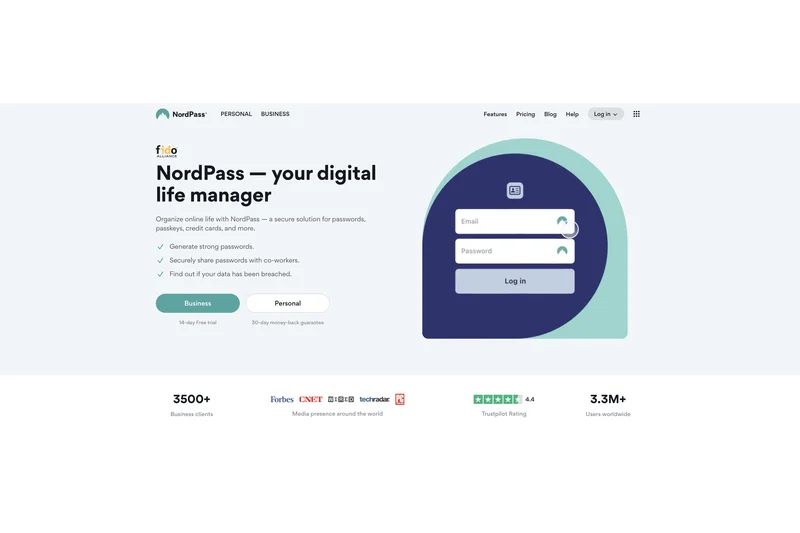
Why we picked it: NordPass Premium, developed by the cybersecurity experts behind NordVPN, distinguishes itself by using the next-generation XChaCha20 encryption algorithm, which is faster and arguably more future-proof than standard AES-256. Priced at $35.88/year, it provides a remarkably clean, modern interface that makes password management completely frictionless. NordPass excels in proactive security, offering native Email Masking to protect your inbox from spam, alongside robust Data Breach Scanner tools that alert you if your details leak online. With 3GB of secure file storage and emergency access options, it's a stellar, highly usable premium vault.
Key Specs
- Next-generation XChaCha20 encryption algorithm
- Password Health and Data Breach Scanner tools
- Native Email Masking for online privacy protection
- 3GB of secure encrypted file storage
What we like
- Advanced XChaCha20 encryption
- Beautiful, user-friendly interface
- Native email masking feature included
What we don't like
- Prices often increase after the first year
- Fewer organizational tools than competitors
Best for: Users seeking a beautifully designed app with cutting-edge encryption and native email masking.
Considering NordPass Premium vs Dashlane Premium? NordPass provides an incredibly sleek UI and XChaCha20 encryption, while Dashlane includes a full VPN.
A sleek, modern password manager featuring advanced encryption and built-in privacy tools.
Buy at NordPass official site#8 NordPass Family
Why we picked it: NordPass Family takes the sleek interface and advanced XChaCha20 encryption of the premium tier and scales it up for households. At $71.88 a year, it covers up to 6 unique premium accounts. The centralized administrative dashboard allows the primary user to manage subscriptions and securely share credentials or Wi-Fi codes without seeing the actual passwords of other family members. Every user benefits from the Data Breach Scanner and their own individual secure vault. It’s slightly pricier than Bitwarden, but the smooth, modern app experience makes it an easy sell for less technically inclined family members.
Key Specs
- Covers up to 6 unique premium accounts
- Centralized administrative dashboard
- Secure sharing of credentials and Wi-Fi codes
- Individual secure vaults for each family member
What we like
- Very easy for non-tech family members to use
- Fast XChaCha20 encryption
- Excellent data breach scanning
What we don't like
- More expensive than Bitwarden Families
- Renewal rates can be high
Best for: Families prioritizing ease-of-use and modern design over heavy customization.
Considering NordPass Family vs 1Password Families? NordPass has a simpler UI and XChaCha20, but 1Password offers stronger account recovery protocols.
A user-friendly, highly secure family vault that leverages next-gen encryption.
Buy at NordPass official site#9 Dashlane Premium
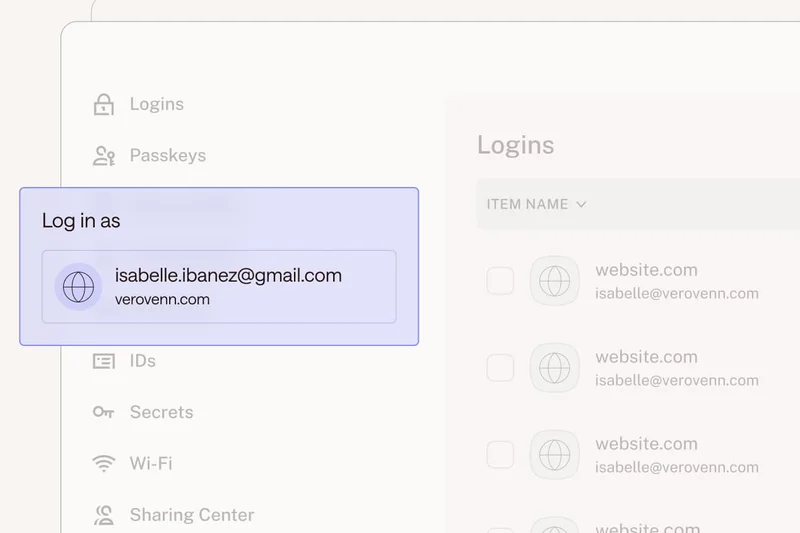
Why we picked it: Dashlane Premium commands a higher price ($59.88/year) but justifies it by functioning as an all-in-one digital security suite. Beyond unlimited password storage across unlimited devices, Dashlane packs in a built-in VPN for secure public Wi-Fi browsing, real-time dark web monitoring, and AI-powered phishing protection. Its patented zero-knowledge security architecture is rock solid, and its auto-fill performance is famously reliable, handling complex payment forms effortlessly. If you want a password manager that actively protects your broader online presence, Dashlane Premium is an outstanding choice.
Key Specs
- Unlimited password storage across unlimited devices
- Built-in VPN for secure public Wi-Fi browsing
- Real-time dark web monitoring and compromise alerts
- AI-powered real-time scam and phishing protection
What we like
- Includes an integrated VPN
- Superb dark web monitoring
- Highly accurate form auto-fill
What we don't like
- Expensive compared to standalone password managers
- Desktop app was retired in favor of browser extensions
Best for: Users who want an all-in-one security bundle with a VPN and dark web monitoring.
Considering Dashlane Premium vs 1Password Individual? Dashlane gives you a VPN and dark web alerts, while 1Password provides a smoother standalone app experience.
A premium, feature-rich security hub that combines password management with a capable VPN.
Buy at Dashlane official site#10 Proton Pass Plus
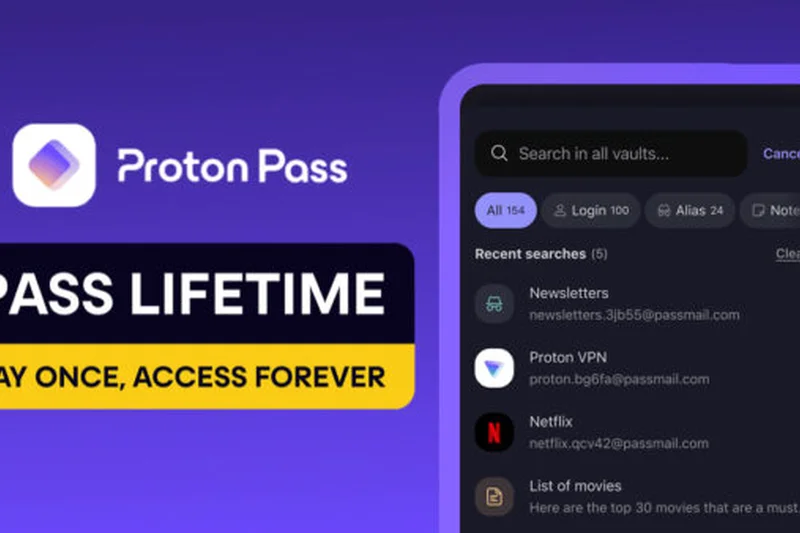
Why we picked it: Proton Pass Plus ($35.88/year) is a privacy enthusiast's dream. Leveraging Switzerland's strict privacy laws, it uses open-source code and zero-knowledge encryption to lock down your credentials. The standout feature is its unlimited "hide-my-email" aliases, which generate unique email addresses on the fly to protect your identity from trackers and data breaches. It also features Proton Sentinel, an advanced security program that monitors for suspicious login attempts. While it's relatively new to the market, its seamless integration with the broader Proton ecosystem makes it a compelling choice for privacy advocates.
Key Specs
- Unlimited hide-my-email aliases to prevent tracking
- Integrated multi-factor 2FA authenticator
- Multiple custom vaults for organizational clarity
- Proton Sentinel advanced account breach protection
What we like
- Unlimited email aliases prevent tracking
- Swiss privacy jurisdiction
- Advanced Proton Sentinel security
What we don't like
- Fewer organizational features than legacy rivals
- Interface can feel slightly basic
Best for: Privacy purists who want deep integration with the Proton ecosystem and email masking.
Considering Proton Pass Plus vs Bitwarden Premium? Proton Pass excels at email masking and privacy, while Bitwarden offers a longer track record and lower price.
An excellent open-source password manager distinguished by powerful email masking capabilities.
Buy at Proton official site#11 Keeper Unlimited
Why we picked it: Keeper Unlimited offers a robust, military-grade security model with a proprietary zero-knowledge encryption architecture. Priced at $34.99/year, it supports unlimited password and passkey storage across all devices. Keeper is exceptionally customizable, allowing granular permissions for secure record sharing. The optional BreachWatch add-on is fantastic for dark web monitoring, though it costs extra. Its interface feels slightly more corporate, but it is deeply reliable and consistently scores high in third-party security audits.
Key Specs
- Proprietary zero-knowledge encryption model
- Unlimited password and passkey storage across devices
- Secure record sharing with granular permissions
What we like
- Highly secure and frequently audited
- Granular sharing permissions
- Excellent support for passkeys
What we don't like
- Dark web monitoring (BreachWatch) is a paid add-on
- UI feels slightly dated
Best for: Security-focused users who appreciate deep customization and granular sharing controls.
Considering Keeper Unlimited vs 1Password Individual? Both offer stellar security, but 1Password has a more modern interface and includes breach monitoring by default.
A heavy-duty, highly secure password manager with excellent sharing controls.
Buy at Keeper official site#12 Keeper Family
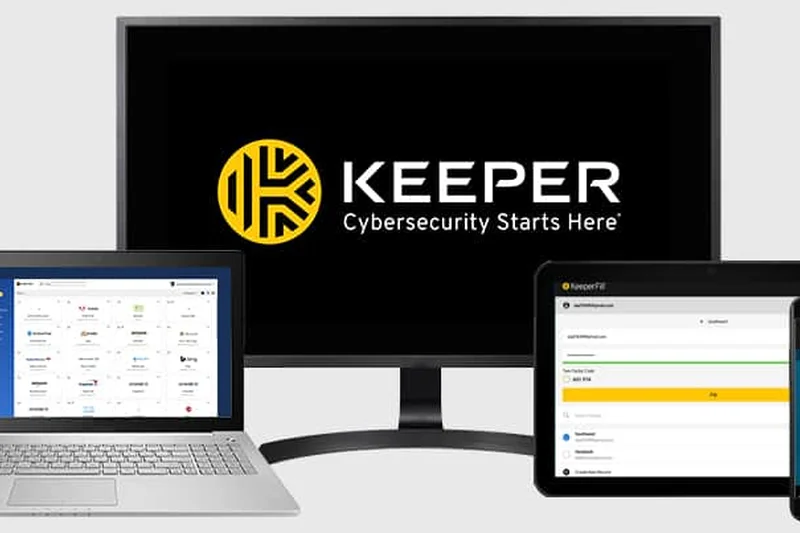
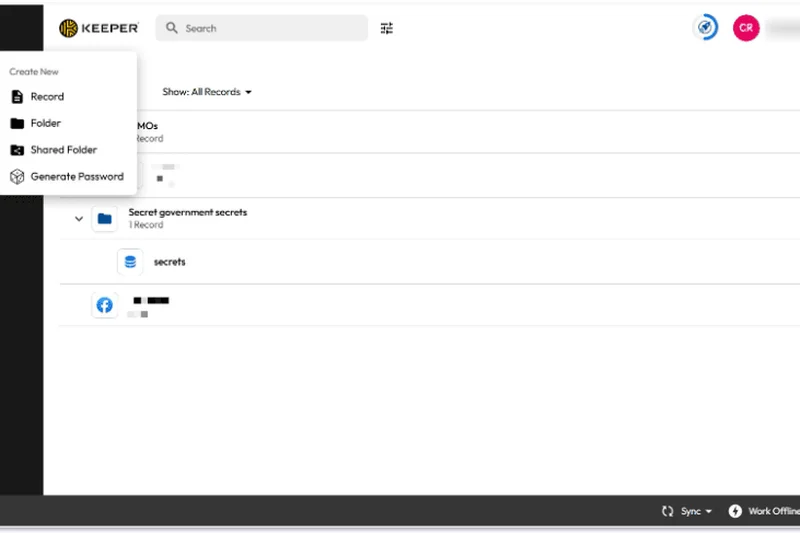
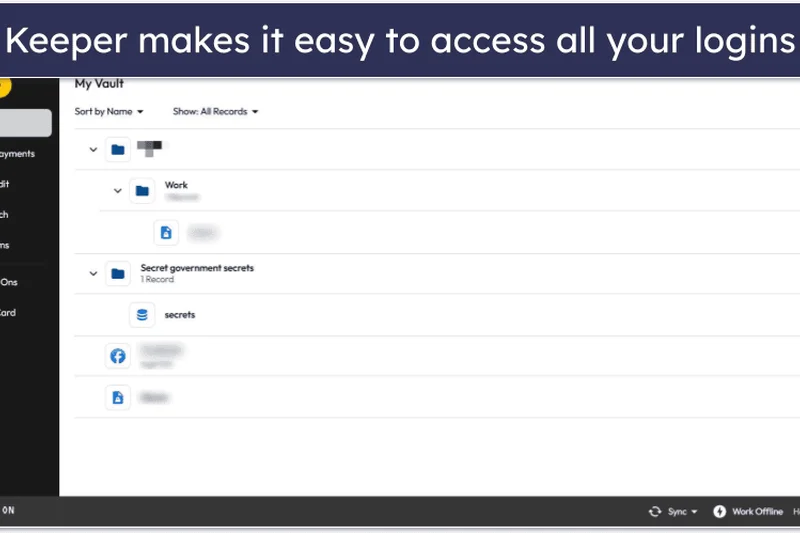
Why we picked it: Keeper Family ($74.99/year) extends its formidable security infrastructure to up to 5 family members. Each individual gets a private vault, and the plan includes 10GB of secure cloud file storage—a generous amount compared to rivals. The dedicated family sharing dashboard makes managing household accounts simple, and its multi-factor authentication methods are vast. While the base price is high and dark web monitoring costs extra, the inclusion of massive encrypted file storage makes it a great choice for families handling sensitive documents.
Key Specs
- 5 individual private vaults for family members
- 10GB of encrypted secure cloud file storage
- Unlimited device synchronization
What we like
- Massive 10GB secure file storage
- Granular family sharing controls
- Strong zero-knowledge security
What we don't like
- BreachWatch is a paid add-on
- High base price
Best for: Families who need substantial encrypted file storage alongside their passwords.
Considering Keeper Family vs Dashlane Friends & Family? Dashlane covers 10 people with a VPN, while Keeper covers 5 but offers massive 10GB file storage.
A highly secure family plan boasting an impressive 10GB of encrypted cloud storage.
Buy at Keeper official site#13 Enpass Individual
Why we picked it: Enpass Individual ($23.99/year) caters uniquely to users who refuse to trust third-party servers. It operates on an offline-first architecture; your vault is encrypted locally via AES-256 and only syncs through your personal cloud accounts (Dropbox, iCloud, Google Drive). This eliminates the risk of a central vendor breach. It supports unlimited vaults for segregating work and personal life, and features excellent wearable device support. For those who demand complete control over their encrypted data's location, Enpass is brilliant.
Key Specs
- Offline-first architecture with no forced vendor cloud
- Syncs securely via personal cloud (Dropbox, iCloud, Google Drive)
- Support for wearable devices including Apple Watch and Wear OS
What we like
- Total control over where data is stored
- No central server breach risk
- Great smartwatch integration
What we don't like
- Requires manual sync setup
- Lacks web access from public computers
Best for: Users who want local-only storage but still desire the convenience of personal cloud syncing.
Considering Enpass vs KeePassXC? Both offer local storage, but Enpass provides a much smoother mobile experience and personal cloud sync.
The best offline-first password manager that leverages your own cloud storage for syncing.
Buy at Enpass official site#14 Proton Pass Free
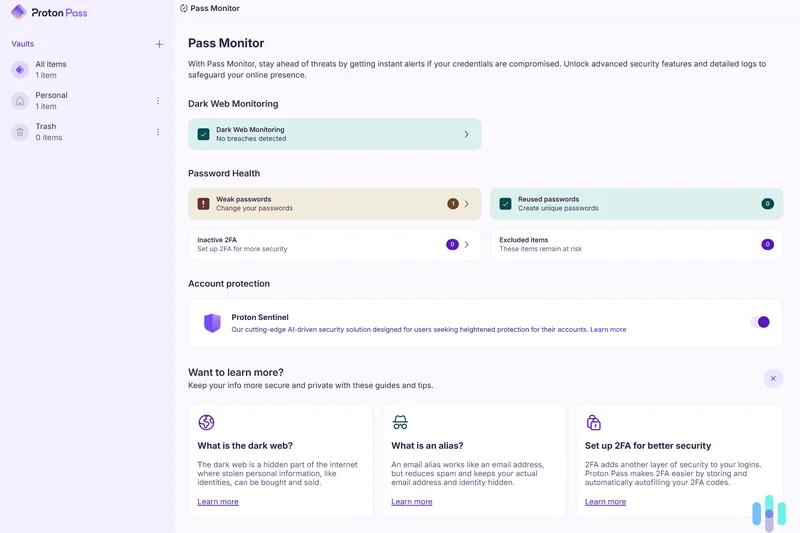
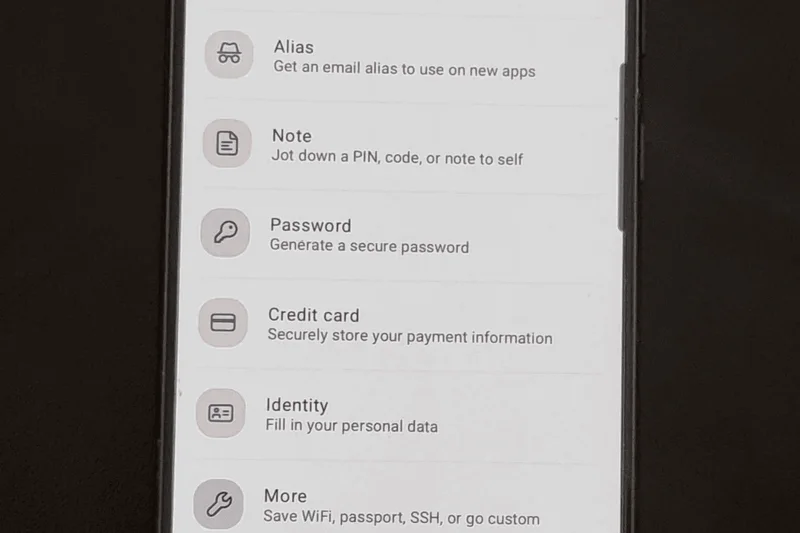
Why we picked it: Proton Pass Free is one of the most generous free tiers on the market. Unlike competitors that restrict you to one device, Proton Pass Free offers unlimited logins, secure notes, and cross-device syncing across all your hardware. It even includes 10 hide-my-email aliases for basic anti-tracking protection. Backed by Swiss privacy laws and an open-source, fully audited zero-knowledge architecture, it's a phenomenal entry point for robust password security without spending a dime.
Key Specs
- Unlimited logins and secure notes
- Includes 10 hide-my-email aliases
- End-to-end encryption across all synced devices
What we like
- 100% free with unlimited cross-device sync
- Includes 10 email masking aliases
- Strict Swiss privacy protection
What we don't like
- Lacks advanced 2FA hardware key support on free tier
- Limited to 10 email aliases
Best for: Users seeking a secure, open-source free password manager with no device restrictions.
Considering Proton Pass Free vs Bitwarden Free? Both are excellent and free; Proton offers email aliases, while Bitwarden offers a slightly more mature password generator.
An incredibly generous free password manager with built-in privacy tools.
Get at Proton official site#15 Zoho Vault Standard
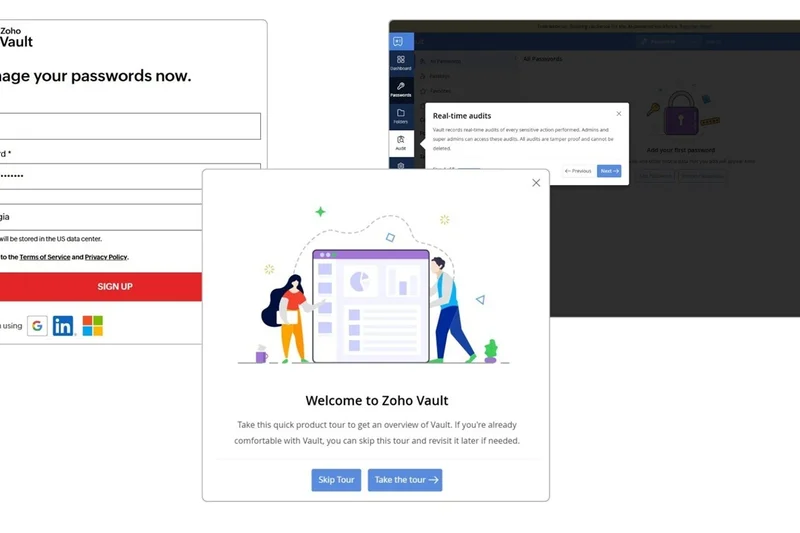
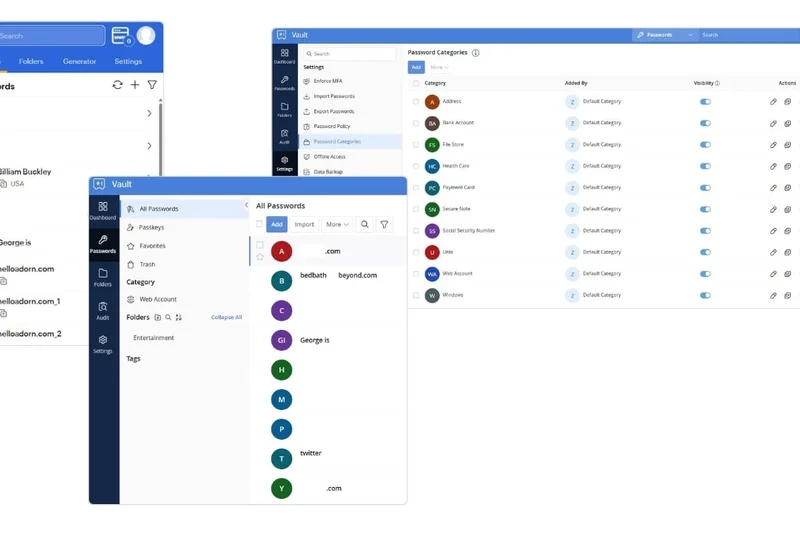
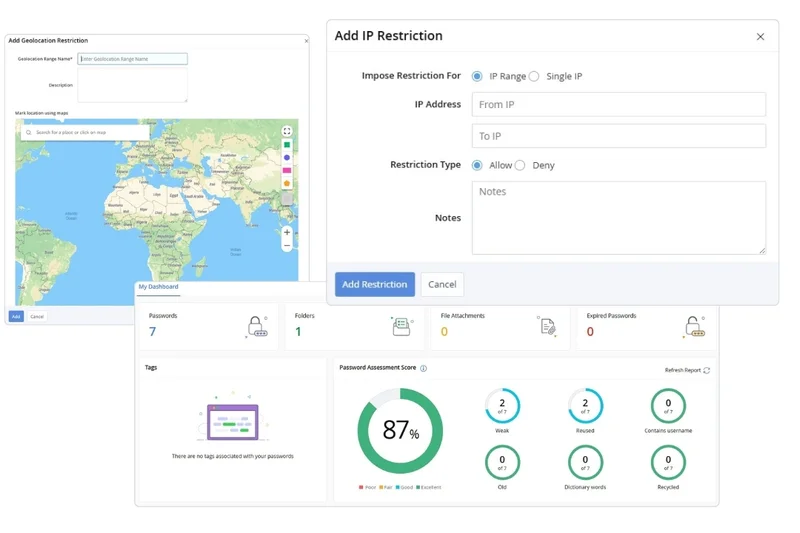
Why we picked it: Zoho Vault Standard ($10.80/year) brings business-grade access controls to personal users. It features an impressive zero-knowledge encryption model and offers unlimited password storage with cross-device synchronization. Where Zoho shines is in its comprehensive audit trails—letting you see exactly when and where a credential was accessed—and role-based sharing limits. While its interface leans heavily toward enterprise functionality, making it slightly complex for casual users, the security and tracking features are top-notch for the price.
Key Specs
- Business-grade zero-knowledge encryption architecture
- Unlimited password storage and cross-device synchronization
- Comprehensive audit trails for tracking credential usage
What we like
- Excellent audit trails and reporting
- Very affordable premium tier
- Strong offline access capabilities
What we don't like
- Interface is designed more for IT professionals
- Auto-fill can be finicky on mobile
Best for: Freelancers and tech-savvy users who want enterprise-grade audit trails at a consumer price.
Considering Zoho Vault vs Bitwarden Premium? Both cost around $10, but Bitwarden is more user-friendly, while Zoho offers deeper enterprise-style audit logs.
A highly secure, budget-friendly vault packed with professional auditing features.
Buy at Zoho official site#16 Bitwarden Free
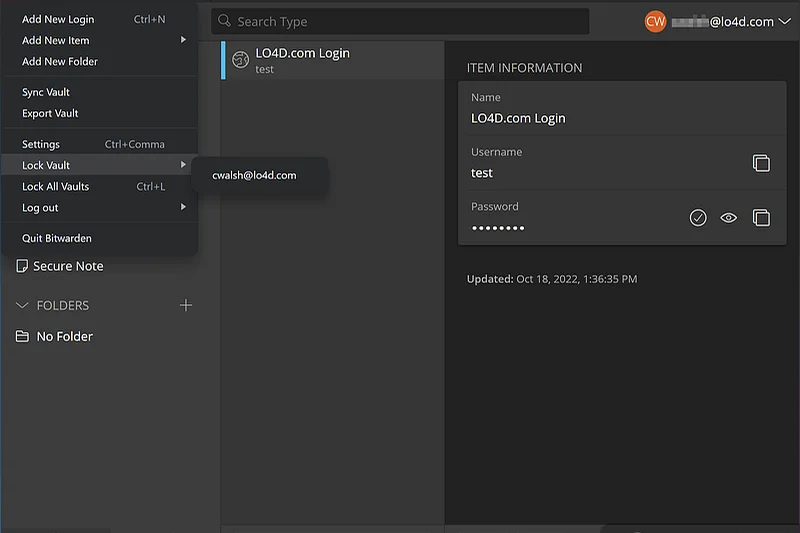
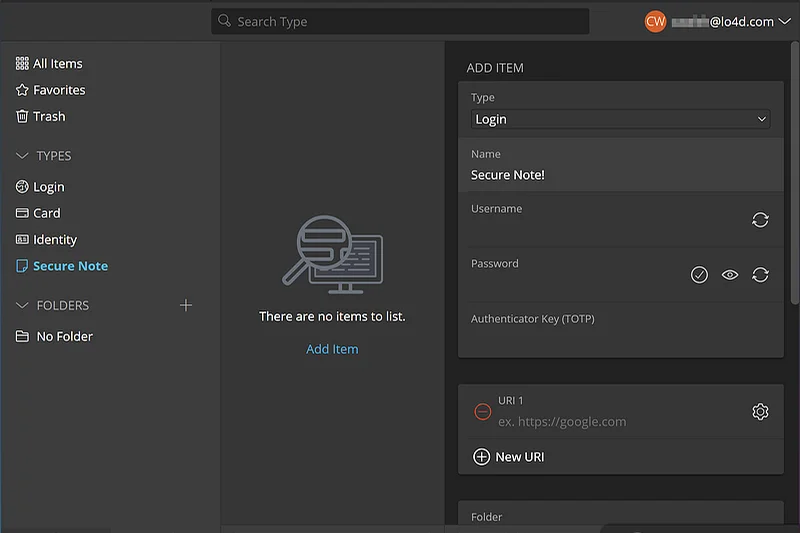
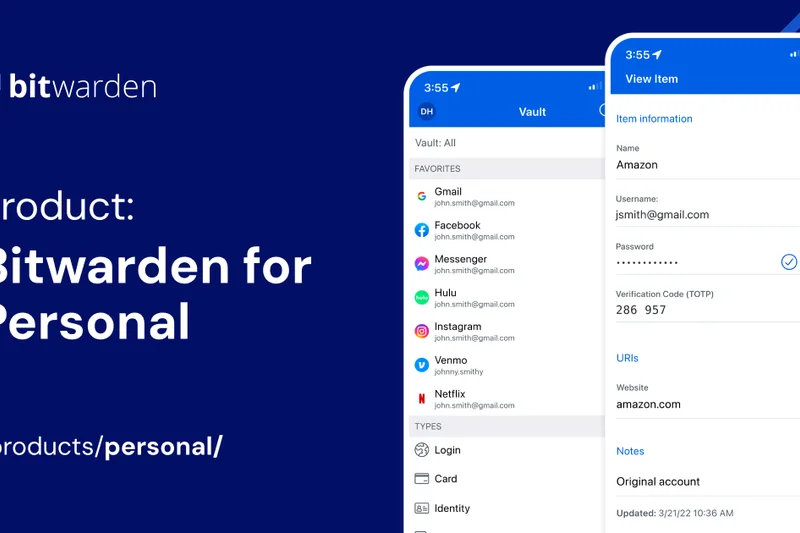
Why we picked it: Bitwarden Free is the gold standard for zero-cost password management. It delivers unlimited password storage, secure notes, and—crucially—unlimited cross-device synchronization. Unlike LastPass Free, you are not penalized for using both your phone and your laptop. It features the same uncompromised end-to-end AES-256 encryption and zero-knowledge architecture as the premium version. While it lacks advanced 2FA hardware key support and encrypted file storage, it provides everything a standard user needs to achieve perfect digital hygiene for free.
Key Specs
- Unlimited password and secure note storage
- Unlimited cross-device synchronization
- Zero-knowledge security architecture
What we like
- Completely free with no device limits
- Open-source and highly secure
- Excellent cross-platform support
What we don't like
- No hardware security key support on free tier
- UI is functional but not beautiful
Best for: Anyone who wants the best possible security for zero dollars without device restrictions.
Considering Bitwarden Free vs NordPass Free? Bitwarden syncs across unlimited active devices, whereas NordPass Free limits you to one active device at a time.
The absolute best free password manager available, period.
Get at Bitwarden official site#17 RoboForm Everywhere
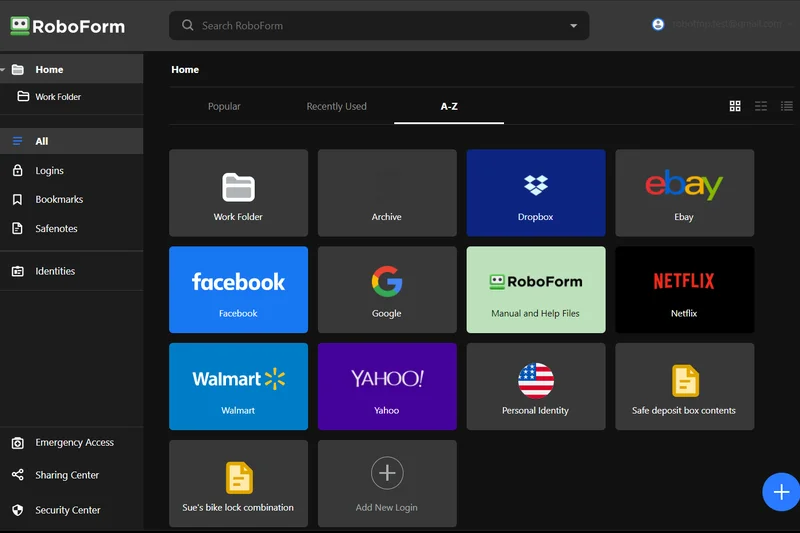
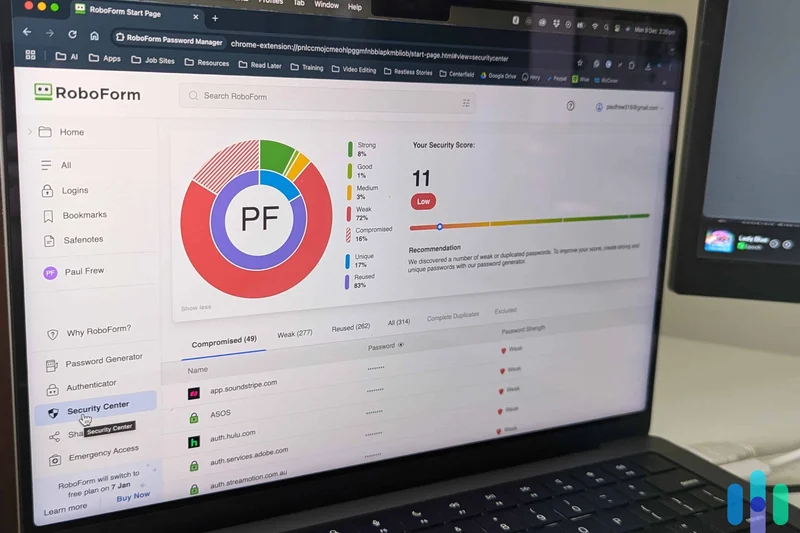
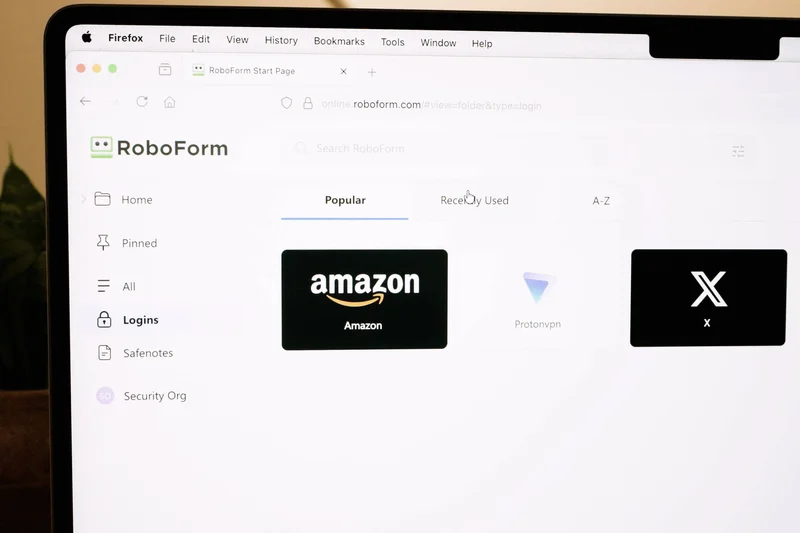
Why we picked it: RoboForm Everywhere ($23.88/year) is a legacy powerhouse that remains relevant due to its best-in-class auto-fill engine. While competitors struggle with multi-page forms or complex address fields, RoboForm captures and fills data with unrivaled accuracy. It offers unlimited cross-device cloud sync, secure shared folders, and robust cloud backups of your encrypted data. Its interface feels a bit retro compared to modern rivals, but for users who prioritize flawless form-filling over sleek aesthetics, RoboForm is incredibly reliable.
Key Specs
- Unlimited cross-device cloud synchronization
- Best-in-class auto-fill for complex web forms
- Secure cloud backup of all encrypted data
What we like
- The most accurate auto-fill engine on the market
- Very affordable premium pricing
- Great at handling complex web forms
What we don't like
- Interface looks dated
- Lacks modern extras like VPN or email masking
Best for: Heavy web users who frequently fill out complex forms, shopping checkouts, and applications.
Considering RoboForm vs 1Password? RoboForm edges out in complex form-filling, but 1Password wins in design, security features, and modern UX.
A highly affordable, ultra-reliable tool that excels at filling complex web forms.
Buy at RoboForm official site#18 Vaultwarden
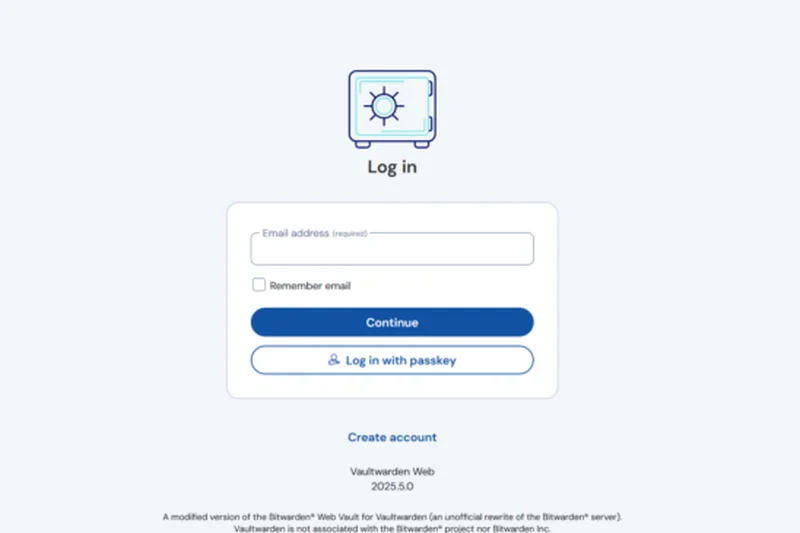
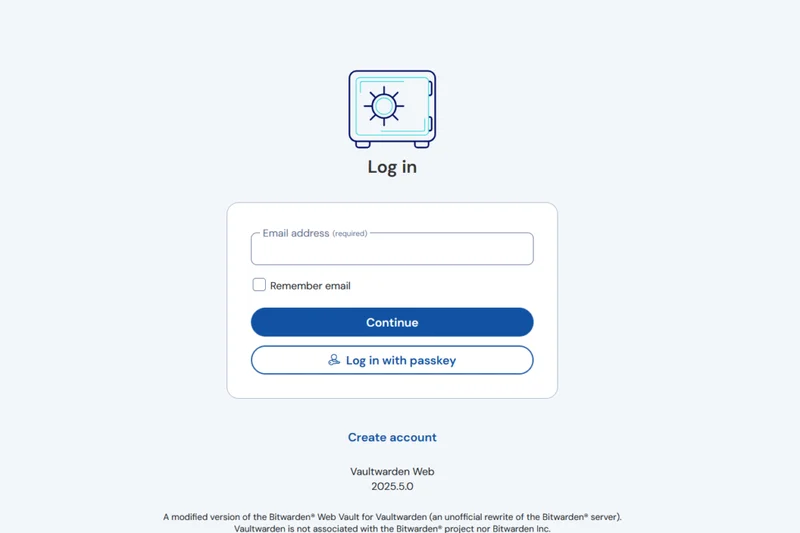
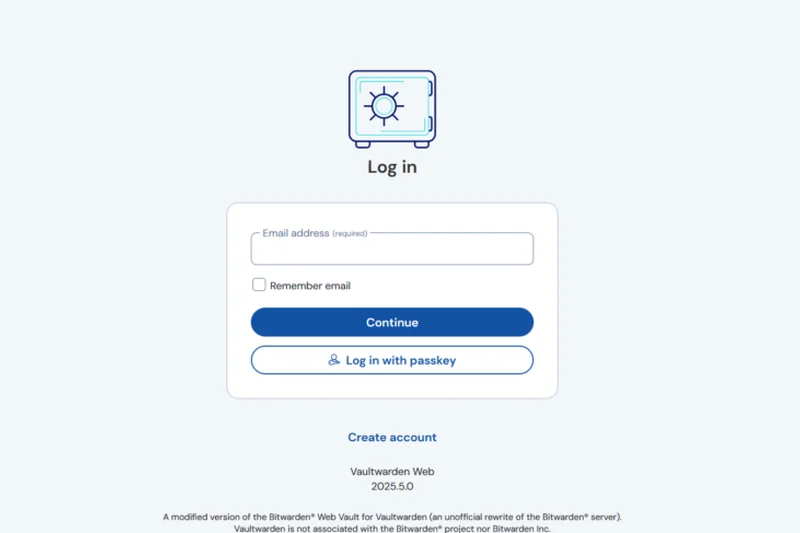
Why we picked it: Vaultwarden is an unofficial, lightweight Bitwarden server API implementation written in Rust. It is designed for power users who want to self-host their password manager on low-spec hardware like a Raspberry Pi. Best of all, it unlocks premium Bitwarden features (like advanced 2FA and file attachments) completely for free, provided you host it yourself. It is fully compatible with all official Bitwarden client apps. If you have the technical skills to maintain a server, Vaultwarden offers the ultimate blend of data sovereignty and premium features.
Key Specs
- Lightweight, unofficial Bitwarden server API implementation
- Written in Rust for optimal resource performance
- Unlocks premium Bitwarden features for free locally
What we like
- 100% data sovereignty via self-hosting
- Unlocks premium Bitwarden features for free
- Incredibly lightweight on server resources
What we don't like
- Requires technical knowledge to set up and secure
- You are responsible for your own backups and security patches
Best for: Homelab enthusiasts and technical users who want to self-host their password vault.
Considering Vaultwarden vs Passbolt? Vaultwarden is easier for personal homelabs using Bitwarden apps, while Passbolt is tailored for agile team sharing.
The ultimate self-hosted password manager for tech-savvy homelab enthusiasts.
Download at GitHub#19 Passbolt Community
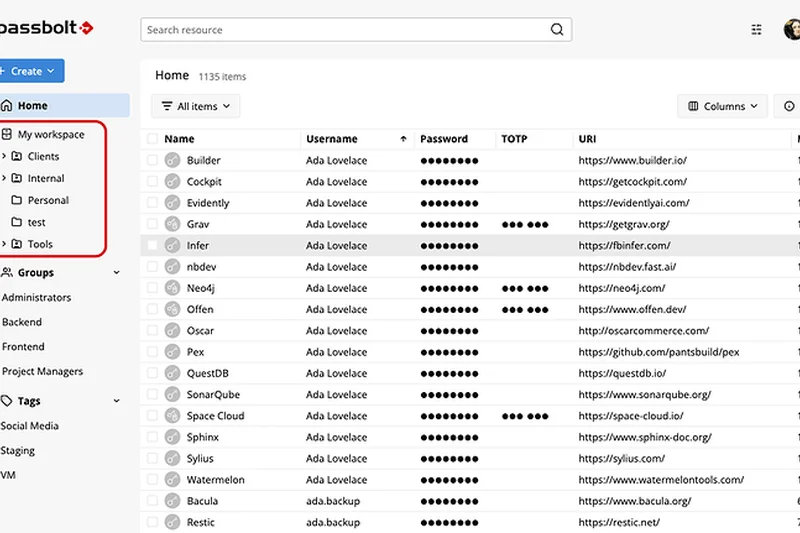
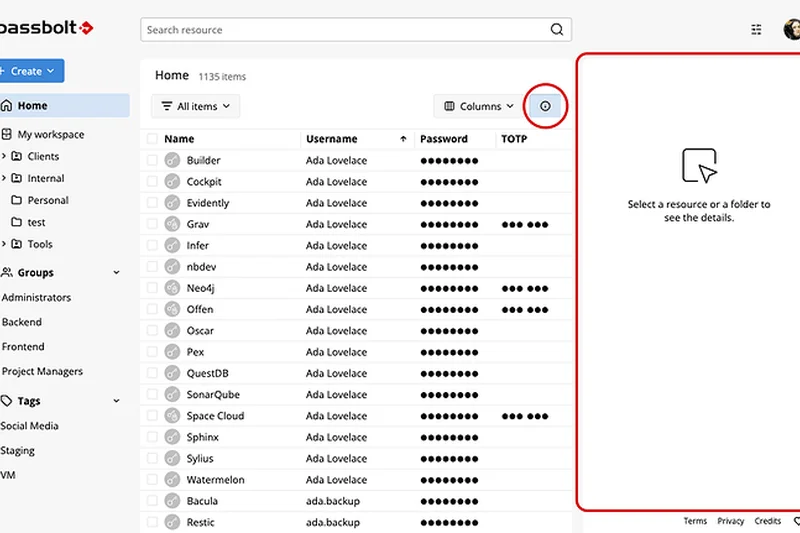
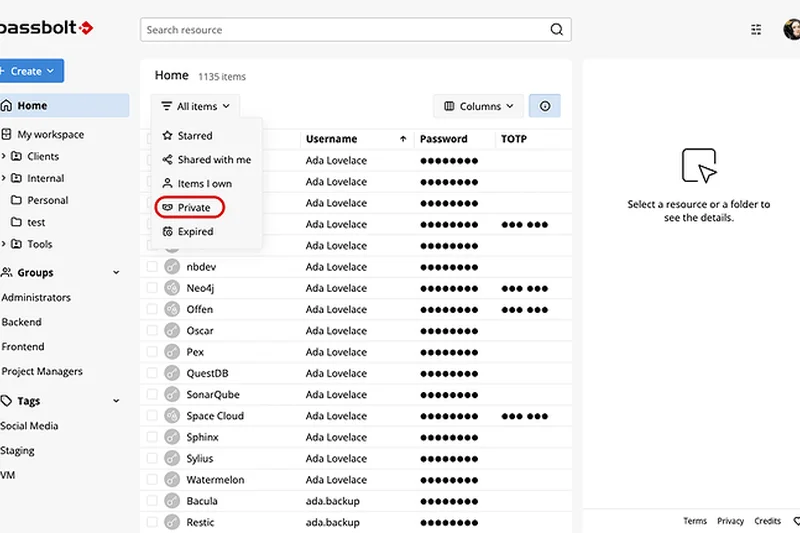
Why we picked it: Passbolt Community is a free, open-source password manager explicitly tailored for agile teams and technical users. Operating as a self-hosted solution, it ensures complete data sovereignty and builds its core security upon proven GnuPG standards. Passbolt excels at granular, role-based access controls and secure team sharing, making it ideal for small businesses or developer teams. While it lacks native mobile apps with the polish of consumer brands, its browser extension and uncompromising security model make it a standout for technical collaboration.
Key Specs
- Open-source password manager explicitly tailored for Agile teams
- Self-hosted solution ensuring complete data sovereignty
- Core security built upon proven GnuPG standards
What we like
- Unmatched security for team sharing
- 100% open-source and self-hosted
- Uses proven GnuPG encryption
What we don't like
- Mobile experience is lacking
- Complex setup meant for IT professionals
Best for: Developer teams and IT professionals who need a secure, self-hosted sharing vault.
Considering Passbolt vs Vaultwarden? Passbolt is specifically designed for team sharing and granular access, while Vaultwarden is better for individual or family self-hosting.
A highly secure, self-hosted collaborative vault designed for technical teams.
Get at Passbolt official site#20 Norton Password Manager
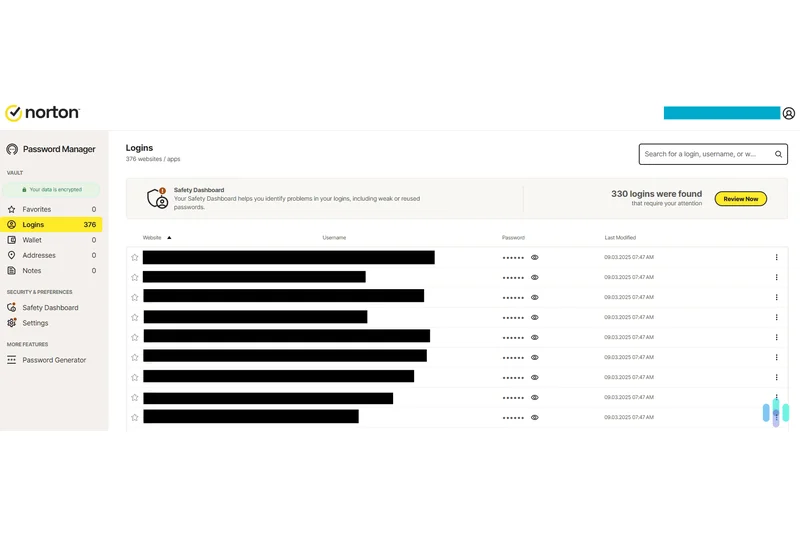
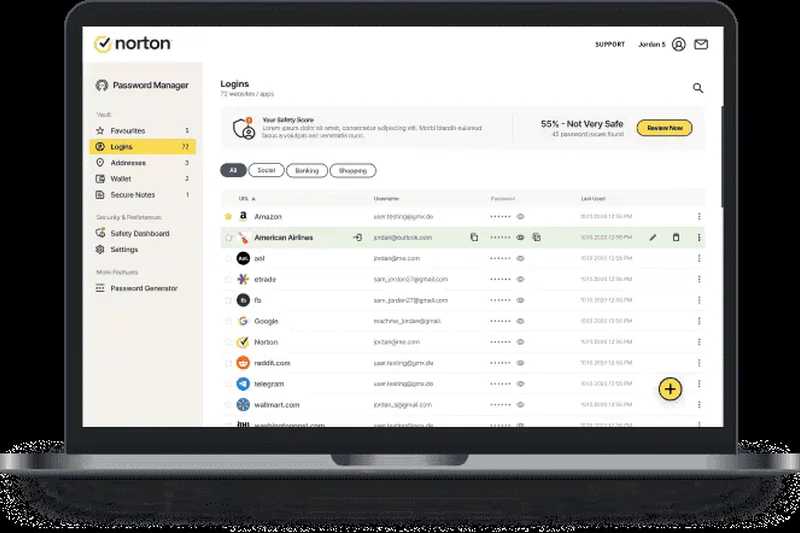
Why we picked it: Norton Password Manager is a surprisingly robust, 100% free tool from the legacy antivirus giant. It does not require a Norton 360 subscription to use natively. It offers an Autochange feature that automatically updates compromised passwords on supported sites, alongside a clear Safety Dashboard that flags vulnerable logins. With cross-platform sync and secure storage for physical addresses, it is a very solid, free option, though its auto-fill isn't quite as agile as dedicated competitors.
Key Specs
- 100% free to use natively without requiring Norton 360
- Autochange feature automatically updates compromised passwords
- Safety Dashboard clearly identifies vulnerable logins
What we like
- Completely free with unlimited sync
- Autochange feature is a huge time-saver
- Backed by a major security brand
What we don't like
- Auto-fill is occasionally unreliable on mobile
- Upsells to other Norton products
Best for: Users wanting a free, recognizable brand with an automated password-changing feature.
Considering Norton vs Bitwarden Free? Bitwarden offers open-source transparency and better auto-fill, while Norton offers the unique Autochange feature.
A strong free offering from a legacy brand, highlighted by its automatic password changer.
Get at Norton official site#21 Apple Passwords
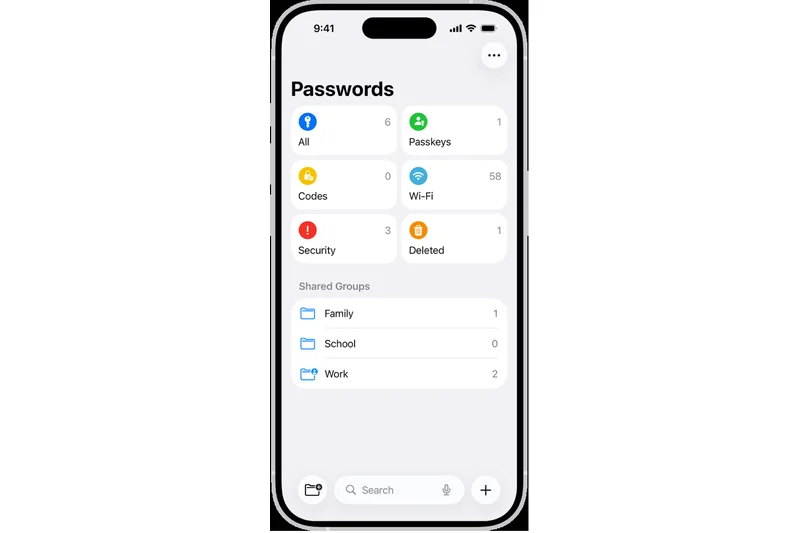
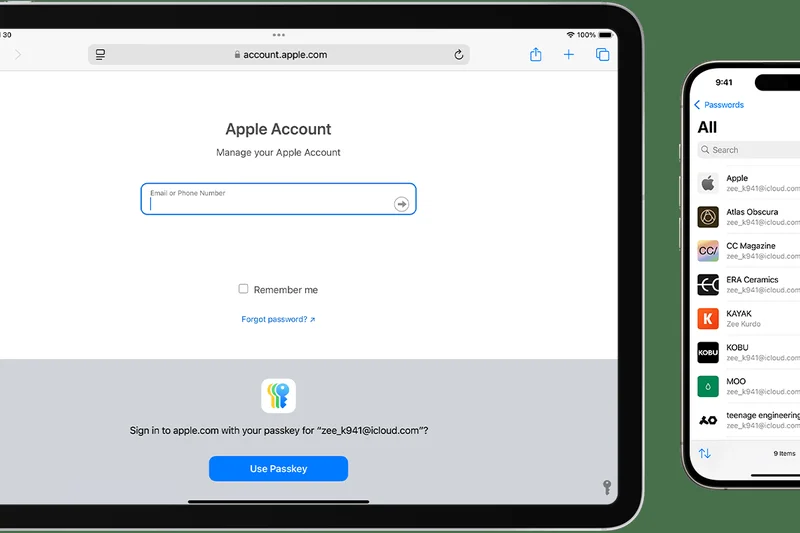
Why we picked it: Apple Passwords (now a dedicated app in modern Apple OS versions) provides frictionless, built-in security for users deeply entrenched in the Apple ecosystem. It leverages iCloud Keychain to deliver seamless, end-to-end synchronized auto-fill across iOS, iPadOS, and macOS. It features native passkey generation and an integrated 2FA code generator. While it is completely free, its major drawback is its poor compatibility outside the Apple ecosystem; using it on Android or Windows is significantly compromised.
Key Specs
- Built natively into iOS, iPadOS, and macOS systems
- Seamless iCloud Keychain end-to-end synchronization
- Integrated time-based 2FA code generator
What we like
- Zero friction for Apple device users
- Excellent passkey integration
- Completely free
What we don't like
- Terrible experience on Android or Linux
- Lacks advanced organizational folders
Best for: Strictly Apple-only users who want built-in, frictionless password management.
Considering Apple Passwords vs 1Password? 1Password works perfectly on Windows and Android and offers better sharing, while Apple Passwords is free and native.
The most convenient free option for users who exclusively use Apple hardware.
Learn more at Apple official site#22 Google Password Manager
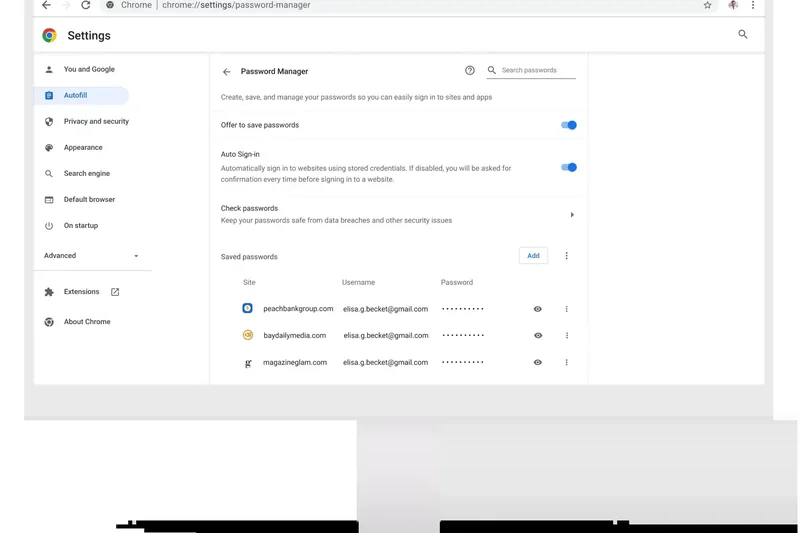
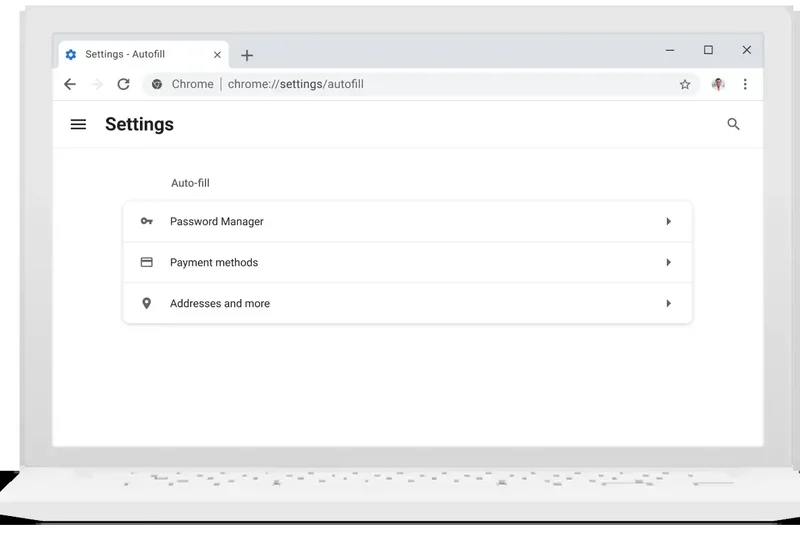
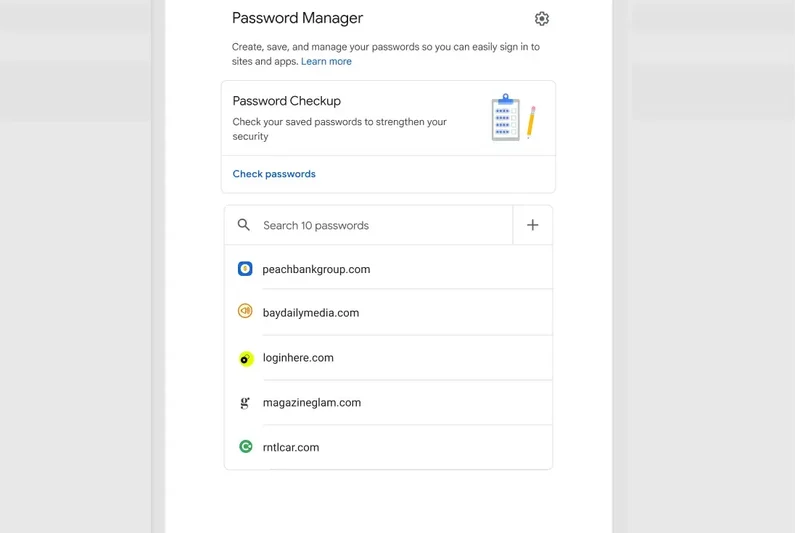
Why we picked it: Google Password Manager is deeply integrated into Chrome and Android, offering a frictionless experience for users embedded in Google's ecosystem. It syncs seamlessly via your Google Account and features a proactive Password Checkup tool that flags breached credentials. It supports multi-device passkey storage natively. While highly convenient and completely free, it stores passwords alongside your browsing data, which lacks the compartmentalized security of a dedicated, master-password-locked vault.
Key Specs
- Integrated deeply into Google Chrome and Android OS
- Password Checkup tool proactively flags breached credentials
- Universal cross-platform access via the Chrome browser
What we like
- Incredibly convenient for Android/Chrome users
- Strong proactive breach checking
- Free and built-in
What we don't like
- Lacks a dedicated master password lock by default
- Ties your security directly to your Google account
Best for: Casual Android and Chrome users who want basic, frictionless password saving.
Considering Google Password Manager vs Bitwarden Free? Bitwarden provides an isolated, encrypted vault, which is fundamentally more secure than browser-based storage.
A highly convenient, built-in tool that sacrifices some security isolation for maximum ease-of-use.
Learn more at Google official site#23 Bitdefender Password Manager
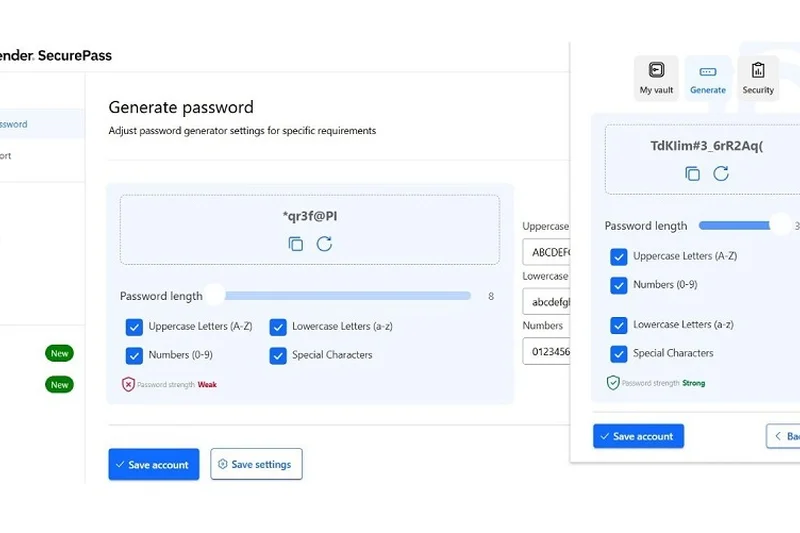
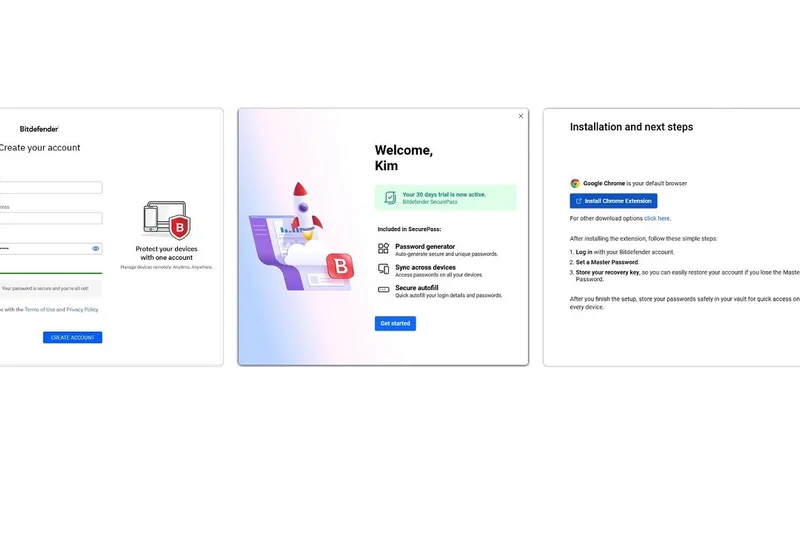
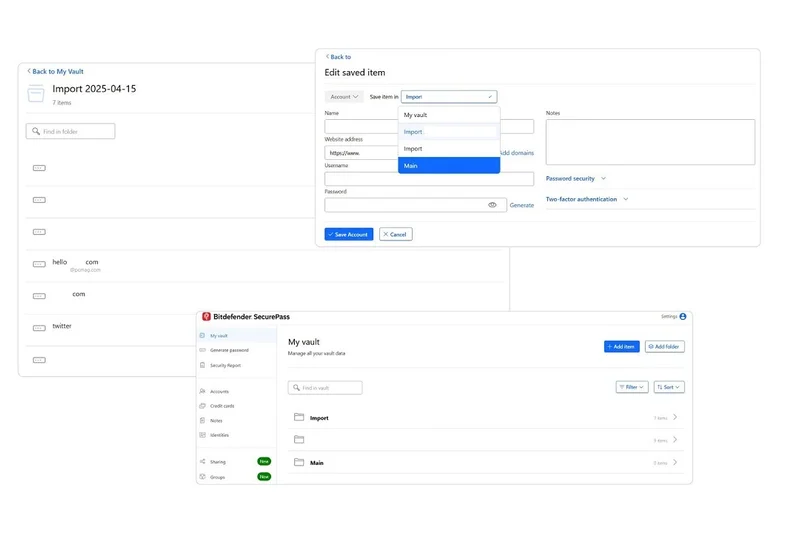
Why we picked it: Bitdefender Password Manager ($29.99/year) provides a reliable, zero-knowledge encryption vault backed by a major cybersecurity firm. It features fast auto-fill, an interactive password strength advisor, and secure sharing features. While it integrates well across platforms, its feature set is relatively basic compared to similarly priced competitors like NordPass or 1Password, lacking advanced extras like a VPN or robust dark web monitoring.
Key Specs
- Cross-platform support spanning all major browsers and mobile
- Fast and highly reliable auto-fill functionality
- End-to-end encryption relying on a zero-knowledge design
What we like
- Backed by a reputable security brand
- Reliable auto-fill performance
- Good password strength advisor
What we don't like
- Lacks standout features compared to rivals
- Interface can be a bit sluggish
Best for: Existing Bitdefender customers looking for an integrated ecosystem solution.
Considering Bitdefender vs 1Password? 1Password is far more feature-rich and polished for only slightly more money.
A competent, secure password manager that works best as a companion to Bitdefender's antivirus suite.
Buy at Bitdefender official site#24 LogMeOnce Ultimate
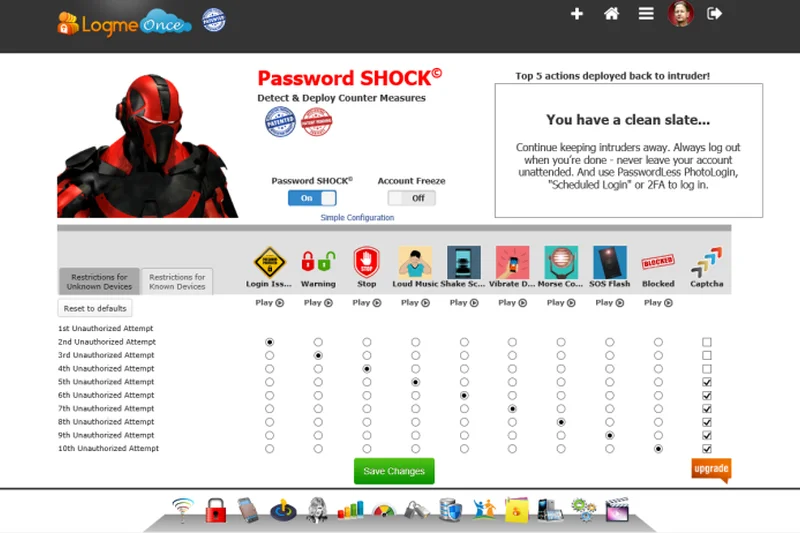
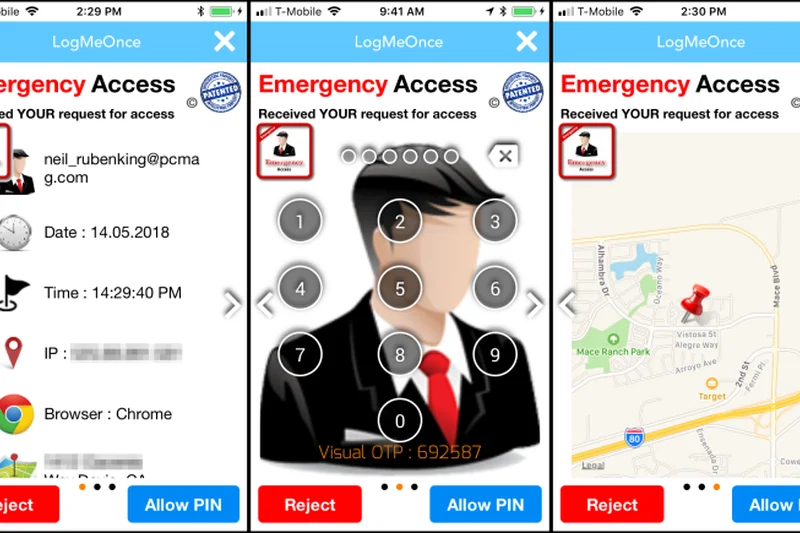
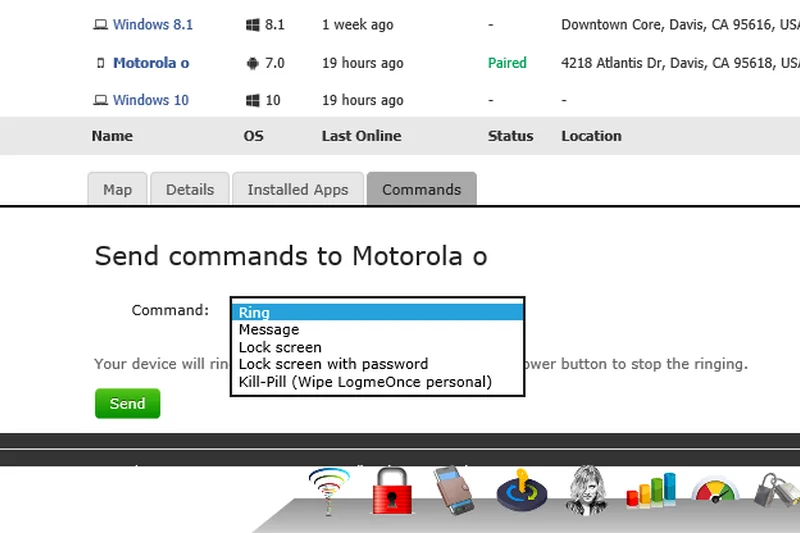
Why we picked it: LogMeOnce Ultimate ($39.00/year) takes a kitchen-sink approach to password management, offering a massive array of features including 10GB of encrypted file storage, advanced dark web monitoring, and anti-theft tools that can locate stolen devices. Its standout feature is its passwordless login options via PhotoLogin or biometrics. However, the sheer volume of features results in a highly cluttered, overwhelming user interface.
Key Specs
- Includes 10GB of secure encrypted file storage
- Advanced dark web monitoring and continuous scanning
- Comprehensive anti-theft and emergency account recovery tools
What we like
- Massive feature list and 10GB storage
- Unique passwordless login options
- Device anti-theft tools included
What we don't like
- Incredibly cluttered and confusing UI
- Steep learning curve
Best for: Gadget enthusiasts who want every conceivable security feature packed into one app.
Considering LogMeOnce Ultimate vs Dashlane Premium? Dashlane offers a much cleaner, streamlined UI, while LogMeOnce offers more niche features and storage.
A feature-packed security suite hindered by an overwhelmingly cluttered interface.
Buy at LogMeOnce official site#25 Sticky Password Premium
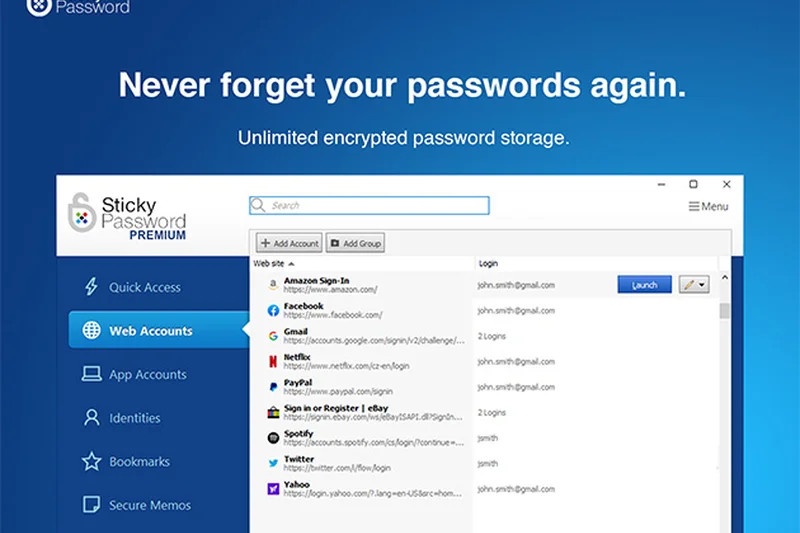
Why we picked it: Sticky Password Premium ($29.99/year) offers a unique blend of modern sync and old-school local control. You can choose to sync via their cloud or strictly over your local Wi-Fi, keeping data off remote servers. It also offers a portable USB version for Windows PCs. While it includes dark web monitoring and a secure digital wallet, the interface feels quite dated, and iOS integration isn't as seamless as native options.
Key Specs
- Flexible options for cloud or local Wi-Fi synchronization
- Portable USB version available for Windows PCs
- Dark web monitoring and real-time password health checks
What we like
- Local Wi-Fi sync option for privacy
- Portable USB version is highly unique
- Lifetime license option available
What we don't like
- Outdated user interface
- Clunky mobile app experience
Best for: Windows users who want a portable USB vault or local Wi-Fi syncing.
Considering Sticky Password vs Enpass? Both offer local control, but Enpass's personal cloud sync is generally more convenient than local Wi-Fi sync.
A reliable legacy tool offering unique local Wi-Fi sync and USB portability.
Buy at Sticky Password official site#26 LogMeOnce Premium
Why we picked it: LogMeOnce Premium is a free tier that offers unlimited passwords and cross-device sync, along with basic passwordless login options. It includes anti-theft features and customizable 2FA. However, much like the Ultimate tier, the UI is bogged down by ads and upselling banners, making it a frustrating daily driver despite the strong underlying security metrics.
Key Specs
- Innovative passwordless login using PhotoLogin or biometrics
- Unlimited passwords and synchronization across devices
- Anti-theft features for locating lost or stolen devices
What we like
- Generous free features
- Unique passwordless login methods
- Cross-device sync included
What we don't like
- Heavy upselling and cluttered UI
- Steep learning curve
Best for: Users who want free passwordless login features and are willing to tolerate a messy interface.
Considering LogMeOnce Free vs Bitwarden Free? Bitwarden provides a clean, ad-free, open-source experience that is vastly superior for daily use.
A feature-heavy free manager bogged down by a confusing interface and upselling.
Get at LogMeOnce official site#27 LastPass Families
Why we picked it: LastPass Families ($48.00/year) supports up to 6 users with shared folders and a personalized dashboard. While it offers unlimited device sync and breach alerts, LastPass has suffered severe reputational damage due to historical security breaches and poor transparency. The underlying architecture and reliability scores drag this otherwise feature-rich family plan down in our 2026 rankings.
Key Specs
- Up to 6 unique premium licenses
- Shared folders for streaming and utility logins
- Data breach alerts for the entire family
What we like
- Easy-to-use shared folders
- Affordable for 6 users
- Good auto-fill performance
What we don't like
- History of severe security breaches
- Proprietary code lacks open-source transparency
Best for: Existing LastPass users who haven't yet migrated to a new platform.
Considering LastPass Families vs 1Password Families? 1Password is vastly superior in security architecture, breach history, and overall trustworthiness.
A functional family manager severely compromised by a troubling history of security breaches.
Buy at LastPass official site#28 NordPass Free
Why we picked it: NordPass Free offers the excellent XChaCha20 encryption and beautiful interface of the premium tier, but severely hobbles usability by restricting access to only 1 active device at a time. While it supports MFA and passkeys, the inability to seamlessly switch between your phone and laptop without being logged out makes it frustrating for modern workflows.
Key Specs
- Unlimited password storage and secure notes
- Access restricted to 1 active device at a time
- Passkey generation and storage capability
What we like
- Beautiful UI and fast encryption
- Passkey support on a free tier
- No limit on password count
What we don't like
- Restricted to 1 active device at a time
- Lacks breach scanning
Best for: Users who only need a password manager on a single device.
Considering NordPass Free vs Bitwarden Free? Bitwarden allows unlimited active devices simultaneously, making it far superior for free users.
A highly secure free option ruined by a restrictive one-device limit.
Get at NordPass official site#29 LastPass Premium
Why we picked it: LastPass Premium ($36.00/year) offers unlimited device sync, 1GB of encrypted storage, and dark web monitoring. Despite a solid feature set and decent usability, its reliability score is the lowest in our testing due to past architectural vulnerabilities and slow breach disclosures. In 2026, there are simply too many better, more secure options at this price point.
Key Specs
- Syncs across unlimited device types (mobile and desktop)
- Integrated dark web monitoring and credential alerts
- Emergency account access for trusted contacts
What we like
- Good auto-fill and interface
- Dark web monitoring included
- 1GB secure storage
What we don't like
- Poor track record with security breaches
- Pricing is not competitive with more secure rivals
Best for: Legacy users who are unwilling to export their vaults to a newer service.
Considering LastPass Premium vs Bitwarden Premium? Bitwarden is $26 cheaper, open-source, and has an unblemished security record.
An established premium manager that is impossible to recommend due to its history of breaches.
Buy at LastPass official site#30 KeePassXC
Why we picked it: KeePassXC is a 100% free and open-source software (FOSS) project providing strictly local storage. It is the ultimate tool for offline data sovereignty. Featuring an Auto-Type tool to mitigate keyloggers and dedicated browser extensions, it is incredibly secure. However, it requires manual syncing via your own cloud/USB, and it lacks official mobile apps, making usability very poor for the average consumer.
Key Specs
- 100% free and open-source software (FOSS)
- Strictly local storage offering total data sovereignty
- Auto-Type feature mitigates clipboard logging and keyloggers
What we like
- Absolute offline security and data sovereignty
- 100% free and open-source
- Immune to cloud server breaches
What we don't like
- No native mobile apps or automatic cloud sync
- Steep learning curve
Best for: Hardcore privacy purists who want an offline-only desktop vault.
Considering KeePassXC vs Enpass? Both are offline-first, but Enpass offers a polished mobile app and easy personal cloud syncing.
The premier offline, open-source vault for technical users who reject the cloud.
Get at KeePassXC official site#31 Avira Password Manager Pro
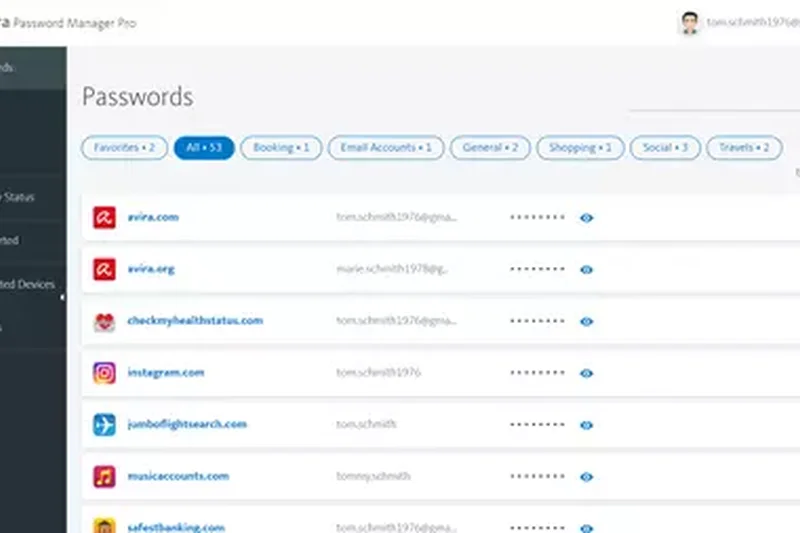
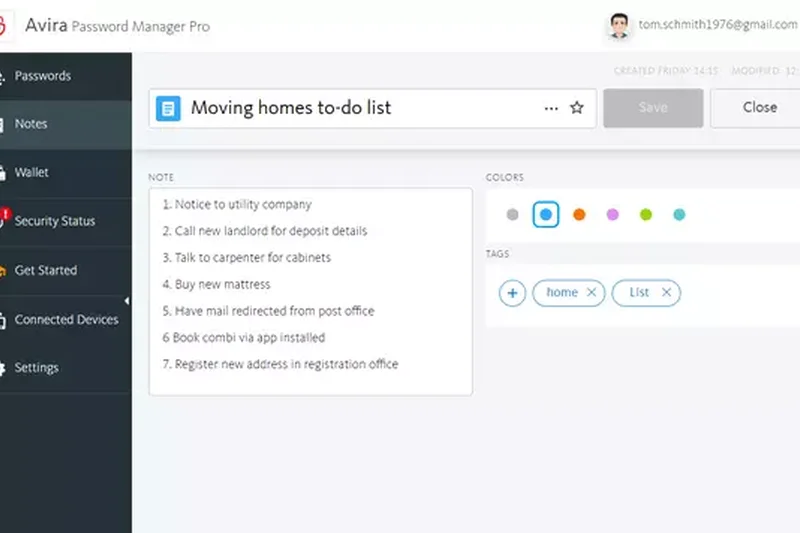
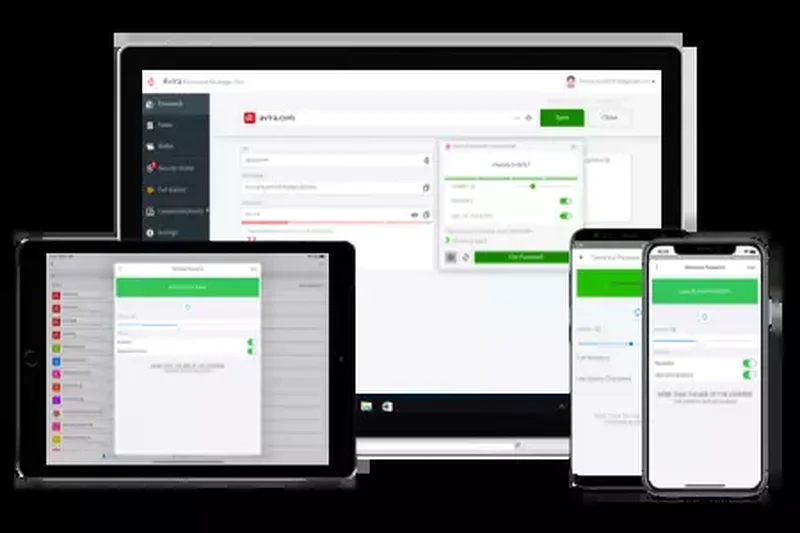
Why we picked it: Avira Password Manager Pro ($31.99/year) offers automatic credential sync, biometric mobile logins, and real-time breach alerts. While it handles basic password management adequately and provides a clean dashboard, it lacks advanced features like passkey support or zero-knowledge sharing protocols found in similarly priced standalone competitors.
Key Specs
- Automatic credential synchronization across all devices
- Web account breach alerts triggered in real-time
- Automated analysis of weak, reused, and vulnerable passwords
What we like
- Clean, simple dashboard
- Good real-time breach alerts
- Reliable basic sync
What we don't like
- Lacks advanced zero-knowledge sharing
- No passkey support
Best for: Users already subscribed to the Avira Prime security suite.
Considering Avira vs NordPass Premium? NordPass offers a better interface and modern XChaCha20 encryption for nearly the same price.
A basic, functional password manager that struggles to stand out in a crowded premium market.
Buy at Avira official site#32 RoboForm Free
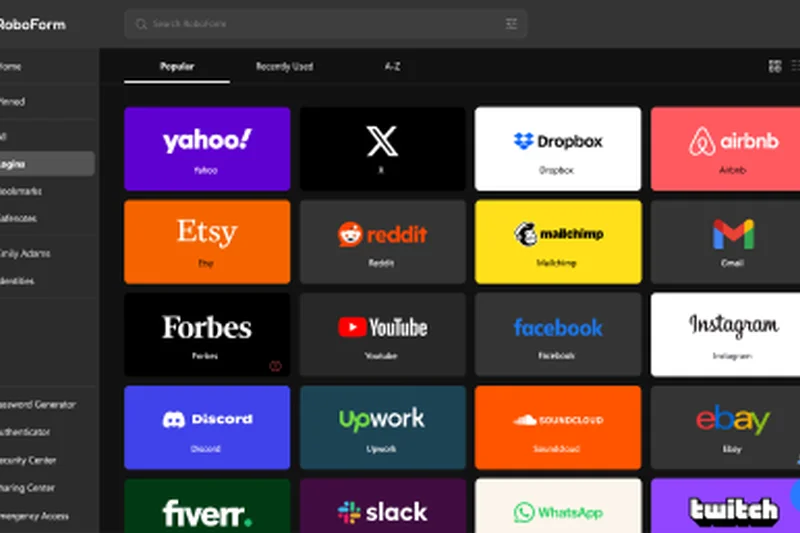
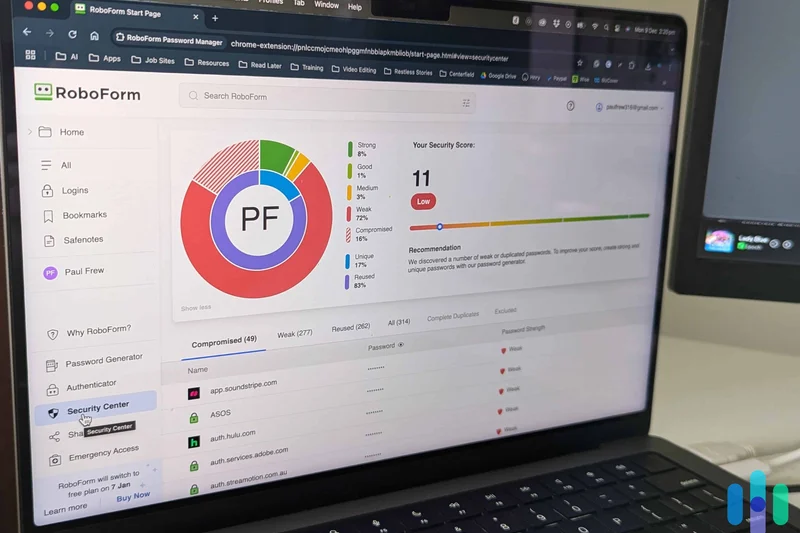
Why we picked it: RoboForm Free offers the same legendary auto-fill engine as the premium version but strictly locks you to a single device. It includes a strong password generator and offline access to local vaults. Without cross-device sync, its utility in 2026 is severely limited unless you only ever browse on one desktop PC.
Key Specs
- Unlimited passwords locked to a single device
- Advanced one-click form filler capability
- Offline access to secure local vaults
What we like
- Incredible form-filling accuracy
- Strong offline access
- Good password generator
What we don't like
- No cross-device sync
- Dated UI
Best for: Users who only need a password manager on a single, stationary desktop computer.
Considering RoboForm Free vs Bitwarden Free? Bitwarden offers unlimited sync across all devices, making it the superior free choice.
A powerful form-filler hobbled by a strict single-device limitation.
Get at RoboForm official site#33 True Key by McAfee
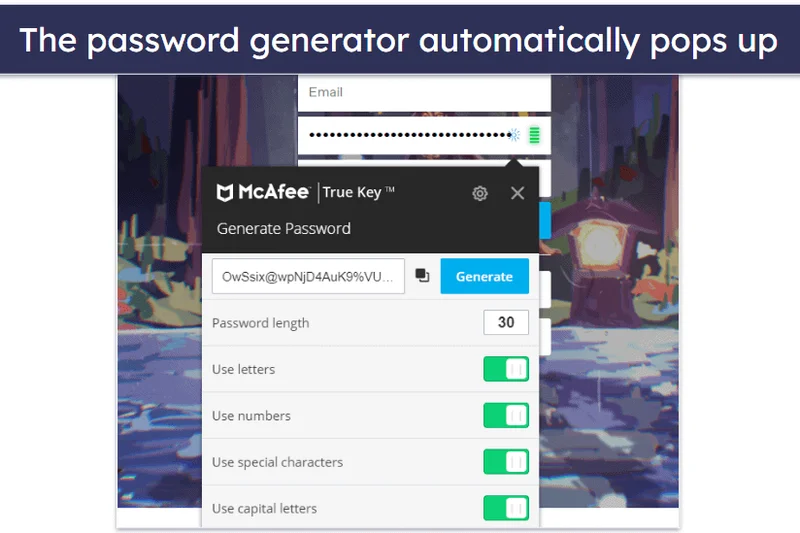
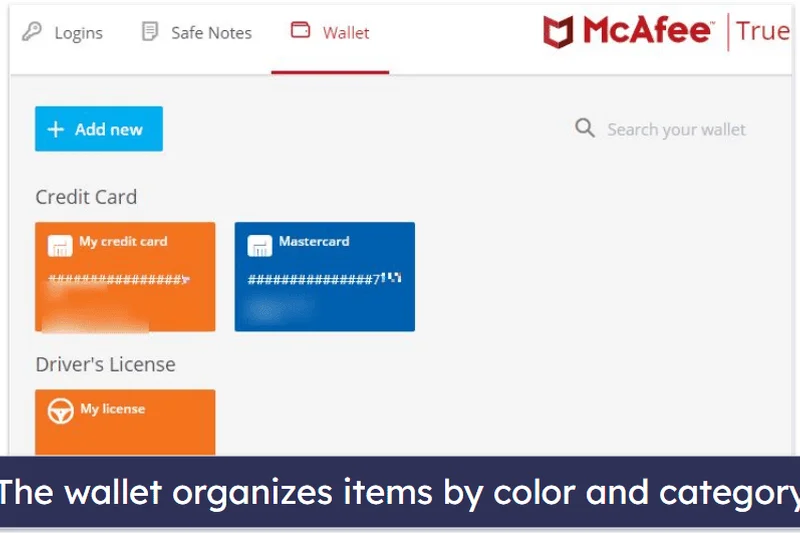
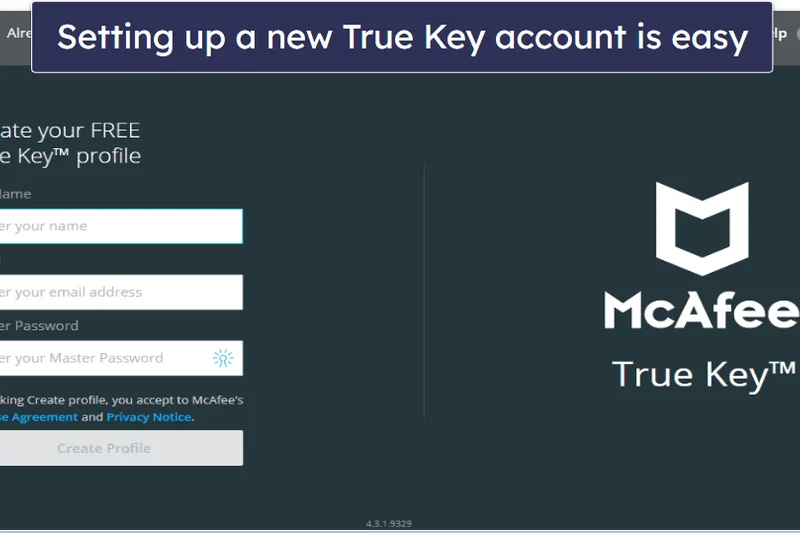
Why we picked it: True Key ($19.99/year) focuses heavily on biometric logins, supporting facial recognition and fingerprints across its apps. It uses standard AES-256 encryption. However, it hasn't seen meaningful feature updates in years, lacks advanced organizational tools, and its auto-fill performance is clunky compared to modern competitors.
Key Specs
- Facial recognition and fingerprint login support
- Unlimited password storage and synchronization
- Digital wallet functionality for credit cards and passports
What we like
- Strong focus on biometrics
- Affordable premium tier
- Backed by McAfee
What we don't like
- Feels like an abandoned product with few updates
- Clunky auto-fill
Best for: McAfee loyalists who want biometric-first login.
Considering True Key vs Bitwarden Premium? Bitwarden is cheaper, continuously updated, and far more secure.
An aging password manager overly reliant on basic biometric logins.
Buy at True Key official site#34 Password Safe
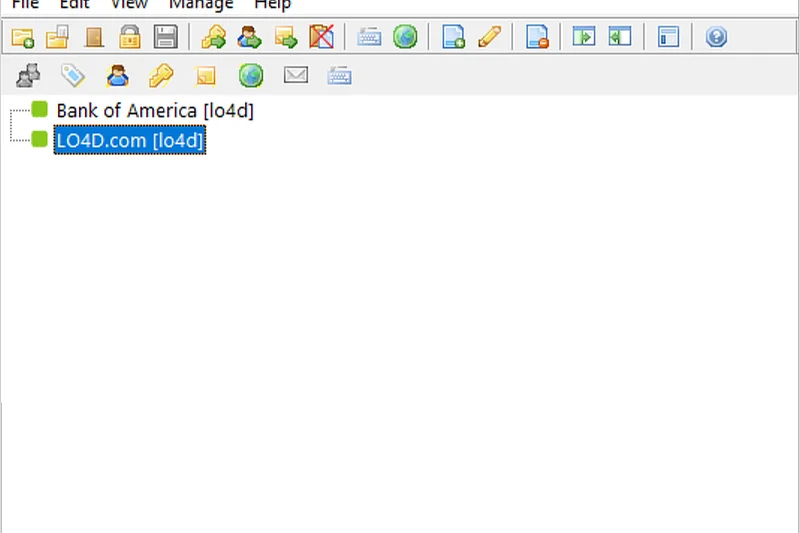
Why we picked it: Designed by security legend Bruce Schneier, Password Safe is a free, open-source, offline-only database utilizing the Twofish encryption algorithm. It is incredibly secure but entirely spartan, lacking browser integration, sync, or mobile apps. It is a digital lockbox, not a modern management tool.
Key Specs
- Original architecture designed by security expert Bruce Schneier
- Strictly local, offline-only password database system
- Utilizes the highly secure Twofish encryption algorithm
What we like
- Impenetrable offline security
- Uses unique Twofish encryption
- Portable via USB
What we don't like
- Zero modern conveniences (no sync, no browser auto-fill)
- Windows-centric
Best for: Security researchers and paranoid users who want an air-gapped credential database.
Considering Password Safe vs KeePassXC? KeePassXC offers much better browser integration while remaining offline.
A highly secure, minimalist offline vault designed by a cryptographer, lacking all modern usability.
Download at Password Safe official site#35 LastPass Free
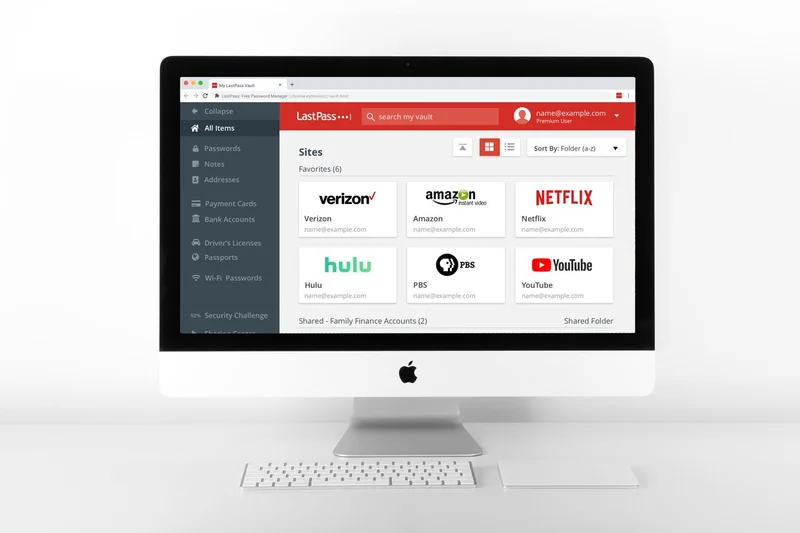
Why we picked it: LastPass Free heavily restricts users by forcing them to choose between mobile OR desktop syncing. Combined with the company's poor track record for security breaches, this once-great free tier is now practically unusable and highly discouraged in our 2026 evaluations.
Key Specs
- Restricted to one device type (mobile OR desktop)
- Secure password generator and auto-fill
- AES-256 bit local encryption
What we like
- Familiar interface
- Good password generator
What we don't like
- Severe device type restrictions
- History of major security incidents
Best for: We do not recommend this product for any user profile in 2026.
Considering LastPass Free vs Proton Pass Free? Proton offers unlimited device sync and strict Swiss security, entirely outclassing LastPass.
A crippled free tier from a company with a tarnished security reputation.
Get at LastPass official siteBuying Guide
The 2026 Password Manager Buying Guide
Choosing a password manager is one of the most important digital security decisions you will make. By delegating the task of remembering passwords to an encrypted vault, you eliminate the single biggest risk to your online identity: password reuse. Here is what you need to know to select the right tool for your specific needs.
Key User Profiles
1. Everyday Users & Beginners
If you are transitioning away from sticky notes, spreadsheets, or browser-based password saving, prioritize usability and cross-platform compatibility. A tool like 1Password or Dashlane is ideal because their auto-fill functionality rarely misses, making the transition frictionless. You want a master password setup that is easy to understand, accompanied by a clean interface that works identically on your phone and laptop.
2. Families & Households
Managing Netflix, Wi-Fi, and banking credentials across spouses, children, and elderly parents requires a robust Family Plan. Look for managers that offer shared vaults or "collections" with granular permissions (e.g., allow your teen to use the streaming password without seeing the actual characters). Crucially, prioritize tools with account recovery features so a family organizer can restore access if a member forgets their master password.
3. Power Users & Privacy Purists
Tech-savvy users should seek out open-source transparency, self-hosting options (like Vaultwarden or Passbolt), and advanced hardware key support (YubiKey/FIDO2). Power users benefit from integrated TOTP authenticators, SSH key storage, command-line interfaces (CLI), and the absolute certainty of Swiss privacy laws or strictly local, offline databases (like KeePassXC).
What to Avoid
- Built-in Browser Managers (Mostly): While Apple Passwords and Google Password Manager have improved, they typically lack cross-ecosystem flexibility (e.g., accessing Apple Passwords on an Android phone is clunky) and do not offer robust secure sharing or emergency access features.
- Unknown Vendors Lacking Audits: Never entrust your digital life to a password manager that hasn't published a recent, independent, third-party security audit. Trust is earned through transparency, not marketing claims.
- Services with a History of Poor Breach Response: No company is immune to attacks, but how they handle them matters. Avoid providers that have previously attempted to hide breaches or have delayed notifying users about compromised vaults.
Budget Tiers
Free Tier ($0)
You do not have to pay for excellent security. Bitwarden Free and Proton Pass Free offer unlimited password storage and cross-device syncing without paywalling their core encryption. Be wary of free tiers that restrict you to one device type (like LastPass Free), as they quickly become frustrating.
Budget Premium ($10 - $25/year)
For roughly the cost of two coffees a year, Bitwarden Premium and RoboForm Everywhere provide exceptional value. At this tier, you unlock advanced 2FA (like hardware security keys), built-in authenticator apps, and encrypted file storage.
Premium Tier ($35 - $60/year)
The standard price for top-tier individual managers (1Password, Dashlane, NordPass). These plans offer maximum convenience, polished interfaces, proactive dark web monitoring, VPN inclusions, and advanced breach alerting dashboards.
Family Tier ($40 - $90/year)
Usually covering up to 6 individuals, family plans are the most cost-effective way to secure a household. 1Password Families and Bitwarden Families provide separate private vaults for each user alongside shared collaborative spaces, making the per-user cost incredibly low.
FAQ
Are password managers actually safe to use?
Yes. Reputable password managers use 'zero-knowledge' architecture, meaning your passwords are encrypted and decrypted locally on your device using a master password that the company never sees. Even if the provider's servers are hacked, the attackers only obtain mathematically unbreakable ciphertext.
What happens if I forget my master password?
Because of zero-knowledge encryption, the provider cannot reset your master password for you. If you lose it, you may lose access to your vault forever. However, many tools (like 1Password and Keeper) offer Emergency Kits or account recovery features through family organizers to prevent total lockout.
Is a free password manager good enough?
Yes, but only a select few. Bitwarden Free and Proton Pass Free offer unlimited password storage and cross-device sync without compromising security. Avoid free versions that restrict you to a single device (like LastPass Free or NordPass Free), as they encourage poor security habits.
What is the difference between AES-256 and XChaCha20 encryption?
Both are military-grade encryption algorithms. AES-256 is the industry standard and requires specific hardware acceleration to run efficiently. XChaCha20 (used by NordPass) is a newer algorithm that is often faster on mobile devices and is considered highly resistant to future cryptographic attacks. Practically, both are unbreakable.
Why shouldn't I just use Google Password Manager or Apple Passwords?
Built-in managers are convenient but lock you into specific ecosystems (e.g., Apple Passwords is hard to use on Windows). They also generally lack secure sharing features, emergency access, and the compartmentalized security of a dedicated app protected by a separate master password.
What is a passkey, and do I need a password manager that supports them?
A passkey is a new standard that replaces passwords with cryptographic keys linked to your device's biometrics (like FaceID). They are immune to phishing. Yes, you should choose a manager like 1Password, Dashlane, or Bitwarden that supports storing passkeys, as the internet is rapidly transitioning to them.
Can my password manager be hacked?
While any software can have vulnerabilities, a successful hack of a zero-knowledge password manager would only yield encrypted data. To actually view your passwords, a hacker would need your specific master password (and Secret Key, if using 1Password) to decrypt the vault locally.
Should I pay for dark web monitoring?
It is a highly valuable feature. Tools like Dashlane and 1Password integrate dark web monitoring (often via HaveIBeenPwned) to alert you the moment a service you use is breached, allowing you to change that specific password before hackers exploit it.
How do family plans work for privacy?
Family plans provide individual, private vaults for each member that the organizer cannot see. They also provide "shared" vaults where you can place Netflix or Wi-Fi passwords for everyone to access. It is much safer than texting passwords to family members.
What is 2FA, and why do I need it for my password vault?
Two-Factor Authentication (2FA) requires a second piece of evidence (like a code from your phone or a hardware YubiKey) to log in. Even if someone guesses your master password, they cannot access your vault without your physical 2FA device.
How do I switch from one password manager to another?
All top-tier password managers allow you to export your vault as a CSV file. You simply export from your old manager, immediately import that file into your new manager, and then securely delete the unencrypted CSV file from your computer.
What is an offline-first password manager?
Tools like KeePassXC or Enpass store your encrypted vault locally on your hard drive rather than on the provider's cloud servers. You are responsible for syncing it (via USB or personal Dropbox). This provides maximum privacy but sacrifices convenience.
Methodology
Methodology: How We Calculate the Rankings
Our rankings are derived from the M2 Multi-Dimensional Evaluation framework developed by Selection Logic. Because there is no "one size fits all" password manager, we break down software quality into 7 orthogonal dimensions. Each product is scored from 1-10 in these dimensions, and those scores are aggregated using specific weightings based on user scenarios.
The 7 Evaluation Dimensions
- Security & Encryption (25% base weight): We look for AES-256 or XChaCha20 encryption, zero-knowledge architectures, passkey support, and comprehensive MFA/2FA options.
- Usability & Auto-Fill (15% base weight): A password manager is useless if you don't use it. We score the reliability of auto-capture, auto-fill capabilities, and overall interface intuitiveness.
- Cross-Platform Compatibility (15% base weight): We assess app availability across Windows, macOS, Linux, iOS, Android, and all major web browsers, plus the speed of cloud synchronization.
- Feature Set & Extras (15% base weight): Evaluates added value like dark web monitoring, VPN inclusions, secure file storage, and password health auditing.
- Reliability & Audits (10% base weight): Measures the frequency of independent security audits, open-source codebase availability, and historical breach response protocols.
- Pricing & Value (10% base weight): Analyzes the true utility of the free version (checking for device limits) and the bang-for-your-buck offered by premium and family plans.
- Customer Support (10% base weight): Measures support channel responsiveness, documentation, and the availability of emergency access/account recovery methods.
Scenario Weightings
We tailored our dimension weights to reflect different consumer needs:
- Best Overall: Usability 20%, Compatibility 20%, Security 20%, Features 10%, Reliability 10%, Value 10%, Support 10%. Balances high security with minimal friction.
- Best Free or Budget: Value 35%, Security 20%, Compatibility 15%, Usability 10%, Reliability 10%, Features 5%, Support 5%. Prioritizes generous free tiers without compromising core encryption.
- Best for Families: Usability 20%, Features 20%, Security 15%, Compatibility 15%, Value 15%, Reliability 10%, Support 5%. Emphasizes intuitive sharing and account recovery mechanisms.
- Best for Power Users: Security 30%, Features 25%, Reliability 20%, Compatibility 10%, Usability 5%, Value 5%, Support 5%. Focuses heavily on open-source code, self-hosting, and advanced architecture.
Sources & References
All factual claims, product specifications, prices, and images in this article are cited by number. Click any reference to jump to the list; click the link in each entry to visit the original source.
- [1]Selection Logic. "M2 Multi-Dimensional Evaluation." selectionlogic.org/en/methods/m2-multi-dimensional-evaluation/. Accessed Mar 2026.
- [2]Selection Logic. "Software Selection Guide." selectionlogic.org/en/guides/software-guide/. Accessed Mar 2026.
- [3]1Password. "1Password Families Pricing." 1password.com/families/. Accessed Mar 2026.
- [4]1Password. "Security Design and Secret Key." 1password.com/security/. Accessed Mar 2026.
- [5]Bitwarden. "Bitwarden Pricing and Open Source Security." bitwarden.com/pricing/. Accessed Mar 2026.
- [6]Bitwarden. "Third-Party Security Audits." bitwarden.com/compliance/. Accessed Mar 2026.
- [7]Dashlane. "Dashlane Friends & Family Plan." dashlane.com/plans/friends-and-family. Accessed Mar 2026.
- [8]Dashlane. "Zero-Knowledge Architecture." dashlane.com/security. Accessed Mar 2026.
- [9]Proton. "Proton Pass Family Pricing." proton.me/pass/pricing. Accessed Mar 2026.
- [10]Proton. "Proton Sentinel Security." proton.me/security. Accessed Mar 2026.
- [11]NordPass. "NordPass Premium Features." nordpass.com/premium/. Accessed Mar 2026.
- [12]NordPass. "XChaCha20 Encryption Explained." nordpass.com/features/password-encryption/. Accessed Mar 2026.
- [13]Keeper Security. "Personal and Family Pricing." keepersecurity.com/pricing/personal-and-family.html. Accessed Mar 2026.
- [14]Keeper Security. "BreachWatch Dark Web Monitoring." keepersecurity.com/breachwatch.html. Accessed Mar 2026.
- [15]Enpass. "Enpass Individual Pricing." enpass.io/pricing/. Accessed Mar 2026.
- [16]Enpass. "Offline Password Management." enpass.io/features/. Accessed Mar 2026.
- [17]Zoho. "Zoho Vault Standard Pricing." zoho.com/vault/pricing.html. Accessed Mar 2026.
- [18]RoboForm. "RoboForm Everywhere Features." roboform.com/everywhere. Accessed Mar 2026.
- [19]Vaultwarden. "Vaultwarden GitHub Repository." github.com/dani-garcia/vaultwarden. Accessed Mar 2026.
- [20]Passbolt. "Passbolt Community Edition." passbolt.com/. Accessed Mar 2026.
- [21]Norton. "Norton Password Manager." us.norton.com/products/norton-password-manager. Accessed Mar 2026.
- [22]Apple. "Use Passwords on Mac, iPhone, and iPad." support.apple.com/en-us/HT211145. Accessed Mar 2026.
- [23]Google. "Google Password Manager." passwords.google.com/. Accessed Mar 2026.
- [24]LastPass. "LastPass Security Incident Update." blog.lastpass.com/. Accessed Mar 2026.
- [25]KeePassXC. "KeePassXC Open Source Manager." keepassxc.org/. Accessed Mar 2026.