Quick Verdict
At a glance
We tested 35 free password managers, comparing them across zero-knowledge security, multi-device sync, and free tier limitations. Many platforms aggressively cap vault sizes, but our top picks offer unrestricted, seamless credential management for zero cost.
🏆 Overall #1: Proton Pass Free — Unmatched free-tier generosity with unlimited passwords and cross-platform sync, plus built-in email aliases.
🥈 #2: Bitwarden Free — The gold standard for open-source transparency, unlimited device synchronization, and extensive independent audits.
🥉 #3: Vaultwarden — A self-hosted powerhouse for power users, offering 100% of Bitwarden's premium features completely free.
Which one is for me?
How We Tested
To determine the best free password managers of 2026, we began with a candidate pool of 35 applications ranging from cloud-based mainstream vaults to specialized local-only and command-line clients. Because a compromised or frustrating password manager presents a severe threat to your digital life, we required an objective, structured approach to cut through marketing hype.
We utilized the M2 Multi-Dimensional Evaluation framework developed by Selection Logic[1]. This methodology ensures we separate subjective preferences from measurable security facts. Using the M2 approach, we graded each password manager across seven critical dimensions: Security & Encryption, Free Tier Generosity, Cross-Platform Sync, Autofill Usability, MFA Options, Trust & Audit History, and Account Recovery. Each tool was scored from 1 to 10 in every dimension based on empirical data, such as whether they artificially cap saved passwords or paywall cross-device sync.
To calculate final rankings, we created four distinct user profiles (scenarios): Everyday Users, Privacy Advocates, Beginners, and Multi-Device Ecosystems. We weighted the dimensions differently for each scenario. For example, our Best Overall scenario assigns 25% to Free Features and 20% to Sync, heavily penalizing tools like Dashlane or LastPass that have increasingly restricted their free tiers.
Our Declared Values
We believe digital security is a fundamental right, not a premium luxury. A legitimate "free" password manager should not intentionally cripple its functionality to hold your data hostage. We highly reward zero-knowledge architectures, transparent open-source codebases, and unlimited multi-device sync. Conversely, we strictly penalize platforms that limit you to 50 passwords or restrict you to a single device type.
About Our Team
Our security review team includes privacy advocates, sysadmins, and everyday consumers. By deploying these password vaults across iOS, Android, macOS, Windows, and Linux environments over extended periods, we rigorously test autofill reliability and synchronization speed. We do not accept sponsored placements in our rankings.
| Dimension | Overall | Best Overall for Everyday Users | Best for Power Users & Privacy Advocates | Best for Beginners | Best for Multi-Device Ecosystems |
|---|---|---|---|---|---|
| Security & Encryption | 25% | 20% | 30% | 15% | 15% |
| Free Tier Generosity | 20% | 25% | 10% | 15% | 15% |
| Device & Cross-Platform Sync | 15% | 20% | 10% | 15% | 40% |
| Autofill & UI Usability | 15% | 15% | 5% | 30% | 10% |
| MFA & Authentication Options | 10% | 5% | 15% | 5% | 10% |
| Trust & Audit History | 10% | 10% | 25% | 5% | 5% |
| Account Recovery Options | 5% | 5% | 5% | 15% | 5% |
Overall Rankings
Full list of 35 products sorted by weighted overall score (1–10).
Prices are checked as of Mar 18, 2026 (2026 Q1). Use "Check price" links for current pricing.
| # | Product | Type | Price | Security | Free Features | Device Sync | Usability | MFA Support | Trust & Audits | Recovery | Overall | Awards |
|---|---|---|---|---|---|---|---|---|---|---|---|---|
| 1 | Proton Pass Free | Privacy Password Manager | $0 | 9 | 10 | 10 | 9 | 8 | 9 | 6 | 9.10 | 🏆 Editor's Choice 🌟 Best Budget 💰 Best Value 📊 Best Autofill & UI Usability 🎯 Best Best Overall for Everyday Users 🎯 Best Best for Beginners 🎯 Best Best for Multi-Device Ecosystems |
| 2 | Bitwarden Free | Cloud Password Manager | $0 | 9 | 10 | 10 | 8 | 8 | 10 | 4 | 8.95 | 📊 Best Free Tier Generosity 📊 Best Device & Cross-Platform Sync 📊 Best Trust & Audit History |
| 3 | Vaultwarden | Self-Hosted Manager | $0 | 9 | 10 | 10 | 6 | 10 | 9 | 6 | 8.85 | 🎯 Best Best for Power Users & Privacy Advocates |
| 4 | Microsoft Authenticator | App Password Manager | $0 | 8 | 9 | 8 | 8 | 10 | 8 | 9 | 8.45 | 📊 Best MFA & Authentication Options |
| 5 | Apple Passwords | OS Password Manager | $0 | 9 | 9 | 5 | 9 | 8 | 8 | 9 | 8.20 | 📊 Best Account Recovery Options |
| 6 | Firefox Password Manager | Browser Vault | $0 | 8 | 9 | 8 | 8 | 7 | 9 | 8 | 8.20 | |
| 7 | Psono | Open Source Manager | $0 | 9 | 9 | 9 | 5 | 7 | 8 | 7 | 8.00 | |
| 8 | Pass | Command Line Vault | $0 | 10 | 10 | 8 | 2 | 9 | 9 | 4 | 8.00 | |
| 9 | Passbolt Free | Open Source Team Vault | $0 | 9 | 9 | 8 | 5 | 7 | 9 | 6 | 7.90 | |
| 10 | QtPass | Desktop GUI for Pass | $0 | 9 | 10 | 8 | 4 | 8 | 8 | 4 | 7.85 | |
| 11 | Google Password Manager | OS/Browser Manager | $0 | 7 | 9 | 8 | 8 | 8 | 6 | 9 | 7.80 | |
| 12 | Brave Password Manager | Browser Vault | $0 | 8 | 9 | 8 | 8 | 5 | 8 | 6 | 7.80 | |
| 13 | Norton Password Manager | Cloud Password Manager | $0 | 8 | 9 | 9 | 7 | 6 | 6 | 6 | 7.70 | |
| 14 | KeePassXC | Local Offline Vault | $0 | 10 | 10 | 2 | 5 | 9 | 10 | 2 | 7.55 | 📊 Best Security & Encryption |
| 15 | gopass | Command Line Vault | $0 | 9 | 10 | 8 | 2 | 8 | 8 | 4 | 7.55 | |
| 16 | Zoho Vault Free | Cloud Password Manager | $0 | 8 | 8 | 9 | 6 | 7 | 7 | 5 | 7.50 | |
| 17 | Buttercup | Cross-Platform Vault | $0 | 8 | 10 | 7 | 7 | 5 | 7 | 3 | 7.45 | |
| 18 | Strongbox Free | iOS/macOS Local Vault | $0 | 9 | 7 | 6 | 8 | 6 | 8 | 3 | 7.30 | |
| 19 | AuthPass | Cross-Platform Vault | $0 | 8 | 10 | 7 | 6 | 5 | 7 | 3 | 7.30 | |
| 20 | NordPass Free | Cloud Password Manager | $0 | 9 | 6 | 4 | 9 | 7 | 8 | 7 | 7.25 | |
| 21 | Avira Password Manager Free | Cloud Password Manager | $0 | 7 | 8 | 9 | 7 | 6 | 6 | 6 | 7.25 | |
| 22 | KeePassDX | Android Local Vault | $0 | 9 | 10 | 3 | 7 | 5 | 8 | 2 | 7.15 | |
| 23 | KeePassium Free | iOS Local Vault | $0 | 9 | 7 | 6 | 8 | 5 | 8 | 2 | 7.15 | |
| 24 | Spectre | Stateless Password Manager | $0 | 8 | 10 | 10 | 4 | 2 | 8 | 1 | 7.15 | |
| 25 | LessPass | Stateless Password Manager | $0 | 8 | 10 | 10 | 3 | 2 | 8 | 1 | 7.00 | |
| 26 | KeePass | Local Password Manager | $0 | 10 | 10 | 2 | 4 | 5 | 9 | 2 | 6.90 | |
| 27 | LogMeOnce Free | Cloud Password Manager | $0 | 8 | 7 | 9 | 4 | 6 | 5 | 8 | 6.85 | |
| 28 | Password Safe | Desktop Local Vault | $0 | 9 | 10 | 2 | 3 | 4 | 10 | 2 | 6.50 | |
| 29 | Enpass Free | Offline/Cloud-Sync Vault | $0 | 8 | 4 | 6 | 8 | 6 | 7 | 3 | 6.35 | |
| 30 | RoboForm Free | Cloud Password Manager | $0 | 8 | 6 | 2 | 7 | 6 | 7 | 4 | 6.05 | |
| 31 | Sticky Password Free | Local/Cloud Vault | $0 | 8 | 6 | 2 | 6 | 6 | 6 | 6 | 5.90 | |
| 32 | Kaspersky Password Manager Free | Cloud Password Manager | $0 | 8 | 2 | 8 | 7 | 6 | 4 | 5 | 5.90 | |
| 33 | Keeper Free | Mobile-only Vault | $0 | 9 | 1 | 2 | 8 | 7 | 8 | 7 | 5.80 | |
| 34 | Padloc Free | Cloud Password Manager | $0 | 8 | 3 | 2 | 8 | 5 | 8 | 6 | 5.70 | |
| 35 | LastPass Free | Cloud Password Manager | $0 | 6 | 5 | 3 | 8 | 7 | 2 | 7 | 5.40 |
Dimension Rankings
Each dimension ranked independently (Top 10).
📊 Best for Security & Encryption — Top 10
| Dim # | Product | Security & Encryption Score | Overall Rank | Price |
|---|---|---|---|---|
| 1 | KeePassXC | 10 | #14 | $0 |
| 2 | KeePass | 10 | #26 | $0 |
| 3 | Pass | 10 | #8 | $0 |
| 4 | Bitwarden Free | 9 | #2 | $0 |
| 5 | Proton Pass Free | 9 | #1 | $0 |
| 6 | NordPass Free | 9 | #20 | $0 |
| 7 | Apple Passwords | 9 | #5 | $0 |
| 8 | Strongbox Free | 9 | #18 | $0 |
| 9 | KeePassDX | 9 | #22 | $0 |
| 10 | KeePassium Free | 9 | #23 | $0 |
📊 Best for Free Tier Generosity — Top 10
| Dim # | Product | Free Tier Generosity Score | Overall Rank | Price |
|---|---|---|---|---|
| 1 | Bitwarden Free | 10 | #2 | $0 |
| 2 | Proton Pass Free | 10 | #1 | $0 |
| 3 | KeePassXC | 10 | #14 | $0 |
| 4 | KeePass | 10 | #26 | $0 |
| 5 | KeePassDX | 10 | #22 | $0 |
| 6 | AuthPass | 10 | #19 | $0 |
| 7 | LessPass | 10 | #25 | $0 |
| 8 | Spectre | 10 | #24 | $0 |
| 9 | Buttercup | 10 | #17 | $0 |
| 10 | Password Safe | 10 | #28 | $0 |
📊 Best for Device & Cross-Platform Sync — Top 10
| Dim # | Product | Device & Cross-Platform Sync Score | Overall Rank | Price |
|---|---|---|---|---|
| 1 | Bitwarden Free | 10 | #2 | $0 |
| 2 | Proton Pass Free | 10 | #1 | $0 |
| 3 | LessPass | 10 | #25 | $0 |
| 4 | Spectre | 10 | #24 | $0 |
| 5 | Vaultwarden | 10 | #3 | $0 |
| 6 | LogMeOnce Free | 9 | #27 | $0 |
| 7 | Norton Password Manager | 9 | #13 | $0 |
| 8 | Zoho Vault Free | 9 | #16 | $0 |
| 9 | Psono | 9 | #7 | $0 |
| 10 | Avira Password Manager Free | 9 | #21 | $0 |
📊 Best for Autofill & UI Usability — Top 10
| Dim # | Product | Autofill & UI Usability Score | Overall Rank | Price |
|---|---|---|---|---|
| 1 | Proton Pass Free | 9 | #1 | $0 |
| 2 | NordPass Free | 9 | #20 | $0 |
| 3 | Apple Passwords | 9 | #5 | $0 |
| 4 | Bitwarden Free | 8 | #2 | $0 |
| 5 | LastPass Free | 8 | #35 | $0 |
| 6 | Google Password Manager | 8 | #11 | $0 |
| 7 | Microsoft Authenticator | 8 | #4 | $0 |
| 8 | Strongbox Free | 8 | #18 | $0 |
| 9 | KeePassium Free | 8 | #23 | $0 |
| 10 | Padloc Free | 8 | #34 | $0 |
📊 Best for MFA & Authentication Options — Top 10
| Dim # | Product | MFA & Authentication Options Score | Overall Rank | Price |
|---|---|---|---|---|
| 1 | Microsoft Authenticator | 10 | #4 | $0 |
| 2 | Vaultwarden | 10 | #3 | $0 |
| 3 | KeePassXC | 9 | #14 | $0 |
| 4 | Pass | 9 | #8 | $0 |
| 5 | Bitwarden Free | 8 | #2 | $0 |
| 6 | Proton Pass Free | 8 | #1 | $0 |
| 7 | Apple Passwords | 8 | #5 | $0 |
| 8 | Google Password Manager | 8 | #11 | $0 |
| 9 | gopass | 8 | #15 | $0 |
| 10 | QtPass | 8 | #10 | $0 |
📊 Best for Trust & Audit History — Top 10
| Dim # | Product | Trust & Audit History Score | Overall Rank | Price |
|---|---|---|---|---|
| 1 | Bitwarden Free | 10 | #2 | $0 |
| 2 | KeePassXC | 10 | #14 | $0 |
| 3 | Password Safe | 10 | #28 | $0 |
| 4 | Proton Pass Free | 9 | #1 | $0 |
| 5 | KeePass | 9 | #26 | $0 |
| 6 | Passbolt Free | 9 | #9 | $0 |
| 7 | Vaultwarden | 9 | #3 | $0 |
| 8 | Pass | 9 | #8 | $0 |
| 9 | Firefox Password Manager | 9 | #6 | $0 |
| 10 | NordPass Free | 8 | #20 | $0 |
📊 Best for Account Recovery Options — Top 10
| Dim # | Product | Account Recovery Options Score | Overall Rank | Price |
|---|---|---|---|---|
| 1 | Apple Passwords | 9 | #5 | $0 |
| 2 | Google Password Manager | 9 | #11 | $0 |
| 3 | Microsoft Authenticator | 9 | #4 | $0 |
| 4 | LogMeOnce Free | 8 | #27 | $0 |
| 5 | Firefox Password Manager | 8 | #6 | $0 |
| 6 | NordPass Free | 7 | #20 | $0 |
| 7 | LastPass Free | 7 | #35 | $0 |
| 8 | Keeper Free | 7 | #33 | $0 |
| 9 | Psono | 7 | #7 | $0 |
| 10 | Proton Pass Free | 6 | #1 | $0 |
Scenario Rankings
🎯 Best Overall for Everyday Users — Top 5
Weights: Free Features 25%, Security 20%, Device Sync 20%, Usability 15%, Trust 10%, MFA 5%, Recovery 5%
| # | Product | Score | Overall Rank | Price | Why |
|---|---|---|---|---|---|
| 1 | Proton Pass Free | 9.25 | #1 | $0 | |
| 2 | Bitwarden Free | 9.10 | #2 | $0 | |
| 3 | Vaultwarden | 8.90 | #3 | $0 | |
| 4 | Microsoft Authenticator | 8.40 | #4 | $0 | |
| 5 | Firefox Password Manager | 8.30 | #6 | $0 |
🎯 Best for Power Users & Privacy Advocates — Top 5
Weights: Security 30%, Trust 25%, MFA 15%, Free Features 10%, Sync 10%, Usability 5%, Recovery 5%
| # | Product | Score | Overall Rank | Price | Why |
|---|---|---|---|---|---|
| 1 | Vaultwarden | 9.05 | #3 | $0 | |
| 2 | Bitwarden Free | 9.00 | #2 | $0 | |
| 3 | Proton Pass Free | 8.90 | #1 | $0 | |
| 4 | Pass | 8.70 | #8 | $0 | |
| 5 | Microsoft Authenticator | 8.45 | #4 | $0 |
🎯 Best for Beginners — Top 5
Weights: Usability 30%, Recovery 15%, Security 15%, Free Features 15%, Sync 15%, Trust 5%, MFA 5%
| # | Product | Score | Overall Rank | Price | Why |
|---|---|---|---|---|---|
| 1 | Proton Pass Free | 8.80 | #1 | $0 | |
| 2 | Microsoft Authenticator | 8.40 | #4 | $0 | |
| 3 | Apple Passwords | 8.30 | #5 | $0 | |
| 4 | Bitwarden Free | 8.25 | #2 | $0 | |
| 5 | Firefox Password Manager | 8.15 | #6 | $0 |
🎯 Best for Multi-Device Ecosystems — Top 5
Weights: Sync 40%, Security 15%, Free Features 15%, Usability 10%, MFA 10%, Trust 5%, Recovery 5%
| # | Product | Score | Overall Rank | Price | Why |
|---|---|---|---|---|---|
| 1 | Proton Pass Free | 9.30 | #1 | $0 | |
| 2 | Vaultwarden | 9.20 | #3 | $0 | |
| 3 | Bitwarden Free | 9.15 | #2 | $0 | |
| 4 | Microsoft Authenticator | 8.40 | #4 | $0 | |
| 5 | Psono | 8.25 | #7 | $0 |
Detailed Reviews
#1 Proton Pass Free
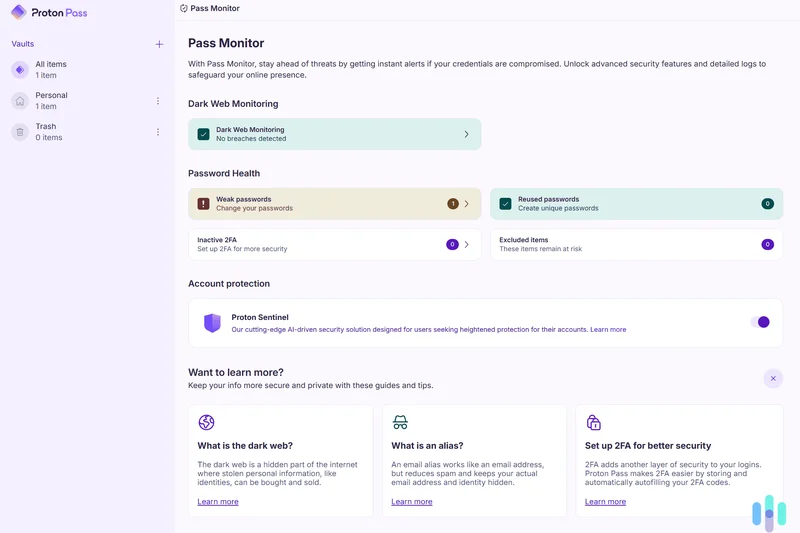
Why we picked it: Proton Pass Free claims the #1 spot in our 2026 rankings by redefining what consumers should expect from a free password manager. Developed by the Swiss privacy experts behind ProtonMail, it delivers a genuinely unrestricted experience. While competitors increasingly lock fundamental features behind paywalls, Proton Pass offers unlimited password storage and real-time sync across unlimited devices for absolutely no cost. What truly sets it apart is its deep integration of privacy tools, notably the 10 included 'Hide-my-email' aliases. These aliases allow you to generate unique email addresses for different websites, shielding your actual identity from data brokers and protecting you if a specific site suffers a breach. The open-source client apps for iOS, Android, and web browsers are intuitively designed, ensuring that auto-capturing new credentials and autofilling login forms works flawlessly. Powered by strong end-to-end encryption (even for your secure notes) and verified by independent audits, Proton Pass strikes an impeccable balance between ironclad security and everyday usability.
Key Specs
- Unlimited passwords
- Unlimited devices
- 10 Hide-my-email aliases
- Passkey support
- End-to-end encrypted notes
What we like
- Generous unlimited device synchronization
- Built-in email aliasing enhances anonymity
- Fully open-source and independently audited
- Seamless native passkey support
What we don't like
- Lacks integrated hardware security key (YubiKey) support in the free tier
- Web app interface is slightly sparse compared to desktop clients
Best for: Everyday users seeking a highly secure, generous free tier without artificial limitations.
Considering Proton Pass Free vs Bitwarden Free? Both offer unlimited passwords and sync, but Proton includes integrated email aliases for extra privacy, whereas Bitwarden offers a slightly more mature ecosystem with broader browser extension support.
The best all-around free password manager of 2026, offering unlimited sync, open-source security, and integrated email aliases.
Buy at Proton official site#2 Bitwarden Free
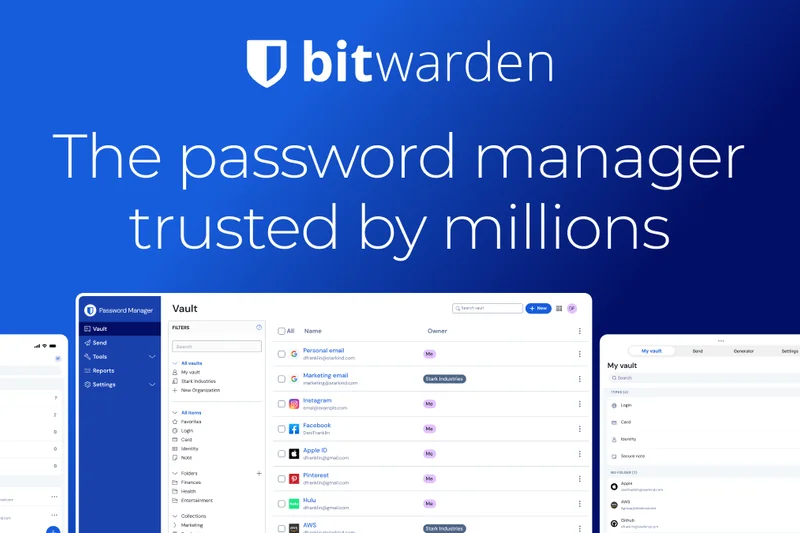
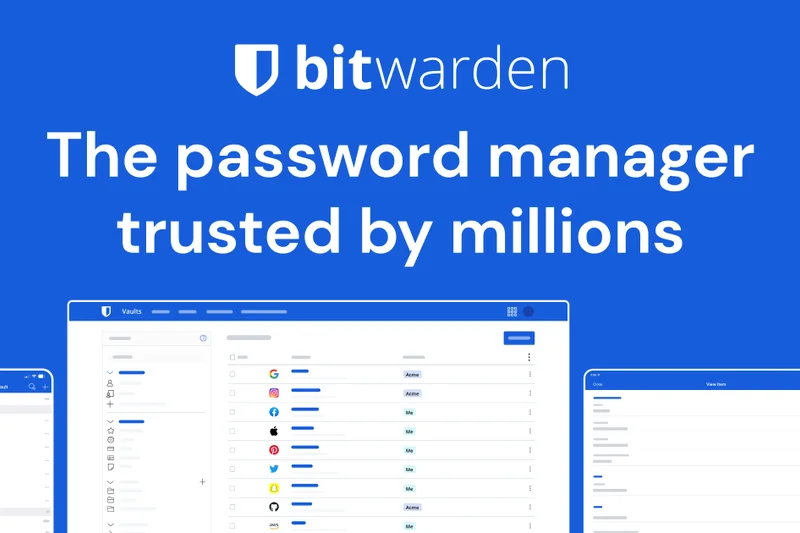
Why we picked it: Bitwarden Free has long been the gold standard for zero-cost credential management, and it remains a near-perfect solution in 2026. Built on a foundation of absolute transparency, Bitwarden's entire codebase—from its client apps to its server infrastructure—is open-source and subjected to rigorous, publicly available third-party security audits. The free tier is remarkably generous, imposing zero restrictions on the number of passwords you can save or the number of devices you can sync them across. It natively supports modern authentication standards like passkeys and provides a highly reliable autofill experience across Windows, macOS, Linux, iOS, and Android. For power users, the ability to access the vault via a command-line interface (CLI) is a massive bonus. While its user interface is slightly more utilitarian than Proton Pass, Bitwarden compensates with raw speed, broad platform compatibility, and a pristine track record of safeguarding user data through strict zero-knowledge encryption.
Key Specs
- Unlimited passwords
- Unlimited devices
- Passkey support
- Open-source transparency
- Zero-knowledge encryption
What we like
- No limits on saved items or synced devices
- Exceptional track record of independent security audits
- Supports almost every operating system and browser
- Includes a highly customizable password generator
What we don't like
- User interface can feel utilitarian to absolute beginners
- TOTP authenticator code generation requires a premium subscription
Best for: Users who value open-source transparency and need reliable sync across a wide variety of devices and browsers.
Considering Bitwarden Free vs Vaultwarden? Bitwarden is the official, officially hosted cloud solution, while Vaultwarden is a self-hosted alternative that unlocks Bitwarden's premium features for free—but requires you to manage your own server.
A phenomenally secure, open-source powerhouse that refuses to paywall core features like cross-device synchronization.
Buy at Bitwarden official site#3 Vaultwarden
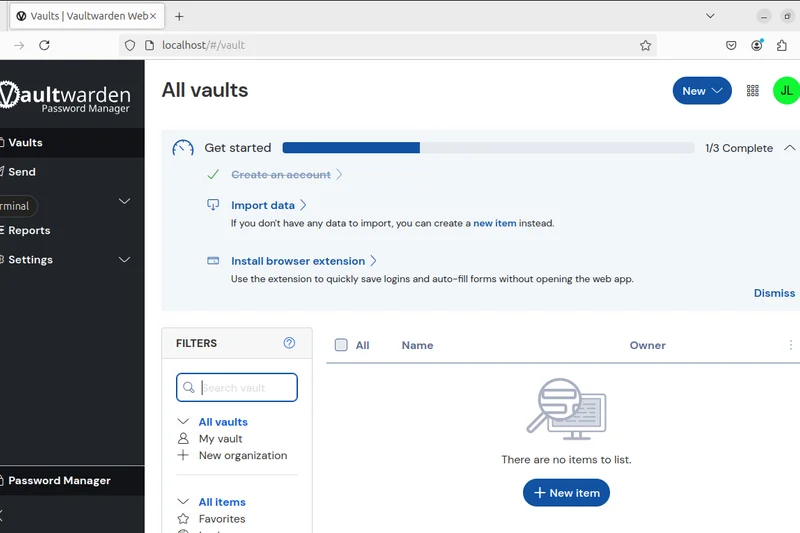
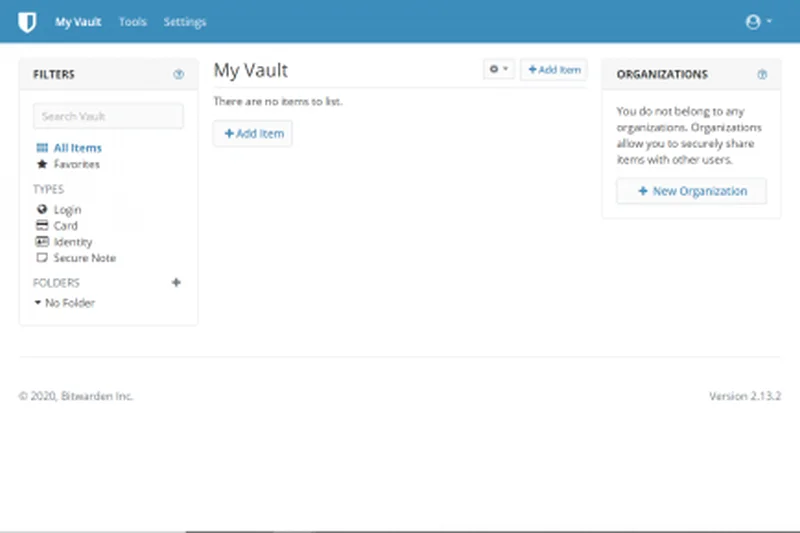
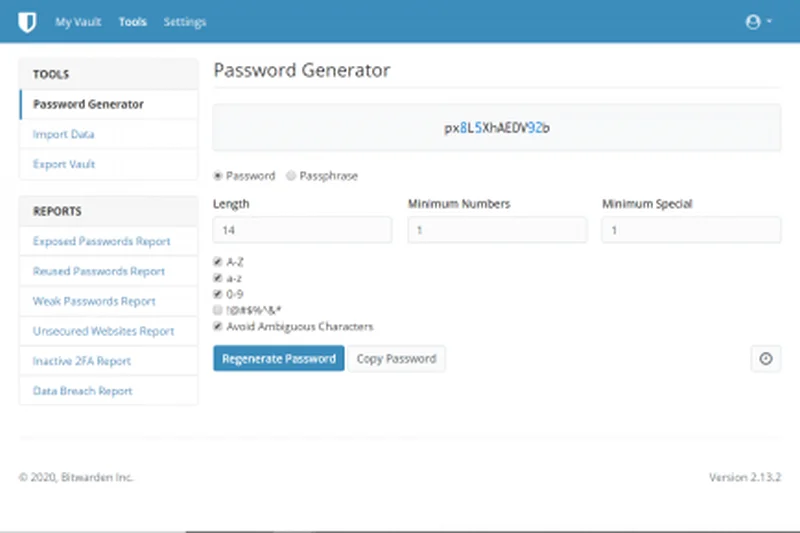
Why we picked it: For power users, home lab enthusiasts, and privacy advocates who refuse to store their data on third-party servers, Vaultwarden is the ultimate free password manager. Vaultwarden is an unofficial, lightweight alternative implementation of the Bitwarden server API written in Rust. Because it is perfectly compatible with all official Bitwarden client apps and browser extensions, you get the polished Bitwarden user experience while retaining 100% sovereign control over your encrypted vault. The true magic of Vaultwarden is that it unlocks all of Bitwarden’s premium features—such as integrated TOTP code generation, advanced organizational sharing, and emergency access—completely for free, provided you are willing to host it yourself. It runs exceptionally well on low-powered hardware like a Raspberry Pi via Docker. While the requirement to self-host makes it unsuitable for beginners, it represents the absolute pinnacle of data privacy and feature generosity for those with the technical know-how.
Key Specs
- Bitwarden API perfectly compatible
- Written in Rust for efficiency
- Perfect for Raspberry Pi deployment
- Full premium Bitwarden features free
- Open-source
What we like
- Total data sovereignty and local control
- Unlocks premium Bitwarden features (like TOTP) for free
- Extremely resource-efficient Rust backend
- Compatible with all official Bitwarden apps
What we don't like
- Requires technical knowledge to set up and self-host safely
- You are entirely responsible for backing up your database
Best for: Home lab operators and privacy advocates who want complete control over their data infrastructure.
Considering Vaultwarden vs KeePassXC? Both offer local control, but Vaultwarden operates as a cloud-like synced server for all your devices, whereas KeePassXC is a strictly offline local file manager.
The ultimate self-hosted solution, delivering premium-tier features for free to those willing to run their own server.
Download at Vaultwarden GitHub#4 Microsoft Authenticator
Why we picked it: Microsoft Authenticator has evolved from a simple 2FA code generator into a remarkably robust, completely free password manager. Because it ties directly into your Microsoft account, it offers frictionless cross-device synchronization across iOS, Android, and Windows ecosystems. The app excels in usability; its auto-capture and autofill capabilities on mobile devices are incredibly snappy, often outperforming dedicated third-party apps. It also boasts native passkey support and integrates flawlessly with Microsoft Edge on the desktop (while offering an extension for Google Chrome). For users who are already heavily invested in the Microsoft ecosystem, this app consolidates MFA code generation and password management into one highly secure, unified interface without charging a dime.
Key Specs
- Autofill passwords mobile/desktop
- Cross-device sync
- Integrated 2FA authenticator
- Passkey support
- Microsoft Edge integration
What we like
- Combines password management and 2FA in one app
- Excellent autofill reliability on mobile devices
- Seamless integration with Windows and Edge
- Completely free with no item limits
What we don't like
- Lacks a standalone desktop application (relies on browser extensions)
- Not ideal for users outside the Microsoft ecosystem
Best for: Beginners and users heavily invested in Windows and Microsoft Edge who want an all-in-one security app.
Considering Microsoft Authenticator vs Google Password Manager? Microsoft offers a dedicated mobile app that includes TOTP codes, making it a stronger all-in-one authentication tool compared to Google's strictly browser-tied vault.
A highly convenient, free tool that brilliantly merges 2FA authentication with reliable cross-platform password autofill.
Download at Microsoft official site#5 Apple Passwords
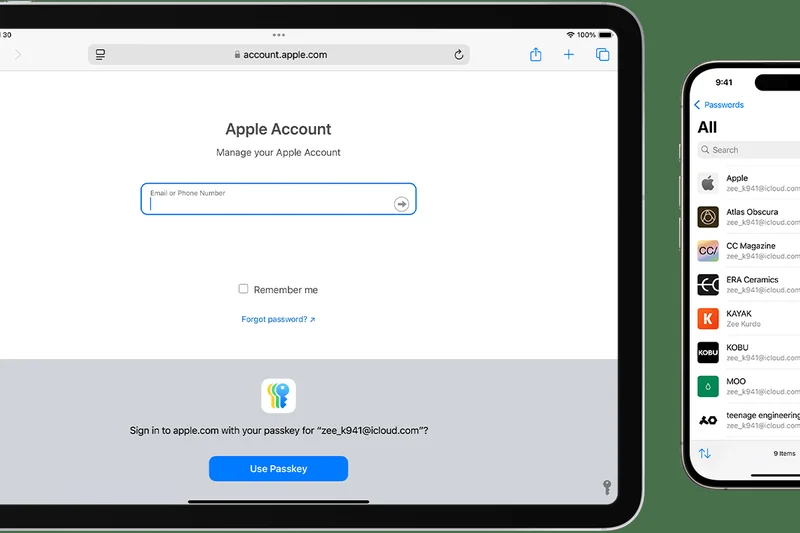
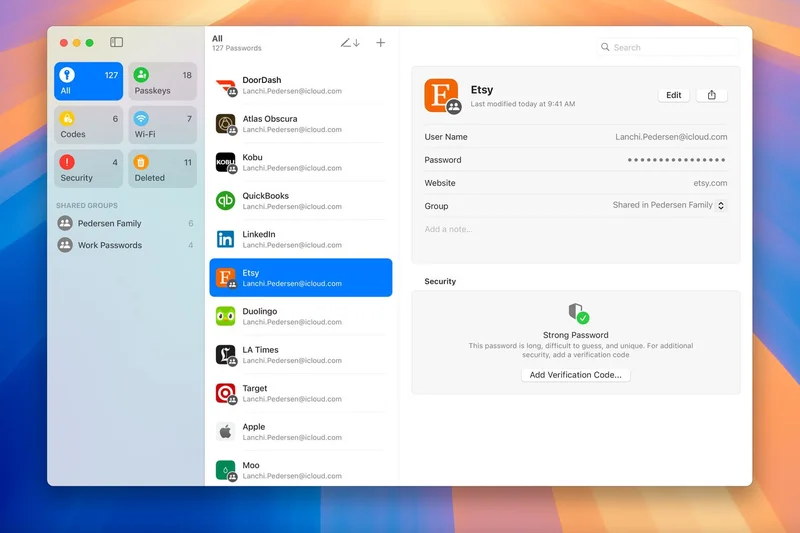
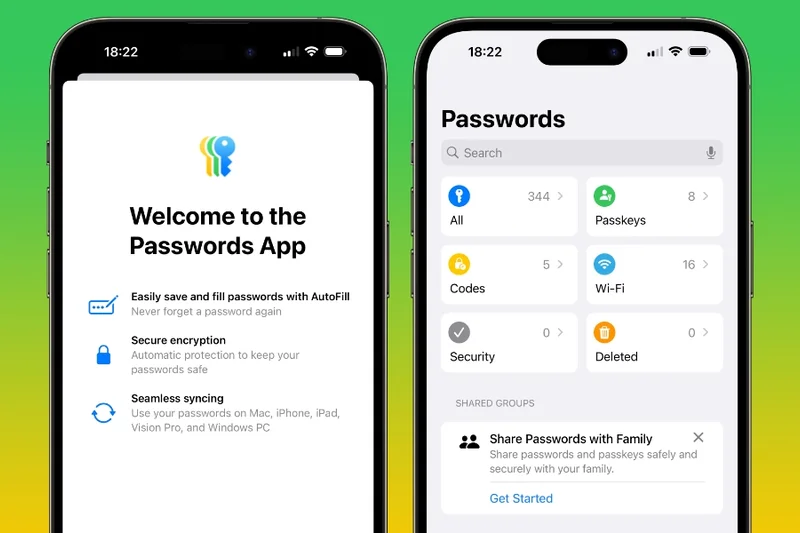
Why we picked it: Apple Passwords represents the culmination of Apple’s long-standing iCloud Keychain, finally broken out into a dedicated, user-friendly application in macOS and iOS. For users entirely within the Apple ecosystem, this is a phenomenal zero-cost option. It offers native, deep-level integration into Safari and Apple devices, resulting in an autofill experience that is virtually invisible and highly reliable. It pioneers native passkey architecture and allows for secure, end-to-end encrypted shared password groups with family members. While it technically supports Windows via an iCloud app, the experience is clearly optimized for Apple hardware, making it a niche but incredibly powerful tool for Mac and iPhone loyalists.
Key Specs
- Built into iOS/macOS seamlessly
- Passkey native architecture
- iCloud Keychain sync
- Shared password groups
- End-to-end encryption
What we like
- Unbeatable native integration on iPhones and Macs
- Excellent family password sharing features
- Pioneering support for seamless passkeys
- Deeply integrated account recovery options
What we don't like
- Subpar experience on Windows; no Linux or Android support
- Lacks advanced organizational folders and tagging
Best for: Dedicated Apple users who want an invisible, highly secure password manager built directly into their OS.
Considering Apple Passwords vs Proton Pass Free? If you ever plan to use an Android phone or Windows PC, Proton Pass is vastly superior; Apple Passwords is only ideal if you exclusively use Apple hardware.
The smoothest and most deeply integrated password manager available for users firmly locked into the Apple ecosystem.
Learn more at Apple official site#6 Firefox Password Manager
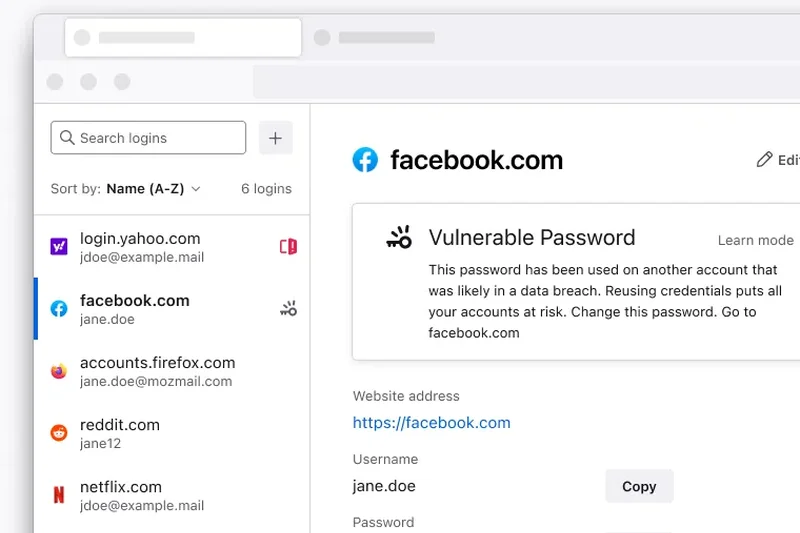
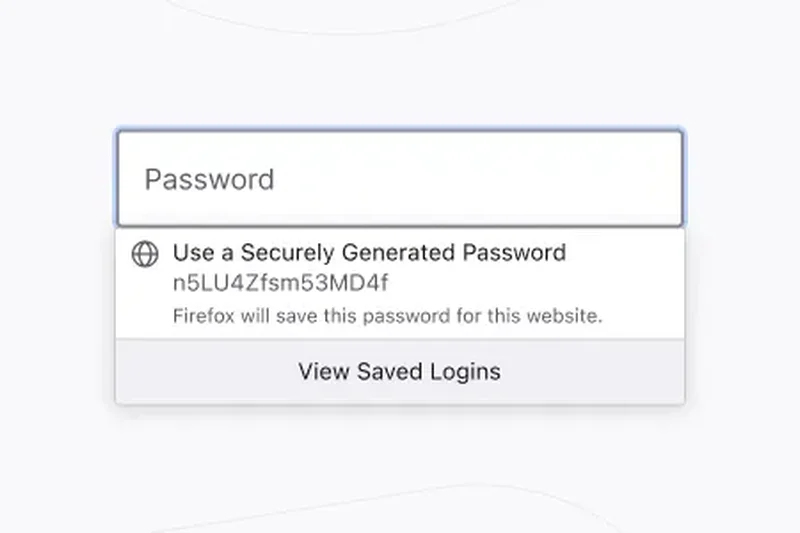
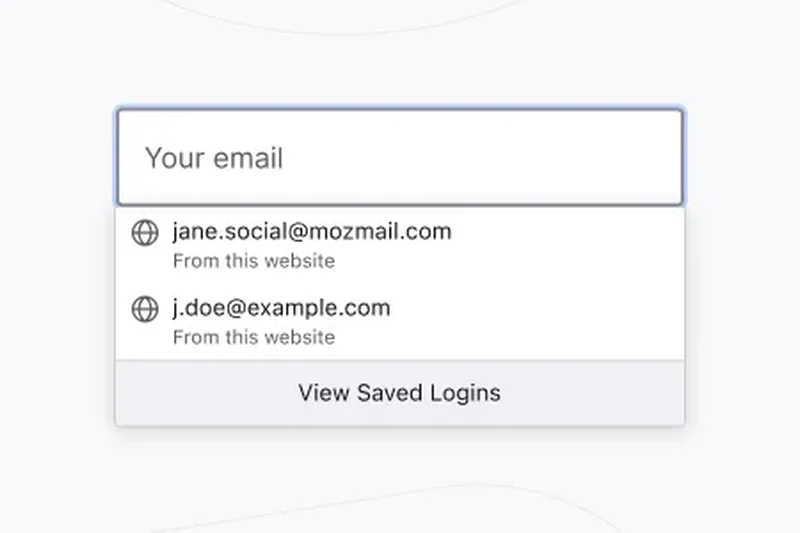
Why we picked it: Built directly into the Mozilla Firefox browser, this integrated vault offers a surprising amount of power for a free, default tool. Syncing across desktop and mobile devices via Firefox Sync, it features an integrated password generator and directly integrates with 'Have I Been Pwned' to proactively warn you of data breaches. Its open-source foundation ensures transparency, and it is a fantastic choice for dedicated Firefox users who prefer not to install third-party extensions.
Key Specs
- Built into Firefox browser
- Sync across desktop and mobile devices
- Integrated password generator
- Have I Been Pwned breach integration
- Open-source foundation
What we like
- Zero setup required for existing Firefox users
- Proactive breach alerts integrated directly
- Open-source and privacy-respecting
What we don't like
- Tethered entirely to the Firefox browser
- Lacks advanced vault organization tools
Best for: Dedicated Mozilla Firefox users looking for a hassle-free, built-in credential manager.
Considering Firefox Password Manager vs Google Password Manager? Firefox offers better privacy principles and open-source transparency, while Google provides tighter Android OS integration.
A solid, privacy-respecting integrated browser vault with excellent proactive breach monitoring.
Use free at Mozilla official site#7 Psono
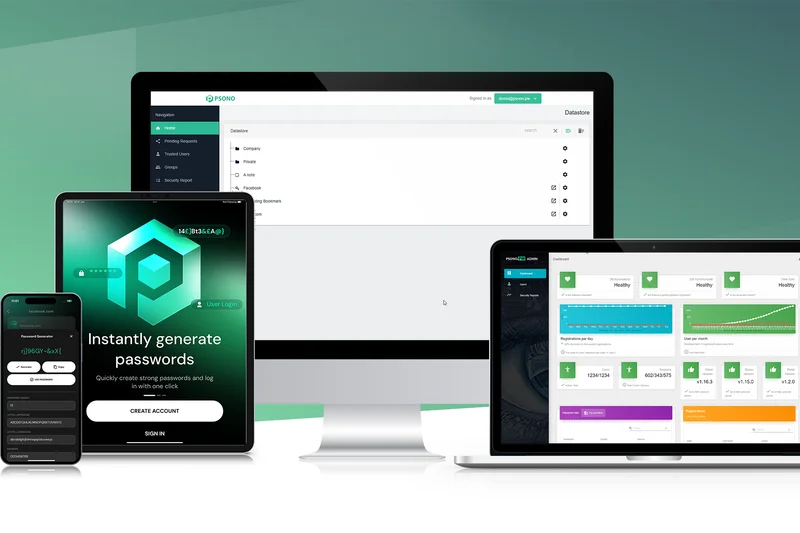
Why we picked it: Psono is an open-source, self-hosted password manager designed with teams in mind, but its Community Edition is completely free and supports up to 10 users. It provides robust end-to-end encryption and granular secure credential sharing. While setup requires technical expertise, it serves as a highly secure vault for small groups or families wanting enterprise-grade sharing mechanics without the enterprise price tag.
Key Specs
- Community Edition completely free
- Up to 10 users supported
- End-to-end encryption
- Secure credential sharing
- Self-hosted solution
What we like
- Excellent for secure team/family sharing
- Enterprise-grade end-to-end encryption
- Fully self-hosted and open-source
What we don't like
- Complex initial server setup
- UI is utilitarian compared to consumer apps
Best for: Small technical teams or families needing secure, granular password sharing on their own servers.
Considering Psono vs Vaultwarden? Psono offers slightly more granular folder sharing controls, but Vaultwarden has significantly better mobile apps and browser extensions.
A powerful, free self-hosted option for technical users prioritizing secure group sharing.
Download at Psono official site#8 Pass
Why we picked it: Known as the 'standard Unix password manager', Pass is a strictly command-line tool that appeals to hardcore developers and Linux sysadmins. It uses GPG for encryption and relies on native Git integration for version control and synchronization. There is zero UI overhead, and it adheres strictly to the Unix philosophy of doing one thing well.
Key Specs
- Standard Unix password manager
- GPG based encryption
- Native Git integration
- Terminal based power-user tool
- Open-source
What we like
- Ultimate flexibility via terminal commands
- Leverages battle-tested GPG encryption
- Git integration allows for natural version history
What we don't like
- Extremely steep learning curve
- No graphical interface out of the box
Best for: Linux power users, developers, and sysadmins comfortable living in the terminal.
Considering Pass vs KeePassXC? Pass is strictly terminal and text-file based via GPG, whereas KeePassXC offers a robust offline GUI and browser integration.
The definitive minimalist, CLI-based password manager for Unix enthusiasts.
Download at Pass official site#9 Passbolt Free
Why we picked it: Passbolt offers a free Community Edition that excels in open-source team collaboration. Utilizing OpenPGP-based encryption, it allows users to share passwords with granular access controls securely. While the free tier requires self-hosting, it provides a very clean, modern interface and reliable browser extensions, making it an excellent alternative to pricey enterprise password managers for tech-savvy startups.
Key Specs
- Self-hosted free community edition
- OpenPGP based encryption
- Team password sharing
- Granular access controls
- Browser extensions
What we like
- Phenomenal for team collaboration
- Modern UI with reliable extensions
- Strong OpenPGP encryption
What we don't like
- Community edition requires self-hosting
- Mobile apps are less feature-rich than the web extension
Best for: Startups and small businesses looking for a free, self-hosted team password manager.
Considering Passbolt vs Bitwarden? Passbolt's sharing mechanics are designed heavily around OpenPGP and team workflows, while Bitwarden is generally easier for individual consumer use.
A highly secure, team-focused password manager that leverages OpenPGP for granular sharing.
Download at Passbolt official site#10 QtPass
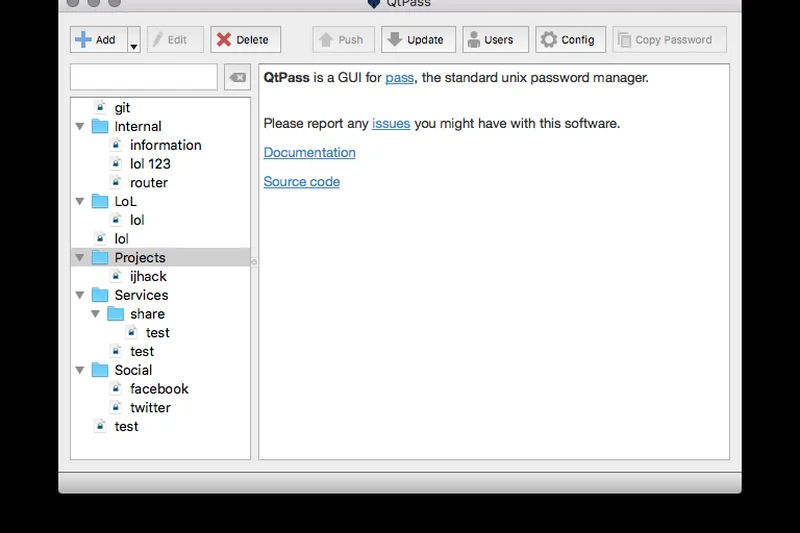
Why we picked it: QtPass acts as a graphical user interface (GUI) frontend for 'Pass' (the standard Unix password manager). It bridges the gap for users who want the security of GPG and Git synchronization but prefer interacting with a windowed application rather than a terminal. It is cross-platform and fully open-source, maintaining the high security standards of its backend.
Key Specs
- GUI frontend for pass (password-store)
- Cross-platform support
- GPG encryption support
- Git synchronization support
- Open-source
What we like
- Provides a GUI for the powerful 'Pass' system
- Maintains GPG and Git sync capabilities
- Cross-platform support (Windows/Mac/Linux)
What we don't like
- Requires prior understanding of GPG keys
- Can be tedious to set up initially
Best for: Security-conscious users who like the 'Pass' backend but need a graphical interface.
Considering QtPass vs KeePassXC? KeePassXC uses a single encrypted database file (.kdbx) which is easier for most to manage, whereas QtPass uses individual GPG-encrypted files.
A capable GUI wrapper that makes the complex 'Pass' Unix architecture more accessible.
Download at QtPass official site#11 Google Password Manager
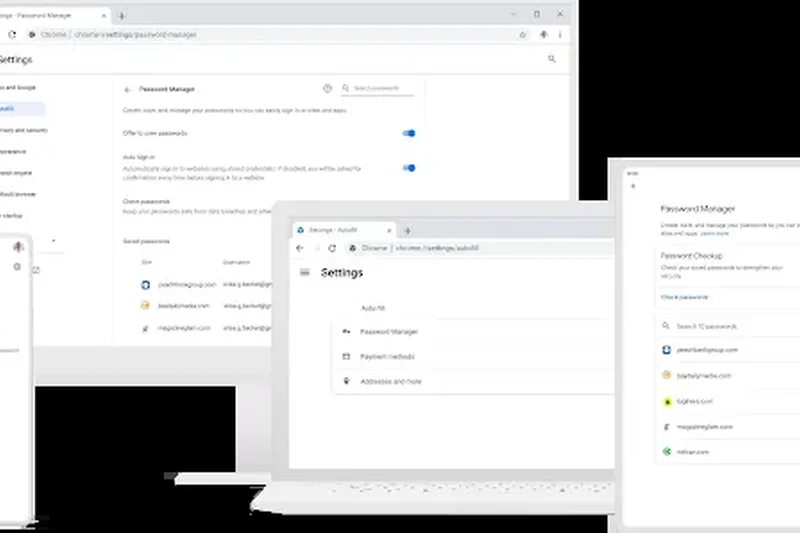
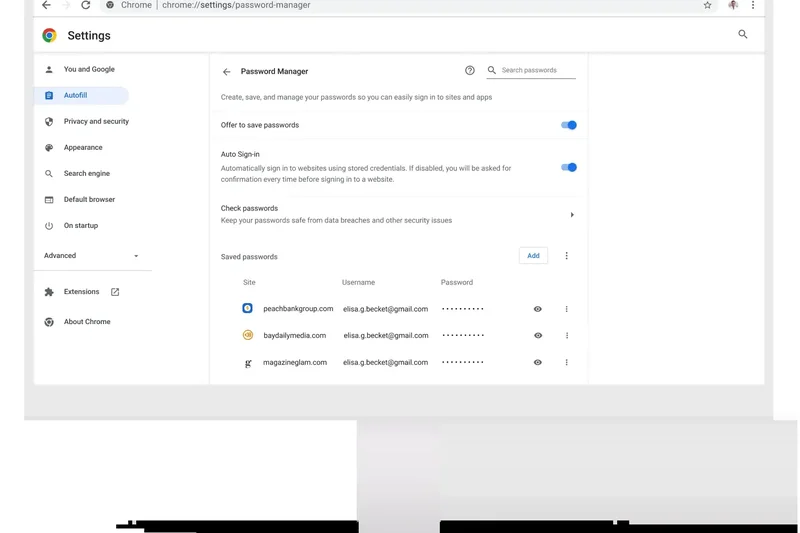
Why we picked it: Built seamlessly into Google Chrome and Android, this is the default manager for millions. It offers native passkey support and fantastic cross-device Google sync. While highly convenient and featuring a robust Password Checkup tool, it lacks the zero-knowledge architecture of dedicated third-party apps, placing more trust in Google's ecosystem.
Key Specs
- Built into Chrome & Android
- Native passkey support
- Cross-device Google sync
- Password checkup security tool
- Google account integration
What we like
- Incredibly convenient for Android/Chrome users
- Excellent password breach checking
- Free unlimited sync
What we don't like
- Not a zero-knowledge architecture
- Ties you completely to Google's ecosystem
Best for: Users deeply embedded in the Google ecosystem seeking absolute convenience.
Considering Google vs Apple Passwords? Google is cross-platform via Chrome, whereas Apple is strictly limited to Apple hardware and the iCloud Windows app.
The most convenient option for Chrome and Android users, though it sacrifices zero-knowledge privacy.
Use free at Google official site#12 Brave Password Manager
Why we picked it: Integrated natively into the privacy-focused Brave Browser, this tool syncs credentials via the Brave Sync chain without requiring a master user account. It’s an open-source, Chromium-based vault that offers a frictionless experience for Brave users who want to avoid creating centralized accounts.
Key Specs
- Built into Brave Browser natively
- Privacy-first approach to credentials
- Sync via Brave Sync chain
- No master account required
- Open-source Chromium base
What we like
- No central user account needed
- Syncs securely via device chain
- Built right into a privacy-first browser
What we don't like
- Only works within the Brave browser
- Feature set is very basic
Best for: Brave browser loyalists who want seamless, account-free synchronization.
Considering Brave vs Firefox Password Manager? Brave uses an anonymous sync chain, whereas Firefox requires a Mozilla account to sync.
A solid, privacy-respecting built-in manager that requires no centralized user account.
Use free at Brave official site#13 Norton Password Manager
Why we picked it: A strong cloud-based offering from a legacy security brand. Norton Password Manager is surprisingly generous, offering unlimited passwords and unlimited device sync for free. It features biometric mobile login and 256-bit AES encryption, making it a reliable mainstream choice.
Key Specs
- Unlimited passwords
- Unlimited devices
- Biometric mobile login
- Auto-change passwords capability
- 256-bit AES encryption
What we like
- Generous free tier with no limits
- Auto-change password feature for supported sites
- Backed by a major security firm
What we don't like
- Aggressive cross-selling of other Norton products
- Interface feels slightly dated
Best for: Users looking for a completely free, unlimited vault from a recognized mainstream brand.
Considering Norton vs Bitwarden? Norton pushes its antivirus ecosystem, while Bitwarden is purely focused on open-source password management.
A surprisingly unrestricted free password manager from a legacy antivirus giant.
Get free at Norton official site#14 KeePassXC
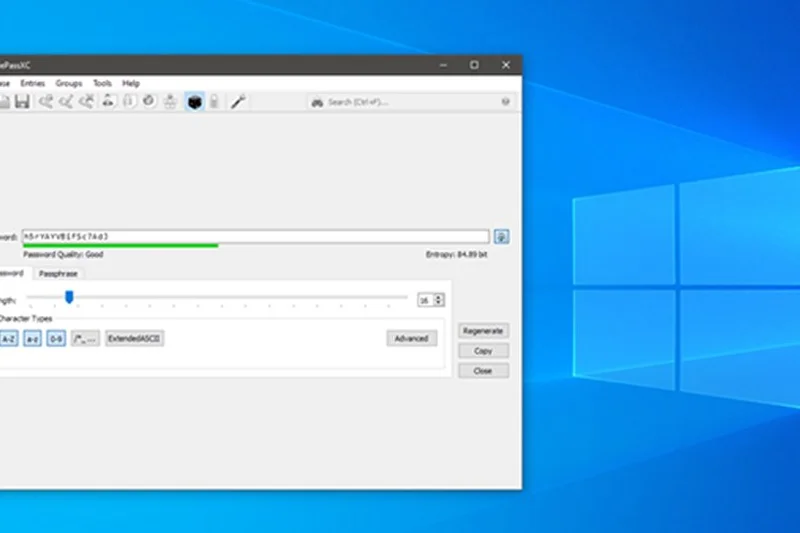
Why we picked it: The undisputed king of local-only password management. KeePassXC operates fully offline, keeping your AES-256 encrypted database entirely on your machine. It features robust browser extensions and hardware YubiKey challenge-response support. Syncing requires manually moving the file via a cloud provider of your choice.
Key Specs
- Fully offline operation
- Open-source framework
- AES-256 encryption
- YubiKey challenge-response
- Browser extension integration
What we like
- Absolute offline security
- Excellent hardware key support
- Highly customizable open-source tool
What we don't like
- No built-in cloud sync
- UI is dense and highly technical
Best for: Privacy purists who want complete offline control over their encrypted database.
Considering KeePassXC vs KeePass? KeePassXC is a modern, cross-platform fork written in C++ that generally offers a better out-of-the-box experience across Mac and Linux.
The ultimate offline-only password manager, boasting perfect security scores and open-source flexibility.
Download at KeePassXC official site#15 gopass

Why we picked it: A command-line vault written securely in Go, compatible with the standard 'Pass' architecture. It is designed for team sharing via Git workflows and supports multiple password stores. It's a fantastic tool for developers needing strict version control for secrets.
Key Specs
- Pass compatible architecture
- Written securely in Go
- Team sharing via Git workflows
- Multiple stores support
- Open-source
What we like
- Extremely fast execution
- Excellent for managing developer secrets
- Compatible with existing Pass setups
What we don't like
- Strictly command-line interface
- Not designed for general consumers
Best for: Developers and DevOps teams needing a terminal-based secret management tool.
Considering gopass vs Pass? gopass is essentially a more feature-rich, faster rewrite of Pass with better team-oriented workflows.
A modernized, Go-based command-line vault tailored for developers and team git workflows.
Download at gopass official site#16 Zoho Vault Free
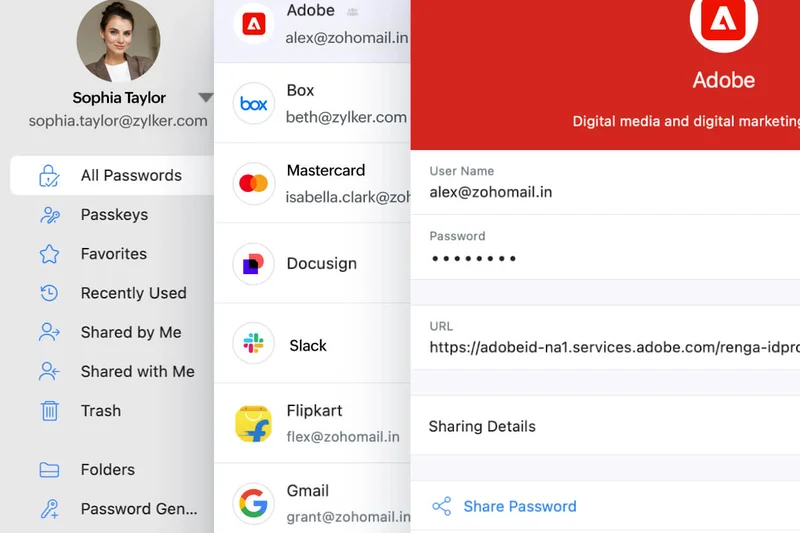
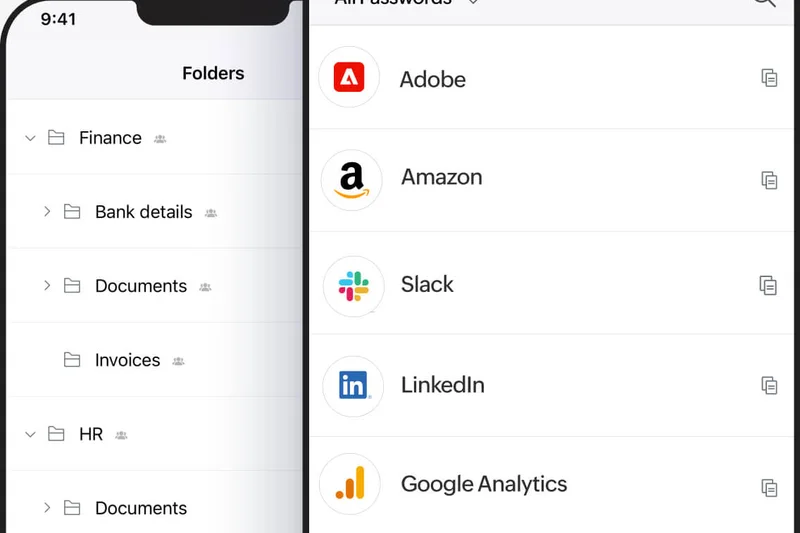
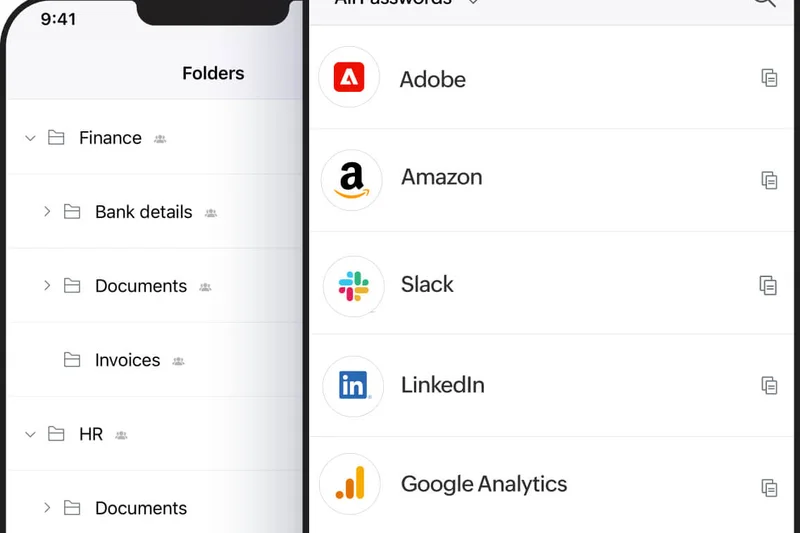
Why we picked it: Zoho Vault’s free tier is an often-overlooked gem, providing unlimited passwords and multiple device sync without cost. It employs a strong zero-knowledge architecture and offers good offline access, making it a solid productivity tool within the broader Zoho ecosystem.
Key Specs
- Unlimited passwords
- Multiple devices sync
- Offline access
- 2FA support
- Zero-knowledge architecture
What we like
- Unlimited sync on the free tier
- Zero-knowledge security model
- Integrates well with Zoho suite
What we don't like
- Interface is geared more toward enterprise users
- Autofill can occasionally be clunky
Best for: Existing Zoho ecosystem users who want a free, sync-enabled vault.
Considering Zoho Vault vs LogMeOnce? Zoho provides a cleaner interface and stronger zero-knowledge guarantees, while LogMeOnce offers more novelty login options.
A generous, business-styled free password manager offering unlimited sync and zero-knowledge encryption.
Buy at Zoho official site#17 Buttercup

Why we picked it: Buttercup is a sleek, open-source cross-platform vault that allows users flexibility in local or cloud storage (via Dropbox, Google Drive, etc.). It uses robust AES-256 bit encryption and features a modern, accessible UI that outshines many older local managers.
Key Specs
- Local & Cloud storage flexibility
- AES-256 bit encryption
- Open-source code
- Desktop & Mobile apps
- Browser extensions
What we like
- Beautiful, modern interface
- Flexible bring-your-own-cloud sync
- Fully open-source
What we don't like
- Smaller community means slower bug fixes
- Mobile apps lack polish
Best for: Users who want an open-source, local-first manager with a modern graphical interface.
Considering Buttercup vs KeePassXC? Buttercup has a far more modern, friendly UI, but KeePassXC boasts deeper security features and stronger browser integration.
A visually pleasing, open-source password manager that supports flexible local or cloud storage.
Download at Buttercup official site#18 Strongbox Free
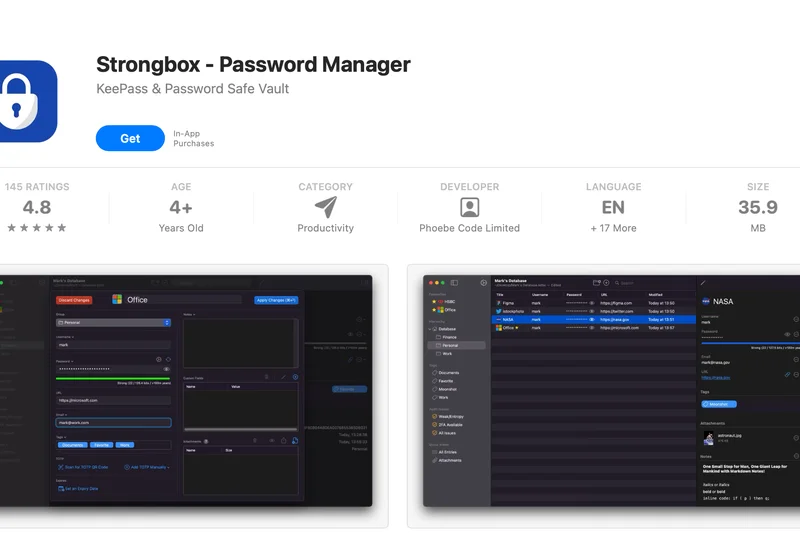
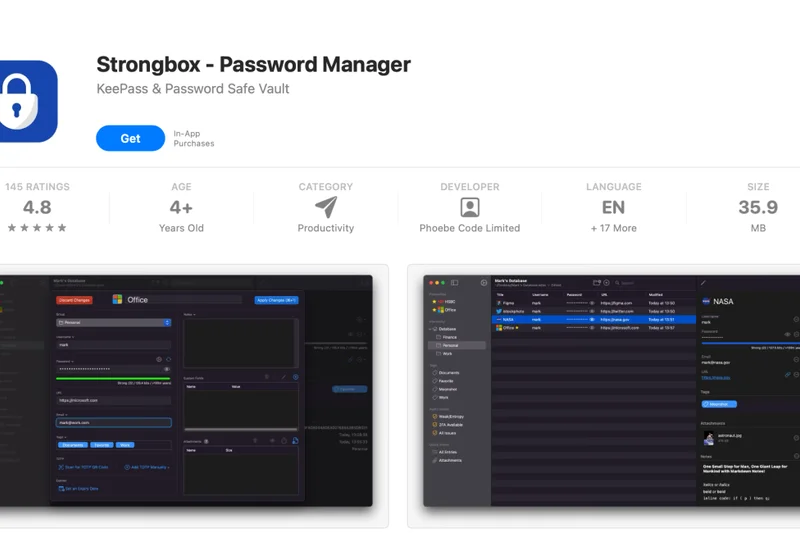
Why we picked it: Strongbox is a premier iOS and macOS local vault that is fully compatible with KeePass and Password Safe formats. The free tier offers excellent local or cloud storage options, Face ID unlock, and basic autofill, wrapping powerful open-source tech in a native Apple UI.
Key Specs
- KeePass & Password Safe format compatibility
- Local or Cloud storage options
- Face ID/Touch ID unlock
- Open-source core
- Basic autofill capabilities
What we like
- Beautiful native iOS/macOS interface
- Works perfectly with existing KeePass databases
- Supports biometric unlocks in free tier
What we don't like
- Free tier lacks some advanced UI customizations
- Apple ecosystem only
Best for: iOS and Mac users who want to use KeePass databases with a modern, native interface.
Considering Strongbox vs KeePassium? Both are excellent iOS KeePass clients; Strongbox offers slightly more features in its free tier for desktop macOS users.
The best way to interact with offline KeePass databases within the Apple ecosystem.
Download at Strongbox official site#19 AuthPass
Why we picked it: AuthPass is an open-source, cross-platform vault that supports the KeePass format. Written in Flutter, it allows seamless cloud sync via WebDAV or Google Drive across Mac, Windows, Linux, iOS, and Android. It’s highly versatile for multi-device users wanting KeePass compatibility.
Key Specs
- KeePass format support
- Cloud sync via WebDAV/Google Drive
- Mac, Windows, Linux, iOS, Android
- Open-source architecture
- Dark mode available
What we like
- Works everywhere (Mobile + Desktop)
- Brings native cloud sync to KeePass files
- Open-source
What we don't like
- Flutter UI can feel slightly non-native on desktops
- Occasional sync conflicts if used simultaneously
Best for: Users who want KeePass security but need easy cloud sync across multiple operating systems.
Considering AuthPass vs KeePassDX? AuthPass is genuinely cross-platform, while KeePassDX is strictly focused on Android.
A versatile, cross-platform KeePass client with built-in cloud sync capabilities.
Download at AuthPass official site#20 NordPass Free
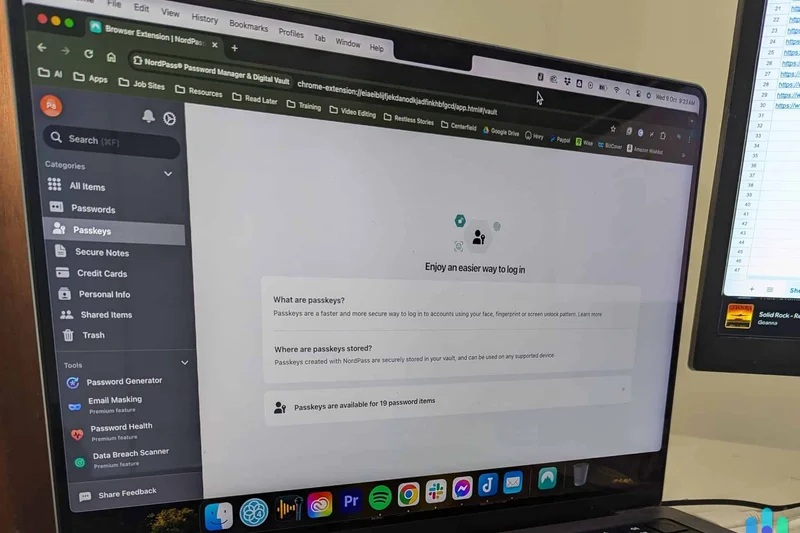
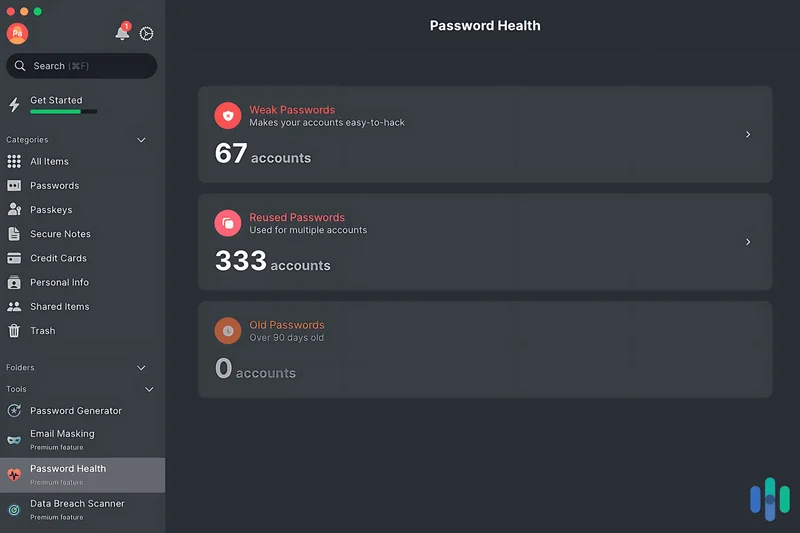
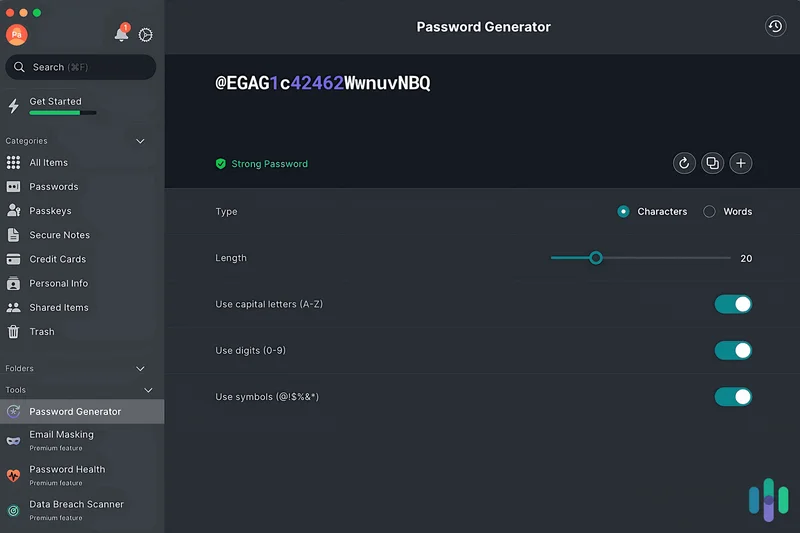
Why we picked it: From the makers of NordVPN, NordPass Free provides strong XChaCha20 encryption and unlimited password storage. However, its free tier restricts you to exactly one active device session at a time, severely limiting its utility for multi-device users.
Key Specs
- Unlimited passwords
- 1 active device session
- XChaCha20 encryption
- Autosave & autofill
- Multi-factor authentication
What we like
- Next-gen XChaCha20 encryption
- Very clean, intuitive user interface
- Reliable autosave and autofill
What we don't like
- Restricted to one active device at a time
- Constant prompts to upgrade to premium
Best for: Single-device users looking for a modern interface and top-tier encryption algorithms.
Considering NordPass vs Proton Pass? Proton Pass allows unlimited simultaneous devices for free, making it vastly superior to NordPass's single-device restriction.
A highly secure and beautifully designed app hindered by a strict one-device limitation.
Buy at NordPass official site#21 Avira Password Manager Free
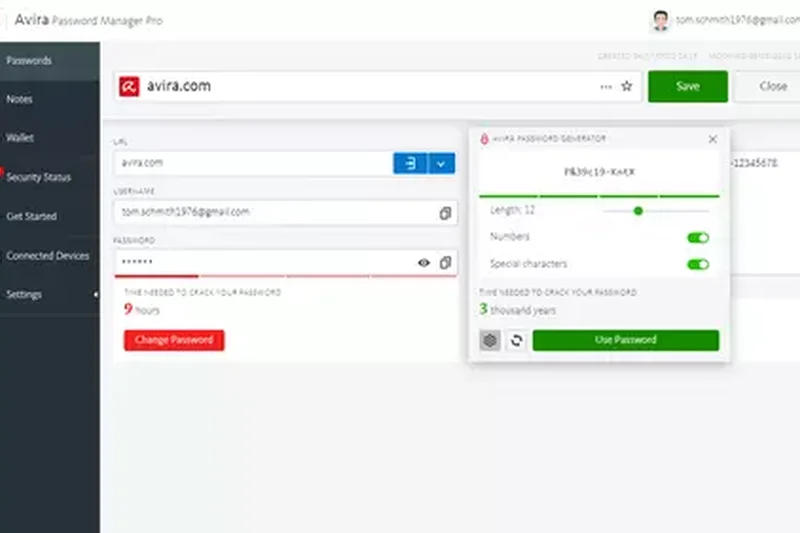
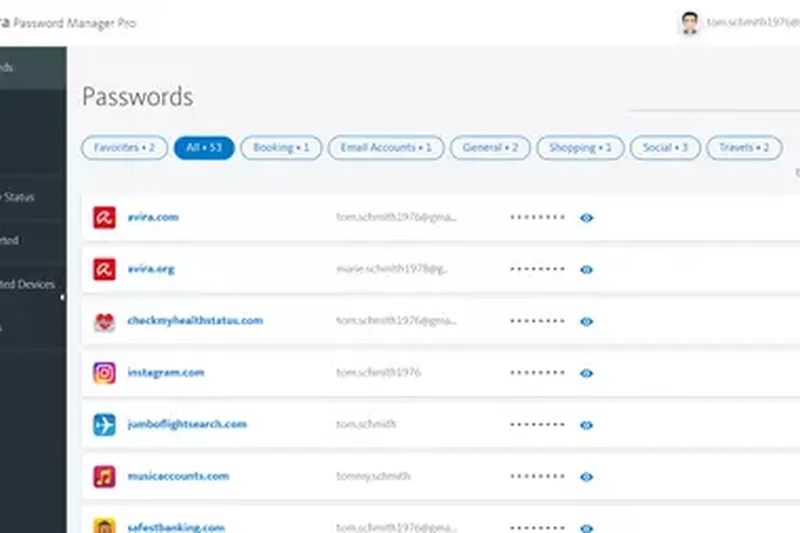
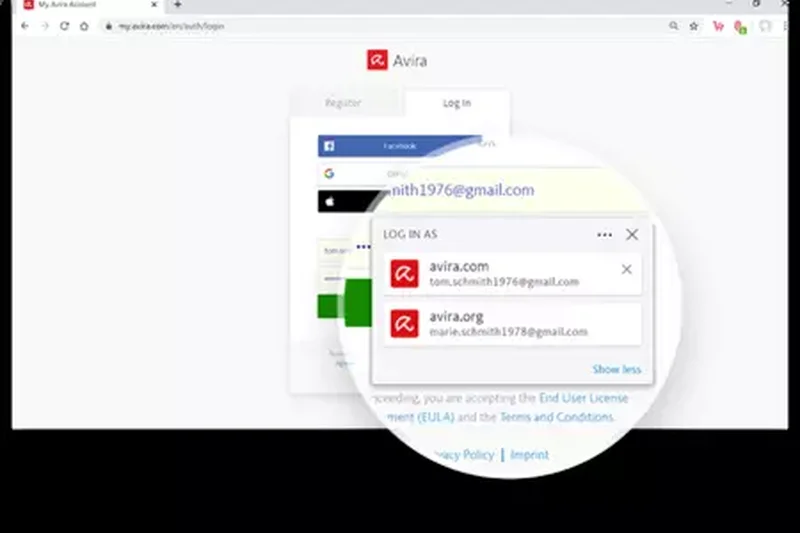
Why we picked it: Avira offers a decent cloud-based password manager that includes unlimited passwords and multi-device sync. It features standard autofill and a built-in generator, making it a capable, if unremarkable, free option from an established security brand.
Key Specs
- Unlimited passwords storage
- Multi-device synchronization
- Autofill capability for forms
- Built-in password generator
- 2FA authentication support
What we like
- Unlimited sync across devices
- Clean, simple dashboard
- Backed by Avira security
What we don't like
- Lacks advanced organizational features
- Heavily cross-promotes Avira Antivirus
Best for: Existing Avira customers seeking a straightforward, unlimited free sync vault.
Considering Avira vs Bitwarden? Bitwarden offers zero-knowledge encryption and open-source auditing, making it a far more secure choice.
A capable, unlimited free manager that serves as an entry point to the Avira ecosystem.
Get free at Avira official site#22 KeePassDX
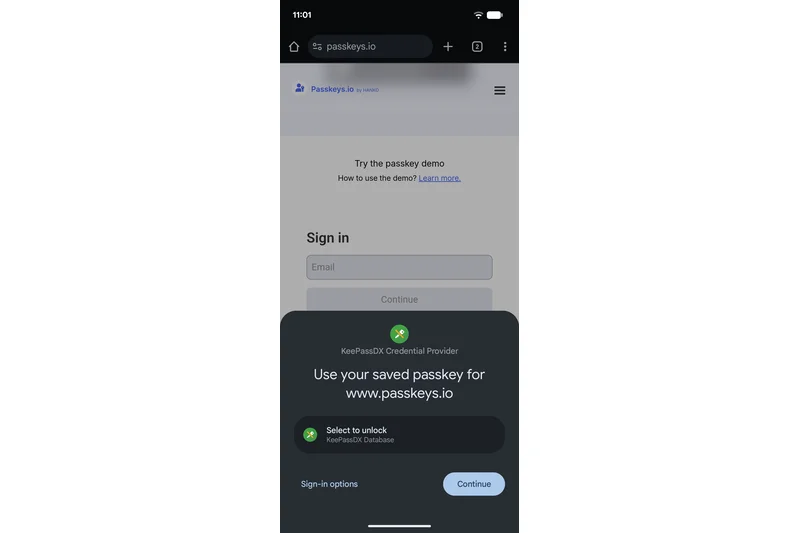
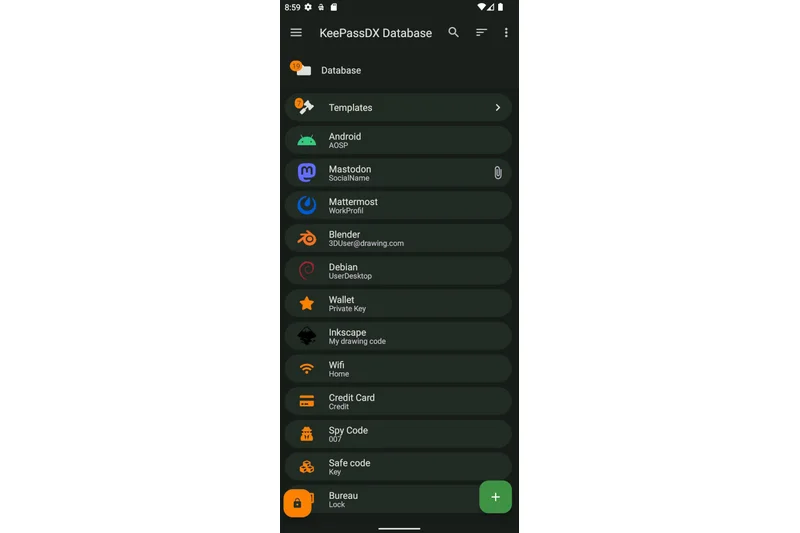
Why we picked it: A strictly Android-based local vault, KeePassDX is a fantastic open-source app for managing KeePass databases on the go. It features a Material Design UI, fingerprint unlock, and operates entirely offline for absolute privacy guarantees.
Key Specs
- KeePass format fully compatible
- Material Design Android UI
- Biometric Fingerprint unlock
- Open-source
- Offline only for absolute privacy
What we like
- Perfect offline Android security
- Excellent Material Design interface
- Free biometric unlocks
What we don't like
- Android only
- Requires third-party apps for cloud file syncing
Best for: Android users who manage local KeePass databases and prioritize offline privacy.
Considering KeePassDX vs AuthPass? KeePassDX is native to Android and feels smoother, while AuthPass is better if you need cross-platform sync built-in.
The premier open-source Android app for managing offline KeePass databases.
Download at KeePassDX official site#23 KeePassium Free
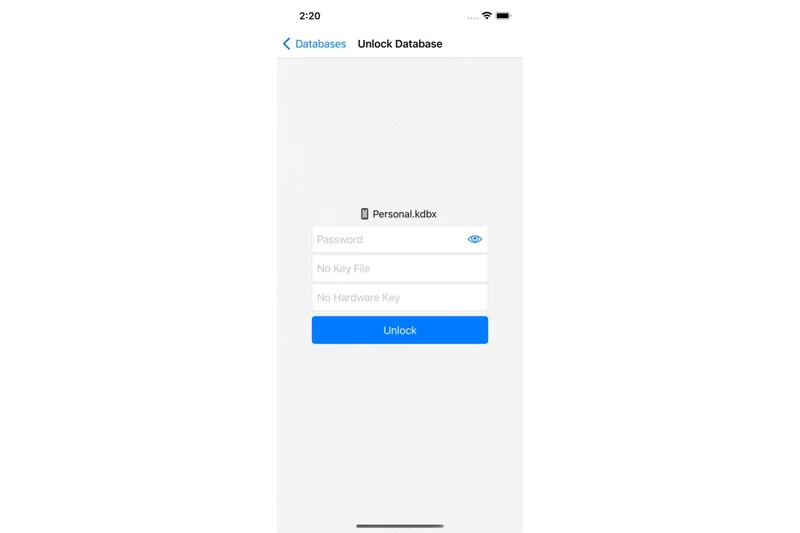
Why we picked it: KeePassium provides iOS users with a clean, intuitive interface for managing KeePass databases. The free tier integrates smoothly with the iOS Files app for sync, supports Face ID, and upholds open-source transparency.
Key Specs
- KeePass database native support
- Face ID/Touch ID integration
- Sync via iOS Files app
- Open-source transparency
- Clean, intuitive interface
What we like
- Flawless integration with iOS Files app
- Clean and responsive UI
- Open-source transparency
What we don't like
- Advanced features (like multiple databases) require premium
- iOS exclusively
Best for: iPhone users looking for a reliable, native app to open their KeePass files.
Considering KeePassium vs Strongbox? Both are excellent; KeePassium focuses heavily on a minimalist, streamlined interface.
A sleek, highly integrated iOS app for viewing and editing KeePass databases.
Download at KeePassium official site#24 Spectre
Why we picked it: Spectre is a unique stateless password manager. It doesn't store a database; instead, it algorithmically generates your passwords on the fly using a master password and the site name. It requires no sync or cloud, ensuring absolute mathematical privacy.
Key Specs
- Algorithmic password generation
- No sync or cloud needed
- Master password + site name logic
- Open-source
- Native iOS/Android apps
What we like
- Impossible to hack a vault that doesn't exist
- Zero sync issues
- Open-source
What we don't like
- Cannot store usernames, notes, or varied password rules
- Changing a compromised password is complex
Best for: Minimalists and cryptographers who prefer stateless algorithmic password generation.
Considering Spectre vs LessPass? Both are stateless, but Spectre offers slightly better native mobile applications.
A brilliant stateless generator that eliminates the need for vaults entirely, at the cost of convenience.
Download at Spectre official site#25 LessPass
Why we picked it: Similar to Spectre, LessPass is a stateless manager that generates passwords algorithmically. It requires no database and is fully open-source. It shines via its web interface and browser extensions, offering offline-capable generation.
Key Specs
- No database required
- Generates passwords algorithmically
- Open-source code
- Web-based & browser extensions
- Offline capable generation
What we like
- No vault to be breached
- Highly accessible via web and extensions
- Open-source
What we don't like
- Does not auto-fill usernames easily
- High friction for non-technical users
Best for: Tech-savvy users who want stateless security directly in their browser.
Considering LessPass vs traditional vaults? LessPass offers superior theoretical security (no data to steal) but vastly inferior daily usability.
A strict, database-free password generator for those who trust algorithms over cloud storage.
Use free at LessPass official site#26 KeePass
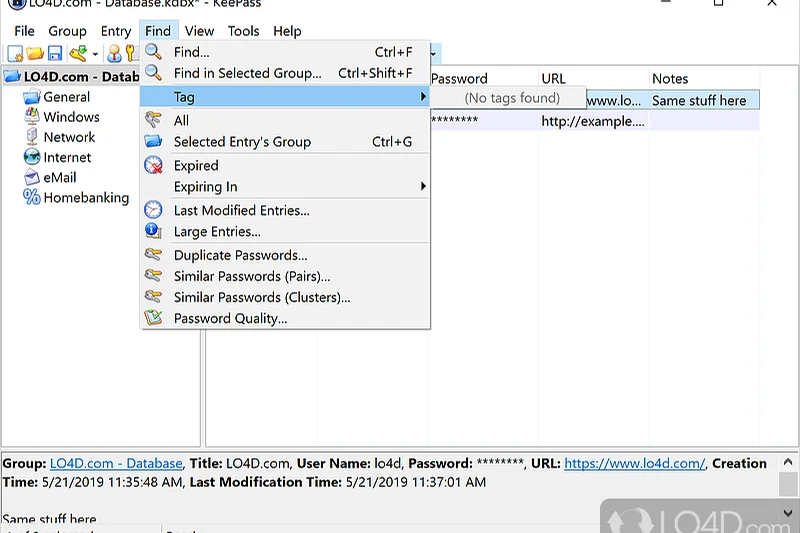
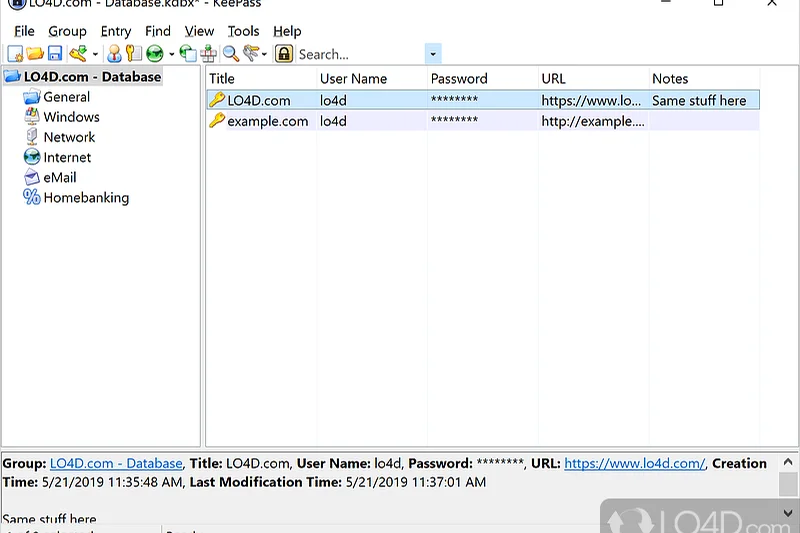
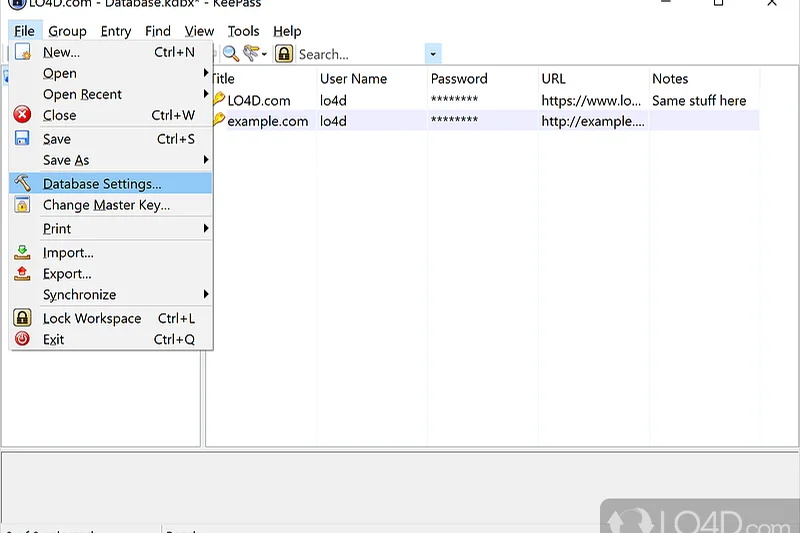
Why we picked it: The original open-source local password manager. KeePass (v2) is a Windows-native application that supports extensive community plugins. It uses AES and Twofish encryption on local .kdbx files. While visually archaic, it is infinitely customizable.
Key Specs
- Windows native application
- Extensive community plugin support
- AES & Twofish encryption
- Local .kdbx database file
- Fully Open-source
What we like
- Incredibly powerful plugin ecosystem
- Unbreakable offline security
- 100% free forever
What we don't like
- Interface looks like it's from Windows 98
- No native cloud sync or mobile app
Best for: Windows power users who love tinkering with plugins and managing their own files.
Considering KeePass vs KeePassXC? KeePass relies on the .NET framework and plugins, while KeePassXC is a modern, standalone C++ rewrite that is generally easier to use.
The highly customizable, classic offline vault that birthed an entire ecosystem.
Download at KeePass official site#27 LogMeOnce Free
Why we picked it: LogMeOnce provides unlimited passwords and sync. It differentiates itself with unique passwordless login options (like photo login) and extensive anti-theft features. However, the interface is heavily cluttered, making it difficult to recommend for beginners.
Key Specs
- Unlimited passwords
- Unlimited devices
- Passwordless login
- Basic 2FA (Email/Google Auth)
- Secure notes and cards
What we like
- Generous free limits
- Innovative passwordless entry options
- Anti-theft mugshot features
What we don't like
- Extremely cluttered, confusing UI
- Intrusive ads in the free tier
Best for: Users who want extensive, unconventional security features and don't mind a busy UI.
Considering LogMeOnce vs Bitwarden? Bitwarden offers a much cleaner, ad-free experience with superior open-source auditing.
A feature-packed but chaotic password manager offering generous free limits and unique login methods.
Buy at LogMeOnce official site#28 Password Safe
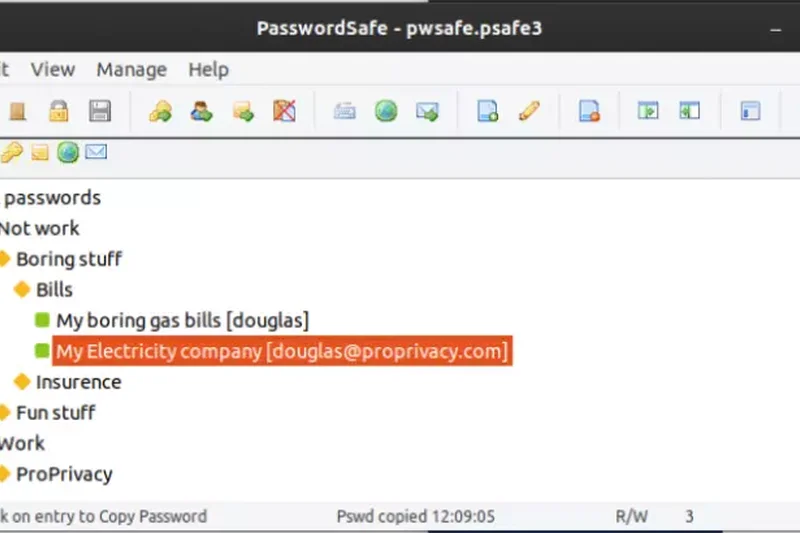
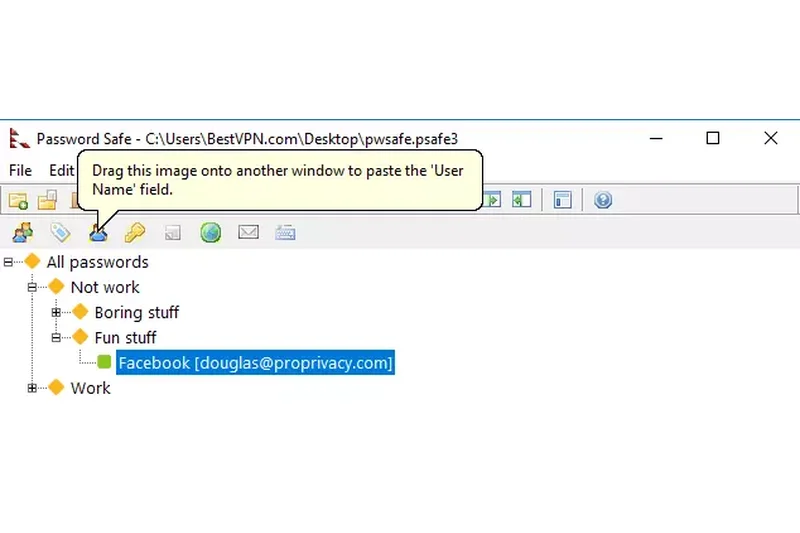
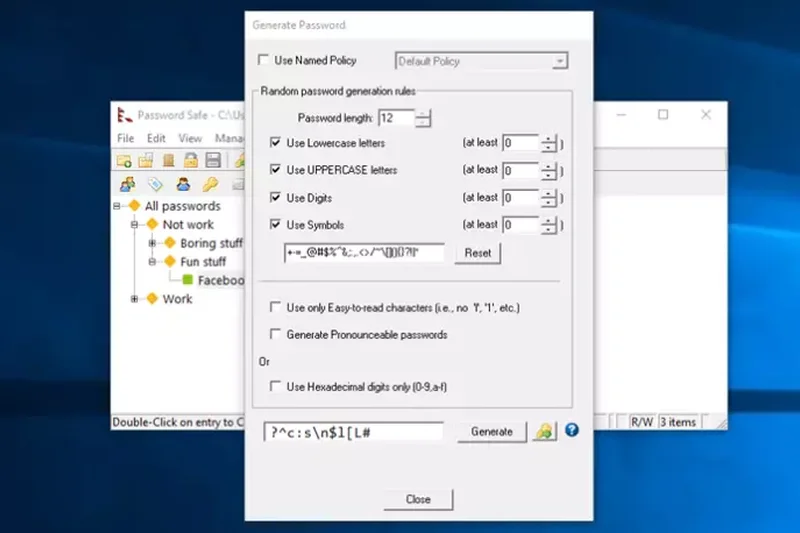
Why we picked it: Designed by renowned cryptographer Bruce Schneier, Password Safe is a Windows-native, open-source local vault using the Twofish encryption algorithm. It prioritizes absolute security simplicity over modern features.
Key Specs
- Designed by cryptographer Bruce Schneier
- Twofish encryption algorithm
- Local offline storage
- Windows native
- Open-source
What we like
- Impeccable cryptographic pedigree
- Extremely lightweight
- Completely offline
What we don't like
- Very outdated interface
- No browser integration or mobile sync
Best for: Old-school security professionals who want a simple, unhackable local list.
Considering Password Safe vs KeePass? KeePass offers vastly more features and plugins, while Password Safe focuses purely on minimalist offline security.
A cryptographically pristine but barebones local vault for Windows.
Download at Password Safe official site#29 Enpass Free
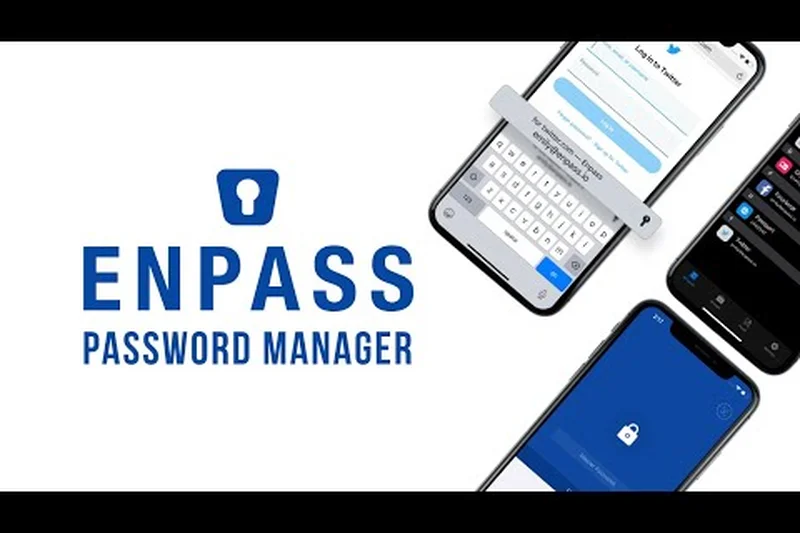
Why we picked it: Enpass operates completely offline but allows you to sync via your own cloud (Dropbox, Google Drive). The desktop version is completely free, but the mobile apps heavily restrict you to a maximum of 25 items on the free tier, severely limiting its cross-device utility.
Key Specs
- Desktop version completely free
- Up to 25 items on mobile apps
- Bring your own cloud sync (Dropbox/Google)
- AES-256 encryption
- No registration required
What we like
- Desktop app is fully featured and free
- No registration required
- Syncs via your own cloud
What we don't like
- 25-password limit on mobile apps makes the free tier mostly a trial
- Mobile restriction kills multi-device utility
Best for: Desktop-only users who want an offline vault that doesn't require an account.
Considering Enpass vs Buttercup? Both offer bring-your-own-cloud sync, but Buttercup does not restrict your mobile item count.
A great desktop manager heavily hampered by an aggressive 25-item limit on mobile.
Buy at Enpass official site#30 RoboForm Free
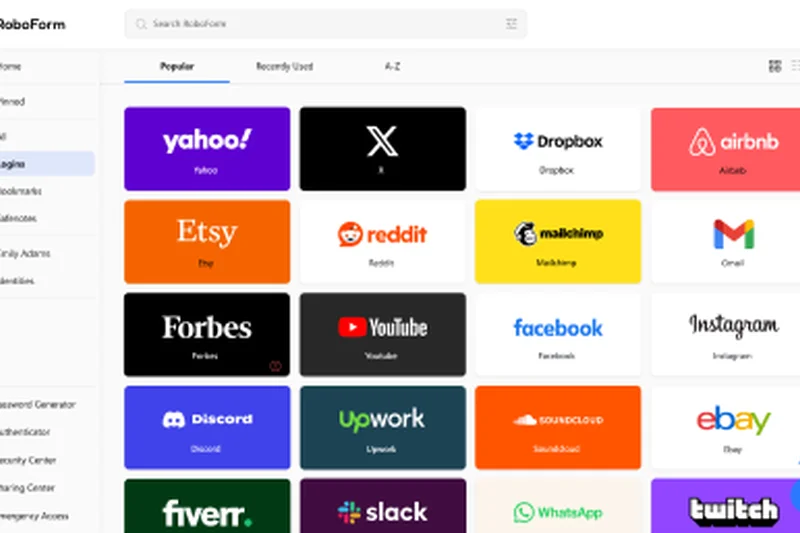
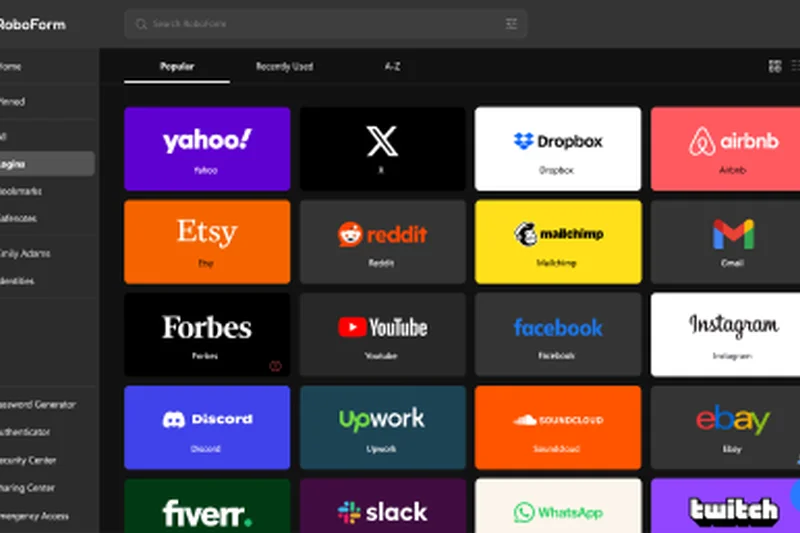
Why we picked it: RoboForm is renowned for its incredibly powerful web form filling capabilities. It offers unlimited passwords on its free tier, but unfortunately restricts you to a single active device, making it a poor choice in our multi-device world.
Key Specs
- Unlimited passwords
- 1 device active at a time
- Powerful form filler
- Offline vault access
- Password generator
What we like
- Best-in-class form filling for complex web pages
- Unlimited password storage
- Long-standing industry reputation
What we don't like
- No cross-device sync on the free plan
- Interface feels dated
Best for: Users who only use one PC and fill out highly complex web forms frequently.
Considering RoboForm vs Bitwarden? RoboForm has a superior form-filler, but Bitwarden's free sync makes it vastly superior for daily use.
An elite form-filler hindered by an archaic restriction to a single device.
Buy at RoboForm official site#31 Sticky Password Free
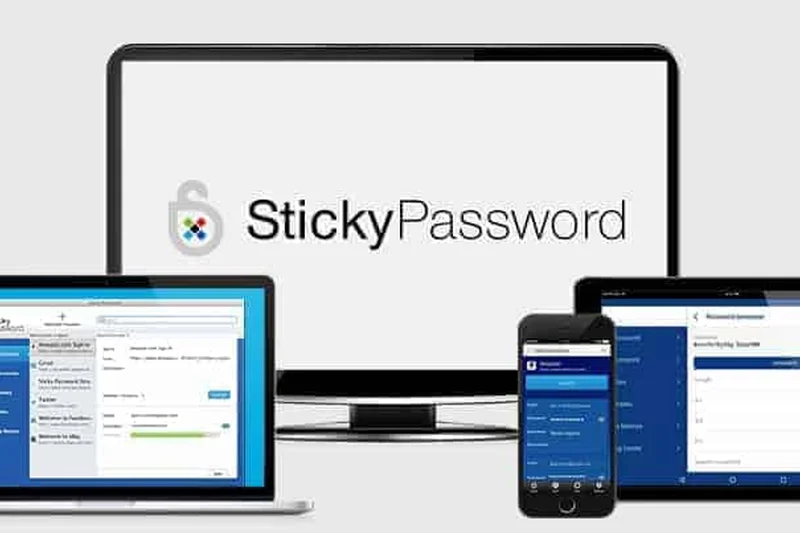
Why we picked it: Sticky Password offers strong AES-256 encryption, biometric support, and unlimited passwords. However, exactly like RoboForm, its free tier restricts you to a single device with local Wi-Fi only sync, stripping out cloud sync entirely.
Key Specs
- Unlimited passwords
- 1 device only for free tier
- Powerful form autofill
- AES-256 encryption
- Biometric authentication support
What we like
- Strong encryption and biometrics
- Allows secure local Wi-Fi sync
- Unlimited items
What we don't like
- No cloud sync on free tier
- Essentially locks you to one device
Best for: Users heavily focused on local Wi-Fi sync who refuse to use cloud servers.
Considering Sticky Password vs KeePassXC? KeePassXC offers better offline security and is fully open-source.
A capable manager that forces free users to rely on local Wi-Fi sync.
Buy at Sticky Password official site#32 Kaspersky Password Manager Free
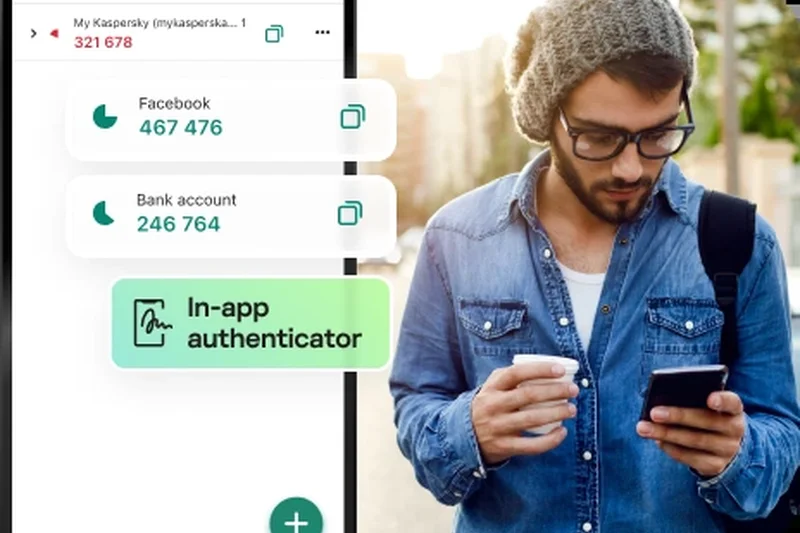
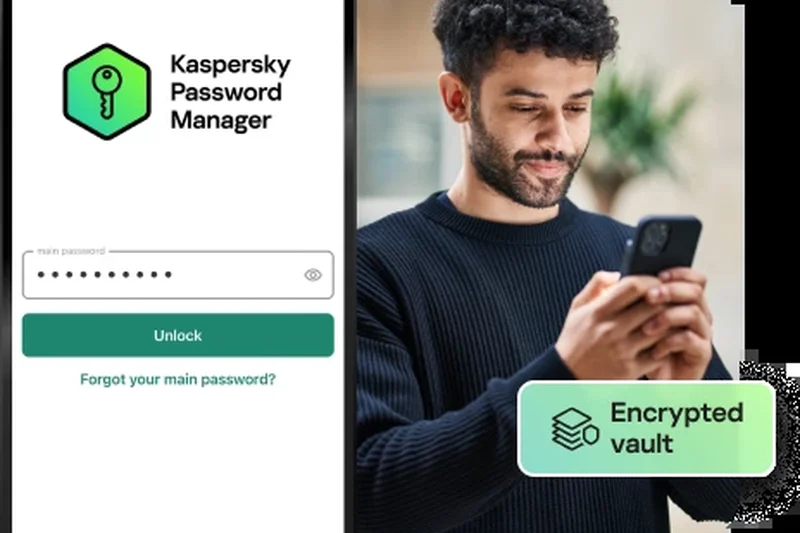
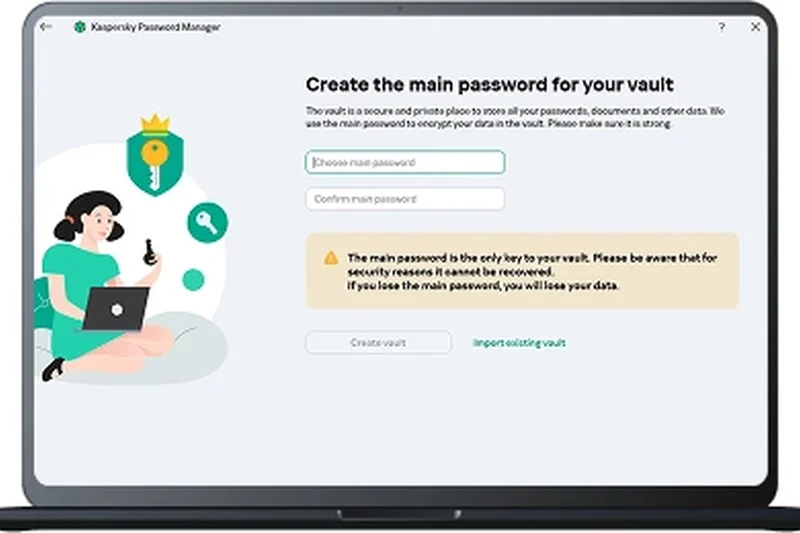
Why we picked it: Kaspersky’s offering has excellent zero-knowledge encryption and cross-device synchronization, but it aggressively caps the free tier at a maximum of 15 entries. This makes the free version effectively a demo rather than a usable product.
Key Specs
- Maximum 15 entries on free tier
- Cross-device synchronization
- Zero-knowledge encryption
- Autofill web forms securely
- Password health check tool
What we like
- High-quality cross-device sync
- Clean interface
- Zero-knowledge security
What we don't like
- 15 password limit makes it virtually unusable for daily life
- Russian corporate ties cause regulatory concerns
Best for: Users who only need to secure a handful of critical passwords and nothing else.
Considering Kaspersky vs Proton Pass? Proton Pass has zero limits and superior privacy guarantees.
A polished product ruined by an incredibly restrictive 15-item limit.
Buy at Kaspersky official site#33 Keeper Free
Why we picked it: Keeper is a highly rated enterprise and consumer manager, but its free tier is abysmal. It limits users to a single mobile device and caps storage at just 10 passwords. It serves strictly as a trial for their premium plans.
Key Specs
- 1 mobile device only
- Maximum 10 passwords/passkeys
- Two-factor authentication
- Zero-knowledge architecture
- Identity & payment storage
What we like
- Excellent security architecture
- Great native mobile app
What we don't like
- 10 password limit is completely unacceptable
- Mobile device only; no desktop sync
Best for: Users looking to briefly test the UI before buying a premium plan.
Considering Keeper Free vs LastPass Free? Both have poor free limits, but Keeper's 10-item cap is the most restrictive in the industry.
A top-tier premium app that offers an essentially unusable, heavily capped free tier.
Buy at Keeper official site#34 Padloc Free
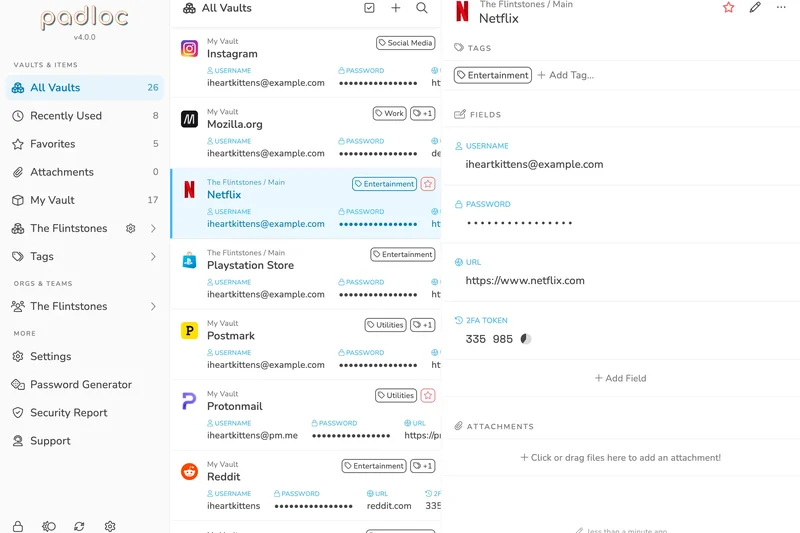
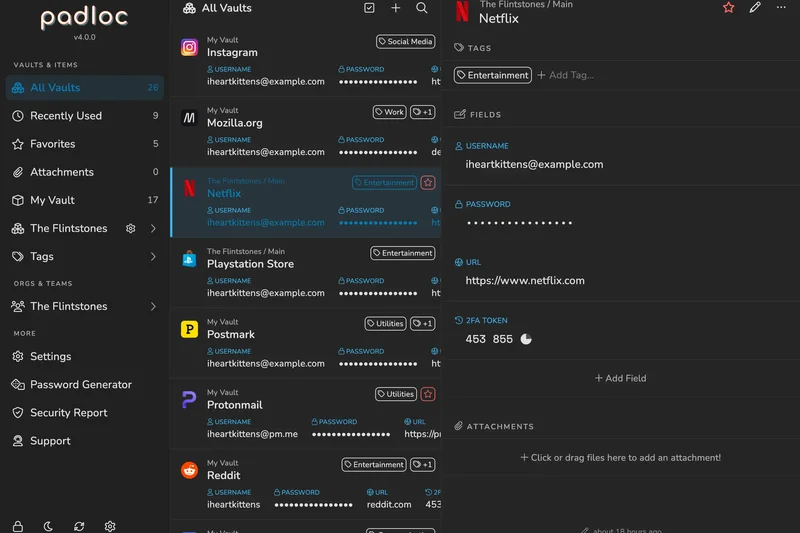
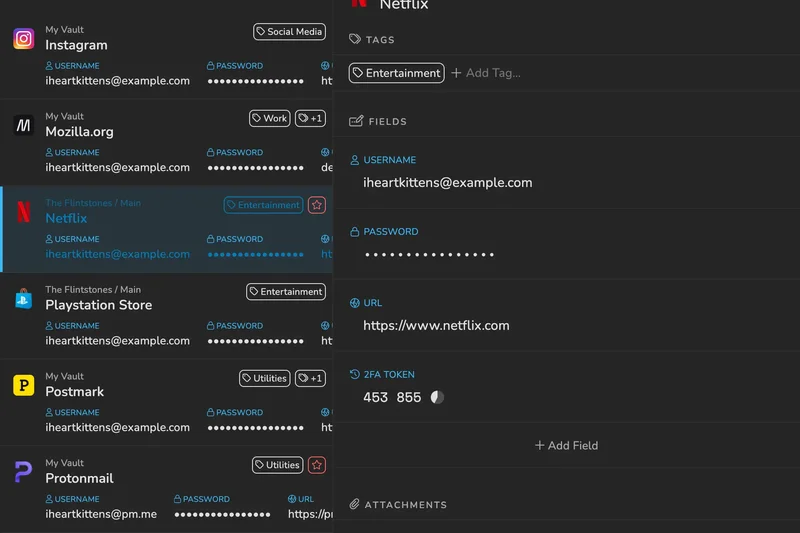
Why we picked it: Padloc is a beautifully designed, open-source password manager. Sadly, its free tier restricts you to 50 items and a single device. While the UI is arguably one of the cleanest available, these limits heavily restrict its usefulness.
Key Specs
- Store up to 50 items
- 1 device limit in free tier
- Open-source
- End-to-end encryption
- Clean modern UI
What we like
- Gorgeous, modern user interface
- Open-source and E2E encrypted
- Very beginner-friendly
What we don't like
- 50 item limit is too low
- No multi-device sync on free tier
Best for: Users with very few accounts who prioritize a clean aesthetic.
Considering Padloc vs Bitwarden? Padloc looks prettier, but Bitwarden's unlimited nature makes it a far better tool.
A beautiful, open-source manager restricted by strict item and device limits.
Download at Padloc official site#35 LastPass Free
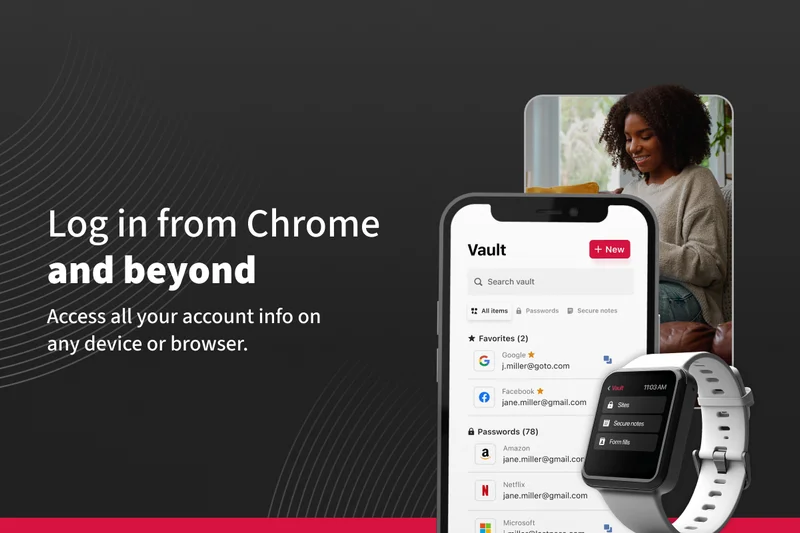
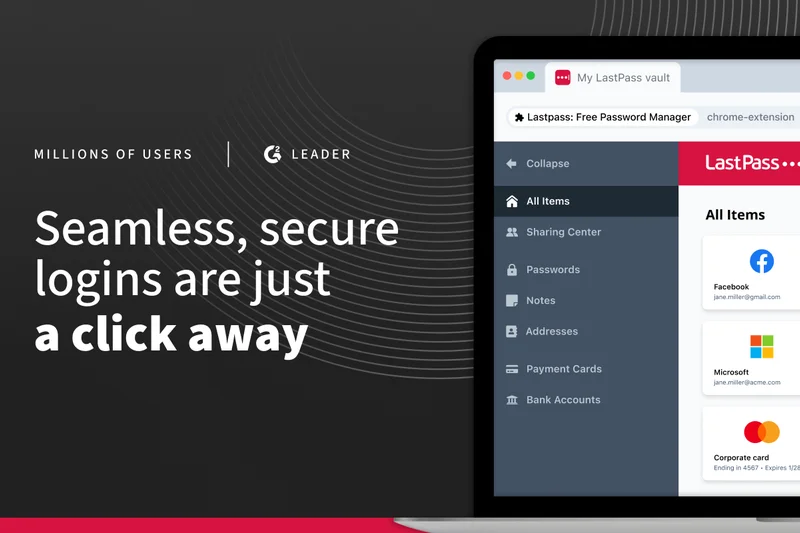
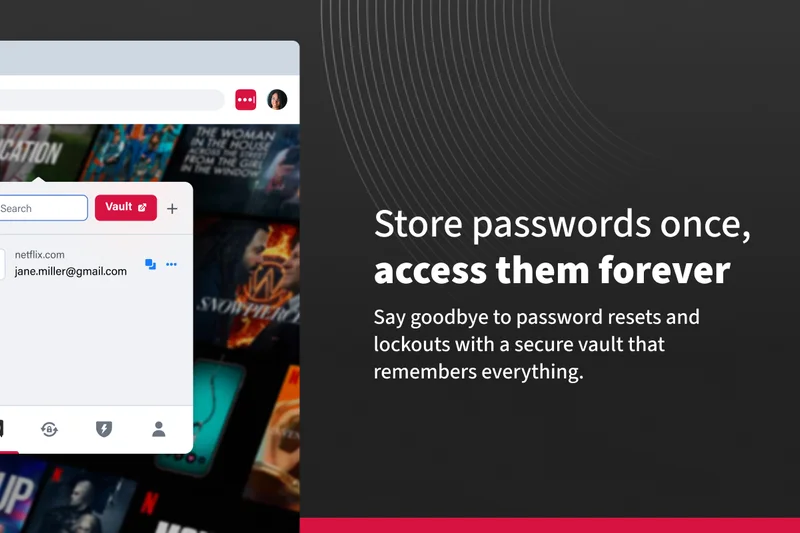
Why we picked it: Once the industry leader, LastPass has severely degraded its free tier, forcing users to choose between syncing on mobile OR desktop. Combined with a history of catastrophic data breaches, it ranks dead last in our 2026 evaluation.
Key Specs
- Unlimited passwords
- 1 device type (Desktop or Mobile)
- One-to-one password sharing
- Passwordless login
- AES-256 bit encryption
What we like
- Good autofill mechanics
- Unlimited passwords
What we don't like
- Restricts sync to one device type
- Extremely poor track record with security breaches
- Heavy upsell popups
Best for: Users who haven't yet migrated to a safer alternative.
Considering LastPass vs Proton Pass? Proton Pass offers unlimited cross-device sync and has a vastly superior security history.
An outdated choice plagued by past breaches and anti-consumer device limits.
Buy at LastPass official siteBuying Guide
Understanding Your User Profile
Before installing a password manager, it's vital to identify your specific needs. Not every user requires a highly technical command-line vault, and not everyone should settle for a basic browser-based tool. Consider the following archetypes:
- The Everyday User: You want something that "just works" on your phone and laptop without annoying pop-ups asking you to upgrade. Focus on platforms with generous free limits and seamless cross-platform sync, such as Proton Pass or Bitwarden.
- The Privacy Advocate: You adhere strictly to zero-trust principles. Open-source codebases, offline-only options, and verifiable third-party audits are non-negotiable. Look toward local vaults like KeePassXC or self-hosted solutions like Vaultwarden.
- The Beginner: This is your first password manager. You need reliable autofill, an intuitive interface, and forgiving account recovery options so you don't accidentally lock yourself out forever. OS-level tools like Apple Passwords or Google Password Manager are excellent stepping stones.
Must-Have Features vs. Premium Upsells
The password manager industry is notorious for bait-and-switch tactics. Knowing which features should be fundamentally free saves you from artificial paywalls.
What should always be free:
- Unlimited Passwords: Some major providers now limit free users to 25 or 50 passwords. Avoid these. The average user has over 100 online accounts.
- Multi-Device Sync: In 2026, forcing a user to choose between accessing their vault on their phone OR their desktop is an obsolete practice. Demand simultaneous multi-device sync.
- Zero-Knowledge Encryption: The service provider should never possess the key to decrypt your vault. This is a foundational security architecture, not a premium perk.
- Basic MFA: Time-Based One-Time Passwords (TOTP) via authenticator apps should be supported for securing your master vault.
What is acceptable as a premium upsell:
- Hardware security key support (e.g., YubiKey FIDO2/WebAuthn).
- Advanced family sharing plans or team management.
- Encrypted cloud file storage (1GB+).
- Dark web monitoring and proactive breach alerts.
Security Architecture Basics
You don't need to be a cryptographer to make a safe choice, but understanding a few key terms is essential. Look for AES-256 or XChaCha20 encryption. Both are virtually uncrackable military-grade standards. The most critical factor, however, is a Zero-Knowledge model. This means your data is encrypted and decrypted locally on your device using a master password that is never transmitted to the company's servers. If the password manager is hacked, the attackers only get scrambled, useless data.
Additionally, review the provider's Trust and Audit History. Open-source applications allow independent researchers to inspect the code for vulnerabilities. Companies that regularly hire reputable third-party security firms and publish the results demonstrate a commitment to transparency.
What to Avoid in a Free Password Manager
Steer clear of managers that employ aggressive upselling tactics or dark patterns. A major red flag is the restriction of basic exporting capabilities—if a service makes it difficult to export your passwords as a standard CSV or JSON file, they are attempting to lock you into their ecosystem. Furthermore, avoid services that lack clear documentation on their cryptographic protocols, or those that have suffered massive, poorly-handled data breaches in the past without fundamentally overhauling their security infrastructure.
For more detailed guidance on prioritizing features, consult the Password Manager Buying Guide[2] from Selection Logic.
FAQ
What is the best free password manager overall in 2026?
Proton Pass Free is our top recommendation for 2026. It offers unlimited passwords, unlimited multi-device sync, open-source auditing, and includes 10 free 'hide-my-email' aliases without aggressive paywalls.
Is it safe to use a free password manager?
Yes, provided it utilizes 'zero-knowledge' encryption, meaning the provider cannot see or decrypt your data. Top-tier free tools like Bitwarden and Proton Pass undergo independent security audits to verify their safety.
What is the Selection Logic M2 methodology?
The M2 Multi-Dimensional Evaluation is a structured framework that breaks down products into objective, measurable dimensions (like security, sync, and usability) and weights them based on specific user scenarios, eliminating subjective bias.
How does zero-knowledge encryption work?
Zero-knowledge architecture ensures that your vault is encrypted and decrypted locally on your device. Your master password acts as the key, and because it is never sent to the company's servers, not even the company can access your passwords.
Why are companies like LastPass limiting their free tiers?
Many legacy companies use free tiers solely as lead-generation tools. By restricting sync to one device type or capping passwords at 50, they intentionally introduce friction to force users to purchase premium subscriptions.
Which free password manager is best for Apple users?
Apple Passwords, now a standalone app in iOS and macOS, is the best choice for users entirely within the Apple ecosystem. It offers invisible native integration, Family sharing, and passkey support.
Do free password managers support Multi-Factor Authentication (MFA)?
Yes. Most reputable free managers allow you to secure your vault using Time-Based One-Time Passwords (TOTP) via apps like Google Authenticator, or via biometric unlocks (FaceID/Windows Hello).
Can I sync my passwords across my phone and laptop for free?
Yes, but you must choose the right provider. Proton Pass, Bitwarden, and Microsoft Authenticator allow unlimited cross-platform sync for free. Others, like NordPass or Dashlane, heavily restrict this.
What happens if I forget my master password?
In a strict zero-knowledge system, forgetting your master password usually means losing your data permanently. To prevent this, managers offer recovery kits, printable emergency codes, or trusted emergency contacts. Always set these up immediately.
How do I migrate my passwords from Chrome to a dedicated manager?
Virtually all dedicated password managers allow you to import passwords. You simply go to your Chrome settings, export your saved passwords as a .CSV file, and upload that file into your new manager's import tool.
Are open-source password managers safer than proprietary ones?
Open-source managers (like Bitwarden or KeePassXC) are generally preferred by security experts because anyone can inspect the code for vulnerabilities, ensuring the company isn't relying on 'security through obscurity.'
What is the difference between Bitwarden and Vaultwarden?
Bitwarden is the official, company-hosted service. Vaultwarden is a community-built, lightweight server backend that you host yourself. Vaultwarden unlocks Bitwarden's premium features for free, but requires technical knowledge to maintain.
Methodology
Our scoring model is driven by the Selection Logic M2 framework. By systematically grading the 35 products across seven isolated dimensions, we generated a comprehensive Fit Score for multiple user scenarios. We gathered data through direct installation, codebase reviews (for open-source tools), and analysis of independent security audits.
- Security & Encryption (25%): This is the most heavily weighted dimension. We demanded zero-knowledge architecture. Tools utilizing standard AES-256 or XChaCha20 with strong PBKDF2 or Argon2id key derivation scored highest. Local-only vaults like KeePassXC earned perfect 10s here due to their isolated nature.
- Free Tier Generosity (20%): We measured exactly what you get for $0. Tools that offer unlimited password storage, unlimited notes, and secondary features like email aliases (e.g., Proton Pass) without artificial paywalls scored highest. Platforms capping passwords at 15 or 50 were heavily penalized.
- Device & Cross-Platform Sync (15%): We assessed the ability to sync across Windows, macOS, Linux, iOS, and Android simultaneously. Products limiting free users to a single device (or single device type, like desktop or mobile) scored poorly.
- Autofill & UI Usability (15%): A password manager is useless if it causes friction. We tested browser extension reliability across complex multi-page login forms and evaluated native iOS/Android AutoFill API integration. Apple Passwords and Proton Pass excelled in seamless capture and playback.
- MFA & Authentication Options (10%): Protecting the vault itself is critical. We looked for TOTP integration and biometric unlocks (FaceID, TouchID, Windows Hello). Advanced MFA like YubiKey support in the free tier boosted scores.
- Trust & Audit History (10%): Security through obscurity is unacceptable. Products with fully open-source clients, regular published third-party audits, and transparent corporate histories earned the highest trust ratings.
- Account Recovery Options (5%): Because strict zero-knowledge means forgotten master passwords result in data loss, we evaluated safe compromise solutions. Support for printable emergency kits or trusted emergency contacts contributed to this score.
By applying these weighted criteria, we ensure that our final rankings reflect objective utility rather than brand recognition or marketing budgets.
Sources & References
All factual claims, product specifications, prices, and images in this article are cited by number. Click any reference to jump to the list; click the link in each entry to visit the original source.
- [1]Selection Logic. "M2: Multi-Dimensional Evaluation." selectionlogic.org/en/methods/m2-multi-dimensional-evaluation/. Accessed Mar 2026.
- [2]Selection Logic. "Password Manager Buying Guide." selectionlogic.org/en/guides/password-manager-buying-guide/. Accessed Mar 2026.
- [3]Proton. "Proton Pass Free Features." proton.me/pass. Accessed Mar 2026.
- [4]Bitwarden. "Free Password Manager Pricing." bitwarden.com/pricing/free/. Accessed Mar 2026.
- [5]Vaultwarden. "Vaultwarden GitHub Repository." github.com/dani-garcia/vaultwarden. Accessed Mar 2026.
- [6]Microsoft. "Microsoft Authenticator App." microsoft.com/en-us/security/mobile-authenticator-app. Accessed Mar 2026.
- [7]Apple. "Use Apple Passwords on Mac and iPhone." support.apple.com/en-us/105072. Accessed Mar 2026.
- [8]Mozilla. "Firefox Password Manager." mozilla.org/en-US/firefox/features/password-manager/. Accessed Mar 2026.
- [9]Psono. "Open Source Password Manager." psono.com/. Accessed Mar 2026.
- [10]ZX2C4. "Pass: The Standard Unix Password Manager." passwordstore.org/. Accessed Mar 2026.
- [11]Passbolt. "Passbolt Community Edition." passbolt.com/. Accessed Mar 2026.
- [12]QtPass. "QtPass GUI." qtpass.org/. Accessed Mar 2026.
- [13]Google. "Google Password Manager." passwords.google.com/. Accessed Mar 2026.
- [14]Brave. "Brave Password Manager Features." brave.com/features/password-manager/. Accessed Mar 2026.
- [15]Norton. "Norton Password Manager." us.norton.com/products/norton-password-manager. Accessed Mar 2026.
- [16]KeePassXC Team. "KeePassXC Offline Vault." keepassxc.org/. Accessed Mar 2026.
- [17]gopass. "gopass Command Line Vault." gopass.pw/. Accessed Mar 2026.
- [18]Zoho. "Zoho Vault Free Plan." zoho.com/vault/. Accessed Mar 2026.
- [19]Buttercup. "Buttercup Cross-Platform Vault." buttercup.pw/. Accessed Mar 2026.
- [20]Strongbox. "Strongbox iOS/macOS Vault." strongboxsafe.com/. Accessed Mar 2026.
- [21]AuthPass. "AuthPass KeePass Client." authpass.app/. Accessed Mar 2026.
- [22]Nord Security. "NordPass Free Plan." nordpass.com/pricing/personal/. Accessed Mar 2026.
- [23]Avira. "Avira Password Manager Free." avira.com/en/password-manager. Accessed Mar 2026.
- [24]LogMeOnce. "LogMeOnce Pricing." logmeonce.com/pricing/. Accessed Mar 2026.
- [25]LastPass. "LastPass Free Pricing." lastpass.com/pricing. Accessed Mar 2026.