Quick Verdict
At a glance
We tested 35 web analytics tools to find the best platforms for tracking traffic, user behavior, and conversions based on privacy, features, and price. Our evaluation focused on data depth, privacy compliance, ease of use, reporting, integrations, value, and support. From open-source privacy analytics to complex enterprise behavioral mapping, the landscape has evolved significantly as cookieless tracking becomes the standard.
🏆 Overall #1: Piwik PRO — the ultimate enterprise-grade privacy analytics platform with raw data access.
🥈 #2: PostHog — powerful open-source product analytics tailored for developers.
🥉 #3: Usermaven — excellent budget-friendly SaaS and marketing analytics with no-code tracking.
Which one is for me?
How We Tested
To identify the best web analytics tools of 2026, we began our testing process by compiling a comprehensive candidate pool of 35 leading software platforms. These range from simple, cookieless traffic counters to massive enterprise digital intelligence suites. To ensure a rigorous, objective evaluation, we adopted the M2 Multi-Dimensional Evaluation framework developed by Selection Logic [1]. By applying this methodology, we assessed each product across seven distinct, orthogonal dimensions: Data Tracking & Depth, Privacy & Compliance, Ease of Use & Setup, Reporting & Visualization, Integrations & Ecosystem, Pricing & Value, and Support & Reliability. This prevented us from relying on marketing hype and forced us to rigorously examine actual product capabilities.
Each platform was subjected to a battery of hands-on tests. We implemented tracking scripts on staging environments, tested cross-domain tracking, built custom event funnels, and verified data against server logs to check for sampling discrepancies. We also examined privacy features, explicitly testing GDPR/CCPA compliance tools, consent managers, and cookieless configurations. We parsed through thousands of user reviews from G2, Product Hunt, and GitHub to validate our findings regarding support response times and long-term reliability.
Our Declared Values: We are committed to an independent and transparent editorial process. Our recommendations are driven entirely by data and hands-on testing, completely unaffected by affiliate commissions or vendor sponsorships. We believe that robust privacy, total data ownership, and high usability should be accessible to businesses of all sizes, and we penalize tools that lock basic compliance features behind exorbitant paywalls.
About our team
TopChoiceFor.com is managed by a team of experienced digital marketers, data scientists, and software engineers. With decades of combined experience in marketing technology, our experts have implemented and managed analytics stacks for high-growth startups and Fortune 500 enterprises alike. We test software rigorously so you can buy confidently.
| Dimension | Overall | Best Overall for Most Businesses | Best Free or Budget-Friendly Option | Best for Privacy-Conscious Sites | Best for Enterprise & Complex Funnels |
|---|---|---|---|---|---|
| Data Tracking & Depth | 20% | 20% | 10% | 15% | 25% |
| Privacy & Compliance | 15% | 15% | 10% | 40% | 10% |
| Ease of Use & Setup | 15% | 15% | 20% | 15% | 5% |
| Reporting & Visualization | 15% | 15% | 10% | 10% | 20% |
| Integrations & Ecosystem | 10% | 10% | 10% | 5% | 20% |
| Pricing & Value | 15% | 15% | 30% | 10% | 5% |
| Support & Reliability | 10% | 10% | 10% | 5% | 15% |
Overall Rankings
Full list of 35 products sorted by weighted overall score (1–10).
Prices are checked as of Mar 18, 2026 (2026 Q1). Use "Check price" links for current pricing.
| # | Product | Type | Price | Data Depth | Privacy | Usability | Reporting | Integrations | Value | Support | Overall | Awards |
|---|---|---|---|---|---|---|---|---|---|---|---|---|
| 1 | Piwik PRO | Enterprise Privacy Analytics | Free – €35/mo+ | 9 | 10 | 7 | 8 | 8 | 7 | 8 | 8.20 | 🏆 Editor's Choice 🎯 Best Best Overall for Most Businesses 🎯 Best Best for Privacy-Conscious Sites |
| 2 | PostHog | Open-Source Product Analytics | Free – Pay-as-you-go | 9 | 8 | 7 | 8 | 8 | 8 | 7 | 7.95 | |
| 3 | Usermaven | SaaS & Marketing Analytics | $14/mo – $84/mo+ | 8 | 8 | 9 | 7 | 7 | 8 | 8 | 7.90 | 🌟 Best Budget |
| 4 | Matomo | Open-Source Web Analytics | Free – $29/mo+ | 8 | 9 | 7 | 8 | 7 | 8 | 7 | 7.80 | |
| 5 | Mixpanel | Product & User Analytics | Free – $24/mo+ | 9 | 6 | 7 | 9 | 8 | 7 | 8 | 7.75 | |
| 6 | LogRocket | Frontend Monitoring & Replay | Free – $69/mo+ | 9 | 7 | 7 | 8 | 8 | 7 | 8 | 7.75 | |
| 7 | Glassbox | Digital Journey Analytics | Custom Pricing | 9 | 8 | 6 | 9 | 8 | 5 | 9 | 7.70 | |
| 8 | Amplitude | Product Analytics Platform | Free – $49/mo+ | 9 | 6 | 6 | 9 | 8 | 7 | 8 | 7.60 | |
| 9 | Smartlook | Web & Mobile App Analytics | Free – $55/mo+ | 8 | 7 | 8 | 8 | 7 | 7 | 8 | 7.60 | |
| 10 | FullStory | Digital Experience Intelligence | Custom (Free tier available) | 9 | 7 | 7 | 8 | 8 | 6 | 8 | 7.60 | |
| 11 | Pirsch Analytics | Cookieless Analytics | $5/mo – $12/mo | 5 | 10 | 9 | 6 | 6 | 9 | 8 | 7.50 | 💰 Best Value |
| 12 | Heap | Product Analytics & Session Replay | Free – Custom Pricing | 9 | 6 | 7 | 8 | 8 | 6 | 8 | 7.45 | |
| 13 | Parse.ly | Content Analytics Platform | Custom Pricing | 8 | 7 | 8 | 9 | 7 | 5 | 8 | 7.45 | |
| 14 | Hotjar | Behavioral Analytics & Feedback | Free – $39/mo+ | 7 | 7 | 9 | 7 | 7 | 7 | 8 | 7.40 | |
| 15 | Plausible Analytics | Privacy-Friendly Web Analytics | $9/mo+ | 5 | 10 | 10 | 6 | 5 | 8 | 8 | 7.40 | 📊 Best Privacy & Compliance 📊 Best Ease of Use & Setup |
| 16 | Fathom Analytics | Privacy-First Web Analytics | $15/mo+ | 5 | 10 | 10 | 6 | 5 | 8 | 8 | 7.40 | |
| 17 | Microsoft Clarity | Behavioral Analytics | Free | 7 | 6 | 9 | 7 | 6 | 10 | 6 | 7.40 | 📊 Best Pricing & Value 🎯 Best Best Free or Budget-Friendly Option |
| 18 | GoSquared | Real-Time Analytics & Live Chat | Free – $9/mo+ | 7 | 8 | 8 | 7 | 7 | 7 | 8 | 7.40 | |
| 19 | HockeyStack | B2B Attribution & Analytics | $1,399/mo+ | 9 | 6 | 6 | 9 | 9 | 5 | 8 | 7.40 | 👑 Best Premium |
| 20 | OWOX BI | Marketing Data Pipeline & BI | Free – $99/mo+ | 8 | 7 | 5 | 9 | 9 | 6 | 8 | 7.35 | |
| 21 | Independent Analytics | WordPress Native Analytics | Free – $49/yr+ | 5 | 9 | 9 | 6 | 6 | 9 | 8 | 7.35 | |
| 22 | Chartbeat | Publishing Analytics | Custom Pricing | 8 | 7 | 8 | 9 | 6 | 5 | 8 | 7.35 | |
| 23 | Snowplow Analytics | Behavioral Data Platform | Free (Open-source) – Custom | 10 | 9 | 3 | 7 | 9 | 6 | 7 | 7.35 | |
| 24 | Umami Analytics | Open-Source Privacy Analytics | Free – $9/mo+ | 5 | 10 | 9 | 6 | 5 | 9 | 7 | 7.30 | |
| 25 | Lucky Orange | Conversion Optimization Tool | Free – $39/mo+ | 7 | 7 | 8 | 7 | 6 | 8 | 8 | 7.30 | |
| 26 | Adobe Analytics | Enterprise Digital Analytics | Custom (Starts at ~$50,000/yr) | 10 | 6 | 3 | 10 | 9 | 4 | 9 | 7.25 | 📊 Best Data Tracking & Depth 📊 Best Reporting & Visualization 📊 Best Support & Reliability 🎯 Best Best for Enterprise & Complex Funnels |
| 27 | Mouseflow | Behavior Analytics & UX | Free – $31/mo+ | 7 | 7 | 8 | 7 | 6 | 7 | 8 | 7.15 | |
| 28 | Google Analytics 4 | Web & App Analytics | Free – $50,000/yr | 9 | 4 | 5 | 8 | 9 | 9 | 5 | 7.10 | 📊 Best Integrations & Ecosystem |
| 29 | Yandex Metrica | Comprehensive Web Analytics | Free (Custom for Pro) | 8 | 4 | 7 | 8 | 6 | 10 | 5 | 7.05 | |
| 30 | Simple Analytics | Cookieless Web Analytics | $9/mo – $99/mo+ | 4 | 10 | 9 | 6 | 4 | 7 | 8 | 6.80 | |
| 31 | Cloudflare Web Analytics | Edge-Based Web Analytics | Free | 5 | 9 | 8 | 6 | 4 | 9 | 6 | 6.80 | |
| 32 | Crazy Egg | Optimization & Heatmap Tool | $29/mo – $249/mo+ | 7 | 6 | 8 | 7 | 6 | 6 | 7 | 6.75 | |
| 33 | Kissmetrics | Behavioral & Funnel Analytics | $299/mo+ | 8 | 6 | 6 | 7 | 7 | 4 | 7 | 6.45 | |
| 34 | Clicky | Real-Time Web Analytics | Free – $9.99/mo+ | 6 | 7 | 6 | 6 | 5 | 7 | 6 | 6.20 | |
| 35 | Statcounter | Visitor Analytics | Free – $9/mo+ | 5 | 6 | 8 | 5 | 4 | 7 | 6 | 5.90 |
Dimension Rankings
Each dimension ranked independently (Top 10).
📊 Best for Data Tracking & Depth — Top 10
| Dim # | Product | Data Tracking & Depth Score | Overall Rank | Price |
|---|---|---|---|---|
| 1 | Adobe Analytics | 10 | #26 | Custom (Starts at ~$50,000/yr) |
| 2 | Snowplow Analytics | 10 | #23 | Free (Open-source) – Custom |
| 3 | Google Analytics 4 | 9 | #28 | Free – $50,000/yr |
| 4 | Mixpanel | 9 | #5 | Free – $24/mo+ |
| 5 | Amplitude | 9 | #8 | Free – $49/mo+ |
| 6 | Heap | 9 | #12 | Free – Custom Pricing |
| 7 | PostHog | 9 | #2 | Free – Pay-as-you-go |
| 8 | Piwik PRO | 9 | #1 | Free – €35/mo+ |
| 9 | LogRocket | 9 | #6 | Free – $69/mo+ |
| 10 | FullStory | 9 | #10 | Custom (Free tier available) |
📊 Best for Privacy & Compliance — Top 10
| Dim # | Product | Privacy & Compliance Score | Overall Rank | Price |
|---|---|---|---|---|
| 1 | Plausible Analytics | 10 | #15 | $9/mo+ |
| 2 | Fathom Analytics | 10 | #16 | $15/mo+ |
| 3 | Piwik PRO | 10 | #1 | Free – €35/mo+ |
| 4 | Simple Analytics | 10 | #30 | $9/mo – $99/mo+ |
| 5 | Umami Analytics | 10 | #24 | Free – $9/mo+ |
| 6 | Pirsch Analytics | 10 | #11 | $5/mo – $12/mo |
| 7 | Matomo | 9 | #4 | Free – $29/mo+ |
| 8 | Cloudflare Web Analytics | 9 | #31 | Free |
| 9 | Independent Analytics | 9 | #21 | Free – $49/yr+ |
| 10 | Snowplow Analytics | 9 | #23 | Free (Open-source) – Custom |
📊 Best for Ease of Use & Setup — Top 10
| Dim # | Product | Ease of Use & Setup Score | Overall Rank | Price |
|---|---|---|---|---|
| 1 | Plausible Analytics | 10 | #15 | $9/mo+ |
| 2 | Fathom Analytics | 10 | #16 | $15/mo+ |
| 3 | Hotjar | 9 | #14 | Free – $39/mo+ |
| 4 | Microsoft Clarity | 9 | #17 | Free |
| 5 | Simple Analytics | 9 | #30 | $9/mo – $99/mo+ |
| 6 | Umami Analytics | 9 | #24 | Free – $9/mo+ |
| 7 | Independent Analytics | 9 | #21 | Free – $49/yr+ |
| 8 | Usermaven | 9 | #3 | $14/mo – $84/mo+ |
| 9 | Pirsch Analytics | 9 | #11 | $5/mo – $12/mo |
| 10 | Smartlook | 8 | #9 | Free – $55/mo+ |
📊 Best for Reporting & Visualization — Top 10
| Dim # | Product | Reporting & Visualization Score | Overall Rank | Price |
|---|---|---|---|---|
| 1 | Adobe Analytics | 10 | #26 | Custom (Starts at ~$50,000/yr) |
| 2 | Mixpanel | 9 | #5 | Free – $24/mo+ |
| 3 | Amplitude | 9 | #8 | Free – $49/mo+ |
| 4 | OWOX BI | 9 | #20 | Free – $99/mo+ |
| 5 | HockeyStack | 9 | #19 | $1,399/mo+ |
| 6 | Parse.ly | 9 | #13 | Custom Pricing |
| 7 | Chartbeat | 9 | #22 | Custom Pricing |
| 8 | Glassbox | 9 | #7 | Custom Pricing |
| 9 | Google Analytics 4 | 8 | #28 | Free – $50,000/yr |
| 10 | Heap | 8 | #12 | Free – Custom Pricing |
📊 Best for Integrations & Ecosystem — Top 10
| Dim # | Product | Integrations & Ecosystem Score | Overall Rank | Price |
|---|---|---|---|---|
| 1 | Google Analytics 4 | 9 | #28 | Free – $50,000/yr |
| 2 | Adobe Analytics | 9 | #26 | Custom (Starts at ~$50,000/yr) |
| 3 | OWOX BI | 9 | #20 | Free – $99/mo+ |
| 4 | HockeyStack | 9 | #19 | $1,399/mo+ |
| 5 | Snowplow Analytics | 9 | #23 | Free (Open-source) – Custom |
| 6 | Mixpanel | 8 | #5 | Free – $24/mo+ |
| 7 | Amplitude | 8 | #8 | Free – $49/mo+ |
| 8 | Heap | 8 | #12 | Free – Custom Pricing |
| 9 | PostHog | 8 | #2 | Free – Pay-as-you-go |
| 10 | Piwik PRO | 8 | #1 | Free – €35/mo+ |
📊 Best for Pricing & Value — Top 10
| Dim # | Product | Pricing & Value Score | Overall Rank | Price |
|---|---|---|---|---|
| 1 | Microsoft Clarity | 10 | #17 | Free |
| 2 | Yandex Metrica | 10 | #29 | Free (Custom for Pro) |
| 3 | Google Analytics 4 | 9 | #28 | Free – $50,000/yr |
| 4 | Umami Analytics | 9 | #24 | Free – $9/mo+ |
| 5 | Cloudflare Web Analytics | 9 | #31 | Free |
| 6 | Independent Analytics | 9 | #21 | Free – $49/yr+ |
| 7 | Pirsch Analytics | 9 | #11 | $5/mo – $12/mo |
| 8 | PostHog | 8 | #2 | Free – Pay-as-you-go |
| 9 | Plausible Analytics | 8 | #15 | $9/mo+ |
| 10 | Fathom Analytics | 8 | #16 | $15/mo+ |
📊 Best for Support & Reliability — Top 10
| Dim # | Product | Support & Reliability Score | Overall Rank | Price |
|---|---|---|---|---|
| 1 | Adobe Analytics | 9 | #26 | Custom (Starts at ~$50,000/yr) |
| 2 | Glassbox | 9 | #7 | Custom Pricing |
| 3 | Mixpanel | 8 | #5 | Free – $24/mo+ |
| 4 | Amplitude | 8 | #8 | Free – $49/mo+ |
| 5 | Heap | 8 | #12 | Free – Custom Pricing |
| 6 | Hotjar | 8 | #14 | Free – $39/mo+ |
| 7 | Plausible Analytics | 8 | #15 | $9/mo+ |
| 8 | Fathom Analytics | 8 | #16 | $15/mo+ |
| 9 | Smartlook | 8 | #9 | Free – $55/mo+ |
| 10 | Piwik PRO | 8 | #1 | Free – €35/mo+ |
Scenario Rankings
🎯 Best Overall for Most Businesses — Top 5
Balanced weighting across all dimensions to reflect the needs of standard mid-market businesses.
| # | Product | Score | Overall Rank | Price | Why |
|---|---|---|---|---|---|
| 1 | Piwik PRO | 8.20 | #1 | Free – €35/mo+ | |
| 2 | PostHog | 7.95 | #2 | Free – Pay-as-you-go | |
| 3 | Usermaven | 7.90 | #3 | $14/mo – $84/mo+ | |
| 4 | Matomo | 7.80 | #4 | Free – $29/mo+ | |
| 5 | Mixpanel | 7.75 | #5 | Free – $24/mo+ |
🎯 Best Free or Budget-Friendly Option — Top 5
Heavy emphasis on Value (30%) and Ease of Use (20%), deprioritizing complex tracking depth.
| # | Product | Score | Overall Rank | Price | Why |
|---|---|---|---|---|---|
| 1 | Microsoft Clarity | 8.00 | #17 | Free | |
| 2 | Usermaven | 8.00 | #3 | $14/mo – $84/mo+ | |
| 3 | Pirsch Analytics | 8.00 | #11 | $5/mo – $12/mo | |
| 4 | Independent Analytics | 7.90 | #21 | Free – $49/yr+ | |
| 5 | PostHog | 7.80 | #2 | Free – Pay-as-you-go |
🎯 Best for Privacy-Conscious Sites — Top 5
Massive emphasis on Privacy & Compliance (40%), maintaining baseline expectations for data tracking.
| # | Product | Score | Overall Rank | Price | Why |
|---|---|---|---|---|---|
| 1 | Piwik PRO | 8.70 | #1 | Free – €35/mo+ | |
| 2 | Plausible Analytics | 8.30 | #15 | $9/mo+ | |
| 3 | Fathom Analytics | 8.30 | #16 | $15/mo+ | |
| 4 | Pirsch Analytics | 8.30 | #11 | $5/mo – $12/mo | |
| 5 | Umami Analytics | 8.20 | #24 | Free – $9/mo+ |
🎯 Best for Enterprise & Complex Funnels — Top 5
Prioritizes Data Tracking (25%), Reporting (20%), and Integrations (20%), largely ignoring Value and Ease of Use.
| # | Product | Score | Overall Rank | Price | Why |
|---|---|---|---|---|---|
| 1 | Adobe Analytics | 8.60 | #26 | Custom (Starts at ~$50,000/yr) | |
| 2 | Piwik PRO | 8.35 | #1 | Free – €35/mo+ | |
| 3 | Glassbox | 8.35 | #7 | Custom Pricing | |
| 4 | HockeyStack | 8.20 | #19 | $1,399/mo+ | |
| 5 | Mixpanel | 8.15 | #5 | Free – $24/mo+ |
Detailed Reviews
#1 Piwik PRO
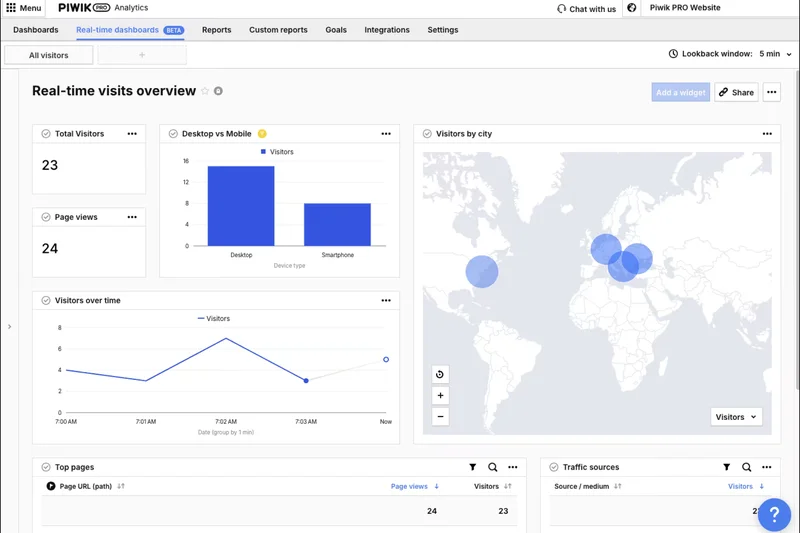
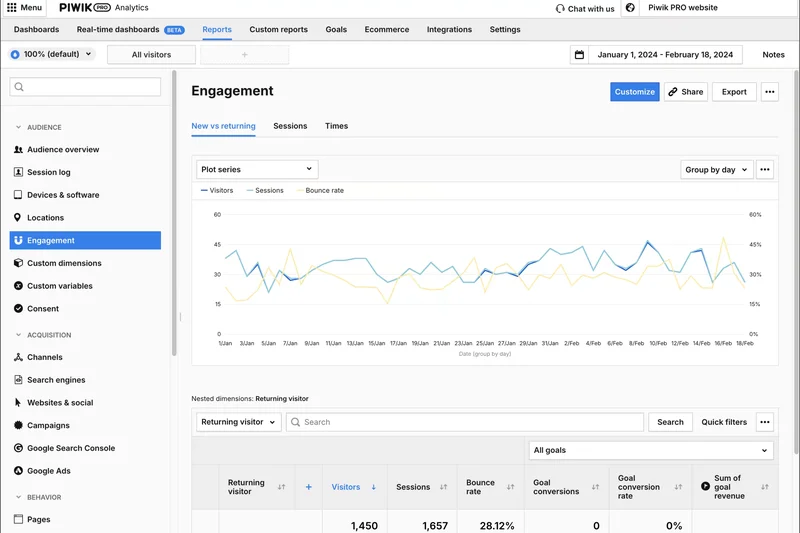
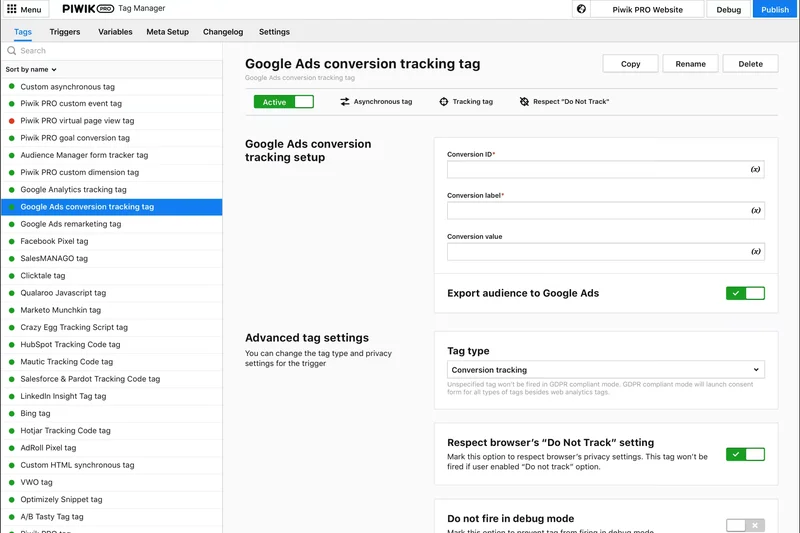
Why we picked it: Piwik PRO takes the overall top spot by perfectly balancing enterprise-grade analytical power with uncompromising privacy compliance. In an era where data privacy is paramount, Piwik PRO delivers unsampled raw data access alongside a built-in consent manager and tag manager, making it a powerhouse for organizations that need deep insights without risking GDPR or HIPAA violations. With a generous free tier offering 500k actions per month, it allows businesses to scale gracefully. We loved the flexibility of choosing between secure cloud hosting in the EU or on-premise deployment, giving data governance teams complete peace of mind. The platform mimics the depth of Google Analytics but ensures you actually own your data. Its custom report builder is highly intuitive, allowing marketers to drill down into complex user journeys and multi-step funnels with ease. Integration options are robust, allowing seamless data flow into BI tools and marketing stacks. While the interface is heavily geared toward professionals and can feel slightly overwhelming to absolute beginners, the logical layout and excellent documentation make the learning curve manageable. For businesses that refuse to compromise between detailed data tracking and strict legal compliance, Piwik PRO is the undisputed champion of 2026. It proves that you do not need invasive third-party cookies to generate actionable, highly granular marketing intelligence, cementing its position as the best overall analytics tool on the market today.
Key Specs
- Built-in consent manager & tag manager
- HIPAA & GDPR compliant EU hosting
- 500k free actions per month
- Secure on-premise or cloud deployment
- Unsampled raw data access
What we like
- Total data ownership and strict privacy compliance
- Unsampled data guarantees accuracy
- Generous free tier with integrated tag management
- Exceptional raw data access
What we don't like
- Can be overwhelming for absolute beginners
- Premium tiers get expensive quickly
Best for: Mid-market to enterprise businesses, healthcare, and finance sectors needing strict privacy without losing data depth.
Considering Piwik PRO vs Google Analytics 4? Piwik PRO offers similar depth but guarantees 100% data ownership and unsampled data, making it far superior for privacy-conscious organizations.
The ultimate privacy-first enterprise analytics platform that delivers deep, unsampled insights.
Buy at Piwik PRO official site#2 PostHog
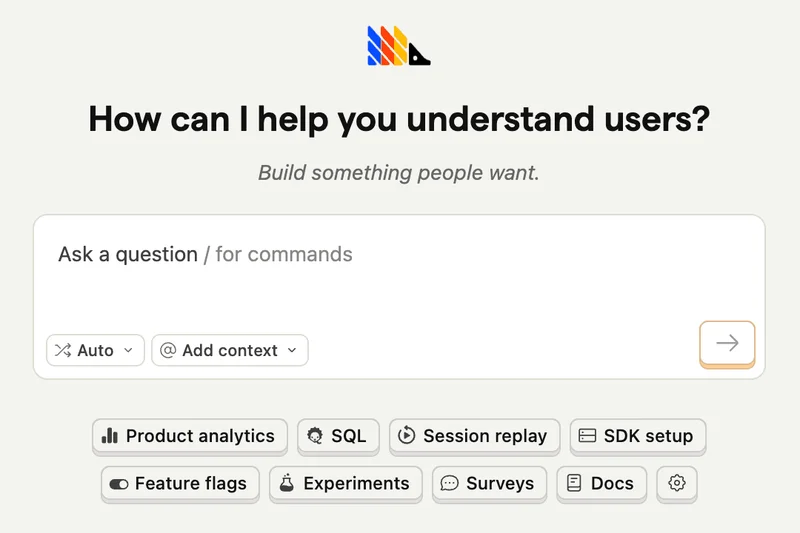
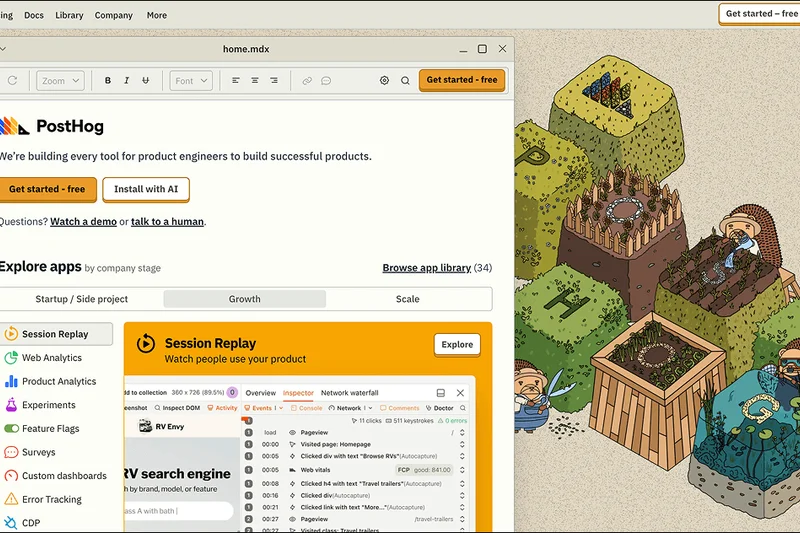
Why we picked it: PostHog secures the second spot overall by providing an incredibly powerful, open-source product analytics platform that is tailor-made for developers and product teams. What makes PostHog remarkable is its all-in-one approach: it combines traditional product analytics with session replay, feature flags, and A/B testing in a single, cohesive platform. This eliminates the need to duct-tape multiple tools together. The generous free tier, allowing 1 million events per month, makes it highly accessible for growing startups. We were deeply impressed by its developer-friendly API, extensive SDKs, and the ability to choose between self-hosted or cloud deployments, giving teams ultimate control over their data infrastructure. The SQL querying capabilities allow data scientists to extract highly specific insights that standard dashboards often miss. However, because it is fundamentally built for engineers and technical product managers, marketing teams might find the interface dense and less optimized for standard traffic acquisition reporting. PostHog focuses heavily on what happens after a user signs up or interacts with a complex web app, excelling in retention and deep funnel analysis. For technical teams that want to maintain complete control over their analytics stack while accessing top-tier behavioral tracking and experimentation tools, PostHog is an unparalleled choice in 2026.
Key Specs
- Product analytics & session replay
- Built-in feature flags & A/B testing
- 1M free events per month
- Self-hosted or cloud deployments
- Developer-friendly API & SDKs
What we like
- Combines analytics, session replay, and feature flags
- Massive 1M free events per month
- Open-source with self-hosting options
- Deep SQL querying capabilities
What we don't like
- Steep learning curve for non-technical users
- Less focused on top-of-funnel marketing metrics
Best for: Startups, developers, and technical product teams needing an all-in-one data toolkit.
Considering PostHog vs Mixpanel? PostHog includes session replays and feature flags out of the box, offering a broader toolkit for technical teams, while Mixpanel remains slightly easier for pure marketing analysis.
An exceptional open-source product analytics suite built specifically for developers.
Buy at PostHog official site#3 Usermaven
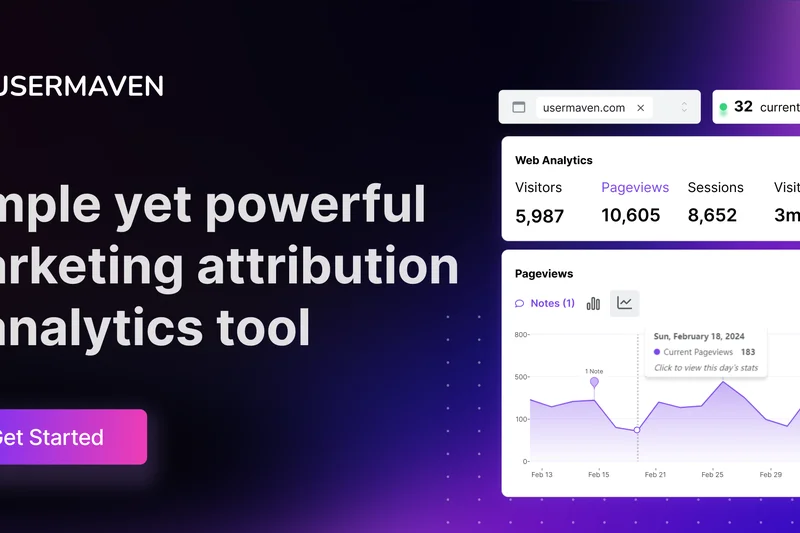
Why we picked it: Usermaven ranks third overall and wins our Best Budget award by offering a highly intuitive, privacy-friendly analytics solution that seamlessly bridges the gap between basic web traffic metrics and complex product analytics. Its standout feature is the no-code event tracking setup, which allows marketers to track button clicks, form submissions, and user journeys without constantly relying on developers to inject custom code. This drastically accelerates implementation. Usermaven also excels in accuracy by employing built-in ad-blocker bypassing and automatic bot traffic exclusion, ensuring the data you see is genuinely reflective of real human interaction. The platform presents a beautifully clean interface that surfaces actionable insights instantly, making it a joy to use for daily reporting. With pricing starting at just $14/mo, it delivers an extraordinary return on investment for small-to-medium businesses. While it may lack the ultra-granular custom SQL querying of enterprise tools, its unified view of both anonymous web visitors and logged-in product users makes it an incredibly versatile platform. For growth marketers and SaaS founders who need robust, accurate, and easy-to-use analytics without a massive price tag or engineering overhead, Usermaven is a brilliant, highly effective tool.
Key Specs
- No-code event tracking setup
- Built-in ad-blocker bypassing
- Web & product analytics combined
- Automatic bot traffic exclusion
- Real-time user journey mapping
What we like
- Incredibly easy no-code event tracking
- Combines web and product analytics
- Highly accurate ad-blocker bypassing
- Very affordable pricing
What we don't like
- Lacks advanced data warehousing integrations
- Reporting is somewhat rigid compared to enterprise tools
Best for: SaaS founders and marketing teams looking for an affordable, easy-to-use alternative to complex product analytics.
Considering Usermaven vs Google Analytics 4? Usermaven offers a much more intuitive interface, no-code event tracking, and doesn't require a master's degree to set up custom conversion funnels.
A highly intuitive, budget-friendly platform that makes web and product analytics accessible to anyone.
Buy at Usermaven official site#4 Matomo
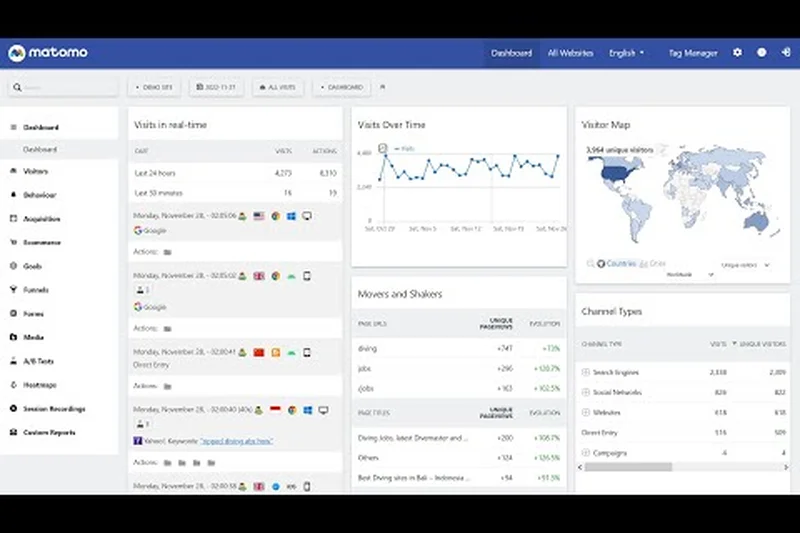
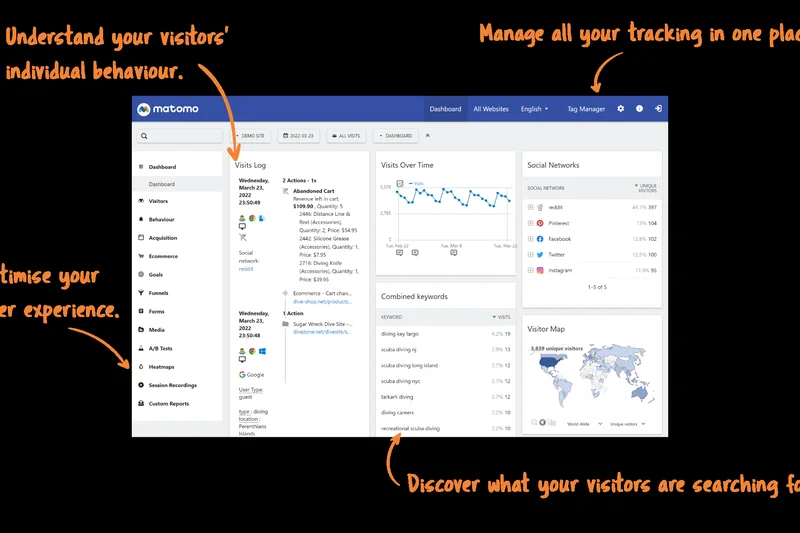
Why we picked it: Matomo continues to be a massive force in the open-source analytics space, offering a robust, privacy-centric alternative to mainstream data monopolies. The platform guarantees 100% data ownership, ensuring that user data is never shared or used for advertising purposes. We were particularly impressed by its comprehensive feature set, which includes cookieless tracking options, heatmaps, session recordings, and deep SEO goal tracking. Unlike many free tools, Matomo ensures there is absolutely no data sampling on reports, giving you highly accurate insights regardless of your traffic volume. The ability to deploy it on your own servers for free or use their affordable cloud hosting provides excellent flexibility for organizations of all sizes. While the interface can feel slightly dated and the initial setup for self-hosting requires some technical know-how, the sheer breadth of features—combined with its unimpeachable privacy credentials—makes Matomo an indispensable tool for governments, universities, and businesses dedicated to protecting user data while still requiring deep analytical capabilities.
Key Specs
- 100% data ownership & privacy
- No data sampling on reports
- Cookieless tracking options available
- Heatmaps and session recordings
- Comprehensive SEO & goal tracking
What we like
- Complete data ownership and privacy
- No data sampling
- Includes heatmaps and session recording
- Open-source with free self-hosting
What we don't like
- User interface feels somewhat dated
- Self-hosting requires server management skills
Best for: Privacy-conscious organizations, government entities, and businesses wanting full control over their analytics infrastructure.
Considering Matomo vs Google Analytics? Matomo provides 100% data ownership, no data sampling, and built-in heatmaps, making it a far superior choice for data sovereignty.
The premier open-source analytics platform offering total data ownership and comprehensive tracking tools.
Buy at Matomo official site#5 Mixpanel
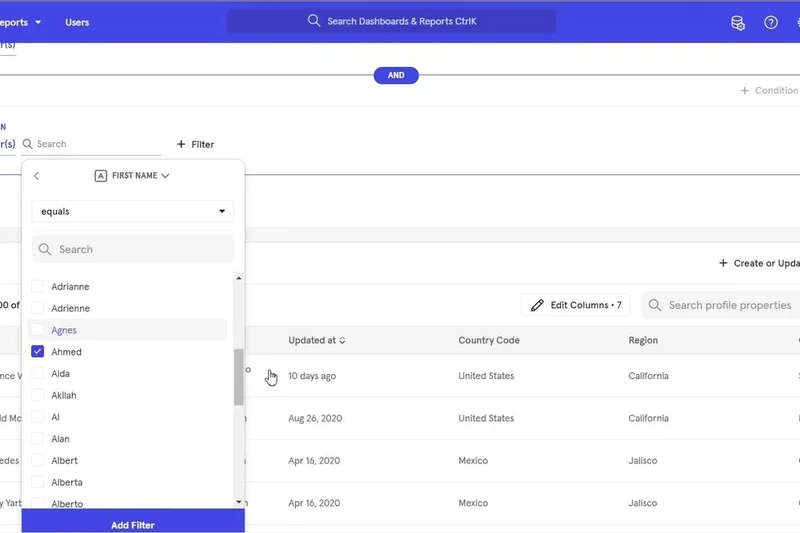
Why we picked it: Mixpanel is a legendary product analytics platform that has refined its offering to be more accessible and powerful than ever in 2026. Designed to track deep user interactions and behavioral cohorts rather than simple pageviews, Mixpanel excels at showing you exactly how users navigate your digital product. The interactive funnel analysis and retention reports are industry-leading, allowing product managers to identify drop-off points with pinpoint accuracy. We particularly love the new Spark AI query builder, which lets users ask plain-language questions to generate complex data charts instantly. Mixpanel also offers a highly generous free tier that includes 1 million events per month and unlimited user seats, making it a risk-free starting point for startups. While it requires a disciplined approach to event taxonomy during setup, the insights gained regarding user engagement and churn are invaluable. It integrates beautifully with modern data stacks, making it a top-tier choice for product-led growth companies.
Key Specs
- Interactive funnel analysis
- Behavioral segmentation & cohorts
- Spark AI query builder
- 1M free events per month
- Unlimited user seats
What we like
- Best-in-class funnel and retention analysis
- Spark AI query builder simplifies complex data
- Generous 1M event free tier
- Unlimited user seats
What we don't like
- Requires strict event planning and taxonomy
- Not ideal for basic website traffic tracking
Best for: Product managers and growth teams focused on user retention, feature adoption, and complex behavioral funnels.
Considering Mixpanel vs Amplitude? Mixpanel's user interface is slightly more intuitive for marketing teams, and its Spark AI query builder makes generating reports faster for non-analysts.
An exceptionally powerful product analytics tool that turns complex user behaviors into actionable growth insights.
Buy at Mixpanel official site#6 LogRocket
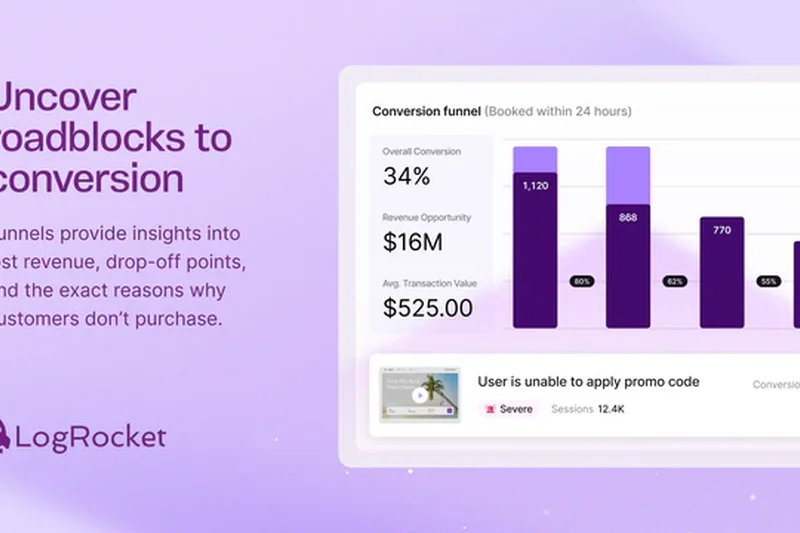


Why we picked it: LogRocket uniquely bridges the gap between frontend performance monitoring and behavioral analytics. It is unparalleled when it comes to identifying exactly why a user failed to convert. By combining pixel-perfect session replays with deep JavaScript error tracking and network request logging, LogRocket allows engineering and product teams to view issues exactly as the user experienced them. The standout feature in 2026 is their Galileo AI, which automatically detects friction points, rage clicks, and hidden UI errors, alerting your team before users complain. Advanced data masking ensures that sensitive PII is never recorded, maintaining strict compliance. While it is not designed to replace top-of-funnel marketing analytics, its ability to diagnose technical and UX barriers to conversion is unmatched. The free tier is solid, though pricing scales quickly as session volume grows. For teams focused on perfecting the user experience and crushing bugs, LogRocket is essential.
Key Specs
- Pixel-perfect session replay
- JavaScript error & exception tracking
- Network request & performance logging
- Galileo AI automated issue detection
- Advanced data masking
What we like
- Flawless session replays tied to technical logs
- Galileo AI proactively finds UX friction
- Excellent data masking for privacy
- Bridging dev and product teams seamlessly
What we don't like
- Can be expensive at high traffic volumes
- Overkill for simple marketing websites
Best for: Engineering, QA, and UX teams who need to diagnose exactly why users abandon forms or encounter errors.
Considering LogRocket vs Hotjar? LogRocket provides deep technical context (network logs, JS errors) alongside session replays, making it far superior for developers debugging complex web apps.
The ultimate tool for combining session replay with deep technical error monitoring to perfect user experiences.
Buy at LogRocket official site#7 Glassbox
Why we picked it: Glassbox provides enterprise-grade digital journey analytics, designed to help massive organizations understand and optimize every digital touchpoint across web and mobile apps. What sets Glassbox apart is its ability to autocapture every single user interaction without requiring manual event tagging, ensuring that no data is ever lost or untracked. Its AI-driven struggle detection automatically quantifies the revenue impact of specific UX issues, allowing teams to prioritize fixes based on financial ROI rather than guesswork. The platform offers incredibly high-fidelity session replays combined with advanced performance monitoring. Glassbox also boasts exceptional security and compliance features, making it a favorite for banks, insurance companies, and massive e-commerce retailers. Because it is a premium enterprise solution with custom pricing, it is entirely out of reach for small businesses. However, for massive digital operations requiring absolute clarity on user struggles and revenue leakage, Glassbox is a formidable investment.
Key Specs
- Web & mobile app session replay
- AI-driven struggle detection
- Impact quantification engine
- Advanced performance & error monitoring
- Enterprise-grade security & compliance
What we like
- Autocaptures 100% of user events seamlessly
- Quantifies revenue impact of UX issues
- Top-tier enterprise security and compliance
- Exceptional cross-platform analytics
What we don't like
- Enterprise pricing only; very expensive
- Implementation can be resource-intensive
Best for: Large enterprises and financial institutions needing total visibility into customer journeys and struggle quantification.
Considering Glassbox vs FullStory? Both offer incredible session replay, but Glassbox provides deeper enterprise security features and advanced financial impact quantification for large-scale operations.
A premium, enterprise-grade journey analytics platform that ties UX struggles directly to revenue impact.
Buy at Glassbox official site#8 Amplitude
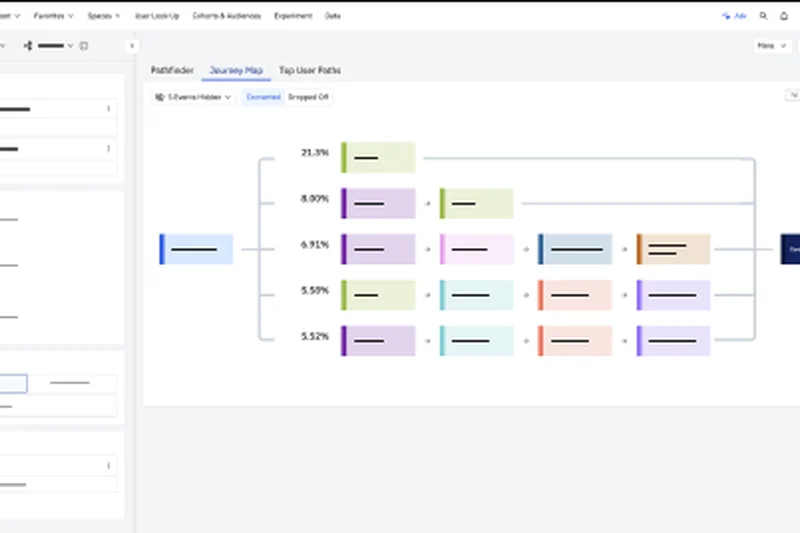
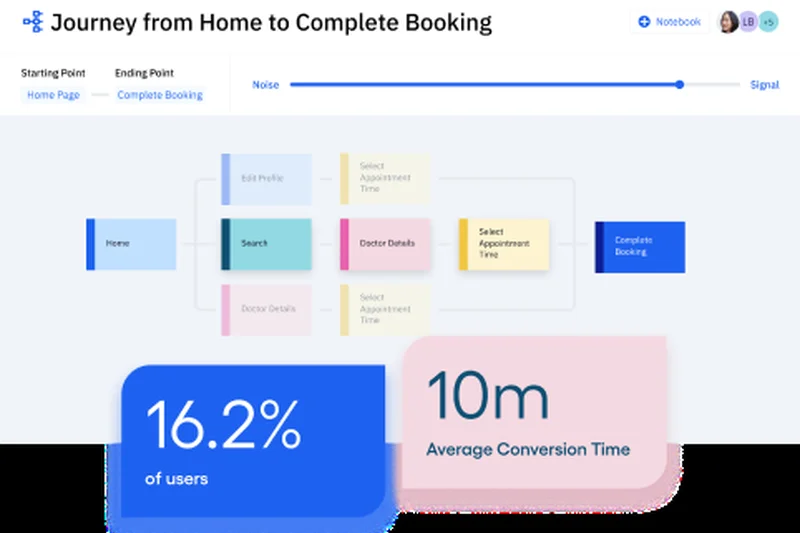
Why we picked it: Amplitude remains a heavyweight in the product analytics sector, providing incredibly deep insights into user behavior, feature adoption, and cross-product analysis. Its core strength lies in its ability to handle massive datasets in real-time, allowing product teams to run complex behavioral cohorts and funnel analyses instantaneously. We highly rate its automated insights and anomaly detection, which proactively alert teams to unexpected spikes or drops in key metrics. In 2026, Amplitude has integrated session replay and A/B testing natively, making it a much more comprehensive platform. The free tier, allowing up to 50k Monthly Tracked Users (MTUs), is exceptionally generous for scaling startups. While the sheer volume of features and the complexity of the interface can be intimidating for casual marketers, it is a goldmine for dedicated data analysts and product managers. If your goal is to deeply understand the "why" behind user retention and engagement, Amplitude is a phenomenal tool.
Key Specs
- Automated insights & anomaly detection
- Session replay & A/B testing
- Up to 50k MTUs on free tier
- Cross-product analysis
- Real-time user behavioral tracking
What we like
- Extremely powerful behavioral cohort analysis
- Generous 50k MTU free tier
- Proactive anomaly detection alerts
- Integrated session replay and experimentation
What we don't like
- Steep learning curve for new users
- Data taxonomy requires strict governance
Best for: Data-driven product teams and analysts who need deep behavioral insights and anomaly detection.
Considering Amplitude vs Mixpanel? Amplitude offers slightly stronger data governance and anomaly detection tools, making it preferable for highly complex, multi-product ecosystems.
A top-tier product analytics powerhouse designed to dissect complex user behaviors and drive retention.
Buy at Amplitude official site#9 Smartlook
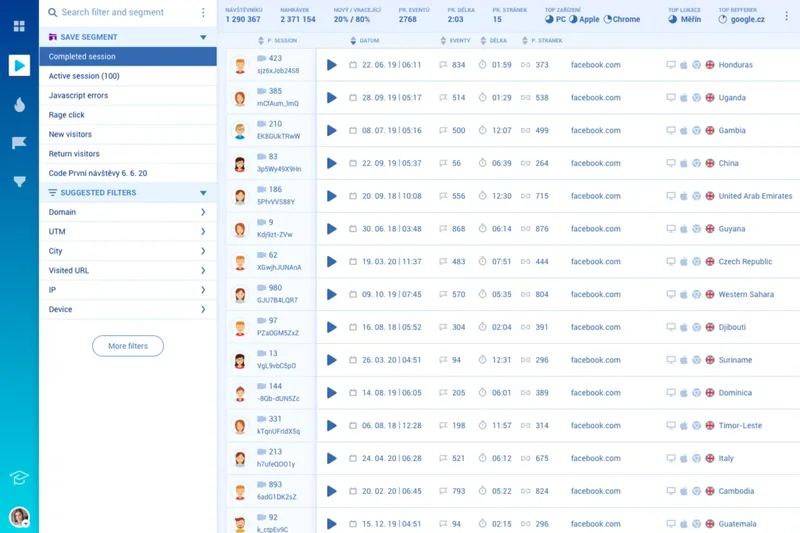
Why we picked it: Smartlook, now backed by Cisco, provides an excellent blend of qualitative and quantitative analytics for both web and mobile applications. It automatically records always-on session replays, allowing you to watch exactly how users navigate your platform. What makes Smartlook particularly valuable is its retroactive funnel analysis. Because it autocaptures events, you can define a new conversion funnel today and instantly see historical data for it, eliminating the wait time usually required to gather data after setting up a new event. The cross-platform user journey mapping is robust, providing a unified view of users moving between mobile apps and the web. While the interface is friendly, sorting through thousands of recordings can be tedious without strict filtering. Overall, it’s a versatile and powerful tool for mid-market teams looking to combine crash reporting, session replays, and event tracking into one cohesive dashboard.
Key Specs
- Always-on session recordings
- Automatic event tracking
- Retroactive funnel analysis
- Cross-platform user journey mapping
- Crash & error reporting
What we like
- Retroactive funnel analysis is incredibly useful
- Always-on session recordings
- Excellent web and mobile app integration
- Affordable entry-level pricing
What we don't like
- Sifting through recordings can be time-consuming
- Mobile SDK can occasionally impact app performance
Best for: Mid-market businesses needing both qualitative session replays and quantitative event tracking across web and mobile.
Considering Smartlook vs Hotjar? Smartlook offers stronger mobile app analytics and better retroactive event tracking, making it superior for cross-platform businesses.
A comprehensive behavioral analytics tool that brilliantly combines session replays with retroactive funnel tracking.
Buy at Smartlook official site#10 FullStory

Why we picked it: FullStory is synonymous with high-fidelity session replay and Digital Experience Intelligence (DXI). Its DX Data Engine is an absolute marvel, indexing every single click, scroll, and page mutation automatically without any manual event tagging. This allows you to search your user sessions like you would search Google. FullStory excels at identifying frustration signals—such as rage clicks, dead clicks, and thrashed cursors—highlighting precisely where your UI is failing your customers. The platform's advanced funnel and conversion analyses are highly visual and intuitive. Furthermore, FullStory offers robust user privacy controls, ensuring sensitive data is masked at the source. While it offers a free tier, scaling up can become very expensive, placing it firmly in the enterprise category for high-traffic sites. If your organization prioritizes a flawless user experience and needs to quickly identify and resolve UI/UX friction, FullStory's un-sampled, indexed data approach is incredibly powerful.
Key Specs
- High-fidelity session replay
- DX Data Engine indexing every event
- Frustration signal detection (rage clicks)
- Advanced funnel and conversion analysis
- Robust user privacy & data management
What we like
- Indexes every interaction automatically
- Brilliant frustration signal detection
- High-fidelity, smooth session replays
- Excellent data privacy and masking tools
What we don't like
- Pricing is opaque and scales very high
- Can be resource-heavy on the client side
Best for: UX designers, product managers, and enterprise teams relentlessly focused on perfecting digital experiences.
Considering FullStory vs LogRocket? FullStory focuses slightly more on the overall UX and frustration signals, while LogRocket provides deeper code-level error logs for developers.
The industry standard for session replay, offering magical searchability and automated frustration detection.
Buy at FullStory official site#11 Pirsch Analytics
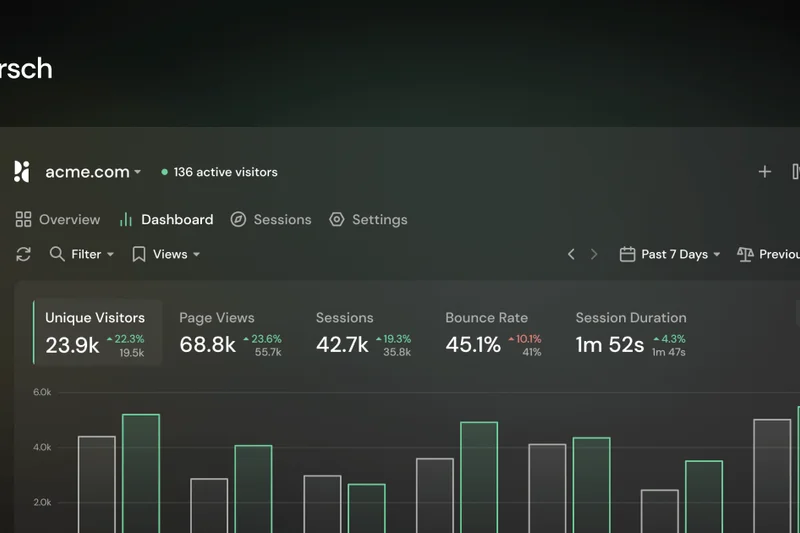
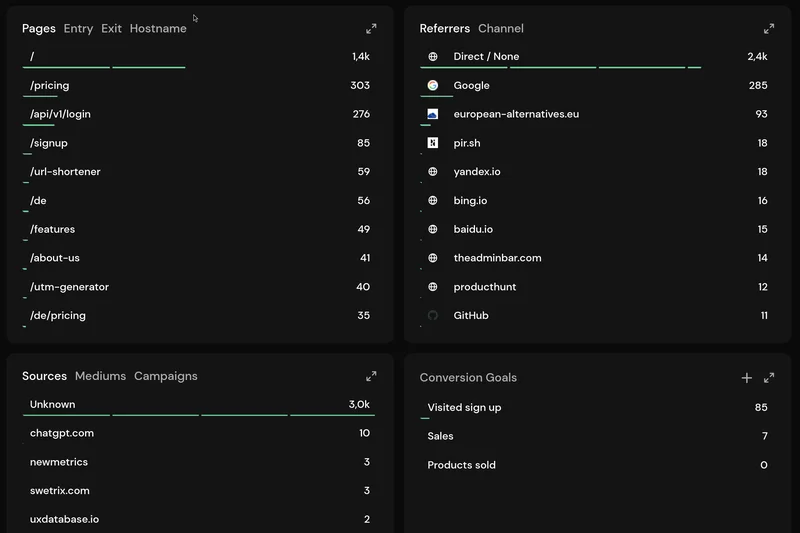
Why we picked it: Pirsch Analytics is a beautifully designed, privacy-friendly analytics tool made and hosted in Germany. Built on an open-source core, it offers a totally cookieless experience, removing the need for annoying consent banners. We love its built-in URL shortener and simple, scalable pricing starting at just $5/mo.
Key Specs
- Open-source core
- Made and hosted in Germany
- Built-in URL shortener & UTM tracking
- Powerful API and developer SDKs
- Simple & scalable pricing
What we like
- Extremely affordable starting price
- Cookieless and fully GDPR compliant
- Fast, lightweight, and open-source core
What we don't like
- Lacks deep behavioral funnels
- No session recordings
Best for: Bloggers, indie hackers, and small businesses wanting cheap, beautiful, privacy-first analytics.
Considering Pirsch vs Plausible? Pirsch is slightly cheaper and includes a handy built-in URL shortener, making it great for creators and solopreneurs.
A gorgeous, highly affordable cookieless analytics tool perfect for simple traffic monitoring.
Buy at Pirsch official site#12 Heap

Why we picked it: Heap's philosophy is simple: autocapture everything. Instead of requiring engineers to manually tag every button or form, Heap collects all user interactions from day one. You can retroactively define events later, which is a massive time-saver. It features deep funnel analytics and journey mapping to spot drop-offs effortlessly. Up to 10k free sessions per month makes it accessible for early-stage companies.
Key Specs
- Autocapture of all user events
- Retroactive analysis capabilities
- Deep funnel analytics
- Journey mapping & drop-off detection
- Up to 10k free sessions/mo
What we like
- Autocaptures all data without coding
- Retroactive event definitions
- Strong funnel and retention analysis
What we don't like
- Data can become messy without strict naming conventions
- Custom pricing can be expensive
Best for: Product and marketing teams who want to track everything without waiting on developers to tag events.
Considering Heap vs Mixpanel? Heap's autocapture means faster time-to-insight without coding, whereas Mixpanel requires deliberate event planning but offers slightly deeper analysis tools.
A powerful analytics platform that autocaptures every interaction, enabling retroactive insights instantly.
Buy at Heap official site#13 Parse.ly
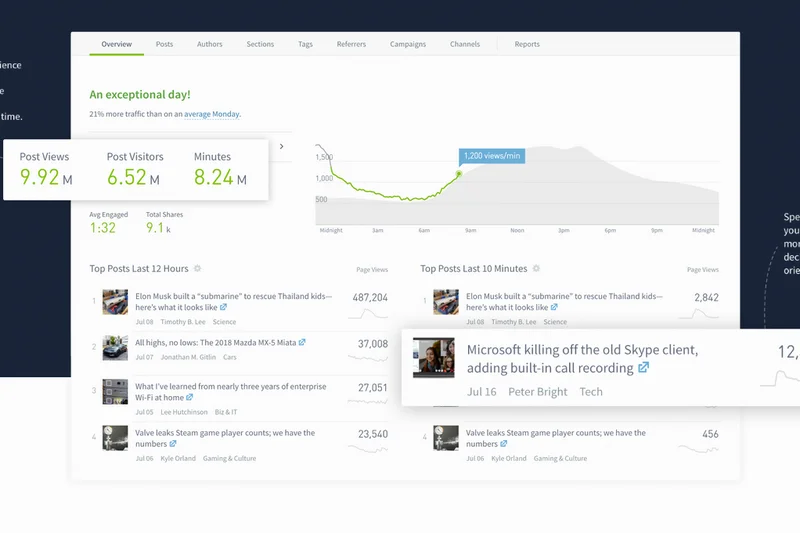
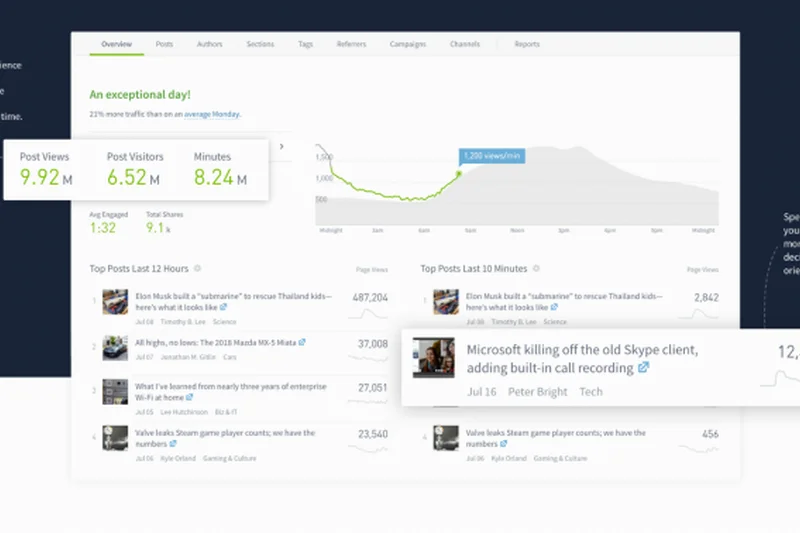
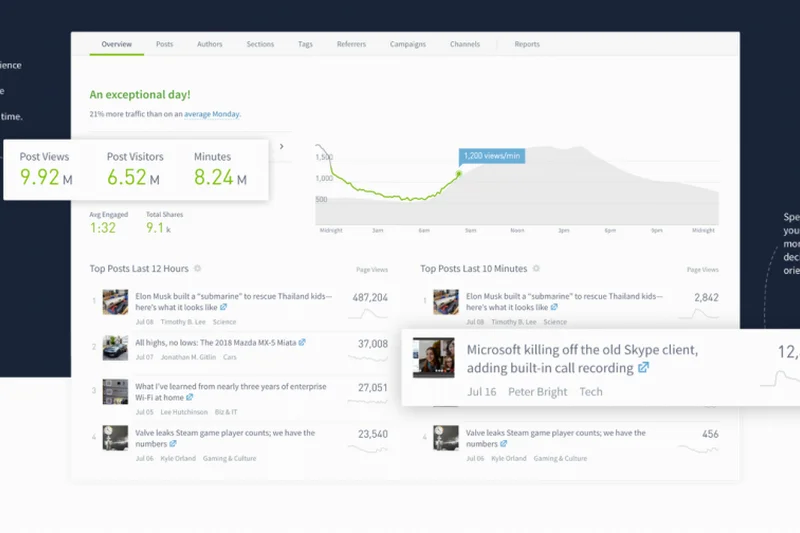
Why we picked it: Parse.ly is the premier content analytics platform, built specifically for publishers and media companies. Rather than focusing on e-commerce funnels, it provides real-time editorial dashboards that highlight which articles, authors, and topics are driving audience engagement. Its audience-centric metrics and deep geographic segmentation are unmatched for newsrooms.
Key Specs
- Audience-centric content metrics
- Real-time editorial dashboards
- Video and newsletter tracking
- API for content recommendations
- Deep geographic & audience segmentation
What we like
- Perfectly tailored for editorial and content teams
- Real-time dashboard for newsrooms
- Excellent video and newsletter tracking
What we don't like
- Not suitable for e-commerce or SaaS
- Custom pricing only
Best for: Publishers, media conglomerates, and large content marketing teams needing editorial insights.
Considering Parse.ly vs Google Analytics? Parse.ly is purpose-built for content, tracking authors and topics effortlessly, whereas GA requires massive customization to achieve the same result.
The gold standard for content analytics, empowering editorial teams with real-time audience insights.
Buy at Parse.ly official site#14 Hotjar

Why we picked it: Hotjar remains the go-to tool for visual behavior analytics. It excels at showing you what quantitative data cannot through dynamic heatmaps, session recordings, and on-site feedback polls. By tracking rage clicks and scroll depth, it immediately highlights UX flaws. The free tier is generous, making it an essential companion to traditional traffic trackers.
Key Specs
- Dynamic heatmaps & click tracking
- User session recordings
- Built-in feedback polls & surveys
- Frustration tracking (rage clicks)
- Integration with web analytics tools
What we like
- Industry-leading heatmaps and recordings
- Built-in user feedback surveys
- Very easy to install and use
What we don't like
- Can slow down site performance slightly
- Not a replacement for quantitative traffic analytics
Best for: Marketers and UX designers needing qualitative insights and visual heatmaps to optimize landing pages.
Considering Hotjar vs Crazy Egg? Hotjar includes excellent user feedback polls and surveys alongside heatmaps, making it a more well-rounded UX research tool.
The quintessential visual analytics tool for heatmaps, recordings, and direct user feedback.
Buy at Hotjar official site#15 Plausible Analytics
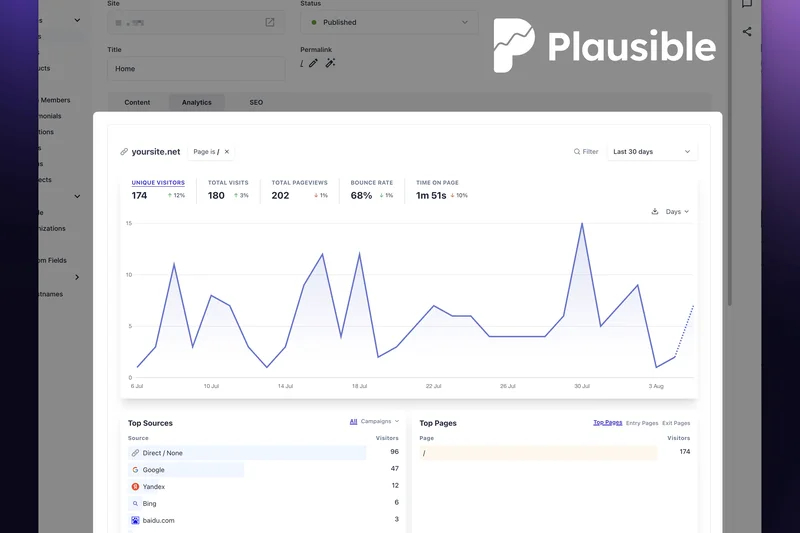
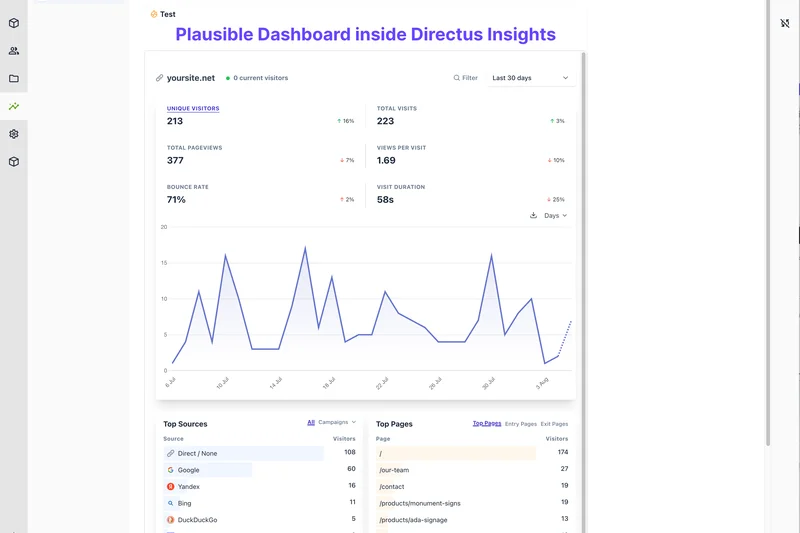
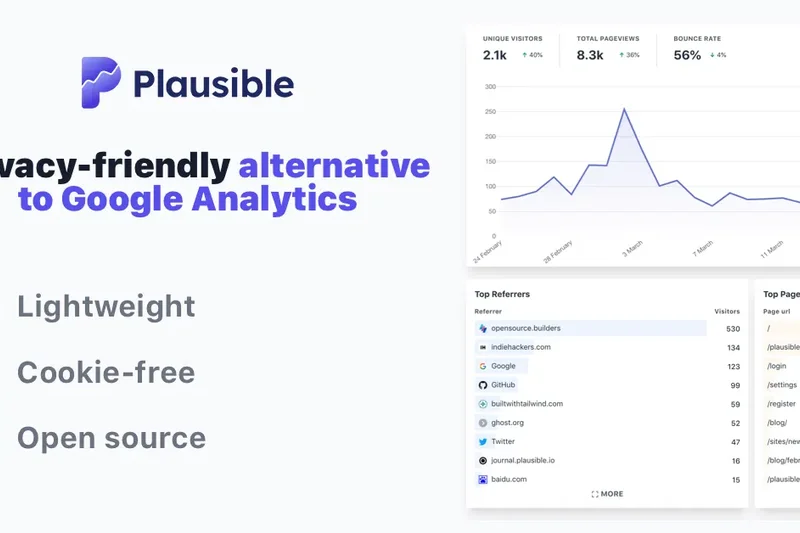
Why we picked it: Plausible Analytics is the darling of the privacy-first movement. Its incredibly lightweight script (<1KB) ensures your site loads instantly, while its 100% cookieless tracking means you can legally ditch the GDPR consent banner. The single-page dashboard is a masterclass in clarity, giving you all the traffic insights you need at a glance.
Key Specs
- Extremely lightweight script (<1KB)
- 100% cookie-free tracking
- No GDPR consent banner required
- Open-source & self-hostable
- Transparent single-page dashboard
What we like
- No cookie banner required legally
- Ultra-lightweight script boosts SEO speed
- Beautiful, simple, and transparent UI
What we don't like
- Lacks advanced event funneling
- No user-level demographic data
Best for: Bloggers, startups, and privacy-conscious businesses who want fast, simple, and ethical traffic tracking.
Considering Plausible vs Google Analytics 4? Plausible respects user privacy, doesn't require a cookie banner, and provides a much simpler, faster dashboard without the GA4 complexity.
A beautifully simple, fast, and privacy-friendly alternative to bloated legacy analytics tools.
Buy at Plausible official site#16 Fathom Analytics
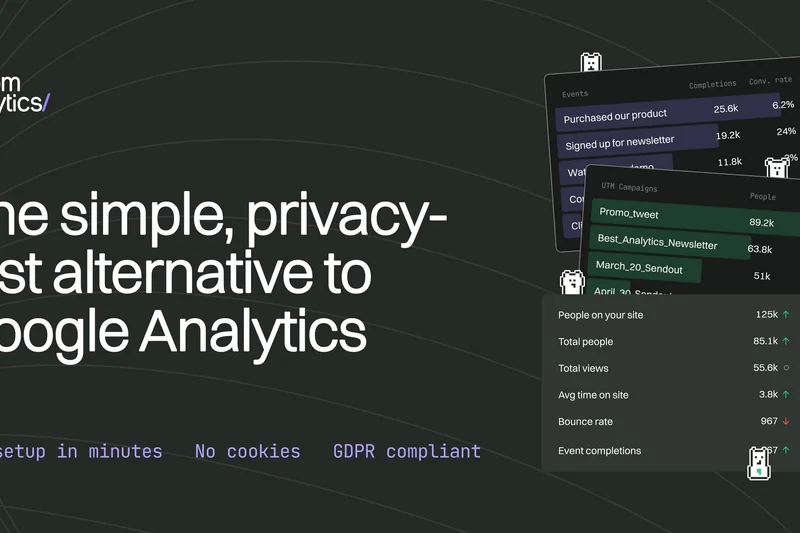
Why we picked it: Fathom Analytics is a pioneer in privacy-first web analytics. By using an ingenious cookieless tracking methodology, it completely complies with GDPR and CCPA while effectively bypassing ad-blockers to give you highly accurate traffic data. The dashboard is fast and intuitive, and the lightweight script won't impact your Core Web Vitals.
Key Specs
- Bypasses ad-blockers for accurate data
- Cookieless tracking methodology
- Complete GDPR & CCPA compliance
- Fast loading minimal script
- Real-time visitor dashboard
What we like
- Bypasses ad-blockers for accurate counts
- Strict GDPR/CCPA compliance
- Extremely fast and lightweight
What we don't like
- No free tier available
- Limited custom event tracking capabilities
Best for: Businesses and creators who value user privacy and want highly accurate traffic counts without ad-blocker interference.
Considering Fathom vs Plausible? Both are excellent privacy-first tools, but Fathom's advanced ad-blocker bypassing technology often yields slightly more accurate total visitor counts.
A fast, ethical, and highly accurate privacy-first analytics platform that reliably bypasses ad-blockers.
Buy at Fathom official site#17 Microsoft Clarity
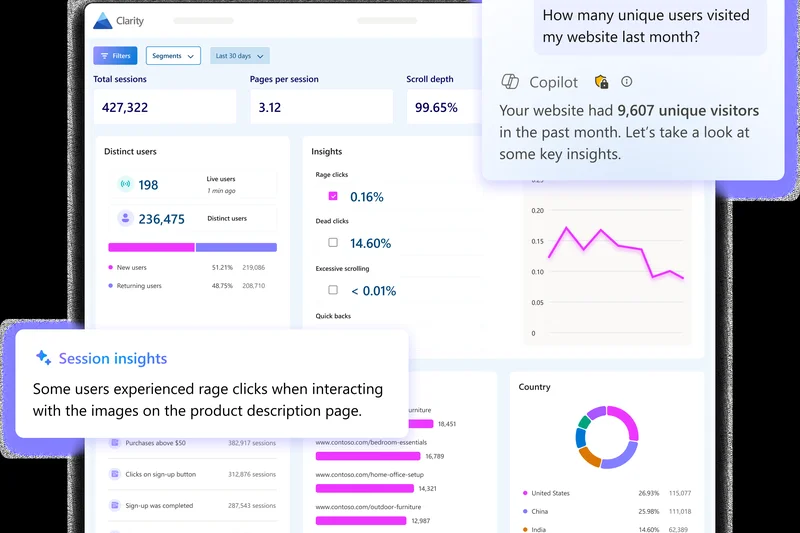
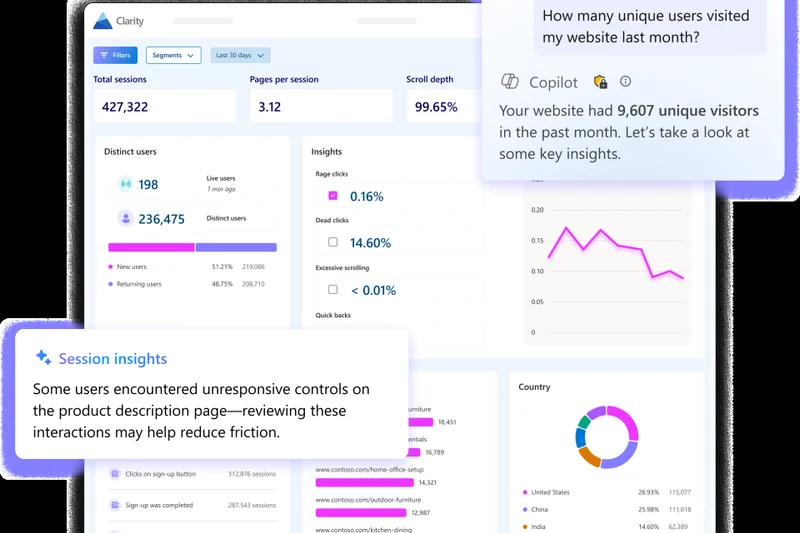
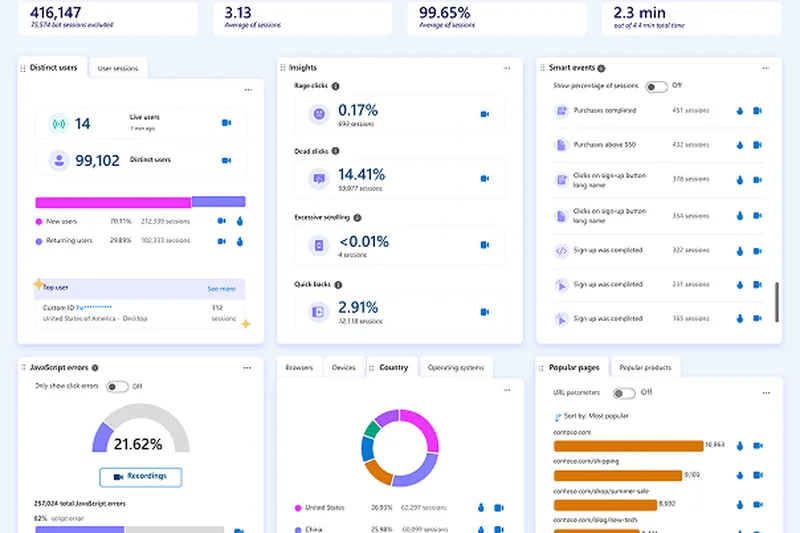
Why we picked it: Microsoft Clarity is a phenomenal, 100% free behavioral analytics tool. It offers unlimited heatmaps, session recordings, and traffic tracking with absolutely no traffic limits. The recent addition of AI-powered session summaries makes digesting user behavior faster than ever. It also integrates seamlessly with Google Analytics, adding a powerful qualitative layer to your quantitative data.
Key Specs
- 100% free with unlimited traffic
- AI-powered session summaries
- Rage click & dead click detection
- Deep integration with Google Analytics
- Scroll & click heatmaps
What we like
- Completely free with unlimited traffic limits
- Excellent heatmaps and session recordings
- AI summaries save hours of review time
What we don't like
- Slightly impacts page load speeds
- Lacks deep quantitative funnel reporting
Best for: Budget-conscious businesses and marketers needing free, unlimited heatmaps and session recordings.
Considering Microsoft Clarity vs Hotjar? Clarity is completely free with unlimited recordings, making it the unbeatable choice for value, though Hotjar offers better survey tools.
An unbeatable free behavioral analytics tool providing unlimited heatmaps and AI-summarized session recordings.
Buy at Microsoft official site#18 GoSquared
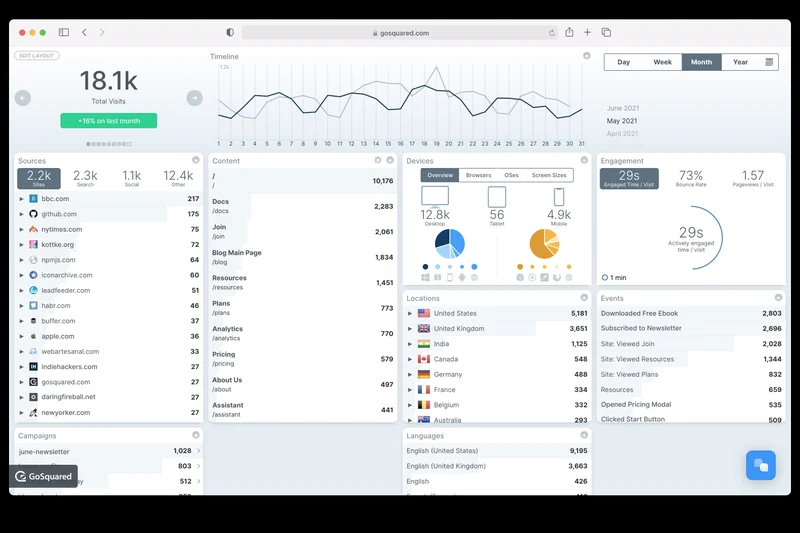
Why we picked it: GoSquared combines real-time web analytics with intelligent lead capture and live chat. Its up-to-the-second traffic dashboard is highly addictive, giving marketers immediate feedback on campaign launches. With strict GDPR compliance and easy UTM tracking, it is a fantastic all-in-one suite for small businesses looking to turn visitors into leads.
Key Specs
- Up-to-the-second traffic dashboard
- Strict GDPR & privacy compliance
- Daily automated email reports
- Intelligent lead capture & chat
- UTM campaign tracking
What we like
- Beautiful, truly real-time dashboard
- Integrated live chat and lead capture
- Strong privacy and GDPR compliance
What we don't like
- Analytics depth is somewhat basic
- Pricing scales up quickly with traffic
Best for: SaaS and service businesses wanting to combine real-time traffic monitoring with proactive live chat sales.
Considering GoSquared vs Google Analytics? GoSquared provides a much better real-time experience and integrates chat, making it far superior for immediate lead generation.
A sleek, real-time analytics platform that integrates lead capture and live chat seamlessly.
Buy at GoSquared official site#19 HockeyStack
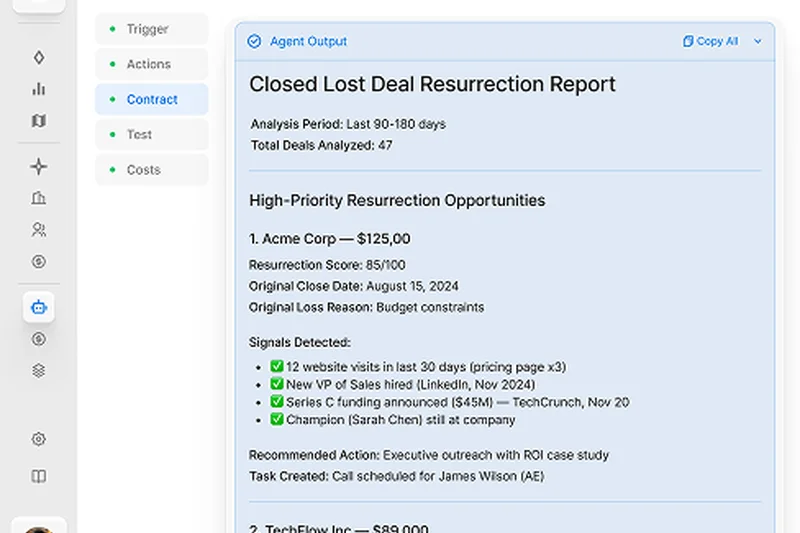
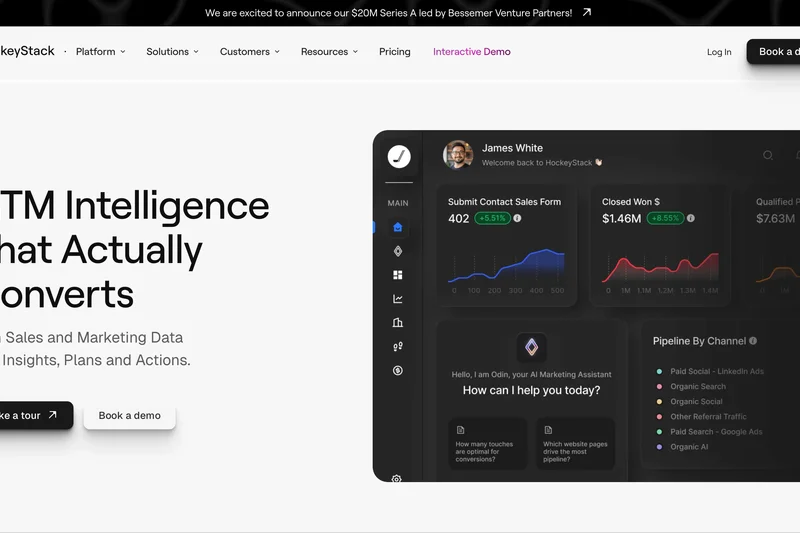
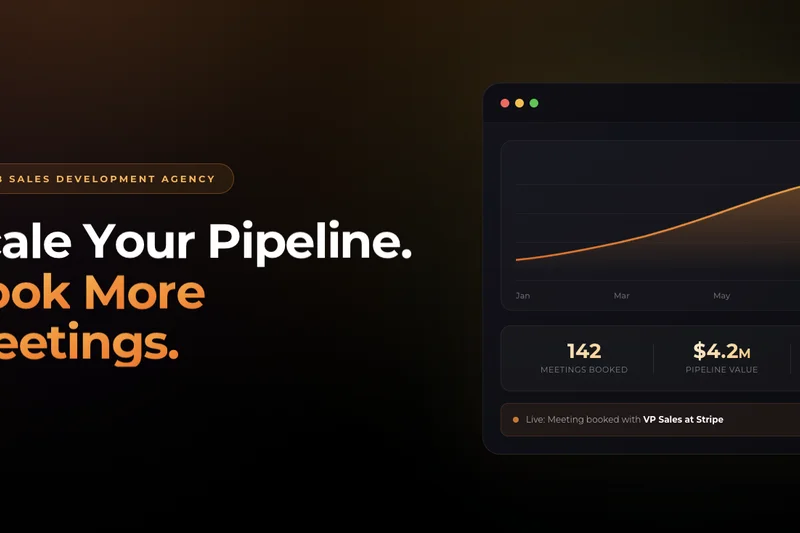
Why we picked it: HockeyStack is an elite B2B attribution and analytics platform. It unifies your website tracking with your CRM data (like Salesforce or HubSpot) to provide true multi-touch marketing attribution. It maps out the entire account-based buyer journey, showing exactly which campaigns drove revenue. Its AI insights agent, Odin, answers complex attribution queries instantly.
Key Specs
- Multi-touch marketing attribution
- Unified CRM and web data tracking
- AI-powered insights agent (Odin)
- Account-based buyer journey mapping
- LinkedIn impression tracking
What we like
- Flawless B2B multi-touch attribution
- Unifies CRM and website data natively
- Tracks LinkedIn ad impressions effectively
What we don't like
- Very expensive starting price ($1,399/mo)
- Requires clean CRM data to be effective
Best for: B2B marketing teams running complex, multi-channel campaigns who need to prove exact pipeline ROI.
Considering HockeyStack vs standard analytics? Standard tools track clicks; HockeyStack tracks entire B2B accounts across months of interactions, directly tying marketing to closed revenue.
The ultimate B2B marketing attribution platform for unifying CRM data and proving campaign ROI.
Buy at HockeyStack official site#20 OWOX BI
Why we picked it: OWOX BI is a powerful marketing data pipeline and analytics platform designed to automate data extraction from over 135 sources. It specializes in transparent attribution modeling and feeds clean, blended data directly into Google BigQuery. For data-driven marketing teams running multi-channel ads, OWOX is essential for creating customizable data marts and cookieless tracking setups.
Key Specs
- Automated data extraction from 135+ sources
- Transparent attribution modeling
- Cookieless tracking support
- Seamless Google BigQuery integration
- Customizable data marts
What we like
- Automates complex marketing data pipelines
- Excellent BigQuery integration
- Advanced, transparent attribution models
What we don't like
- Requires SQL knowledge for full utilization
- Setup can be complex for small teams
Best for: Advanced marketing analysts and data scientists needing to blend multi-channel ad data into BigQuery.
Considering OWOX BI vs native ad reports? OWOX blends data from Facebook, Google, and CRMs to provide unbiased, cross-channel attribution, avoiding platform-specific over-reporting.
A robust data pipeline and BI tool for marketers who need advanced attribution and BigQuery integration.
Buy at OWOX official site#21 Independent Analytics
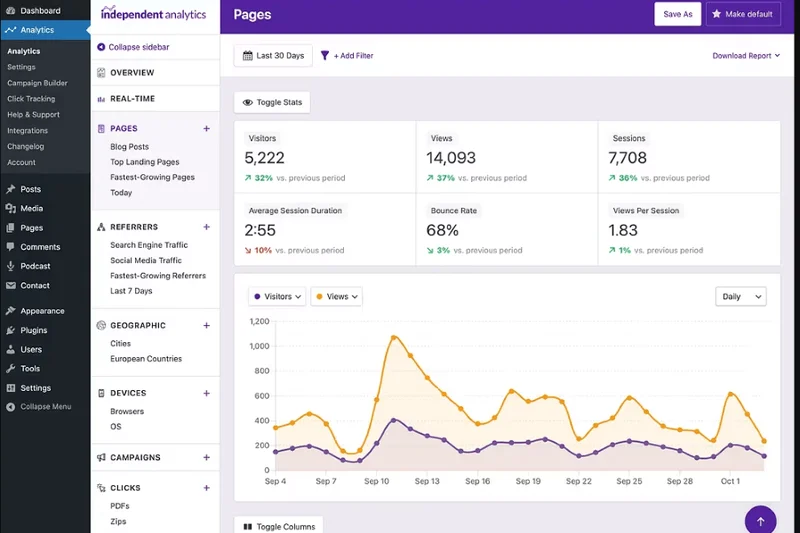
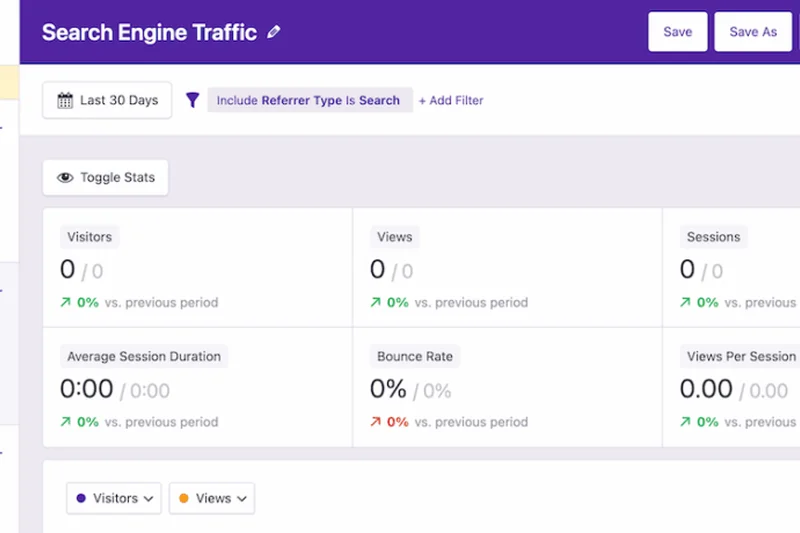
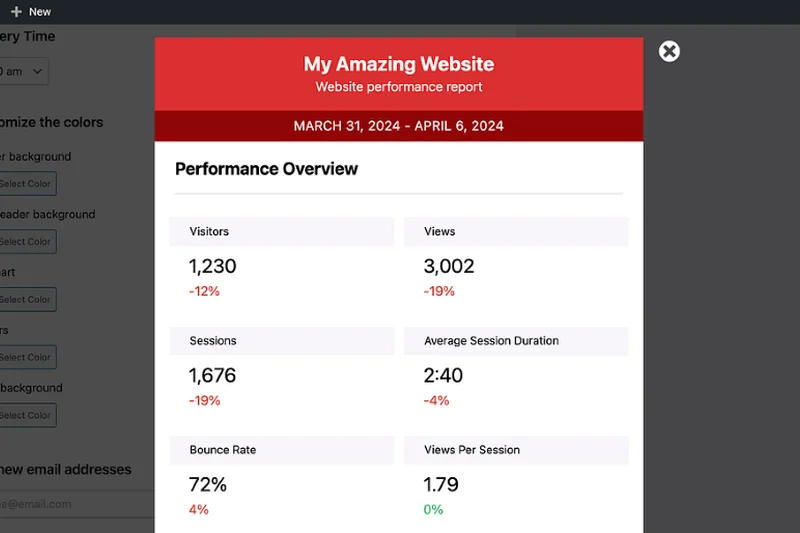
Why we picked it: Independent Analytics is a unique, native analytics plugin for WordPress. It runs entirely inside the WP admin dashboard, making zero external server calls, which ensures total GDPR compliance and blazing fast page speeds. With a free core version and a Pro tier for deep WooCommerce integration, it is the perfect choice for WordPress purists.
Key Specs
- Runs entirely inside WordPress admin
- Zero external server calls
- WooCommerce integration (Pro)
- Real-time traffic stats
- Lightweight & GDPR compliant
What we like
- Zero external server calls boosts speed
- Runs natively inside WordPress dashboard
- Excellent WooCommerce tracking in Pro
What we don't like
- Only works on WordPress websites
- Limited custom event tracking
Best for: WordPress site owners and WooCommerce stores wanting fast, native, and GDPR-compliant analytics.
Considering Independent Analytics vs Google Analytics? Independent Analytics keeps all data on your own server, loads faster, and doesn't require users to leave the WordPress dashboard.
The best native WordPress analytics solution, offering fast, cookieless tracking without external scripts.
Buy at Independent Analytics official site#22 Chartbeat
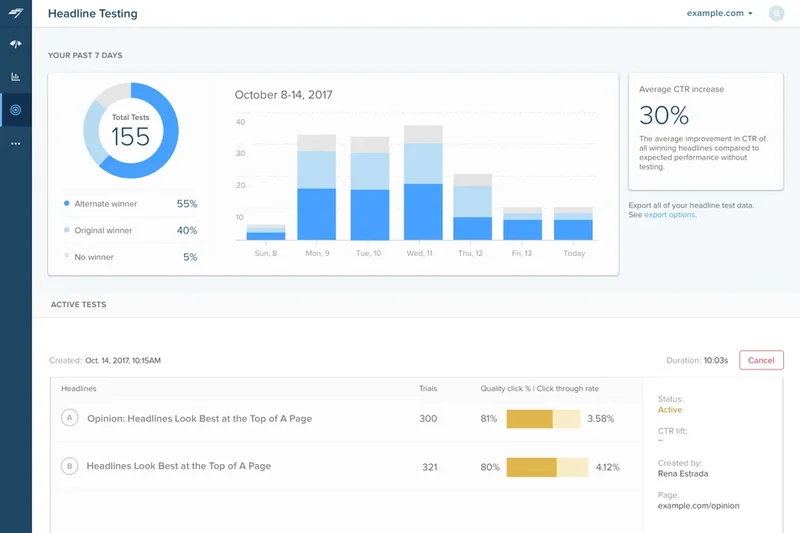
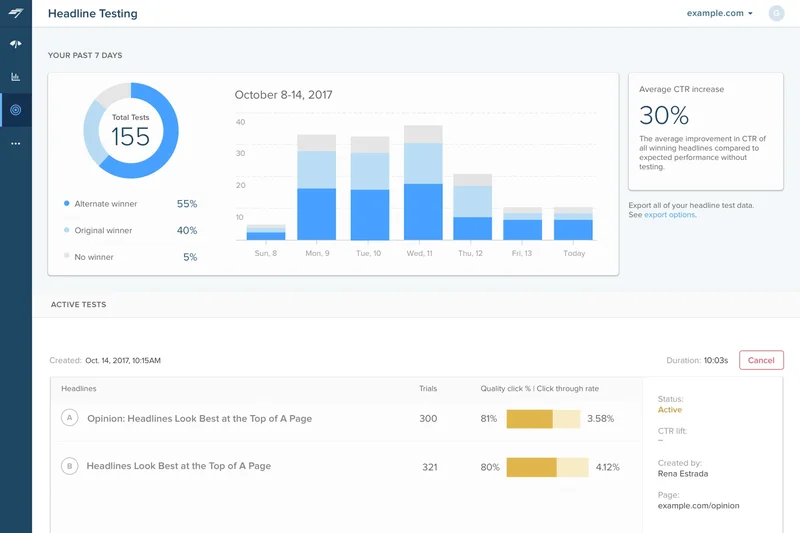
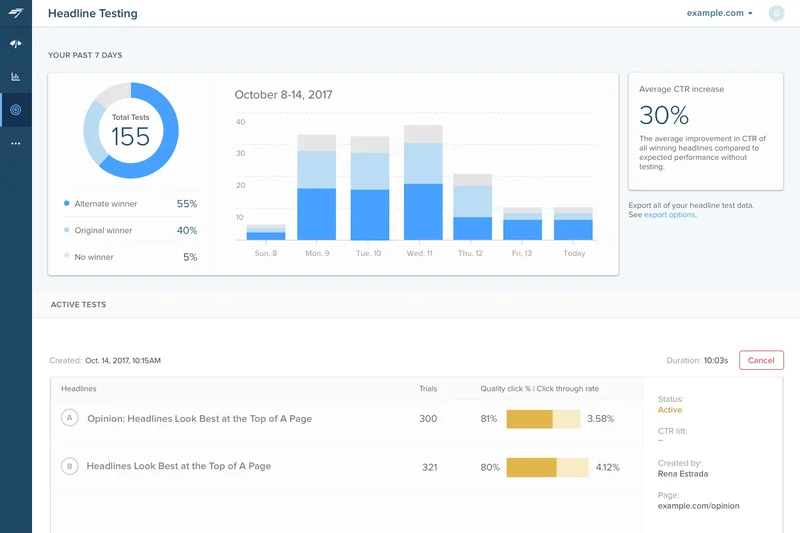
Why we picked it: Chartbeat is an iconic publishing analytics tool that focuses entirely on real-time reader engagement. Its Heads-Up Display overlays live stats directly onto your homepage, showing editors exactly where readers are clicking. With built-in headline and image A/B testing, it empowers newsrooms to maximize engagement instantly. It is indispensable for high-volume media sites.
Key Specs
- Real-time reader engagement tracking
- Heads-Up Display for on-page stats
- Headline and image A/B testing
- Video content dashboard
- Deep historical performance reporting
What we like
- Incredible real-time engagement metrics
- Heads-Up Display overlay is highly useful
- Native headline A/B testing
What we don't like
- Expensive custom pricing
- Not designed for e-commerce tracking
Best for: Major digital publishers and newsrooms needing real-time insights to optimize headlines and content placement.
Considering Chartbeat vs Parse.ly? Both are excellent for publishers, but Chartbeat’s Heads-Up Display and real-time A/B testing give it a slight edge for fast-paced, breaking news environments.
A powerful, real-time engagement analytics suite built to optimize digital newsrooms and publishing sites.
Buy at Chartbeat official site#23 Snowplow Analytics
Why we picked it: Snowplow is the heavy-hitter of behavioral data platforms. It allows data scientists to build a completely custom, first-party data collection infrastructure. You have complete control over event validation, data governance, and your pipeline, routing rich behavioral data directly to Snowflake or BigQuery. It is complex, open-source, and immensely powerful.
Key Specs
- First-party data collection infrastructure
- Complete control over data pipeline
- Integrates with Snowflake & BigQuery
- Custom event validation & governance
- Designed for data scientists & engineers
What we like
- Total control over first-party data pipelines
- Strict event validation and data governance
- Direct integration with major data warehouses
What we don't like
- Requires significant engineering resources
- No out-of-the-box UI for simple reporting
Best for: Data engineering teams at large enterprises needing to build robust, custom behavioral data pipelines.
Considering Snowplow vs Google Analytics 4? Snowplow provides raw, unsampled data with total schema control, making it vastly superior for dedicated data science teams running complex models.
An elite behavioral data infrastructure tool for enterprises wanting total control over their data pipeline.
Buy at Snowplow official site#24 Umami Analytics
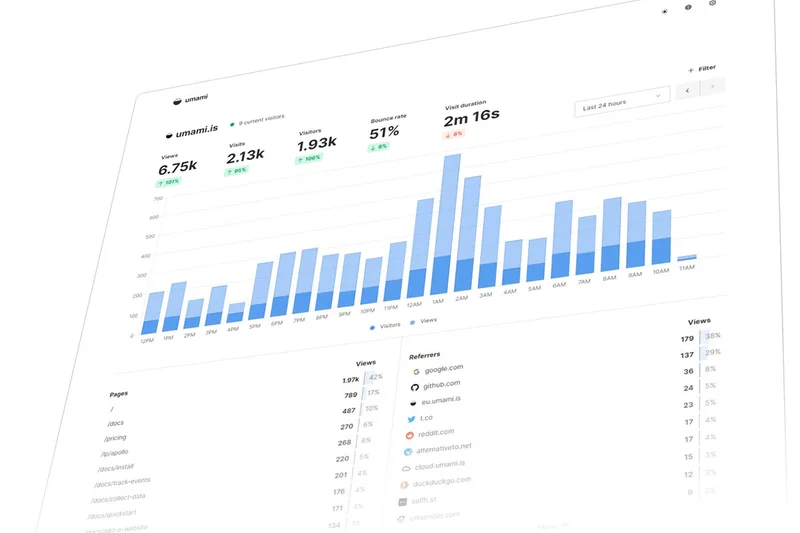
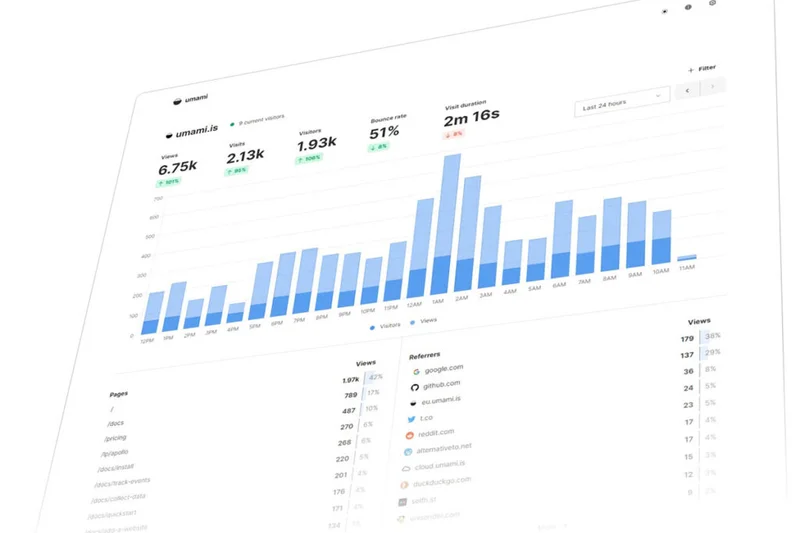
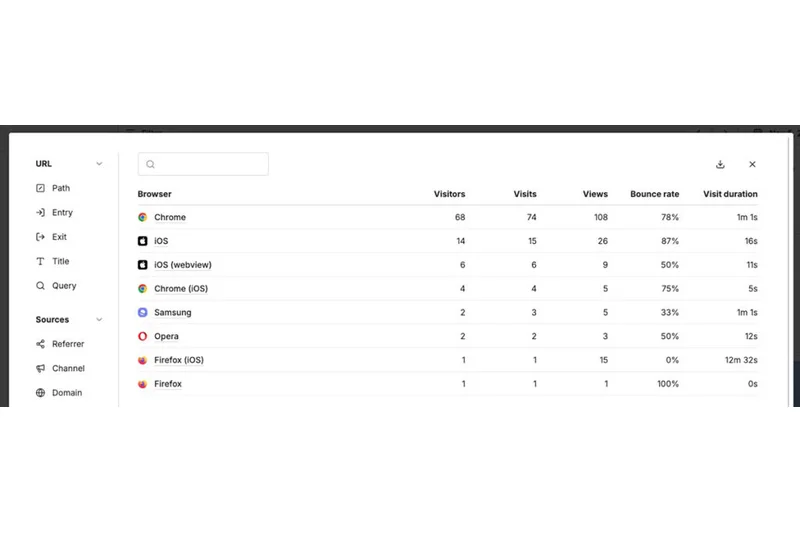
Why we picked it: Umami is a fast, open-source, privacy-focused analytics alternative. Backed by a speedy PostgreSQL database, it provides a clean, real-time traffic dashboard without using cookies. It allows unlimited websites on its free tier if you self-host, and gives you 100% data ownership. It’s an elegant, developer-friendly solution for tracking web traffic legally.
Key Specs
- No cookie banners required
- 100% data ownership when self-hosted
- Unlimited websites on free tier
- Real-time traffic dashboard
- Fast PostgreSQL backend
What we like
- Completely cookieless and privacy compliant
- Fast, open-source, and easy to self-host
- Beautiful, intuitive dashboard
What we don't like
- Basic feature set compared to enterprise tools
- Requires technical skill to self-host effectively
Best for: Developers and privacy advocates who want a fast, self-hosted, and beautiful traffic tracking dashboard.
Considering Umami vs Plausible? Both are excellent open-source privacy tools, but Umami’s UI is slightly more customizable and the self-hosting process is very straightforward for developers.
A sleek, open-source, cookieless analytics tool that provides fast insights while respecting user privacy.
Buy at Umami official site#25 Lucky Orange

Why we picked it: Lucky Orange is a fantastic, budget-friendly conversion optimization suite. It combines dynamic heatmaps, session recordings, form analytics, and real-time live chat into a single platform. The Discovery AI insights help surface interesting user behaviors automatically. For small e-commerce stores looking to understand why users abandon their carts, Lucky Orange offers tremendous value.
Key Specs
- Dynamic heatmaps & scroll tracking
- Session recordings & user logs
- Real-time chat & lead capture
- Conversion funnels & form analytics
- Discovery AI insights
What we like
- All-in-one suite (heatmaps, chat, recordings)
- Very affordable pricing starting at $39/mo
- Excellent form analytics for e-commerce
What we don't like
- Interface can feel a bit cluttered
- Session recordings can impact site speed
Best for: Small to mid-sized e-commerce businesses needing an affordable mix of heatmaps, recordings, and live chat.
Considering Lucky Orange vs Hotjar? Lucky Orange includes live chat and deep form analytics at a lower price point, making it arguably better for small e-commerce sites.
An affordable, all-in-one conversion optimization tool packed with heatmaps, recordings, and chat features.
Buy at Lucky Orange official site#26 Adobe Analytics

Why we picked it: Adobe Analytics is the titan of enterprise digital analytics, dominating our Enterprise scenario. It excels in omnichannel data integration, mapping the customer journey across web, app, email, and offline channels. Powered by Adobe Sensei's predictive AI, it offers highly customizable workspaces for deep cohort and anomaly analysis. It is exceptionally expensive and complex, but unmatched for corporate giants.
Key Specs
- Omnichannel data integration
- Predictive analytics via Adobe Sensei
- Deep integration with Adobe Experience Cloud
- Real-time customer journey tracking
- Highly customizable workspace
What we like
- Unmatched depth in omnichannel tracking
- Highly customizable analytical workspaces
- Powerful predictive AI via Adobe Sensei
What we don't like
- Exorbitantly expensive (starts ~$50k/yr)
- Requires highly trained data analysts to use
Best for: Fortune 500 enterprises with massive marketing budgets and dedicated data science teams.
Considering Adobe Analytics vs Google Analytics 360? Adobe provides far greater workspace customization and deeper omnichannel integration if you are already in the Adobe Experience Cloud ecosystem.
The most powerful, comprehensive, and expensive enterprise analytics suite available today.
Buy at Adobe official site#27 Mouseflow

Why we picked it: Mouseflow is a highly effective behavioral analytics tool specializing in UX optimization. It offers six different types of heatmaps alongside robust session replay capabilities. What sets Mouseflow apart is its automated friction scoring, which instantly highlights users experiencing frustration, rage clicks, or form errors. It’s an essential tool for dedicated UX researchers.
Key Specs
- 6 types of website heatmaps
- User session replay & friction scoring
- Form analytics & drop-off tracking
- Interactive feedback surveys
- Automated friction detection
What we like
- Automated friction scoring saves hours
- Six distinct heatmap types
- Excellent form drop-off analytics
What we don't like
- Free tier is very limited
- Data retention periods can be short
Best for: UX designers and conversion rate optimization (CRO) experts needing detailed friction analysis.
Considering Mouseflow vs Hotjar? Mouseflow's automated friction scoring is superior for quickly identifying problematic sessions without watching hours of video.
A powerful UX analytics tool that automatically scores user frustration and highlights conversion blockers.
Buy at Mouseflow official site#28 Google Analytics 4
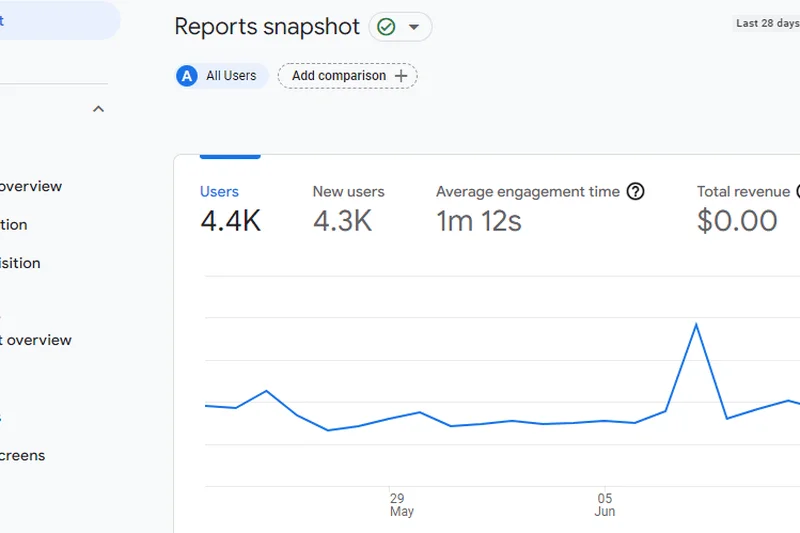
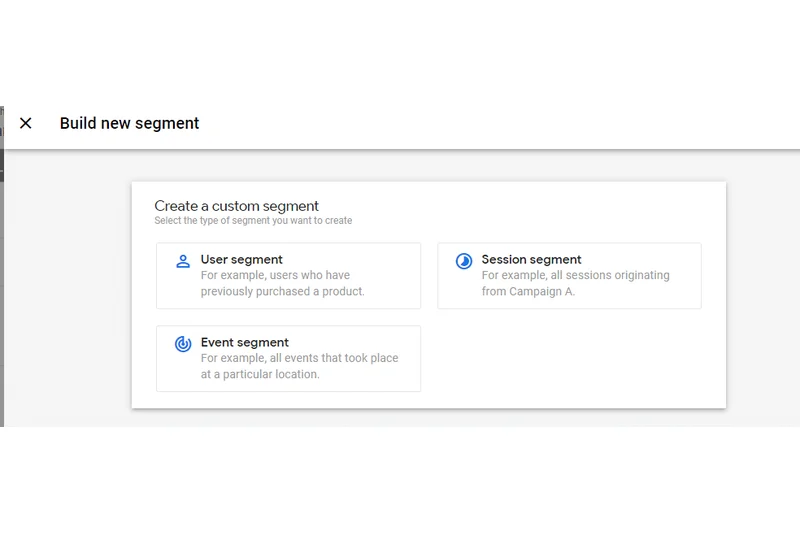
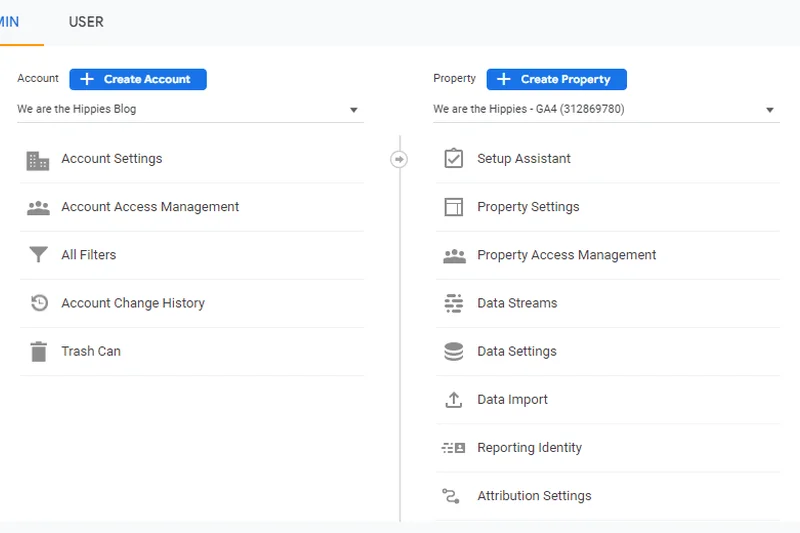
Why we picked it: Google Analytics 4 (GA4) remains the ubiquitous standard for web tracking, winning our Integrations award. Its event-based model and cross-platform journey mapping are powerful, and its native, seamless integration with Google Ads is entirely unparalleled for ROAS tracking. However, its complex UI, heavy reliance on cookies, and privacy compliance concerns push it lower on our overall list.
Key Specs
- Event-based tracking model
- Cross-platform user journey mapping
- Predictive AI insights
- Seamless Google Ads integration
- Custom funnel exploration
What we like
- Flawless integration with Google Ads suite
- Powerful predictive AI metrics
- Free for the vast majority of users
What we don't like
- User interface is notoriously confusing
- Major data privacy and GDPR compliance issues
Best for: Marketers heavily invested in the Google Ads ecosystem who need seamless campaign attribution.
Considering GA4 vs Plausible? If you run heavy Google Ads campaigns, GA4 is required for attribution. If you just want simple traffic metrics, Plausible is vastly superior and legal without a cookie banner.
The industry standard for ad tracking, despite its confusing interface and mounting privacy concerns.
Buy at Google official site#29 Yandex Metrica
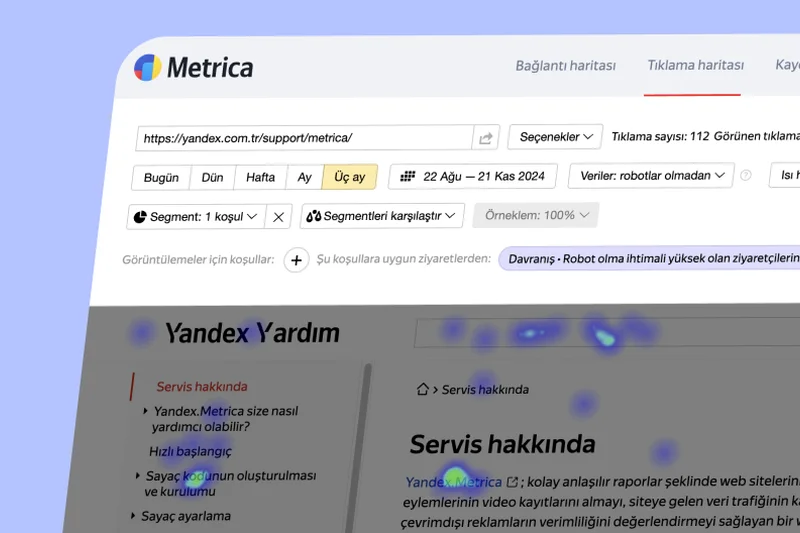
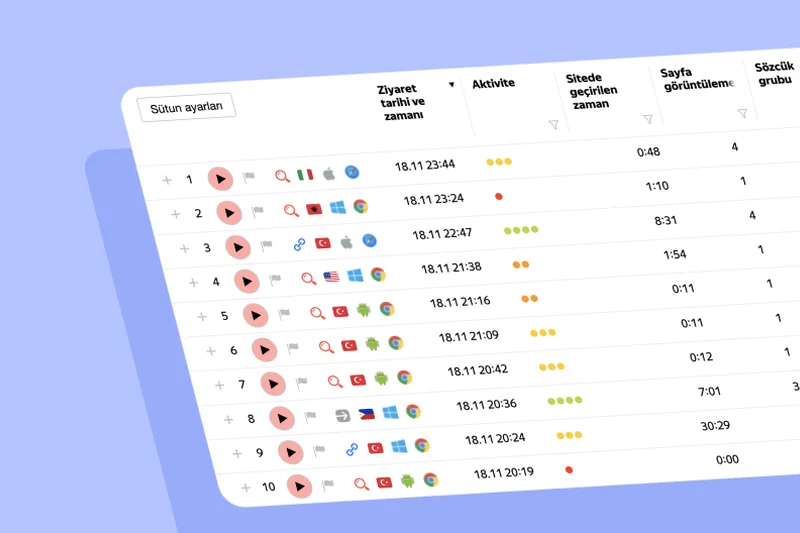
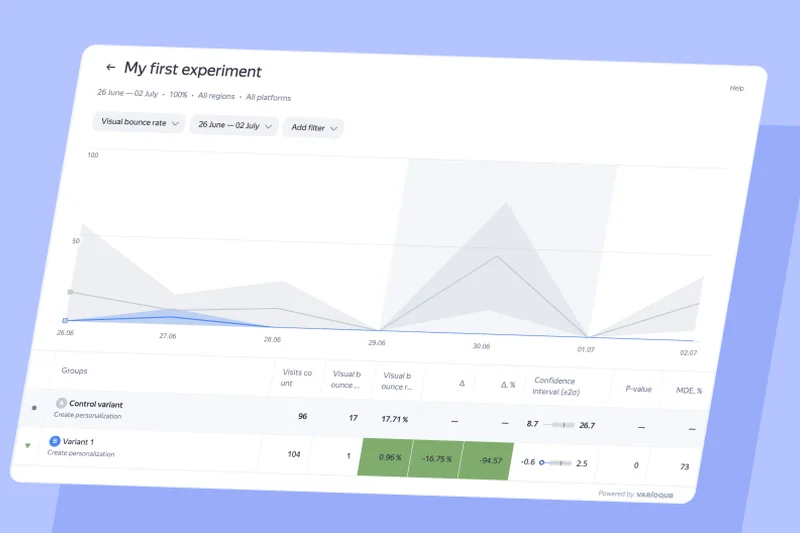
Why we picked it: Yandex Metrica offers an astonishingly generous free tier with unlimited traffic tracking. It includes a built-in session replay tool (Webvisor), click heatmaps, and form analytics at zero cost. While it integrates perfectly with Yandex Direct, western businesses often hesitate due to data sovereignty and privacy concerns, keeping its overall score lower despite the incredible feature-to-price ratio.
Key Specs
- 100% free with unlimited traffic
- Built-in session replay (Webvisor)
- Click & scroll heatmaps
- Form analytics & goal tracking
- Seamless Yandex Direct integration
What we like
- 100% free with no traffic limits
- Includes heatmaps and session replays
- Comprehensive tracking features
What we don't like
- Significant data privacy and geopolitical concerns
- Interface can be sluggish with heavy data
Best for: Webmasters on a strict budget who want premium features like session replay for free, provided they accept the privacy trade-offs.
Considering Yandex Metrica vs Google Analytics? Yandex offers heatmaps and session recordings for free, features GA4 completely lacks, but comes with heavier data privacy baggage.
A highly feature-rich, completely free analytics suite that requires a compromise on data privacy.
Buy at Yandex official site#30 Simple Analytics
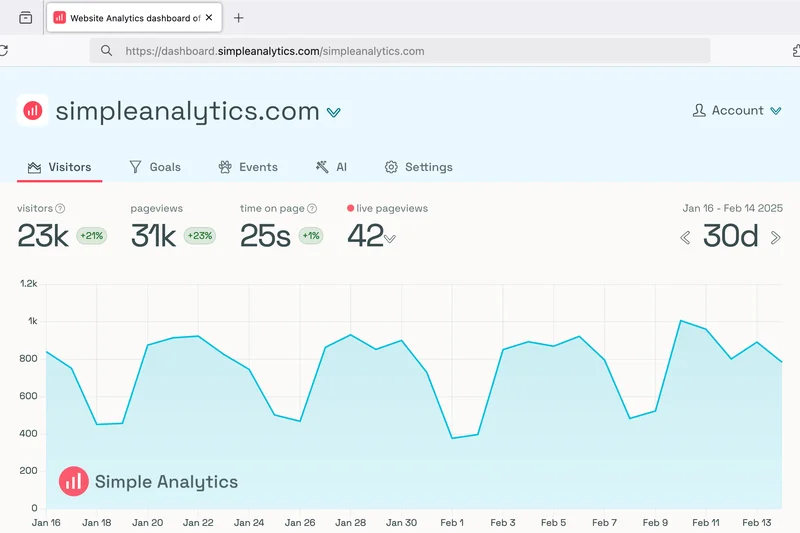
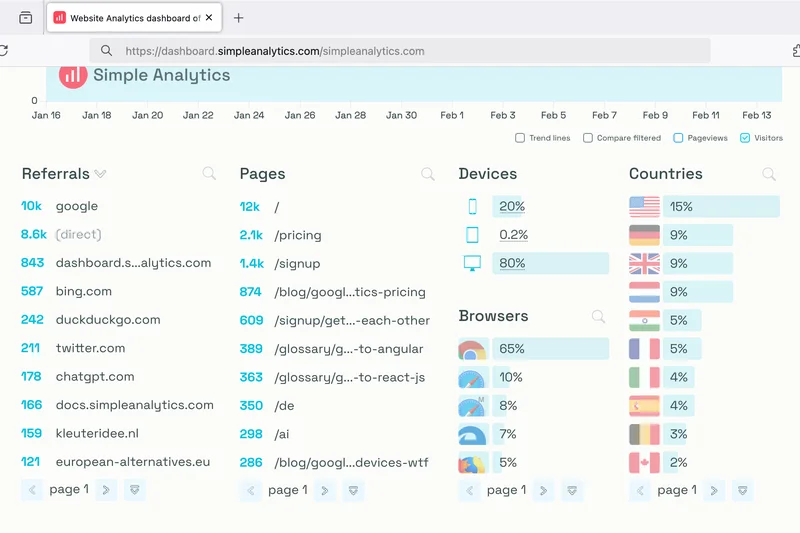
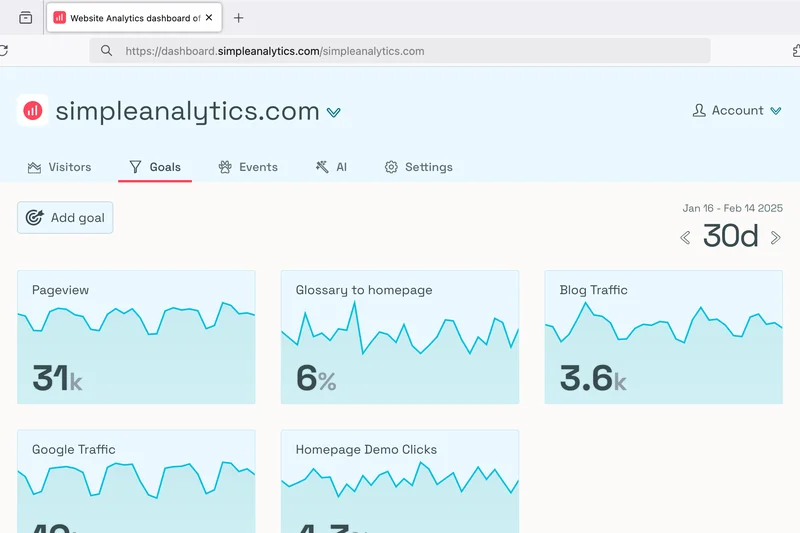
Why we picked it: Simple Analytics lives up to its name by offering a fiercely anti-tracking, privacy-first platform. It absolutely does not collect any personal data, legally bypassing ad-blockers and eliminating the need for consent banners. The dashboard is minimalist and beautiful. It is perfect for site owners who simply want to know how many people read their content without tracking their every move.
Key Specs
- Does not collect any personal data
- Clean and intuitive UI
- Bypasses ad-blockers legally
- Automated email reports
- Lightweight tracker for fast page speeds
What we like
- Strictly zero personal data collection
- Bypasses ad-blockers legally
- Clean, beautiful, and simple UI
What we don't like
- No individual user journey tracking
- Pricing is relatively high for basic metrics
Best for: Ethical businesses, bloggers, and companies that want strictly aggregated traffic data without compromising user privacy.
Considering Simple Analytics vs Fathom? Both are excellent cookieless tools, but Simple Analytics is arguably the strictest regarding zero personal data collection.
The most ethical, privacy-first analytics tool on the market, offering clean data without tracking individuals.
Buy at Simple Analytics official site#31 Cloudflare Web Analytics
Why we picked it: Cloudflare Web Analytics provides 100% free, edge-based tracking. Because it measures traffic directly from Cloudflare's CDN, it is highly accurate, cookieless, and avoids script blockers completely. It focuses heavily on performance metrics like Core Web Vitals, making it an excellent utility for technical SEOs. However, it lacks deep behavioral marketing metrics.
Key Specs
- Integrated CDN performance stats
- 100% free & cookieless
- Measures Core Web Vitals
- No IP address tracking or fingerprinting
- High accuracy real user monitoring
What we like
- 100% free and cookieless
- Measures Core Web Vitals accurately
- No script blockers can stop edge-level tracking
What we don't like
- Very basic traffic reporting
- Lacks conversion funnel tracking
Best for: Technical SEOs and site admins already using Cloudflare who want free, accurate, edge-level performance data.
Considering Cloudflare vs Google Analytics? Cloudflare focuses on raw traffic and site performance (Core Web Vitals) at the edge, while GA4 focuses on marketing attribution and funnels.
A highly accurate, free edge-analytics tool perfect for monitoring traffic volume and site speed.
Buy at Cloudflare official site#32 Crazy Egg
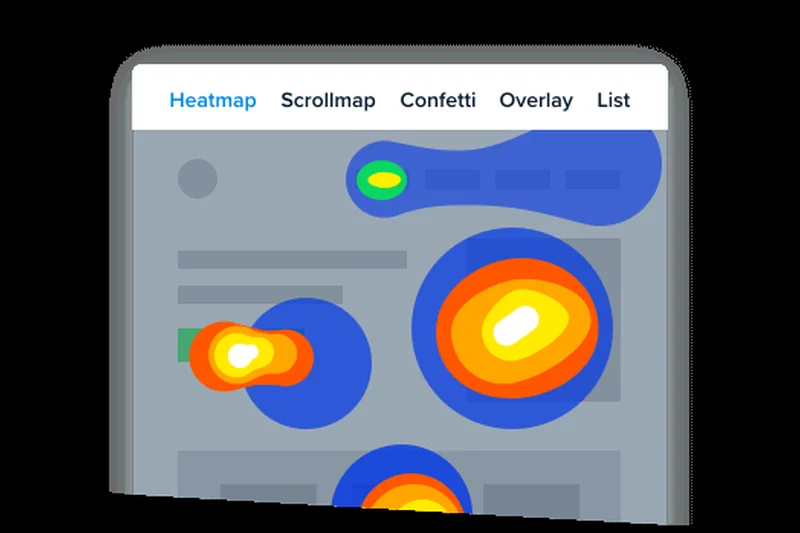
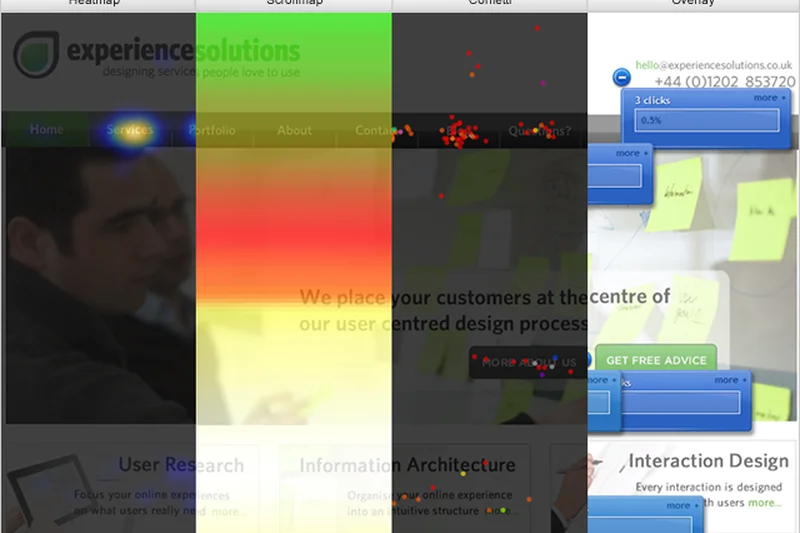
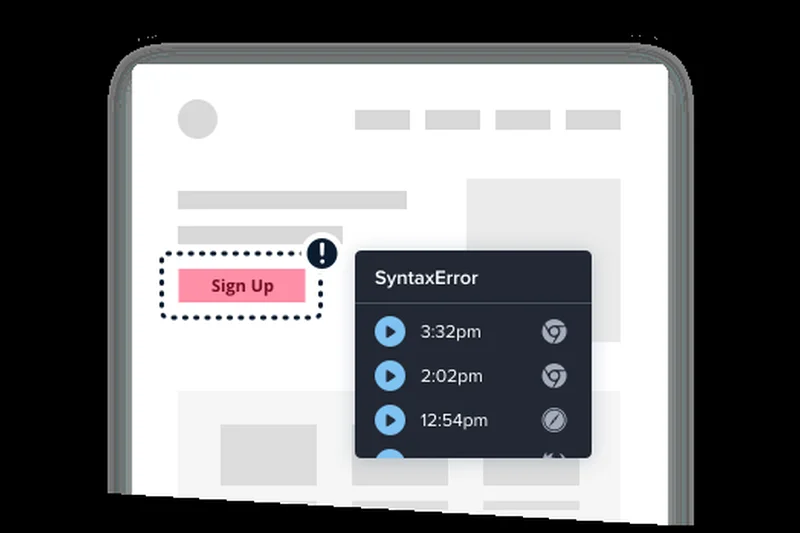
Why we picked it: Crazy Egg is a veteran optimization tool that focuses on visual analytics. It offers reliable click and scroll heatmaps alongside a native A/B testing toolkit. By allowing unlimited domains and user seats, it’s great for agencies managing multiple client sites. While it has been outpaced by newer, AI-driven platforms, it remains a solid, easy-to-use CRO tool.
Key Specs
- Visual click & scroll heatmaps
- Native A/B testing toolkit
- User session recordings
- Unlimited domains & user seats
- Traffic analysis & error tracking
What we like
- Native A/B testing included
- Unlimited domains and user seats
- Reliable, easy-to-read heatmaps
What we don't like
- Interface feels a bit dated
- Lacks advanced behavioral triggers
Best for: Marketing agencies and SMBs wanting a simple combination of heatmaps and A/B testing.
Considering Crazy Egg vs Hotjar? Crazy Egg includes native A/B testing capabilities, whereas Hotjar is strictly for qualitative research and feedback.
A reliable, straightforward CRO tool combining heatmaps with accessible A/B testing features.
Buy at Crazy Egg official site#33 Kissmetrics
Why we picked it: Kissmetrics was a pioneer in person-level behavioral tracking. It focuses deeply on cohort analysis, A/B testing, and marketing campaign attribution. By tying data to actual people rather than anonymous sessions, it allows for highly targeted automated engagement emails. However, its steep starting price ($299/mo) and older UI make it less competitive against modern upstarts.
Key Specs
- Person-level data tracking
- Deep cohort analysis & segmentation
- A/B testing & experiment tracking
- Marketing campaign attribution
- Automated engagement emails
What we like
- Excellent person-level tracking
- Deep cohort and funnel analysis
- Built-in email engagement tools
What we don't like
- High starting price ($299/mo)
- Interface and features feel slightly dated
Best for: E-commerce and SaaS businesses willing to pay for deep, person-level funnel and email analytics.
Considering Kissmetrics vs Mixpanel? Mixpanel offers a much more modern interface and a generous free tier, making it a better choice for most teams today.
A classic behavioral analytics tool that provides deep person-level tracking, though at a premium price.
Buy at Kissmetrics official site#34 Clicky

Why we picked it: Clicky is the definition of old-school real-time web analytics. It provides up-to-the-second traffic reporting with aggressive bot and spam filtering. Users love the raw simplicity of seeing individual visitor sessions live. While the UI looks like it hasn't been updated in a decade, the raw speed and accuracy of the data keep it relevant for dedicated fans.
Key Specs
- Up-to-the-second real-time reporting
- Bot and spam filtering
- Individual visitor session tracking
- Uptime monitoring & alerts
- Heatmaps on Pro Plus tier
What we like
- Lightning-fast real-time data
- Excellent built-in bot filtering
- Very affordable pricing
What we don't like
- Extremely dated user interface
- Lacks modern behavioral funnels
Best for: Bloggers and affiliate marketers who obsessively check real-time traffic and want cheap, raw data.
Considering Clicky vs Google Analytics? Clicky provides genuinely real-time data without the processing delays and complex interface of GA4.
A delightfully retro, blazing-fast real-time traffic tracker with excellent bot filtering.
Buy at Clicky official site#35 Statcounter
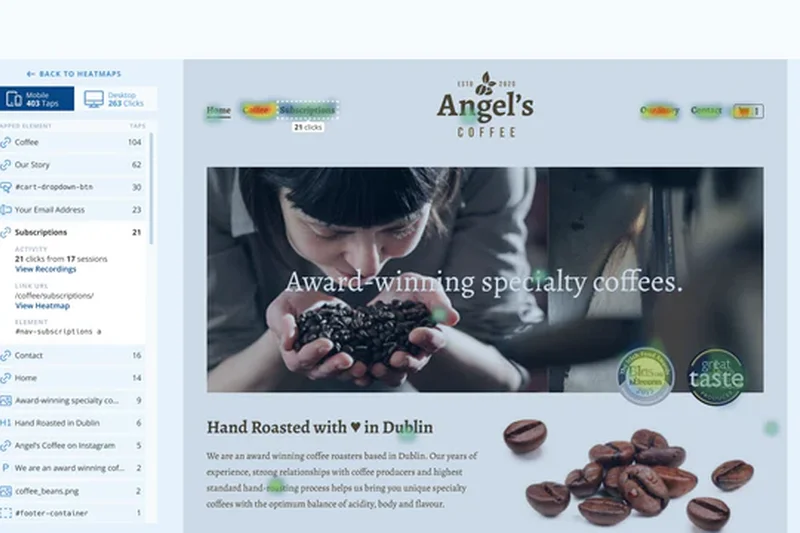
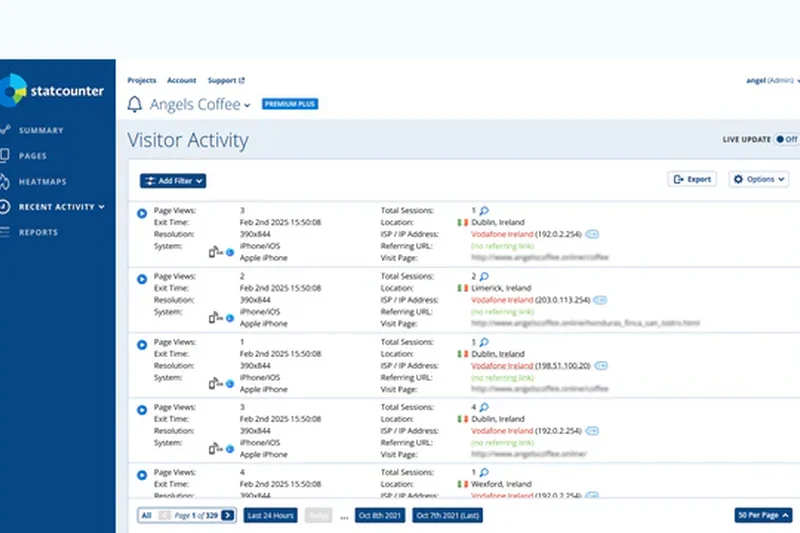
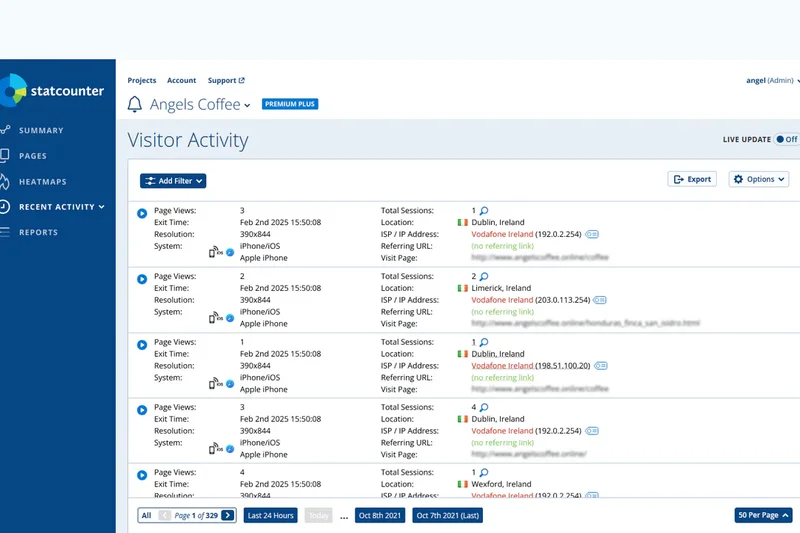
Why we picked it: Statcounter is a legacy visitor analytics tool that remains popular for its sheer simplicity. It provides a live visitor feed, basic landing page performance analysis, and detailed email reports. While it lacks the depth required for modern marketing attribution or complex product analytics, its easy setup and low cost make it suitable for very small local business websites.
Key Specs
- Live visitor feed & journey tracking
- Landing page performance analysis
- Bot & click fraud detection
- Session replay add-ons
- Detailed email reports
What we like
- Extremely simple to use and understand
- Live visitor feed
- Good click fraud detection
What we don't like
- Lacks advanced analytical depth
- UI is very basic
Best for: Small local businesses and hobbyist sites needing the simplest possible traffic overview.
Considering Statcounter vs Google Analytics? Statcounter is incredibly easy to read for absolute beginners, whereas GA4 requires a steep learning curve to understand.
A bare-bones, highly accessible traffic counter ideal for small, non-technical website owners.
Buy at Statcounter official siteBuying Guide
Understanding the Modern Web Analytics Landscape
Web analytics has undergone a massive transformation. Driven by stringent data privacy laws like GDPR and CCPA, the demise of third-party cookies, and the increasing use of ad-blockers, legacy analytics tools are often insufficient. Modern platforms now focus heavily on first-party data ownership, cookieless tracking options, and deep behavioral analytics (like session replays and heatmaps) rather than just tracking pageviews.
For Startups and SMBs
If you are running a small to medium-sized business, you likely don't need a complex event-based data pipeline. Your focus should be on Ease of Use & Setup and Pricing & Value. Tools like Usermaven, Plausible Analytics, and Microsoft Clarity are fantastic choices. They require minimal configuration, offer out-of-the-box dashboards, and won't penalize you with punishing overage fees if your traffic suddenly spikes. Look for platforms that offer legally compliant tracking without needing an annoying cookie consent banner, which can improve your site's user experience.
For Enterprise and Complex Funnels
Large-scale operations and digital product teams require absolute granularity. If you need to understand intricate user journeys, cross-device attribution, and retroactive funnel analysis, you must prioritize Data Tracking & Depth and Integrations & Ecosystem. Platforms such as Adobe Analytics, Mixpanel, and Amplitude are designed for data scientists and growth engineers. These tools allow you to autocapture all events, perform complex cohort analyses, and seamlessly feed unsampled raw data into data warehouses like Snowflake or Google BigQuery. Be prepared for a steeper learning curve and a higher total cost of ownership.
For Privacy-Conscious Sites
If your website operates in healthcare, finance, or targets European Union visitors, privacy is a strict legal requirement. You need platforms that score exceptionally high in Privacy & Compliance. Tools like Piwik PRO, Fathom Analytics, and Matomo ensure that you retain 100% ownership of your visitors' data. They offer built-in consent managers, data anonymization, and options to bypass ad-blockers legally without using invasive tracking cookies. Hosting data on EU servers is often a non-negotiable feature that these privacy-first platforms provide natively.
What to Avoid
When selecting an analytics tool, avoid platforms that force data sampling on lower pricing tiers. Data sampling extrapolates trends from a small percentage of your traffic, leading to highly inaccurate reports, especially for low-volume conversion goals. Additionally, be wary of tools that lock essential integrations (like CRM or basic ad network connections) behind custom enterprise pricing. Finally, avoid implementing multiple heavy tracking scripts; this will degrade your site's Core Web Vitals, harming both your SEO rankings and user experience.
Budget Tiers
- Free Tier: Excellent options exist that cost absolutely nothing. Microsoft Clarity offers unlimited heatmaps and session recordings for free. Google Analytics 4 remains free for most standard use cases, though it comes with a steep learning curve and privacy caveats.
- Mid-Market ($10 - $100/month): This is the sweet spot for most businesses. Tools like Plausible, Fathom, and PostHog offer predictable pay-as-you-go pricing or flat monthly fees based on traffic volume, providing immense value and clean, cookieless data.
- Enterprise ($1,000+/month): For deep predictive AI, omnichannel data integration, and multi-touch marketing attribution, enterprise tools like HockeyStack, Adobe Analytics, and Glassbox provide custom pricing. These are necessary investments for organizations with massive data governance requirements.
FAQ
What is the best web analytics tool in 2026?
Based on our multidimensional testing, Piwik PRO is the best overall web analytics tool. It provides enterprise-grade tracking depth, complete data ownership, and strict privacy compliance (GDPR/CCPA) alongside a generous free tier.
What is a good alternative to Google Analytics 4 (GA4)?
If you want privacy-focused analytics without the complexity of GA4, Plausible Analytics and Fathom Analytics are excellent cookieless alternatives. If you need complex event tracking similar to GA4 but want full data ownership, Piwik PRO and Matomo are the best choices.
Do I need a cookie consent banner if I use web analytics?
Not necessarily. If you use a privacy-first, cookieless analytics tool like Plausible, Fathom, or Simple Analytics that does not collect Personally Identifiable Information (PII) or use tracking cookies, you generally do not need to display a GDPR cookie consent banner for analytics purposes.
What is the difference between web analytics and product analytics?
Web analytics (like Google Analytics or Plausible) focus primarily on traffic acquisition, marketing attribution, and top-of-funnel metrics like pageviews and bounce rates. Product analytics (like Mixpanel or PostHog) focus on user behavior inside an app, tracking complex event funnels, feature adoption, and retention rates.
How can I track user frustration or rage clicks?
Behavioral analytics tools like FullStory, LogRocket, and Mouseflow automatically detect and index "rage clicks" (when a user clicks repeatedly in frustration). These tools provide session replays so you can watch exactly what caused the issue.
What is the best free web analytics tool?
Microsoft Clarity is the best free tool for behavioral analytics (heatmaps and session recordings) with unlimited traffic. For traditional traffic tracking, Google Analytics 4 remains free, while Piwik PRO offers a massive 500k events/month free tier.
Can analytics tools bypass ad-blockers?
Yes, some privacy-friendly tools like Fathom Analytics and Usermaven use custom domain routing and server-side tracking methodologies to legally bypass ad-blockers, providing much more accurate traffic data than traditional client-side scripts.
What are session recordings and heatmaps?
Session recordings are video-like playbacks of a user's journey on your website, showing their mouse movements, clicks, and scrolling. Heatmaps visually aggregate where users click (click maps) and how far down the page they go (scroll maps). Hotjar and Microsoft Clarity are leaders in this space.
Why is data sampling bad in web analytics?
Data sampling occurs when an analytics tool only processes a small percentage of your traffic and guesses the rest to save server costs. This leads to highly inaccurate data, especially for low-volume conversion metrics. Tools like Matomo and Piwik PRO guarantee unsampled data.
Which analytics tool is best for developers?
PostHog is currently the best analytics platform for developers. It is open-source, allows for self-hosting, provides extensive APIs, and combines product analytics with feature flagging and session replay in one toolkit.
What is B2B multi-touch attribution?
B2B multi-touch attribution connects website analytics with your CRM to track long, complex sales cycles. It shows which marketing touchpoints (ads, blogs, webinars) contributed to closing a high-value B2B deal. HockeyStack is the leading platform for this.
How do edge-based analytics work?
Edge-based analytics, like Cloudflare Web Analytics, measure traffic directly at the server/CDN level rather than relying on JavaScript loading in the user's browser. This makes them incredibly fast, highly accurate, and completely immune to ad-blockers.
Methodology
Our evaluation methodology is firmly grounded in the M2 Multi-Dimensional Evaluation framework, developed by Selection Logic. This systematic approach decomposes software quality into interpretable, orthogonal dimensions rather than collapsing complex capabilities into a single, highly subjective score. By isolating specific attributes, we can objectively measure how well a tool performs in the areas that matter most to different types of users.
For the 'Best Web Analytics Tools 2026' category, we established the following base weightings for our Overall Ranking scenario, reflecting the needs of standard mid-market businesses:
- Data Tracking & Depth (20%): Evaluates the tool's ability to track complex events, user journeys, e-commerce funnels, and real-time data accurately.
- Privacy & Compliance (15%): Assesses adherence to GDPR, CCPA, cookieless tracking options, and data ownership policies.
- Ease of Use & Setup (15%): Measures the learning curve, ease of installation, and dashboard intuitiveness.
- Reporting & Visualization (15%): Quality of built-in dashboards, custom report building, and exporting capabilities.
- Integrations & Ecosystem (10%): Availability of native integrations with CMS, CRMs, ad networks, and data warehouses.
- Pricing & Value (15%): Analyzes cost relative to feature set, traffic limits, and availability of free tiers.
- Support & Reliability (10%): Availability of customer service, documentation, and historical server uptime.
To ensure our rankings are universally applicable, we dynamically adjusted these weights for specialized scenarios. For instance, our Budget-Friendly scenario shifted emphasis heavily toward Value (30%) and Ease of Use (20%). The Privacy-Conscious scenario placed a massive 40% weight on Privacy & Compliance. Finally, the Enterprise scenario completely deprioritized price, focusing heavily on Data Tracking (25%), Reporting (20%), and Integrations (20%).
We aggregated qualitative user sentiment from platforms like G2, Capterra, and GitHub, combining it with quantitative testing metrics. This multi-stressor dynamic evaluation guarantees that our recommendations are resilient, accurate, and tailored to real-world business constraints.
Sources & References
All factual claims, product specifications, prices, and images in this article are cited by number. Click any reference to jump to the list; click the link in each entry to visit the original source.
- [1]Selection Logic. "M2 Multi-Dimensional Evaluation." selectionlogic.org/en/methods/m2-multi-dimensional-evaluation/. Accessed Mar 2026.
- [2]Selection Logic. "Selection Logic Methodology & Axioms." selectionlogic.org/. Accessed Mar 2026.
- [3]Piwik PRO. "Enterprise Privacy Analytics." piwik.pro. Accessed Mar 2026.
- [4]PostHog. "Open-Source Product Analytics." posthog.com. Accessed Mar 2026.
- [5]Usermaven. "Privacy-Friendly Analytics." usermaven.com. Accessed Mar 2026.
- [6]Matomo. "Google Analytics Alternative." matomo.org. Accessed Mar 2026.
- [7]Mixpanel. "Product Analytics for Product Teams." mixpanel.com. Accessed Mar 2026.
- [8]LogRocket. "Frontend Monitoring & Session Replay." logrocket.com. Accessed Mar 2026.
- [9]Glassbox. "Digital Experience Analytics." glassbox.com. Accessed Mar 2026.
- [10]Amplitude. "Product Analytics & Event Tracking." amplitude.com. Accessed Mar 2026.
- [11]Smartlook. "Web & Mobile Analytics." smartlook.com. Accessed Mar 2026.
- [12]FullStory. "Digital Experience Intelligence." fullstory.com. Accessed Mar 2026.
- [13]Pirsch. "Cookieless Web Analytics." pirsch.io. Accessed Mar 2026.
- [14]Heap. "Autocapture Product Analytics." heap.io. Accessed Mar 2026.
- [15]Parse.ly. "Content Analytics Platform." parse.ly. Accessed Mar 2026.
- [16]Hotjar. "Website Heatmaps & Behavior." hotjar.com. Accessed Mar 2026.
- [17]Plausible Analytics. "Simple, Privacy-Friendly Analytics." plausible.io. Accessed Mar 2026.
- [18]Fathom Analytics. "Privacy-First Website Analytics." usefathom.com. Accessed Mar 2026.
- [19]Microsoft Clarity. "Free Heatmaps & Session Replays." clarity.microsoft.com. Accessed Mar 2026.
- [20]GoSquared. "Real-Time Web Analytics." gosquared.com. Accessed Mar 2026.
- [21]HockeyStack. "B2B Marketing Attribution." hockeystack.com. Accessed Mar 2026.
- [22]OWOX BI. "Marketing Data Pipeline." owox.com. Accessed Mar 2026.
- [23]Independent Analytics. "WordPress Native Analytics." independentwp.com. Accessed Mar 2026.
- [24]Chartbeat. "Real-Time Content Analytics." chartbeat.com. Accessed Mar 2026.
- [25]Snowplow. "Behavioral Data Platform." snowplow.io. Accessed Mar 2026.
- [26]Umami. "Open-Source Analytics." umami.is. Accessed Mar 2026.
- [27]Lucky Orange. "Conversion Optimization Tools." luckyorange.com. Accessed Mar 2026.
- [28]Adobe. "Adobe Analytics." adobe.com. Accessed Mar 2026.
- [29]Mouseflow. "Behavior Analytics & Heatmaps." mouseflow.com. Accessed Mar 2026.
- [30]Google. "Google Analytics 4." analytics.google.com. Accessed Mar 2026.